

Video
Gambar Rajah Litar

Kod Sumber
1// ─────────────────────────────────────────
2//   BlueGrays · bluegrays.com
3//   LED Blink
4// ─────────────────────────────────────────
5// Blinks a single LED on and off every 100 ms. Shows the basic use of the
6// digitalWrite and delay functions.
7//
8// Pins:
9//   D9 -> LED (with a 220 ohm resistor)
10
11void setup() {
12  pinMode(9,OUTPUT);     // LED pin as output
13}
14
15void loop() {
16  digitalWrite(9,HIGH);  // Turn the LED on
17  delay(100);            // Wait 100 ms (1000 ms = 1 s)
18  digitalWrite(9,LOW);   // Turn the LED off
19  delay(100);
20}
21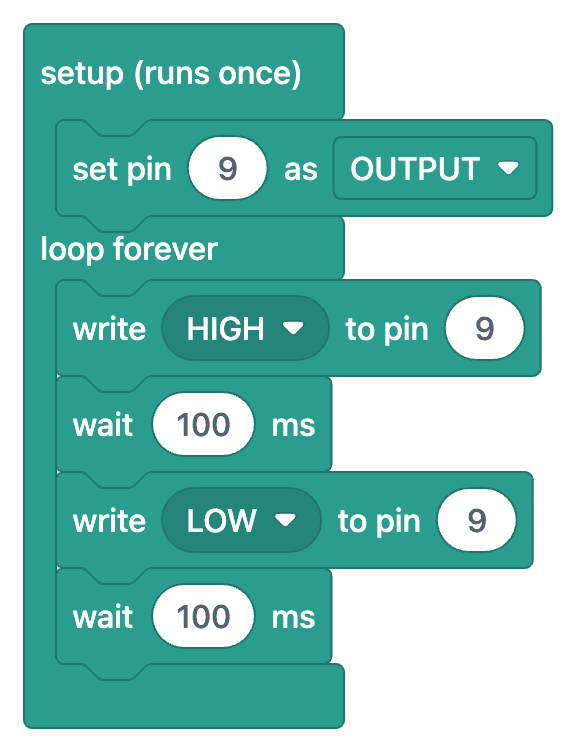
Soalan Lazim
Why shouldn't an LED be connected without a resistor?
An LED does not limit its own current; if connected directly to 5 V, it will draw too much current, which could damage both the LED and the Arduino pin. A 220 Ω resistor limits the current to approximately 13–15 mA, which is safe for both the LED and the pin.
Which pin on the LED is the positive (+) terminal?
The longer leg is the anode (+), and the shorter leg is the cathode (−). The side of the LED body with a flat notch is also the cathode. Connect the anode to the Arduino pin (through a resistor) and the cathode to GND; if connected the wrong way, the LED will not light up but will not be damaged.
I uploaded the code, but the LED isn't lighting up. What should I check?
Check the following one by one: Is the LED installed the wrong way? Do the code and the pin number on the circuit match? Is there a GND connection? Are the LED and resistor on the same row on the breadboard? The 'L' LED on the board is also connected to pin 13; you can try that one first using LED_BUILTIN.
How do I change the flashing speed?
The value inside `delay()` is in milliseconds: `delay(1000)` waits for one second. If you decrease the value, the LED will blink faster; if you increase it, it will blink slower. You can also set the on and off durations separately.