
AR-55Pertengahan
Temperature and Humidity with DHT11
4.7(47)
83 selesai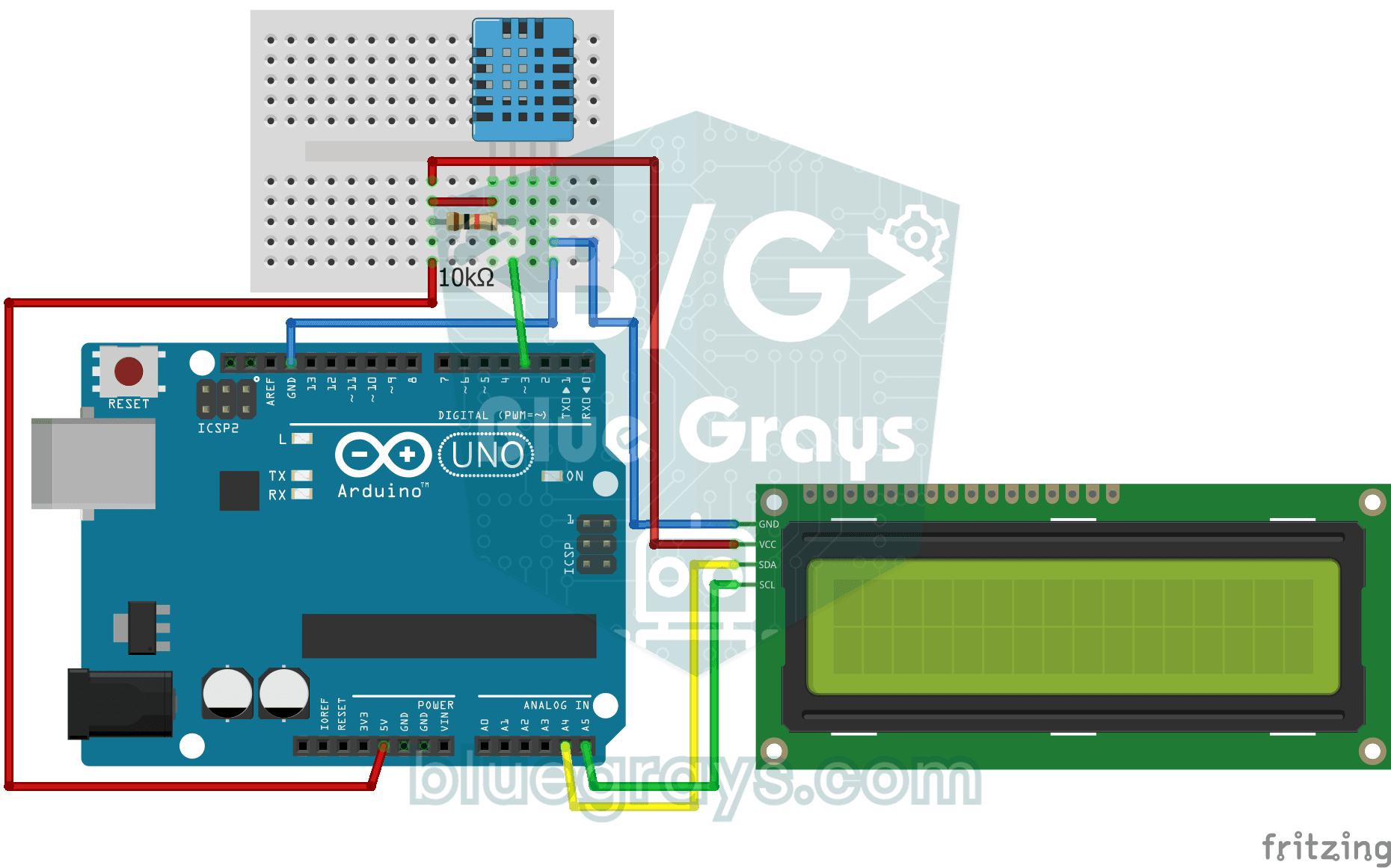
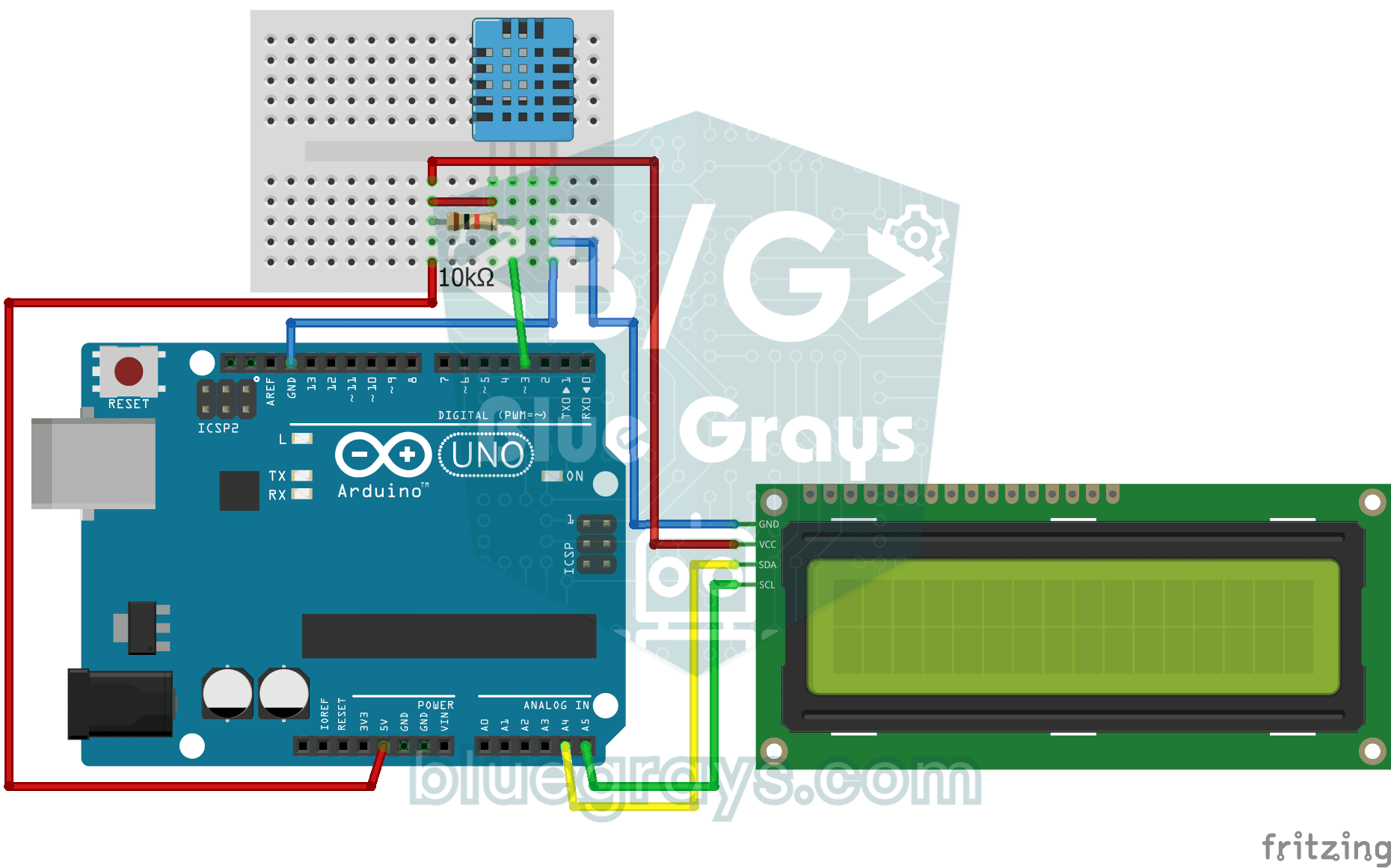
How warm is your room, and is the air humid or dry? The DHT11 sensor measures temperature and humidity, and the Arduino writes the values on a two-line LCD screen, refreshing every couple of seconds. If something goes wrong with the sensor, an error message appears; it's the first step toward your own little weather station.
Video
Gambar Rajah Litar
Kod Sumber
C++ (Arduino IDE)
1// ─────────────────────────────────────────
2//   BlueGrays · bluegrays.com
3//   Temperature and Humidity with DHT11
4// ─────────────────────────────────────────
5// The DHT11 sensor measures room temperature and humidity; the I2C LCD
6// shows the temperature on the first line and the humidity on the second.
7// The reading refreshes every 2 s. If a reading fails the screen shows
8// "Sensor Error!".
9//
10// Pins:
11//   D3 -> DHT11 data
12//   (10k resistor between data and 5V, pull-up)
13//   A4 -> LCD SDA
14//   A5 -> LCD SCL
15//   DHT11 and LCD: VCC to 5V, GND to GND
16
17#include <LiquidCrystal_I2C.h>
18#include <Wire.h>
19#include <DHT.h>
20
21#define DHTPIN 3        // DHT11 data pin
22#define DHTTYPE DHT11   // Sensor type in use
23
24LiquidCrystal_I2C lcd(0x27, 16, 2);   // I2C address 0x27, 16x2 LCD
25DHT dht(DHTPIN, DHTTYPE);
26
27void setup() {
28  dht.begin();
29  // Modern libraries prefer init() over begin()
30  lcd.init();
31  lcd.backlight();
32}
33
34void loop() {
35  // Read humidity and temperature (C)
36  float humidity = dht.readHumidity();
37  float temperature = dht.readTemperature();
38
39  // Check if readings failed
40  if (isnan(humidity) || isnan(temperature)) {
41    lcd.setCursor(0, 0);
42    lcd.print("Sensor Error!   ");
43    return;
44  }
45
46  // Line 1: temperature
47  lcd.setCursor(0, 0);
48  lcd.print("Temp: ");
49  lcd.print(temperature);
50  lcd.print((char)223); // Degree symbol (°)
51  lcd.print("C   ");
52
53  // Line 2: humidity
54  lcd.setCursor(0, 1);
55  lcd.print("Humidity: %");
56  lcd.print((int)humidity);   // Print as a whole number (45)
57  lcd.print("   "); // Trailing spaces to clear old data
58
59  delay(2000); // DHT11 is slow, 2 seconds is more stable
60}
61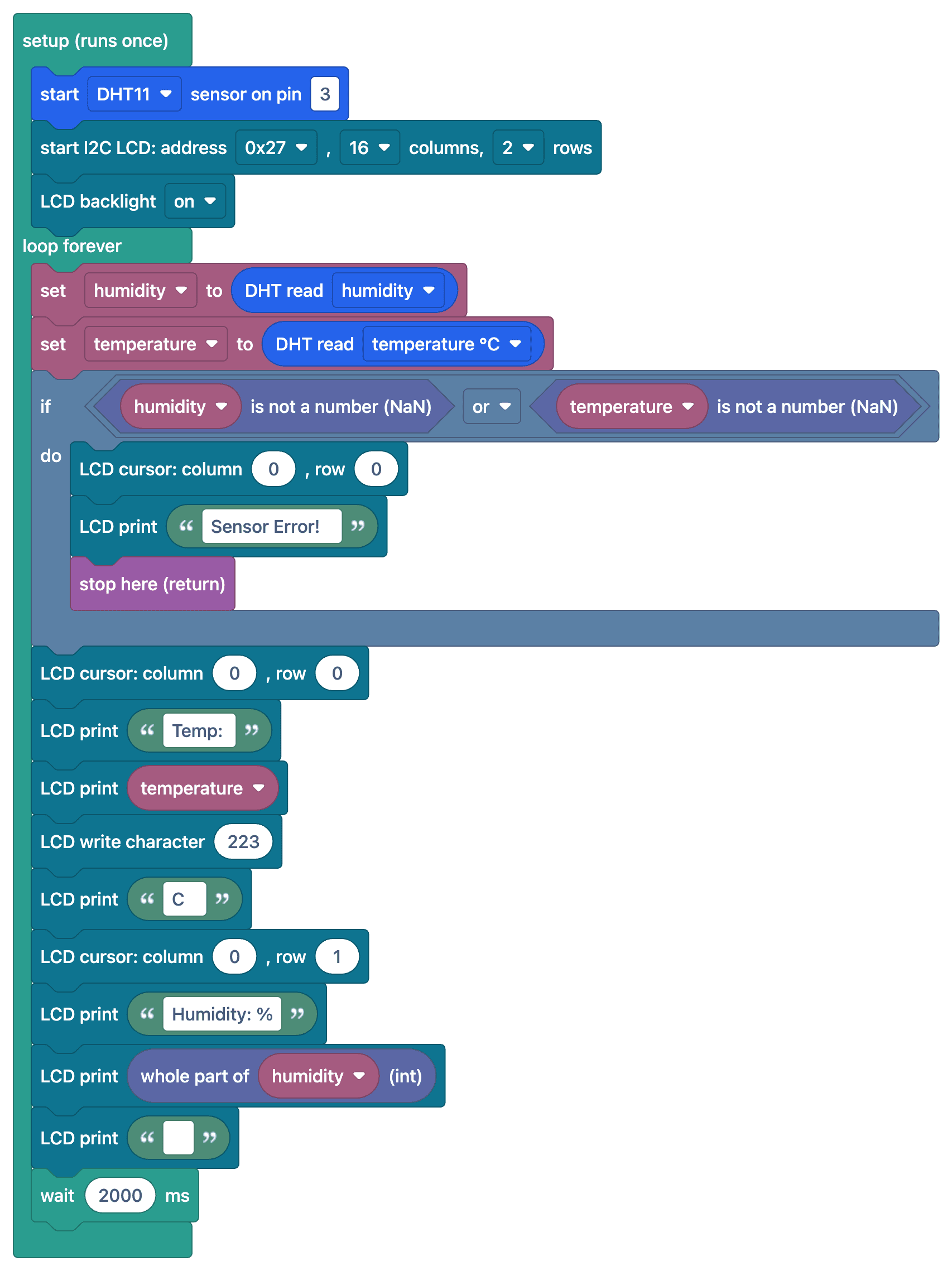
Soalan Lazim
How accurate are DHT11 measurements?
The DHT11 measures temperature with an accuracy of ±2 °C and humidity with an accuracy of ±5%, and operates within the 0–50 °C range. For more accurate measurements, the DHT22 (±0.5 °C) or the BME280 is recommended.
I see "nan" or an error message on the screen. Why?
The sensor could not be read. Check the 10 kΩ pull-up resistor on the data pin, the sensor type (DHT11) in the library settings, and make sure you wait at least 1–2 seconds between readings.
Why are the readings updating slowly?
The DHT11 can take a maximum of one measurement per second. Attempting to take readings more frequently will result in incorrect or outdated values; it is recommended to wait 2 seconds between measurements.
Can I calculate the perceived temperature?
Yes, the computeHeatIndex() function in the DHT library calculates the perceived temperature based on temperature and humidity.