
Teroka Projek Arduino
Ratusan projek dari pemula hingga mahir: gambar rajah litar, kod dan video. Mulakan di tahap mana pun kamu berada.
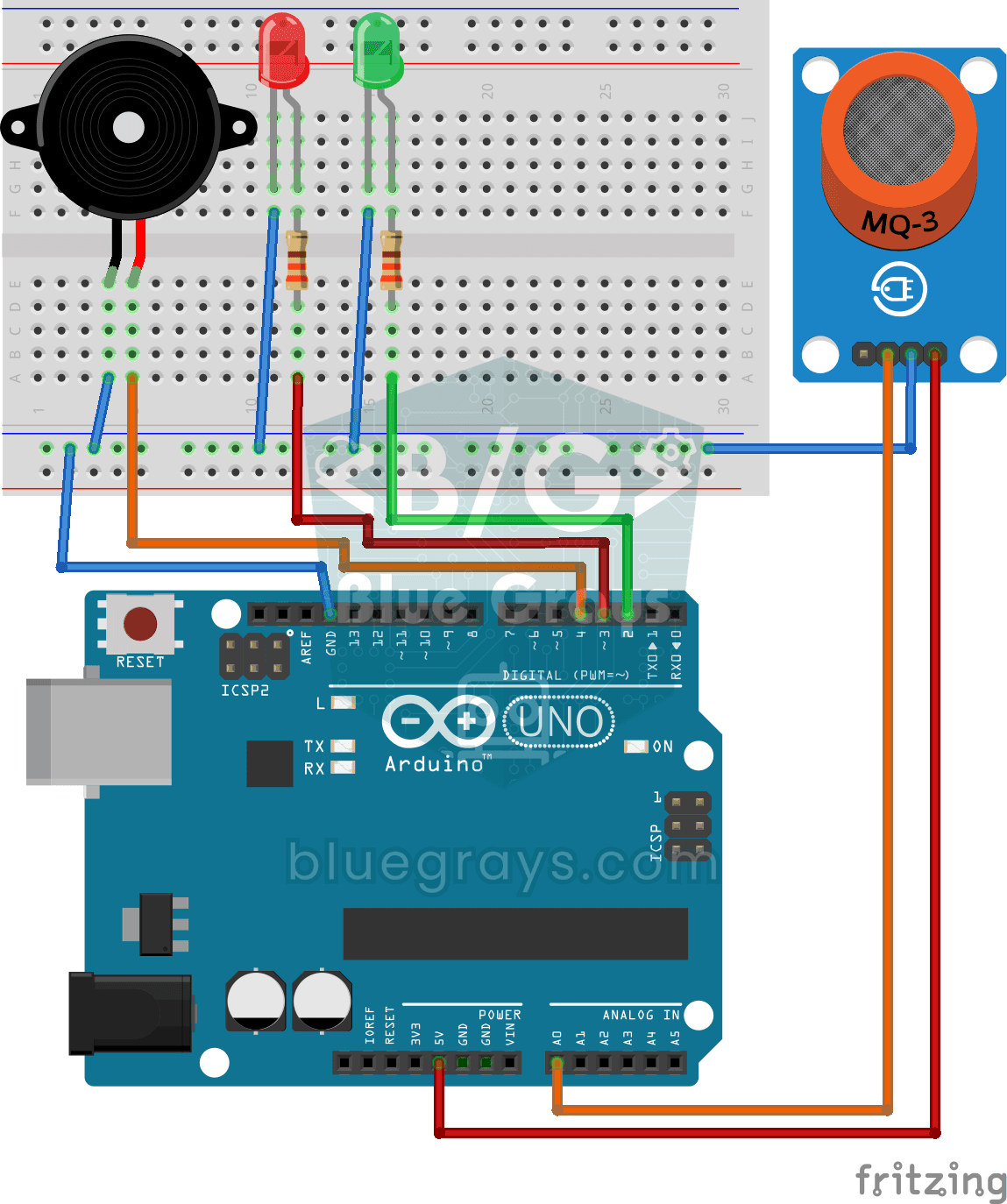
Using a Gas Sensor
A little guard that notices a gas leak in the kitchen before you do. The gas sensor keeps sniffing the air; while everything is fine the green LED stays on, and when the gas in the air passes a…
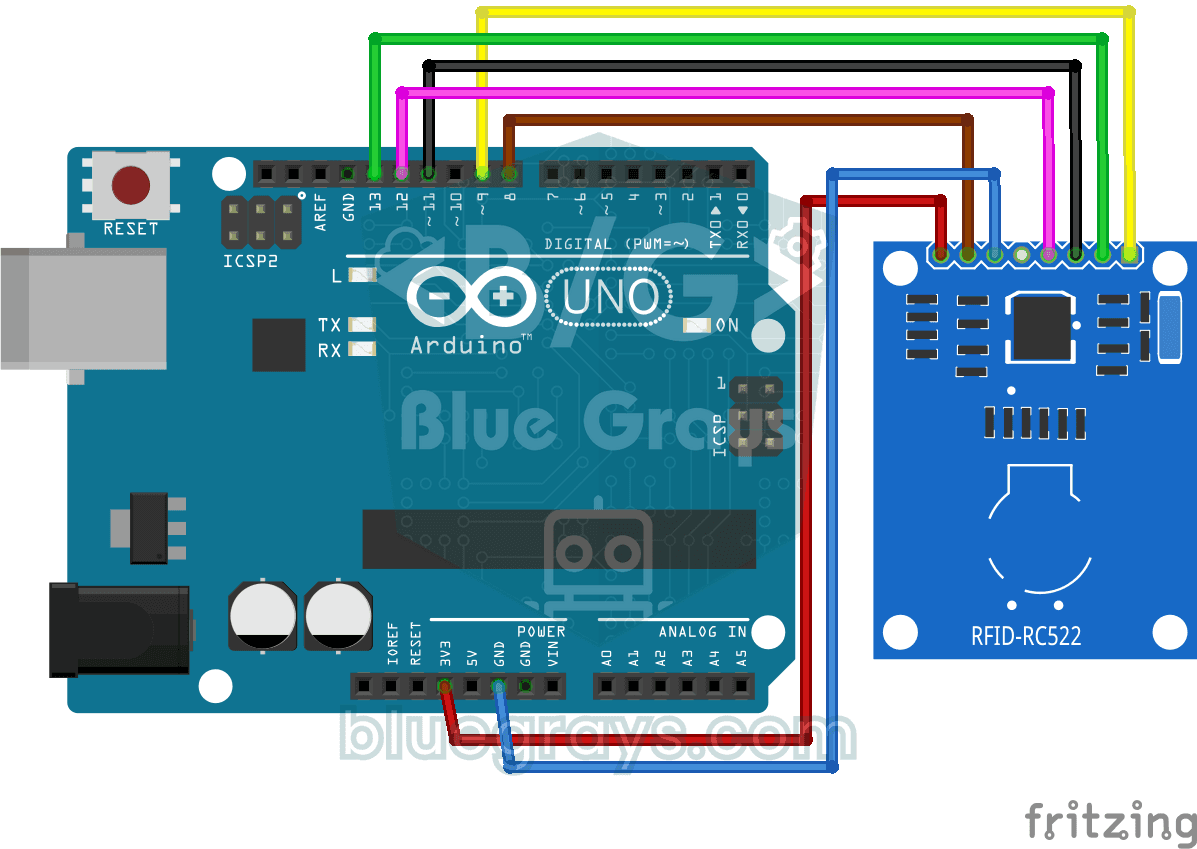
RFID Value Reading
Your building key fob or access card hides a secret ID number, and this project reads it. Hold the card near the RFID reader and the Arduino writes the card's number to your computer screen.
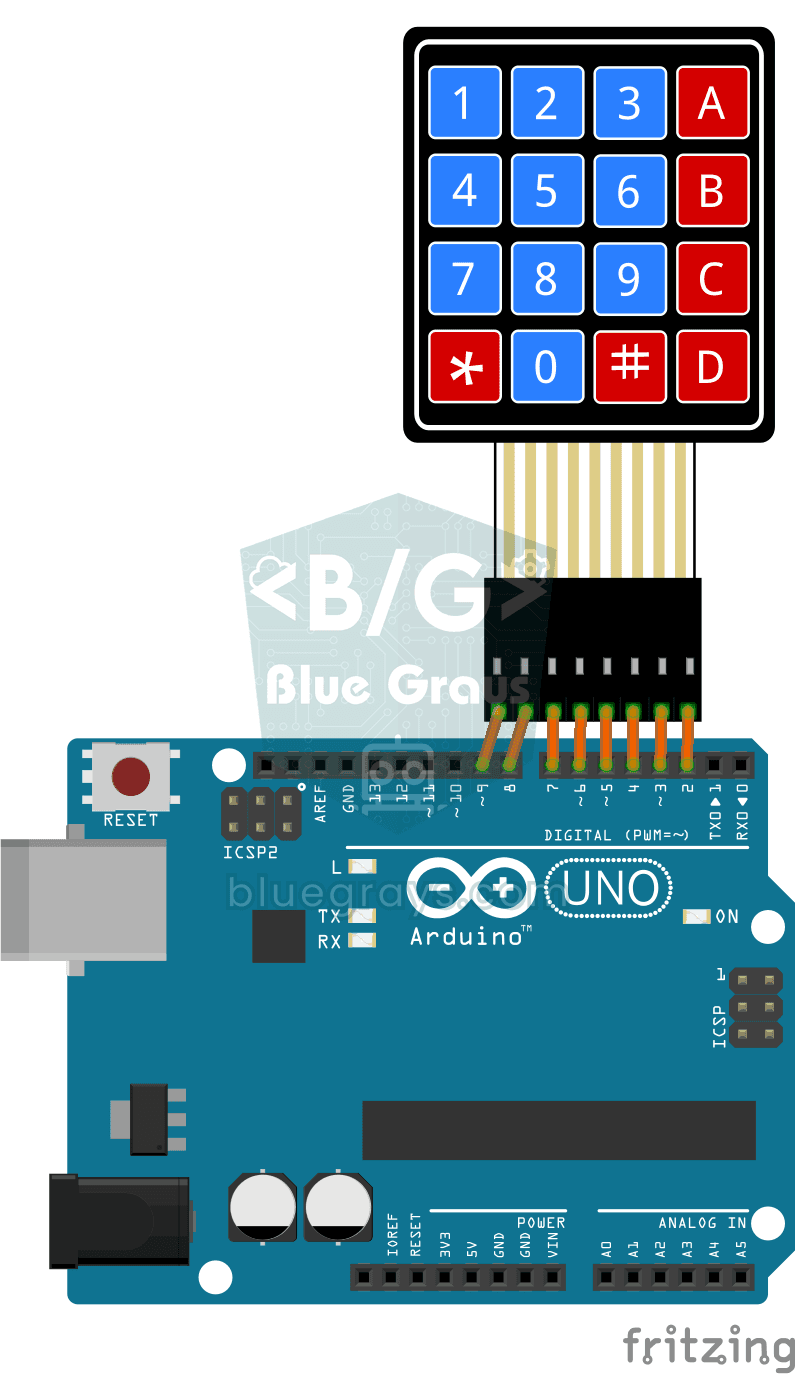
4x4 Keypad Operation
On the 4x4 keypad, which looks a lot like a phone's buttons, the Arduino instantly knows which key you pressed and writes it to your computer screen.

ESP32 Police Strobe Light Effect
Simulate the strobe lights of a police car by rapidly flashing red and blue LED groups. Using 2 LEDs in each group makes the effect more dramatic. A classic example of fast toggle pattern and group control.

ESP32 Night Light with LDR
Night light where the LED automatically turns on in the dark and off in the light. The D0 (digital out) pin of the LDR Sensor Module is used - the dark threshold is set with the small potentiometer on the module, the module itself generates the HIGH/LOW output. ESP32 just reads this signal with digitalRead(), the code is very simple.

ESP32 Melody Playback with Buzzer
Playing a simple melody (Twinkle Twinkle Little Star) with a passive buzzer. We play notes with tone() and noTone() functions like in Arduino - ESP32 works with the same syntax as Arduino Core 3.0+. Passive buzzer must be used (active buzzer does not play melody).
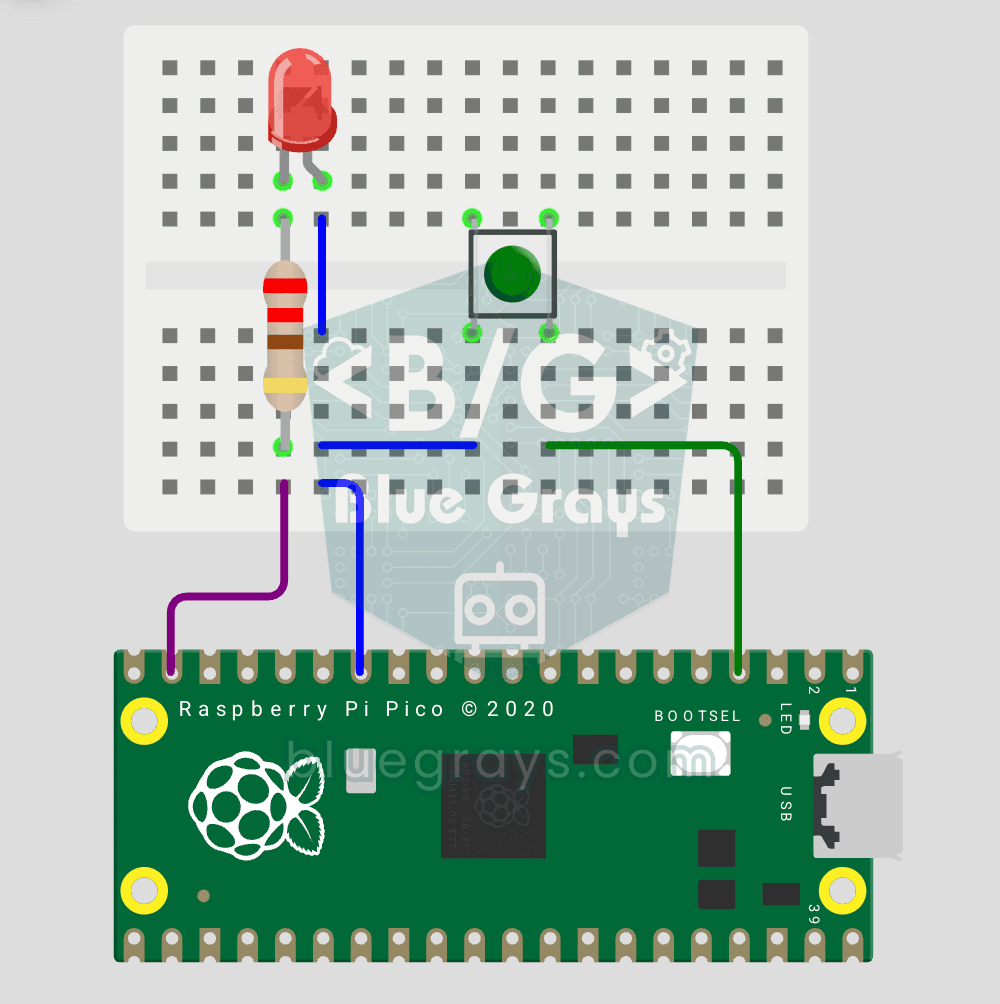
Raspberry Pi Pico Button Controlled LED (Push)
First input project with Pico — button read! LED lights while button is pressed, off when released. This is the big step after LED animations: signal input from the world to Pico. Learn Pin.IN (input mode), Pin.PULL_UP (internal pull-up resistor — standard for buttons), button.value() reading. GP14 LED, GP2 button (internal PULL_UP). Pressed = LOW (0), released = HIGH (1) — reverse logic seems confusing at first but is industry standard.
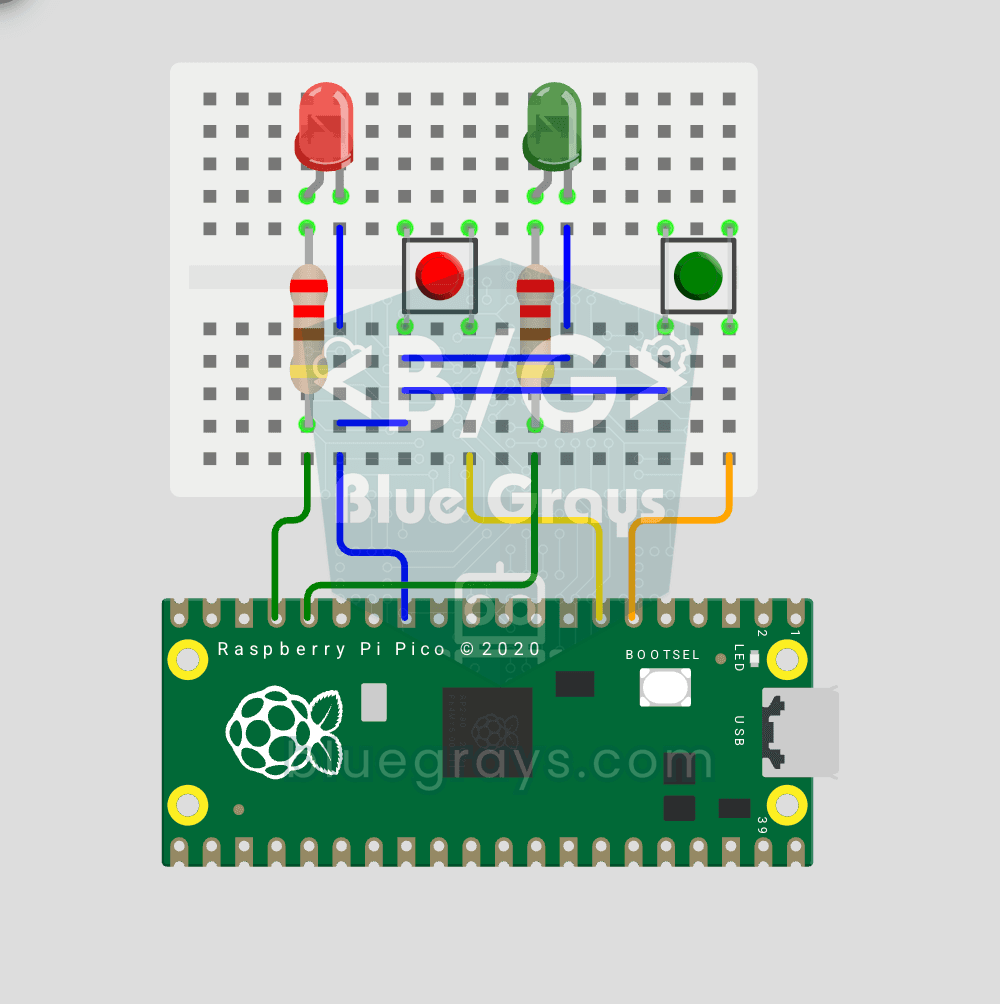
Raspberry Pi Pico: Independent Control of 2 LEDs Using 2 Buttons
2 buttons, 2 LEDs, completely independent of each other! Each button controls its own LED: press BTN1 and the red LED lights up, press BTN2 and the green one does. Press both at once and both LEDs light up (parallel operation). You'll learn to manage several Pin objects together, the ternary operator, Python's compact if-else (1 if x else 0), and a GPIO map (GP12/13 LED outputs, GP4/5 button inputs).
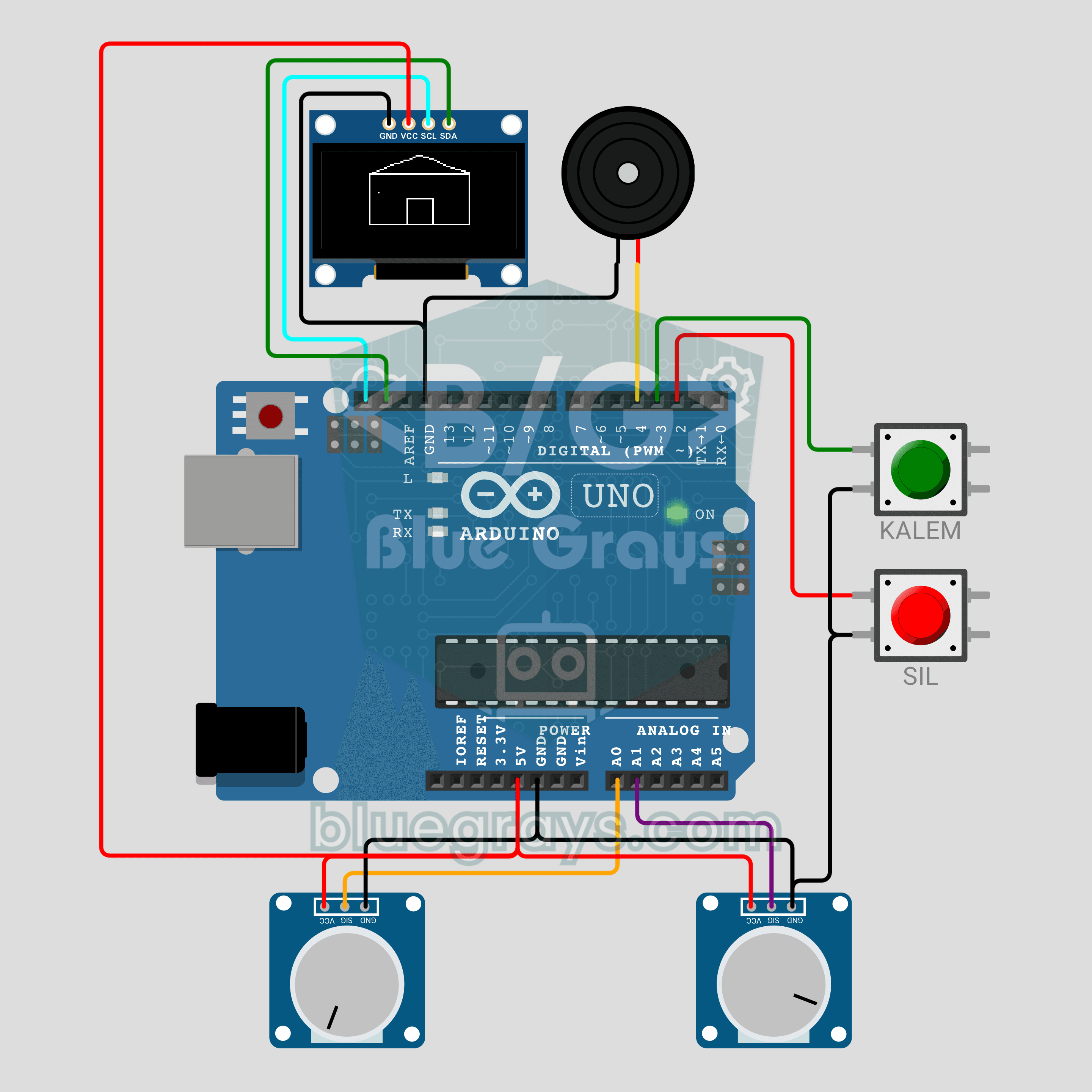
Arduino Magic Drawing Tablet (2 Potentiometers + OLED Display)
We are rebuilding the classic magic drawing tablet with an Arduino! The left potentiometer moves the pen horizontally, the right one vertically, and the 0.96 inch OLED keeps a continuous line. The PEN button lifts and lowers the pen, while the CLEAR button wipes the screen with an eraser animation and a buzzer sound. A fun beginner project about analog input, jitter filtering and drawing on a display.
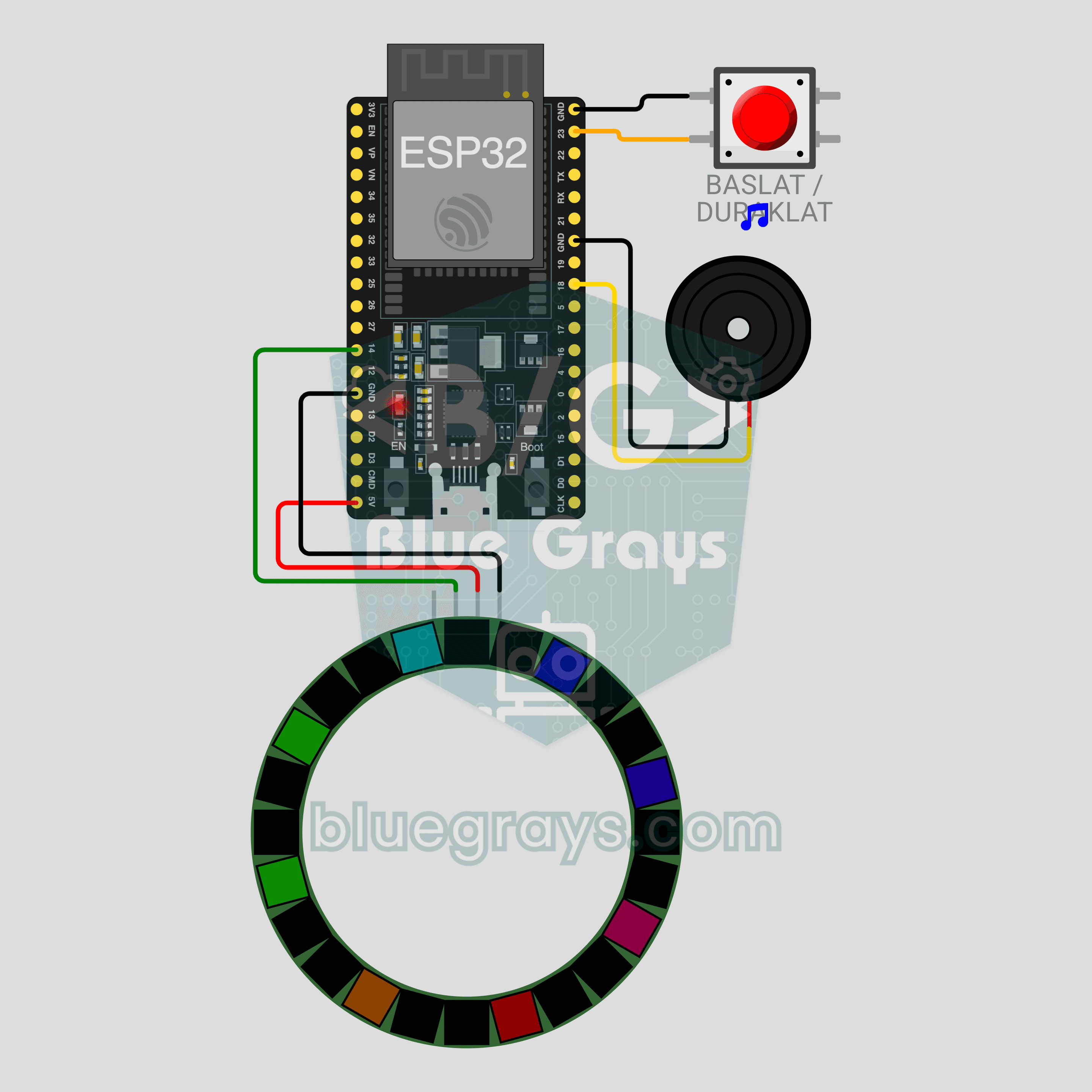
ESP32 Pomodoro Timer (NeoPixel Ring + Button + Buzzer)
A glowing desk timer that keeps you off your phone while you study! The 24-LED NeoPixel ring shows the time left like a clock face: work is red, short breaks are green and the long break after every four sessions is blue. In the last 5 seconds the ring flashes and the passive buzzer ticks, then a rainbow celebrates the finished phase. One button starts, pauses and resets, all on an ESP32 without a single delay().
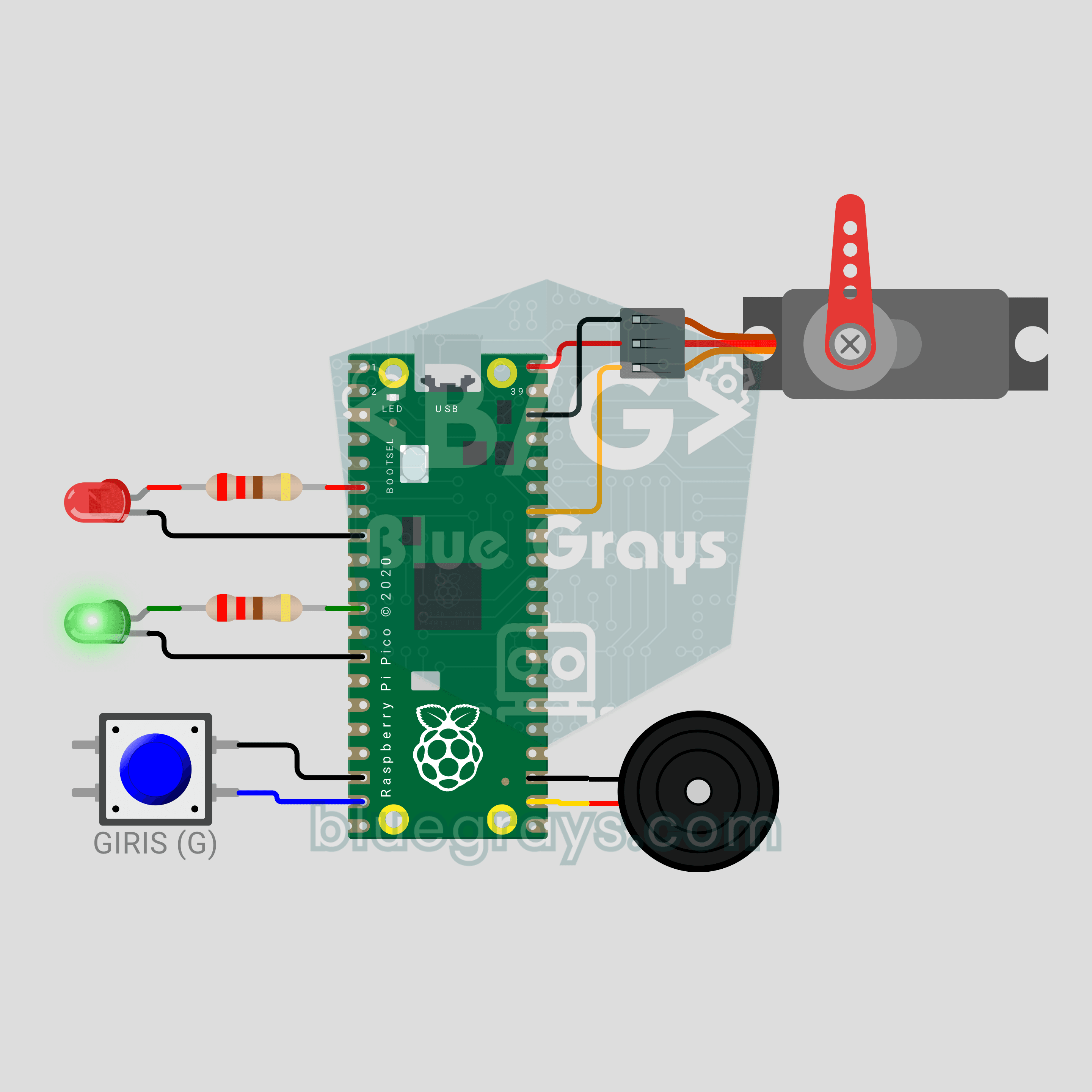
Raspberry Pi Pico Parking Barrier (SG90 Servo + 2 LEDs + Button + Buzzer)
A small model of the boom barrier at a car park entrance! Press the button and the Raspberry Pi Pico raises the arm smoothly with an SG90 servo as the green LED comes on. It stays open for 3 seconds, then lowers slowly with a flashing red LED and warning beeps from the buzzer. Press again while it is lowering and the arm rises at once for safety. Servo control, a state machine and non-blocking timing in one project.
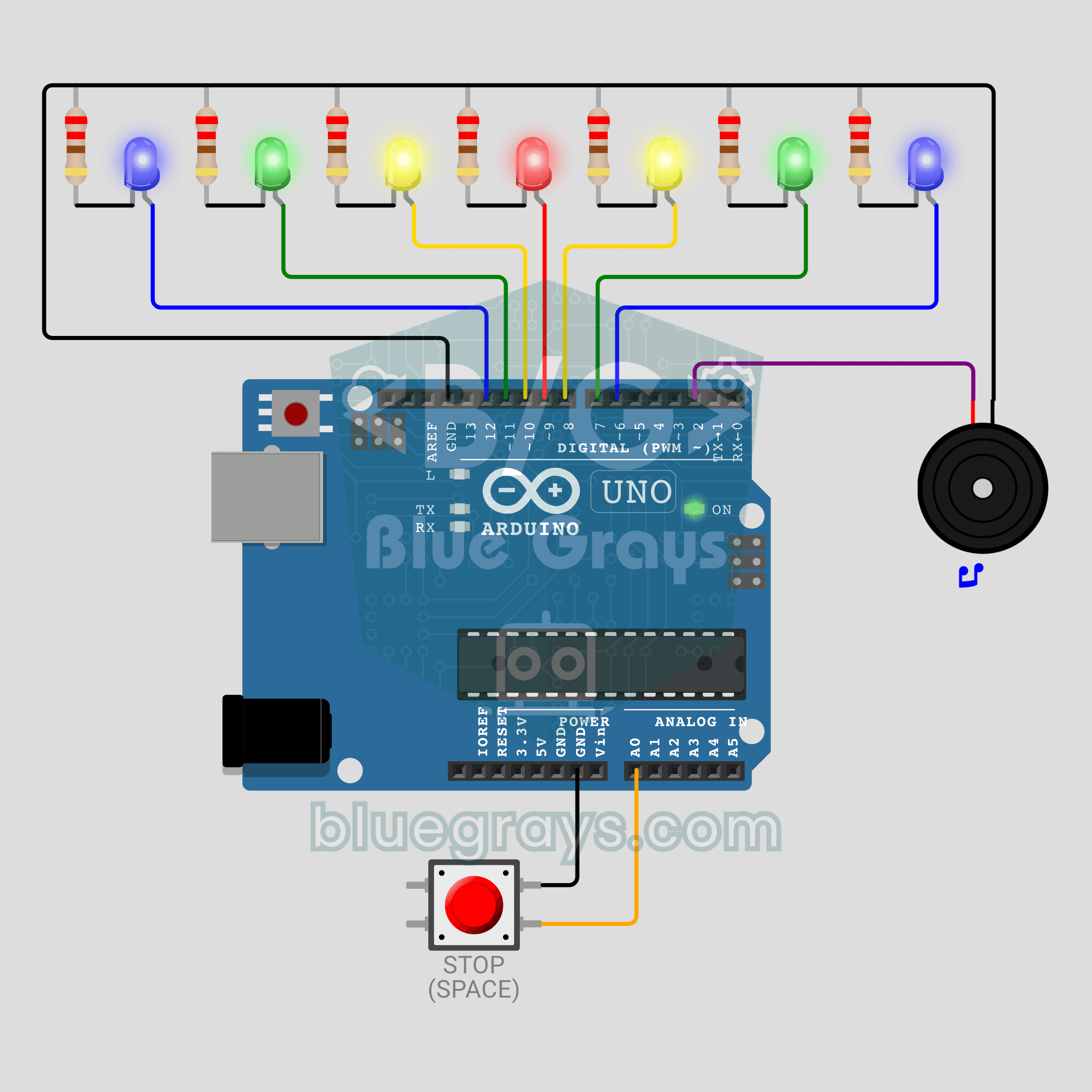
Arduino Cyclone Game: Stop the Light in the Middle (7 LEDs + Button + Buzzer)
Can you stop it on the red LED? A desktop version of the arcade Cyclone game: a light bounces across 7 LEDs and you score by pressing the button while the red centre LED is lit. Every hit reduces the time per LED by about 15%, down to a minimum of 45 ms, and the buzzer plays a tune. A wrong press costs a life, and the game ends after 3. The best score is kept in EEPROM, so it survives a power cut.