
Teroka Projek Arduino
Ratusan projek dari pemula hingga mahir: gambar rajah litar, kod dan video. Mulakan di tahap mana pun kamu berada.
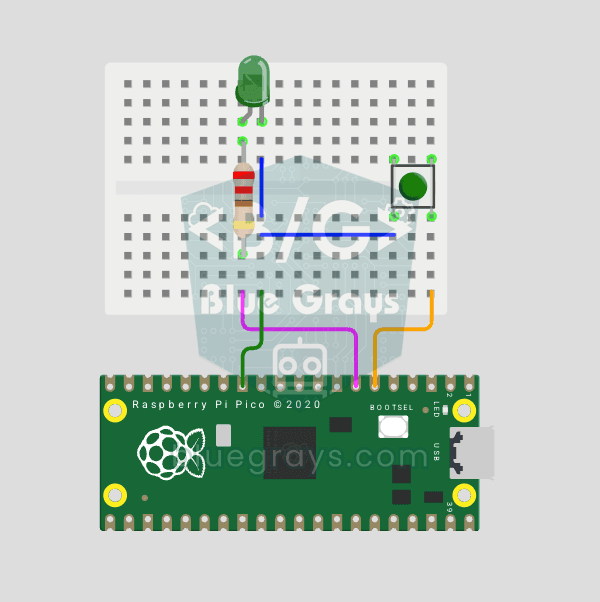
Raspberry Pi Pico Button Debounce: IRQ vs Software Polling
If one press of a button made your code count 3-4 times, the culprit is contact bounce: the button's metal contacts open and close many times within microseconds as they touch! In this project we count the same button in 2 different ways and compare them side by side in Serial: RAW polling (catches the bounce and miscounts) and IRQ + software debounce (counts correctly).
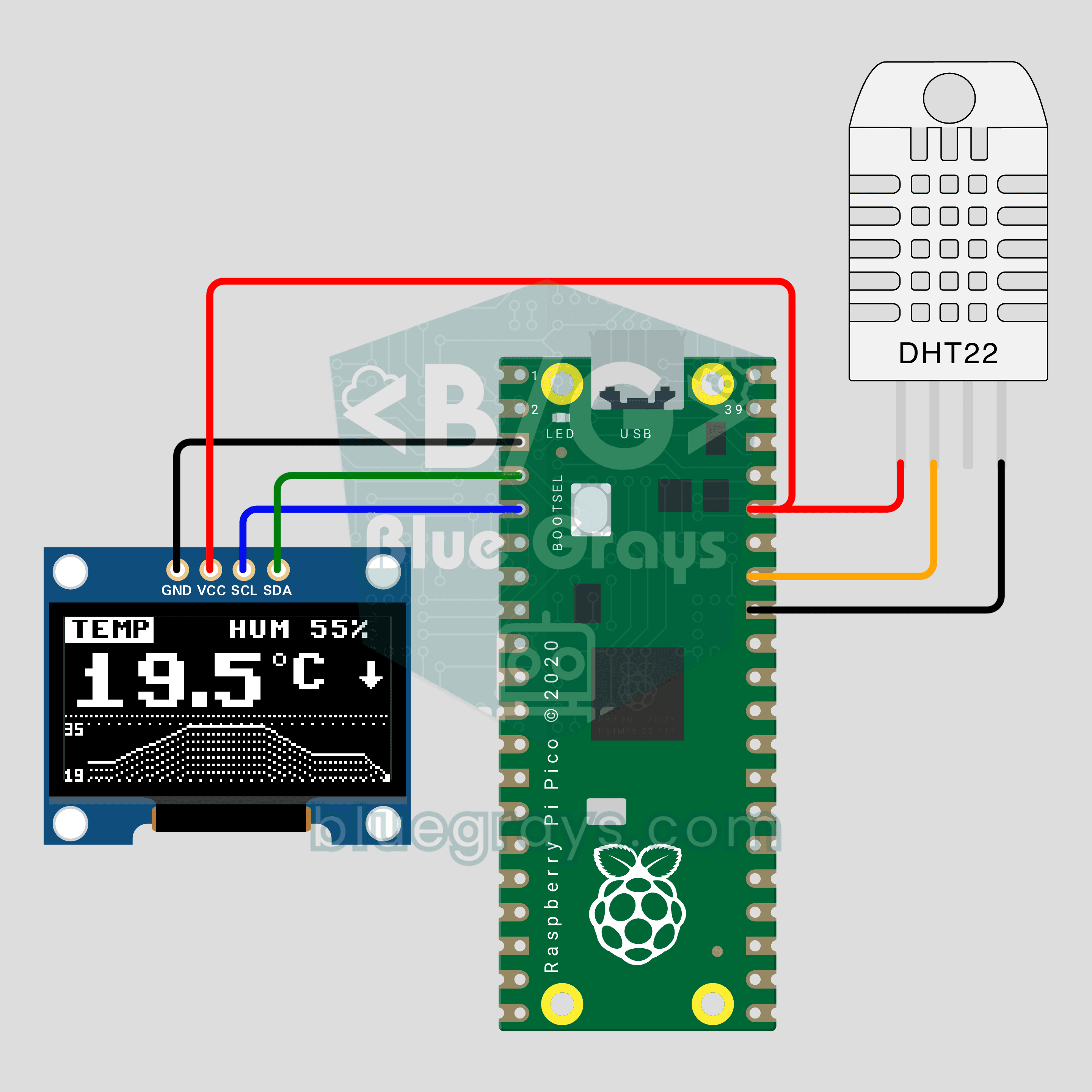
Raspberry Pi Pico Mini Weather Station (DHT22 + OLED Chart)
How has your room's temperature changed over the last two minutes? The Raspberry Pi Pico reads temperature and humidity from a DHT22 every 2 seconds and shows the value in big digits on a 0.96 inch OLED, with a line chart of the last 60 readings below. An arrow shows the trend and the temperature and humidity pages swap every 4 seconds. The OLED driver is built into the code: one file, no libraries.
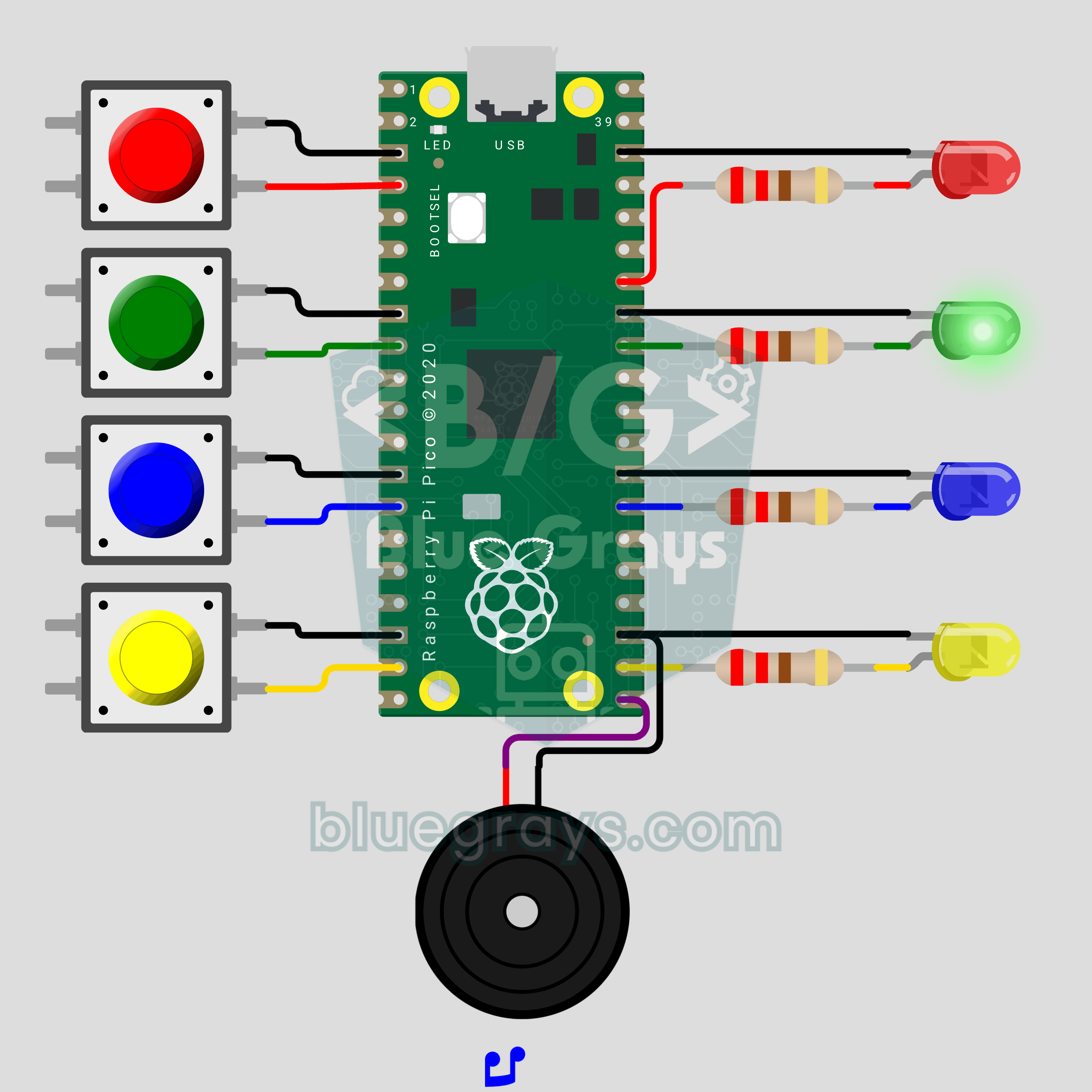
Raspberry Pi Pico Memory Game (4 LEDs + 4 Buttons + Buzzer)
How many rounds can you last? The classic color and sound memory game comes to your desk with a Raspberry Pi Pico. The Pico plays a random color sequence, each color with its own LED and its own note. Repeat it in the same order on 4 buttons and one more color joins every round. Press a wrong one and the buzzer plays a game over tune while the right color blinks. Lists, random numbers and button reading in one game.
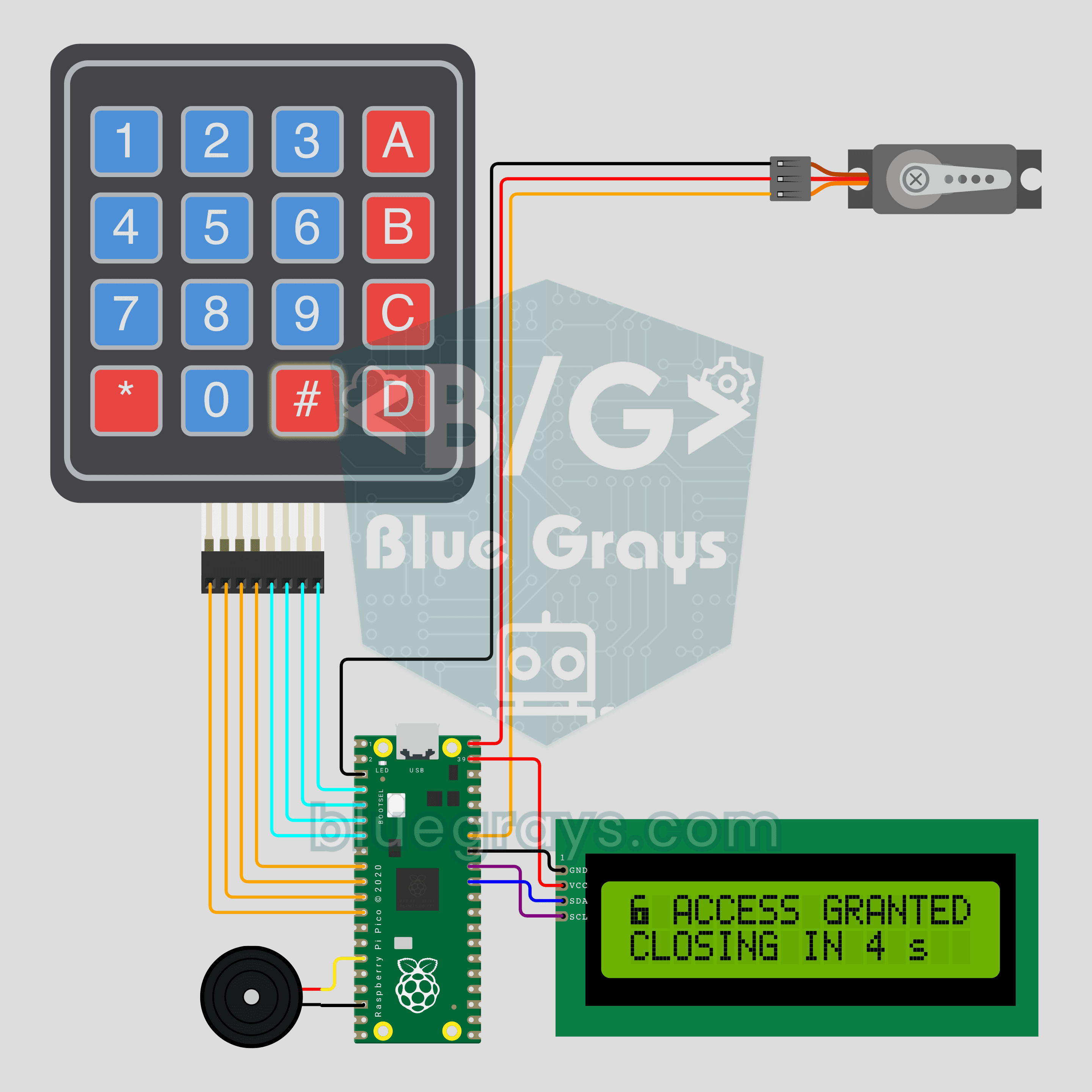
Raspberry Pi Pico Keypad Lock (4x4 Keypad + I2C LCD + Servo)
A 4-digit code opens the door, and three wrong tries mean a 30 second wait! The Raspberry Pi Pico checks the PIN typed on a 4x4 keypad: if it's right, an SG90 servo unlocks and relocks by itself after 5 seconds. An I2C LCD shows the stars, the tries left and the countdown, and a buzzer beeps on every key. The default PIN is 1234; change it with the A key and the new one is saved to pin.txt.
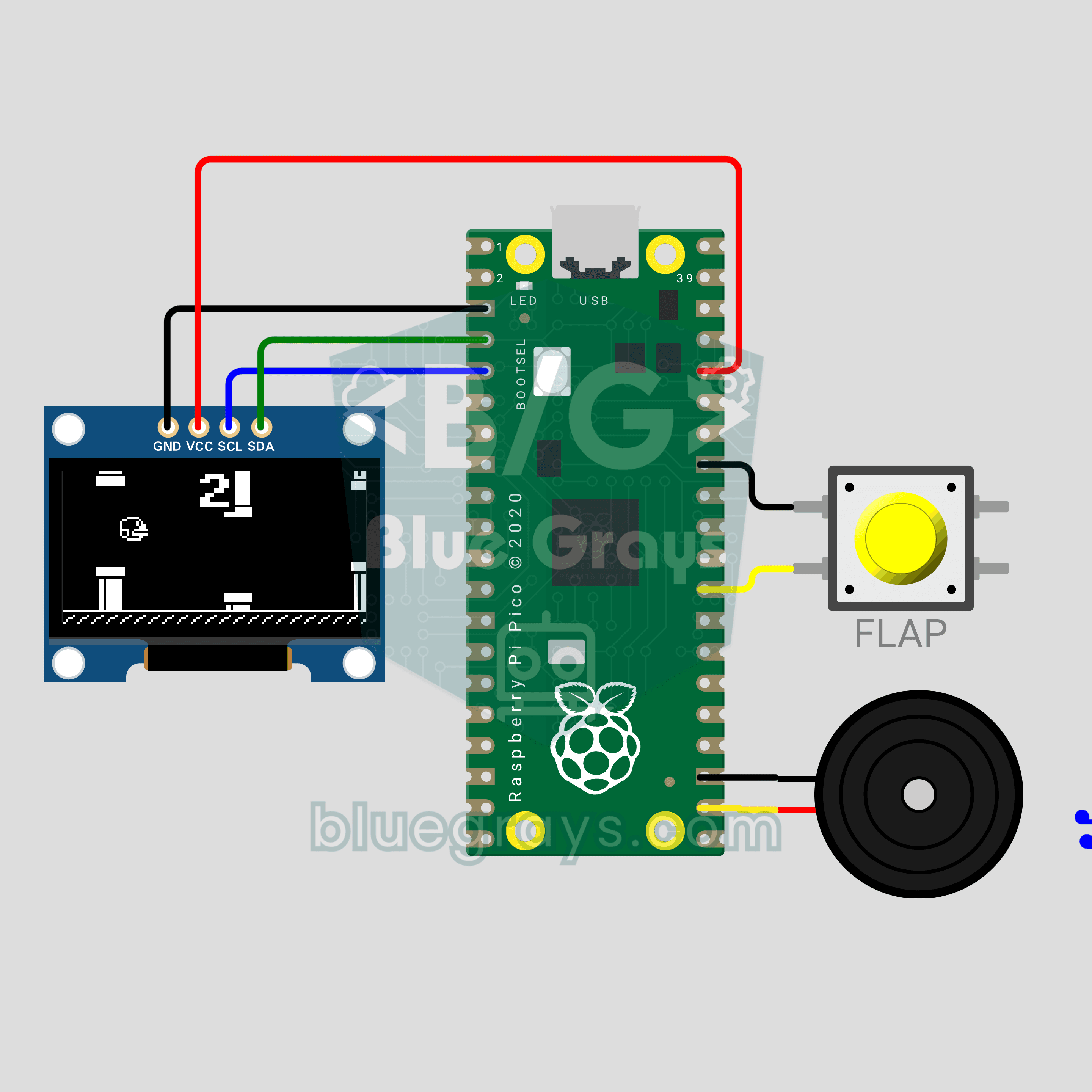
Raspberry Pi Pico Flappy Bird (OLED Display + Button + Buzzer)
That infuriating bird from your phone, now on a 0.96 inch OLED with a single button! A Flappy Bird style game on the Raspberry Pi Pico: every button press makes the bird flap, each pair of pipes you pass scores a point and the gaps get tighter. A buzzer plays the flap, point and record sounds. The high score lives in flappy_best.txt, so it survives a power cut. Physics, collisions and a 30 FPS game loop in one file.
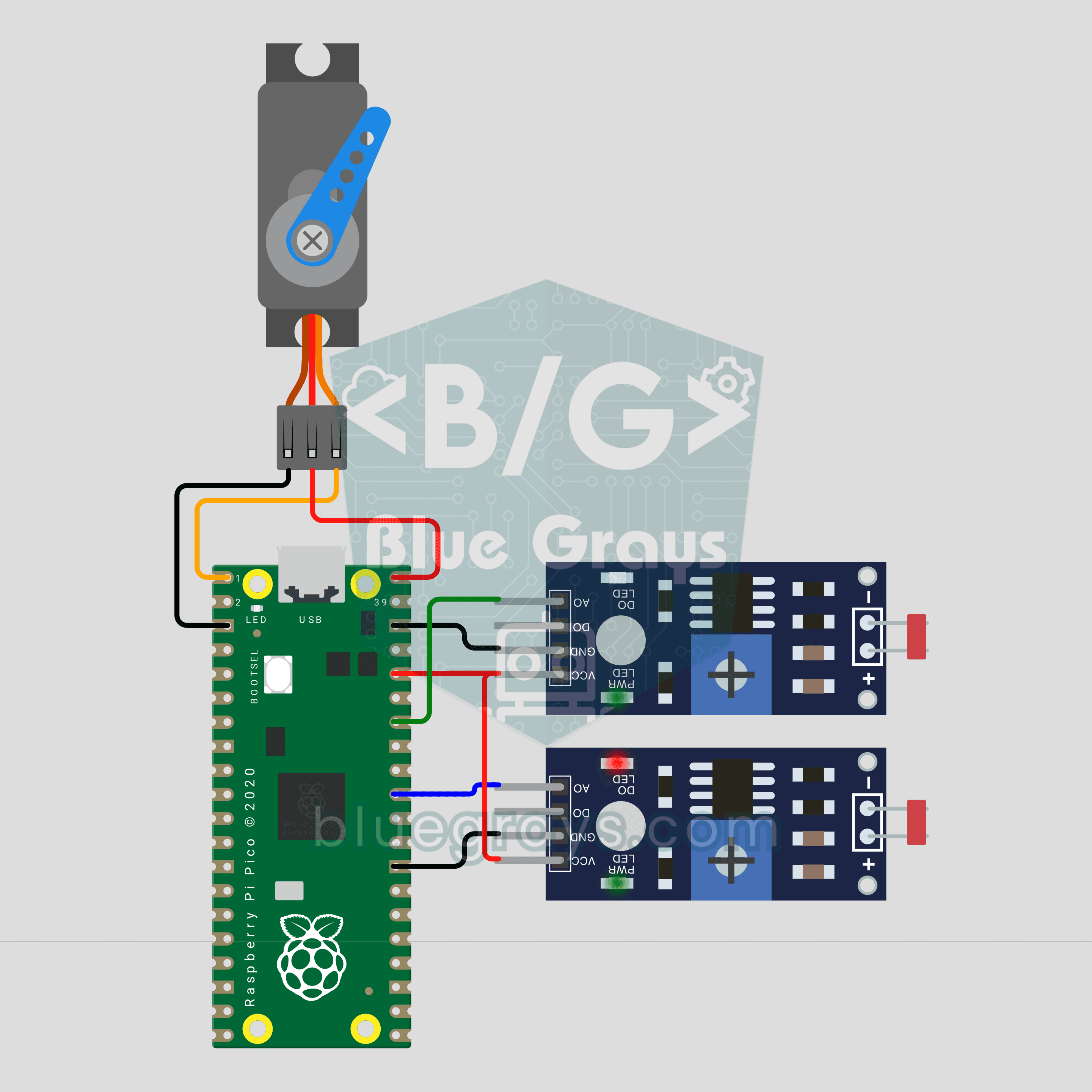
Raspberry Pi Pico Sun Tracking Panel (2 LDRs + SG90 Servo)
A panel that finds the sun on its own! The Raspberry Pi Pico measures light with 2 LDRs on either side of the panel, and an SG90 servo turns it toward the brighter side. A big difference turns it fast, a small one slowly, and it eases to a stop once both sides match. At night the panel swings back east to wait for sunrise. A ready-made experiment for science fairs and school projects.
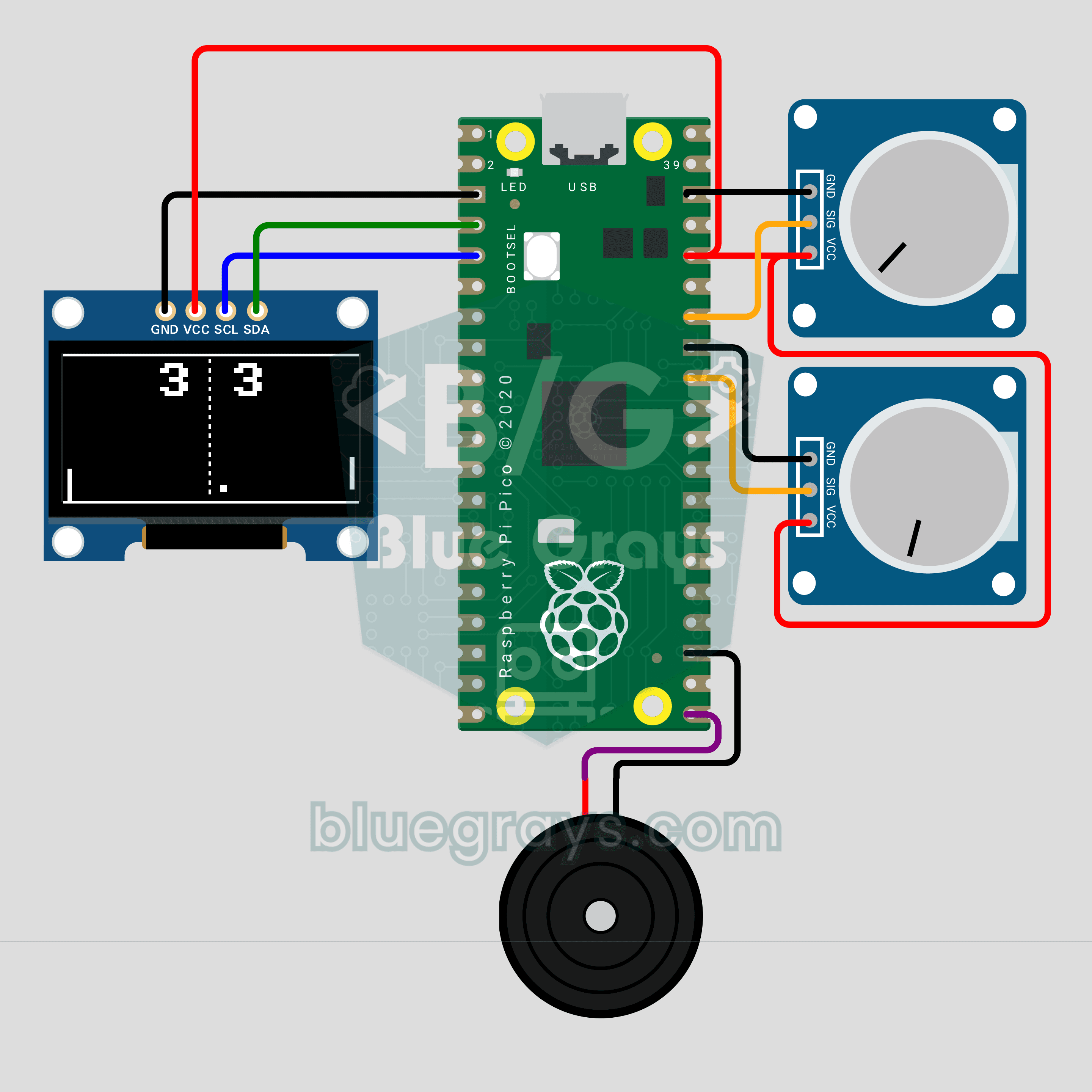
Raspberry Pi Pico Paddle Ball Game (OLED Display + 2 Potentiometers + Buzzer)
The classic paddle ball game, now on a 0.96 inch OLED for two players! Each player turns their own potentiometer to move a paddle. The ball speeds up on every hit and bounces off at an angle set by where it lands on the paddle; first to 5 points wins. A buzzer plays the wall, paddle and point sounds. Analog input, integer physics and partial screen updates in one game on the Raspberry Pi Pico.
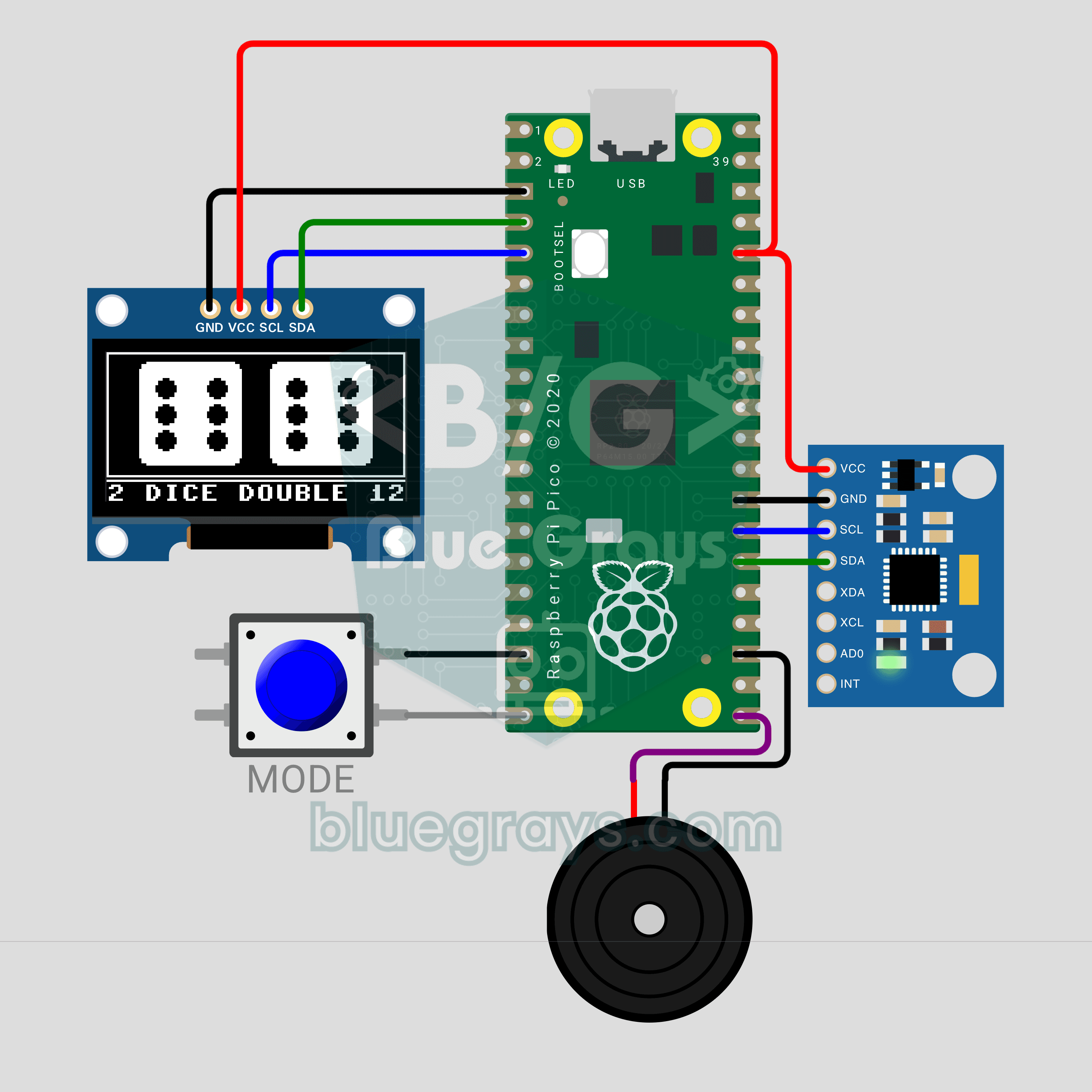
Raspberry Pi Pico Shake Dice (MPU-6050 + OLED Display + Buzzer)
Lost your dice? No problem: shake the circuit and the die rolls on a 0.96 inch OLED! An MPU-6050 accelerometer senses the shake, the die wobbles and spins, and once you stop it slows down and lands on a face. The MODE button switches between one die and two; roll a double and the screen flashes while the buzzer plays a celebration tune. The Raspberry Pi Pico reads the sensor straight over I2C, no library needed.
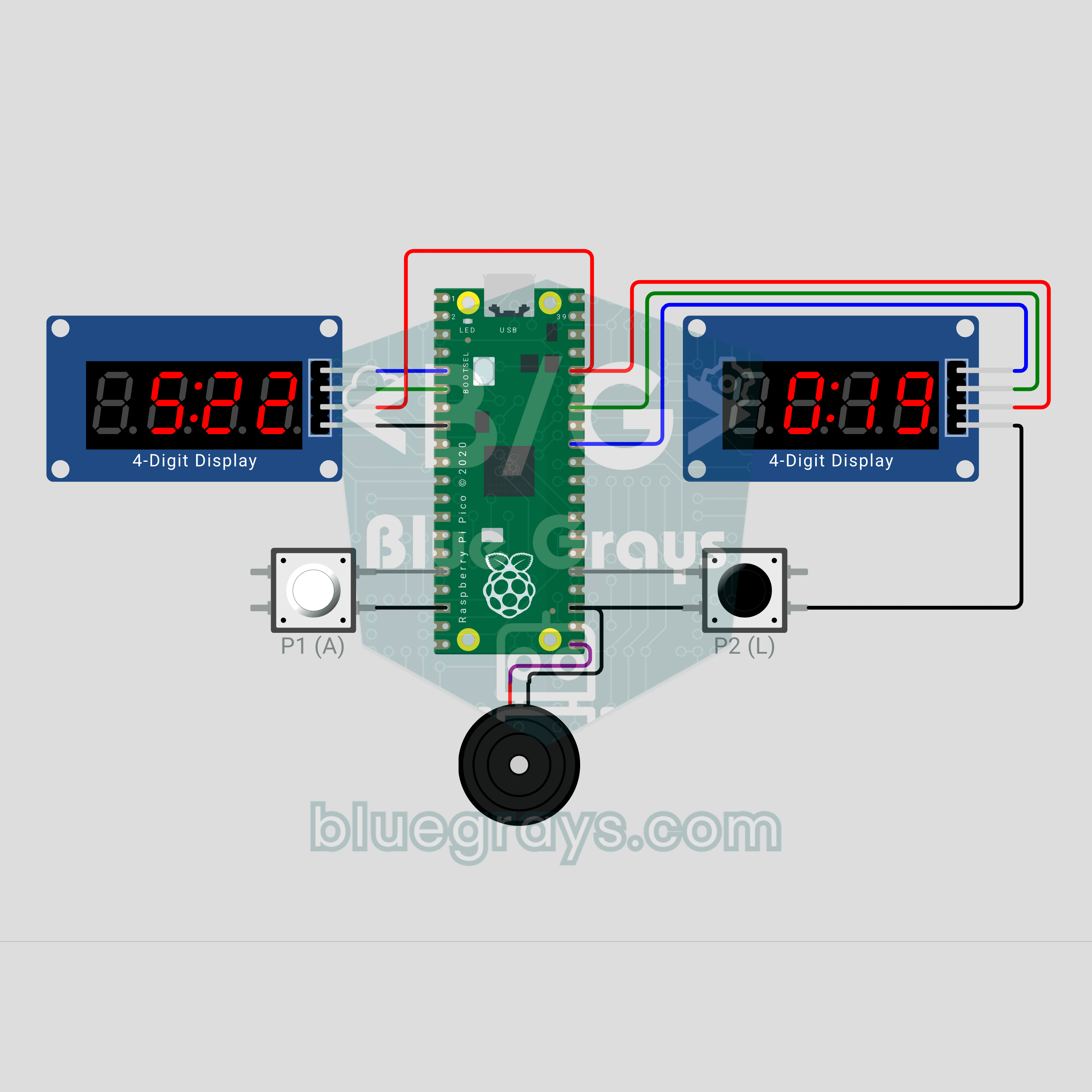
Raspberry Pi Pico Chess Clock (2 TM1637 Displays + 2 Buttons + Buzzer)
Make your move, hit the button, and the clock switches sides! A two-player chess clock with a Raspberry Pi Pico: each player's time runs down on their own TM1637 display and the mover gets an increment. The last 10 seconds show hundredths, a flagged side blinks FLAG and the buzzer sounds an alarm. Press both buttons together to pause. The TM1637 driver lives in the code, no library needed.
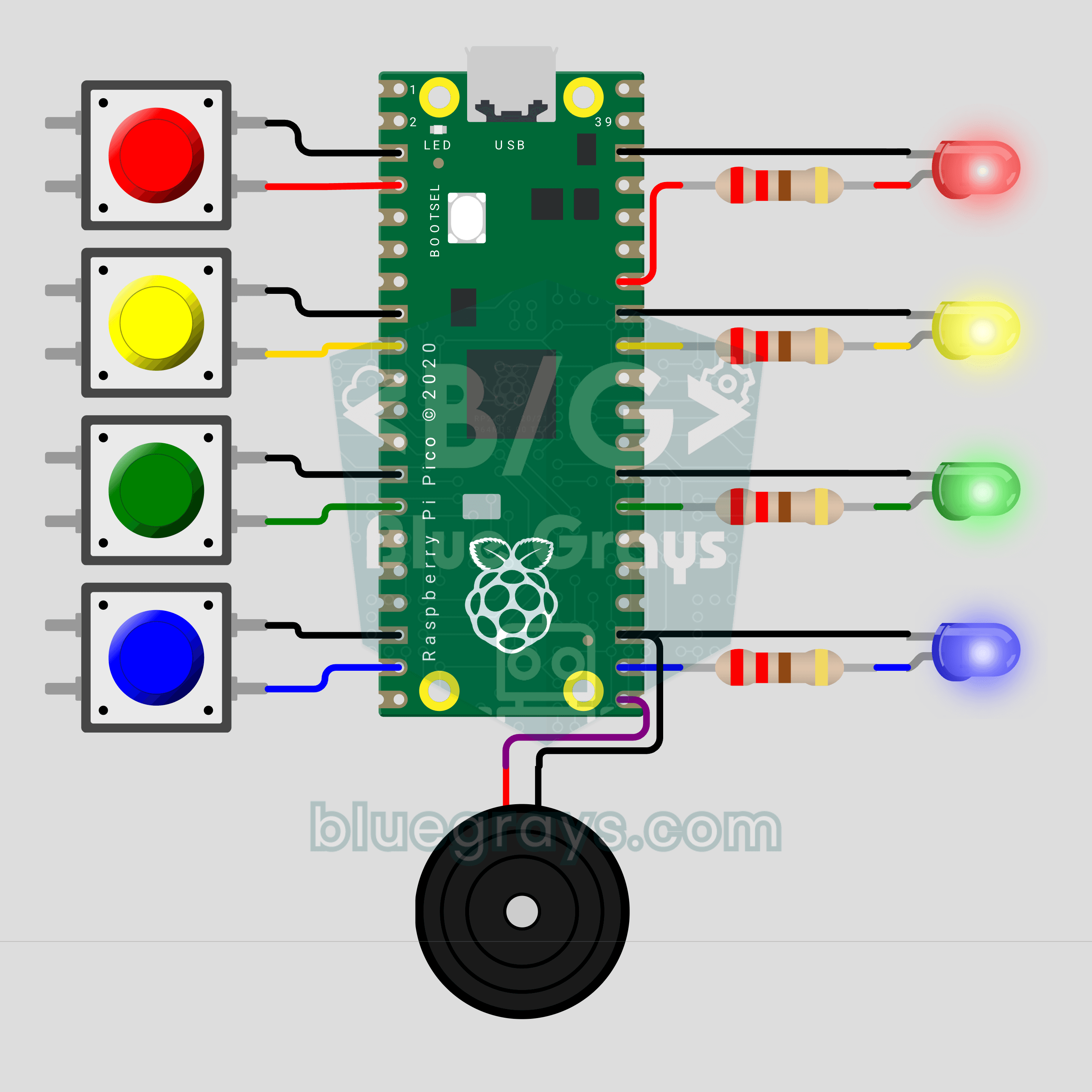
Raspberry Pi Pico Whack-a-Mole (4 LEDs + 4 Buttons + Buzzer)
Hit it when it lights up! The arcade classic Whack-a-Mole on your desk with a Raspberry Pi Pico. Four LEDs are four holes; a lit LED is a mole popping up, so press the button on the same row before the light goes out. Every 5 hits you level up and the moles stay up for less time. You get 3 misses, and a buzzer announces every hit, miss and new record.
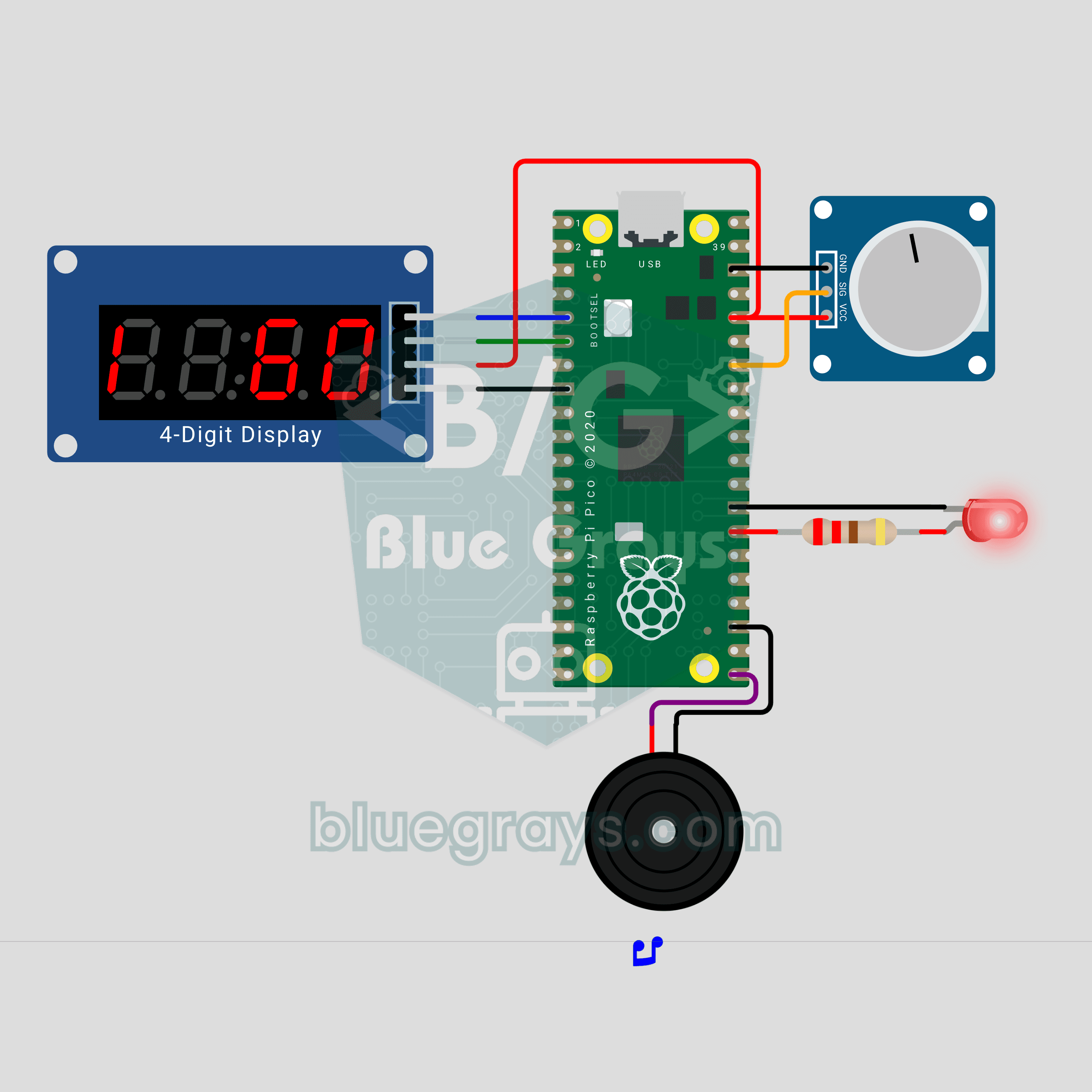
Raspberry Pi Pico Metronome (Potentiometer + TM1637 + Buzzer + LED)
Turn the knob and the tempo follows! We are building a 40-200 BPM metronome with a Raspberry Pi Pico. A potentiometer sets the tempo, and a TM1637 display shows the BPM plus a pendulum that swings on every beat. The buzzer plays a high click on the first beat of the bar and a lower one on the rest, while an LED flashes in time. After each change the display names the tempo: Largo, Adagio, Allegro and more.
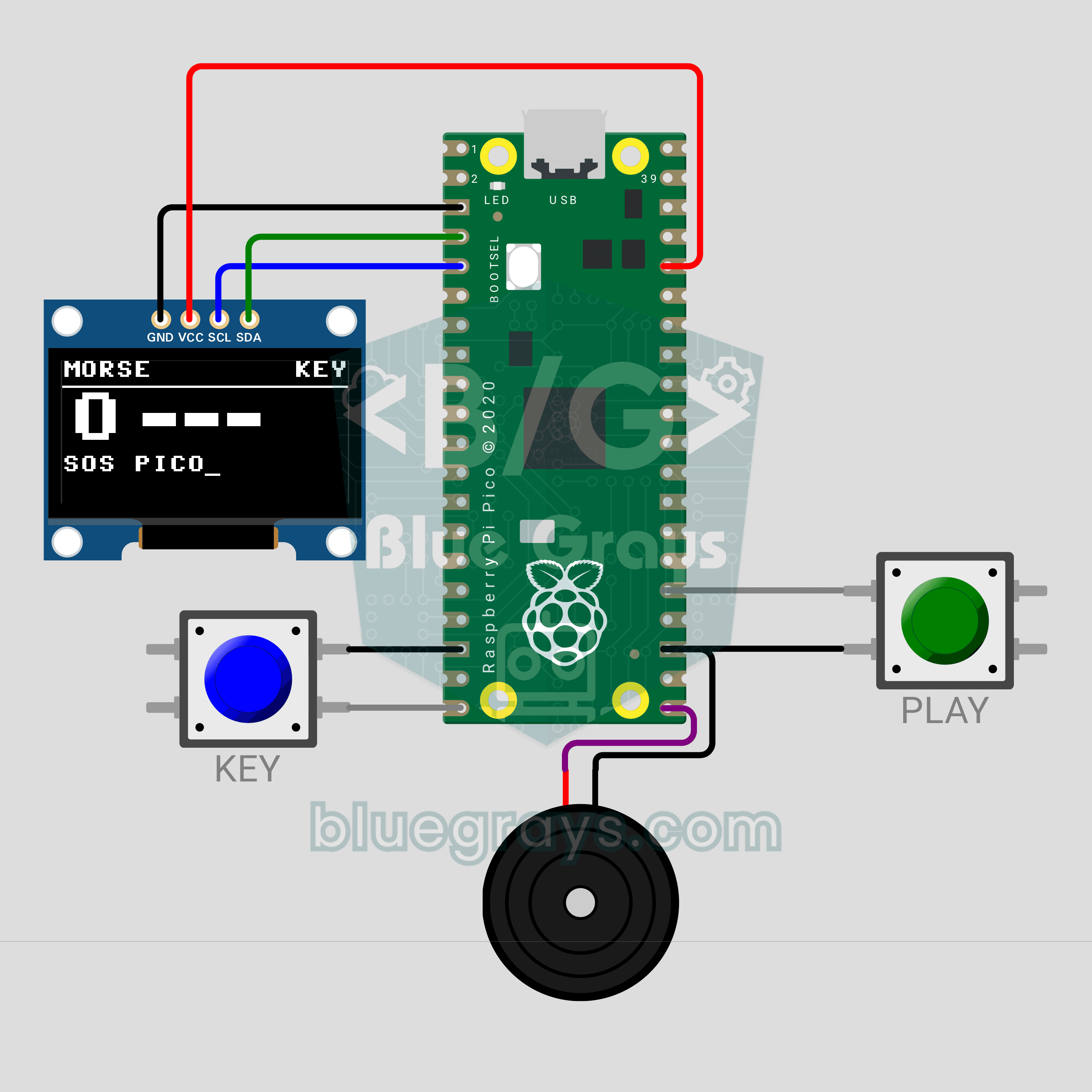
Raspberry Pi Pico Morse Code Translator (Button + OLED Display + Buzzer)
Tap the button and the Pico decodes your Morse! We are building a Morse code translator with a Raspberry Pi Pico that works like a telegraph key. A short press is a dot, a long press a dash; the buzzer beeps along and the OLED display shows each decoded letter in large type. A second button plays your text back in Morse, so you see both directions.