
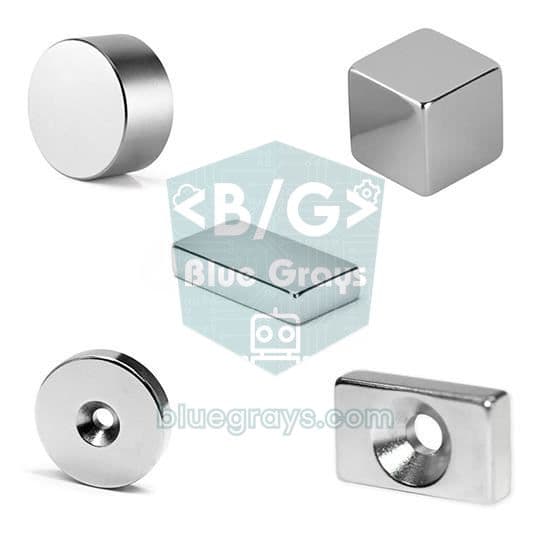
Bu komponent ishlatiladigan loyihalar
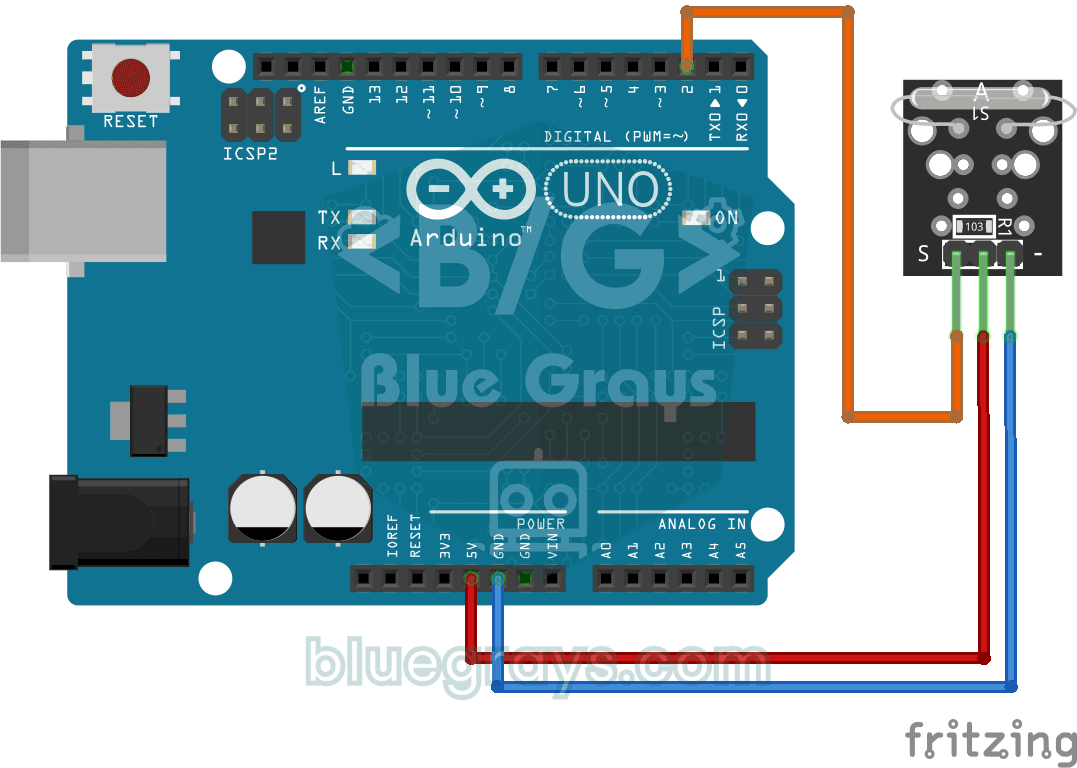
Reading a Reed Switch
Ever wondered about the magnetic switch inside door and window alarms? When a magnet comes near the reed relay module, the tiny switch inside it closes; the Arduino reads it once a second and prints…
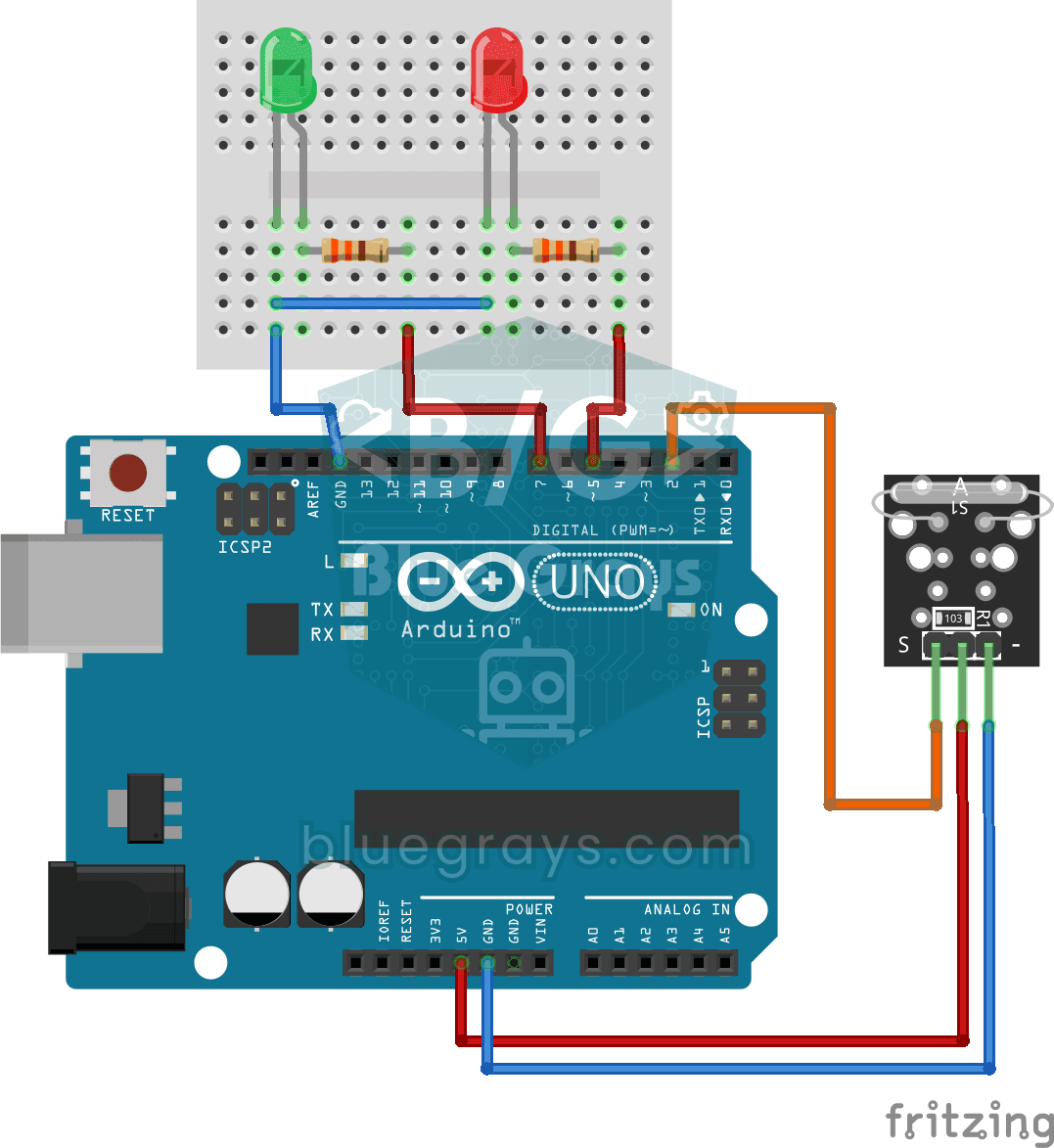
Reed Switch Door Sensor
Tell whether your door is open or closed just by looking at a light. You attach a small magnet to the door and a magnet-sensing switch to the frame; when the door is closed they sit side by side and…
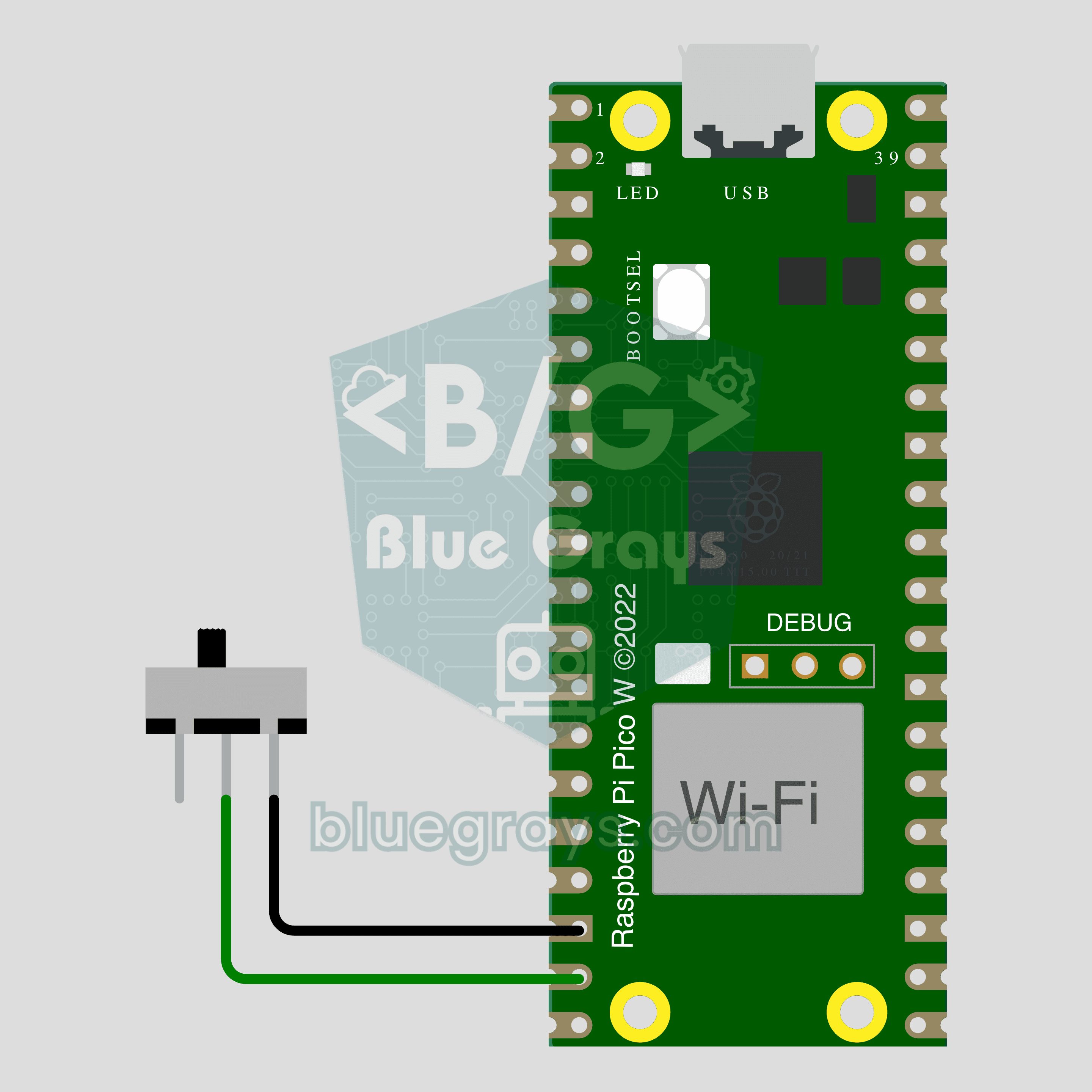
Pico W IoT Door Sensor (Reed Switch)
Did you leave the door or window open? Check on your phone wherever you are. This project is the step-by-step guide to the Door / window IoT template in the app, built with a Raspberry Pi Pico W, a reed switch and a small magnet using two wires. Go to Workshop › Devices › Add a device, pick Pico W as the board and Door / window as the template; Ohmi prepares the code with your own device key. The code on this page is an example: the key and Wi-Fi details are placeholders.
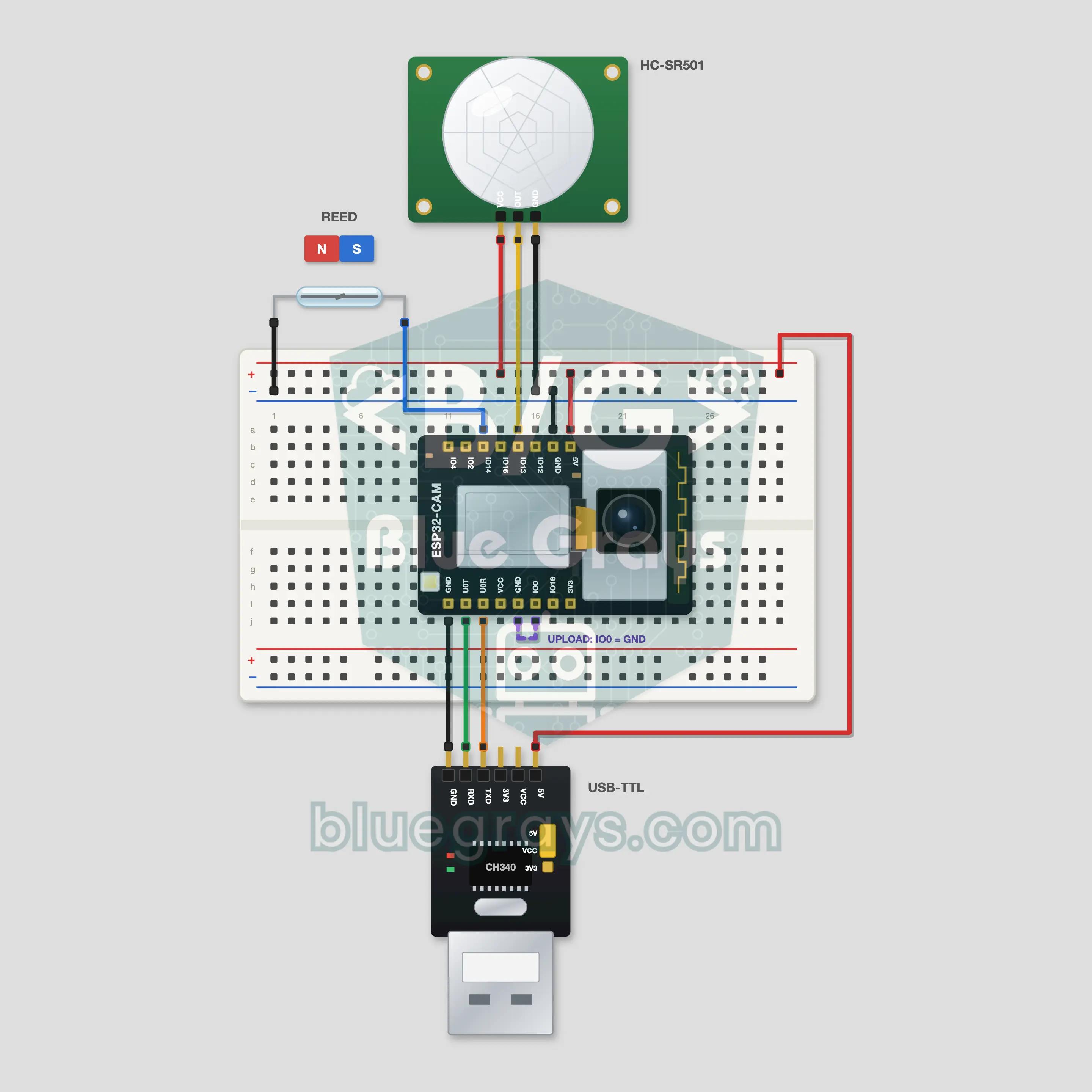
ESP32-CAM Telegram Security Camera
When your door opens or something moves in the room, the ESP32-CAM takes a photo and your Telegram bot sends it to your phone. A reed switch and magnet guard the door, a PIR HC-SR501 watches the room. Type /photo to the bot for a photo on demand; /flash on, /alarm off and /status run the camera from anywhere. The bot only listens to your own chat id. You get the token from @BotFather; the steps are in the FAQ.