
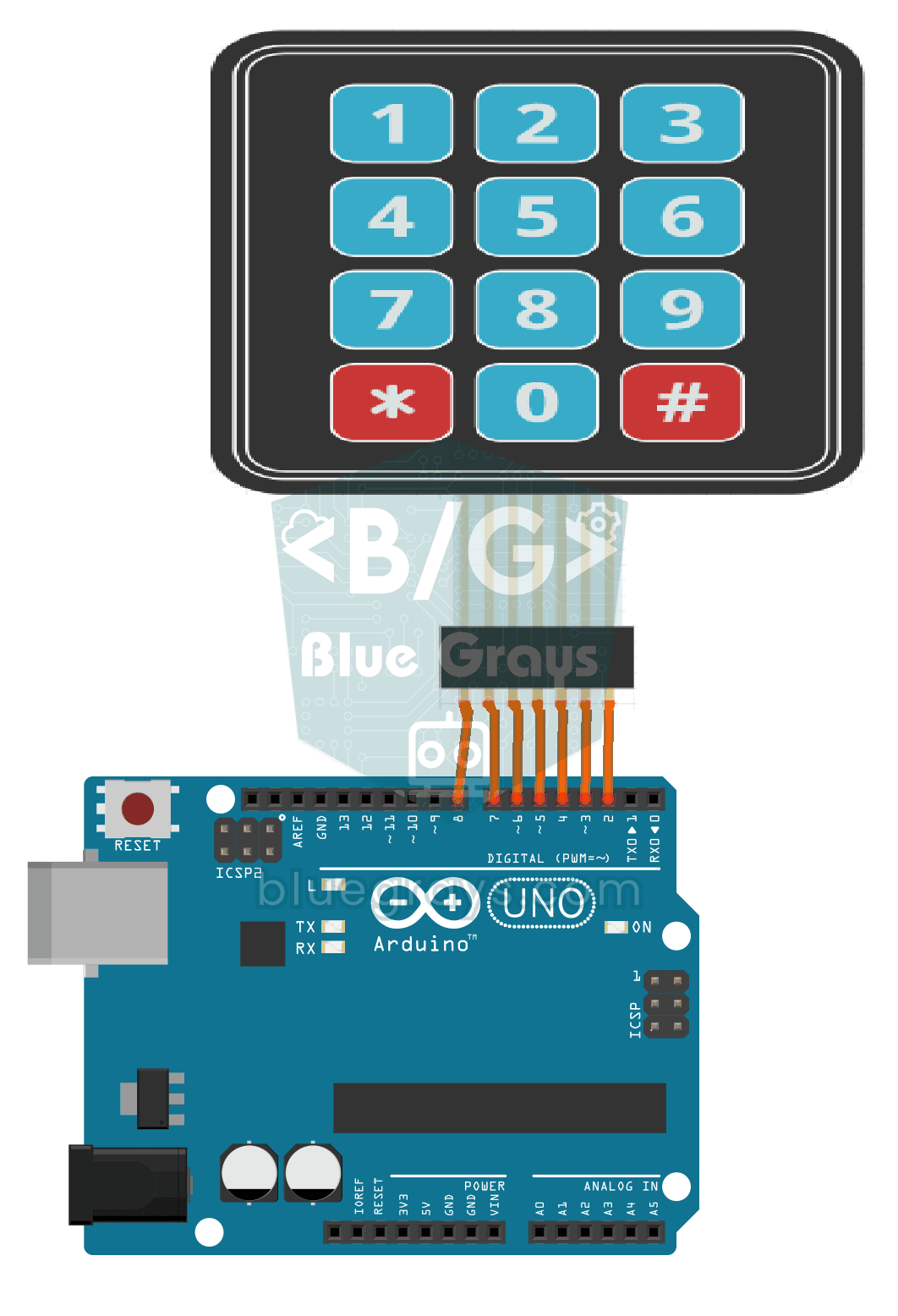
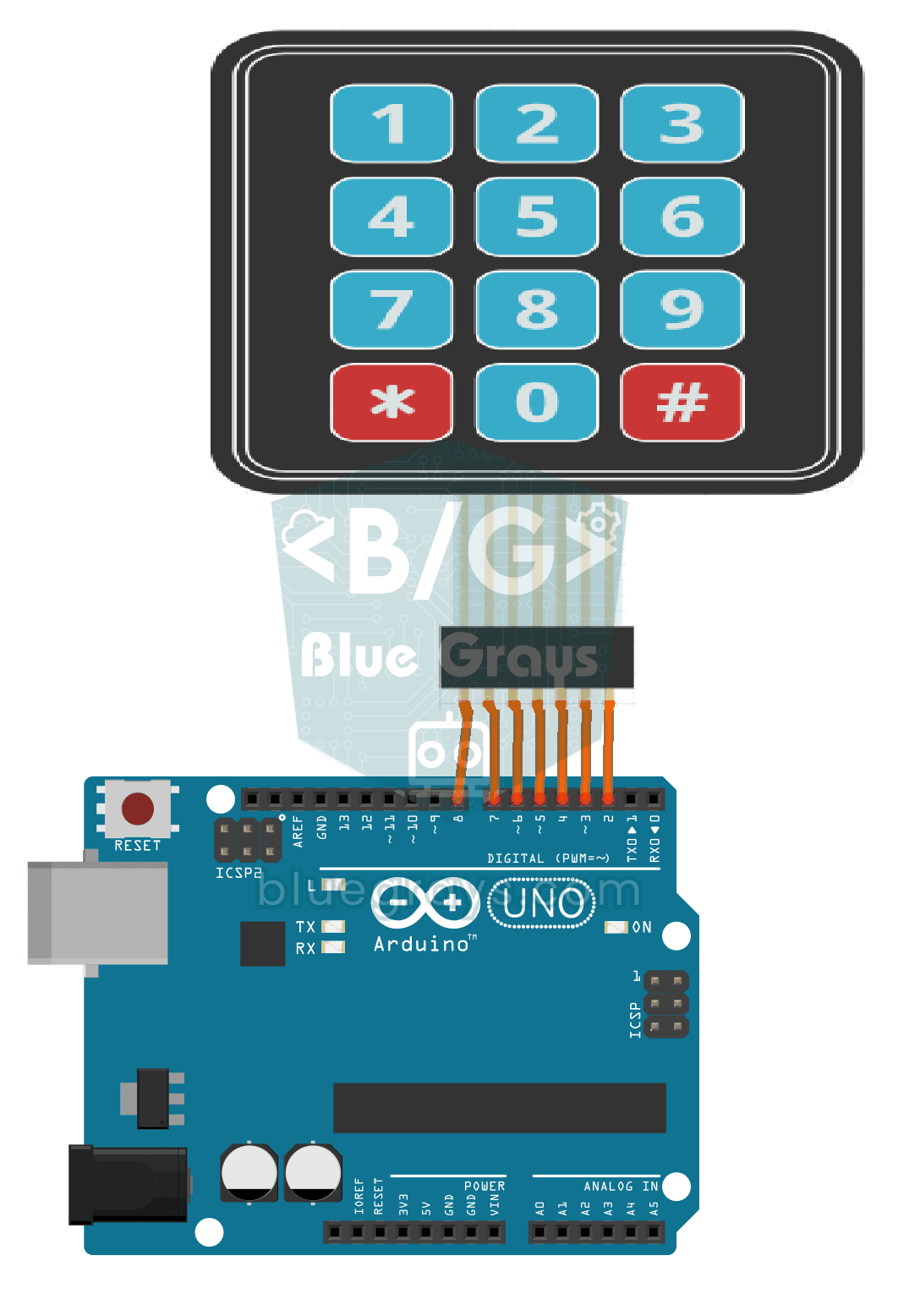
The Arduino instantly knows which key you press on a 12-key keypad that looks like a phone dial pad, and writes it on your computer screen. The digits plus the star and hash keys sit in a grid of rows and columns, and the Arduino checks that grid to find the key you pressed. It is the first step towards projects like a code lock or a calculator.
Video
Elektr sxemasi
Manba kodi
C++ (Arduino IDE)
1// ─────────────────────────────────────────
2//   BlueGrays · bluegrays.com
3//   3x4 Keypad Operation
4// ─────────────────────────────────────────
5// The key pressed on the 3x4 keypad is read and printed to the Serial
6// Monitor (9600 baud). The Keypad library scans the rows and columns.
7//
8// Pins:
9//   D8, D7, D6, D5 -> Keypad rows 1-4
10//   D4, D3, D2     -> Keypad columns 1-3
11
12#include <Keypad.h>
13
14const byte ROWS = 4;   // Number of rows
15const byte COLS = 3;   // Number of columns
16
17// Keypad layout
18char keys[ROWS][COLS] = {
19  {'1', '2', '3'},
20  {'4', '5', '6'},
21  {'7', '8', '9'},
22  {'*', '0', '#'}
23};
24
25byte rowPins[ROWS] = {8, 7, 6, 5};   // Row pins
26byte colPins[COLS] = {4, 3, 2};      // Column pins
27
28Keypad keypad = Keypad(makeKeymap(keys), rowPins, colPins, ROWS, COLS);
29
30void setup() {
31  Serial.begin(9600);
32  Serial.println("Keypad Initialized...");
33}
34
35void loop() {
36  // Get the pressed key, NO_KEY if none
37  char pressedKey = keypad.getKey();
38
39  if (pressedKey != NO_KEY) {
40    Serial.print("Pressed Key: ");
41    Serial.println(pressedKey);
42  }
43}
44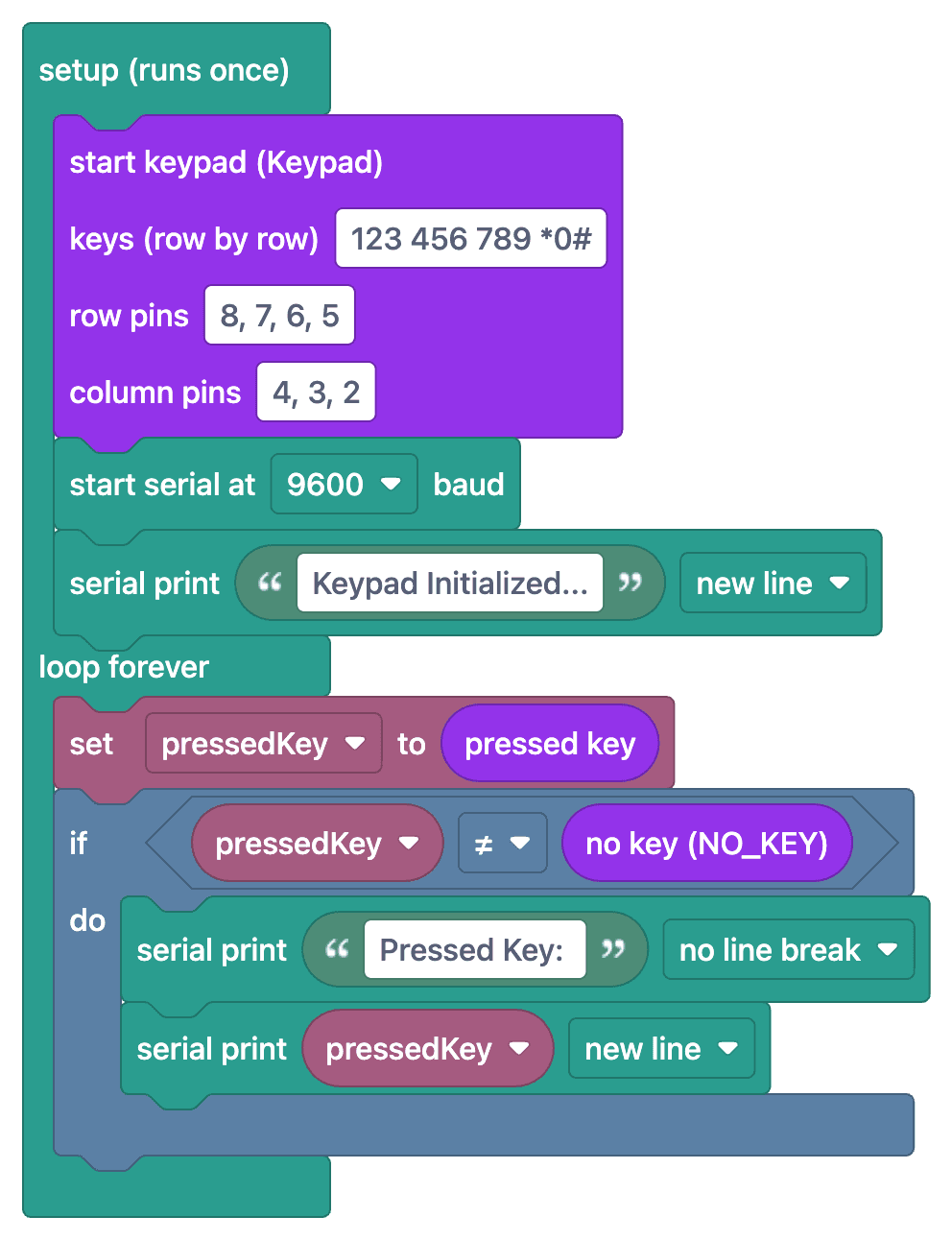
Ko‘p so‘raladigan savollar
What's the difference between 3x4 and 4x4 keypads?
3x4 keypad has 3 columns + 4 rows (12 keys); 4x4 has 4+4 (16 keys). 3x4 is enough for compact projects; if you need extra keys like letters (A, B, C, D), 4x4 is preferred.
How do I determine the pin order?
Check the label on the back of the keypad or its datasheet — usually 7 pins in order ROW1, ROW2, ROW3, ROW4, COL1, COL2, COL3 from the left. In code, define row pins first, then column pins.
Does getKey() block?
No, `keypad.getKey()` is non-blocking; it returns the pressed character if any, otherwise `NO_KEY` (=0). You can call it inside the loop continuously without stopping other tasks.