
ESP32 LED Control with Pushbutton (Toggle)
Each time the button is pressed the state of the LED changes: if it is on it turns off, if it is off it turns on. Classic toggle pattern. With debounce we clean up the mechanical noise of the pushbutton to ensure a single toggle with a single press.

Video
Elektr sxemasi

Manba kodi
1// ─────────────────────────────────────────
2//   BlueGrays · bluegrays.com
3//   ESP32 LED Control with Pushbutton (Toggle)
4// ─────────────────────────────────────────
5// Each press of the button toggles the LED: on becomes off, off becomes
6// on. A 50 ms debounce makes sure one press gives exactly one toggle.
7//
8// Pins:
9//   GPIO 5 -> Red LED (with a 220 ohm resistor)
10//   GPIO 4 -> Button (other leg to GND)
11
12const int LED_PIN = 5;      // LED output
13const int BUTTON_PIN = 4;   // Button input
14
15bool ledState = false;               // Is the LED on now
16bool lastButton = HIGH;              // Previous button reading
17bool stableButton = HIGH;            // Stable (debounced) button state
18unsigned long lastChange = 0;        // Last time the reading changed (ms)
19const unsigned long DEBOUNCE = 50;   // Debounce time (ms)
20
21void setup() {
22  pinMode(LED_PIN, OUTPUT);
23  pinMode(BUTTON_PIN, INPUT_PULLUP);  // Reads HIGH when not pressed
24}
25
26void loop() {
27  bool buttonState = digitalRead(BUTTON_PIN);
28
29  // Restart the timer whenever the reading changes
30  if (buttonState != lastButton) lastChange = millis();
31
32  // A reading that stays the same for DEBOUNCE ms counts as stable. The LED toggles once, only when
33  // the stable state turns LOW (a new press).
34  if (millis() - lastChange > DEBOUNCE && buttonState != stableButton) {
35    stableButton = buttonState;
36    if (stableButton == LOW) {
37      ledState = !ledState;
38      digitalWrite(LED_PIN, ledState);
39    }
40  }
41  lastButton = buttonState;
42}
43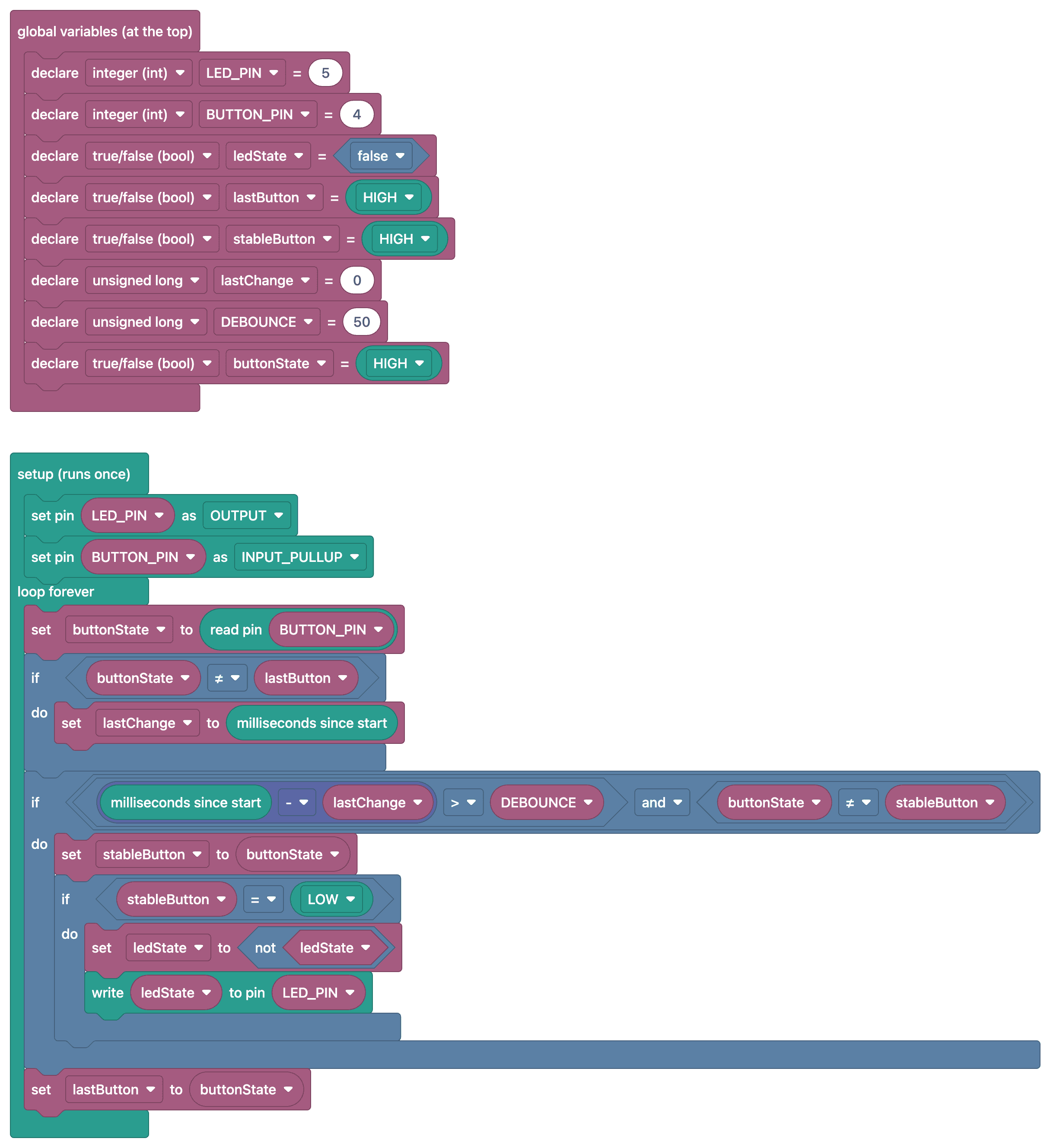
Ko‘p so‘raladigan savollar
How long should the debounce time be?
For most buttons, 20–50 ms is sufficient. If the delay is too short, button bounces will still be detected; if it’s too long, rapid successive presses will be missed.
Which state should I capture for the toggle?
Capture only the moment the button is "pressed" (the transition from HIGH to LOW, if you're using INPUT_PULLUP). To avoid repeatedly toggling the LED while the button is held down, store the previous button state in a variable.
Is it correct to use `delay()` for debouncing?
It works for simple projects, but delay() pauses the current loop() execution, delaying other operations in the same flow. Other tasks on the ESP32 can still run. Timing based on millis() is suitable for carrying out operations within loop() without blocking.
Can the LED remember its last state when it's turned off and then back on?
Yes, on the ESP32, you can use the Preferences library to write the state to non-volatile memory and read it at startup. That way, even if the power goes out and comes back on, the LED will start in its last state.