
Toggle an LED with a Button (On/Off)

Video
Elektr sxemasi

Manba kodi
1// ─────────────────────────────────────────
2//   BlueGrays · bluegrays.com
3//   Toggle an LED with a Button (On/Off)
4// ─────────────────────────────────────────
5// Each button press toggles the LED once (on/off). The code only catches
6// the moment of the press (LOW -> HIGH); holding the button does not make
7// the LED blink. The 50 ms wait ignores button bounce.
8//
9// Pins:
10//   D13 -> Button, other leg to 5V
11//   D13 -> 10k resistor to GND (pull-down)
12//   D7  -> LED (with a 330 ohm resistor)
13
14int ledState = 0;     // LED state: 0 = off, 1 = on
15int lastButton = 0;   // Previous button reading
16
17void setup() {
18  pinMode(13, INPUT);   // Button input (external pull-down)
19  pinMode(7, OUTPUT);   // LED output
20}
21
22void loop() {
23  int button = digitalRead(13);   // Read the button
24  if (button != lastButton) {     // Button state changed
25    if (button == 1) {            // Only at the press (LOW -> HIGH)
26      ledState = !ledState;       // Flip the state
27      digitalWrite(7, ledState);
28    }
29    delay(50);                    // Short wait to skip the bounce
30    lastButton = button;          // Store this reading
31  }
32}
33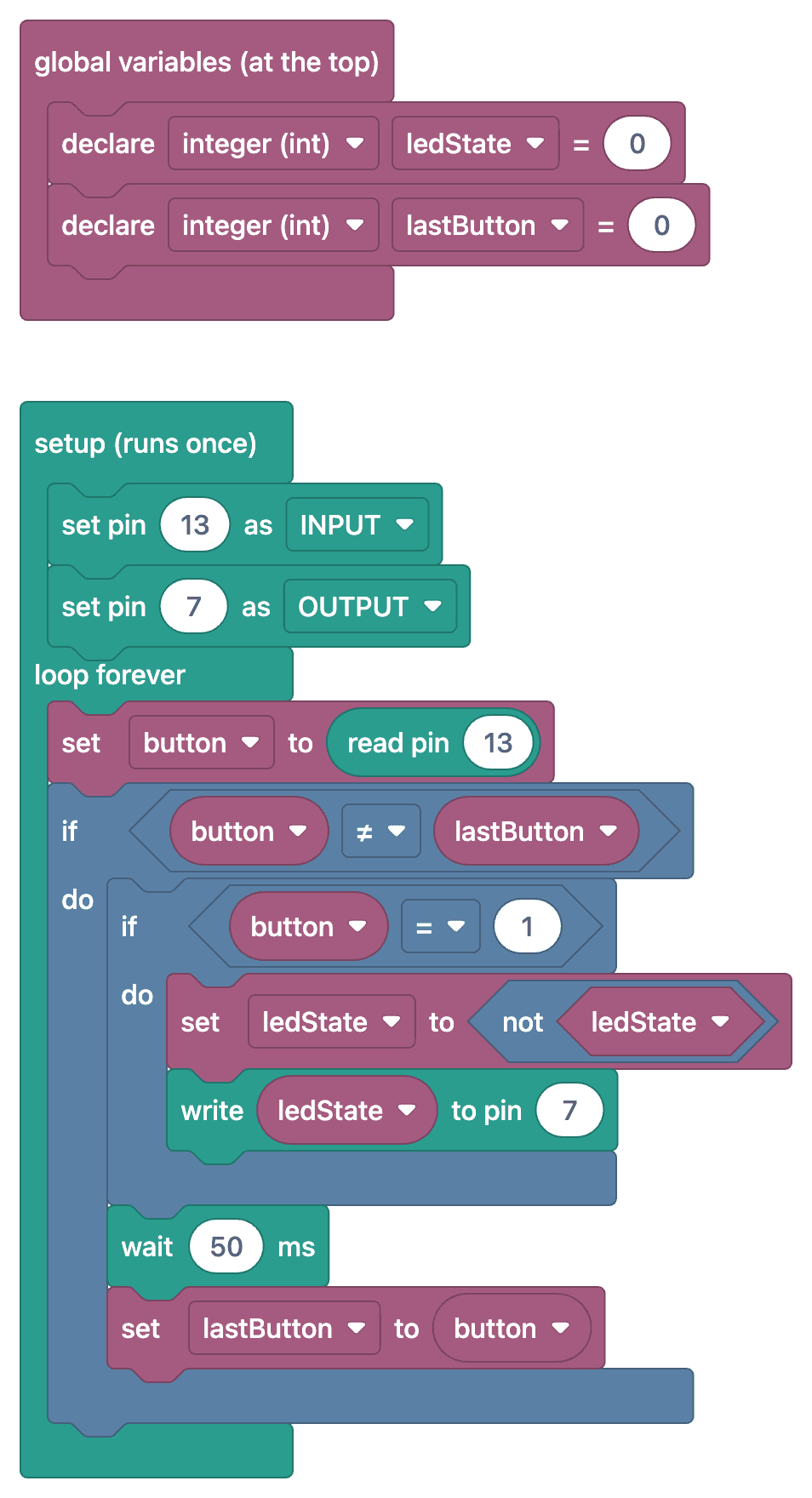
Ko‘p so‘raladigan savollar
What is debounce, and why is it necessary?
When a mechanical button is pressed, it opens and closes multiple times over the course of a few milliseconds (bouncing). The Arduino may interpret this as multiple presses, and the LED remains in a random state. Debounce ignores this bouncing by waiting a short time (e.g., 50 ms) after a state change.
Sometimes the LED doesn't change, or it changes twice—why?
Generally, the debounce is either missing or too short. Additionally, you only need to detect the moment the button is "pressed" (previous state: LOW, new state: HIGH); if the state changes in every cycle while the button is held down, the LED will flicker and remain in a random state.
What is the purpose of a state variable?
It keeps track of whether the LED is on or off. With each valid press, the variable is inverted (ledStatus = !ledStatus), and the LED is set accordingly.
Can I control different LEDs using multiple buttons?
Yes, it's enough to keep a separate pin, a separate previous state, and a separate LED state variable for each button. If you're using a lot of buttons, arrays and millis()-based debounce code will be more organized.