
Arduino loyihalarini kashf qil
Boshlang‘ichdan yuqori darajagacha, sxemali, kodli va videoli yuzlab loyihalar. Qaysi darajada bo‘lsang, o‘sha yerdan boshla.
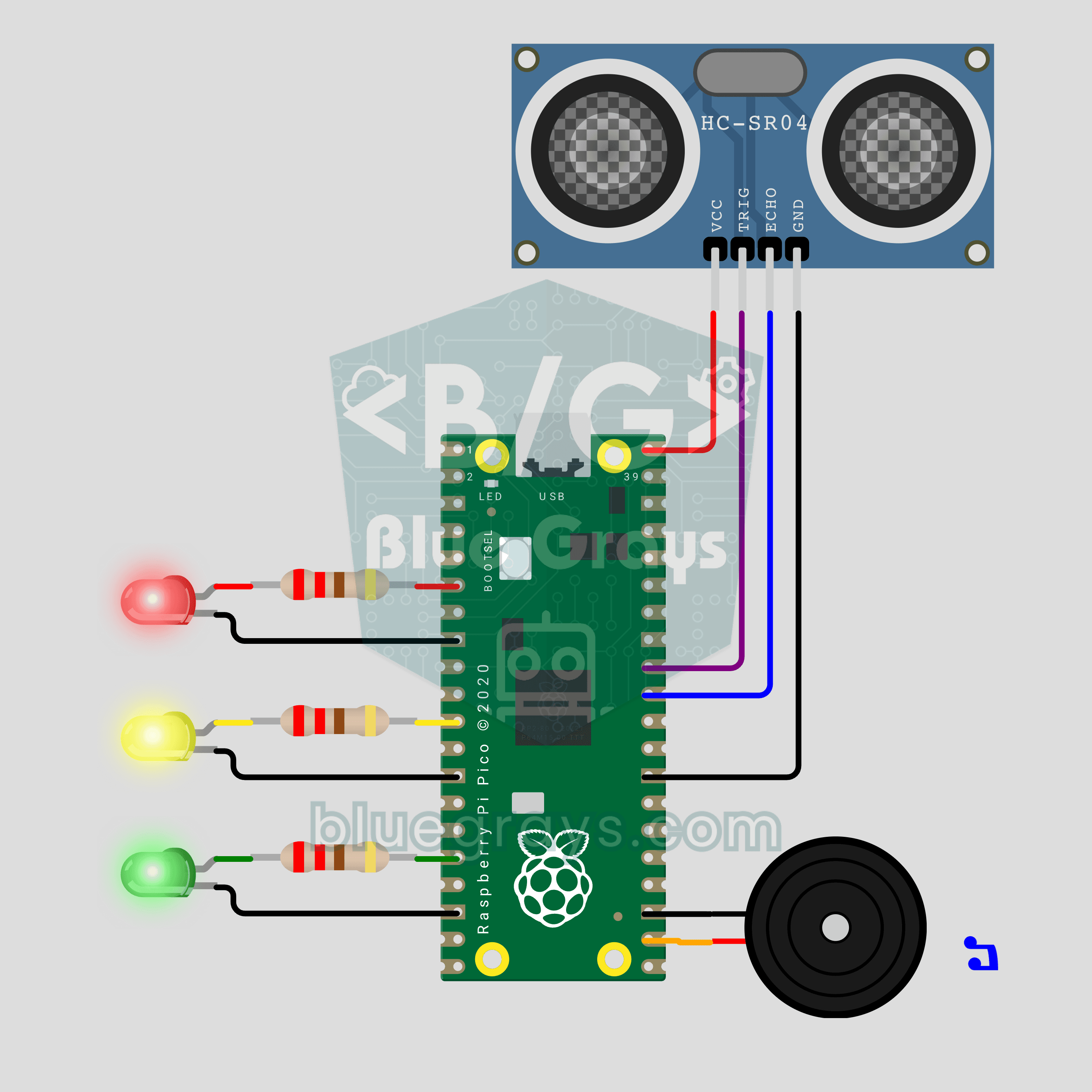
Raspberry Pi Pico Parking Sensor (HC-SR04 + 3 LEDs + Buzzer)
Bring your car's reverse parking sensor to your desk! The Raspberry Pi Pico uses an HC-SR04 ultrasonic sensor to measure the distance to an obstacle about 16 times a second. As it gets closer, the green, yellow and red LEDs light up in turn and the buzzer beeps faster; under 10 cm the tone turns continuous and the red LED flashes. Ultrasonic ranging, PWM sound and non-blocking timing in one project.
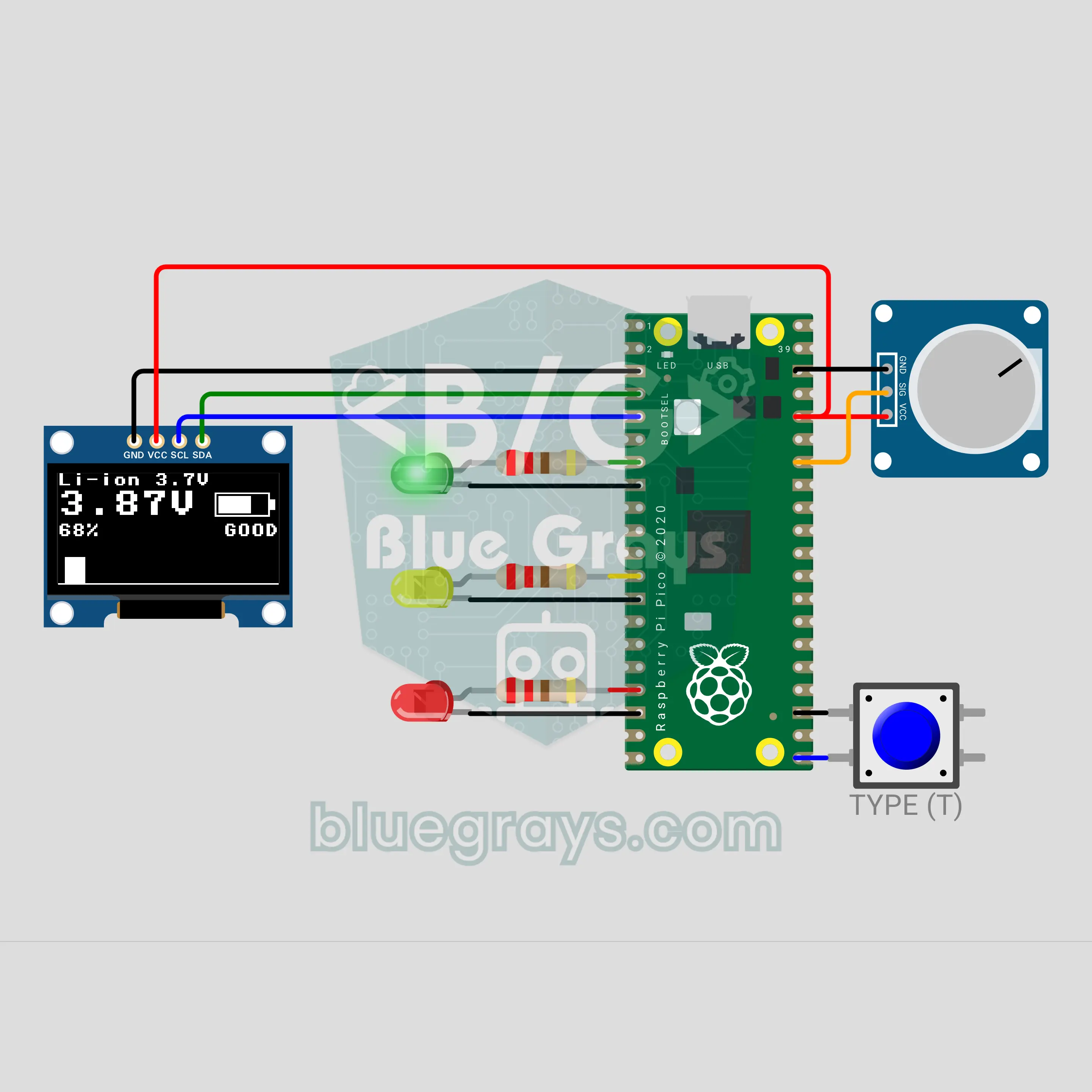
Raspberry Pi Pico Battery Tester (Voltage Divider + OLED + 3 LEDs)
Which batteries in the drawer are still good? The moment you touch a battery to the two probes, the Raspberry Pi Pico shows the voltage, the charge percent and a filling battery icon on an OLED display, and a green, yellow or red LED gives the verdict. A button switches between AA, NiMH, Li-ion and 9 V. A voltage divider brings even 9 V down to a level the Pico can safely measure, and averaging 32 readings keeps the value steady.
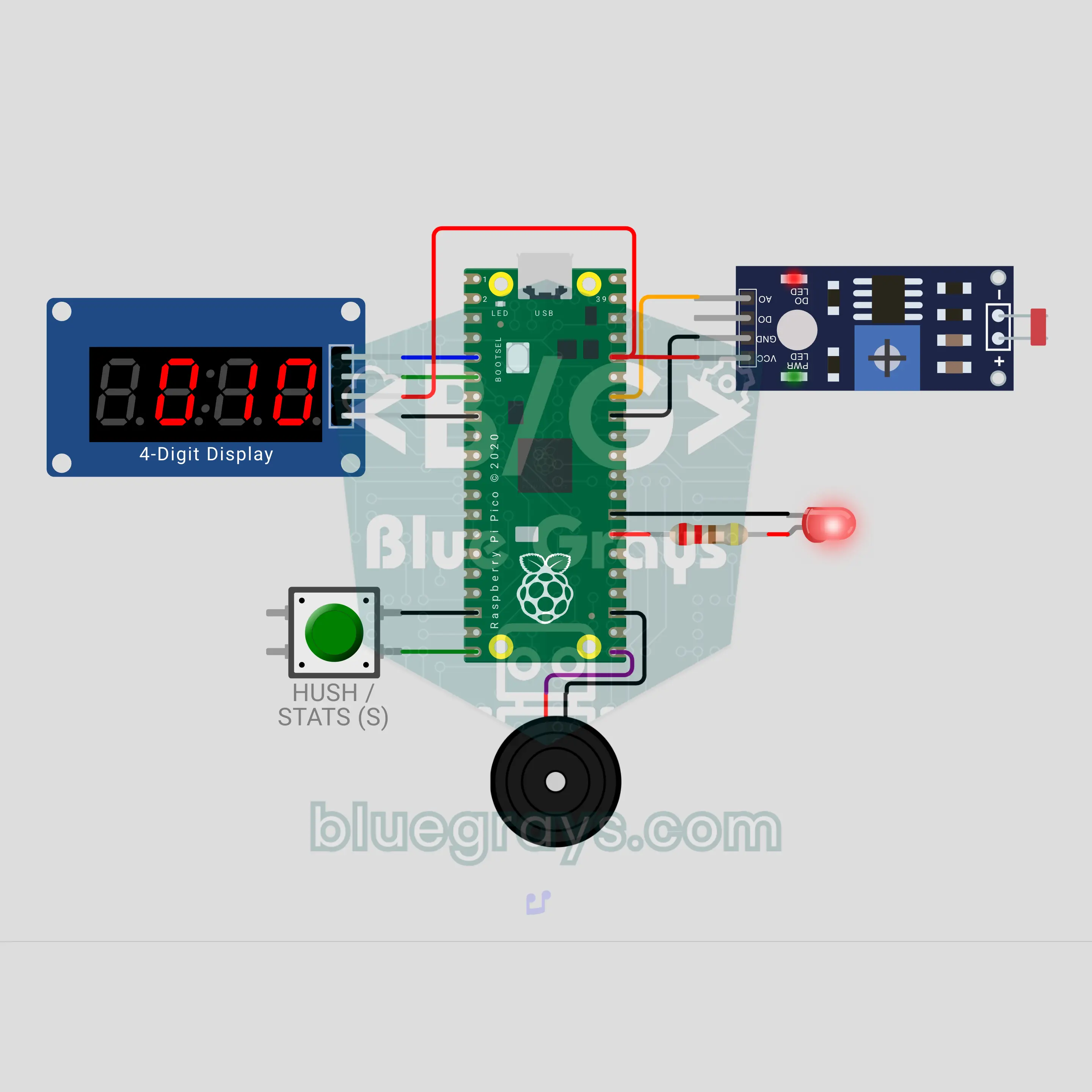
Raspberry Pi Pico Fridge Door Left Open Alarm (LDR + TM1637 + Buzzer)
Who left the fridge door open? The Raspberry Pi Pico sees the inner lamp through an LDR and counts on a TM1637 display how many seconds the door has been open. At 20 seconds it gives a gentle double beep, at 40 seconds an insistent siren with a red LED; the button mutes the alarm for 60 seconds. The number of openings, the total and the longest open time are saved, so a power cut does not erase them.
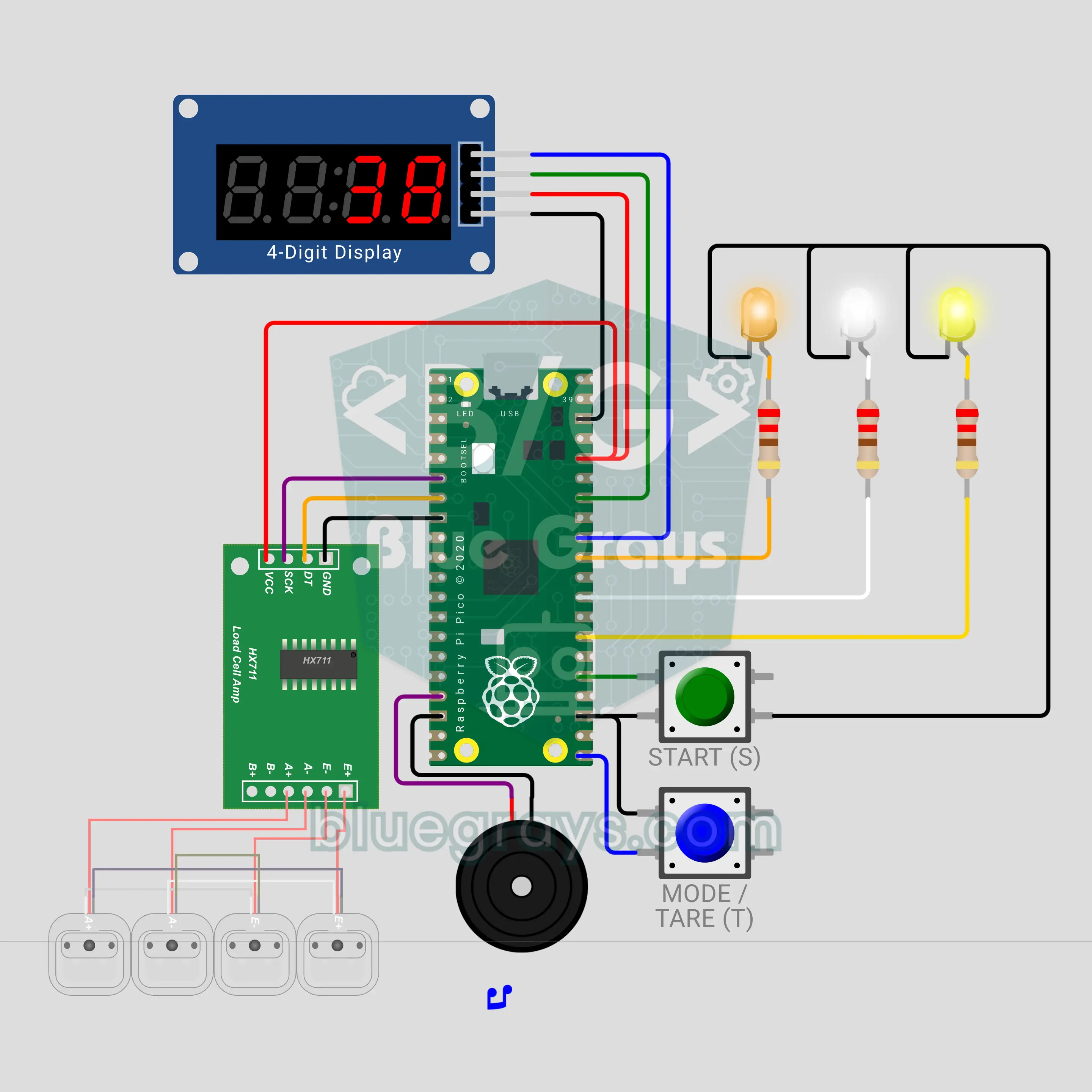
Raspberry Pi Pico Grip Strength Meter (HX711 + Load Cell + TM1637 + 3 LEDs + Buzzer)
The grip version of the fairground strength tester! Squeeze the 50 kg load cell between two handles: the HX711 reads the force, the TM1637 counts up in kilograms, the buzzer pitch rises and 3 LEDs show bronze, silver and gold. The peak is held, and the record stays in best.txt even through a power cut. In duel mode two players squeeze in turn and the winner gets a fanfare.
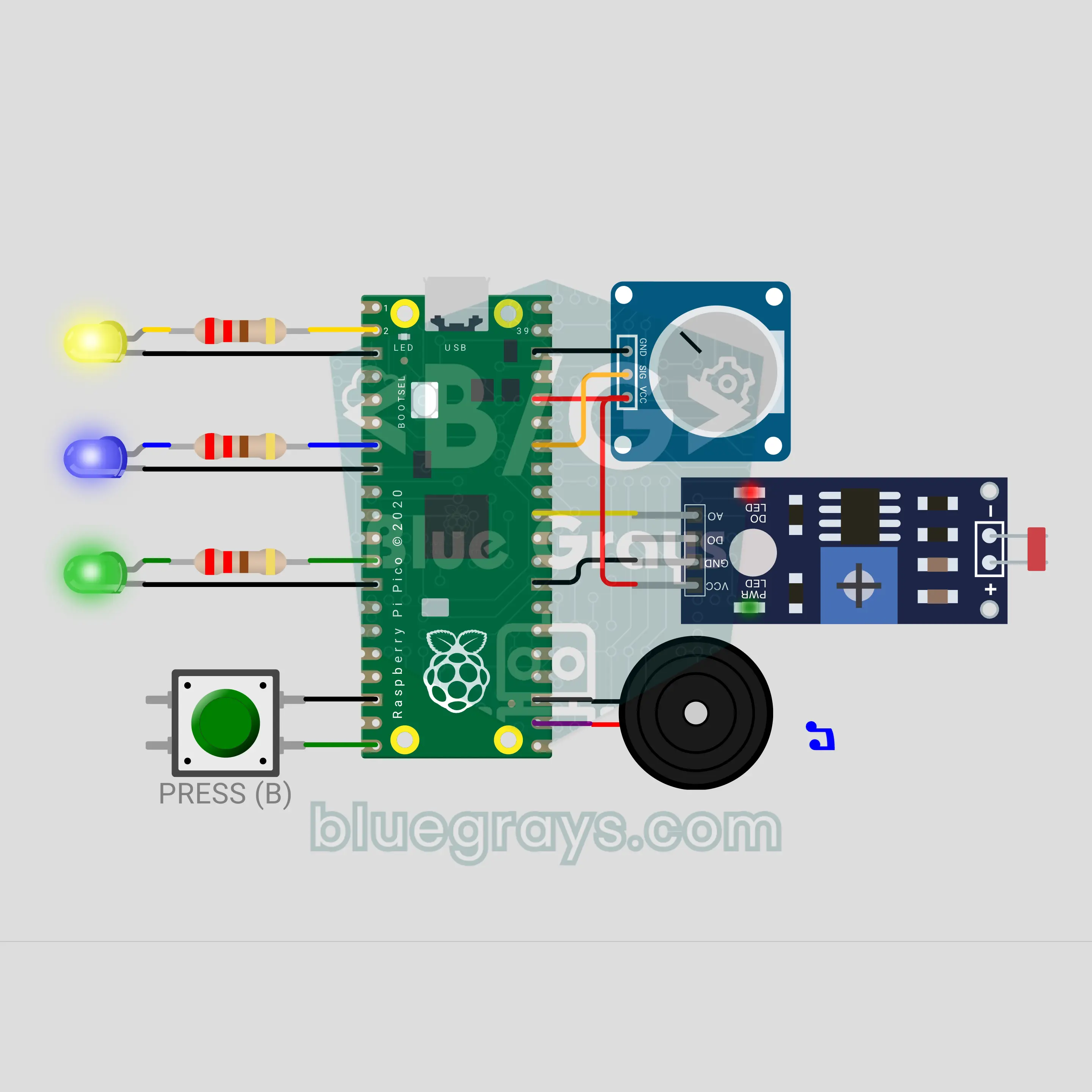
Raspberry Pi Pico W Press It! Turn It! Cover It! Command Game (Button + Pot + LDR + 3 LEDs + Buzzer)
A reflex game in the style of the 90s command toys: the Raspberry Pi Pico W calls out PRESS IT, TURN IT or COVER IT at random, and you press the button, turn the pot from one end to the other or cover the LDR with your hand. Every command has its own LED and sound. Each right answer makes the time shorter, from 2.5 seconds down to 0.9. A wrong move or a late one means GAME OVER, and your score is counted out on the LEDs.
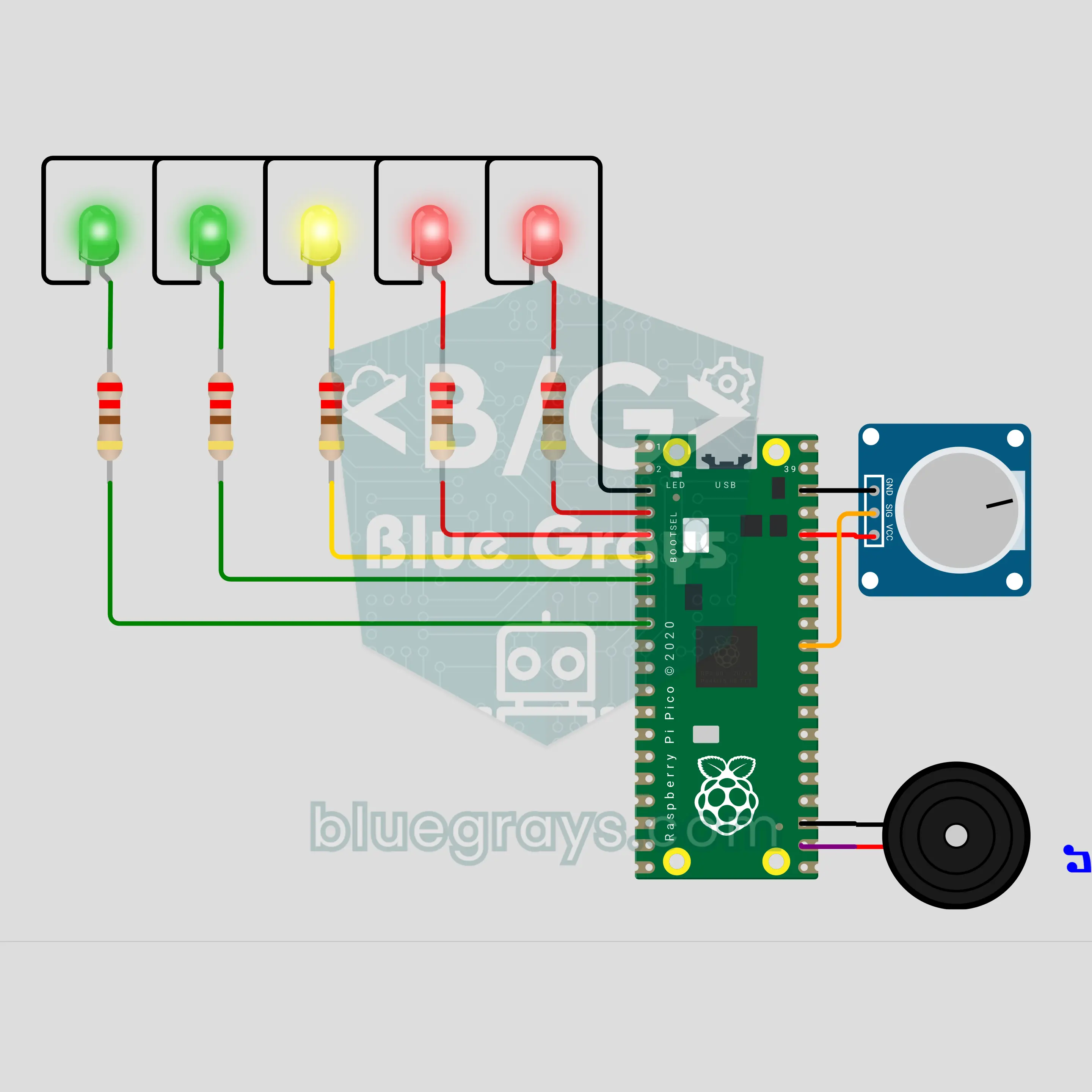
Raspberry Pi Pico W Excitement Meter: A Party Game You Play with Your Fingers (Voltage Divider + 5 LEDs + Buzzer)
A lie detector style party game for your friends: you rest two fingers on two electrodes and the Raspberry Pi Pico W first measures your calm baseline. As the questions get harder your skin resistance drops and the voltage divider output rises: the 5 LED bar fills up, the buzzer beeps higher and a sudden jump sets off a siren. The measurement is real, but it is just for fun, not a real lie detector.
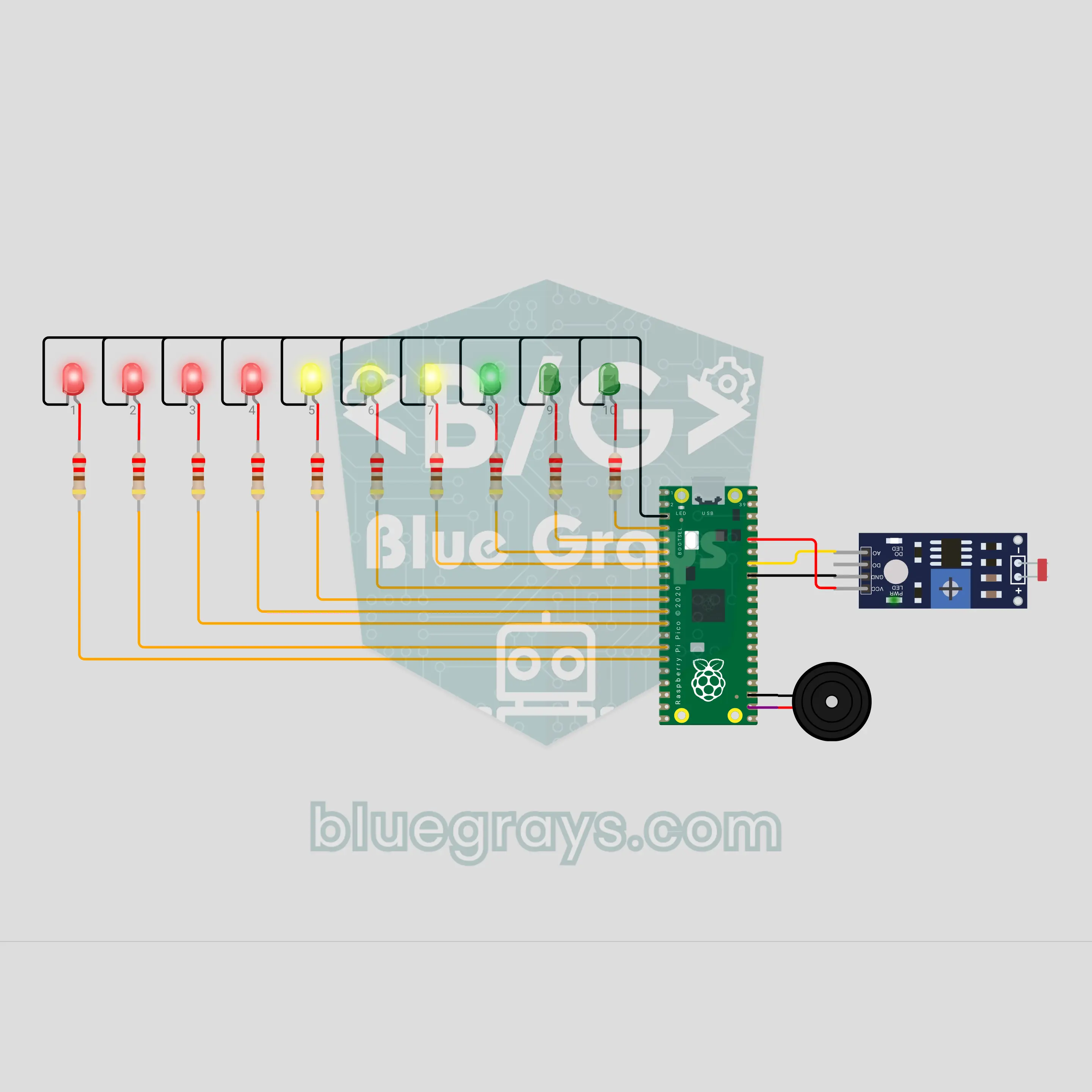
Pico Phone Jail Box: Put Your Phone Away While You Study (LDR + 10 LEDs)
Drop your phone in the box and let the circuit do the rest. The LDR on the floor of the box goes dark when the phone lies on it, and the count starts: one LED lights every 6 minutes, and 10 LEDs mark a full hour of study. Take the phone early and warning ticks start; if it is not back within 5 seconds, the "jail broken" sound plays and the count resets. Finish the hour and a light wave and a victory tune are waiting. One number in the code changes the time.
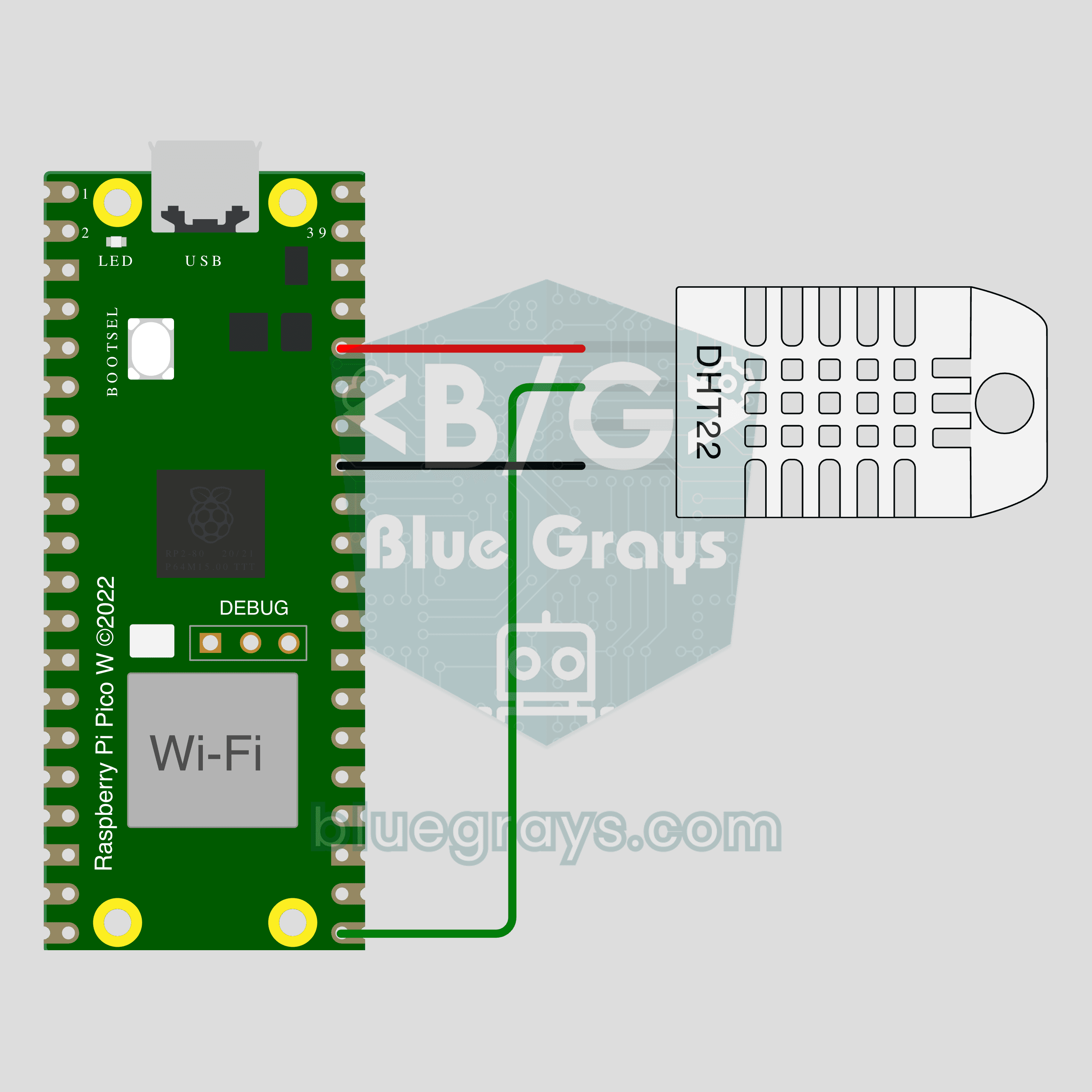
Pico W IoT Temperature and Humidity (DHT22)
Watch your room's temperature and humidity live on your phone wherever you are. This project is the step-by-step guide to the Temperature and humidity IoT template in the app, built with a Raspberry Pi Pico W and a DHT22. Go to Workshop › Devices › Add a device, pick Pico W as the board and Temperature and humidity as the template; Ohmi prepares the code with your own device key. The code on this page is an example: the key and Wi-Fi details are placeholders.