
Arduino loyihalarini kashf qil
Boshlang‘ichdan yuqori darajagacha, sxemali, kodli va videoli yuzlab loyihalar. Qaysi darajada bo‘lsang, o‘sha yerdan boshla.

Remote Control with ESP32 IR Receiver (with LCD Screen)
In this project, we use the TSOP4838 IR receiver module to capture signals from a TV, air conditioner, or any other infrared remote control using the ESP32. With the IRremote v4 library, we display decoded nonzero raw codes on the I2C LCD screen. This example is intended to help identify remote control codes; it does not include turning an LED on or off or adjusting its brightness with the remote. This is a great starting point for converting old remotes into smart home controls.
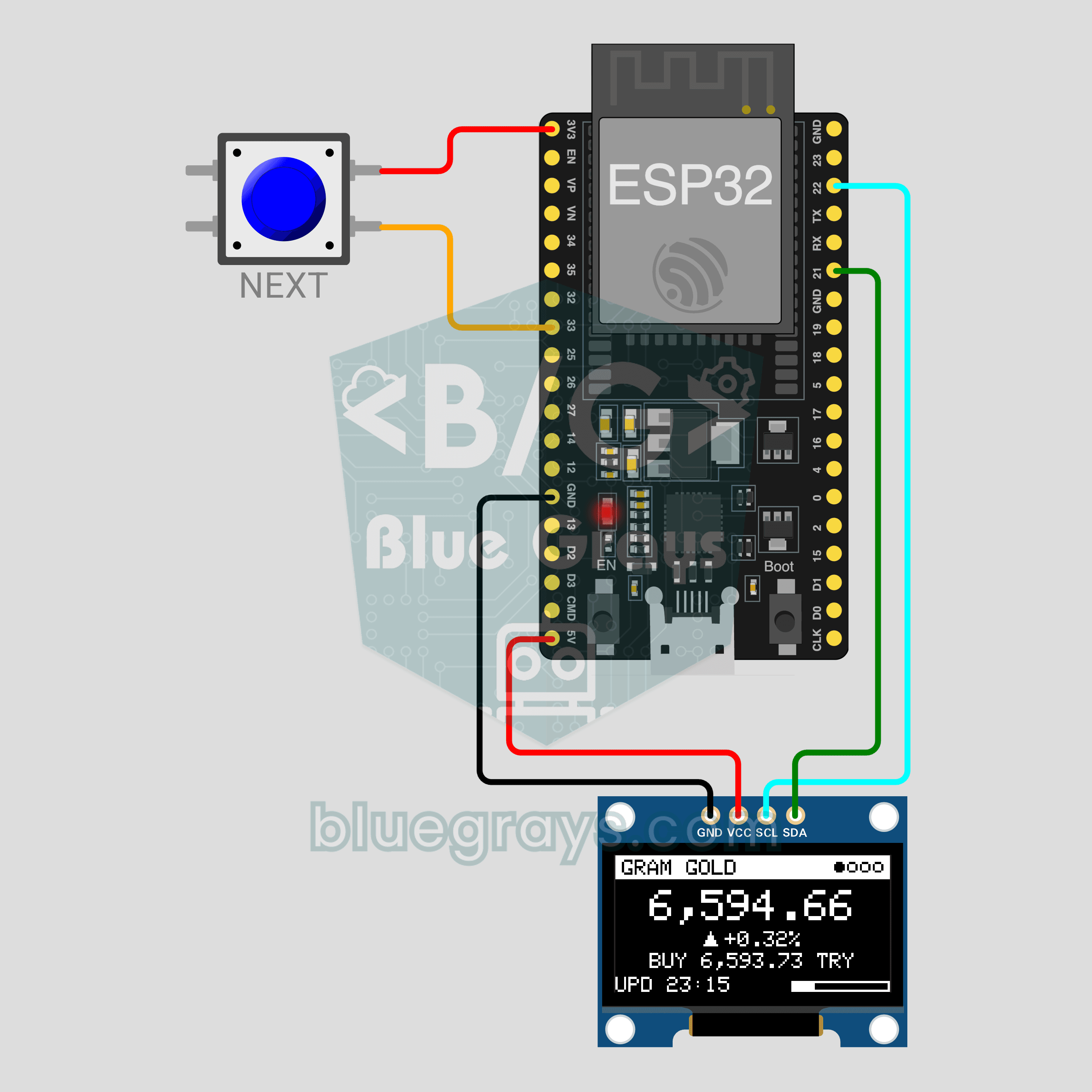
ESP32 Live Gold and Currency Display (Wi-Fi + OLED Display + Button)
What is gold trading at in Turkey right now? No need to check your phone! The ESP32 joins Wi-Fi, pulls gram gold, US dollar and euro prices in Turkish lira from a free, keyless JSON source and shows them on a 0.96 inch OLED. Prices refresh every 60 seconds; the button flips pages and a long press refreshes right away. If the internet drops, the last values stay on screen with an OFFLINE badge.
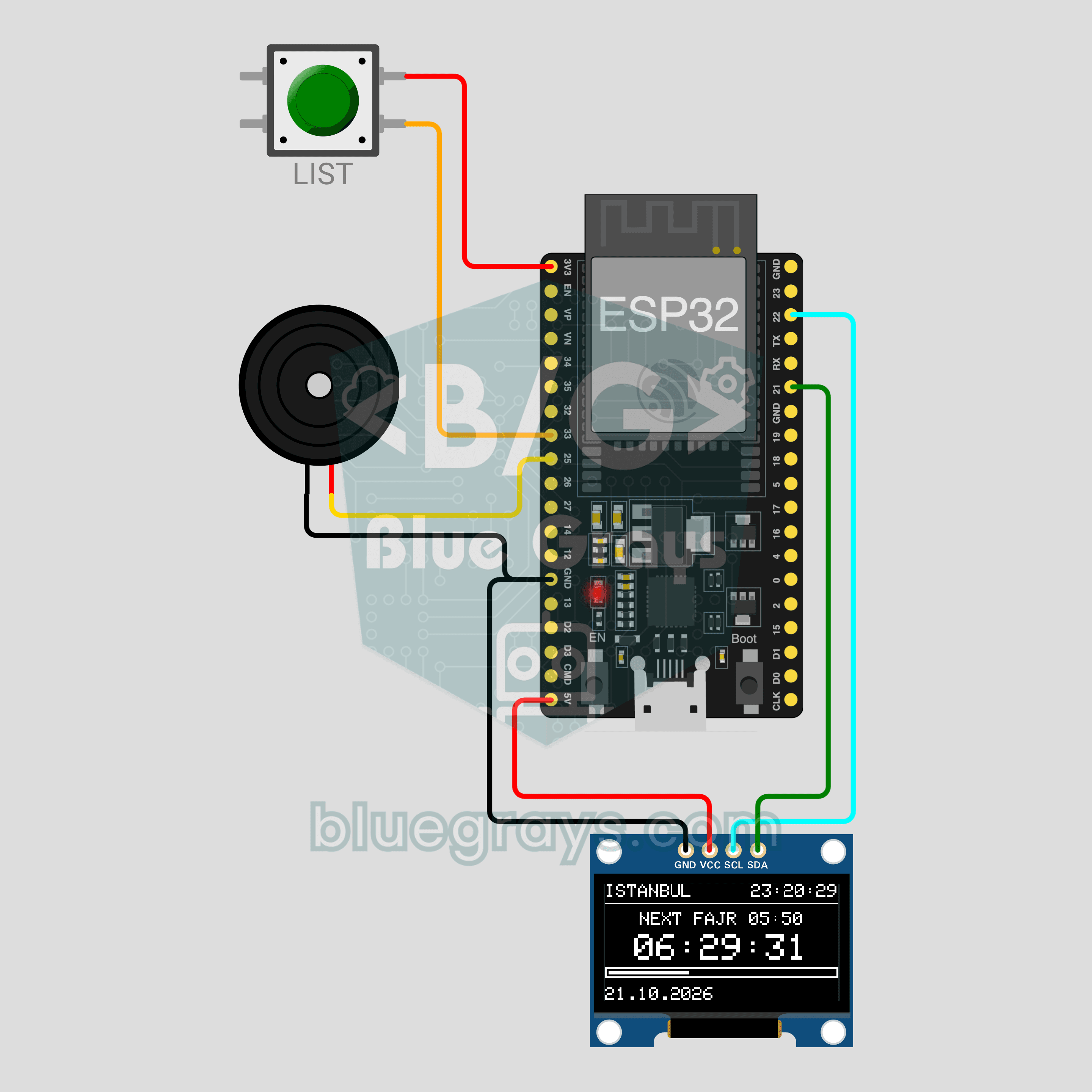
ESP32 Prayer Time Clock (Wi-Fi + OLED Display + Buzzer)
How long until Maghrib? The ESP32 gets the time from the internet, pulls your city's prayer times using the Diyanet method and shows the next prayer with a big countdown on a 0.96 inch OLED. When the time comes, a passive buzzer plays a short, gentle chime. Press the button to list all of today's times, or hold it to try the alert right away in demo mode.
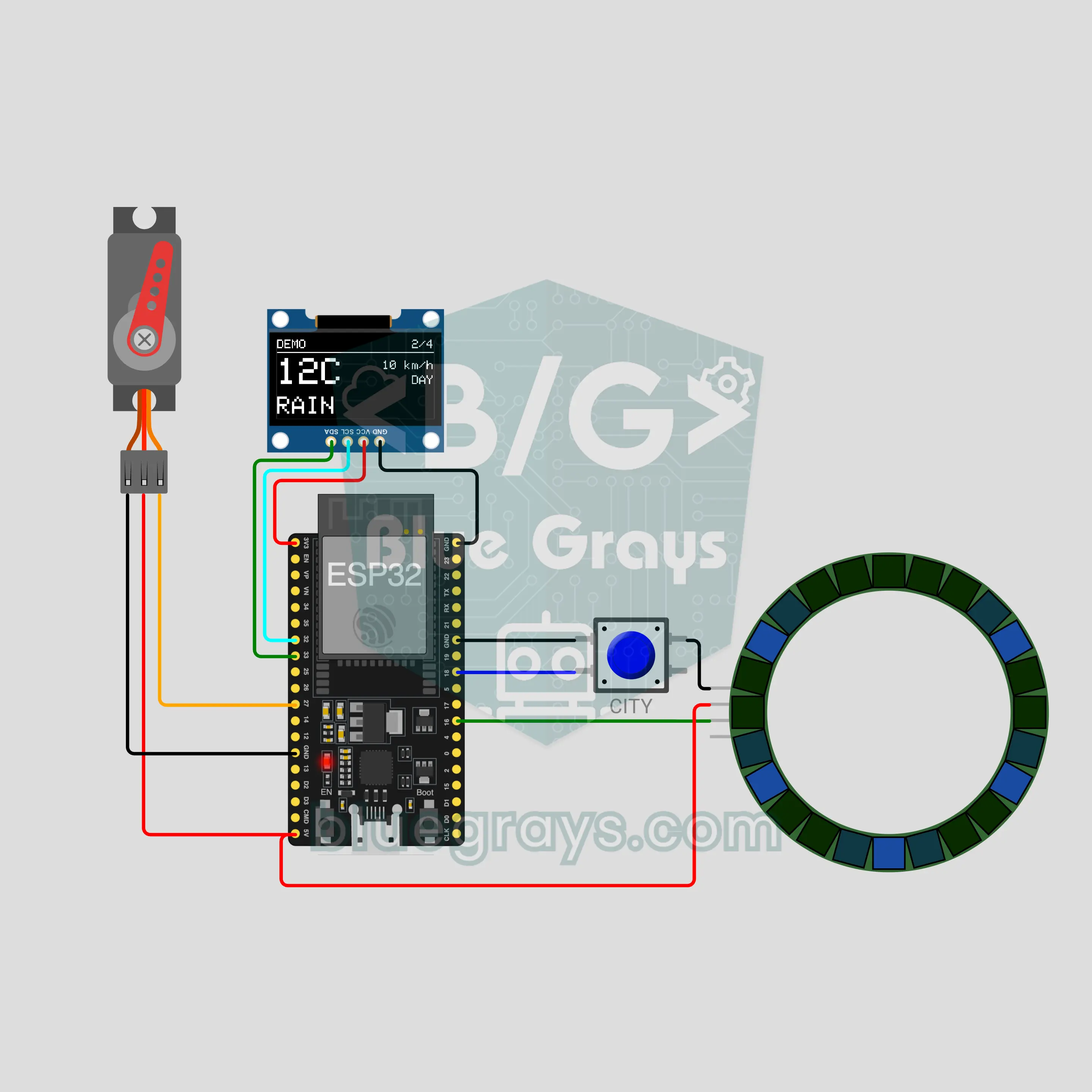
ESP32 Weather Needle (Servo + WS2812B LED Ring + OLED)
A gauge that shows the weather with a needle and light instead of text! Over Wi-Fi the ESP32 fetches the current weather of six cities in one request; an SG90 servo needle points at sunny, partly cloudy, cloudy, rain or snow-storm on a card. A 24-LED ring shows the temperature as color and the weather as animation, and a 0.96 inch OLED shows city, temperature and wind. A button changes the city; hold it for a demo.
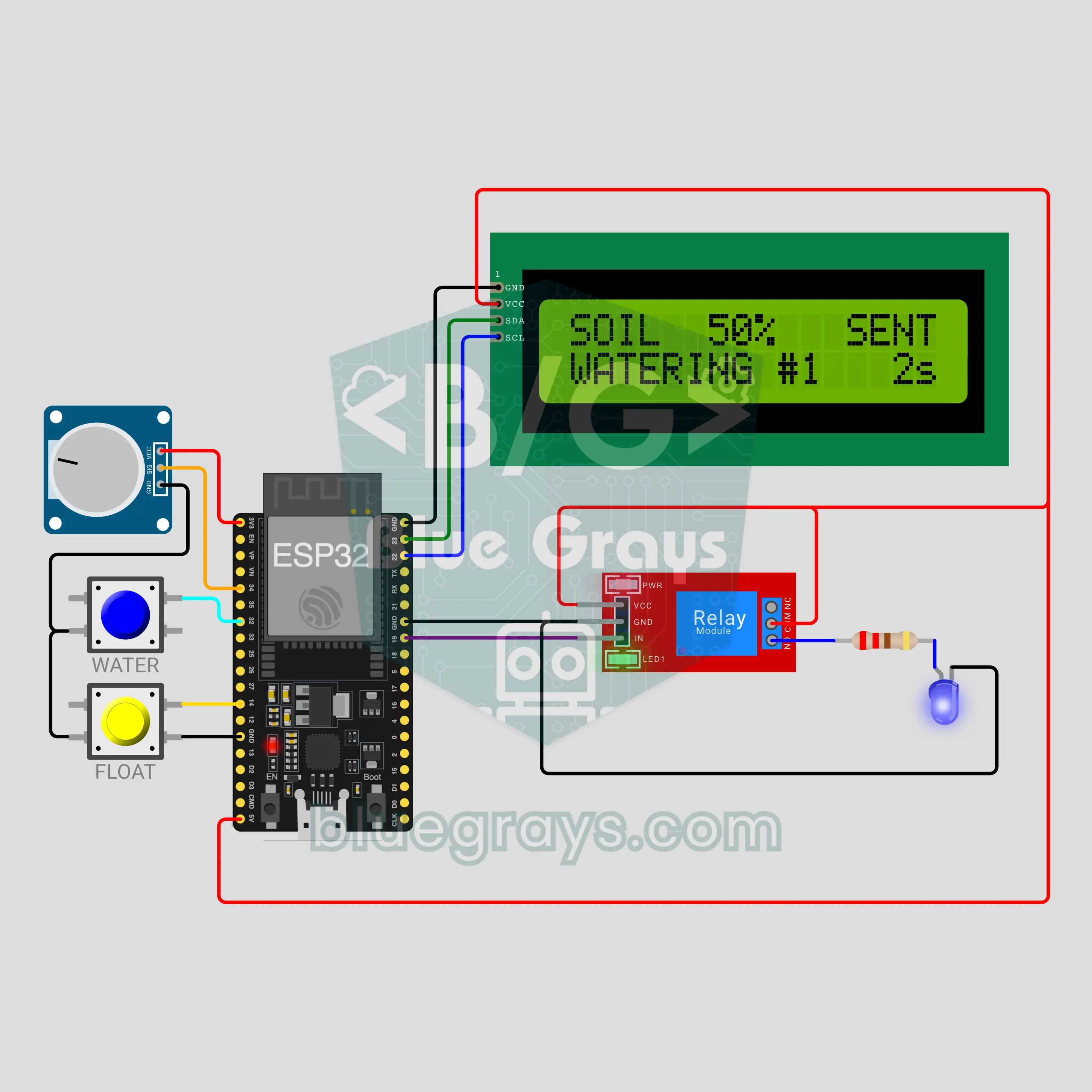
ESP32 Wi-Fi Plant Watering: Waters When the Soil Dries, Tells Your Phone (Soil Moisture Sensor + Relay + Pump + LCD + ntfy)
Automatic plant watering with an ESP32: the soil moisture sensor is turned into a percentage, and when it drops the relay runs the pump in short pulses, waits for the water to soak in and measures again. A float switch locks the pump when the tank is empty, and a daily limit prevents flooding. After every watering your phone gets "Bitki sulandi (nem %28 -> %65)"; watering keeps going even without Wi-Fi.
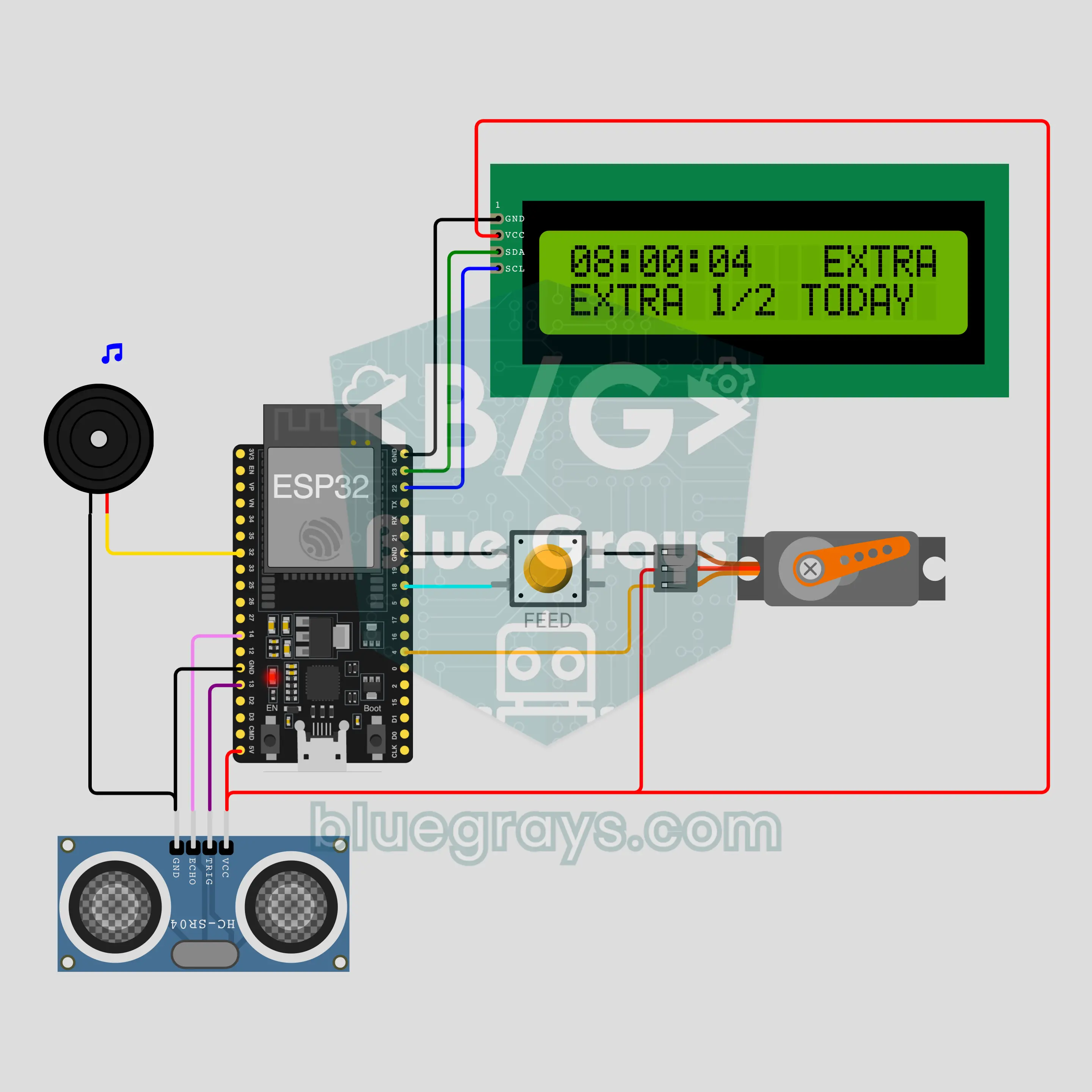
ESP32 Wi-Fi Automatic Pet Feeder: Meals on Time, Phone Notifications (Servo + HC-SR04 + LCD + NTP + ntfy)
An ESP32 automatic pet feeder for a cat, dog or fish: it gets the time from the internet (NTP), rings a food bell before each of 3 daily meals, then an SG90 servo opens and shakes the hopper lid once per portion. An HC-SR04 measures how full the hopper is and warns when it runs low; every meal and low warning reaches your phone through ntfy. A button gives an extra portion (2 a day at most) or skips the day, and the pet never goes hungry when the internet or power drops.
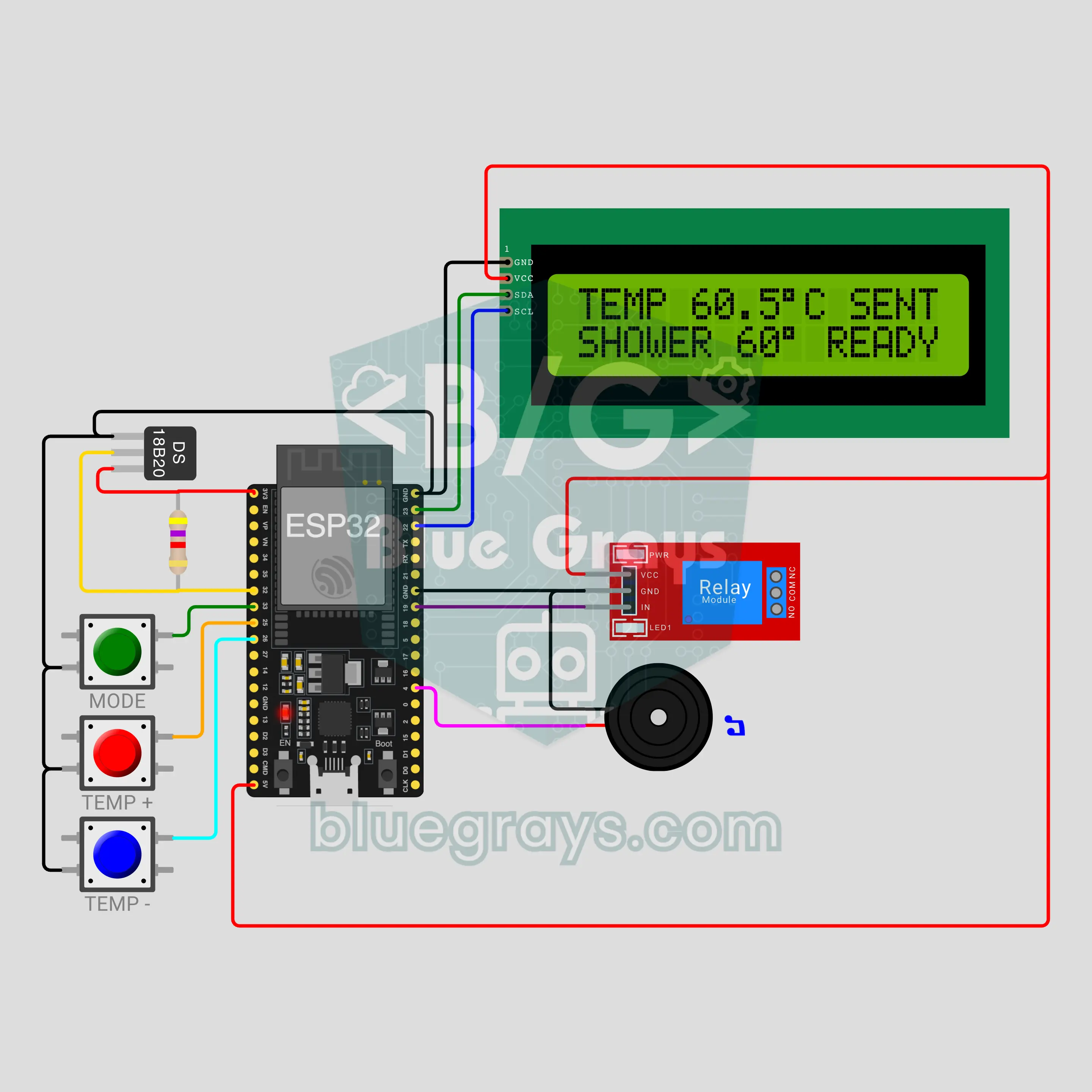
ESP32 Wi-Fi Water Heater Temperature Control: Phone Alert When the Hot Water Is Ready (DS18B20 + Relay + LCD + ntfy)
Water heater temperature control with an ESP32: a DS18B20 measures the water and a relay switches the heater on at target − 3 °C and off at the target. ECO, NORMAL and SHOWER modes plus + and − buttons set the target, and your phone gets a "su hazir" (hot water ready) alert. Overheating, a dead sensor or a heater that won't heat cut the relay at once. 230 V warning: the relay drives a contactor; a breaker, an RCD and a licensed electrician are a must.
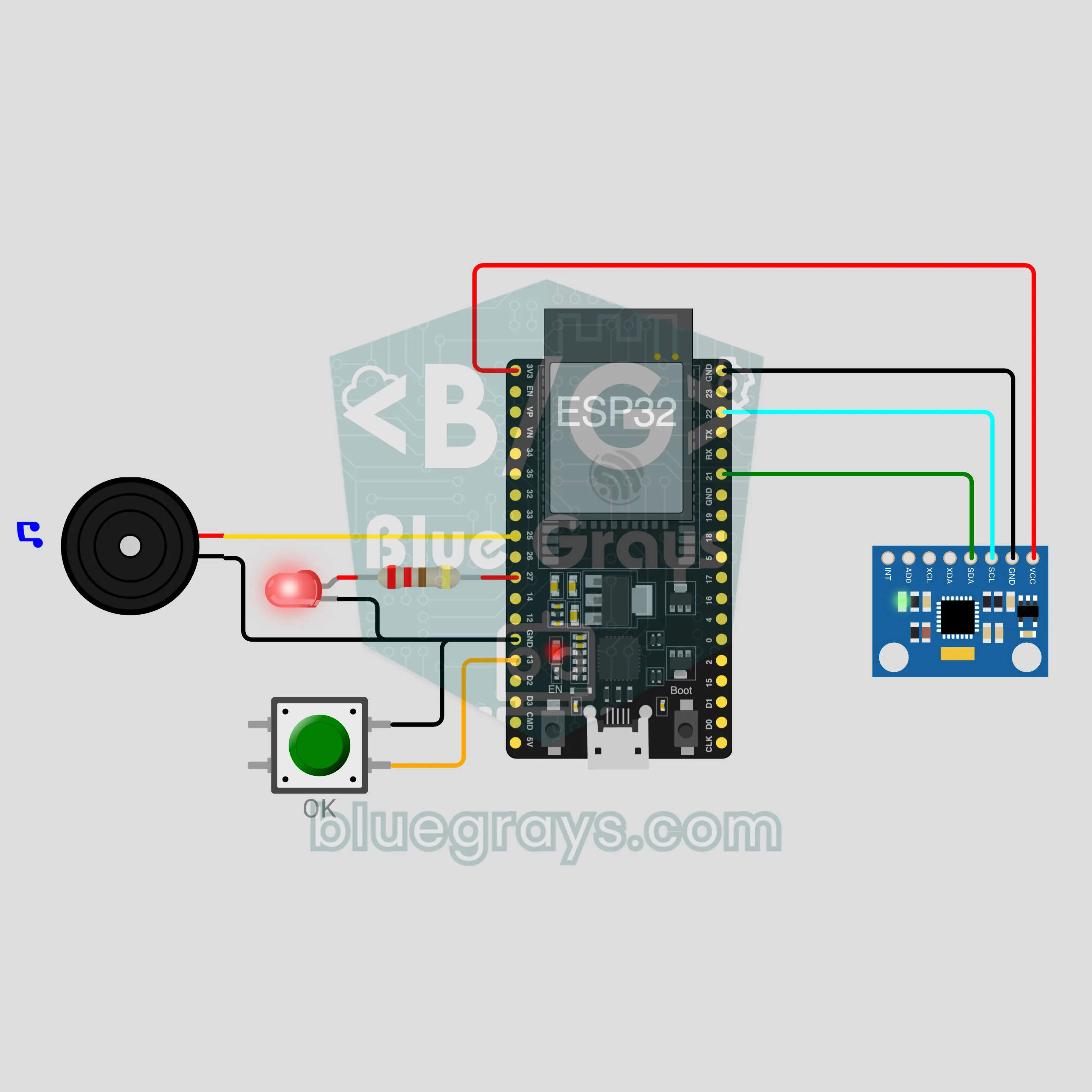
ESP32 Fall Alarm: Notifies the Family if Nobody Answers (MPU-6050 + Button + Buzzer)
Worn on a belt or in a pocket, this device uses an MPU-6050 to catch a sudden impact followed by stillness. Once that counts as a fall it counts down 30 seconds: the buzzer beeps and the LED blinks. Pressing the I am OK button in that time cancels the alarm. If nobody presses it, a siren sounds and the ESP32 sends a notification to the family's phones over Wi-Fi with ntfy. Made for icy winter days and relatives who live alone; the siren works even without internet.
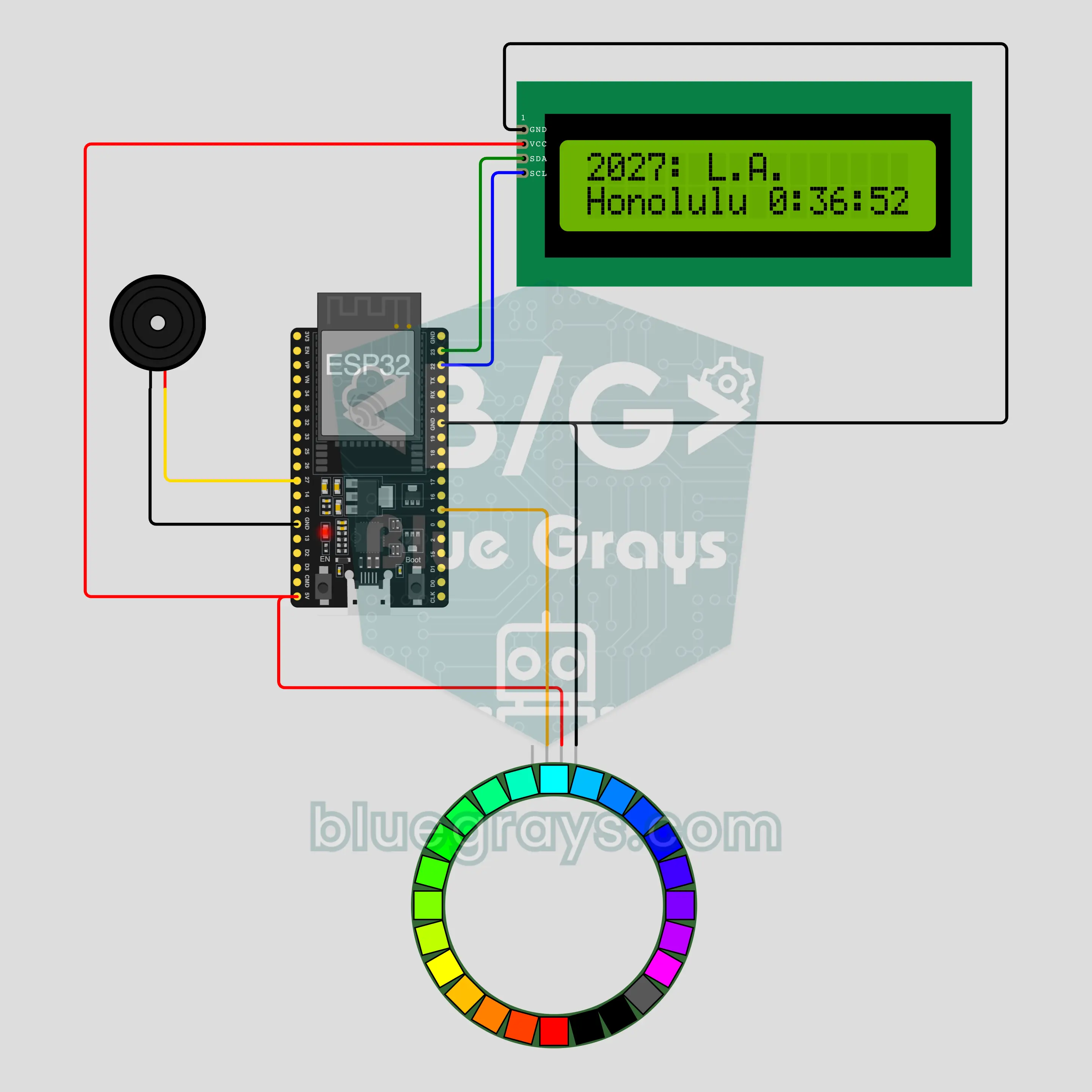
ESP32 New Year World Tour: Where Is 2027 Right Now? (NTP + I2C LCD + 24 LED Ring + Buzzer)
The new year does not reach the whole world at once: it starts on Kiritimati in the Pacific and travels west for 26 hours. This build follows that wave live. The ESP32 gets the time from the internet (NTP); whenever the new year enters one of 24 stops, one LED on the 24 LED ring lights up, the buzzer chimes and the LCD shows the city. The bottom row counts down to the next city. At the last stop the ring turns into a rainbow.
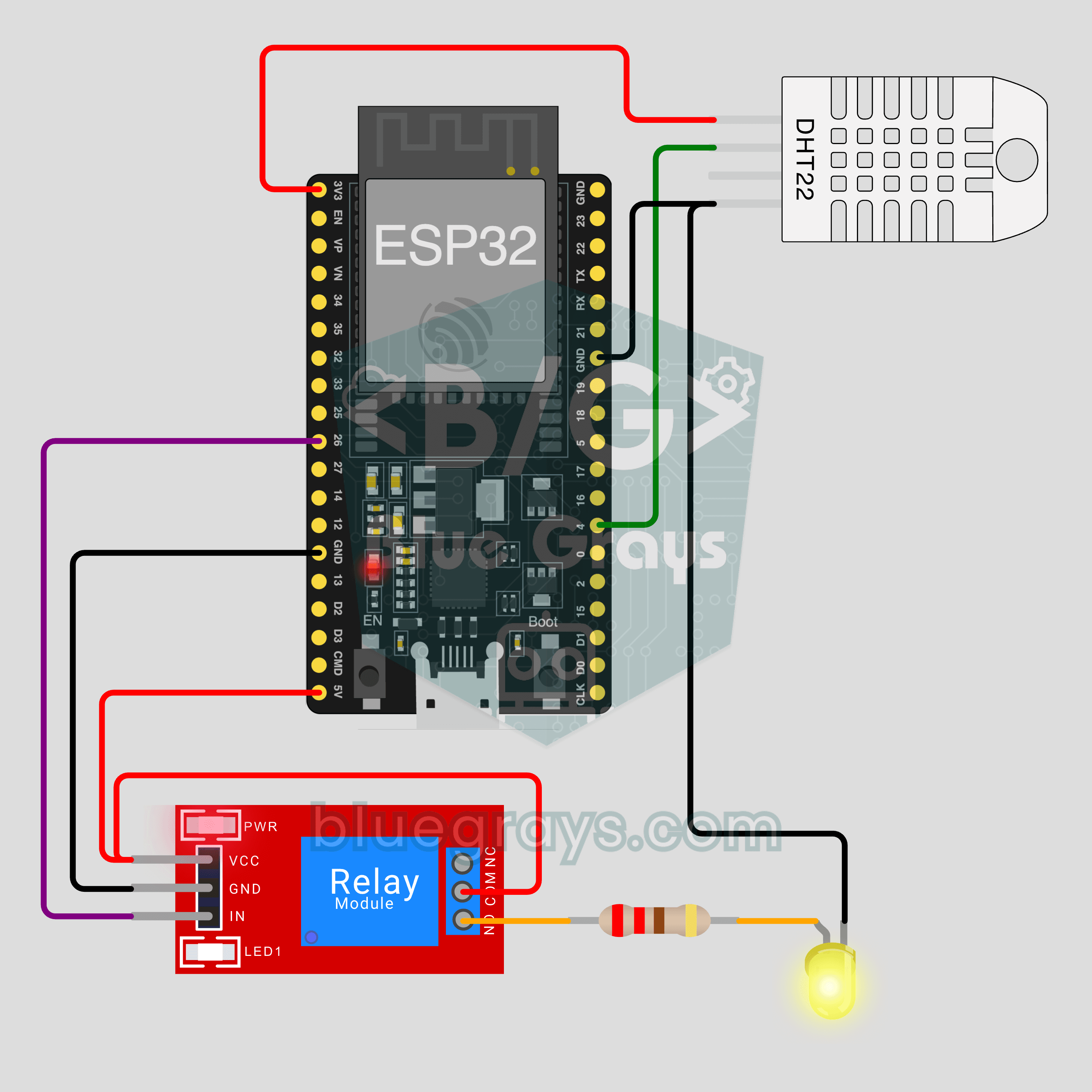
ESP32 IoT Room Station (Relay + DHT22)
Turn your lamp on from your phone and watch your room's temperature and humidity live, wherever you are. This project is the step-by-step guide to the Room station IoT template in the app, built with an ESP32, a relay module and a DHT22. Go to Workshop › Devices › Add a device and pick Room station; Ohmi prepares the code with your own device key. The code on this page is an example: the key and Wi-Fi details are placeholders.
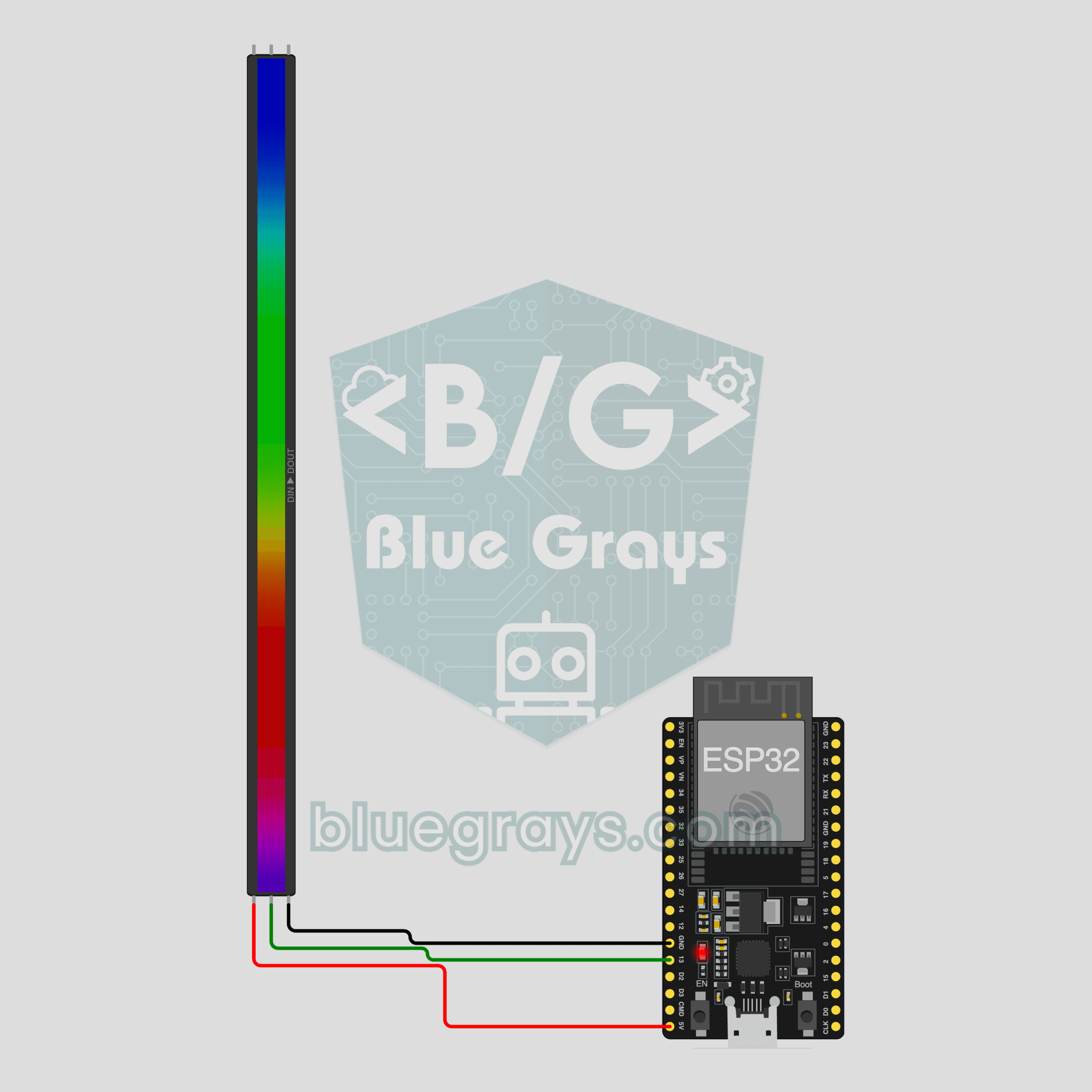
ESP32 IoT RGB LED Strip (WS2812B)
Control your room's light from your phone: pick a color, set the brightness, turn on the rainbow or breathe effect. This project is the step-by-step guide to the RGB LED strip IoT template in the app, built with an ESP32 and a 30-LED WS2812B strip using three wires. Go to Workshop › Devices › Add a device and pick RGB LED strip; Ohmi prepares the code with your own device key. The code on this page is an example: the key and Wi-Fi details are placeholders.
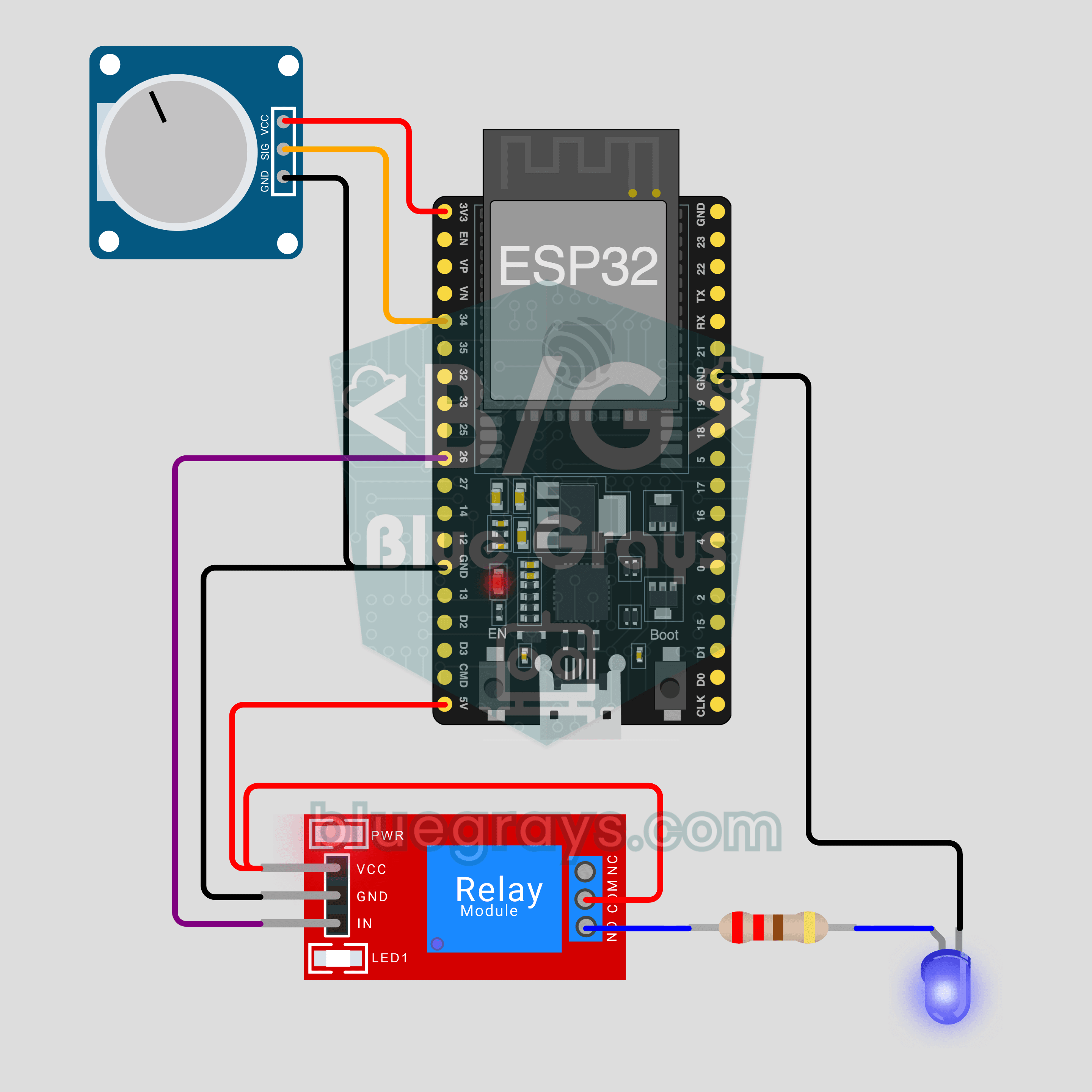
ESP32 IoT Plant Watering (Soil Sensor + Pump)
Let the pump start by itself when the soil in your pot dries out, and watch the soil moisture live on your phone. This project is the step-by-step guide to the Soil moisture + pump IoT template in the app, built with an ESP32, a soil moisture sensor, a relay and a mini water pump. Go to Workshop › Devices › Add a device; Ohmi prepares the code with your own device key. The code on this page is an example: the key and Wi-Fi details are placeholders.