
Arduino loyihalarini kashf qil
Boshlang‘ichdan yuqori darajagacha, sxemali, kodli va videoli yuzlab loyihalar. Qaysi darajada bo‘lsang, o‘sha yerdan boshla.
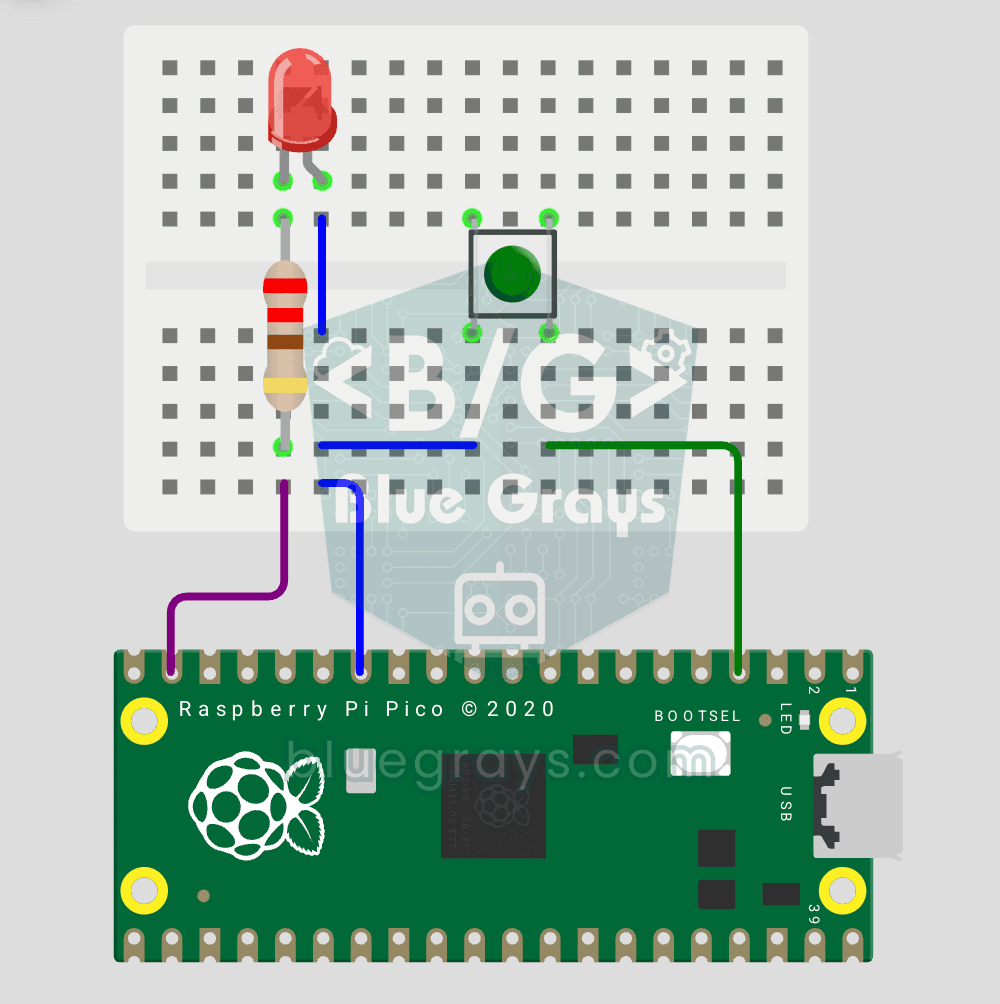
Raspberry Pi Pico Button Controlled LED (Push)
First input project with Pico — button read! LED lights while button is pressed, off when released. This is the big step after LED animations: signal input from the world to Pico. Learn Pin.IN (input mode), Pin.PULL_UP (internal pull-up resistor — standard for buttons), button.value() reading. GP14 LED, GP2 button (internal PULL_UP). Pressed = LOW (0), released = HIGH (1) — reverse logic seems confusing at first but is industry standard.
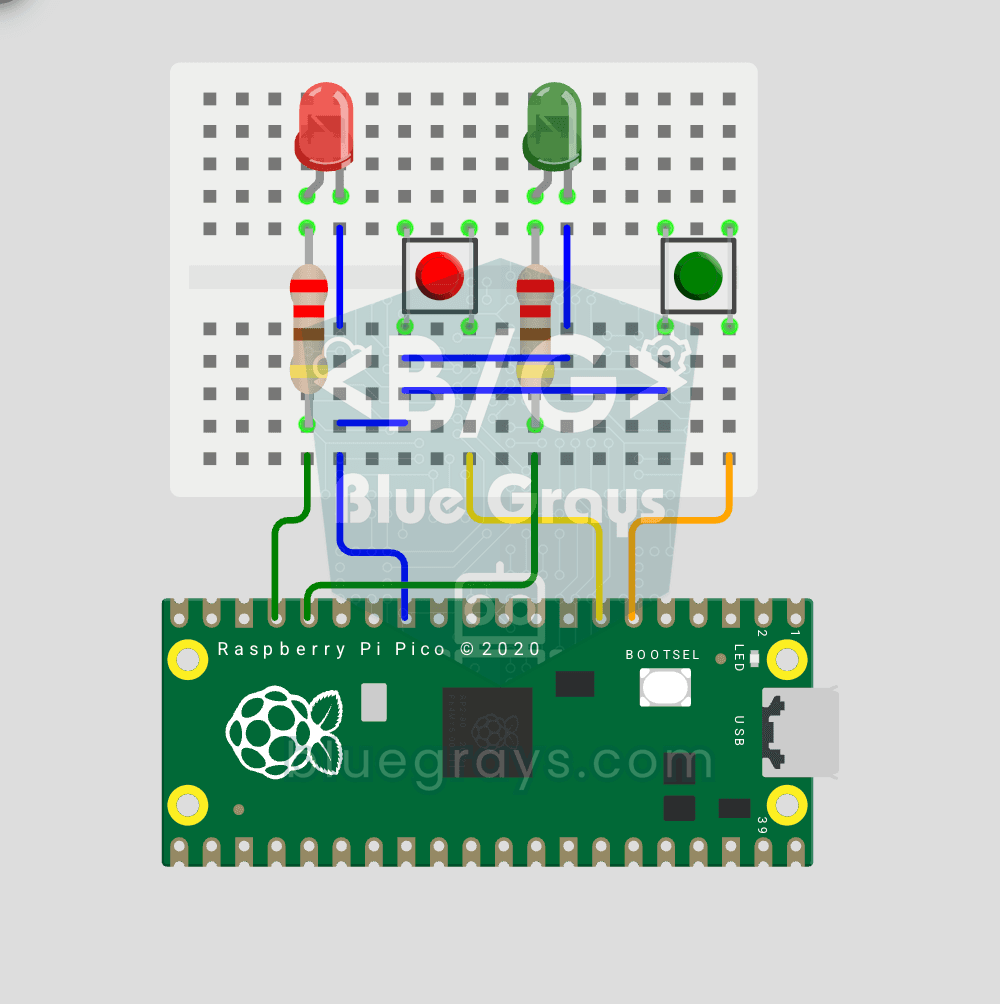
Raspberry Pi Pico: Independent Control of 2 LEDs Using 2 Buttons
2 buttons, 2 LEDs, completely independent of each other! Each button controls its own LED: press BTN1 and the red LED lights up, press BTN2 and the green one does. Press both at once and both LEDs light up (parallel operation). You'll learn to manage several Pin objects together, the ternary operator, Python's compact if-else (1 if x else 0), and a GPIO map (GP12/13 LED outputs, GP4/5 button inputs).
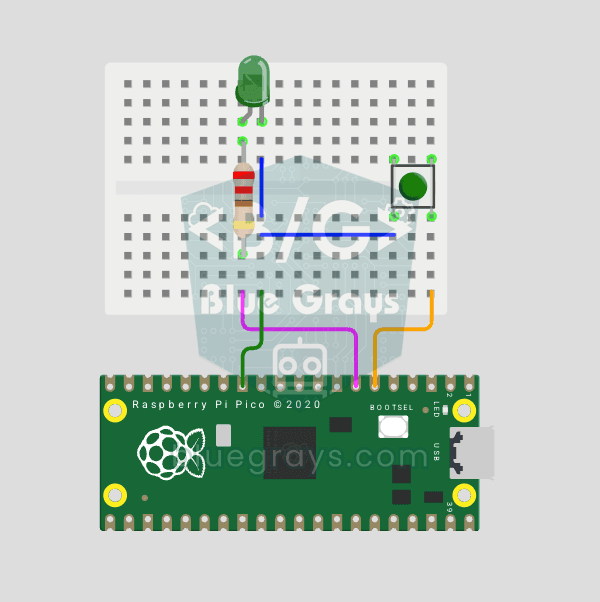
Raspberry Pi Pico Button Debounce: IRQ vs Software Polling
If one press of a button made your code count 3-4 times, the culprit is contact bounce: the button's metal contacts open and close many times within microseconds as they touch! In this project we count the same button in 2 different ways and compare them side by side in Serial: RAW polling (catches the bounce and miscounts) and IRQ + software debounce (counts correctly).
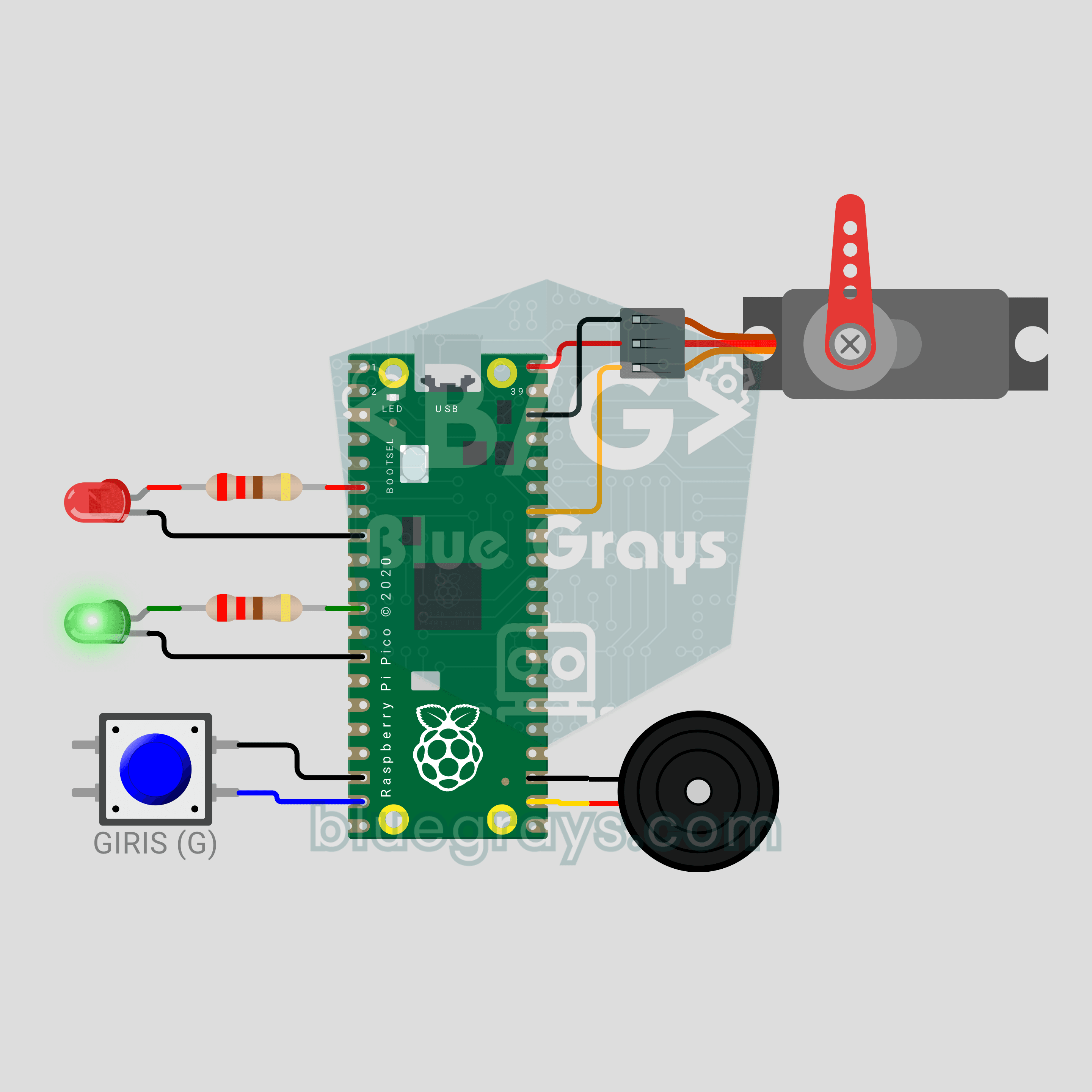
Raspberry Pi Pico Parking Barrier (SG90 Servo + 2 LEDs + Button + Buzzer)
A small model of the boom barrier at a car park entrance! Press the button and the Raspberry Pi Pico raises the arm smoothly with an SG90 servo as the green LED comes on. It stays open for 3 seconds, then lowers slowly with a flashing red LED and warning beeps from the buzzer. Press again while it is lowering and the arm rises at once for safety. Servo control, a state machine and non-blocking timing in one project.
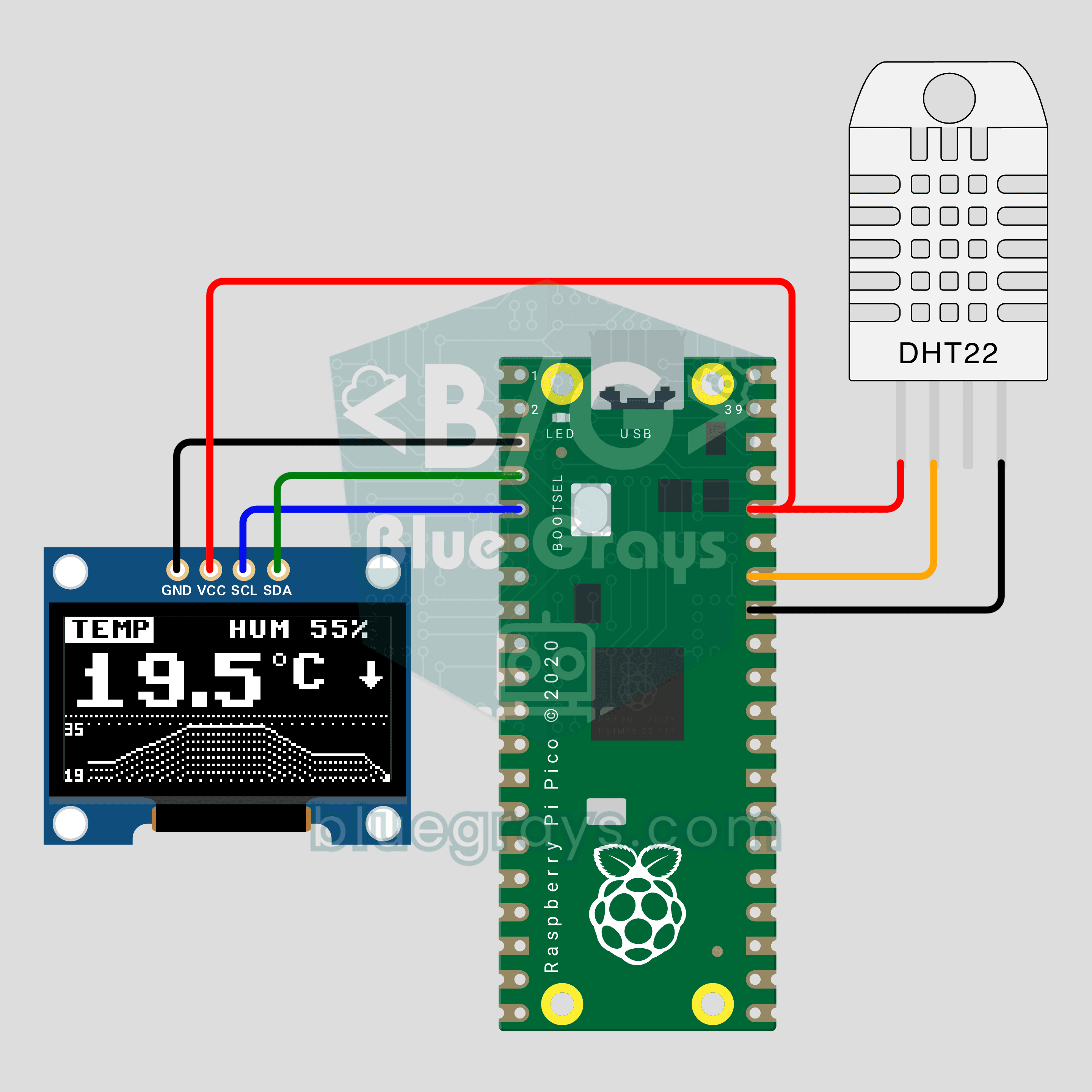
Raspberry Pi Pico Mini Weather Station (DHT22 + OLED Chart)
How has your room's temperature changed over the last two minutes? The Raspberry Pi Pico reads temperature and humidity from a DHT22 every 2 seconds and shows the value in big digits on a 0.96 inch OLED, with a line chart of the last 60 readings below. An arrow shows the trend and the temperature and humidity pages swap every 4 seconds. The OLED driver is built into the code: one file, no libraries.
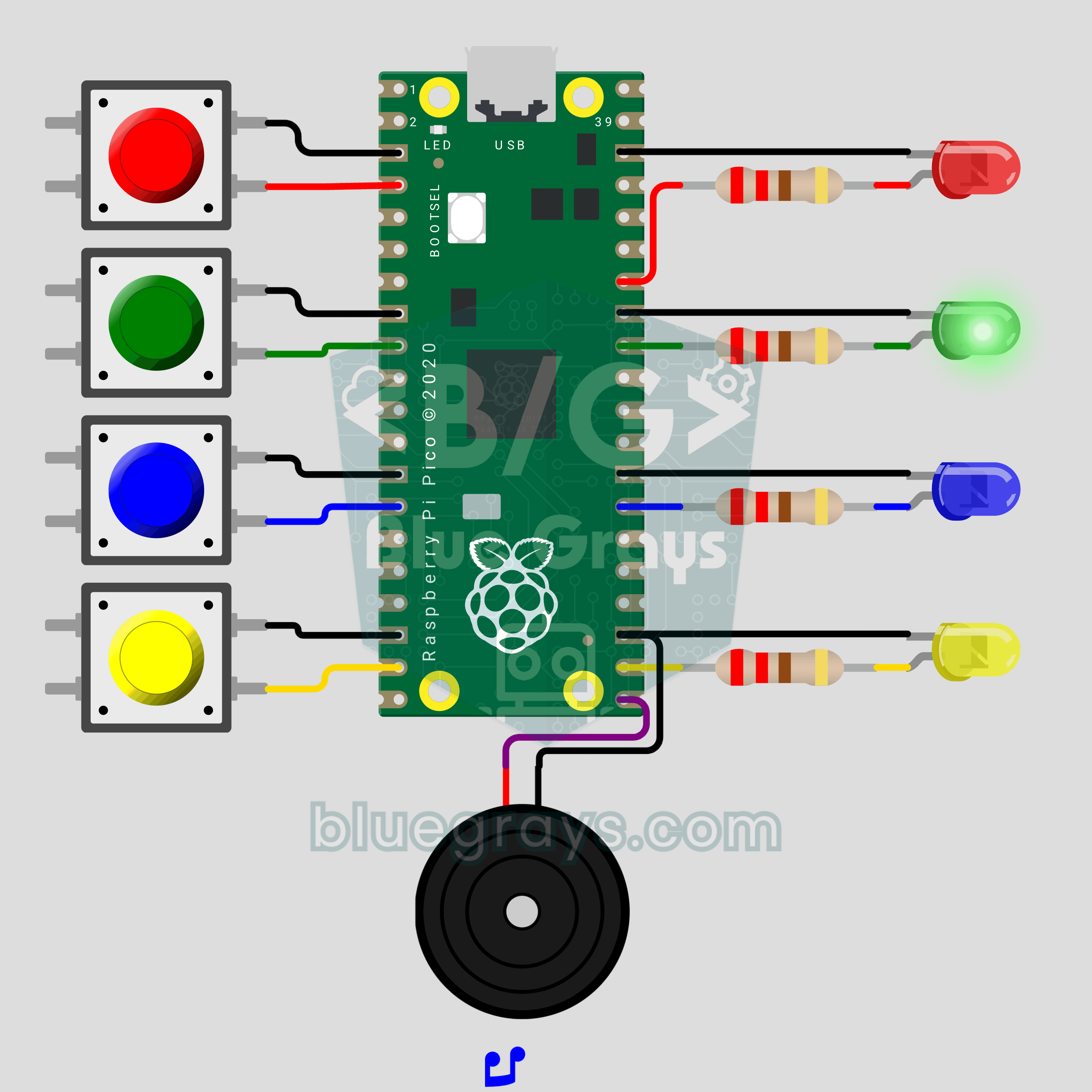
Raspberry Pi Pico Memory Game (4 LEDs + 4 Buttons + Buzzer)
How many rounds can you last? The classic color and sound memory game comes to your desk with a Raspberry Pi Pico. The Pico plays a random color sequence, each color with its own LED and its own note. Repeat it in the same order on 4 buttons and one more color joins every round. Press a wrong one and the buzzer plays a game over tune while the right color blinks. Lists, random numbers and button reading in one game.
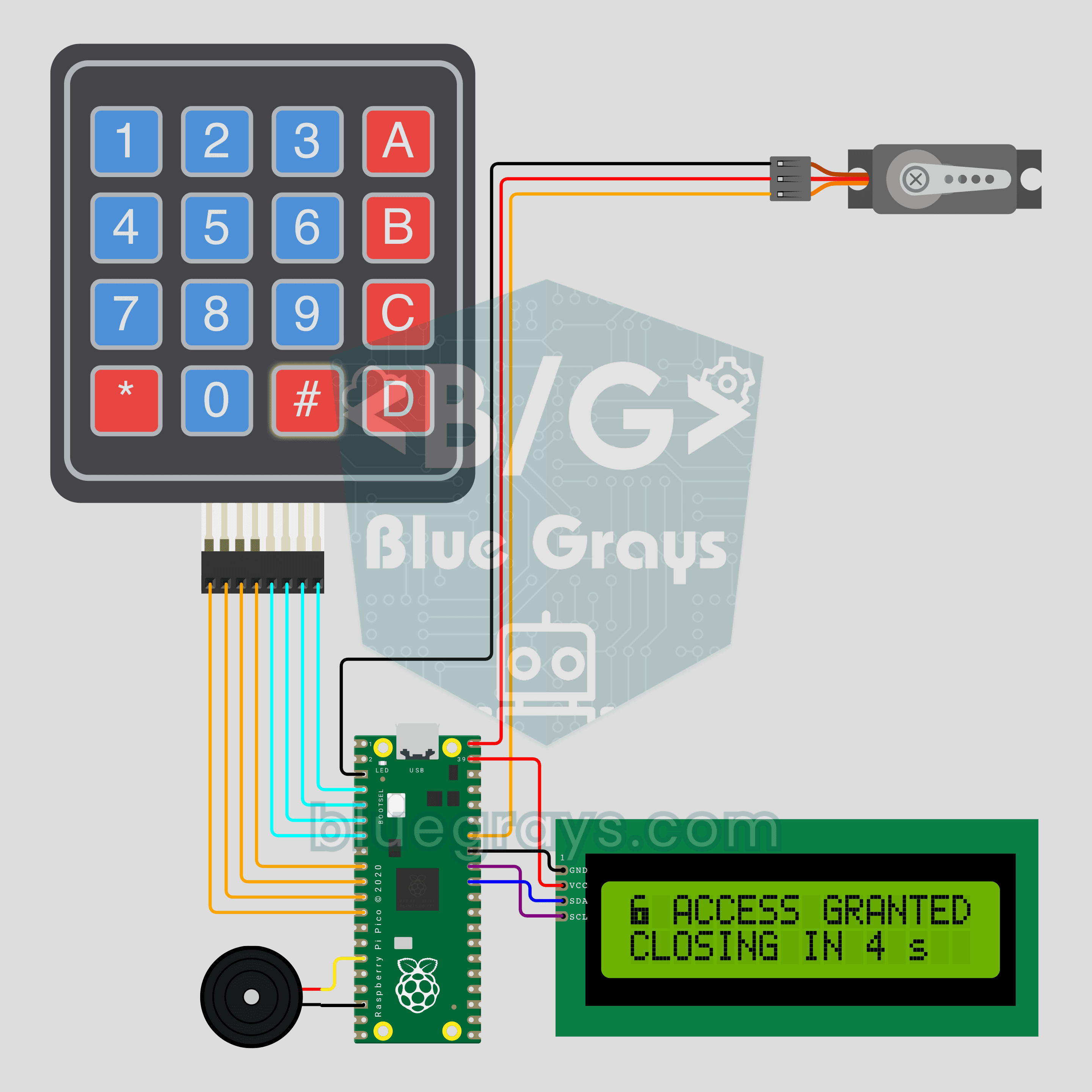
Raspberry Pi Pico Keypad Lock (4x4 Keypad + I2C LCD + Servo)
A 4-digit code opens the door, and three wrong tries mean a 30 second wait! The Raspberry Pi Pico checks the PIN typed on a 4x4 keypad: if it's right, an SG90 servo unlocks and relocks by itself after 5 seconds. An I2C LCD shows the stars, the tries left and the countdown, and a buzzer beeps on every key. The default PIN is 1234; change it with the A key and the new one is saved to pin.txt.
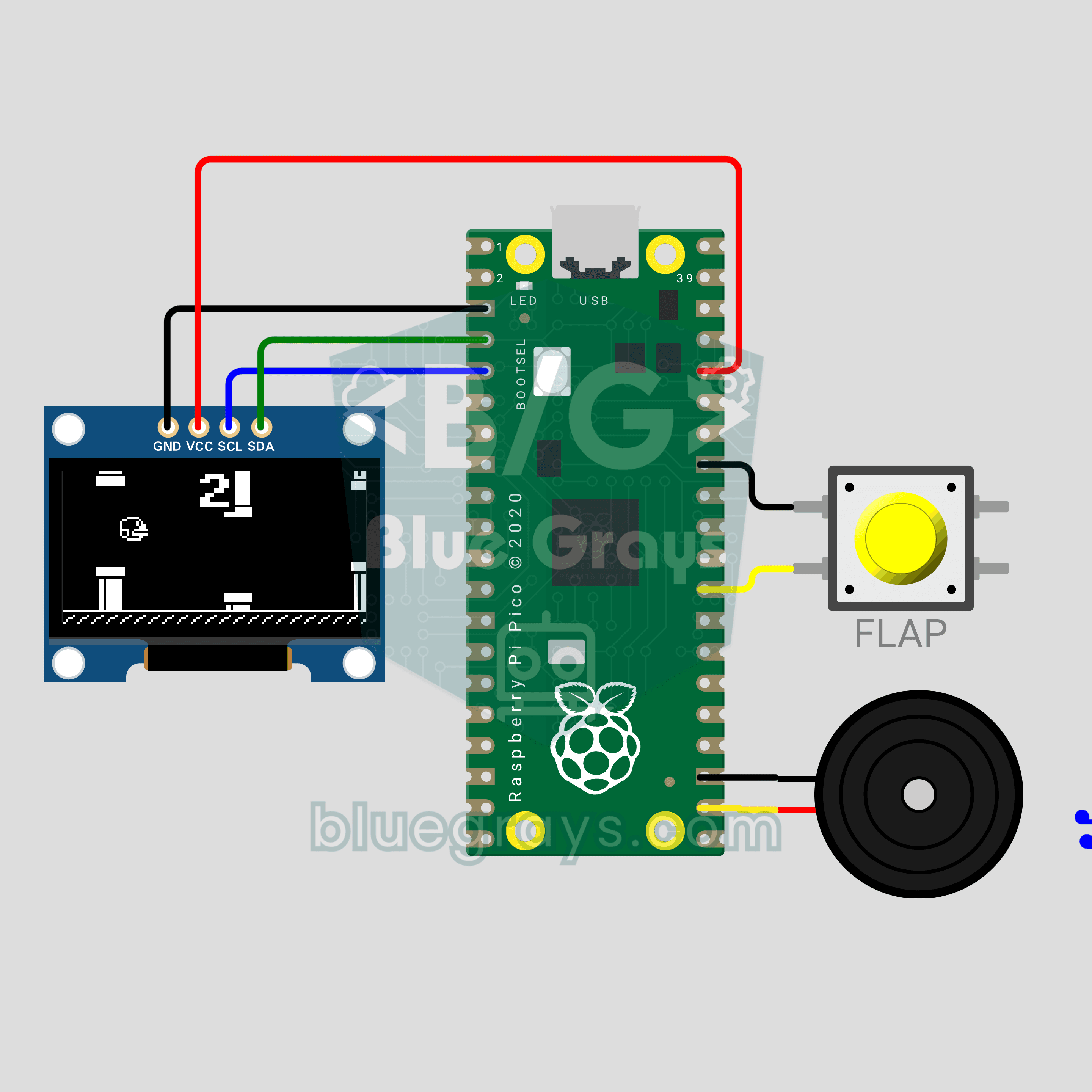
Raspberry Pi Pico Flappy Bird (OLED Display + Button + Buzzer)
That infuriating bird from your phone, now on a 0.96 inch OLED with a single button! A Flappy Bird style game on the Raspberry Pi Pico: every button press makes the bird flap, each pair of pipes you pass scores a point and the gaps get tighter. A buzzer plays the flap, point and record sounds. The high score lives in flappy_best.txt, so it survives a power cut. Physics, collisions and a 30 FPS game loop in one file.
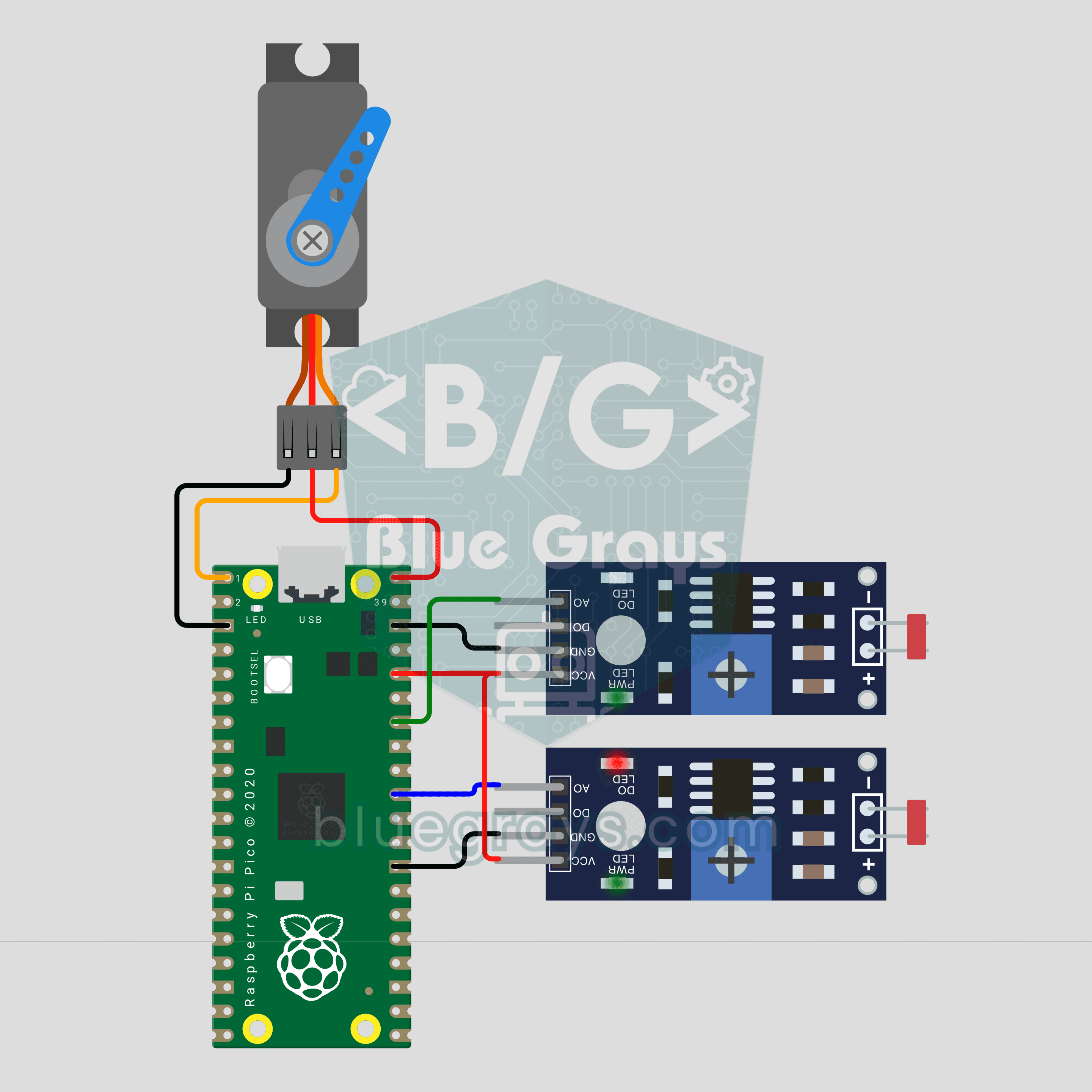
Raspberry Pi Pico Sun Tracking Panel (2 LDRs + SG90 Servo)
A panel that finds the sun on its own! The Raspberry Pi Pico measures light with 2 LDRs on either side of the panel, and an SG90 servo turns it toward the brighter side. A big difference turns it fast, a small one slowly, and it eases to a stop once both sides match. At night the panel swings back east to wait for sunrise. A ready-made experiment for science fairs and school projects.
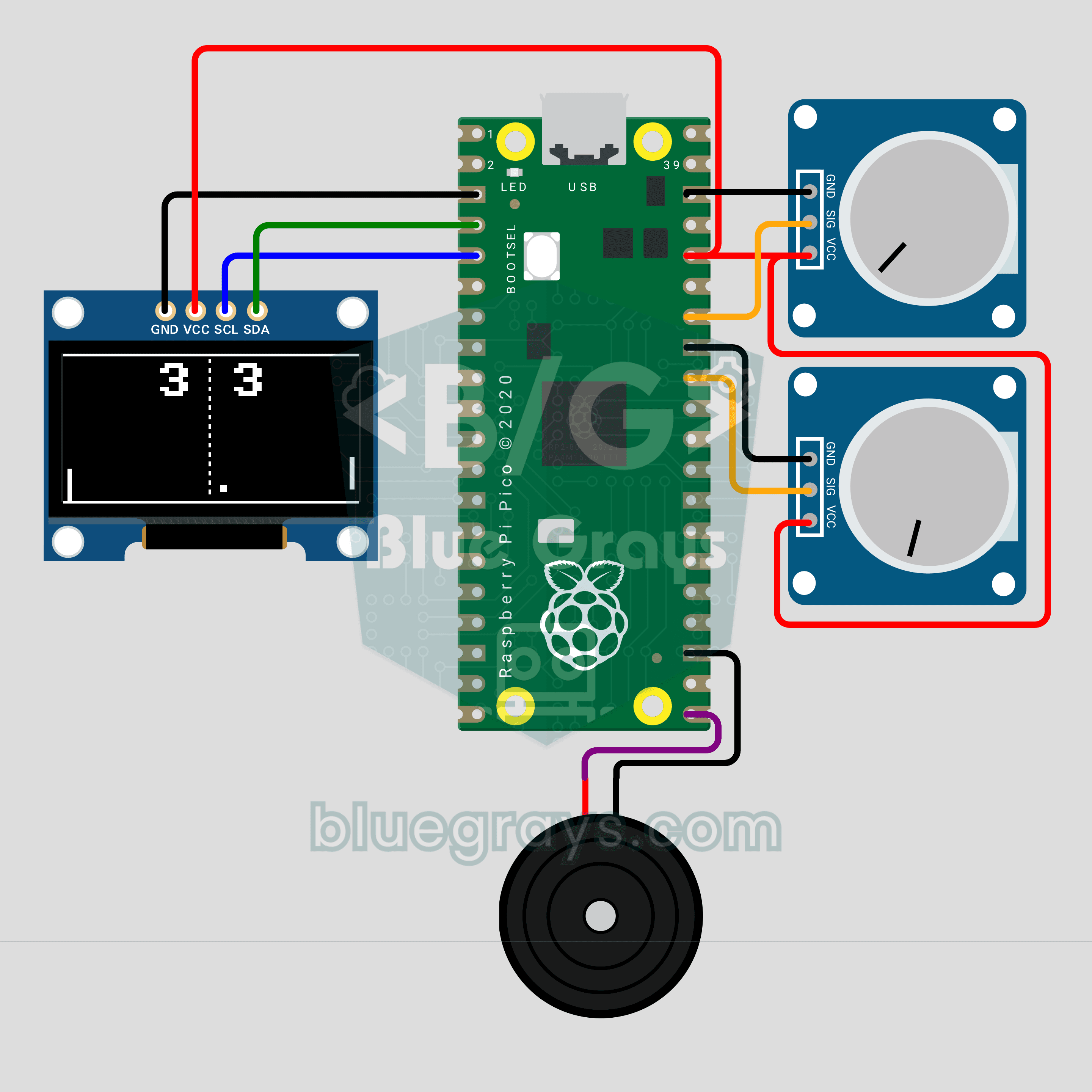
Raspberry Pi Pico Paddle Ball Game (OLED Display + 2 Potentiometers + Buzzer)
The classic paddle ball game, now on a 0.96 inch OLED for two players! Each player turns their own potentiometer to move a paddle. The ball speeds up on every hit and bounces off at an angle set by where it lands on the paddle; first to 5 points wins. A buzzer plays the wall, paddle and point sounds. Analog input, integer physics and partial screen updates in one game on the Raspberry Pi Pico.
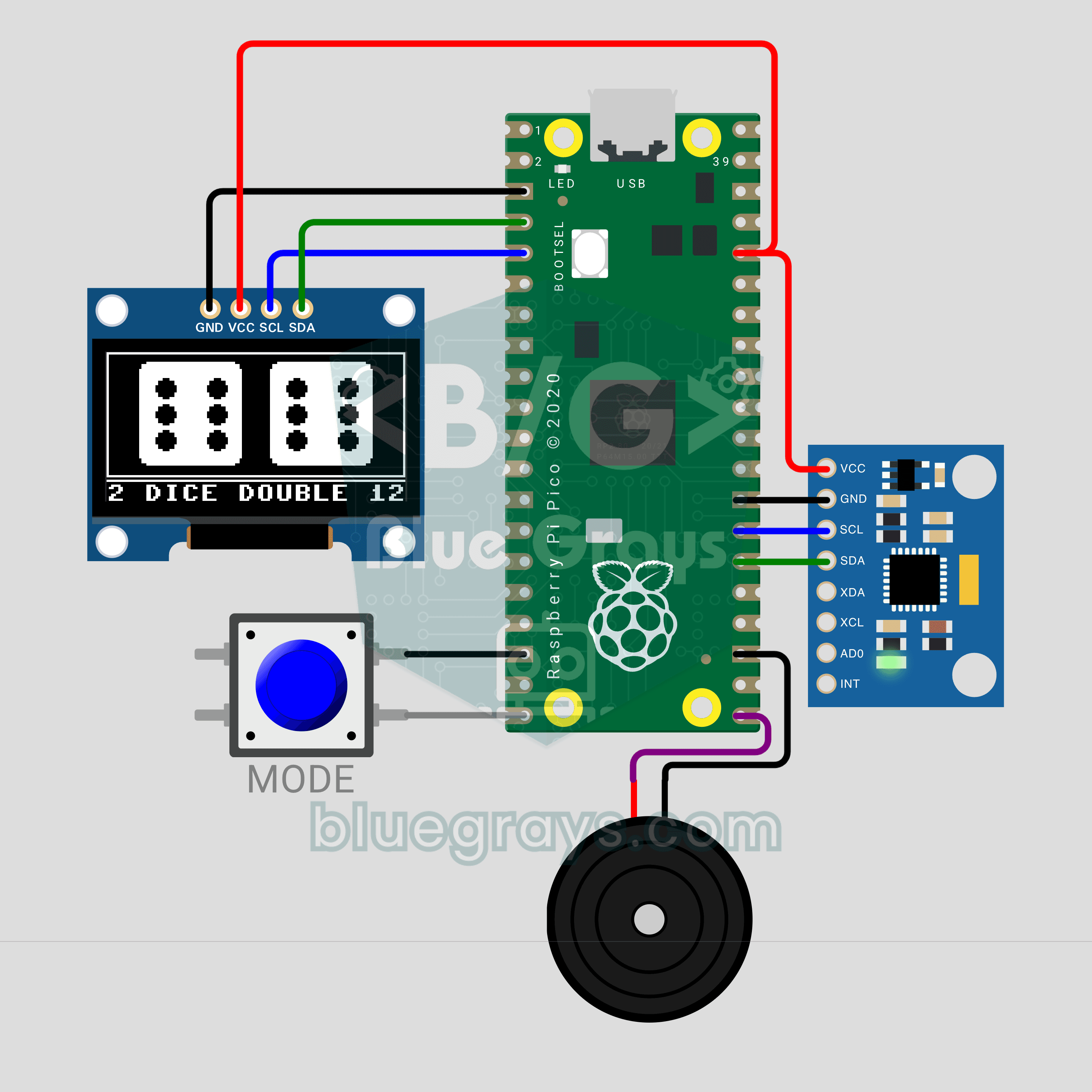
Raspberry Pi Pico Shake Dice (MPU-6050 + OLED Display + Buzzer)
Lost your dice? No problem: shake the circuit and the die rolls on a 0.96 inch OLED! An MPU-6050 accelerometer senses the shake, the die wobbles and spins, and once you stop it slows down and lands on a face. The MODE button switches between one die and two; roll a double and the screen flashes while the buzzer plays a celebration tune. The Raspberry Pi Pico reads the sensor straight over I2C, no library needed.
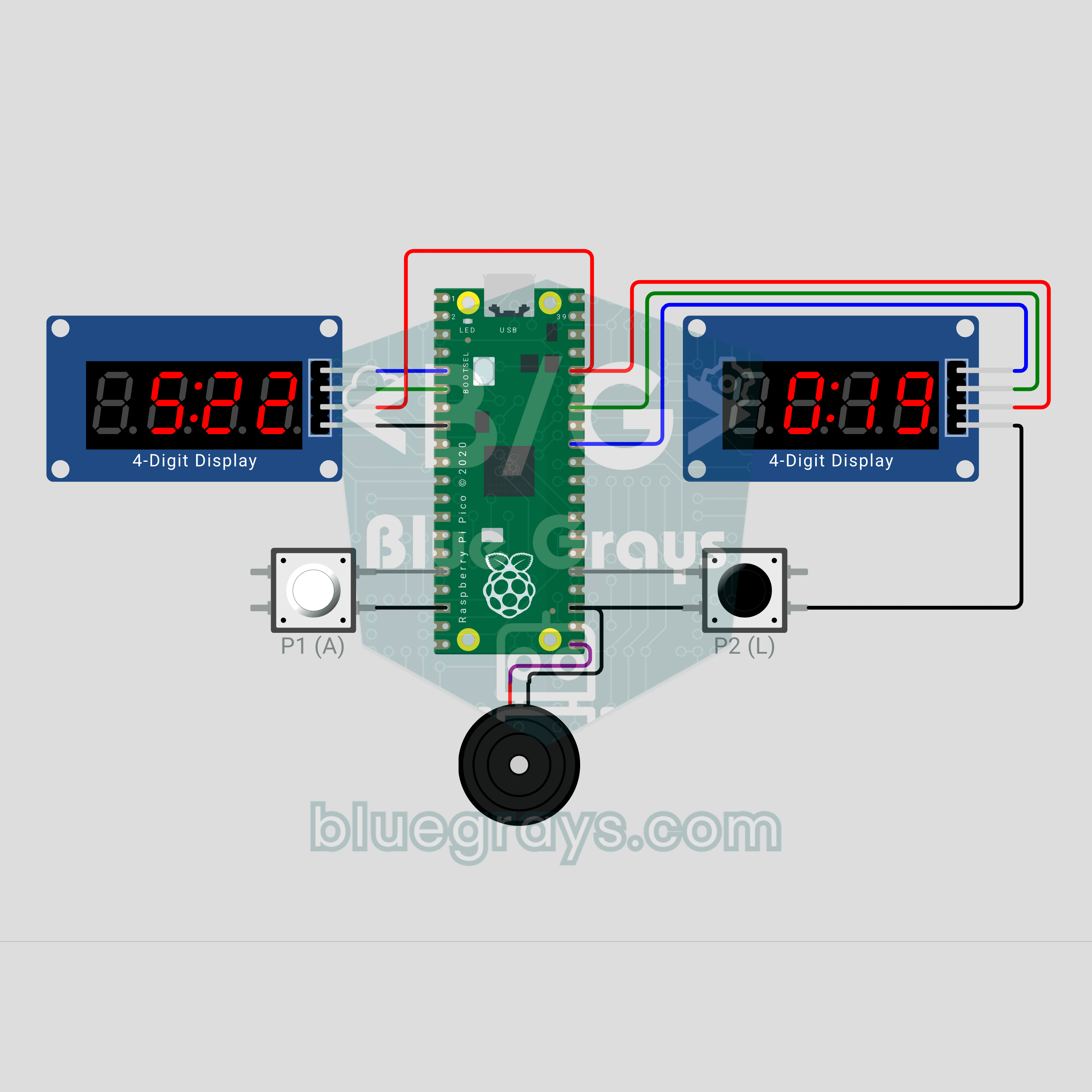
Raspberry Pi Pico Chess Clock (2 TM1637 Displays + 2 Buttons + Buzzer)
Make your move, hit the button, and the clock switches sides! A two-player chess clock with a Raspberry Pi Pico: each player's time runs down on their own TM1637 display and the mover gets an increment. The last 10 seconds show hundredths, a flagged side blinks FLAG and the buzzer sounds an alarm. Press both buttons together to pause. The TM1637 driver lives in the code, no library needed.