
Arduino loyihalarini kashf qil
Boshlang‘ichdan yuqori darajagacha, sxemali, kodli va videoli yuzlab loyihalar. Qaysi darajada bo‘lsang, o‘sha yerdan boshla.
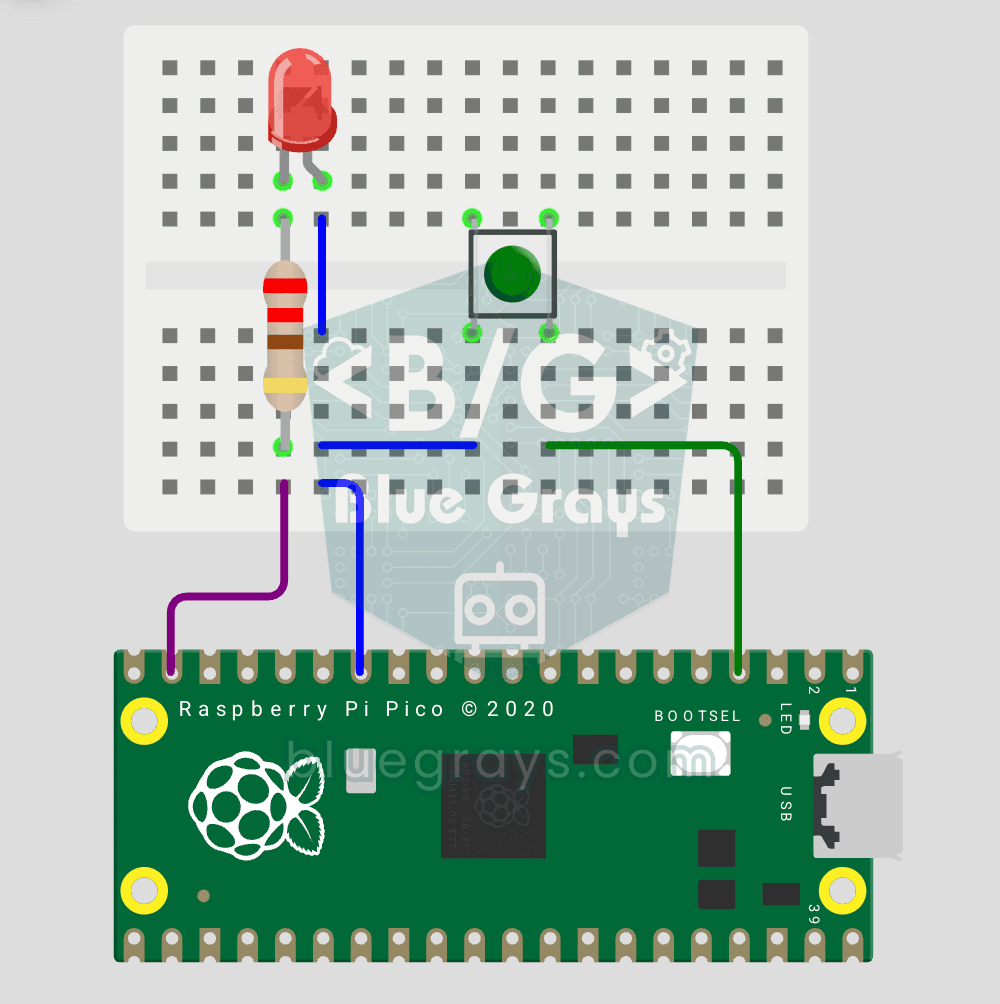
Raspberry Pi Pico Button Controlled LED (Push)
First input project with Pico — button read! LED lights while button is pressed, off when released. This is the big step after LED animations: signal input from the world to Pico. Learn Pin.IN (input mode), Pin.PULL_UP (internal pull-up resistor — standard for buttons), button.value() reading. GP14 LED, GP2 button (internal PULL_UP). Pressed = LOW (0), released = HIGH (1) — reverse logic seems confusing at first but is industry standard.
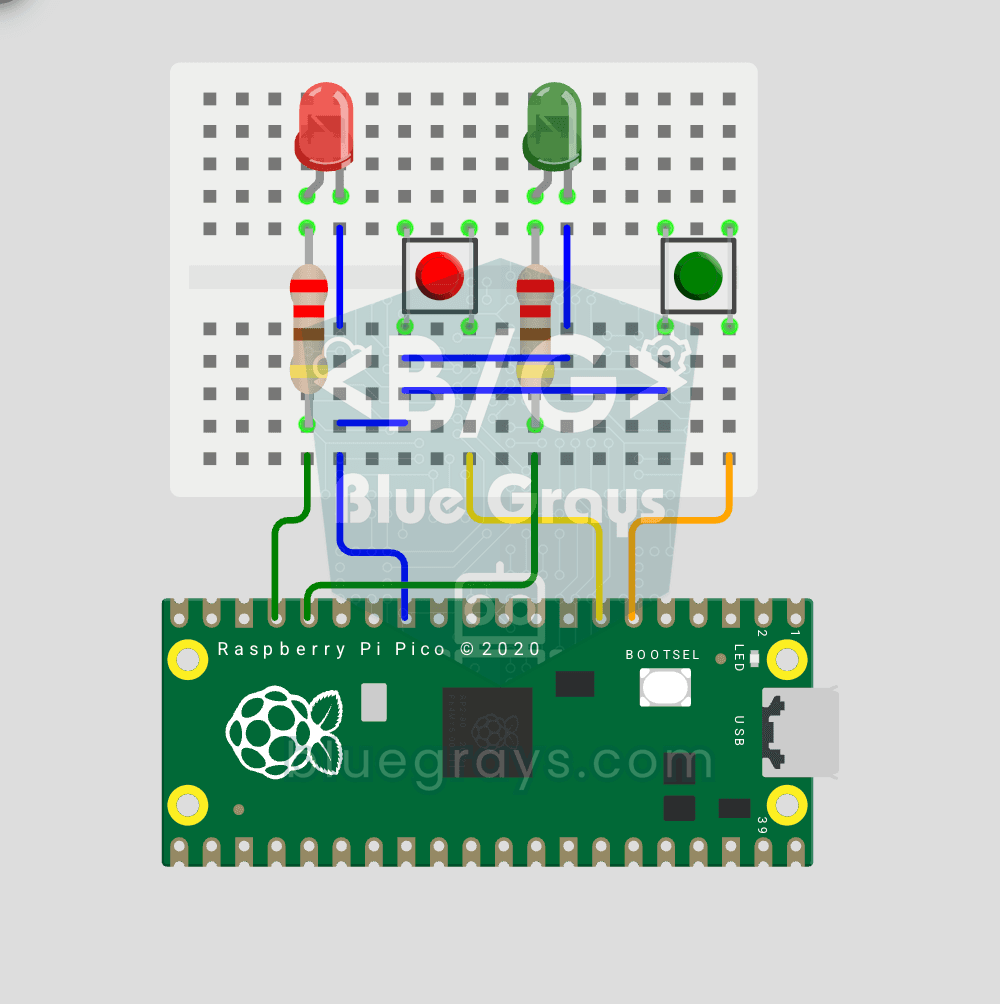
Raspberry Pi Pico: Independent Control of 2 LEDs Using 2 Buttons
2 buttons, 2 LEDs, completely independent of each other! Each button controls its own LED: press BTN1 and the red LED lights up, press BTN2 and the green one does. Press both at once and both LEDs light up (parallel operation). You'll learn to manage several Pin objects together, the ternary operator, Python's compact if-else (1 if x else 0), and a GPIO map (GP12/13 LED outputs, GP4/5 button inputs).
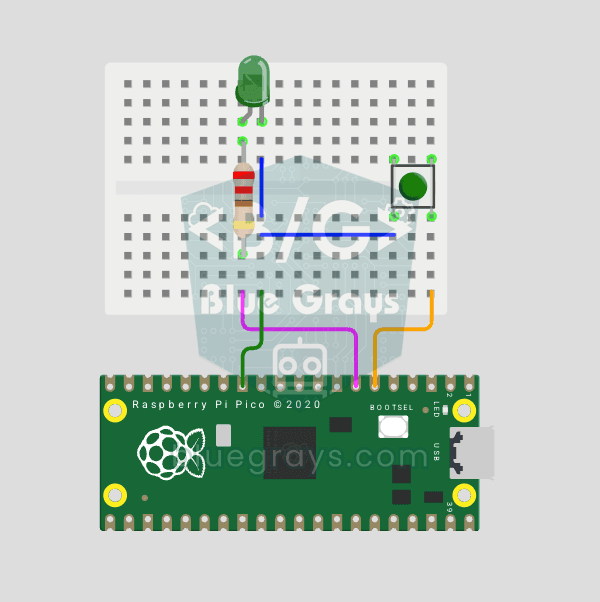
Raspberry Pi Pico Button Debounce: IRQ vs Software Polling
If one press of a button made your code count 3-4 times, the culprit is contact bounce: the button's metal contacts open and close many times within microseconds as they touch! In this project we count the same button in 2 different ways and compare them side by side in Serial: RAW polling (catches the bounce and miscounts) and IRQ + software debounce (counts correctly).
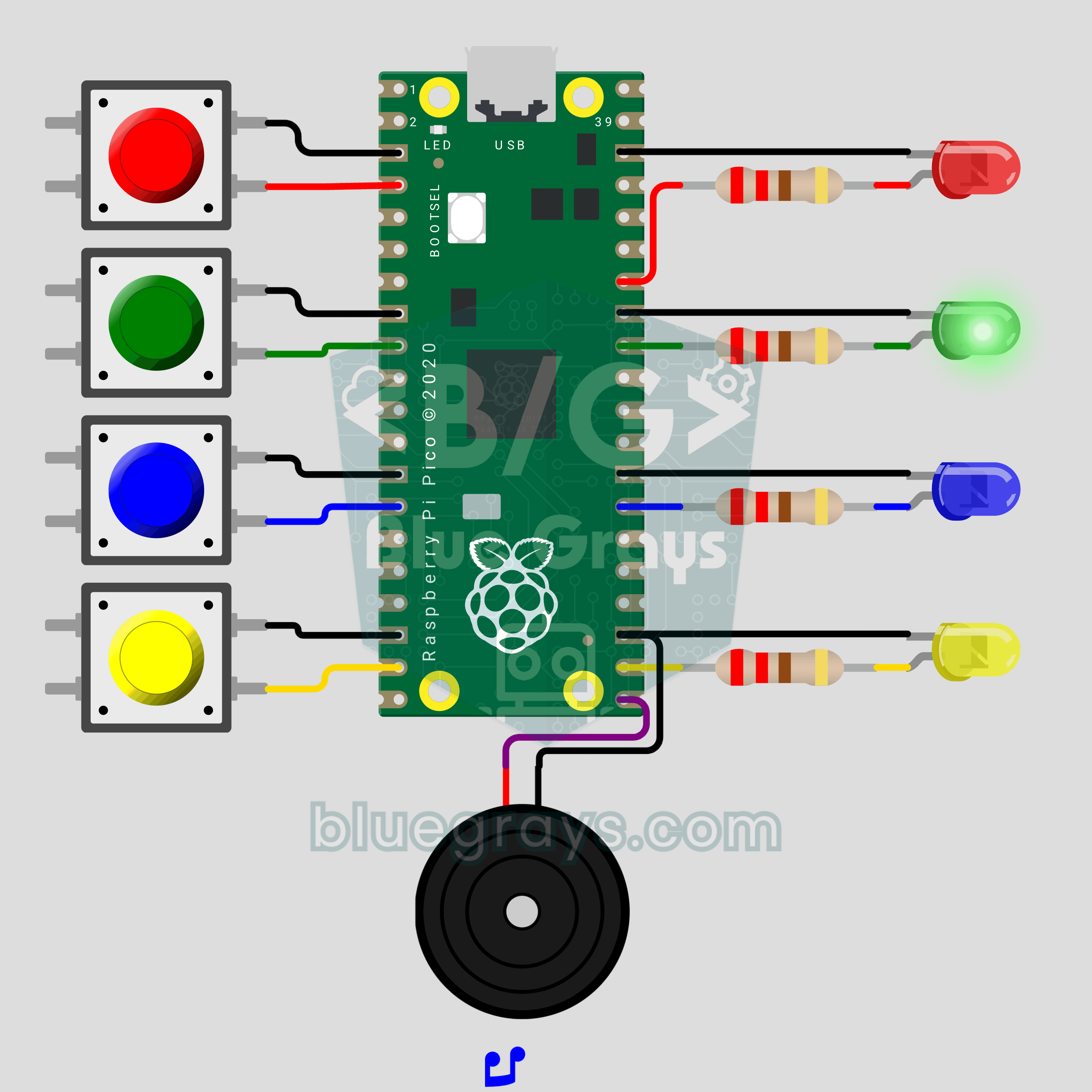
Raspberry Pi Pico Memory Game (4 LEDs + 4 Buttons + Buzzer)
How many rounds can you last? The classic color and sound memory game comes to your desk with a Raspberry Pi Pico. The Pico plays a random color sequence, each color with its own LED and its own note. Repeat it in the same order on 4 buttons and one more color joins every round. Press a wrong one and the buzzer plays a game over tune while the right color blinks. Lists, random numbers and button reading in one game.
Raspberry Pi Pico Whack-a-Mole (4 LEDs + 4 Buttons + Buzzer)
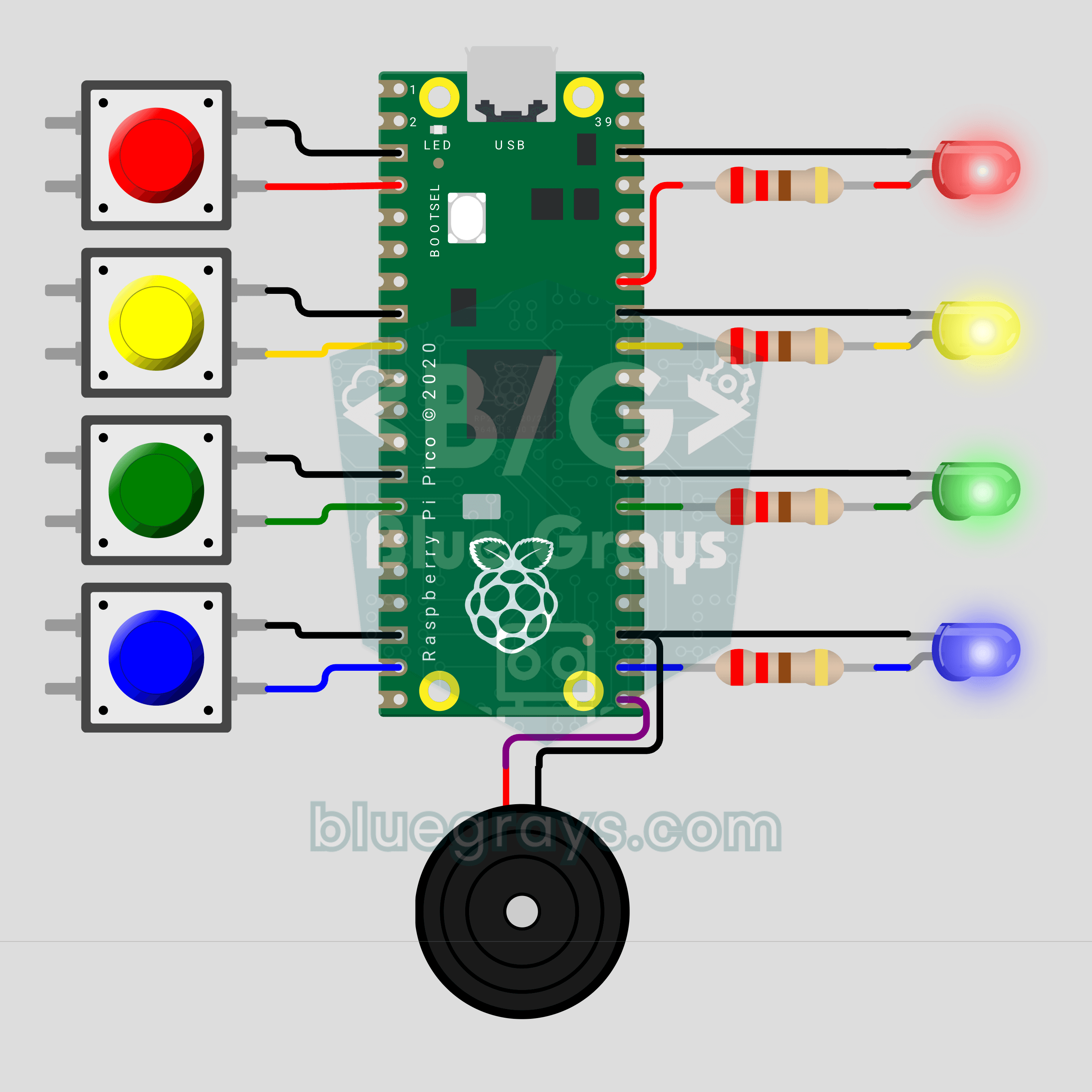
Hit it when it lights up! The arcade classic Whack-a-Mole on your desk with a Raspberry Pi Pico. Four LEDs are four holes; a lit LED is a mole popping up, so press the button on the same row before the light goes out. Every 5 hits you level up and the moles stay up for less time. You get 3 misses, and a buzzer announces every hit, miss and new record.
Raspberry Pi Pico W Phone-Controlled RGB Lamp (NeoPixel Ring + OLED + Button)
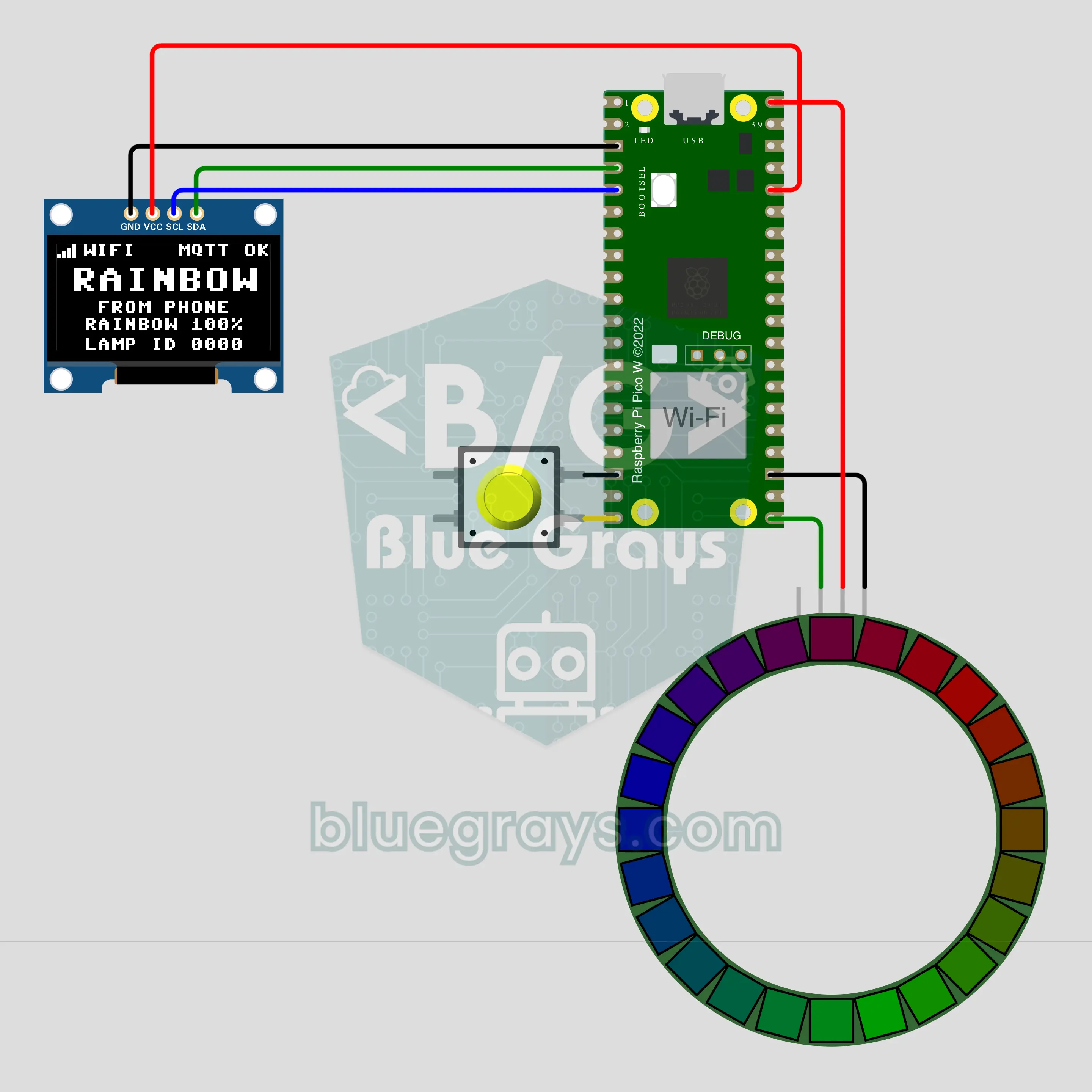
Pick a color on your phone and the lamp on your desk switches to it instantly! The Raspberry Pi Pico W joins Wi-Fi and listens for commands on a public MQTT broker, so any MQTT app on your phone can change the color, brightness and effect of a 24-LED NeoPixel ring. The OLED shows the connection and the last command. A local button works even without internet, and the last setting survives a power cut.
Raspberry Pi Pico Cross the Road: Frog Game (8x8 NeoPixel Matrix + Joystick + Buzzer)
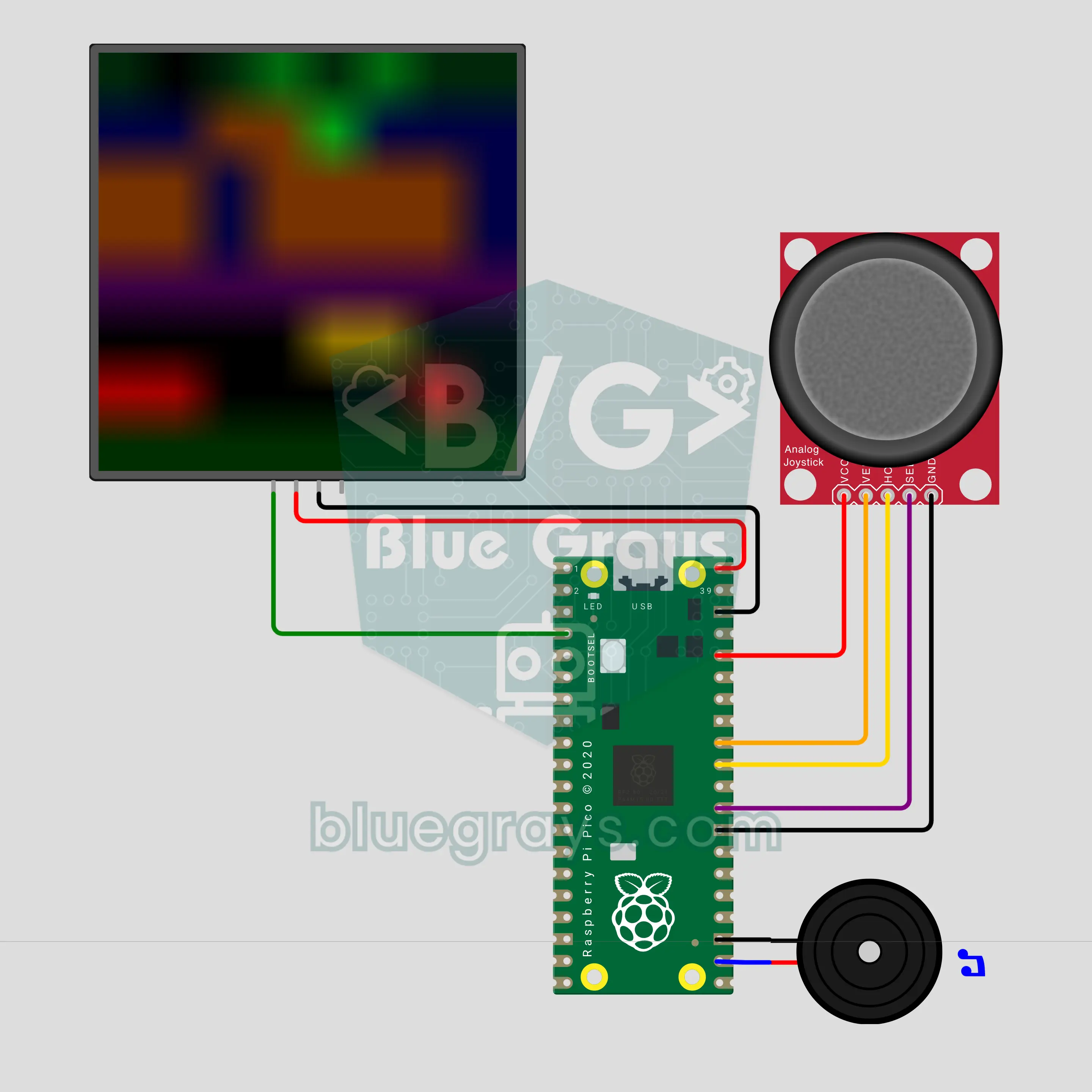
The classic arcade frog game on 64 color LEDs! The Raspberry Pi Pico draws a road of red and yellow cars and a river of drifting logs on an 8x8 NeoPixel matrix; you move the frog one square at a time with a joystick and fill three homes. The traffic speeds up every level, and the buzzer plays hop, crash and home sounds. 3 lives, a score and a best score kept in flash; leave it alone and the game plays itself.
Raspberry Pi Pico Hot Potato Party Game (5 LEDs + Potentiometer + 2 Buttons + Buzzer)
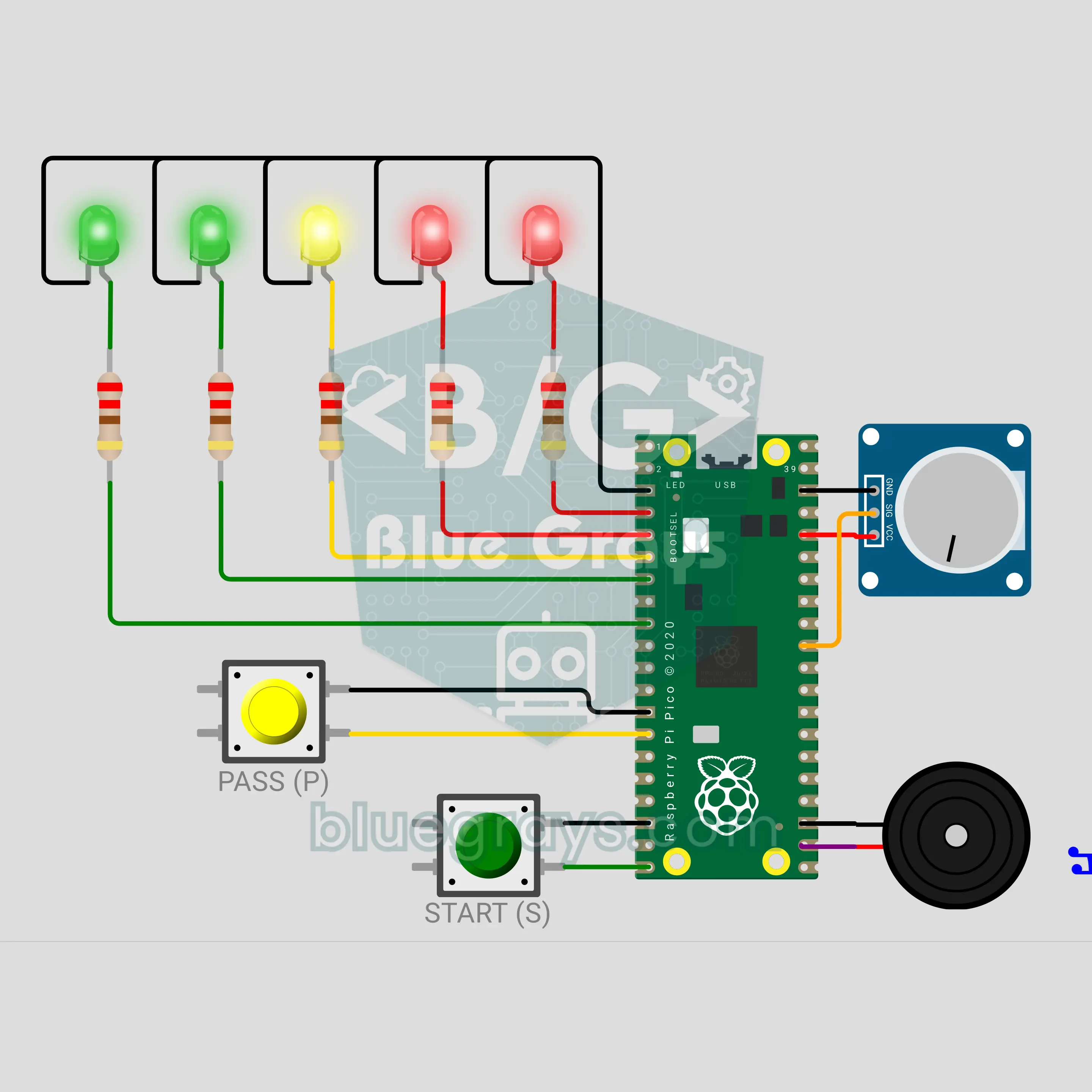
A party game that goes from hand to hand: press START, a secret fuse begins and the device gets passed around to a ticking sound. The tick-tock keeps speeding up and a 5-LED heat bar fills from green to red; when time runs out the buzzer booms and whoever is holding it loses. A potentiometer picks a short, medium or long round, and the PASS button is pressed at every hand-off. Hold it longer than 6 seconds and you get a penalty: the fuse loses 2 seconds.
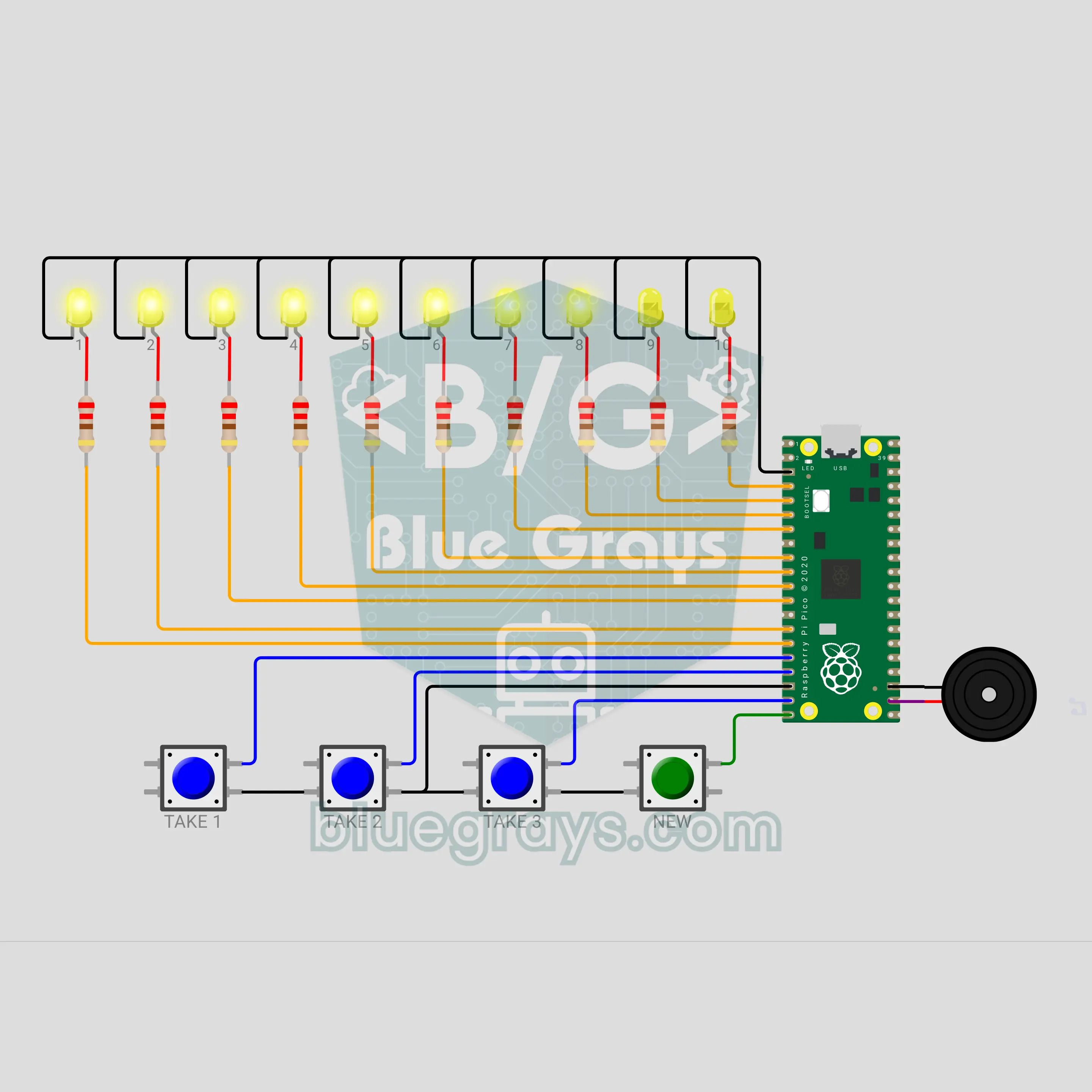
Raspberry Pi Pico Nim Game: Can You Beat the Pico? (10 LEDs + 4 Buttons + Buzzer)
Whoever takes the last stick loses: can you beat the Pico? The matchstick game Nim lights up with a Raspberry Pi Pico. 10 yellow LEDs are 10 sticks; you take turns removing 1, 2 or 3, 4 buttons pick your move and a buzzer voices every turn. The Pico uses a mod 4 trick to always leave you 1, 5 or 9 sticks: if you start, the right first move wins, but if the Pico starts it never loses.
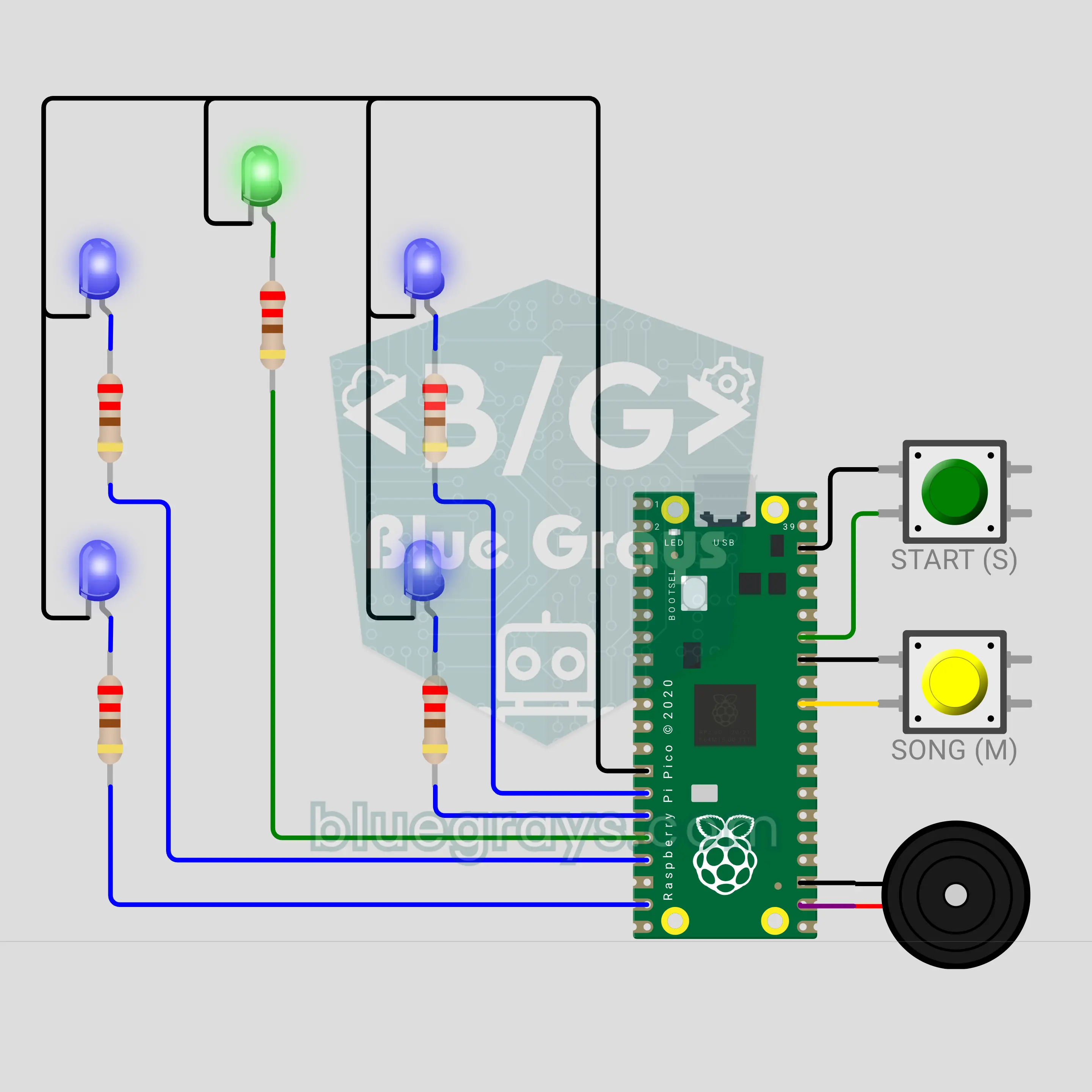
Raspberry Pi Pico Toothbrush Timer (5 LEDs + 2 Buttons + Buzzer)
A bathroom timer that turns brushing into a musical game! The Raspberry Pi Pico splits the 2 minutes dentists generally recommend into 30 seconds for each of the four zones of the mouth. Of the 4 blue LEDs laid out like a mouth, the blinking one shows where to brush now; a buzzer plays a song, rings a "ding" at every zone change, and at the end a green star lights up with a fanfare. The START button pauses, and stopping too early gets a "not done yet".
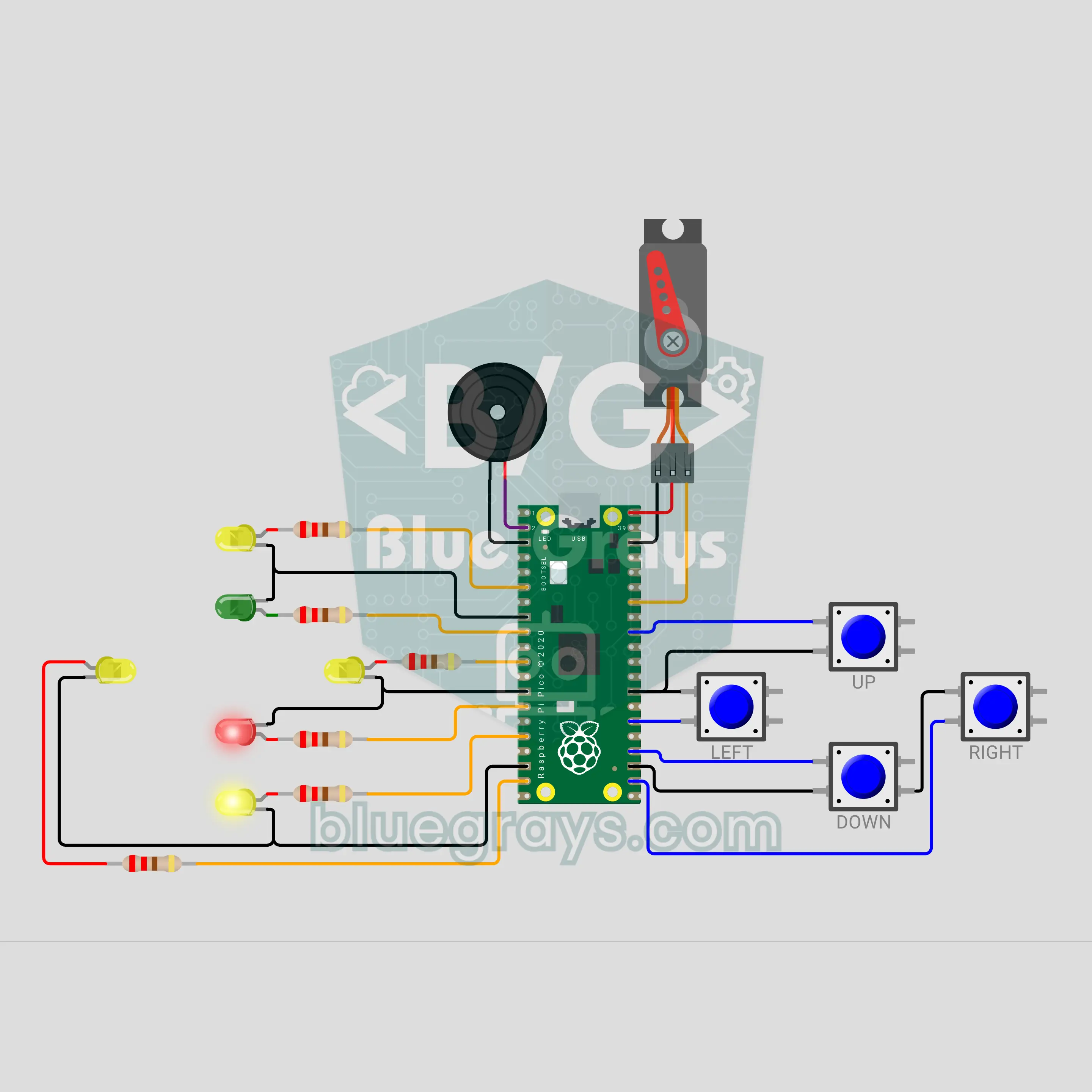
Raspberry Pi Pico Reverse Corner Brain Game (6 LEDs + 4 Buttons + Servo + Buzzer)
Green means press the same way, red means the opposite way, and a "boom" means don't press at all! A 20-second focus and reflex game on the Raspberry Pi Pico: one of 4 yellow LEDs in a plus shape shows the direction, the green or red LED in the middle shows the rule, and you answer with 4 buttons. The answer time shrinks with every hit and traps test your finger. The score climbs on a servo needle dial, from TURTLE to LIGHTNING.
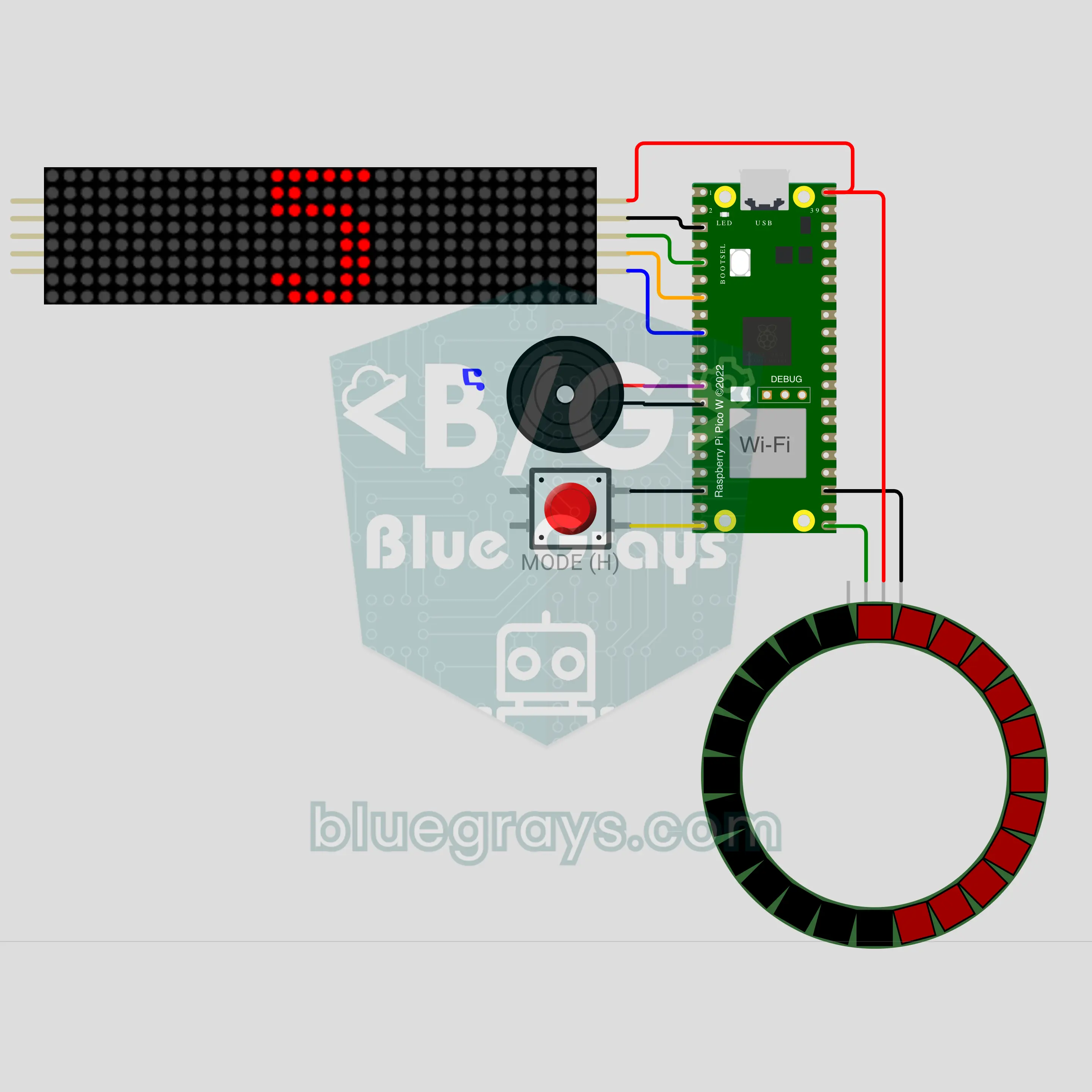
Raspberry Pi Pico W Internet-Synced New Year Countdown (MAX7219 8x32 + LED Ring + Buzzer)
A glowing sign that counts down to New Year second by second! The Raspberry Pi Pico W takes the time from the internet, so nobody has to set it; the MAX7219 8x32 LED sign shows the days left, then hours:minutes:seconds on the last day. In the last 10 seconds giant digits and beeps arrive while the 24-LED ring goes out slice by slice. At midnight the year blinks, a greeting scrolls, fireworks burst on the ring and the buzzer plays a fanfare.