
Arduino loyihalarini kashf qil
Boshlang‘ichdan yuqori darajagacha, sxemali, kodli va videoli yuzlab loyihalar. Qaysi darajada bo‘lsang, o‘sha yerdan boshla.
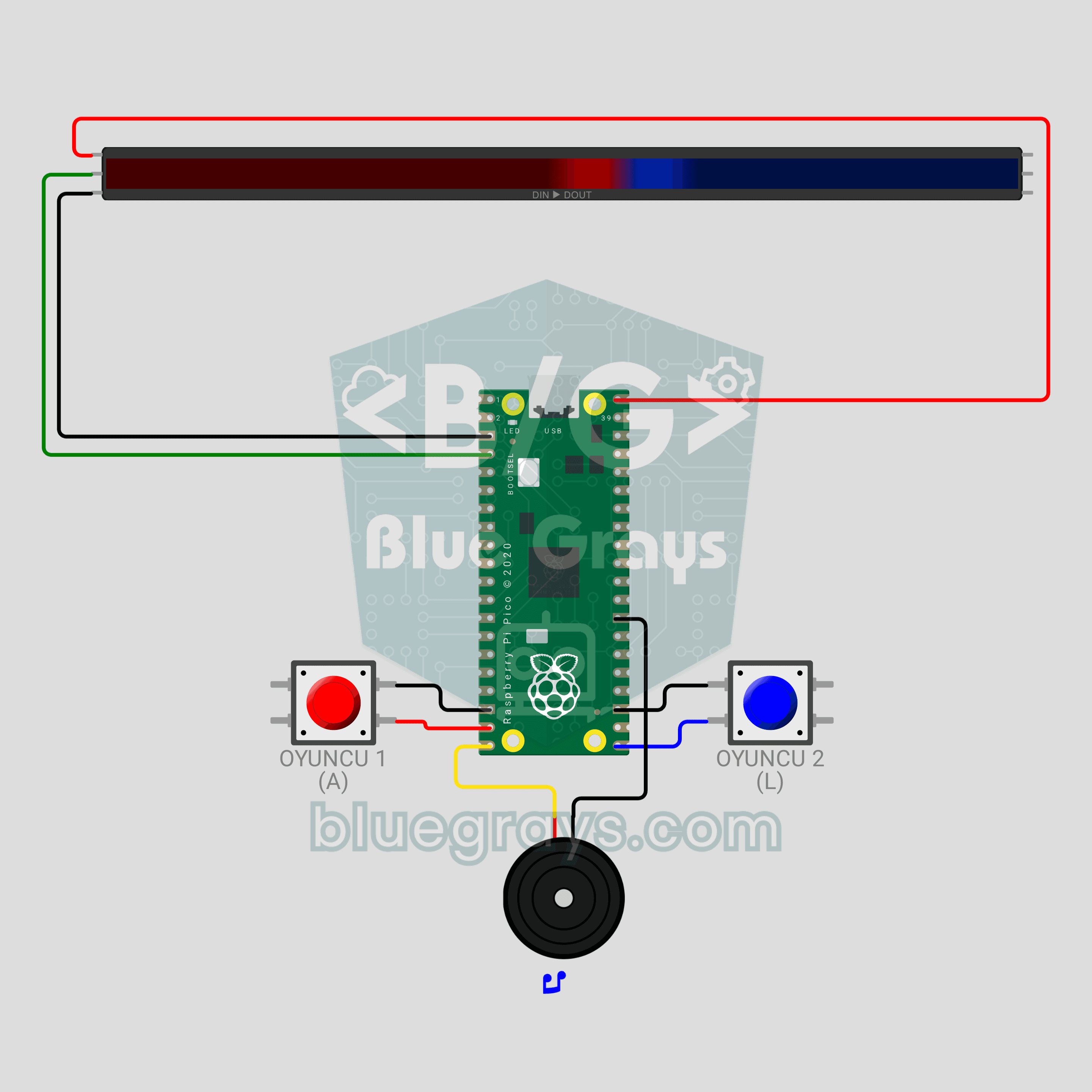
Raspberry Pi Pico LED Tug of War Game (NeoPixel Strip + 2 Buttons + Buzzer)
A two-player button duel! The Raspberry Pi Pico turns a 30-LED WS2812B NeoPixel strip into a rope: red player on the left, blue player on the right. Every press pushes your color one LED forward; fill the whole strip to win the round, and take 3 rounds to win the match. Press too early in the countdown and you lose ground, the passive buzzer gives each player a different click, and the match ends in a rainbow. neopixel, debouncing and non-blocking sound in MicroPython.
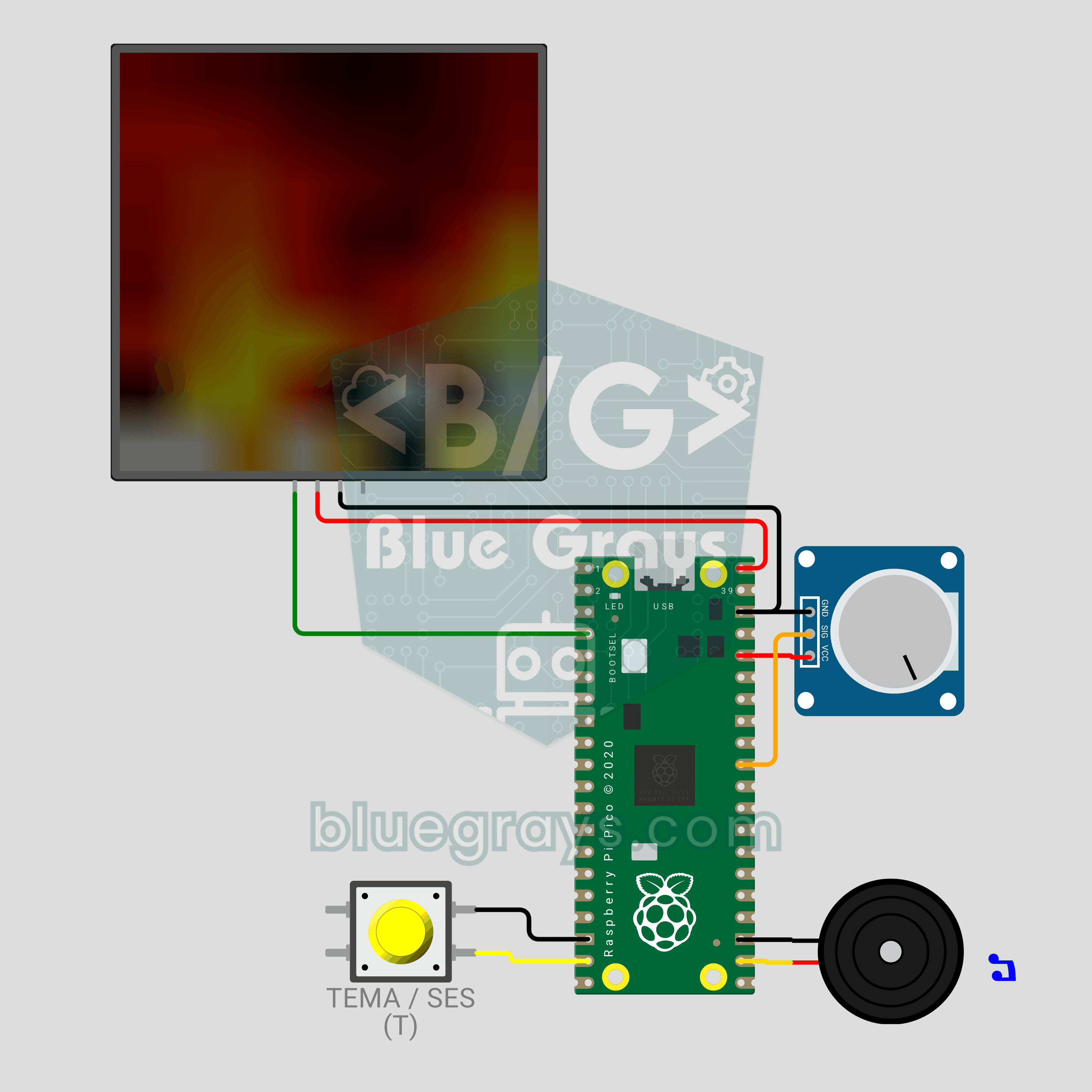
Raspberry Pi Pico LED Campfire (8x8 NeoPixel Matrix + Potentiometer + Buzzer)
A campfire that doesn't burn or warm anything, but still crackles! The Raspberry Pi Pico draws a realistic flame on an 8x8 NeoPixel matrix, recalculated every frame: sparks appear at the base, heat cools as it rises and glows from red to white. A potentiometer sets the flame height, a button switches between Fire, Gas, Magic and Amethyst themes, and a buzzer adds the crackle of burning wood. Procedural animation, ADC, PWM and MicroPython in one project.
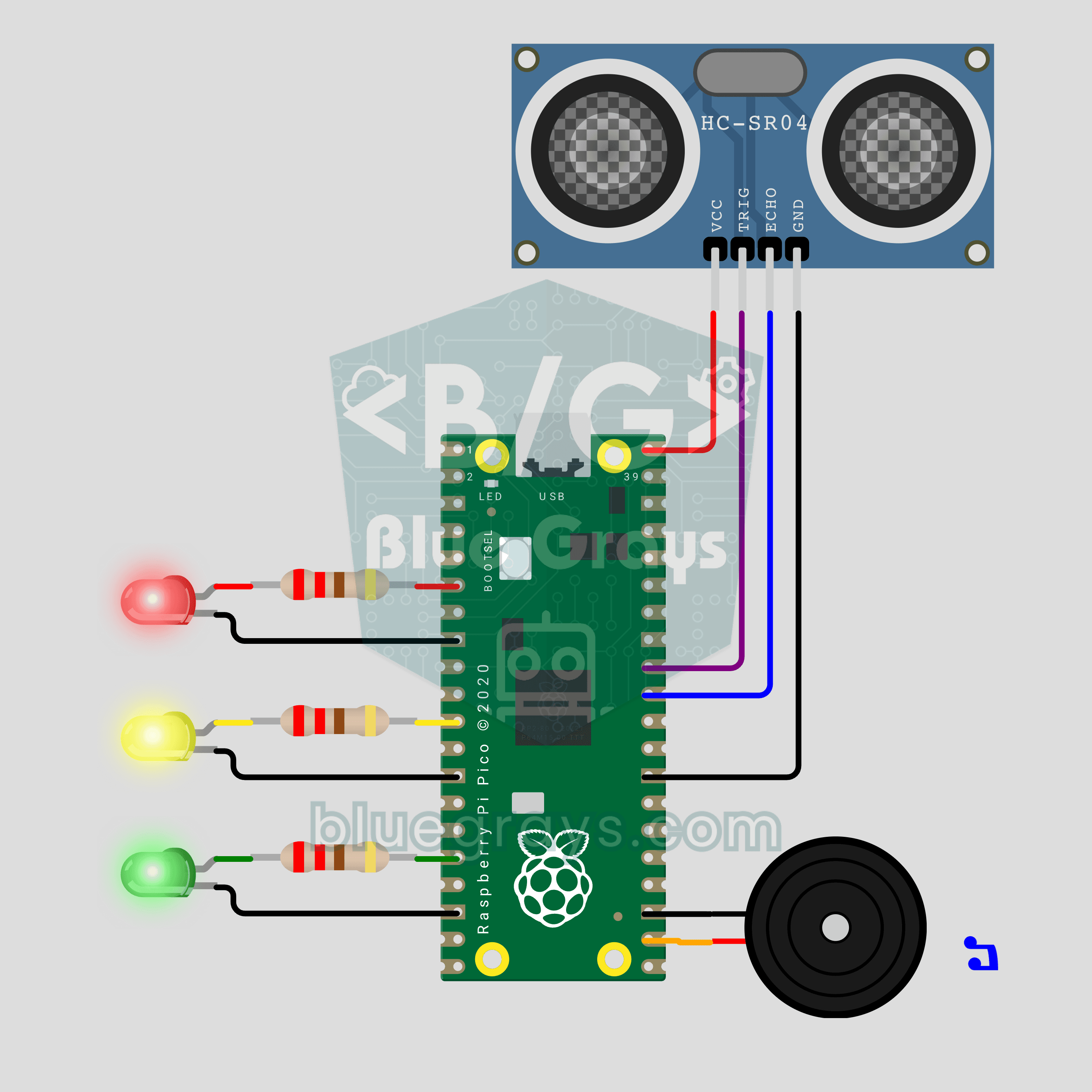
Raspberry Pi Pico Parking Sensor (HC-SR04 + 3 LEDs + Buzzer)
Bring your car's reverse parking sensor to your desk! The Raspberry Pi Pico uses an HC-SR04 ultrasonic sensor to measure the distance to an obstacle about 16 times a second. As it gets closer, the green, yellow and red LEDs light up in turn and the buzzer beeps faster; under 10 cm the tone turns continuous and the red LED flashes. Ultrasonic ranging, PWM sound and non-blocking timing in one project.
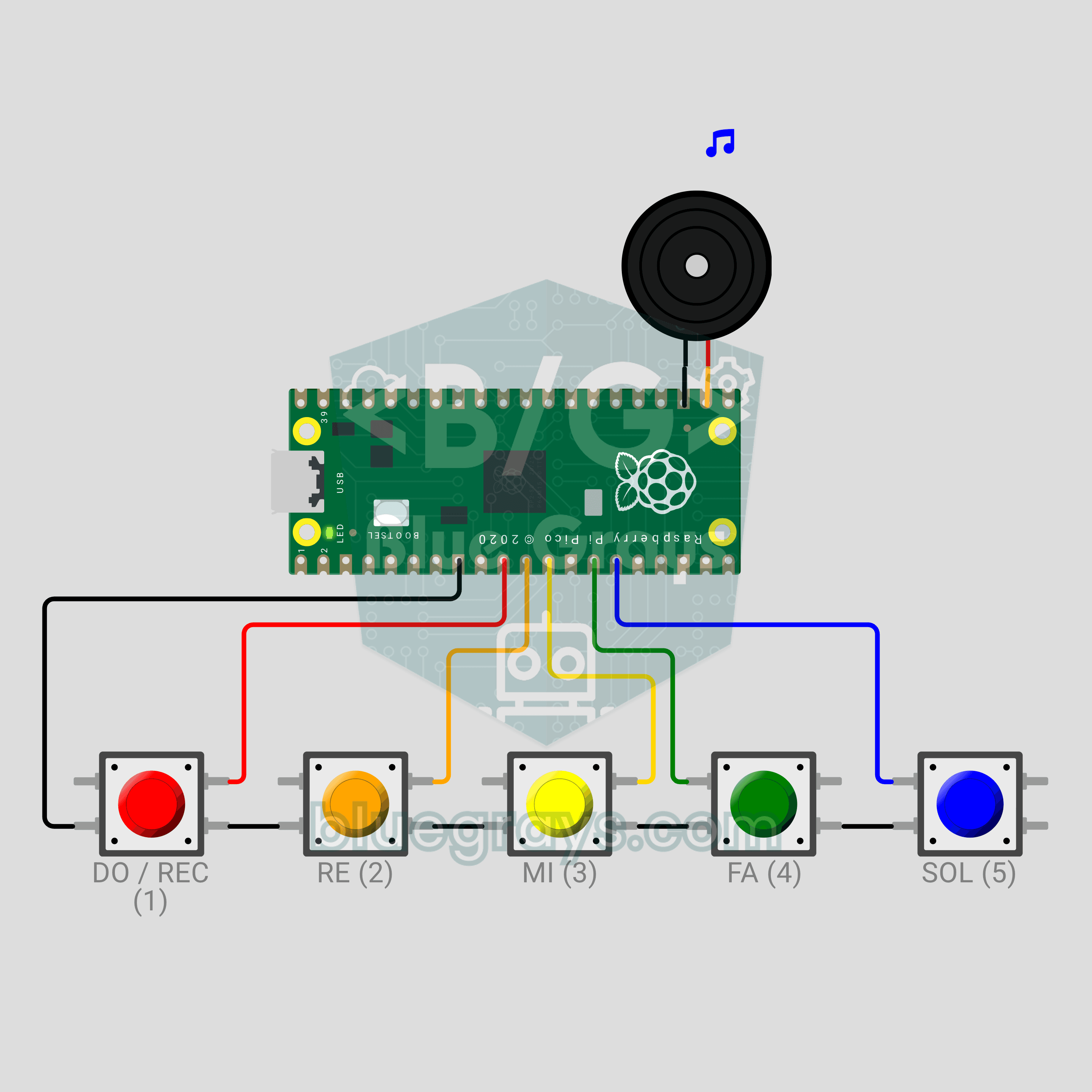
Raspberry Pi Pico Button Piano (5 Buttons + Buzzer + Melody Recorder)
A five-key mini piano that remembers what you play! The Raspberry Pi Pico plays DO, RE, MI, FA and SOL on a passive buzzer from five buttons, and a note lasts as long as you hold its key. Hold DO for a second, play your tune, then hold DO again: the Pico plays it back, shortening silences longer than 1.5 seconds between notes to 1.5 seconds. The record indicator is the LED already on the board, so no extra parts. PWM notes, debouncing and non-blocking timing in one project.
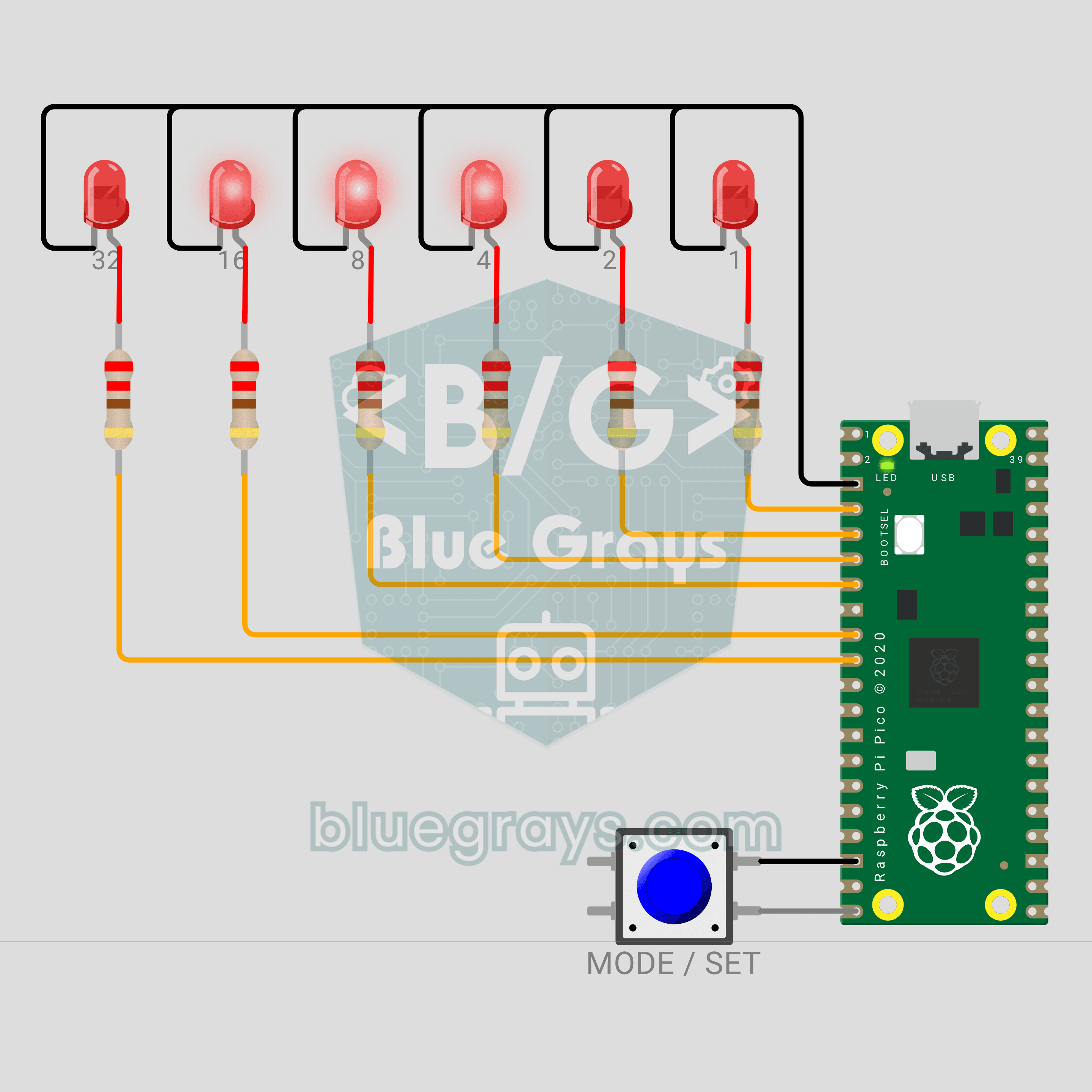
Raspberry Pi Pico Binary Clock (6 LEDs + Button)
This clock has no digits! We are building a clock with a Raspberry Pi Pico that shows the time in binary. The 6 LEDs are the 32-16-8-4-2-1 places; add up the lit ones and you read the seconds, minutes or hours. A single button switches fields and sets the time, and a light sweep runs across the LEDs every full hour.
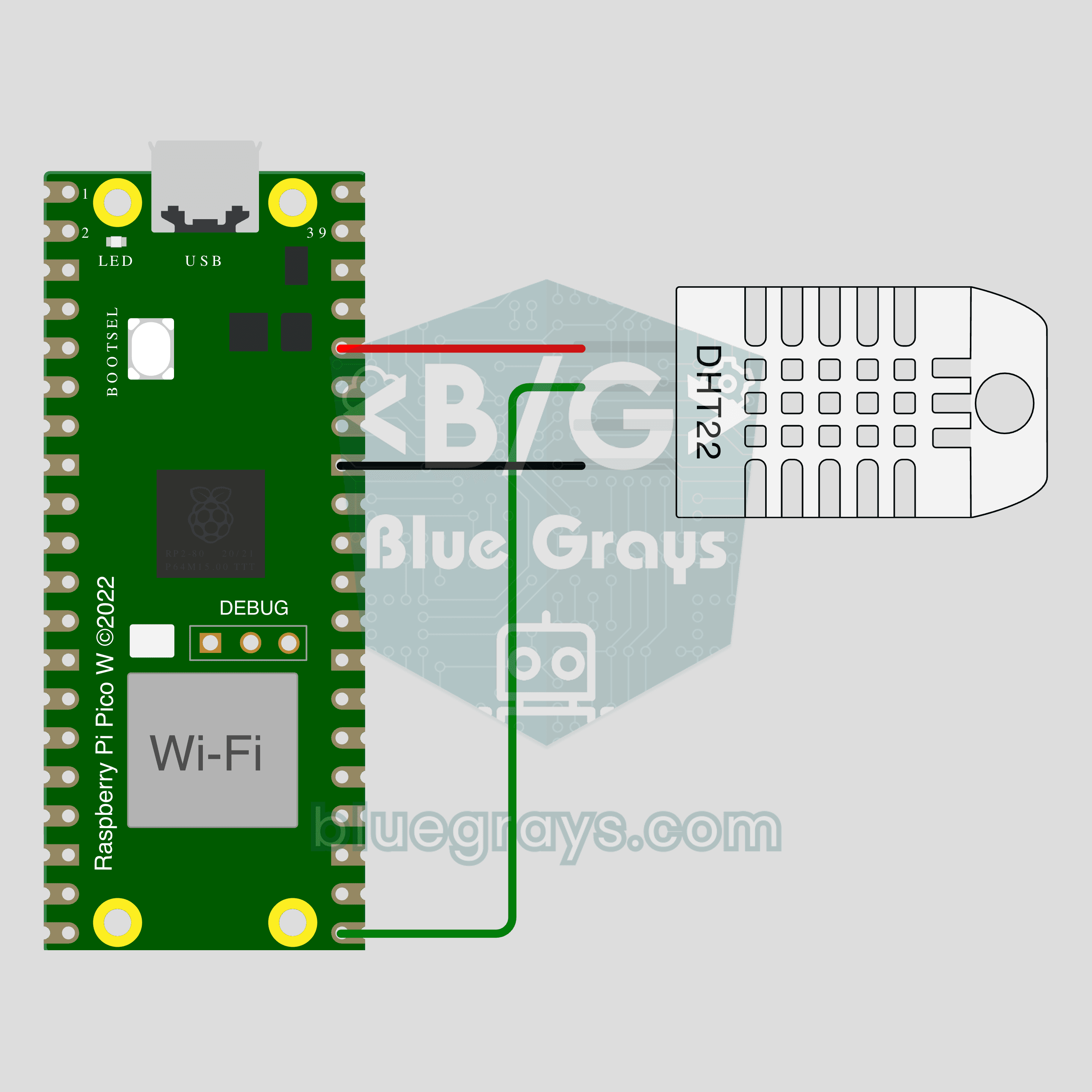
Pico W IoT Temperature and Humidity (DHT22)
Watch your room's temperature and humidity live on your phone wherever you are. This project is the step-by-step guide to the Temperature and humidity IoT template in the app, built with a Raspberry Pi Pico W and a DHT22. Go to Workshop › Devices › Add a device, pick Pico W as the board and Temperature and humidity as the template; Ohmi prepares the code with your own device key. The code on this page is an example: the key and Wi-Fi details are placeholders.
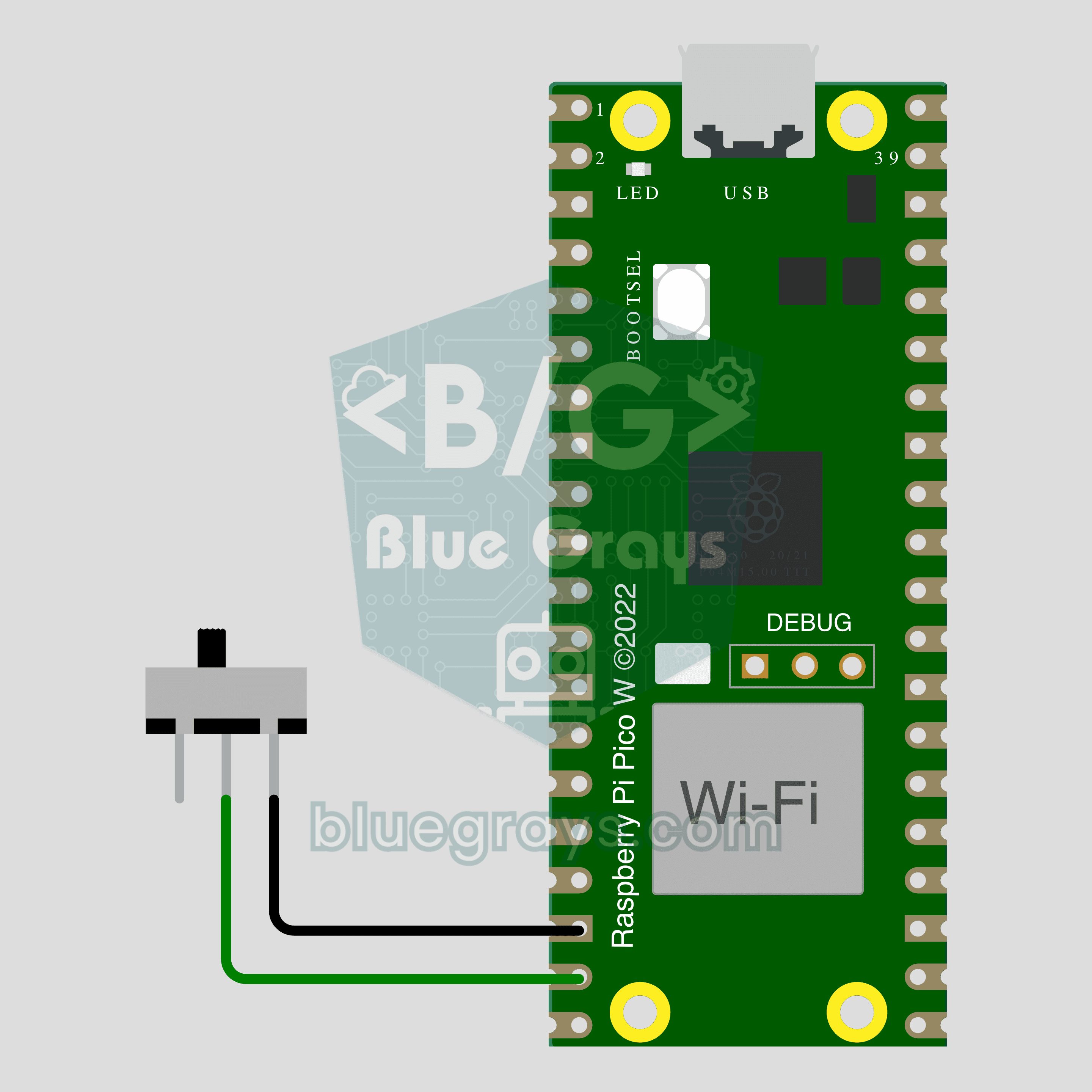
Pico W IoT Door Sensor (Reed Switch)
Did you leave the door or window open? Check on your phone wherever you are. This project is the step-by-step guide to the Door / window IoT template in the app, built with a Raspberry Pi Pico W, a reed switch and a small magnet using two wires. Go to Workshop › Devices › Add a device, pick Pico W as the board and Door / window as the template; Ohmi prepares the code with your own device key. The code on this page is an example: the key and Wi-Fi details are placeholders.
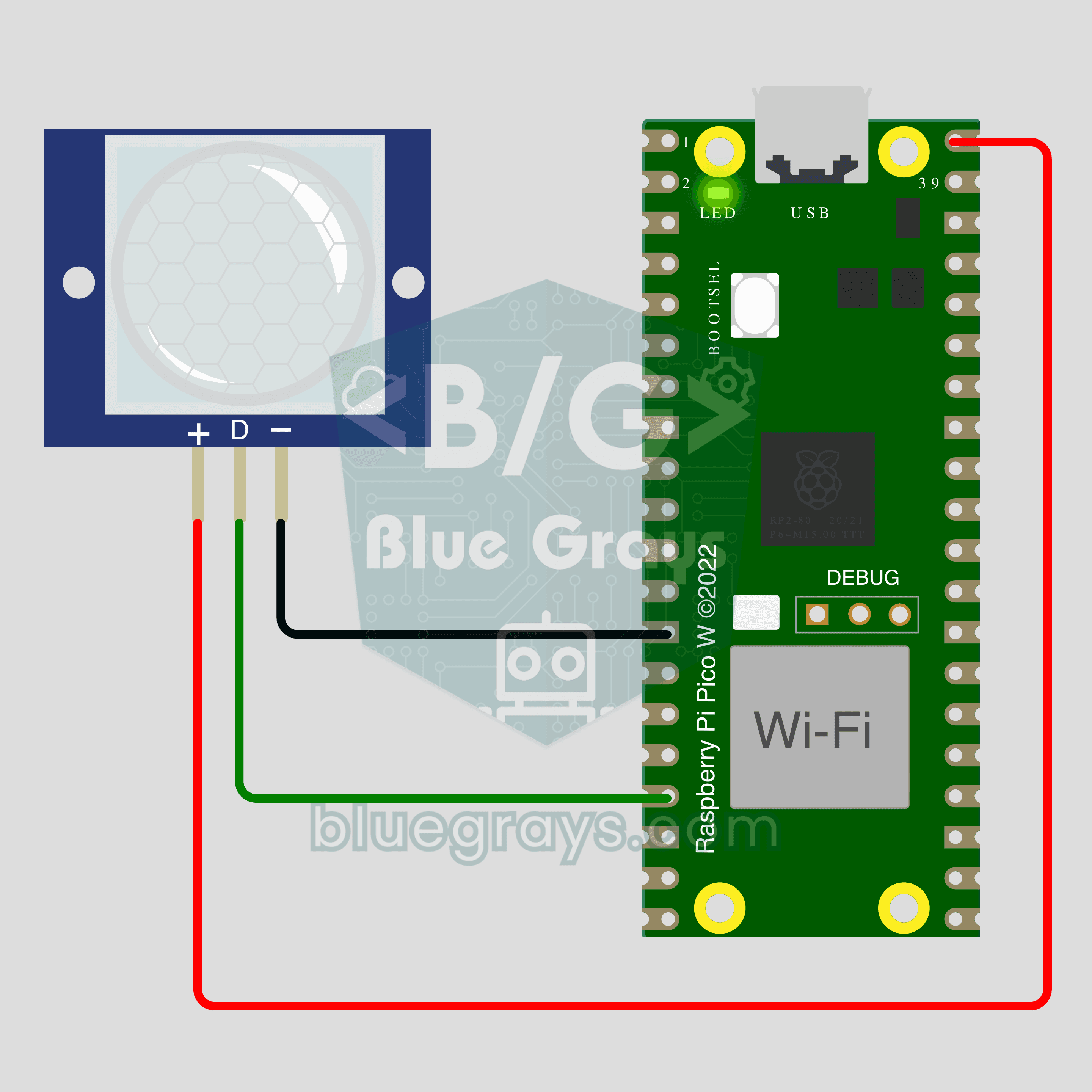
Pico W IoT Motion Counter (PIR)
Count how many times someone walks through a door or hallway, and see the moment of motion live on your phone. This project is the step-by-step guide to the Motion detector IoT template in the app, built with a Raspberry Pi Pico W and a PIR motion sensor using just 3 wires. Go to Workshop › Devices › Add a device; Ohmi prepares the code with your own device key. The code on this page is an example: the key and Wi-Fi details are placeholders.