
Arduino loyihalarini kashf qil
Boshlang‘ichdan yuqori darajagacha, sxemali, kodli va videoli yuzlab loyihalar. Qaysi darajada bo‘lsang, o‘sha yerdan boshla.
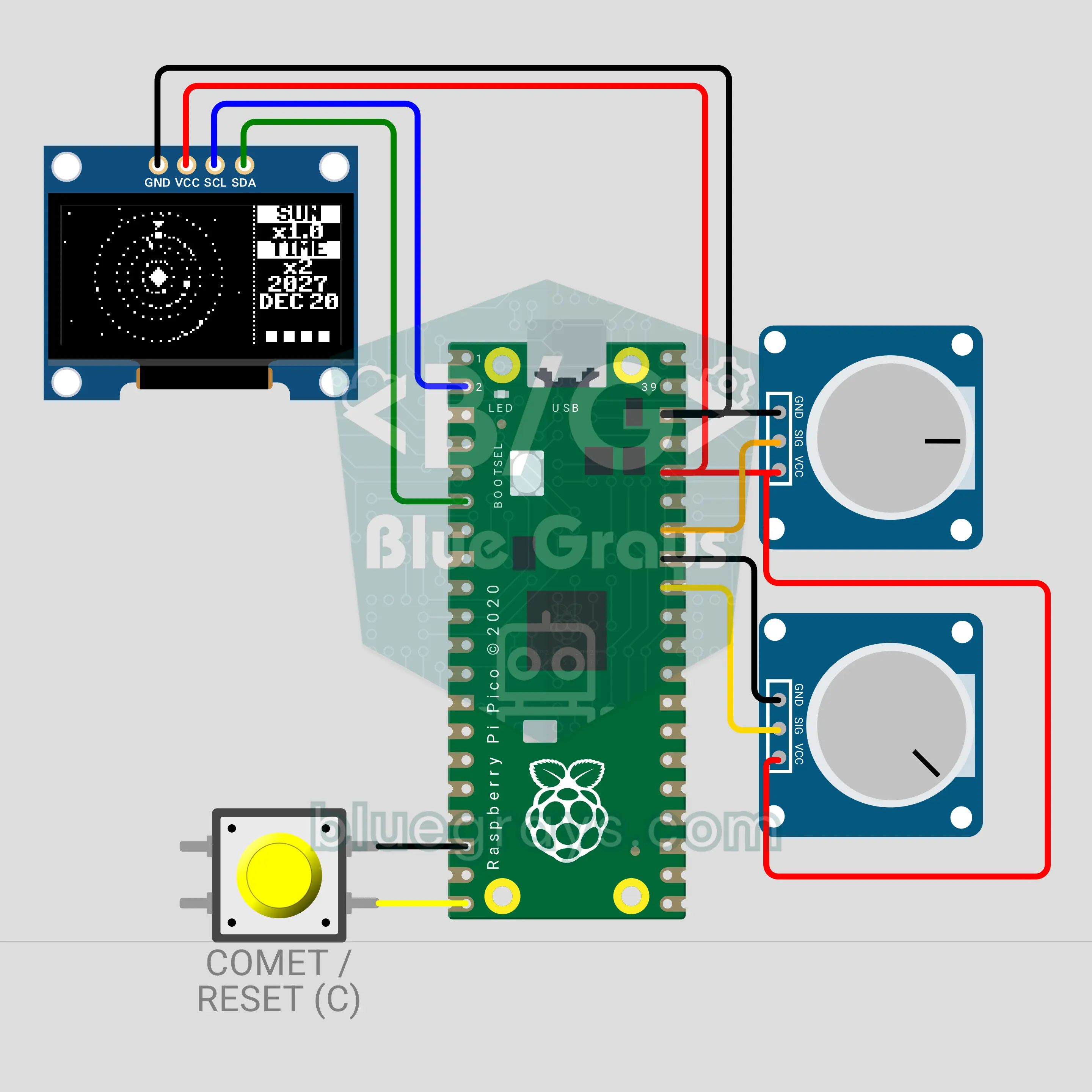
Raspberry Pi Pico W Solar System Simulator: Gravity (OLED + 2 Pots + Button)
Mercury, Venus, Earth and Mars start from their real places on the 21 December 2026 solstice and orbit by Newton's gravity on a 0.96 inch OLED. A potentiometer sets the Sun's mass from 0 to 2 times: lighter, the orbits open and the planets escape; heavier, the orbits shrink. The second pot speeds up time, the button sends a comet and a long press resets the system.
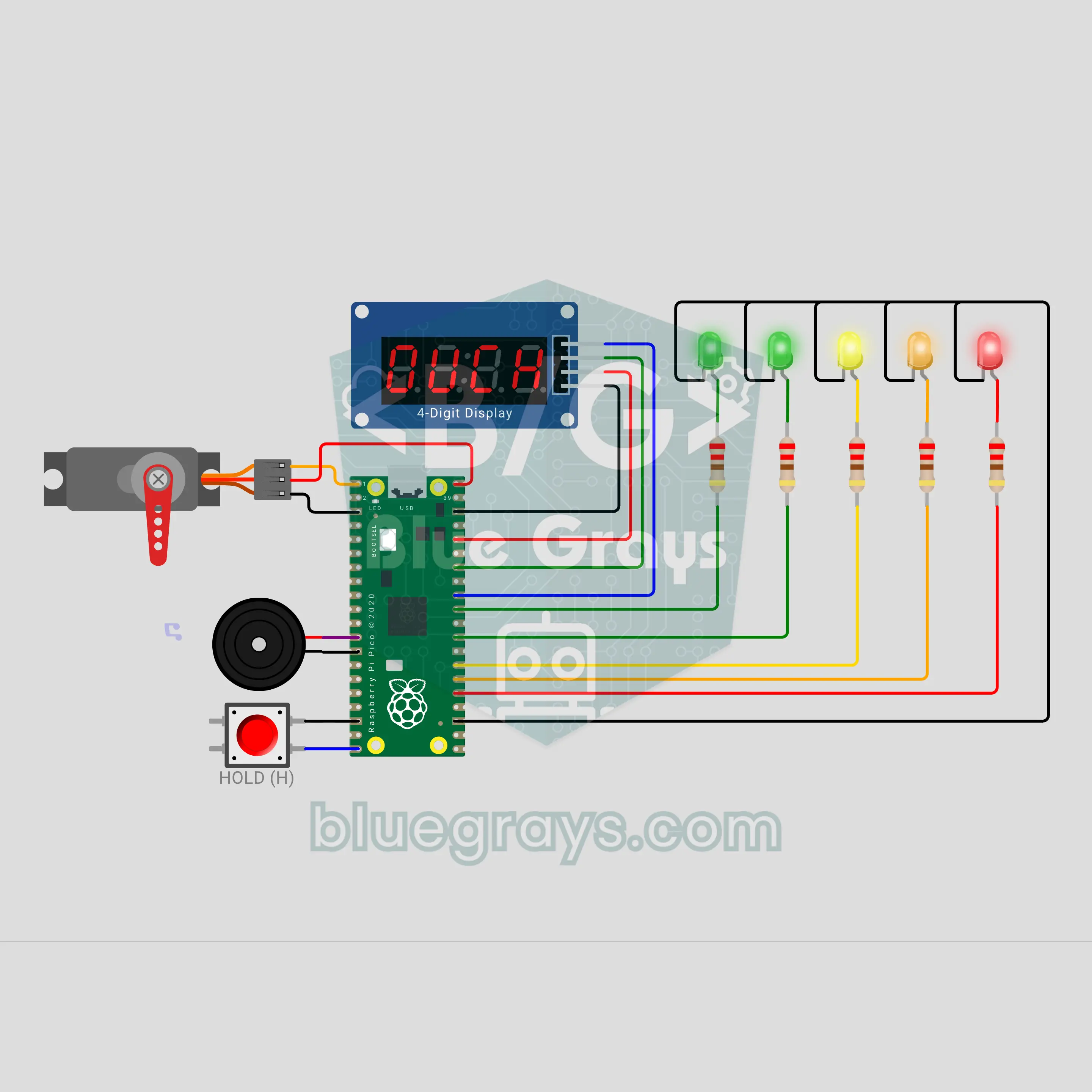
Raspberry Pi Pico W Press If You Dare: Pull Your Hand Out Before the Trap Snaps (Button + Servo + TM1637 + 5 LEDs + Buzzer)
A press if you dare game with a Raspberry Pi Pico W: press the button and keep holding it, your hand is in the trap. The TM1637 counts the time in tenths of a second, the tension LEDs fill up, the heartbeat speeds up and the servo trap scares you with fake flinches. The trap snaps at a hidden moment; the red LED flashes 0.3 s before. Let go in time and the time is your score, with a saved record; get caught and you score 0. A dare game and a reaction game in one.
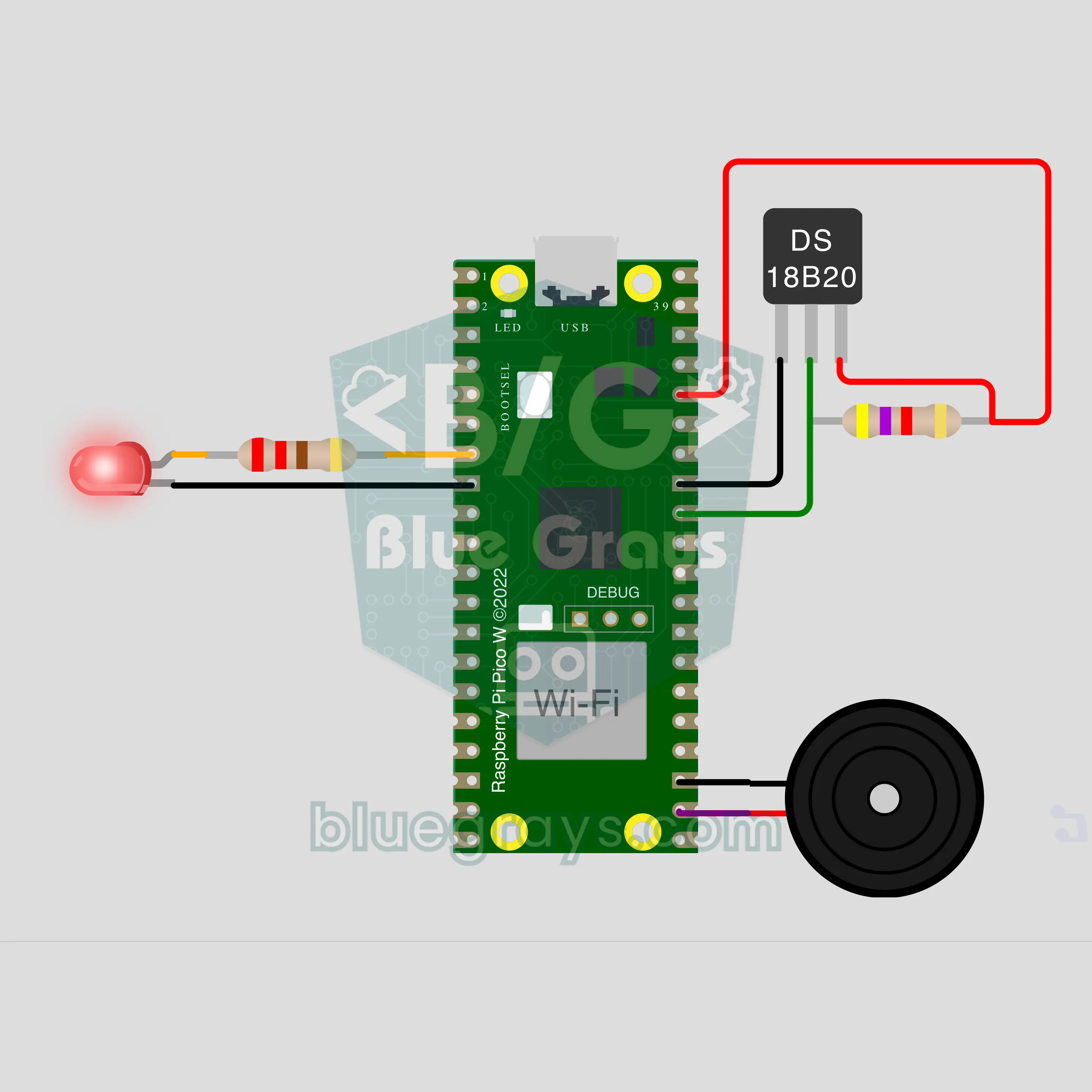
Raspberry Pi Pico W Window Left Open: The Heating Runs for Nothing (DS18B20 + LED + Buzzer + ntfy)
A Raspberry Pi Pico W watches the room temperature with a DS18B20 and spots a window left open by how fast the room cools: if it drops 1 °C within 3 minutes, the buzzer sounds an alarm, the LED blinks and an ntfy notification reaches your phone. When the window is closed the room warms up again; the code catches that and reports how many minutes it was open. The slow cooling of a night setback gives no alarm.
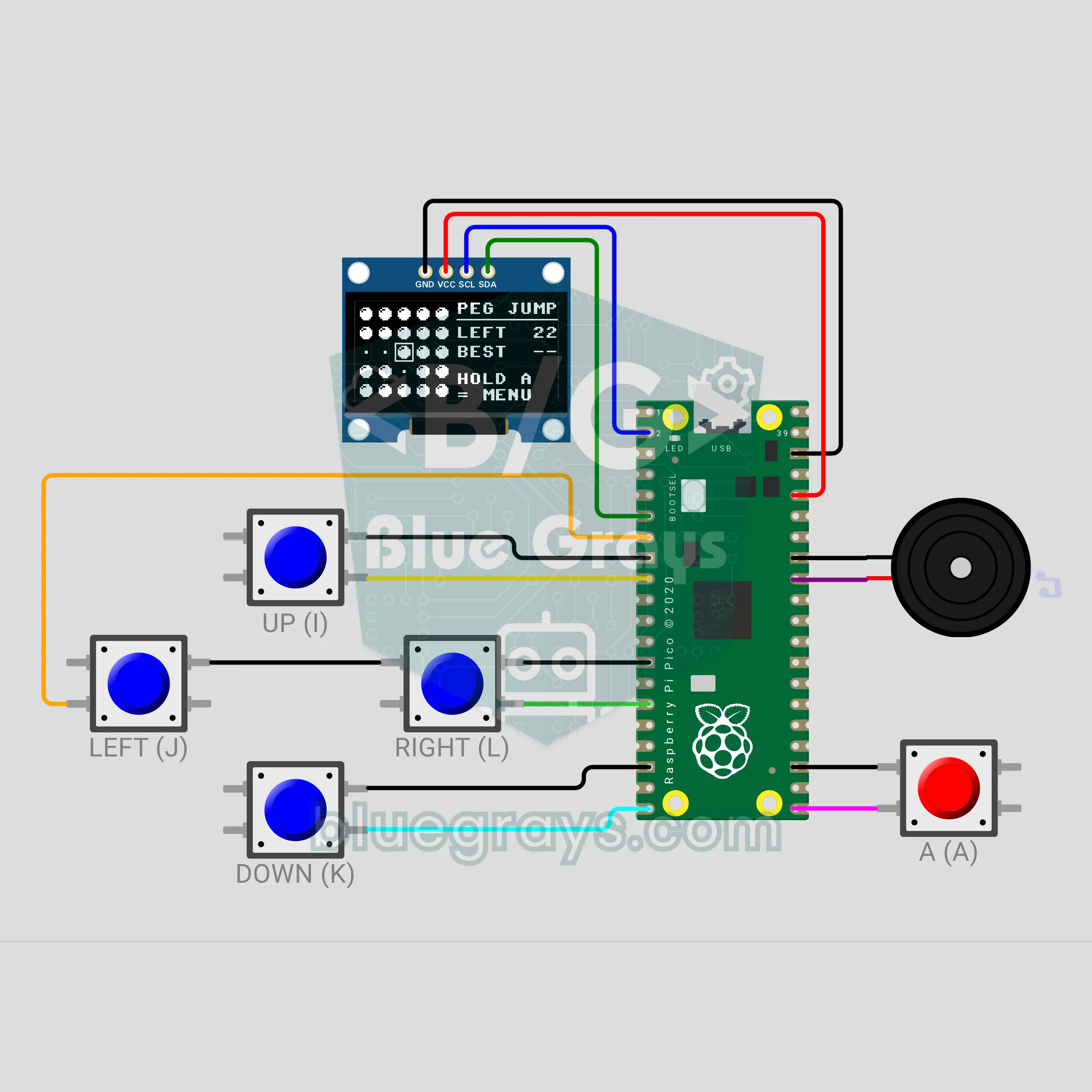
Pico Pocket Game Console: 3 Games in One (OLED + 5 Buttons + Buzzer)
Build your own handheld console with a 0.96 inch OLED, four direction buttons, an A button and a buzzer. The menu offers three games: in Peg Jump pegs jump over each other, in Lights Off the cell you press and its four neighbours flip, and in Tunnel you dodge the walls of a cave that narrows and speeds up. The menu shows the record of every game; a new record blinks "NEW BEST!" and plays a tune. Holding the A button returns to the menu from anywhere.
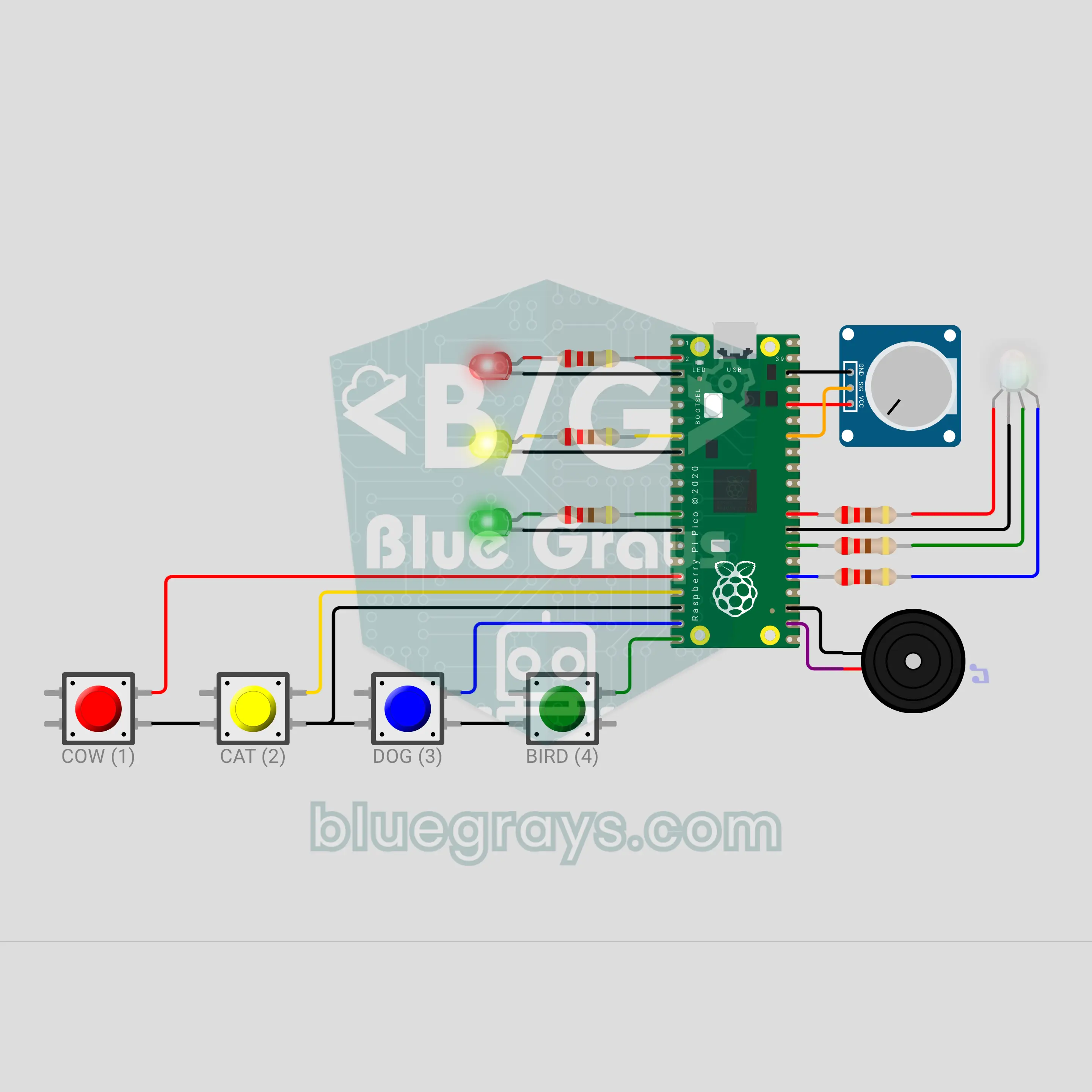
Pico Baby Busy Board: Light and Sound Toy (4 Buttons + Pot + RGB LED)
Each of the four buttons is an animal: the cow moos, the cat meows, the dog goes woof woof and the bird chirps. Every sound has its own RGB colour and its own light pattern on three LEDs. The potentiometer is a rainbow knob: turn it and six colours click past, with a surprise white and a sparkle at the end. After 10 seconds without a touch the board calls for attention with a silent light pattern. A busy board a parent builds by hand and fits into a box.
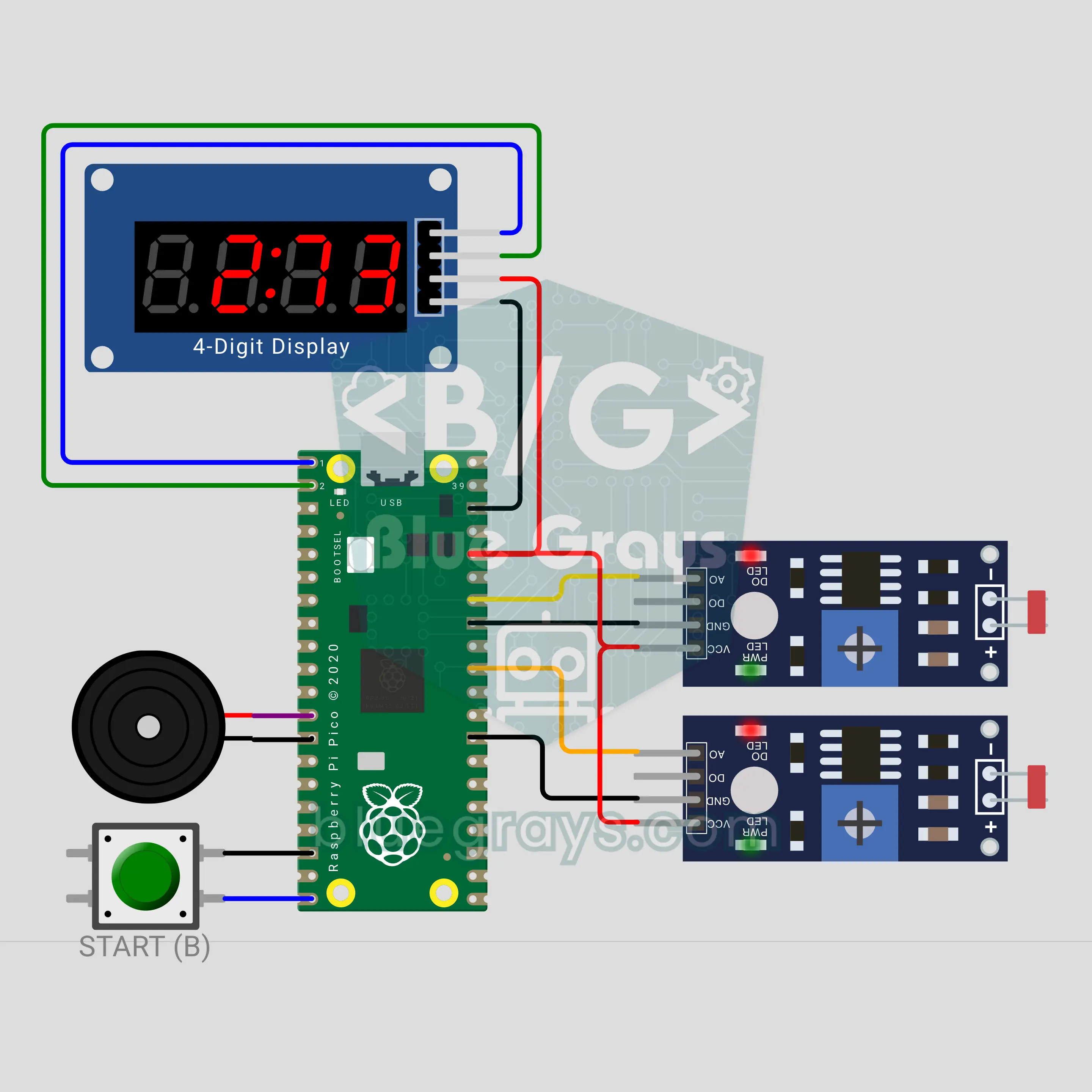
Pico Sprint Stopwatch: Light Gates for PE Class (2 LDRs + TM1637)
Put one LDR light gate at the start of the track and one at the end: the time starts when the runner cuts the light of the first gate and stops at the second. The TM1637 display shows the time in seconds and hundredths, then the speed in km/h. A button press tunes the gates to the ambient light, then three beeps and "Go" give the start. When the class record falls, the display flashes "bESt" and a tune plays. A long press picks 10, 20 or 30 metres.
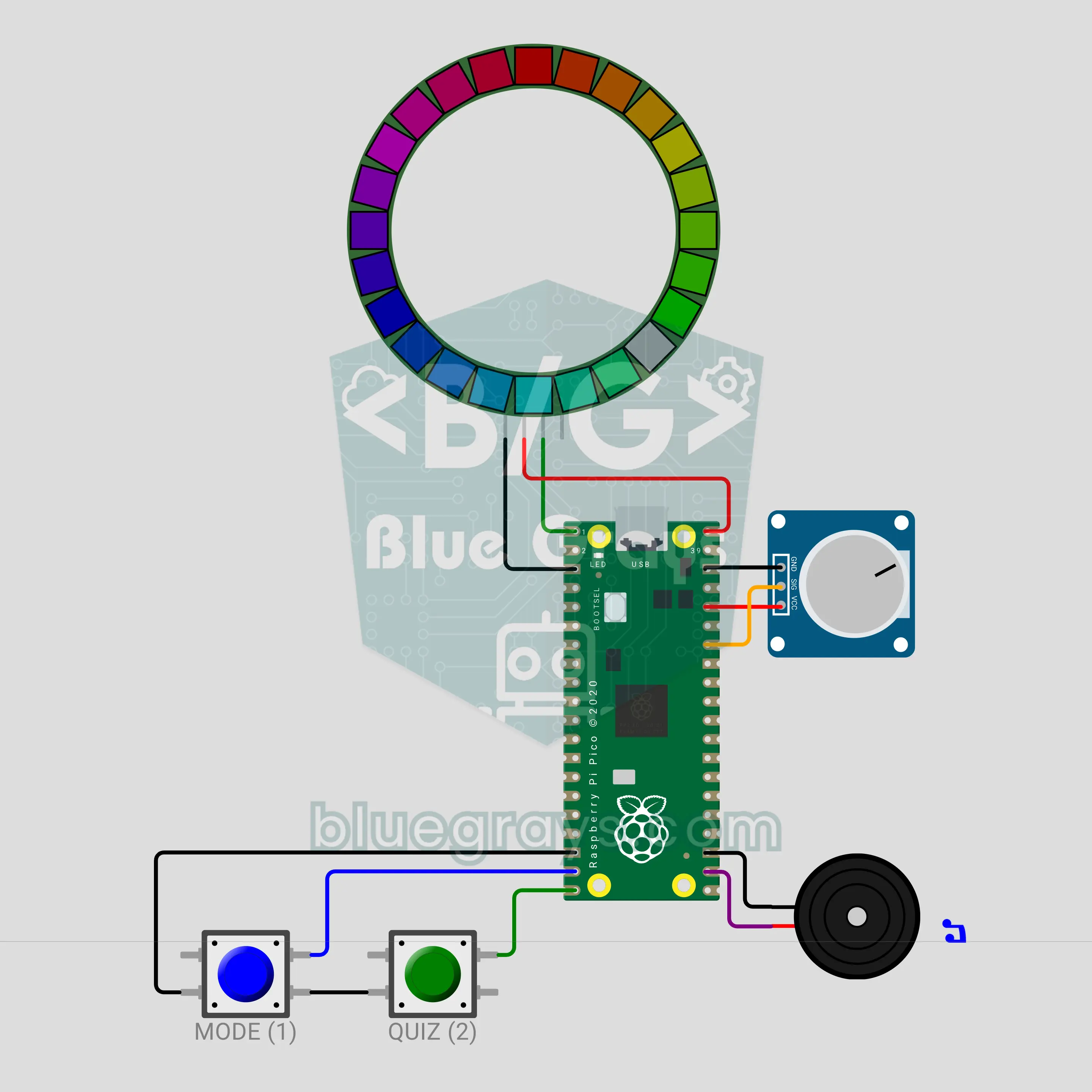
Pico Colour Wheel Teacher: Complementary Colours (24-LED WS2812B Ring + Pot)
A 24-LED RGB ring becomes a colour wheel: every pixel is one hue. Turn the potentiometer to pick a colour; the MODE button shows its complement, its triadic scheme and its neighbouring colours on the ring. The QUIZ button starts a game: half of the ring shows a colour, and you turn the pot until the other half shows its complement, then confirm. The ring lights green if you are right, red if you are wrong, then shows the answer on the wheel. The buzzer ticks at every colour step.
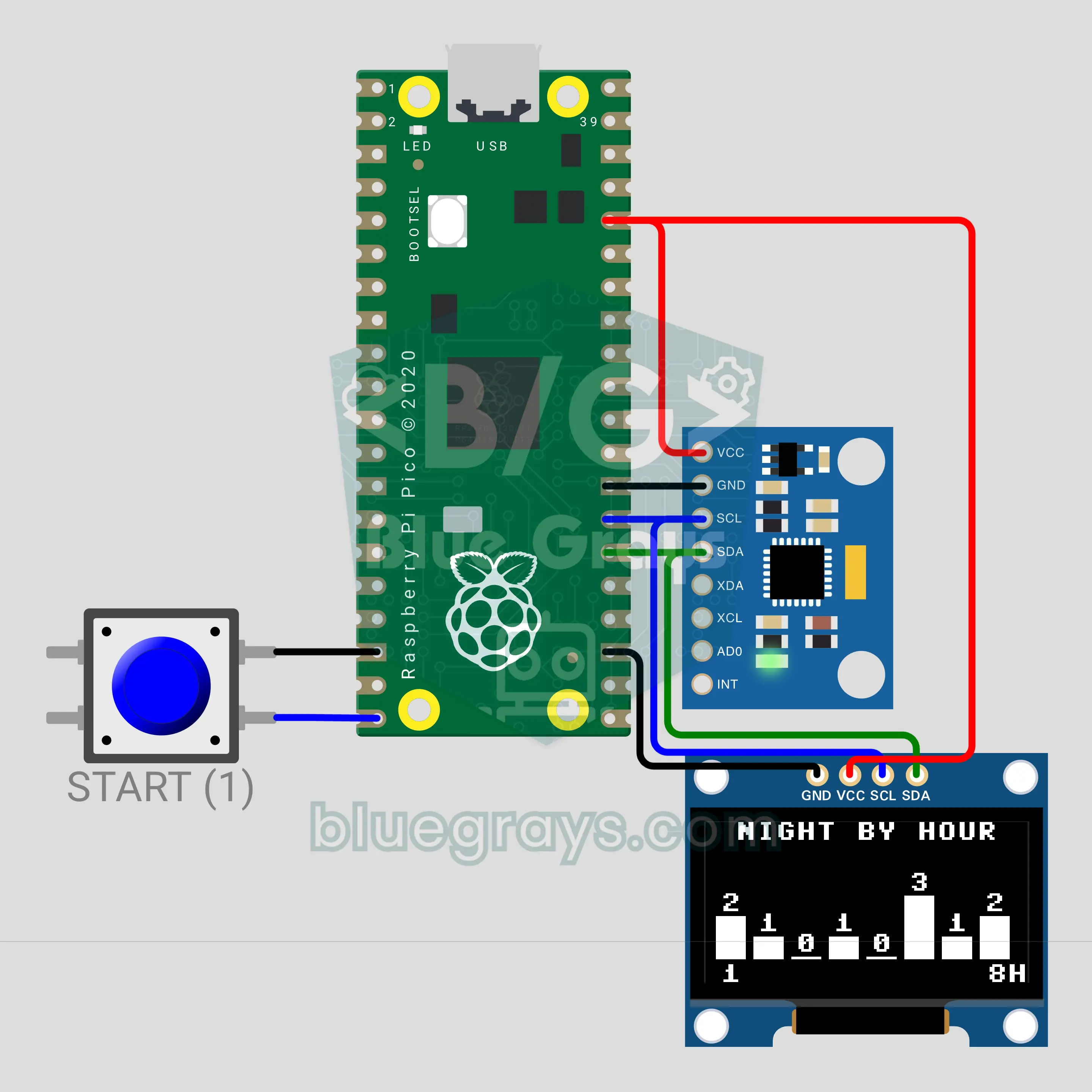
Pico Sleep Tracker: How Many Times Did You Turn Last Night? (MPU-6050 + OLED)
An MPU-6050 under your pillow watches the pillow's tilt all night. If the sensor shakes and comes back to the same posture it counts a move; if it settles at a new tilt it counts a turn. Events are logged hour by hour, and in the morning the OLED screen shows an hourly bar chart of the night and a sleep score from 0 to 100. One button starts the night, flips the report pages and ends the night when you hold it. The screen switches itself off while you sleep.
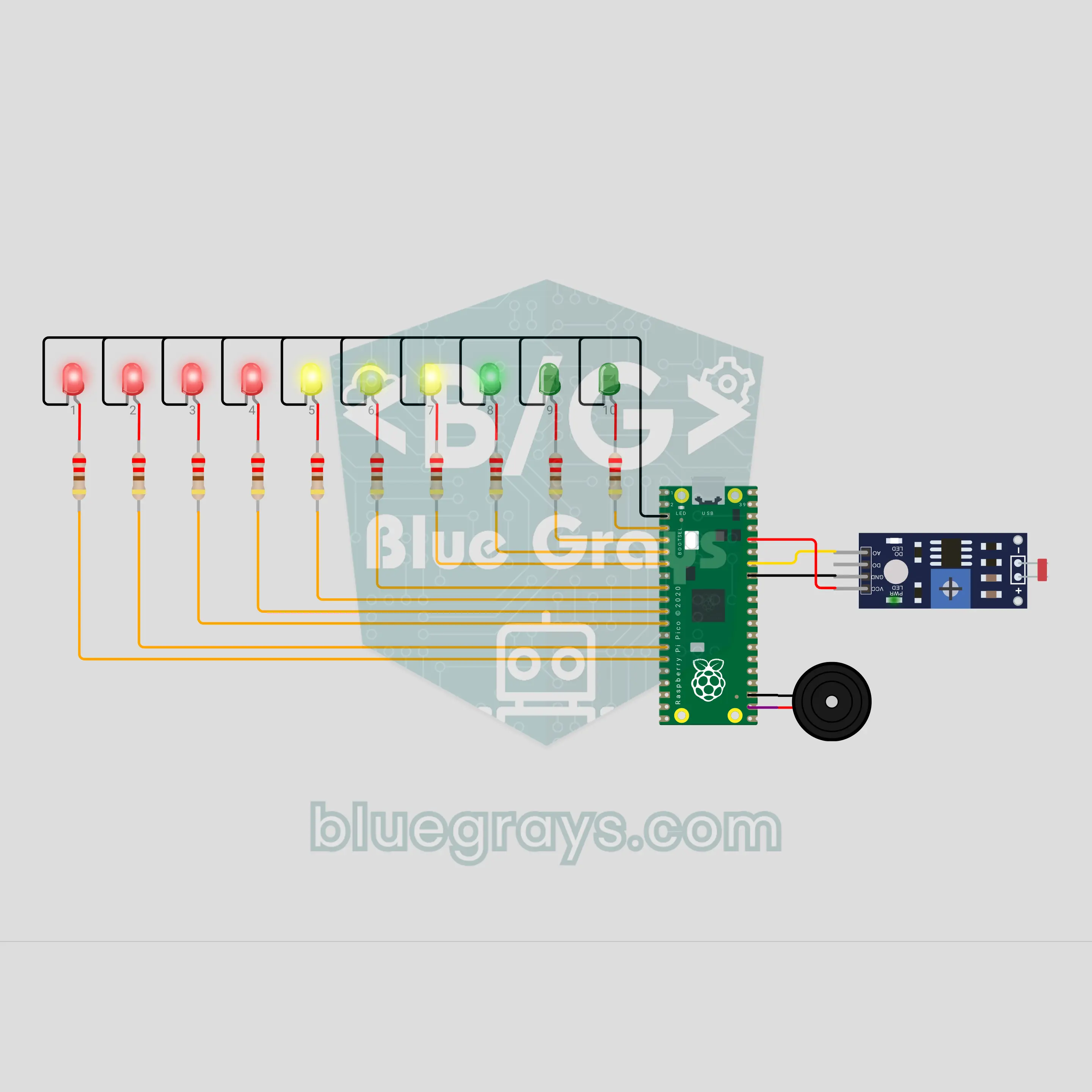
Pico Phone Jail Box: Put Your Phone Away While You Study (LDR + 10 LEDs)
Drop your phone in the box and let the circuit do the rest. The LDR on the floor of the box goes dark when the phone lies on it, and the count starts: one LED lights every 6 minutes, and 10 LEDs mark a full hour of study. Take the phone early and warning ticks start; if it is not back within 5 seconds, the "jail broken" sound plays and the count resets. Finish the hour and a light wave and a victory tune are waiting. One number in the code changes the time.
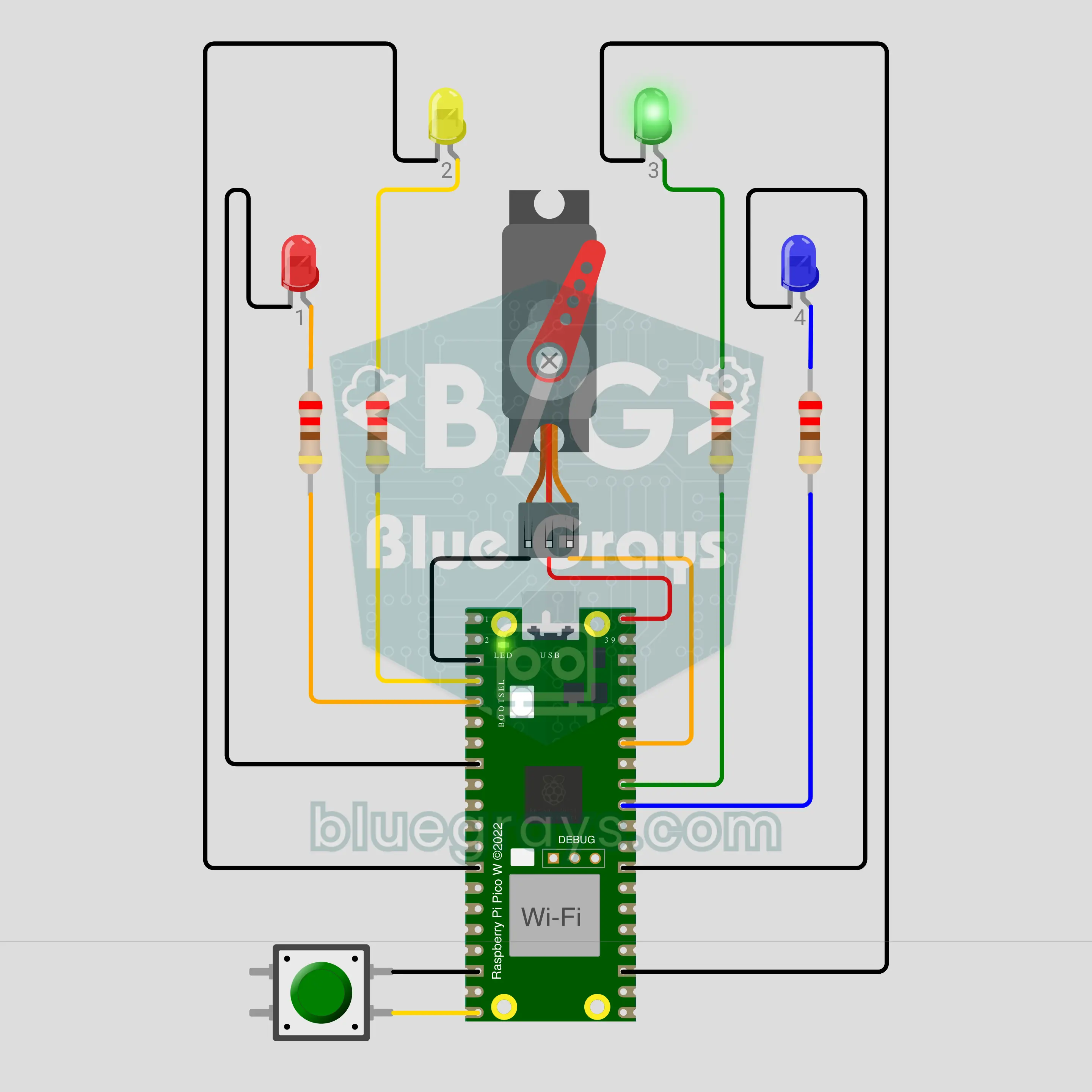
Pico W Chore Wheel: Whose Turn Is It to Do the Dishes? (Servo + NTP + ntfy)
A Raspberry Pi Pico W gets the time from the internet and passes the dish duty to the next person every midnight. A servo pointer shows today's name on the dial and that person's LED blinks. When the job is done, press the button briefly: the LED stays on, the pointer nods and a "done" notification goes to the phone. If nobody has pressed by 20:00, a reminder arrives. Hold the button for 1 second and the wheel spins to draw a name for an extra chore like the trash.
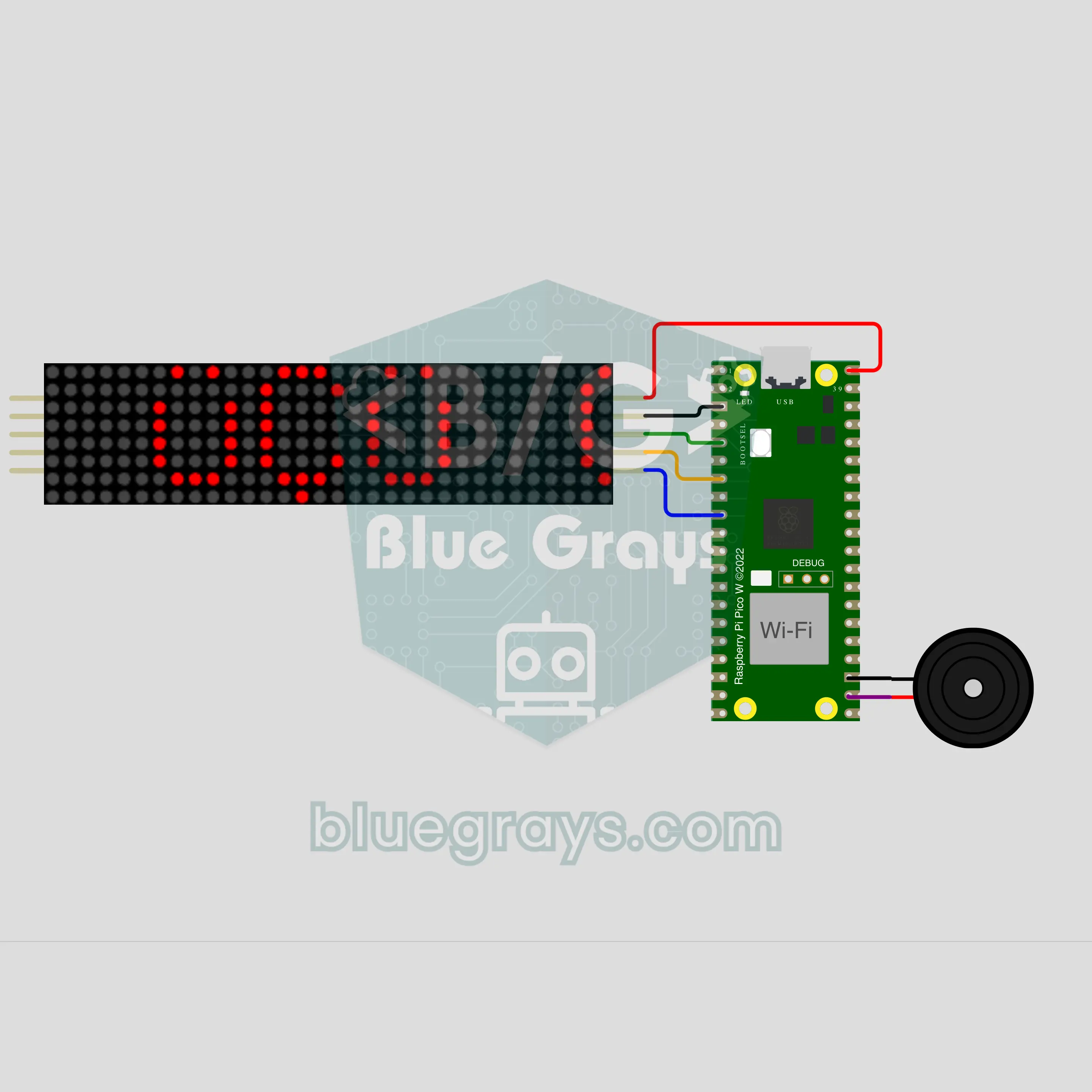
Pico W Turkish Word Clock: "SAAT ÜÇÜ ÇEYREK GEÇİYOR" (NTP + MAX7219 8x32)
The Raspberry Pi Pico W gets the time from the internet and says it with a Turkish sentence instead of digits: "SAAT ÜÇÜ ÇEYREK GEÇİYOR" (quarter past three) scrolls across an 8x32 LED sign. The endings come from a vowel harmony rule, not a ready-made list: ÜÇÜ, DÖRDÜ, BEŞİ, ALTIYI. Between sentences the digits appear. It chimes on the hour and beeps on the quarters; at night the sign dims and stays silent. At 00:00 on New Year's Day a tune plays and "YENİ YIL" scrolls by.
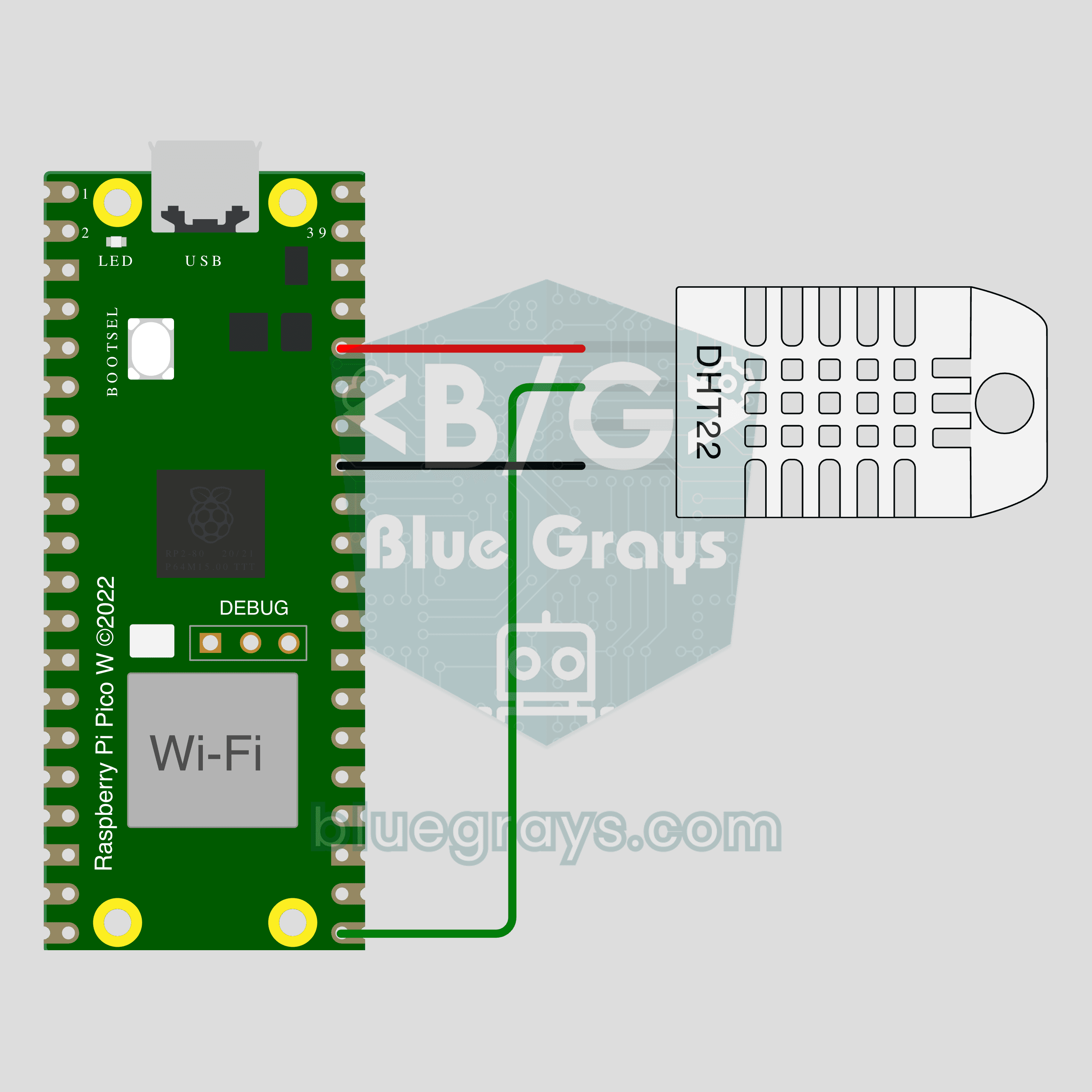
Pico W IoT Temperature and Humidity (DHT22)
Watch your room's temperature and humidity live on your phone wherever you are. This project is the step-by-step guide to the Temperature and humidity IoT template in the app, built with a Raspberry Pi Pico W and a DHT22. Go to Workshop › Devices › Add a device, pick Pico W as the board and Temperature and humidity as the template; Ohmi prepares the code with your own device key. The code on this page is an example: the key and Wi-Fi details are placeholders.