
Teroka Projek Arduino
Ratusan projek dari pemula hingga mahir: gambar rajah litar, kod dan video. Mulakan di tahap mana pun kamu berada.
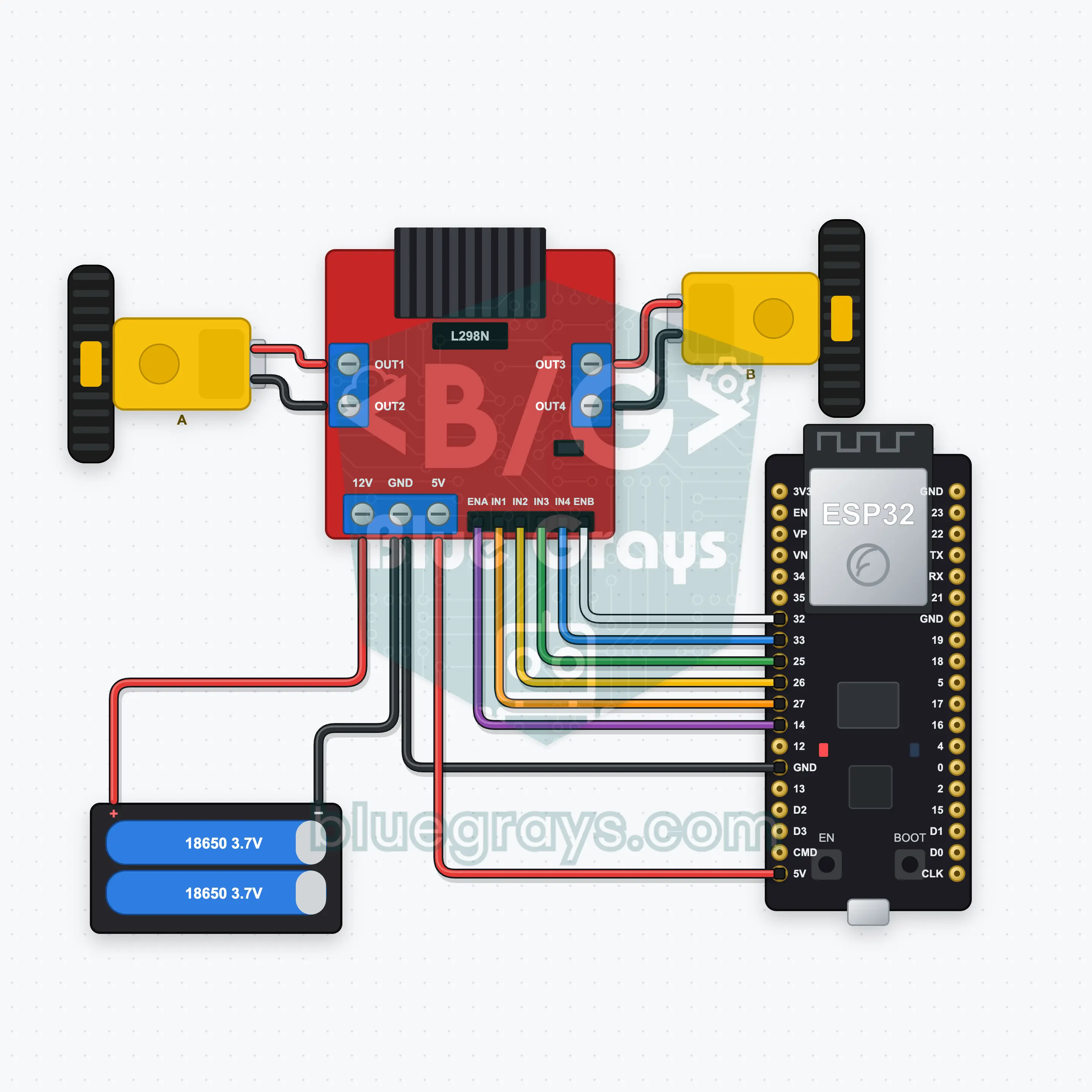
ESP32 Bluetooth Car (L298N)
Drive a two-wheel car over Bluetooth with the joystick on your phone; no internet needed, works on iPhone and Android. This project is the step-by-step guide to the Car remote Bluetooth template in the app, built with an ESP32, an L298N and two motors. Go to Workshop › Devices › Add a device › Bluetooth, pick Car remote and upload the code from Get the code. The Set up as a Bluetooth panel button on this page opens the wizard with this template.
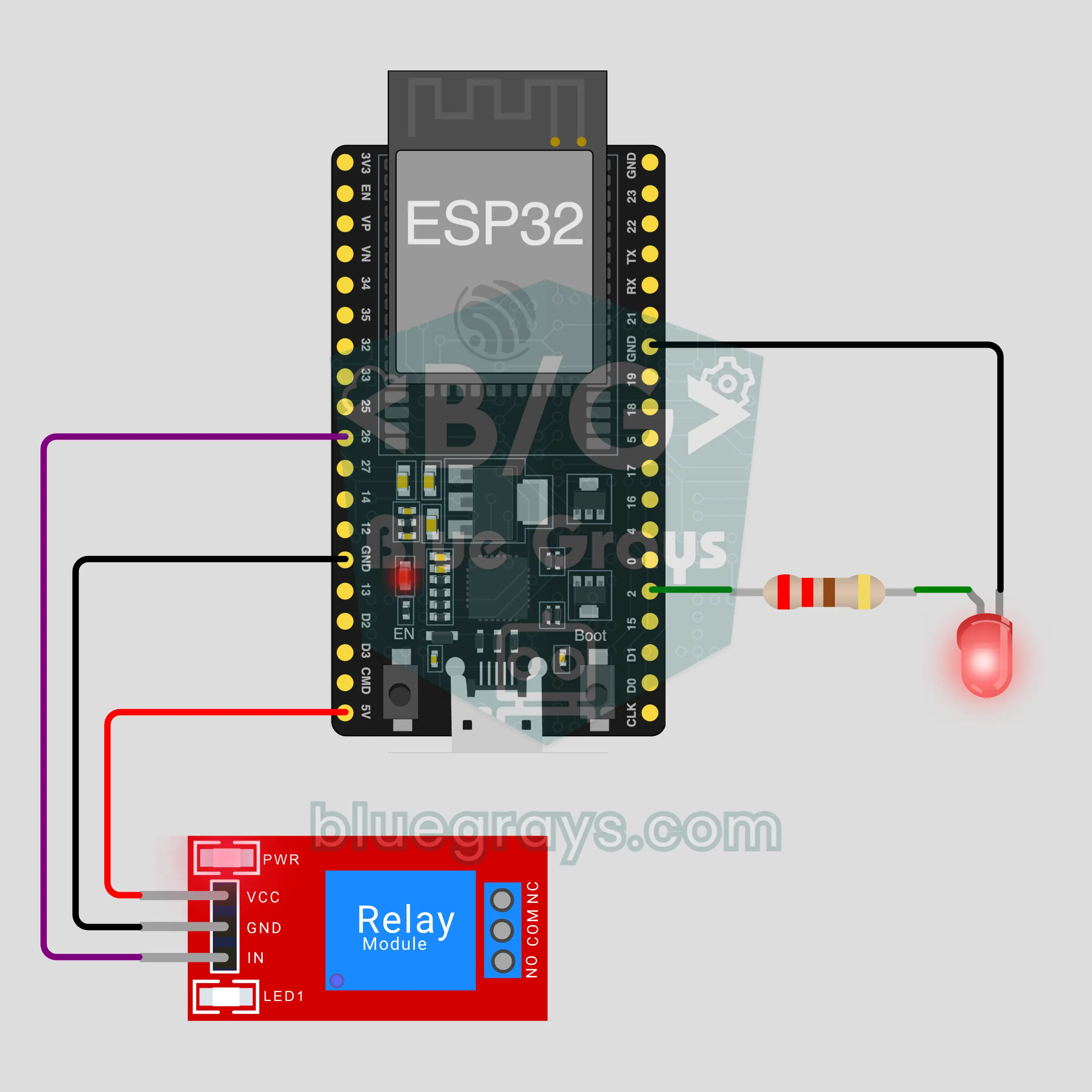
ESP32 Bluetooth LED and Relay
Switch an LED and a relay on and off from your phone over Bluetooth, no internet or Wi-Fi needed. This project is the step-by-step guide to the LED and relay Bluetooth template in the app, built with an ESP32 and a 5 V relay module. Go to Workshop › Devices › Add a device › Bluetooth, pick LED and relay and upload the code with Get the code. The Set up as a Bluetooth panel button on this page opens the wizard with this template too.
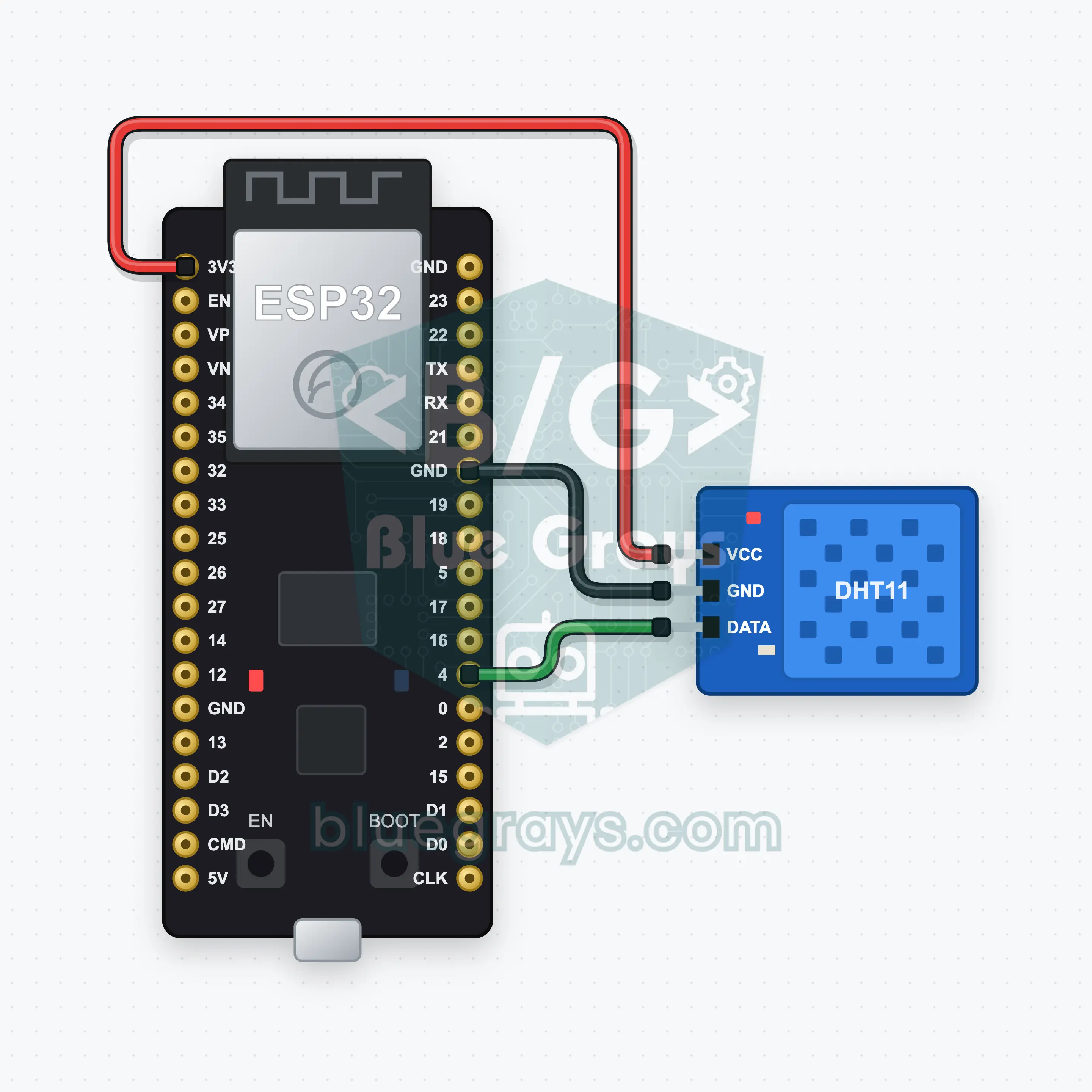
ESP32 Bluetooth Temp and Humidity (DHT11)
Watch your room's temperature and humidity live on your phone with an ESP32 and a DHT11 sensor: two reading boxes and a chart update every 2 seconds, no internet needed. This project is the step-by-step guide for the Temperature and humidity Bluetooth template in the app. Go to Workshop › Devices › Add a device › Bluetooth, pick the template and upload the code with Get the code. The Set up as a Bluetooth panel button on this page opens the wizard ready to go.
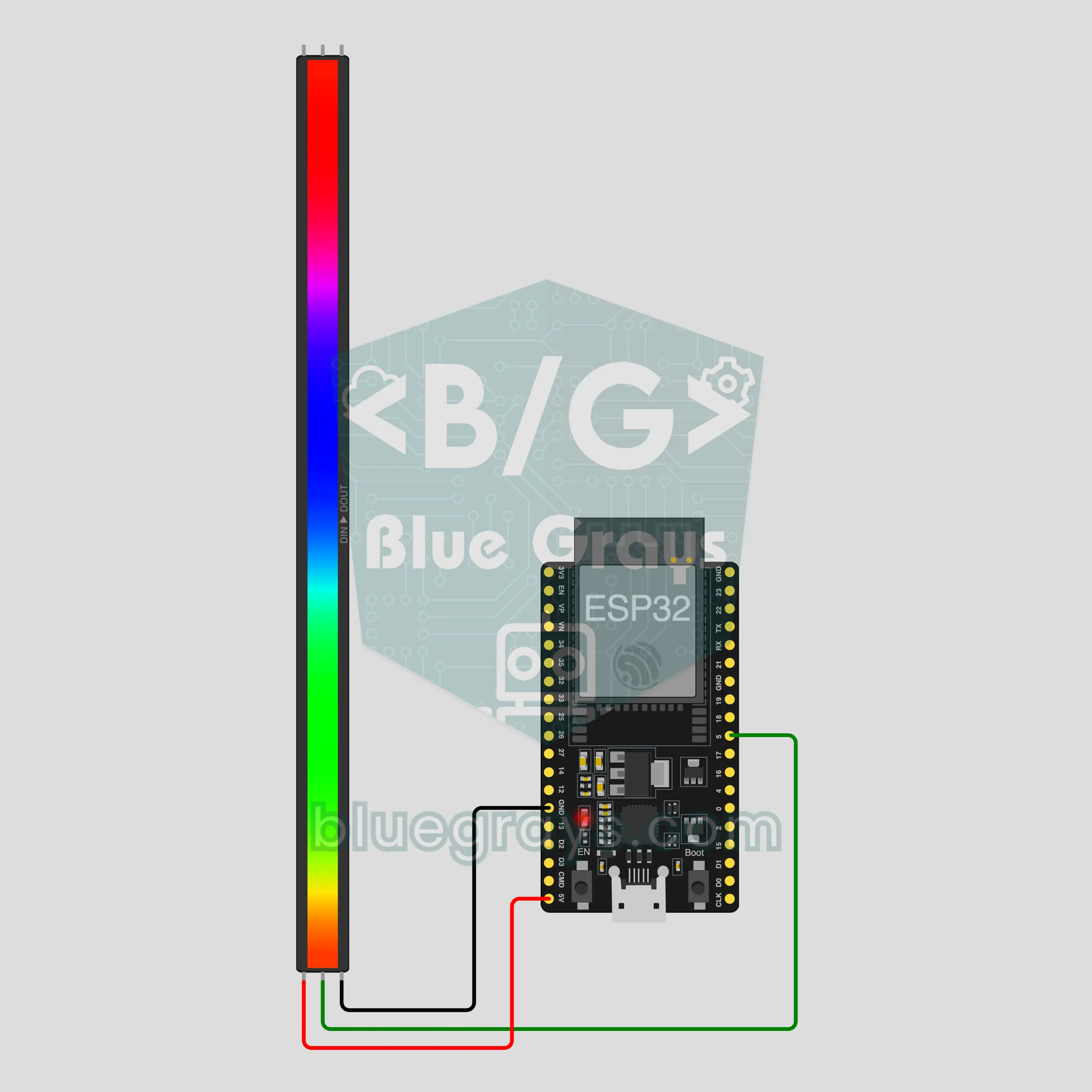
ESP32 Bluetooth RGB LED Strip (WS2812B)
Change your strip's color, brightness and effect from your phone: the ESP32 connects straight to your phone over its built-in Bluetooth, and the WS2812B strip needs only 3 wires. This project is the step-by-step guide to the RGB LED strip Bluetooth template in the app. Go to Workshop › Devices › Add a device › Bluetooth, pick RGB LED strip and upload the code with Get the code. The Set up as a Bluetooth panel button on this page opens the wizard with this template.
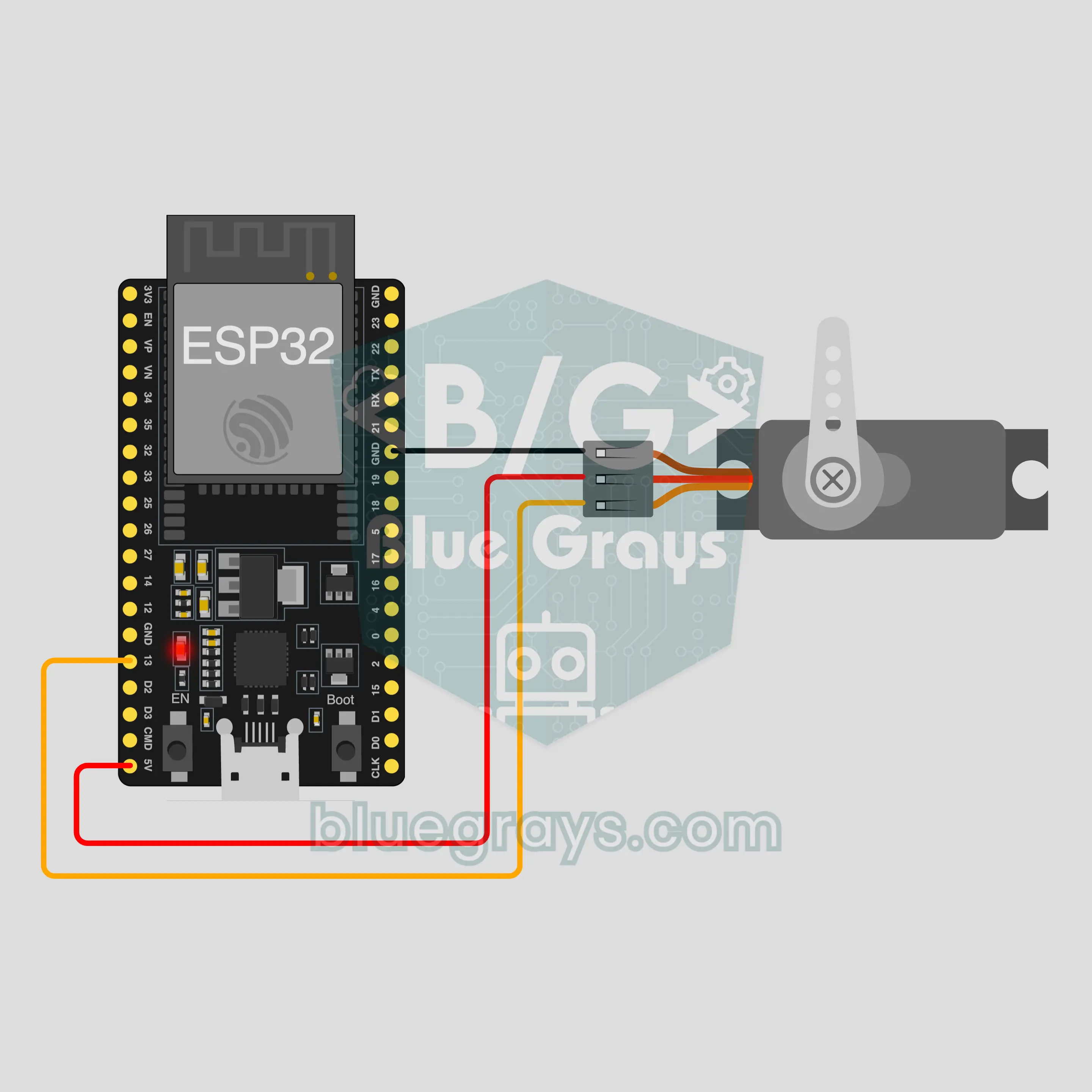
ESP32 Bluetooth Servo Lock
Control an SG90 servo as a small latch from your phone over Bluetooth: lock, open or set the angle, no internet or Wi-Fi needed. This project is the step-by-step guide to the Servo lock Bluetooth template in the app, built with an ESP32, one servo and 3 wires. Go to Workshop › Devices › Add a device › Bluetooth, pick Servo lock and upload the code with Get the code. The Set up as a Bluetooth panel button on this page opens the wizard with this template too.
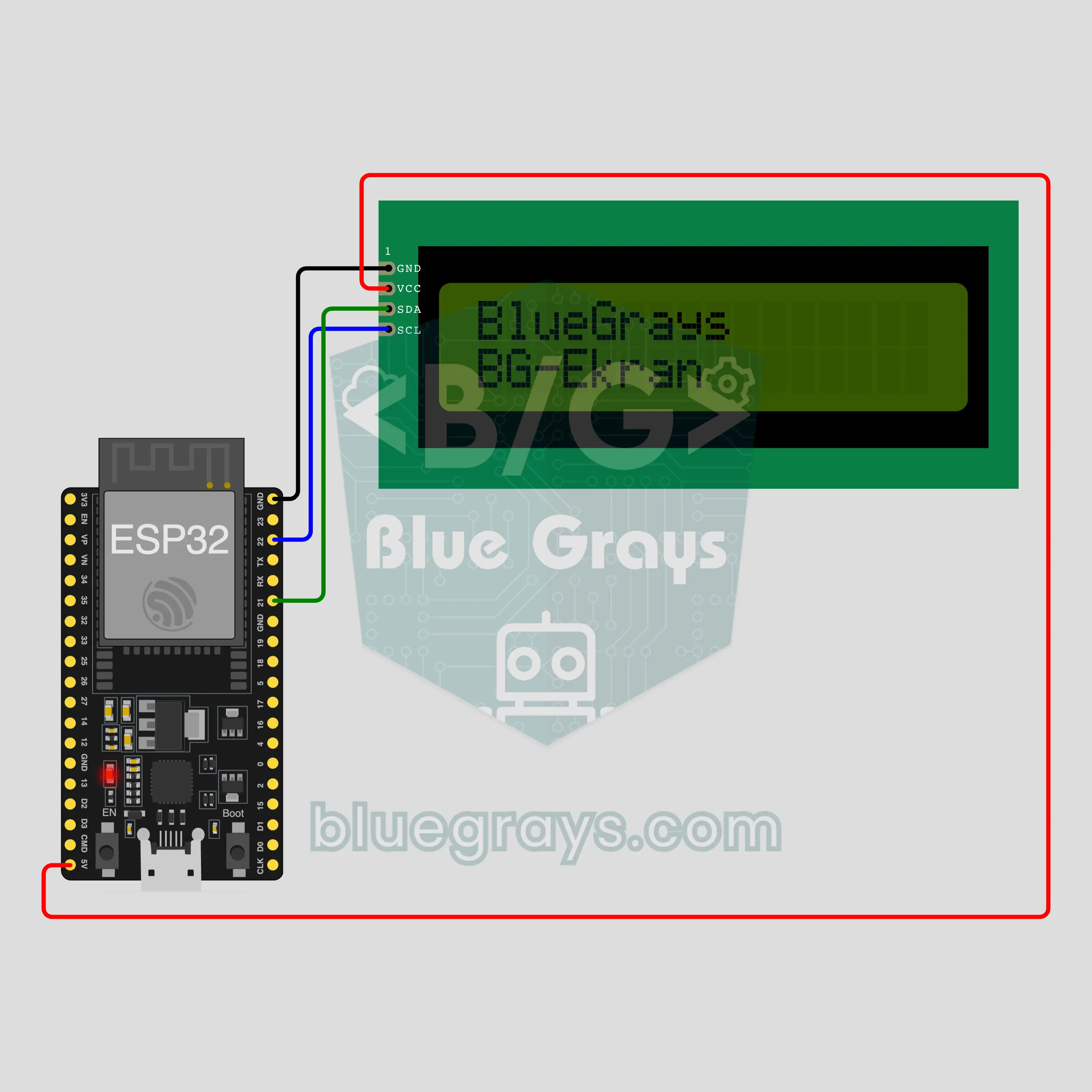
ESP32 Bluetooth Text on an LCD
Type a message on your phone and it shows up on a 16x2 LCD over Bluetooth, no internet or Wi-Fi needed. This project is the step-by-step guide to the Text on an LCD Bluetooth template in the app, built with an ESP32 and an I2C LCD. Go to Workshop › Devices › Add a device › Bluetooth, pick Text on an LCD and upload the code with Get the code. The Set up as a Bluetooth panel button on this page opens the wizard with this template too.
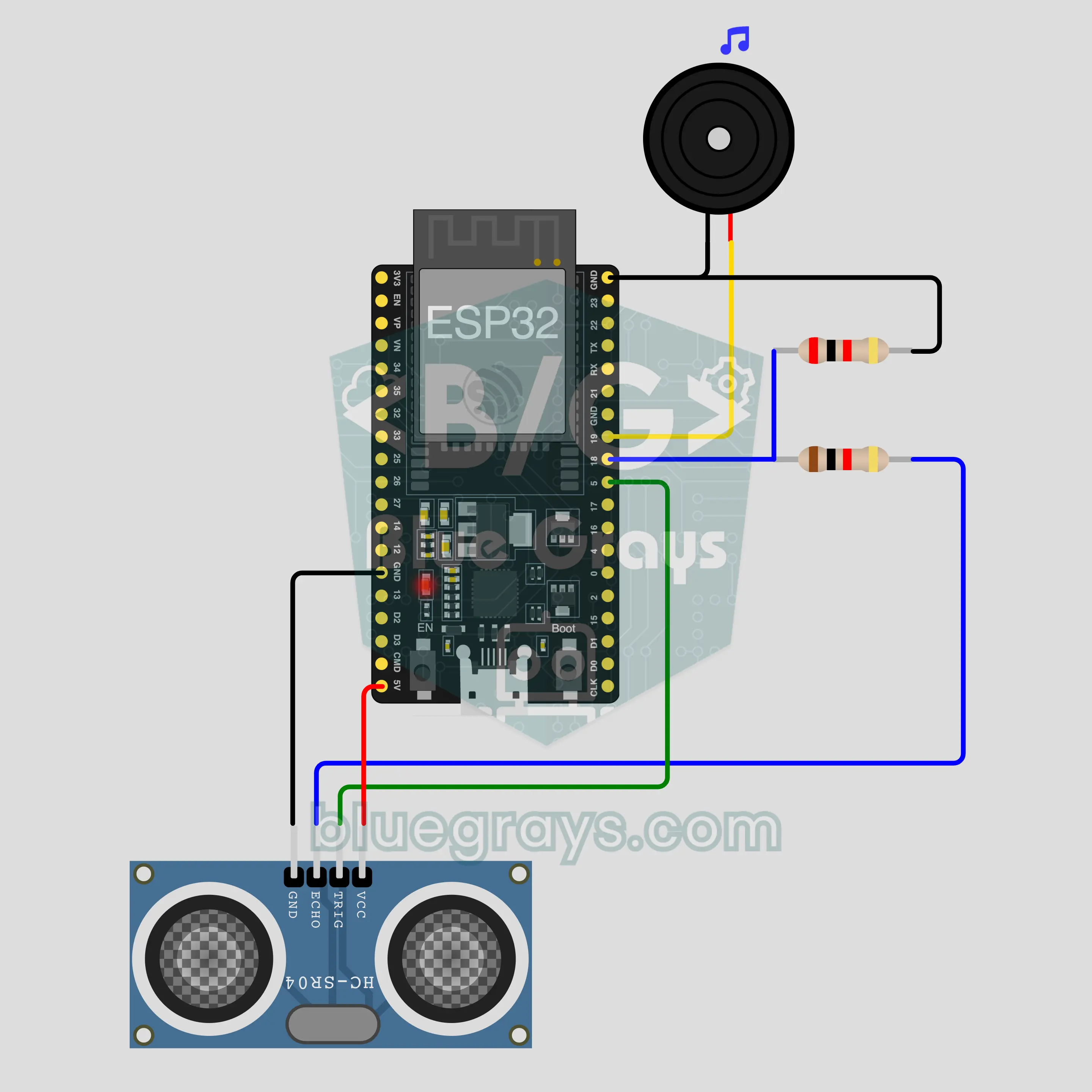
ESP32 Bluetooth Parking Sensor (HC-SR04)
Measure the distance to an obstacle with an HC-SR04 and watch it on your phone; the buzzer beeps faster as it gets closer. No internet needed. This is the step-by-step guide to the Parking sensor Bluetooth template in the app, built with an ESP32. Go to Workshop › Devices › Add a device › Bluetooth, pick Parking sensor and upload the code with Get the code. The Set up as a Bluetooth panel button on this page opens the wizard with this template too.
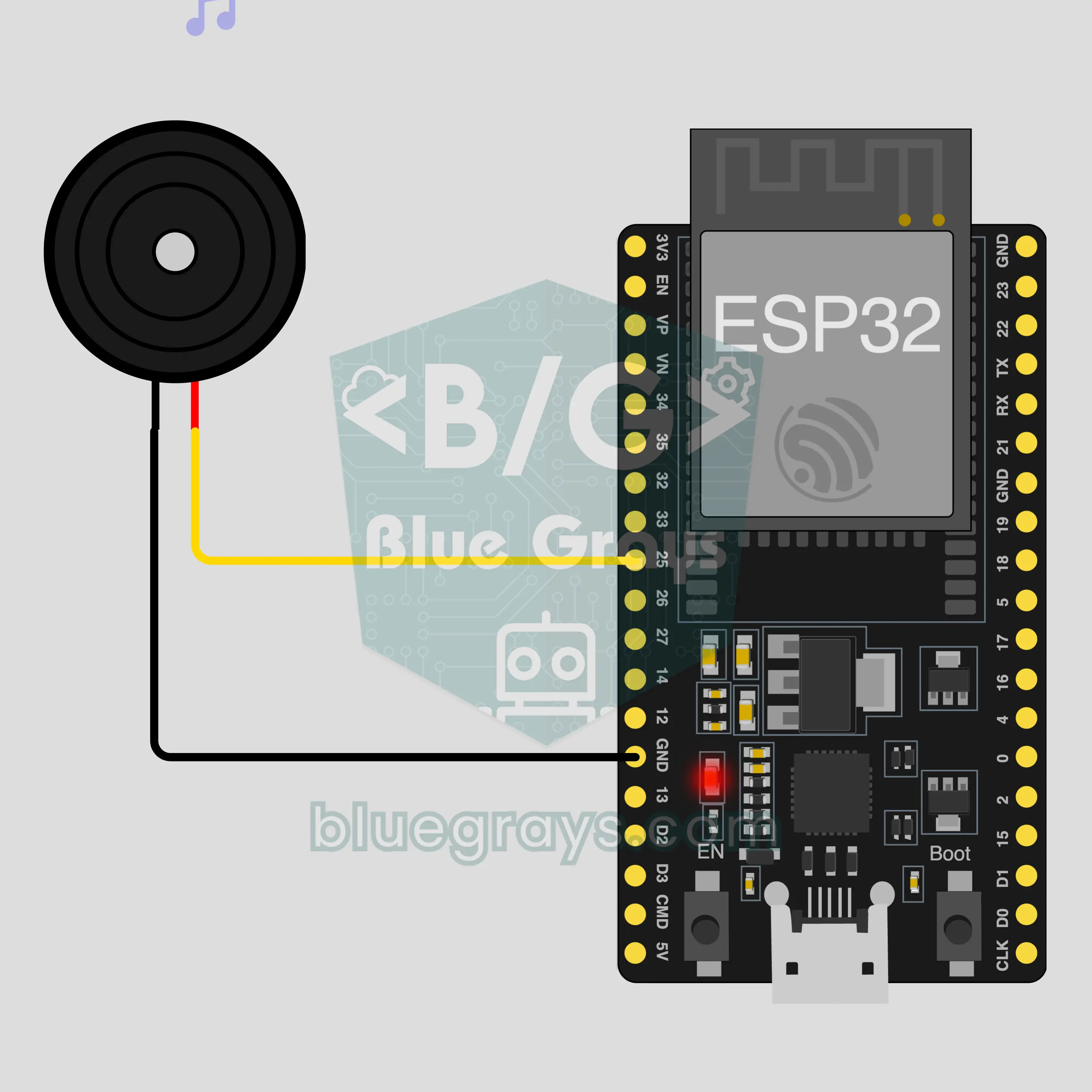
ESP32 Bluetooth Phone Piano
Turn your phone into an 8-key piano: press a key and a passive buzzer on the ESP32 plays that note, no internet or Wi-Fi needed. This is the step-by-step guide to the Phone piano Bluetooth template in the app, built with a buzzer and two jumper wires. Go to Workshop › Devices › Add a device › Bluetooth, pick Phone piano and upload the code with Get the code. The Set up as a Bluetooth panel button on this page opens the wizard with this template too.