
Raspberry Pi Pico Traffic Light Simulator (3 LEDs Sequential)
We recreate real traffic light logic with red, yellow and green LEDs, the first Pico project to move up to 3 LEDs! Green says "go" for 4 seconds, yellow "get ready" for 1.5 seconds, red "stop" for 3 seconds, and red+yellow "set off" for 1 second (the European traffic light pattern). You'll learn to define functions (def all_off()), state machine logic and multi-GPIO synchronization.
Video
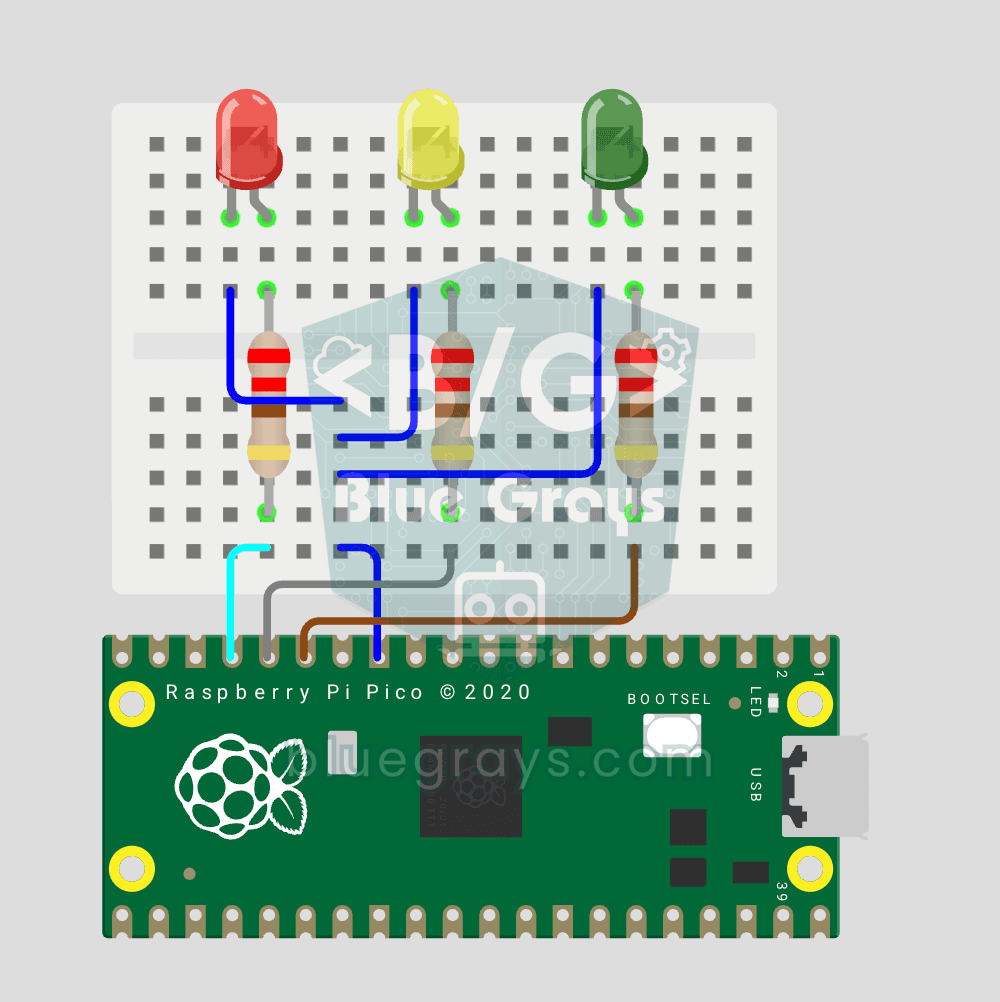
Elektr sxemasi
Manba kodi
1# ─────────────────────────────────────────
2#   BlueGrays · bluegrays.com
3#   Raspberry Pi Pico Traffic Light Simulator (3 LEDs Sequential, GP11/GP12/GP13)
4# ─────────────────────────────────────────
5# A real traffic light cycle with red, yellow and green LEDs: green 4 s,
6# yellow 1.5 s, red 3 s, then red + yellow 1 s (European style start). A
7# helper function that turns all LEDs off avoids repeated code.
8#
9# Pins:
10#   GP11 -> Green LED
11#   GP12 -> Yellow LED
12#   GP13 -> Red LED (each LED with 220 ohm)
13#   LED katotlari -> LED cathodes -> GND
14
15from machine import Pin
16from time import sleep
17
18# ============ PIN / PIN ============
19# Traffic light pins (adjacent GP11-GP12-GP13)
20green_led  = Pin(11, Pin.OUT)      # Green LED: GO
21yellow_led = Pin(12, Pin.OUT)      # Yellow LED: READY
22red_led    = Pin(13, Pin.OUT)      # Red LED: STOP
23
24# ============ HELPER FUNCTION ============
25def all_off():
26    """
27    Turn off all LEDs (DRY principle: avoid repetition)
28    """
29    green_led.value(0)
30    yellow_led.value(0)
31    red_led.value(0)
32
33print("== BlueGrays · bluegrays.com ==")
34print("Traffic Light")
35print("Green: GP11 | Yellow: GP12 | Red: GP13")
36
37# ============ MAIN LOOP ============
38while True:
39    # GREEN: GO (4 s)
40    all_off()
41    green_led.value(1)
42    print("[TRAFFIC] GREEN — GO")
43    sleep(4)
44
45    # YELLOW: READY (1.5 s)
46    all_off()
47    yellow_led.value(1)
48    print("[TRAFFIC] YELLOW — READY")
49    sleep(1.5)
50
51    # RED: STOP (3 s)
52    all_off()
53    red_led.value(1)
54    print("[TRAFFIC] RED — STOP")
55    sleep(3)
56
57    # RED + YELLOW: STARTING (1 s), European style
58    # Starting phase: the driver puts the car in gear
59    yellow_led.value(1)
60    print("[TRAFFIC] RED+YELLOW — STARTING")
61    sleep(1)
62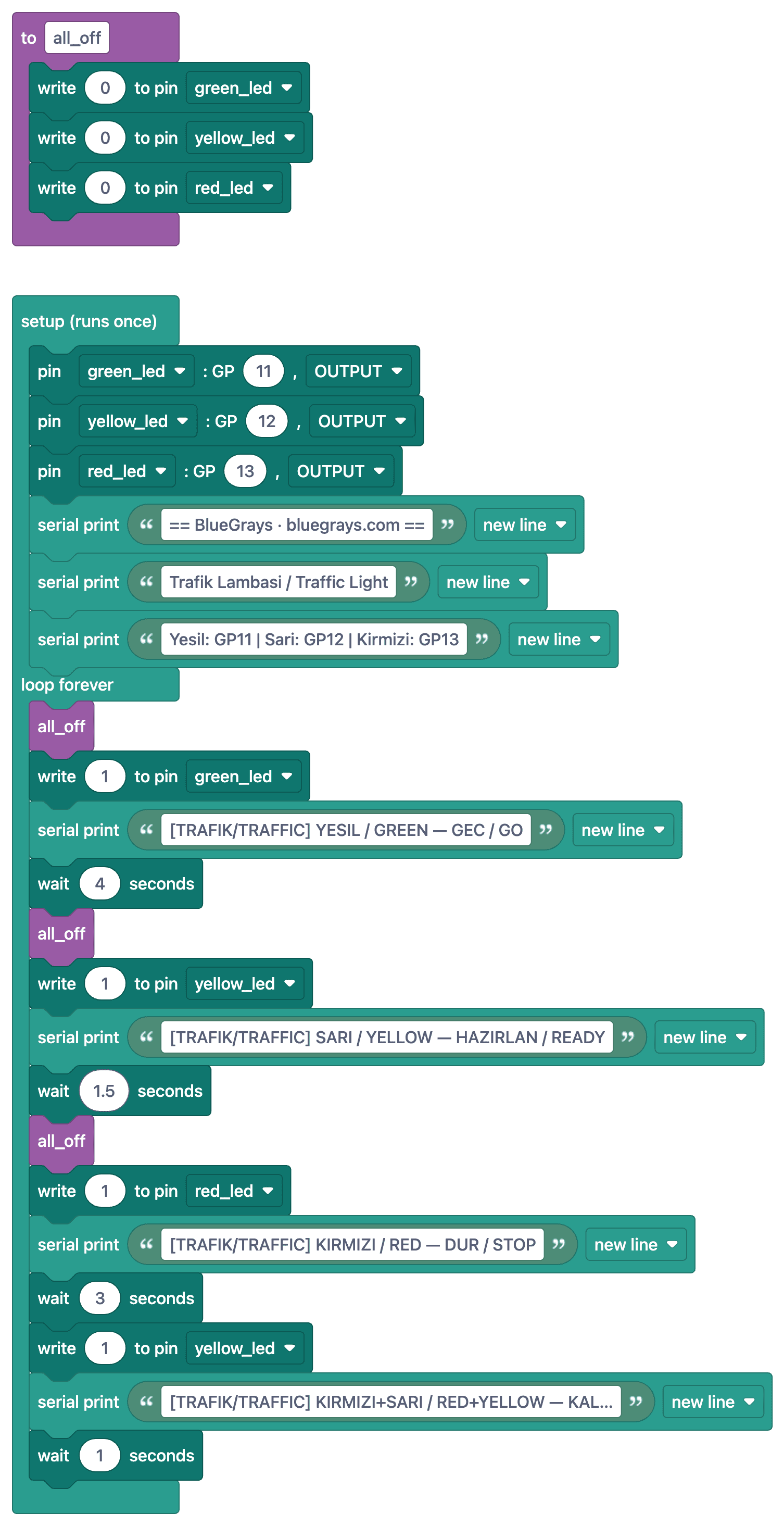
Ko‘p so‘raladigan savollar
What does it mean when the red and yellow lights are on at the same time?
At some traffic lights in Europe, the red and yellow lights flash together before the light turns from red to green; this signals to drivers to "get ready." This pattern is also used in Turkey.
What is the benefit of defining a function?
A function like `all_off()` lets you call three repetitive lines of code using a single name. The code becomes shorter and more readable, and changes are made in just one place.
How do I change the durations?
Change the values in seconds inside `sleep()` for each light. If you define the values as constants at the beginning of the file (e.g., GREEN_TIME = 4) and use them in calls such as `sleep(GREEN_TIME)`, it becomes much easier to configure them.
Can I add a pedestrian button?
Yes. You can add a button that, when pressed, changes the loop to red. To ensure the button is detected immediately, you need to use `ticks_ms()` for timing instead of `sleep`; this will be explained in the next mode selector project.