
Arduino loyihalarini kashf qil
Boshlang‘ichdan yuqori darajagacha, sxemali, kodli va videoli yuzlab loyihalar. Qaysi darajada bo‘lsang, o‘sha yerdan boshla.
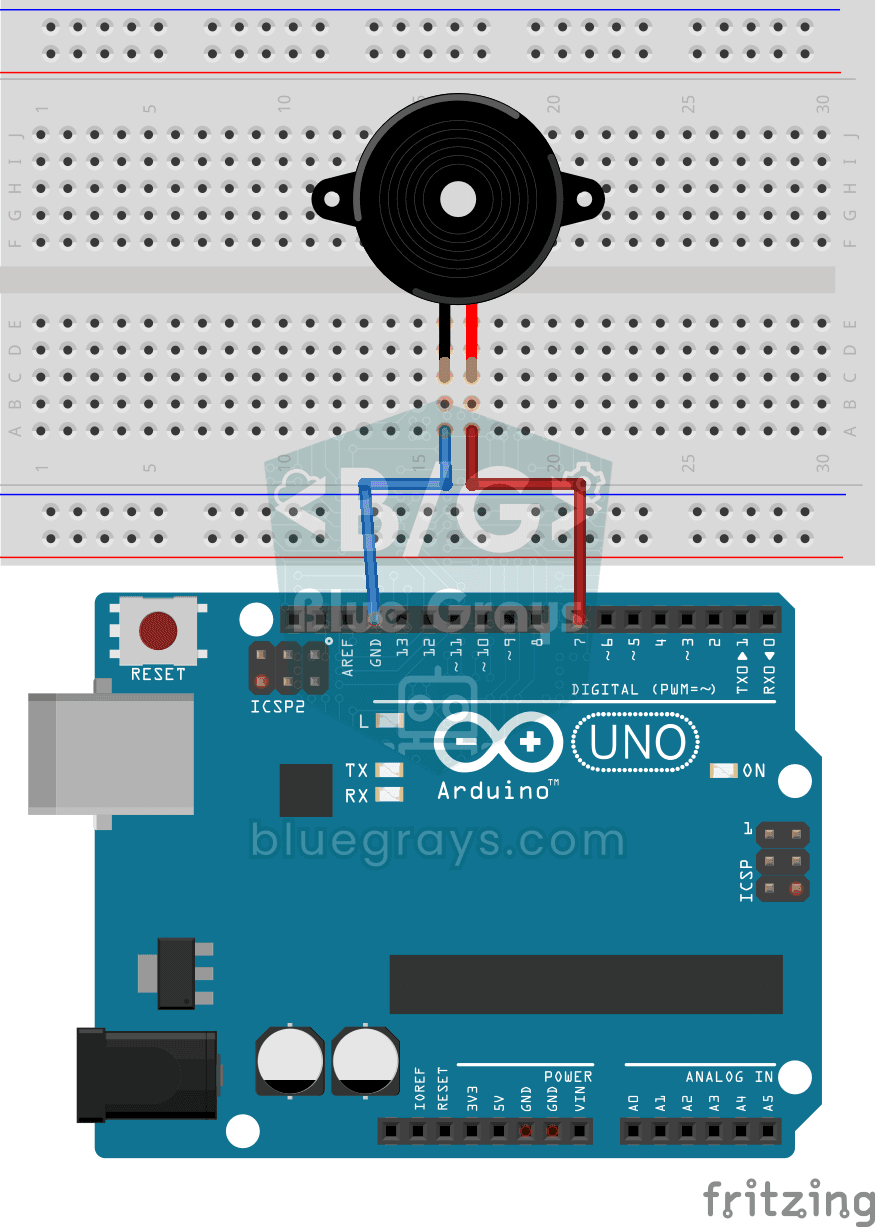
Using a Buzzer
Ever wondered how a doorbell or an alarm makes its sound? The Arduino makes a small buzzer beep at short intervals: beep, pause, beep, pause.
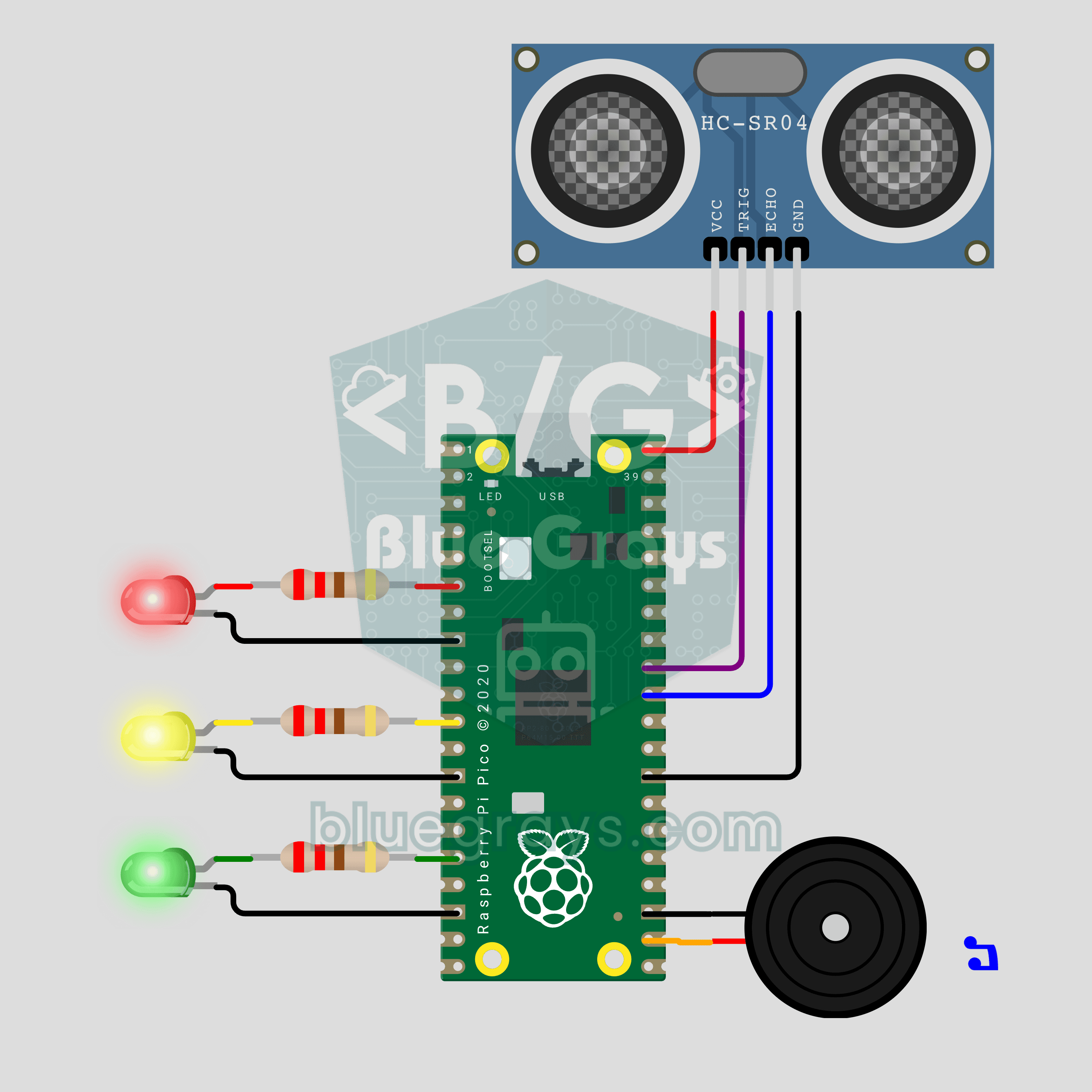
Raspberry Pi Pico Parking Sensor (HC-SR04 + 3 LEDs + Buzzer)
Bring your car's reverse parking sensor to your desk! The Raspberry Pi Pico uses an HC-SR04 ultrasonic sensor to measure the distance to an obstacle about 16 times a second. As it gets closer, the green, yellow and red LEDs light up in turn and the buzzer beeps faster; under 10 cm the tone turns continuous and the red LED flashes. Ultrasonic ranging, PWM sound and non-blocking timing in one project.
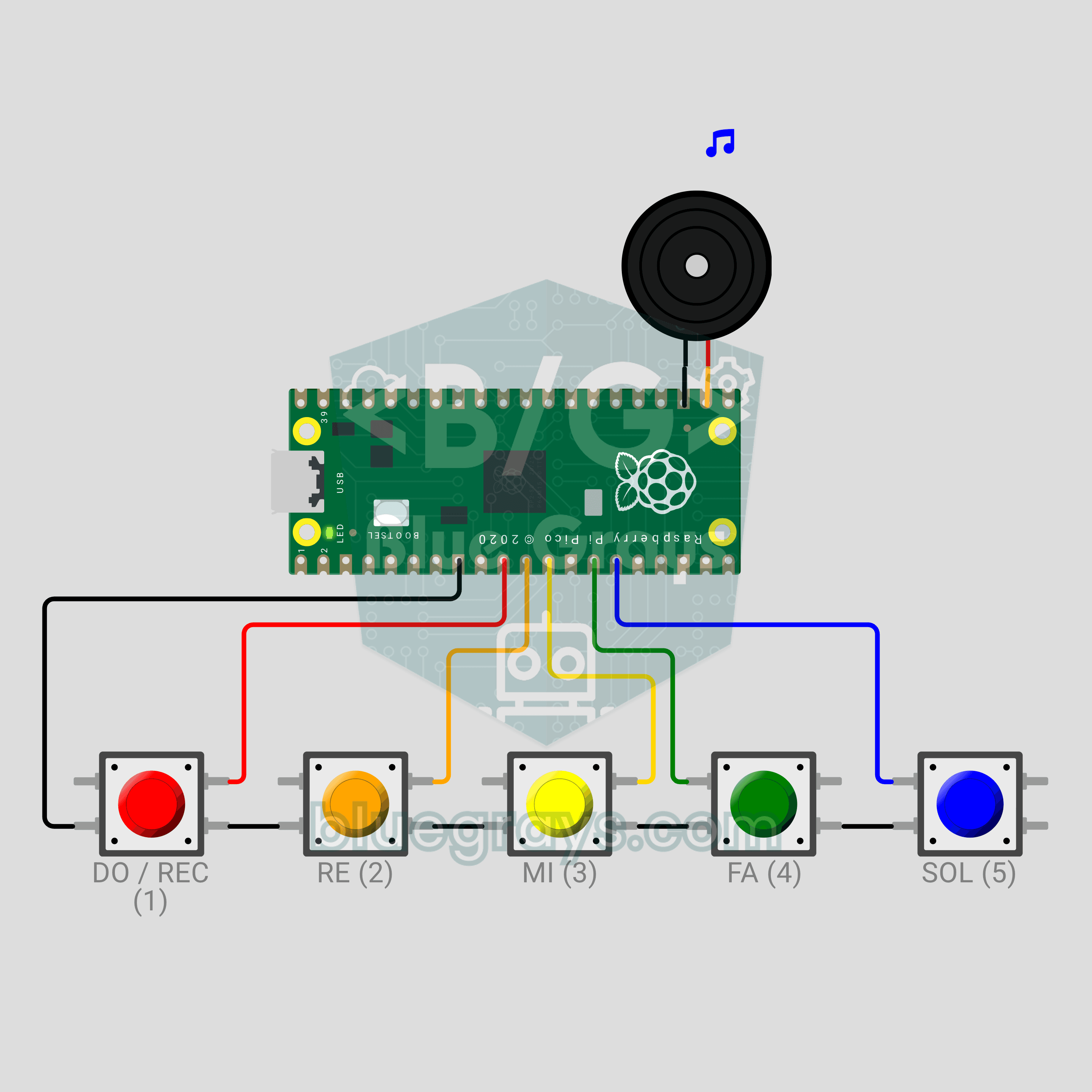
Raspberry Pi Pico Button Piano (5 Buttons + Buzzer + Melody Recorder)
A five-key mini piano that remembers what you play! The Raspberry Pi Pico plays DO, RE, MI, FA and SOL on a passive buzzer from five buttons, and a note lasts as long as you hold its key. Hold DO for a second, play your tune, then hold DO again: the Pico plays it back, shortening silences longer than 1.5 seconds between notes to 1.5 seconds. The record indicator is the LED already on the board, so no extra parts. PWM notes, debouncing and non-blocking timing in one project.
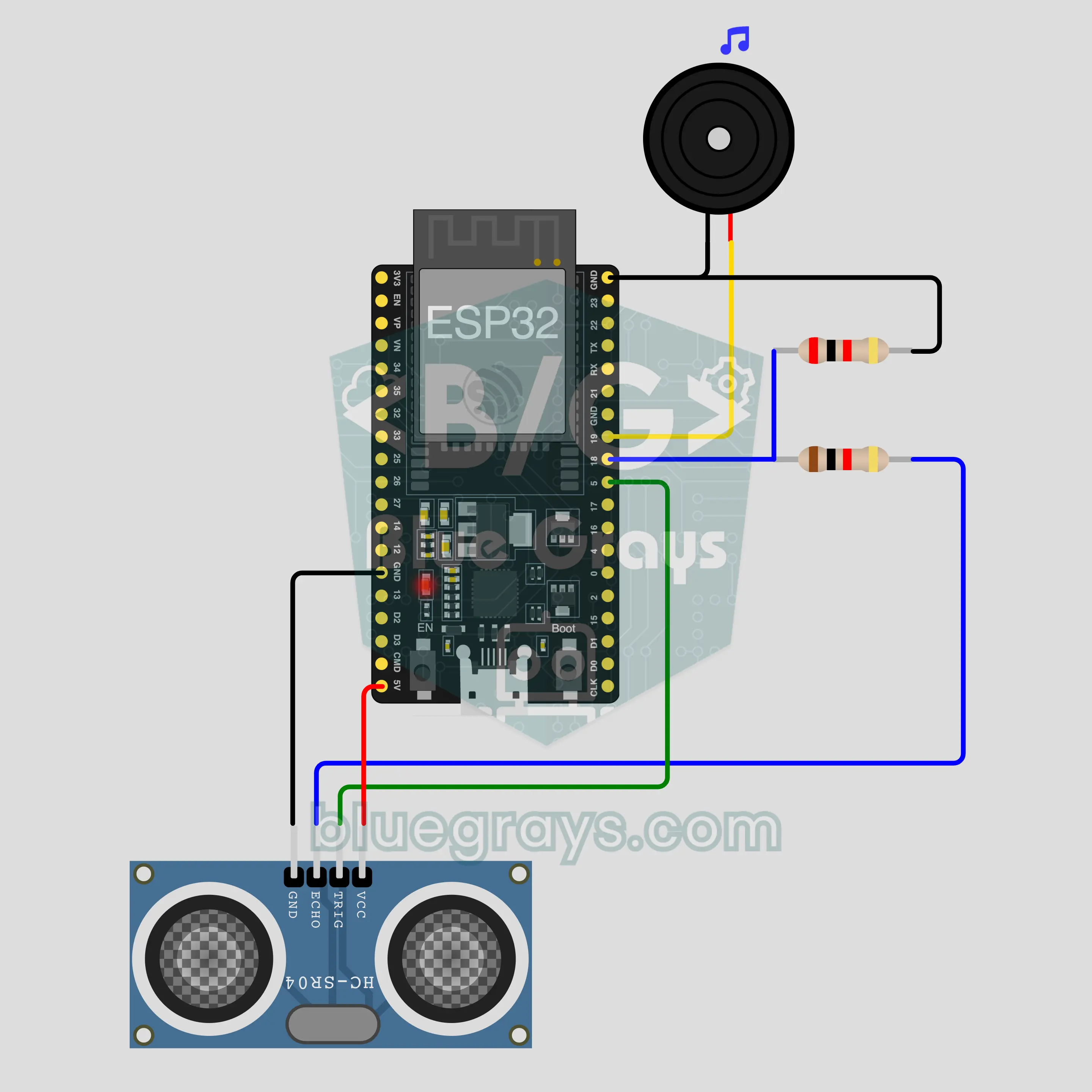
ESP32 Bluetooth Parking Sensor (HC-SR04)
Measure the distance to an obstacle with an HC-SR04 and watch it on your phone; the buzzer beeps faster as it gets closer. No internet needed. This is the step-by-step guide to the Parking sensor Bluetooth template in the app, built with an ESP32. Go to Workshop › Devices › Add a device › Bluetooth, pick Parking sensor and upload the code with Get the code. The Set up as a Bluetooth panel button on this page opens the wizard with this template too.
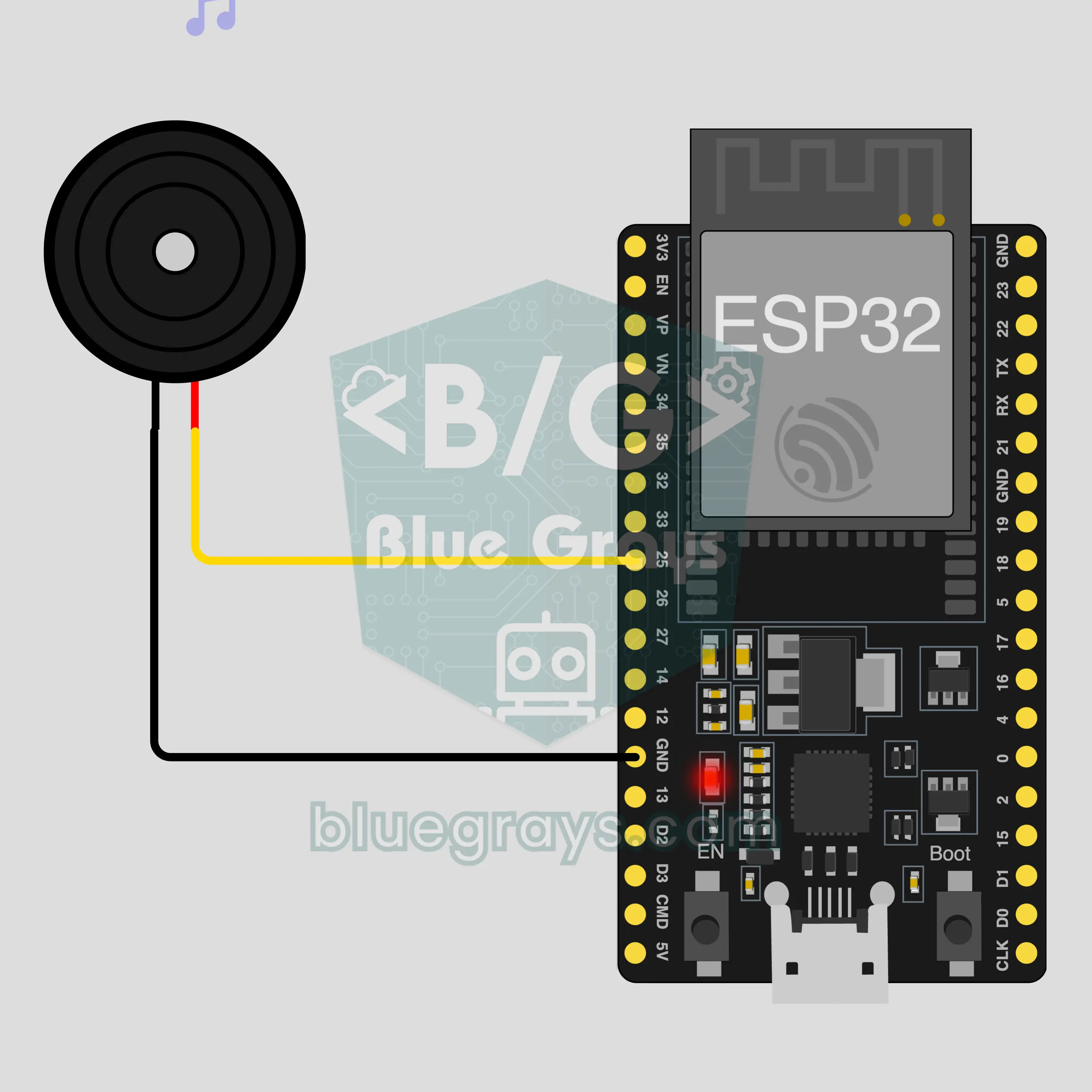
ESP32 Bluetooth Phone Piano
Turn your phone into an 8-key piano: press a key and a passive buzzer on the ESP32 plays that note, no internet or Wi-Fi needed. This is the step-by-step guide to the Phone piano Bluetooth template in the app, built with a buzzer and two jumper wires. Go to Workshop › Devices › Add a device › Bluetooth, pick Phone piano and upload the code with Get the code. The Set up as a Bluetooth panel button on this page opens the wizard with this template too.