
Teroka Projek Arduino
Ratusan projek dari pemula hingga mahir: gambar rajah litar, kod dan video. Mulakan di tahap mana pun kamu berada.
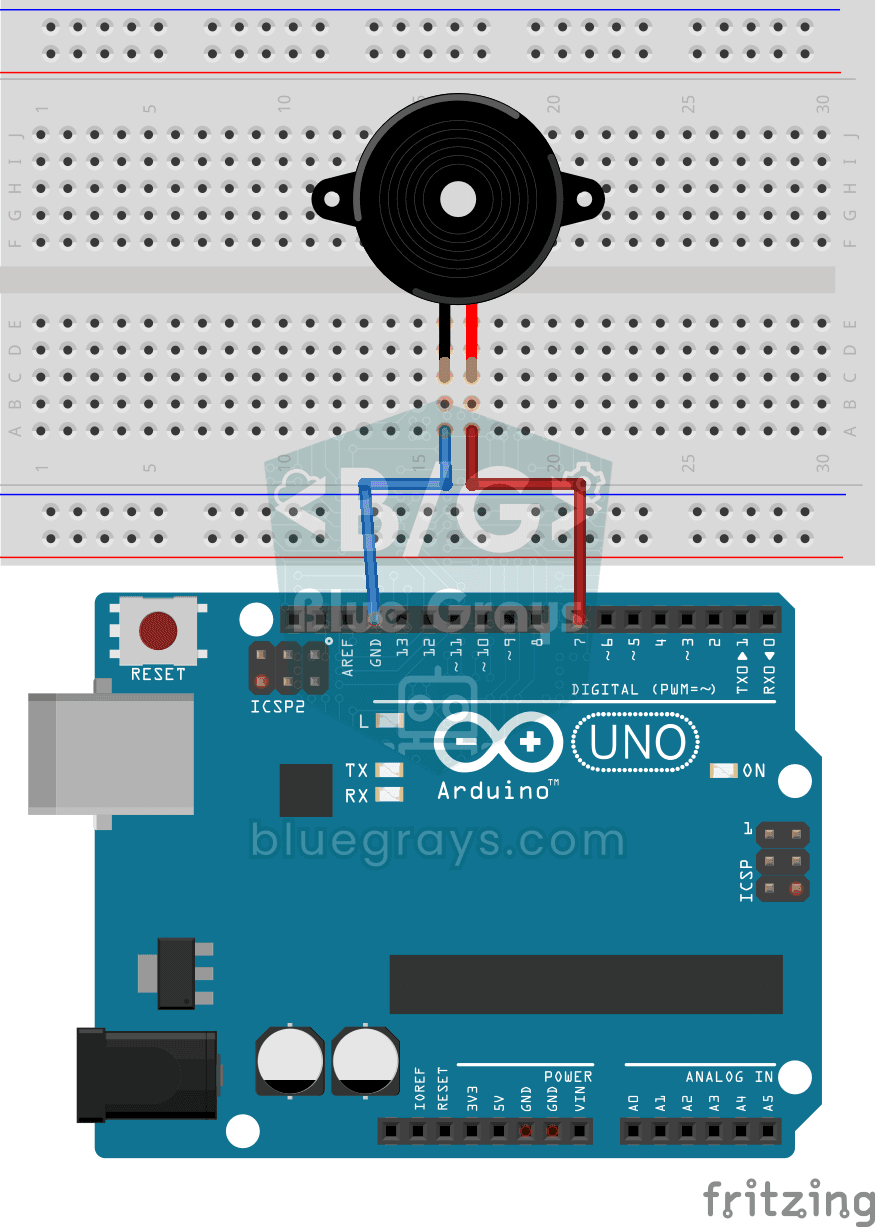
Using a Buzzer
Ever wondered how a doorbell or an alarm makes its sound? The Arduino makes a small buzzer beep at short intervals: beep, pause, beep, pause.
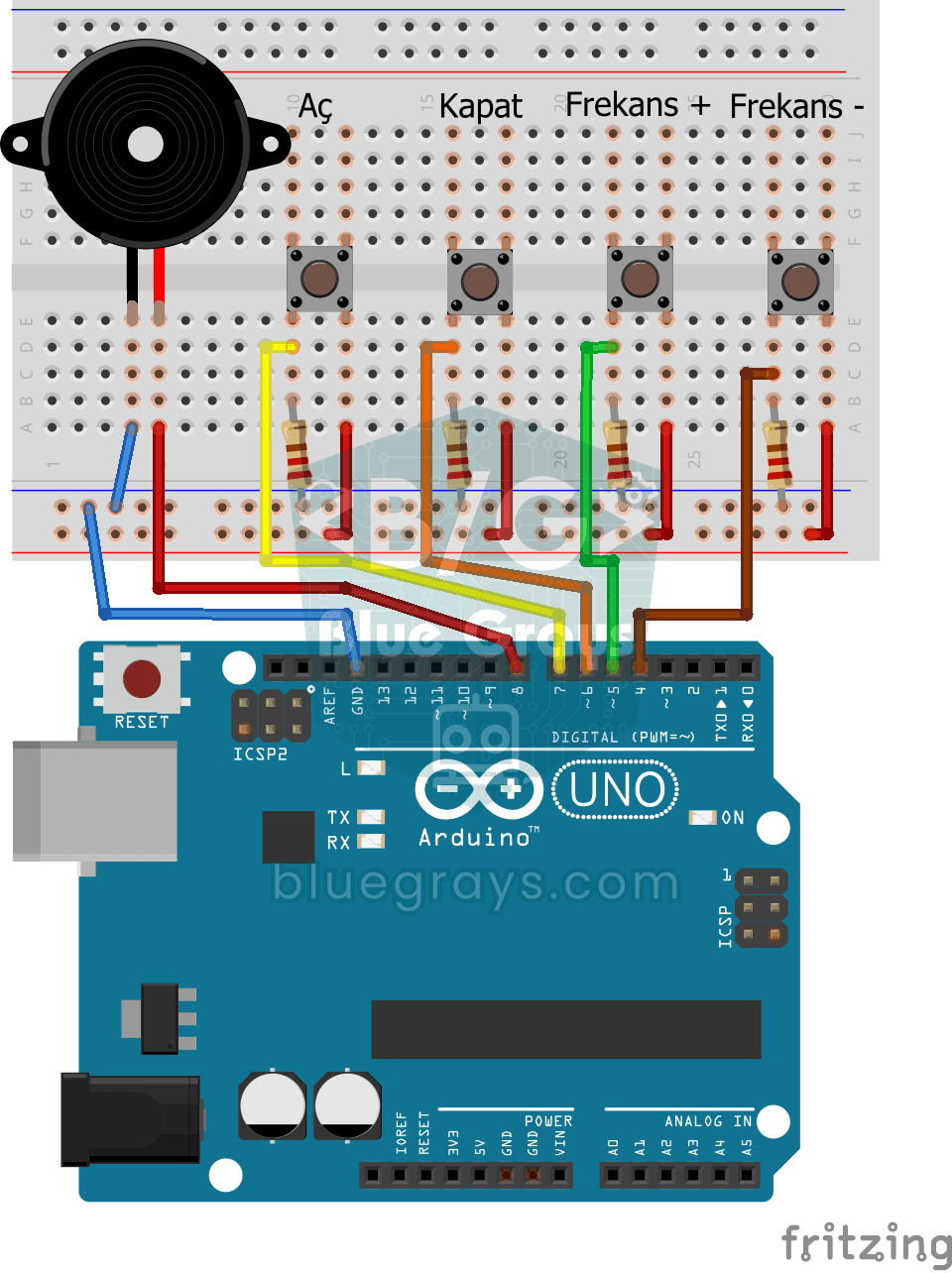
Frequency Setting with Buzzer
You control the sound of a buzzer with four buttons: one starts the sound, one silences it, and the other two make it higher or lower.
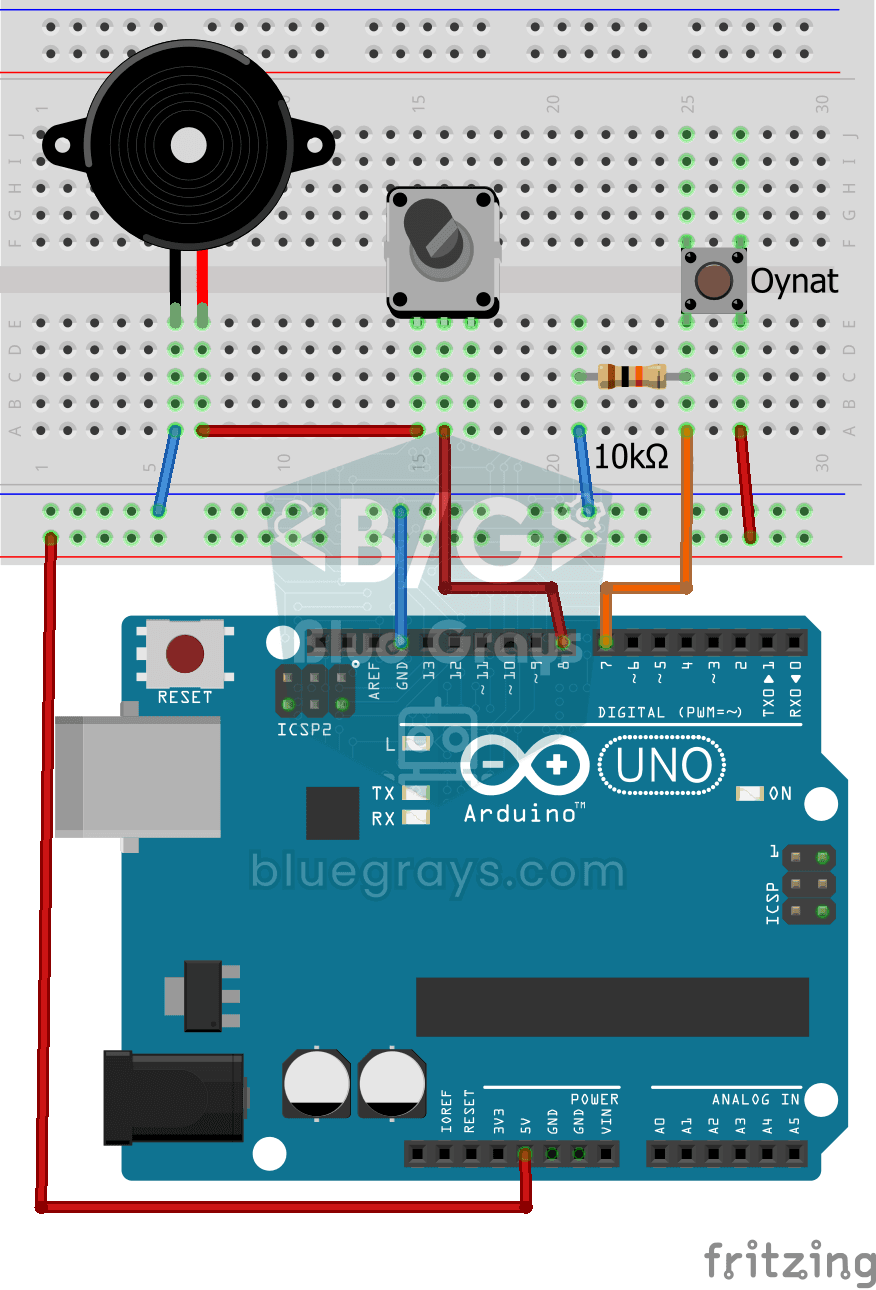
Turkish National Anthem with Buzzer
Press the button and a small buzzer starts playing the Turkish National Anthem, note by note.
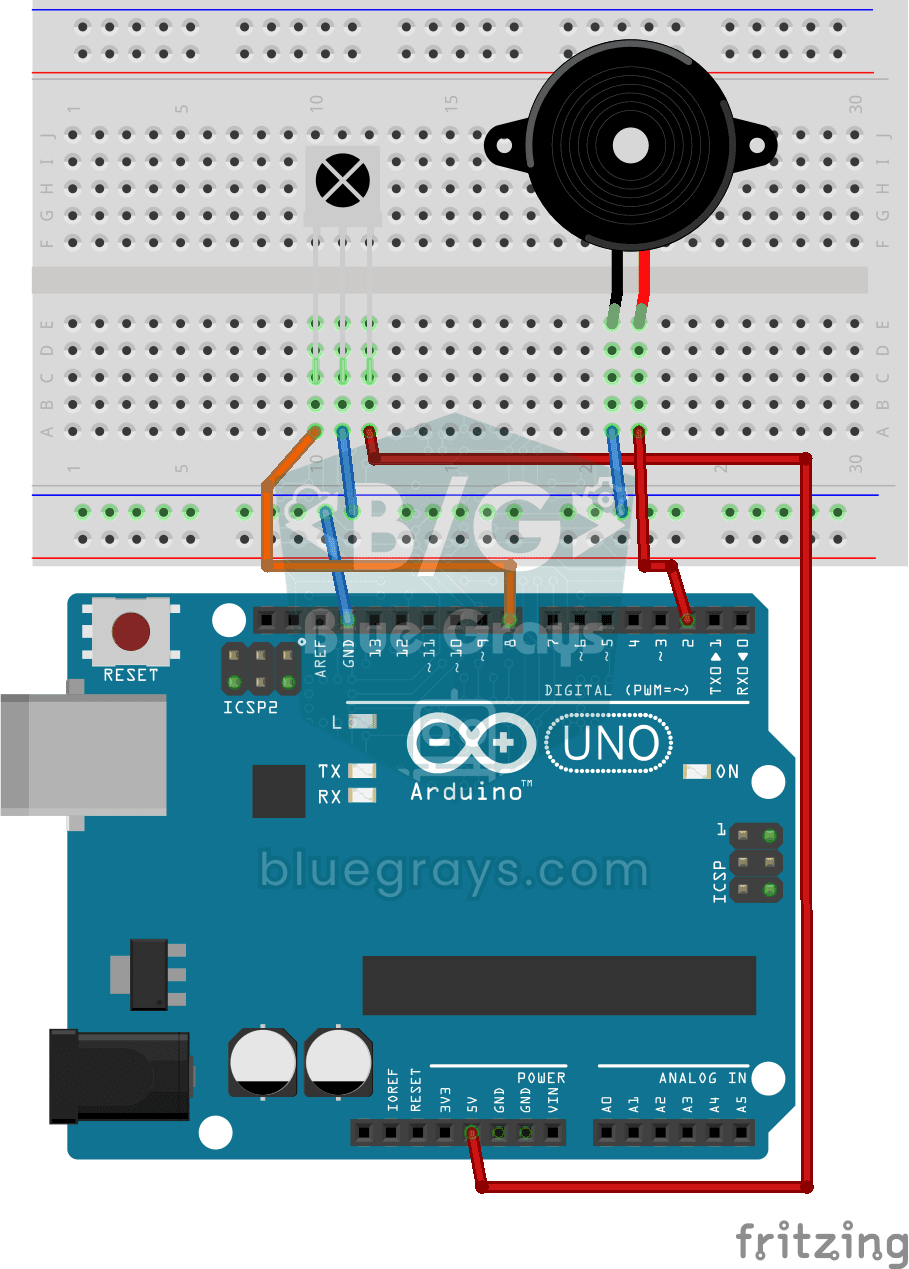
Playing Melodies with an IR Remote and Buzzer
Build a music box that plays tunes with the buttons of a TV remote. An infrared receiver catches the remote's signal; one button plays a lively video game tune through the buzzer, another a familiar…
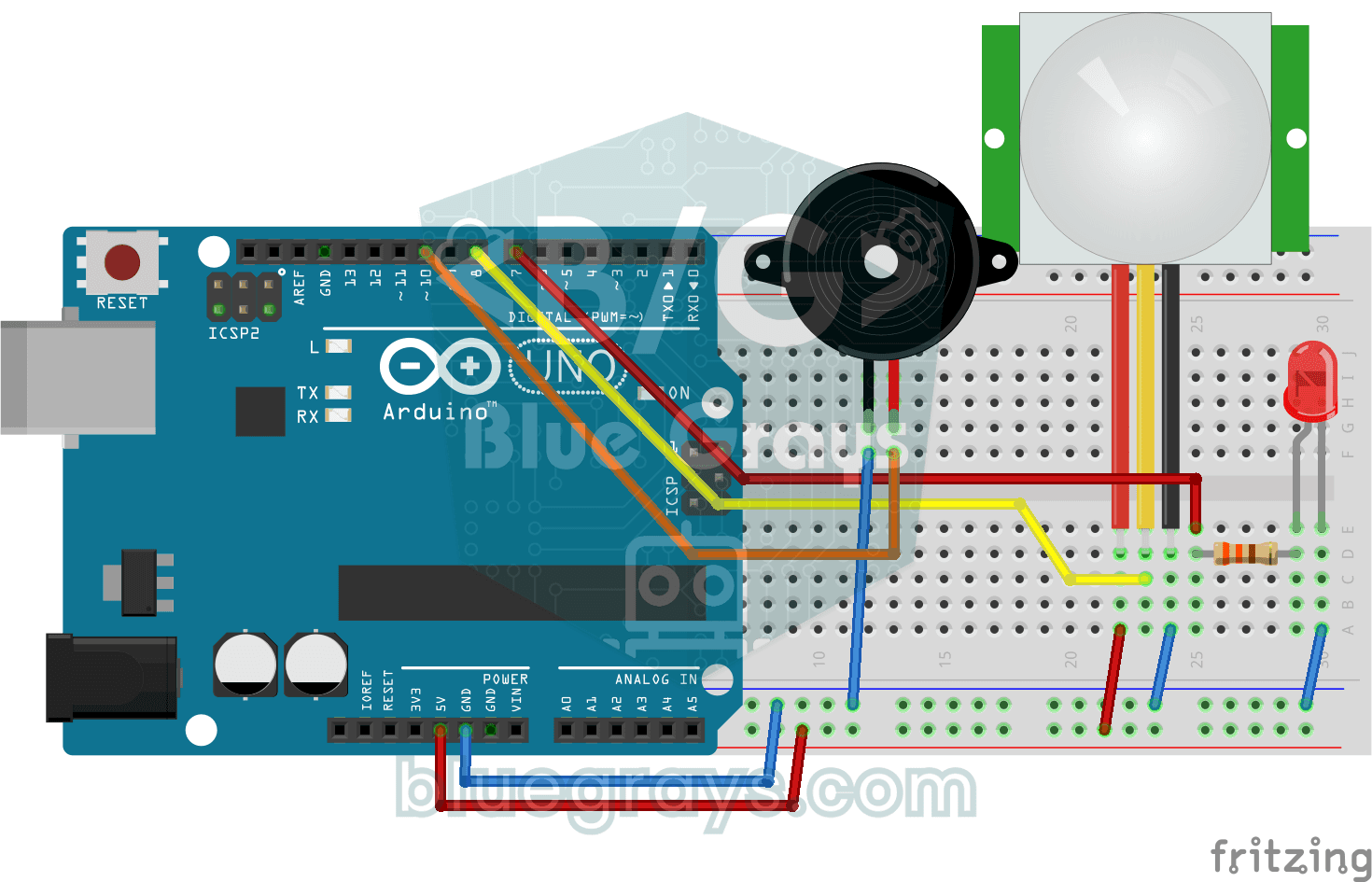
Doorbell and Light with Motion Sensor
When someone comes up to your door, you know before they even ring. As soon as the motion sensor spots someone, the LED lights up and the buzzer plays a three-note chime from high to low; when the…
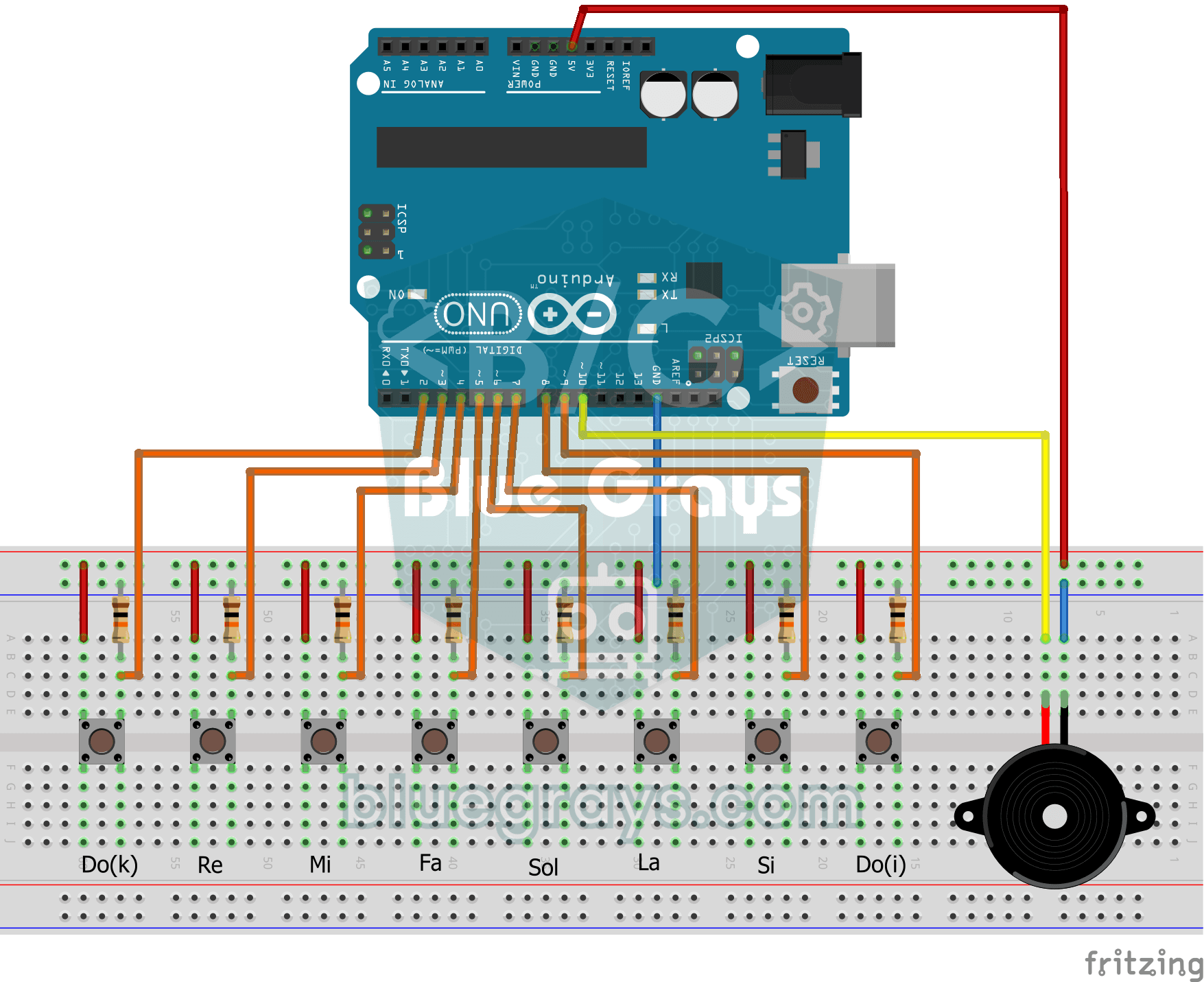
Simple Piano with Buzzer and Button
Build your own little piano with eight buttons. Each button is one note, from low to high: do, re, mi, fa, sol, la, ti and high do.
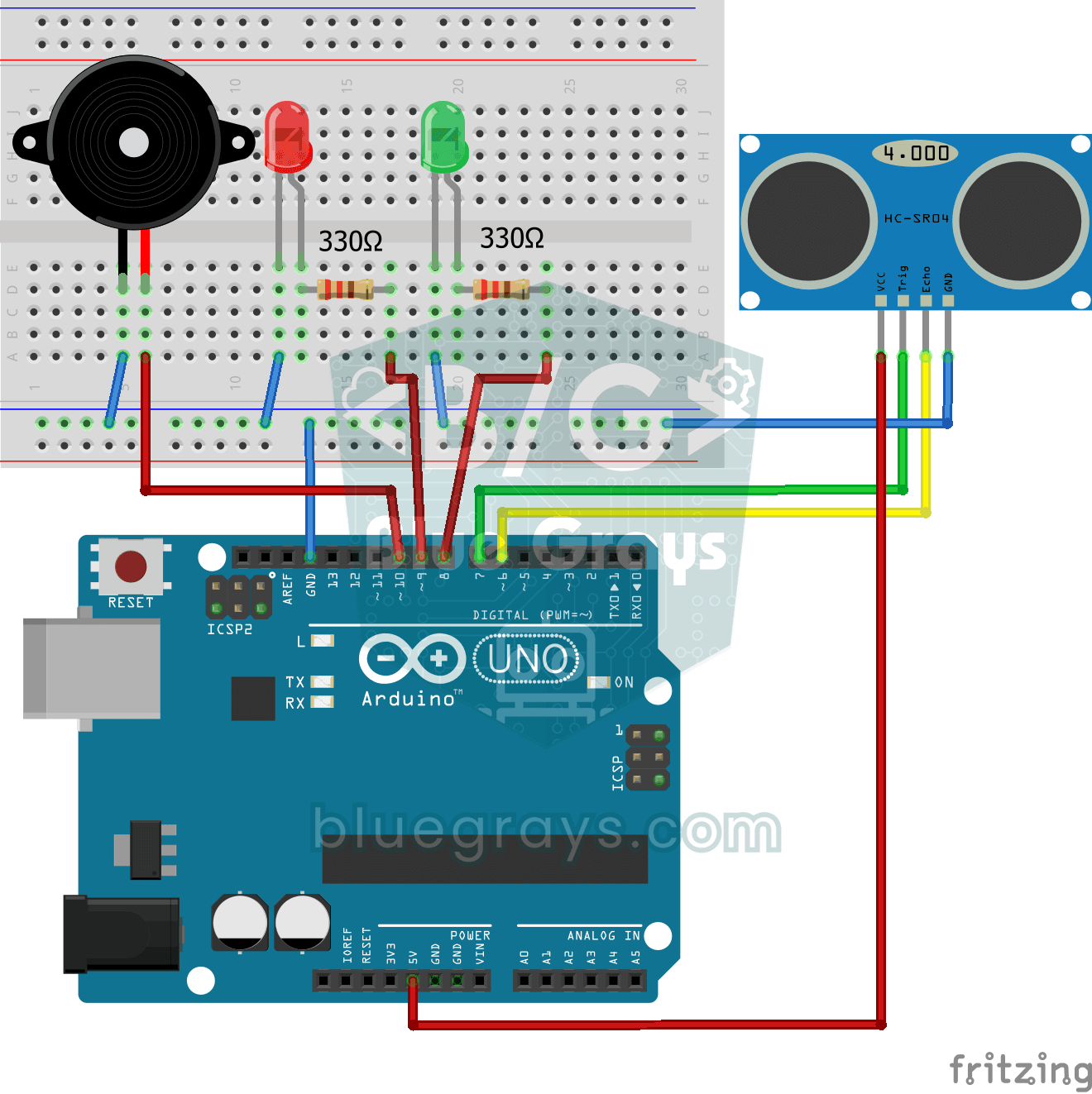
Parking Sensor with HC-SR04
A mini version of a car's parking sensor: the closer something gets, the faster the beeps.
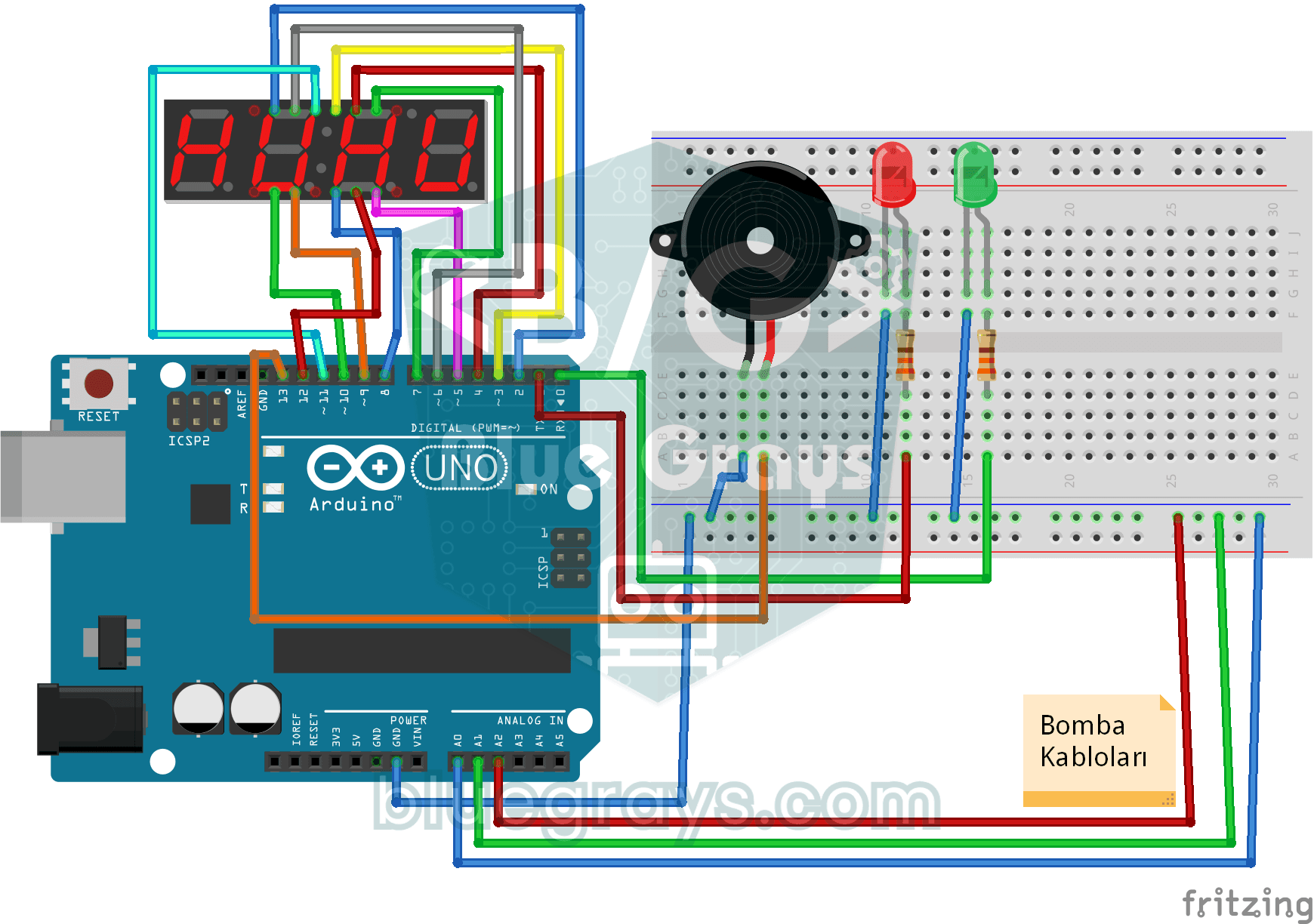
Bomb Animation with 4-Digit 7-Segment Display
The ticking bomb scene from the films, right on your desk and completely harmless: the 4-digit display counts down from 1:05, the buzzer beeps every second and the red LED blinks.
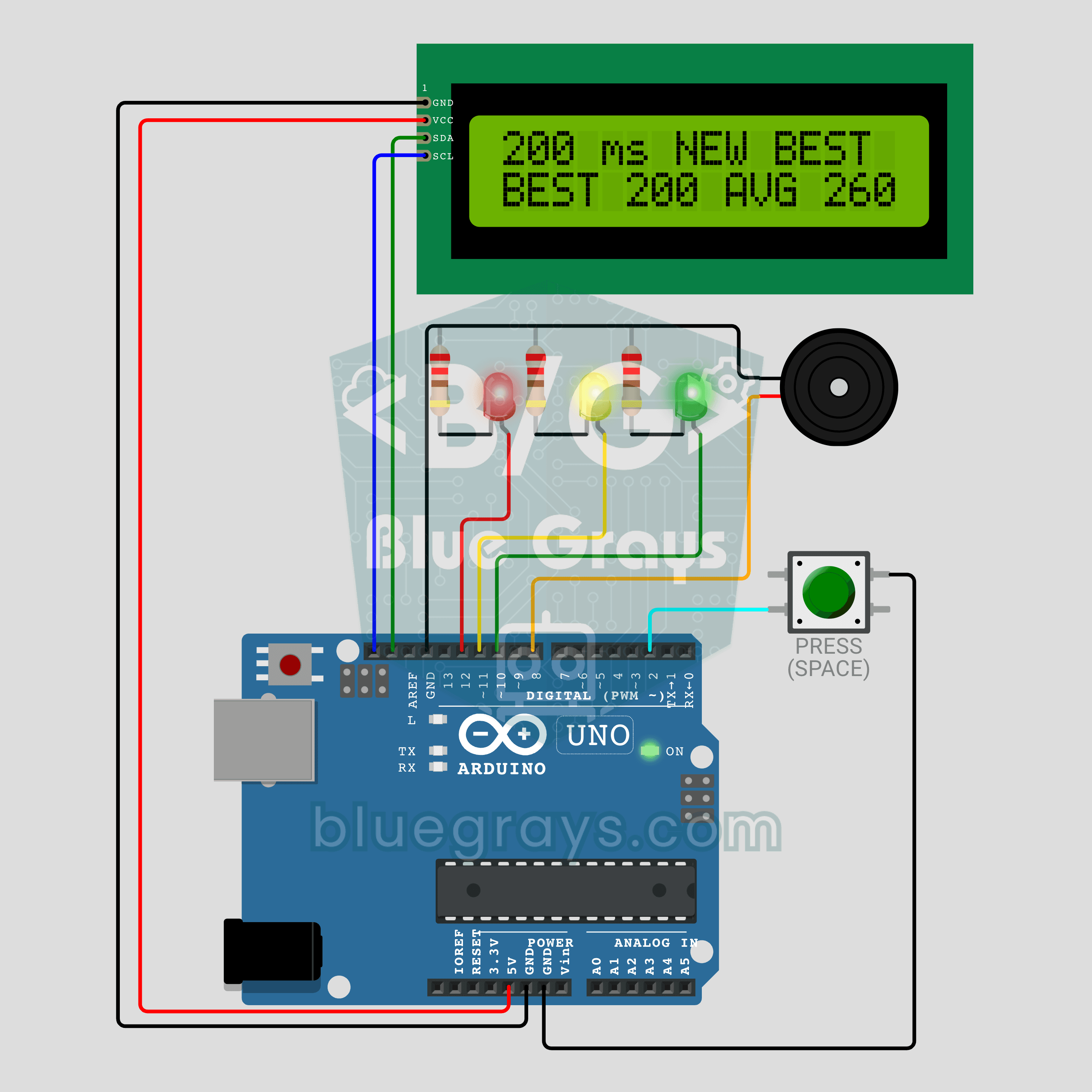
Arduino Reaction Time Test with Sound Cue: Measure Your Reflexes in Milliseconds (LCD + Buzzer + 3 LEDs)
How fast are your reflexes? Press the button: the red LED says get ready, the yellow LED says steady and a random wait of 1.5 to 3.5 seconds begins. The moment the green LED lights up and the buzzer beeps, press again; your reaction time appears on the I2C LCD in milliseconds, with your session best and average below it. Press before green and the screen shows TOO EARLY! with a losing sound. Hold the button for a new player, so everyone races the same wait order.

ESP32 Melody Playback with Buzzer
Playing a simple melody (Twinkle Twinkle Little Star) with a passive buzzer. We play notes with tone() and noTone() functions like in Arduino - ESP32 works with the same syntax as Arduino Core 3.0+. Passive buzzer must be used (active buzzer does not play melody).

ESP32 Parking Sensor (HC-SR04 + 5-LED Bar + Buzzer + OLED)
The ESP32 version of a car parking sensor! The HC-SR04 ultrasonic sensor measures the distance to the object in front. As it gets closer, a 5-LED bar fills up (green → yellow → red) and the buzzer beeps faster. Very close (under 10 cm), a continuous alarm sounds and all LEDs light up. The SSD1306 OLED display shows the live distance in cm in large text, plus a status message.
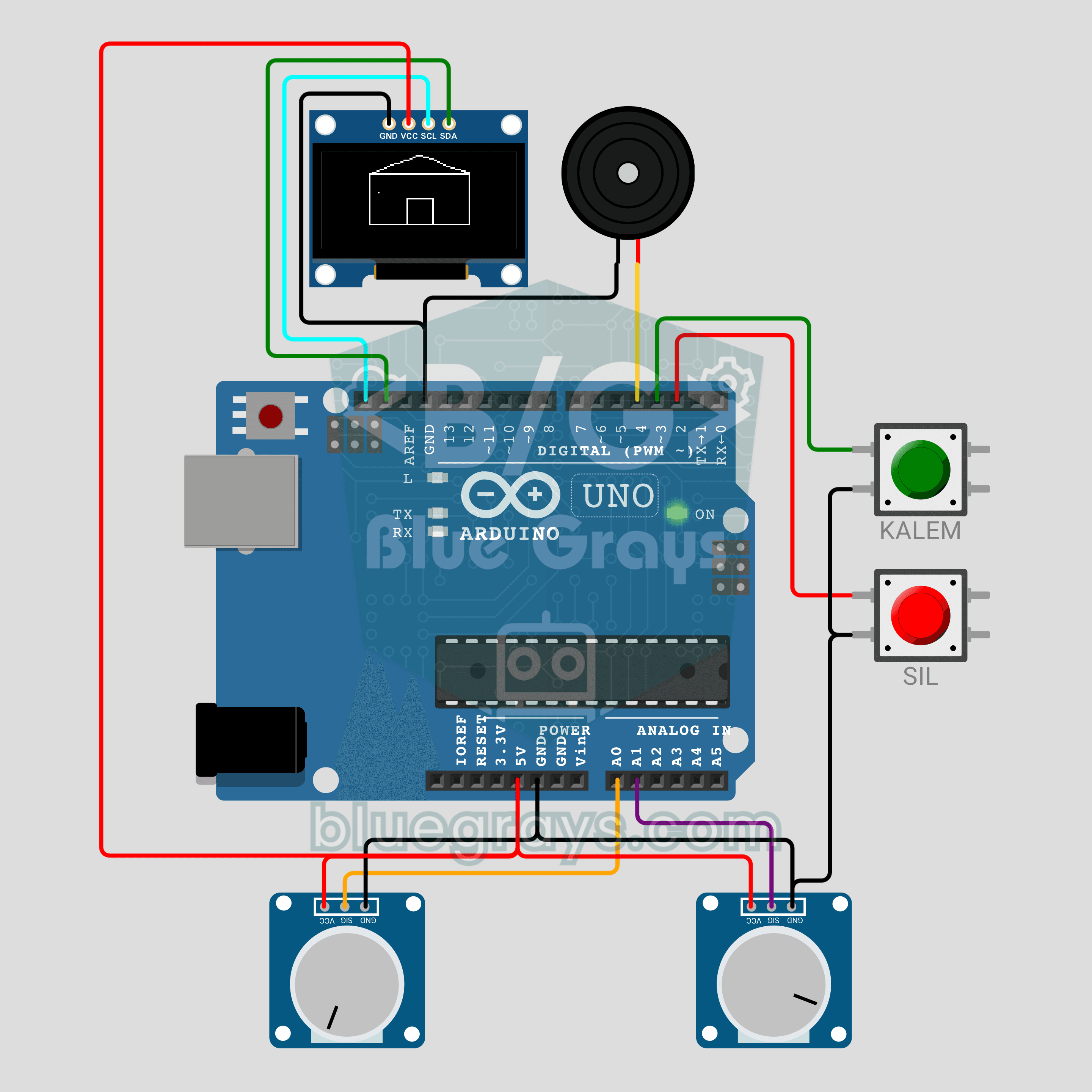
Arduino Magic Drawing Tablet (2 Potentiometers + OLED Display)
We are rebuilding the classic magic drawing tablet with an Arduino! The left potentiometer moves the pen horizontally, the right one vertically, and the 0.96 inch OLED keeps a continuous line. The PEN button lifts and lowers the pen, while the CLEAR button wipes the screen with an eraser animation and a buzzer sound. A fun beginner project about analog input, jitter filtering and drawing on a display.