
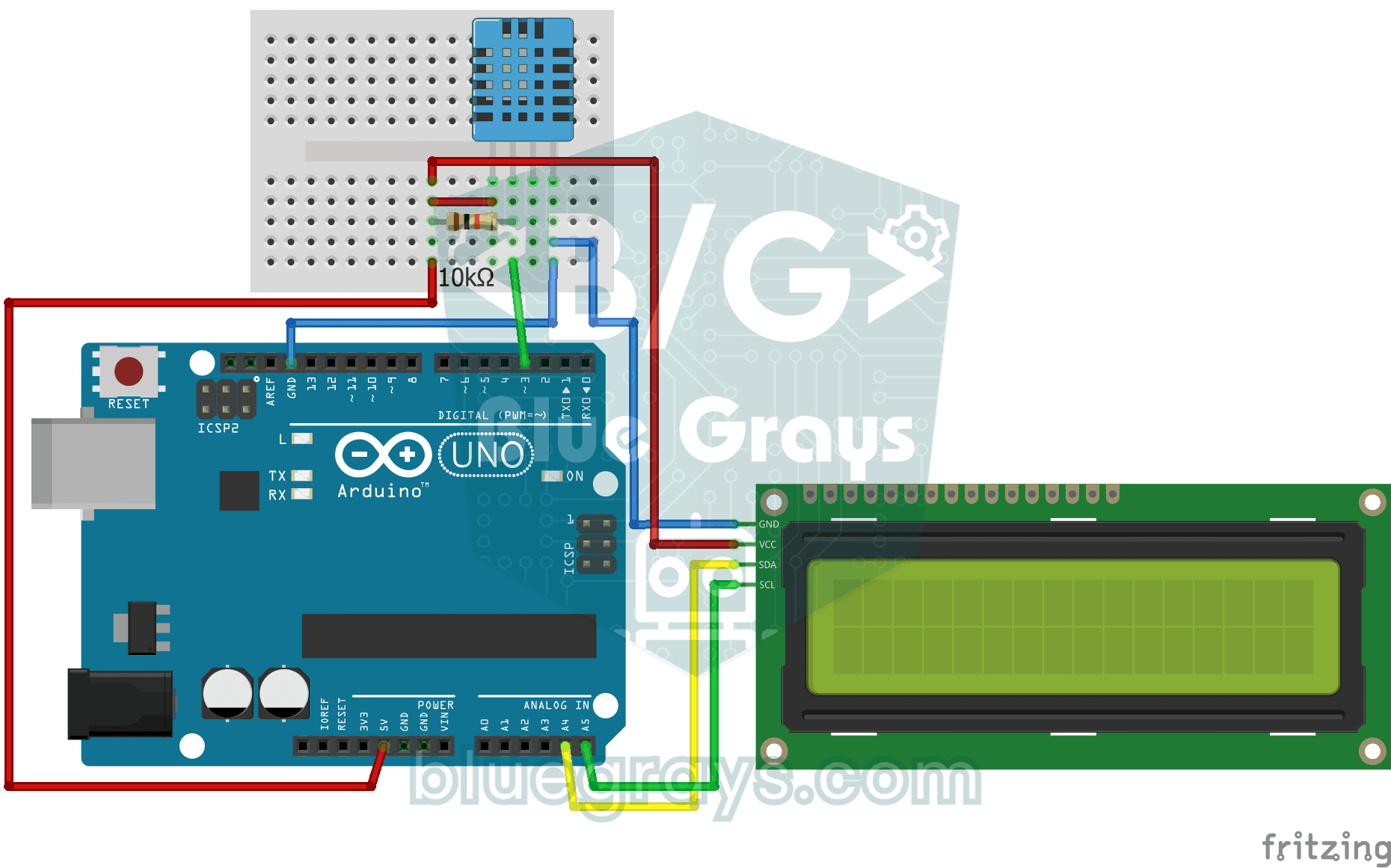
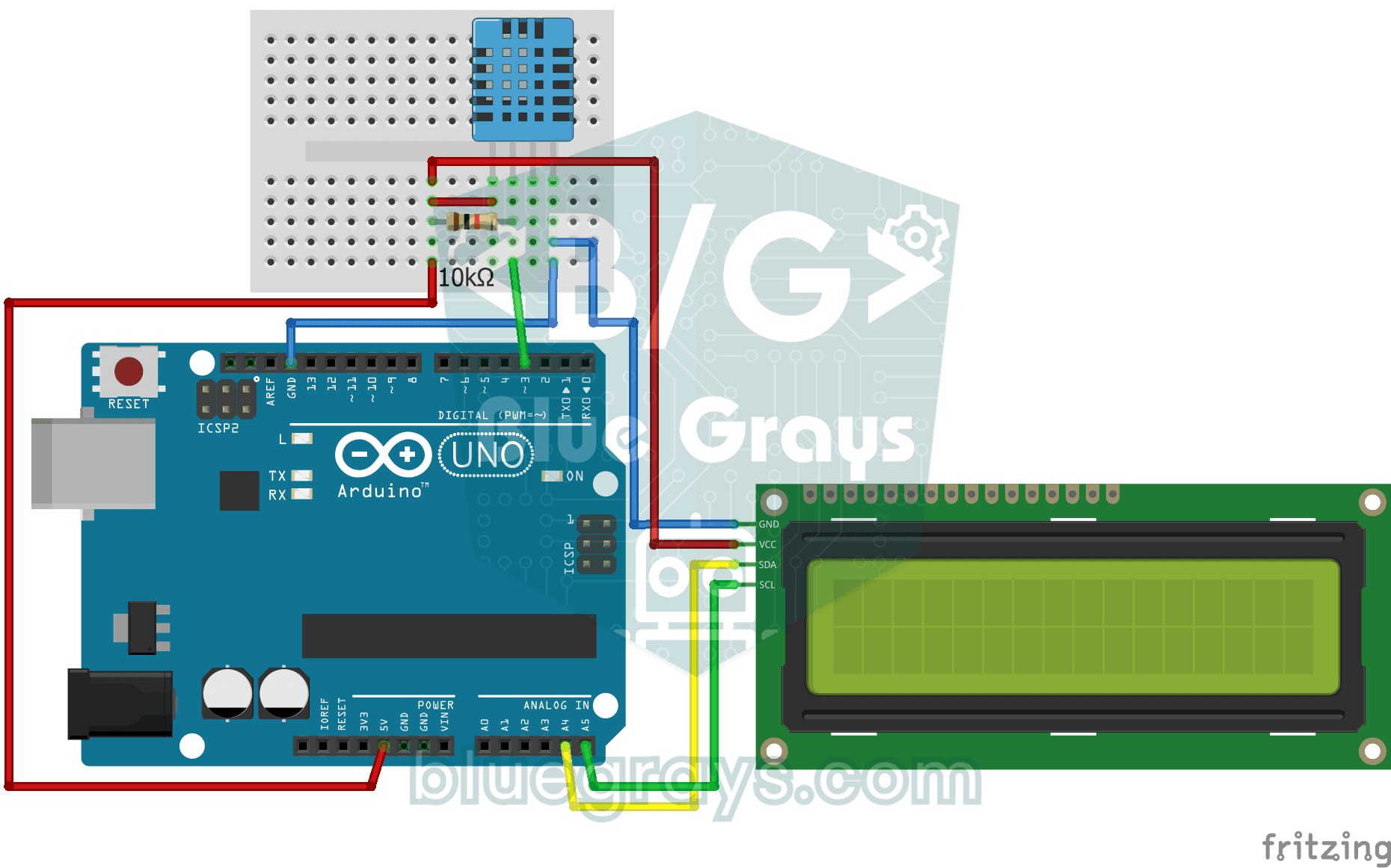
Project that measures the ambient temperature and humidity value with the DHT11 sensor and displays it on the I2C LCD screen. Teaches the use of digital temperature/humidity sensor.
Video
Circuit Diagram
Source Code
Arduino (C++)
1#include <LiquidCrystal_I2C.h>
2#include <Wire.h>
3#include <DHT.h>
4
5#define DHTPIN 3
6#define DHTTYPE DHT11
7
8LiquidCrystal_I2C lcd(0x27, 16, 2);
9DHT dht(DHTPIN, DHTTYPE);
10
11void setup() {
12  dht.begin();
13  lcd.init();      // Modern libraries prefer init() over begin()
14  lcd.backlight();
15}
16
17void loop() {
18  int humidity = dht.readHumidity();
19  float temperature = dht.readTemperature();
20
21  // Check if readings failed
22  if (isnan(humidity) || isnan(temperature)) {
23    lcd.setCursor(0, 0);
24    lcd.print("Sensor Error!   ");
25    return;
26  }
27
28  lcd.setCursor(0, 0);
29  lcd.print("Temp: ");
30  lcd.print(temperature);
31  lcd.print((char)223); // Degree symbol (°)
32  lcd.print("C   ");
33
34  lcd.setCursor(0, 1);
35  lcd.print("Humidity: %");
36  lcd.print(humidity);
37  lcd.print("   "); // Trailing spaces to clear old data
38
39  delay(2000); // DHT11 is slow, 2 seconds is more stable
40}
FAQ
How accurate are DHT11 measurements?▾
The DHT11 measures temperature with an accuracy of ±2 °C and humidity with an accuracy of ±5%, and operates within the 0–50 °C range. For more accurate measurements, the DHT22 (±0.5 °C) or the BME280 is recommended.
I see "nan" or an error message on the screen. Why?▾
The sensor could not be read. Check the 10 kΩ pull-up resistor on the data pin, the sensor type (DHT11) in the library settings, and make sure you wait at least 1–2 seconds between readings.
Why are the readings updating slowly?▾
The DHT11 can take a maximum of one measurement per second. Attempting to take readings more frequently will result in incorrect or outdated values; it is recommended to wait 2 seconds between measurements.
Can I calculate the perceived temperature?▾
Yes, the computeHeatIndex() function in the DHT library calculates the perceived temperature based on temperature and humidity.