

部屋の照明スイッチのように、ボタンを1回押すと点灯し、もう1回押すと消灯します。Arduinoはボタンが押されるたびにLEDの状態を反転させます。ボタン内部の小さな接点の振動で誤動作しないよう、短い待ち時間も設けます。1つのボタンでオン・オフを切り替える、シンプルな仕組みです。
動画
回路図

ソースコード
Arduino (C++)
1// ─────────────────────────────────────────
2//   BlueGrays · bluegrays.com
3//   Toggle an LED with a Button (On/Off)
4// ─────────────────────────────────────────
5// Each button press toggles the LED once (on/off). The code only catches
6// the moment of the press (LOW -> HIGH); holding the button does not make
7// the LED blink. The 50 ms wait ignores button bounce.
8//
9// Pins:
10//   D13 -> Button, other leg to 5V
11//   D13 -> 10k resistor to GND (pull-down)
12//   D7  -> LED (with a 330 ohm resistor)
13
14int ledState = 0;     // LED state: 0 = off, 1 = on
15int lastButton = 0;   // Previous button reading
16
17void setup() {
18  pinMode(13, INPUT);   // Button input (external pull-down)
19  pinMode(7, OUTPUT);   // LED output
20}
21
22void loop() {
23  int button = digitalRead(13);   // Read the button
24  if (button != lastButton) {     // Button state changed
25    if (button == 1) {            // Only at the press (LOW -> HIGH)
26      ledState = !ledState;       // Flip the state
27      digitalWrite(7, ledState);
28    }
29    delay(50);                    // Short wait to skip the bounce
30    lastButton = button;          // Store this reading
31  }
32}
33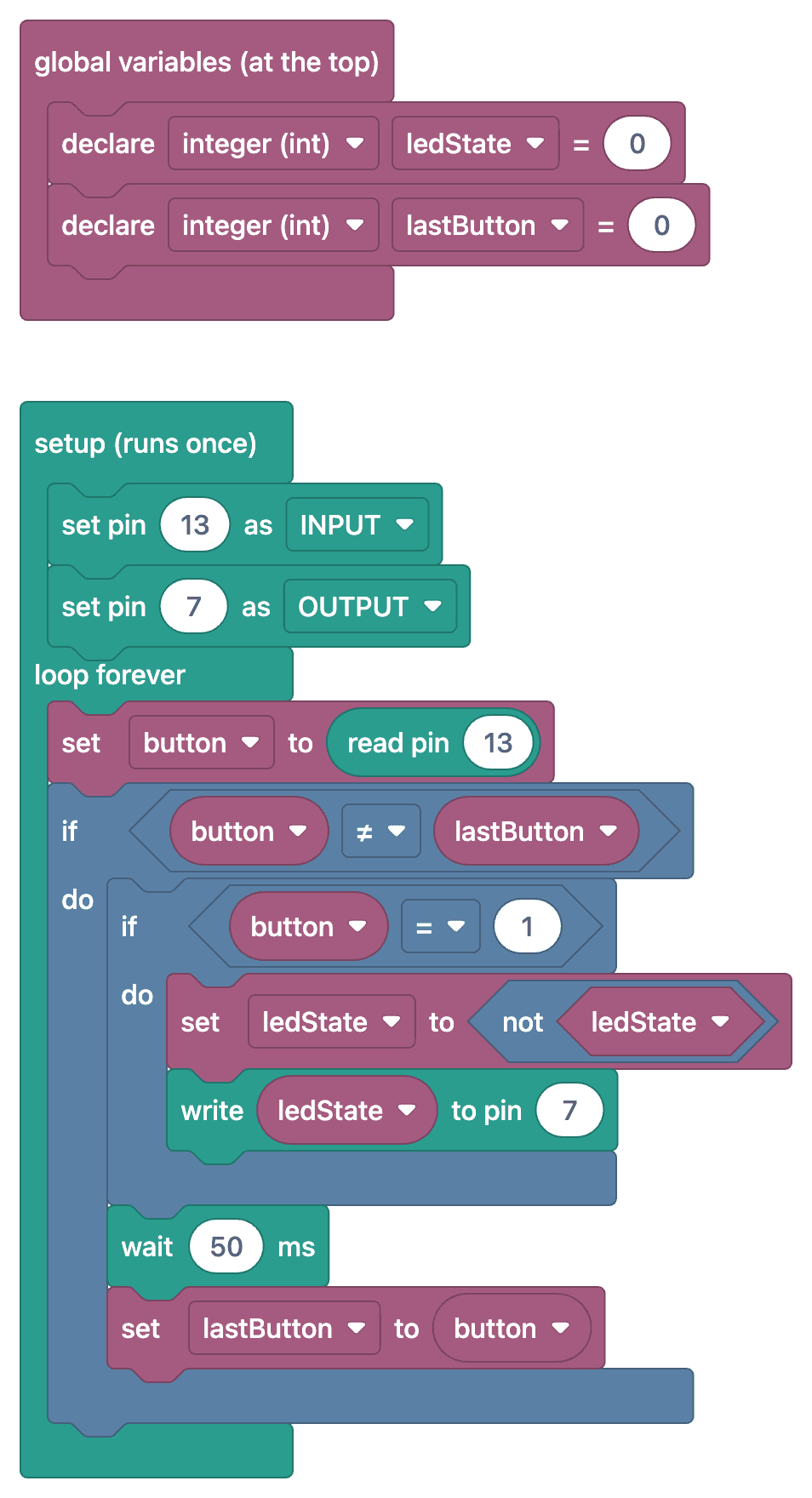
よくある質問
チャタリング対策とは何ですか?なぜ必要ですか?▾
機械式ボタンは、押した瞬間の数ミリ秒間に接点の開閉を何度も繰り返します。これをチャタリングと呼びます。Arduinoが複数回押されたと判断すると、LEDの状態が不定になります。状態が変化した後に短時間(例:50 ms)待つことで、このチャタリングを無視します。
LEDの状態が変わらなかったり、2回変わったりするのはなぜですか?▾
多くの場合、チャタリング対策がないか、待ち時間が短すぎることが原因です。また、ボタンが「押された」瞬間(前の状態がLOW、新しい状態がHIGH)だけを検出する必要があります。押し続けている間、ループのたびに状態を変えると、LEDがちらつき、最終的な状態が不定になります。
状態を保持する変数は何のために使いますか?▾
LEDが点灯しているか消灯しているかを記憶します。有効なボタン操作のたびに変数を反転させ(ledStatus = !ledStatus)、その値に応じてLEDを制御します。
複数のボタンで別々のLEDを制御できますか?▾
はい、ボタンごとに別のピンを使い、前の状態とLEDの状態をそれぞれ別の変数で保持すれば制御できます。ボタンが多い場合は、配列とmillis()を使ったチャタリング対策でコードを整理しやすくなります。