
Teroka Projek Arduino
Ratusan projek dari pemula hingga mahir: gambar rajah litar, kod dan video. Mulakan di tahap mana pun kamu berada.
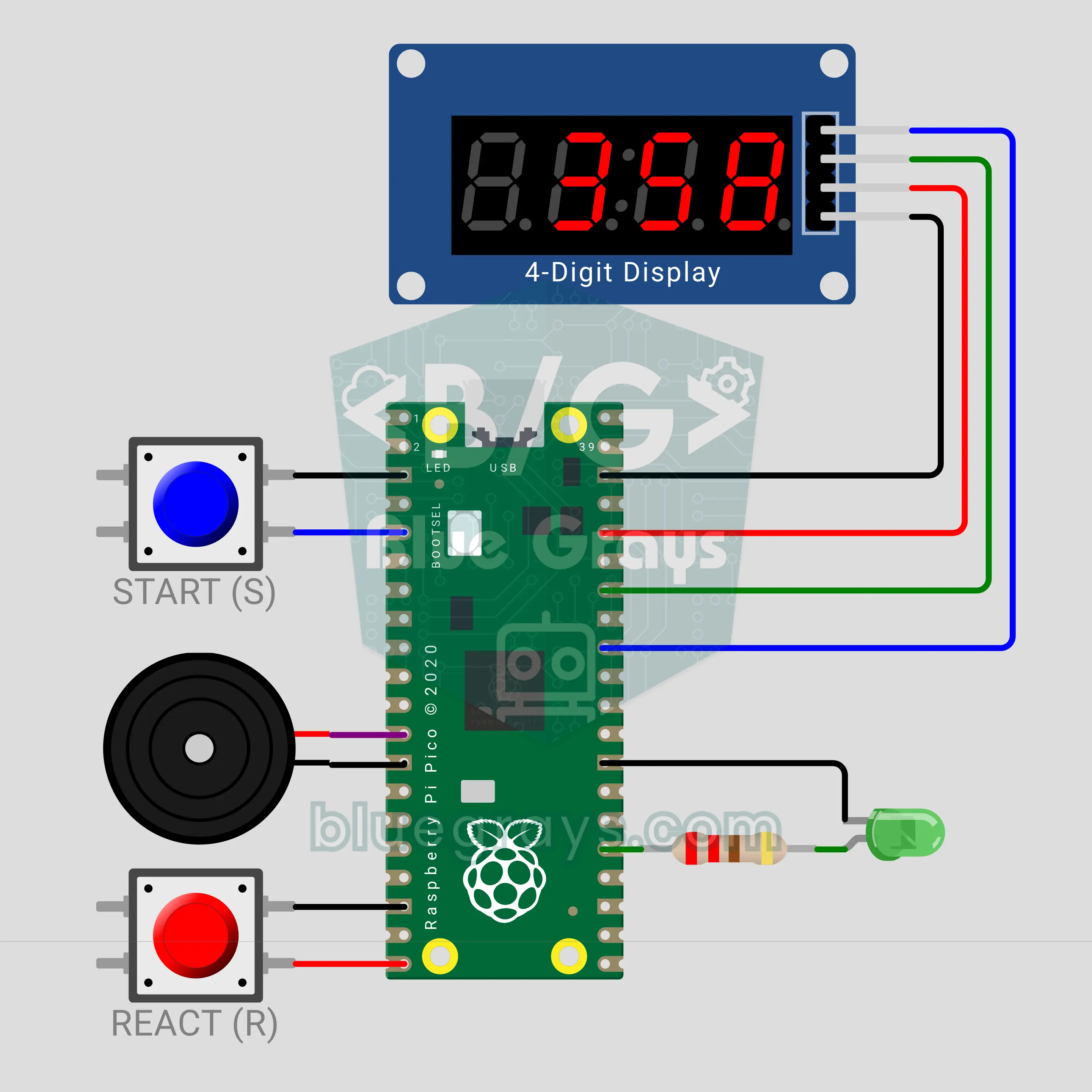
Pico Reaction Timer: A Millisecond Reflex Game (Pin.irq + TM1637)
Press START, the LED lights up at a random moment with a beep; how fast you hit the REACT button shows on the TM1637 display in milliseconds. The press is caught by a Pin.irq interrupt and its timestamp is taken right then, so the measurement stays exact even when the loop is busy. Press before the LED and you get "Err". The average of 5 rounds and your record are shown: 313 ms average and a 257 ms record in the video.
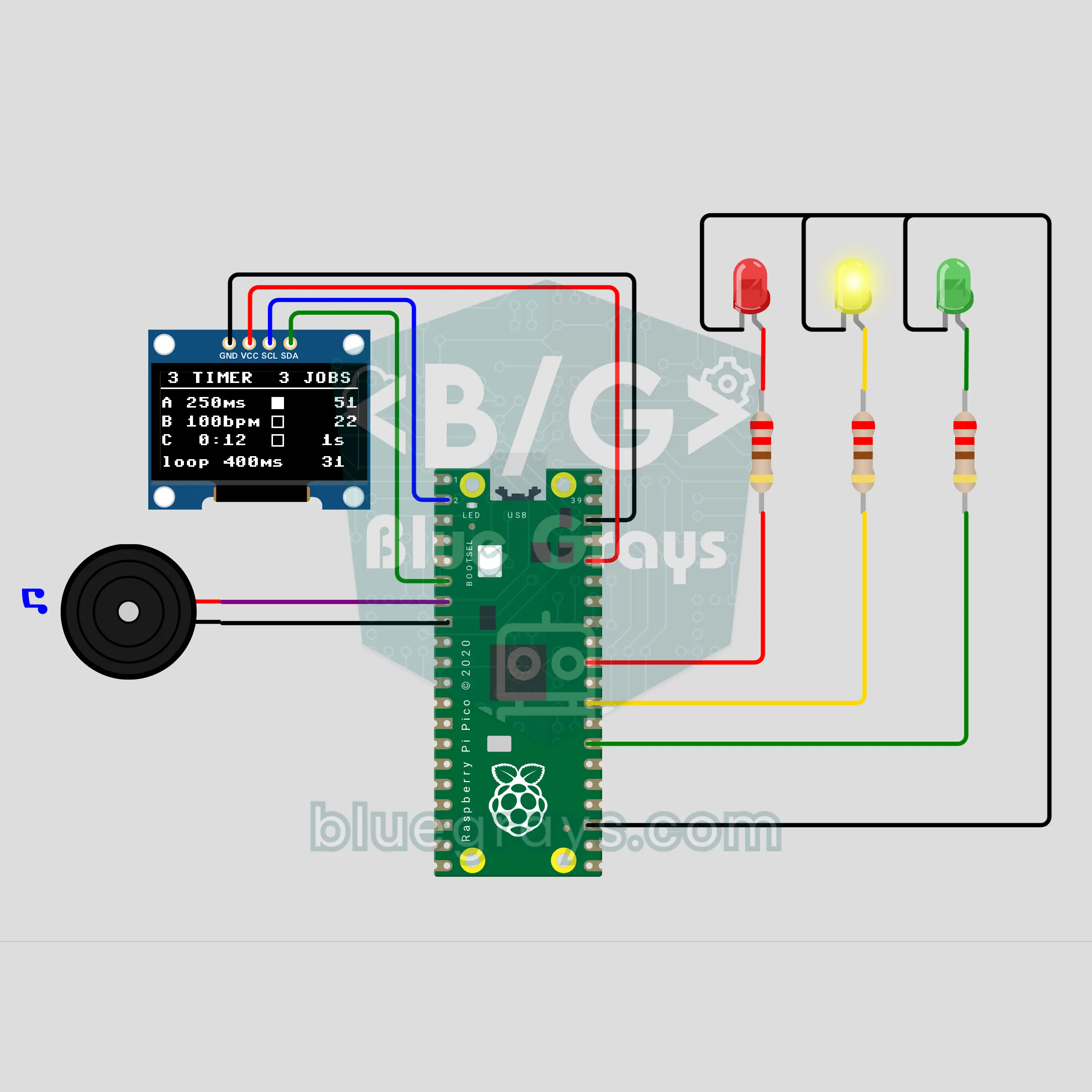
Pico Multitasking with Three Timers: LED, Metronome and Clock at Once (machine.Timer + OLED)
Three machine.Timers run three jobs at once: the red LED blinks every 250 ms, a metronome beeps 100 times a minute and lights the green LED, and the yellow LED counts the seconds. The main loop deliberately sleeps 400 ms on every pass, yet the rhythms never slip; the OLED shows how many times each timer has run. You learn real multitasking, which delay cannot do, and the keep-the-ISR-short rule.
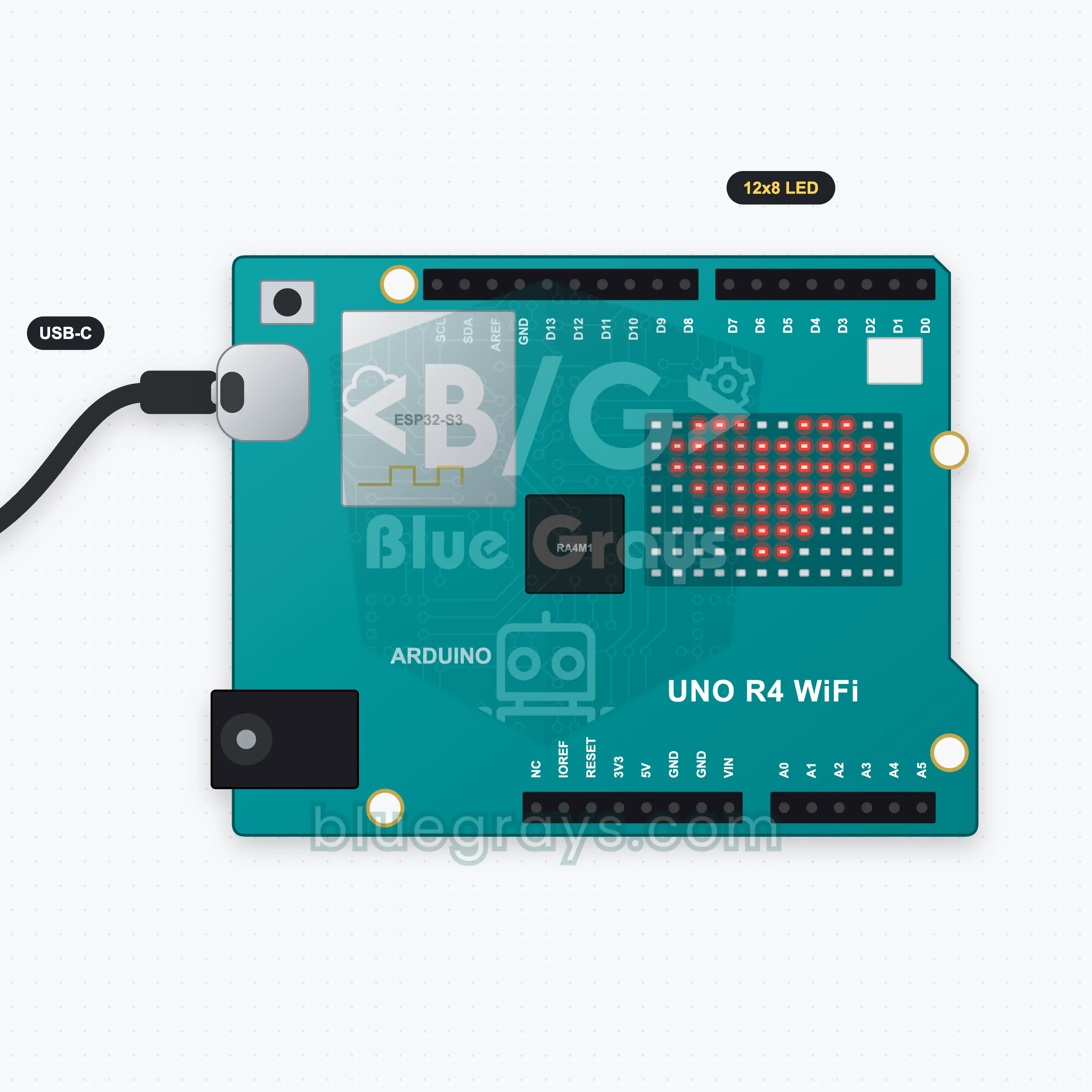
UNO R4 WiFi LED Matrix Text and Animation
The 12x8 LED matrix on the UNO R4 WiFi needs no extra parts at all. In this project a message scrolls across the matrix from right to left, then a heart beats three times and a smiley winks. Type your own message in the Serial Monitor, press Enter and it scrolls instead. You learn text scrolling with ArduinoGraphics and drawing your own animation frames as 8x12 arrays.
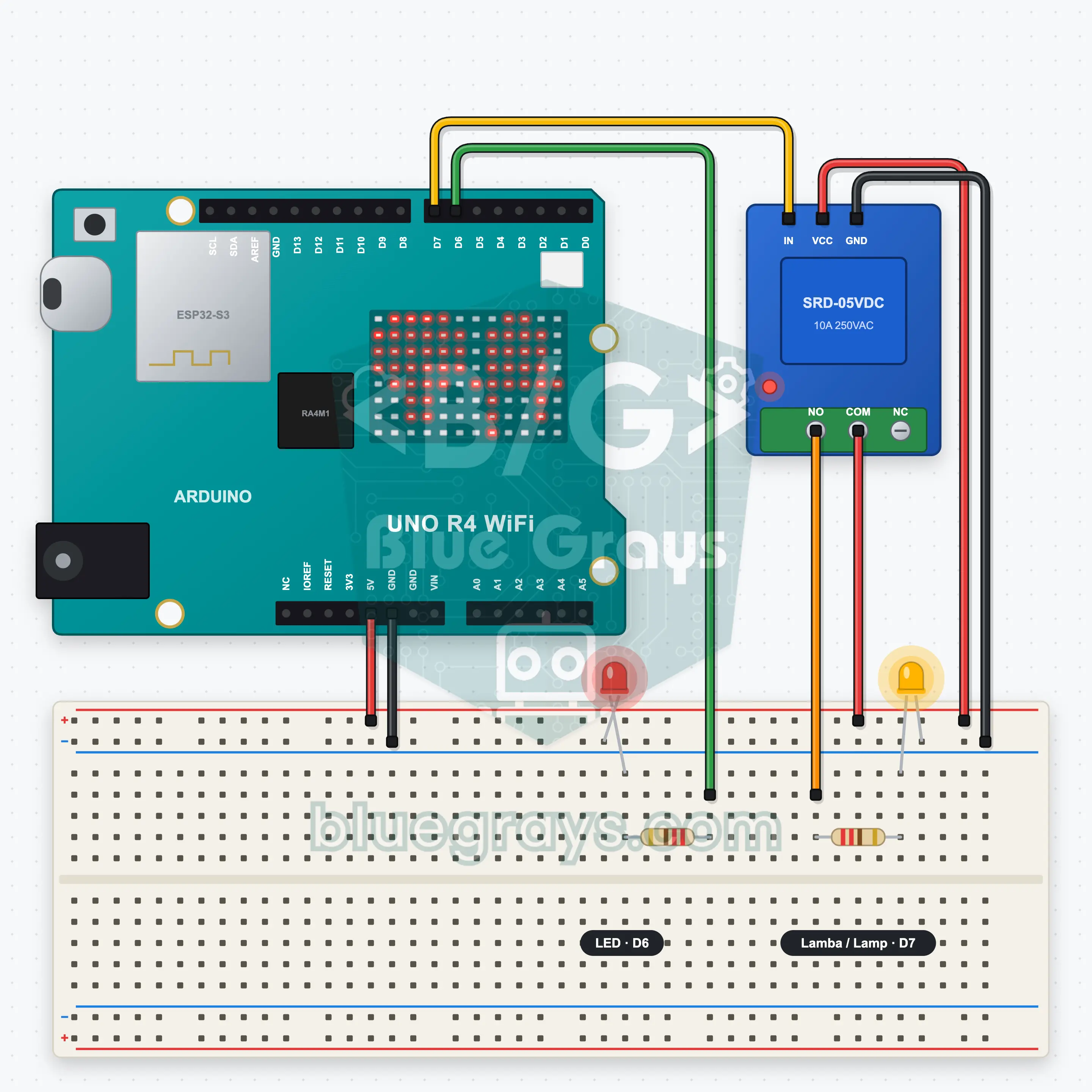
UNO R4 WiFi Web Server: Relay and LED
The UNO R4 WiFi joins your home Wi-Fi and serves its own web page. Two big buttons in your phone's browser switch the relay (a lamp LED) and a second LED on and off; no extra app needed. At start-up the board's IP address scrolls on the LED matrix, then the matrix shows the state with two icons: the lamp on the left, the LED on the right. You learn to build a web server with the R4's own WiFiS3 library.
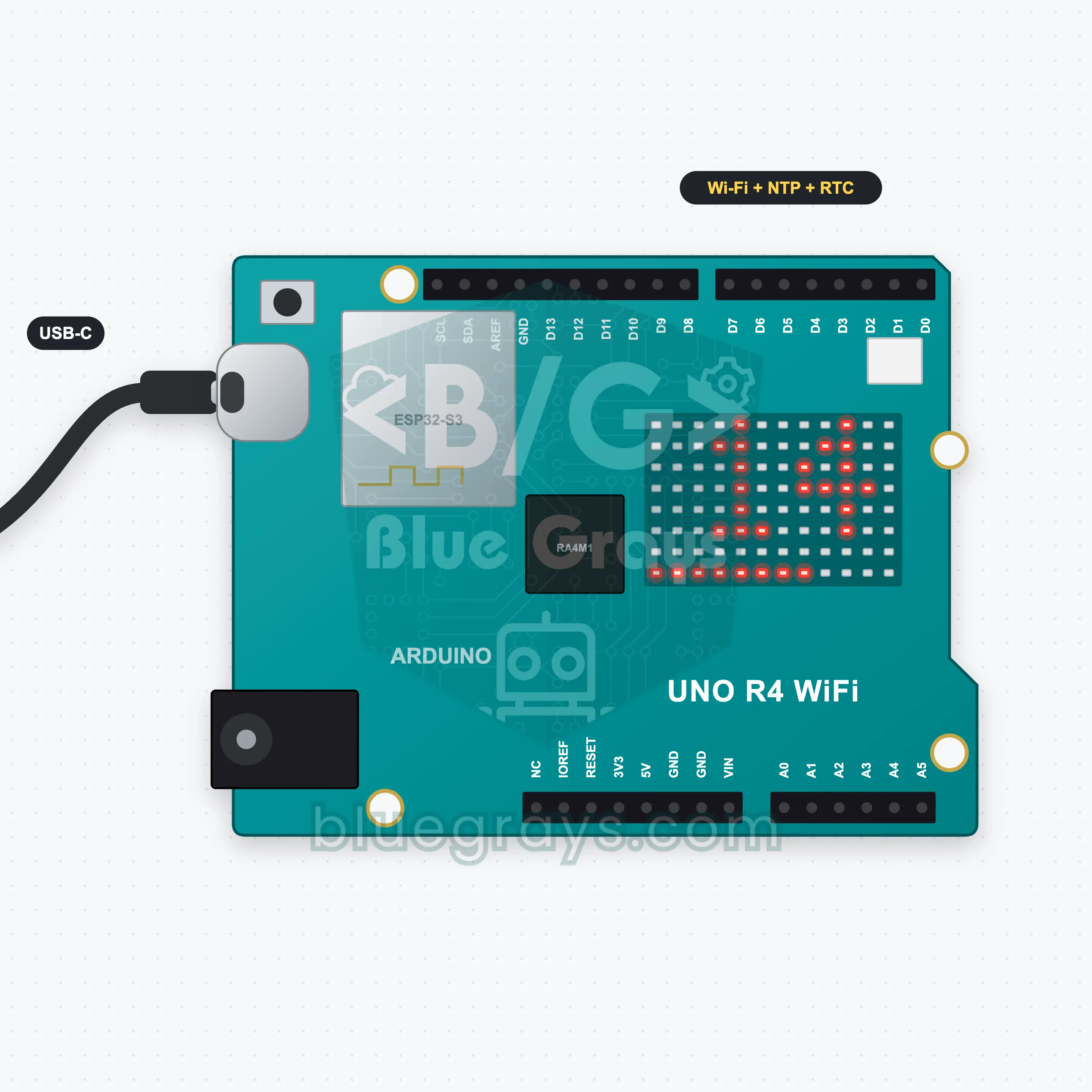
UNO R4 WiFi Internet Clock: NTP and Matrix
A clock you never have to set: the UNO R4 WiFi joins Wi-Fi, gets the time from an NTP server on the internet and sets the RTC (real-time clock) inside the board. Hours and minutes scroll across the 12x8 LED matrix and the bottom row shows the seconds as a filling bar. The clock is corrected from the internet every 6 hours; unplug it, plug it back in and it finds the right time again by itself. No extra parts.
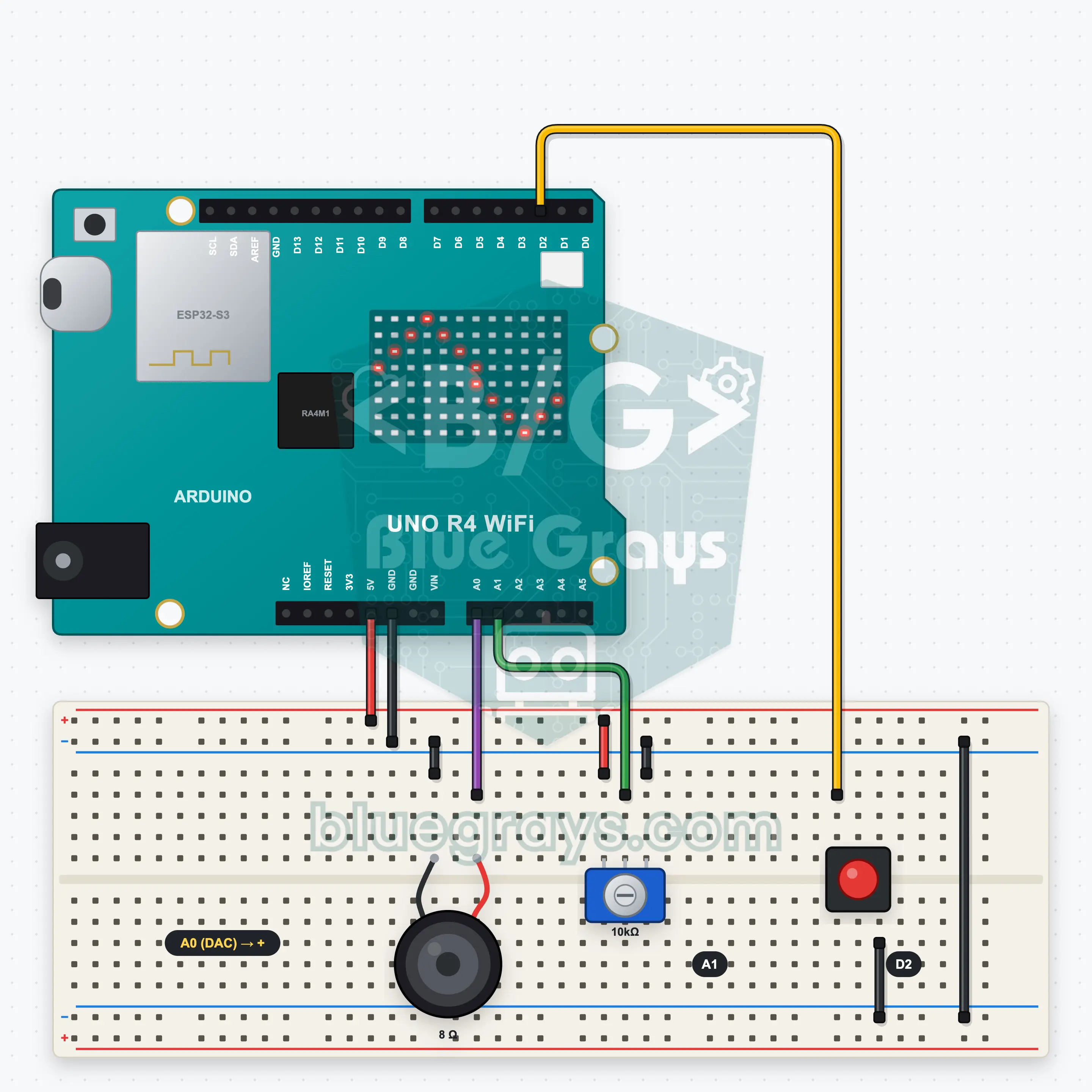
UNO R4 WiFi DAC Melody and Wave Generator
A classic Arduino makes sound only by switching on and off; the UNO R4's 12-bit DAC sends a real waveform to the speaker. In this project a button cycles four modes: a melody (Ode to Joy), a sine, a square and a sawtooth wave. In the melody the pot sets the tempo; for the waves it sets the frequency from 100 to 1000 Hz. The 12x8 LED matrix scrolls the current wave shape or shows the notes like a piano roll.
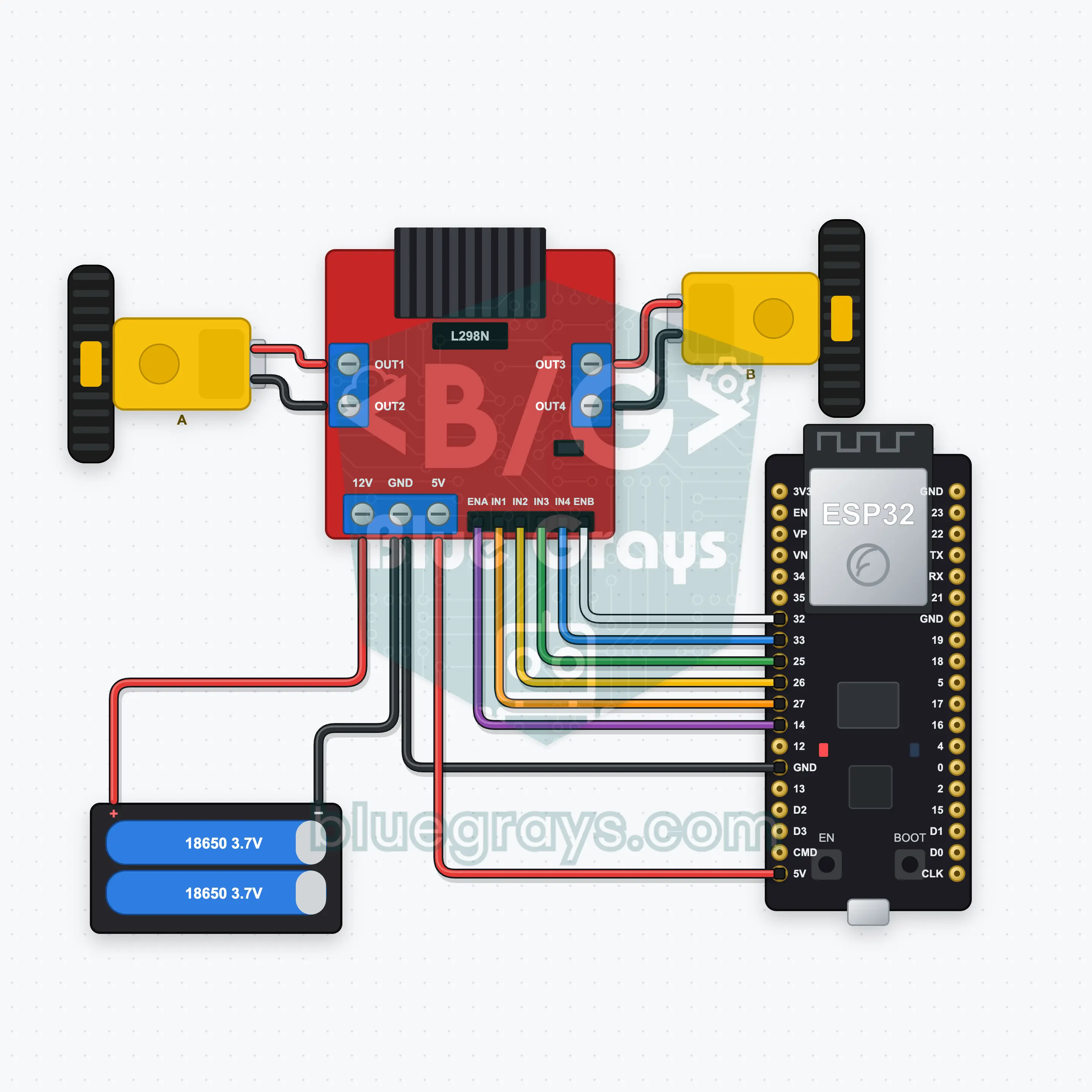
ESP32 Bluetooth Car (L298N)
Drive a two-wheel car over Bluetooth with the joystick on your phone; no internet needed, works on iPhone and Android. This project is the step-by-step guide to the Car remote Bluetooth template in the app, built with an ESP32, an L298N and two motors. Go to Workshop › Devices › Add a device › Bluetooth, pick Car remote and upload the code from Get the code. The Set up as a Bluetooth panel button on this page opens the wizard with this template.
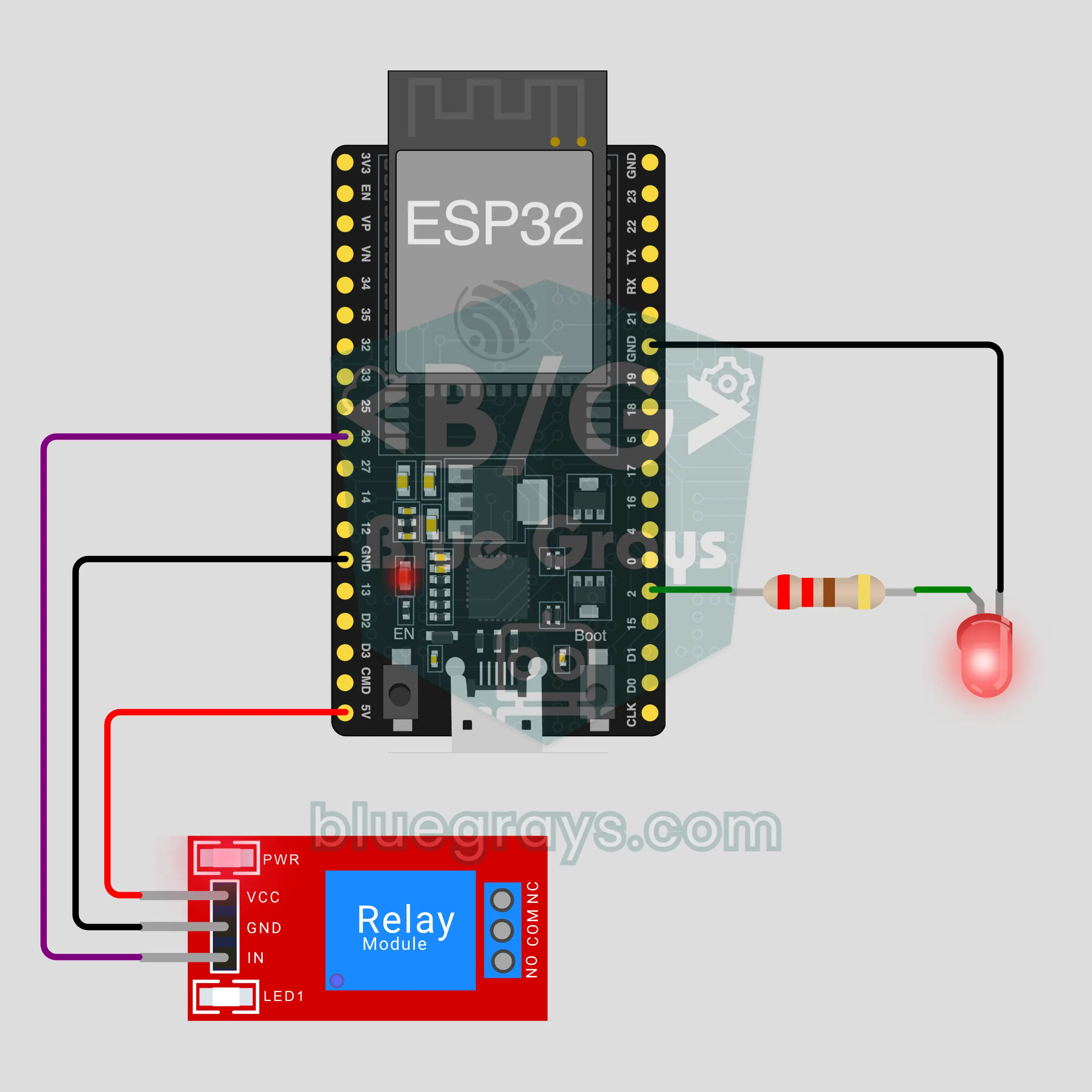
ESP32 Bluetooth LED and Relay
Switch an LED and a relay on and off from your phone over Bluetooth, no internet or Wi-Fi needed. This project is the step-by-step guide to the LED and relay Bluetooth template in the app, built with an ESP32 and a 5 V relay module. Go to Workshop › Devices › Add a device › Bluetooth, pick LED and relay and upload the code with Get the code. The Set up as a Bluetooth panel button on this page opens the wizard with this template too.
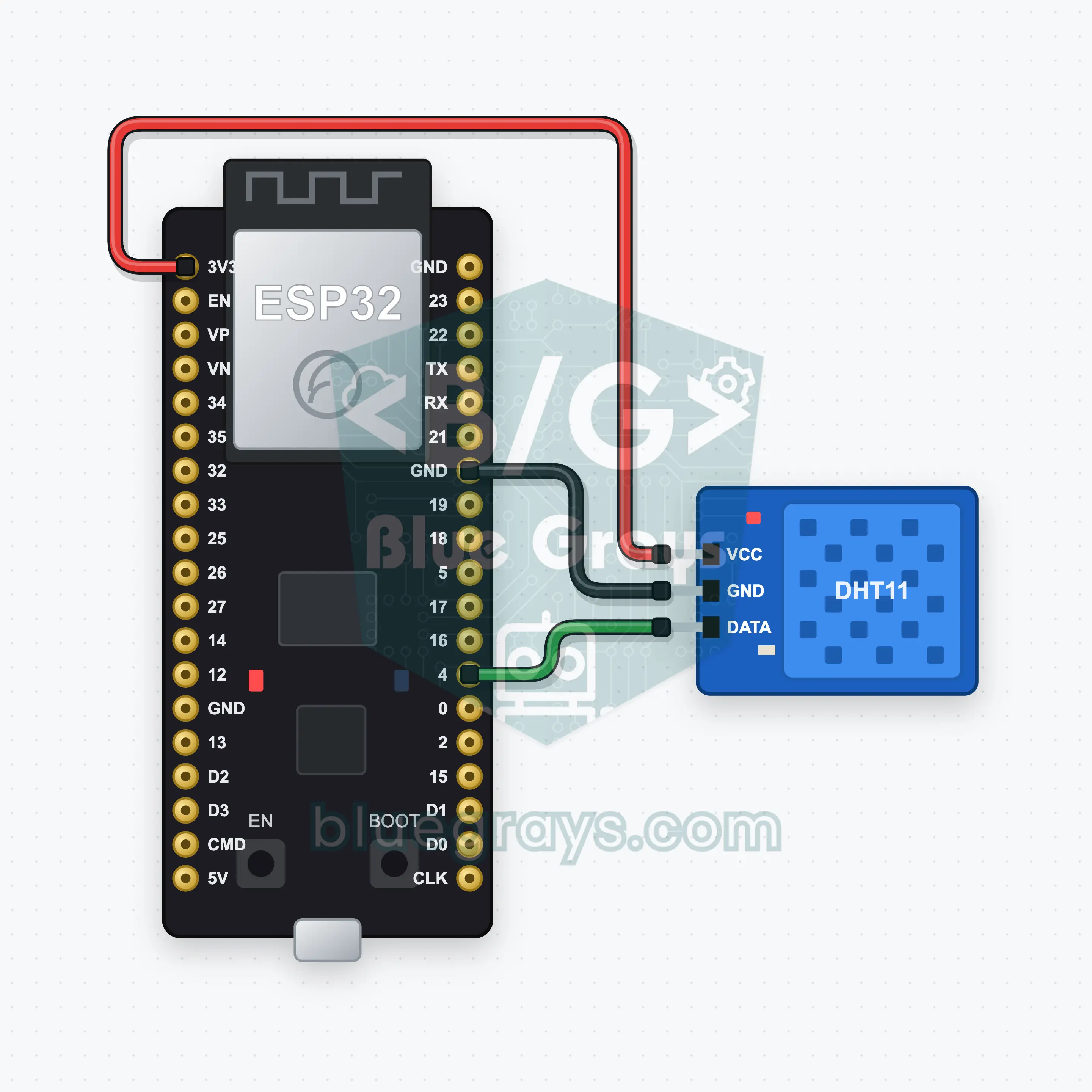
ESP32 Bluetooth Temp and Humidity (DHT11)
Watch your room's temperature and humidity live on your phone with an ESP32 and a DHT11 sensor: two reading boxes and a chart update every 2 seconds, no internet needed. This project is the step-by-step guide for the Temperature and humidity Bluetooth template in the app. Go to Workshop › Devices › Add a device › Bluetooth, pick the template and upload the code with Get the code. The Set up as a Bluetooth panel button on this page opens the wizard ready to go.
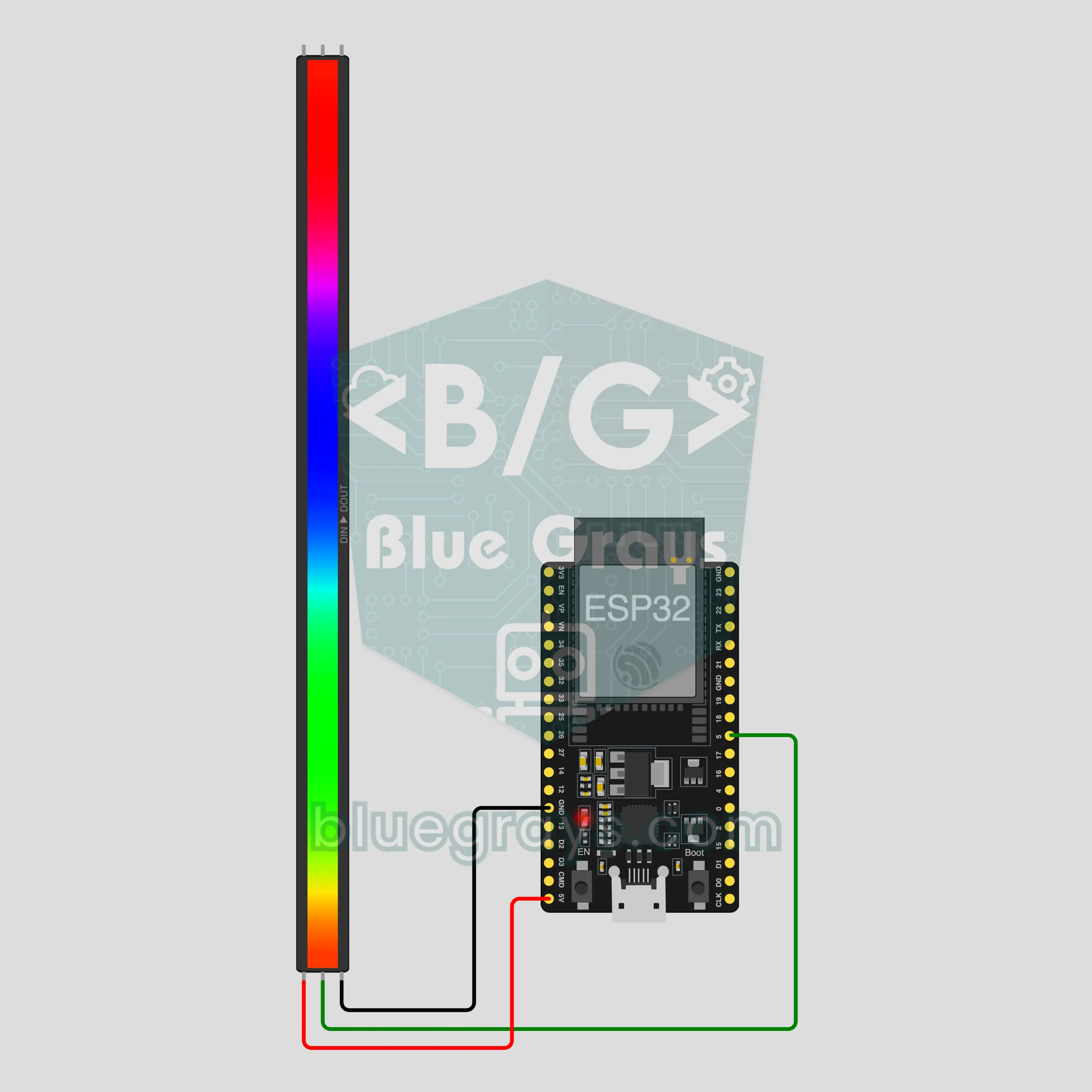
ESP32 Bluetooth RGB LED Strip (WS2812B)
Change your strip's color, brightness and effect from your phone: the ESP32 connects straight to your phone over its built-in Bluetooth, and the WS2812B strip needs only 3 wires. This project is the step-by-step guide to the RGB LED strip Bluetooth template in the app. Go to Workshop › Devices › Add a device › Bluetooth, pick RGB LED strip and upload the code with Get the code. The Set up as a Bluetooth panel button on this page opens the wizard with this template.
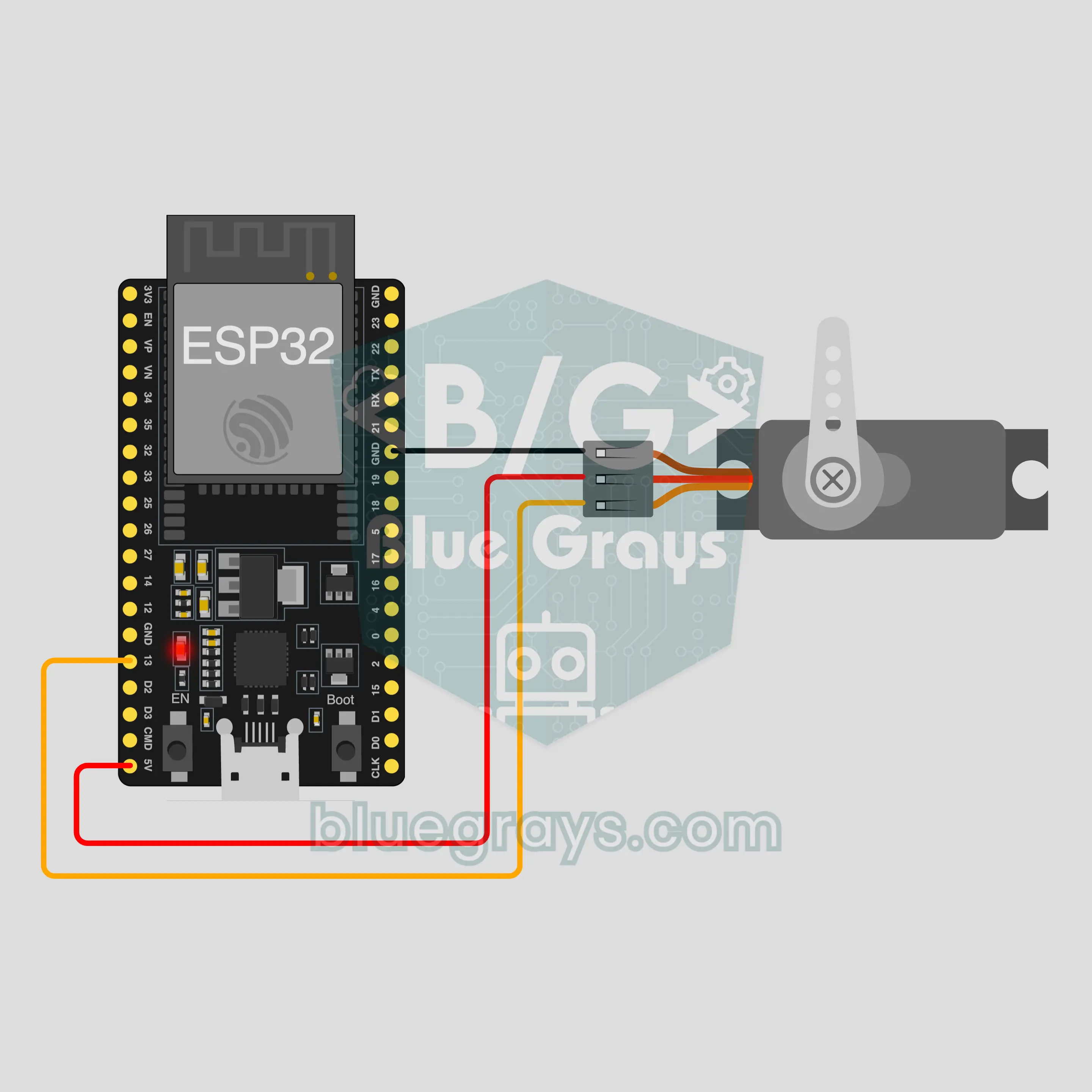
ESP32 Bluetooth Servo Lock
Control an SG90 servo as a small latch from your phone over Bluetooth: lock, open or set the angle, no internet or Wi-Fi needed. This project is the step-by-step guide to the Servo lock Bluetooth template in the app, built with an ESP32, one servo and 3 wires. Go to Workshop › Devices › Add a device › Bluetooth, pick Servo lock and upload the code with Get the code. The Set up as a Bluetooth panel button on this page opens the wizard with this template too.
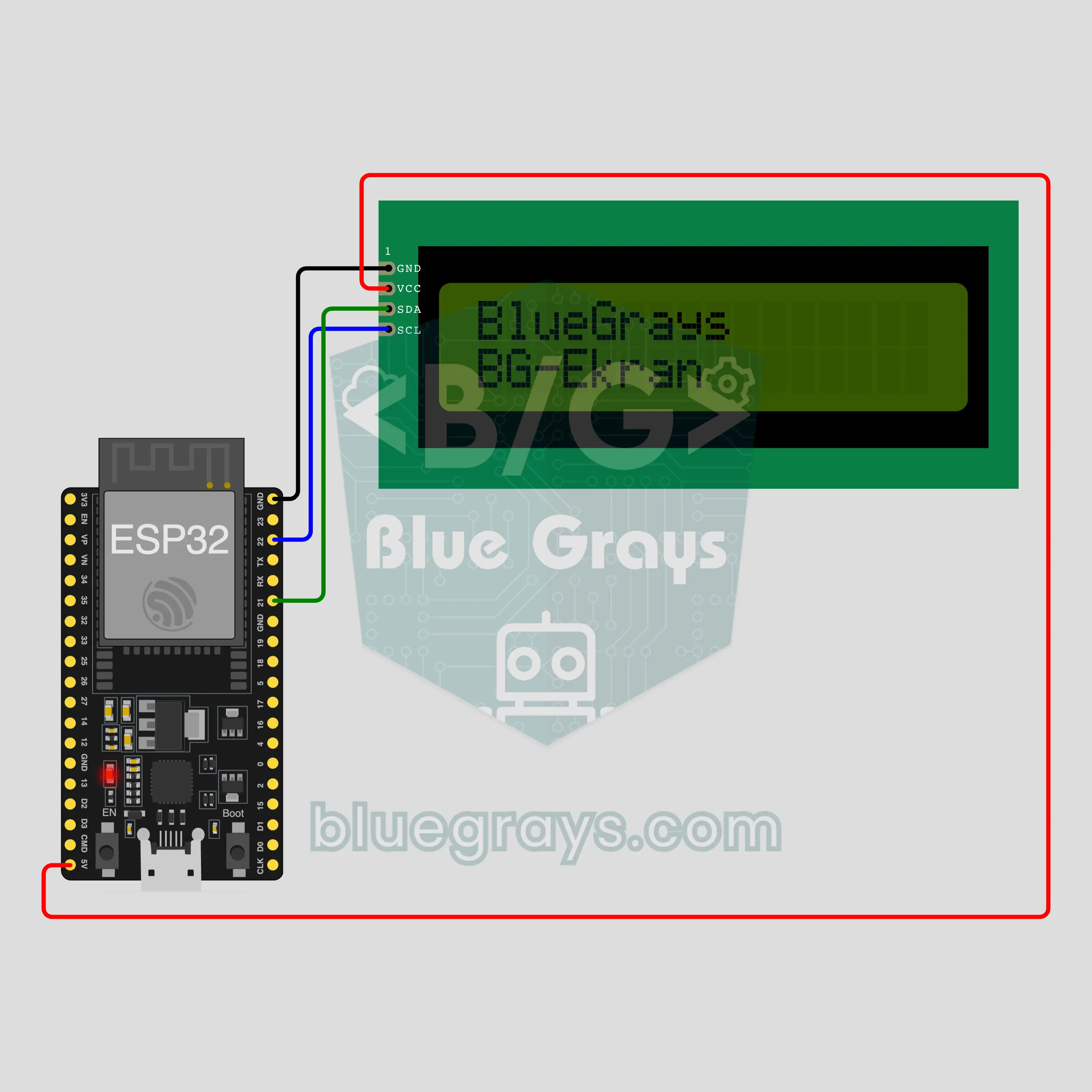
ESP32 Bluetooth Text on an LCD
Type a message on your phone and it shows up on a 16x2 LCD over Bluetooth, no internet or Wi-Fi needed. This project is the step-by-step guide to the Text on an LCD Bluetooth template in the app, built with an ESP32 and an I2C LCD. Go to Workshop › Devices › Add a device › Bluetooth, pick Text on an LCD and upload the code with Get the code. The Set up as a Bluetooth panel button on this page opens the wizard with this template too.