
Video
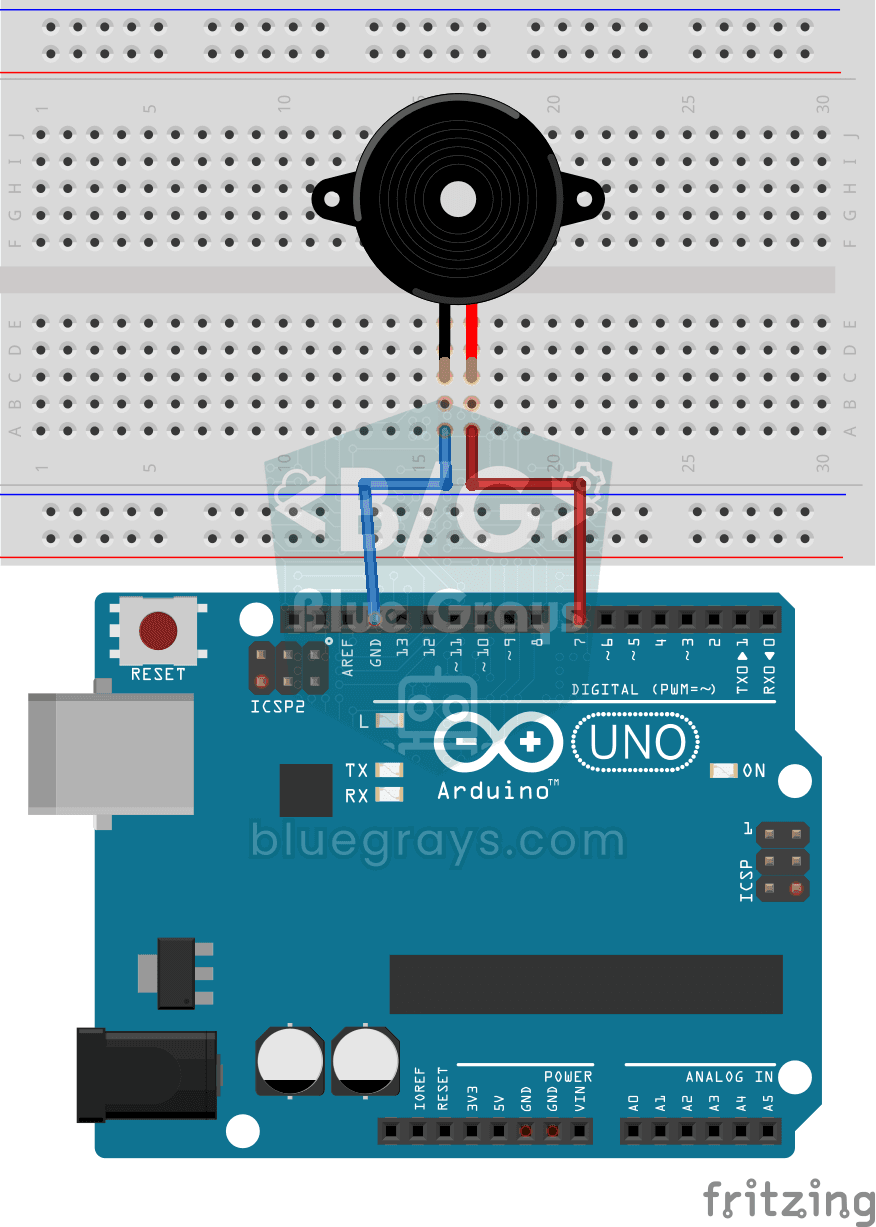
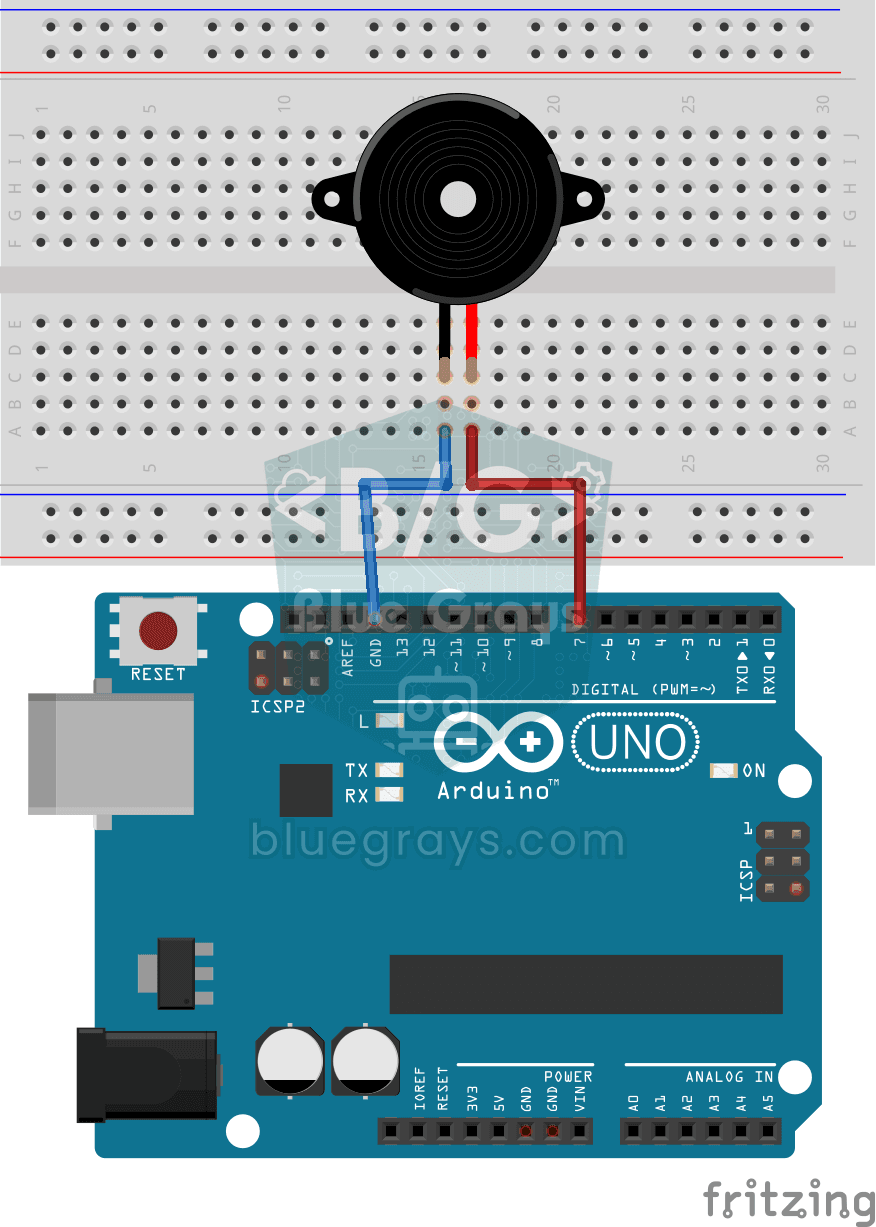
Circuit Diagram
Source Code
1int frequency = 400;
2int buzzerPin = 7;
3
4void setup() {
5}
6
7void loop() {
8  tone(buzzerPin, frequency);
9  delay(300);
10  noTone(buzzerPin);
11  delay(300);
12}
FAQ
What is the difference between an active and a passive buzzer?▾
An active buzzer contains an oscillator; it produces a constant tone only when a voltage is applied. A passive buzzer requires an external frequency source; it can play different notes using the `tone()` function. Passive buzzers are required for melody projects.
How do you use the tone() function?▾
tone(pin, frequency) plays a sound at the specified frequency; noTone(pin) silences it. A duration can also be specified using the format tone(pin, frequency, duration). For example, 440 Hz is the note A.
The volume is very low. How can I turn it up?▾
The Arduino pin drives the buzzer with a limited current. For a louder sound, you can drive the buzzer through an NPN transistor (e.g., BC547) or choose a configuration that doesn't block the buzzer's hole.
Will using `tone()` cause problems on the other pins?▾
In Uno, the `tone()` function uses Timer2; therefore, PWM (analogWrite) does not work properly on pins 3 and 11 while it is playing. If you need PWM at the same time, select different pins.