
178 project
Mga Arduino project
Ang Arduino ang pinakamadaling daan papasok sa electronics at coding. Ang pinakasikat na board, ang Arduino Uno, ay tumatakbo sa 5 V gamit ang ATmega328P microcontroller, at sa 14 na digital at 6 na analog pin nito, direkta mong maikakabit ang mga LED, button, sensor, display at motor. Isinasaksak mo ito sa computer gamit ang USB at pino-program gamit ang maiikling C/C++ sketch sa libreng Arduino IDE.
Isinulat ang mga Arduino project sa page na ito para sa mga unang beses na bubuo, estudyante, guro at hobbyist. May listahan ng piyesa, circuit diagram, code na may comment at solusyon sa mga pinakakaraniwang pagkakamali ang bawat project. Nakagrupo ang mga ito ayon sa hirap at paksa, kaya mabilis kang makakahanap ng tugma sa level mo.
Paano magsimula: sapat na para sa unang linggo ang isang Arduino Uno, breadboard, ilang jumper wire, ilang LED at 220 Ω na resistor. Sundan nang sunud-sunod ang listahang “unang 10 project” sa ibaba: magpakislap muna ng LED at magbasa ng button, tapos sumukat gamit ang mga sensor, at sa huli ay magpatakbo ng display at motor. Kung ma-stuck ka, tingnan ang component page o isa sa mga libreng calculator.
Ang unang 10 project para sa baguhan
Sundan ang pagkakasunod na ito at magdadagdag ang bawat project ng isang bagong skill sa ibabaw ng nauna.
- 1
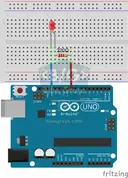 LED BlinkThe very first hello of electronics: switching a single LED on and off. The Arduino turns the LED on and off at short intervals, so the light blinks quickly.Baguhan
- 2
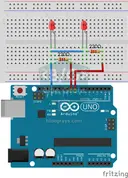 Two LEDs Blinking AlternatelyTwo LEDs blink quickly in turn: when one lights up the other goes off, as if they were tossing a ball back and forth.Baguhan
- 3
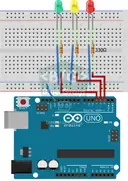 Traffic LightA tiny copy of the traffic light you see on the road every day. Red stays on for two seconds, yellow flashes for a moment, green stays on for two seconds, then it goes back to red through yellow…Baguhan
- 4
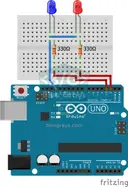 LED Police LightsJust like the lights on a police car: the red LED flashes three times in quick succession, then the blue LED flashes three times, and the pattern keeps repeating without a break.Baguhan
- 5
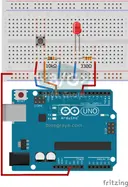 LED Control with a Push Button (Push)Just like a doorbell: the light stays on as long as you press, and goes off when you let go.Baguhan
- 6
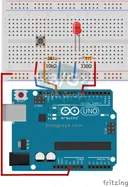 Toggle an LED with a Button (On/Off)Press the button once and the light comes on, press it again and it goes off, just like the light switch in your room.Baguhan
- 7
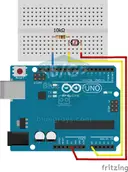 Measuring Light Intensity with an LDRWant to see how bright your room is as a number? The LDR, a small part that reacts to light, measures the light around it, and the Arduino writes the value to your computer screen every half second.Baguhan
- 8
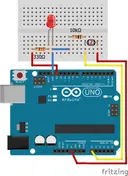 Night Light with LdrA little night light that turns on by itself when it gets dark and goes off when morning comes.Baguhan
- 9
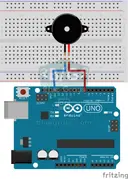 Using a BuzzerEver wondered how a doorbell or an alarm makes its sound? The Arduino makes a small buzzer beep at short intervals: beep, pause, beep, pause.Baguhan
- 10
 Reading IR Remote Control CodesEvery button on your TV remote sends a secret code using light you cannot see. The infrared receiver catches that light, and the Arduino writes the code of every button you press on your computer…Baguhan
Mga project ayon sa hirap
Baguhan61 project

LED Blink
The very first hello of electronics: switching a single LED on and off. The Arduino turns the LED on and off at short intervals, so the light blinks quickly.

Two LEDs Blinking Alternately
Two LEDs blink quickly in turn: when one lights up the other goes off, as if they were tossing a ball back and forth.

Traffic Light
A tiny copy of the traffic light you see on the road every day. Red stays on for two seconds, yellow flashes for a moment, green stays on for two seconds, then it goes back to red through yellow…

LED Police Lights
Just like the lights on a police car: the red LED flashes three times in quick succession, then the blue LED flashes three times, and the pattern keeps repeating without a break.

LED Control with a Push Button (Push)
Just like a doorbell: the light stays on as long as you press, and goes off when you let go.

Toggle an LED with a Button (On/Off)
Press the button once and the light comes on, press it again and it goes off, just like the light switch in your room.

Measuring Light Intensity with an LDR
Want to see how bright your room is as a number? The LDR, a small part that reacts to light, measures the light around it, and the Arduino writes the value to your computer screen every half second.

Night Light with Ldr
A little night light that turns on by itself when it gets dark and goes off when morning comes.
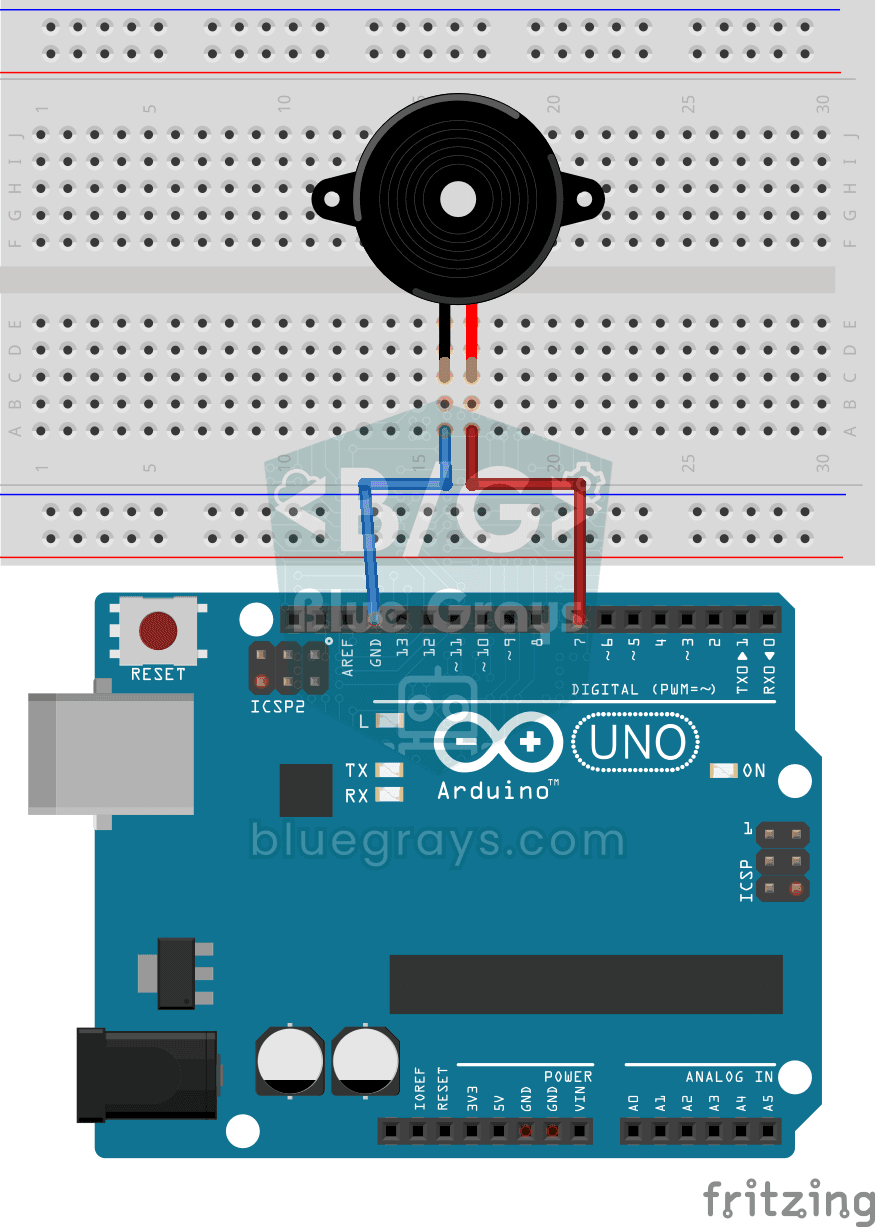
Using a Buzzer
Ever wondered how a doorbell or an alarm makes its sound? The Arduino makes a small buzzer beep at short intervals: beep, pause, beep, pause.
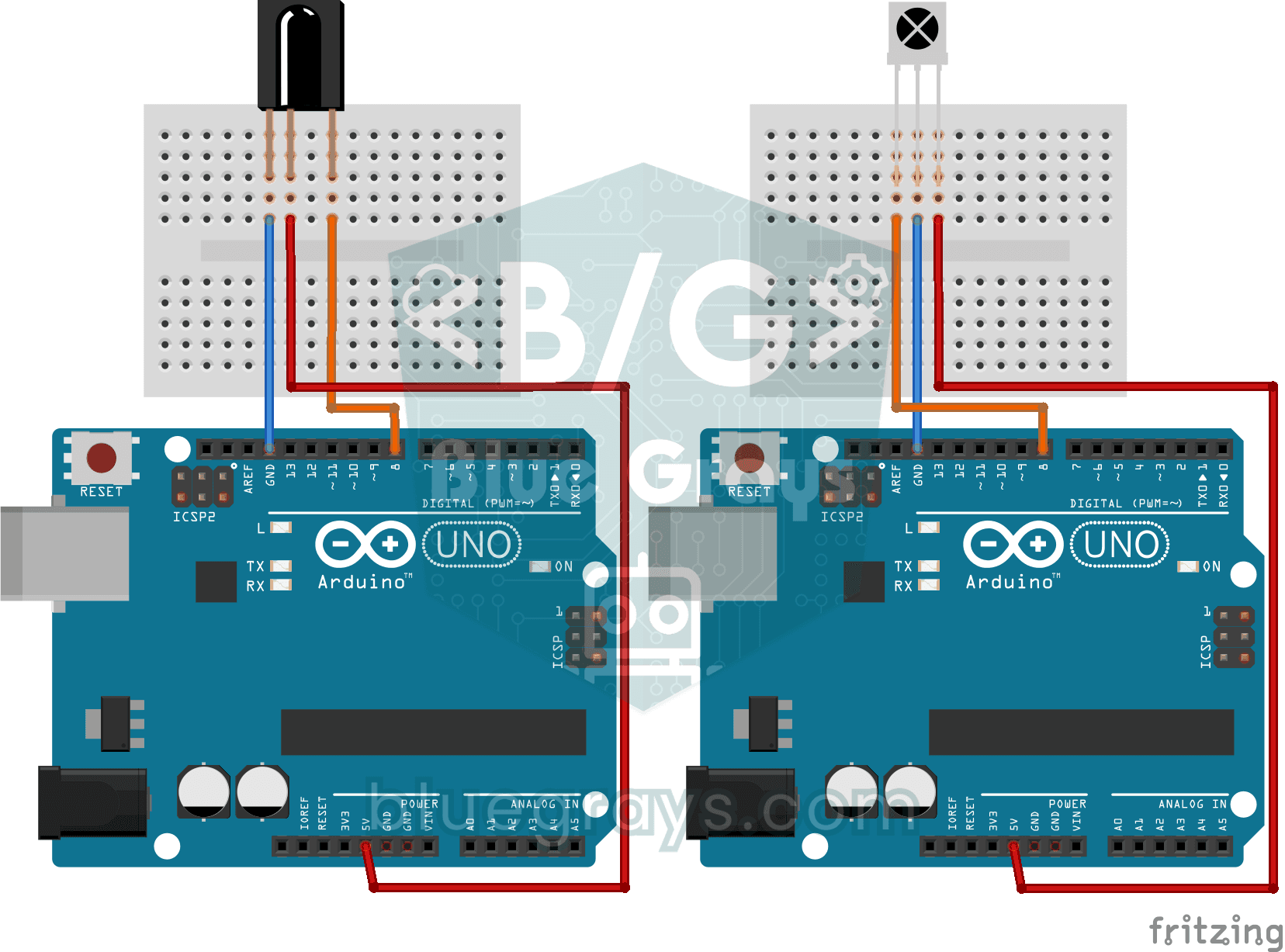
Reading IR Remote Control Codes
Every button on your TV remote sends a secret code using light you cannot see. The infrared receiver catches that light, and the Arduino writes the code of every button you press on your computer…
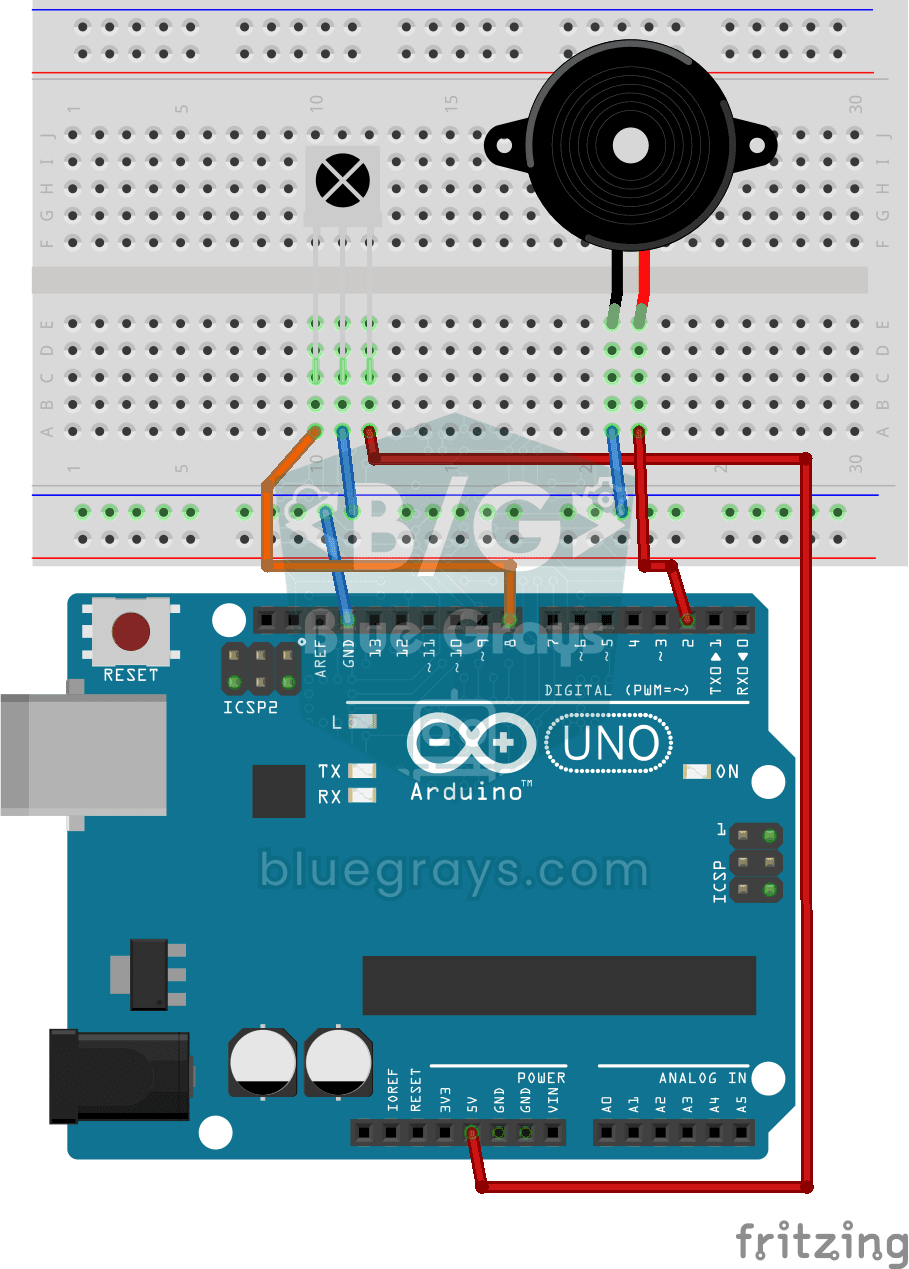
Playing Melodies with an IR Remote and Buzzer
Build a music box that plays tunes with the buttons of a TV remote. An infrared receiver catches the remote's signal; one button plays a lively video game tune through the buzzer, another a familiar…
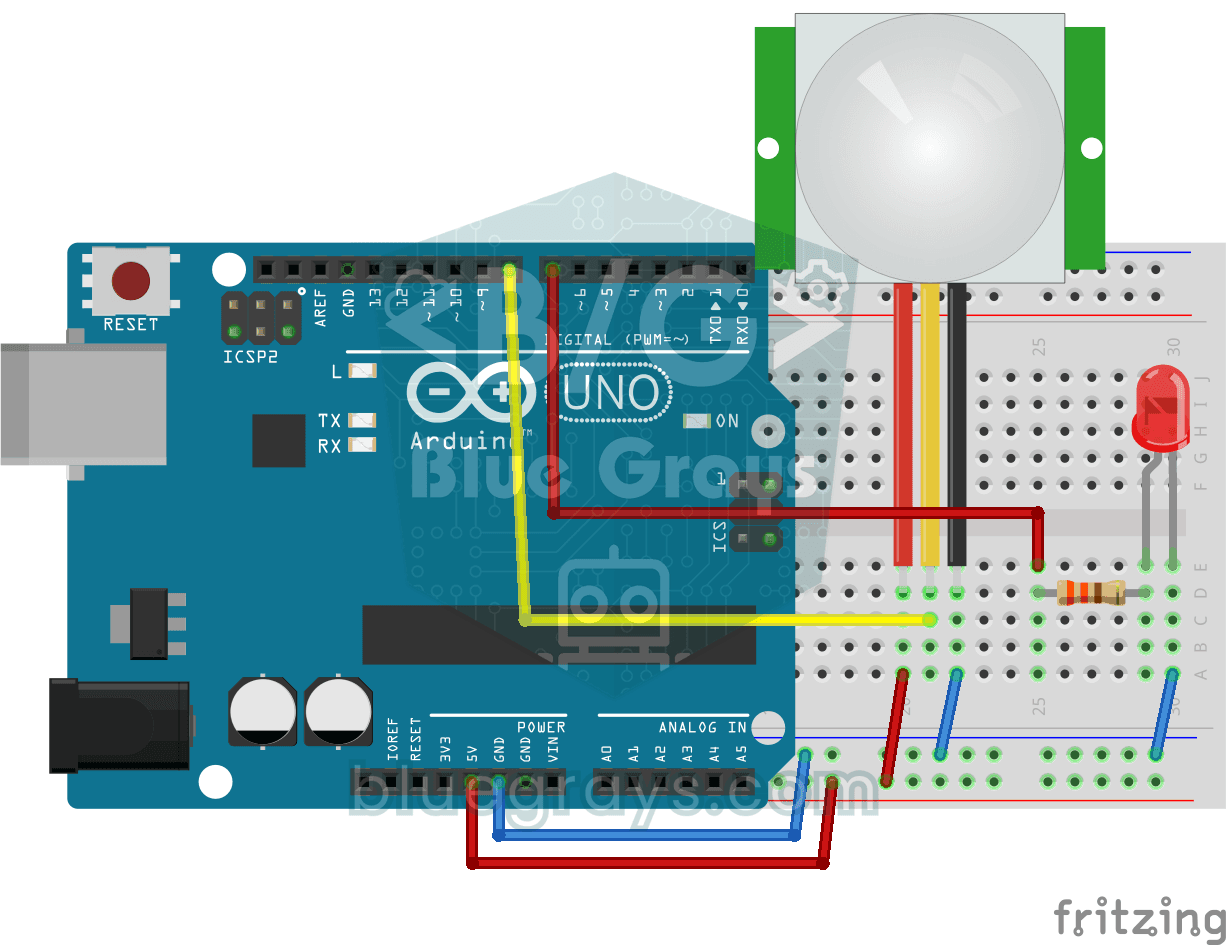
Motion Detector with Motion Sensor
A simple guard that tells you when someone walks into the room. The motion sensor picks up the warmth given off by the human body, and the Arduino keeps the LED on as long as there is movement and…
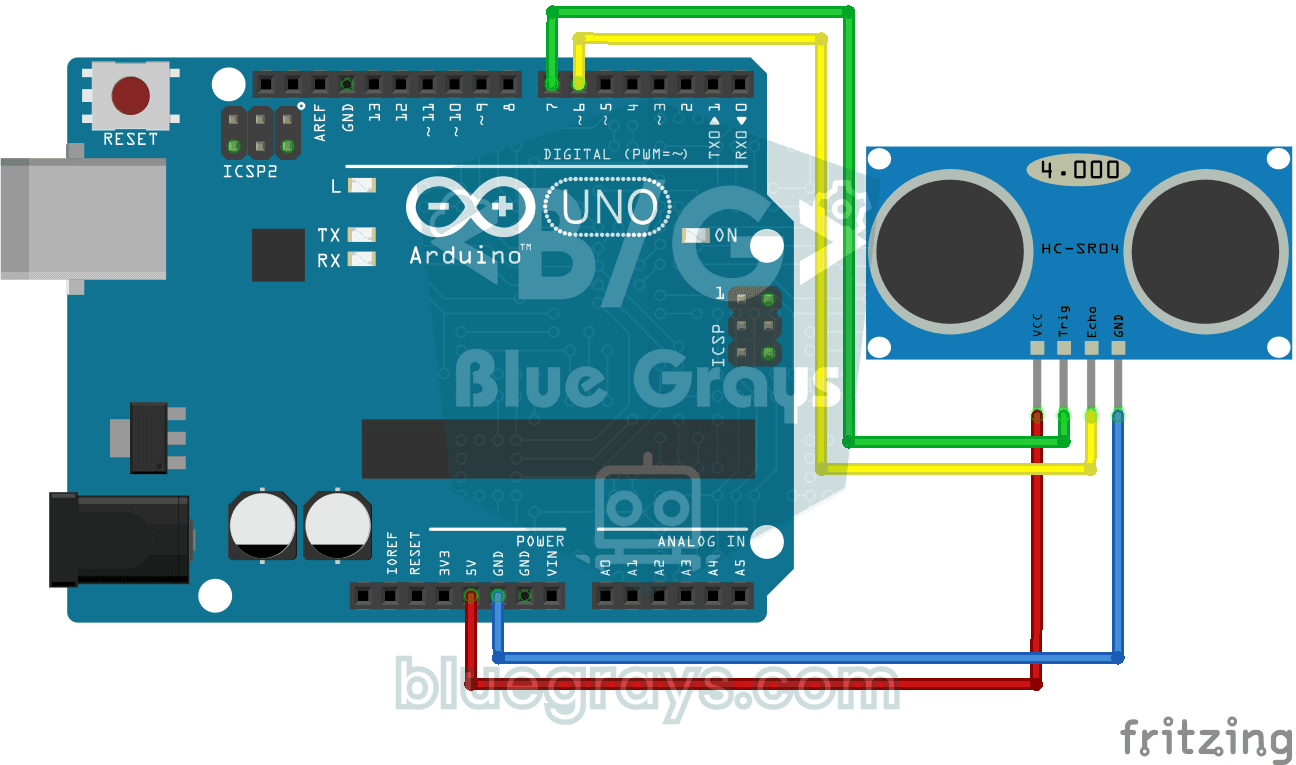
HC-SR04 Distance Measurement (Serial Display)
The HC-SR04 sensor works just like a bat finding its way in the dark: it sends out a sound you cannot hear, listens for the echo and measures how far away the object in front of it is.
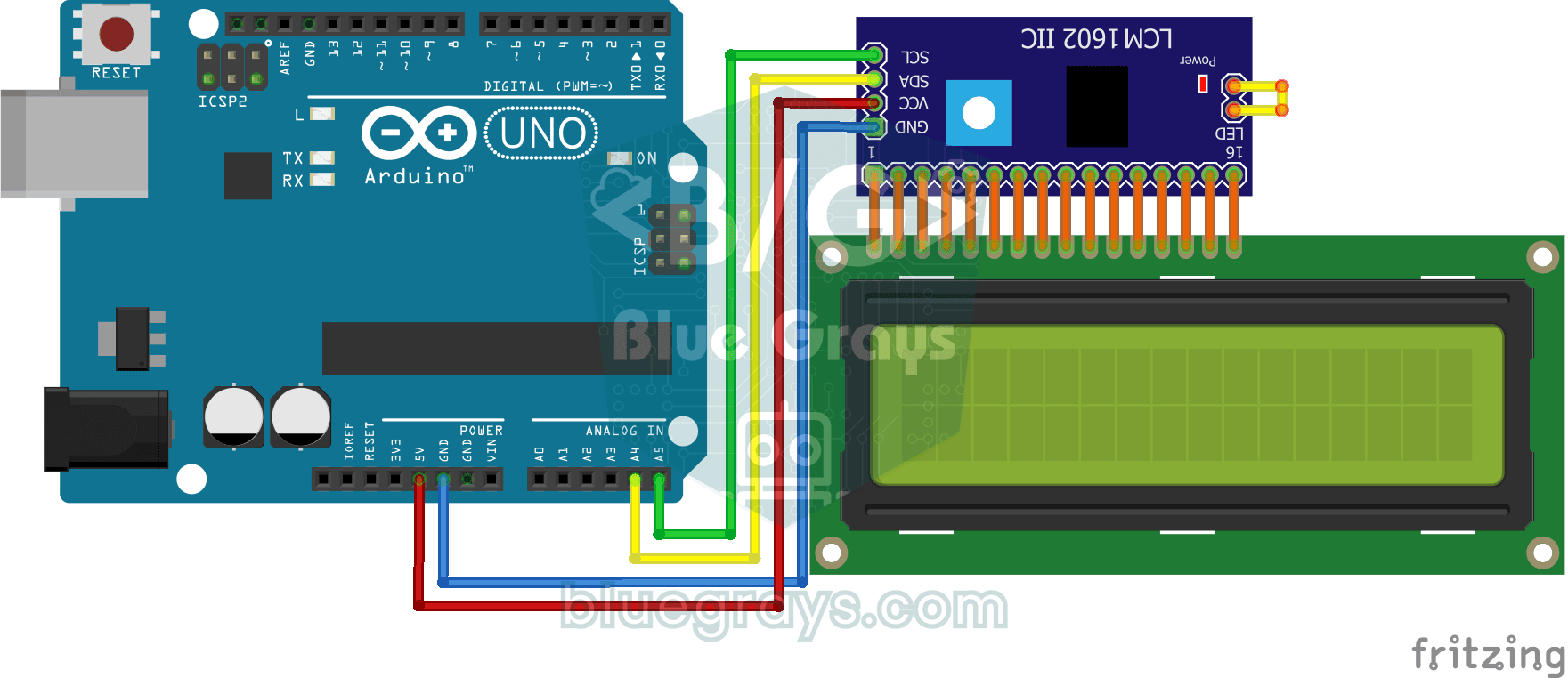
Using LCD Screen with I2C
Give your Arduino its own screen and make it write its first message. The two-line LCD screen hooks up with just a few wires; a greeting appears on the top line, then a second message on the bottom…
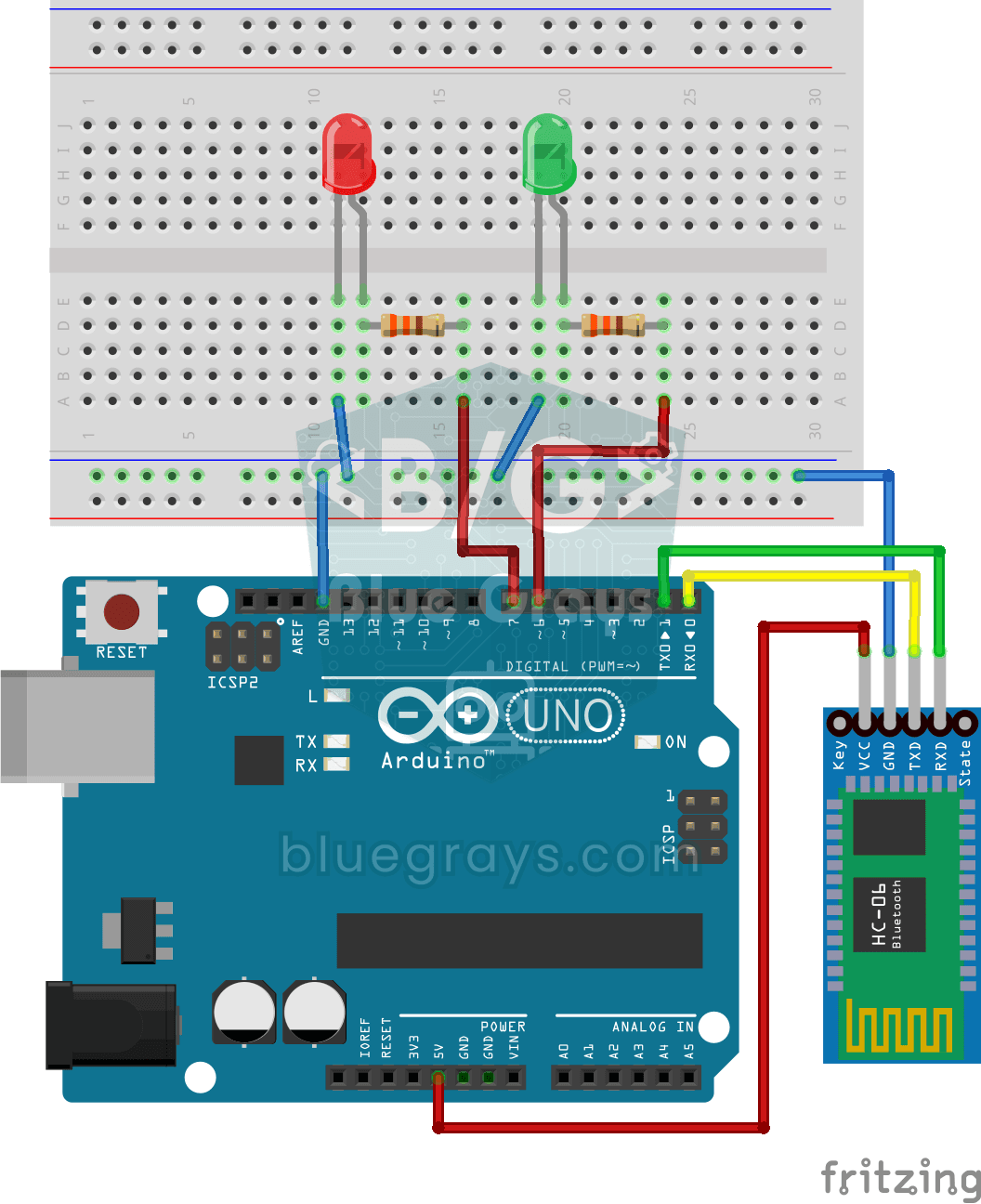
Control an LED from Your Phone via Bluetooth
A small rehearsal for switching the lights in your room on and off from your phone.
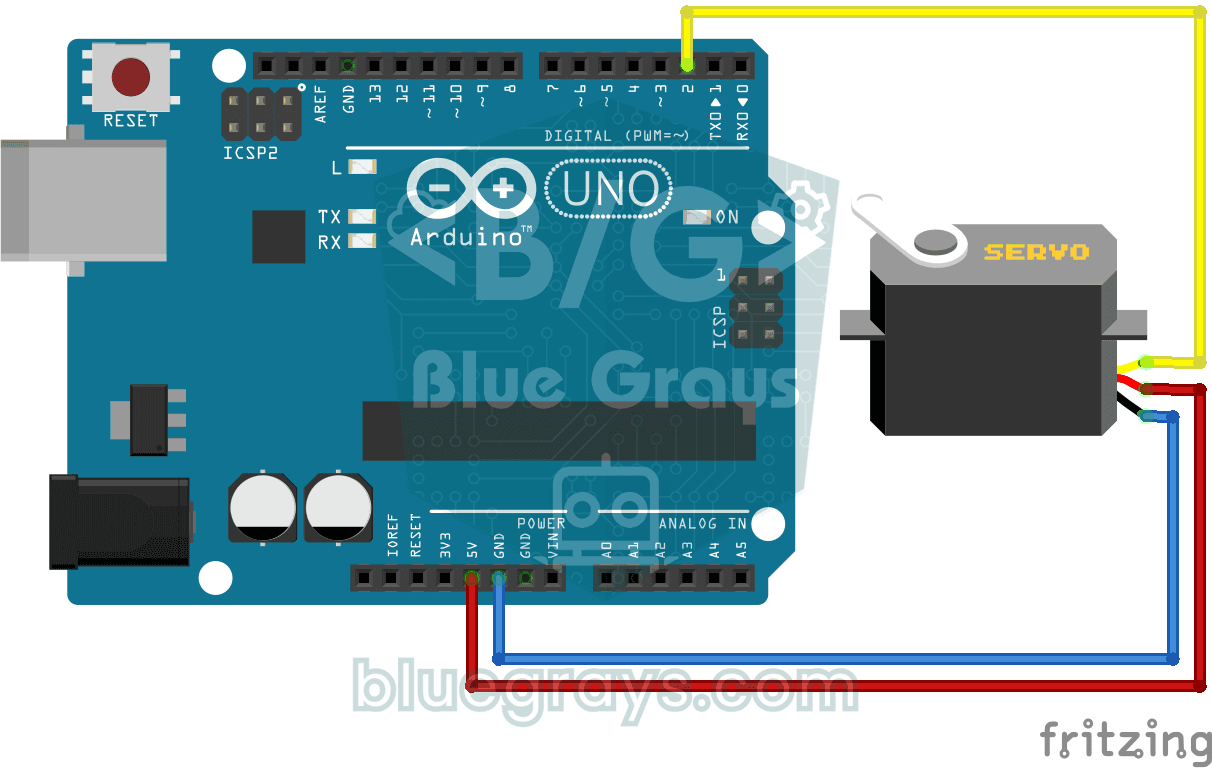
Using a Servo Motor
The arm of a small servo motor turns to three positions in turn: all the way to the start, right to the middle and all the way to the end, waiting two seconds at each stop.
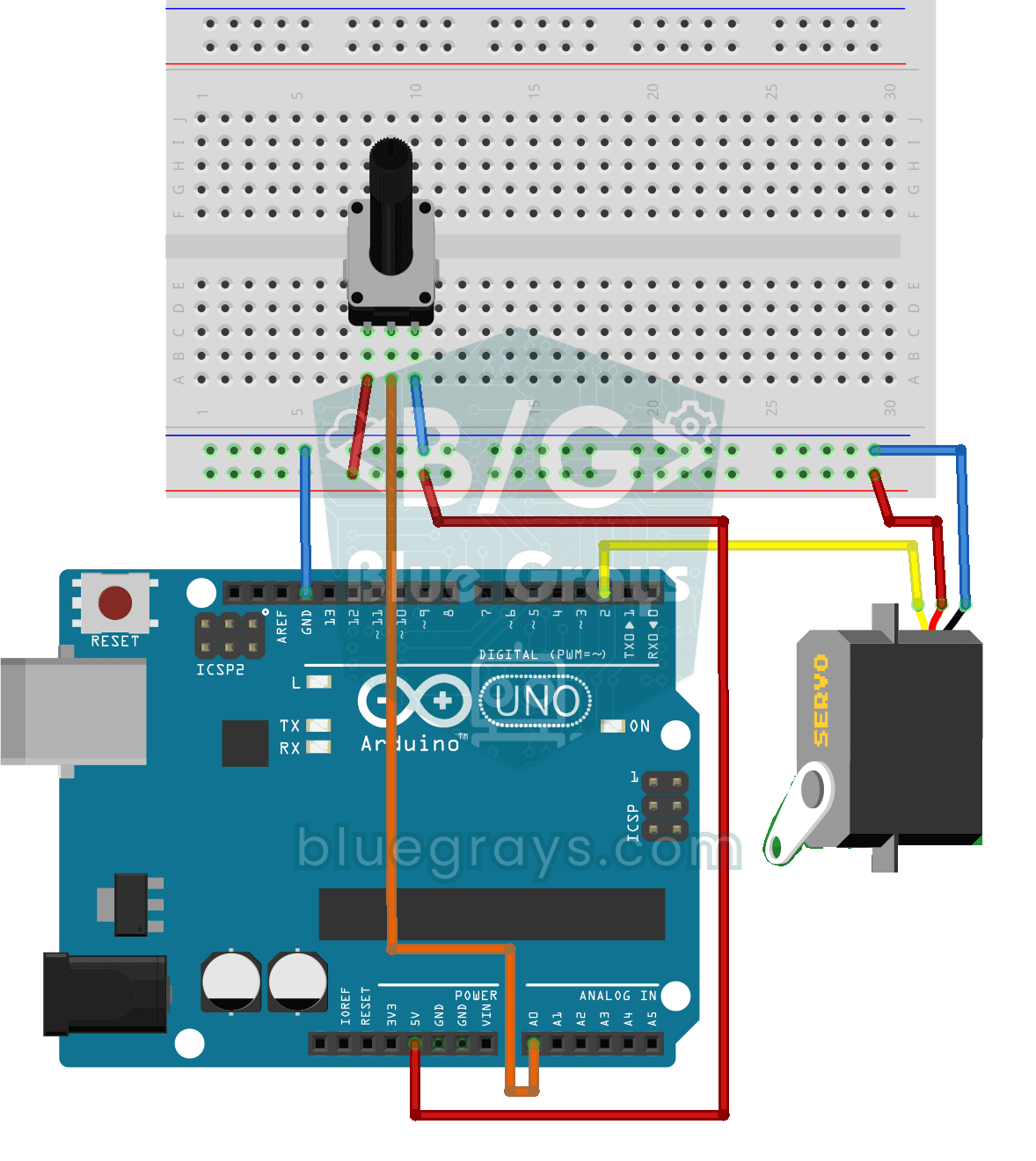
Servo Motor Operation with Potentiometer
As you turn the potentiometer knob, the servo motor's arm turns right along with it: one end of the knob means zero degrees, the other end means half a turn.
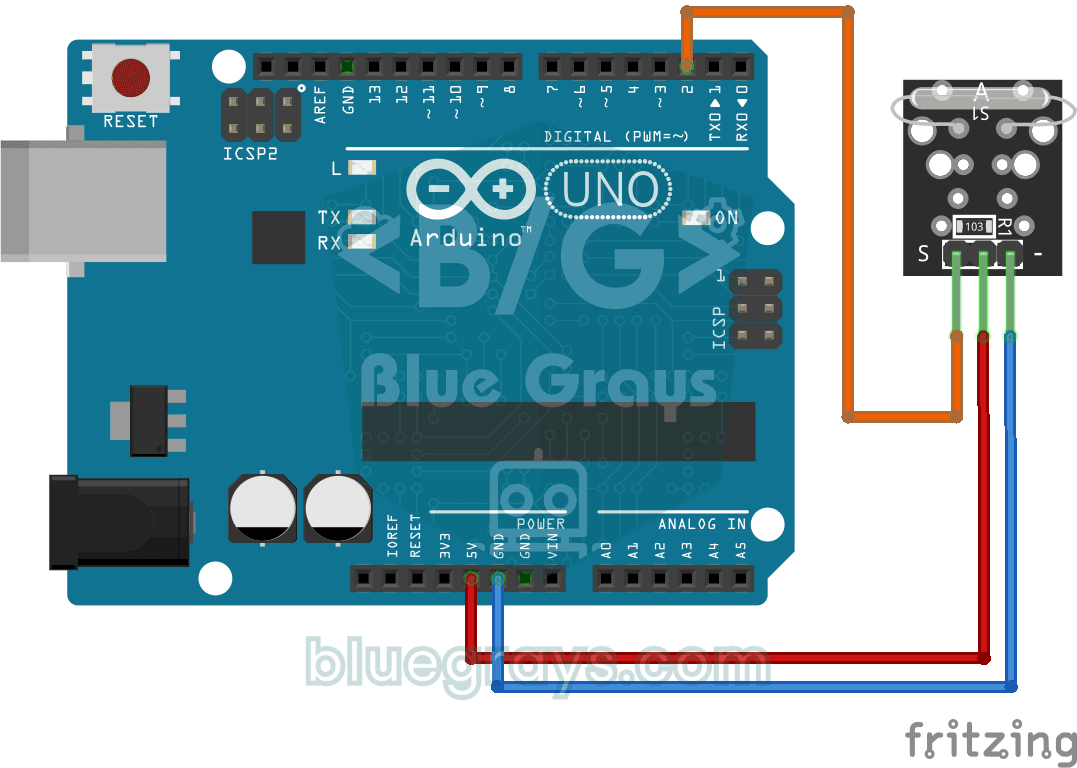
Reading a Reed Switch
Ever wondered about the magnetic switch inside door and window alarms? When a magnet comes near the reed relay module, the tiny switch inside it closes; the Arduino reads it once a second and prints…
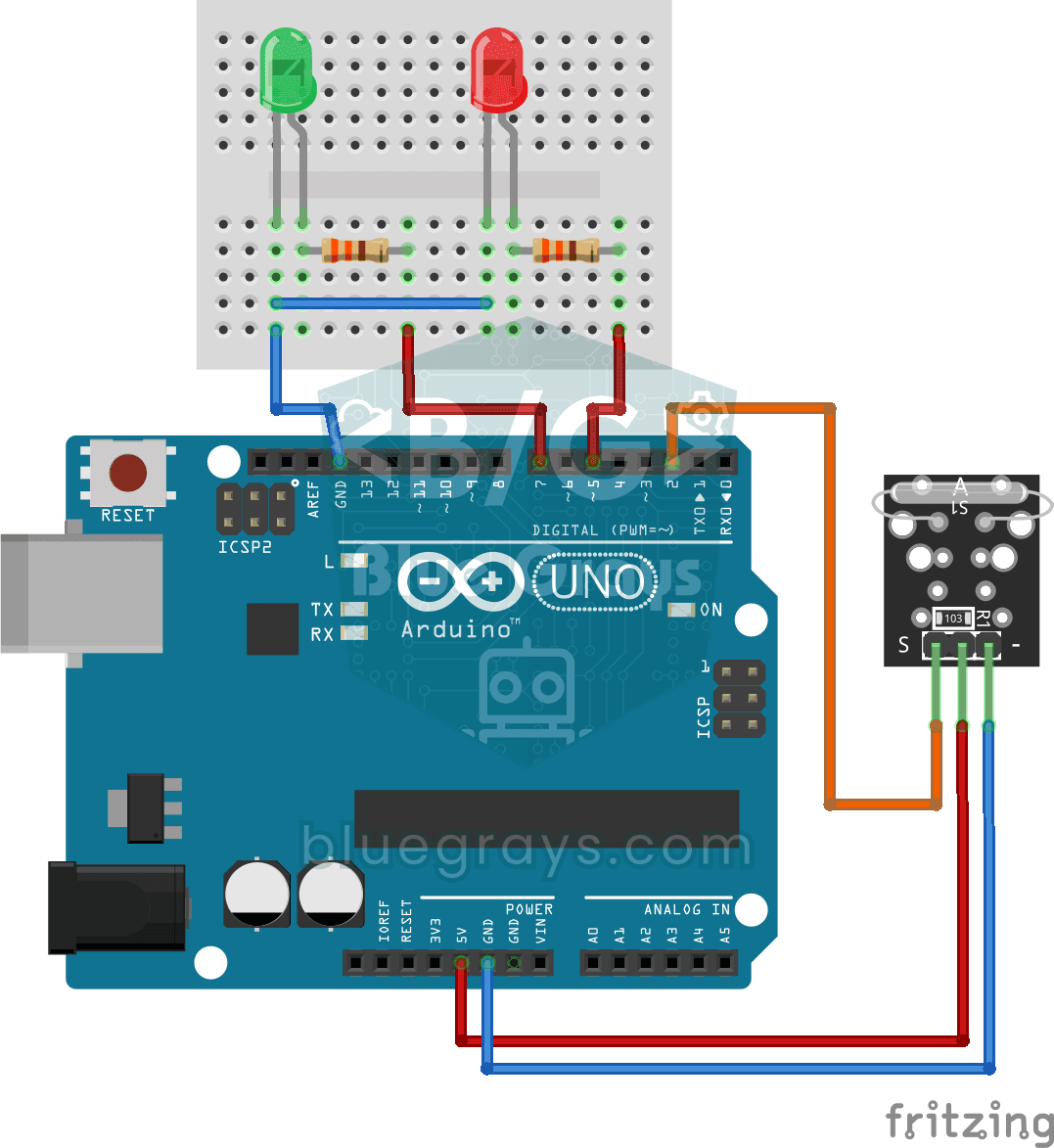
Reed Switch Door Sensor
Tell whether your door is open or closed just by looking at a light. You attach a small magnet to the door and a magnet-sensing switch to the frame; when the door is closed they sit side by side and…
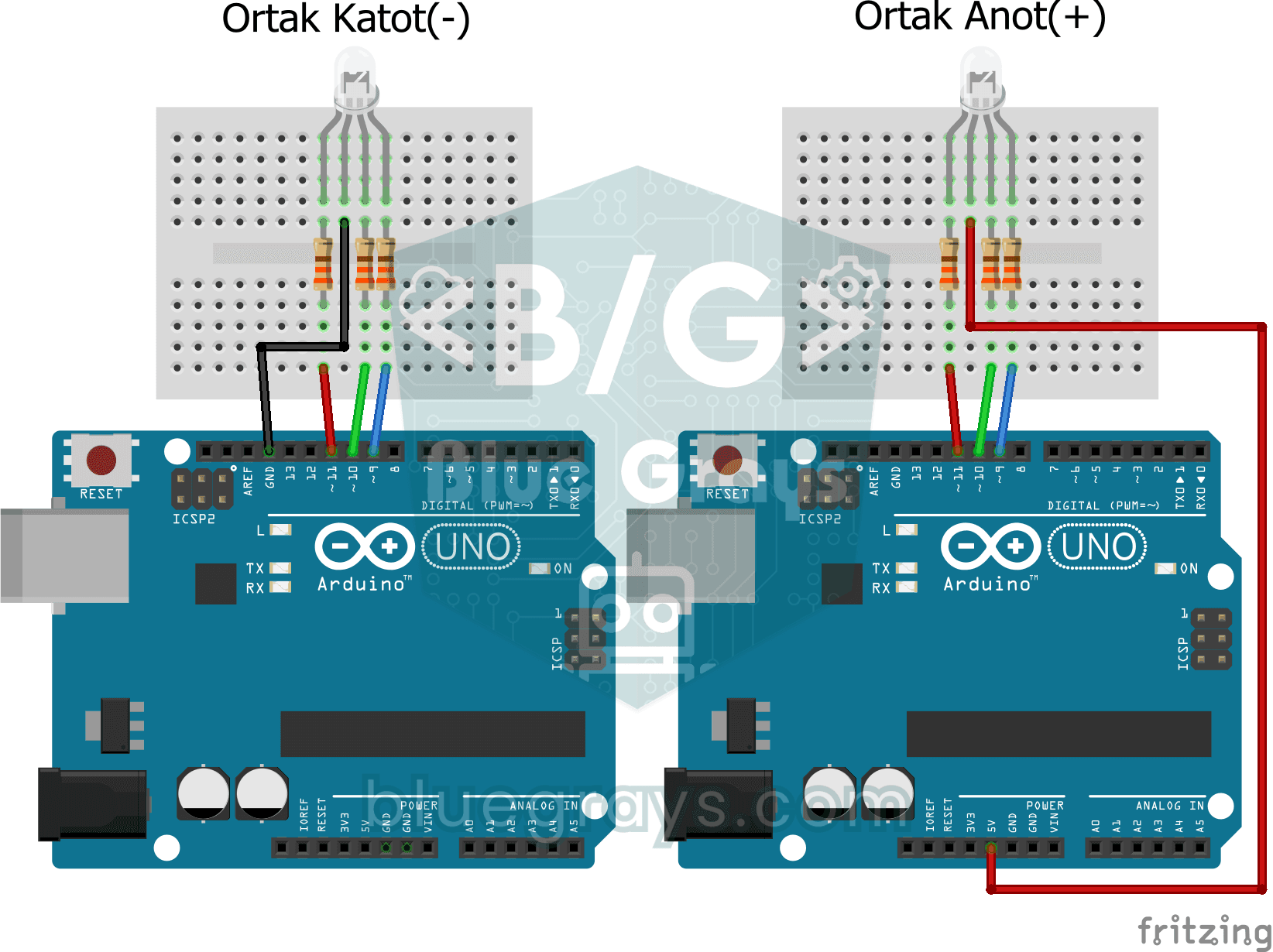
Using an RGB LED
Three colours hide inside a single LED: the RGB LED lights up red, then green, then blue, each colour on for half a second and off for half a second, before the cycle starts again.
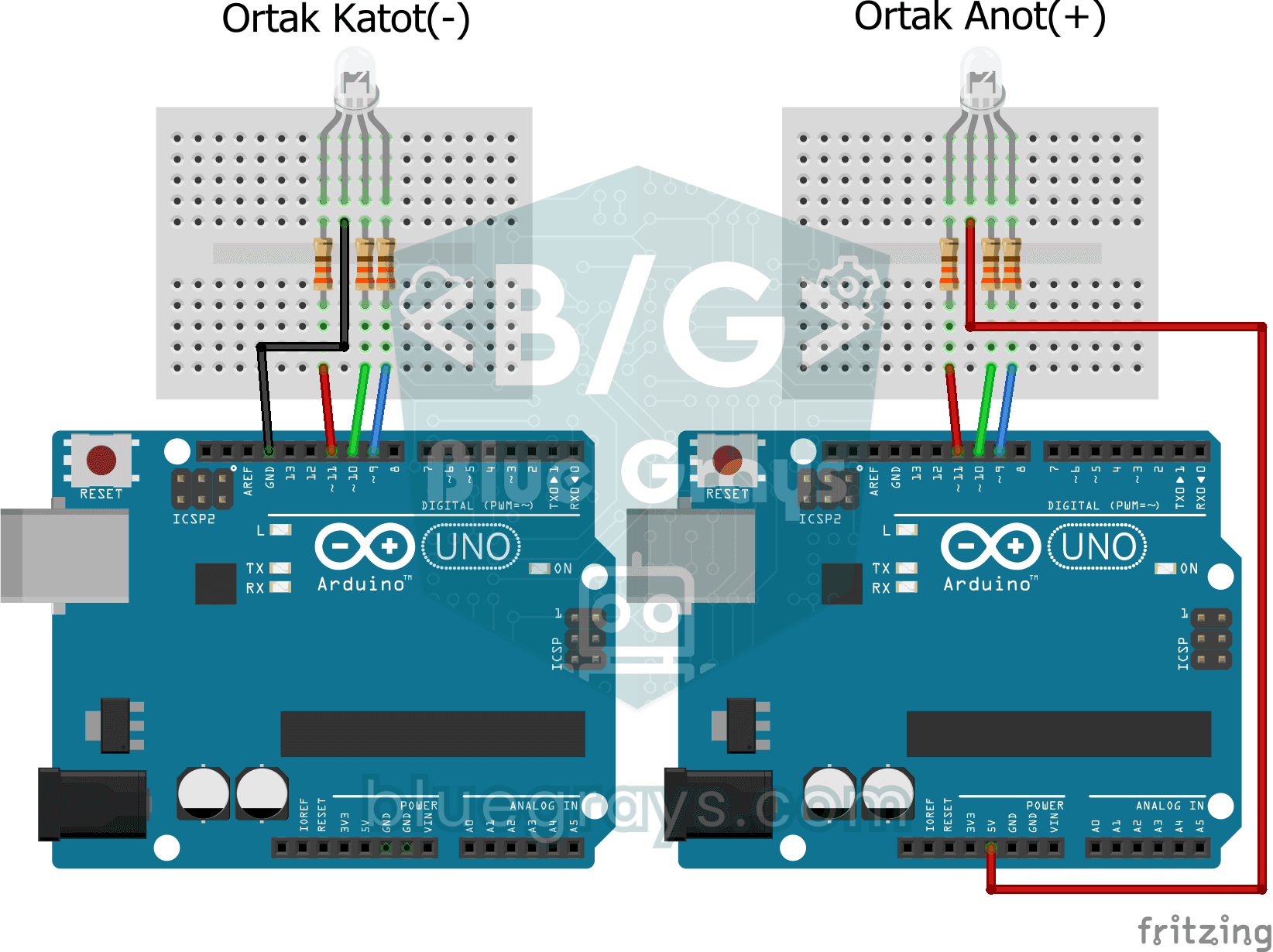
Smooth Color Transition with RGB Led
A single RGB LED drifts slowly from red to green, green to blue and back to red, looping through the rainbow without ever stopping.
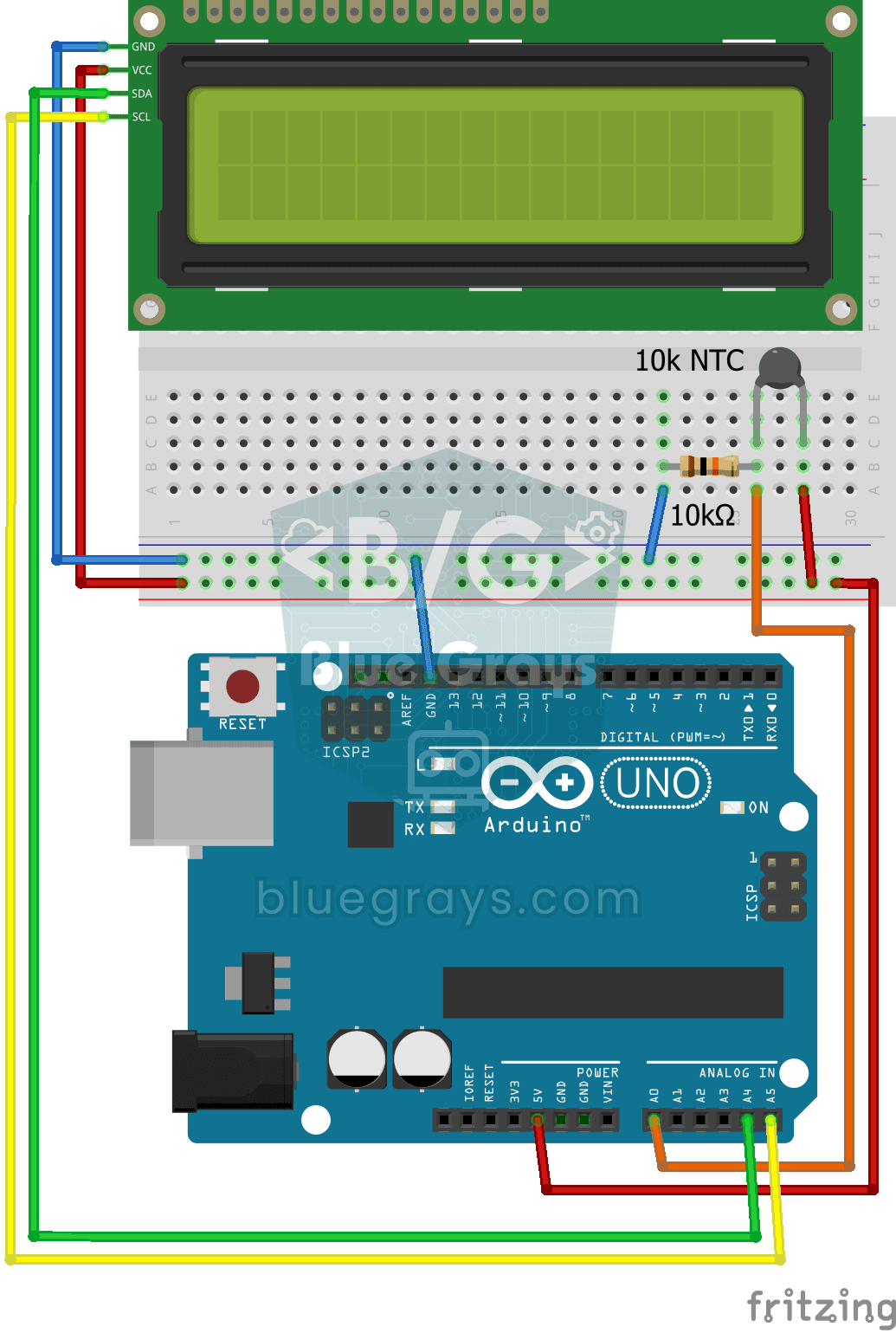
Temperature Measurement with NTC and 2x16 Lcd Display
Measure the temperature around you with a sensor that looks like a tiny bead. This part, called an NTC, lets electricity through more easily as it warms up; the Arduino reads that change, turns it…
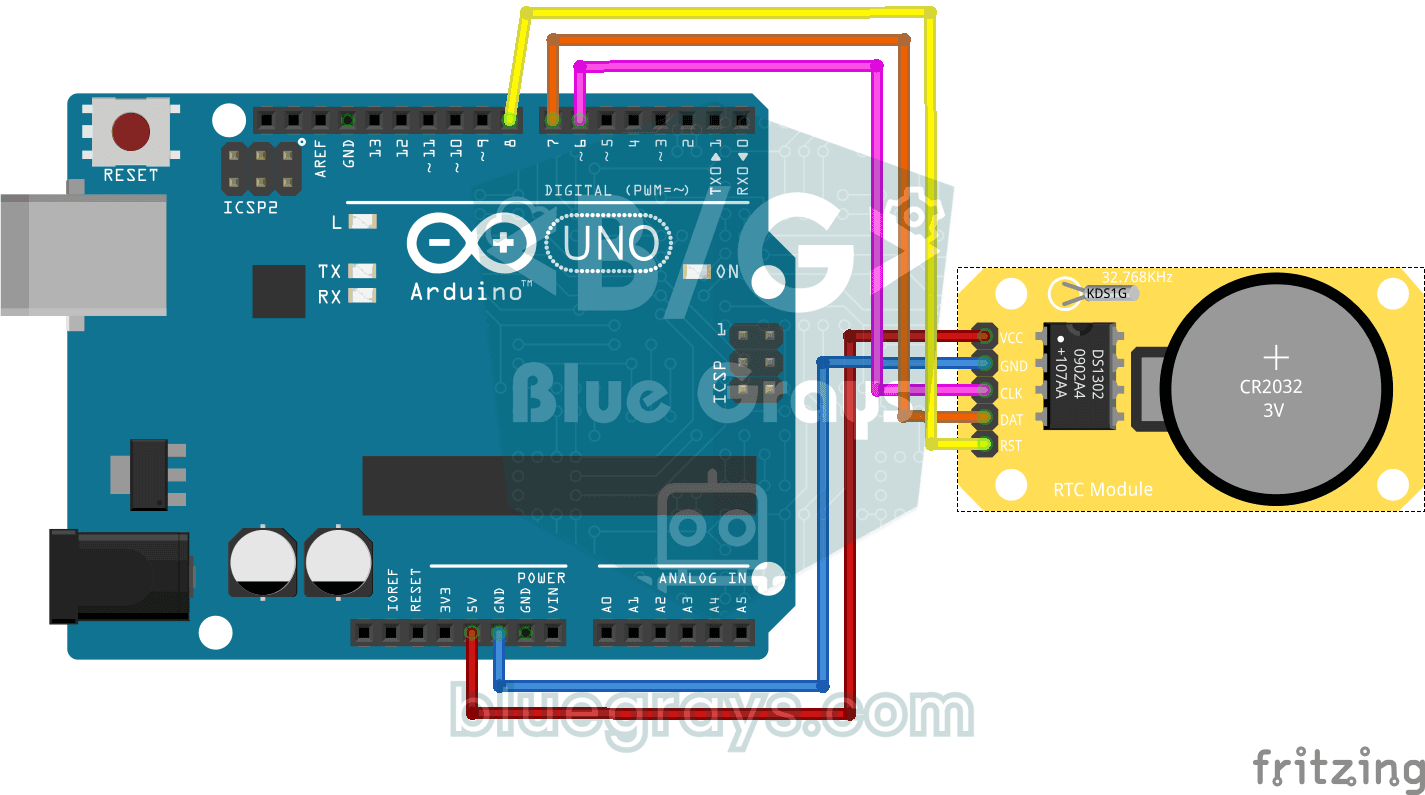
DS1302 RTC Clock Module Setup
You get a small clock module running that never forgets the time, even when the Arduino is switched off.
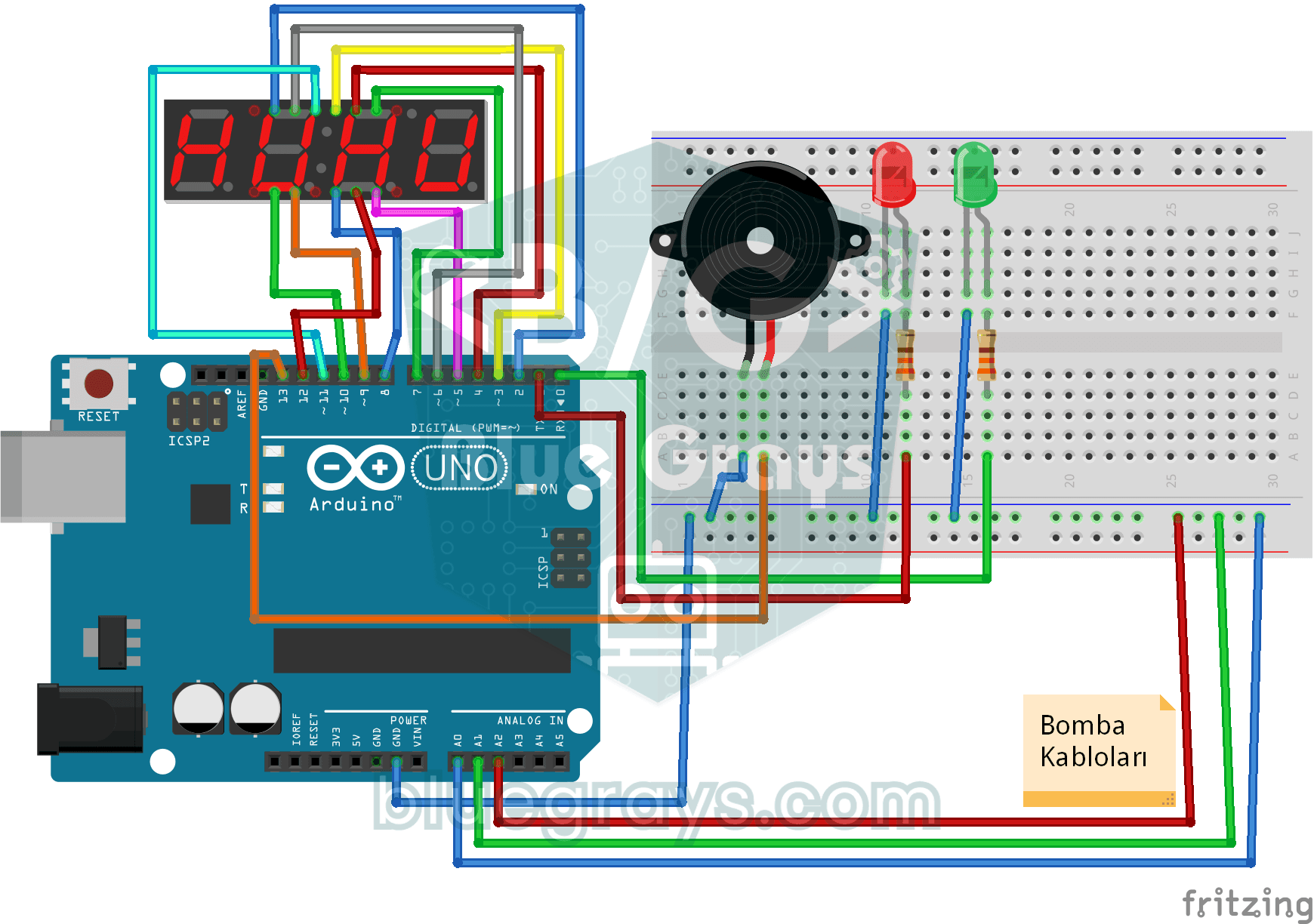
Bomb Animation with 4-Digit 7-Segment Display
The ticking bomb scene from the films, right on your desk and completely harmless: the 4-digit display counts down from 1:05, the buzzer beeps every second and the red LED blinks.
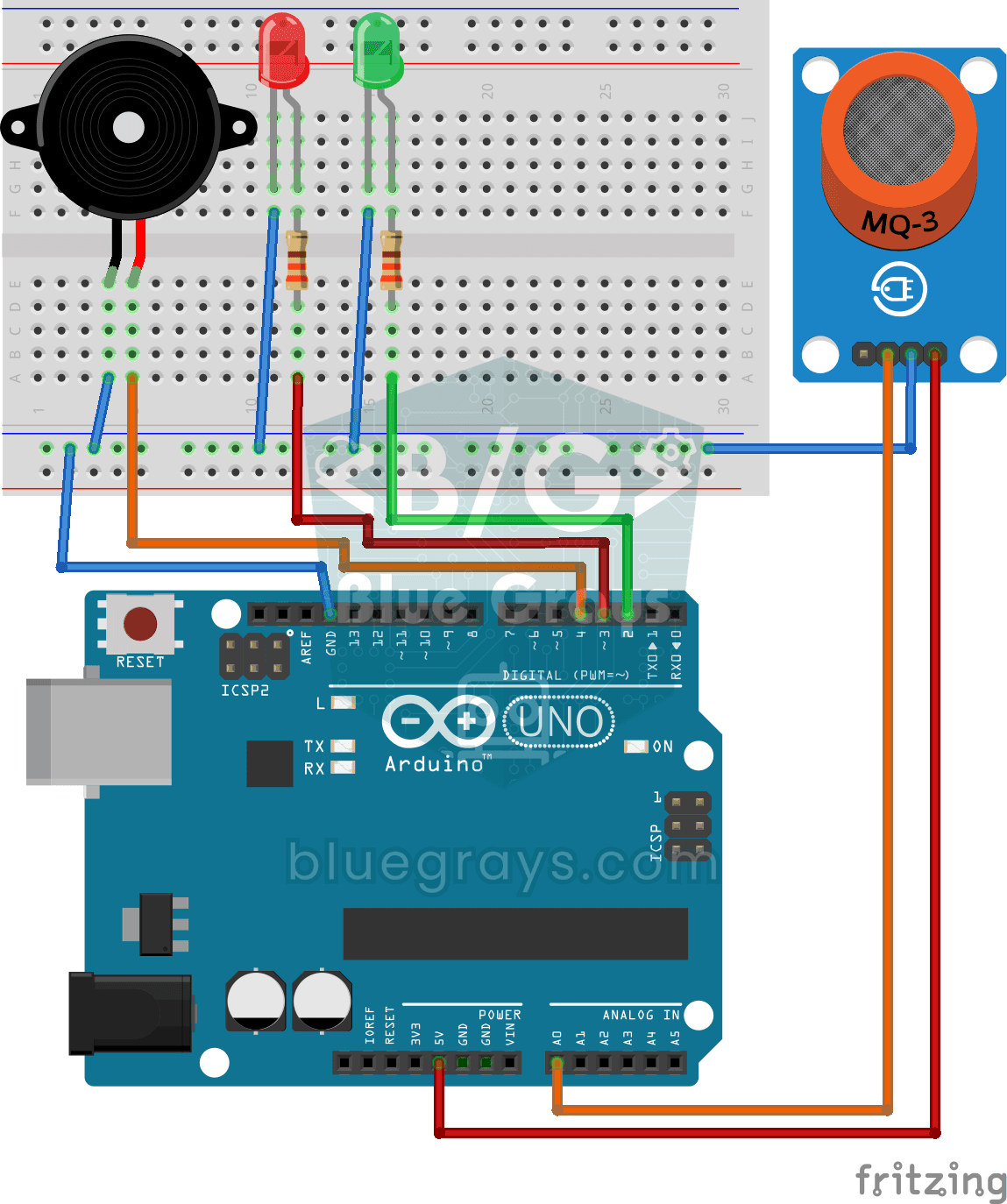
Using a Gas Sensor
A little guard that notices a gas leak in the kitchen before you do. The gas sensor keeps sniffing the air; while everything is fine the green LED stays on, and when the gas in the air passes a…
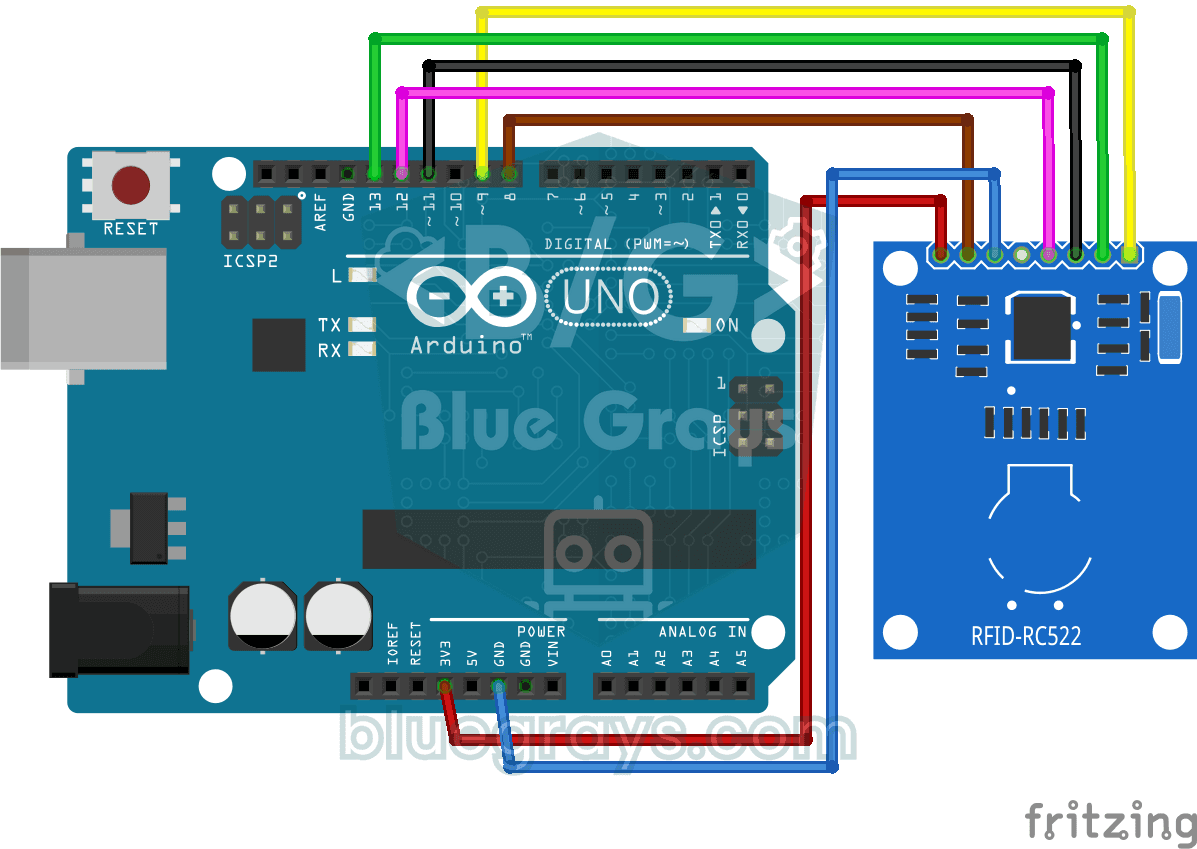
RFID Value Reading
Your building key fob or access card hides a secret ID number, and this project reads it. Hold the card near the RFID reader and the Arduino writes the card's number to your computer screen.
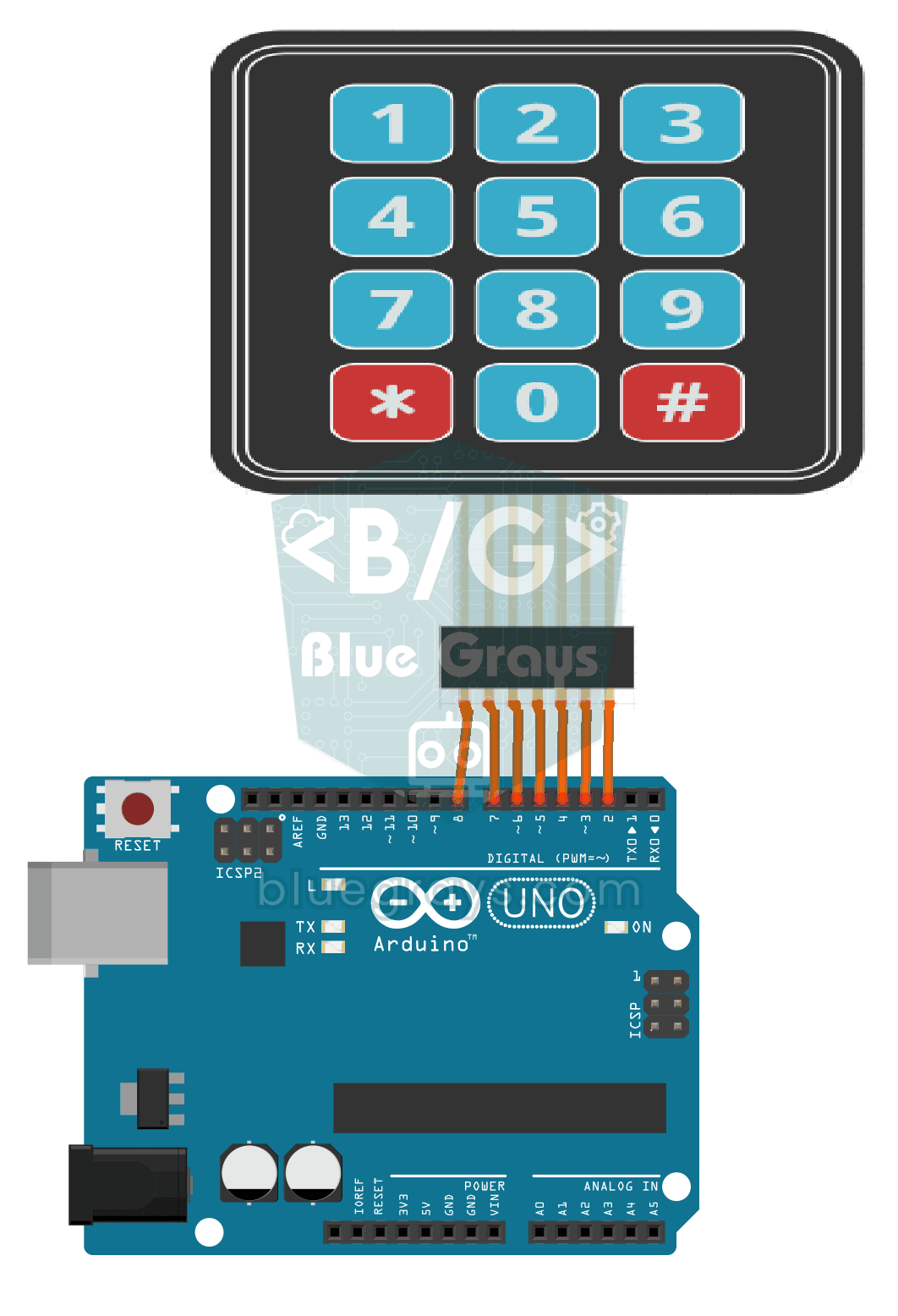
3x4 Keypad Operation
The Arduino instantly knows which key you press on a 12-key keypad that looks like a phone dial pad, and writes it on your computer screen.
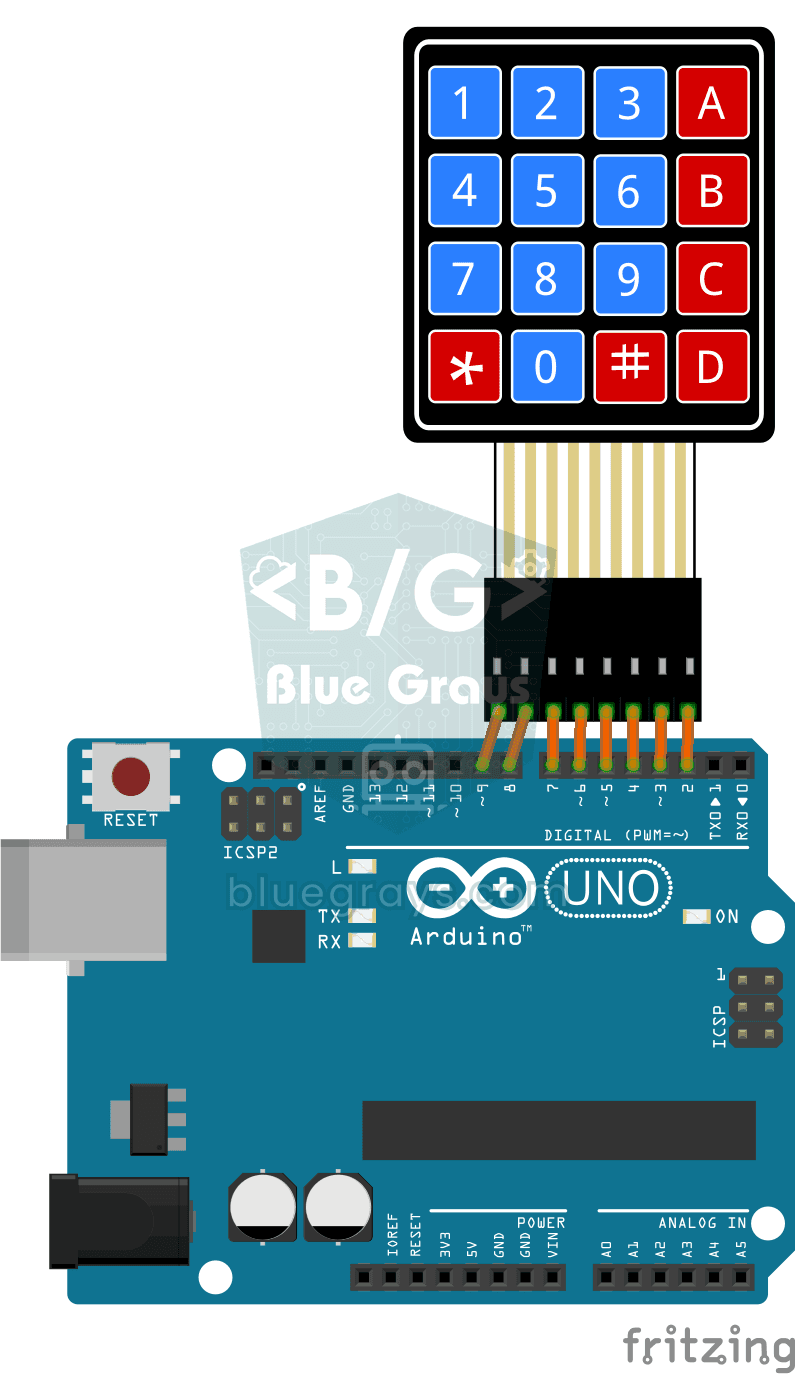
4x4 Keypad Operation
On the 4x4 keypad, which looks a lot like a phone's buttons, the Arduino instantly knows which key you pressed and writes it to your computer screen.
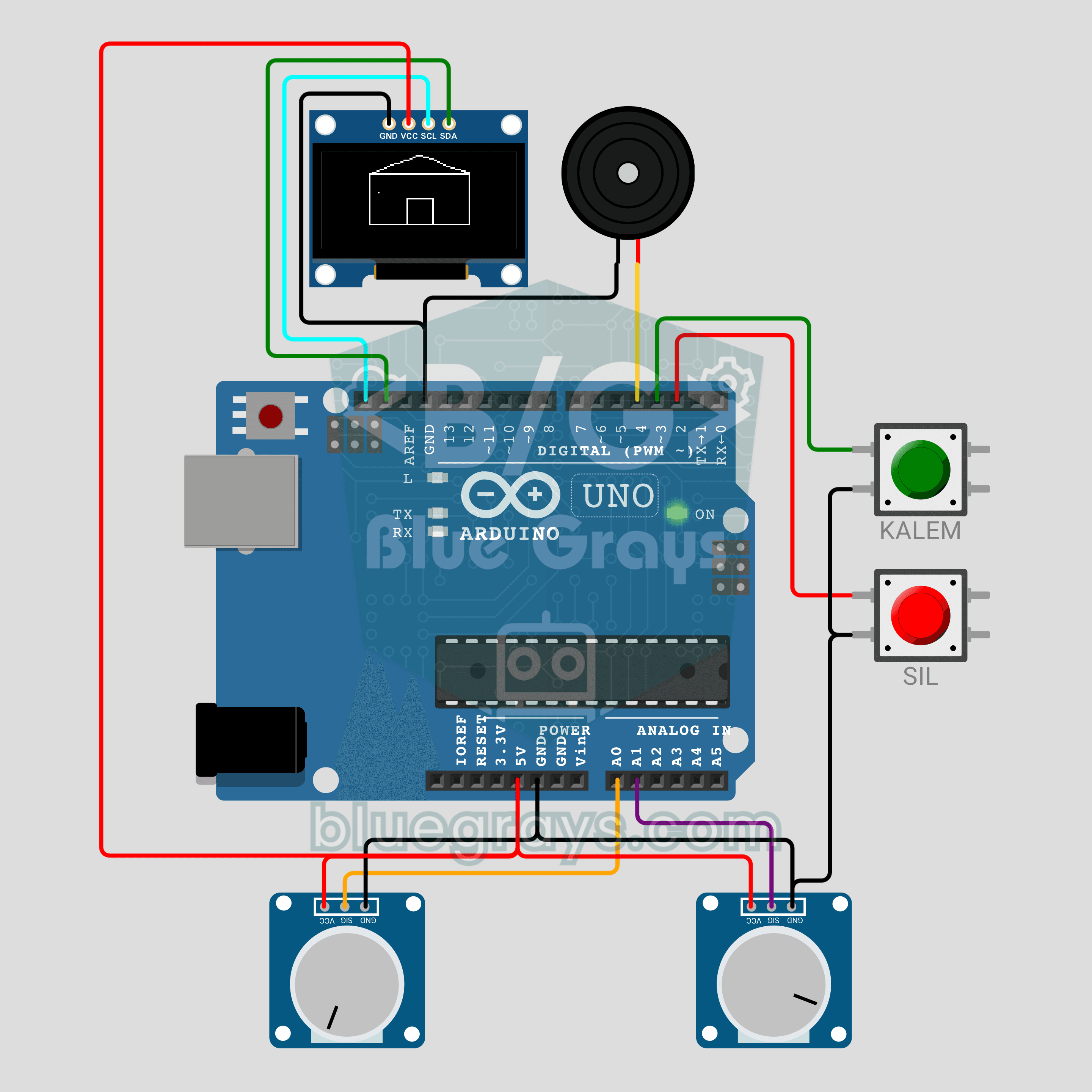
Arduino Magic Drawing Tablet (2 Potentiometers + OLED Display)
We are rebuilding the classic magic drawing tablet with an Arduino! The left potentiometer moves the pen horizontally, the right one vertically, and the 0.96 inch OLED keeps a continuous line. The PEN button lifts and lowers the pen, while the CLEAR button wipes the screen with an eraser animation and a buzzer sound. A fun beginner project about analog input, jitter filtering and drawing on a display.
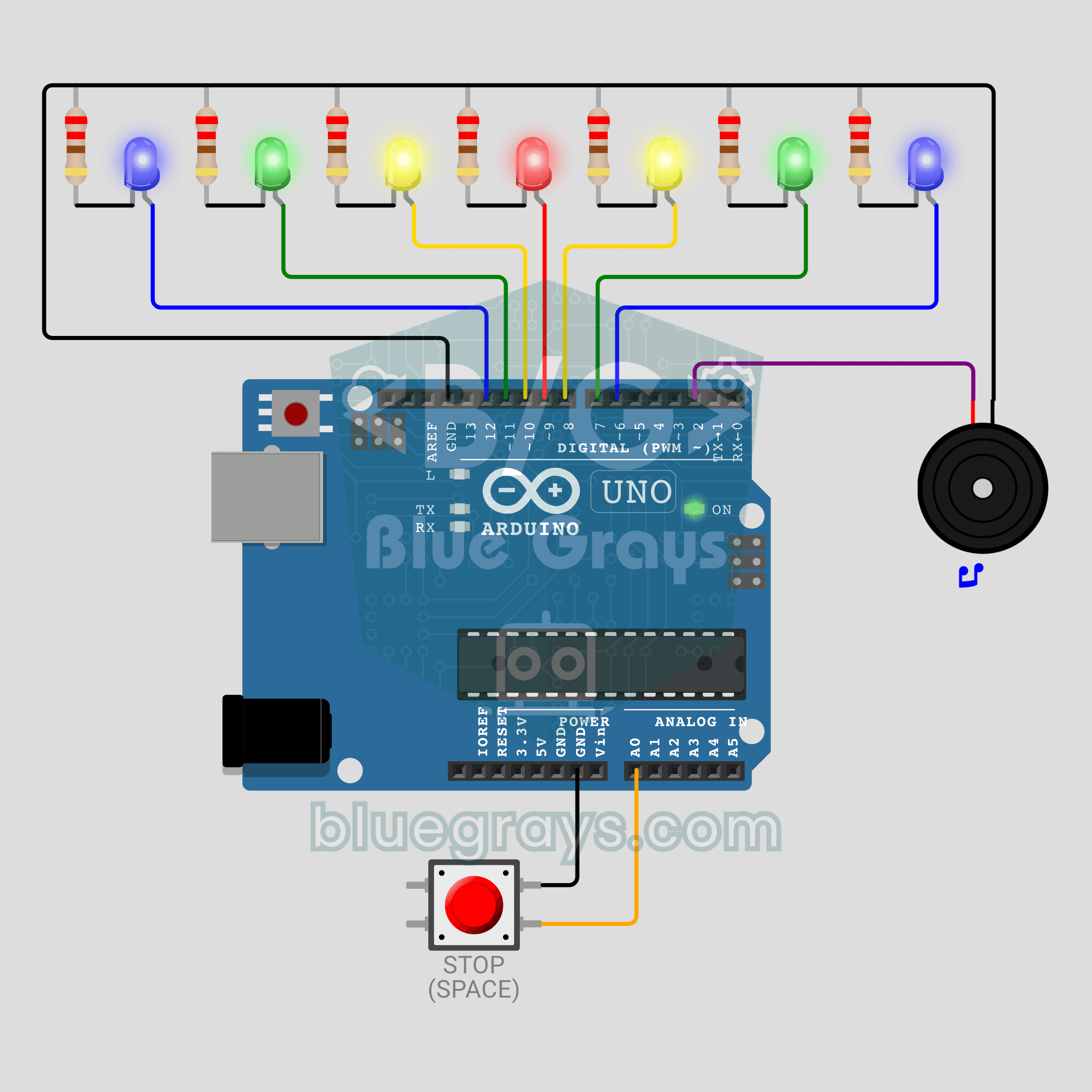
Arduino Cyclone Game: Stop the Light in the Middle (7 LEDs + Button + Buzzer)
Can you stop it on the red LED? A desktop version of the arcade Cyclone game: a light bounces across 7 LEDs and you score by pressing the button while the red centre LED is lit. Every hit reduces the time per LED by about 15%, down to a minimum of 45 ms, and the buzzer plays a tune. A wrong press costs a life, and the game ends after 3. The best score is kept in EEPROM, so it survives a power cut.
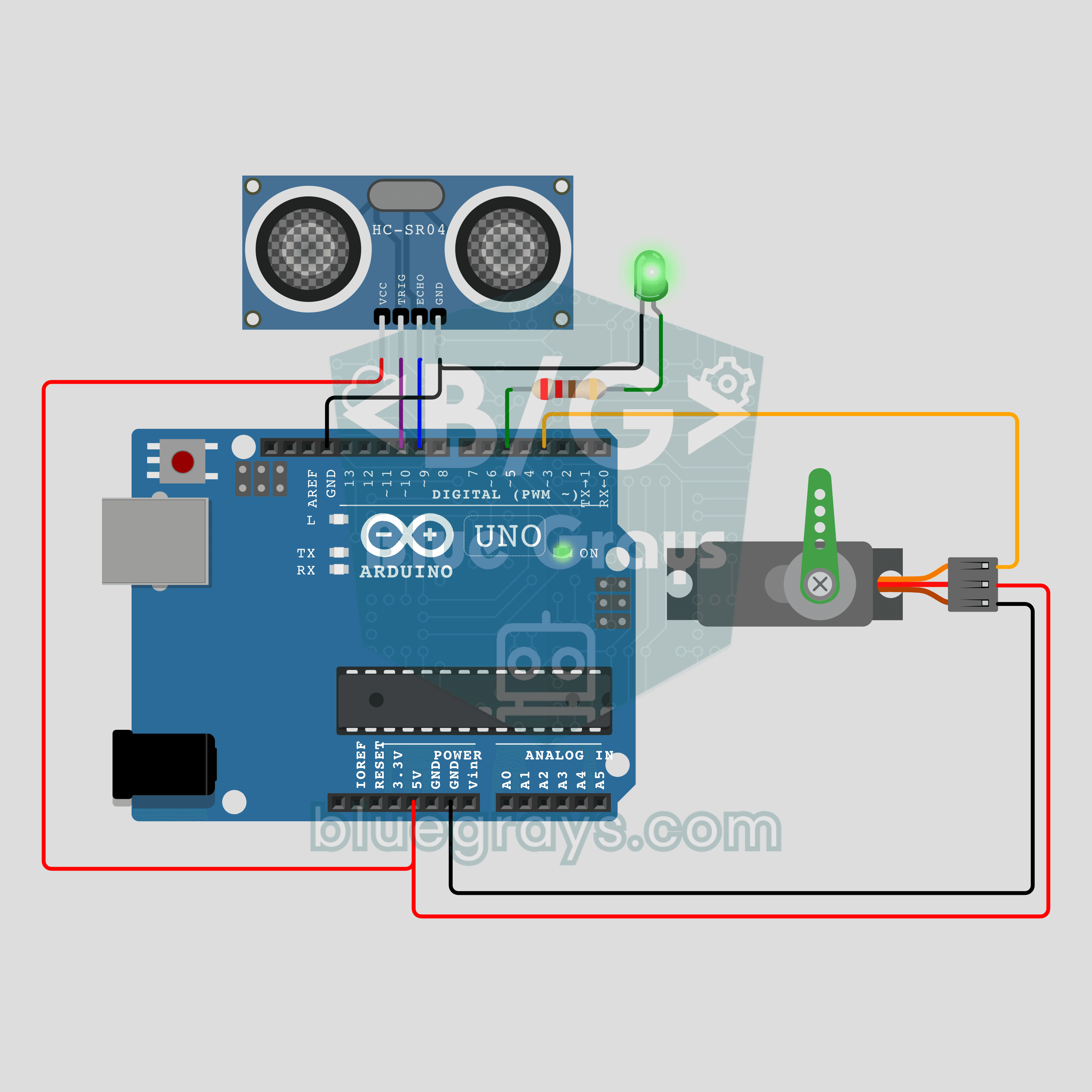
Arduino Touchless Trash Can (HC-SR04 + SG90 Servo + LED)
Wave your hand and the lid opens by itself! When the HC-SR04 ultrasonic sensor sees your hand closer than 15 cm, an SG90 servo lifts the lid in half a second and an LED lights up. Once the hand is gone, the lid waits 3 s and closes slowly. If the sensor detects a hand while the lid is closing, it reopens; contact is still possible because of measurement delays or an undetected hand. A school project favourite that is genuinely useful at home.
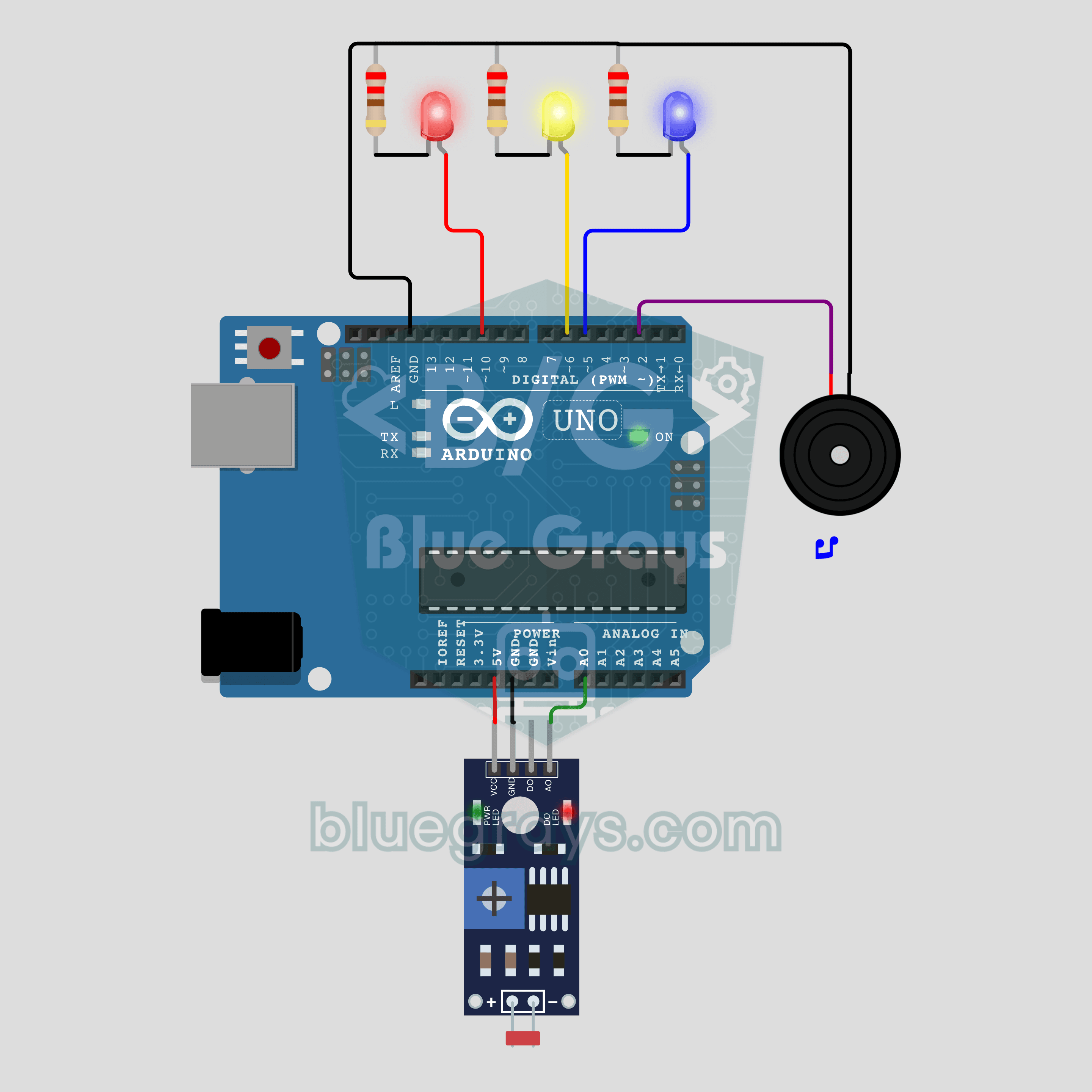
Arduino Birthday Surprise Box (LDR + Buzzer + 3 LEDs)
They opened the gift box and the box started singing! An LDR hidden inside notices the light when the lid opens; the buzzer plays "Happy Birthday" and 3 LEDs light up with the notes. When the song ends, the LEDs flicker like birthday candles. Make it as a gift for someone you love: it runs on batteries and goes quiet when the lid closes.
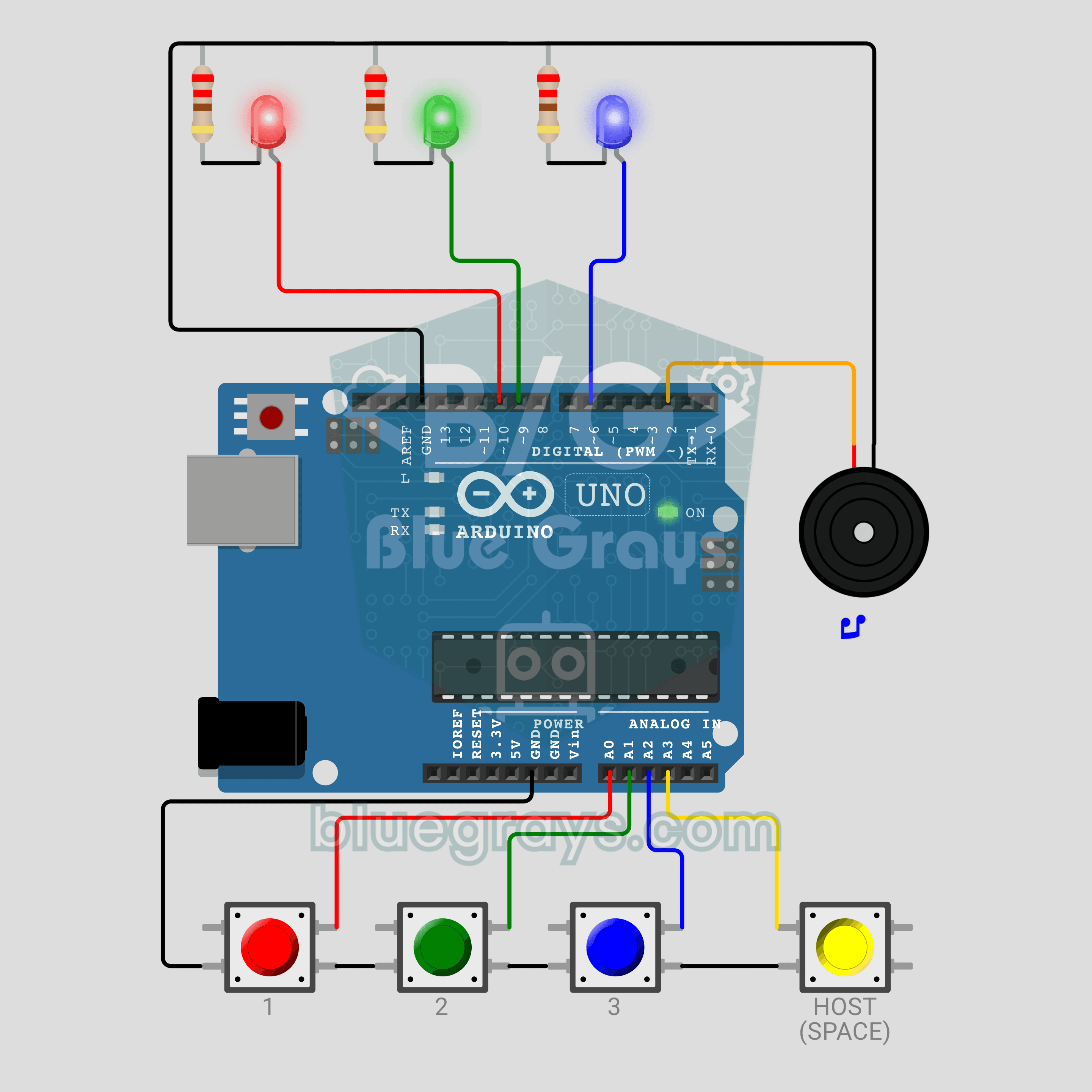
Arduino Quiz Buzzer for 3 Players (4 Buttons + 3 LEDs + Buzzer)
Who buzzed first? The Arduino decides down to the millisecond! The first to buzz answers system from TV quiz shows, for 3 players and a host button. The fastest player's LED lights up bright with its own sound, and the other buttons lock. Buzzing before the host says ready is a foul. Hold the host button for 1 s and the scoreboard plays on the LEDs. Ready for real use in class or at home.
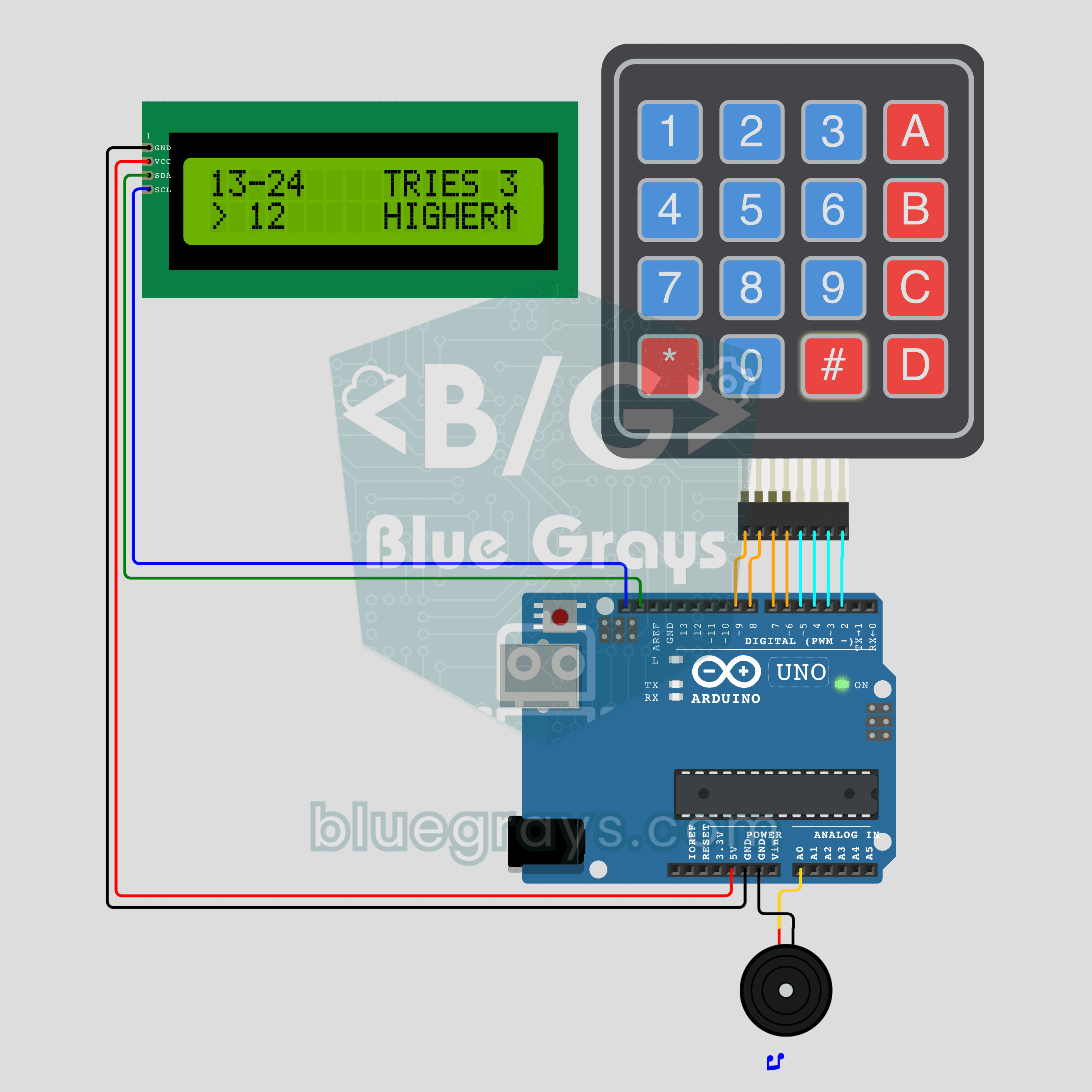
Arduino Number Guessing Game (4x4 Keypad + I2C LCD + Buzzer)
I'm thinking of a number from 1 to 100. Can you find it in 7 guesses or fewer? The Arduino picks a secret number, you type your guess on a 4x4 keypad and send it with #. The I2C LCD says HIGHER or LOWER and shows the range left and your tries, while a passive buzzer gives each hint its own sound. The fewest-tries record is kept in EEPROM. A fun first game that uses a keypad and an LCD together.
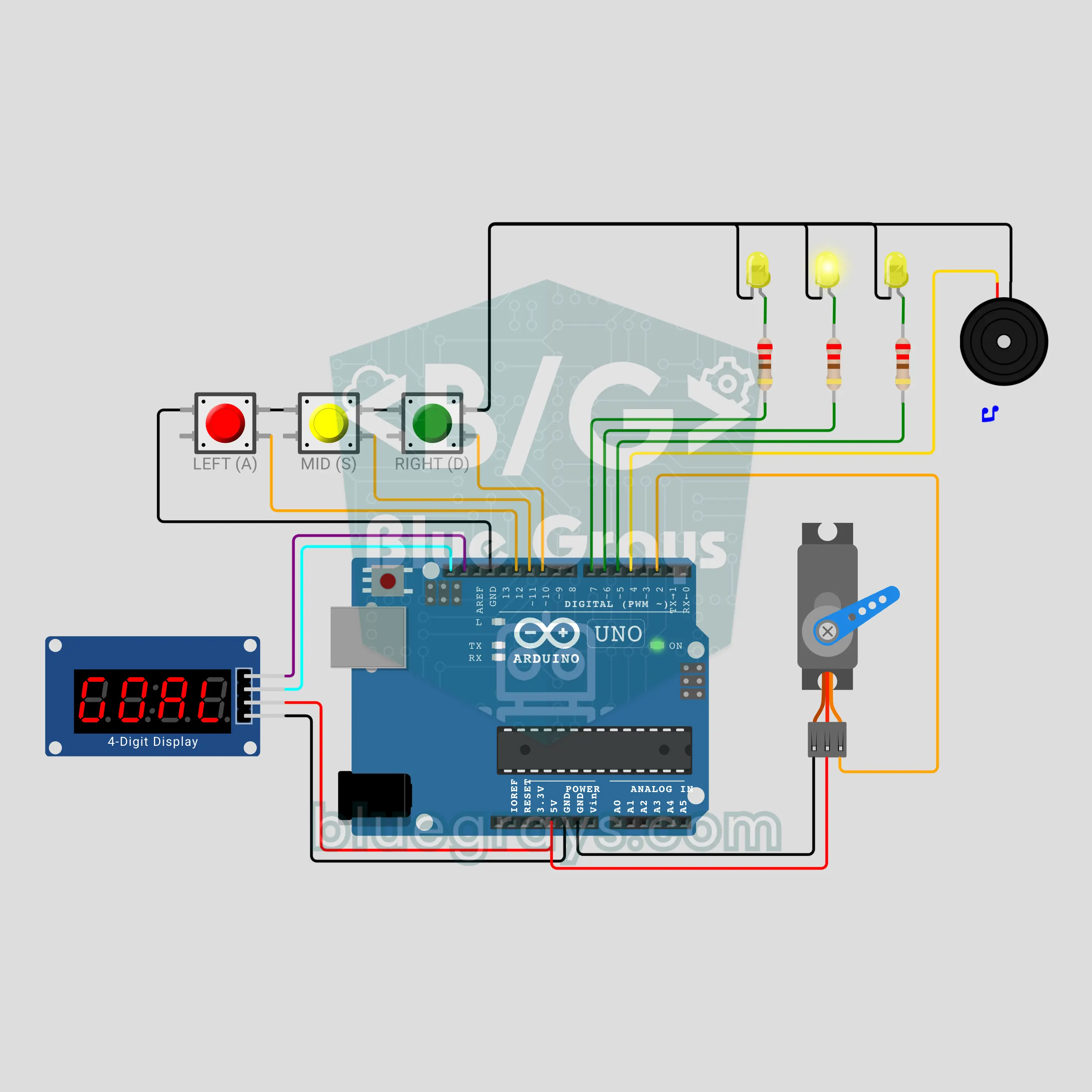
Arduino Penalty Shootout Game (Servo Goalkeeper + TM1637 Display)
A 5-shot penalty shootout on your desk! After a 3-2-1 beep and a whistle you shoot with the left, middle or right button, and the SG90 servo keeper dives to a corner at the same moment. The keeper learns: keep shooting at the same corner and it starts diving there more often. The score is on the TM1637 display, the ball's corner on the LEDs, and the goal tune comes from a passive buzzer. Randomness, weighted odds and servo control in one game.
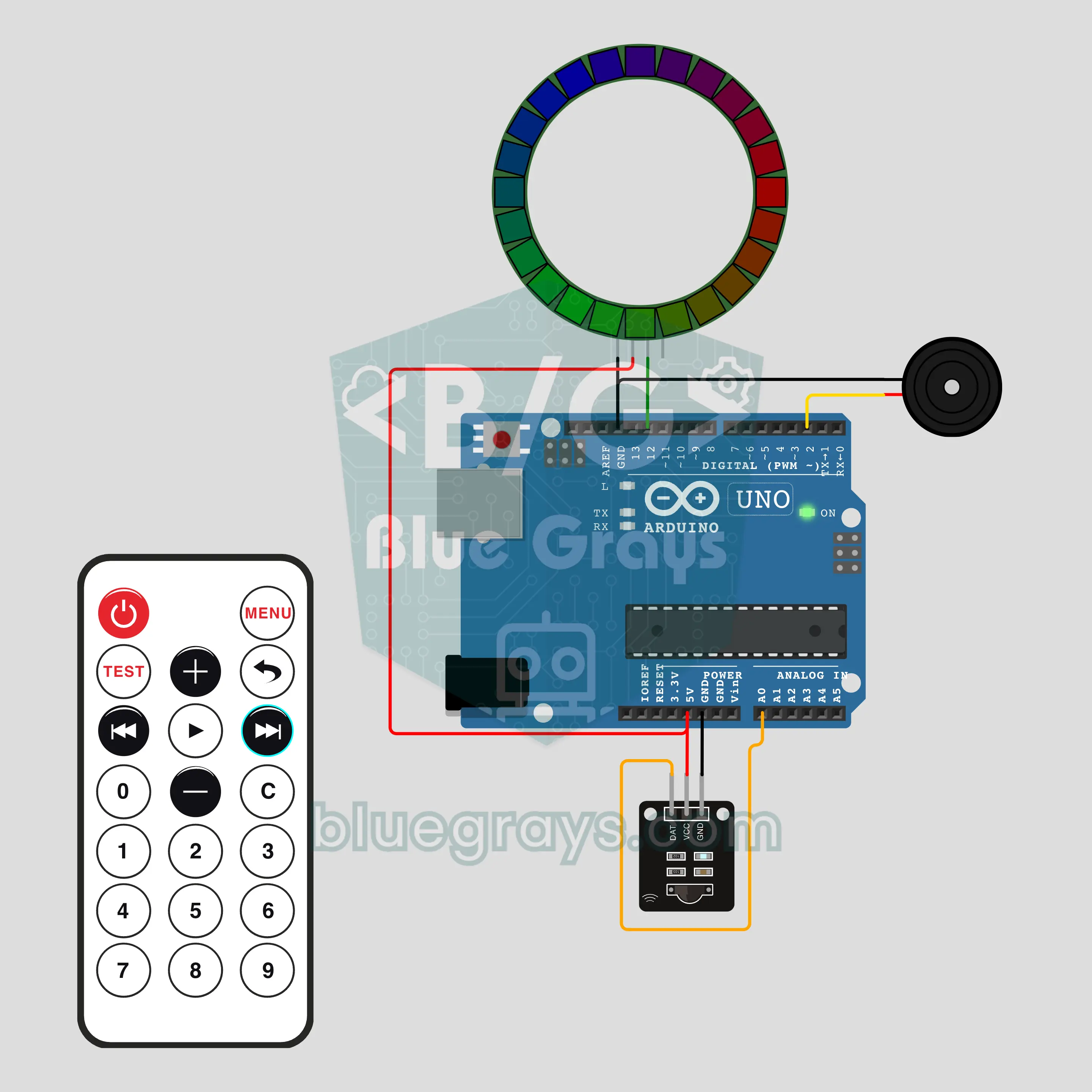
Arduino IR Remote Ambient Light (24-LED NeoPixel Ring + Remote)
Just like the remote of a home LED strip, except you code the light! With an infrared remote you change the colour, brightness and effect of a 24-LED WS2812B ring. Number keys pick 10 colours, next/prev step through 8 effects such as breath, rainbow, comet and candle, and C sets a sleep timer. The last setting is kept in EEPROM, and the buzzer answers every key with a short beep.
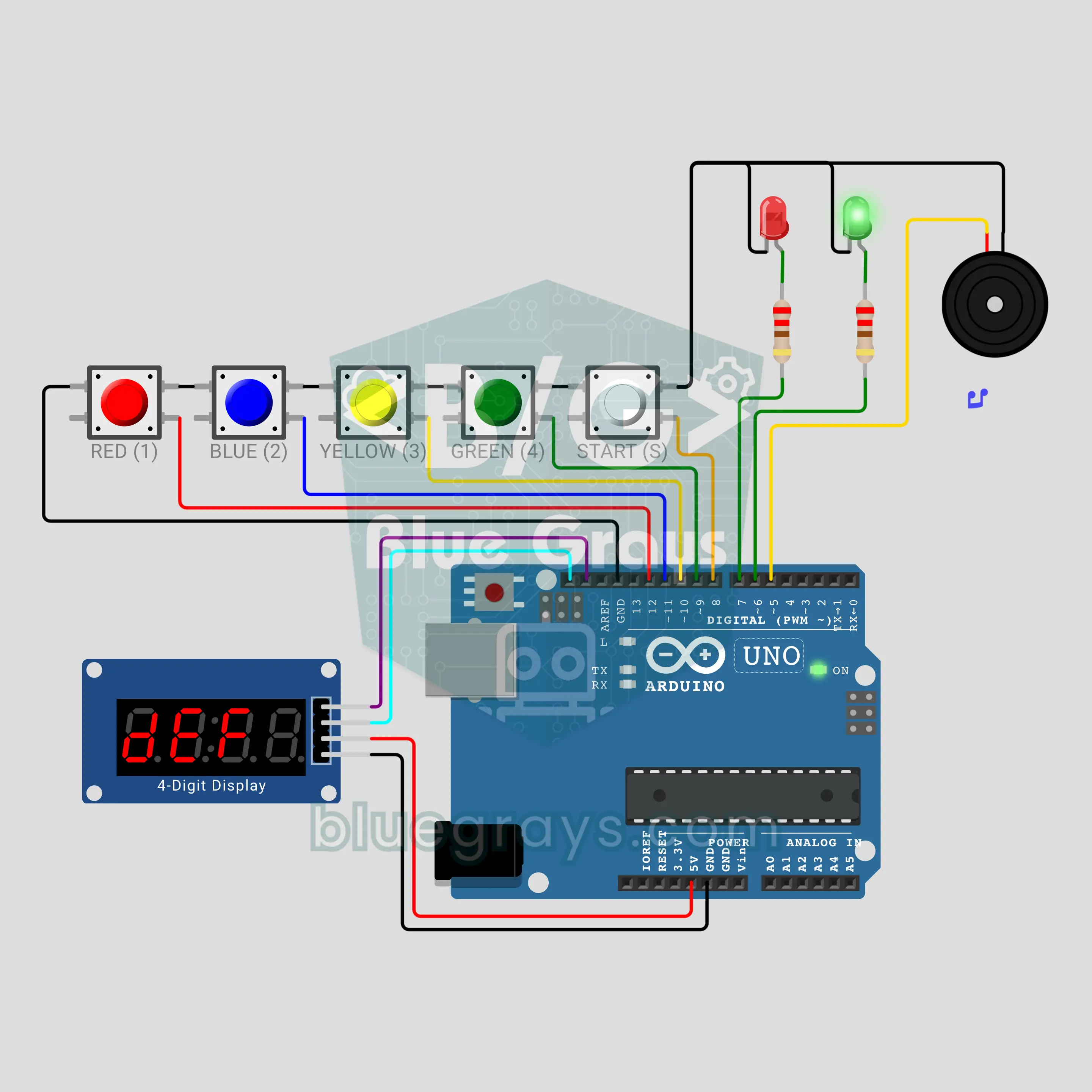
Arduino Bomb Defusal Game: Cut the Right Wire (TM1637 + 4 Wires + Buzzer)
The "red or blue?" movie scene on your desk! Press START and seconds and hundredths race across the TM1637, while the passive buzzer beeps a little faster and higher each time. One of four wires defuses the bomb, one sets it off, one halves the time left and one does nothing, and the roles are shuffled every round. Randomness, non-blocking timing with millis() and an EEPROM defuse counter in one game.
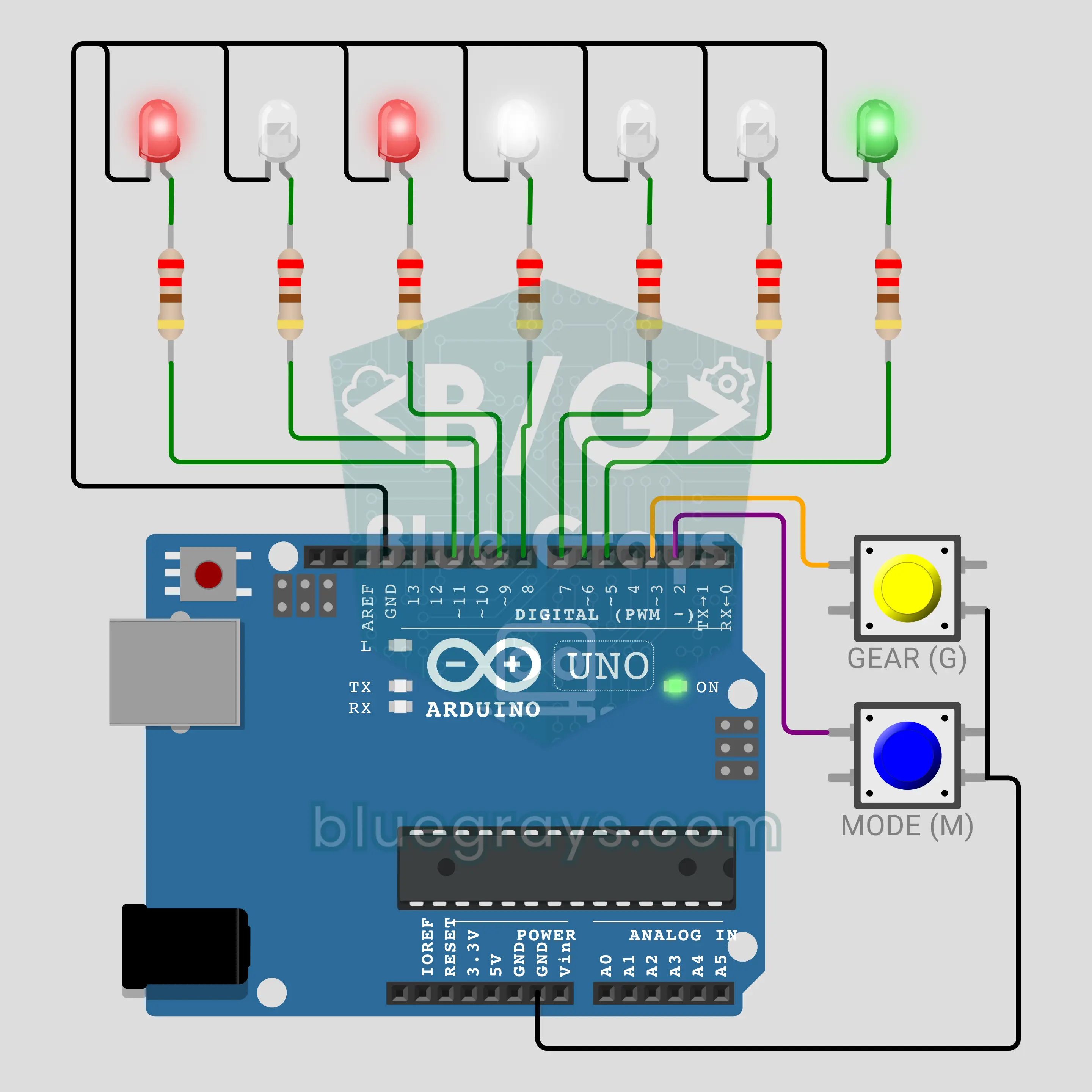
Arduino Aircraft Lights: Multitasking with millis (7 LEDs + 2 Buttons)
The lights of a plane in the night sky, on your desk! The red nav light on the left wing and the green one on the right stay on, the white wingtip strobes double flash, the tail strobe keeps its own rhythm and the red beacon breathes softly. The landing gear button turns on the landing light. All at once with millis(); the mode button runs the same pattern with delay() and shows, to the millisecond, why the button is heard late.
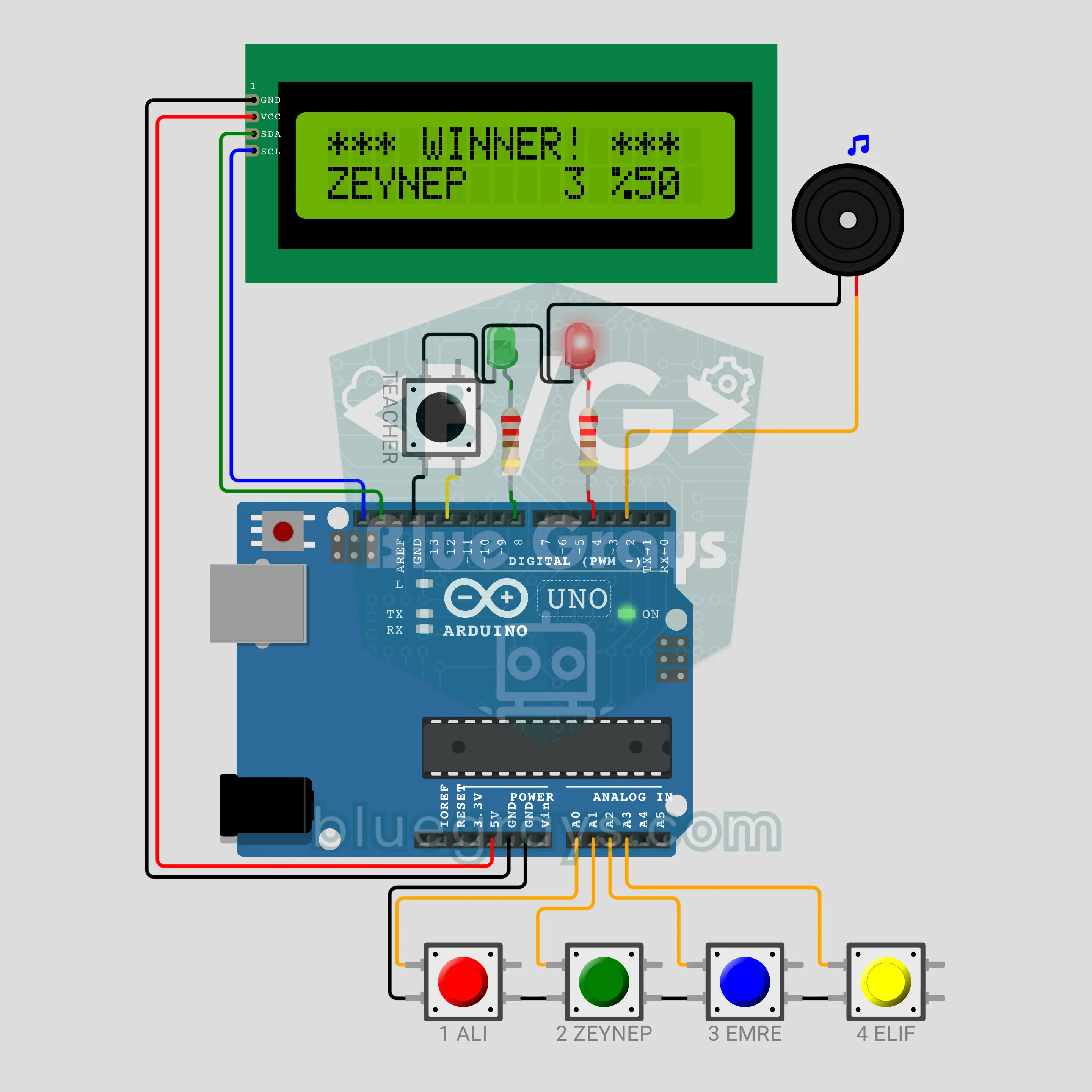
Arduino Class President Voting Machine (4 Candidate Buttons + I2C LCD + Buzzer)
A ballot box without paper for the class president election! Students press one of four candidate buttons, the I2C LCD says thank you and the machine locks for 3 seconds; the screen only shows the total votes, so who is ahead stays secret. When the teacher holds their button for 3 seconds and confirms, the results are revealed from fewest to most votes with a drumroll, winner last. Every vote goes straight into EEPROM and survives a power cut.
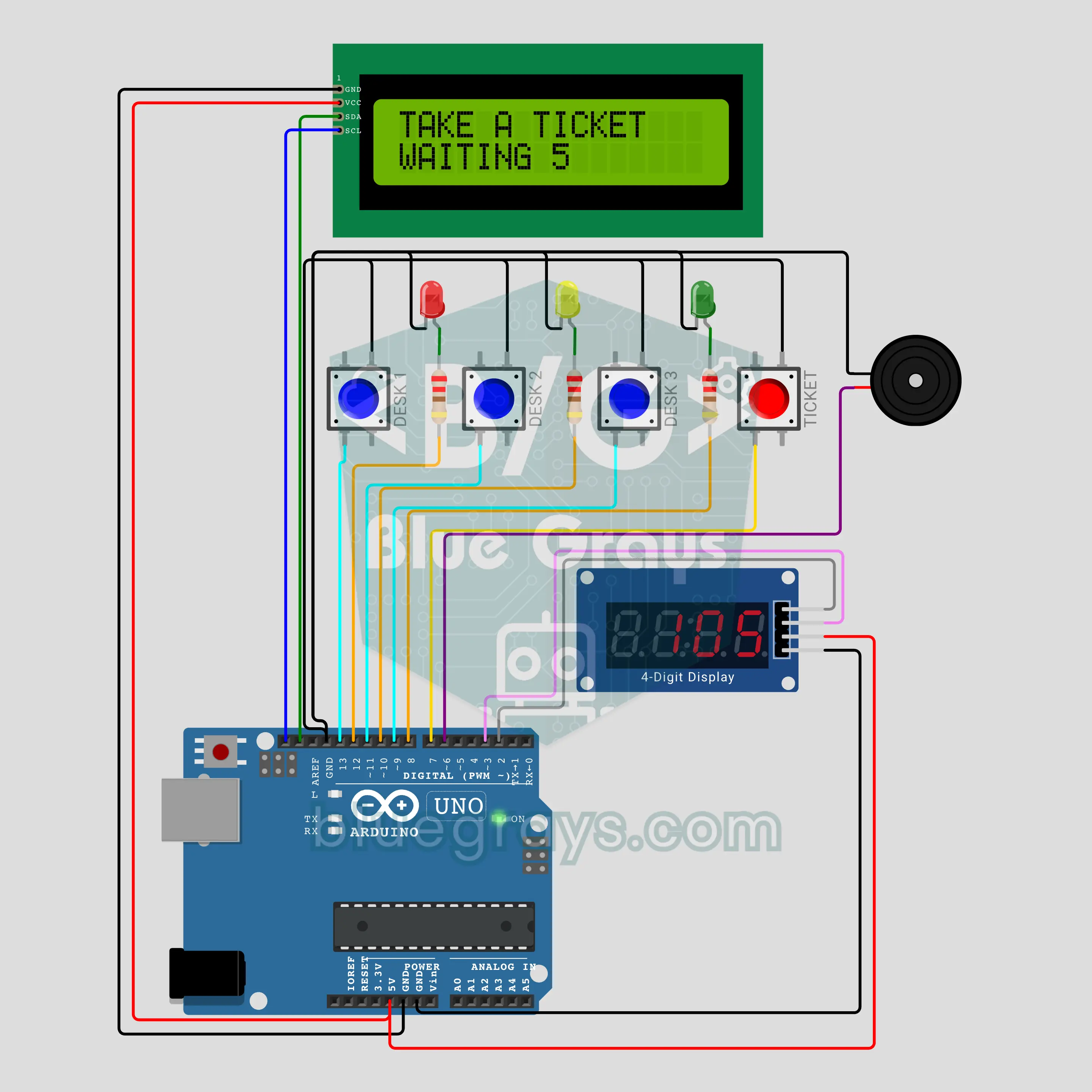
Arduino Ticket Queue System (I2C LCD + TM1637 + 3 Desks)
The ticket machine from the bank, now on your desk! Pressing TICKET gives the next number, which lights up on the TM1637 display. When a clerk presses their desk button, the I2C LCD shows "NO 105 -> DESK 2", the buzzer plays a ding-dong and that desk's lamp blinks. It also counts who is waiting, averages the last 10 waits, totals the day and keeps the last number through power cuts.
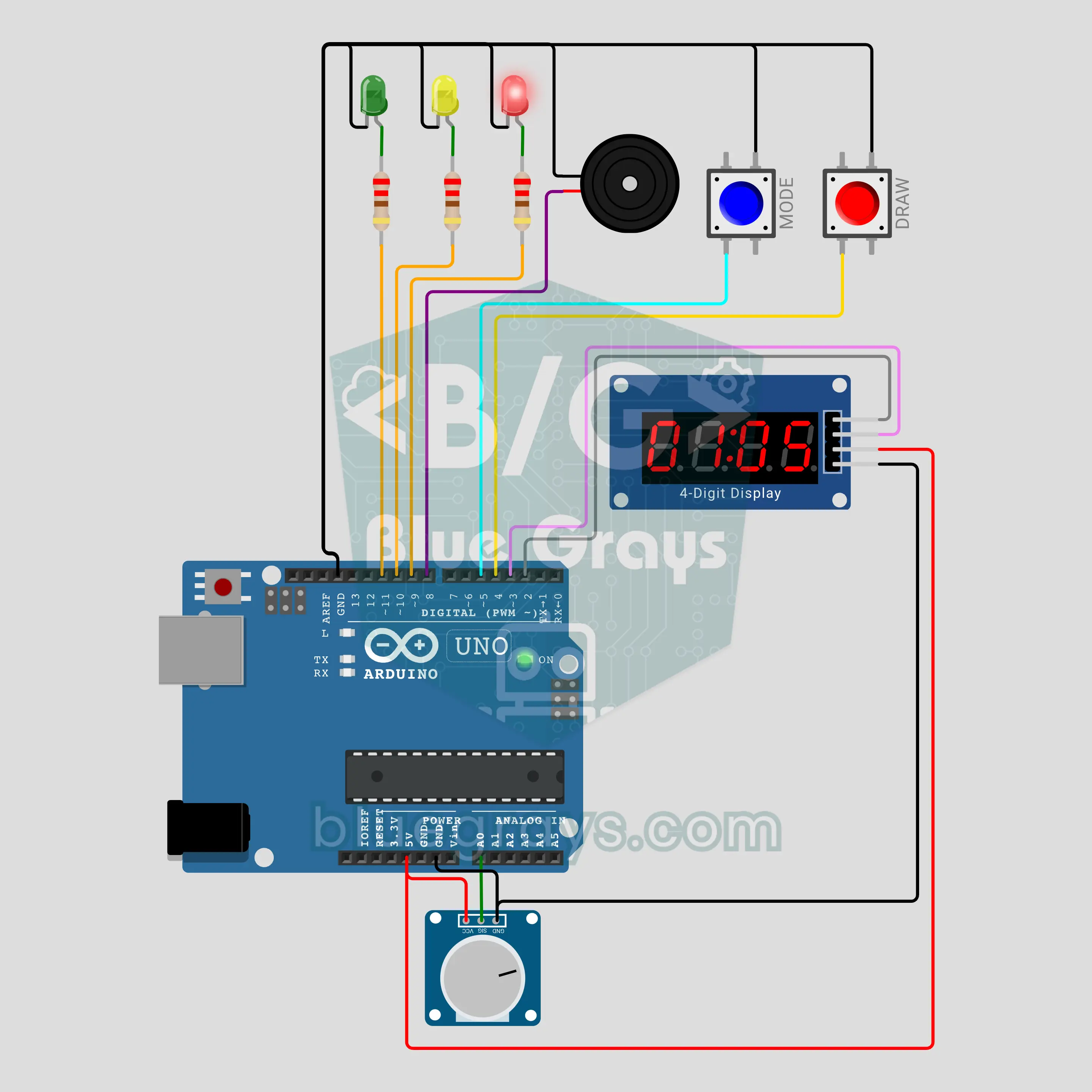
Arduino Random Draw Machine (TM1637 + Potentiometer + Buzzer)
Who stands up in class, who buys a gift for whom at the holidays? This box runs three draws on its own: in CLASS mode a number from 1..N comes up and never repeats in that round, in LOTTO mode 6 different numbers from 1–90 are drawn and sorted, and in GIFT mode a Sattolo shuffle makes sure nobody draws themselves. The digits spin like a wheel on the TM1637, slow down and stop with a buzzer fanfare. A potentiometer sets the group size.
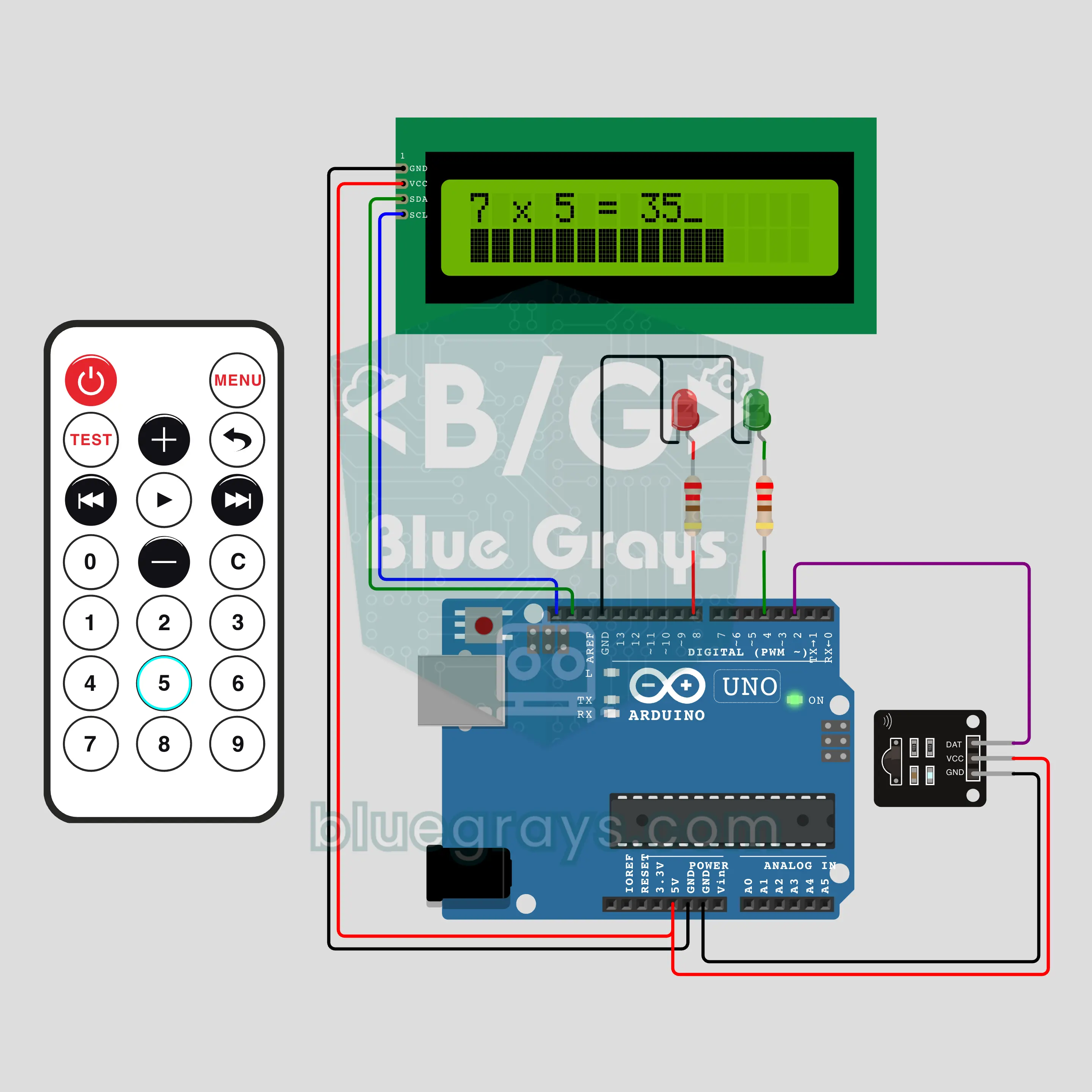
Arduino Remote Control Times Table Quiz (IR Remote + I2C LCD + 2 LEDs)
A remote control turns into a game show clicker: the I2C LCD shows "7 x 8 = ?", you type the answer with the number keys and send it with PLAY. The time bar on the bottom row melts in 10 seconds; fast right answers score more, and after 3 in a row a streak bonus kicks in. There are three levels, reverse questions, a team mode with turns and a TEST key that gives the whole class the same questions; a green or red LED shows right or wrong.
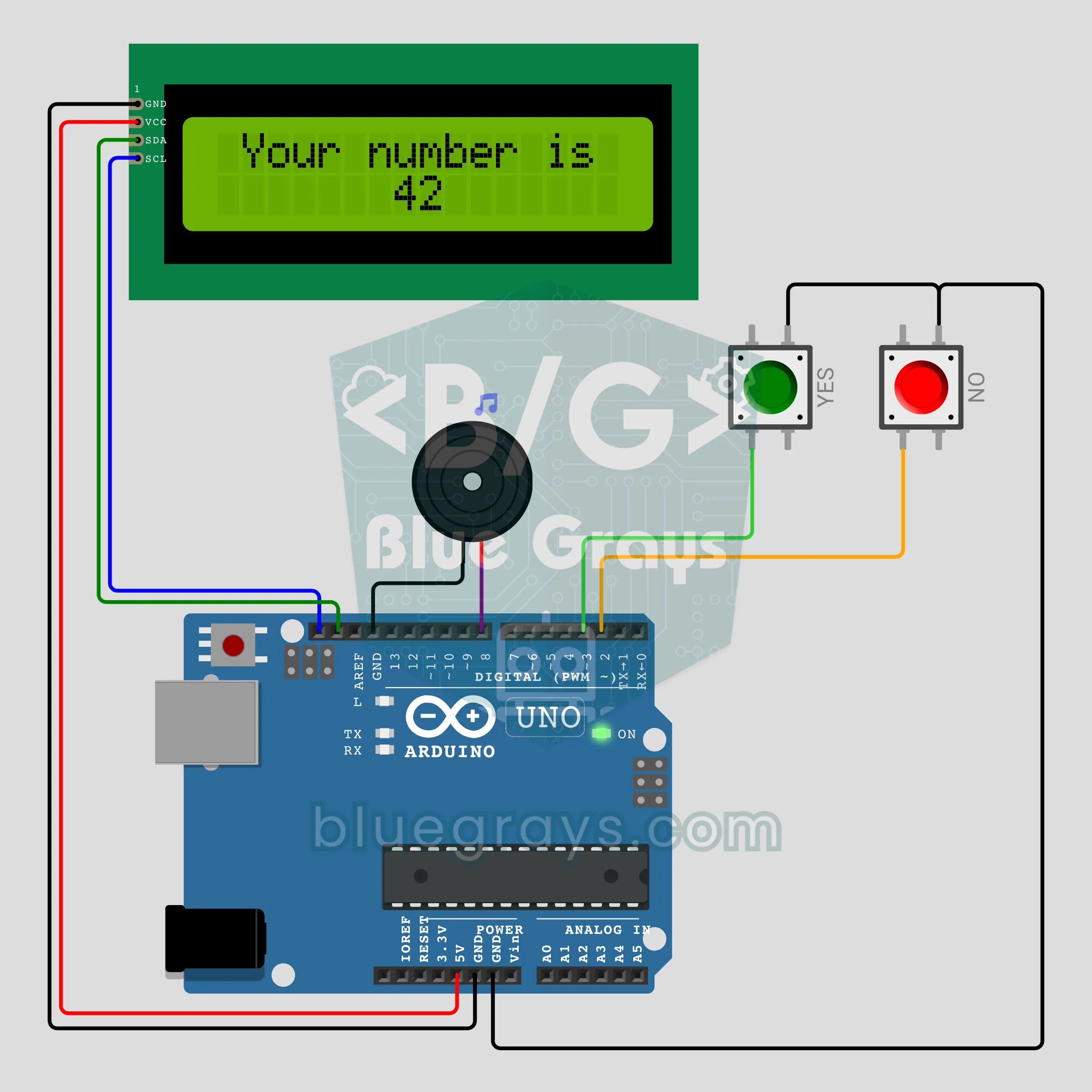
Mind-Reading Arduino: Think of a Number (I2C LCD + 2 Buttons + Buzzer)
Think of a number from 1 to 63; the Arduino shows 6 cards and you only answer YES or NO. After the sixth answer it reveals your number on the I2C LCD while the buzzer plays a magic tune. Then it gives away the trick: the first numbers of the cards are 1, 2, 4, 8, 16, 32, and adding up your YES cards gives your number. A magic trick that teaches the binary number system and asks the cards in a new order every game.
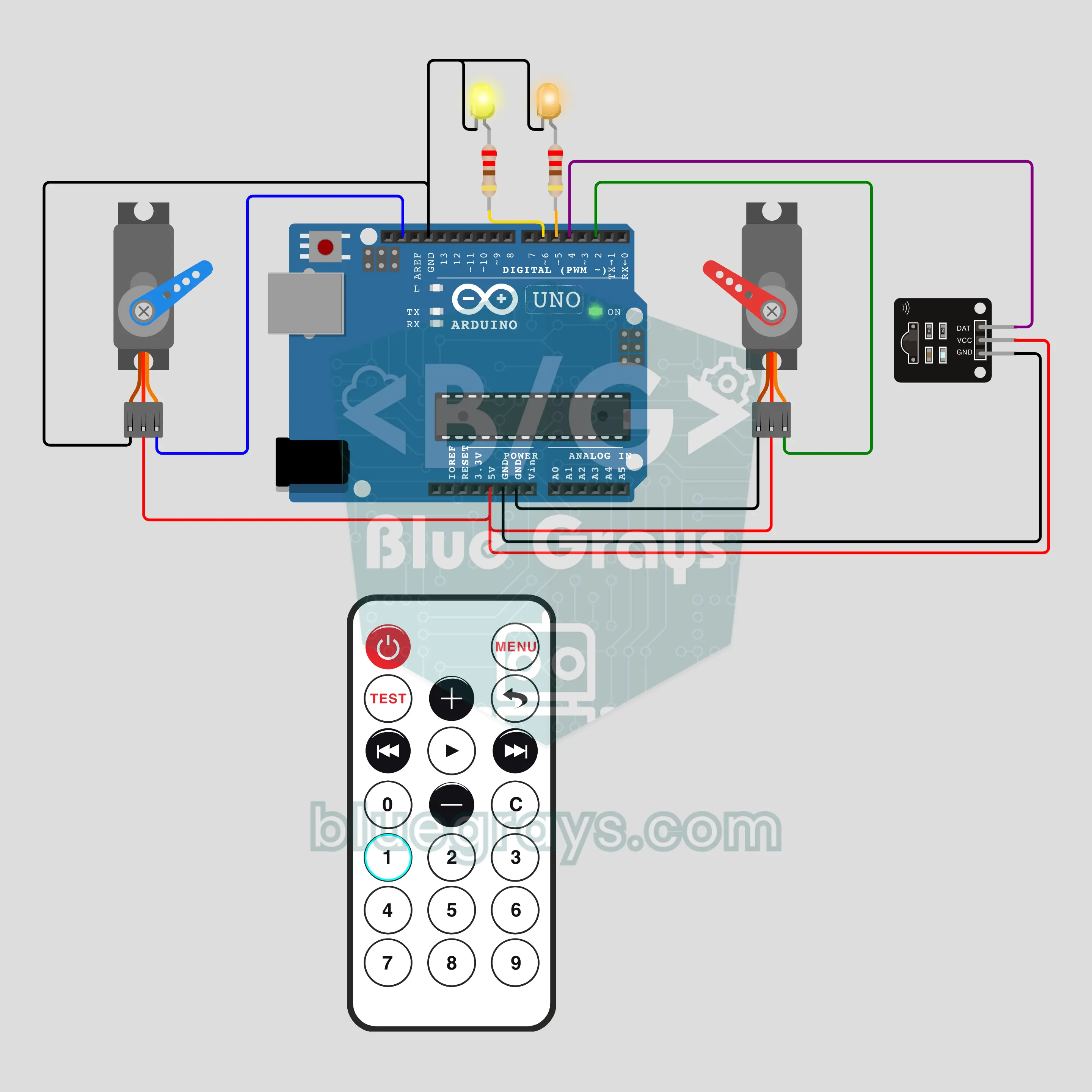
Arduino Remote-Controlled Shadow Play: Hacivat and Karagöz (IR + 2 Servos + 2 LEDs)
A traditional Turkish shadow play run by a TV remote: two SG90 servos hold the rods of Hacivat and Karagöz, while a yellow and an orange LED behind the curtain flicker like an oil lamp. Keys 1, 2, 3 play a greeting, a chase and a farewell scene; the arrow keys let you move the puppets by hand, and POWER switches the curtain light. The lines show up on the serial monitor in Turkish and English. A ready-made puppet theatre for a school show.
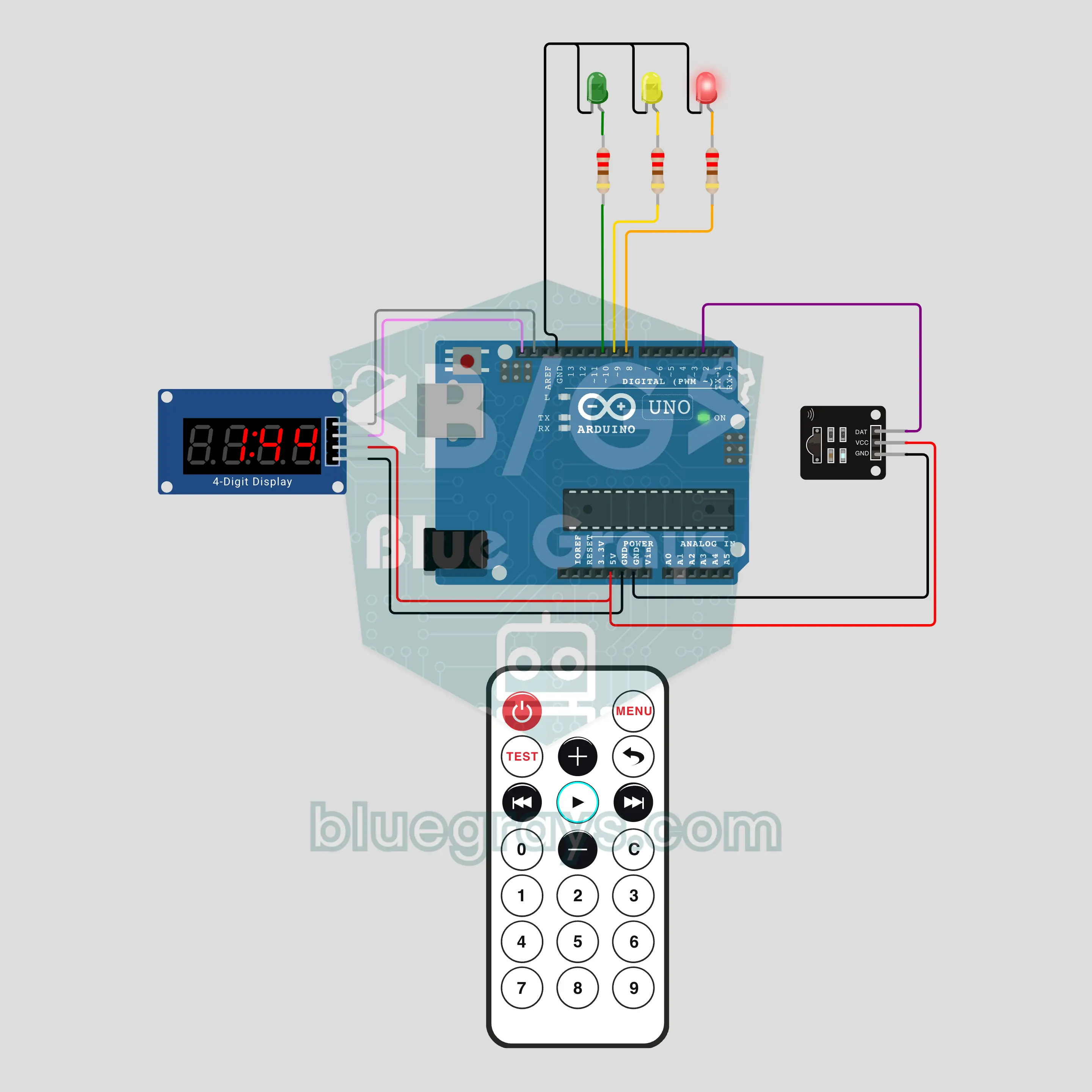
Arduino Exam Timer: Teacher's Remote Control (IR + TM1637 + 3 LEDs)
No more "how many minutes are left?" during exams: the teacher picks the time with a TV remote (20, 30, 40 or 45 minutes) and starts it with PLAY. A TM1637 display shows the time left big enough for the back row, while a green, yellow and red LED tell it by colour. The display blinks when the last 5 minutes start and shows End when time is up; the + key gives 5 extra minutes. It runs silently, perfect for an exam hall.
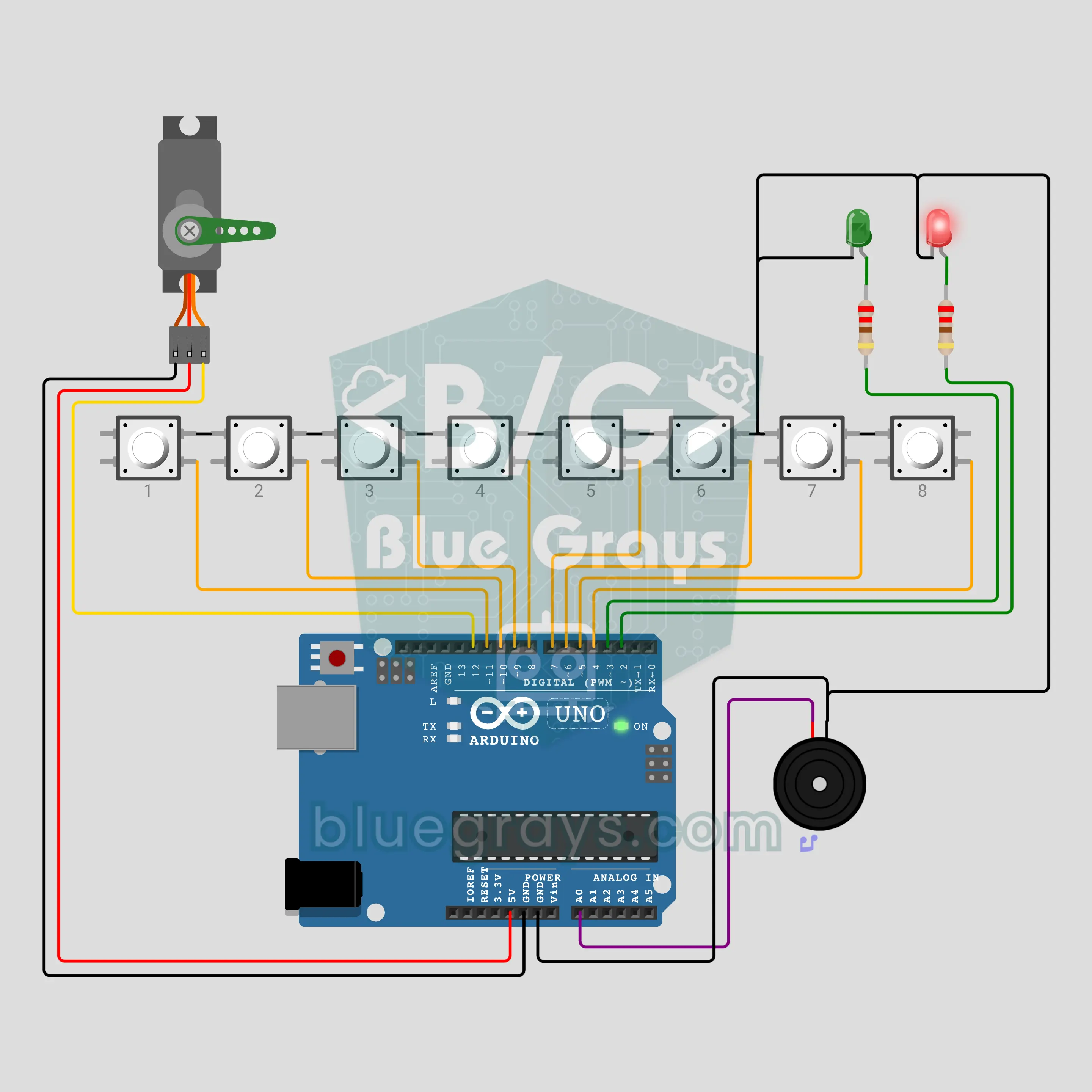
Arduino Biting Crocodile: Which Tooth? (8 Buttons + Servo Jaw + Buzzer)
A party game in the style of the classic biting-crocodile toy: eight buttons are the crocodile's teeth and an SG90 servo is its upper jaw. Each round one tooth is secretly cursed. You take turns pressing teeth; a safe tooth clicks and the jaw twitches a little. Whoever presses the cursed tooth gets bitten: the jaw snaps shut, the red eye lights up and the buzzer growls. As fewer teeth are left, the green eye blinks faster and faster.
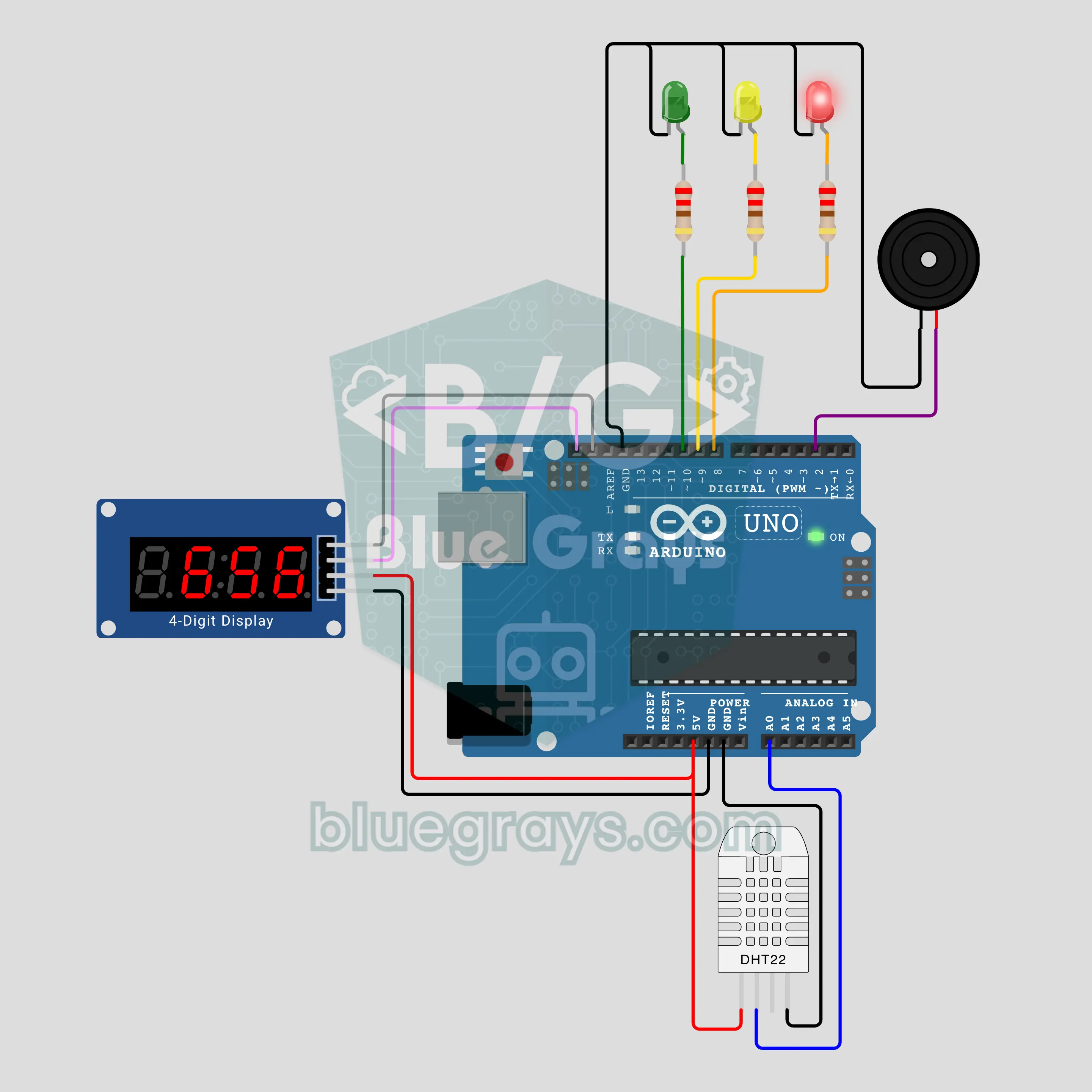
Arduino 5-Minute Shower: A Clock That Starts Itself with Steam (DHT22 + TM1637 + Buzzer)
End the "who has been in the shower for 20 minutes?" fight at home: a DHT22 notices the humidity rising with the steam and the clock starts by itself, nobody has to press a button. A TM1637 display shows minutes:seconds, and a green, yellow and red LED tell the time by colour. The buzzer sounds at minute 5, then gives a short reminder every minute. When the humidity drops, the timer stops and the final time stays on the display.
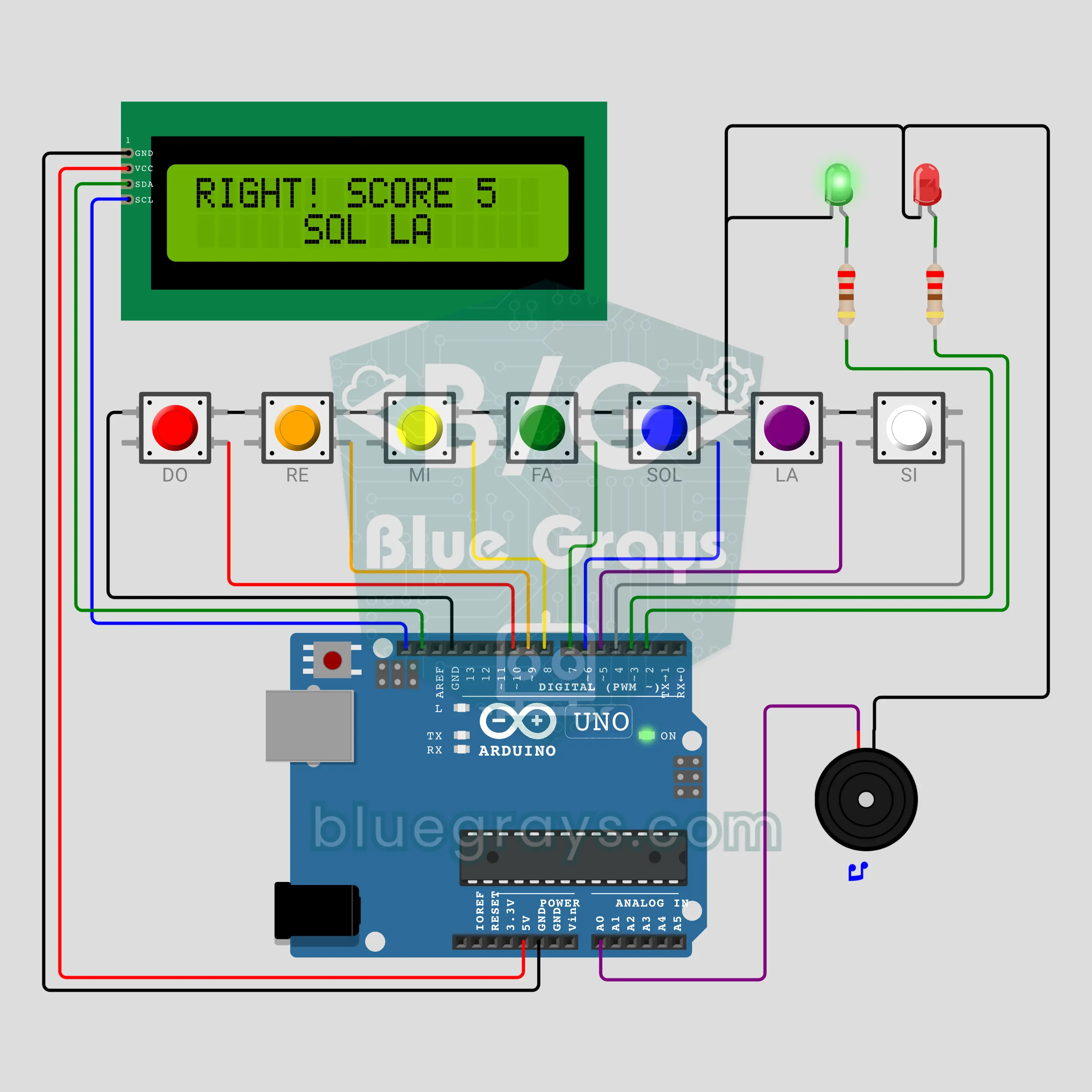
Arduino Note Hunter: How Good Is Your Ear? (7 Buttons + I2C LCD + Buzzer)
Ear training from music class turned into a game: the Arduino plays a reference DO, then a hidden note, and you find which of the 7 buttons (DO RE MI FA SOL LA SI) it was. Right lights the green LED and scores, wrong lights the red LED and the right note plays again. Every 3 right answers you level up to two and three notes; score, level and lives are on the I2C LCD.
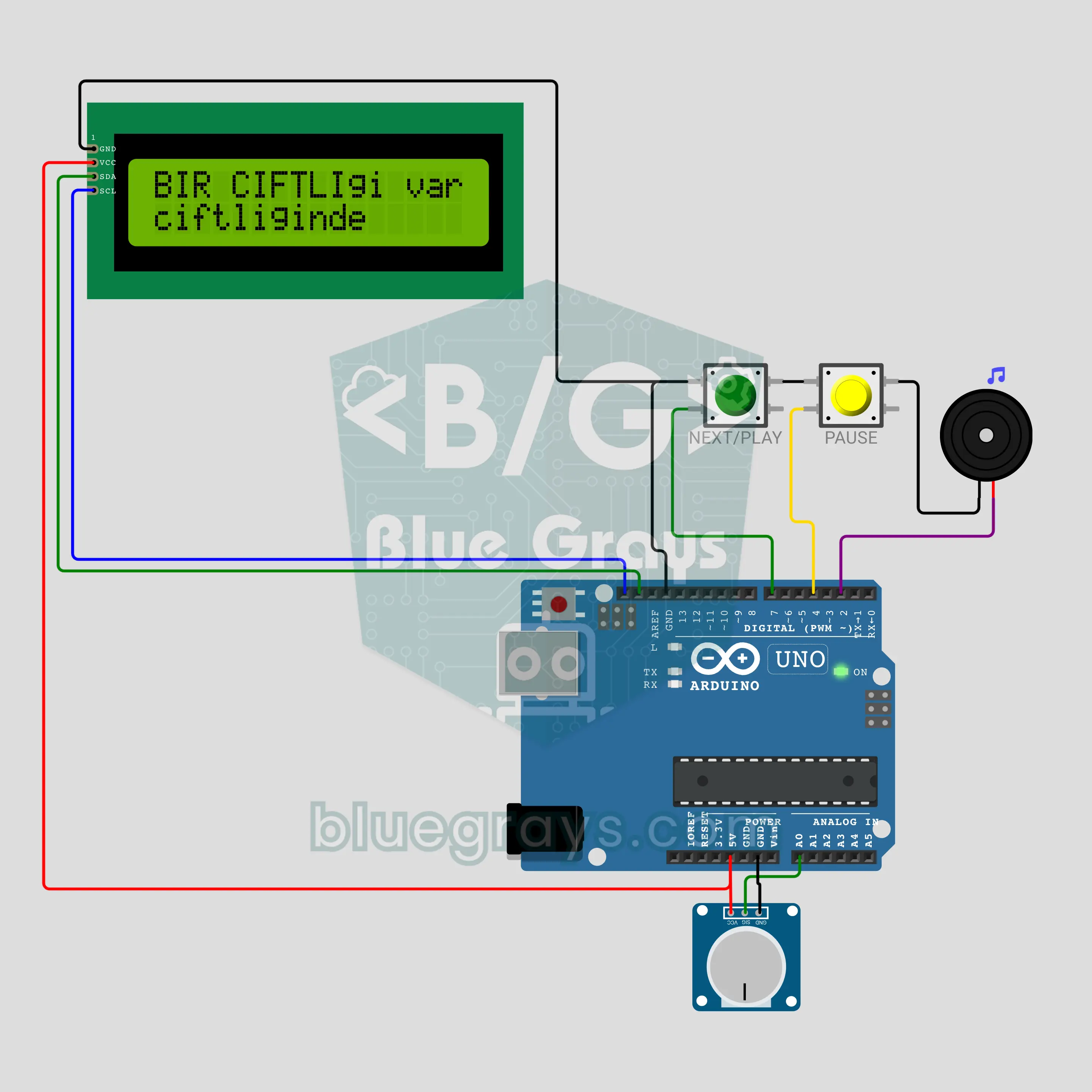
Arduino Music Player with Song Lyrics: A Karaoke Box with Lyrics Flowing on Screen (I2C LCD + Buzzer + 2 Buttons + Pot)
A karaoke box that plays music and shows the song lyrics on screen. The buzzer plays the melody while the I2C LCD shows the lyrics in time with the notes: each sung syllable turns upper case and the next line waits below. A pot sets the tempo from 60% to 140%, two buttons start, skip and pause. All three tunes are anonymous and copyright-free; the lyrics are written in ASCII because the LCD has no Turkish letters.
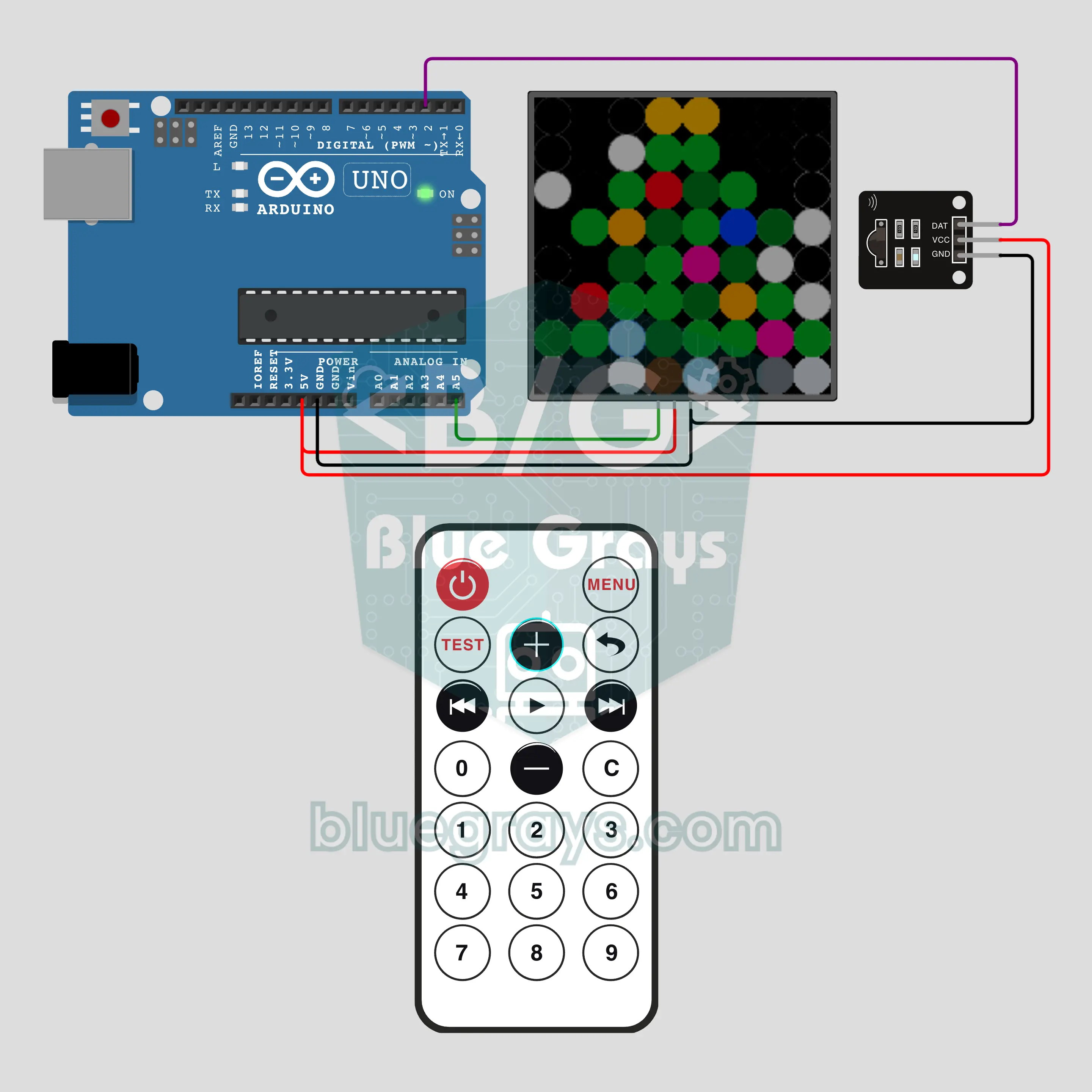
Arduino Remote-Controlled Christmas Tree: 8 Effects (IR Remote + 8x8 NeoPixel)
A pixel pine tree on an 8x8 NeoPixel matrix, with a trunk, layered branches, ornaments and a golden star. The remote's 1-8 keys pick 8 effects: twinkling ornaments, color wave, star sparkle, snowfall that piles up, a light chain, rainbow, a scrolling 2027 with fireworks and calm candlelight. +/- for brightness, OK on/off, 0 auto show. A desk decoration for tree-trimming week that you run from the couch.
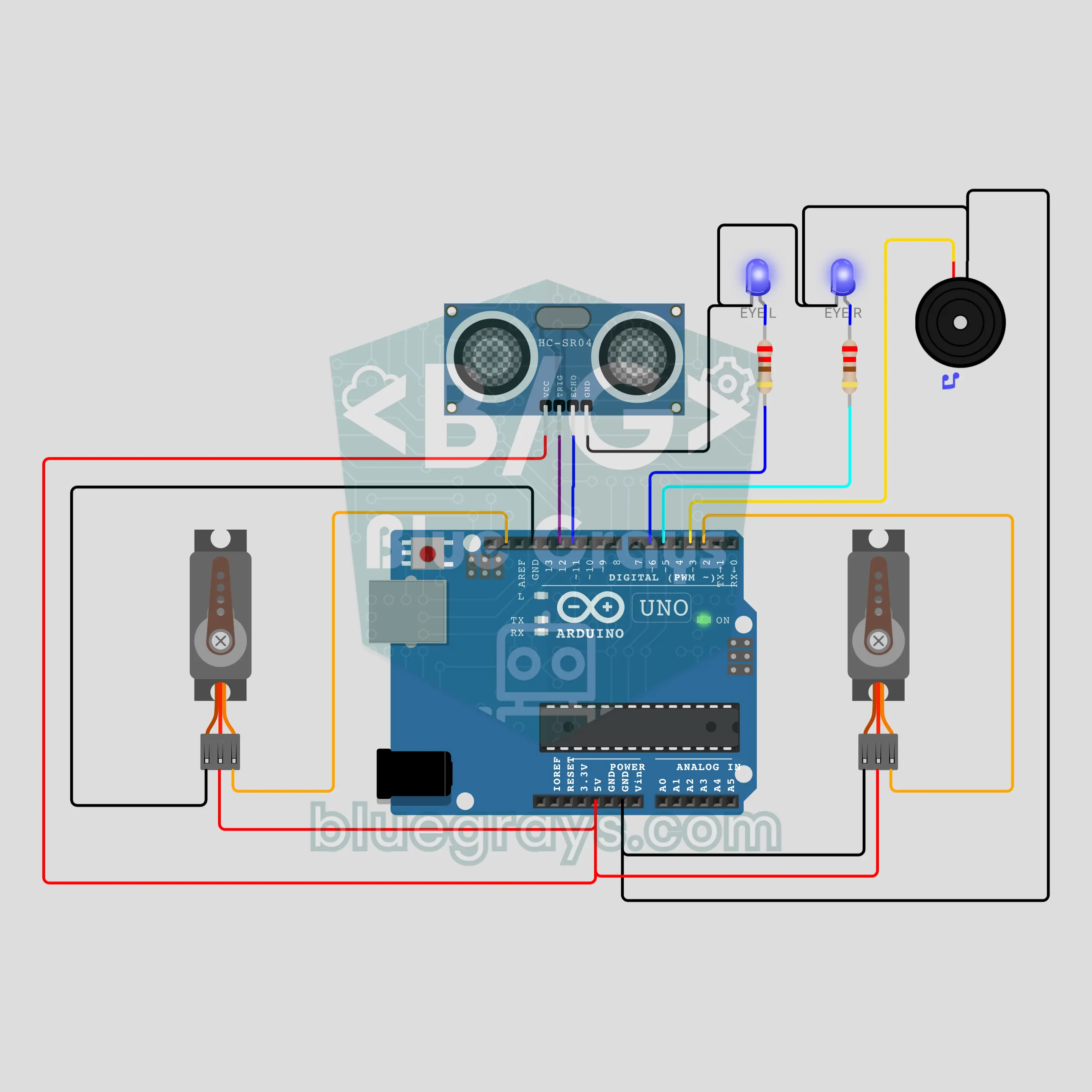
Arduino Singing Snowman: Waves When You Approach and Dances (HC-SR04 + 2 Servos + 2 LEDs + Buzzer)
A snowman that comes alive for a shop window or a school door. The HC-SR04 measures who is in front: within 1 metre the blue LED eyes light up, the right arm waves and the buzzer says "hello". Within 30 cm it plays Jingle Bells, the two servo arms rise in turn to the beat and the eyes flash on every note. When the person walks away, the left arm waves goodbye; with nobody around the eyes blink slowly.
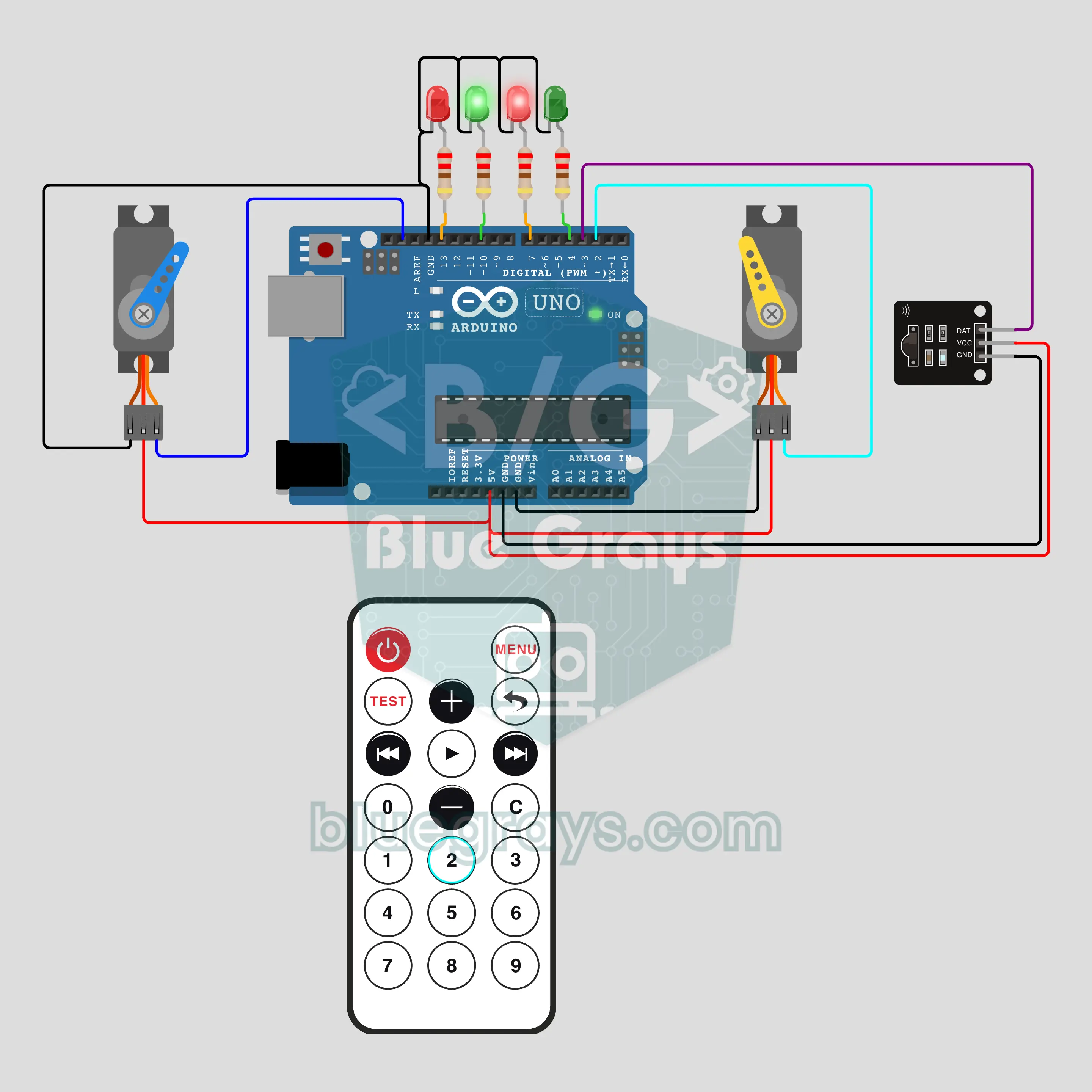
Arduino Model Railway Turnout and Signal Remote (IR + 2 Servos + 4 LEDs)
Throw the two turnouts of your model railway with a TV remote: two SG90 servos move the point blades slowly, just like real points, and each turnout has a red/green signal. While a turnout moves its signal shows red, once it locks in place it turns green. 1 sets the main line, 2 the siding, and the turnouts move one after the other; the arrow keys switch a single turnout and POWER is an emergency stop. Positions are kept in EEPROM, so the servos do not jump at power-up.
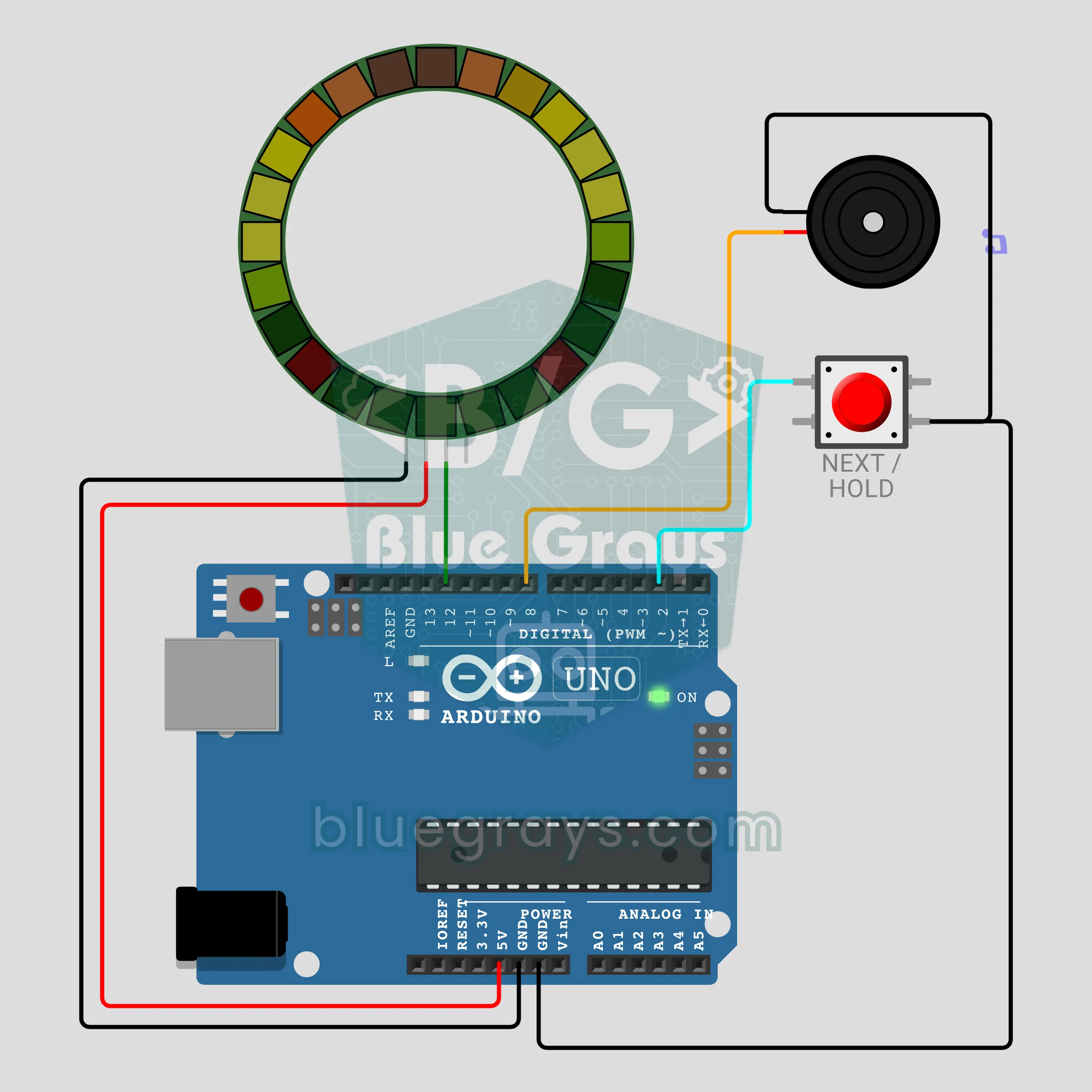
Arduino Musical Christmas Wreath: Lights Follow the Notes (24-LED Ring + Button + Buzzer)
A musical wreath for your front door: the 24-LED ring glows like green branches with red berries while the buzzer plays three public-domain Christmas tunes. Every note lights up in its own place and its own color on the ring, high notes glow wider and the whole wreath flashes gold on every beat. Each song has its own pattern. A short press skips to the next song, holding the button switches to silent light mode.
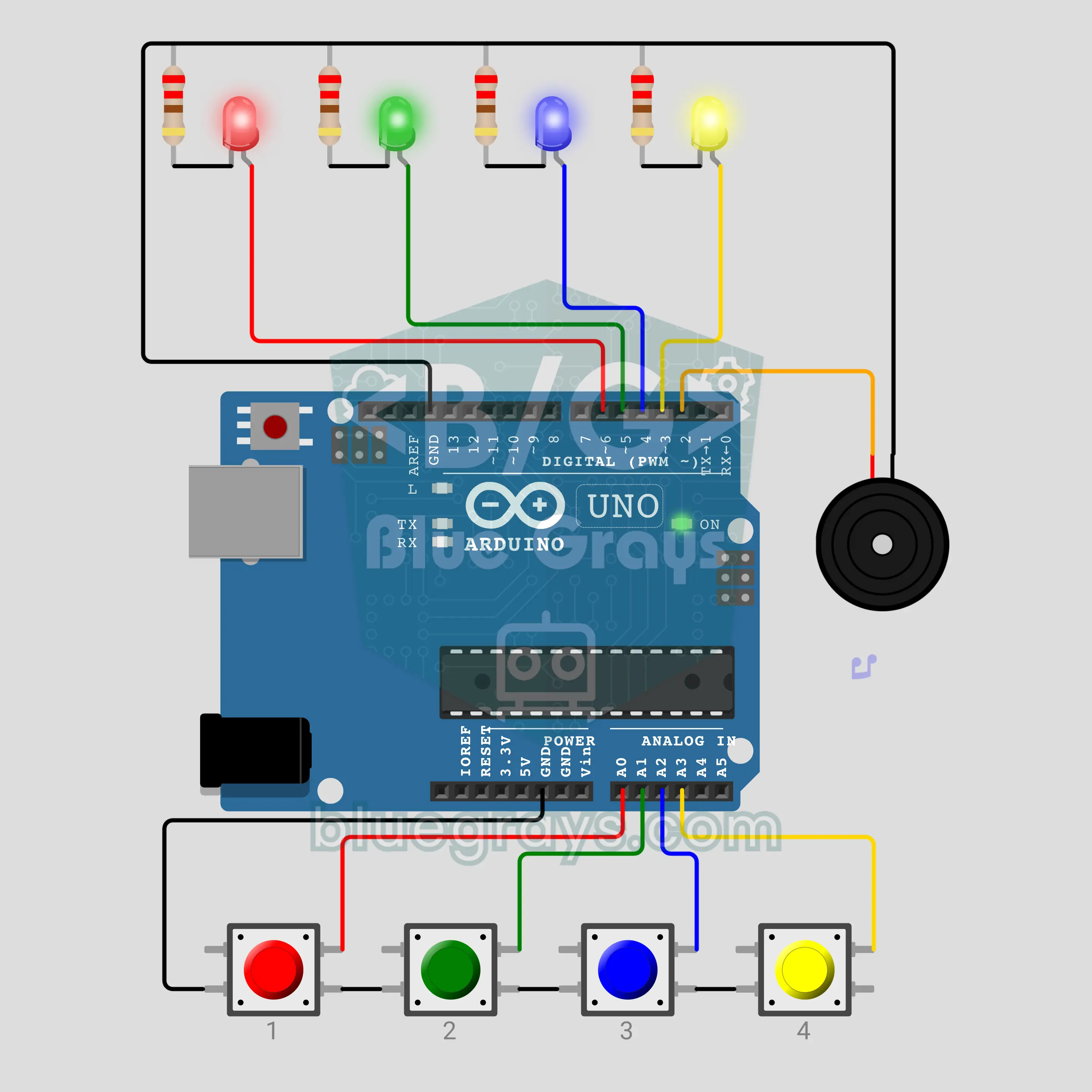
Musical Chairs: Press When the Music Stops (Arduino + 4 Buttons + 4 LEDs + Buzzer)
Musical chairs for four players: the buzzer plays music and goes silent at a random moment. When it stops everyone presses their own button and the LED of each player who pressed lights up; the last one left is out. Pressing while the music plays is a foul and that player is out too. Rounds go on until one player is left and the winner's LED blinks to a victory tune. Non-blocking music, button debounce and random timing are all in here.
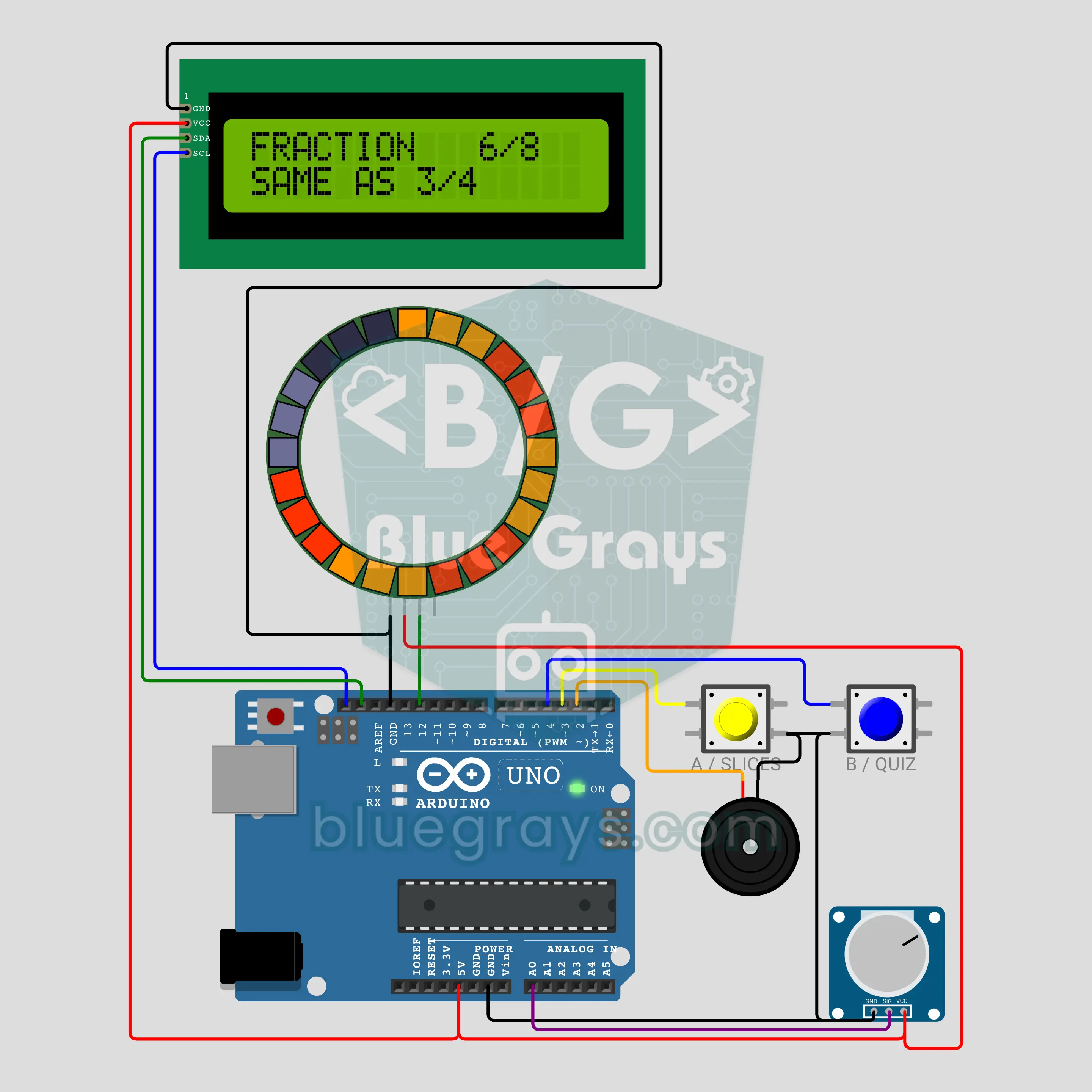
Pizza Fractions: Learn Fractions on a Ring (Arduino + 24-LED Ring + Pot + 2 Buttons + LCD)
The 24-LED ring becomes a pizza: button A cuts it into 2, 3, 4, 6, 8 or 12 slices and the potentiometer picks how many of them are filled. The LCD shows the fraction and its simplest form; you see on the ring that 6/8 and 3/4 are the same amount. Button B starts the quiz: two fractions light up in turn and you pick the bigger one; the ring turns green if you are right and red if not. Analog reading, driving an LED ring and comparing fractions are all in this project.
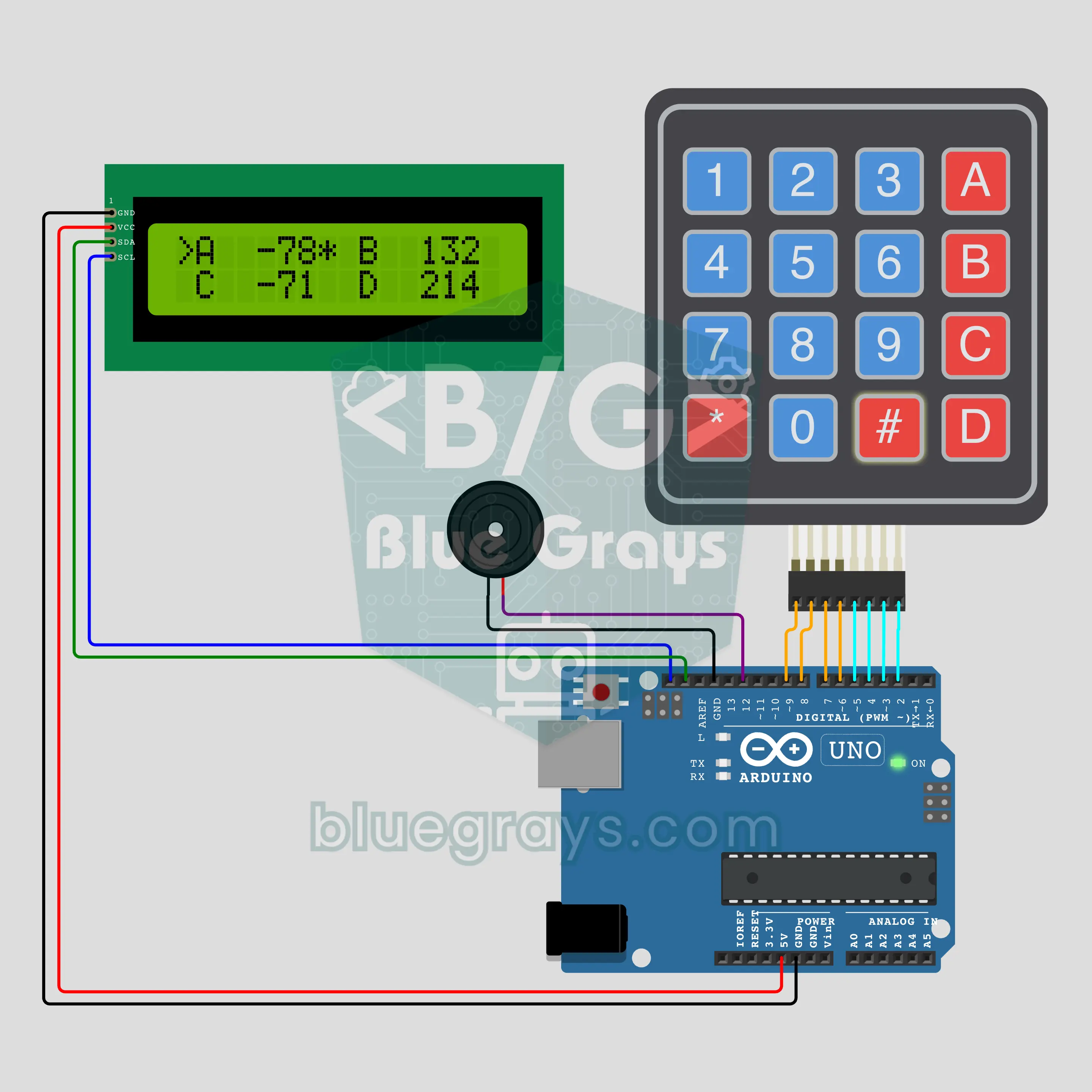
Okey Score Keeper: No More Pen and Paper (Arduino + 4x4 Keypad + I2C LCD + Buzzer)
At the okey table (the Turkish tile game from the rummy family) a keypad takes over from pen and paper: keys A, B, C, D pick the player, the digits type the hand points; # adds them, * takes them off. Pressed without a number, # writes a 101 penalty and * takes 101 off the player who finished the hand. The LCD shows all four totals at once with a star next to the leader; when the lead changes the buzzer plays a short tune. Keypad reading, tidy LCD layout, scores in an array.
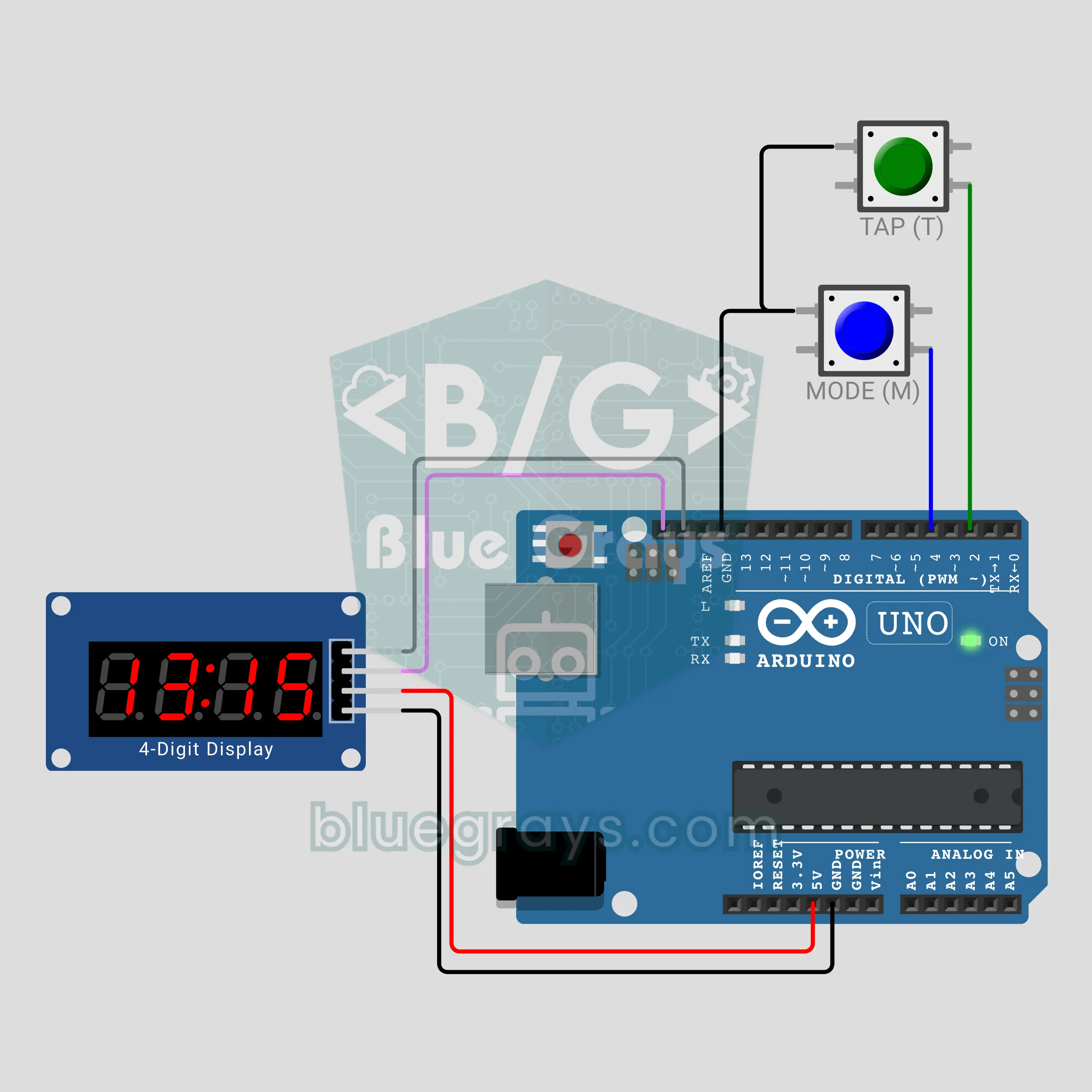
The Counter That Never Misses: Interrupt or Loop? (Arduino + TM1637)
An interrupt and the loop both watch the same button: on the TM1637 display the loop's count sits on the left, the interrupt's on the right. While the loop does a slow 300 ms job it misses most fast presses (only 7 of 18 in the video), the interrupt misses none. With the MODE button you set the slow job to 0, 100 or 300 ms and measure the difference yourself. Covers attachInterrupt, volatile and safe reading.
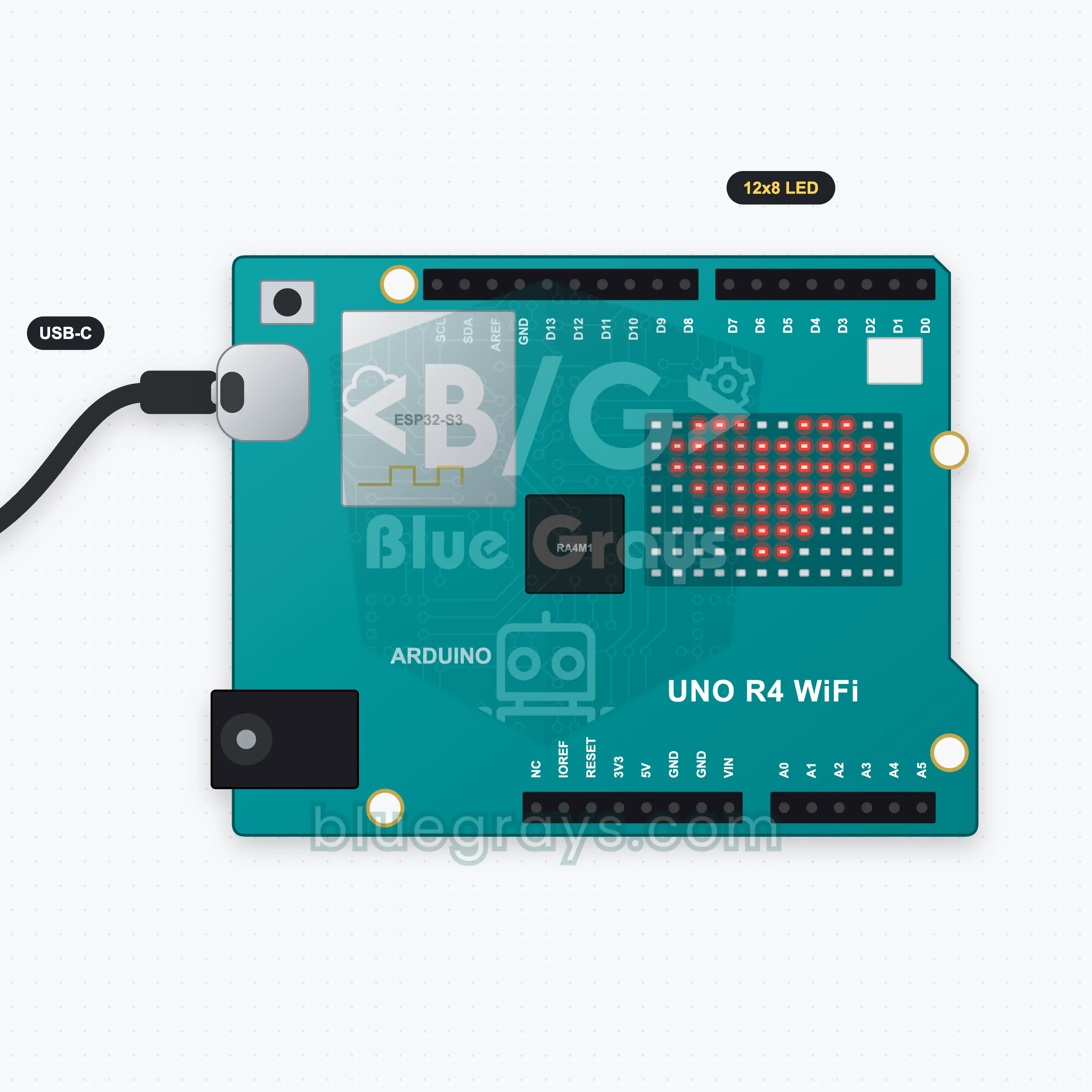
UNO R4 WiFi LED Matrix Text and Animation
The 12x8 LED matrix on the UNO R4 WiFi needs no extra parts at all. In this project a message scrolls across the matrix from right to left, then a heart beats three times and a smiley winks. Type your own message in the Serial Monitor, press Enter and it scrolls instead. You learn text scrolling with ArduinoGraphics and drawing your own animation frames as 8x12 arrays.
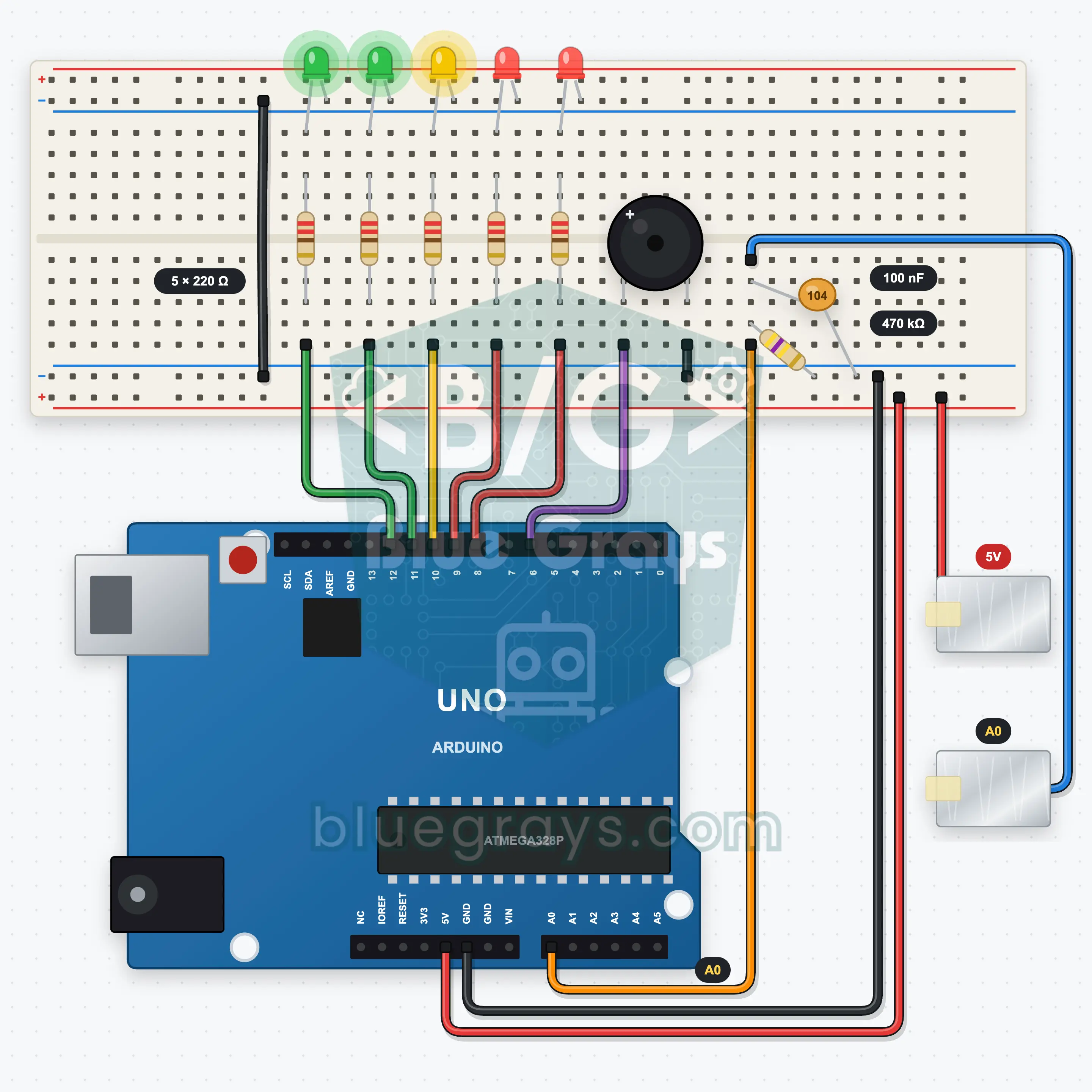
Arduino Excitement Meter: A Lie Detector Game You Play with Your Fingers (Voltage Divider + 5 LEDs + Buzzer)
A lie detector style party game: you put two fingers on two foil electrodes and the Arduino first measures your calm baseline. As excitement grows, skin resistance drops and the voltage divider output rises: the 5-LED bar fills, the buzzer climbs like a heart monitor and a sudden jump sets off a siren. A 100 nF capacitor steadies the reading, and the Serial Plotter shows it as a graph. Just for fun, not a real lie detector.
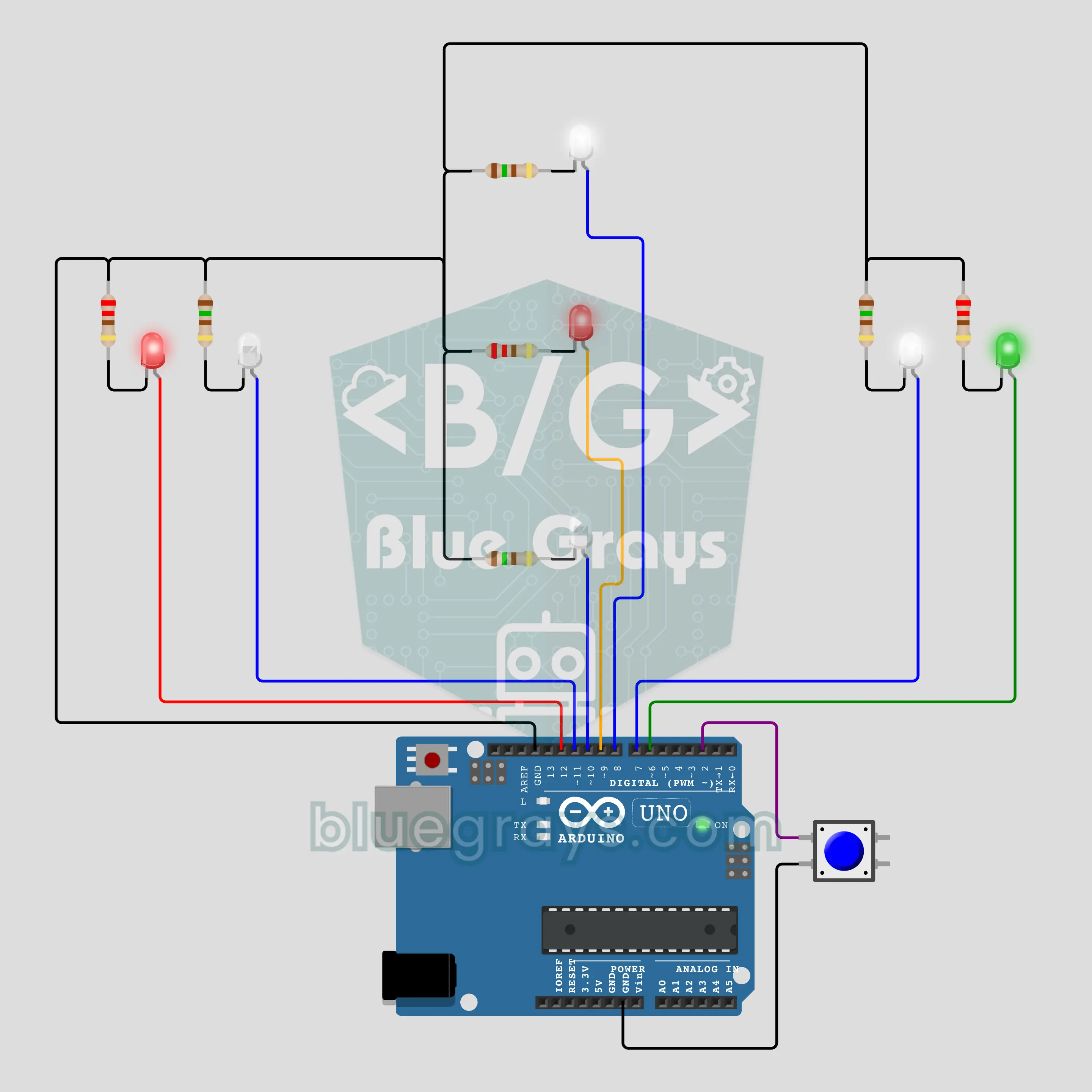
Arduino Aircraft Navigation Lights: Scattered Strobes, a Beacon and Park, Taxi, Flight Modes (7 LEDs + Button)
Bring an airliner's exterior lights to your desk: the red position light on the left wingtip and the green one on the right stay on, the red beacon on the fuselage glows and fades slowly, and four white strobes fire short double flashes at a scattered rhythm. Each press of the button steps through the park, taxi and flight modes. Timing runs on millis(), the main loop never waits. The rhythms are close to real but representative.
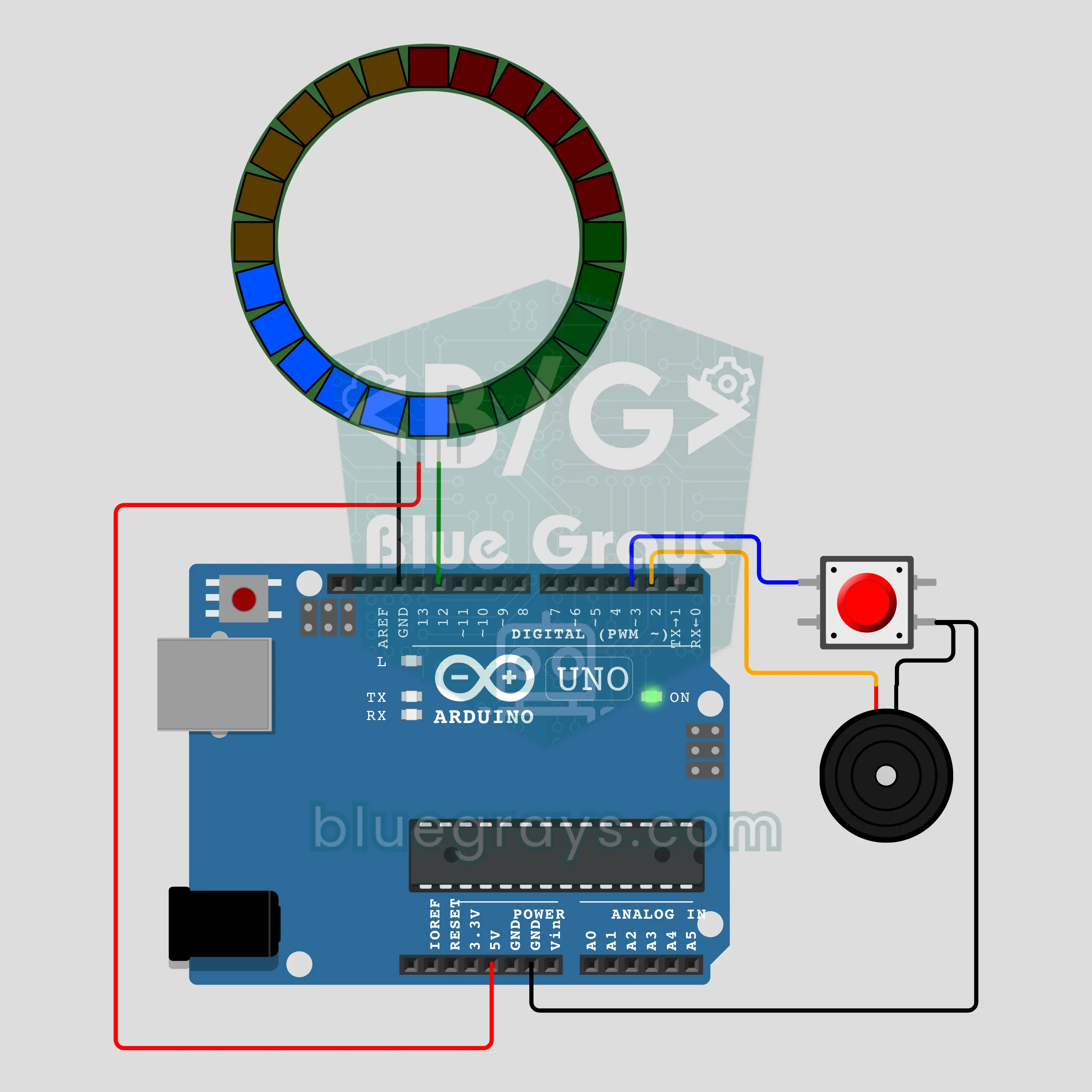
Arduino Decision Roulette: A Ticking Light Roulette That Slows Down and Stops (24-LED Ring + Button + Passive Buzzer)
Press the button: the light races around the 24-LED ring, ticks on every step, slows down and stops on a random LED. The winner blinks and a victory tune plays. Hold the button for a second and the ring splits into 4 slices to choose between four people or four options; 2 slices make yes or no, 6 slices a die. The randomness comes from the noise of an unconnected analog pin and the microsecond you release the button.
Katamtaman90 project

LED Chaser
Lights that switch on one after another, as if they were running. The Arduino lights six LEDs one at a time; each glows for a brief moment and goes out, so the light walks from start to end and then…

Knight Rider LED Effect
The classic scanner light: a dot of light slides from one end of six LEDs to the other and then comes back.

LED Chaser with Adjustable Speed
Six LEDs light up one after another, so the light seems to run from one end to the other.

Knight Rider LED Effect with Adjustable Speed
A light runs from one end of six LEDs to the other, turns around and runs back again.
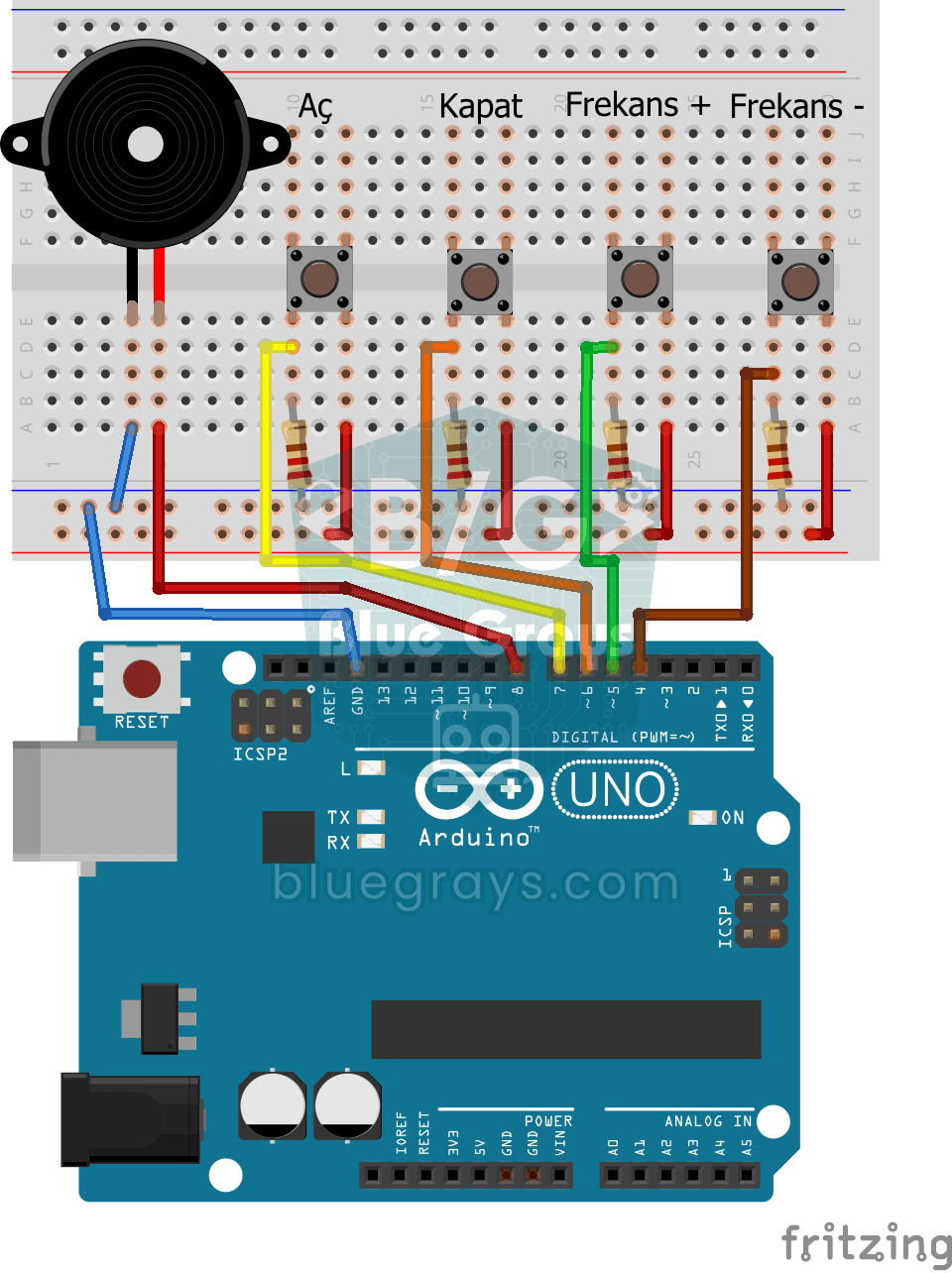
Frequency Setting with Buzzer
You control the sound of a buzzer with four buttons: one starts the sound, one silences it, and the other two make it higher or lower.
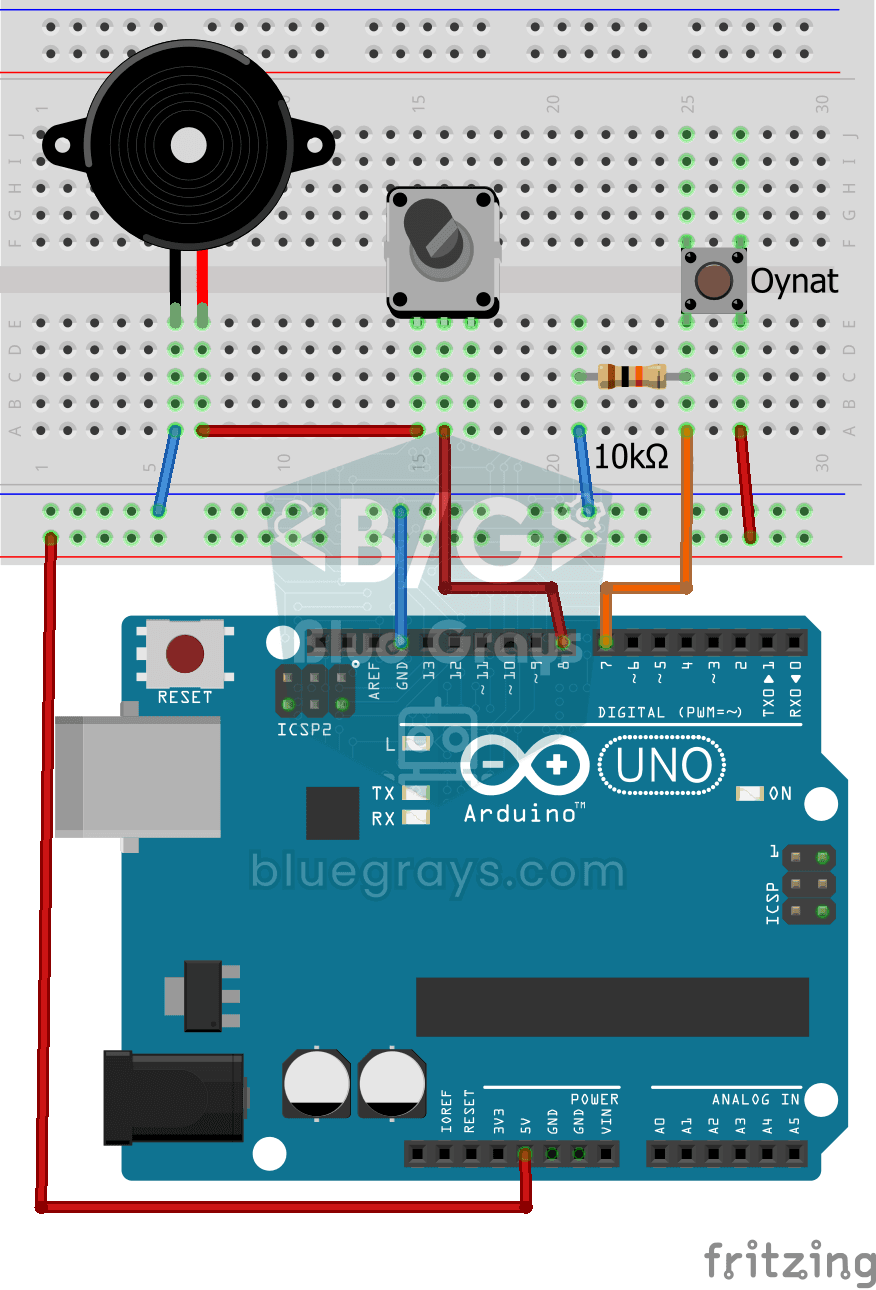
Turkish National Anthem with Buzzer
Press the button and a small buzzer starts playing the Turkish National Anthem, note by note.
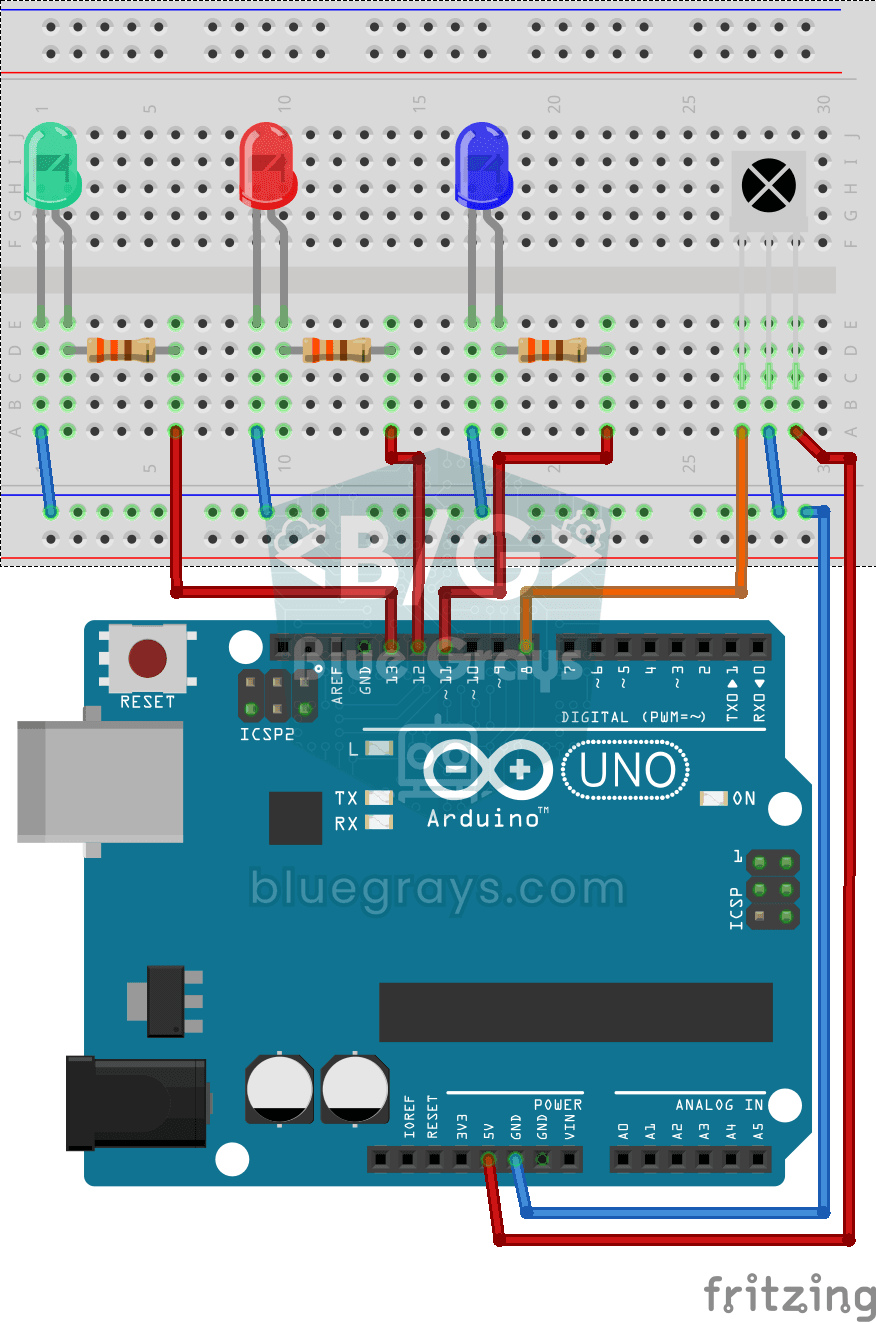
Led On/Off with IR Receiver and Remote Control
Like controlling three separate lamps without leaving your armchair: keys 1, 2 and 3 on the remote turn on the blue, red and green LEDs, and keys 4, 5 and 6 turn them off in the same order.
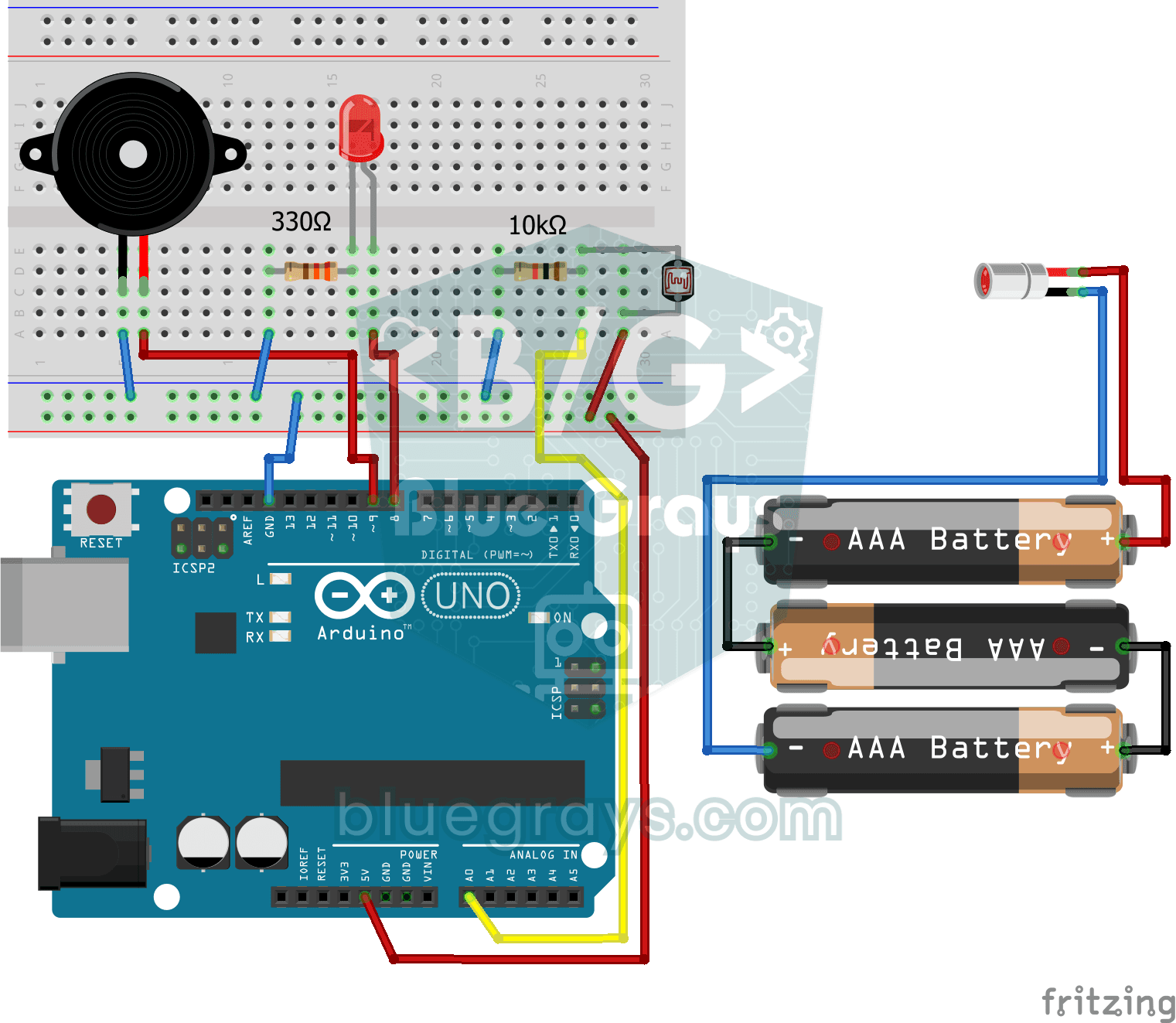
Laser Warning System
You set up an invisible beam fence, just like in the movies. A laser shines onto a light sensor on the other side; the moment someone walks through and breaks the beam, the LED lights up and the…
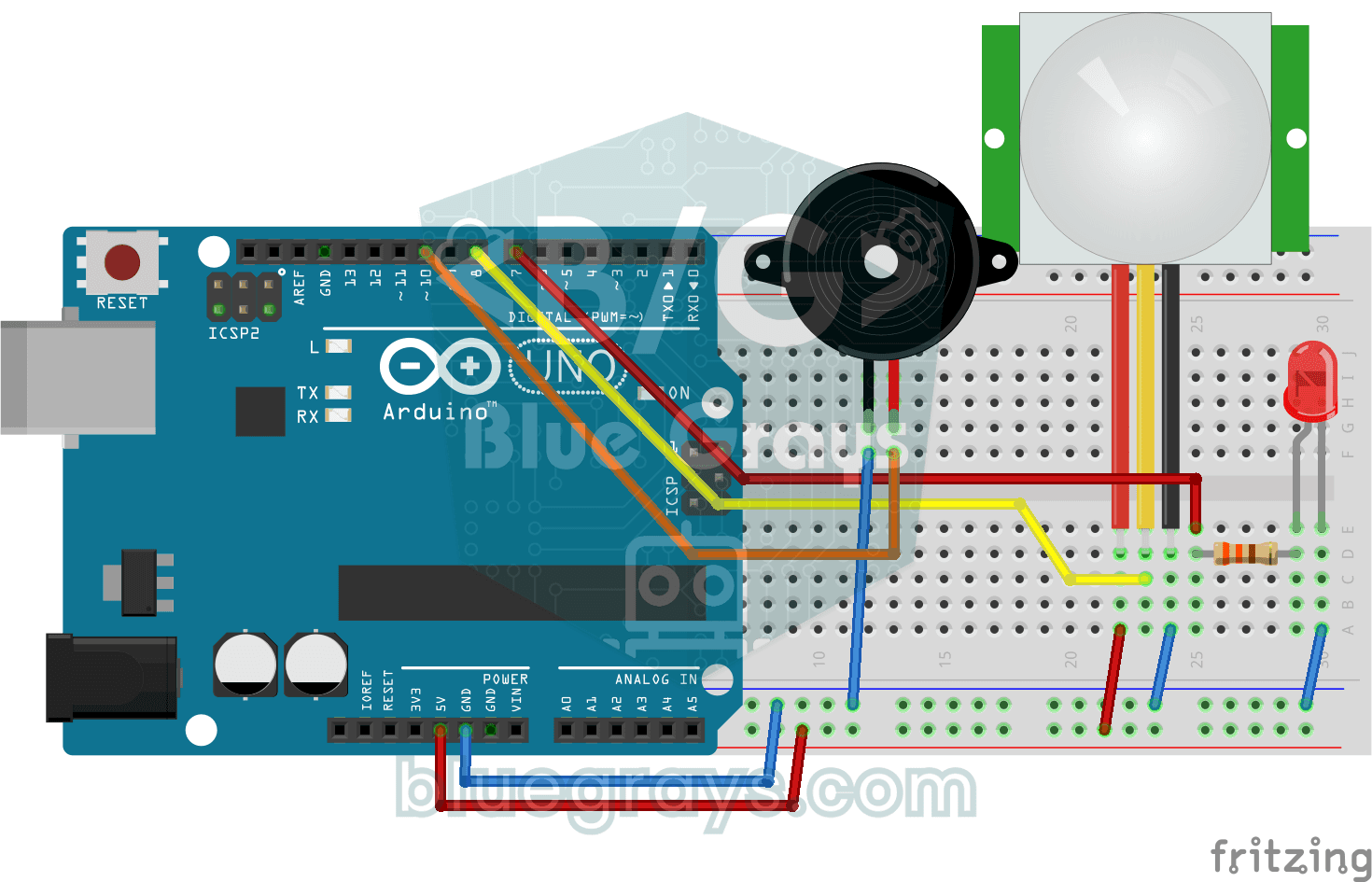
Doorbell and Light with Motion Sensor
When someone comes up to your door, you know before they even ring. As soon as the motion sensor spots someone, the LED lights up and the buzzer plays a three-note chime from high to low; when the…
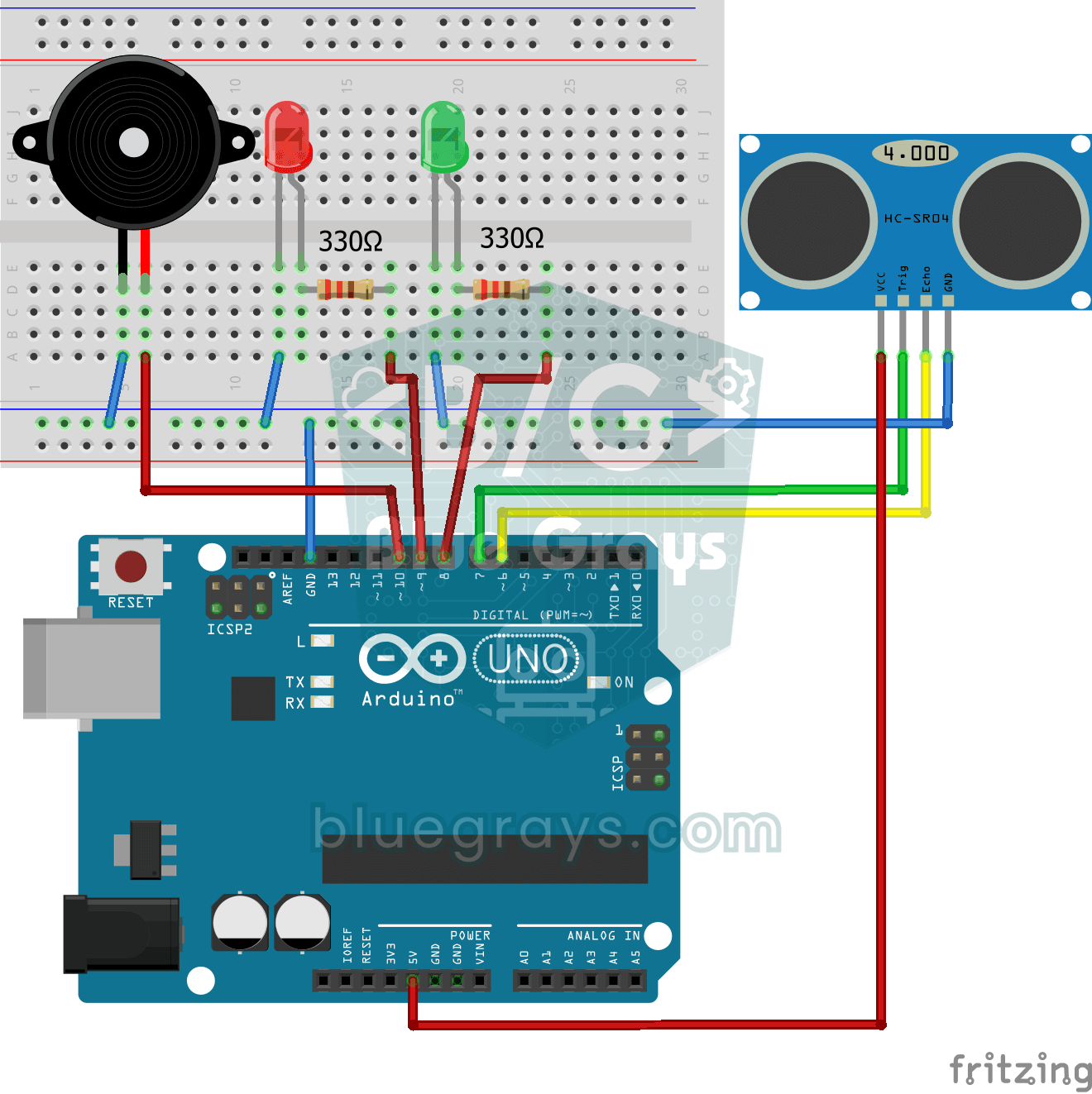
Parking Sensor with HC-SR04
A mini version of a car's parking sensor: the closer something gets, the faster the beeps.
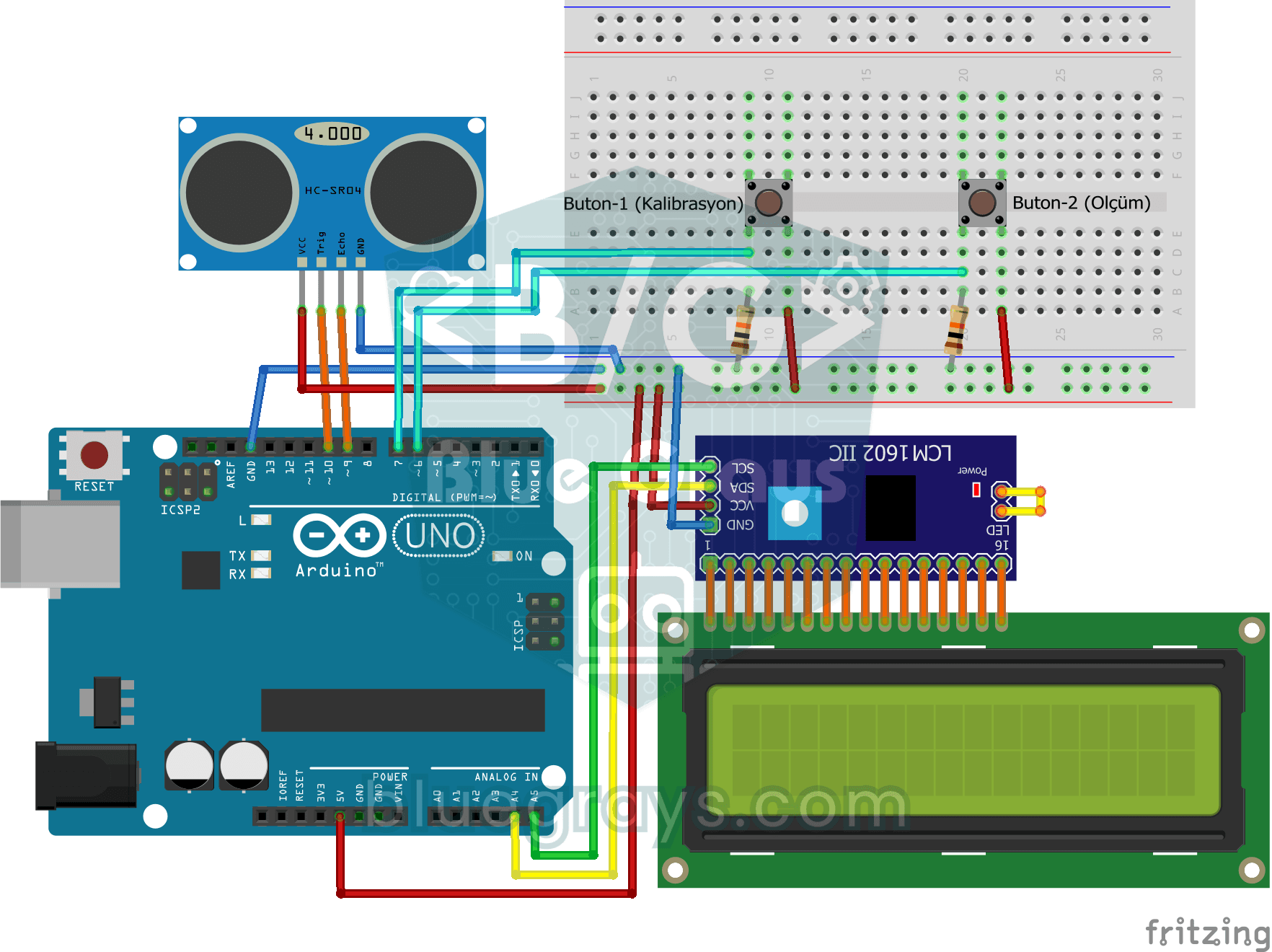
Height Measurement Project
A height meter that hangs from a door frame and tells you, in centimetres, how tall the person standing under it is.
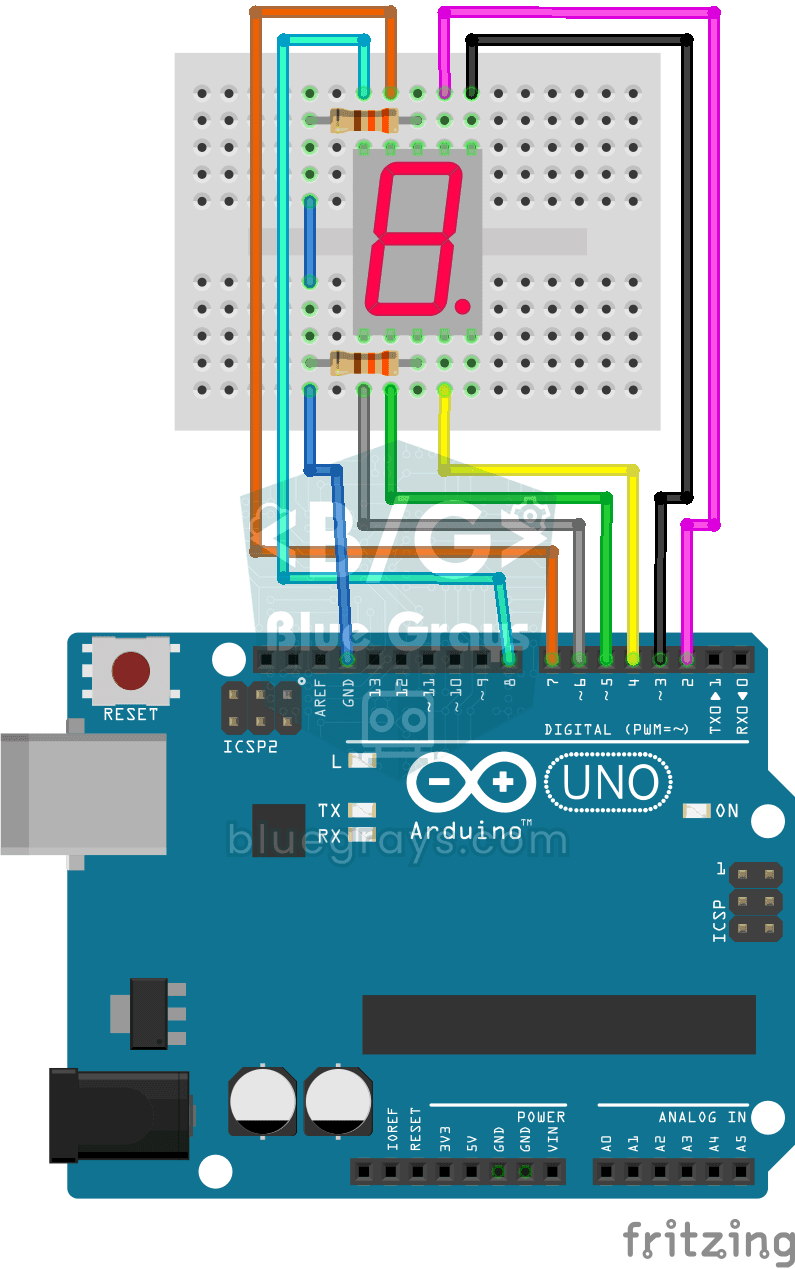
Displaying Numbers 0-9 on a 7-Segment Display
Write those familiar numbers you see in elevators and digital clocks yourself. On a display made of seven little light bars, the Arduino shows a digit from 0 to 9, one each second, and then starts…
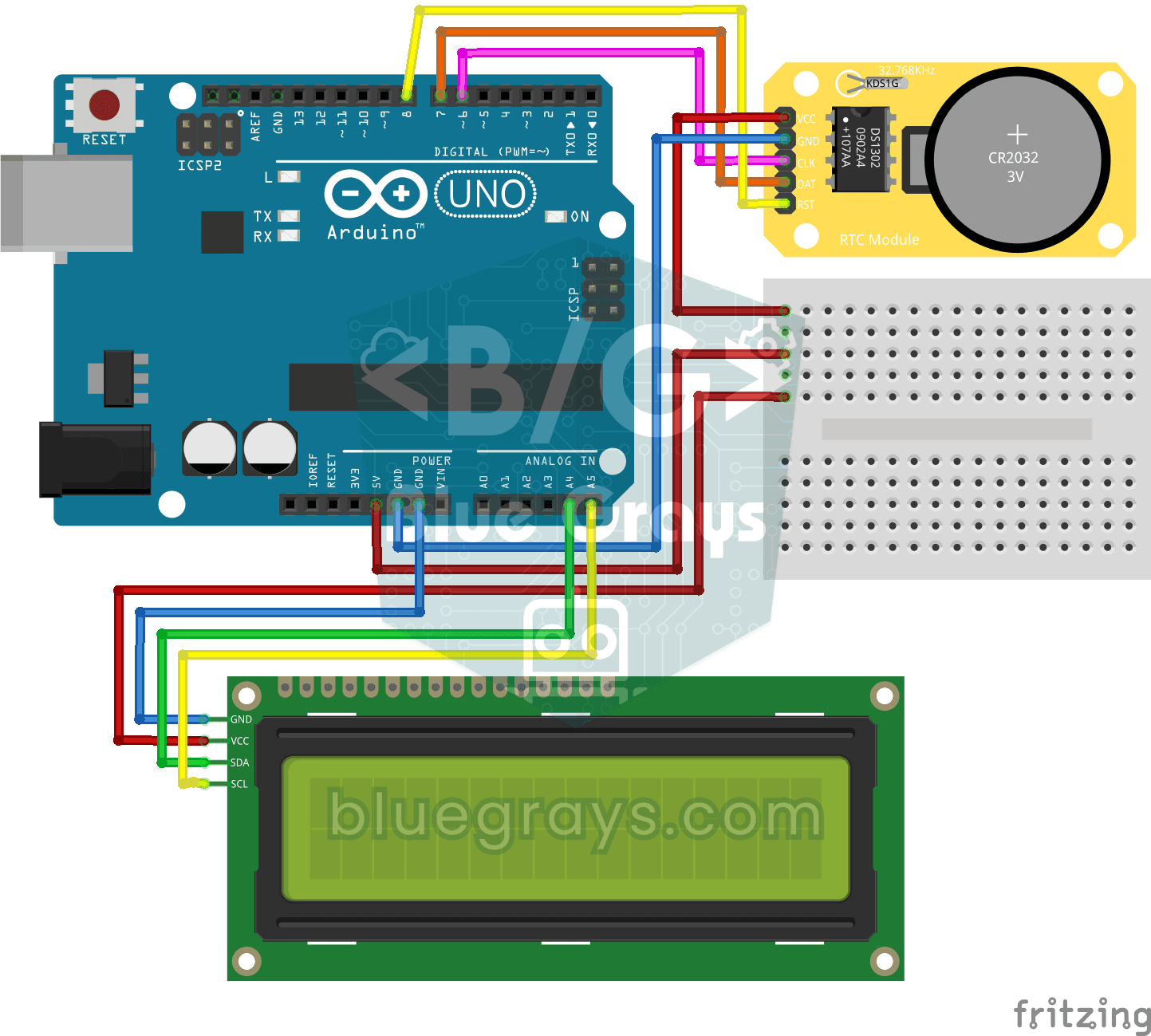
DS1302 RTC Clock with LCD Display
A little desk clock that keeps the time even when the power goes out. The DS1302 clock module keeps time thanks to its own tiny battery; every second the Arduino reads it and writes the time and date…
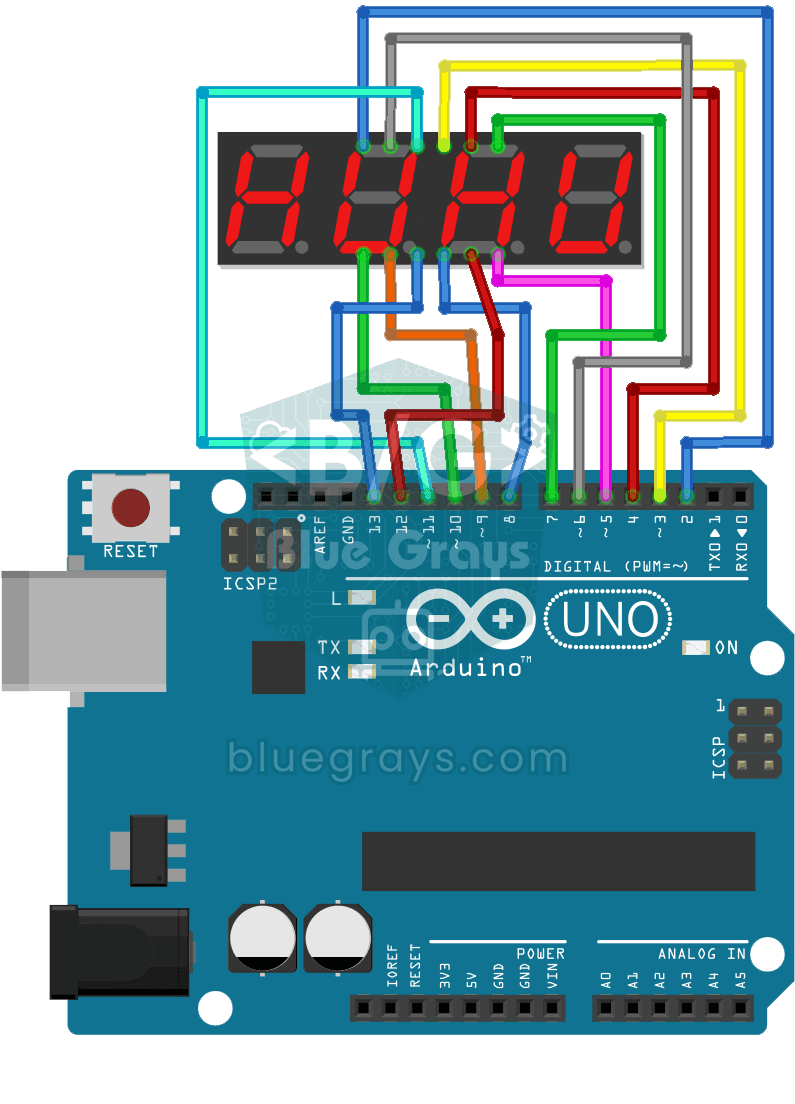
Displaying 0-9999 on a 4-Digit 7-Segment Display
On a four-digit number display, numbers race from 0 to 9999 and then start again from zero.
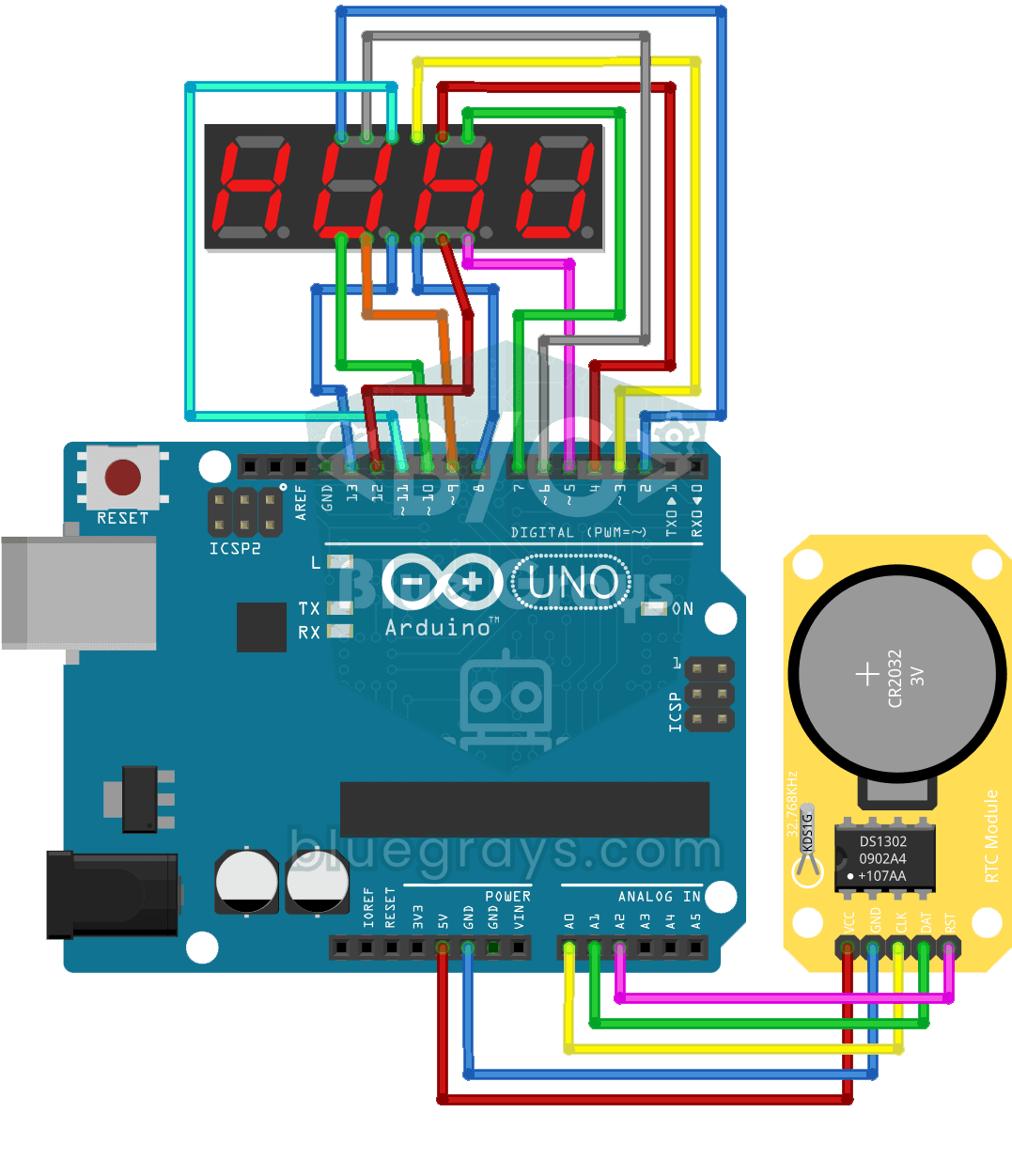
Digital Clock with 4-Digit 7-Segment Display
A four-digit glowing digital clock, much like the one on a kitchen oven. The DS1302 clock module keeps the time, and every second the Arduino reads the hours and minutes and shows them on the…
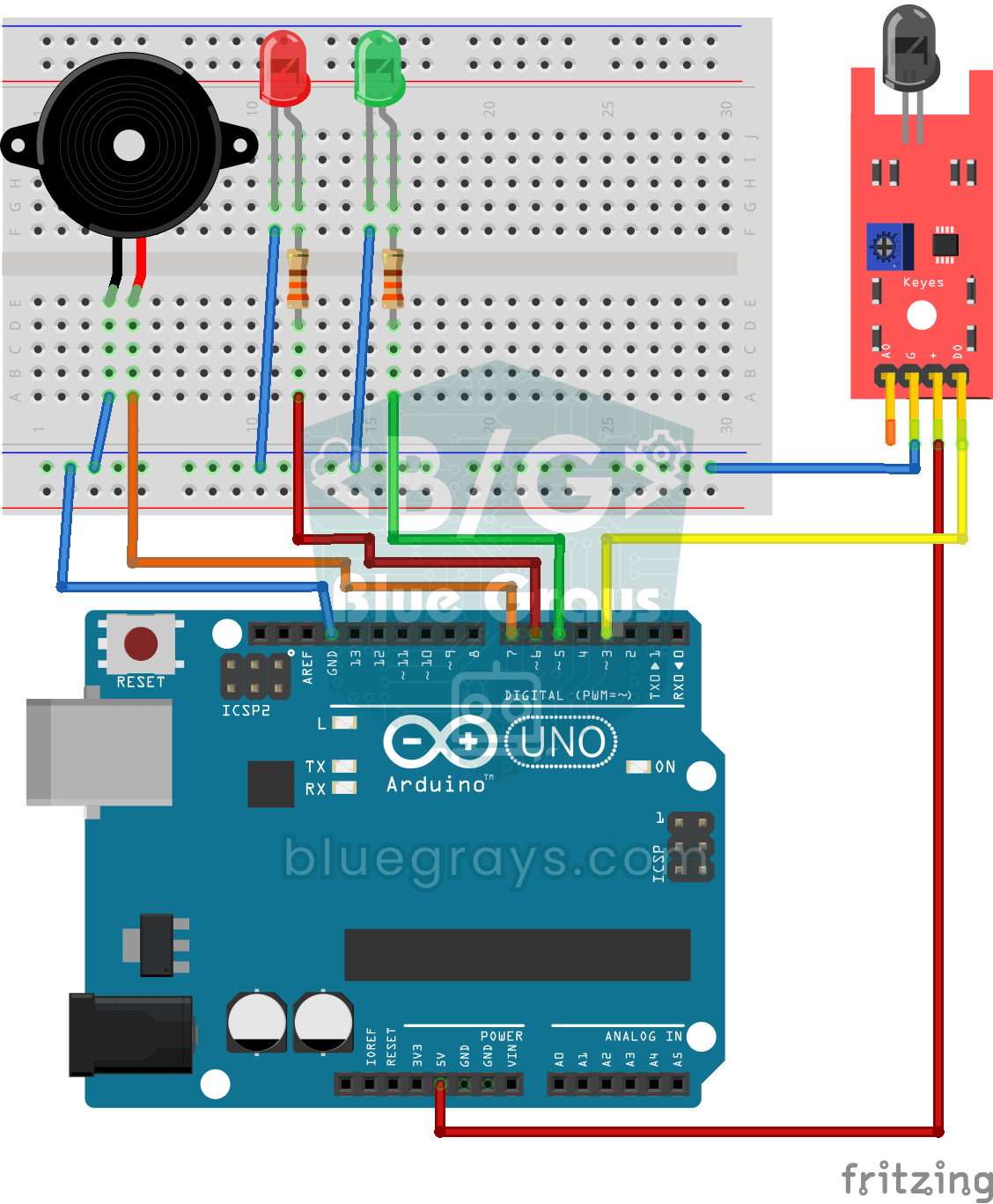
Using a Flame Sensor
A little guard that spots fire before you do, in the kitchen or the workshop. The flame sensor picks up the invisible light that fire gives off; while all is well the green LED is on, and when it…
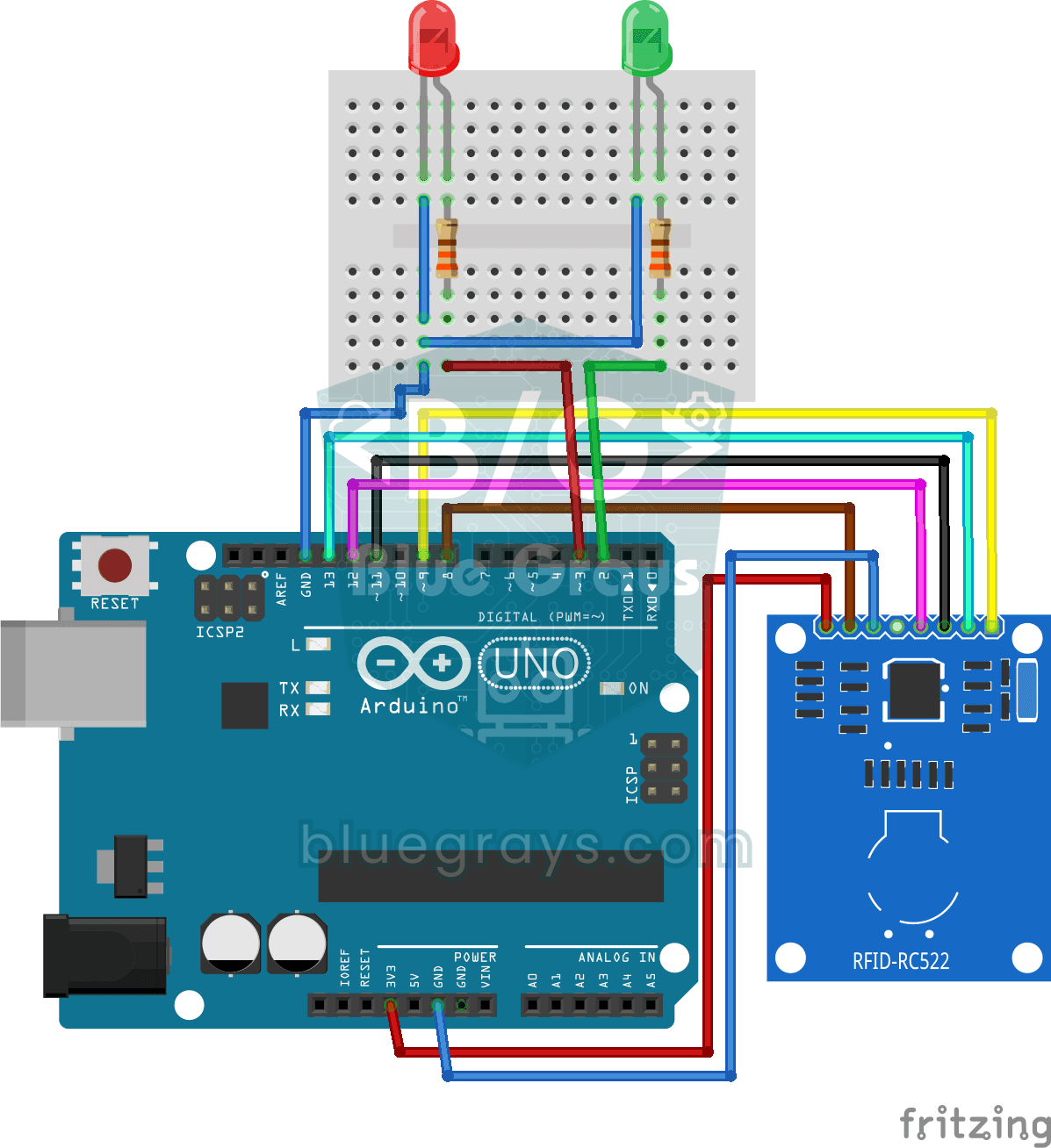
RFID Authentication
Just like the card entry at an apartment door: you hold your card near the RFID reader, and the Arduino compares its number with the one it has saved.
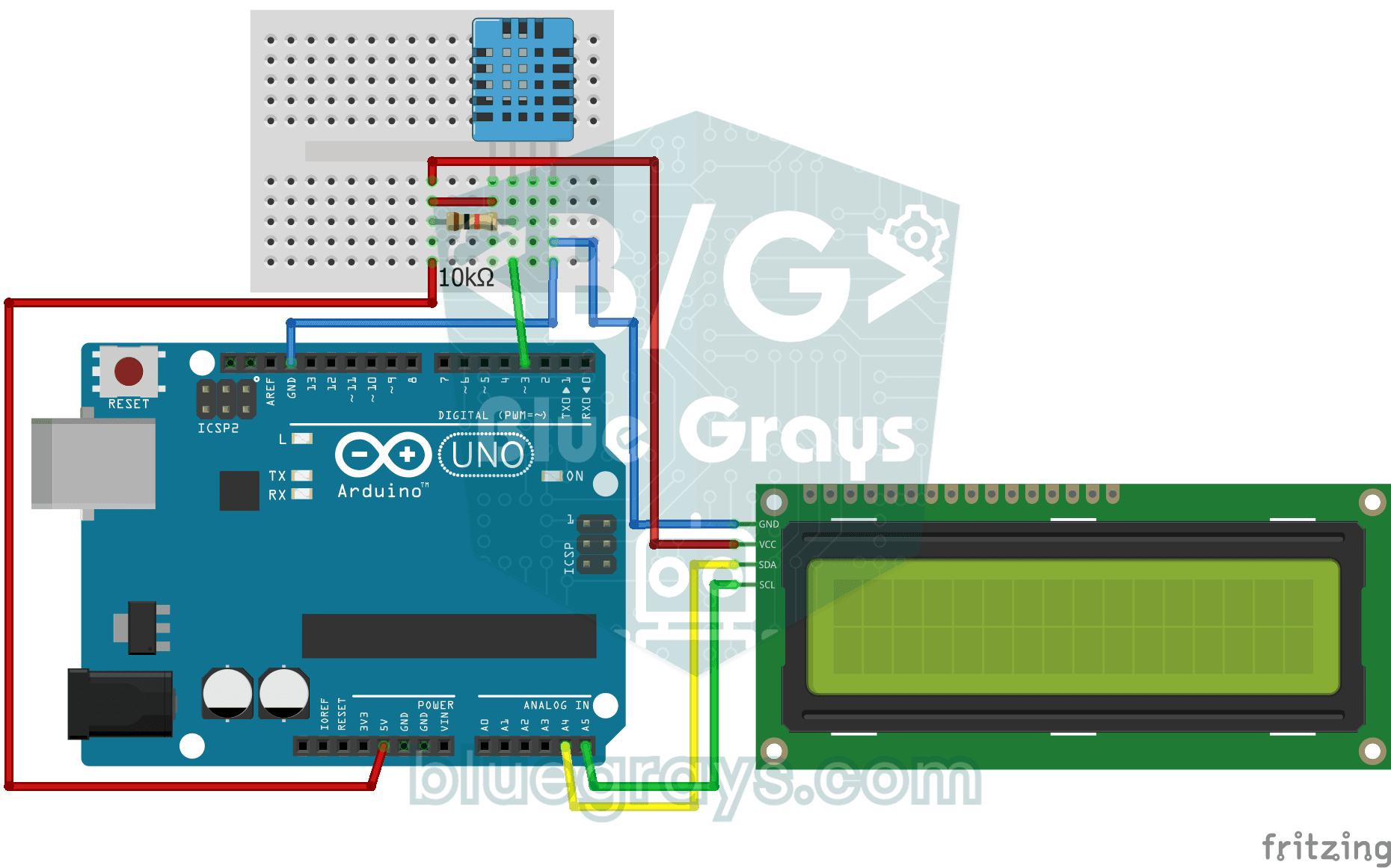
Temperature and Humidity with DHT11
How warm is your room, and is the air humid or dry? The DHT11 sensor measures temperature and humidity, and the Arduino writes the values on a two-line LCD screen, refreshing every couple of seconds.
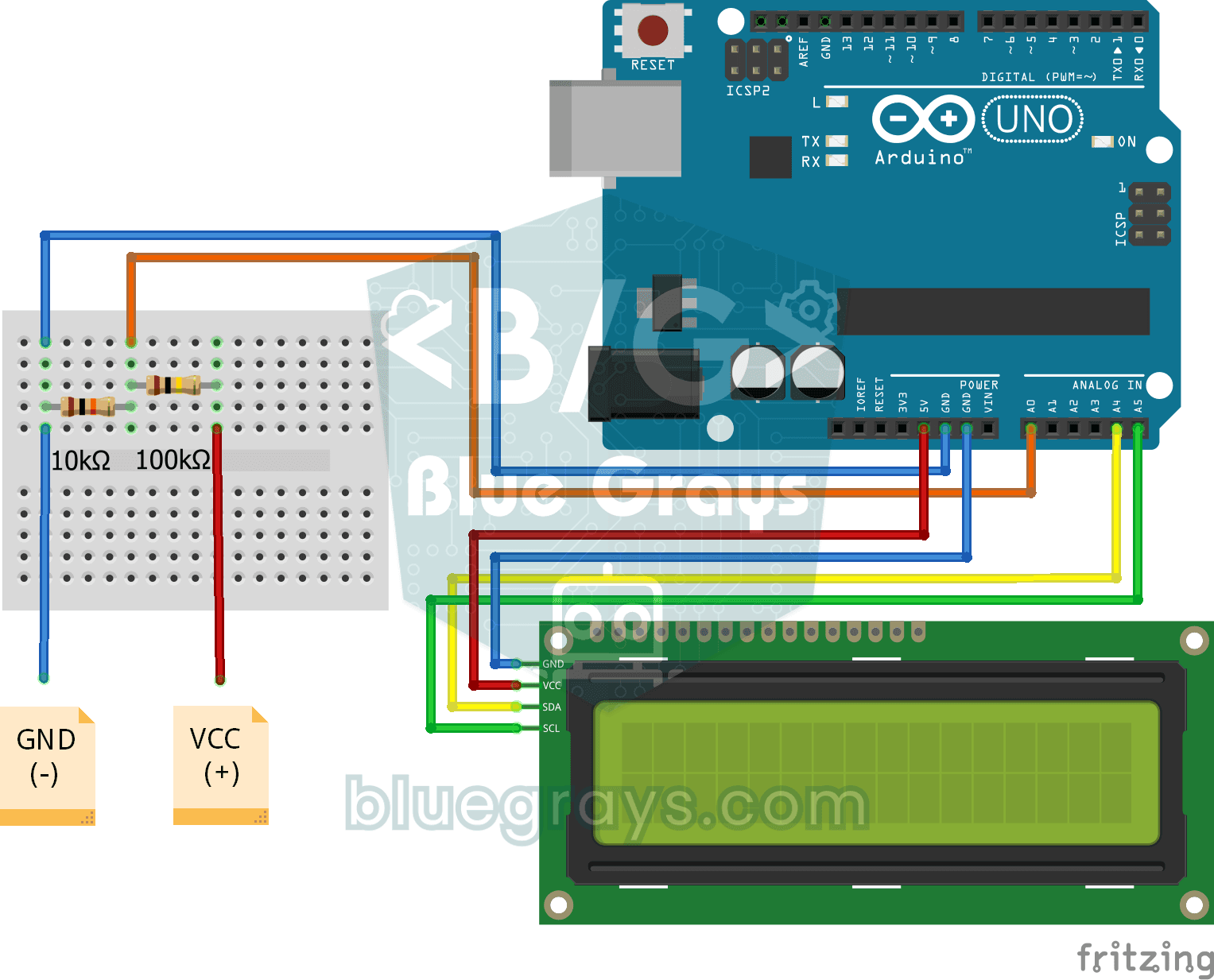
Digital Voltmeter with LCD Display
Find out how much voltage a battery or power adapter gives with a meter you built yourself.
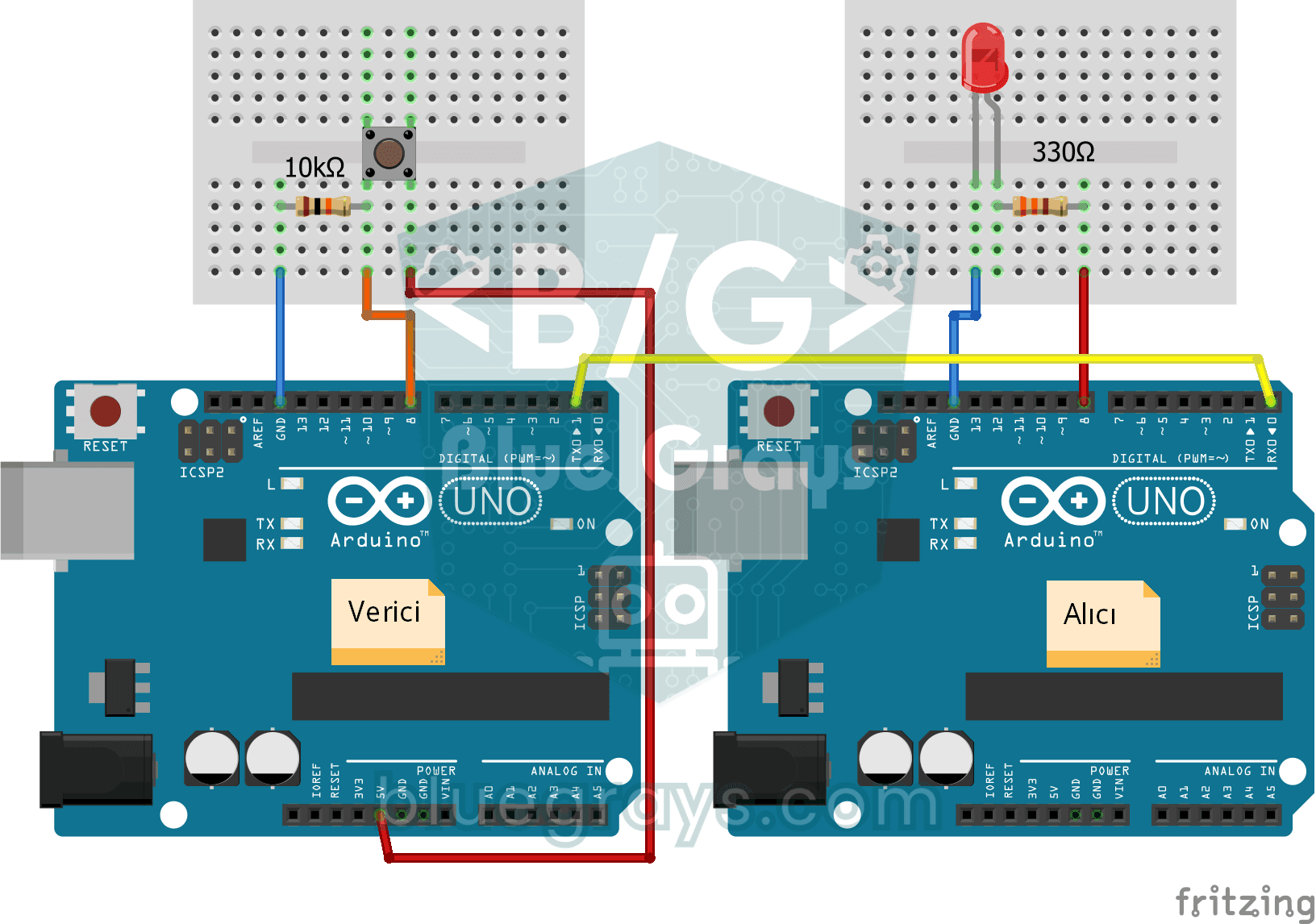
One-Way Communication Between 2 Arduinos
You get two Arduinos talking over a single wire: press the button on one and the LED on the other lights up, press it again and it goes off.
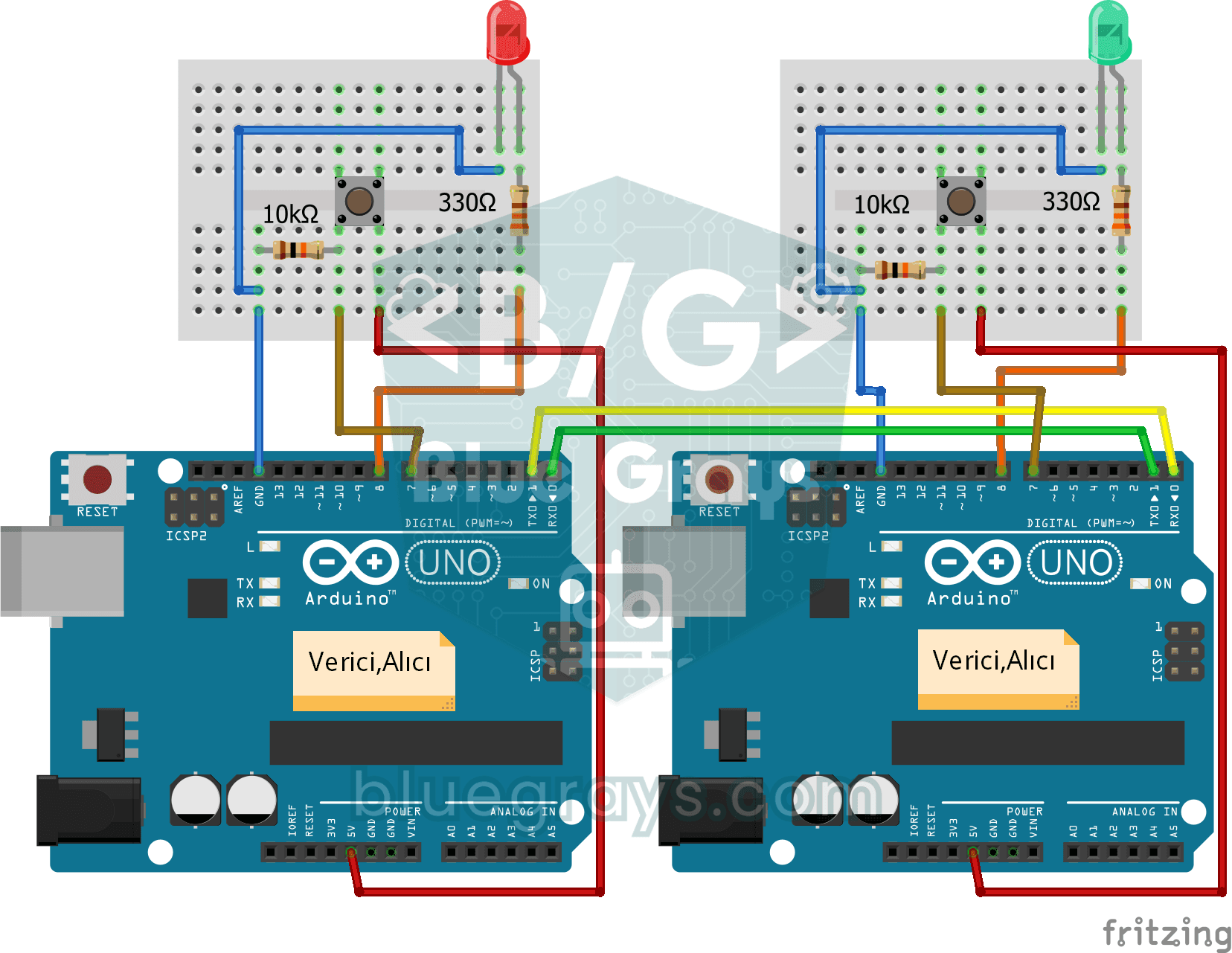
Two-Way Communication Between 2 Arduinos
Two Arduinos are wired together and talk to each other: press the button on one and the light on the other comes on, press it again and it goes off.
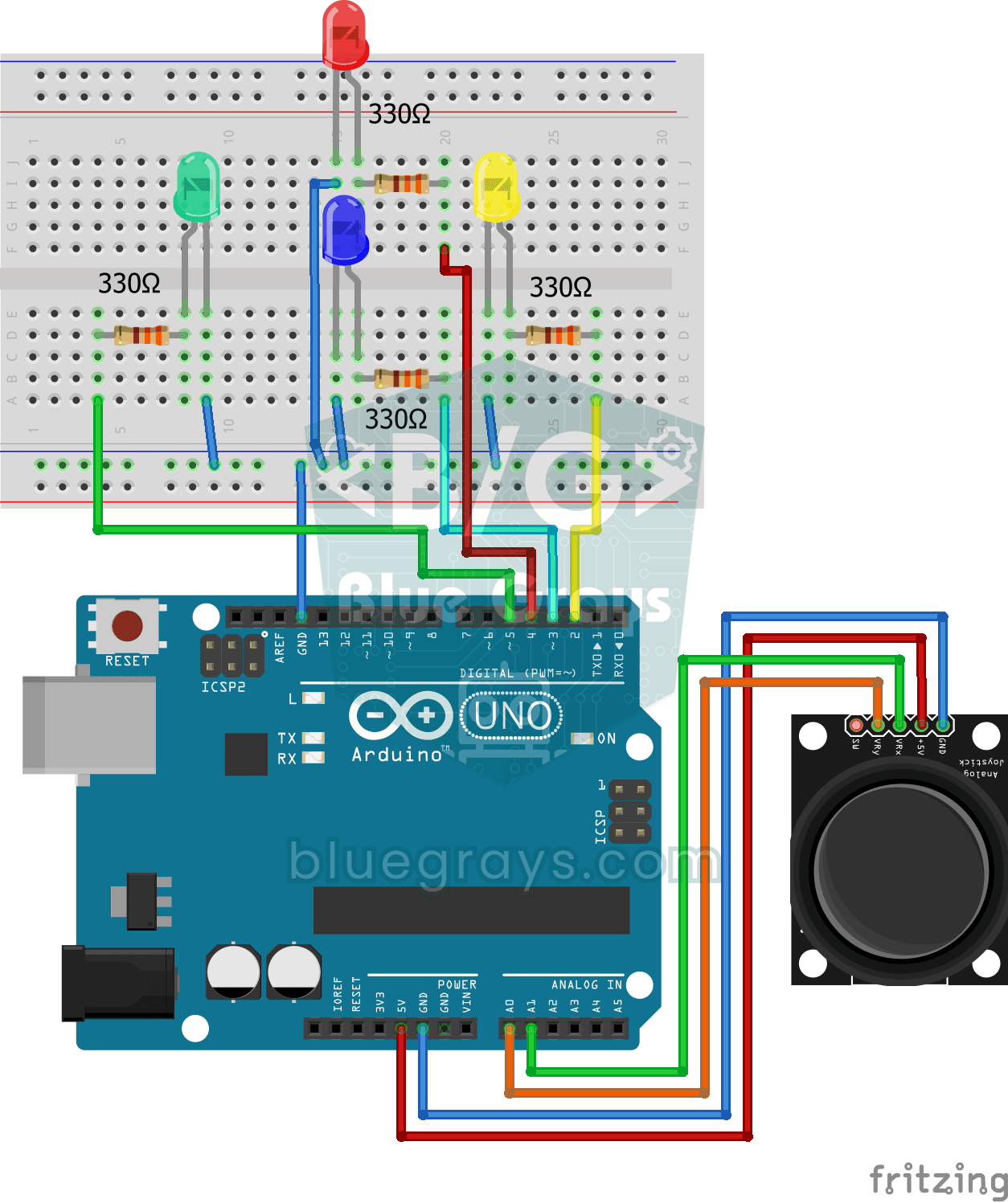
Led Control with Joystick
Push the little stick on the joystick all the way in any direction and the LED for that direction lights up: there are four different colours for right, left, up and down.
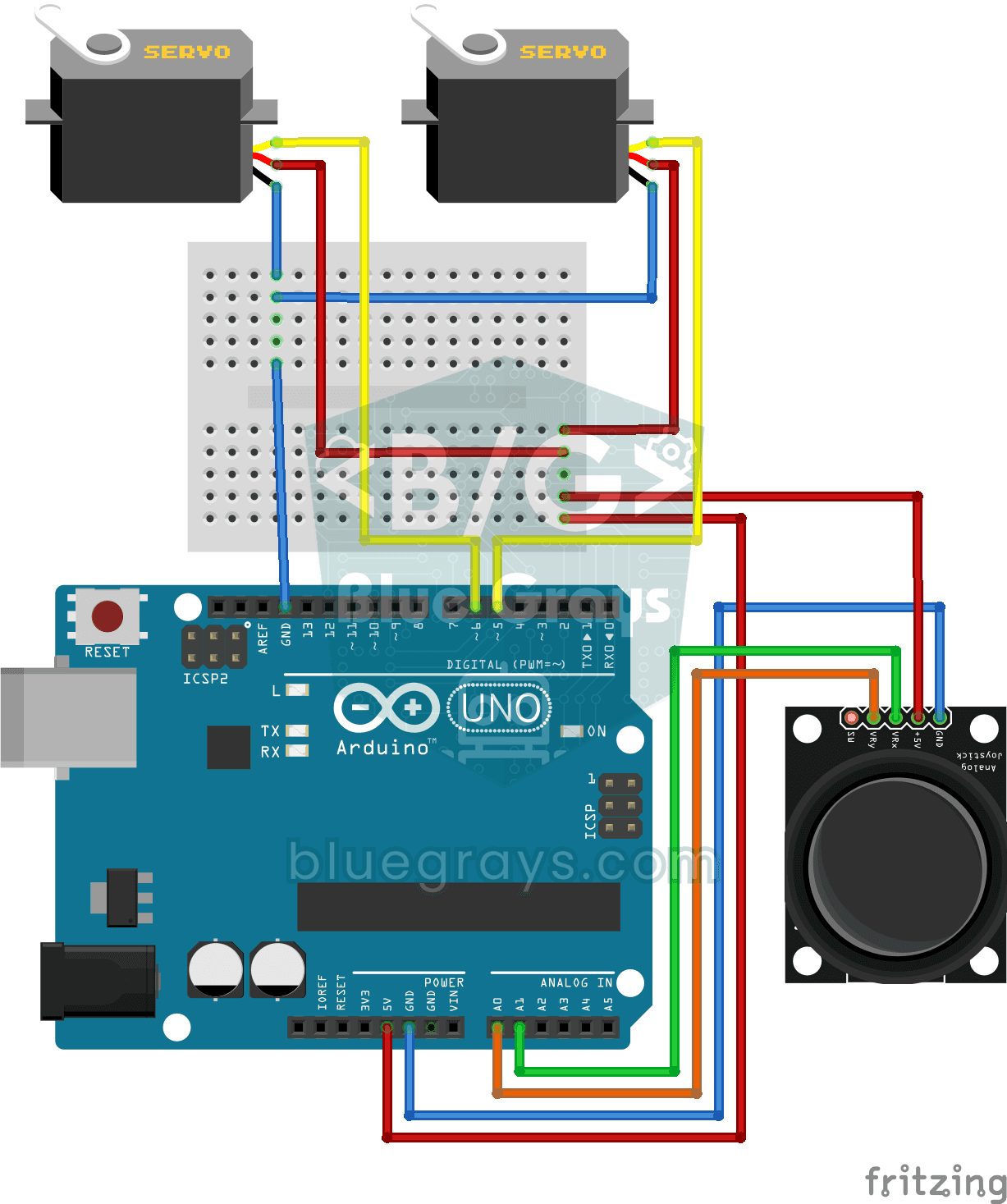
Servo Control with Joystick
Steer two motors with a joystick, just like turning a security camera. Push the stick left or right and the bottom servo motor slowly turns, push it up or down and the top servo tilts up and down…
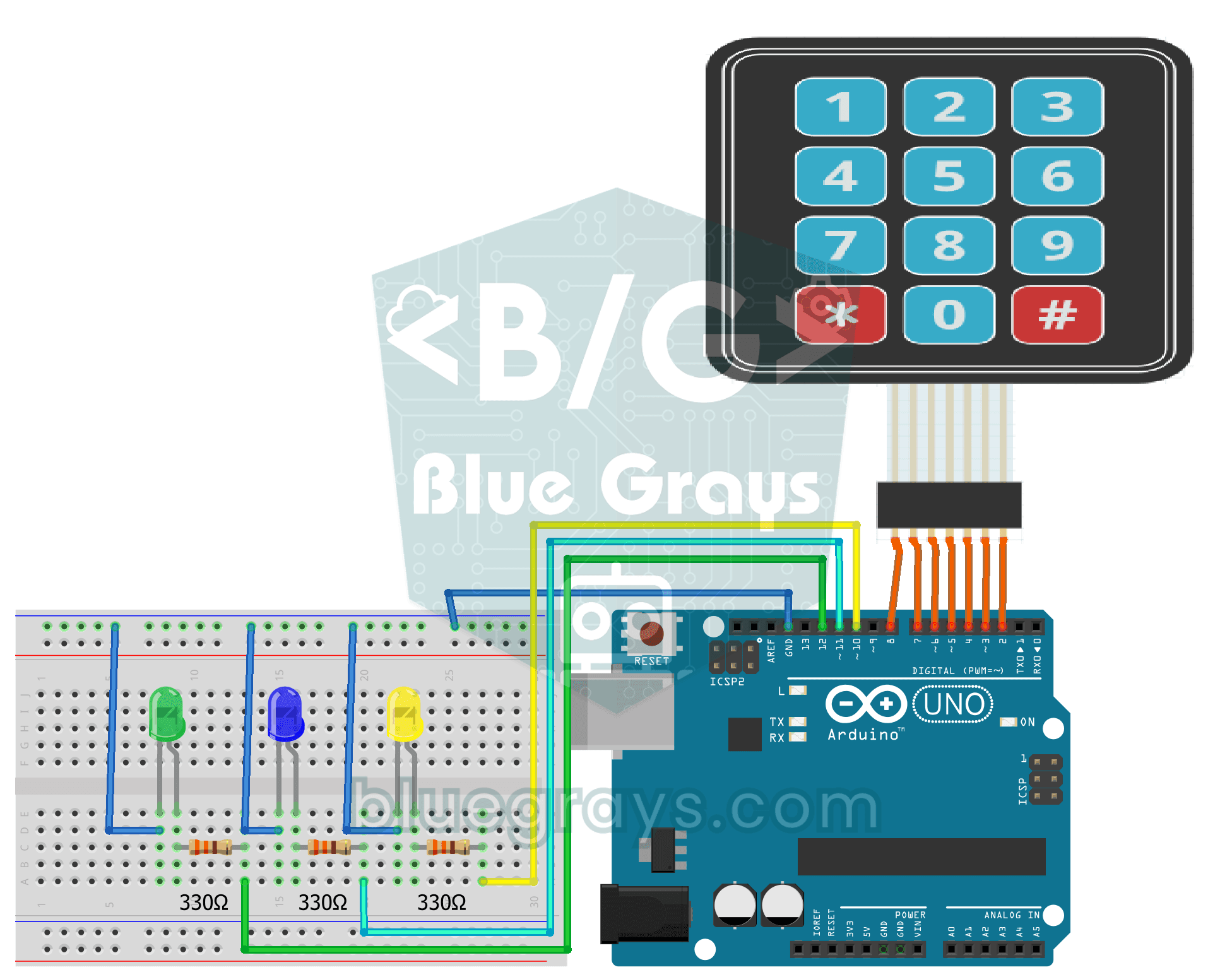
LED Control with a 3x4 Keypad
With a keypad like the one on a phone, you control three separate lights. Keys 1, 2 and 3 turn on the green, blue and yellow LEDs, keys 4, 5 and 6 turn the same lights off, the star key turns them…
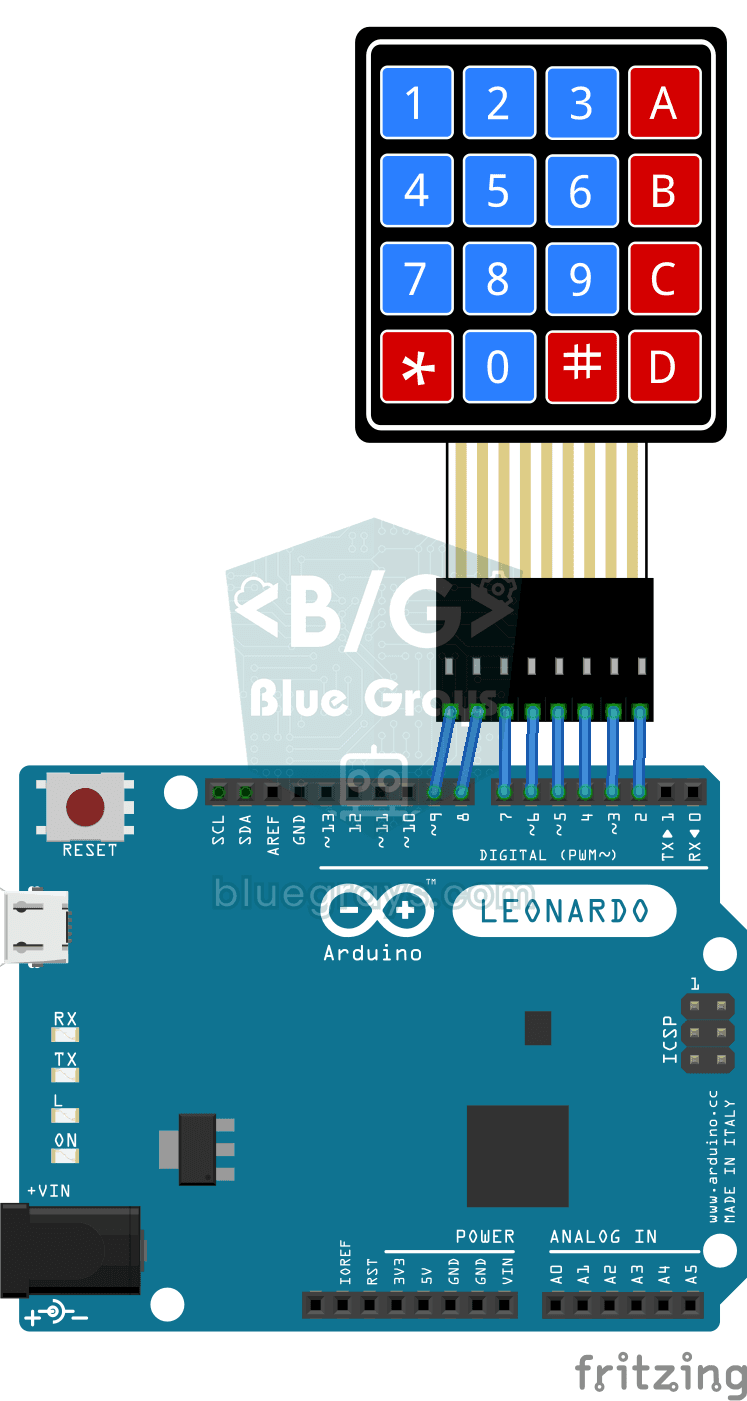
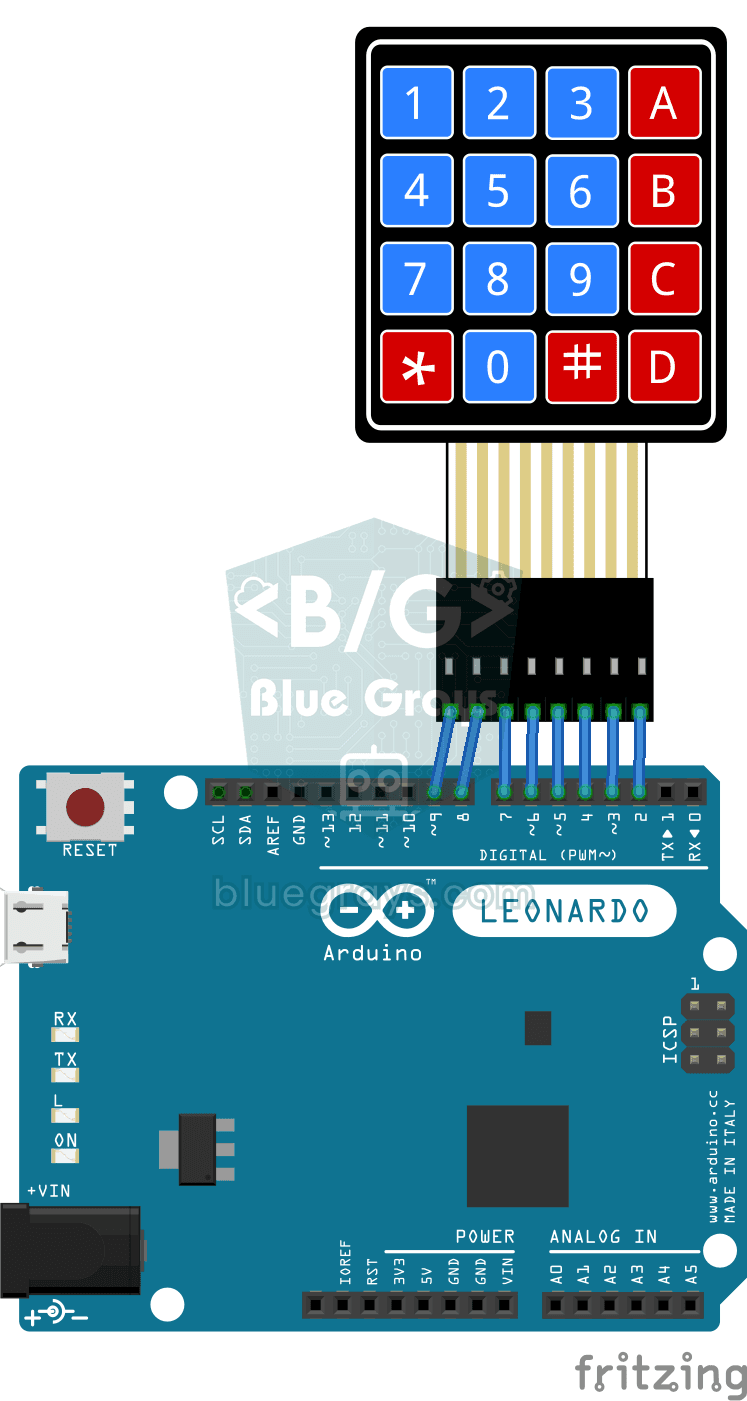
Arduino Developer Keyboard
If you are tired of typing the same lines over and over while coding, this little keypad becomes your shortcut keyboard.
Python Developer Keyboard
If you are tired of typing the same patterns over and over while coding, this little keyboard is made for you.
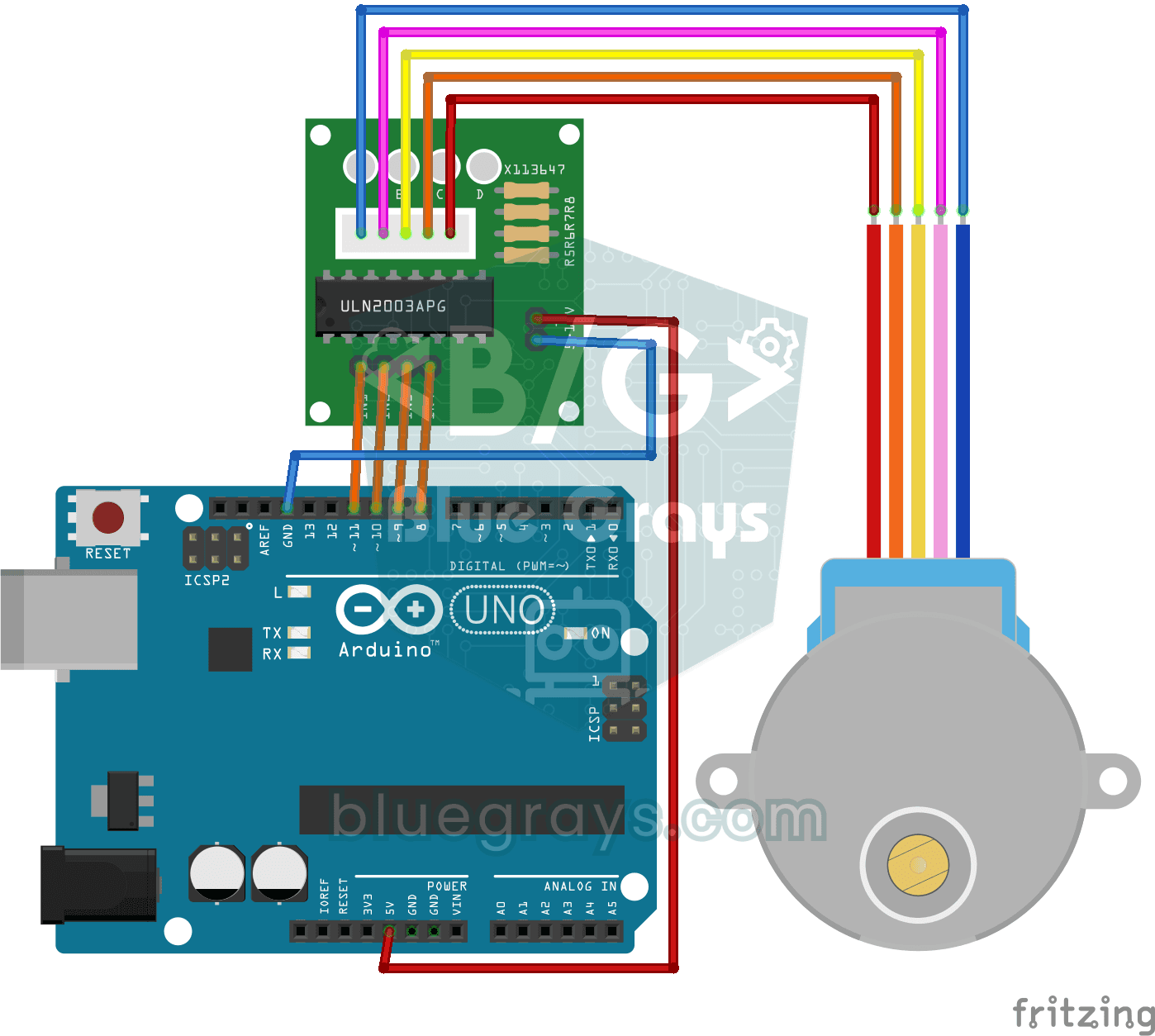
Using a Stepper Motor
A motor that turns step by step, exactly as far as you want, like the hand of a clock.
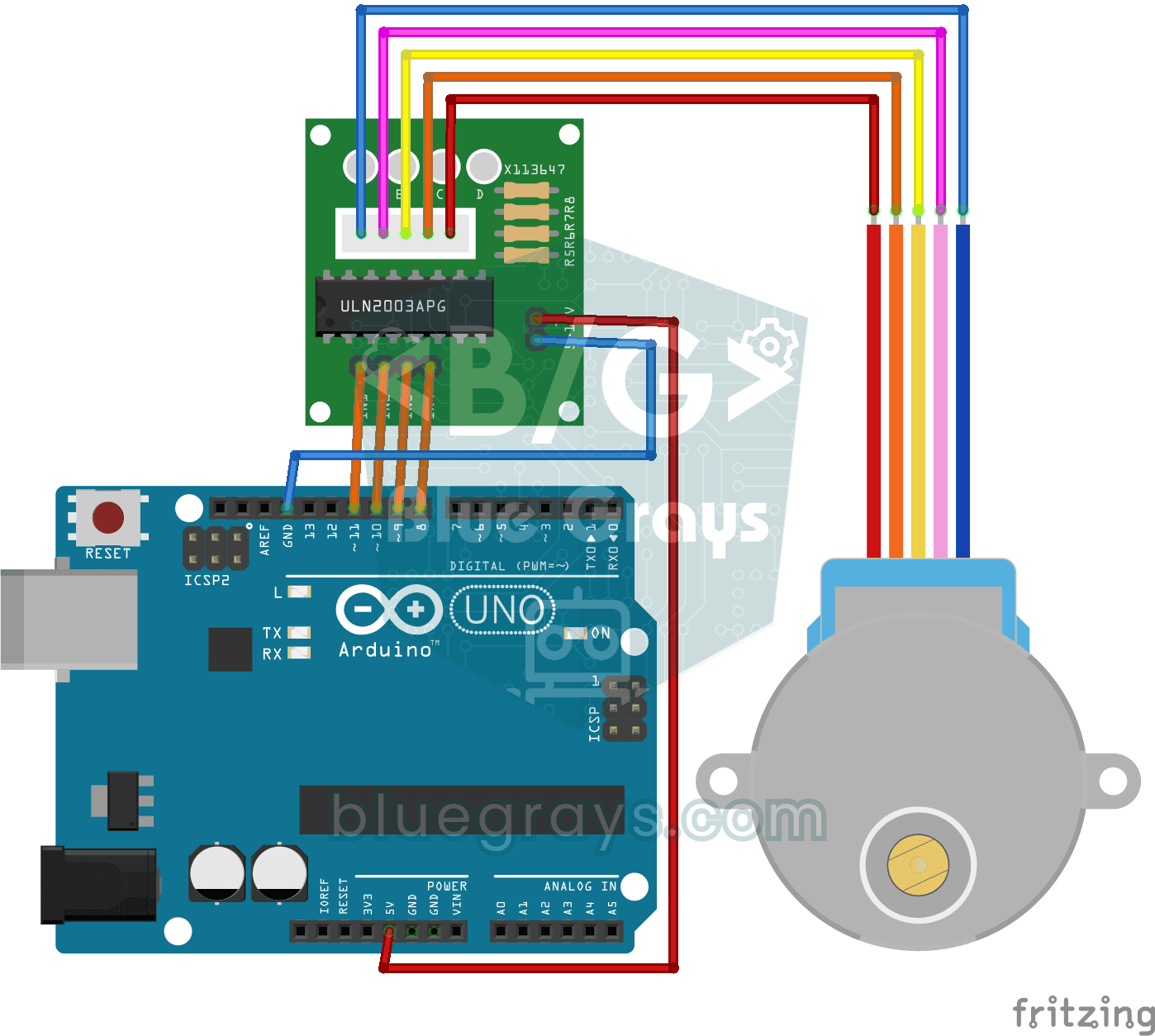
360-Degree Servo from a Stepper Motor
Teach an ordinary stepper motor to go to any angle you want, all the way around the circle.
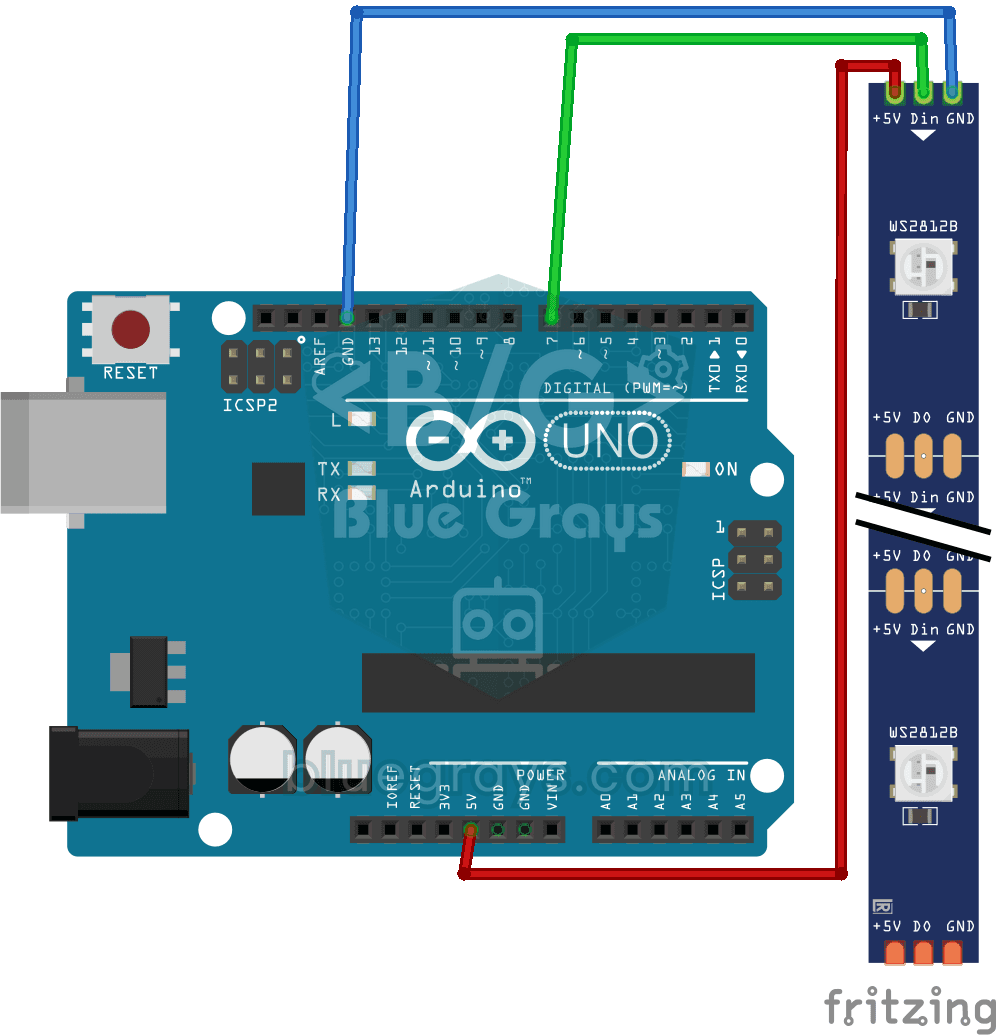
Using a WS2812B LED Strip
Meet a smart LED strip where you can colour every single light on its own. The Arduino first lights the first five LEDs red, a second later turns the other five blue, then switches them all off and…
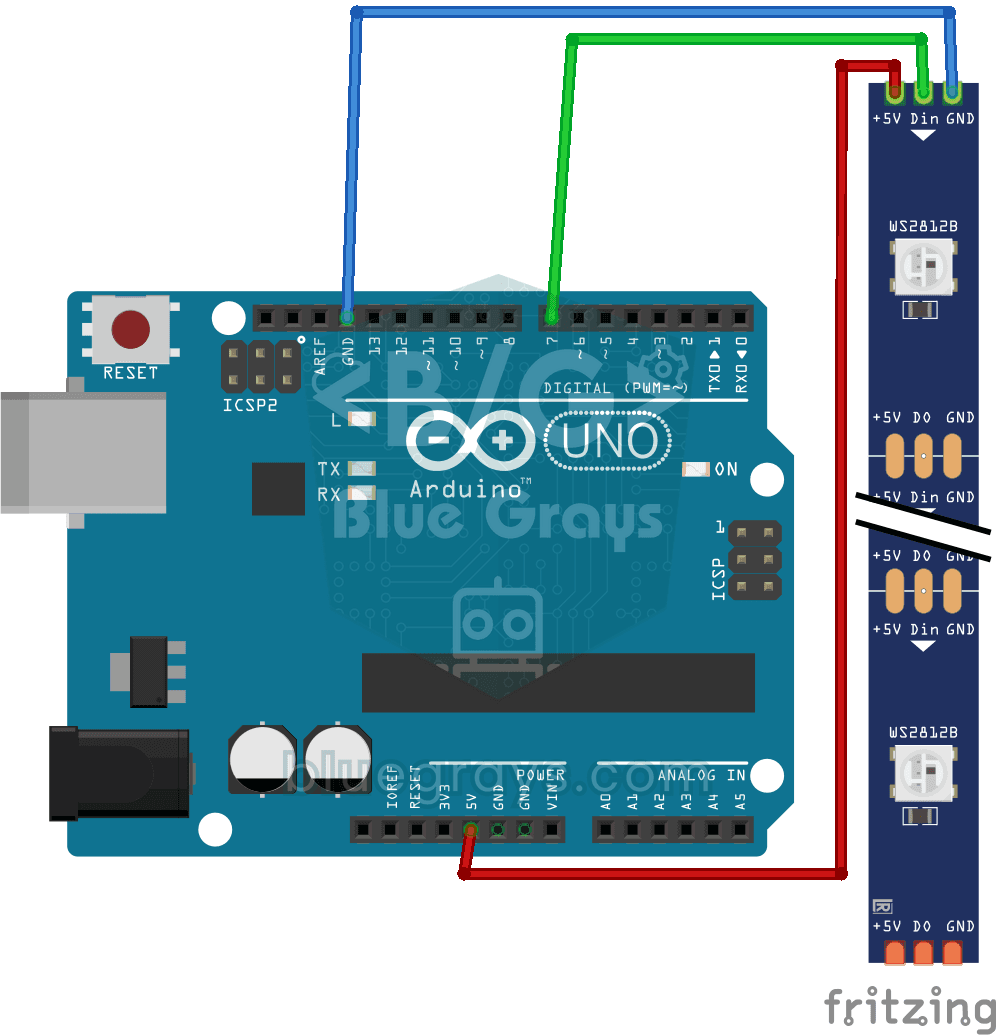
Police Lights with WS2812B
You bring the red and blue lights from the roof of a police car right onto your desk.
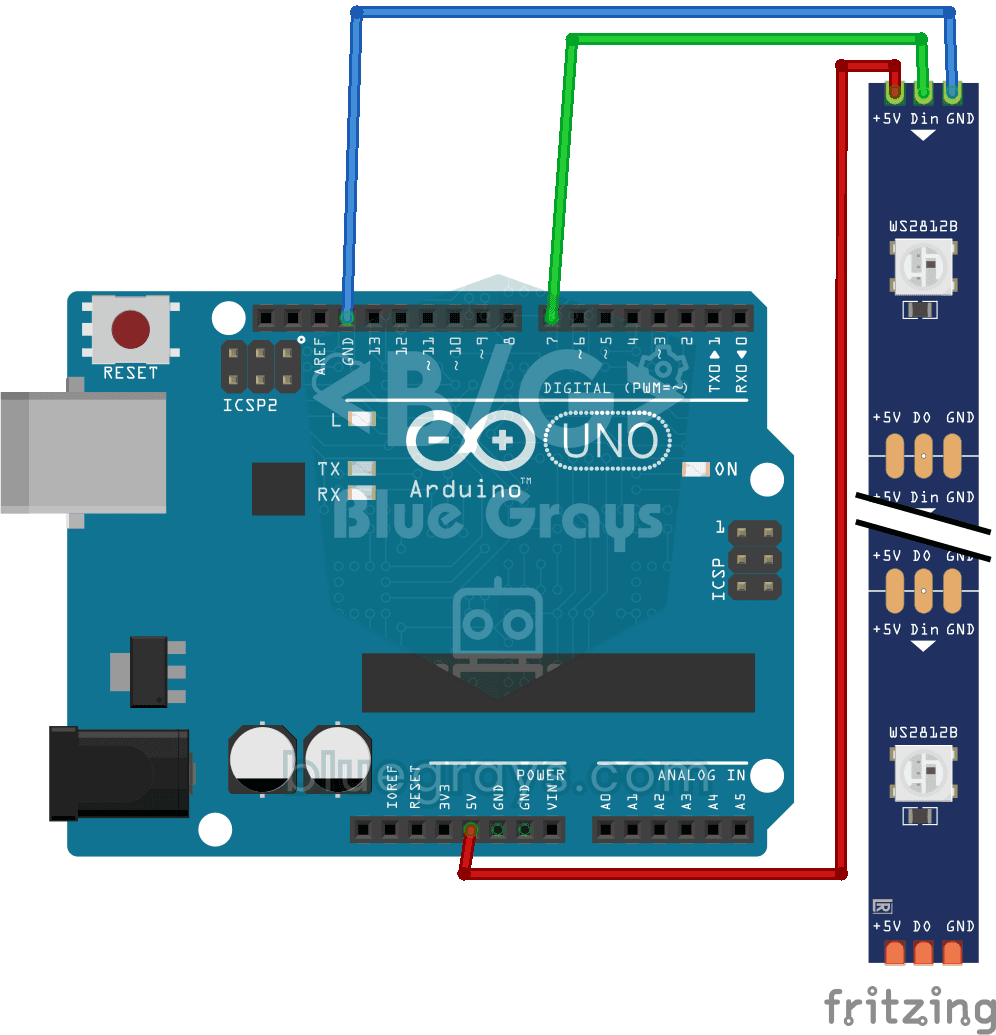
WS2812B LED Chaser
On a strip of ten LEDs, a green dot of light moves from start to finish one LED at a time, then jumps back to the beginning; it stays on each LED for a third of a second.
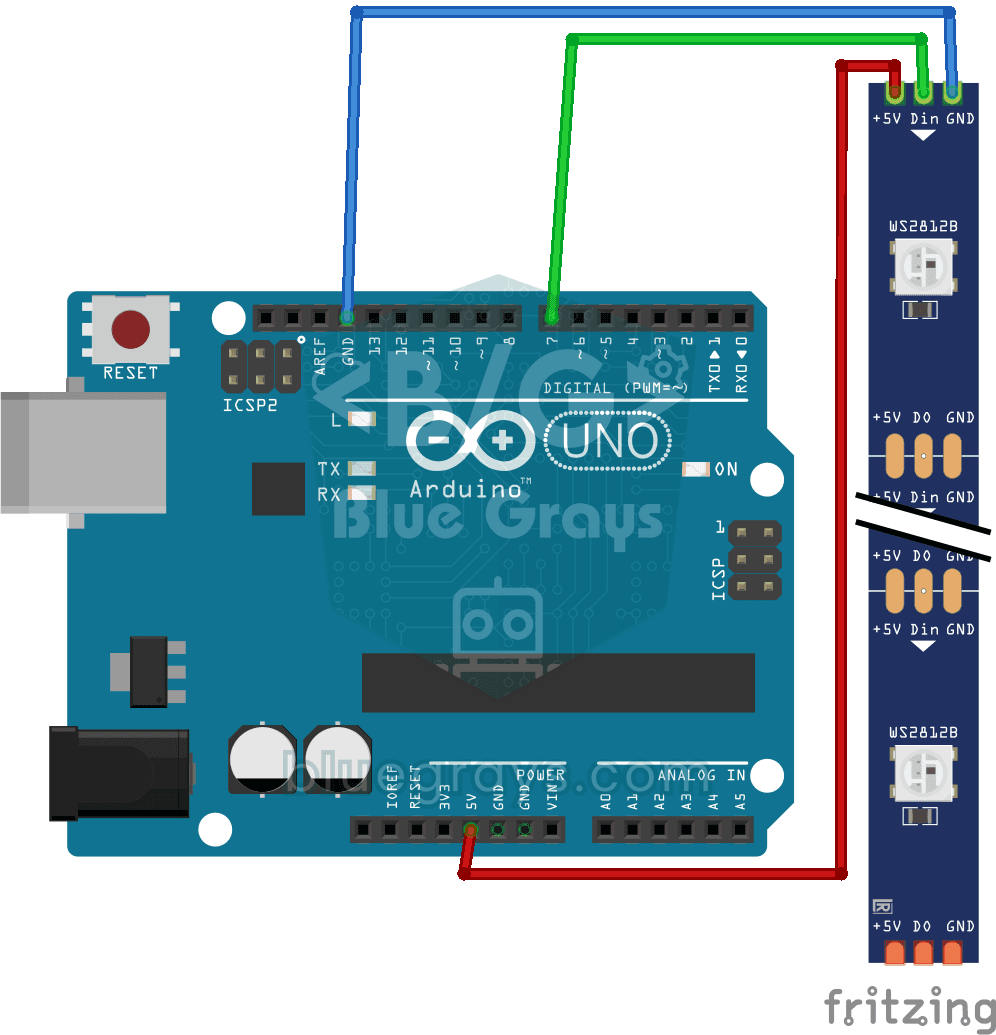
WS2812B LED Chaser (Fill Effect)
A light strip that fills up and empties like a glass of water. The Arduino lights ten color LEDs one by one in orange and keeps them on; once the strip is full, it switches them off one by one in the…
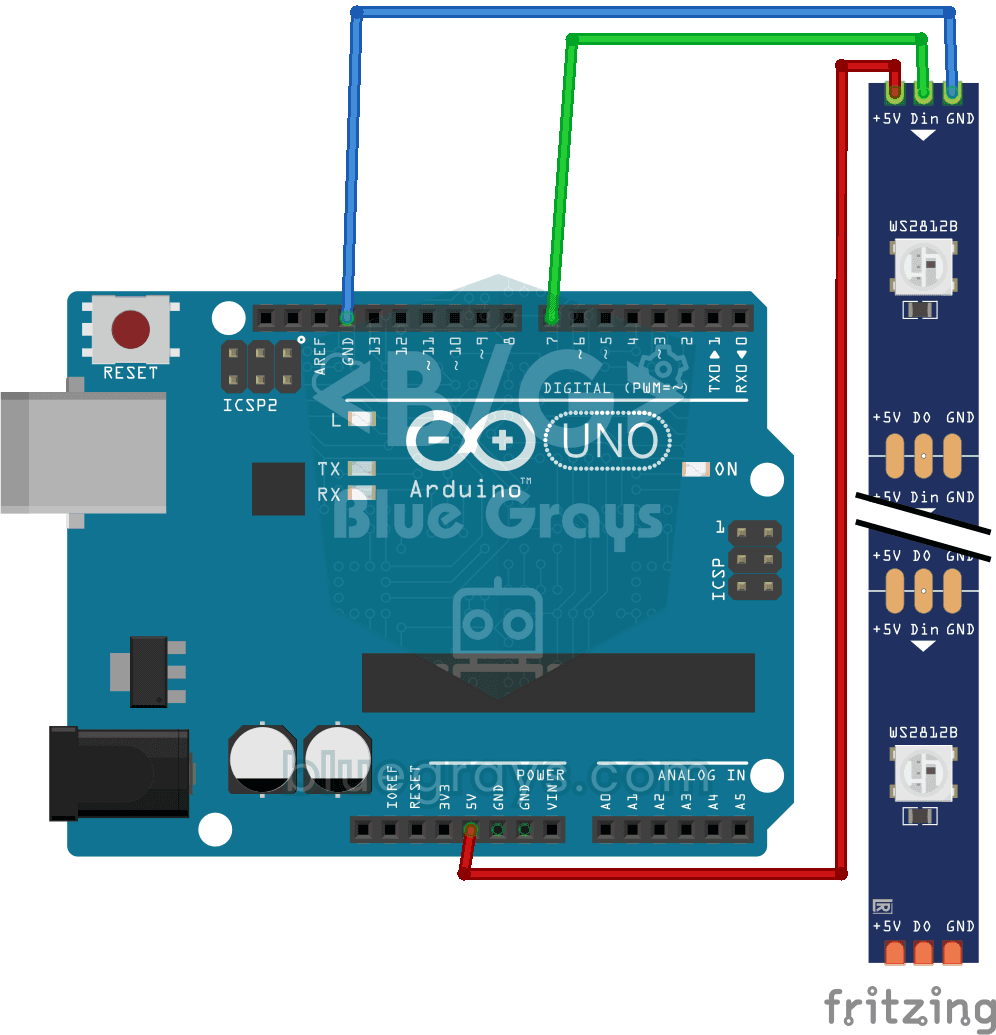
WS2812B Knight Rider Effect
A red dot of light slides from one end of a smart LED strip to the other, then comes back, sweeping back and forth without ever stopping.
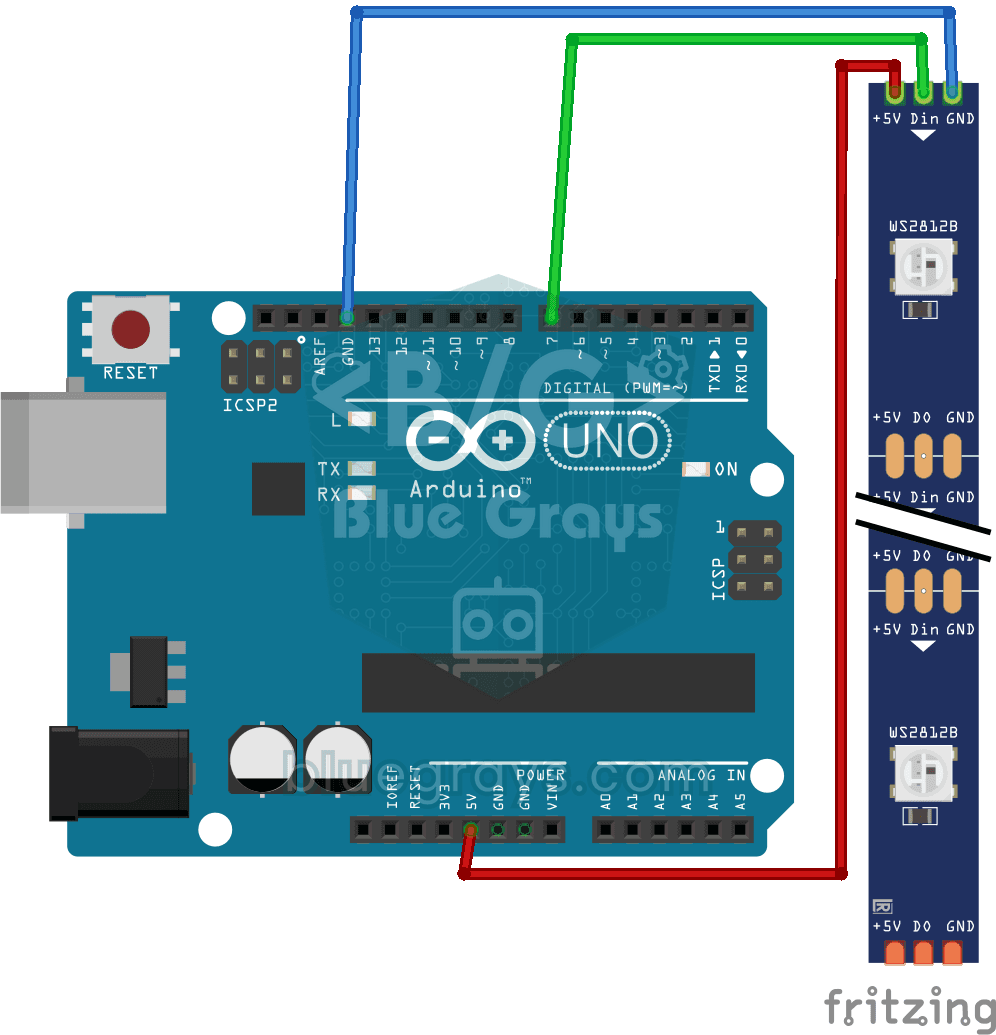
WS2812B Knight Rider Effect (3 LEDs)
All the colours of the rainbow glide slowly along a strip of 56 LEDs. Each LED glows in a slightly different colour from its neighbour and the colours keep flowing in the same direction, turning the…

WS2812B Animation 1
On a strip of 56 LEDs, all the colours of the rainbow line up side by side and flow without ever stopping, as if a river of light were gliding along the strip.

WS2812B Animation 2
Set up a light show in your room that changes colors all by itself. The Arduino keeps colors flowing along a 30-LED strip and switches to a new color set every few seconds: rainbow, purple and green…

Reading Reflection (Proximity) with TCRT5000
With a small sensor that sends out invisible light and measures how much bounces back, you can detect the surface in front of it.

TCRT5000 Black and White Surface Detection
With the little sensor that acts as the eye of line-following robots, you can tell whether the floor is black or white.

Dice Project
No more lost dice during board games: every time you press the button, a random number from 1 to 6 appears on the 7-segment display.

Smart Stair and Corridor Lighting
Step onto the stairs or into the hallway and the lights come on one step at a time in the direction you are walking.

Dot Matrix Clock and Calendar (MAX7219, DS1307)
A glowing board for your desk or wall that shows the time and date in scrolling text.

Dot Matrix Clock, Calendar and Weather Station (MAX7219, DS1307)
A scrolling-text board for your desk or wall that shows the time, the date and the room's weather in turn.

Paddle Ball Game - SSD1306
A ball, two paddles and you: you play table tennis, one of the very first video games, on a small OLED screen.

4x 32x8 Matrix LED Animation and Text
Stack four long LED matrix modules on top of each other and you get a square screen with more than a thousand dots of light.

4x 32x8 LED Matrix - 6-Animation Pack
Four 32x8 LED panels stacked on top of each other form a square screen where six animations play in turn: falling digital rain, a growing spiral, cells that are born and die all by themselves…

Arduino I2C Calculator
It is an Arduino-based calculator project that performs addition, subtraction, multiplication and division operations using a 4x4 membrane keypad and a 16x2 I2C LCD display. Thanks to I2C, the display connection is provided with only 2 cables, thus reducing cable clutter and keeping more pins open for use. There is also decimal number input and negative number support.
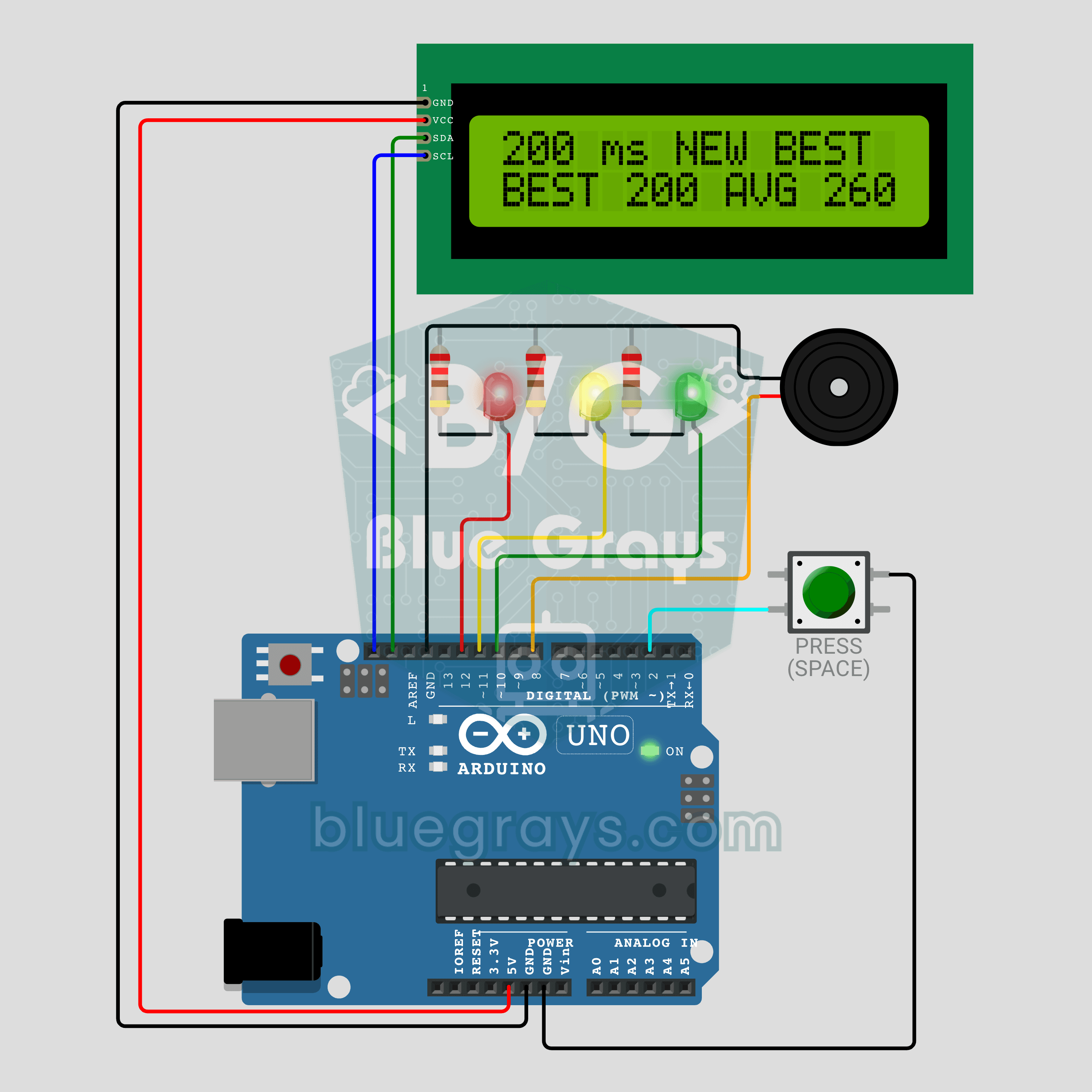
Arduino Reaction Time Test with Sound Cue: Measure Your Reflexes in Milliseconds (LCD + Buzzer + 3 LEDs)
How fast are your reflexes? Press the button: the red LED says get ready, the yellow LED says steady and a random wait of 1.5 to 3.5 seconds begins. The moment the green LED lights up and the buzzer beeps, press again; your reaction time appears on the I2C LCD in milliseconds, with your session best and average below it. Press before green and the screen shows TOO EARLY! with a losing sound. Hold the button for a new player, so everyone races the same wait order.

Arduino LCD Runner Game
Side scrolling endless runner game running on 16x2 character LCD screen. Hero runs automatically, player jumps over obstacles by pressing the button. Random obstacles appear on the top and bottom row. Passive buzzer plays opening melody, jumping sound, 50 point celebration sound and end of game melody. "BlueGrays - Arduino Projects" splash screen is shown on startup. The score is updated instantly in the upper right corner of the screen.
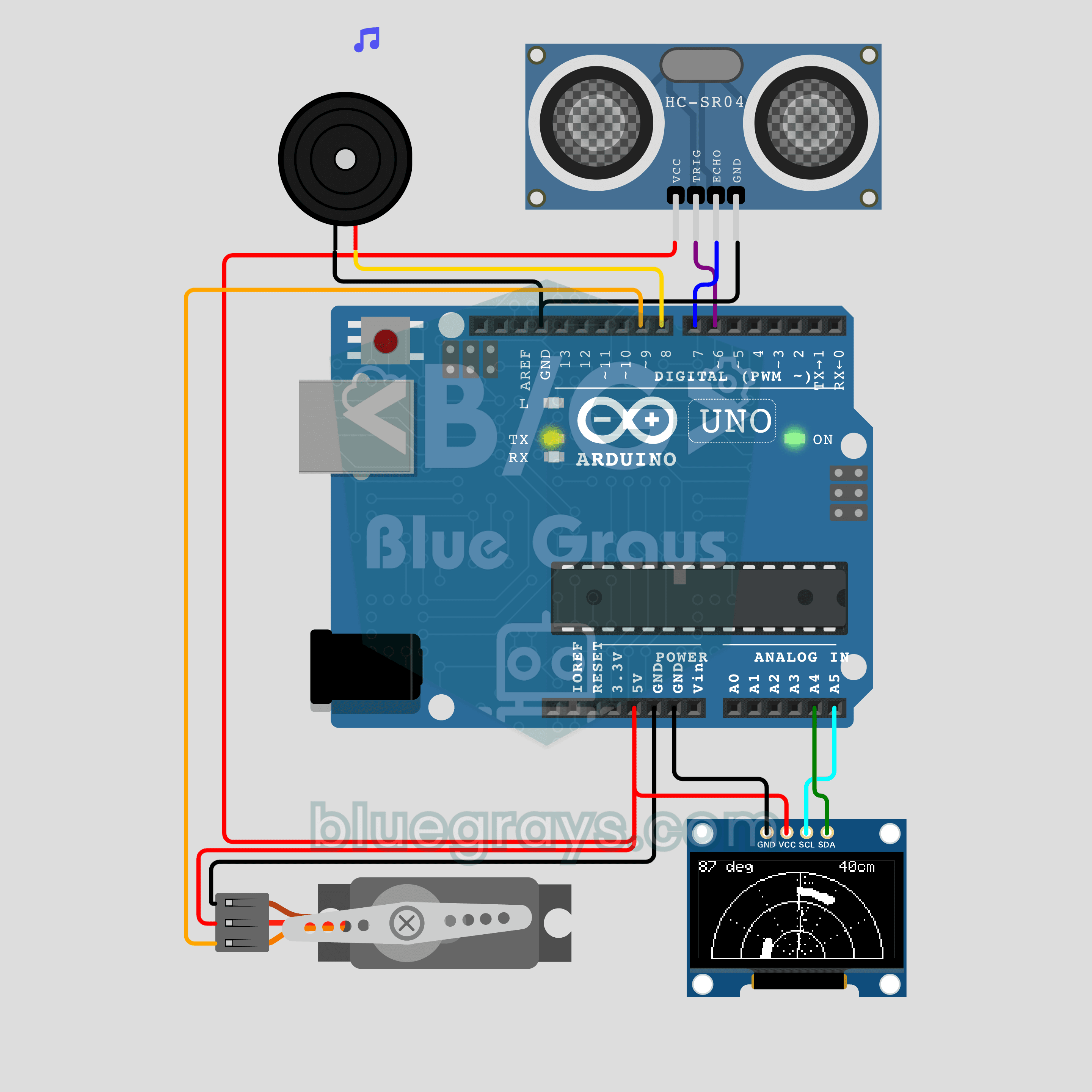
Arduino Mini Radar (Servo + HC-SR04 + OLED Display)
A movie-style radar from a distance sensor and a servo! The SG90 servo sweeps the HC-SR04 from 0 to 180 degrees while the 0.96 inch OLED draws a rotating sweep line and shows detected objects as dots. When something enters the range, the passive buzzer pings, and the pitch rises as the object gets closer. Servo control, ultrasonic measurement, trigonometry-based drawing and tone() sound in one project.
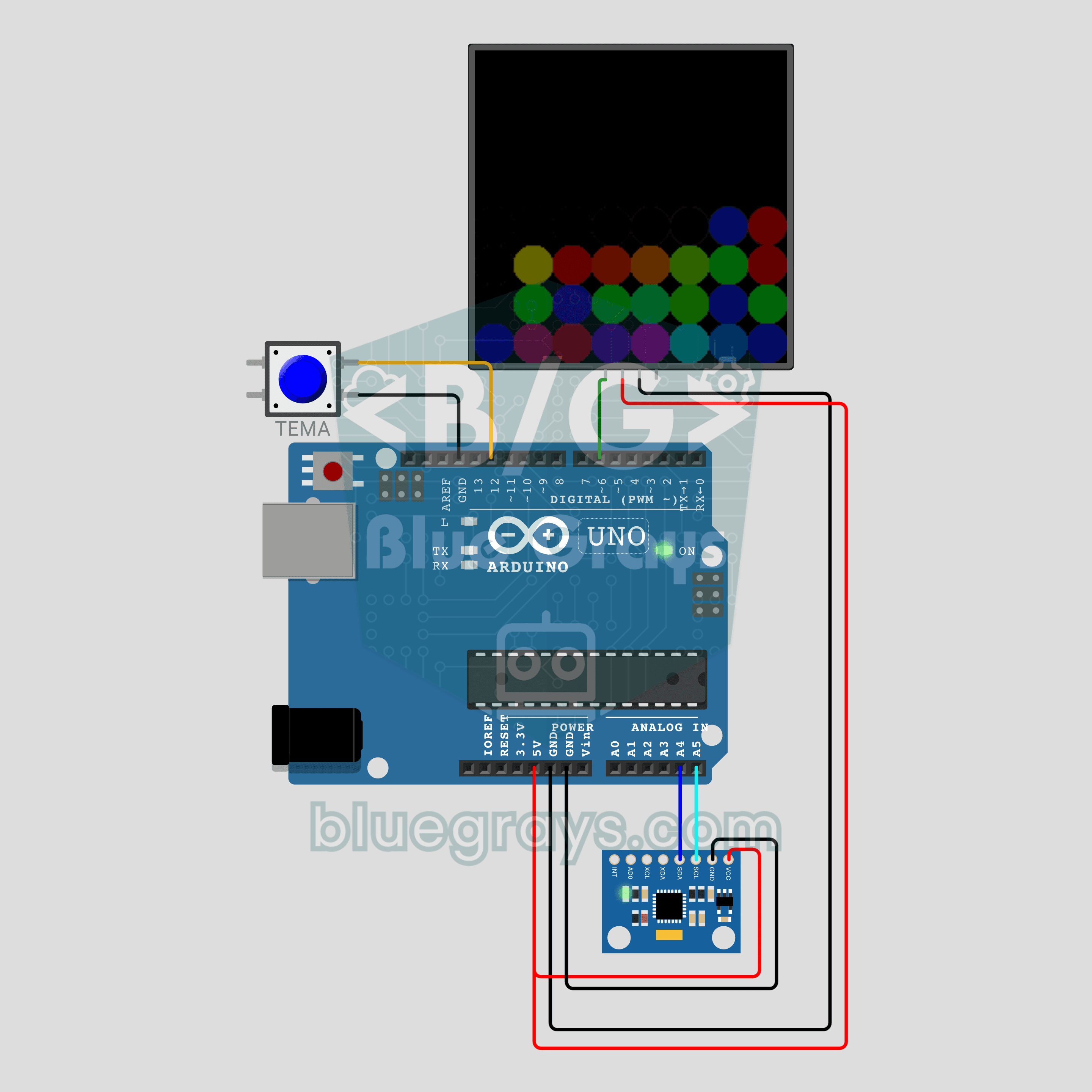
Arduino Tilt-Controlled Digital Sand (MPU-6050 + 8x8 NeoPixel Matrix)
LED sand that flows whichever way you tilt the circuit! The MPU-6050 accelerometer measures the tilt, and 24 grains on the 8x8 NeoPixel matrix fall toward gravity and pile up at the edges like real sand. A theme button switches between sand, water, lava and rainbow colors. Library-free I2C reading, turning tilt into a gravity direction and a simple falling-sand algorithm in one project.
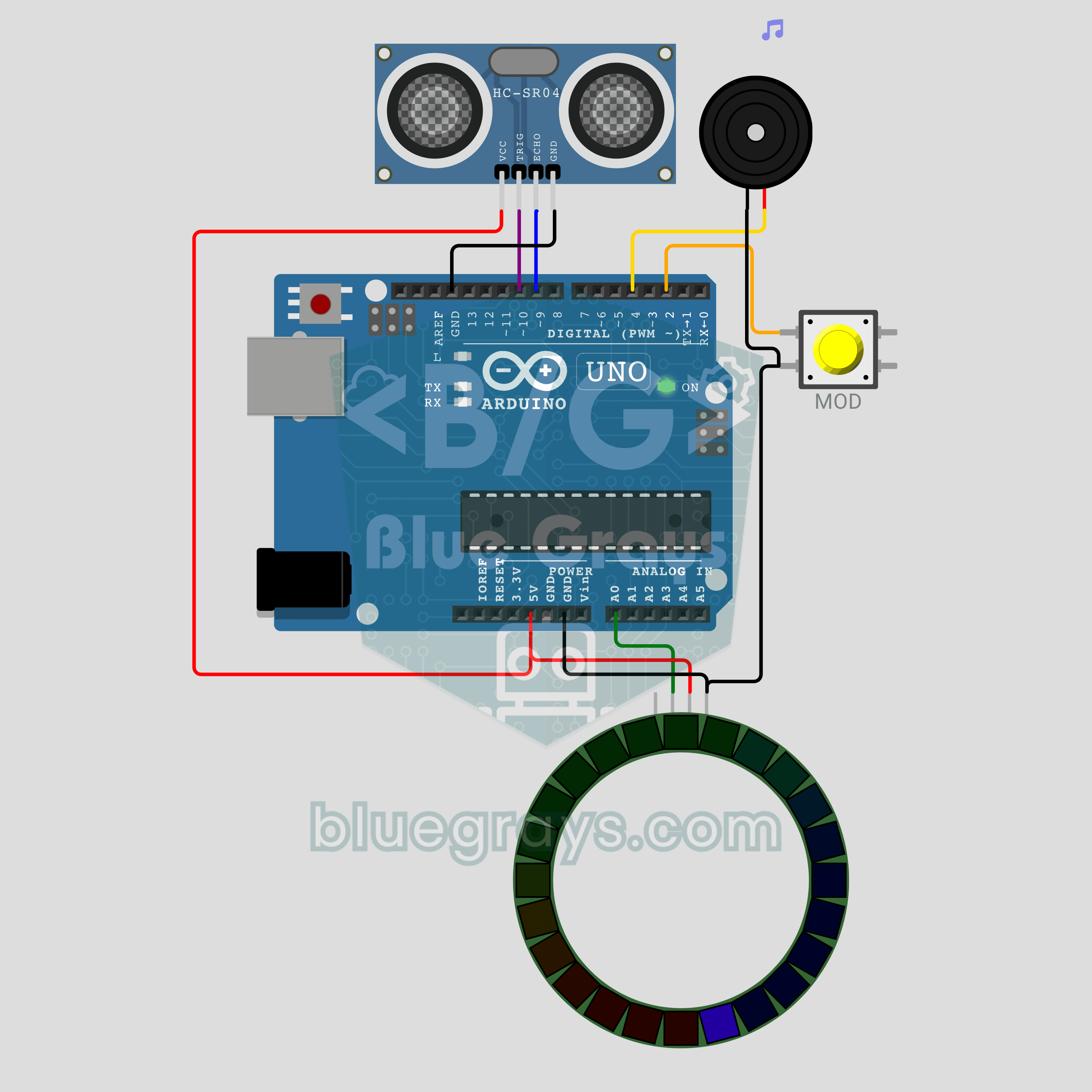
Arduino Ultrasonic Theremin (HC-SR04 + NeoPixel Ring + Buzzer)
A musical instrument you play without touching it, just by moving your hand in the air! As your hand gets closer to the HC-SR04, the passive buzzer plays higher notes and the 24-LED NeoPixel ring shows each note with color and fill level. A button switches between two modes: in SCALE mode every distance snaps to a note of a pentatonic scale, and in GLIDE mode the sound slides smoothly like an old sci-fi movie. Your hand writes the melody, not the code.
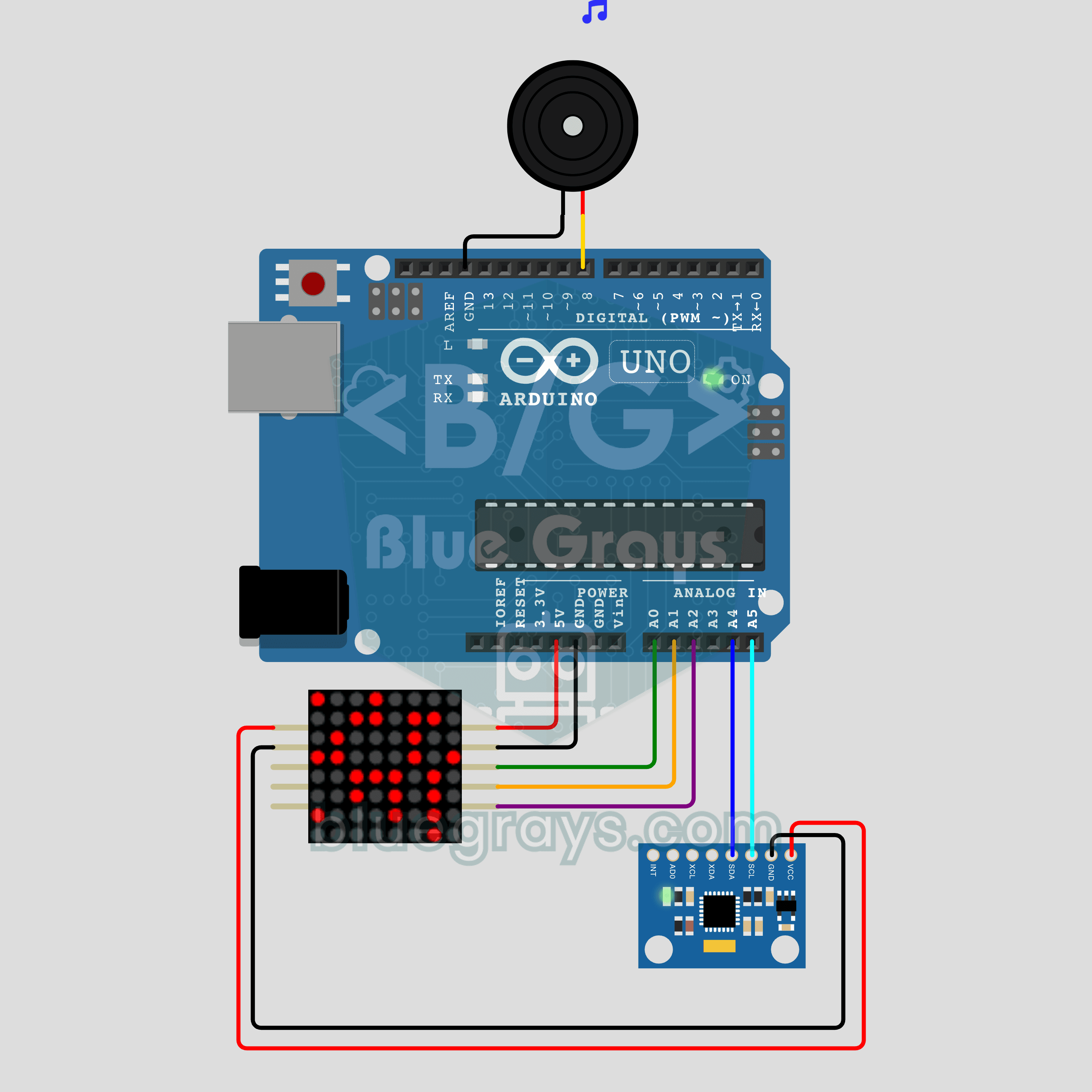
Arduino Tilt Marble Maze (MPU-6050 + MAX7219 8x8 LED Matrix)
No screen, no joystick: tilt the circuit and an LED marble rolls through a maze! The MPU-6050 accelerometer measures the tilt, and the marble on the MAX7219 8x8 LED matrix rolls that way without passing through walls. Reach the goal and a passive buzzer plays a tune as the next maze opens; finish all 3 for a smiley. Library-free sensor reading, tilt-to-speed control and mazes written as text in one project.
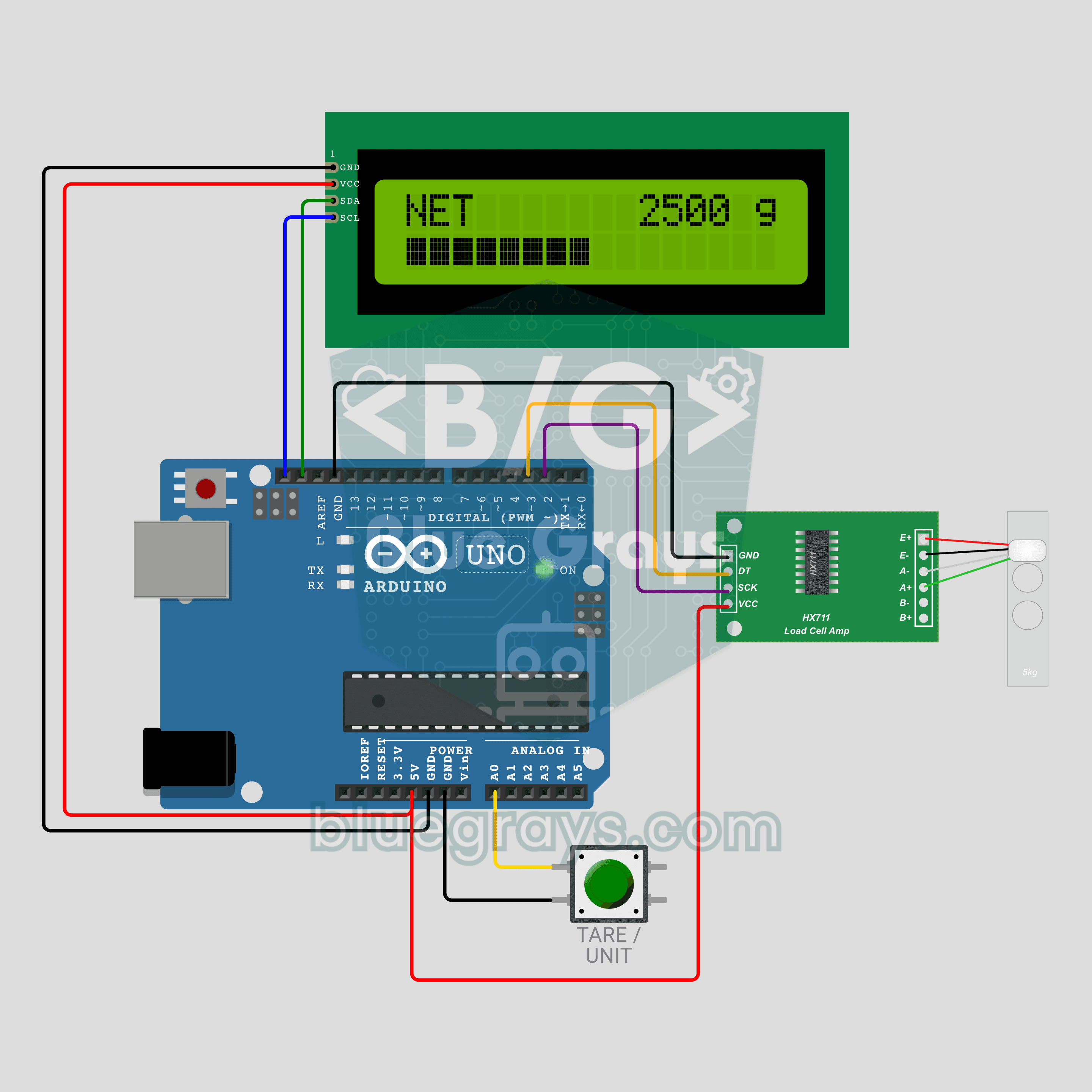
Arduino Kitchen Scale (HX711 + Load Cell + I2C LCD)
Put the bowl on, press the button, zero! A real kitchen scale with an HX711 amplifier and a 5 kg load cell: the I2C LCD shows the weight in grams or ounces, with a fill bar on the second row. One button does two jobs: a short press tares, a long press switches between g and oz. At 5 kg an overload warning appears. Calibration, a moving average and short/long presses in one project.
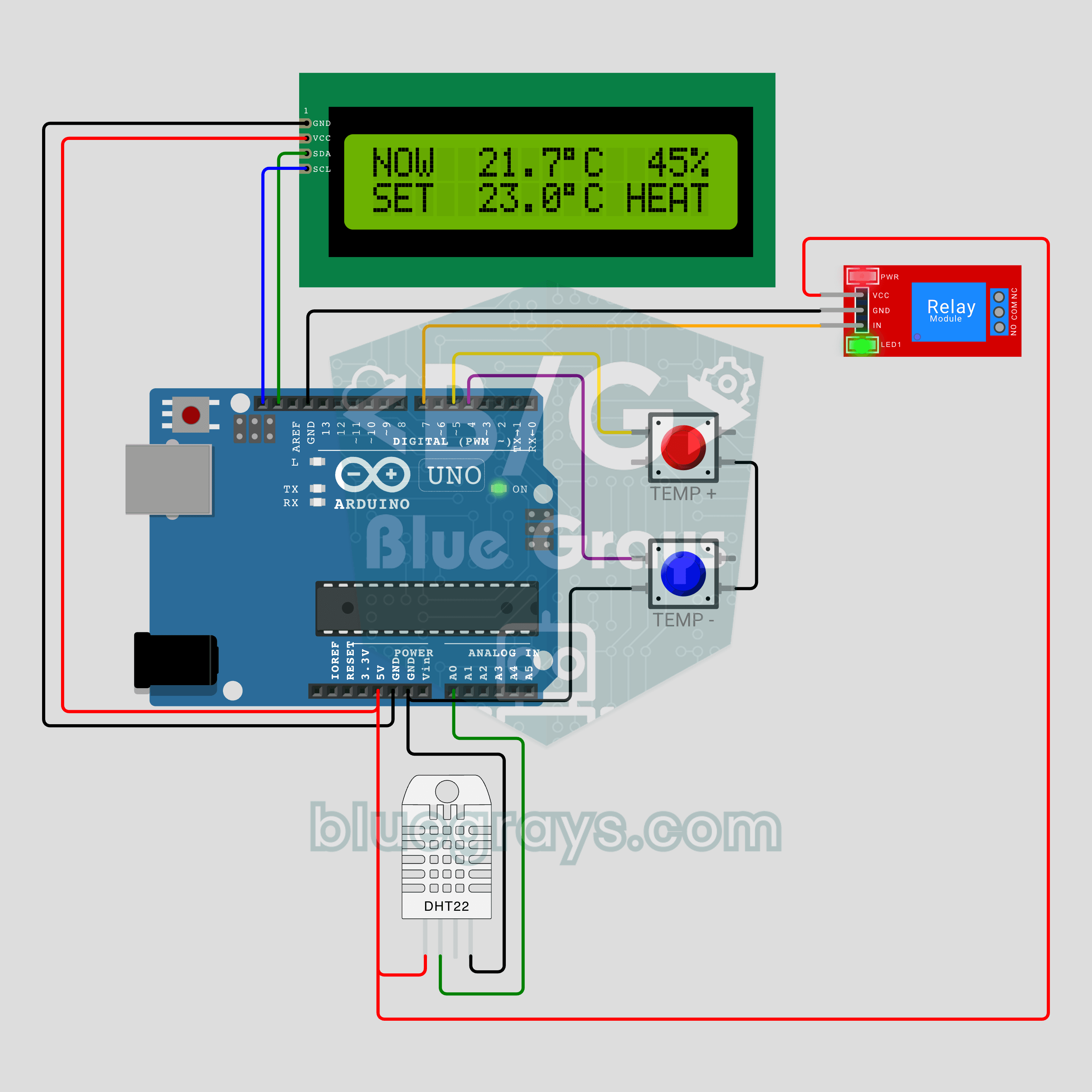
Arduino Smart Thermostat (DHT22 + Relay + I2C LCD)
Room at 19 degrees, target 21: the relay clicks on! The DHT22 measures the temperature, and when it drops below the target the relay turns the heater on. Thanks to hysteresis, the relay does not keep clicking around the target. Two buttons set the target in 0.5 °C steps, and it is kept in EEPROM; the I2C LCD shows temperature, humidity and heater state. The basics of real home automation in one project.
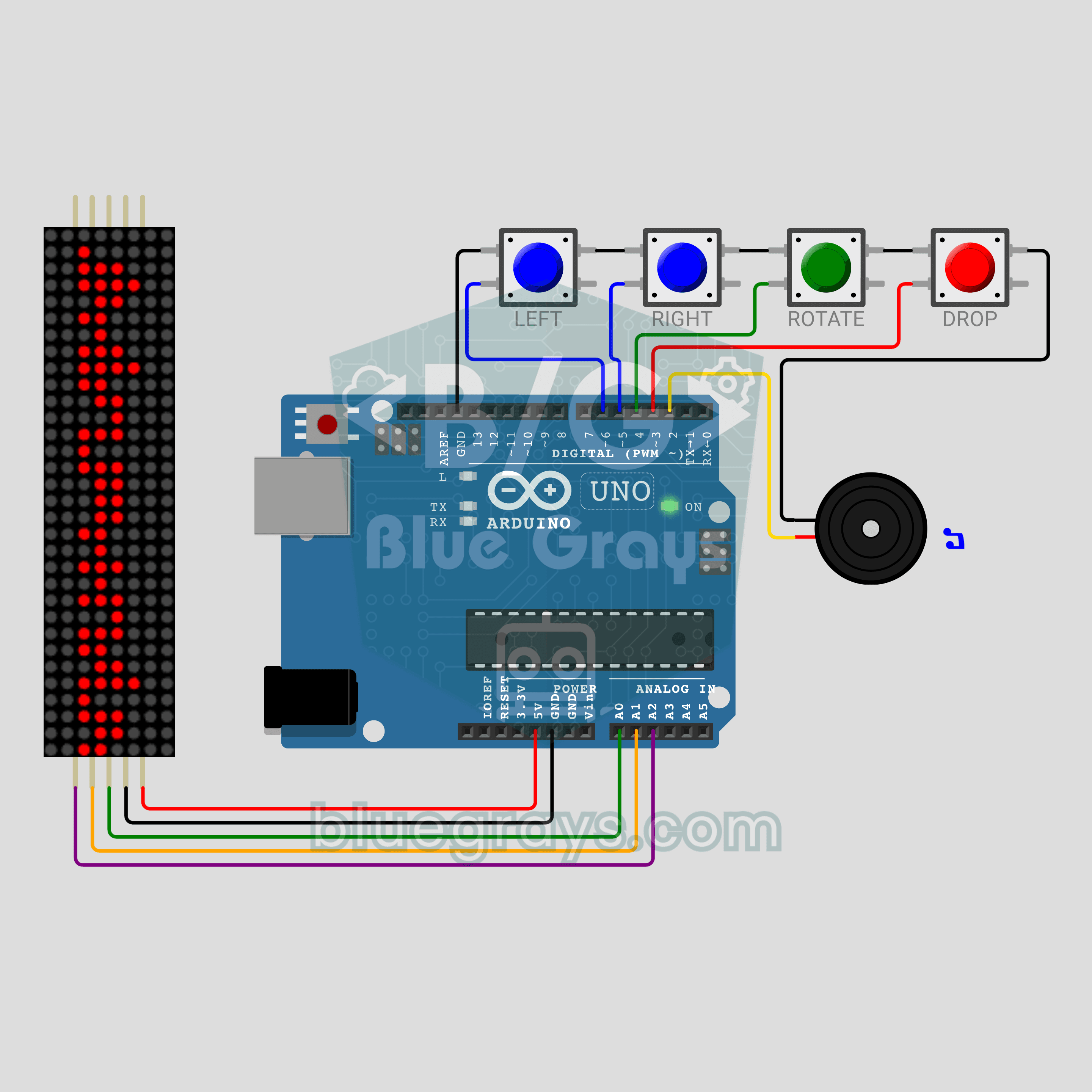
Arduino Tetris (MAX7219 8x32 LED Matrix + 4 Buttons + Buzzer)
No screen, just 256 LEDs: Tetris with music on an Arduino! A MAX7219 8x32 LED matrix standing upright becomes an 8 wide, 32 tall playfield, and 4 buttons move, rotate and drop the pieces. A passive buzzer plays the Tetris theme, full rows flash away and the game speeds up every 2 rows. The matrix is driven without a library, and the best score is kept in EEPROM.
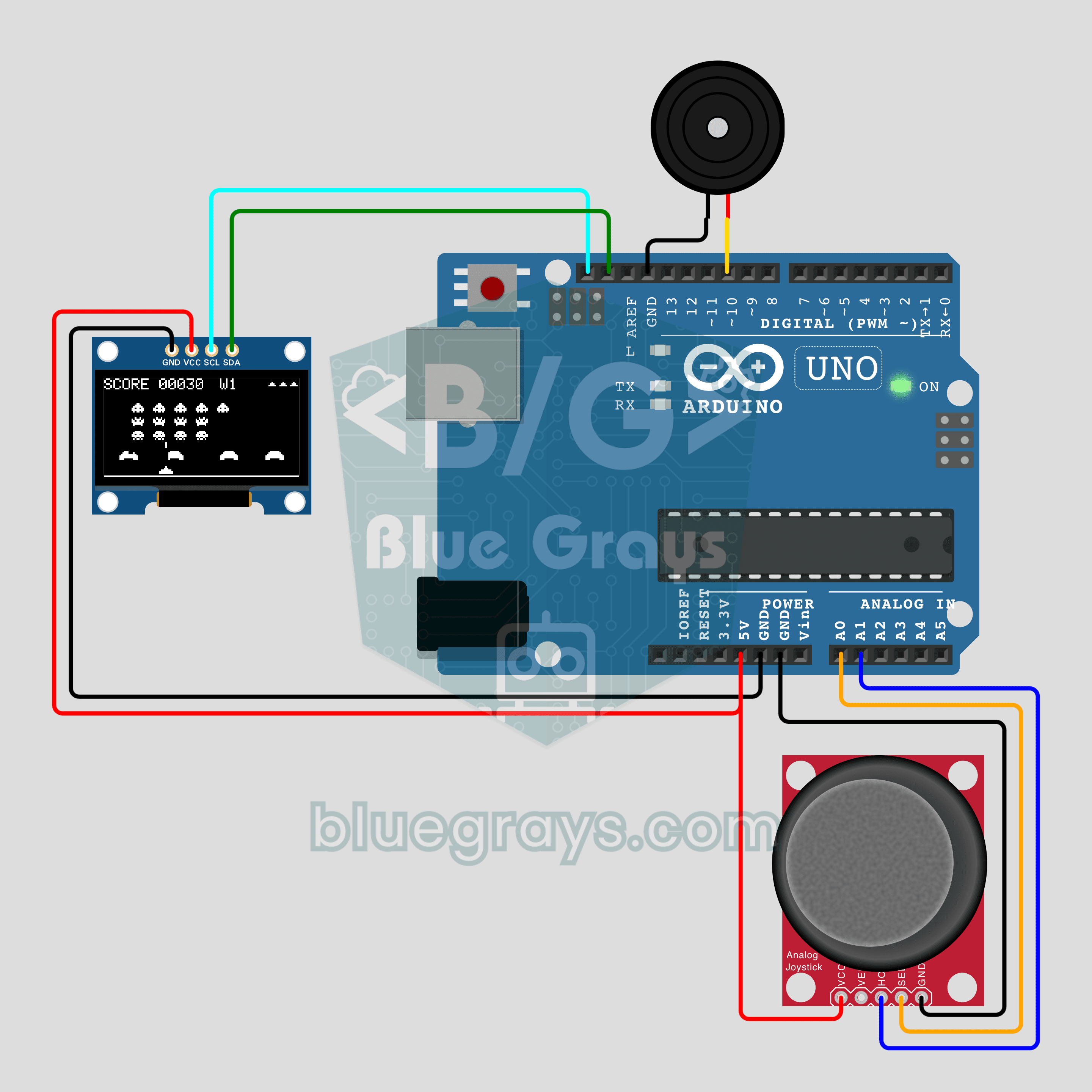
Arduino Alien Attack (0.96 inch OLED + Joystick + Buzzer)
The 1978 legend on a 0.96 inch screen! On a 128x64 OLED, an army of 15 aliens marches, steps down at every edge and speeds up as it thins out. The joystick steers the ship like a wheel and its button fires; there are 4 shields, a bonus UFO and waves that keep getting harder. A passive buzzer plays the classic march and the effects, and the best score is kept in EEPROM.
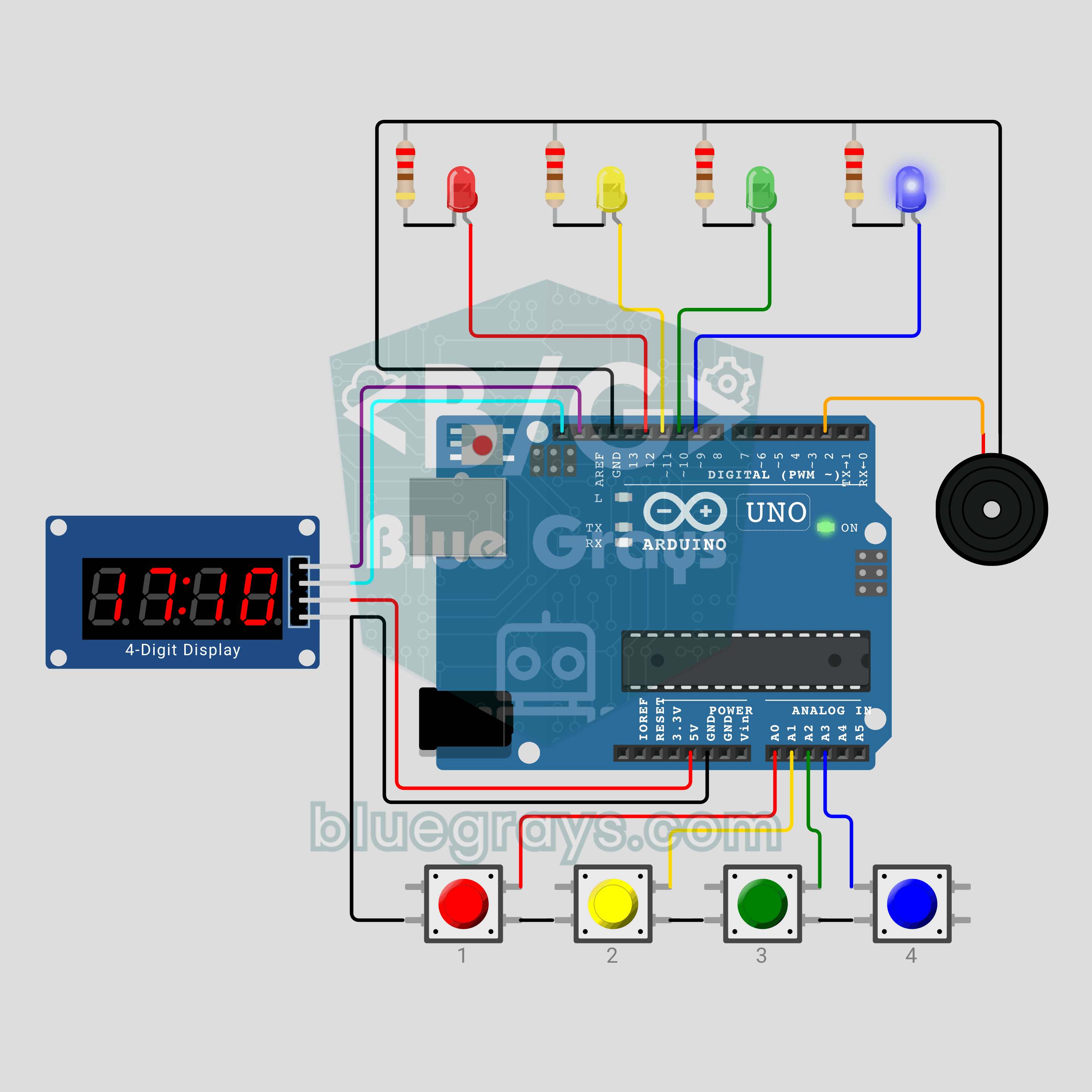
Arduino Whack-a-Mole Game (4 LEDs + 4 Buttons + TM1637 Display)
Hit it the moment it lights up! The arcade classic whack-a-mole on your desk: one of 4 LEDs lights up at random, and if you press the button of the same colour before it goes out, you score. Every 5 hits is a new level and the moles stay up for less time. A wrong button costs 1 point and 3 seconds. Time and score show on the TM1637, the record lives in EEPROM, and a passive buzzer gives each hole its own sound.
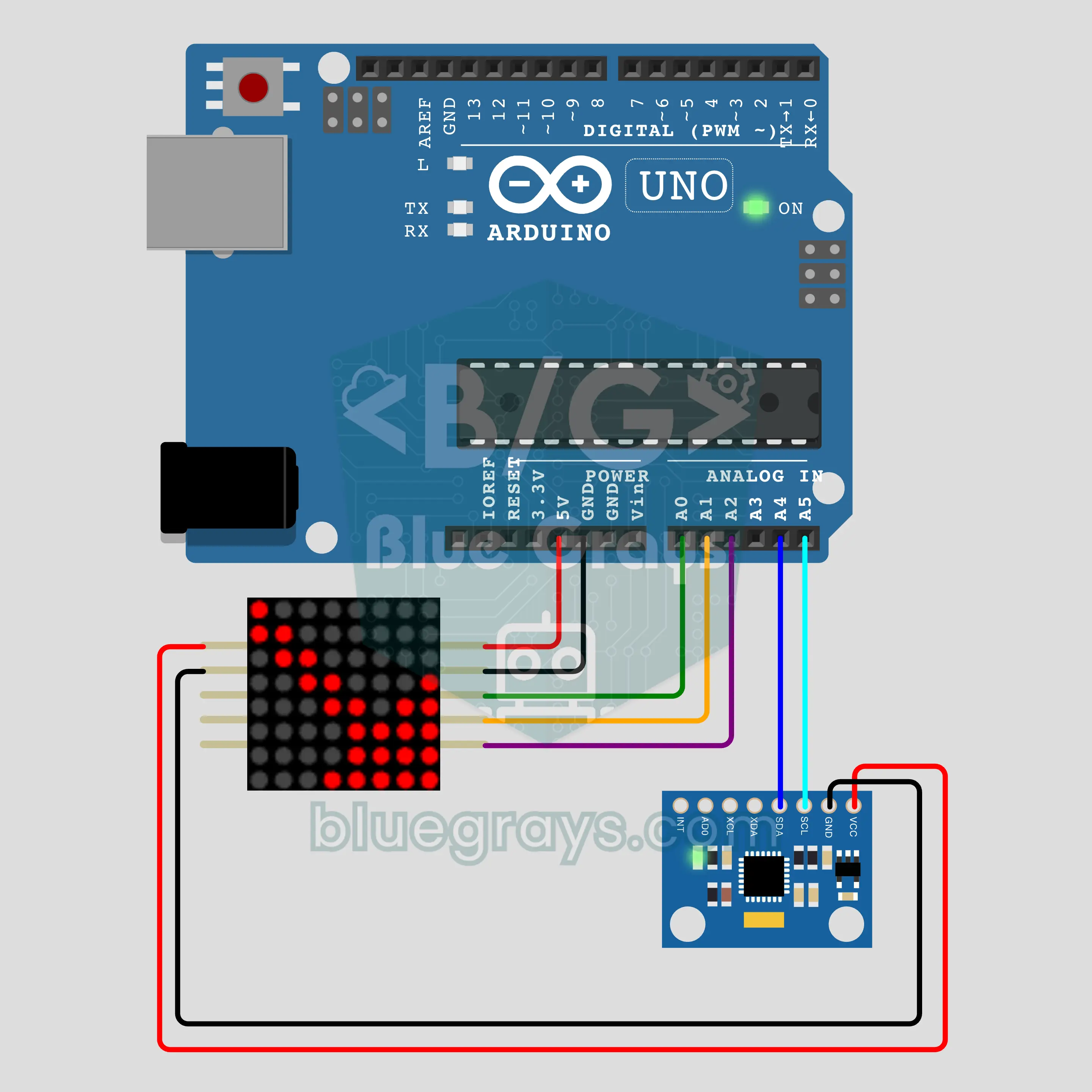
Arduino Tilt Arrow (MPU-6050 + MAX7219 8x8 LED Matrix)
Tilt the circuit and the arrow turns to follow! We are building a tilt arrow that points downhill with an Arduino, an MPU-6050 accelerometer and a MAX7219 8x8 LED matrix. The arrow turns in 8 directions, grows as the tilt increases and blinks when it gets very steep. When the circuit is level, a pulsing level sign appears, and the angle and direction are printed to the serial monitor too.
Arduino Hourglass (2x MAX7219 8x8 LED Matrix + MPU-6050)
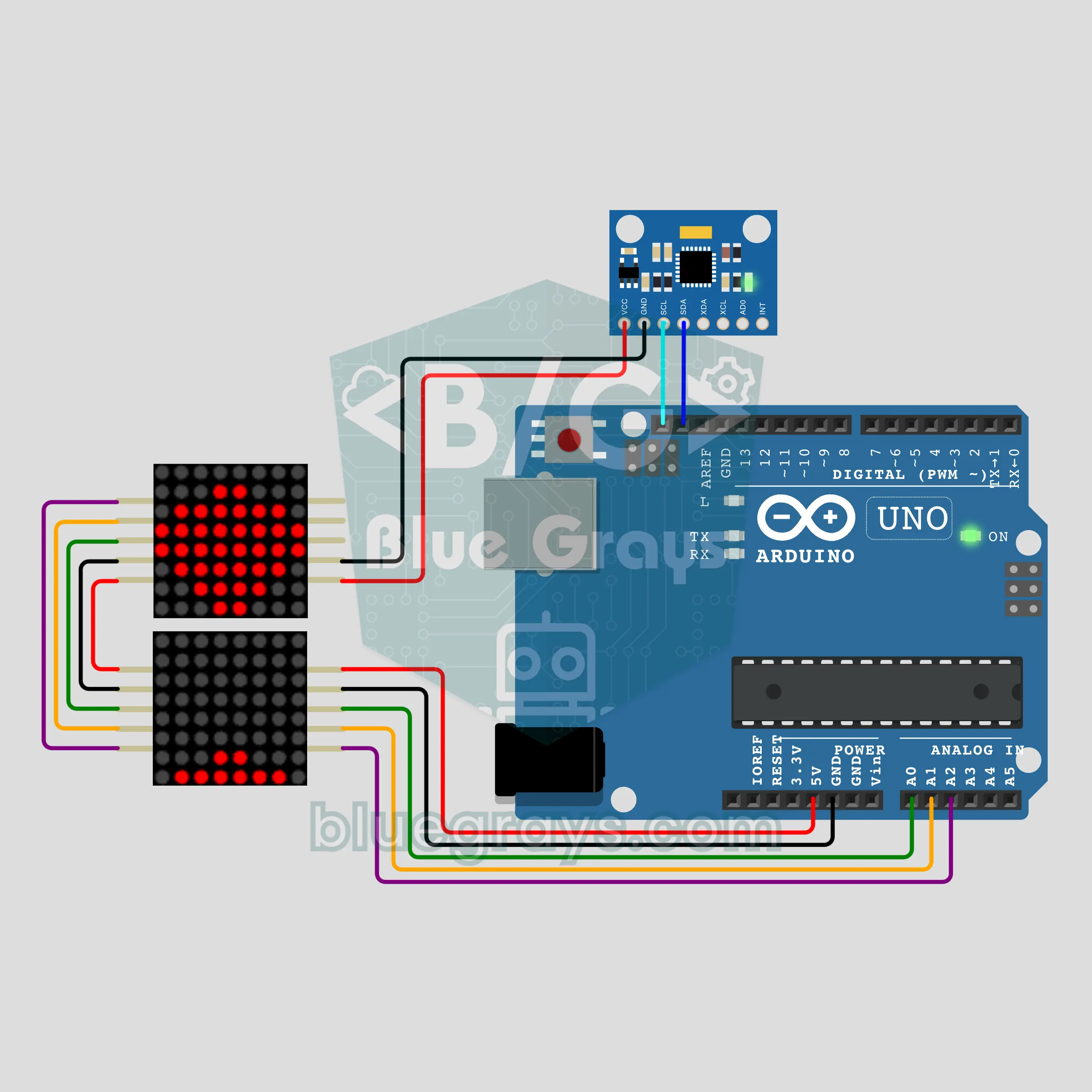
The sand is not real, but flip it and it runs back! We are building a digital hourglass with an Arduino, two MAX7219 8x8 LED matrices and an MPU-6050. Grains in the upper bulb drop one by one through a narrow neck and pile up below. Flip it and the sand flows back, lay it flat and it pauses; when time is up, the lower bulb blinks.
Arduino 16 LED Light Show (2x 74HC595 Shift Register + Buzzer)
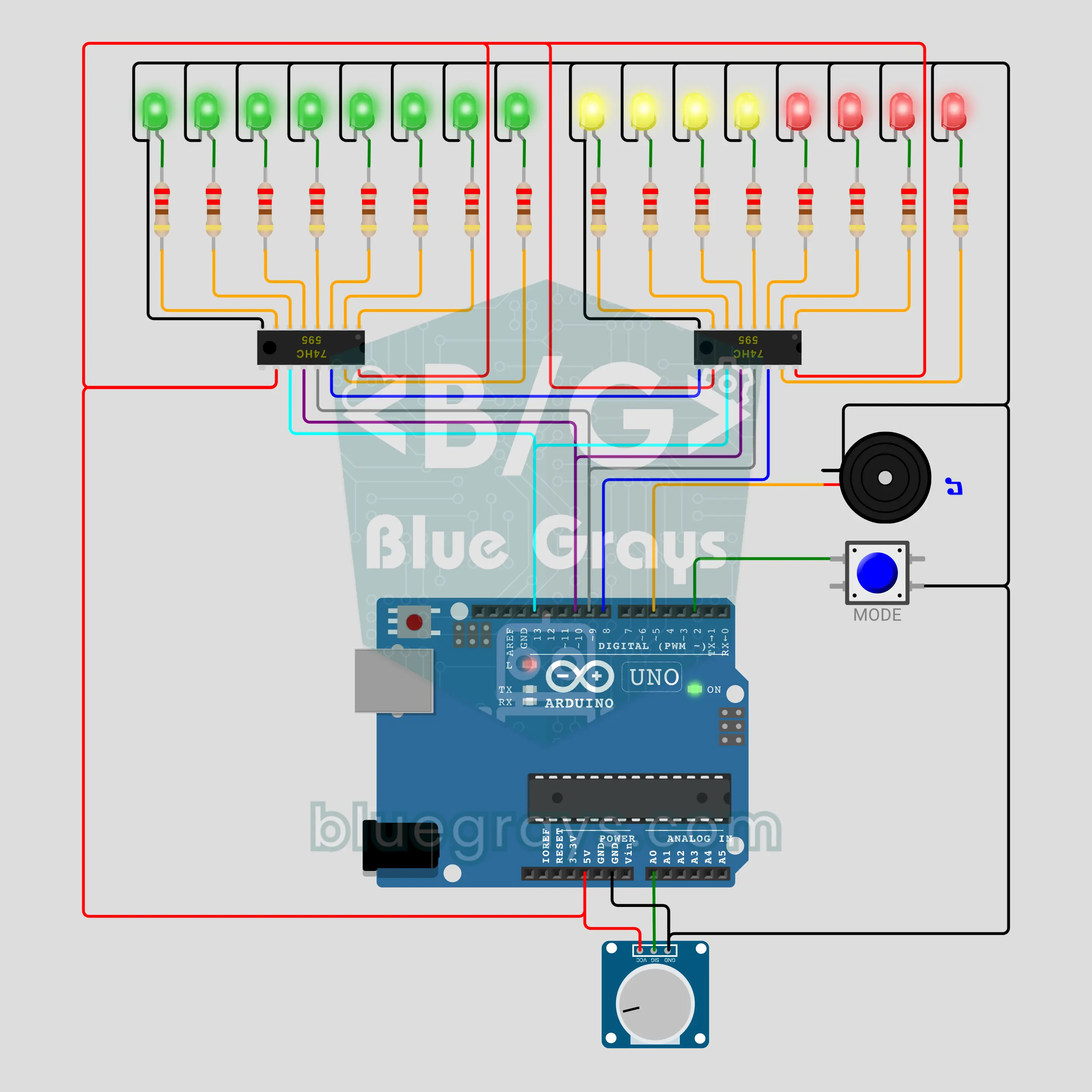
Out of Arduino pins? Here is the fix: two chained 74HC595 shift registers drive 16 LEDs from just 4 pins. There are 6 light modes: burst, scanner, binary counter, stars, stacking bar and an equalizer that bounces to a melody. The potentiometer sets the speed, the button changes the mode and a passive buzzer gives every mode its own sound. You learn serial-to-parallel output, chaining and the latch idea through a light show.
Arduino Product Turntable (NEMA 17 Stepper Motor + A4988 + LCD)
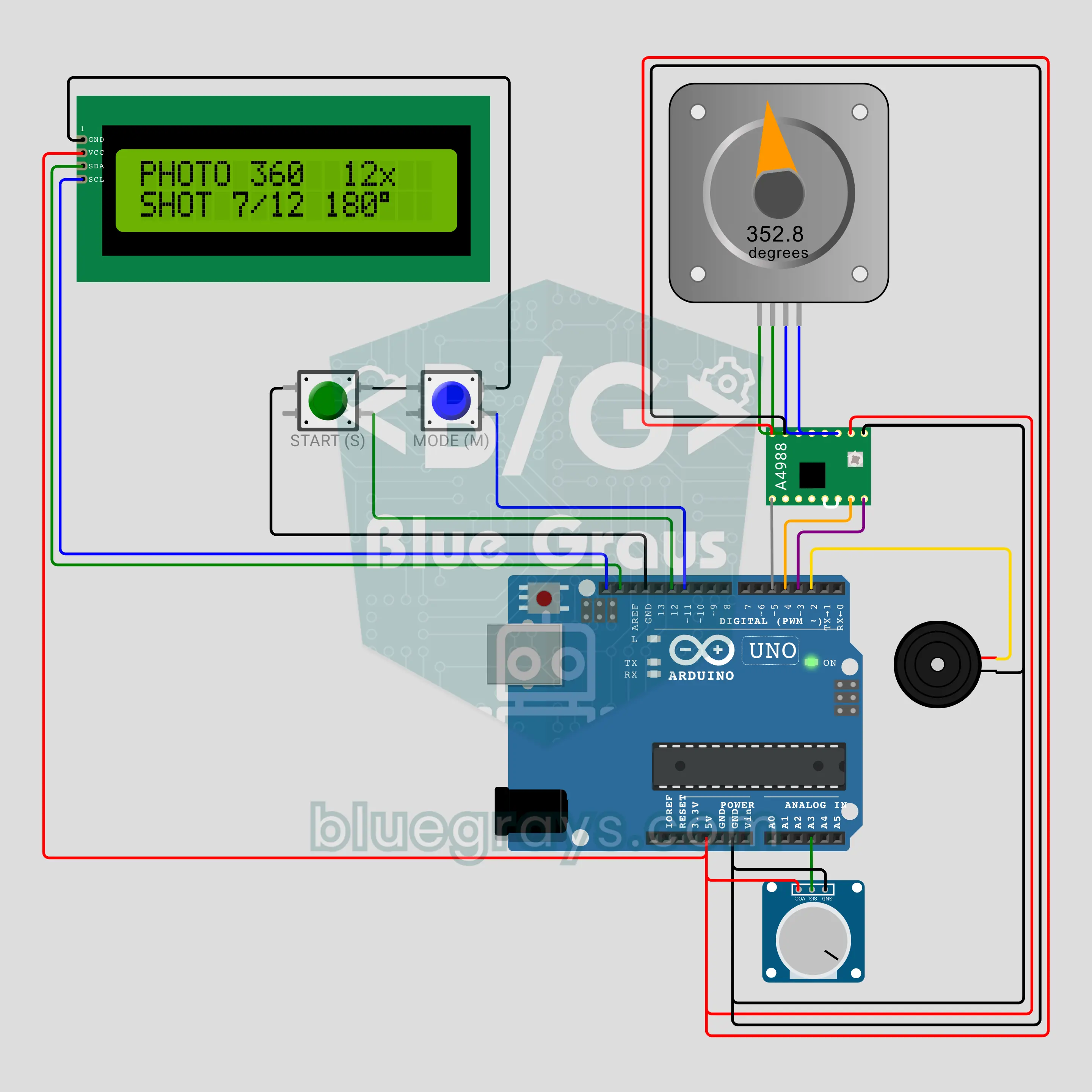
Build your own turntable for product photos and 360-degree videos! A NEMA 17 stepper is driven by an A4988 from just two signals and speeds up and slows down smoothly, so the product never wobbles. There are three modes: continuous spin with the speed on a pot, photo 360 that splits a turn into 12, 24 or 36 stops with a beep at each one, and a showcase-style ±90° swing. The I2C LCD shows speed, angle and shot count.
Arduino Automatic School Bell (DS1307 + I2C LCD + Relay)
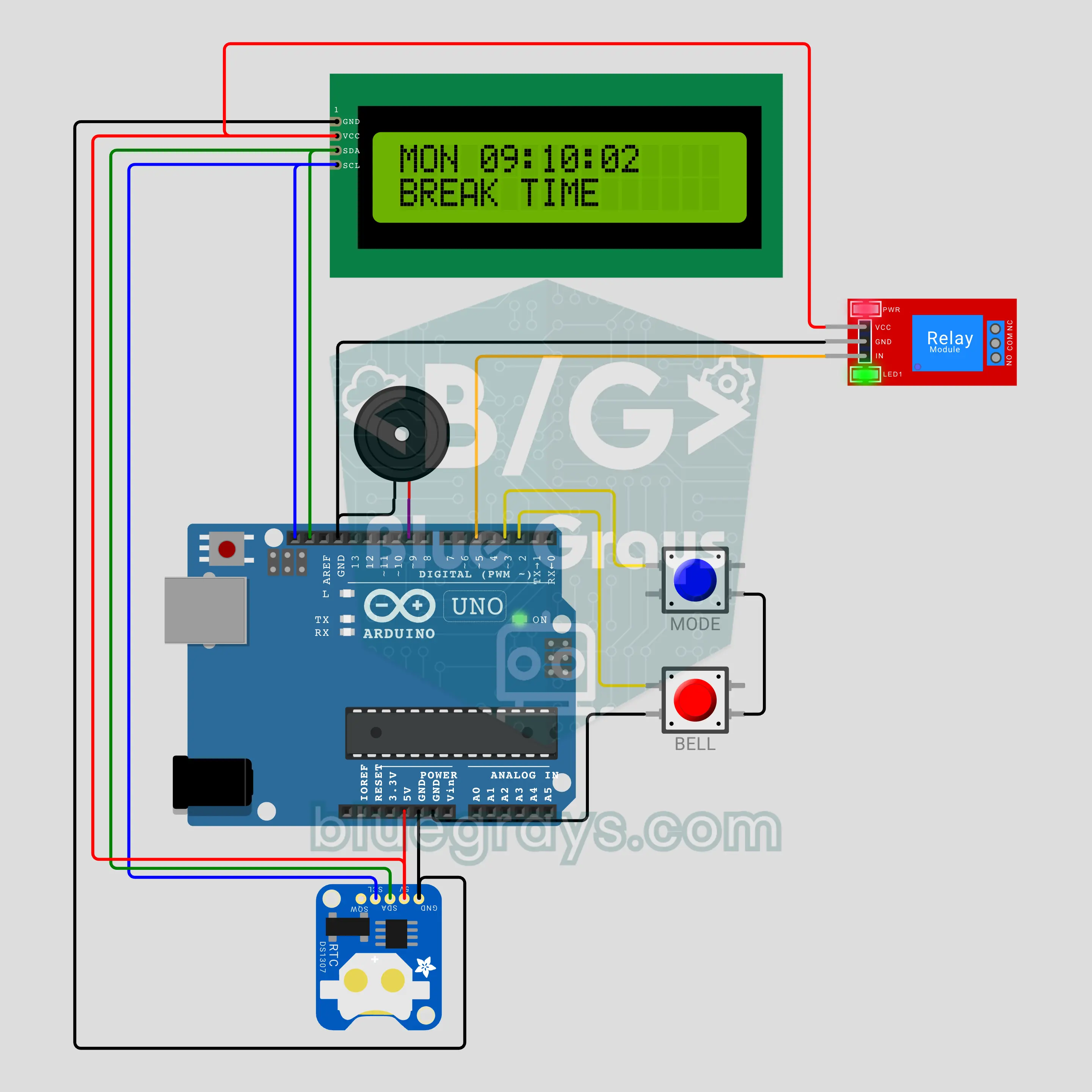
Now the Arduino rings the school bell! A DS1307 keeps the time, and the lesson, break, lunch and home-time bells ring on their own from a schedule table. A relay drives the real bell, a buzzer plays a different tune for each bell type and an I2C LCD counts down to the next bell. It also has exam and holiday modes, a manual bell, clock setting with two buttons and the Turkish National Anthem for the Monday and Friday ceremonies.
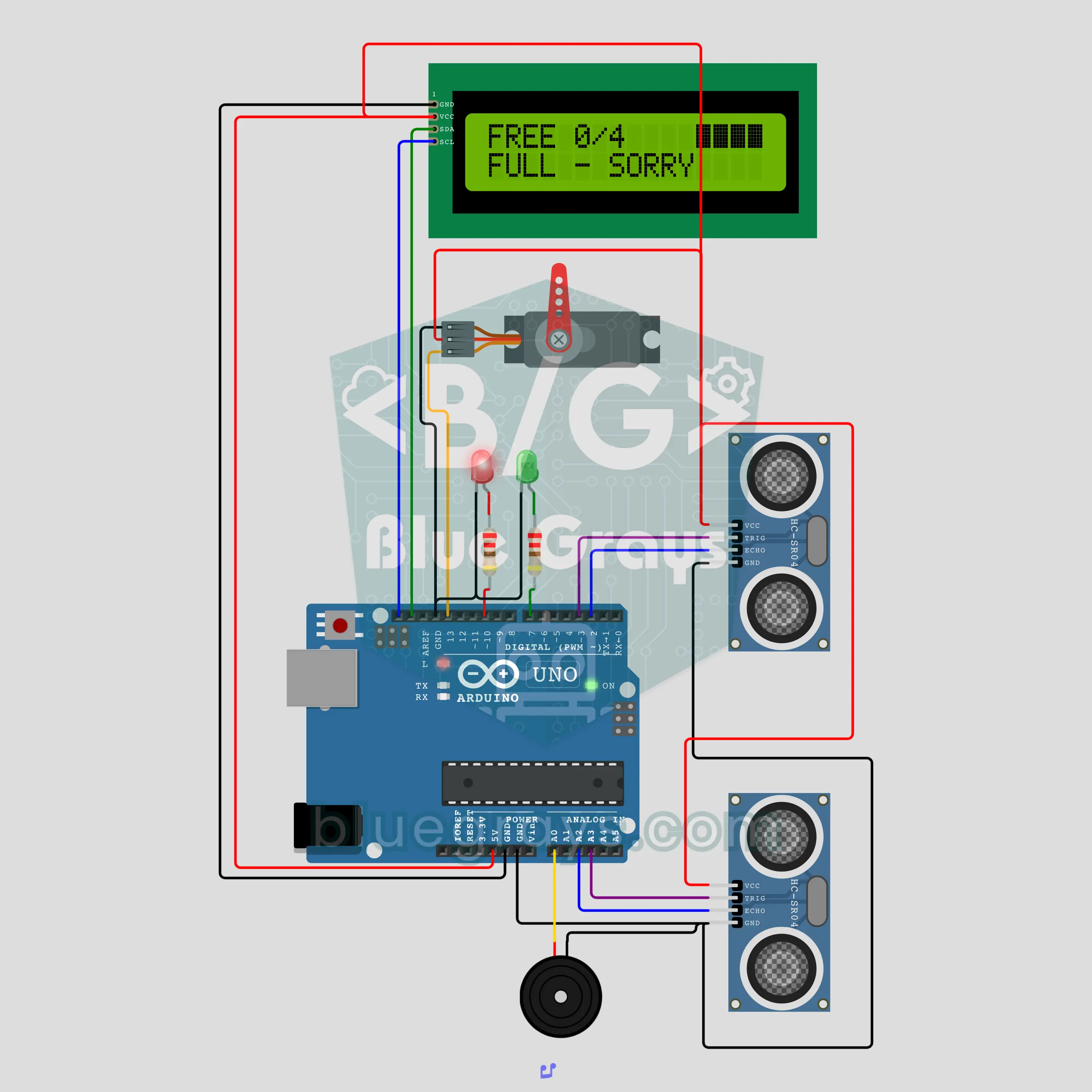
Arduino Smart Car Park (2x HC-SR04 + Servo Barrier + I2C LCD)
The barrier rises when a car arrives and stays down when the car park is full! An HC-SR04 at the entry and one at the exit detect cars, an SG90 servo lifts the barrier arm smoothly and an I2C LCD shows the free spaces and a fill bar. When it is full, the red LED lights, and a barrier that sees a car under it while lowering goes back up. The counter is kept in EEPROM; perfect for a smart city school project.
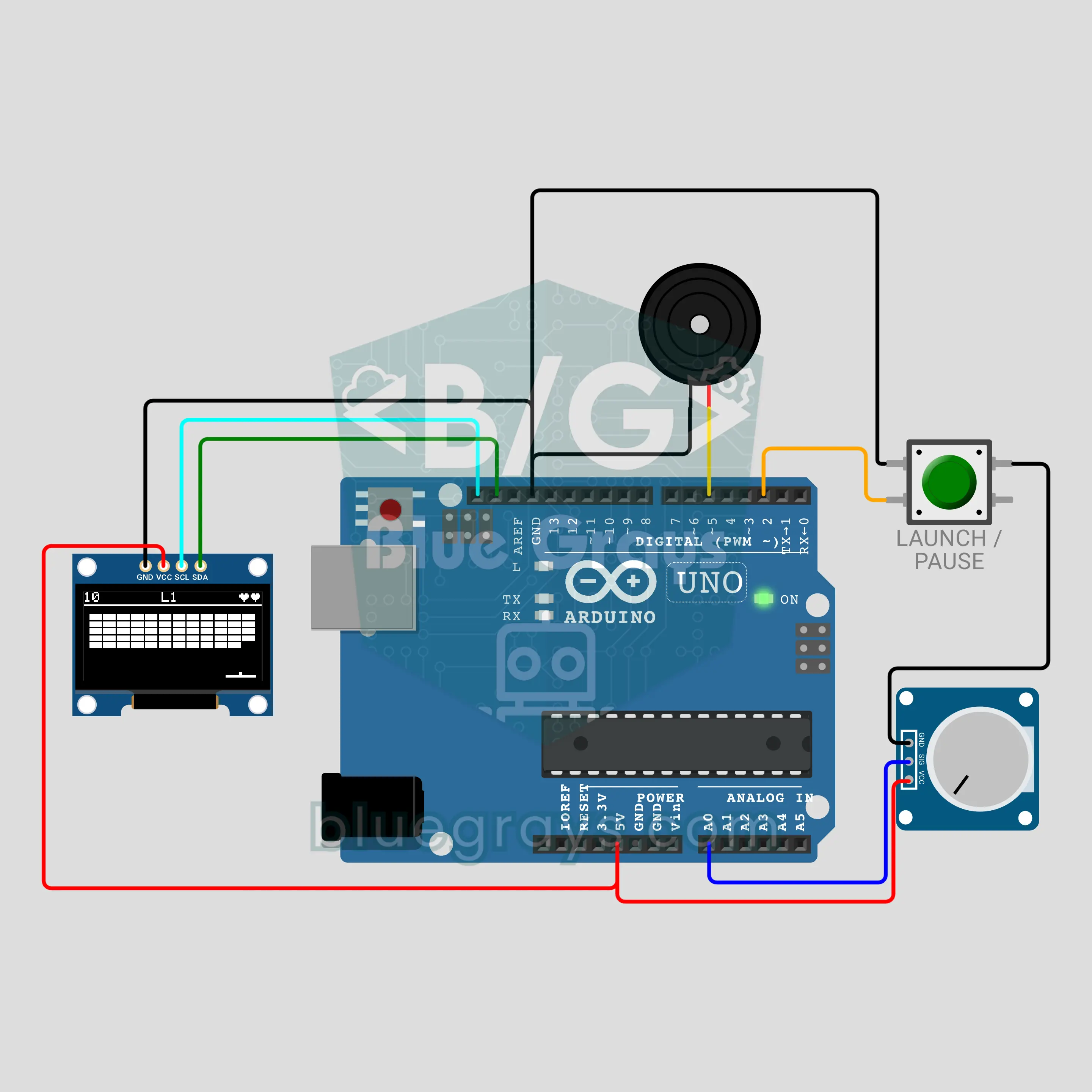
Arduino Brick Breaker Game (OLED Display + Potentiometer + Buzzer)
The 80s arcade classic in your hands! Bounce the ball and smash 5 rows of bricks on a 0.96 inch OLED, sliding the paddle by turning a potentiometer. Five levels bring five different patterns, top row bricks take two hits and some bricks drop a box that widens your paddle. Every brick broken before the ball touches the paddle again raises the passive buzzer's note one step. If nobody plays, the game plays itself.
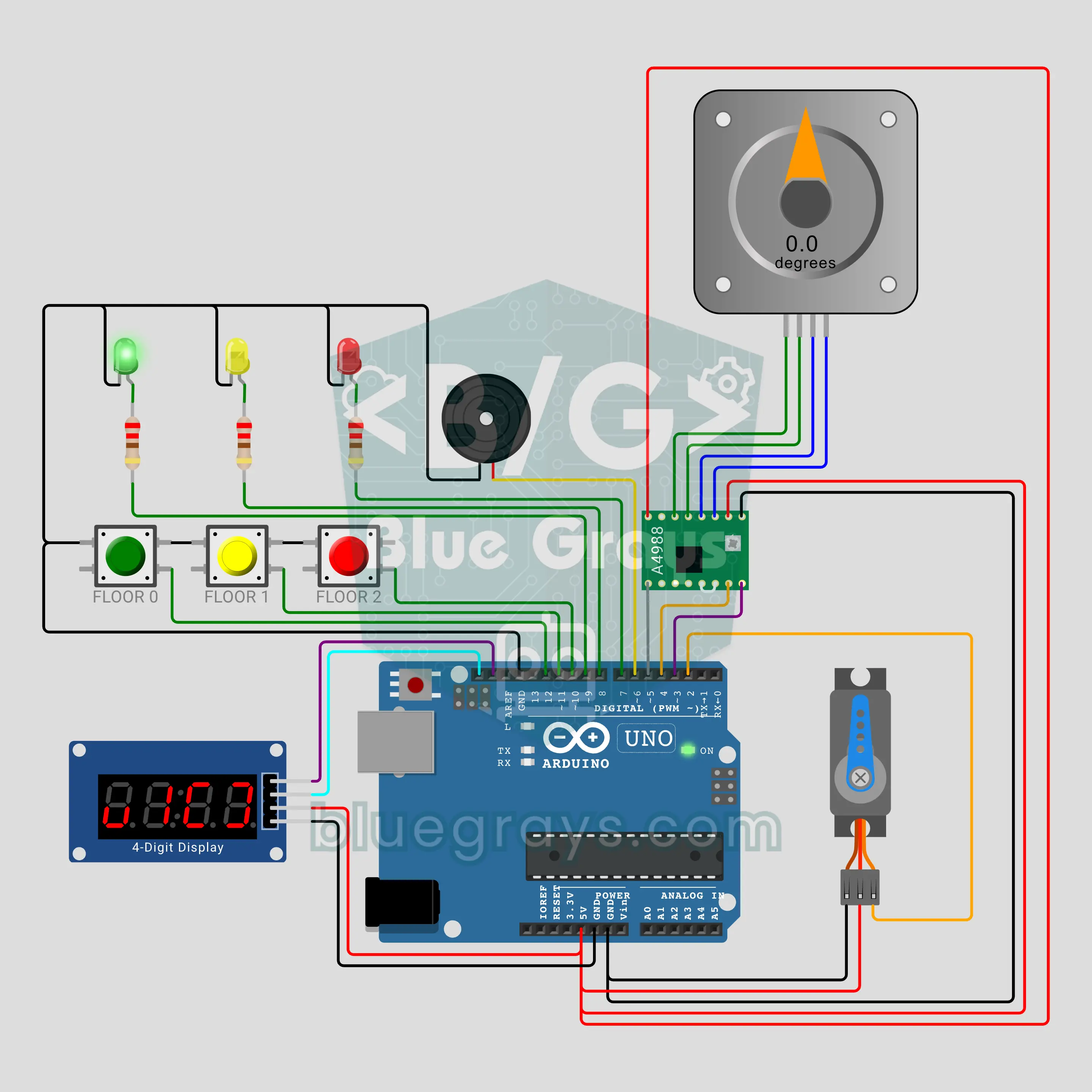
Arduino 3-Floor Elevator (NEMA 17 Stepper Motor + A4988 + Servo Door + TM1637)
Build a model elevator that steals the show at the science fair! A NEMA 17 stepper driven by an A4988 lifts and lowers the cabin smoothly; at each floor it plays a "ding-dong", an SG90 servo opens the door and closes it after three warning beeps. Calls are served like in a real elevator: floors ahead first, then the way back, and the cabin stops for calls on the way. The TM1637 display shows the direction arrow, floor and door state.
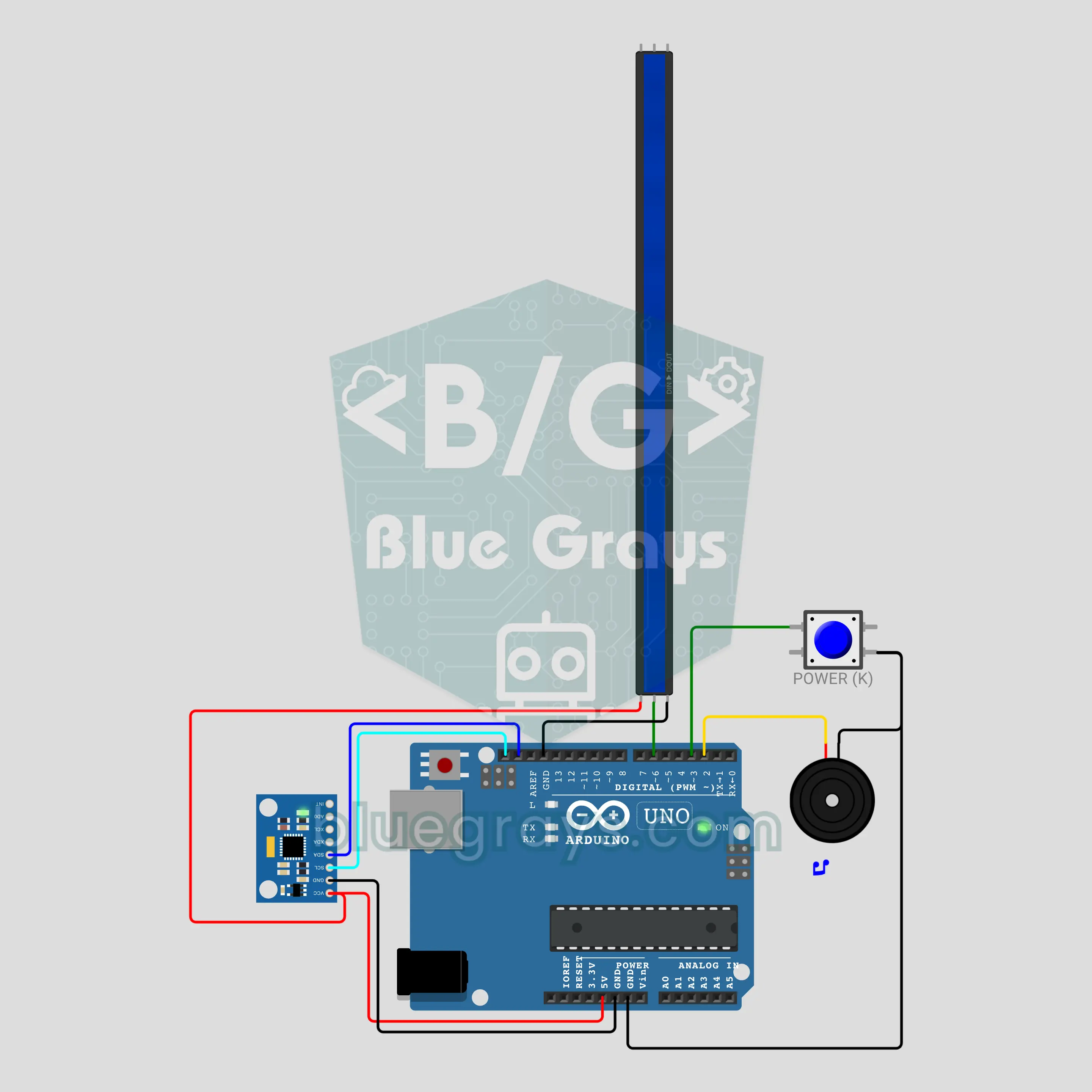
Arduino Light Saber (MPU-6050 + WS2812B LED Strip + Buzzer)
Press the button and the light shoots from the hilt to the tip with a "vzzz"! A 30-LED WS2812B strip is the blade, an MPU-6050 measures how fast the sword turns and when it hits something, and a passive buzzer plays the hum. Swing it and the hum rises while the blade glows brighter; hit something and it flashes white with a crackle. A long press cycles through six colours, and your pick is remembered after power-off.
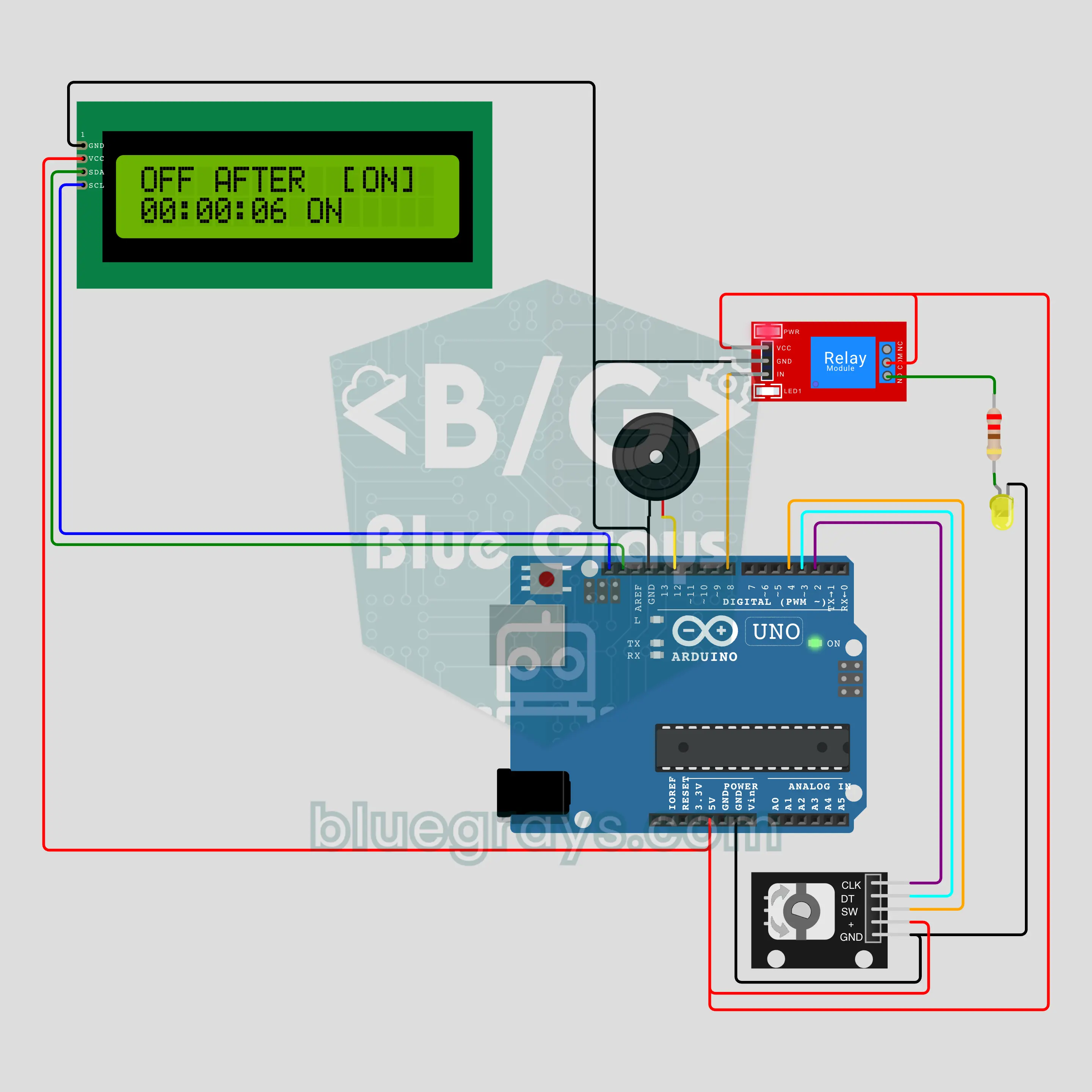
Arduino Countdown Socket Timer (KY-040 Rotary Encoder + I2C LCD + Relay)
Pick a time, press, and let the timer do the rest! The KY-040 rotary encoder sets anything from 5 seconds to 12 hours, and turning fast jumps in 10-minute steps. The relay has three modes: off when time is up, on when time is up, or an on/off cycle. The I2C LCD shows the time left, beeps warn you in the last seconds, the last setting is kept in EEPROM and the relay always starts safely off after a power cut.
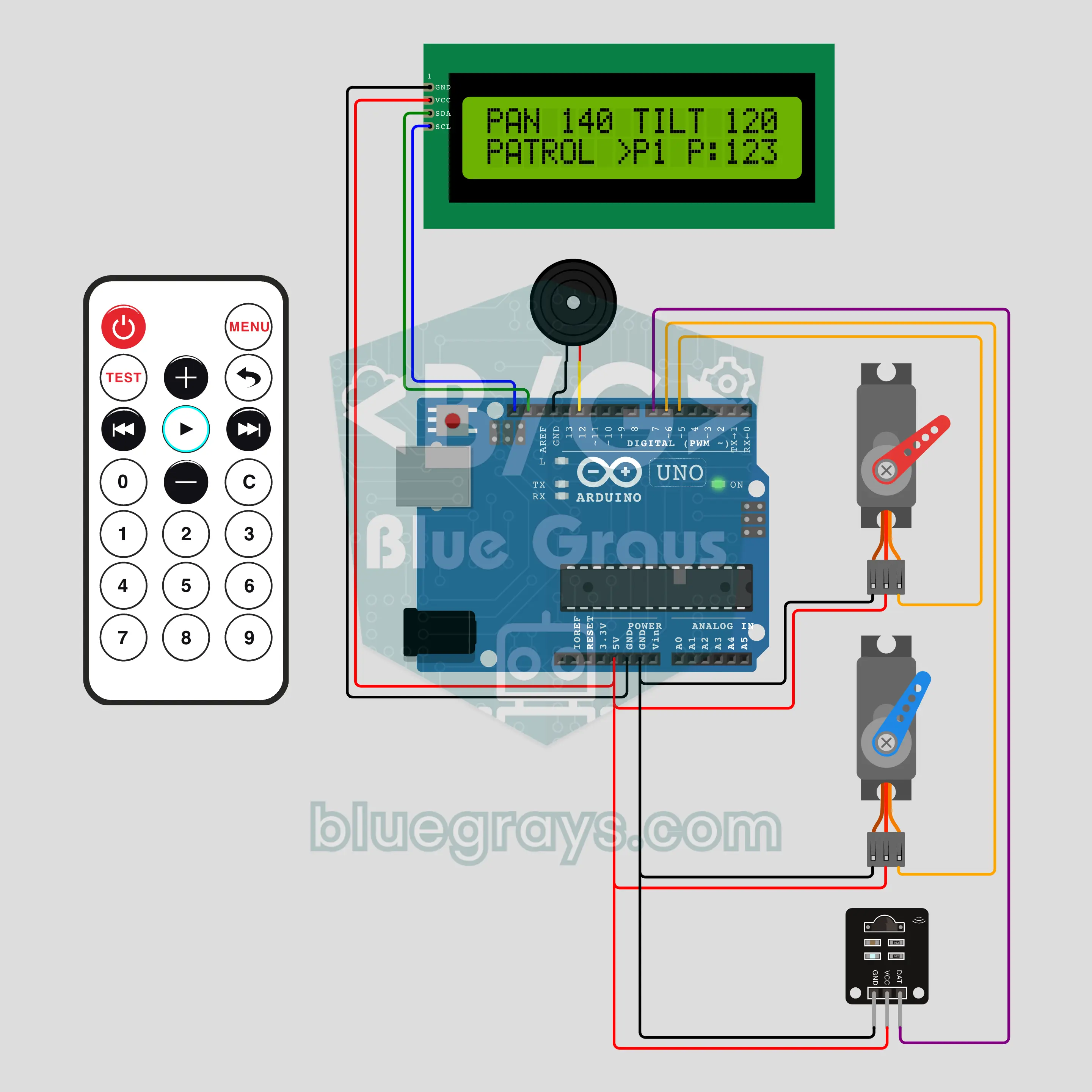
Arduino IR Remote Pan-Tilt Head (2 Servos + I2C LCD + Remote)
A two-axis head you steer with a TV remote! The lower SG90 servo pans the head left and right, the upper one tilts it up and down, and every press of an arrow key on the infrared remote moves it one step. MENU + 1-3 stores up to three poses, a number key glides the head back to one, and PLAY patrols between them. An I2C LCD shows the angles, and the poses stay in EEPROM.
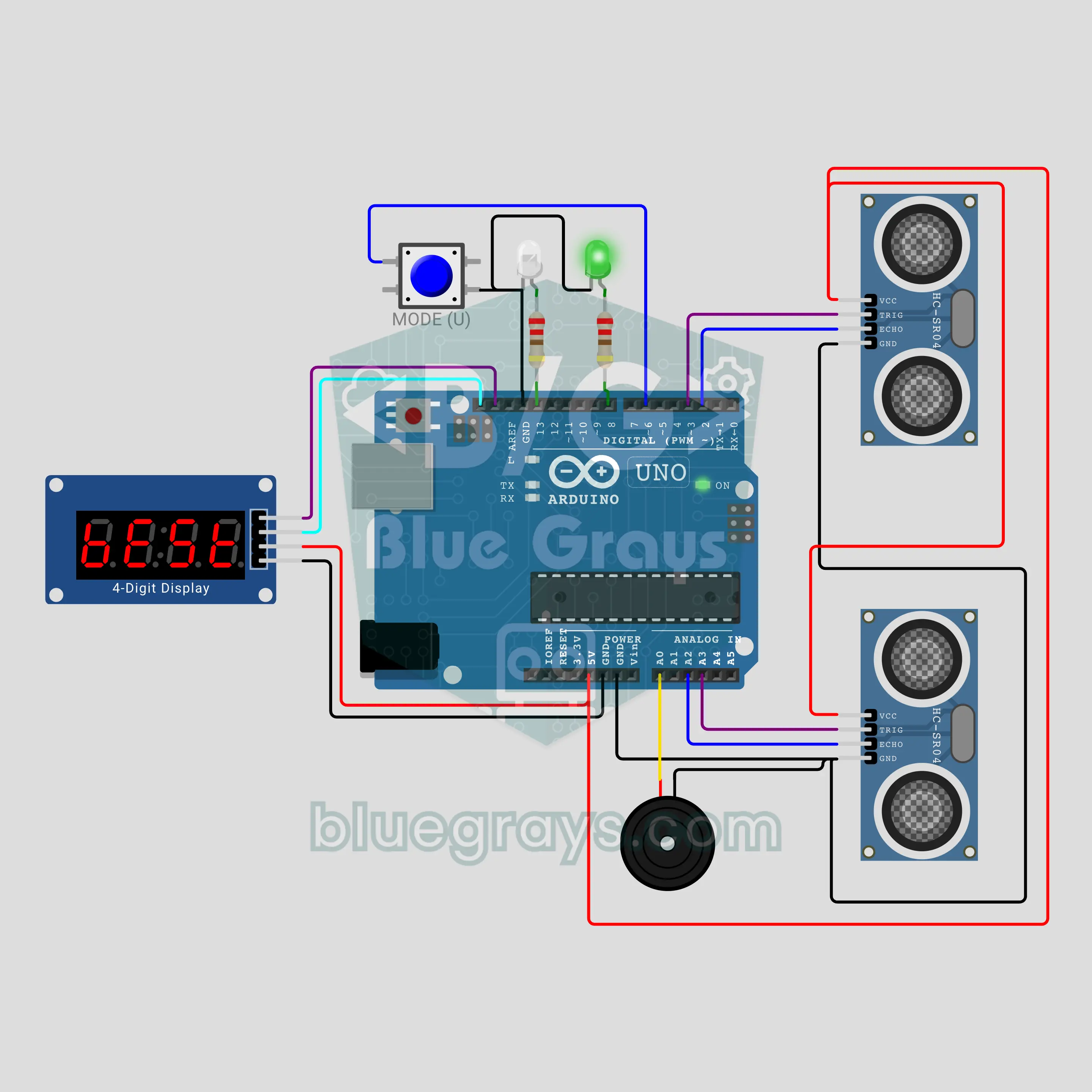
Arduino Toy Car Speed Radar (2 HC-SR04 + TM1637 Display)
A speed radar for toy cars! Two HC-SR04 sensors sit 20 cm apart beside the track and time the car as it passes them with micros(): speed = distance / time. The TM1637 shows the result in cm/s, km/h or as the 1:64 scale real-life speed. Over the limit, a white LED fires like a speed camera flash and a siren sounds; the reverse direction shows a minus sign and the record stays in EEPROM.
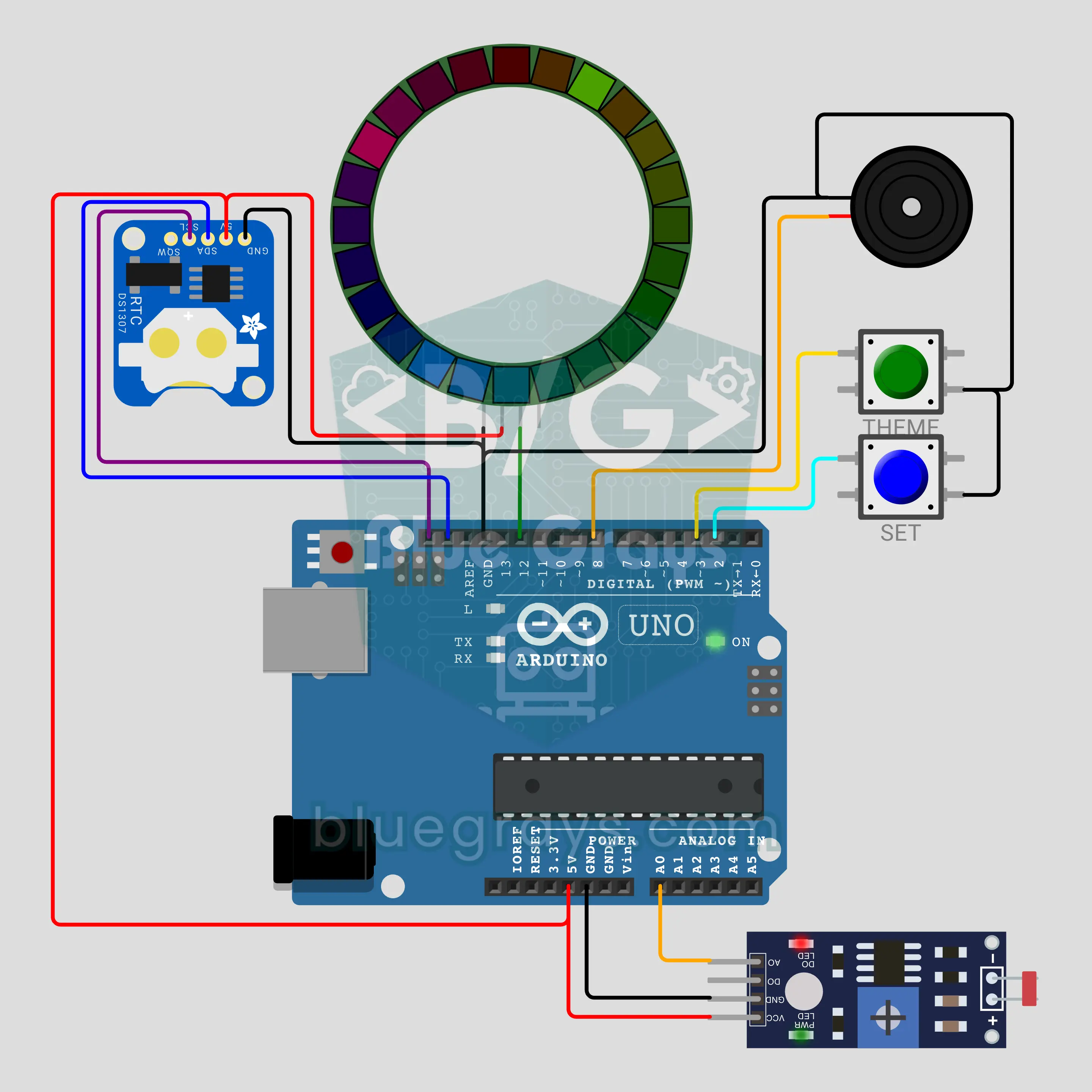
Arduino NeoPixel Ring Clock (DS1307 + 24 LED Ring + LDR)
A wall clock with hands made of light! On a 24-LED NeoPixel ring, red light shows the hour, green the minute and a blue comet the second; the hands glide between two LEDs and the colours blend where they overlap. A DS1307 keeps the time on a coin cell, and an LDR sets the brightness from the room light and switches to night red in the dark. On the hour the buzzer chimes once per hour, and four themes are kept in EEPROM.
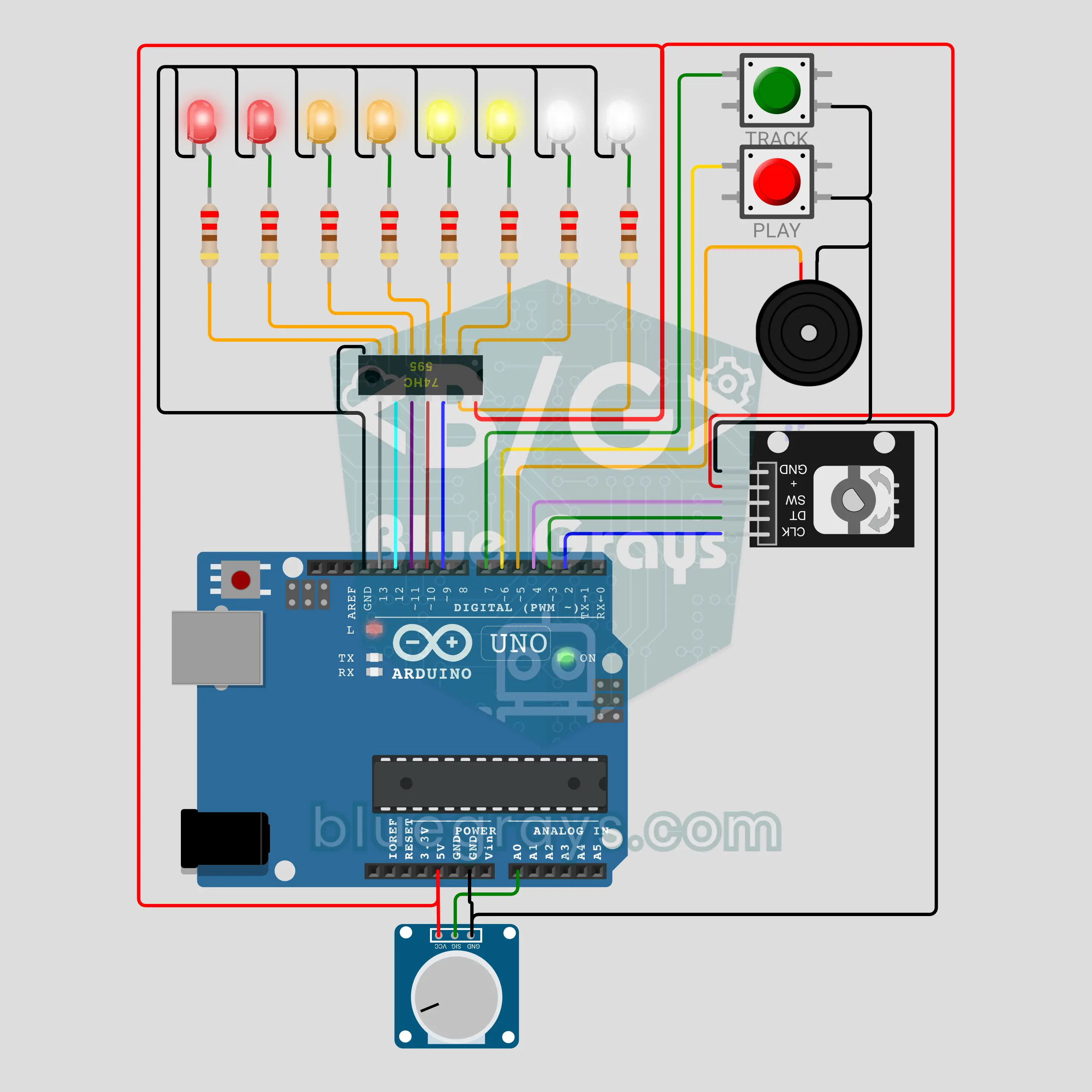
Arduino 8-Step Drum Machine (74HC595 + 8 LEDs + KY-040 Encoder)
An 80s drum machine on your desk! The 8-step loop has three tracks: KICK, SNARE and HAT. Eight LEDs driven by a 74HC595 show the selected track, with a playhead running across them. Turn the KY-040 encoder to pick a step and press it to add a hit; a potentiometer sets the tempo from 60 to 180 BPM. One buzzer plays all three drum sounds, and there are presets, swing and EEPROM saving too.
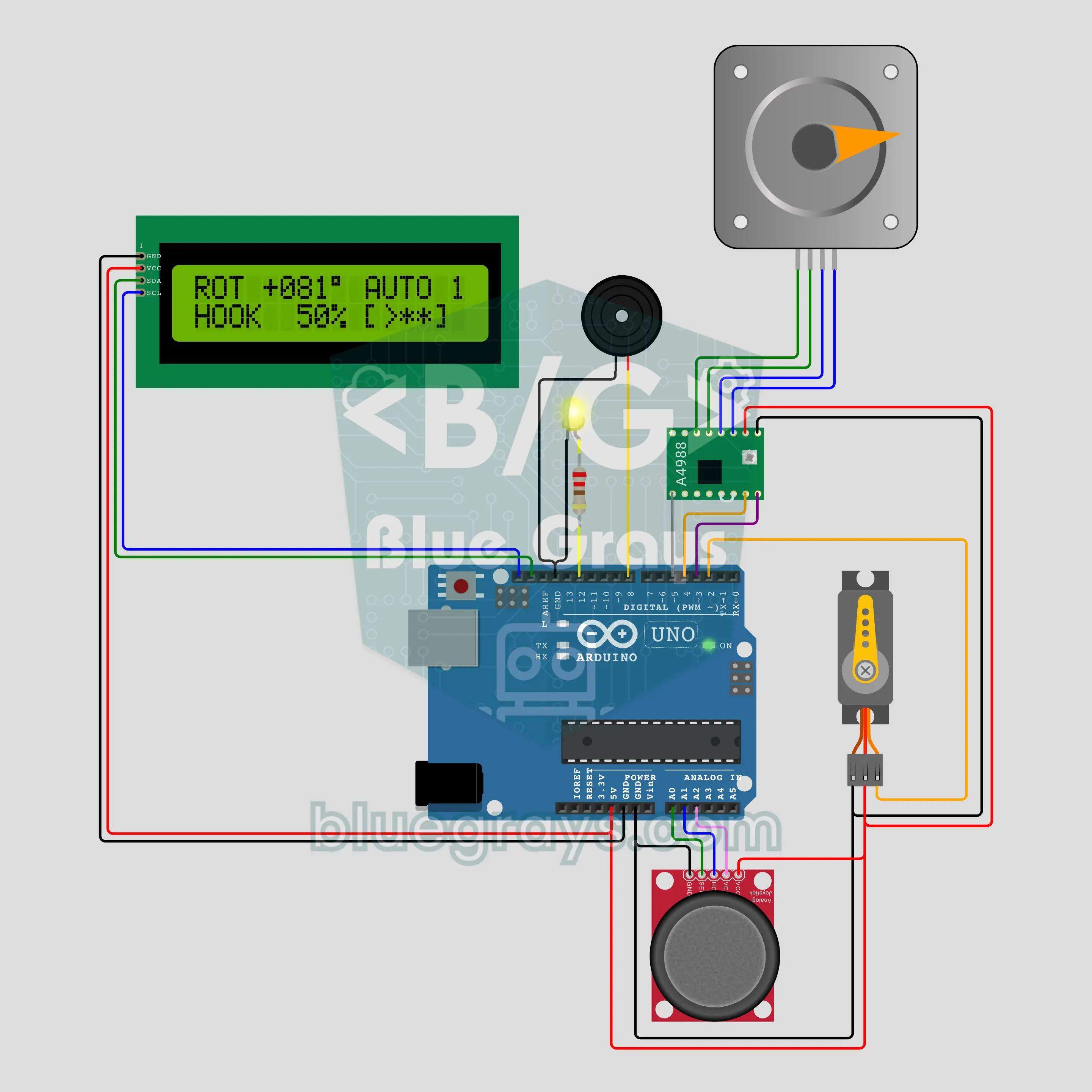
Arduino Tower Crane (NEMA 17 Stepper Motor + A4988 + Servo + Joystick + I2C LCD)
A desktop tower crane: a NEMA 17 stepper on an A4988 driver turns the tower on a speed ramp, an SG90 servo lowers and raises the hook, and a joystick is the operator lever. Rotation stops at ±170°; while the tower slews, a yellow beacon flashes and the buzzer goes "beep-beep". The joystick button saves 3 stops; a long press lets the crane carry the load alone, and a touch on the lever means STOP. The I2C LCD shows angle, hook depth and stops.
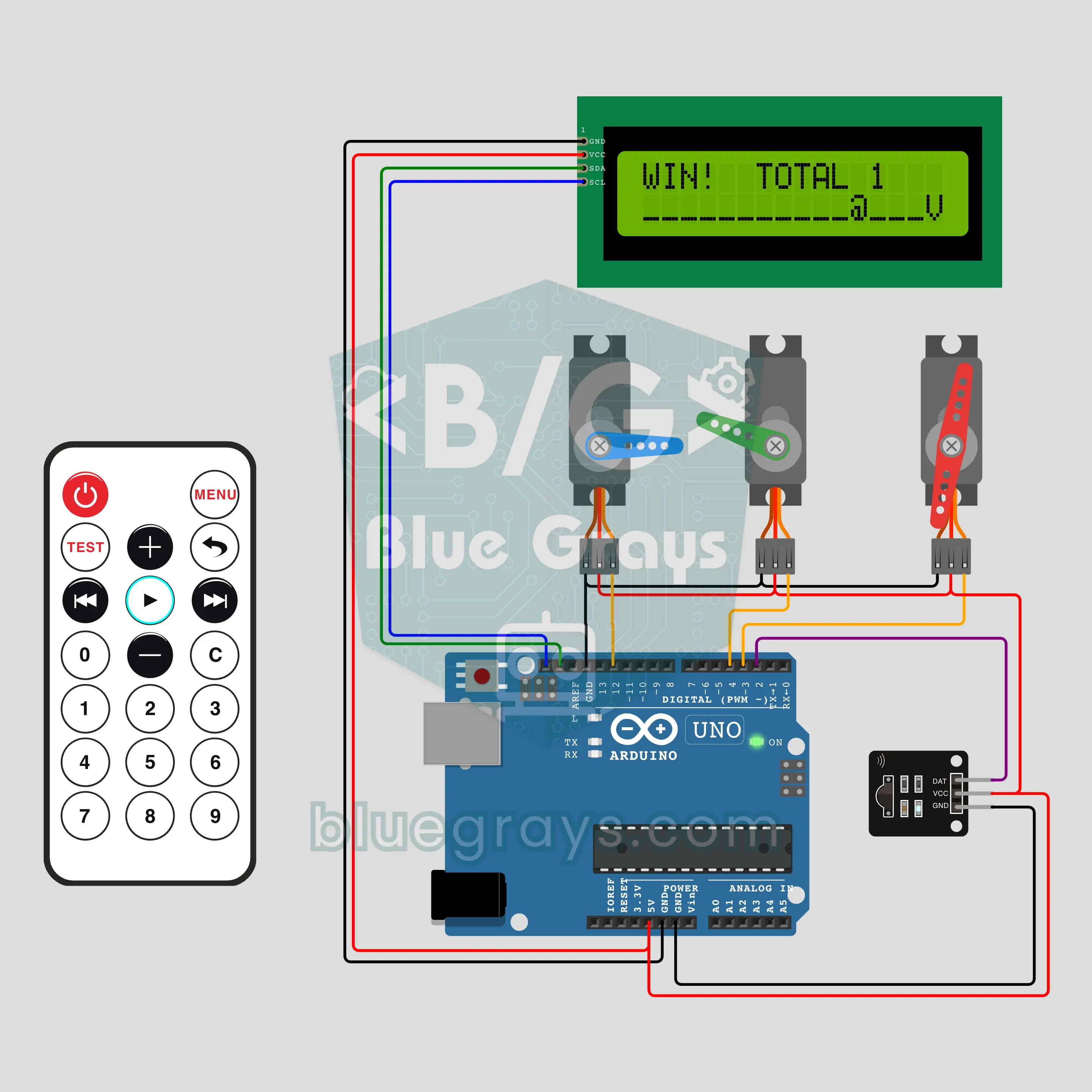
Arduino Remote Claw Machine Game: Grab the Plush in 30 Seconds (IR + 3 Servos + LCD)
A desktop version of the plush claw machine at the mall, played with a TV remote. Three servos swing the boom left and right, lower and raise the claw and open and close it; an I2C LCD shows the 30-second countdown, the try counter and a map of the machine. Just like the real thing there is a grip chance: right above the plush the claw will most likely hold it and carry it to the prize hole, one stop off and the plush slips away at the top.
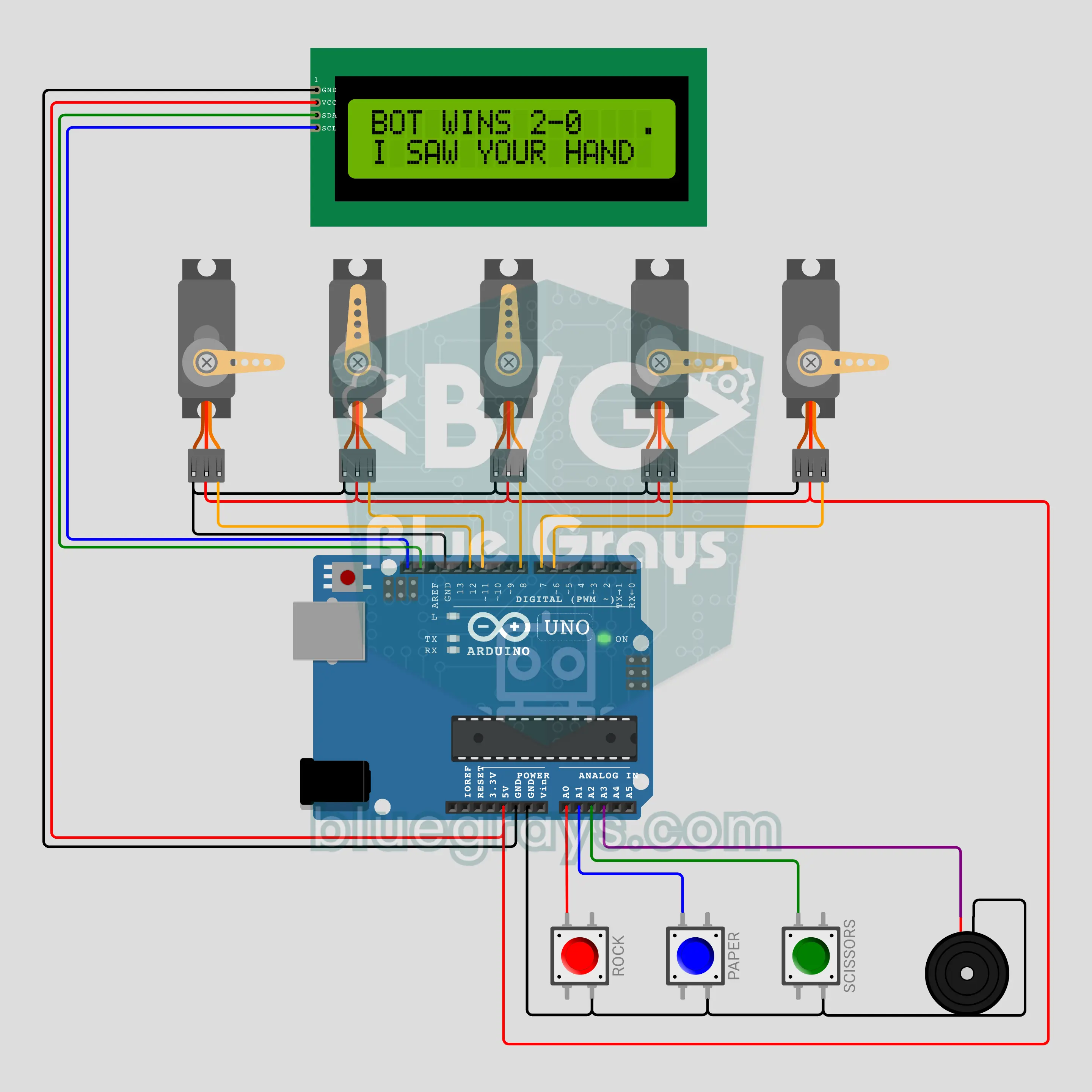
Arduino Cheating Robot Hand: Rock Paper Scissors (5 Servos + 3 Buttons + LCD)
Five servos bend five fingers, so the robot hand makes rock, paper or scissors while you play with three buttons. An I2C LCD counts "3, 2, 1, SHOOT!", shows both picks and the score, and a buzzer beeps on every beat. In normal mode the hand picks at random and plays fair. Hold two buttons together and a secret cheat mode turns on: the hand sees your press and makes the winning shape at the same moment. At the end of the match it even confesses.
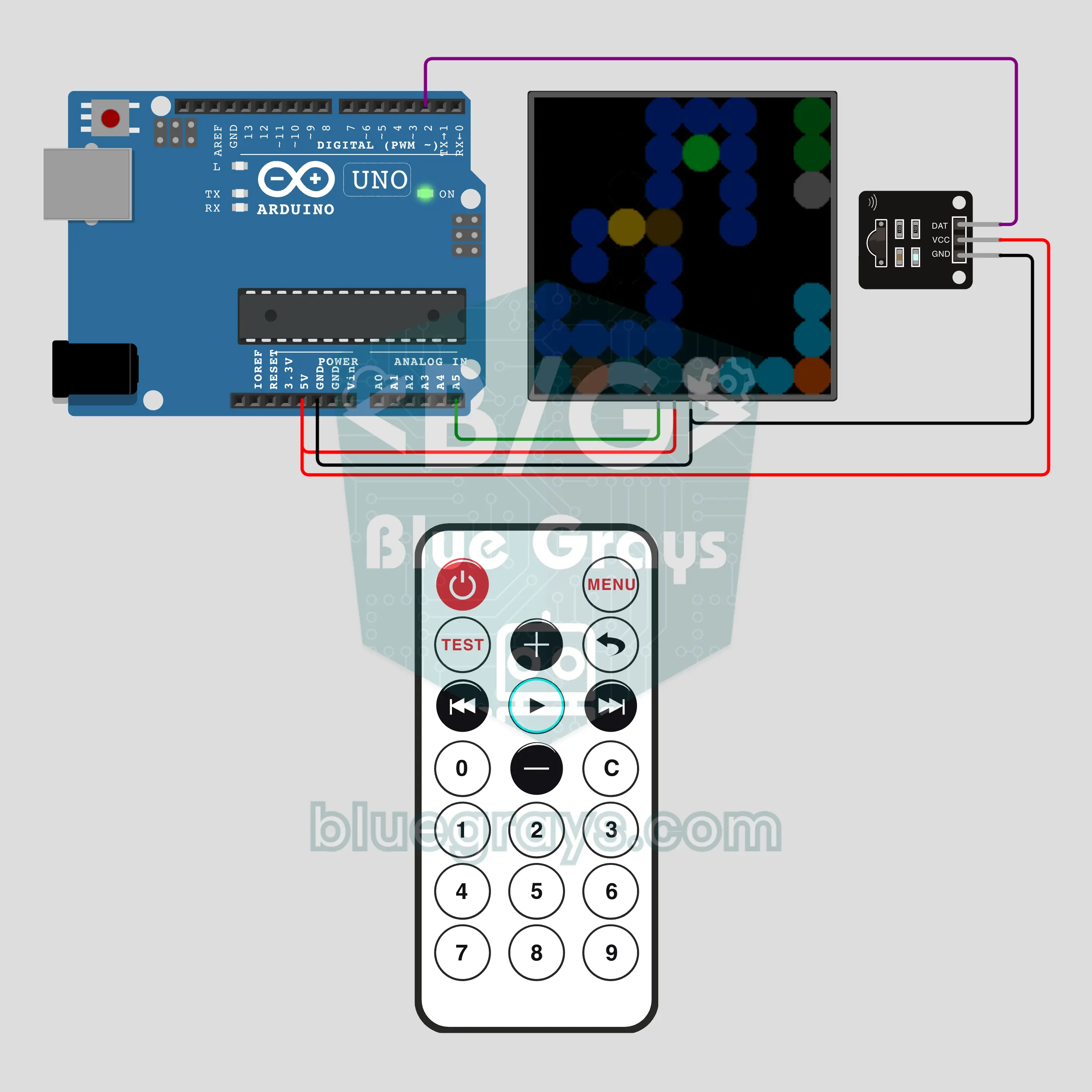
Arduino Remote-Programmed Robot: Coding for Preschoolers (IR + 8x8 NeoPixel)
Screen-free coding in the style of floor robots: a child enters up to 10 steps with the remote's 2-4-6-8 keys, presses PLAY and a pixel robot follows the plan step by step through a maze on an 8x8 NeoPixel matrix. A wall makes it flash red and go back to the start; reaching the goal brings a rainbow celebration and the next maze. 4 ready mazes plus undo and clear keys. A ready-made activity for kindergarten and primary classes.
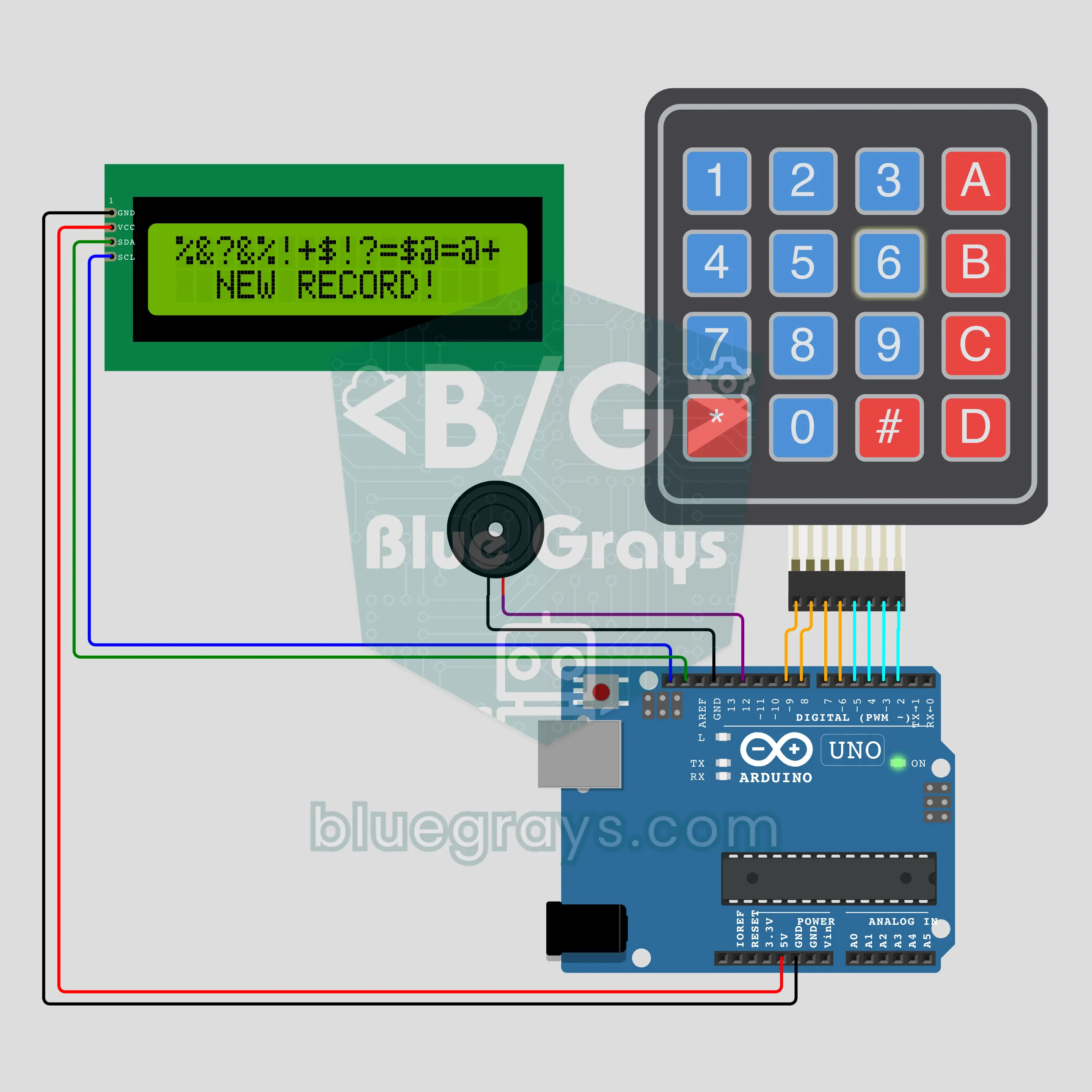
Arduino Memory Cards: Find the Pair (Keypad + I2C LCD + Buzzer)
The classic memory card game with the 16 keypad keys as cards. A hidden symbol sits under every key, and each symbol appears twice. Press two keys and the I2C LCD turns both cards over; a pair makes the buzzer play a tune and stays open, otherwise the cards close again. Find all 8 pairs to see your moves and time, and beat the session record to get NEW RECORD!.
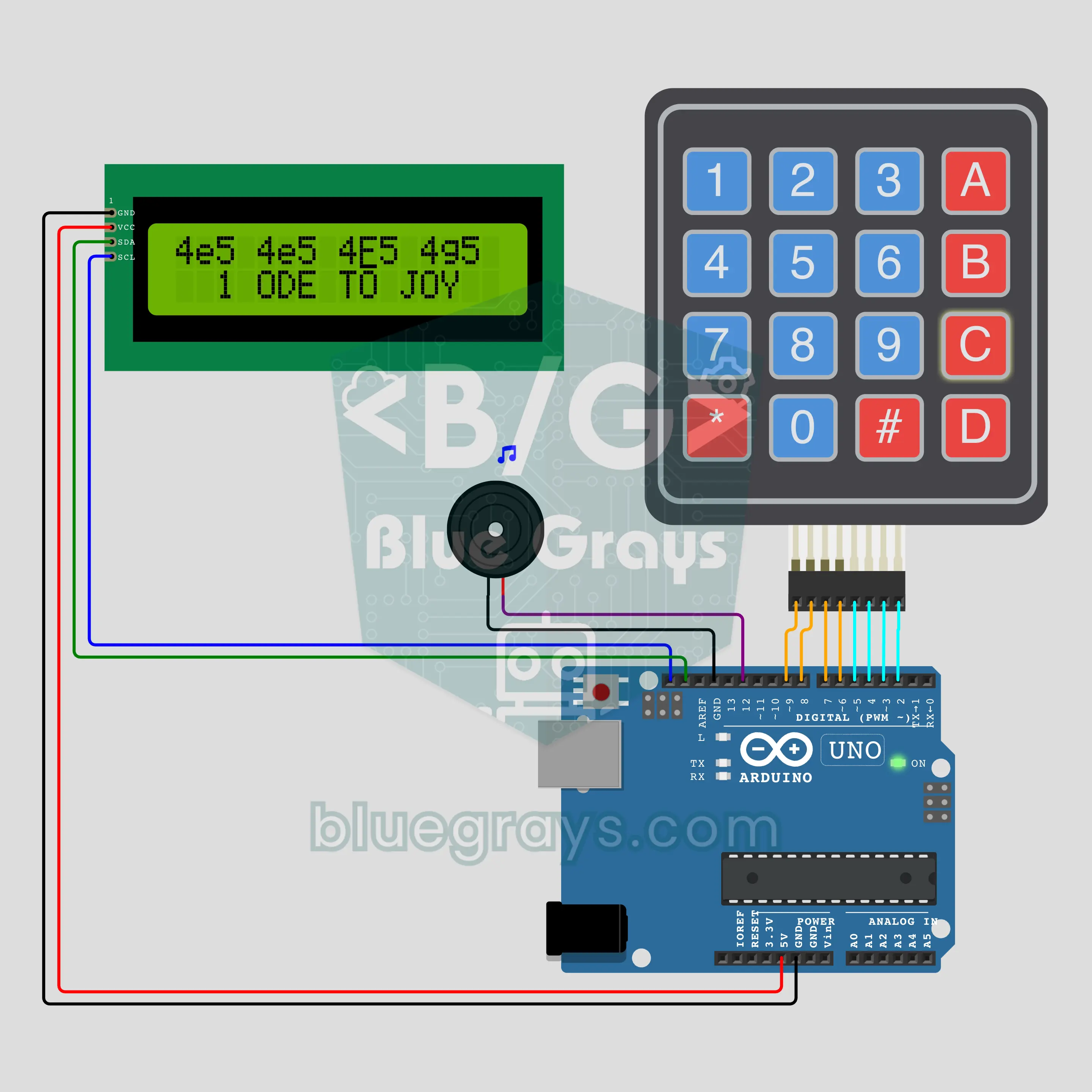
Arduino Ringtone Composer: The Note Screen of Old Phones (Keypad + I2C LCD + Buzzer)
A melody writer in the style of the composer menu on old keypad phones. Keys 1–7 of the keypad write the notes C to B, 0 writes a rest; * changes the octave, # the note length. The notes scroll across the I2C LCD top row as 8g5 8g5 8- 8g5, A makes the buzzer play your tune while the cursor follows the playing note. Three public-domain tunes are built in.
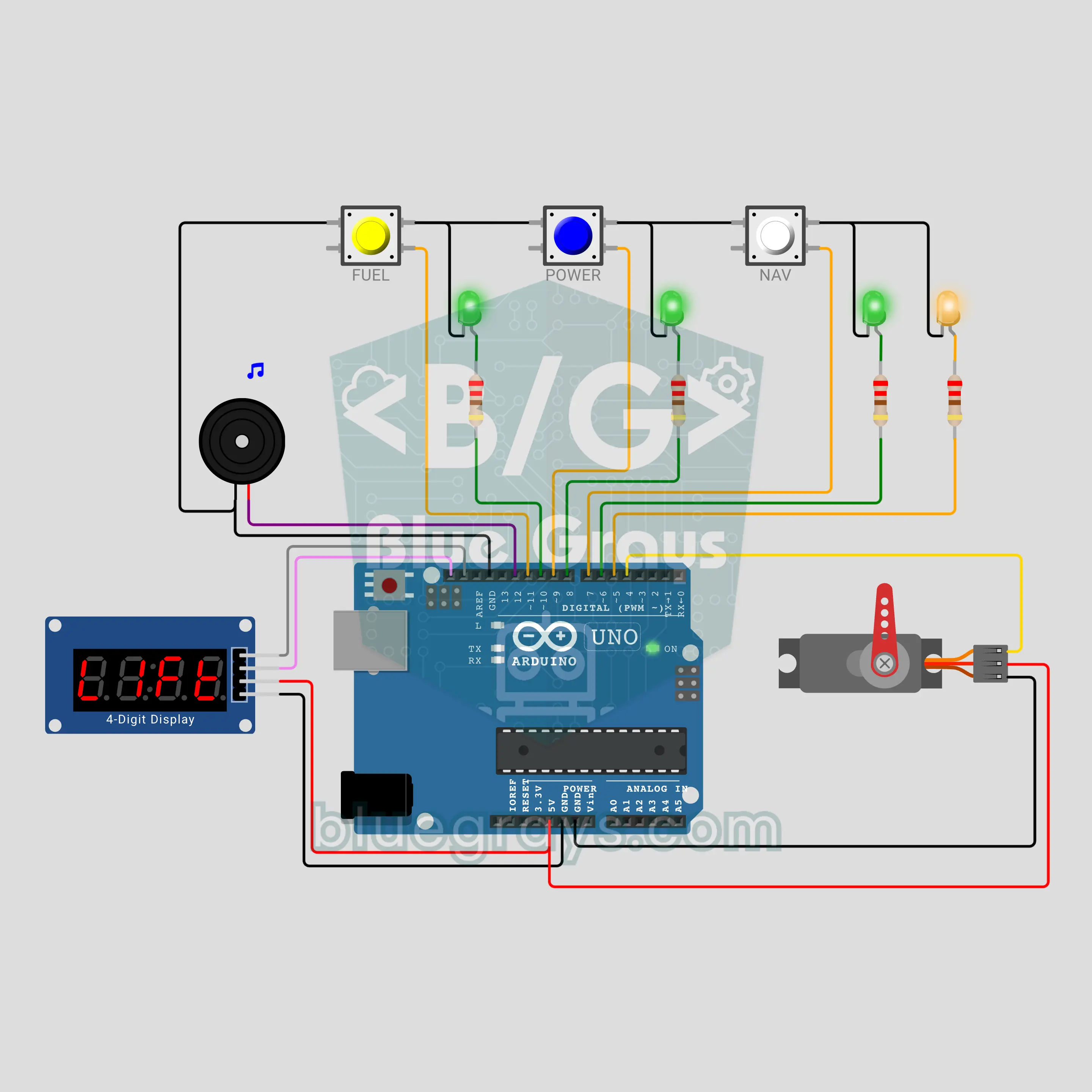
Arduino Rocket Launch Pad: Countdown and Tower Arm (TM1637 + 3 Buttons + Servo + Buzzer)
A launch control desk for kids: press a button and a T minus 10 countdown starts on the TM1637 display. Three systems (FUEL, POWER, NAV) are polled in order; you must press the button of the system whose green light is blinking within 3 seconds. If someone is late or presses out of turn, the count stops with HOLD. When all three are GO, at zero the servo swings the tower arm away, the flame LED flickers and the buzzer roars like an engine.
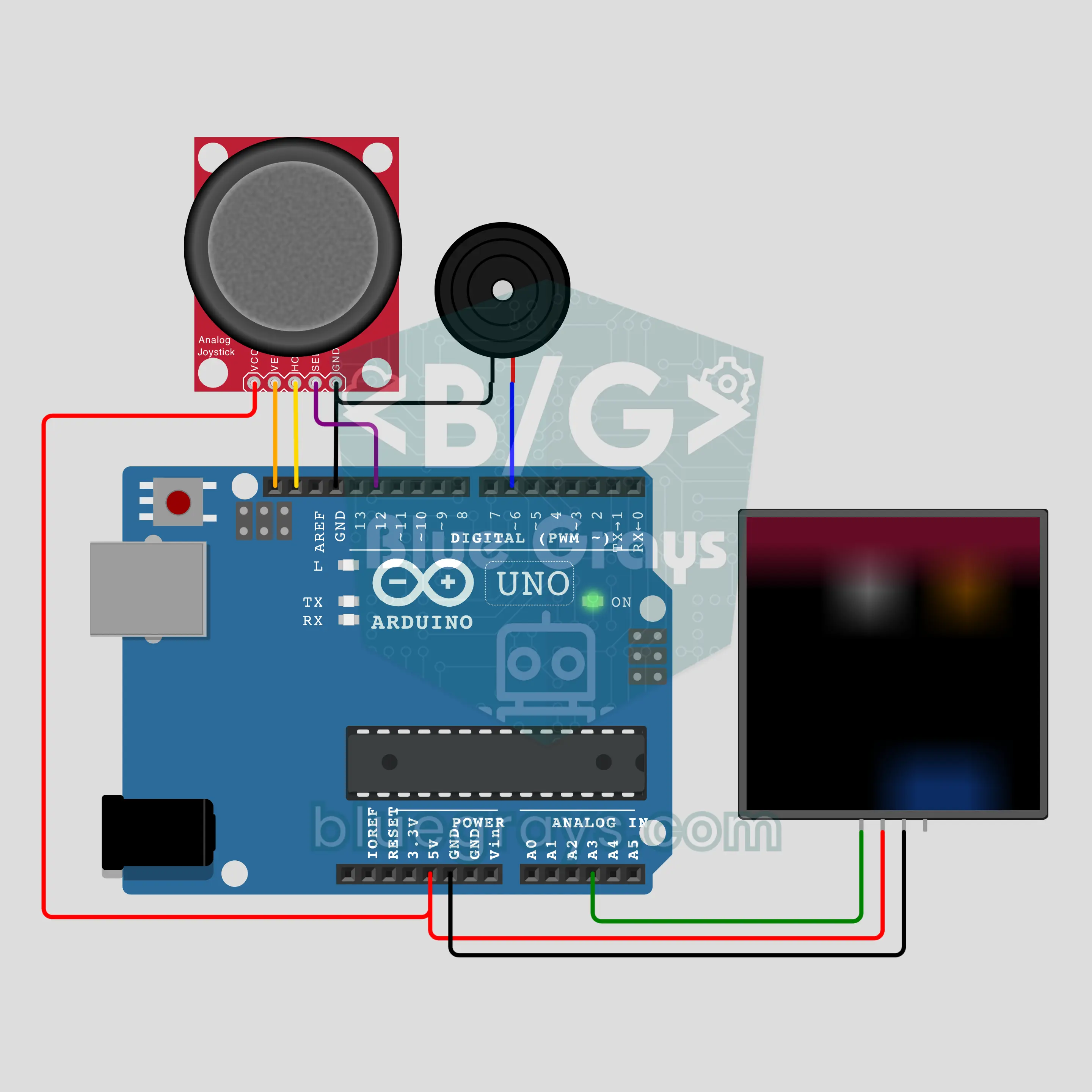
Arduino 6x6 LED Matrix with 3 Games: Snake, Brick Breaker, Meteor Dodge (36 WS2812B + Joystick + Buzzer)
For anyone who wants a 6x6 LED matrix game: build your own screen from 36 WS2812B LEDs and play three games with an Arduino Uno and a joystick. In Snake you grow by eating apples, in Brick Breaker the ball tunnels through the wall, and in Meteor Dodge your ship tries to survive the shower. Scores appear in 3x5 pixel digits, each game keeps its own best score, and a buzzer gives every moment its sound.
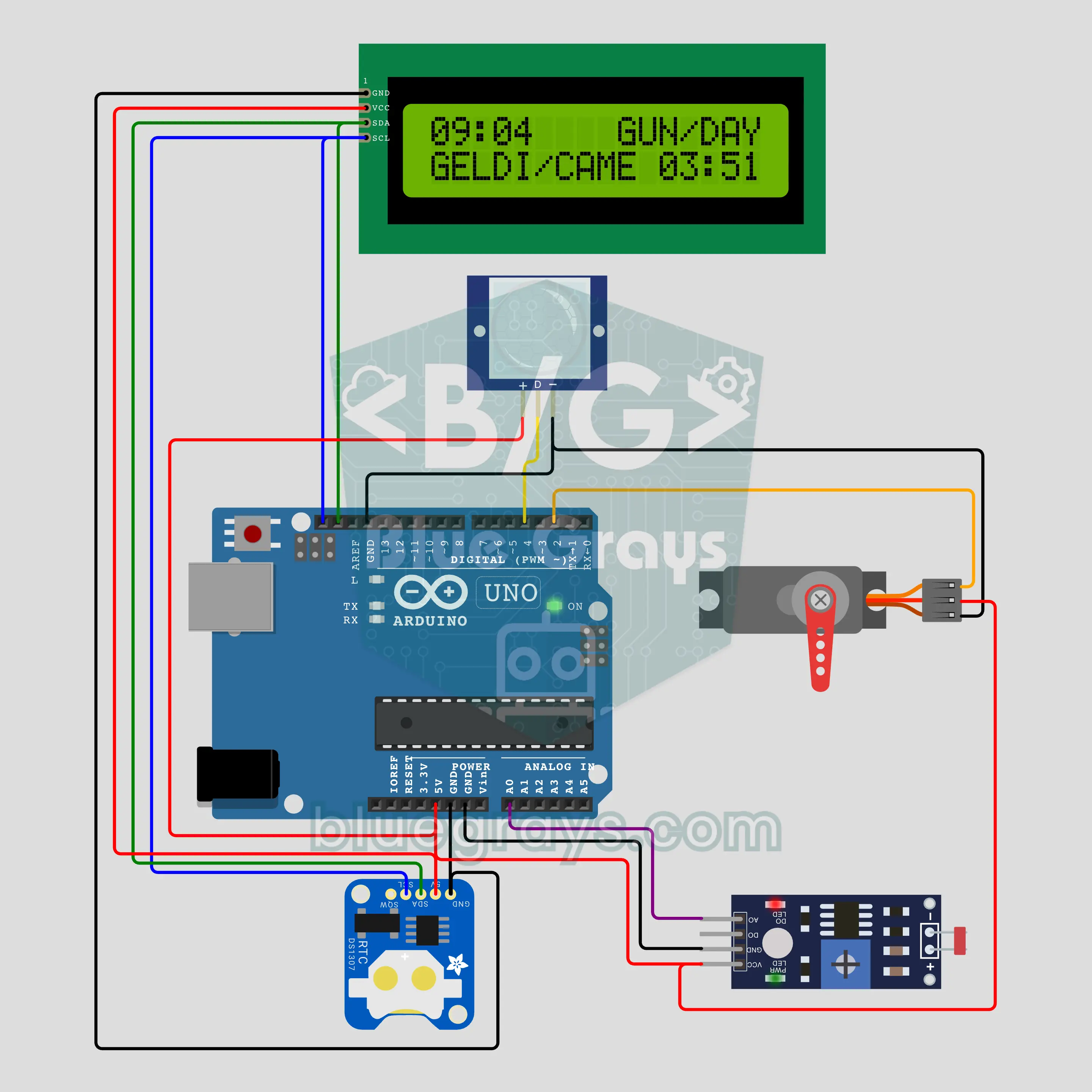
Santa Trap: What Time Did He Come? (Arduino + PIR + DS1307 + LCD)
The trap arms itself when the light goes off. If the PIR sees motion, the time is read from the DS1307 and saved, and the servo camera swings left and right; all night the I2C LCD gives nothing away. When the light returns in the morning, the screen shows the time of the first visit and how many visits there were. Night/day sensing with an LDR and hysteresis, PIR rising edge detection and non-blocking servo motion with millis() are in the code.
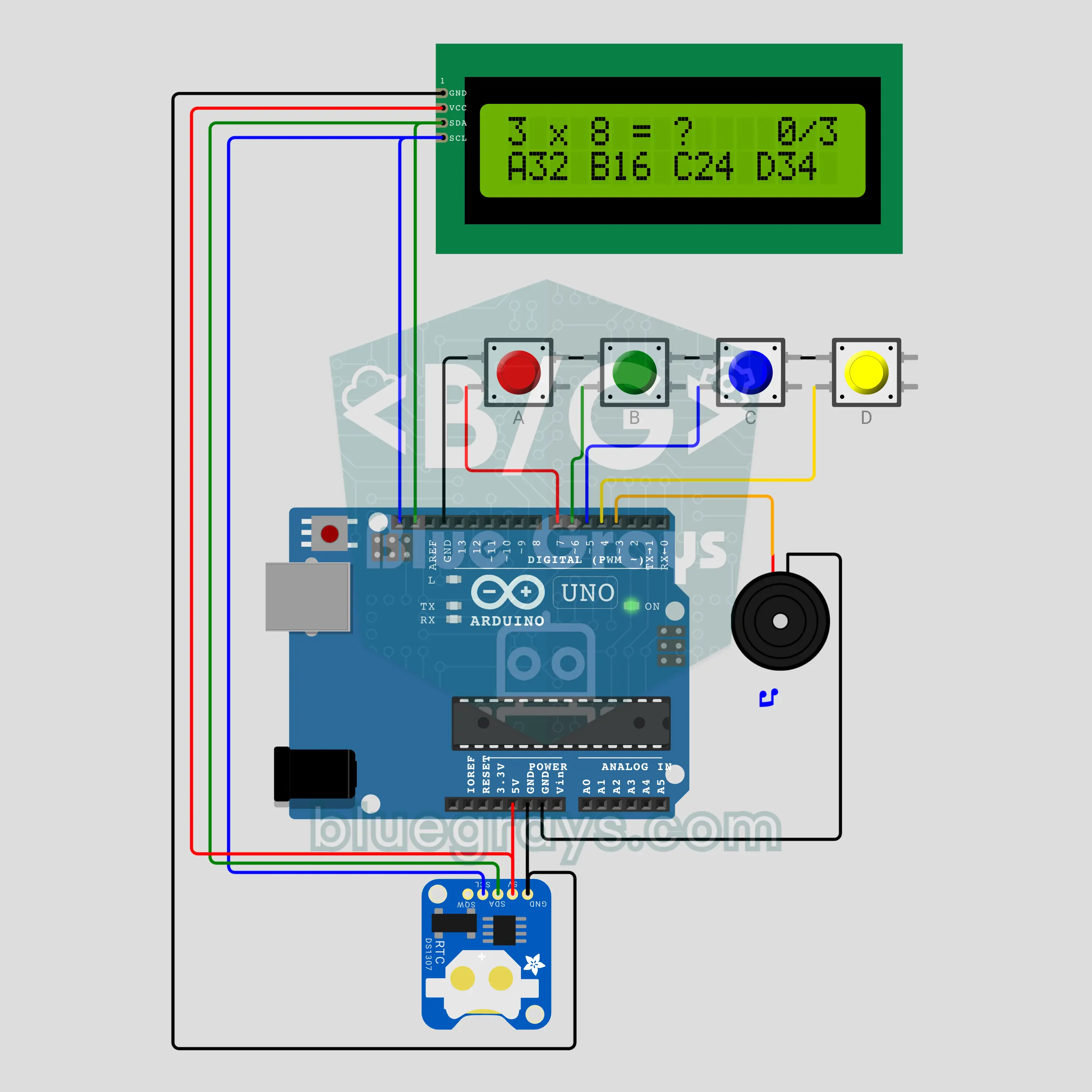
Alarm Clock That Won't Stop Until You Solve It (Arduino + DS1307 + LCD + 4 Buttons + Buzzer)
An alarm clock with no snooze button: when the alarm rings, a multiplication question and four choices appear on the LCD, and you answer with the A, B, C, D buttons. The buzzer does not go silent until you solve three questions in a row; a wrong answer resets the counter. The time is read from the DS1307 and the alarm is set with the same four buttons. Reading a real-time clock, making random questions and sounding an alarm without blocking are all in this project.
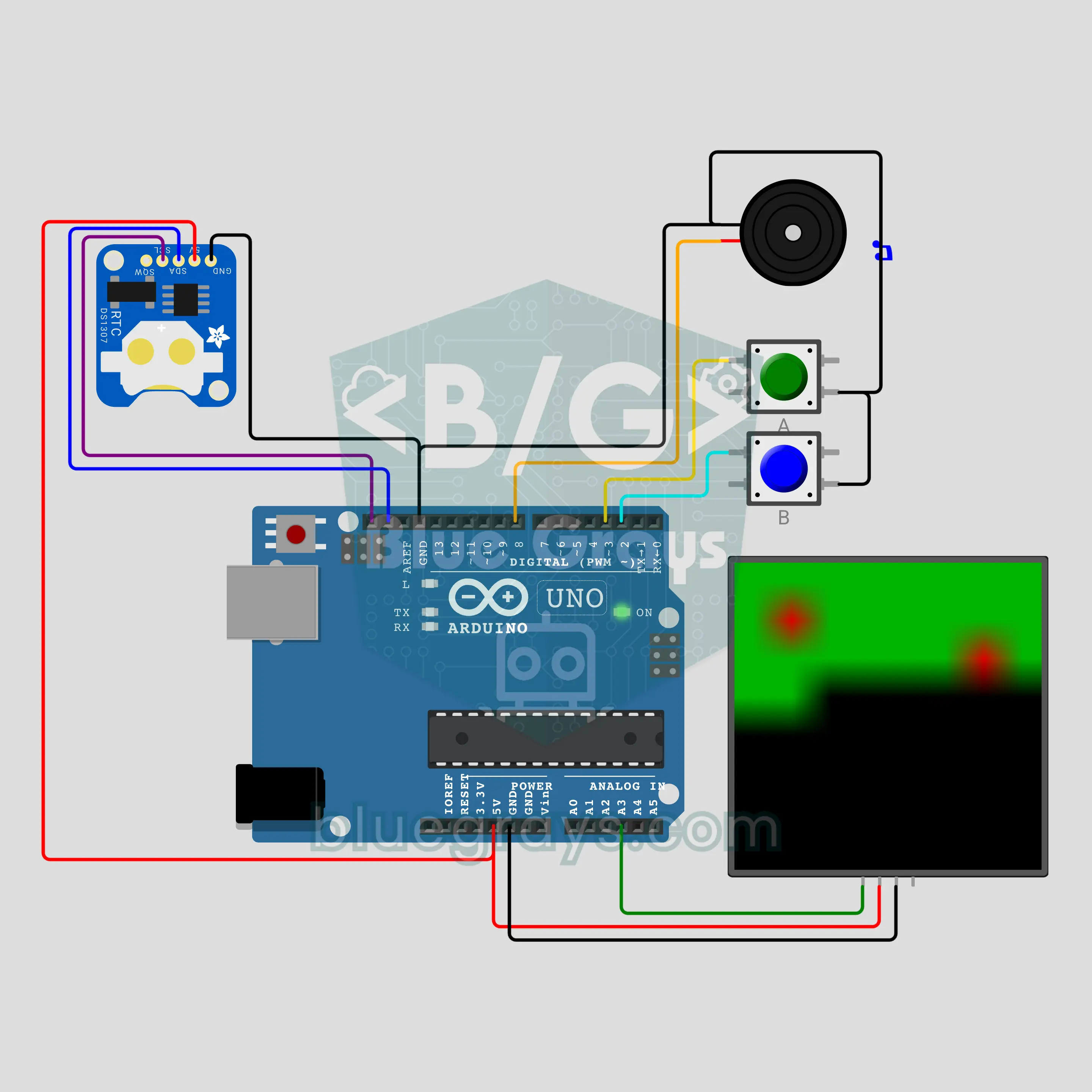
Habit Chain: Don't Drop Your 2027 Resolution (Arduino + DS1307 + 8x8 NeoPixel + 2 Buttons)
The don't break the chain method on your desk: press button A every day, that day's square on the 8x8 matrix lights green and the 64-day chain grows by one link. A day without a press stays red. Button B shows how many days in a row you have kept going. The DS1307 clock counts the days and the chain lives in its battery-backed memory, so it survives unplugging. Counting days from a real-time clock, keeping a record in bits, telling short from long presses.
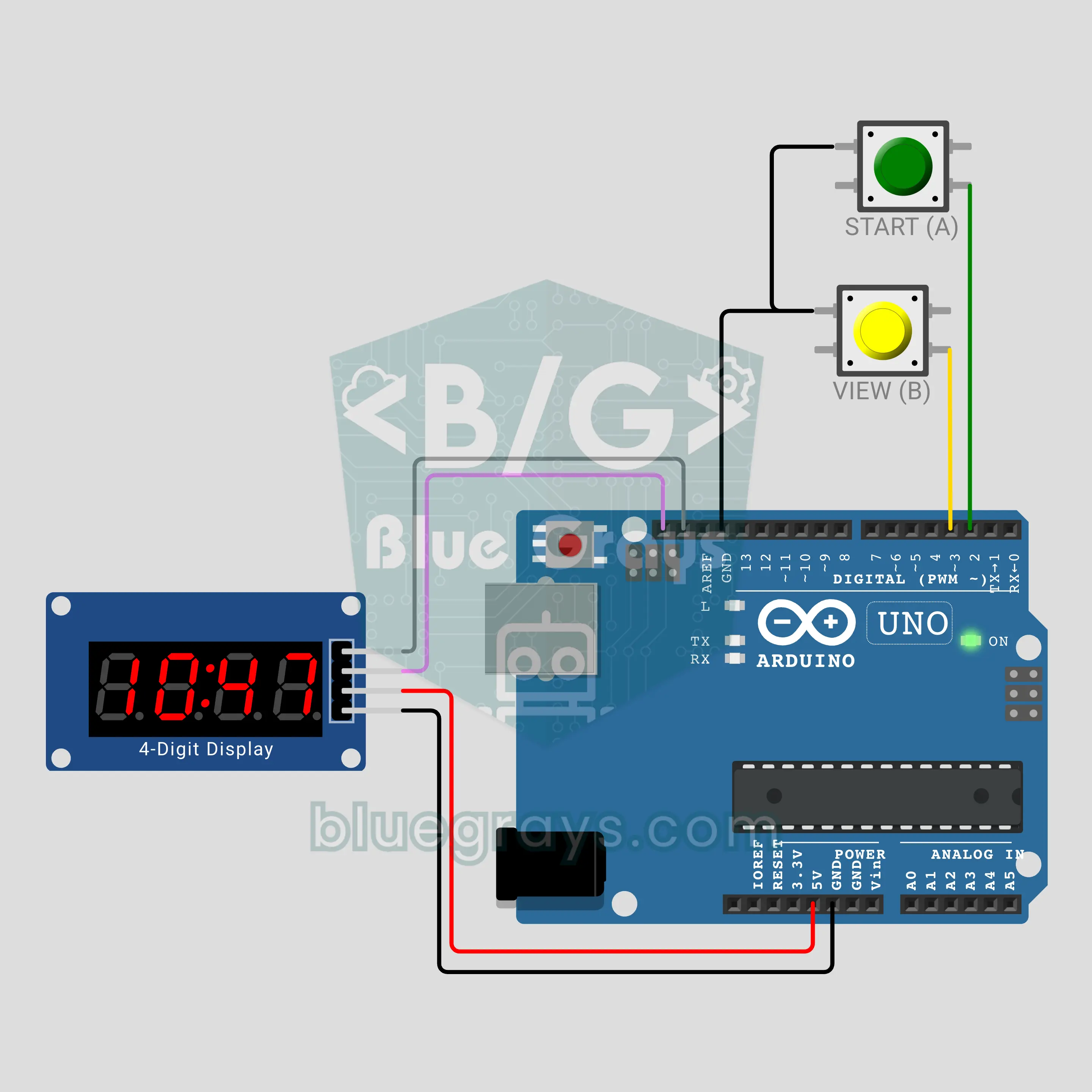
Timer1 Stopwatch That Never Drifts (Arduino + TM1637)
The Timer1 hardware counter fires an interrupt every 10 ms and the stopwatch counts hundredths with it; however busy the loop gets, the time does not drift. Next to it a second clock counts with delay(10), and button B lets you compare the two on the TM1637 display. In the video, over 15.36 seconds the delay clock counted only 6.22. Covers CTC mode, the prescaler, the OCR1A maths and the ISR.
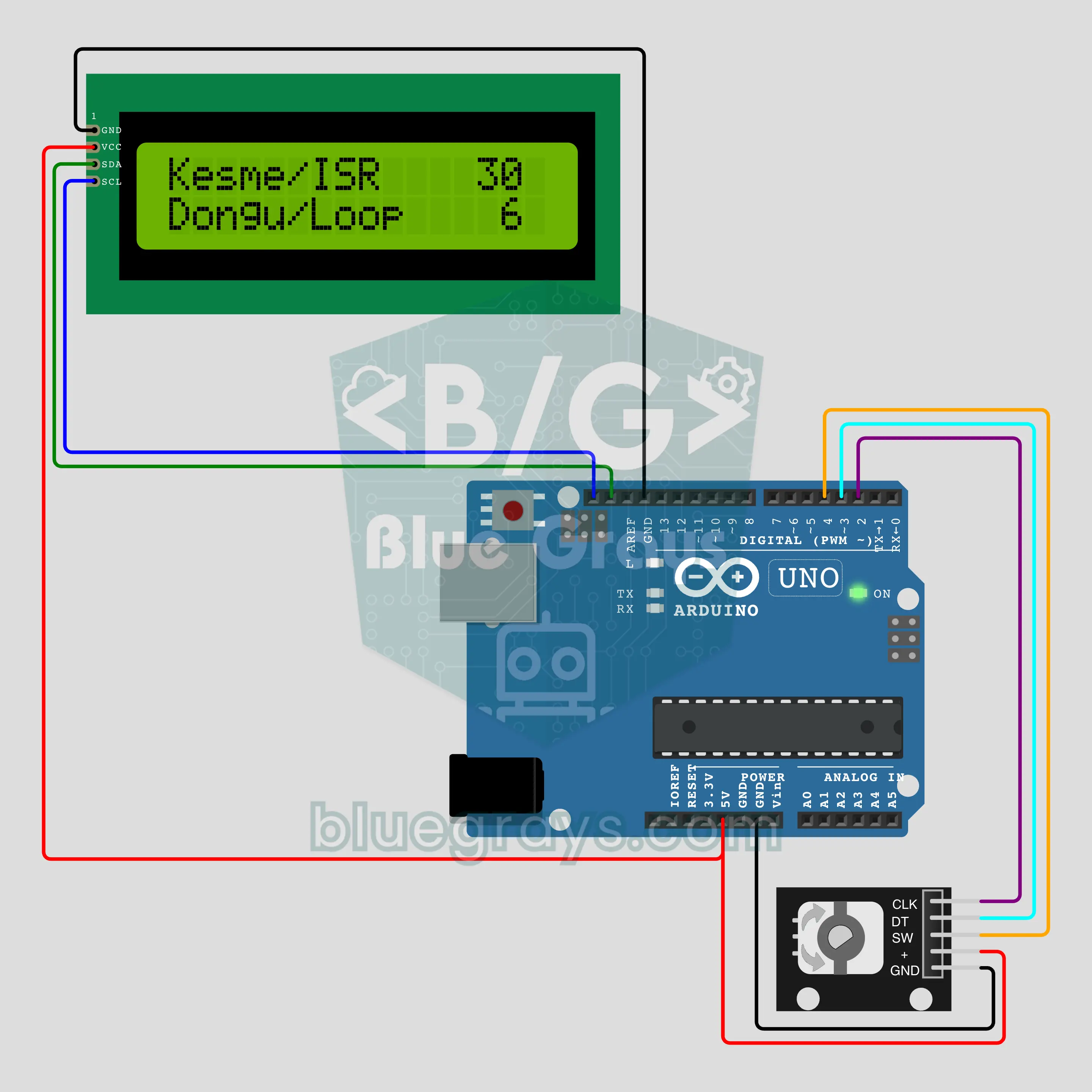
A Menu That Never Skips: Rotary Encoder with Interrupts (Arduino + KY-040 + I2C LCD)
Both pins of the KY-040 rotary encoder are read with interrupts, and you build a turn-and-press settings menu on an I2C LCD: brightness, volume and timer. Even with a slow 50 ms job in the loop, not a single step is lost. In the Step test, spin the encoder fast: in the video the interrupt counted 50 steps, the loop only 10. Covers direction decoding with a state table and debouncing.
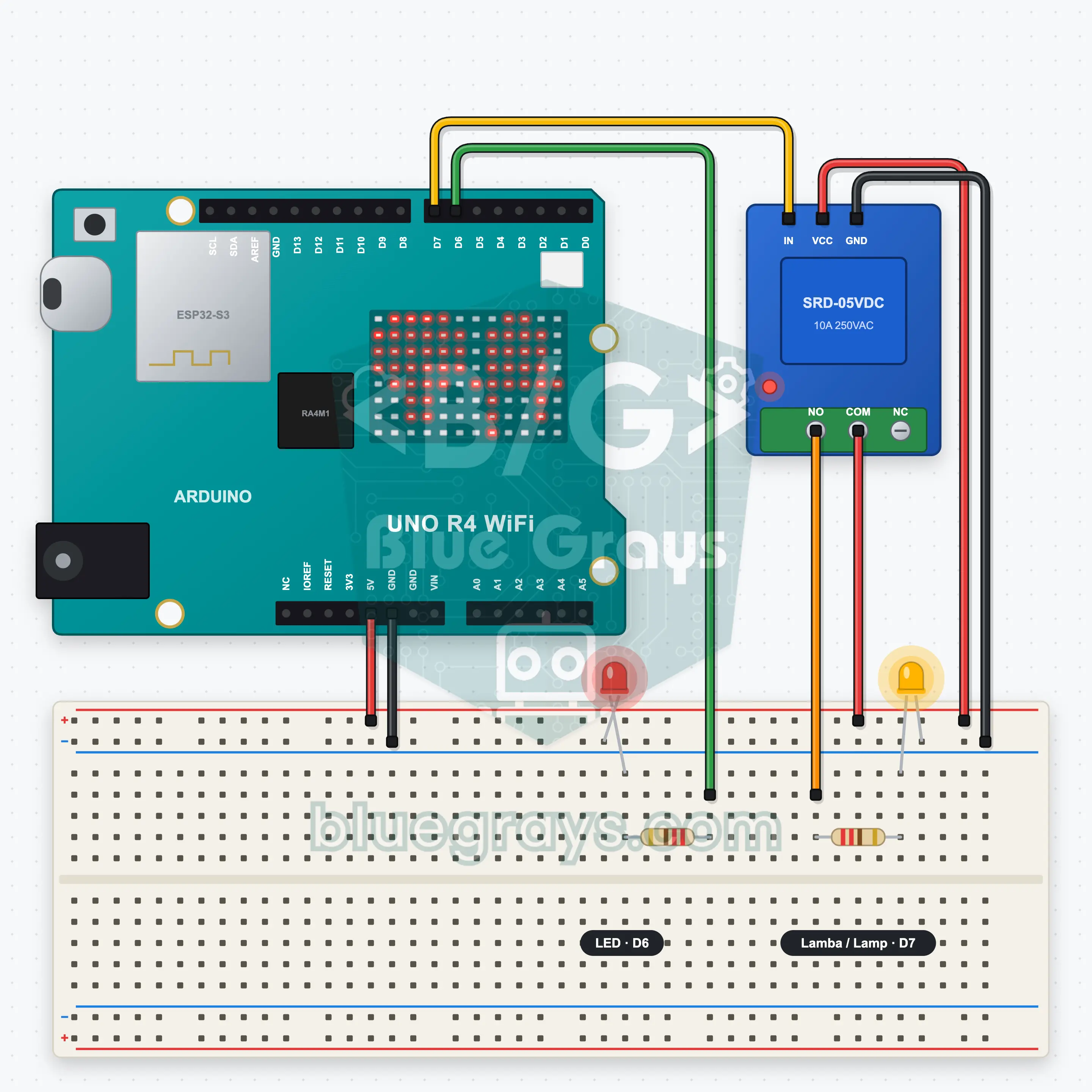
UNO R4 WiFi Web Server: Relay and LED
The UNO R4 WiFi joins your home Wi-Fi and serves its own web page. Two big buttons in your phone's browser switch the relay (a lamp LED) and a second LED on and off; no extra app needed. At start-up the board's IP address scrolls on the LED matrix, then the matrix shows the state with two icons: the lamp on the left, the LED on the right. You learn to build a web server with the R4's own WiFiS3 library.
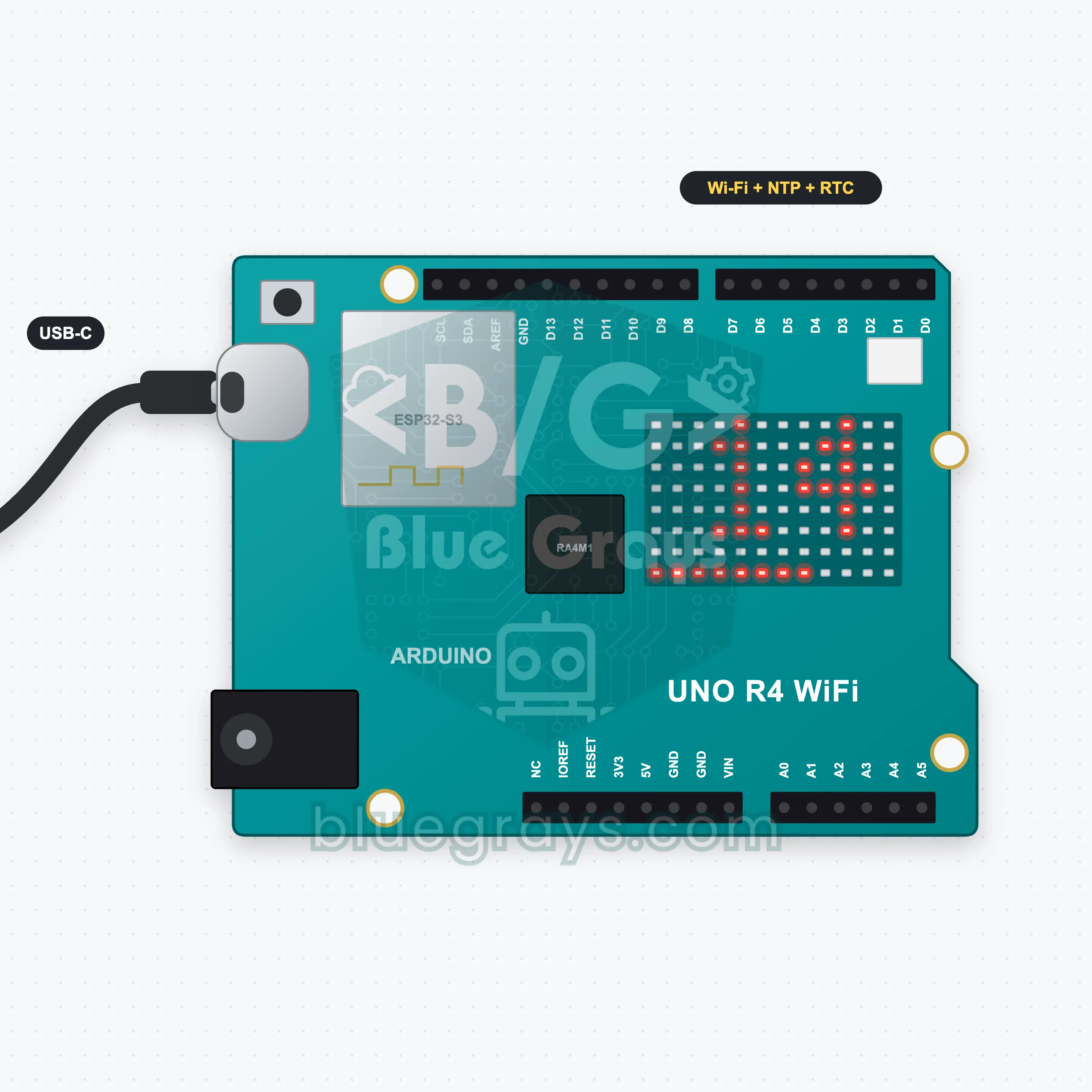
UNO R4 WiFi Internet Clock: NTP and Matrix
A clock you never have to set: the UNO R4 WiFi joins Wi-Fi, gets the time from an NTP server on the internet and sets the RTC (real-time clock) inside the board. Hours and minutes scroll across the 12x8 LED matrix and the bottom row shows the seconds as a filling bar. The clock is corrected from the internet every 6 hours; unplug it, plug it back in and it finds the right time again by itself. No extra parts.
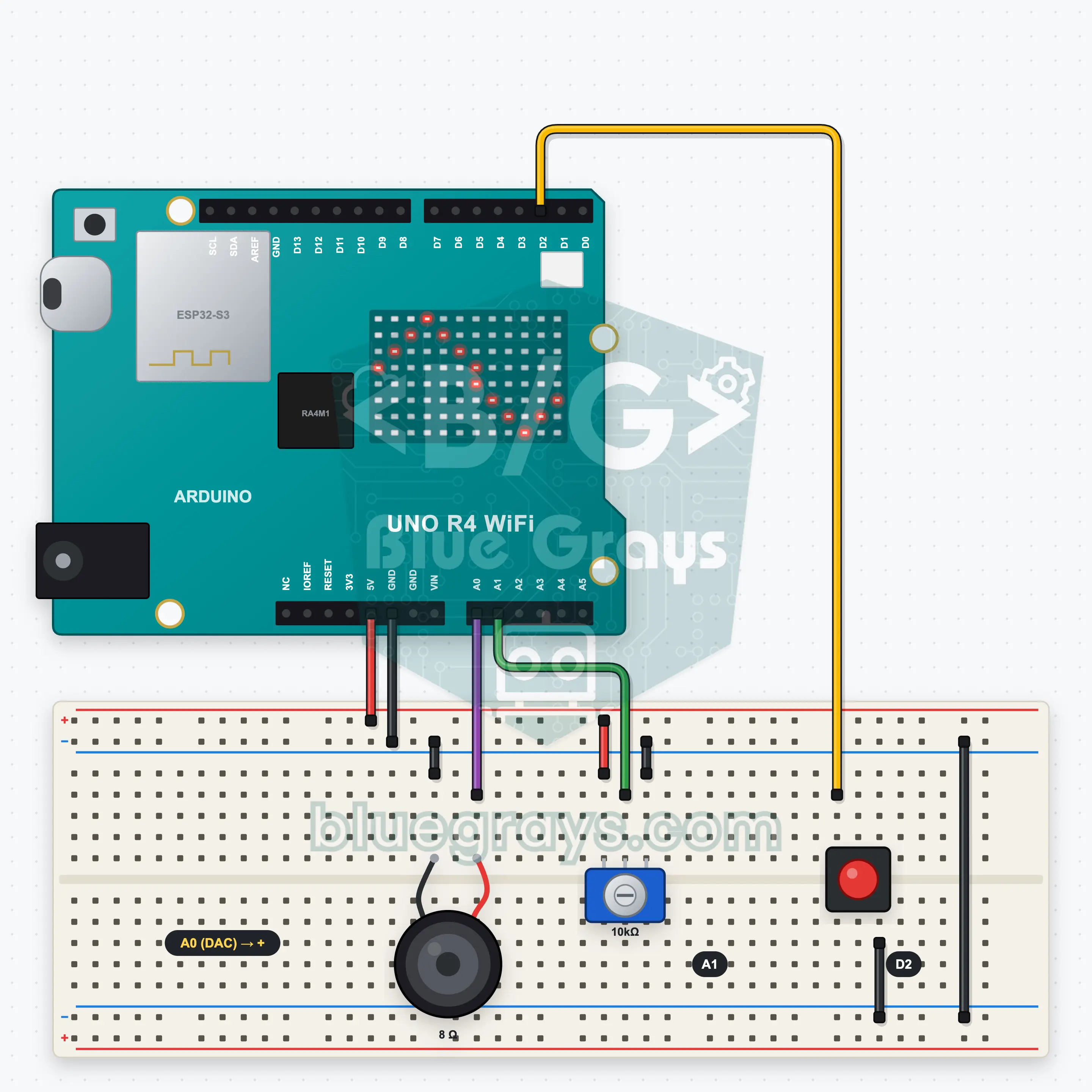
UNO R4 WiFi DAC Melody and Wave Generator
A classic Arduino makes sound only by switching on and off; the UNO R4's 12-bit DAC sends a real waveform to the speaker. In this project a button cycles four modes: a melody (Ode to Joy), a sine, a square and a sawtooth wave. In the melody the pot sets the tempo; for the waves it sets the frequency from 100 to 1000 Hz. The 12x8 LED matrix scrolls the current wave shape or shows the notes like a piano roll.
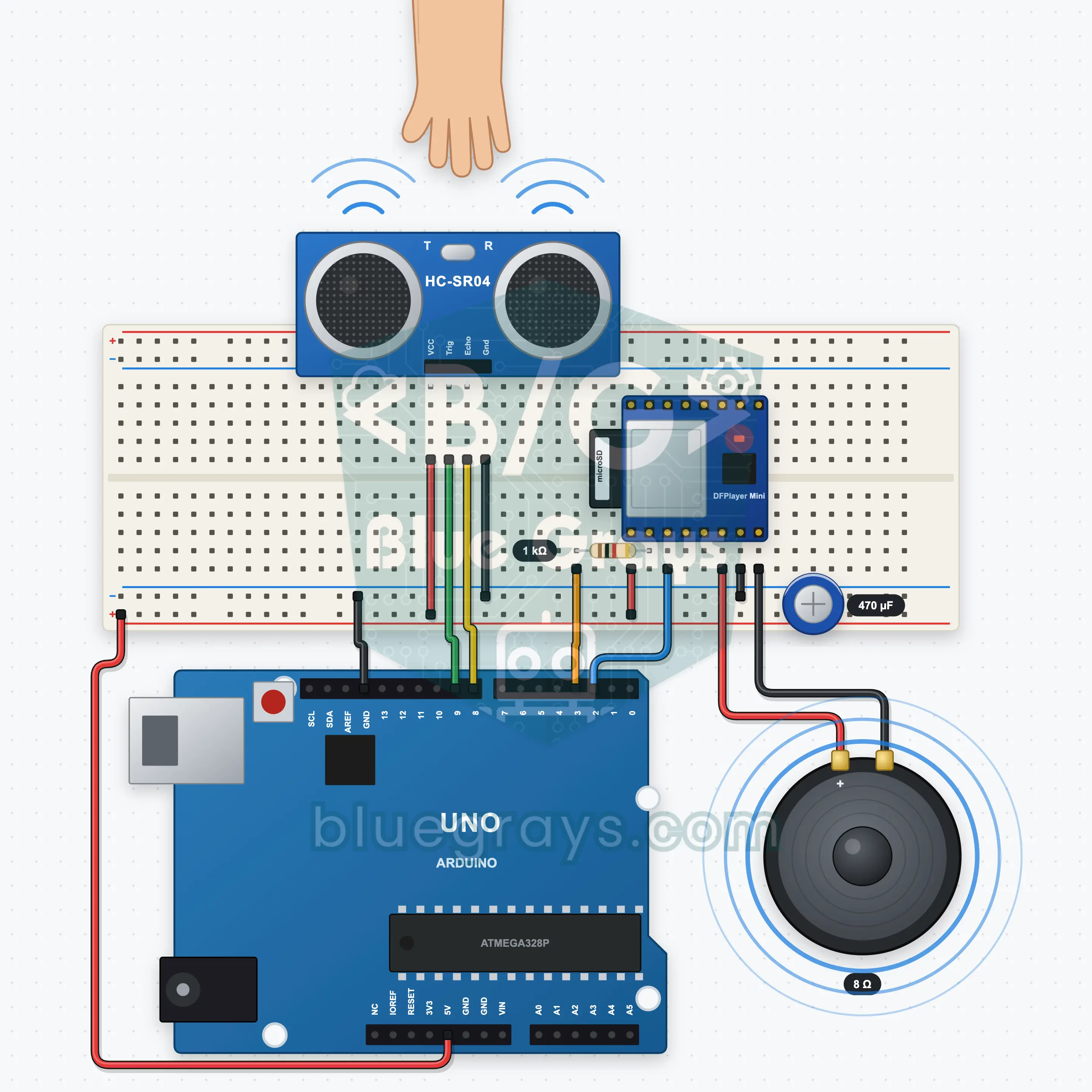
Arduino Talking Distance Robot: A Robot That Talks When You Come Closer (HC-SR04 + DFPlayer Mini + Speaker)
A robot that stays quiet while nobody is around and talks with a real voice when someone comes closer. The HC-SR04 measures the distance and the DFPlayer Mini plays MP3 files from a microSD card through a speaker: "Hello! I'm the BlueGrays robot." at 150 cm, "You're a bit close." at 60 cm, "Too close, step back!" at 20 cm and "See you!" when you leave. Each band has two sentences that take turns. A median filter and hysteresis stop it chattering at a border.
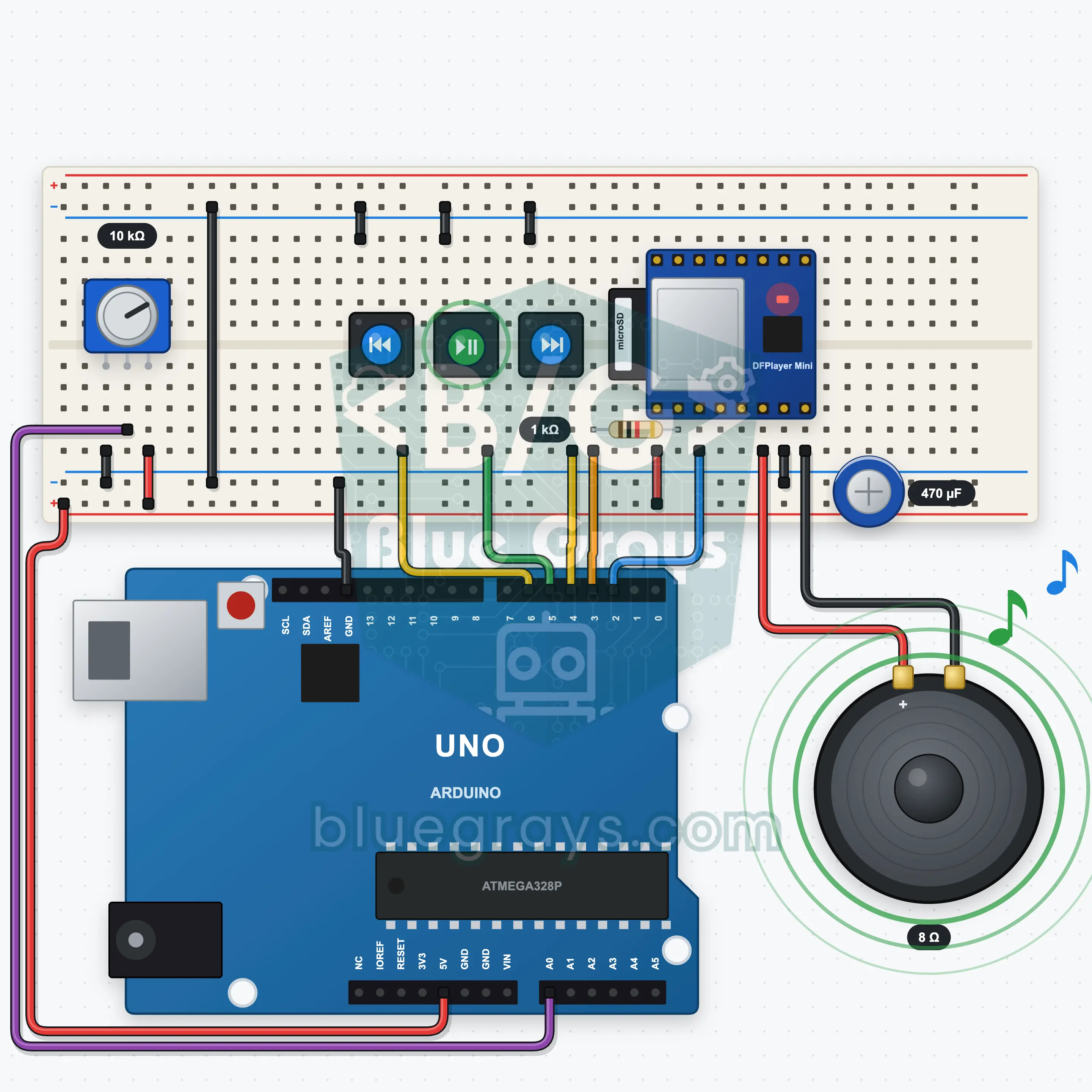
Arduino MP3 Player: A Music Player With Buttons and a Volume Knob (DFPlayer Mini + Potentiometer + Speaker)
An MP3 player for your own music with three buttons and a volume knob. The DFPlayer Mini plays MP3 files from a microSD card through a speaker. The previous, play/pause and next buttons move between tracks, and the potentiometer sets the volume from 0 to 30. When a track ends the next one starts, and after the last it goes back to the first. A long press on play turns on shuffle. The Serial Monitor shows the track and the volume.
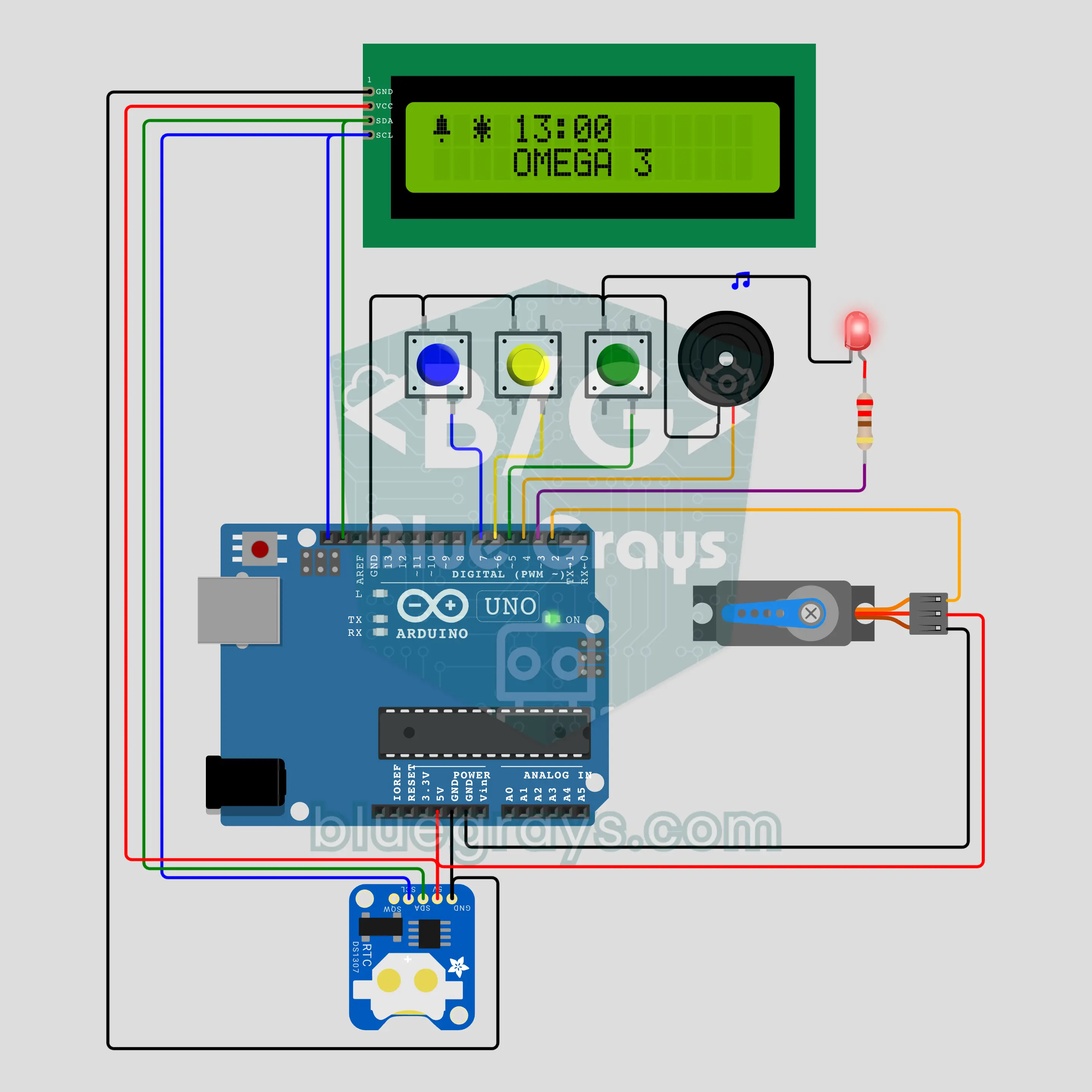
Arduino Smart Pill Box: A Servo Lid That Opens the Right Compartment on Time (SG90 + DS1307 + I2C LCD + 3 Buttons)
A pill box that opens the right compartment by itself! The round box has morning, noon, evening and night compartments; at dose time the SG90 servo turns the lid in 45 degree steps to bring the opening over that compartment, the buzzer sounds and the LED blinks. Press OK and the lid closes; without a press it alerts again 10 minutes later. The DS1307 keeps the time; names and times are set with 3 buttons and stored in EEPROM.
Advanced27 project
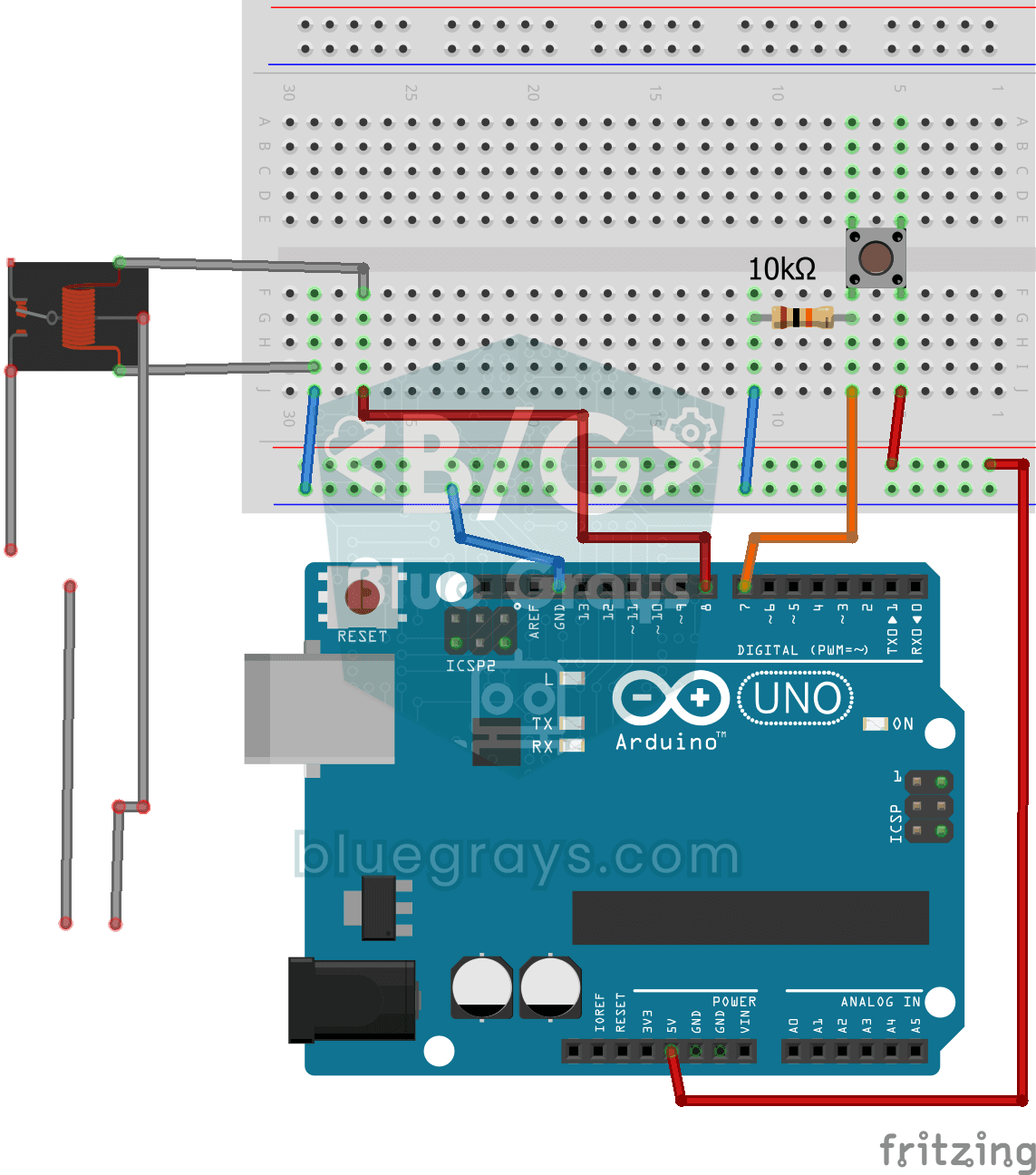
Lighting 220V Bulb with Push Button
As long as you hold the button, a real 220-volt bulb stays lit, and it goes out the moment you let go.
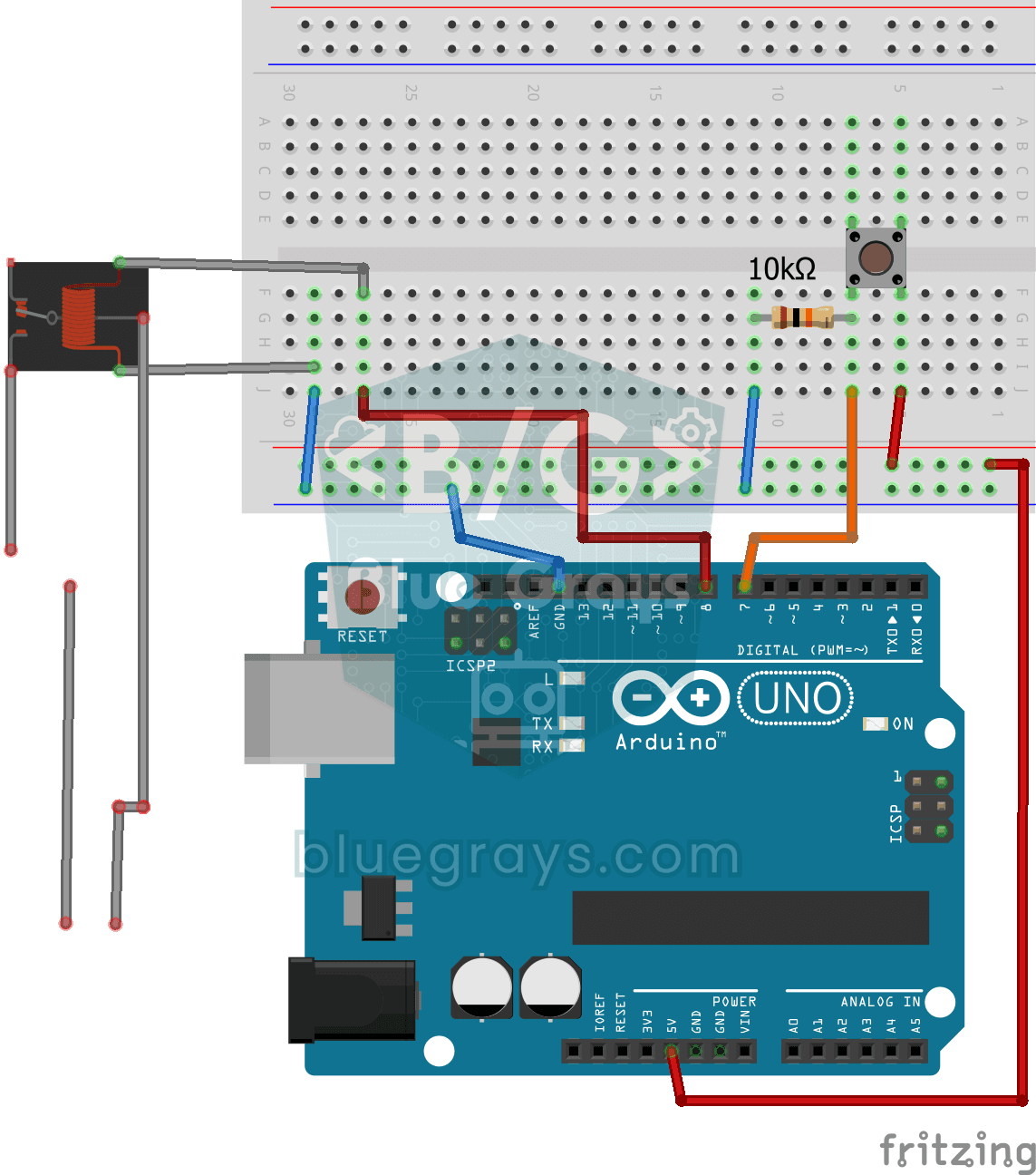
Lighting 220V Bulb with Button (On-Off)
Want to switch a real household bulb on and off with a tiny button? Each time you press the button, the Arduino flips a relay and the bulb lights up; press again and it goes off.
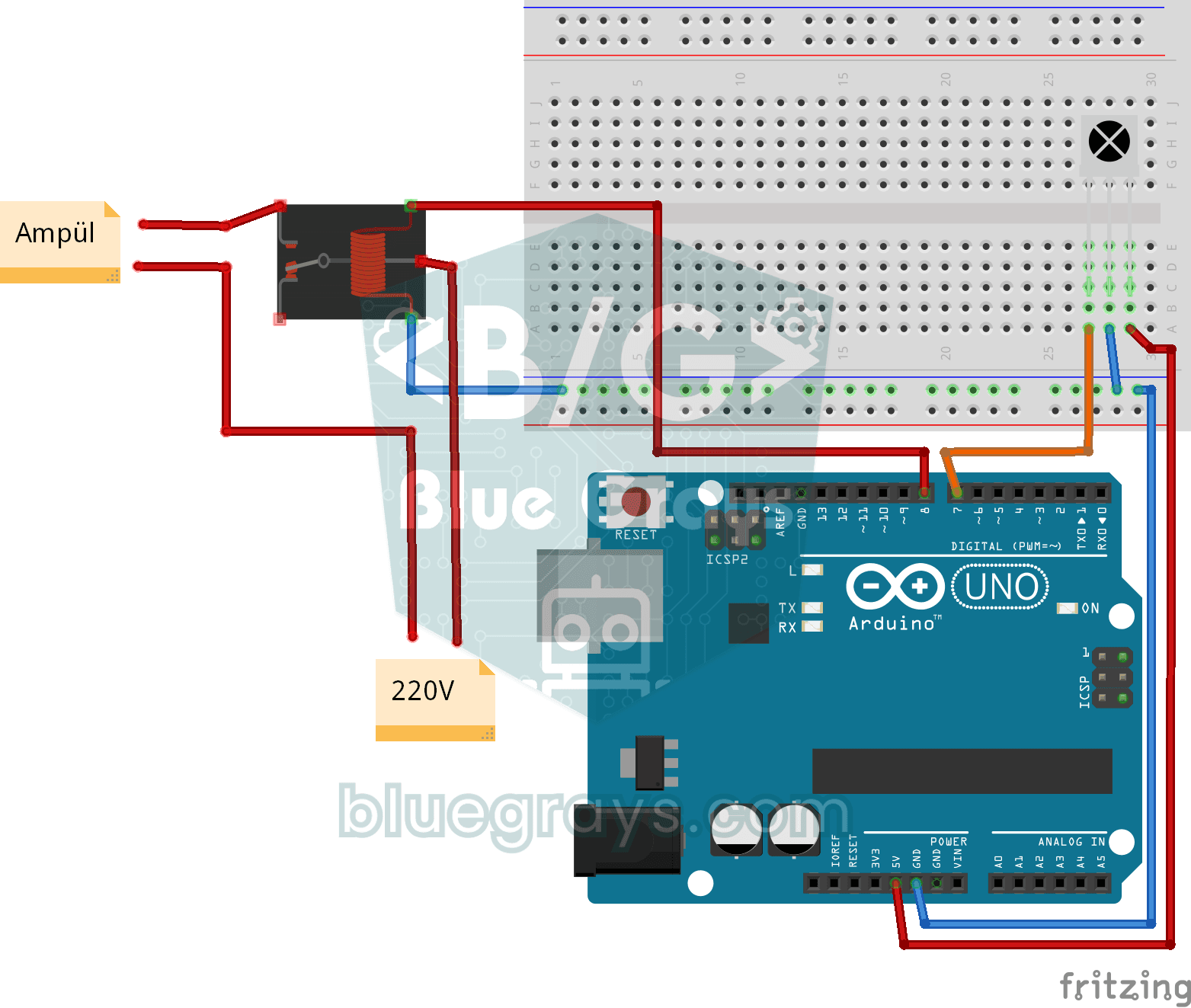
Lighting 220V Bulb with Remote Control
Switch a real light bulb in your home on and off with a TV remote, without getting up from the sofa.
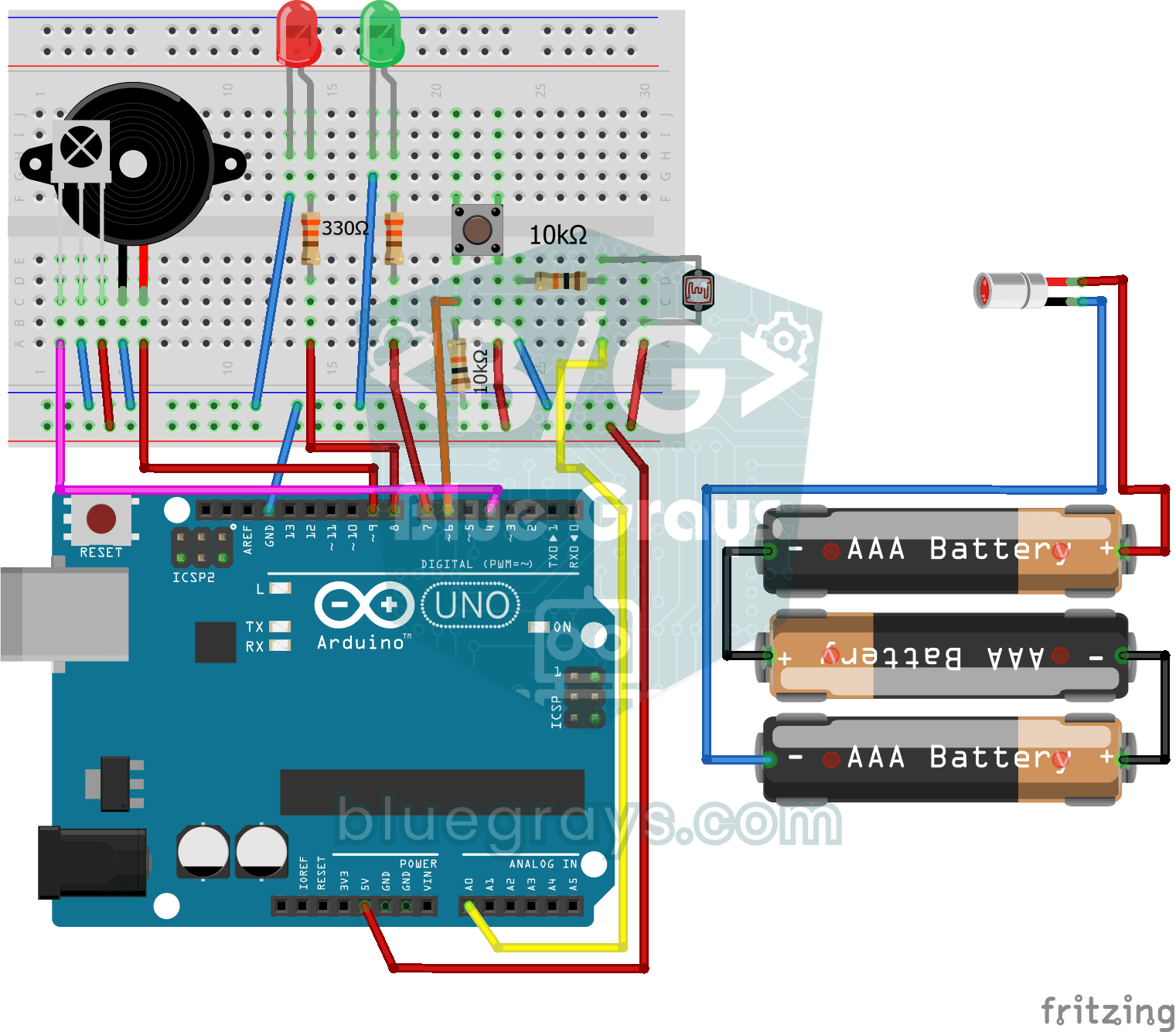
Laser Security System
Just like the laser heist scenes in films: a laser beam shines on a light sensor, and the moment someone steps in and breaks the beam, the red LED lights up and the buzzer starts sounding.
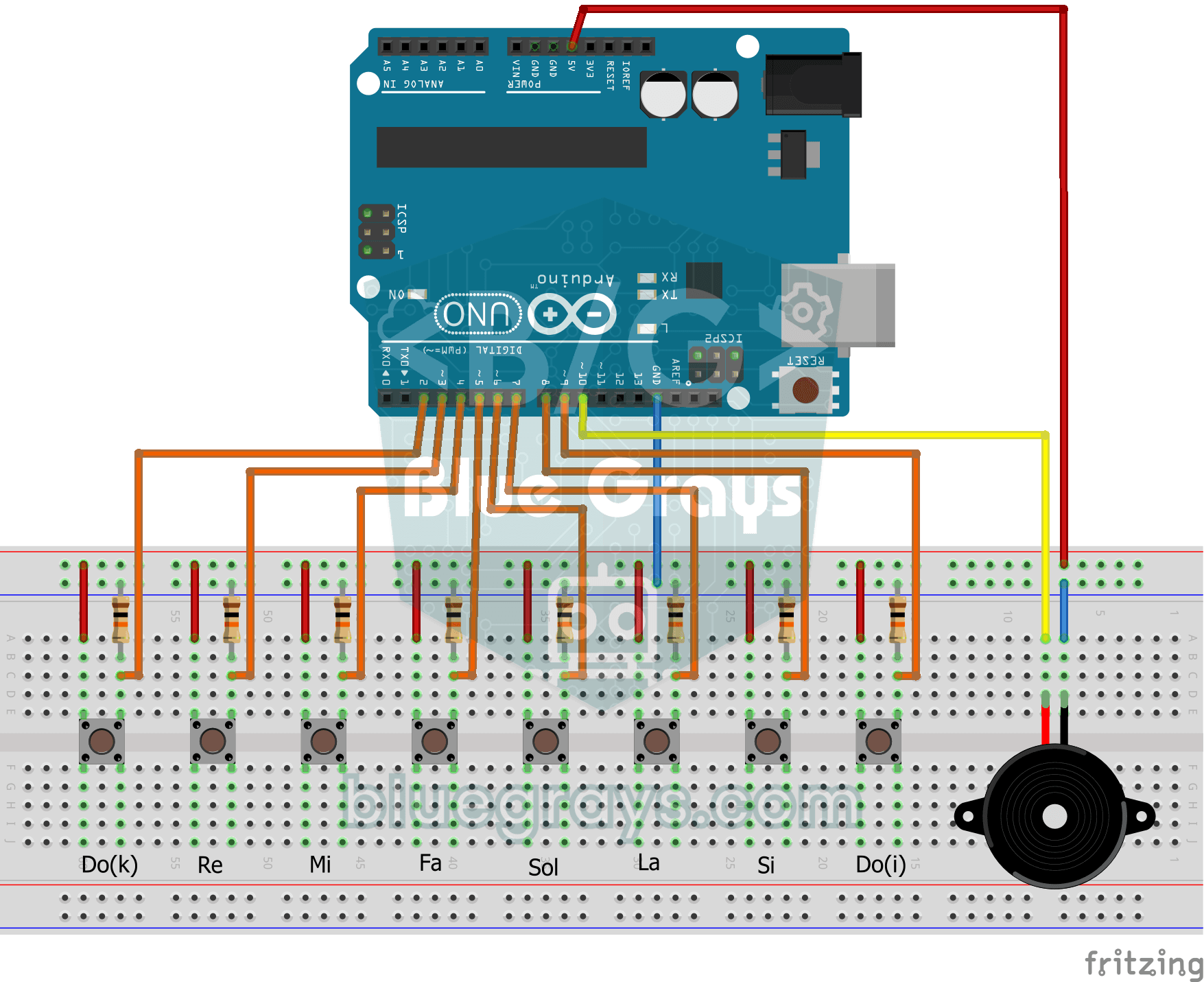
Simple Piano with Buzzer and Button
Build your own little piano with eight buttons. Each button is one note, from low to high: do, re, mi, fa, sol, la, ti and high do.
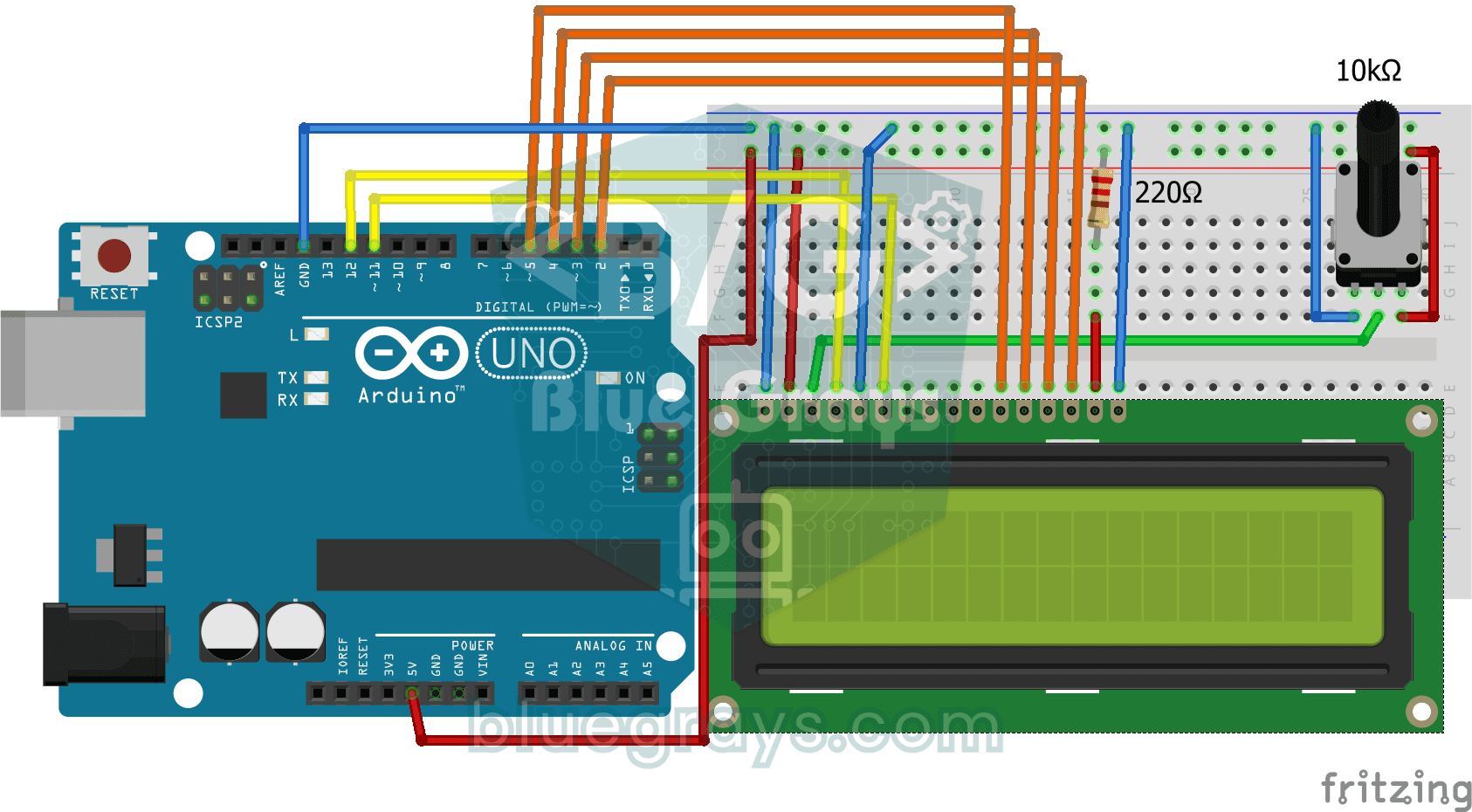
Print Message on 2x16 LCD Screen
Your first step to writing text on a screen. The two-line LCD screen first shows a waiting message, then writes a greeting on the top line and types a word letter by letter on the bottom line like a…
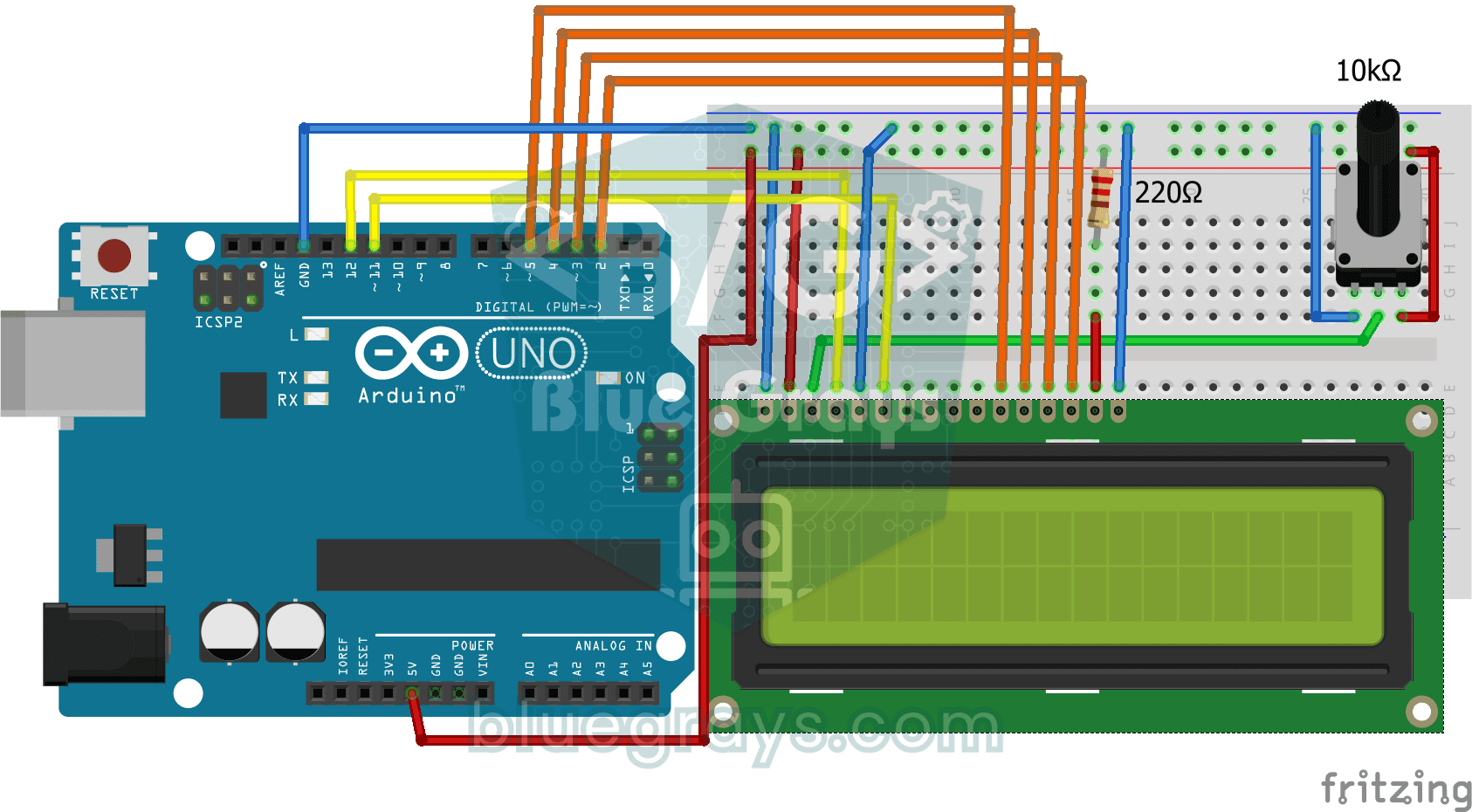
Bouncing Text Animation on LCD
On the top line of the LCD screen, the word BLUEGRAYS slides from one edge to the other and bounces back like a ball off a wall, over and over without end.
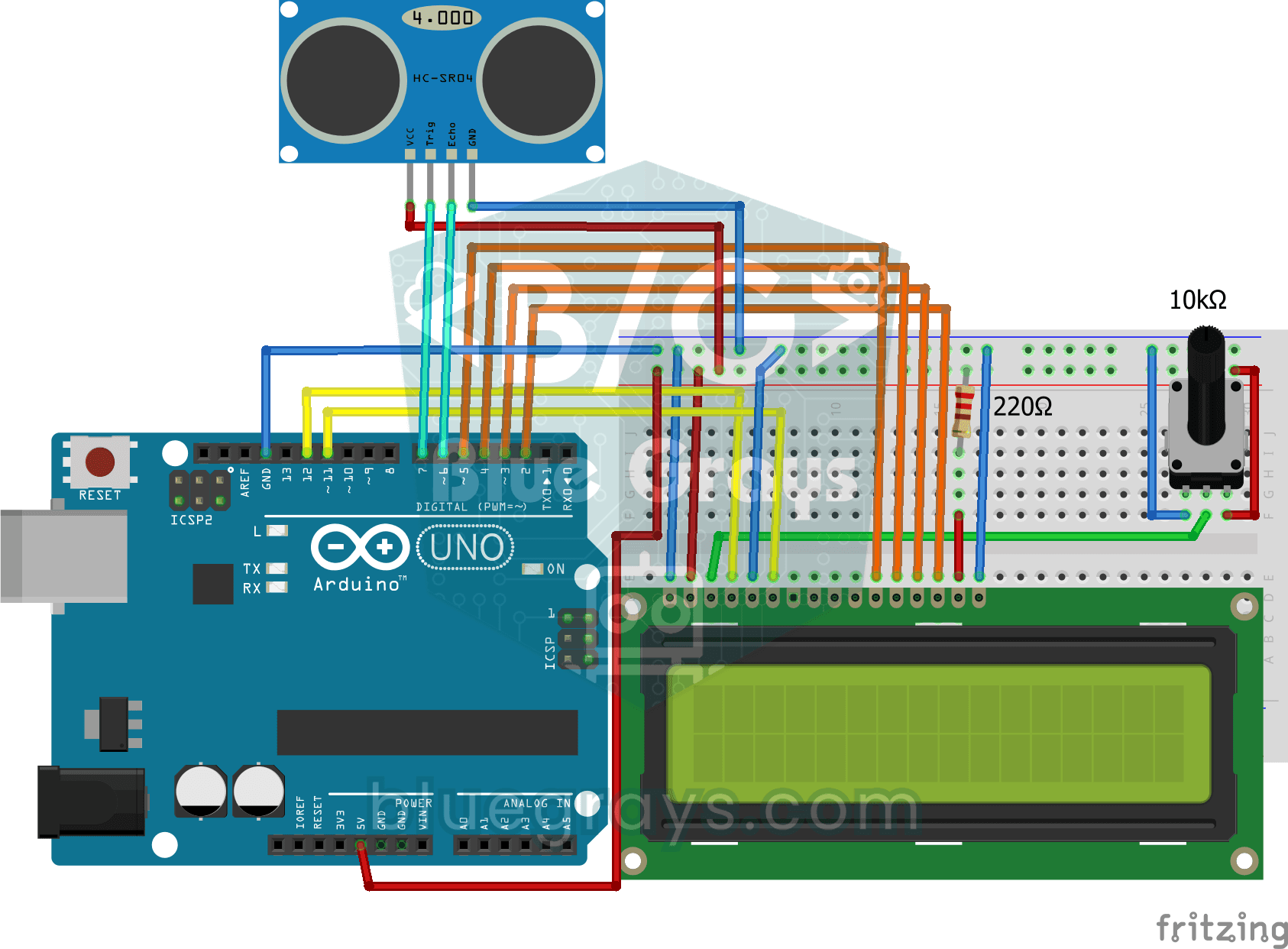
Measuring Distance Using LCD Display
A tool that measures distance without a ruler: move your hand back and forth in front of the sensor and watch the number change.
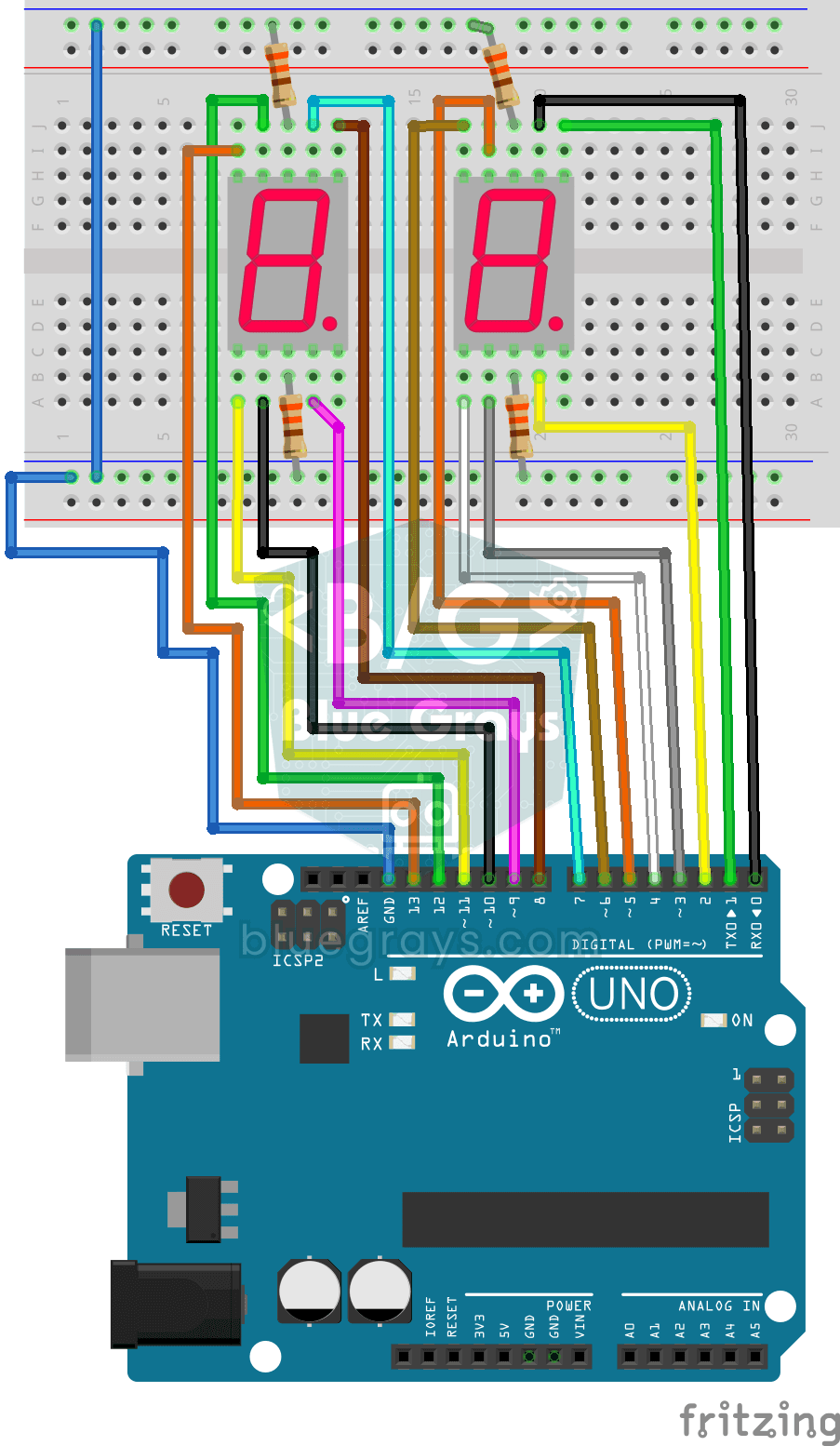
Displaying Numbers 0-99 on a 7-Segment Display
A two-digit display made of little bars, like the ones on a calculator, counts from 0 to 99.
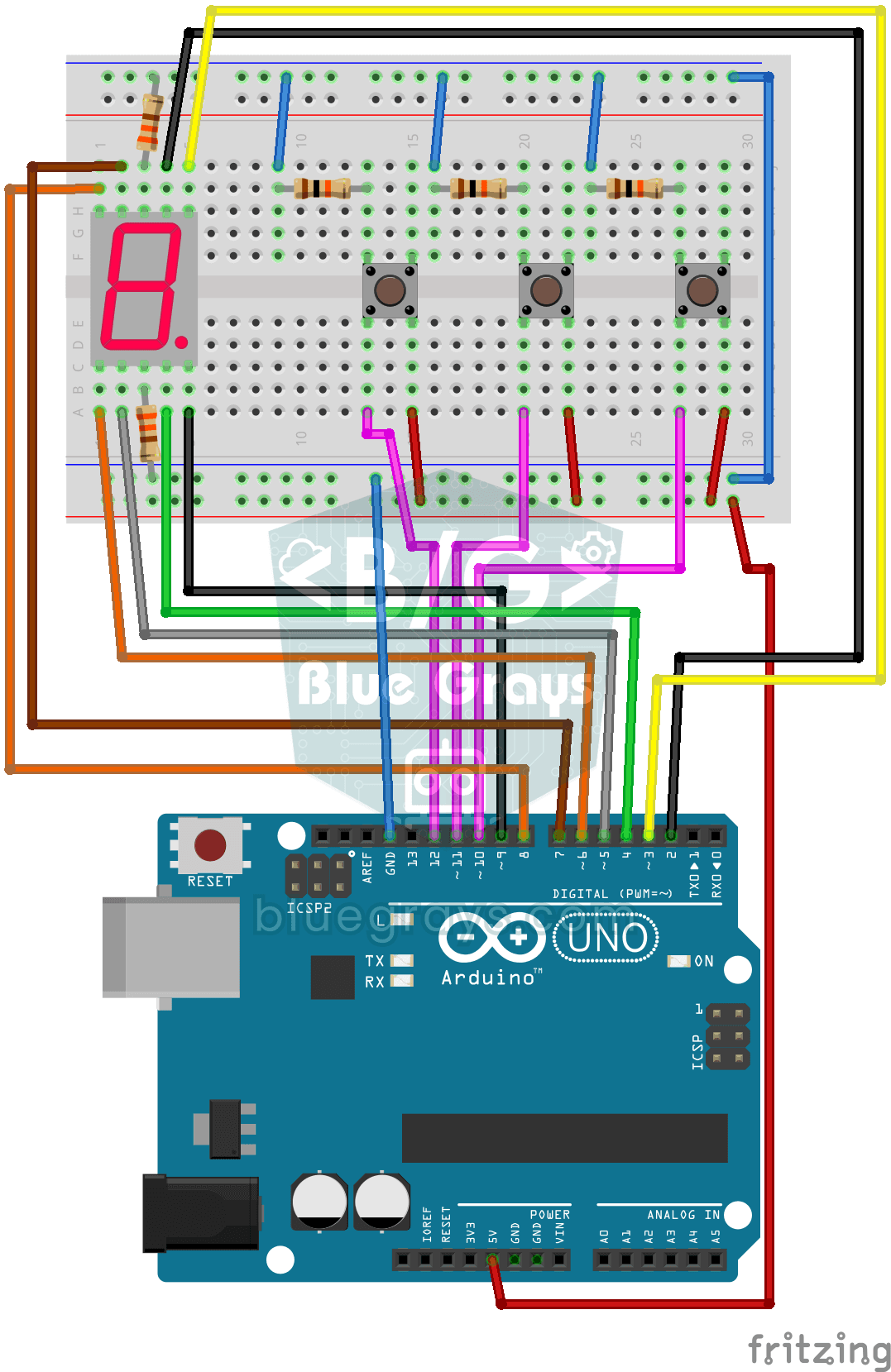
Counter with 7-Segment Display and Buttons
A simple counter with three buttons: press one and the digit on the display goes up by one, press another and it goes down by one, and the third sends it back to zero.
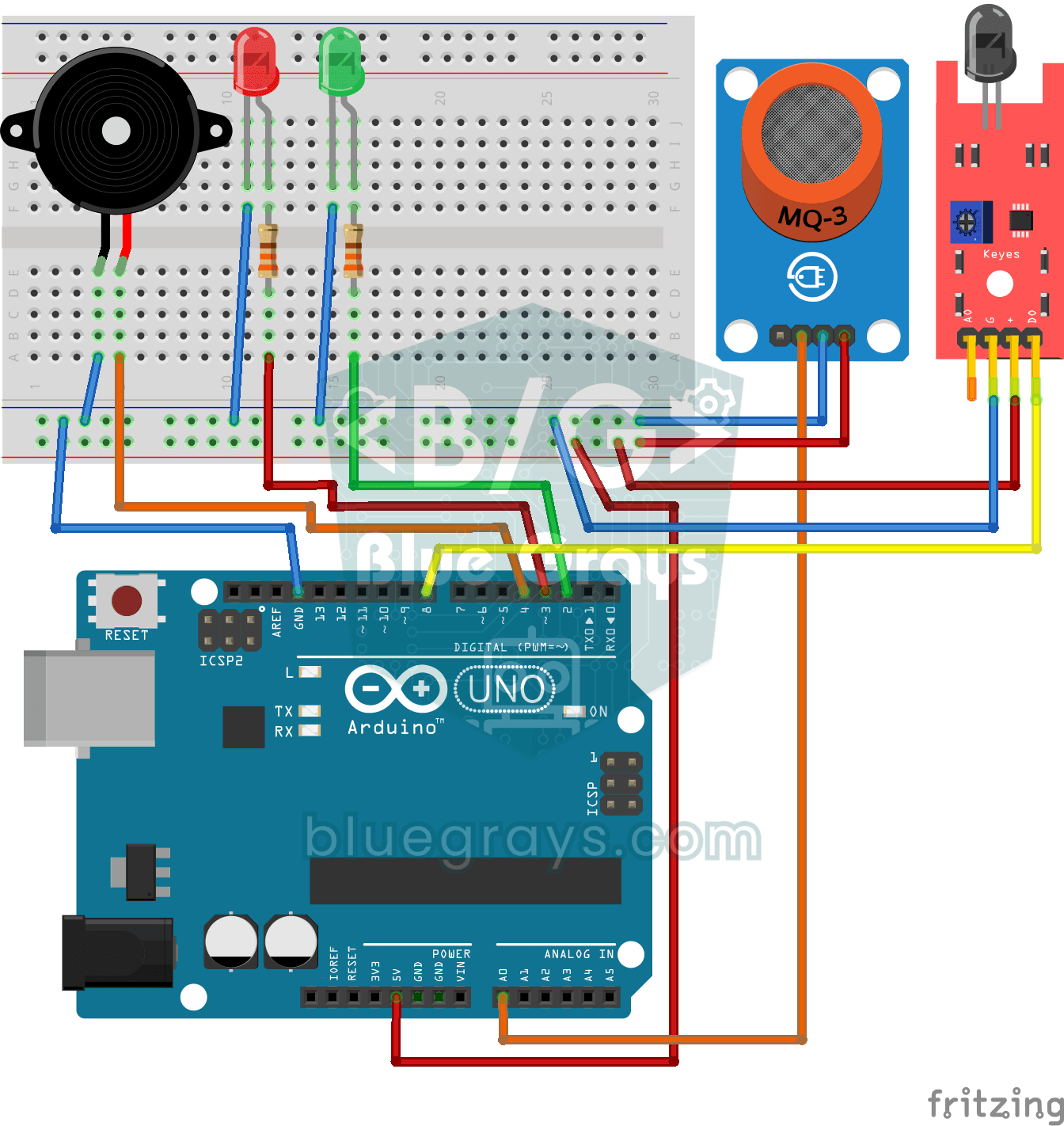
Flame and Gas Sensor Alarm
A little guard that warns you right away when gas leaks or a flame appears somewhere.
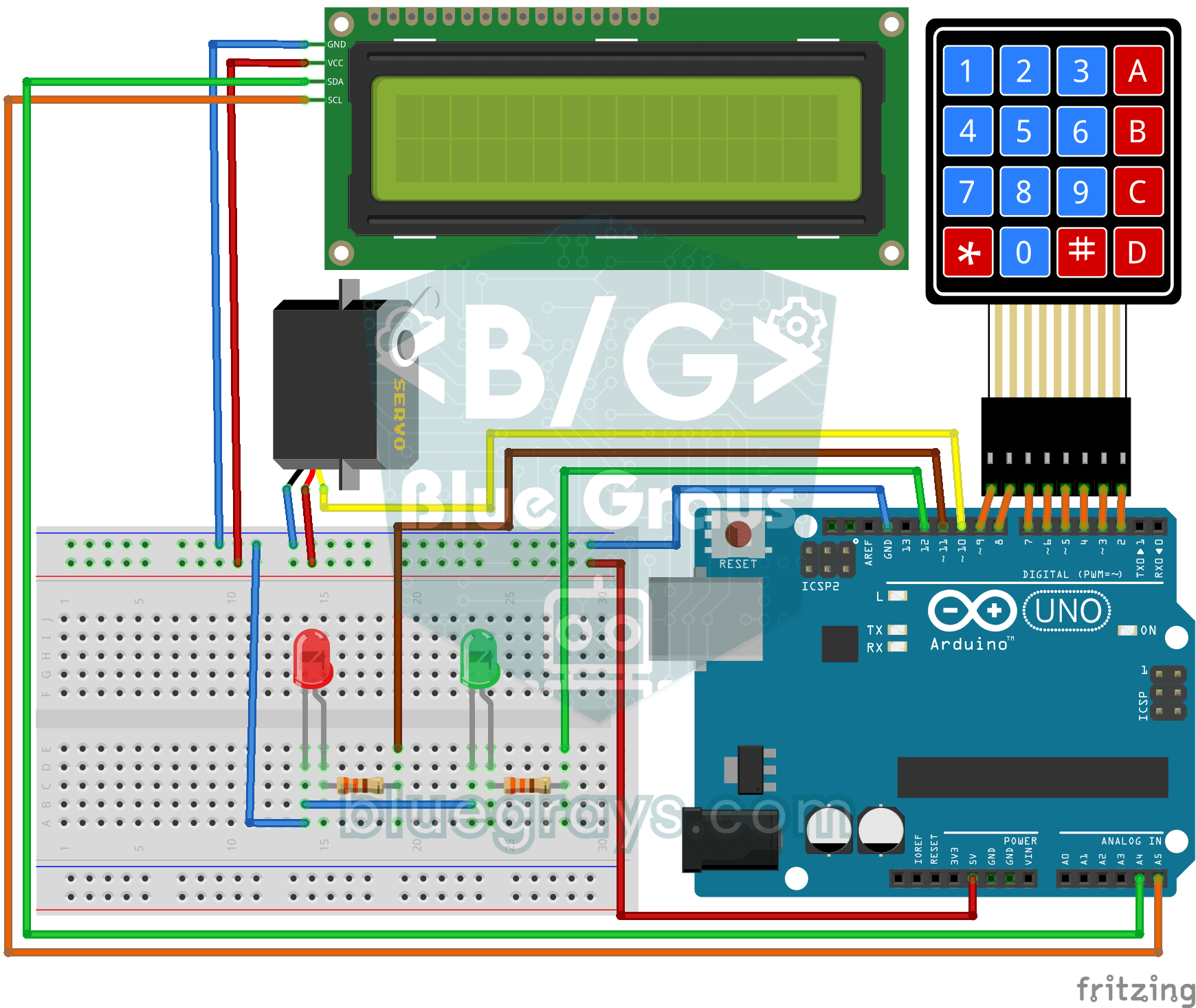
Password Lock with 4x4 Keypad and LCD
A small electronic door lock that keeps out anyone who doesn't know the code. You press the hash key and type the code on the keypad; if it is right, the screen says access granted, the green LED…

Bluetooth Controlled Car with L298N
Turn your phone into a remote and drive your own robot car. The Arduino receives commands from a remote-control app on your phone through a Bluetooth module and spins the wheels with a motor driver…

Obstacle Avoidance Robot
How about building a smart vehicle that finds its own way? The Obstacle Avoidance Robot constantly scans its surroundings thanks to the ultrasonic sensor in front of it.

Smart Irrigation Station
A gardener that waters your plants on its own, so they don't dry out while you're on vacation.

OLED T-Rex Run: Arduino Dinosaur Game
The dinosaur game that pops up when your internet goes down, now on your desk: the dinosaur runs across the small OLED screen, cacti come at you, and you jump with a single button.

Pixel Snake 8x8 Matrix
Build the classic snake game with your own hands and play it. On a colorful 8x8 light matrix, you steer a green snake with a joystick and eat red apples; with every apple the snake grows, speeds up a…

Matrix Snake 16x16
The classic snake game, this time on a huge LED display made of 256 lights. You steer the green snake with a joystick and collect red apples; with every apple the snake grows, your score goes up on a…

Smart Electronic Safe
A small safe for your valuables that opens with a code. You type your four-digit code on the keypad; if it is right, the servo motor opens the lock, the green light comes on and the screen shows the…

Arduino Memory Game (4 LEDs + 4 Buttons + Buzzer)
Do you trust your memory? Four colored LEDs light up in a sequence, each playing its own note, and you repeat the same order by pressing the buttons.

Servo Circle Choreography - Animated Patterns with 32 Servos
A visual animation project driven by 32 servo motors arranged in a circle on an Arduino Mega. The servos are managed in a single array, connected to the Mega's pins 22–53, and perform four motion sequences: a chaotic jitter at random angles, a synchronized sweep, a wave travelling around the circle and a compass needle swinging left and right.
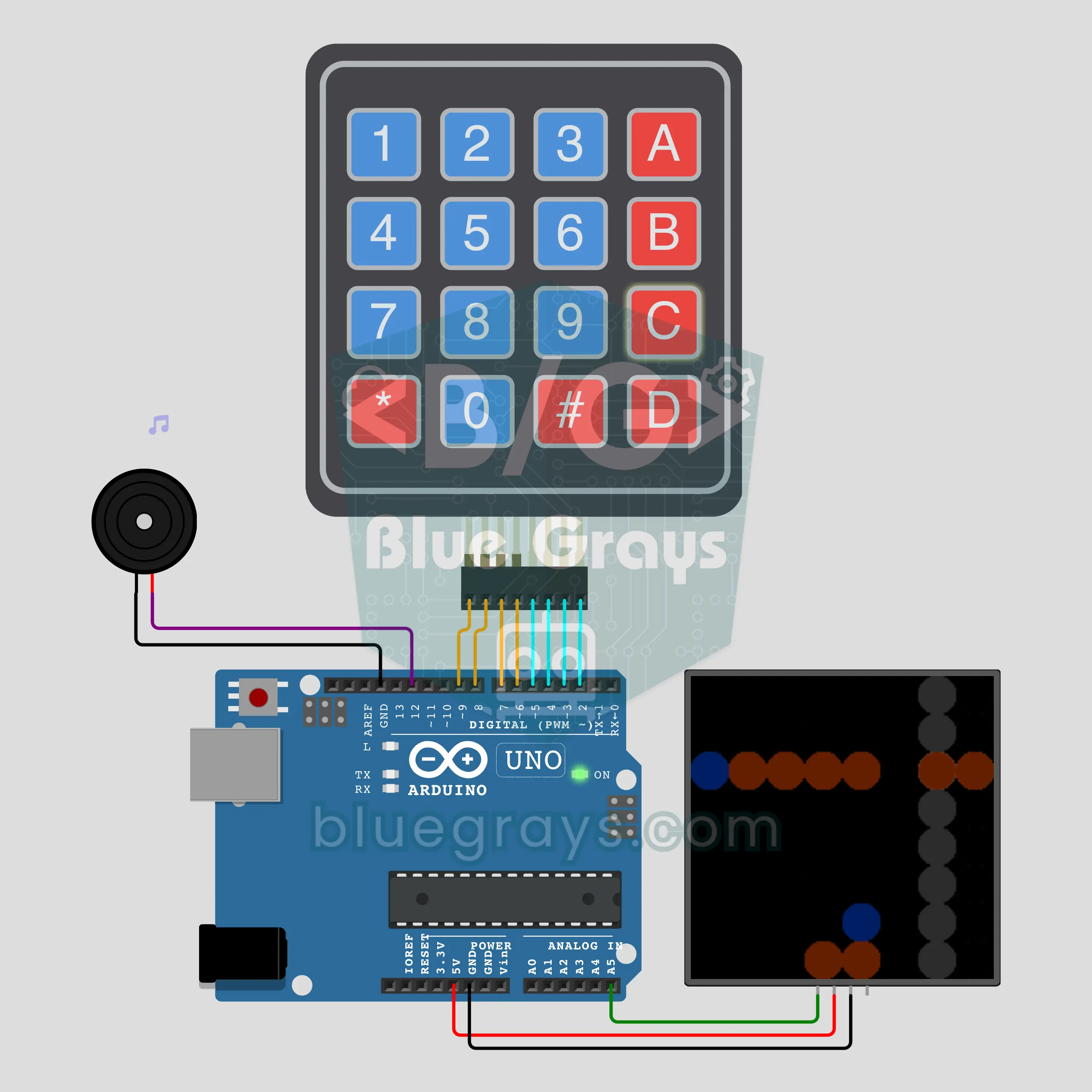
Naval Battle Against the Arduino (4x4 Keypad + 8x8 NeoPixel + Buzzer)
The classic pen-and-paper naval battle game, now with the Arduino as your opponent. It secretly places both fleets on an 8x8 sea, and you type coordinates from A1 to H8 on a 4x4 keypad to fire. On the 8x8 NeoPixel matrix a hit glows red, a miss blue and a sunk ship orange, while a buzzer plays whistles, splashes and explosions. Miss, and the Arduino fires back at your fleet in hunt and target mode.
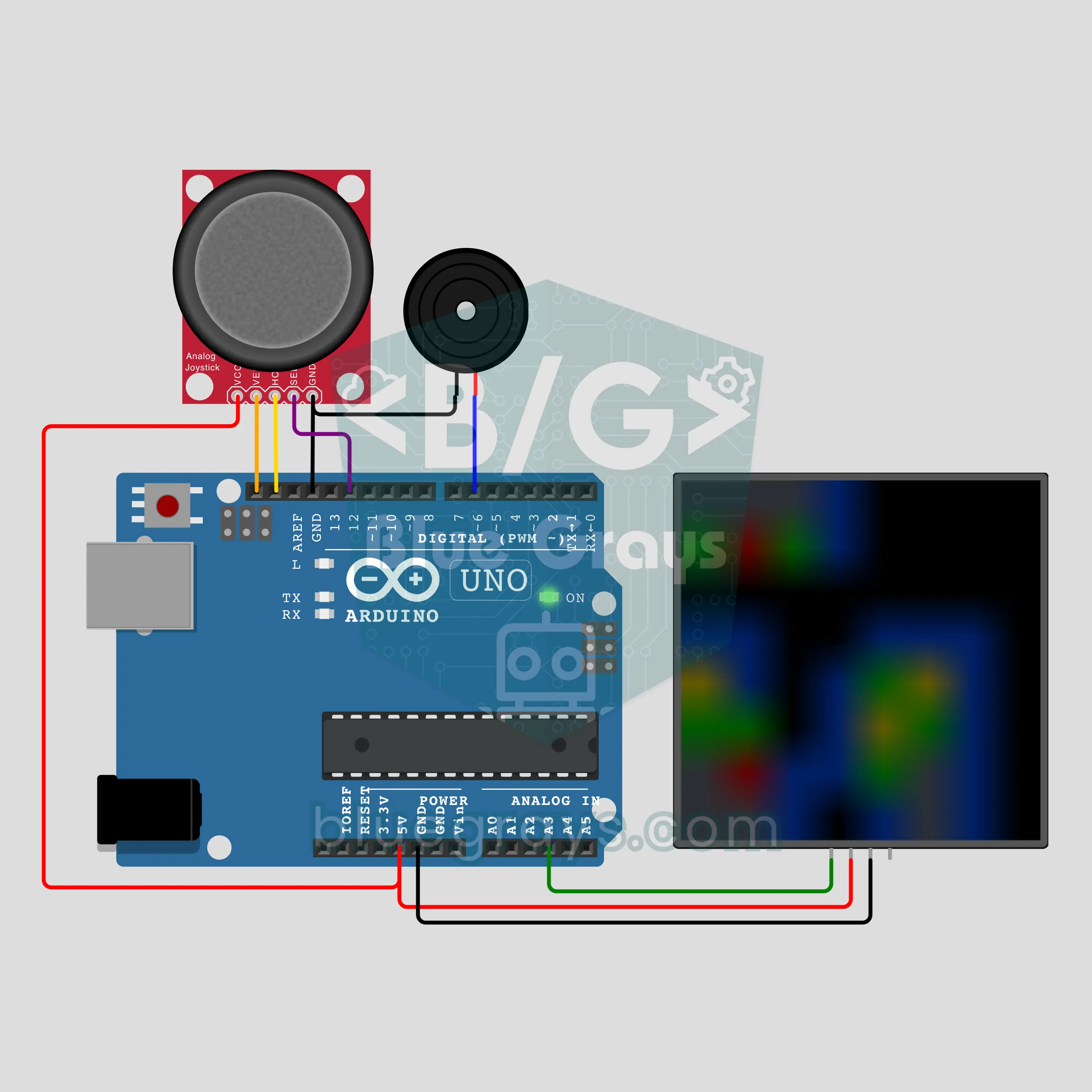
Arduino Minesweeper (8x8 NeoPixel + Joystick + Buzzer)
The legendary minesweeper-style game of old computers, now on an 8x8 NeoPixel matrix. 10 of the 64 cells hide a mine; there are no digits, every number has its own color: 1 blue, 2 green, 3 red. Move the cursor with the joystick, short press to open, long press to plant a flag. An empty cell opens its area wave by wave with a queue; hit a mine and the mines blow up ring by ring, find them all for a rainbow and a buzzer fanfare.
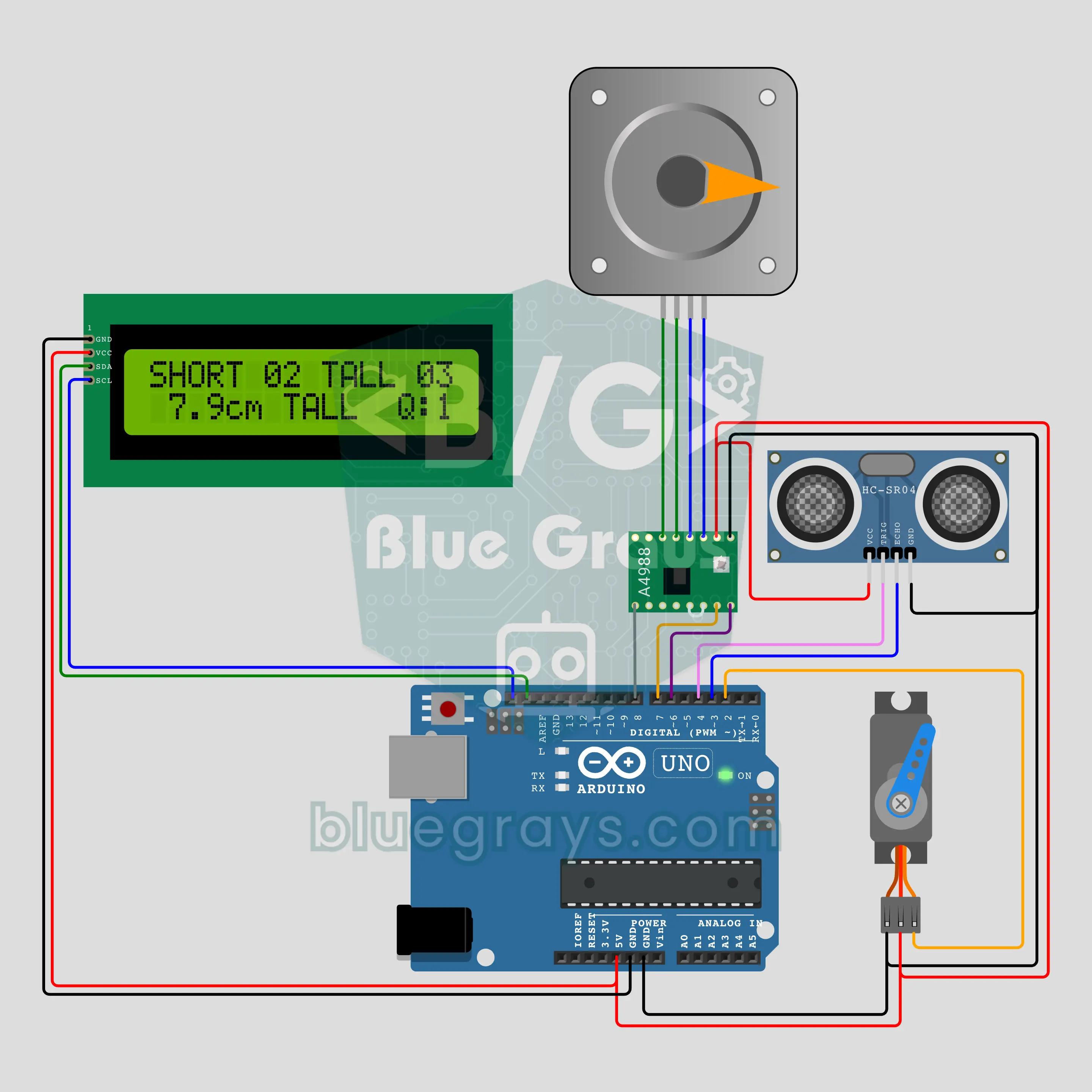
Arduino Industrial Sorting Conveyor: Boxes Sorted by Height (NEMA 17 + A4988 + HC-SR04 + Servo + LCD)
A desktop model of a factory sorting line: a NEMA 17 stepper on an A4988 driver keeps the belt moving, and an HC-SR04 above the belt measures the height of every passing box. Each box is tracked by belt steps from the sensor to the arm; boxes of 6 cm and up are pushed aside by an SG90 servo arm, low ones carry on. The I2C LCD counts short and tall boxes and shows the last reading and how many boxes are on the belt.
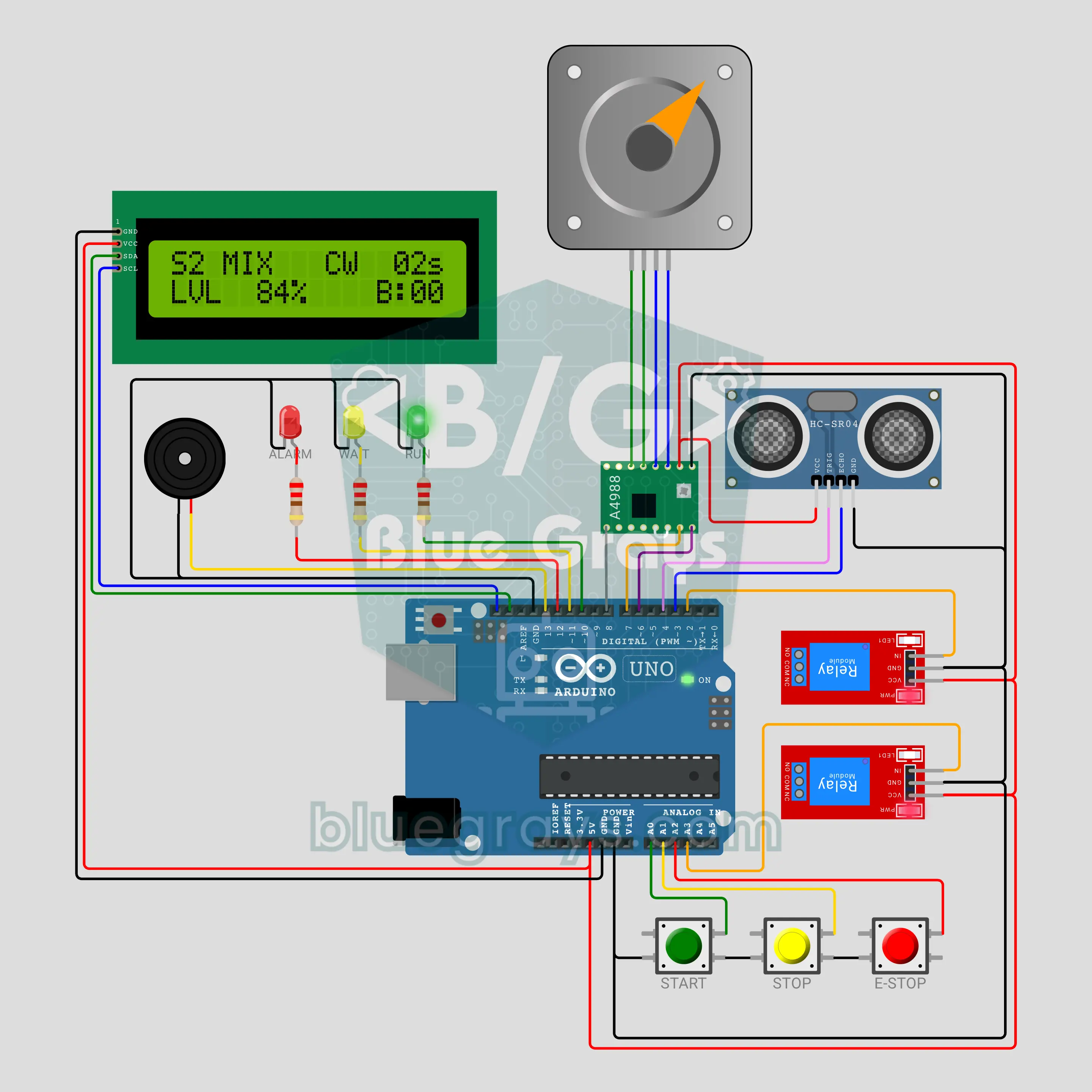
Arduino Industrial Mixing Tank: Fill, Mix, Drain with PLC Logic (HC-SR04 + 2 Relays + NEMA 17 + A4988 + LCD + E-Stop)
The classic batch process task from industrial automation classes: fill the tank, mix, drain, count the batch. The code runs step by step with PLC logic (S0 IDLE → S1 FILL → S2 MIX → S3 DRAIN → S4 DONE). Two relays open the inlet and outlet valves, an HC-SR04 measures the level and a NEMA 17 mixer turns and reverses. It has START, STOP, a latching EMERGENCY STOP, a tower lamp and a timeout fault.
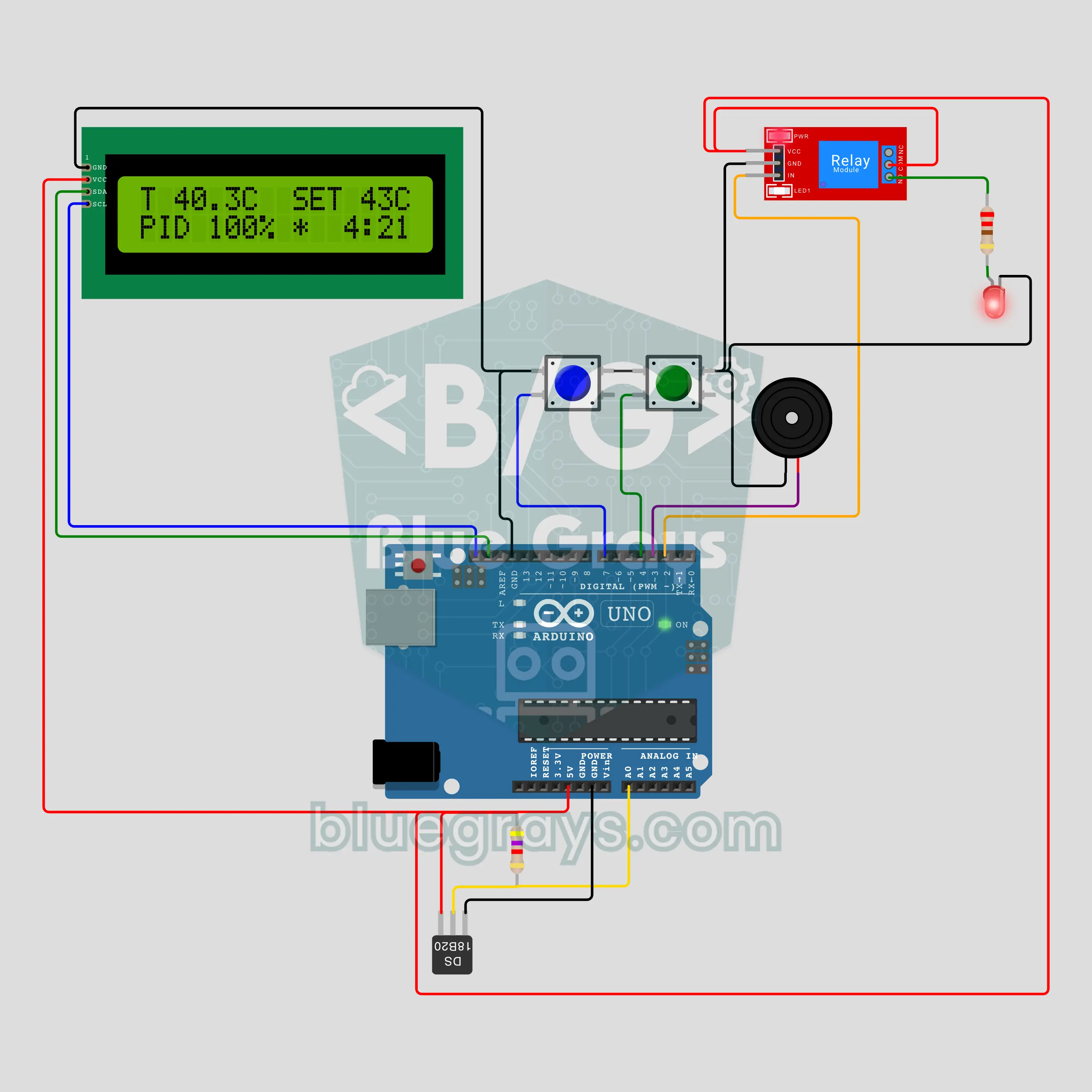
Homemade Yogurt Maker: 8 Hours at 43 °C (Arduino + DS18B20 + PID)
A waterproof DS18B20 measures the milk, and a PID loop drives the relay in a time window to hold the heater at 43 °C. Once the temperature reaches the target, an 8-hour countdown starts. The I2C LCD shows the temperature, the PID output and the time left, and the buzzer sounds when time is up. Two buttons set the target (38-46 °C) and the duration (4-12 hours). Active-low relay handling, sensor fault and overheat protection are in the code.
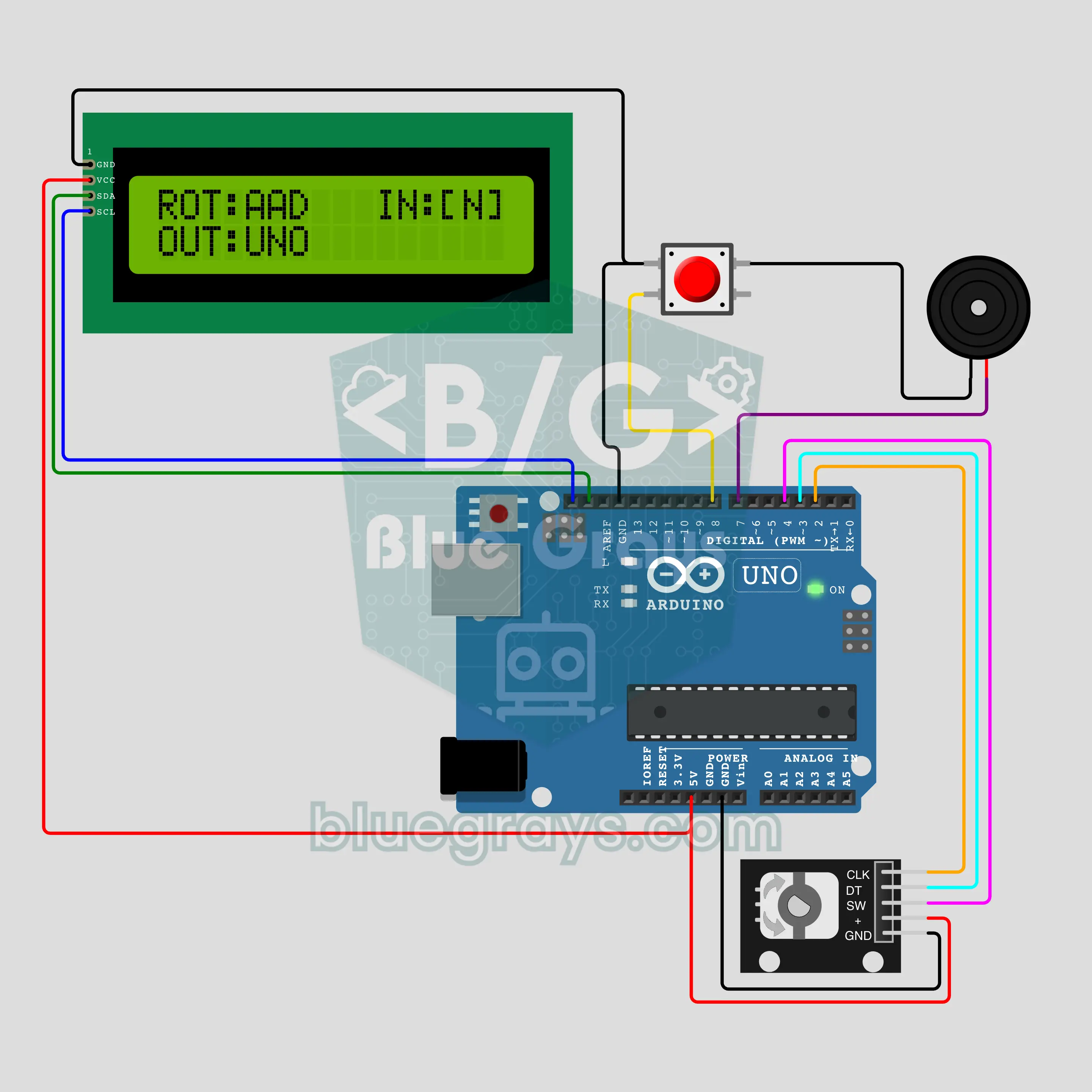
Enigma Cipher Machine: 3-Rotor Encryption (Arduino + KY-040 + I2C LCD)
Pick a letter with the KY-040 encoder and press: the encrypted letter appears on the I2C LCD and three rotors move one step, so the same letter turns into a different one on every press. Type the ciphertext again with the same key and the plain text returns: in the video, with key AAA, UNO became ZQN, and typing ZQN gave UNO again. Rotor tables, the double step, the reflector and a self test that runs 26 keys at power-up are in this project.
Mga piyesa at tool
Ang mga piyesang pinakamadalas gamitin sa mga project na ito, mga calculator na nakakatulong habang bumubuo ka, at mga step-by-step na gabay.


Mga madalas itanong
Ano ang mabubuo mo gamit ang Arduino?
Halos kahit anong nakakaramdam at tumutugon: LED animation, temperature station, parking assistant na may distance sensor, RFID door lock o maliit na robot car. Nagbabasa ang Arduino ng sensor, nagdedesisyon at kumokontrol ng mga output gaya ng LED, motor, relay at display.
Aling project ang dapat simulan ng baguhan sa Arduino?
Ang pagpapakislap ng LED ang pinakamagandang unang project: sabay nitong itinuturo ang wiring, pag-upload ng code at pag-control ng pin. Pagkatapos, lumipat sa pagbasa ng button, traffic light at pag-dim ng LED gamit ang potentiometer.
Aling Arduino board ang dapat kong bilhin?
Ang Arduino Uno ang tamang piliin ng baguhan, dahil karamihan ng halimbawa ay isinulat para rito. Mas maliit na board ang Nano na nakakabit sa breadboard, at bagay ang Mega sa mga project na maraming pin ang kailangan. Kung kailangan mo ng wireless, tingnan ang ESP32.
Anong mga piyesa ang kailangan ko para sa mga Arduino project?
Sapat na para sa mga unang project ang isang Arduino Uno, breadboard, jumper wire, mga LED, 220 Ω at 10 kΩ na resistor, push button at potentiometer. Sa susunod, puwede kang magdagdag ng HC-SR04 distance sensor, DHT11 temperature at humidity sensor, servo motor at 16x2 LCD. Nakalista sa bawat project page ang eksaktong mga piyesa.
Anong programming language ang gamit ng Arduino?
Nakabatay sa C/C++ ang Arduino code at isinusulat ito sa libreng Arduino IDE. May setup() function ang bawat sketch na tumatakbo nang isang beses at loop() function na paulit-ulit nang walang tigil. Ipinapaliwanag linya por linya ang code sa mga project na ito.
Ano ang gagawin ko kung hindi gumagana ang Arduino project ko?
Una, tingnan kung tamang board at port ang napili sa Arduino IDE. Pagkatapos, suriin ang wiring, siguraduhing magkakakonekta ang lahat ng ground at tama ang direksyon ng LED. Mas madaling makita ang bug kapag nagpi-print ka ng value sa Serial Monitor, at may section ng karaniwang pagkakamali ang bawat project.