
Which Arduino Should I Buy? Uno vs Nano vs Mega vs Leonardo
What's the difference between Arduino Uno and Mega? A pin, memory and use-case comparison of the Uno, Nano, Mega 2560 and Leonardo, plus when an ESP32 or Pico is the better choice.
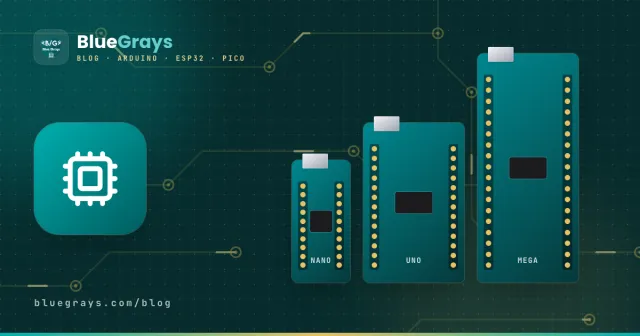
When you start with Arduino, the first question is usually: which board should I buy? The Uno, Nano, Mega and Leonardo are all programmed with the same Arduino IDE and most code runs on all of them. The differences are in pin count, memory, size and a few special abilities. In this guide we put the boards side by side and explain which one to choose when.
The short answer
- If it's your first board: Arduino Uno.
- If you're building a small, permanent project on a breadboard: Arduino Nano.
- If you need lots of pins, several serial devices or a big program: Arduino Mega 2560.
- If you're building a device that connects to a computer as a keyboard/mouse: Arduino Leonardo.
- If you need Wi-Fi or Bluetooth: an ESP32 instead of an Arduino.
Comparison table
| Feature | Uno R3 | Nano | Mega 2560 | Leonardo |
|---|---|---|---|---|
| Microcontroller | ATmega328P | ATmega328P | ATmega2560 | ATmega32U4 |
| Program memory | 32 KB | 32 KB | 256 KB | 32 KB |
| RAM | 2 KB | 2 KB | 8 KB | 2.5 KB |
| Digital pins (PWM) | 14 (6) | 14 (6) | 54 (15) | 20 (7) |
| Analog inputs | 6 | 8 | 16 | 12 |
| Hardware serial ports | 1 | 1 | 4 | 1 + USB |
| Size | 68 × 53 mm | 45 × 18 mm | 101 × 53 mm | 68 × 53 mm |
| Shield compatibility | Full | None | Most | Most |
Arduino Uno: the beginner's standard
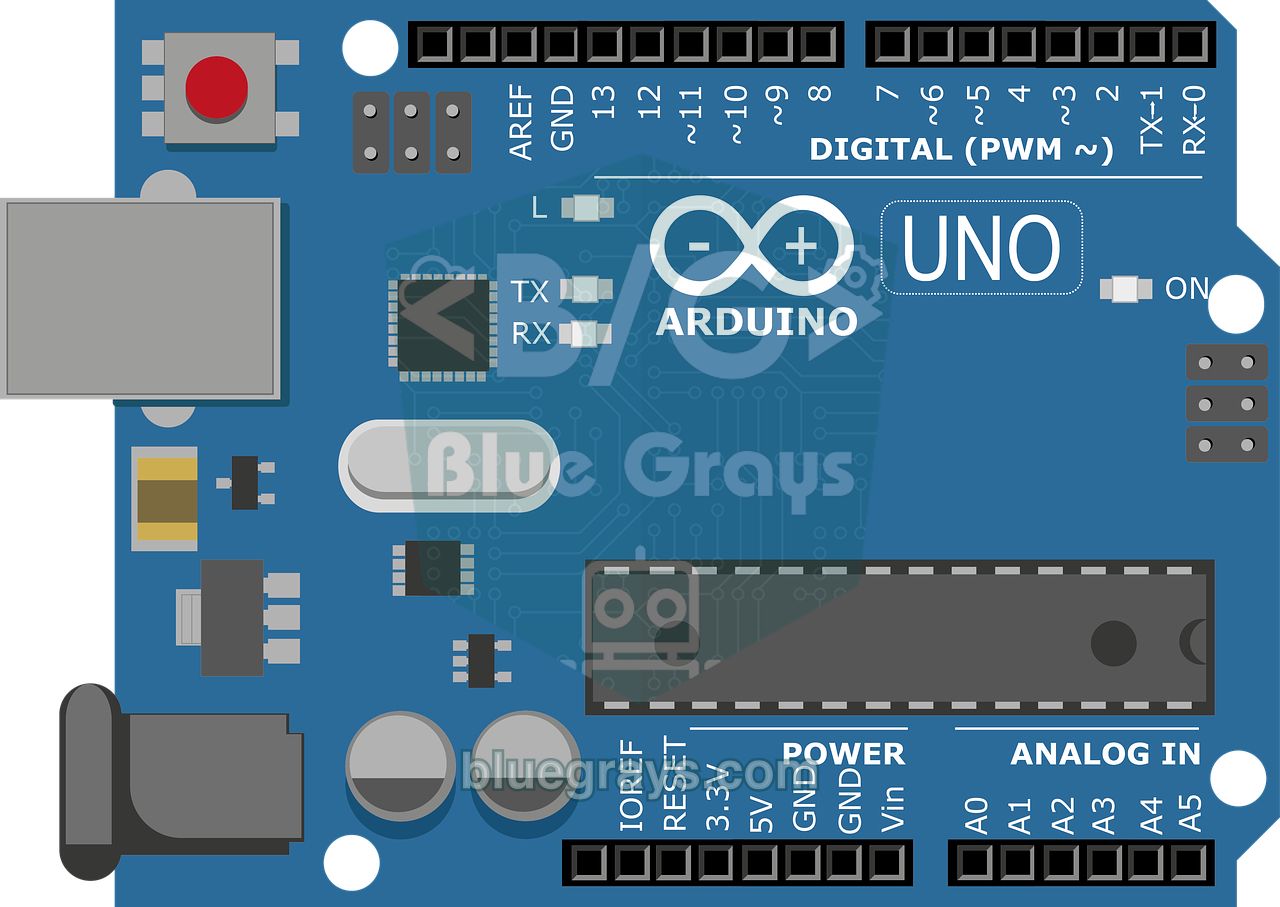
The Uno is the most widely used Arduino board. Almost all examples, tutorials and shields on the internet are written for it. Because it runs on 5 V, most sensors and modules connect directly, and it's quite tolerant of small wiring mistakes. Its only drawback is that the pins and 2 KB of RAM run out on bigger projects.
Arduino Nano: the Uno's little sibling
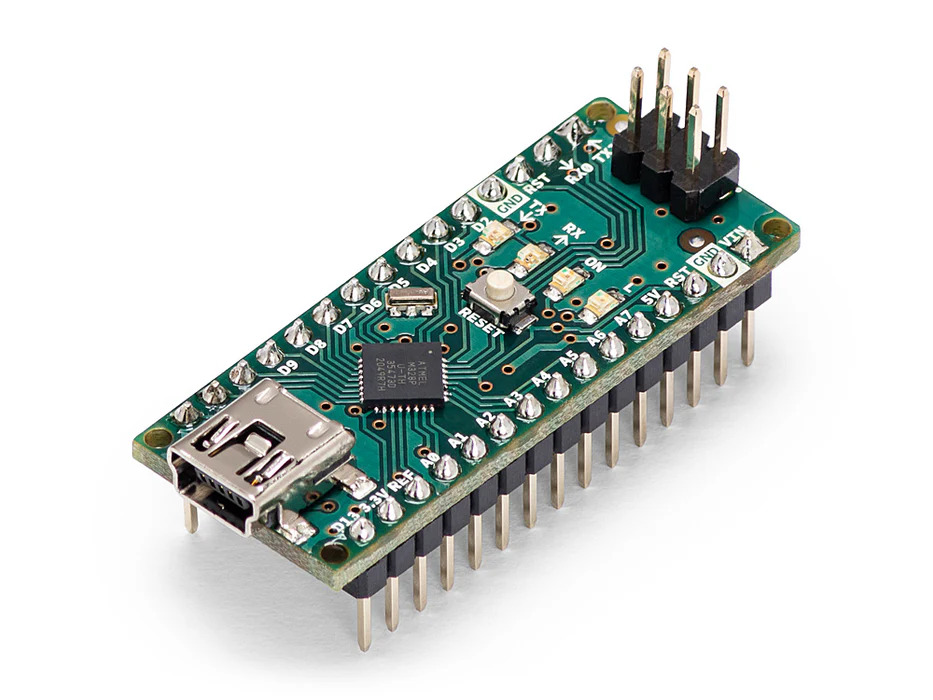
The Nano uses the same chip as the Uno, so code written for the Uno runs unchanged. It's thumb-sized and plugs straight into a breadboard. It also has the extra A6 and A7 analog inputs (these two pins can only do analog reads). Shields don't fit, which makes it ideal for permanent projects that need to fit in a box after prototyping.
Arduino Mega 2560: the pin and memory monster
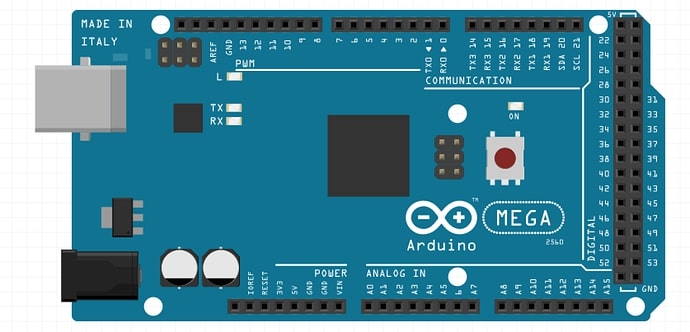
There are three main reasons to choose the Mega: 54 digital and 16 analog pins, 4 hardware serial ports and 8 times the Uno's program memory. You can connect several serial devices like GPS, Bluetooth and RFID at the same time and work with big libraries and long code. The Mega is also at the heart of 3D printer boards (RAMPS).
Arduino Leonardo: the board that can be a keyboard and mouse
The Leonardo's ATmega32U4 chip has USB built right in. This lets the board appear to a computer as a keyboard, mouse or gamepad (Keyboard.h and Mouse.h libraries). It's ideal for macro keypads, presentation remotes and game controllers. Most shields fit, but the I2C pins are in a different place.
When are the ESP32 and Raspberry Pi Pico better?
| What you need | Recommended board | Why? |
|---|---|---|
| Phone control, sending data to the internet | ESP32 | Built-in Wi-Fi and Bluetooth, 240 MHz dual core |
| A sensor that runs for months on a battery | ESP32 | Very low consumption in deep sleep |
| Learning with Python | Raspberry Pi Pico | MicroPython, very cheap |
| Cameras, image processing | Raspberry Pi 4/5 | A computer running Linux |
| The easiest start with 5 V sensors | Arduino Uno | 5 V logic, the most examples |
Original or clone?
Clone boards use the same chip as the originals and work the same way, at a much lower price. The difference is usually the USB converter chip (CH340), so you may need to install a driver on your computer. Buying an original board is a way to support the open-source Arduino project.
Our recommendation for getting started
If you're new to electronics, start with an Arduino Uno; once you've mastered the basic projects, add an ESP32 for internet-connected projects. You can compare every pin on both boards, including which ones are analog, PWM, I2C or SPI, in the interactive pinout tool.
Frequently asked questions
What's the biggest difference between the Arduino Uno and the Mega?
The Mega has many more pins (54 digital, 16 analog), 4 serial ports and 8 times more program memory. The Uno is smaller and more common, and it's enough for almost all beginner projects.
Does code written for the Uno run on the Mega?
Most of the time, yes. The main thing to watch is that the I2C and SPI pins are in different places (on the Mega, I2C is 20/21 and SPI is 50–53).
Is there any code difference between the Nano and the Uno?
No, both use the ATmega328P, so the same code runs. Just select Nano as the board in the Arduino IDE. Older Nano clones may need the 'ATmega328P (Old Bootloader)' option.
Should I buy an Arduino or an ESP32?
If you don't need Wi-Fi or Bluetooth and want to work comfortably with 5 V sensors, go for the Arduino Uno. If you're building internet-connected projects controlled from your phone, the ESP32 is a better fit and usually cheaper.
Which board should an Arduino starter kit have?
The Arduino Uno is the right choice for starter kits; most lessons and examples are built around it. A breadboard, LEDs, resistors, buttons, a potentiometer and a few sensors in the kit are enough.
More articles
Arduino Uno, Nano or Mega? We compare the boards side by side in a table and explain which one to pick for which project.


