
Video
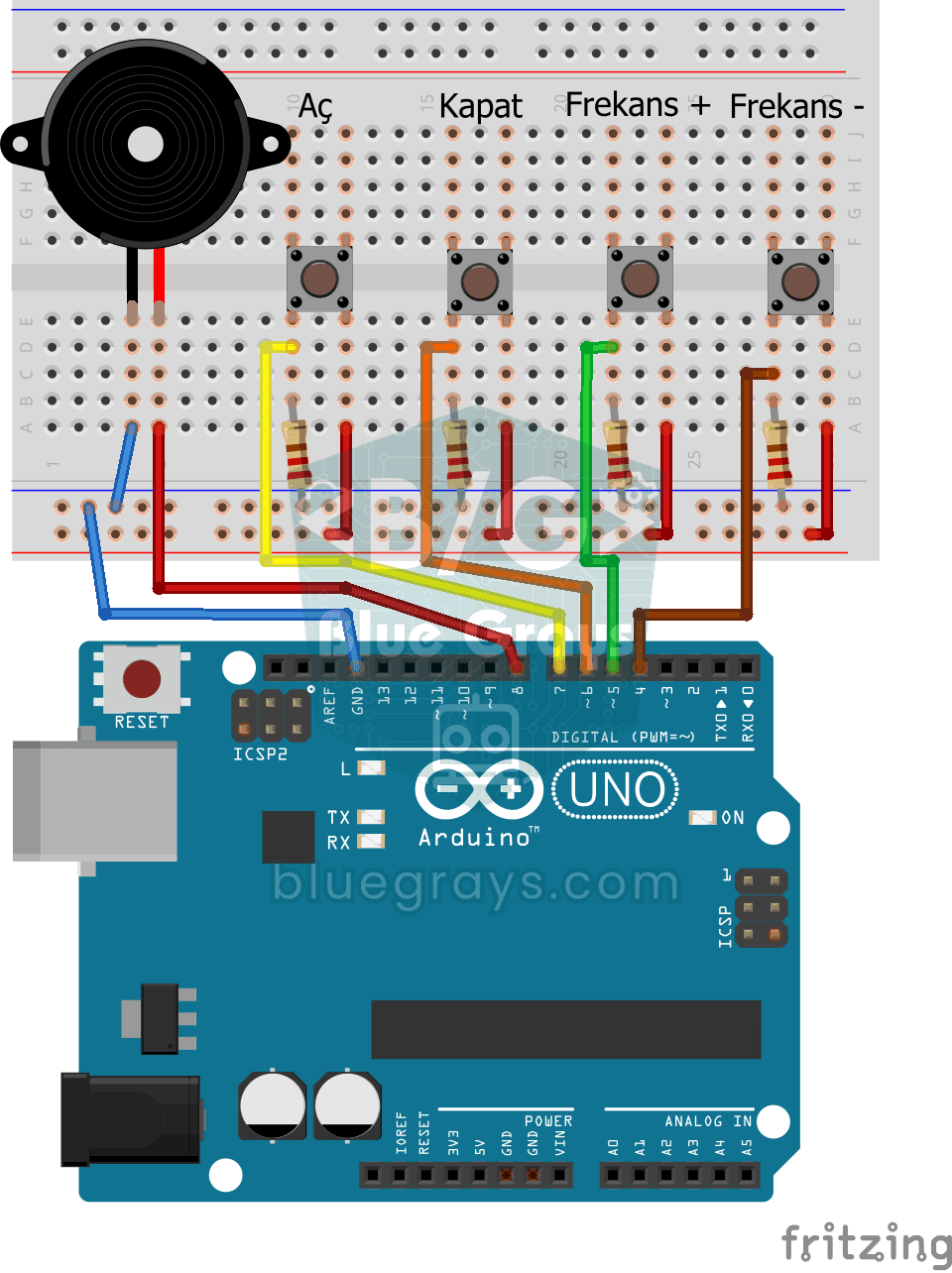
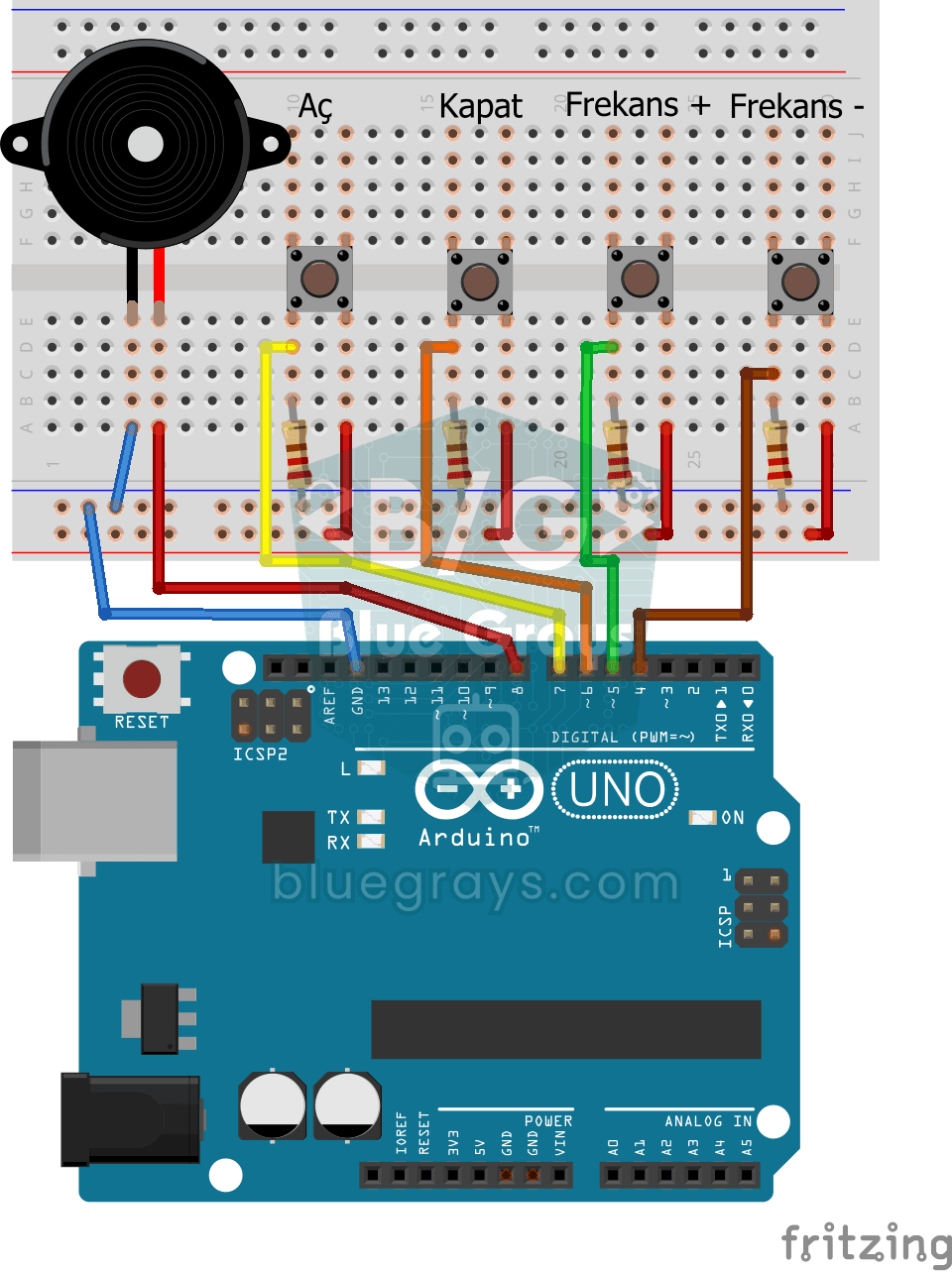
Circuit Diagram
Source Code
1int buzzerPin = 8;
2int btnOn = 7;
3int btnOff = 6;
4int btnIncrease = 5;
5int btnDecrease = 4;
6int frequency = 300;
7int state = 0;
8
9void setup() {
10  pinMode(btnOn, INPUT);
11  pinMode(btnOff, INPUT);
12  pinMode(btnIncrease, INPUT);
13  pinMode(btnDecrease, INPUT);
14}
15
16void loop() {
17  if (digitalRead(btnOn)) {
18    state = 1;
19  }
20
21  if (digitalRead(btnOff)) {
22    state = 0;
23  }
24
25  if (digitalRead(btnIncrease)) {
26    frequency = frequency + 50;
27    delay(100);
28  }
29
30  if (digitalRead(btnDecrease)) {
31    frequency = frequency - 50;
32    delay(100);
33  }
34
35  if (state == 1) {
36    tone(buzzerPin, frequency);
37  } else {
38    noTone(buzzerPin);
39  }
40}
FAQ
Why are 220 Ω resistors used for the buttons?▾
In this project, buttons are read using INPUT_PULLUP or pull-down; series resistors protect the pin against potential short circuits. A 10 kΩ resistor is generally preferred in the pull-down configuration; the pinMode setting in the code must be consistent with the circuit’s connection configuration.
In what range should the frequency be adjusted?▾
The human ear can hear frequencies ranging from approximately 20 Hz to 20 kHz, but small buzzers produce sound best in the 500–5,000 Hz range. Setting the increase/decrease step to 50–100 Hz makes the change audible.
When I hold down the button, the frequency changes rapidly—how can I slow it down?▾
If the frequency is changed on every cycle, holding down the button will cause the frequency to increase very rapidly. Either change it once per press (edge detection) or add a short delay after each change.
How can I prevent the frequency from going outside the limits?▾
You can use `constrain(frequency, 100, 5000)` to keep the value within a specific range. This prevents the frequency from dropping too low or rising so high that it becomes inaudible.