
Raspberry Pi Pico Onboard LED Blink (GP25 Built-in LED)
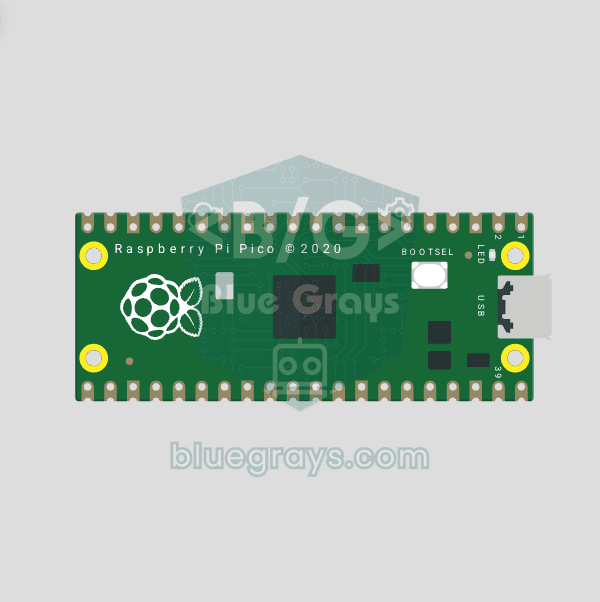
The opening project of the Raspberry Pi Pico series! We blink the onboard LED (green LED connected to GP25) to verify the board works — a classic "Hello World" first experiment. NO external components, just Pico and USB cable. Code is written in **MicroPython** (the official language backed by Raspberry Pi Foundation). Learn `machine.Pin` class, `Pin.OUT` mode, `led.on()/off()` methods, and `time.sleep()` in Thonny IDE. Follow every toggle live in the Serial (REPL) output. Also perfect to verify
Video
Circuit Diagram
Source Code
1# ─────────────────────────────────────────
2#   BlueGrays · bluegrays.com
3#   Raspberry Pi Pico Onboard LED Blink (GP25 Built-in LED)
4# ─────────────────────────────────────────
5# Blinks the onboard LED (GP25) of the Pico every 0.5 s; the classic
6# "Hello World" project. No external parts, just the Pico and a USB cable.
7#
8# Pins:
9#   GP25 -> Onboard LED (on the board)
10
11from machine import Pin
12import time
13
14# ============ PIN / PIN ============
15LED_PIN = 25                    # Onboard LED on GP25
16led = Pin(LED_PIN, Pin.OUT)
17
18print("== BlueGrays: Pico Dahili LED Blink ==")
19print("LED pin: GP25")
20print("Her 500ms'de LED yakip sonuyor / LED toggles every 500ms")
21
22# ============ MAIN LOOP ============
23while True:
24    led.on()                    # Turn the LED on
25    print("[LED] ACIK / ON")
26    time.sleep(0.5)
27
28    led.off()                   # Turn the LED off
29    print("[LED] KAPALI / OFF")
30    time.sleep(0.5)
31
FAQ
Why doesn't the built-in LED on the Pico W light up with the GP25?▾
On the Pico W, the LED is connected to the built-in Wi-Fi chip and cannot be controlled using GP25. If you write Pin('LED', Pin.OUT), the code will work on both the Pico and the Pico W.
How do I install MicroPython on the Pico?▾
Plug the Pico into the USB port while holding down the BOOTSEL button; a drive named "RPI-RP2" will appear on your computer. Drag the MicroPython .uf2 file you downloaded from the Raspberry Pi website onto this drive. The Thonny IDE can also do this automatically.
How do I save the code to Pico so that it runs every time I start it up?▾
In Thonny, save the file in Pico as "main.py." When Pico is powered on, it automatically runs the main.py file.
Thonny isn't showing up—what should I do?▾
"MicroPython (Raspberry Pi Pico)" should be selected from the interpreter selection in the lower-right corner. Make sure the USB cable is a data cable and that MicroPython is installed.