
프로젝트 101개
Raspberry Pi Pico 프로젝트
Raspberry Pi Pico는 RP2040 칩을 탑재한 작고 저렴한 마이크로컨트롤러 보드예요. 듀얼 코어 133 MHz 프로세서, 264 KB RAM, GPIO 핀 26개를 갖추고 있어요. Raspberry Pi 컴퓨터와 달리 운영체제 없이 작성한 프로그램 하나만 실행하며, 전원을 켜면 바로 시작해요. Pico W에는 Wi-Fi가 추가되어 무선 프로젝트도 만들 수 있어요.
이 페이지의 Raspberry Pi Pico 프로젝트는 대부분 MicroPython으로 작성했어요. 일부는 Arduino IDE에서 C++을 사용하며, 각 프로젝트의 코드 블록에 사용 언어가 표시되어 있어요. Python은 읽기 쉬워서 코딩 입문자, 학생, Python을 알고 하드웨어도 다뤄 보고 싶은 분에게 Pico가 잘 맞아요. 프로젝트는 내장 LED부터 시작해 버튼, PWM, 인터럽트(IRQ), 센서, 상태 머신으로 이어지며, 각각 회로도와 주석이 달린 코드가 있어요.
이렇게 시작해 보세요. BOOTSEL 버튼을 누른 채 Pico를 컴퓨터에 연결하고, 나타나는 드라이브에 MicroPython UF2 파일을 끌어다 놓거나 Thonny 편집기에서 설치해 주세요. Thonny에서 Run을 누르면 컴파일 없이 코드가 바로 보드로 전송돼요. 그다음 첫 프로젝트 10개를 순서대로 따라 해 보세요. Pico 핀은 3.3 V에서 작동하므로 5 V 신호를 출력하는 센서를 직접 연결하지 마세요.
입문자를 위한 첫 프로젝트 10개
이 순서대로 진행하면 프로젝트마다 앞에서 배운 내용에 새로운 기술을 하나씩 더할 수 있어요.
- 1
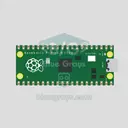 Raspberry Pi Pico Onboard LED Blink (Pico and Pico W)The opening project of the Raspberry Pi Pico series! We blink the Pico's green built-in LED to confirm the board works, the classic "Hello World" first experiment. No external parts needed, just the Pico and a USB cable. The code is written in MicroPython, the language officially supported by the Raspberry Pi Foundation.초급
- 2
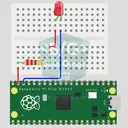 Raspberry Pi Pico: Controlling an External LED (Breadboard)The next step after the Pico's built-in LED: connect an external LED on a breadboard and control it through pin GP14. You'll learn how to use any of the Pico's GPIO pins as an output, the LED's polarity (long leg = anode/+, short leg = cathode/–) and why a current-limiting resistor (220Ω) is a must. Without the resistor, too much current flows through the LED and it can burn out.초급
- 3
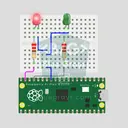 Raspberry Pi Pico Alternating Two LEDs (Blink-Flip Pattern)The next step after the Pico's single LED: the classic flip-flop animation, with two LEDs blinking in turn. One LED turns off as the other turns on, the most basic example of handling multiple GPIOs. Two LEDs of different colors (red on GP14, green on GP13) swap every 500 ms. With MicroPython's Pin.toggle() method, the code stays short and readable.초급
- 4
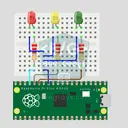 Raspberry Pi Pico Traffic Light Simulator (3 LEDs Sequential)We recreate real traffic light logic with red, yellow and green LEDs, the first Pico project to move up to 3 LEDs! Green says "go" for 4 seconds, yellow "get ready" for 1.5 seconds, red "stop" for 3 seconds, and red+yellow "set off" for 1 second (the European traffic light pattern). You'll learn to define functions (def all_off()), state machine logic and multi-GPIO synchronization.초급
- 5
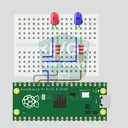 Raspberry Pi Pico Police Strobe Light Effect (Red + Blue)We simulate a police car's light bar with a Raspberry Pi Pico in its simplest form! The red and blue LEDs take turns (flip-flop): while red is on, blue is off, and they swap every 0.3 seconds, forever. The code writes the two steps directly in a single while True loop; the speed is set with the WAIT_MS constant.초급
- 6Raspberry Pi Pico 3-Burst Police Flip-Flop (2 LEDs)Rhythmic variation of the police strobe project — 3-burst flip-flop! Same 2-LED circuit (GP11 red + GP12 blue), but a different pattern: red LED flashes 3 times rapidly, then blue flashes 3 times, forever. This "burst + switch" pattern is the most recognizable rhythm of real police siren lights. Learn parametrized function def burst(led, count, duration_ms), rhythm design, and generating different visual effects with code on same circuit.초급
- 7
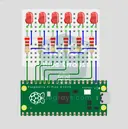 Raspberry Pi Pico Chasing LED (6 LEDs)The classic "running LED" animation with the Pico, 6-LED version! Six LEDs light up one after another from left to right, as if the light were walking along the row. You'll learn Python lists (LED_PINS = [14, 13, 12, 11, 10, 9]), list comprehensions, controlling pins with a for loop and enumerate(). Six LEDs go on pins GP9-GP14, each with a 220Ω current-limiting resistor.초급
- 8
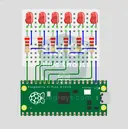 Raspberry Pi Pico Knight Rider LED Scanner (6 LED Back-Forth)Classic "Knight Rider" LED scanner effect with Pico! 6 LEDs go left-to-right, then right-to-left, forever. Like the front grille of KITT car from the iconic 80s TV series. This project is an upgrade of the Chasing LED project: same 6 LED circuit (GP9-GP14), different code pattern. Learn reversed() function for list reversal, two separate for loops for back-and-forth pattern, and generating multiple animations on same circuit.초급
- 9
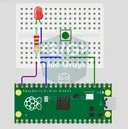 Raspberry Pi Pico Button Controlled LED (Push)First input project with Pico — button read! LED lights while button is pressed, off when released. This is the big step after LED animations: signal input from the world to Pico. Learn Pin.IN (input mode), Pin.PULL_UP (internal pull-up resistor — standard for buttons), button.value() reading. GP14 LED, GP2 button (internal PULL_UP). Pressed = LOW (0), released = HIGH (1) — reverse logic seems confusing at first but is industry standard.초급
- 10
 Raspberry Pi Pico Button Toggle LEDButton + LED — next level! Unlike the basic button project, there is no need to hold the button. Press and release → LED on. Press and release again → LED off (toggle). Same circuit (LED GP14, Button GP2), but big code difference. Learn edge detection (capturing the 1→0 falling moment), state tracking, debounce (mechanical bounce filter). MicroPython's led.toggle() swaps state in one line. Foundation of all interactive button projects (mode switcher, IRQ, double-click).초급
난이도별 프로젝트
초급프로젝트 41개
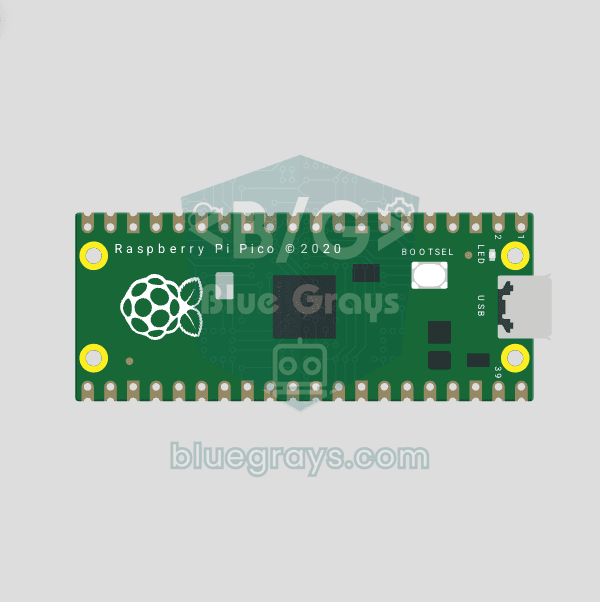
Raspberry Pi Pico Onboard LED Blink (Pico and Pico W)
The opening project of the Raspberry Pi Pico series! We blink the Pico's green built-in LED to confirm the board works, the classic "Hello World" first experiment. No external parts needed, just the Pico and a USB cable. The code is written in MicroPython, the language officially supported by the Raspberry Pi Foundation.
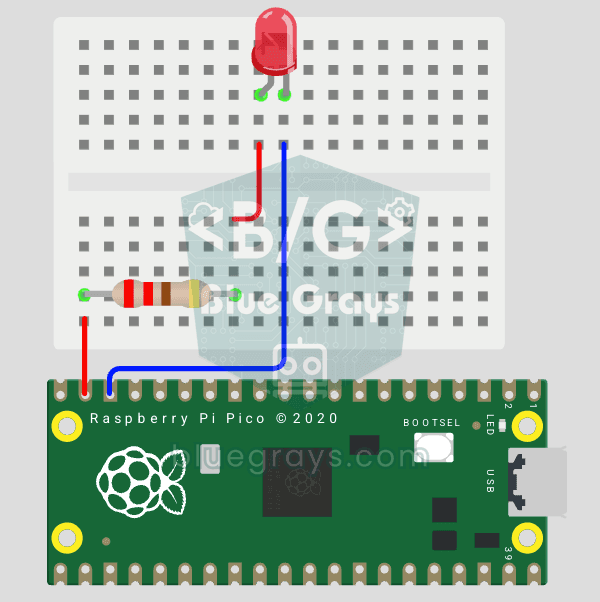
Raspberry Pi Pico: Controlling an External LED (Breadboard)
The next step after the Pico's built-in LED: connect an external LED on a breadboard and control it through pin GP14. You'll learn how to use any of the Pico's GPIO pins as an output, the LED's polarity (long leg = anode/+, short leg = cathode/–) and why a current-limiting resistor (220Ω) is a must. Without the resistor, too much current flows through the LED and it can burn out.
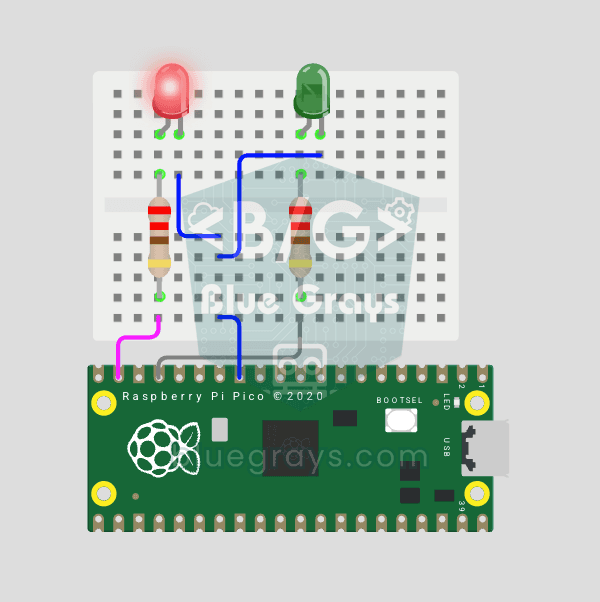
Raspberry Pi Pico Alternating Two LEDs (Blink-Flip Pattern)
The next step after the Pico's single LED: the classic flip-flop animation, with two LEDs blinking in turn. One LED turns off as the other turns on, the most basic example of handling multiple GPIOs. Two LEDs of different colors (red on GP14, green on GP13) swap every 500 ms. With MicroPython's Pin.toggle() method, the code stays short and readable.
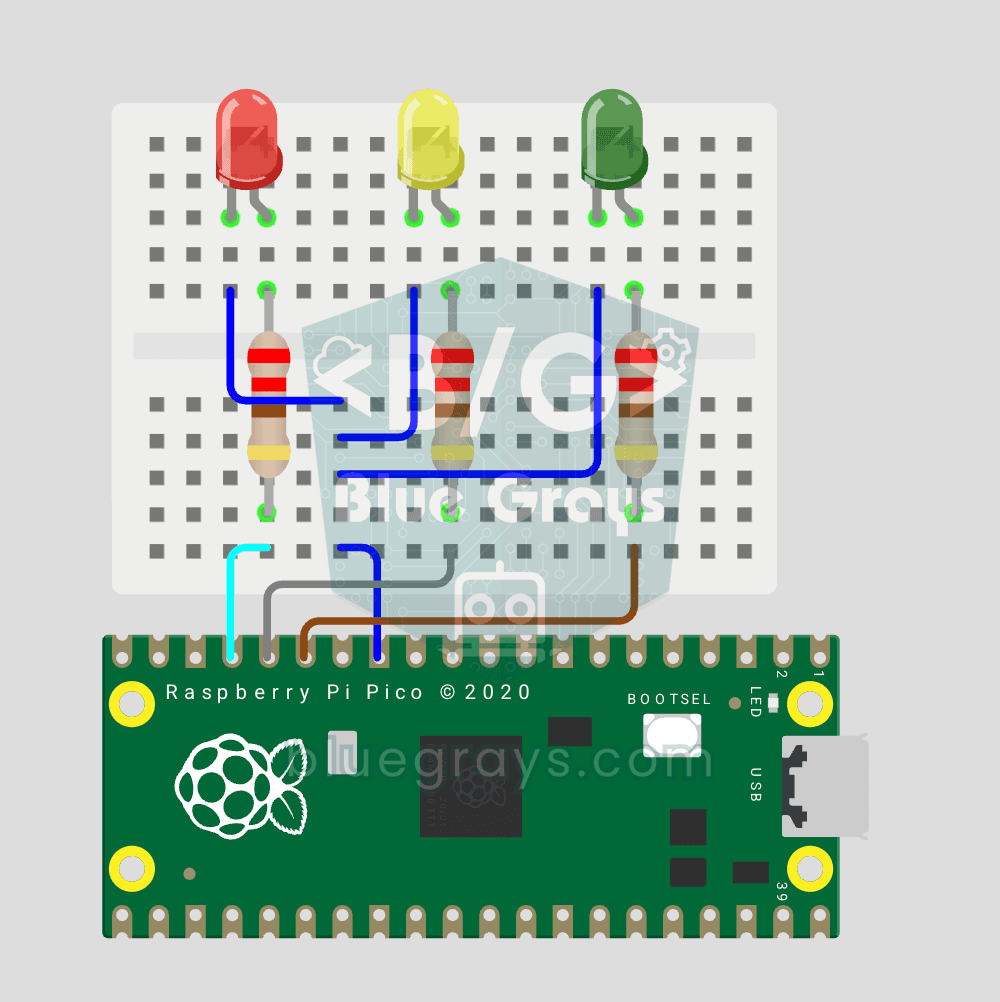
Raspberry Pi Pico Traffic Light Simulator (3 LEDs Sequential)
We recreate real traffic light logic with red, yellow and green LEDs, the first Pico project to move up to 3 LEDs! Green says "go" for 4 seconds, yellow "get ready" for 1.5 seconds, red "stop" for 3 seconds, and red+yellow "set off" for 1 second (the European traffic light pattern). You'll learn to define functions (def all_off()), state machine logic and multi-GPIO synchronization.
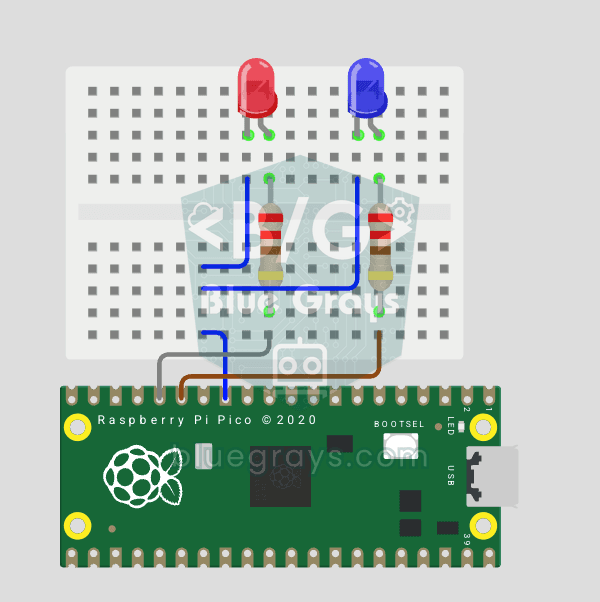
Raspberry Pi Pico Police Strobe Light Effect (Red + Blue)
We simulate a police car's light bar with a Raspberry Pi Pico in its simplest form! The red and blue LEDs take turns (flip-flop): while red is on, blue is off, and they swap every 0.3 seconds, forever. The code writes the two steps directly in a single while True loop; the speed is set with the WAIT_MS constant.
Raspberry Pi Pico 3-Burst Police Flip-Flop (2 LEDs)
Rhythmic variation of the police strobe project — 3-burst flip-flop! Same 2-LED circuit (GP11 red + GP12 blue), but a different pattern: red LED flashes 3 times rapidly, then blue flashes 3 times, forever. This "burst + switch" pattern is the most recognizable rhythm of real police siren lights. Learn parametrized function def burst(led, count, duration_ms), rhythm design, and generating different visual effects with code on same circuit.
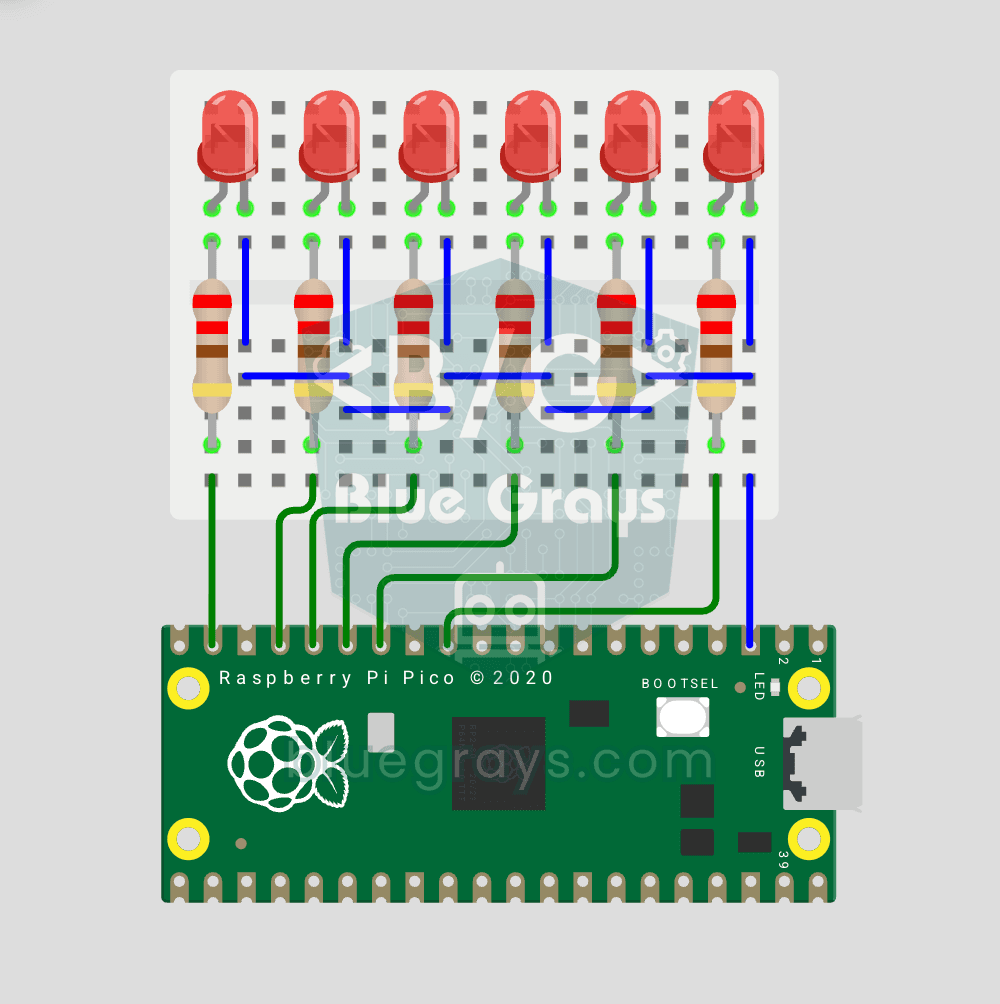
Raspberry Pi Pico Chasing LED (6 LEDs)
The classic "running LED" animation with the Pico, 6-LED version! Six LEDs light up one after another from left to right, as if the light were walking along the row. You'll learn Python lists (LED_PINS = [14, 13, 12, 11, 10, 9]), list comprehensions, controlling pins with a for loop and enumerate(). Six LEDs go on pins GP9-GP14, each with a 220Ω current-limiting resistor.
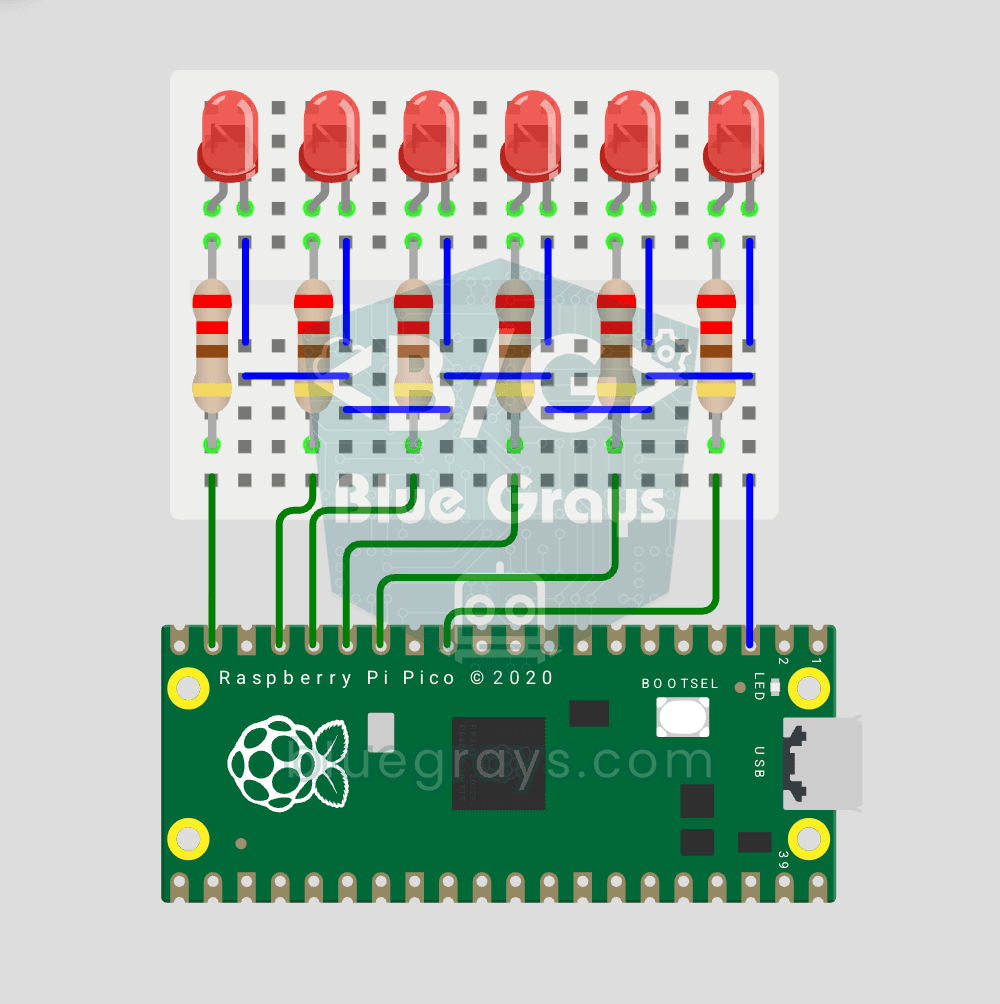
Raspberry Pi Pico Knight Rider LED Scanner (6 LED Back-Forth)
Classic "Knight Rider" LED scanner effect with Pico! 6 LEDs go left-to-right, then right-to-left, forever. Like the front grille of KITT car from the iconic 80s TV series. This project is an upgrade of the Chasing LED project: same 6 LED circuit (GP9-GP14), different code pattern. Learn reversed() function for list reversal, two separate for loops for back-and-forth pattern, and generating multiple animations on same circuit.
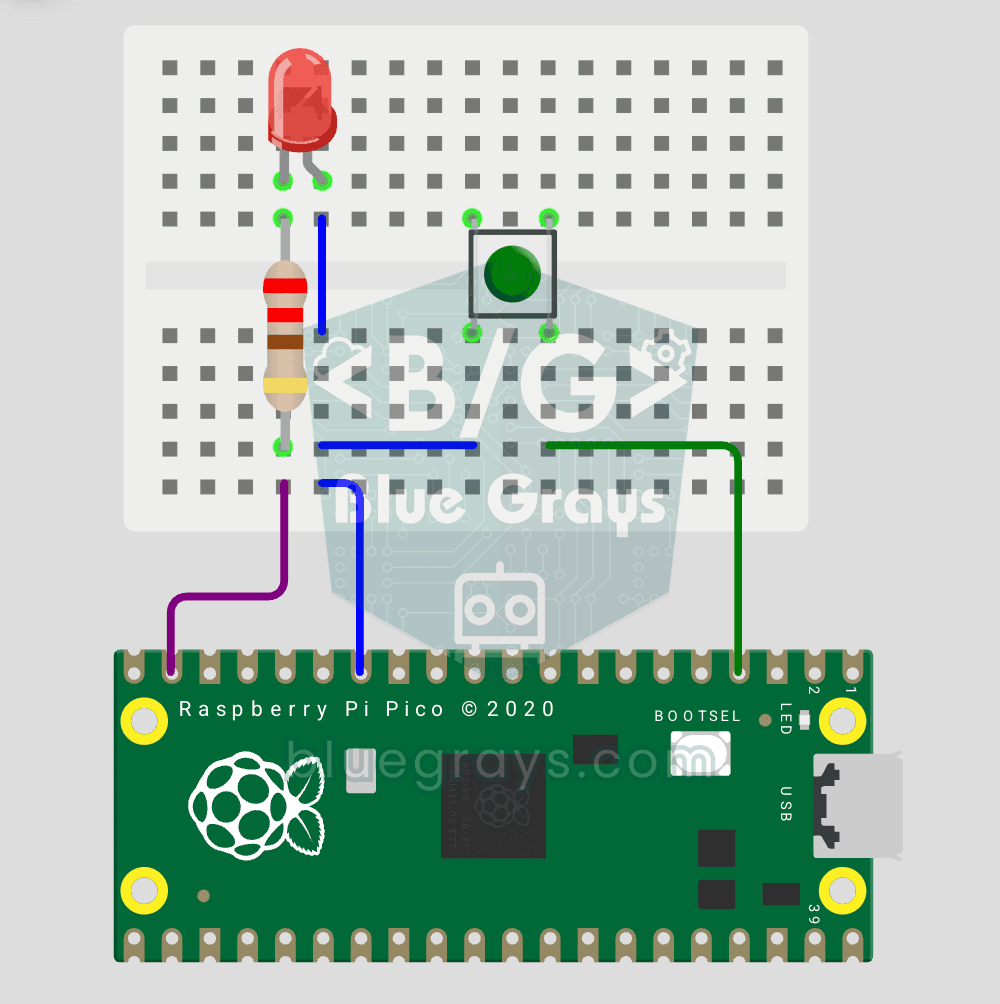
Raspberry Pi Pico Button Controlled LED (Push)
First input project with Pico — button read! LED lights while button is pressed, off when released. This is the big step after LED animations: signal input from the world to Pico. Learn Pin.IN (input mode), Pin.PULL_UP (internal pull-up resistor — standard for buttons), button.value() reading. GP14 LED, GP2 button (internal PULL_UP). Pressed = LOW (0), released = HIGH (1) — reverse logic seems confusing at first but is industry standard.
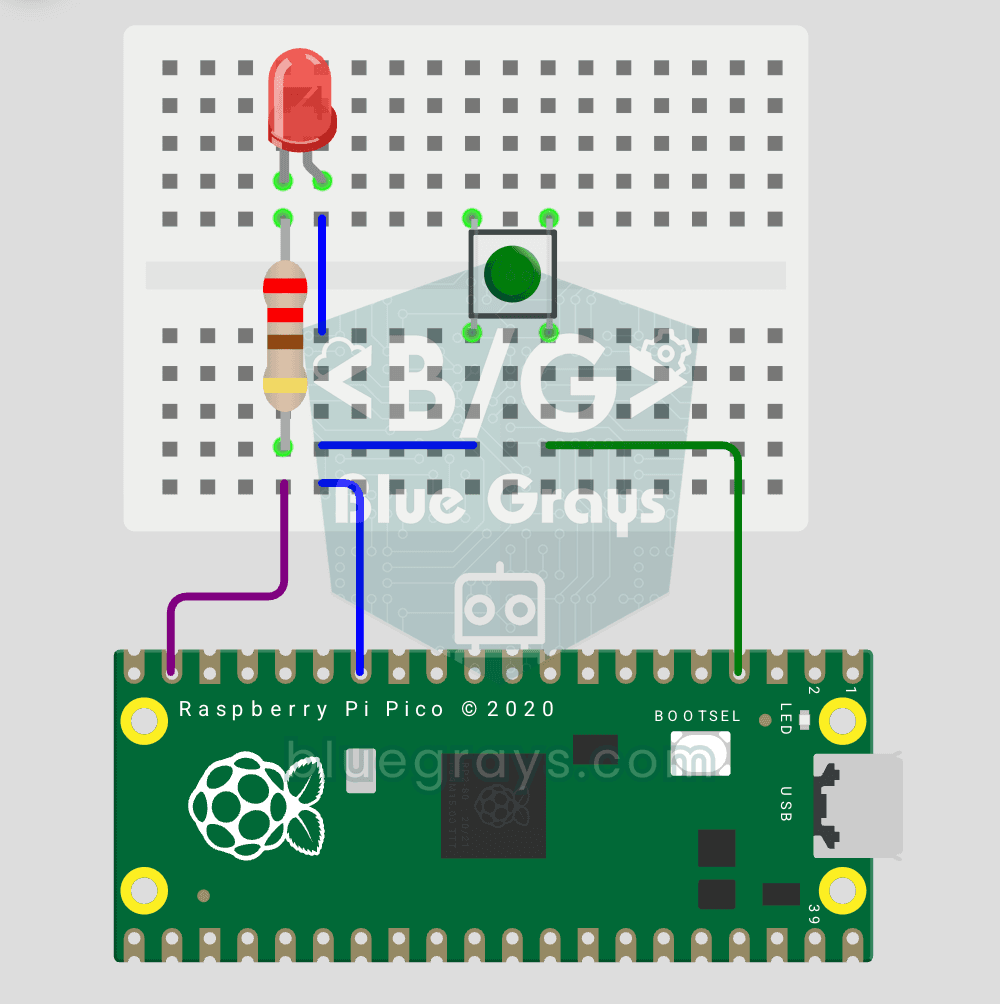
Raspberry Pi Pico Button Toggle LED
Button + LED — next level! Unlike the basic button project, there is no need to hold the button. Press and release → LED on. Press and release again → LED off (toggle). Same circuit (LED GP14, Button GP2), but big code difference. Learn edge detection (capturing the 1→0 falling moment), state tracking, debounce (mechanical bounce filter). MicroPython's led.toggle() swaps state in one line. Foundation of all interactive button projects (mode switcher, IRQ, double-click).
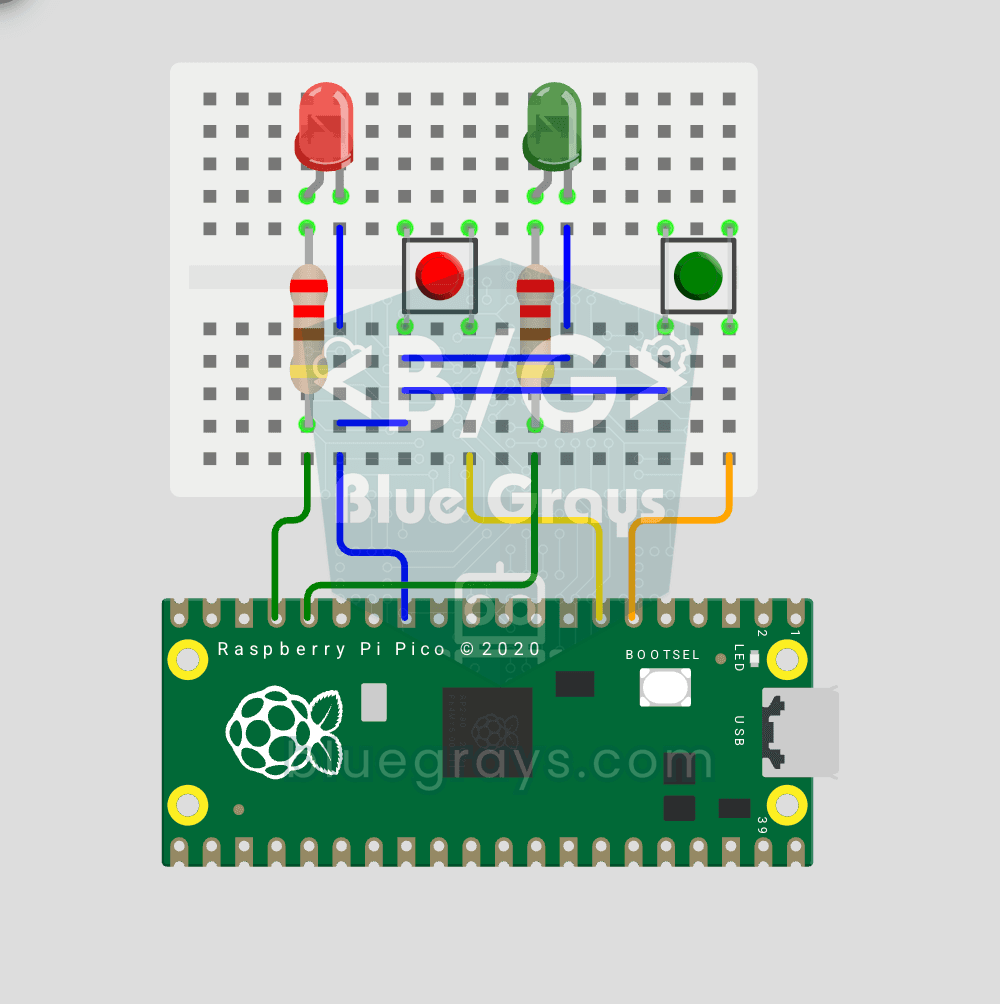
Raspberry Pi Pico: Independent Control of 2 LEDs Using 2 Buttons
2 buttons, 2 LEDs, completely independent of each other! Each button controls its own LED: press BTN1 and the red LED lights up, press BTN2 and the green one does. Press both at once and both LEDs light up (parallel operation). You'll learn to manage several Pin objects together, the ternary operator, Python's compact if-else (1 if x else 0), and a GPIO map (GP12/13 LED outputs, GP4/5 button inputs).
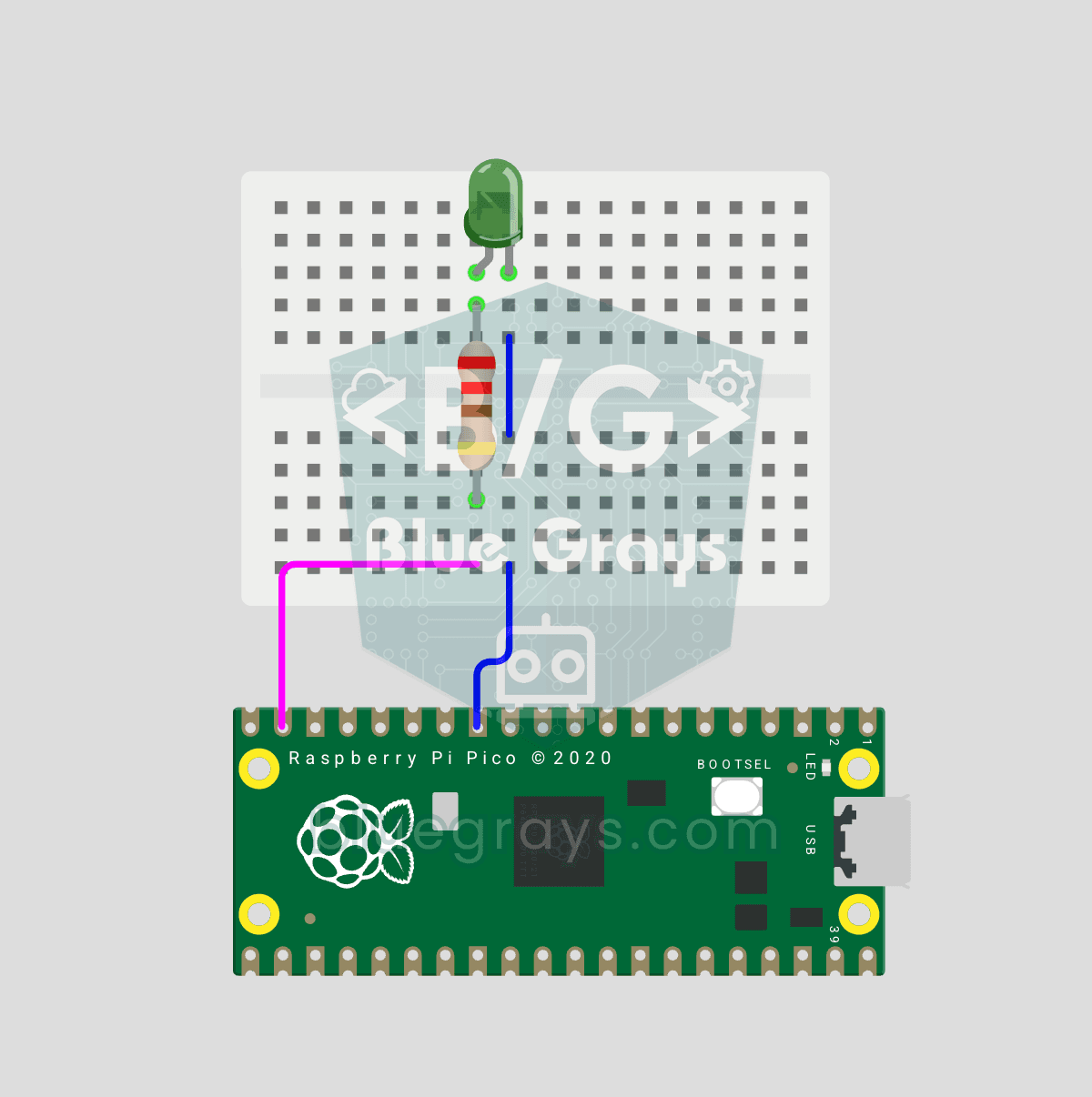
Raspberry Pi Pico PWM LED Fade (Breathing Effect)
The LED doesn't just blink anymore, it breathes! With the Raspberry Pi Pico's PWM (Pulse Width Modulation), the LED's brightness slowly rises and then slowly fades, a calm "breathing" effect like a sleeping laptop's light. You'll learn the machine.PWM class, the 16-bit brightness value from 0–65535 with duty_u16() and the PWM frequency.
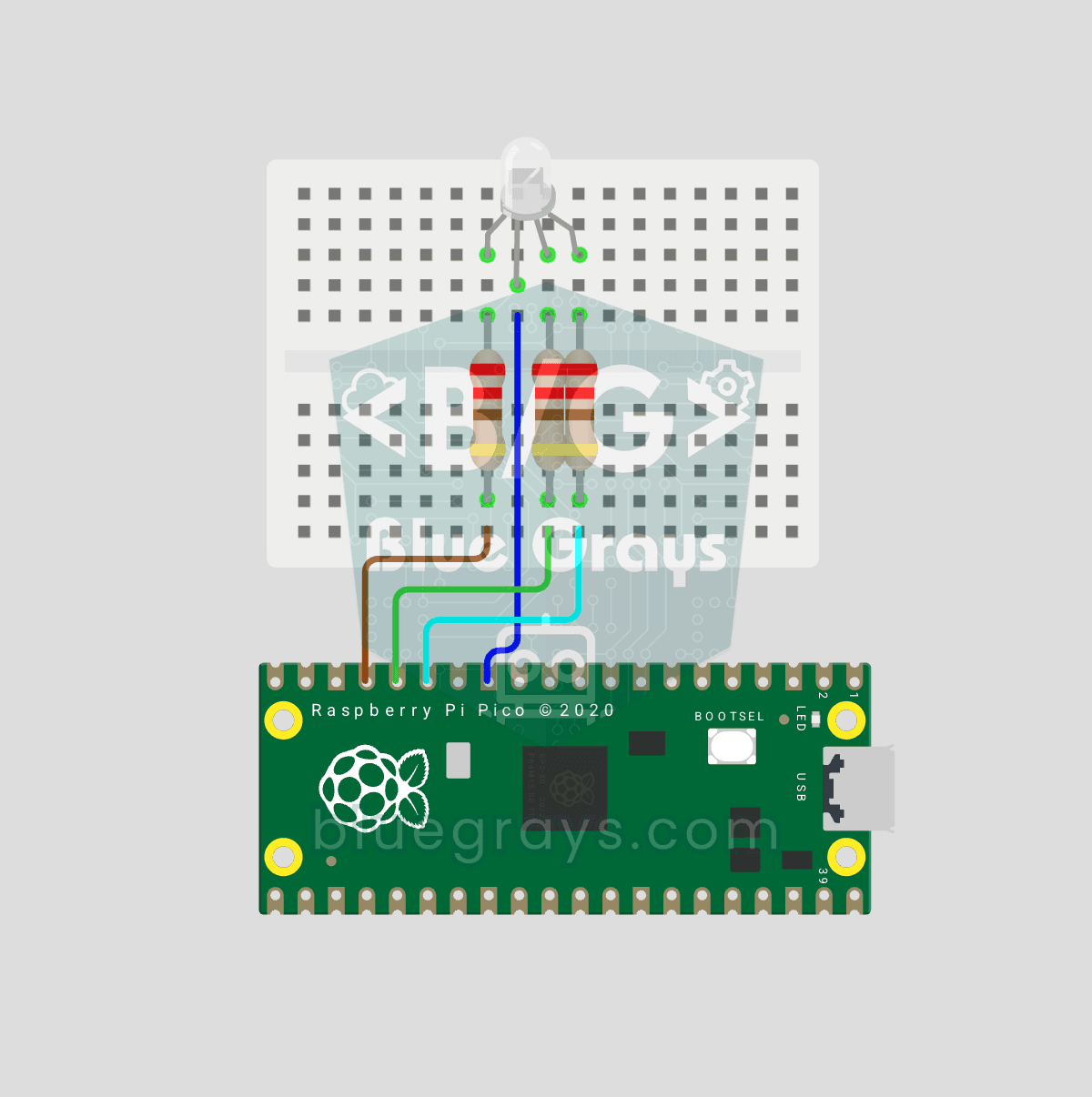
Raspberry Pi Pico RGB LED Color Cycle (3-Channel PWM)
One LED, millions of colors! An RGB LED actually holds 3 separate LEDs: red, green and blue. Set the brightness of each one separately with the Pico's 3 PWM channels and the colors mix: red + green = yellow, green + blue = cyan, all three = white. In this project the LED cycles through 8 colors.
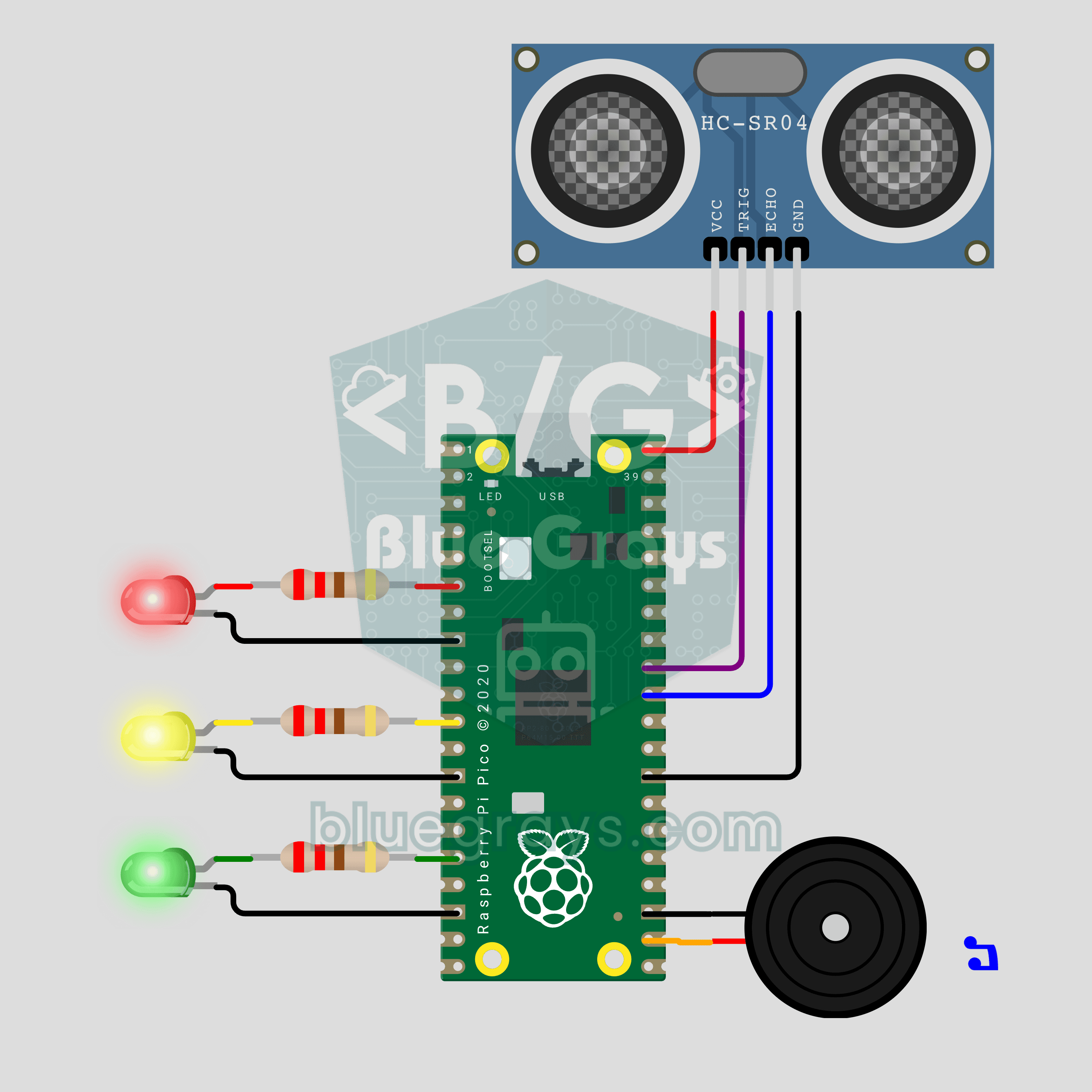
Raspberry Pi Pico Parking Sensor (HC-SR04 + 3 LEDs + Buzzer)
Bring your car's reverse parking sensor to your desk! The Raspberry Pi Pico uses an HC-SR04 ultrasonic sensor to measure the distance to an obstacle about 16 times a second. As it gets closer, the green, yellow and red LEDs light up in turn and the buzzer beeps faster; under 10 cm the tone turns continuous and the red LED flashes. Ultrasonic ranging, PWM sound and non-blocking timing in one project.
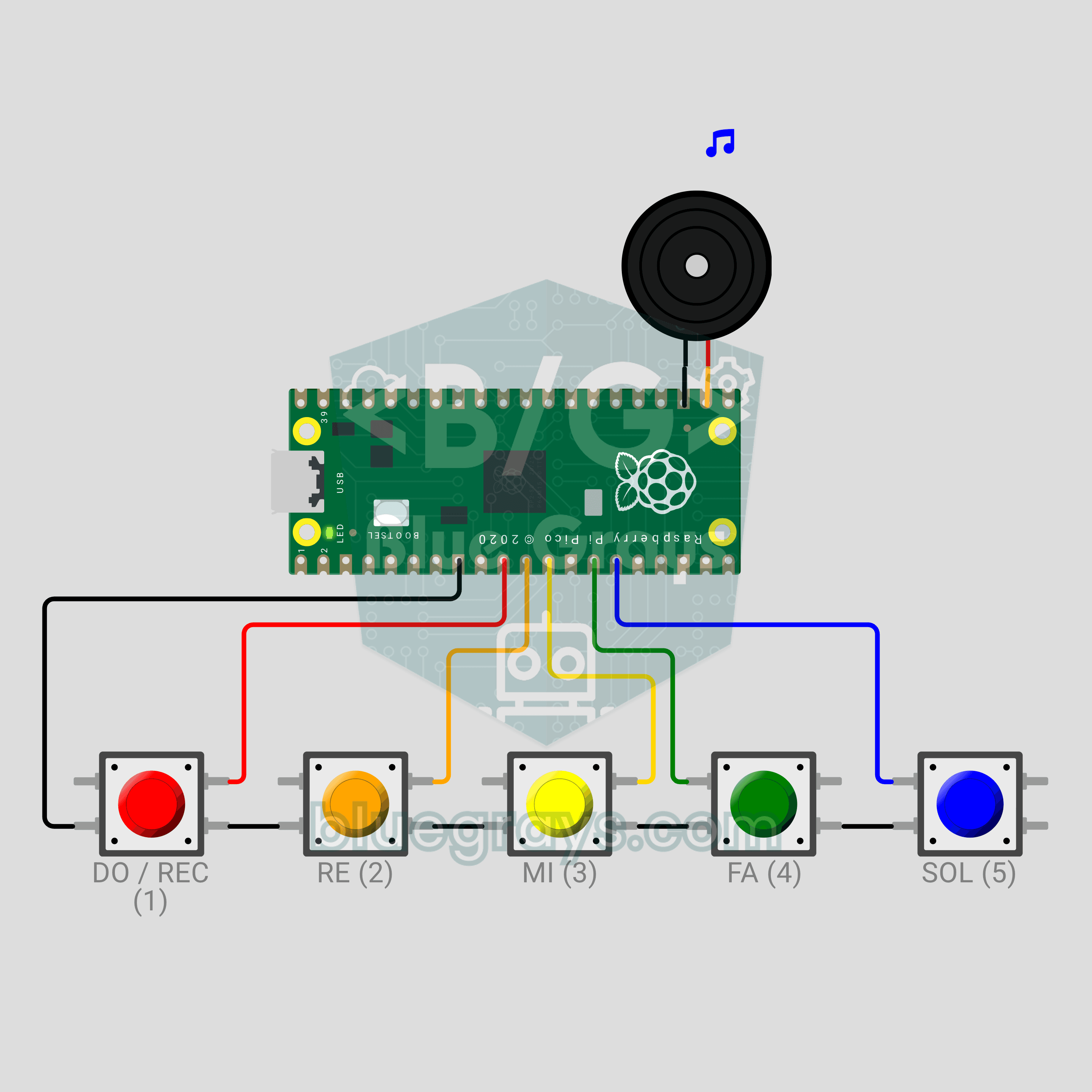
Raspberry Pi Pico Button Piano (5 Buttons + Buzzer + Melody Recorder)
A five-key mini piano that remembers what you play! The Raspberry Pi Pico plays DO, RE, MI, FA and SOL on a passive buzzer from five buttons, and a note lasts as long as you hold its key. Hold DO for a second, play your tune, then hold DO again: the Pico plays it back, shortening silences longer than 1.5 seconds between notes to 1.5 seconds. The record indicator is the LED already on the board, so no extra parts. PWM notes, debouncing and non-blocking timing in one project.
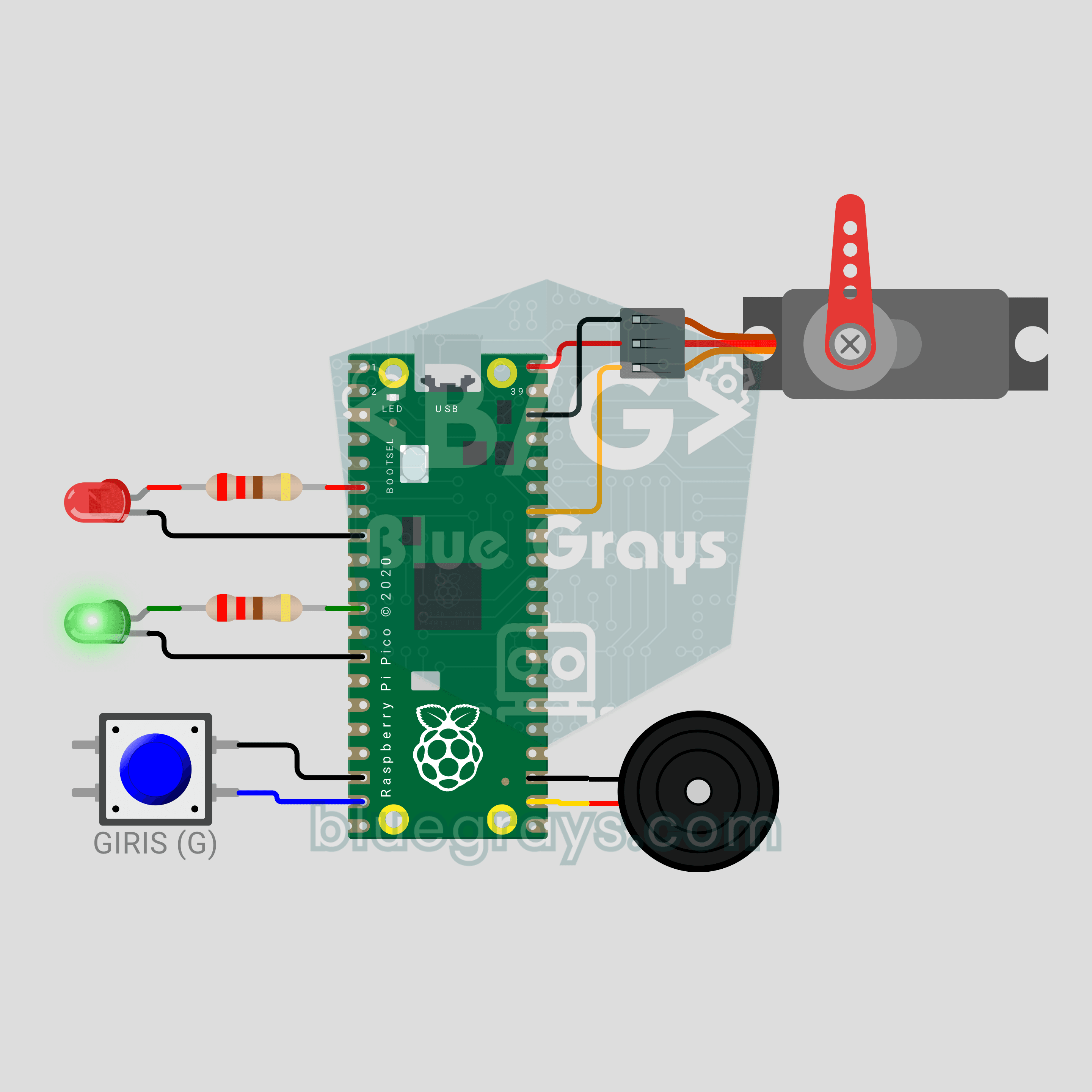
Raspberry Pi Pico Parking Barrier (SG90 Servo + 2 LEDs + Button + Buzzer)
A small model of the boom barrier at a car park entrance! Press the button and the Raspberry Pi Pico raises the arm smoothly with an SG90 servo as the green LED comes on. It stays open for 3 seconds, then lowers slowly with a flashing red LED and warning beeps from the buzzer. Press again while it is lowering and the arm rises at once for safety. Servo control, a state machine and non-blocking timing in one project.
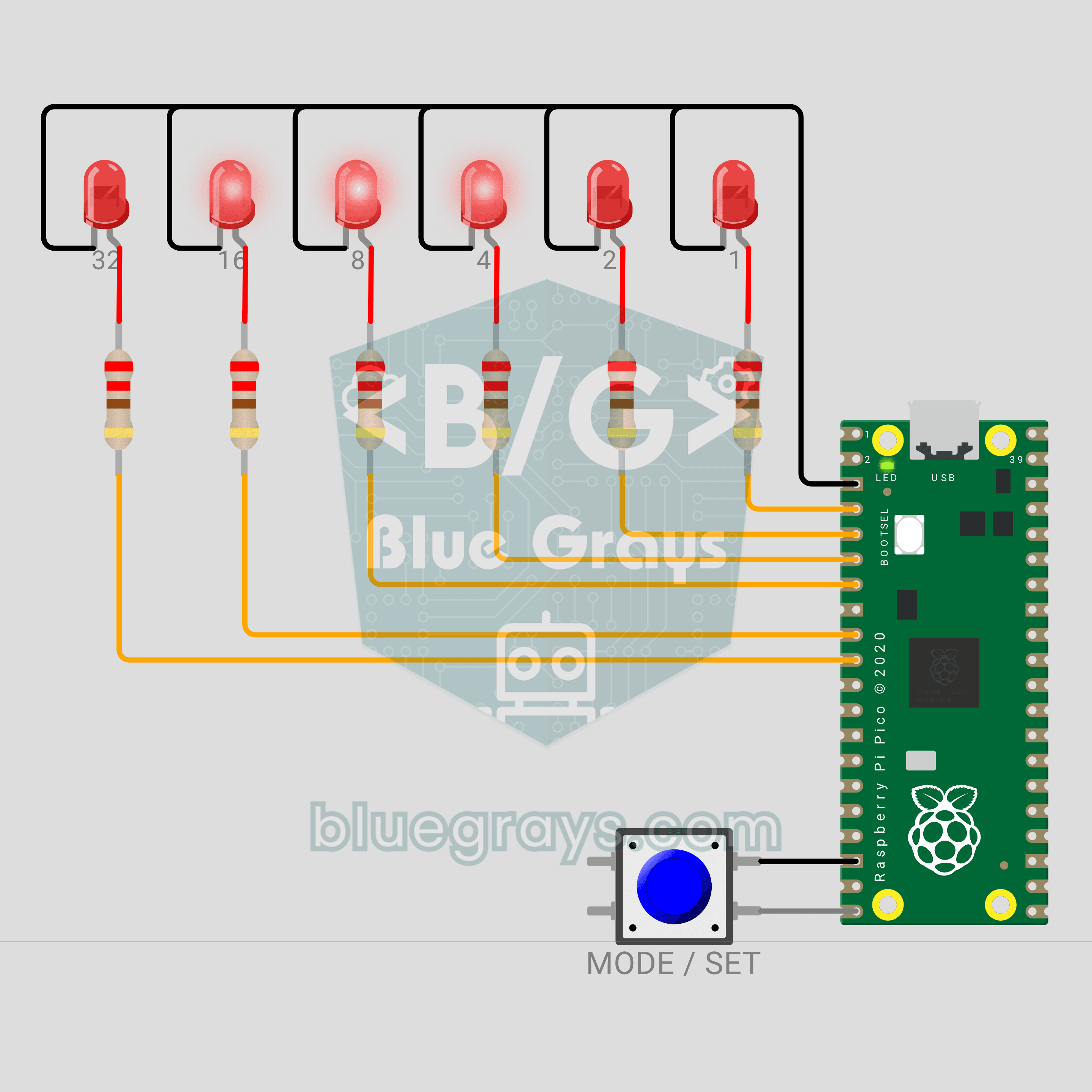
Raspberry Pi Pico Binary Clock (6 LEDs + Button)
This clock has no digits! We are building a clock with a Raspberry Pi Pico that shows the time in binary. The 6 LEDs are the 32-16-8-4-2-1 places; add up the lit ones and you read the seconds, minutes or hours. A single button switches fields and sets the time, and a light sweep runs across the LEDs every full hour.
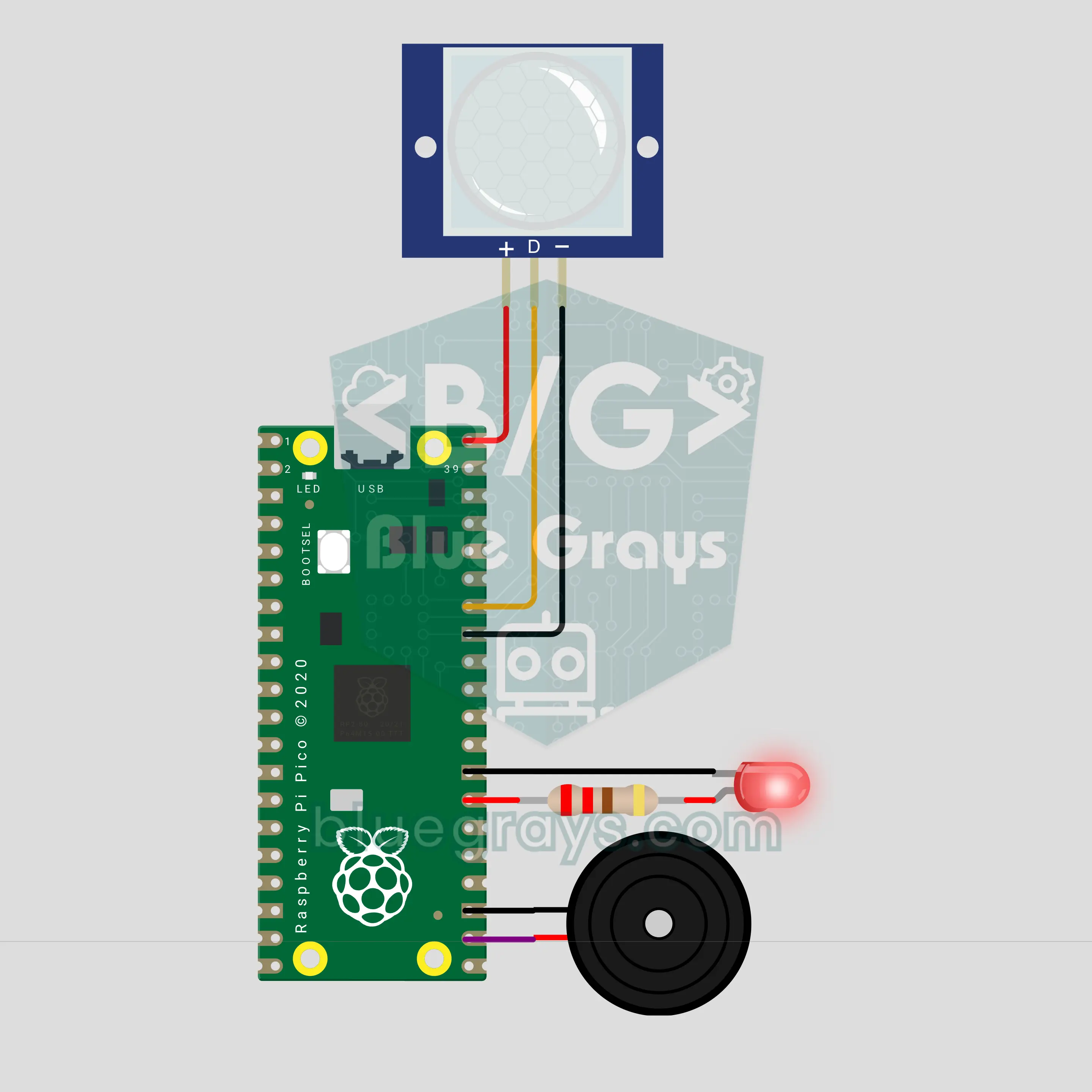
Raspberry Pi Pico PIR Motion Alarm (PIR Sensor + Buzzer + LED)
Walk in once and you get a warning, walk in again and the siren goes off! We are building a two-stage motion alarm with a Raspberry Pi Pico and a PIR motion sensor. It arms itself after a countdown. The first motion plays a ding-dong warning on the buzzer; a second motion within 15 seconds sounds the siren and strobes the LED. Afterwards it re-arms on its own and logs every event with a timestamp.
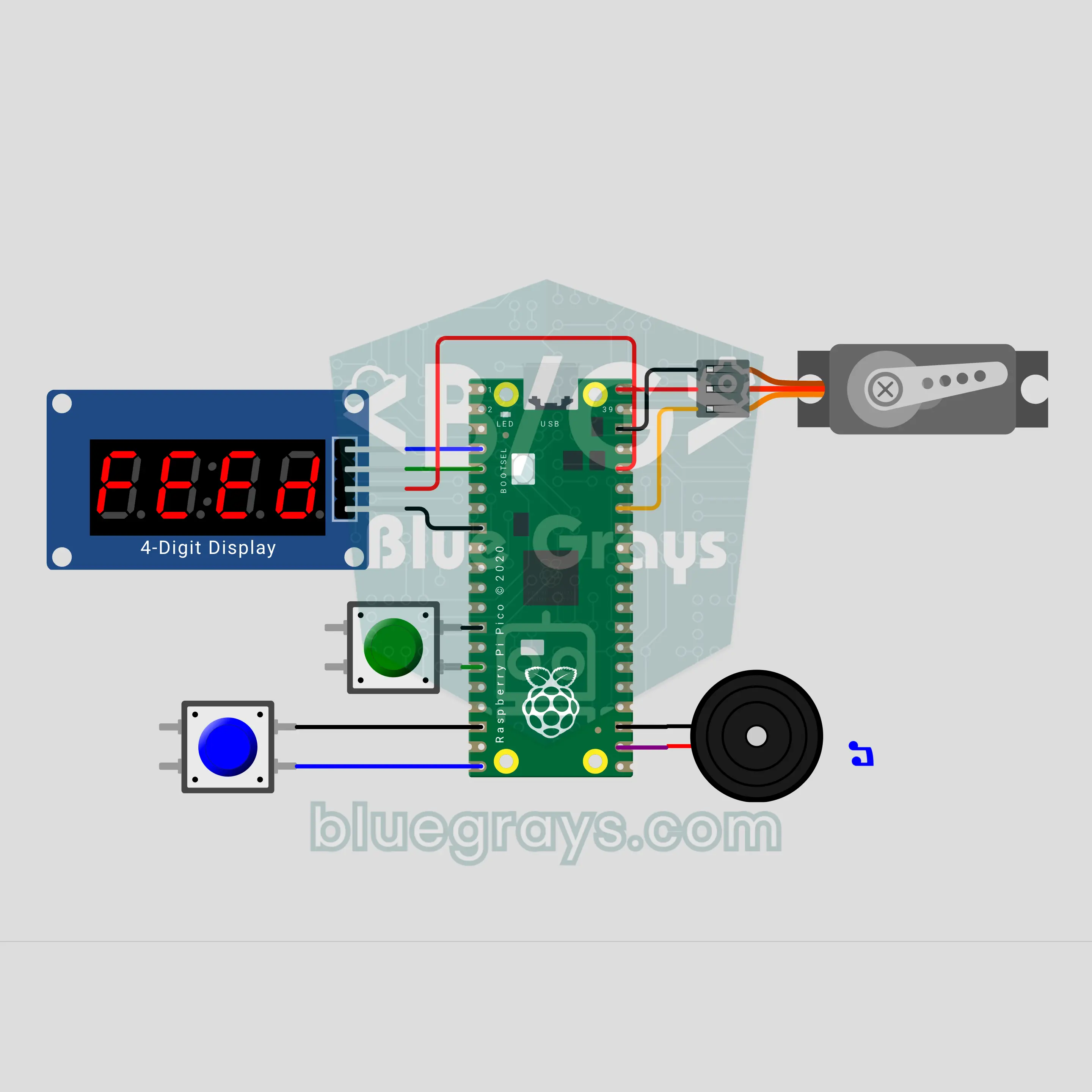
Raspberry Pi Pico Automatic Pet Feeder (SG90 Servo + TM1637 + Buzzer)
Going on holiday? Your fish, cat or bird won't go hungry! The Raspberry Pi Pico counts down to the next meal on a TM1637 display; when time is up, the buzzer plays a short tune and the SG90 servo opens and closes the hopper lid once per portion. Pick an interval of 4, 6, 8, 12 or 24 hours, and a double-feed guard stops accidental overfeeding. Settings are saved, so after a power cut the countdown carries on.
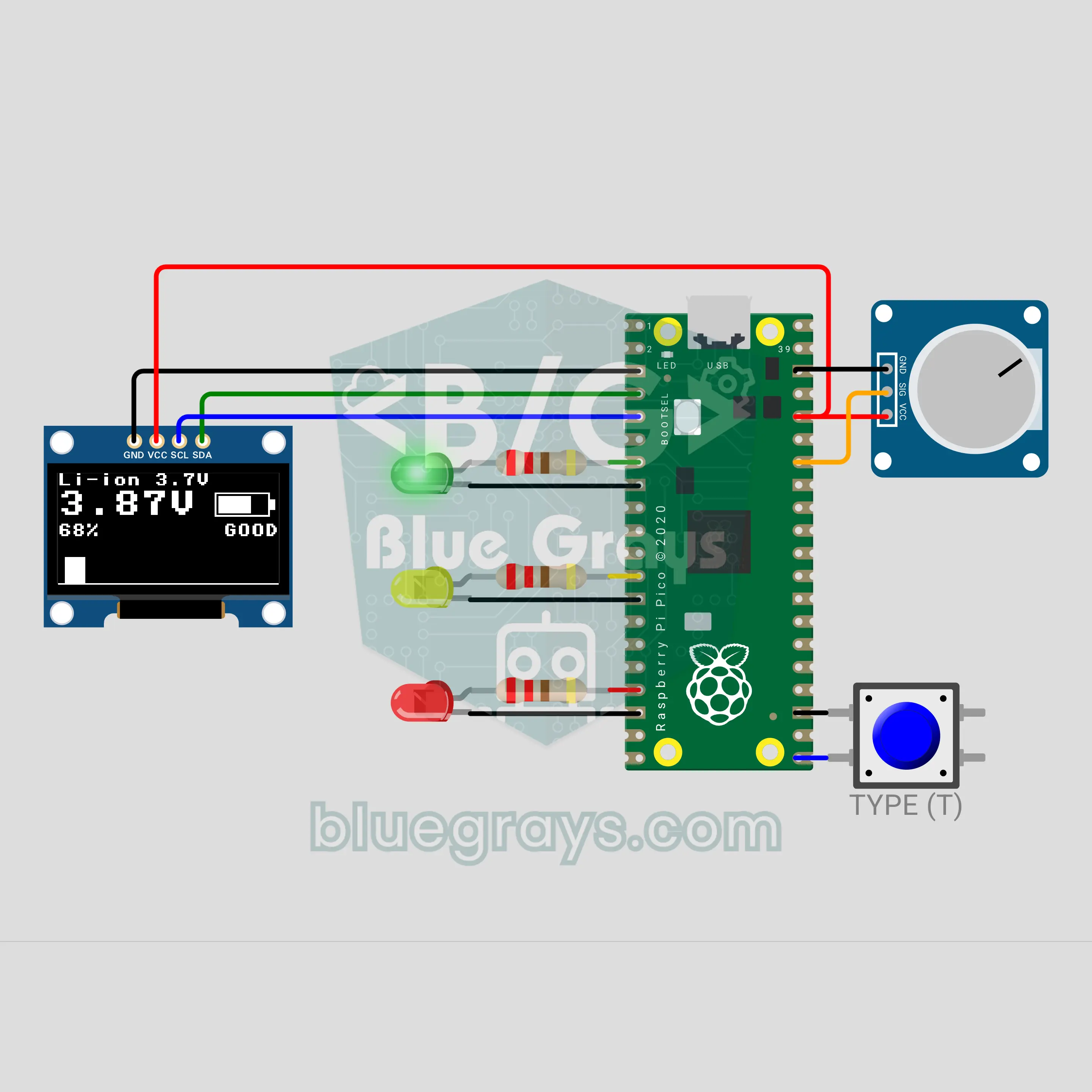
Raspberry Pi Pico Battery Tester (Voltage Divider + OLED + 3 LEDs)
Which batteries in the drawer are still good? The moment you touch a battery to the two probes, the Raspberry Pi Pico shows the voltage, the charge percent and a filling battery icon on an OLED display, and a green, yellow or red LED gives the verdict. A button switches between AA, NiMH, Li-ion and 9 V. A voltage divider brings even 9 V down to a level the Pico can safely measure, and averaging 32 readings keeps the value steady.
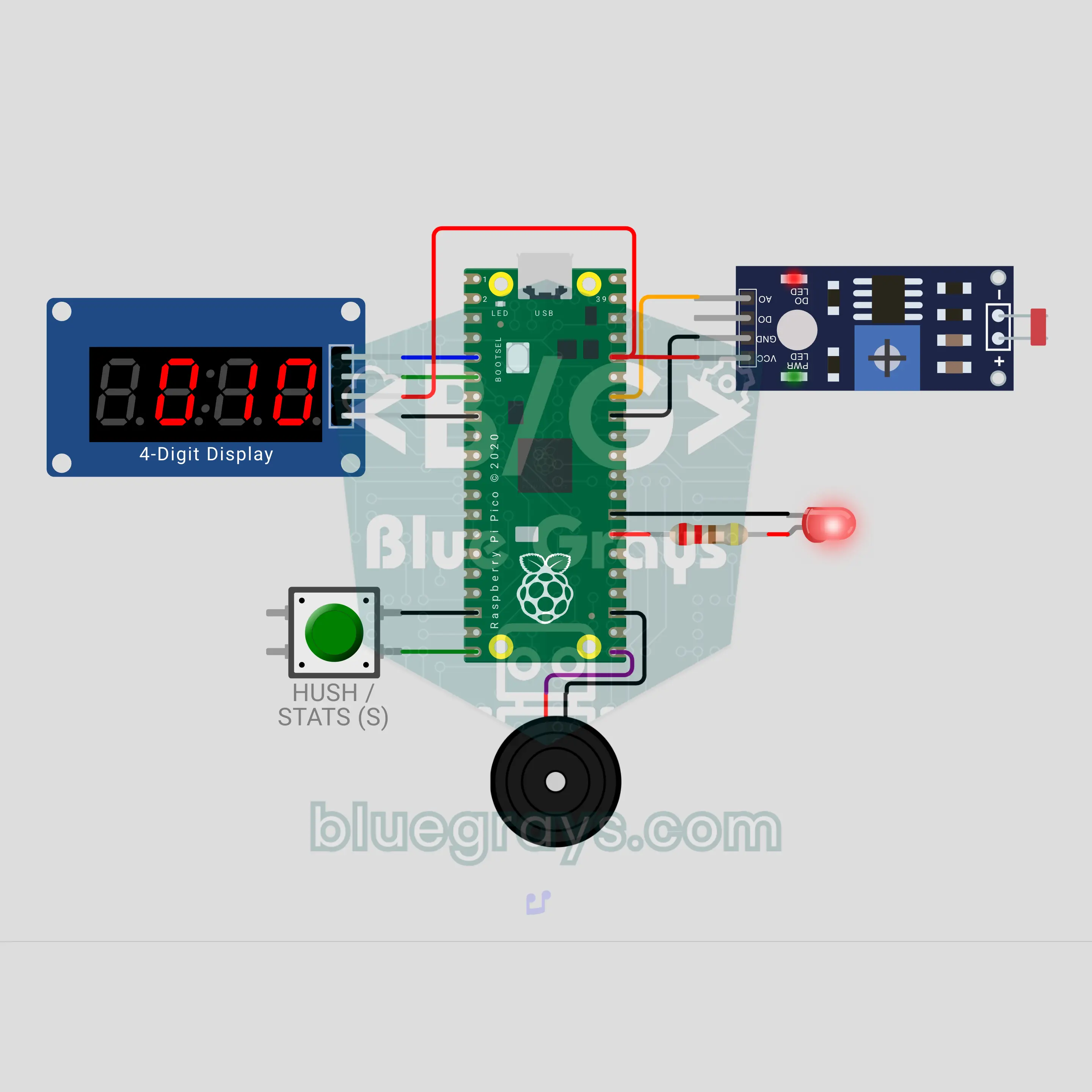
Raspberry Pi Pico Fridge Door Left Open Alarm (LDR + TM1637 + Buzzer)
Who left the fridge door open? The Raspberry Pi Pico sees the inner lamp through an LDR and counts on a TM1637 display how many seconds the door has been open. At 20 seconds it gives a gentle double beep, at 40 seconds an insistent siren with a red LED; the button mutes the alarm for 60 seconds. The number of openings, the total and the longest open time are saved, so a power cut does not erase them.
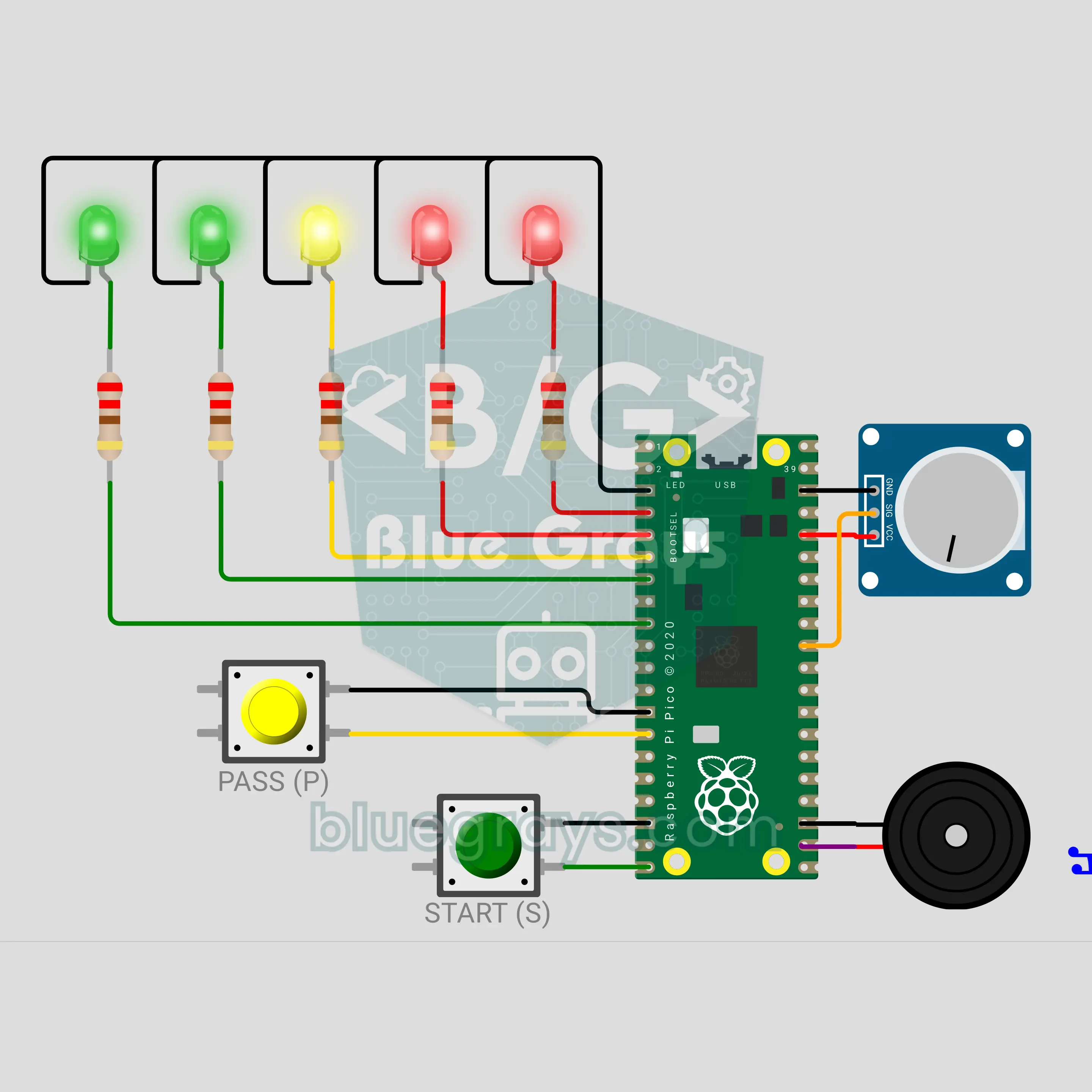
Raspberry Pi Pico Hot Potato Party Game (5 LEDs + Potentiometer + 2 Buttons + Buzzer)
A party game that goes from hand to hand: press START, a secret fuse begins and the device gets passed around to a ticking sound. The tick-tock keeps speeding up and a 5-LED heat bar fills from green to red; when time runs out the buzzer booms and whoever is holding it loses. A potentiometer picks a short, medium or long round, and the PASS button is pressed at every hand-off. Hold it longer than 6 seconds and you get a penalty: the fuse loses 2 seconds.
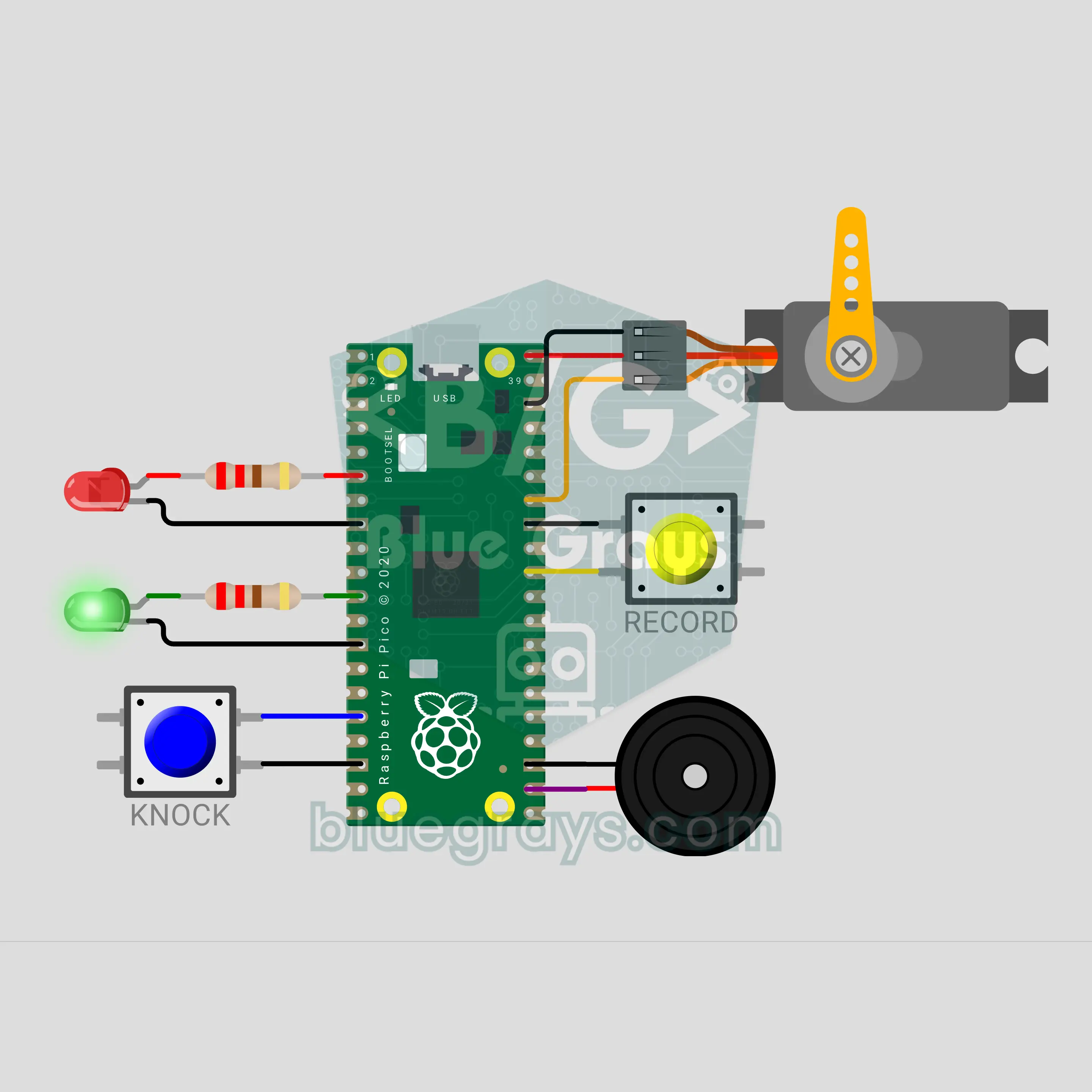
Raspberry Pi Pico Secret Knock Lock (SG90 Servo + 2 Buttons + 2 LEDs + Buzzer)
The password is a rhythm, not a number: knock the right pattern on the lid and the latch lifts! The Raspberry Pi Pico times every knock, scales each gap to the longest one and compares the result with the saved rhythm, so knocking fast or slow makes no difference. When it matches, an SG90 servo lifts the latch, a green LED lights up and a buzzer plays a "ta-da"; 3 wrong tries in a row make the lock wait 10 seconds. While it is open, hold RECORD to save your own rhythm.
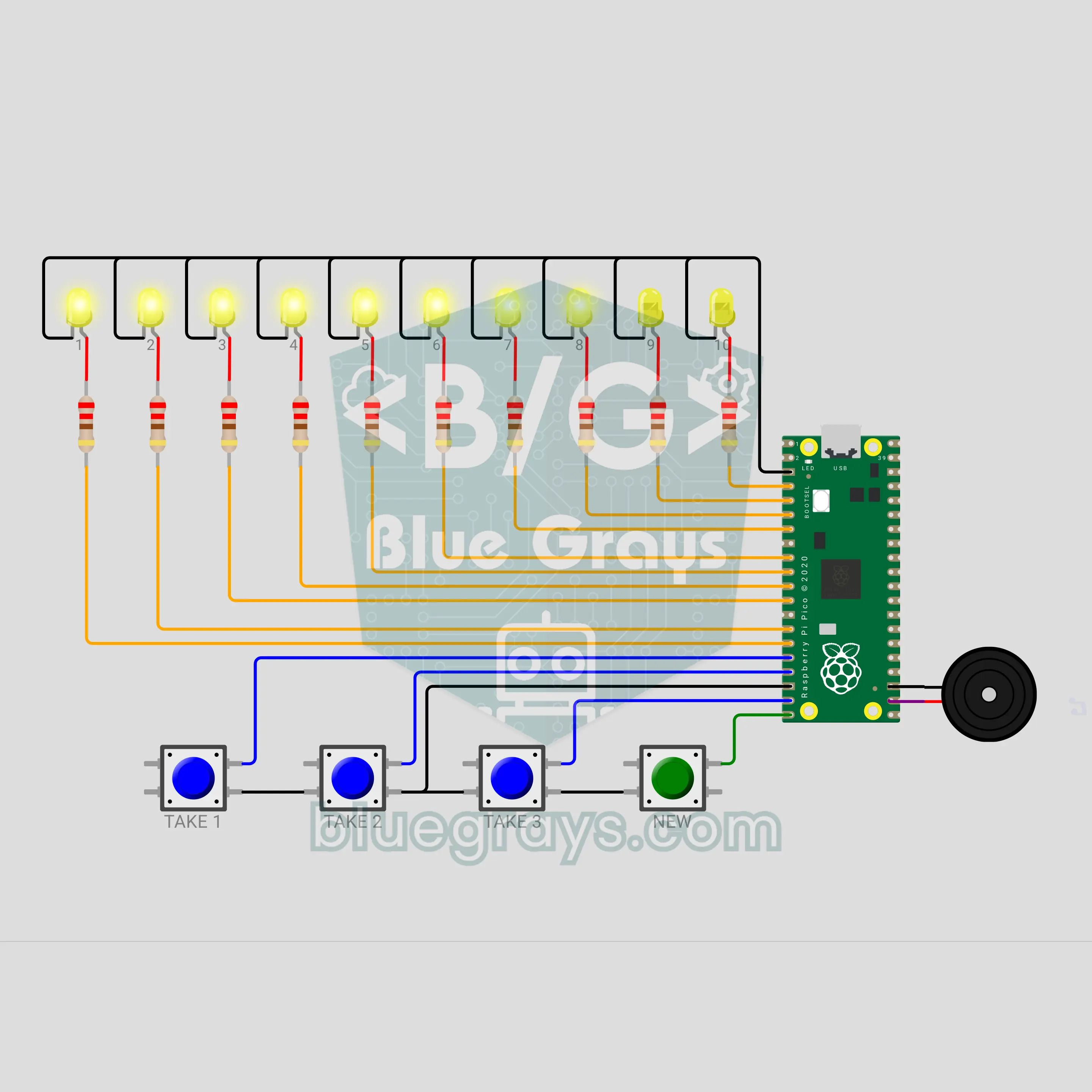
Raspberry Pi Pico Nim Game: Can You Beat the Pico? (10 LEDs + 4 Buttons + Buzzer)
Whoever takes the last stick loses: can you beat the Pico? The matchstick game Nim lights up with a Raspberry Pi Pico. 10 yellow LEDs are 10 sticks; you take turns removing 1, 2 or 3, 4 buttons pick your move and a buzzer voices every turn. The Pico uses a mod 4 trick to always leave you 1, 5 or 9 sticks: if you start, the right first move wins, but if the Pico starts it never loses.
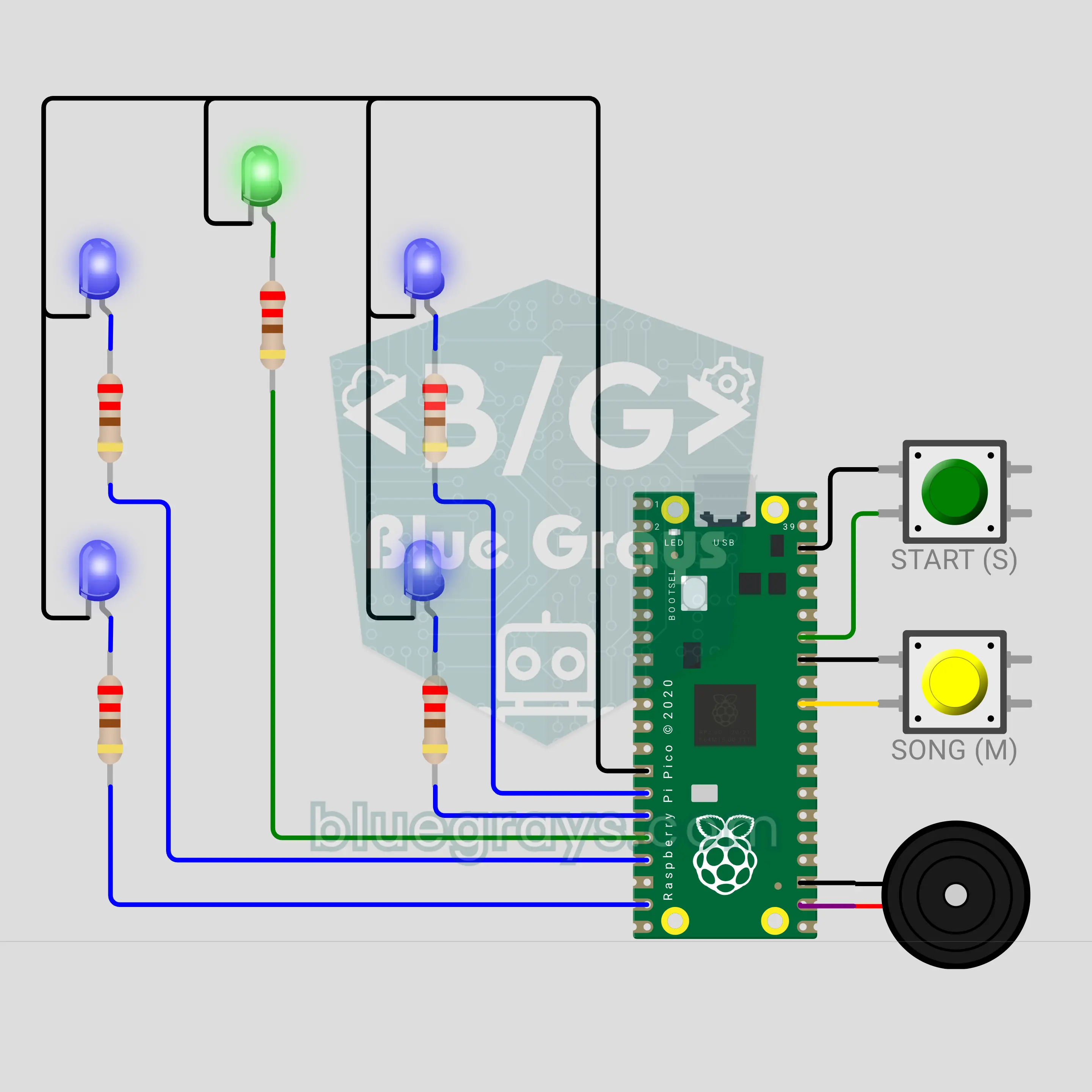
Raspberry Pi Pico Toothbrush Timer (5 LEDs + 2 Buttons + Buzzer)
A bathroom timer that turns brushing into a musical game! The Raspberry Pi Pico splits the 2 minutes dentists generally recommend into 30 seconds for each of the four zones of the mouth. Of the 4 blue LEDs laid out like a mouth, the blinking one shows where to brush now; a buzzer plays a song, rings a "ding" at every zone change, and at the end a green star lights up with a fanfare. The START button pauses, and stopping too early gets a "not done yet".
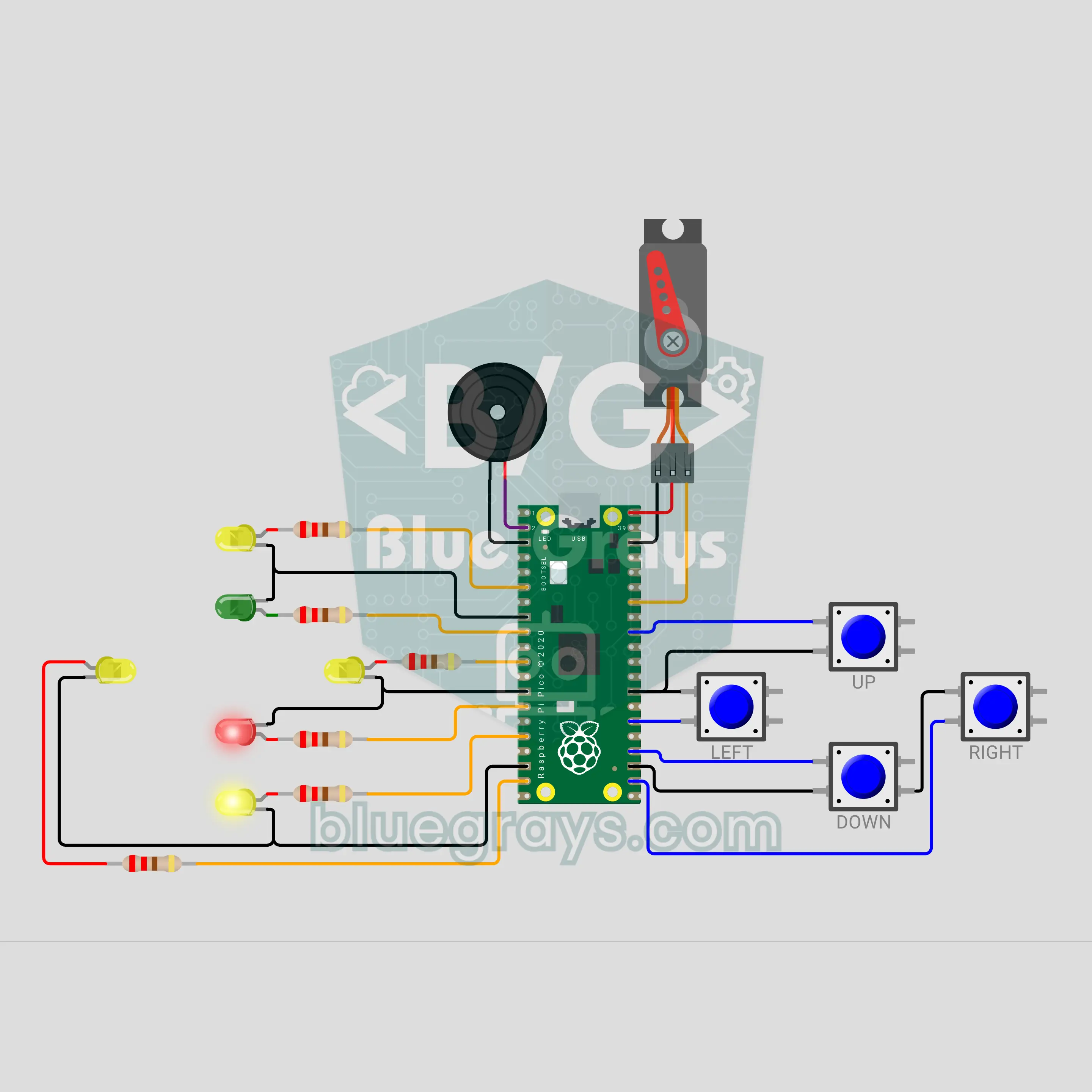
Raspberry Pi Pico Reverse Corner Brain Game (6 LEDs + 4 Buttons + Servo + Buzzer)
Green means press the same way, red means the opposite way, and a "boom" means don't press at all! A 20-second focus and reflex game on the Raspberry Pi Pico: one of 4 yellow LEDs in a plus shape shows the direction, the green or red LED in the middle shows the rule, and you answer with 4 buttons. The answer time shrinks with every hit and traps test your finger. The score climbs on a servo needle dial, from TURTLE to LIGHTNING.
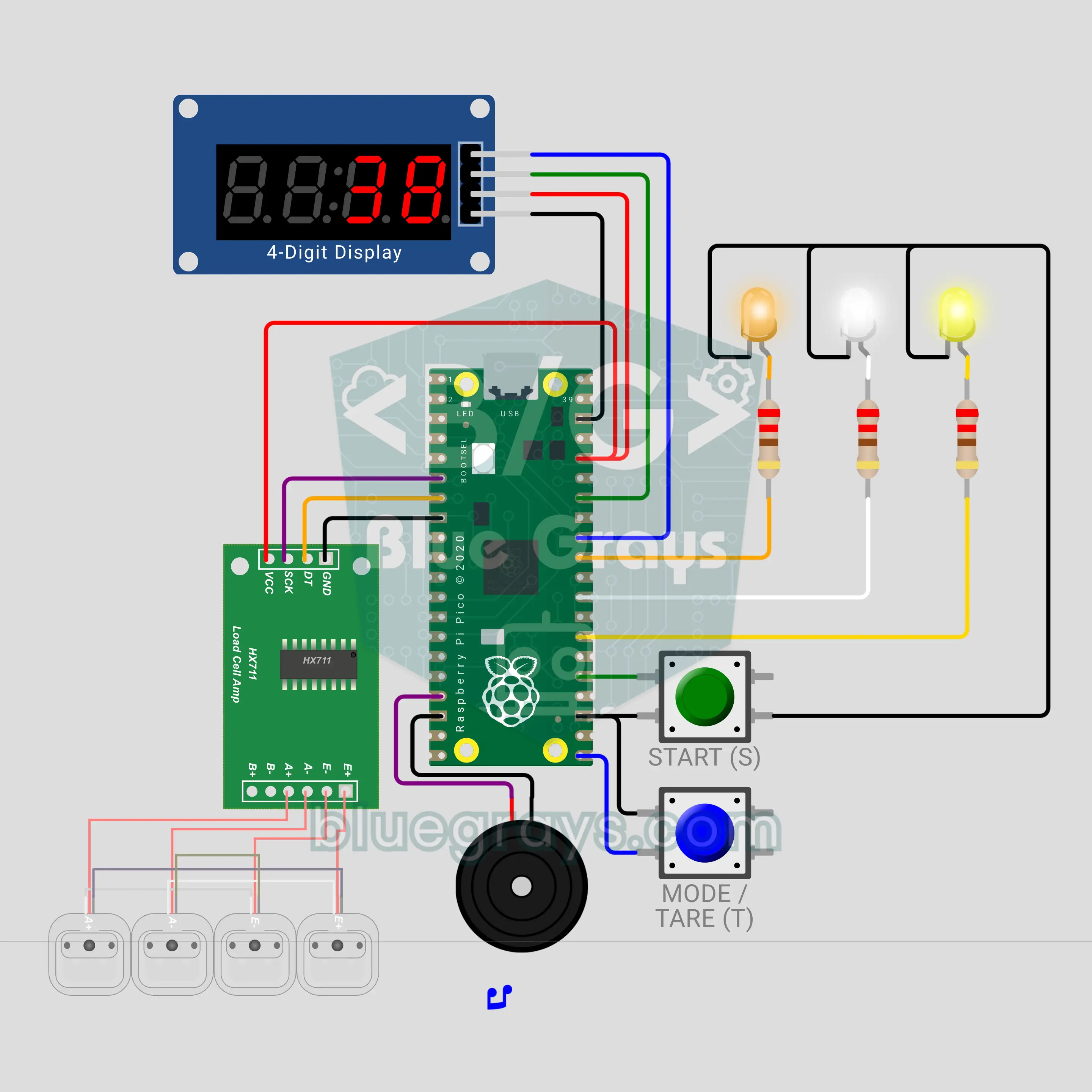
Raspberry Pi Pico Grip Strength Meter (HX711 + Load Cell + TM1637 + 3 LEDs + Buzzer)
The grip version of the fairground strength tester! Squeeze the 50 kg load cell between two handles: the HX711 reads the force, the TM1637 counts up in kilograms, the buzzer pitch rises and 3 LEDs show bronze, silver and gold. The peak is held, and the record stays in best.txt even through a power cut. In duel mode two players squeeze in turn and the winner gets a fanfare.
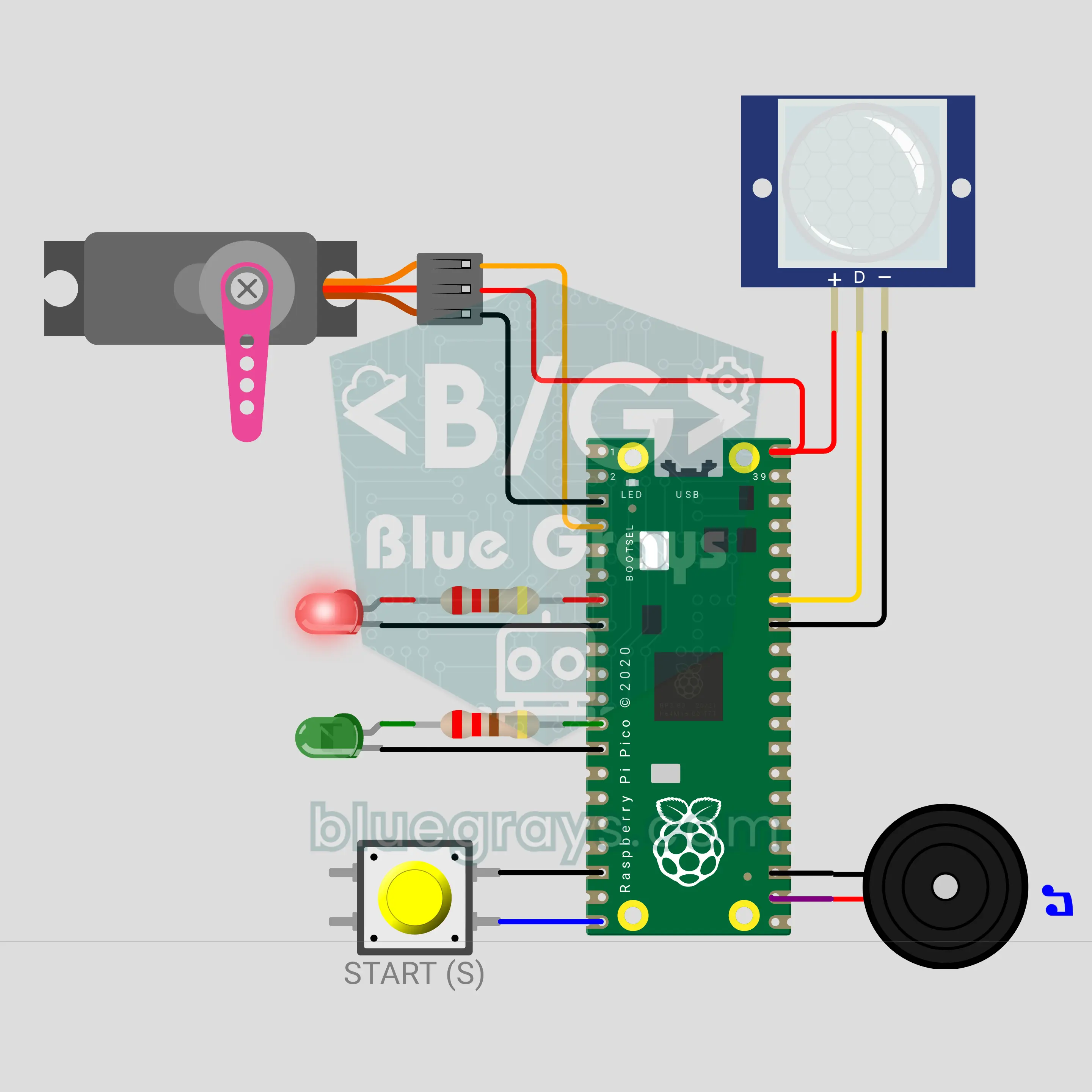
Raspberry Pi Pico W Red Light, Green Light: The Doll That Catches Whoever Moves (PIR + Servo + Buzzer)
The children's game made world famous by TV series, right on your desk: on green light the doll turns its back and plays our own tune while you creep forward. When the tune ends the servo head turns, the red light comes on and a PIR sensor catches anyone who moves: the alarm goes off and the doll shakes its head. The tune gets faster and changes length every round; freeze through 5 rounds with a Raspberry Pi Pico W or touch the doll on green to win.
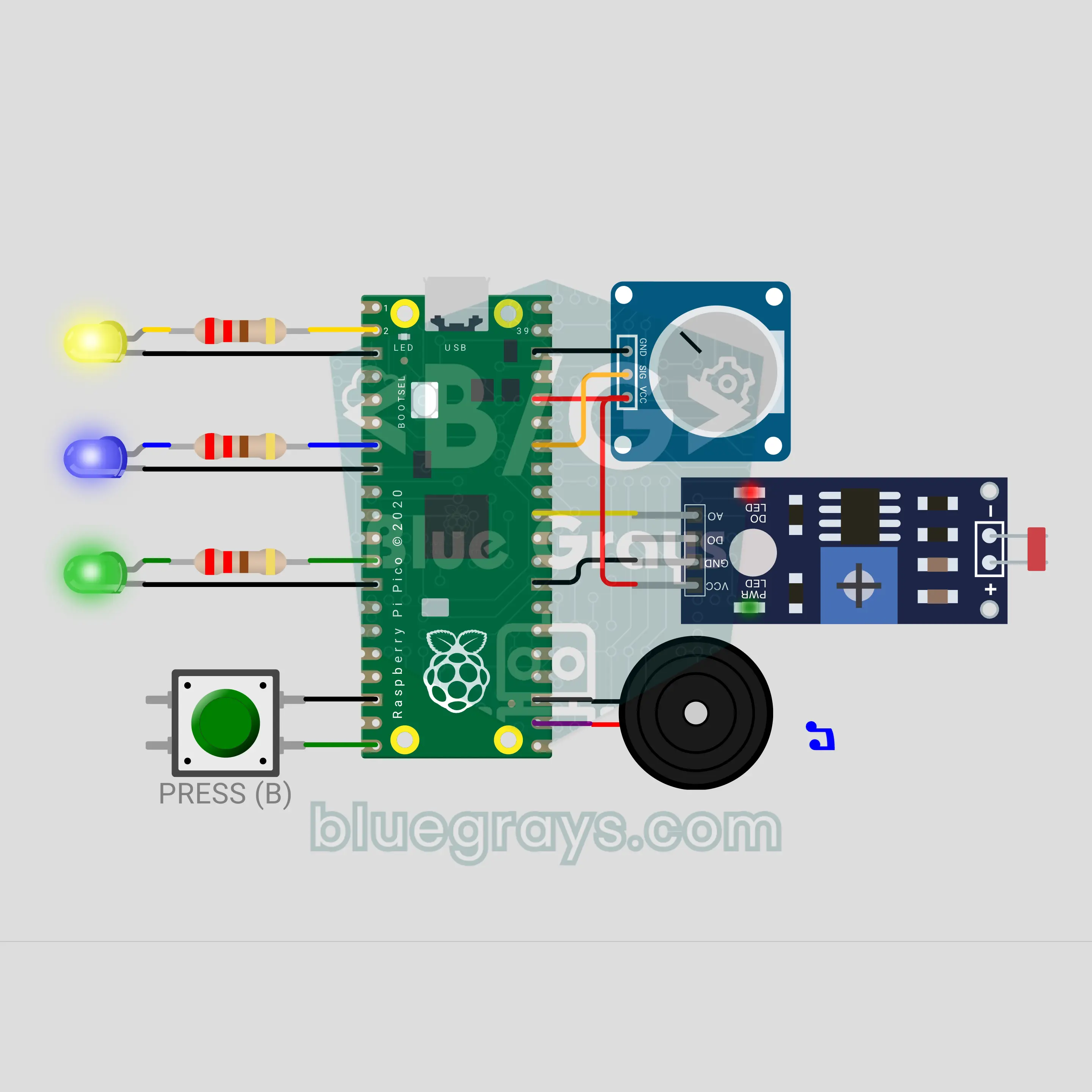
Raspberry Pi Pico W Press It! Turn It! Cover It! Command Game (Button + Pot + LDR + 3 LEDs + Buzzer)
A reflex game in the style of the 90s command toys: the Raspberry Pi Pico W calls out PRESS IT, TURN IT or COVER IT at random, and you press the button, turn the pot from one end to the other or cover the LDR with your hand. Every command has its own LED and sound. Each right answer makes the time shorter, from 2.5 seconds down to 0.9. A wrong move or a late one means GAME OVER, and your score is counted out on the LEDs.
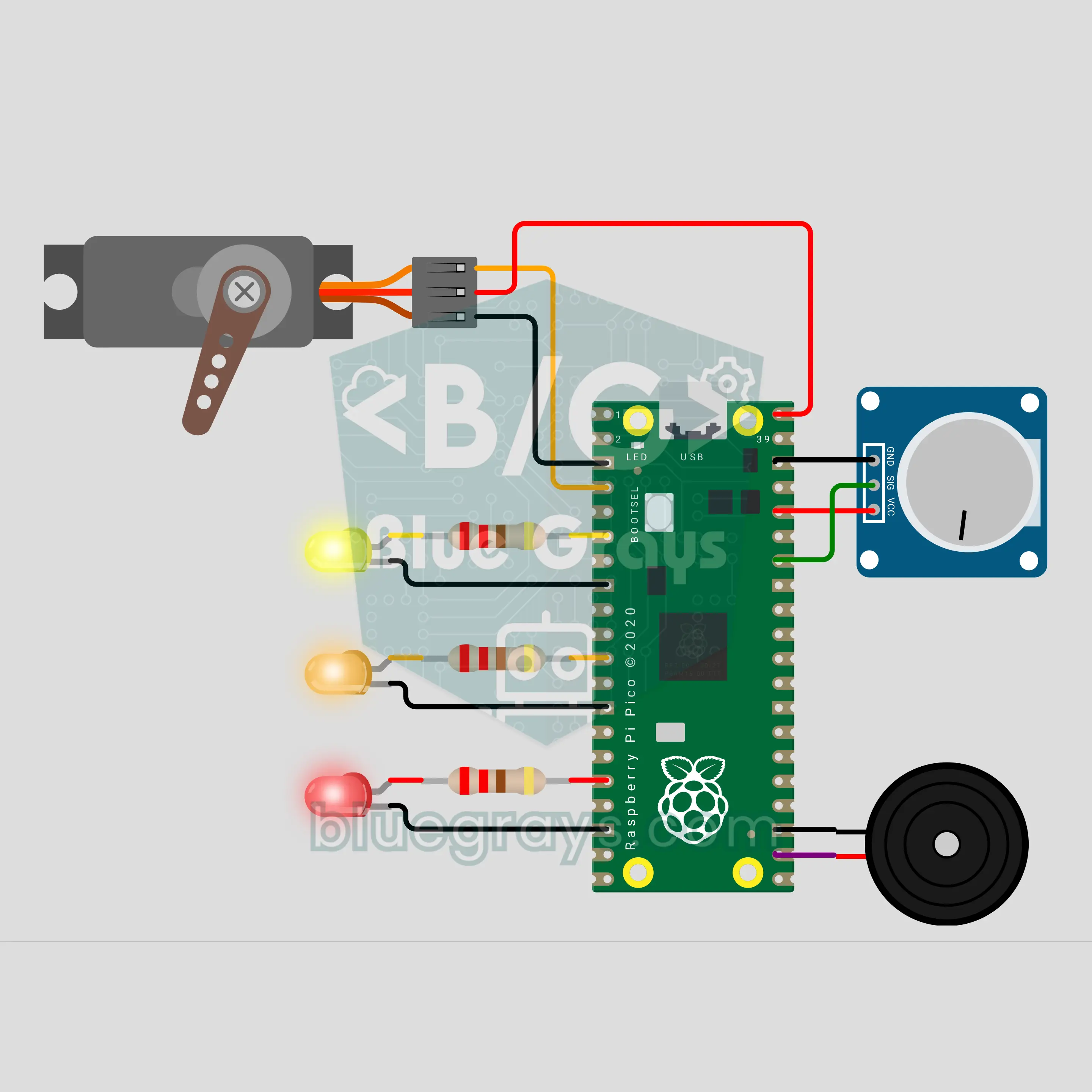
Raspberry Pi Pico W Tea Bag Dipper: Light, Medium, Strong (Servo + Pot + 3 LEDs + Buzzer)
No more bitter tea from a forgotten tea bag: with a Raspberry Pi Pico W, an SG90 servo lowers the bag into your cup, dips it now and then and lifts it out when the time is up. You pick the strength with a potentiometer: LIGHT 2 min, MEDIUM 3 min, STRONG 5 min. There is no button; turn the pot, let go for 2 seconds and brewing starts. 3 LEDs show the time left, and a buzzer plays our own "tea is ready" tune at the end.
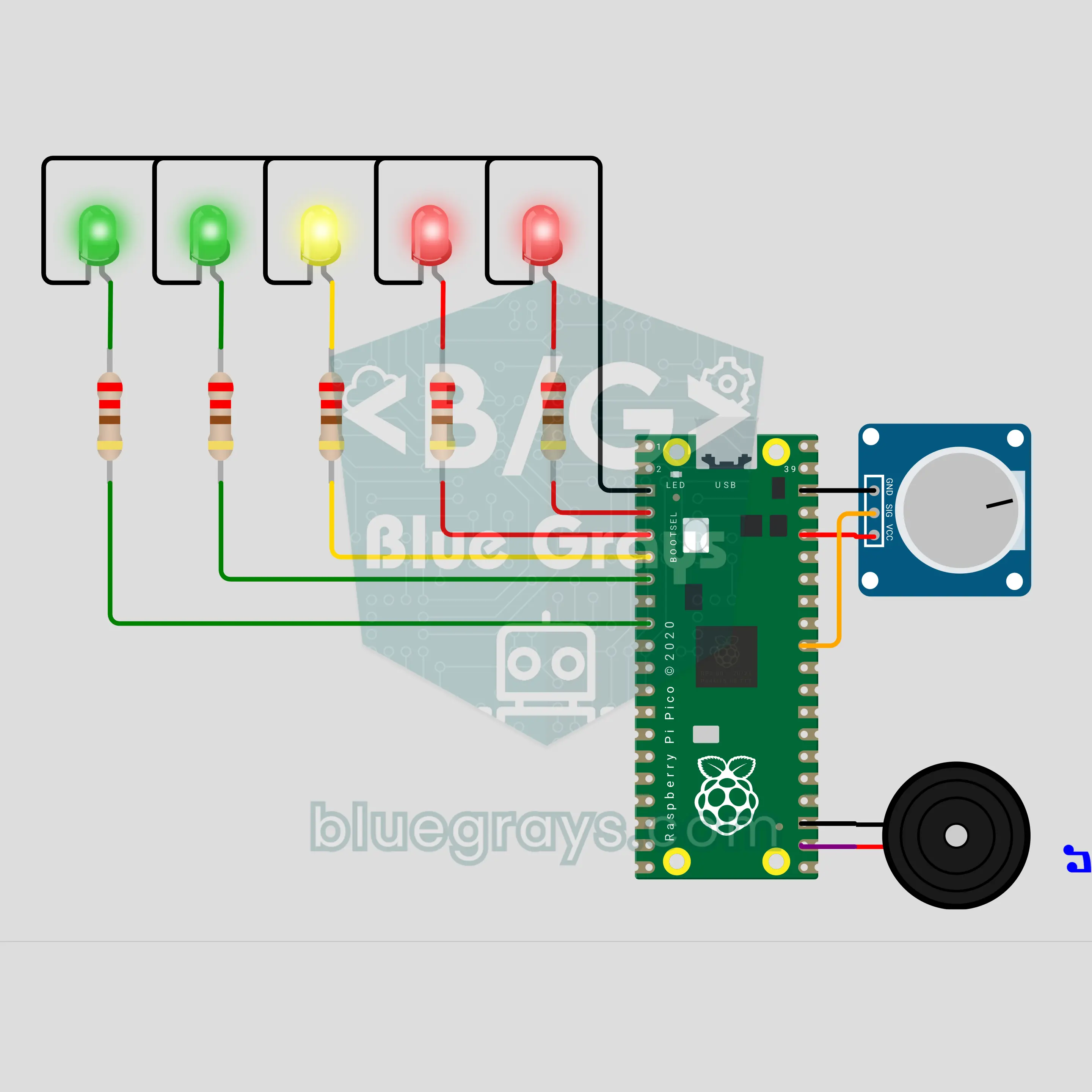
Raspberry Pi Pico W Excitement Meter: A Party Game You Play with Your Fingers (Voltage Divider + 5 LEDs + Buzzer)
A lie detector style party game for your friends: you rest two fingers on two electrodes and the Raspberry Pi Pico W first measures your calm baseline. As the questions get harder your skin resistance drops and the voltage divider output rises: the 5 LED bar fills up, the buzzer beeps higher and a sudden jump sets off a siren. The measurement is real, but it is just for fun, not a real lie detector.
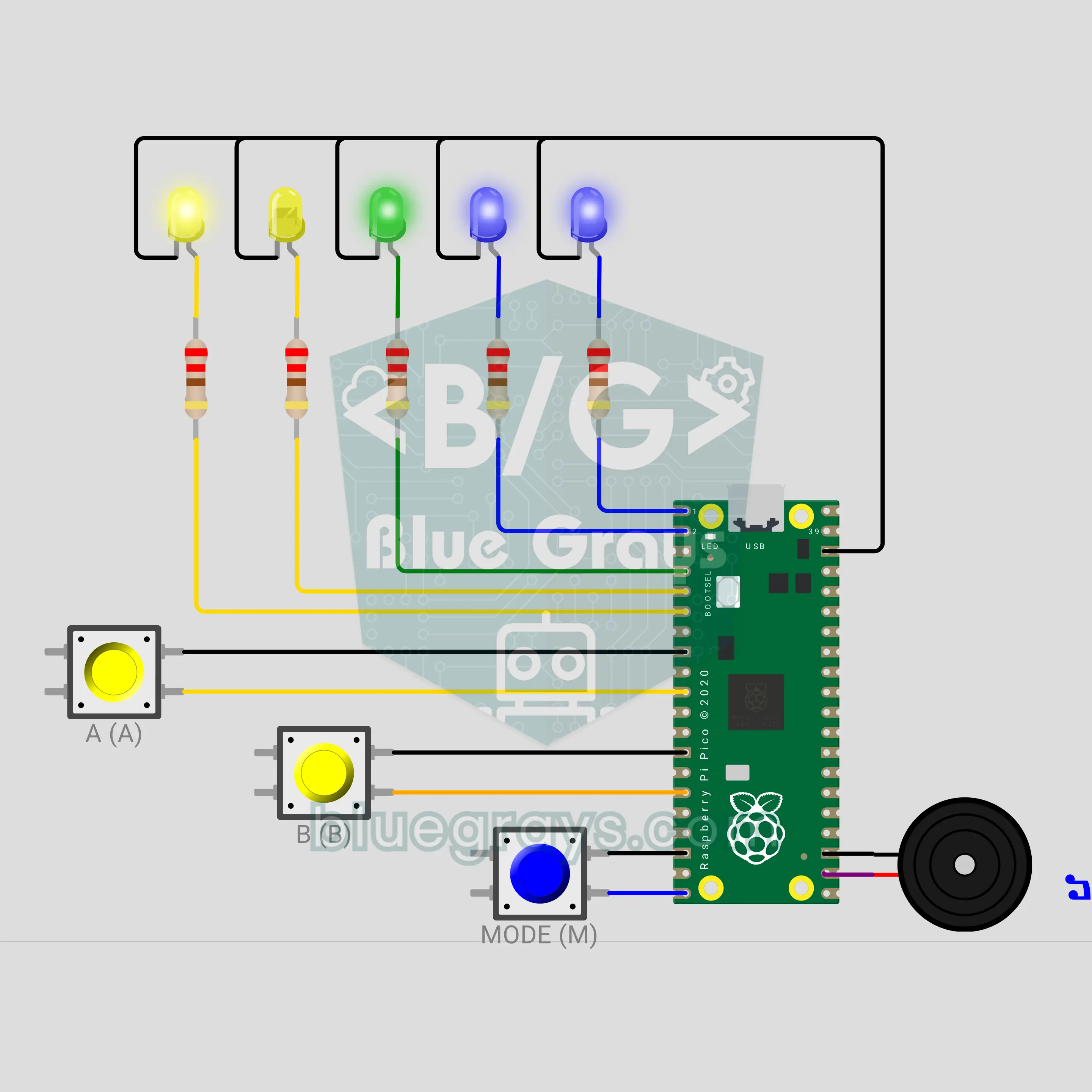
Raspberry Pi Pico W Logic Gates Lab: AND, OR, XOR (3 Buttons + 5 LEDs)
Press two buttons and see the gate's answer on the green LED. The MODE button steps through 6 gates (AND, OR, XOR and their NOT versions); every pick plays the truth table on the LEDs while two blue LEDs show the gate as a binary code. In test mode the Raspberry Pi Pico W picks a hidden gate and you try it out and guess: the buzzer plays a victory tune if you are right, a sad one if not, and shows the row you missed.
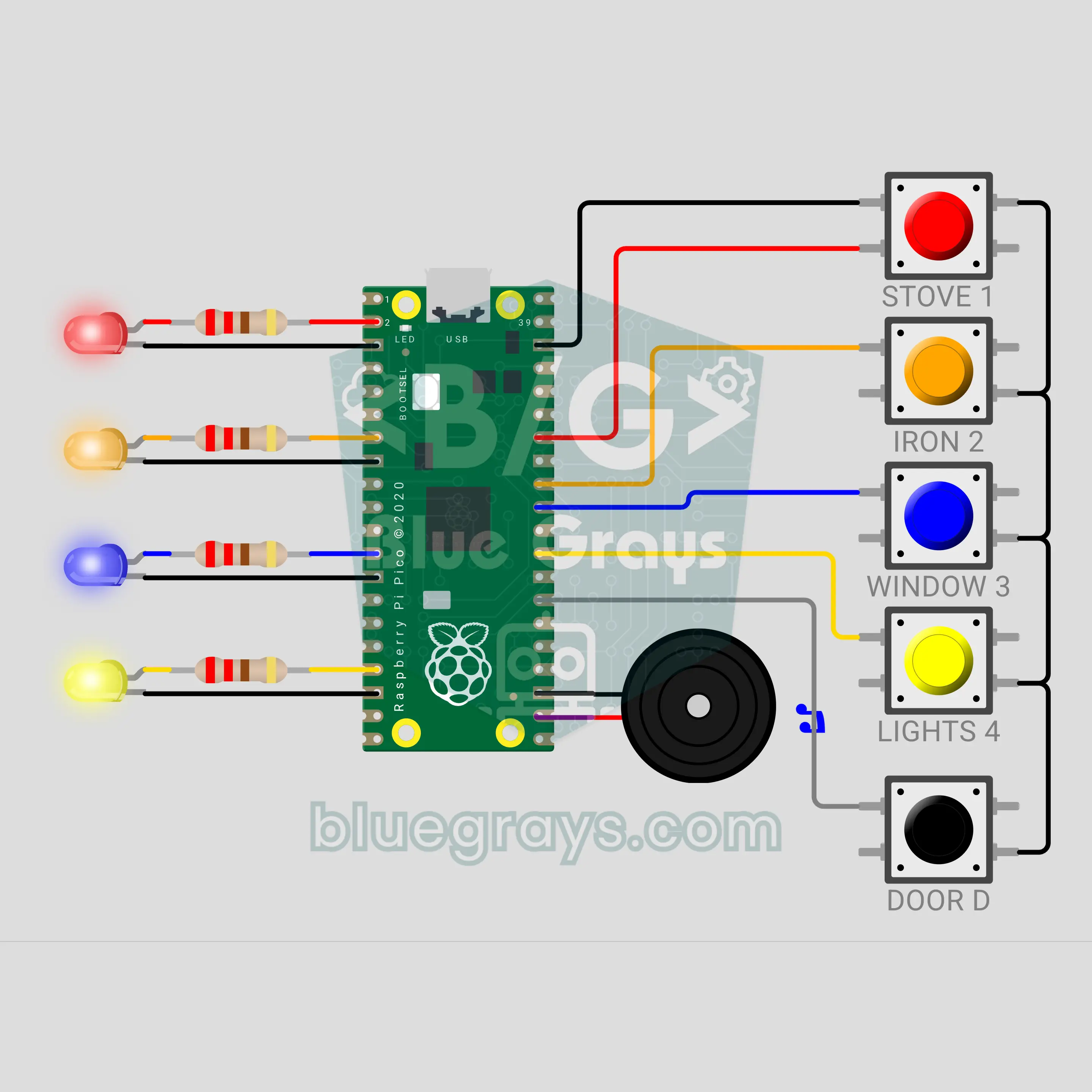
Raspberry Pi Pico W Leave-Home Check Panel: Did I Turn Off the Stove? (5 Buttons + 4 LEDs + Buzzer)
Stop wondering "did I turn off the stove?": a Raspberry Pi Pico W check panel that hangs next to your front door. There is a button and an LED for the stove, iron, window and lights; press each one as you check it and its LED stays on. If the door opens with an item unchecked, the buzzer sounds a siren and only the forgotten item's LED flashes fast. If all is done, a "have a nice trip" tune plays; checks reset after 10 minutes and once you have left.
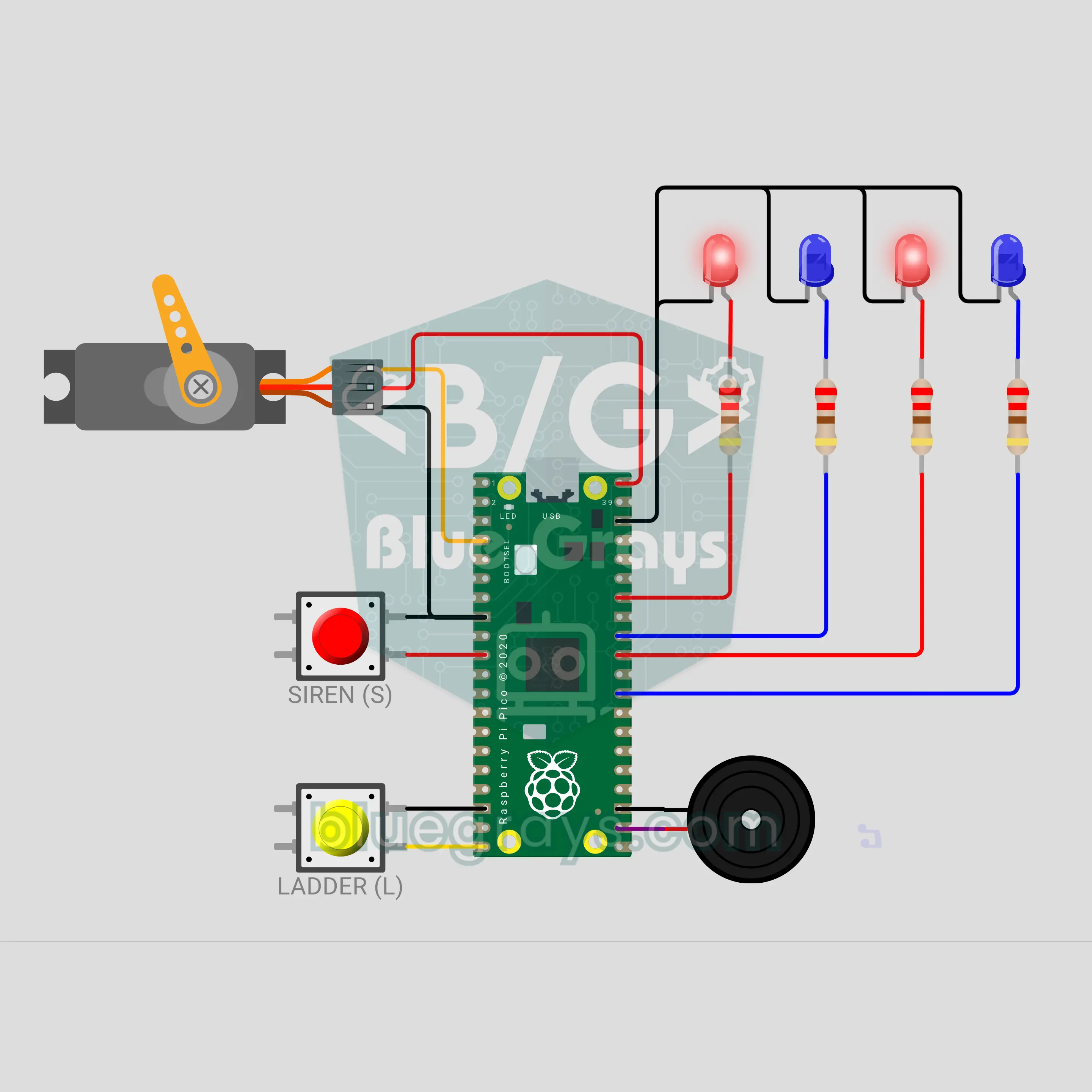
Raspberry Pi Pico W Toy Fire Truck Ladder: Siren, Flashing Lights and a Rising Ladder (Servo + 4 LEDs + 2 Buttons + Buzzer)
A desktop toy fire truck with a Raspberry Pi Pico W. Press the red button and a two-tone siren rises and falls while two red and two blue LEDs flash to the same beat. Press the yellow button and an SG90 servo slowly raises the ladder; press again to lower it, with a warning beep while it moves. Both work together, and a forgotten siren stops by itself after 60 seconds.
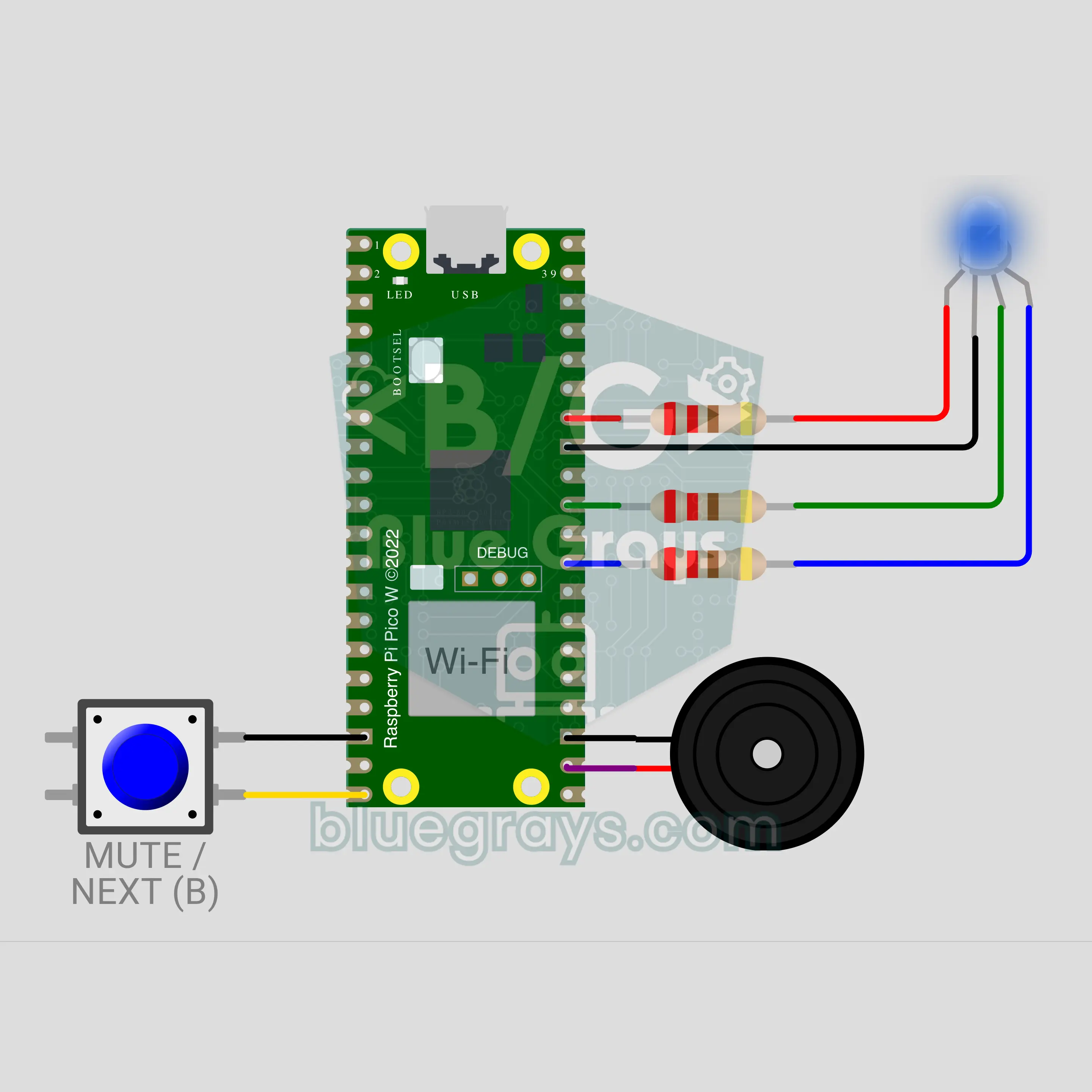
Raspberry Pi Pico W Server Status Lamp: Is the Website Down? (RGB LED + Buzzer + HTTP)
A Raspberry Pi Pico W checks your website over the internet every 30 seconds and shows the result with a single RGB LED: green means up, yellow slow, red down. If the site returns an error code or does not answer, the buzzer sounds an alarm. One button mutes the alarm, checks at once or moves to the next address in the list, and a single glitch never triggers a false alarm.
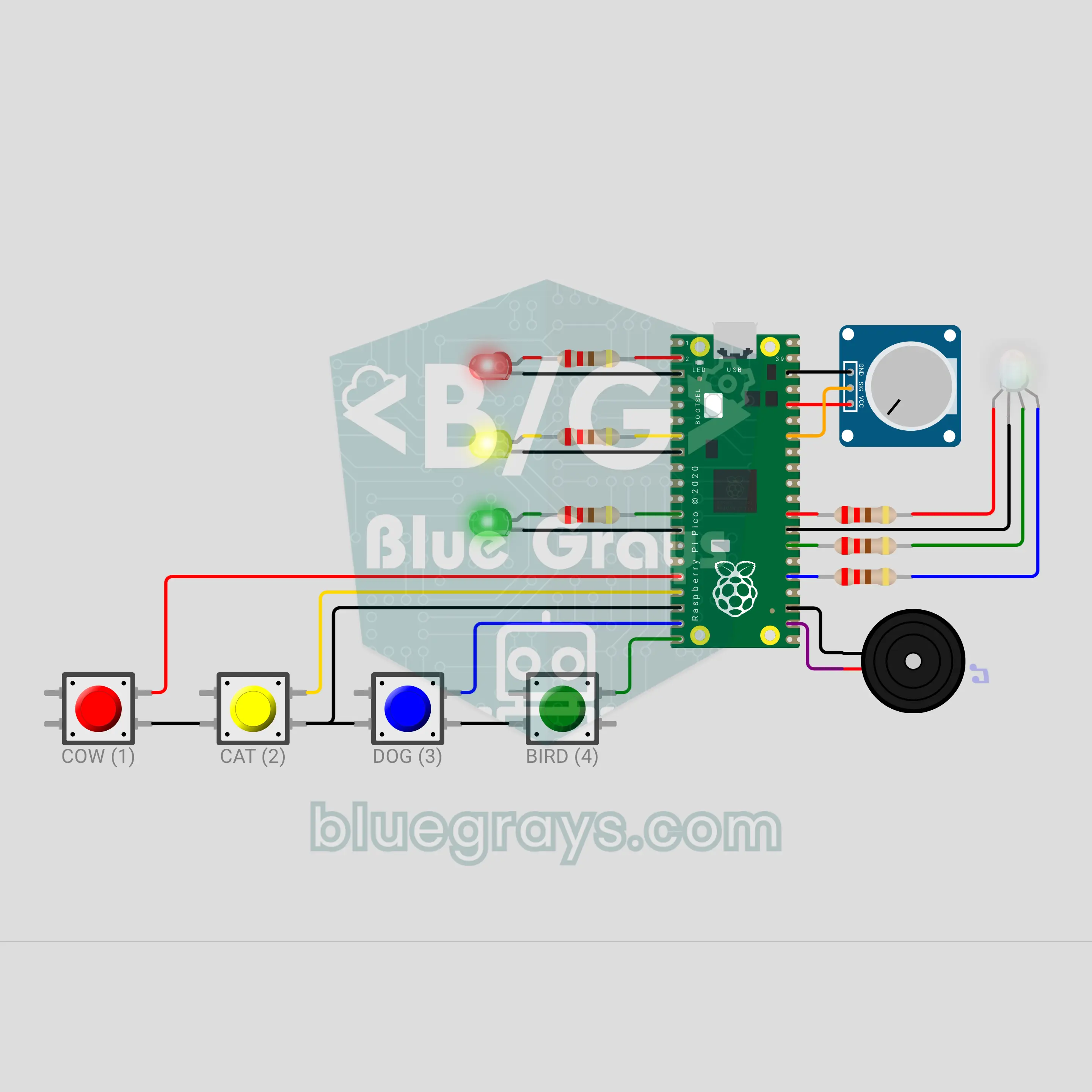
Pico Baby Busy Board: Light and Sound Toy (4 Buttons + Pot + RGB LED)
Each of the four buttons is an animal: the cow moos, the cat meows, the dog goes woof woof and the bird chirps. Every sound has its own RGB colour and its own light pattern on three LEDs. The potentiometer is a rainbow knob: turn it and six colours click past, with a surprise white and a sparkle at the end. After 10 seconds without a touch the board calls for attention with a silent light pattern. A busy board a parent builds by hand and fits into a box.
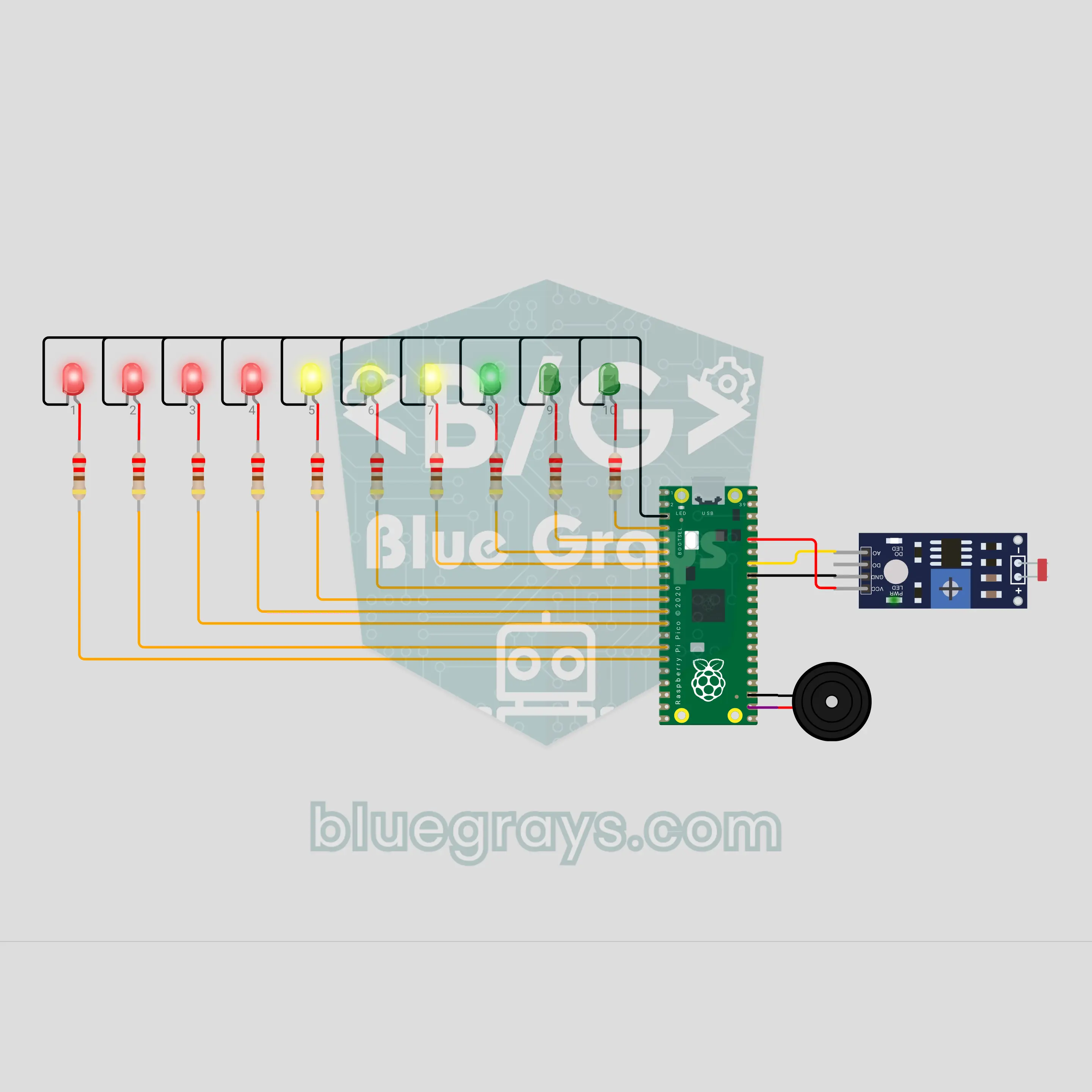
Pico Phone Jail Box: Put Your Phone Away While You Study (LDR + 10 LEDs)
Drop your phone in the box and let the circuit do the rest. The LDR on the floor of the box goes dark when the phone lies on it, and the count starts: one LED lights every 6 minutes, and 10 LEDs mark a full hour of study. Take the phone early and warning ticks start; if it is not back within 5 seconds, the "jail broken" sound plays and the count resets. Finish the hour and a light wave and a victory tune are waiting. One number in the code changes the time.
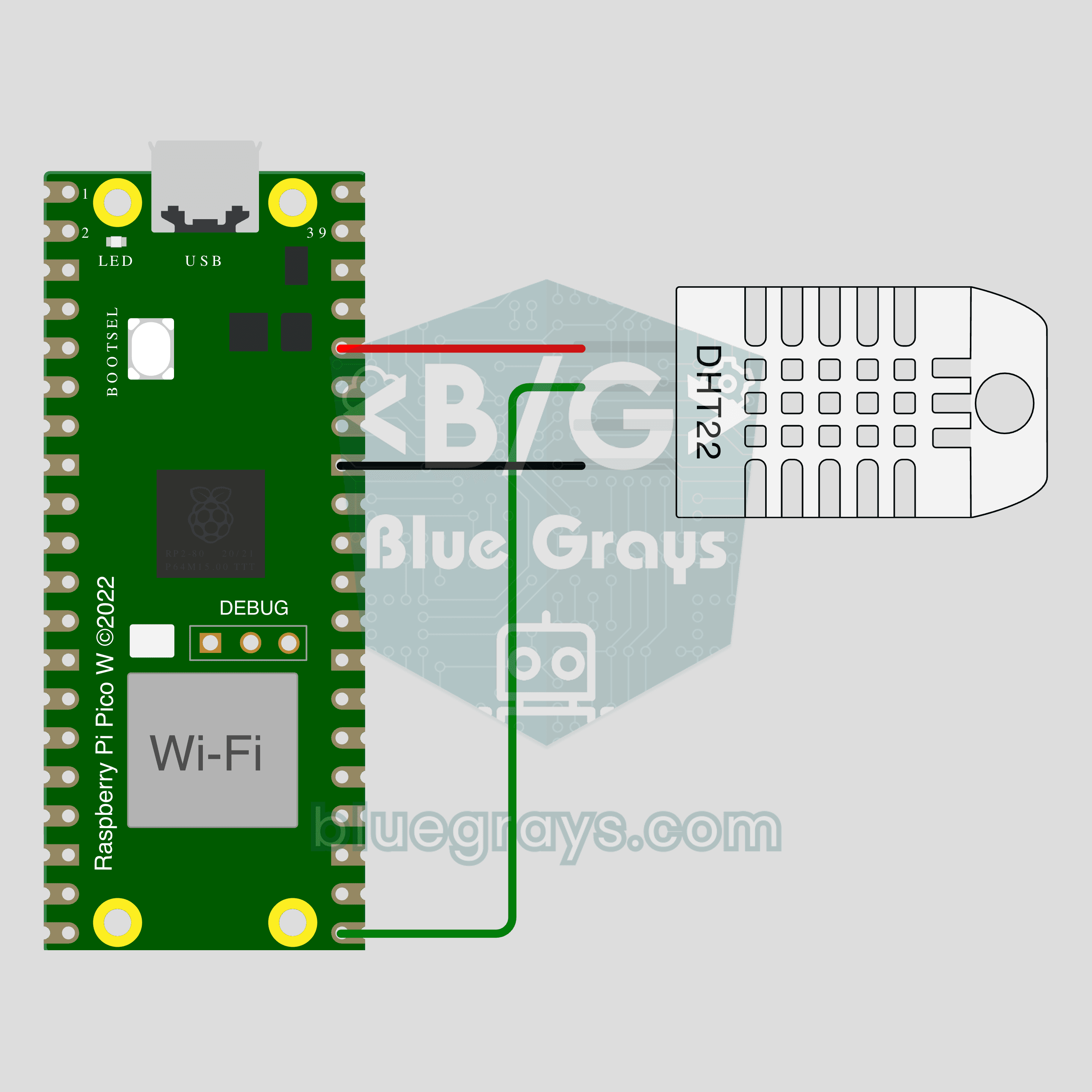
Pico W IoT Temperature and Humidity (DHT22)
Watch your room's temperature and humidity live on your phone wherever you are. This project is the step-by-step guide to the Temperature and humidity IoT template in the app, built with a Raspberry Pi Pico W and a DHT22. Go to Workshop › Devices › Add a device, pick Pico W as the board and Temperature and humidity as the template; Ohmi prepares the code with your own device key. The code on this page is an example: the key and Wi-Fi details are placeholders.
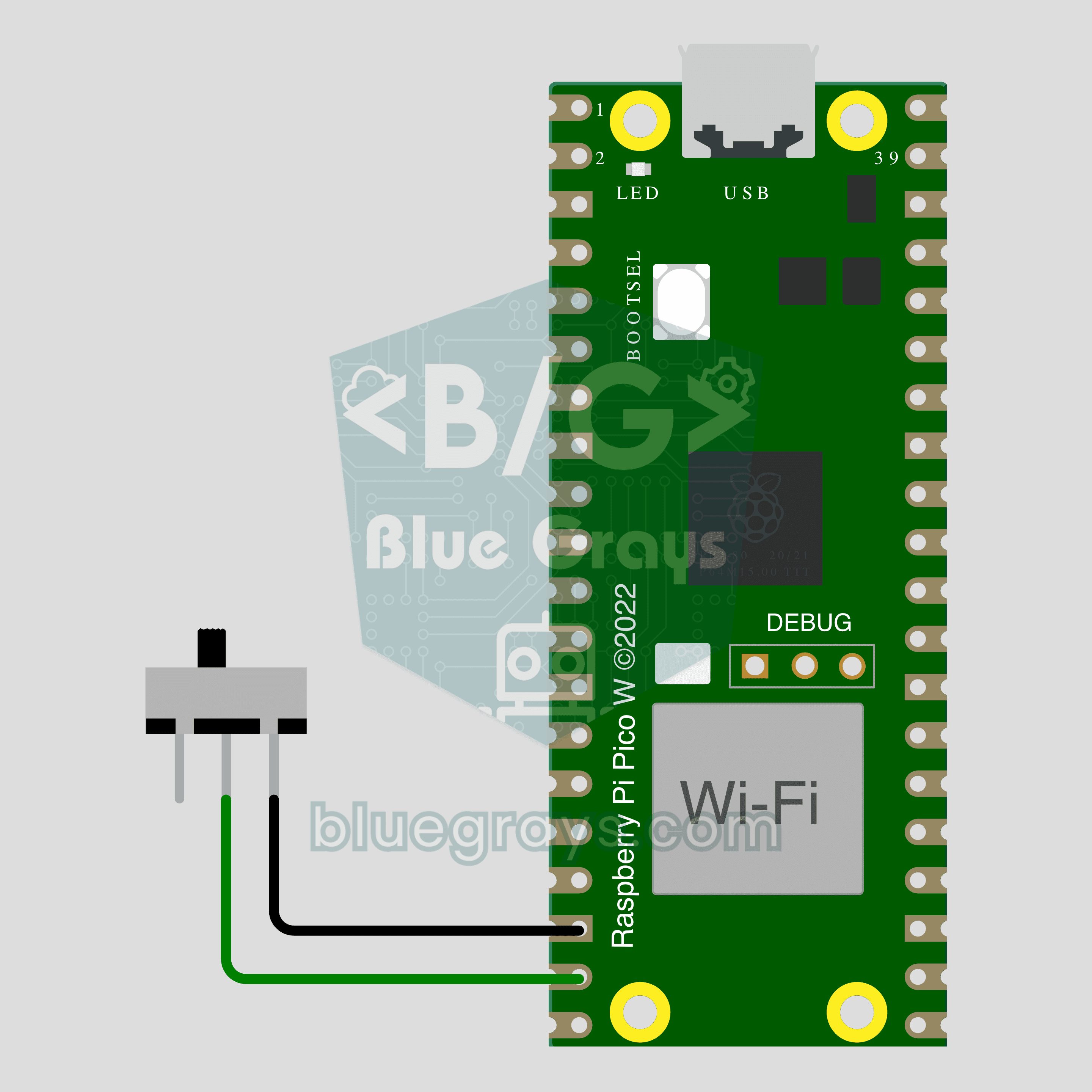
Pico W IoT Door Sensor (Reed Switch)
Did you leave the door or window open? Check on your phone wherever you are. This project is the step-by-step guide to the Door / window IoT template in the app, built with a Raspberry Pi Pico W, a reed switch and a small magnet using two wires. Go to Workshop › Devices › Add a device, pick Pico W as the board and Door / window as the template; Ohmi prepares the code with your own device key. The code on this page is an example: the key and Wi-Fi details are placeholders.
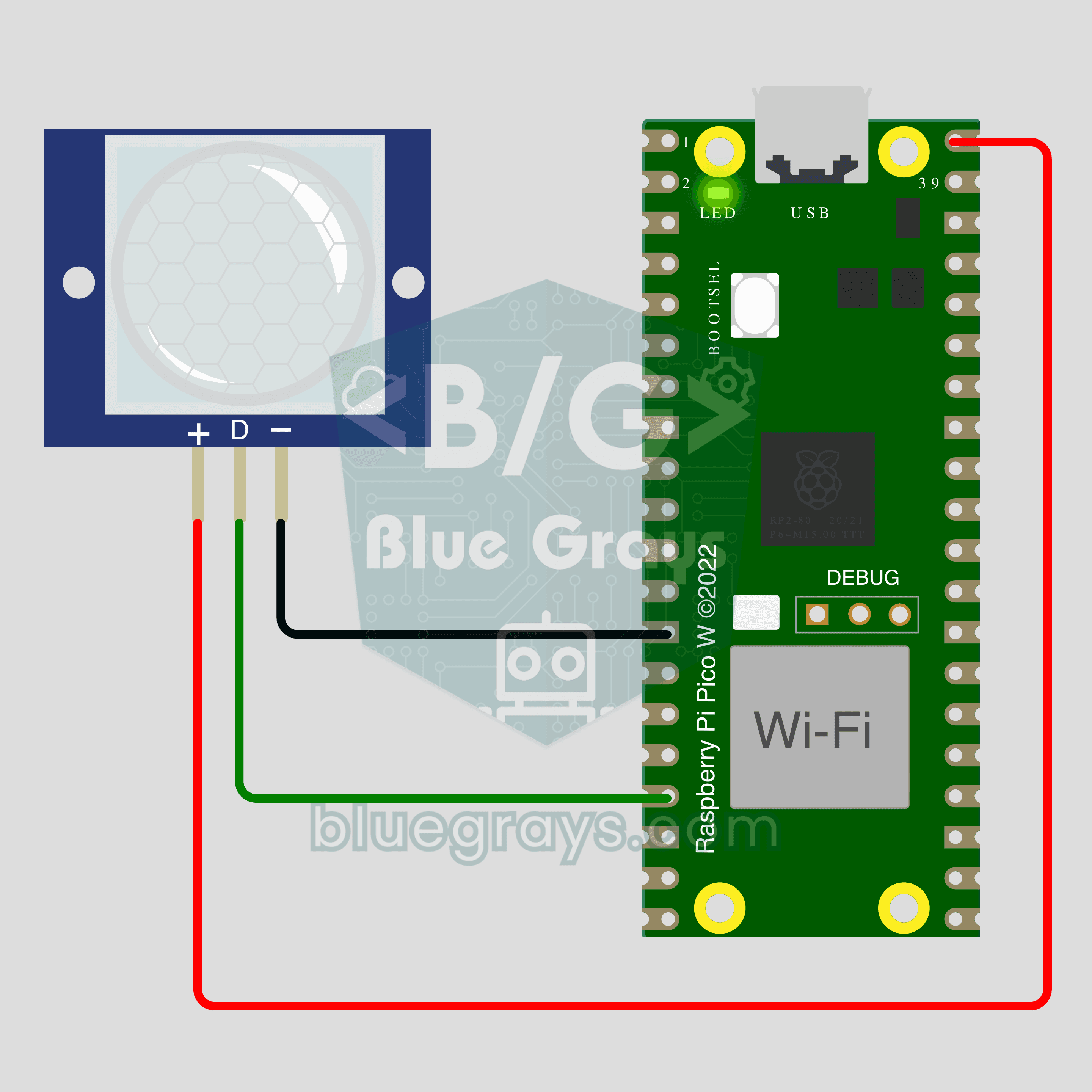
Pico W IoT Motion Counter (PIR)
Count how many times someone walks through a door or hallway, and see the moment of motion live on your phone. This project is the step-by-step guide to the Motion detector IoT template in the app, built with a Raspberry Pi Pico W and a PIR motion sensor using just 3 wires. Go to Workshop › Devices › Add a device; Ohmi prepares the code with your own device key. The code on this page is an example: the key and Wi-Fi details are placeholders.
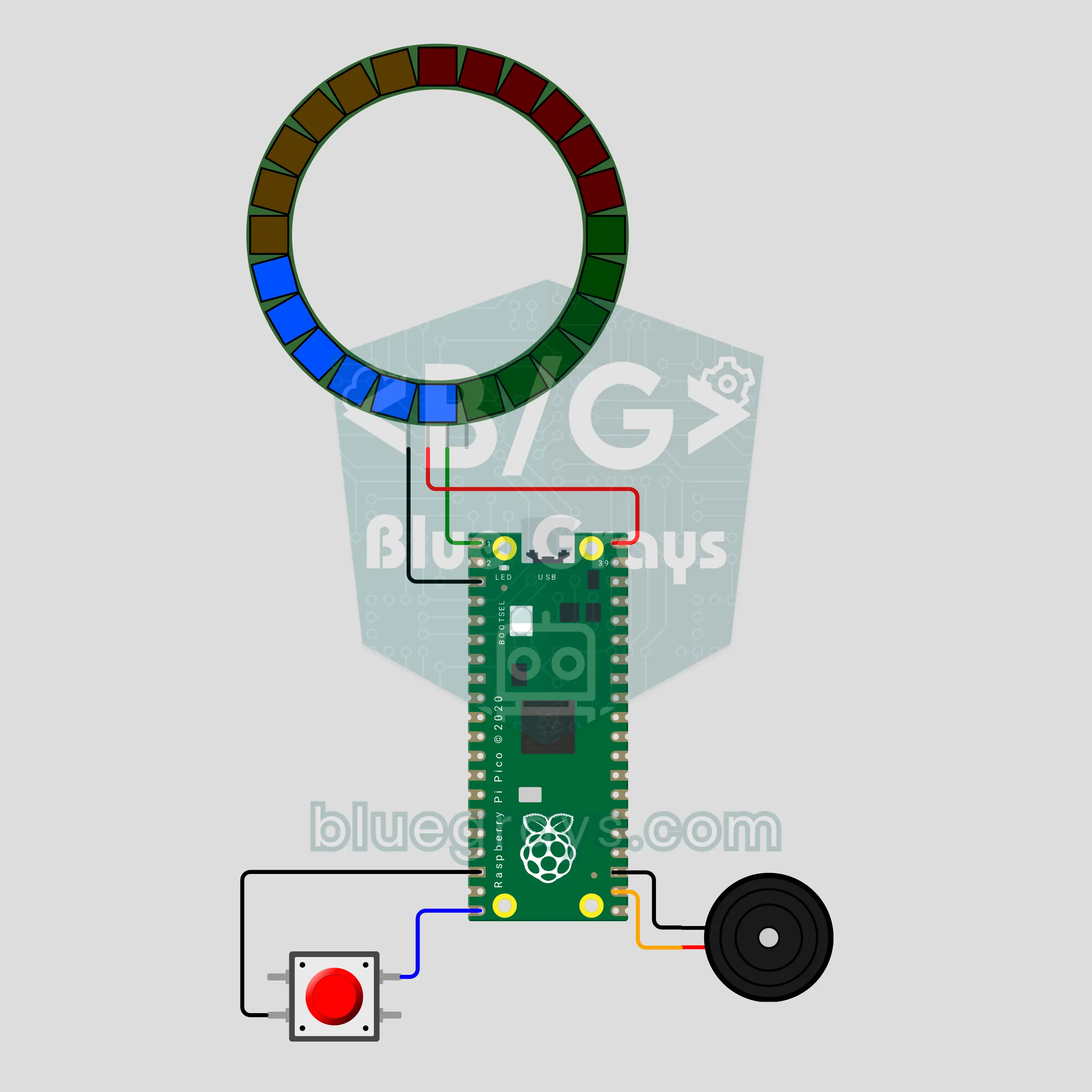
Pico Decision Roulette: A Ticking Light Roulette That Slows Down and Stops (24-LED Ring + Button + Passive Buzzer)
Press the button: the light races around the 24-LED ring, ticks on every step, slows down and stops on a random LED. The winner blinks and a victory tune plays. Hold the button for a second and the ring splits into 4 slices to choose between four people or four options; 2 slices make yes or no, 6 slices a die. Written in MicroPython; the randomness comes from the noise of an unconnected ADC pin and the moment you release the button.
중급프로젝트 53개
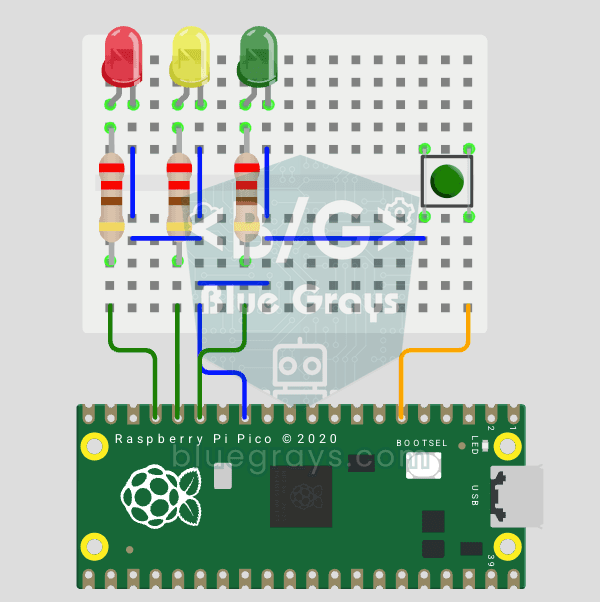
Raspberry Pi Pico Traffic Light with 4-Mode Button Selector (State Machine)
4 traffic light modes with 1 button! Each press switches the mode: Normal cycle (red → yellow → green), Red Only (stop), Flashing Yellow (caution/night mode) and Off (maintenance). You'll learn the state machine (the mode variable decides which behavior runs) and cycling through the modes with (mode + 1) % 4.
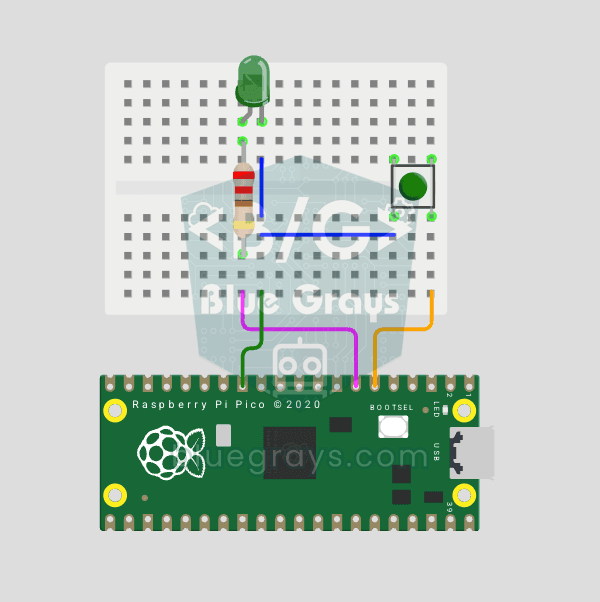
Raspberry Pi Pico Button Debounce: IRQ vs Software Polling
If one press of a button made your code count 3-4 times, the culprit is contact bounce: the button's metal contacts open and close many times within microseconds as they touch! In this project we count the same button in 2 different ways and compare them side by side in Serial: RAW polling (catches the bounce and miscounts) and IRQ + software debounce (counts correctly).
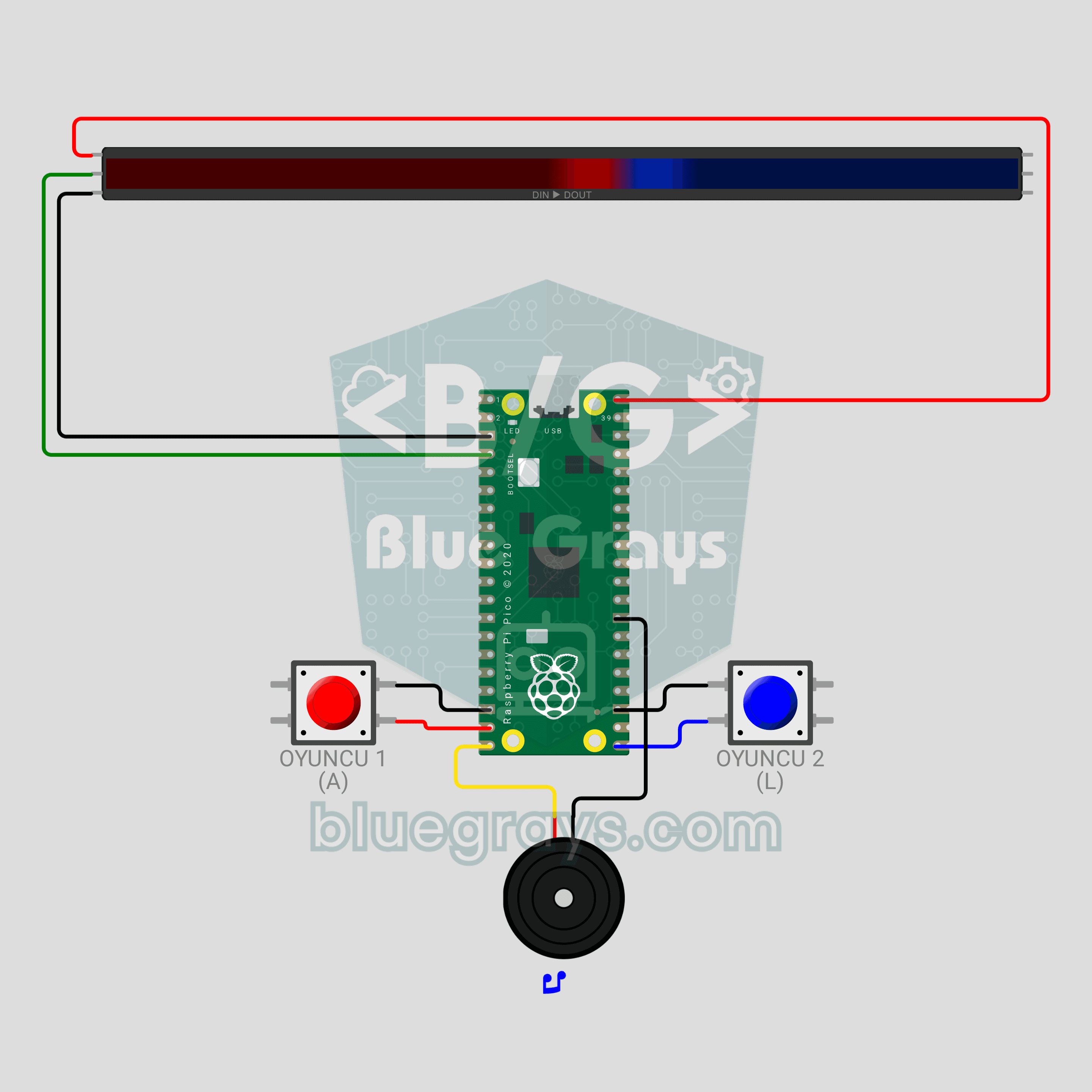
Raspberry Pi Pico LED Tug of War Game (NeoPixel Strip + 2 Buttons + Buzzer)
A two-player button duel! The Raspberry Pi Pico turns a 30-LED WS2812B NeoPixel strip into a rope: red player on the left, blue player on the right. Every press pushes your color one LED forward; fill the whole strip to win the round, and take 3 rounds to win the match. Press too early in the countdown and you lose ground, the passive buzzer gives each player a different click, and the match ends in a rainbow. neopixel, debouncing and non-blocking sound in MicroPython.
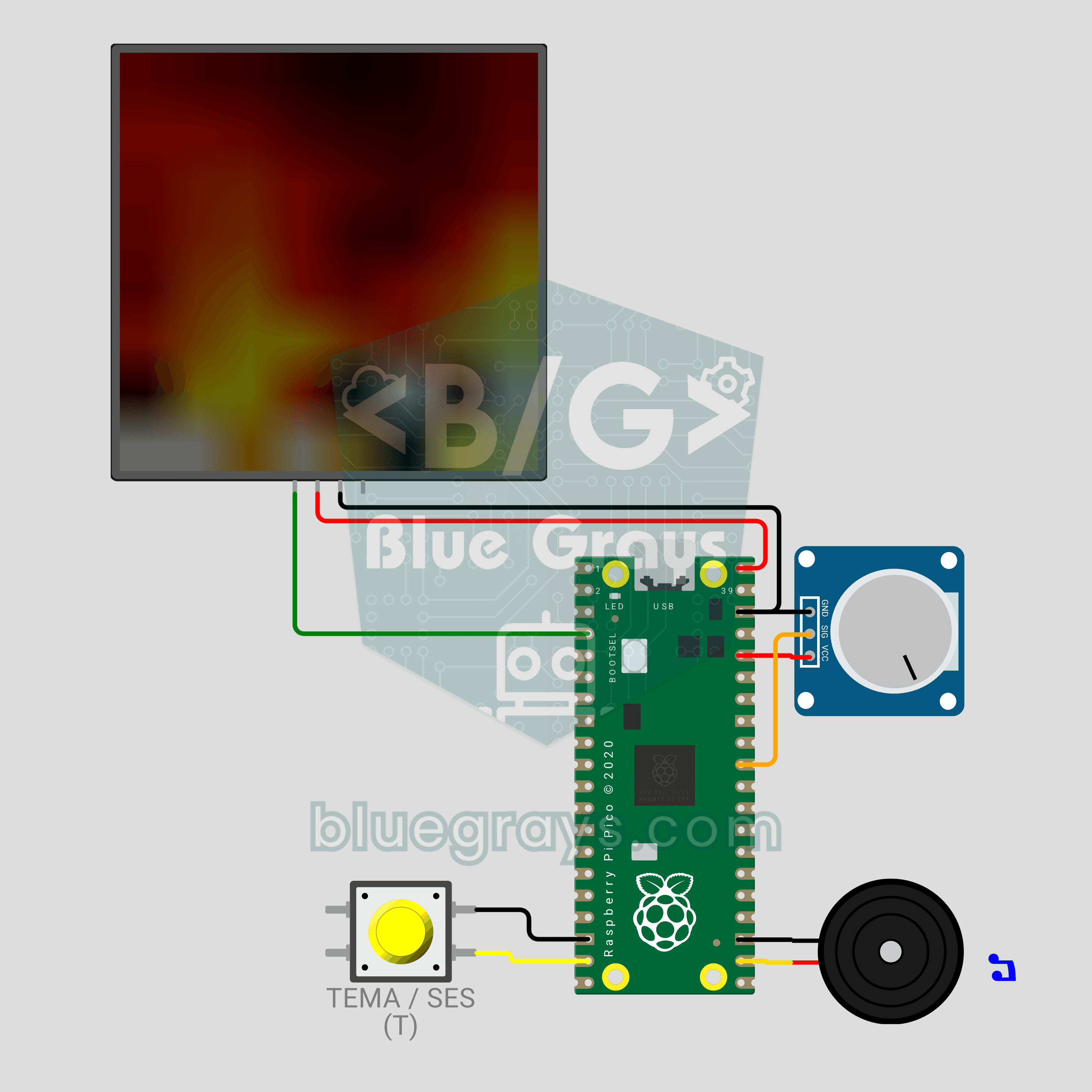
Raspberry Pi Pico LED Campfire (8x8 NeoPixel Matrix + Potentiometer + Buzzer)
A campfire that doesn't burn or warm anything, but still crackles! The Raspberry Pi Pico draws a realistic flame on an 8x8 NeoPixel matrix, recalculated every frame: sparks appear at the base, heat cools as it rises and glows from red to white. A potentiometer sets the flame height, a button switches between Fire, Gas, Magic and Amethyst themes, and a buzzer adds the crackle of burning wood. Procedural animation, ADC, PWM and MicroPython in one project.
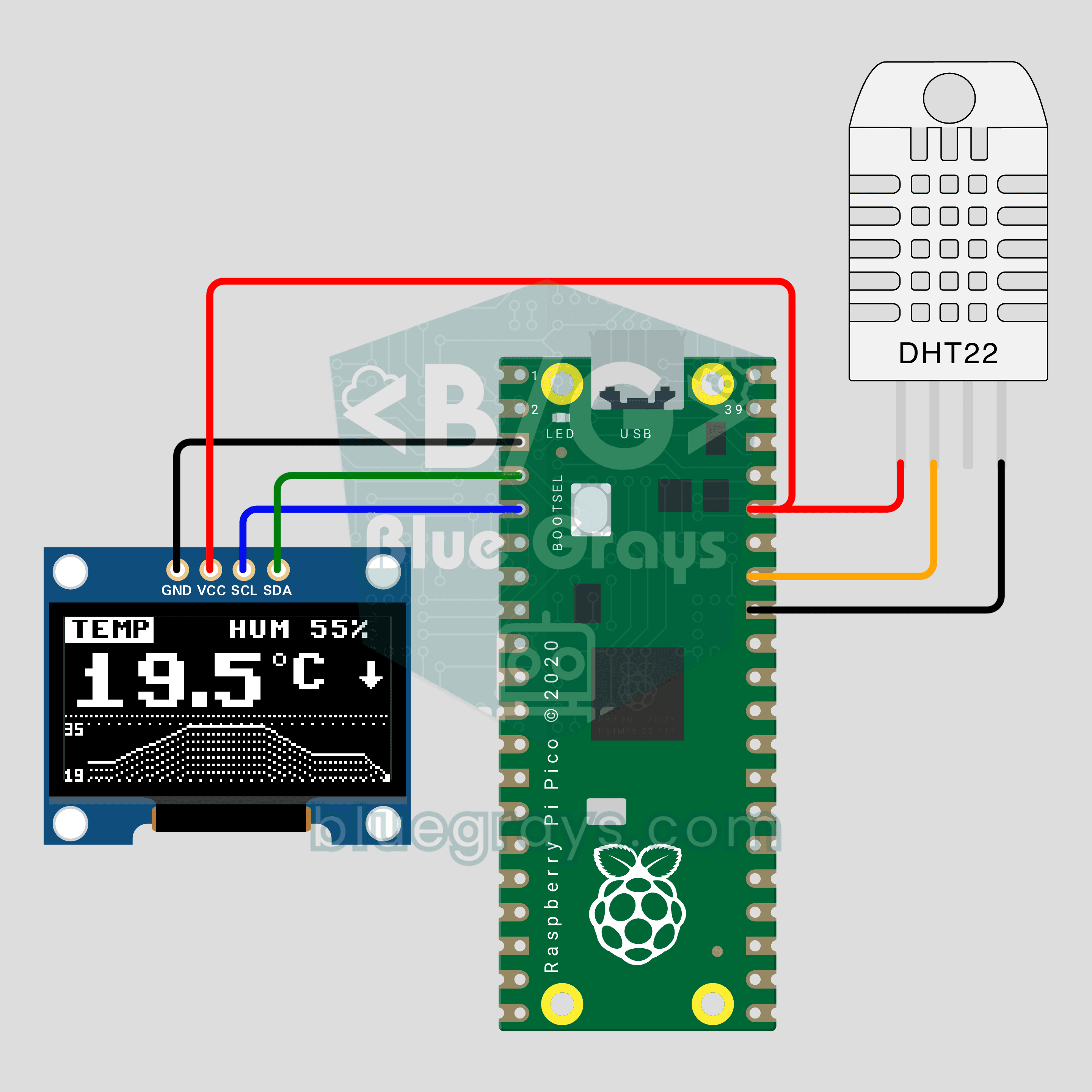
Raspberry Pi Pico Mini Weather Station (DHT22 + OLED Chart)
How has your room's temperature changed over the last two minutes? The Raspberry Pi Pico reads temperature and humidity from a DHT22 every 2 seconds and shows the value in big digits on a 0.96 inch OLED, with a line chart of the last 60 readings below. An arrow shows the trend and the temperature and humidity pages swap every 4 seconds. The OLED driver is built into the code: one file, no libraries.
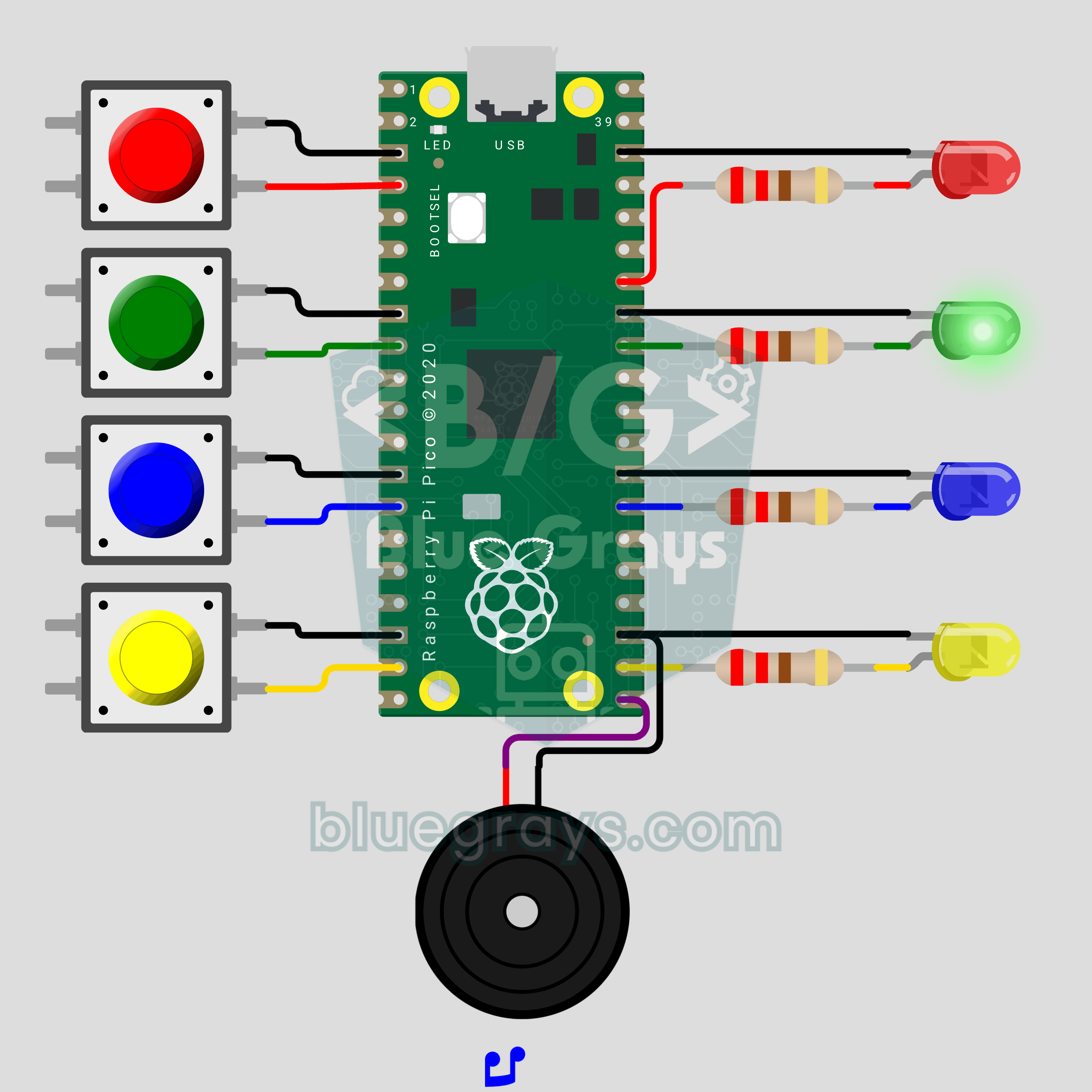
Raspberry Pi Pico Memory Game (4 LEDs + 4 Buttons + Buzzer)
How many rounds can you last? The classic color and sound memory game comes to your desk with a Raspberry Pi Pico. The Pico plays a random color sequence, each color with its own LED and its own note. Repeat it in the same order on 4 buttons and one more color joins every round. Press a wrong one and the buzzer plays a game over tune while the right color blinks. Lists, random numbers and button reading in one game.
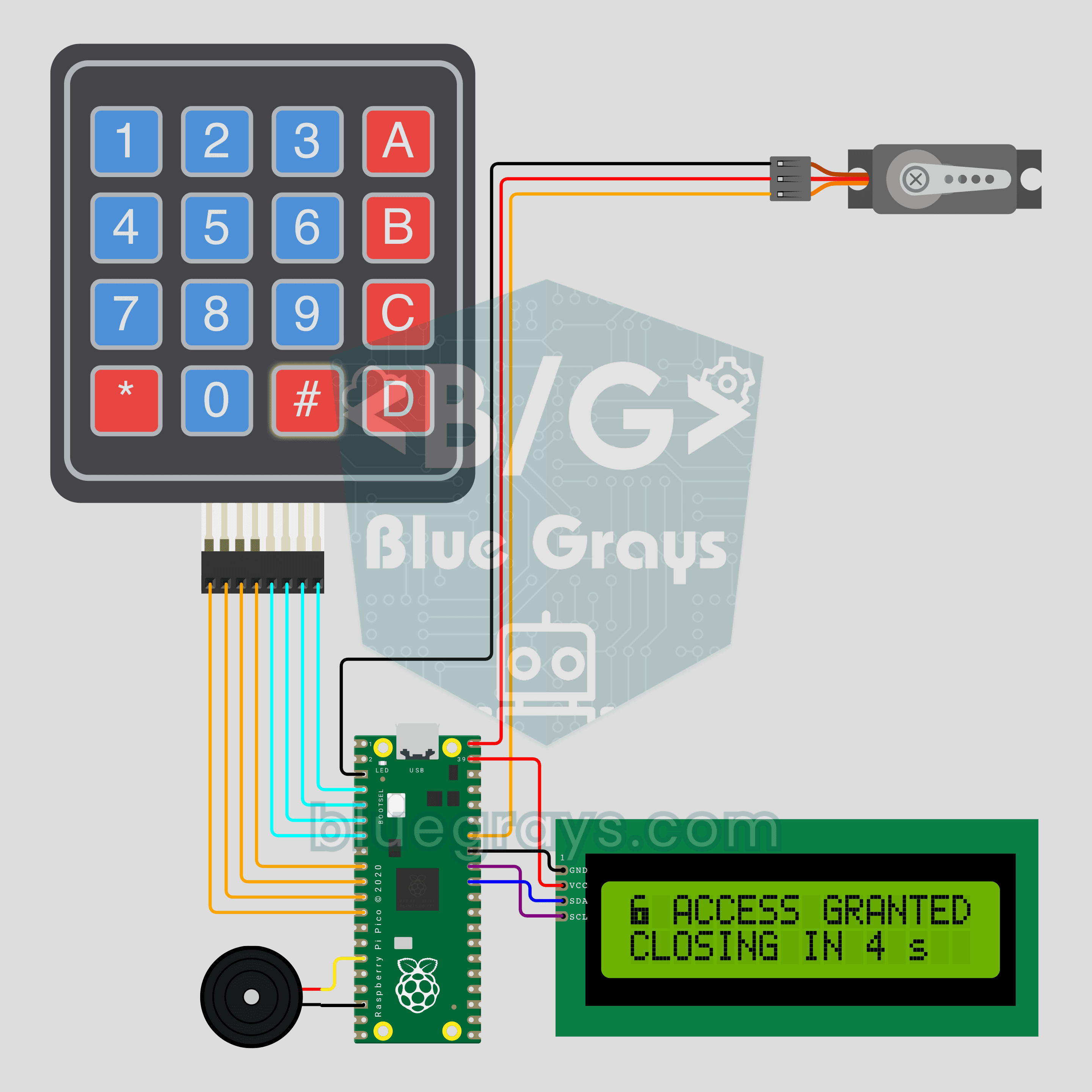
Raspberry Pi Pico Keypad Lock (4x4 Keypad + I2C LCD + Servo)
A 4-digit code opens the door, and three wrong tries mean a 30 second wait! The Raspberry Pi Pico checks the PIN typed on a 4x4 keypad: if it's right, an SG90 servo unlocks and relocks by itself after 5 seconds. An I2C LCD shows the stars, the tries left and the countdown, and a buzzer beeps on every key. The default PIN is 1234; change it with the A key and the new one is saved to pin.txt.
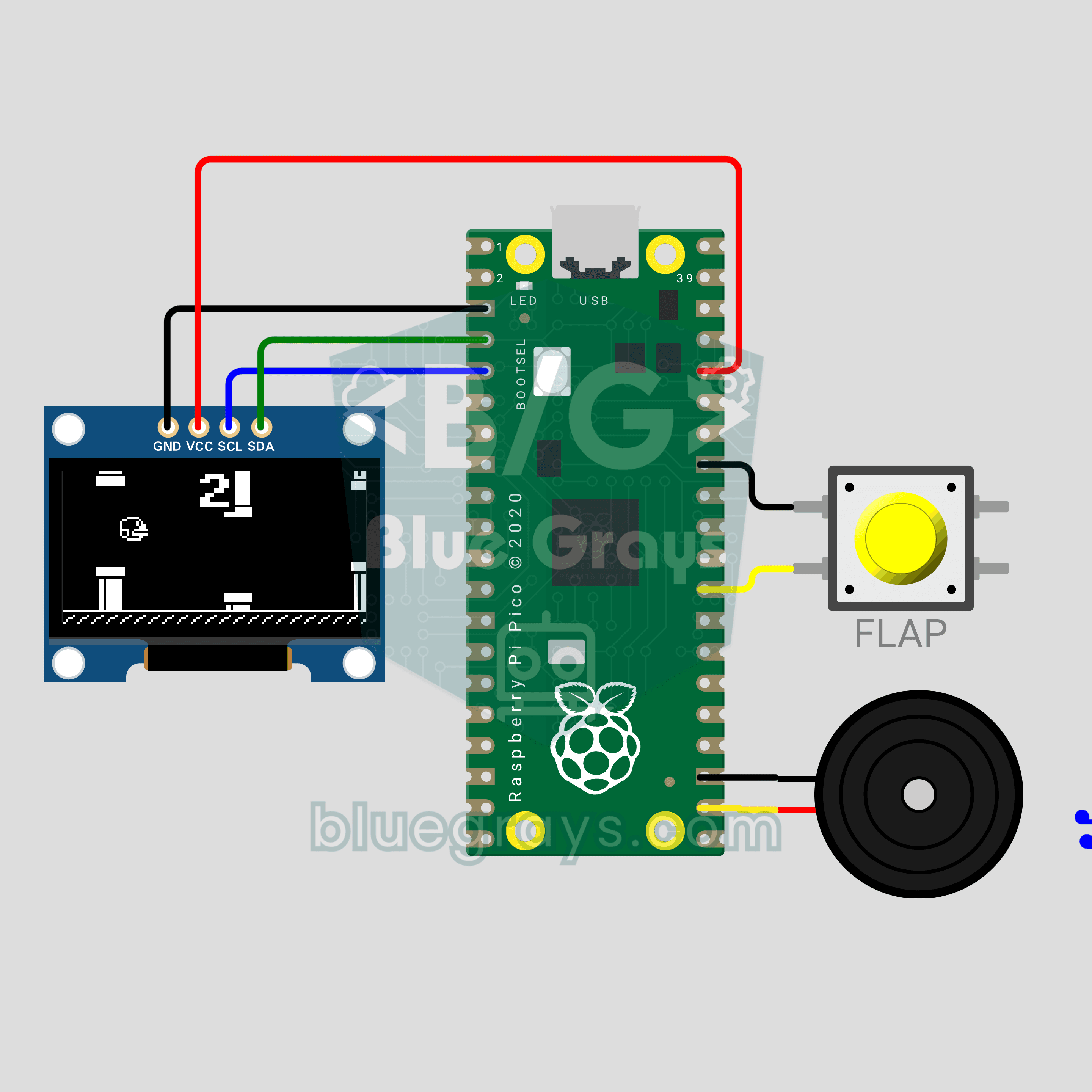
Raspberry Pi Pico Flappy Bird (OLED Display + Button + Buzzer)
That infuriating bird from your phone, now on a 0.96 inch OLED with a single button! A Flappy Bird style game on the Raspberry Pi Pico: every button press makes the bird flap, each pair of pipes you pass scores a point and the gaps get tighter. A buzzer plays the flap, point and record sounds. The high score lives in flappy_best.txt, so it survives a power cut. Physics, collisions and a 30 FPS game loop in one file.
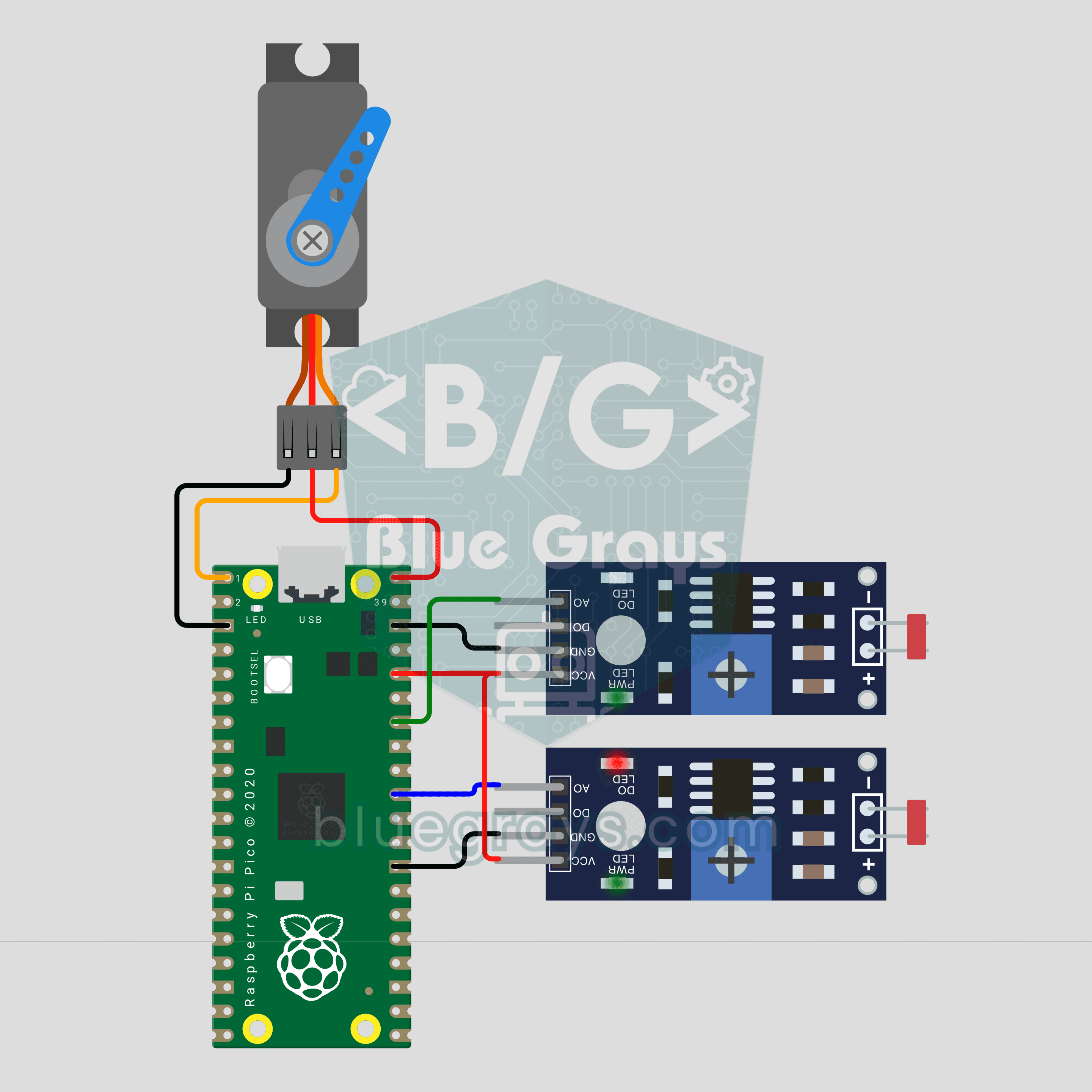
Raspberry Pi Pico Sun Tracking Panel (2 LDRs + SG90 Servo)
A panel that finds the sun on its own! The Raspberry Pi Pico measures light with 2 LDRs on either side of the panel, and an SG90 servo turns it toward the brighter side. A big difference turns it fast, a small one slowly, and it eases to a stop once both sides match. At night the panel swings back east to wait for sunrise. A ready-made experiment for science fairs and school projects.
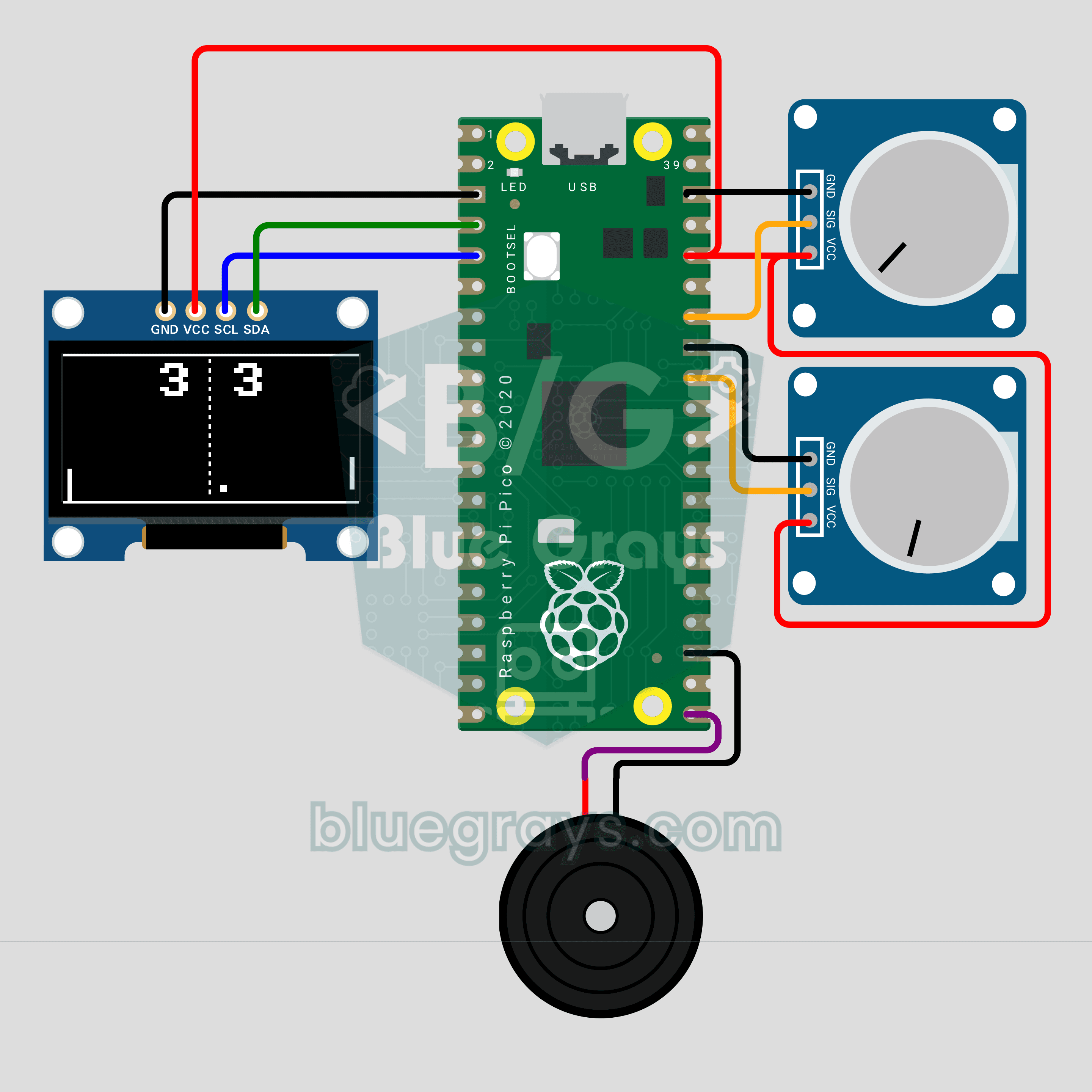
Raspberry Pi Pico Paddle Ball Game (OLED Display + 2 Potentiometers + Buzzer)
The classic paddle ball game, now on a 0.96 inch OLED for two players! Each player turns their own potentiometer to move a paddle. The ball speeds up on every hit and bounces off at an angle set by where it lands on the paddle; first to 5 points wins. A buzzer plays the wall, paddle and point sounds. Analog input, integer physics and partial screen updates in one game on the Raspberry Pi Pico.
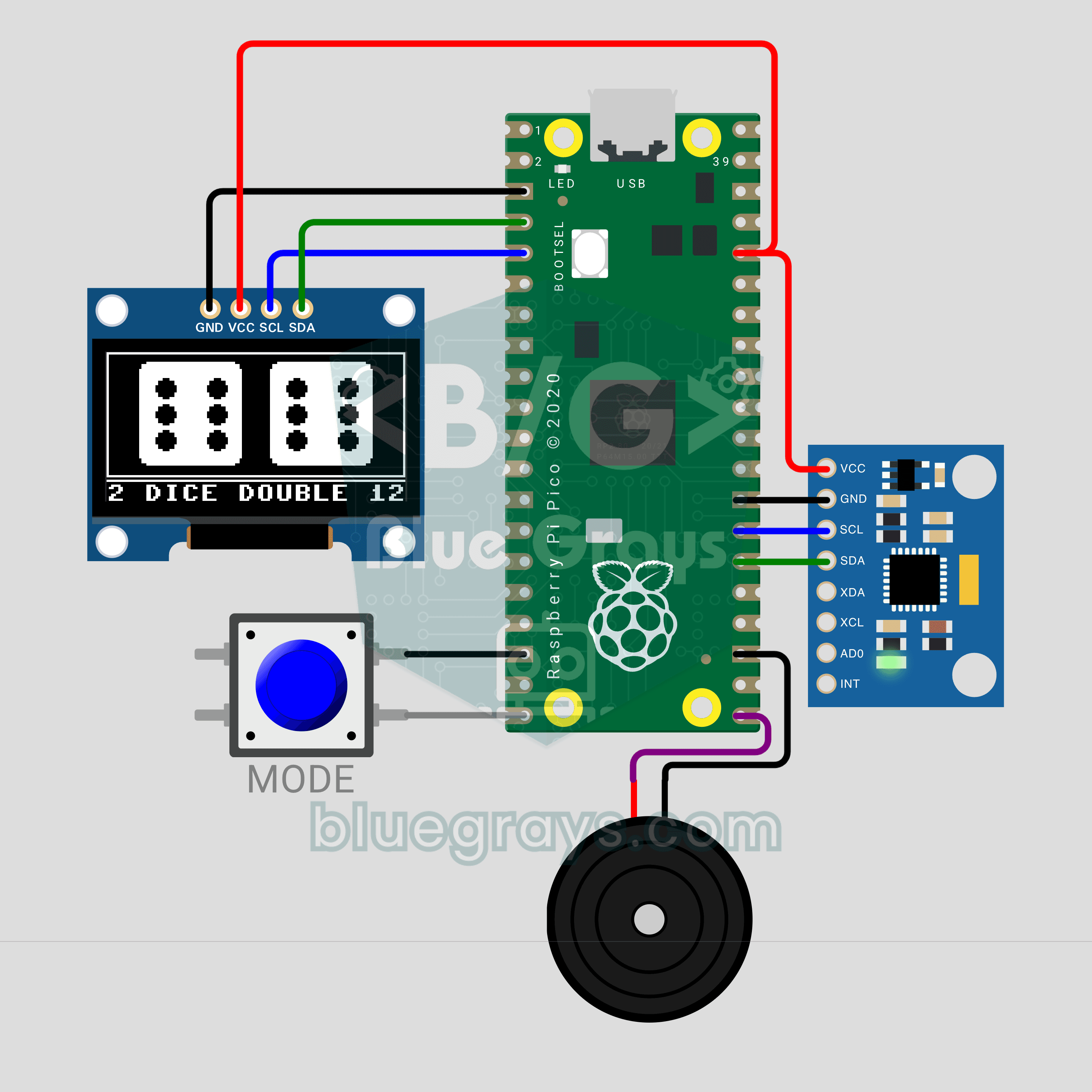
Raspberry Pi Pico Shake Dice (MPU-6050 + OLED Display + Buzzer)
Lost your dice? No problem: shake the circuit and the die rolls on a 0.96 inch OLED! An MPU-6050 accelerometer senses the shake, the die wobbles and spins, and once you stop it slows down and lands on a face. The MODE button switches between one die and two; roll a double and the screen flashes while the buzzer plays a celebration tune. The Raspberry Pi Pico reads the sensor straight over I2C, no library needed.
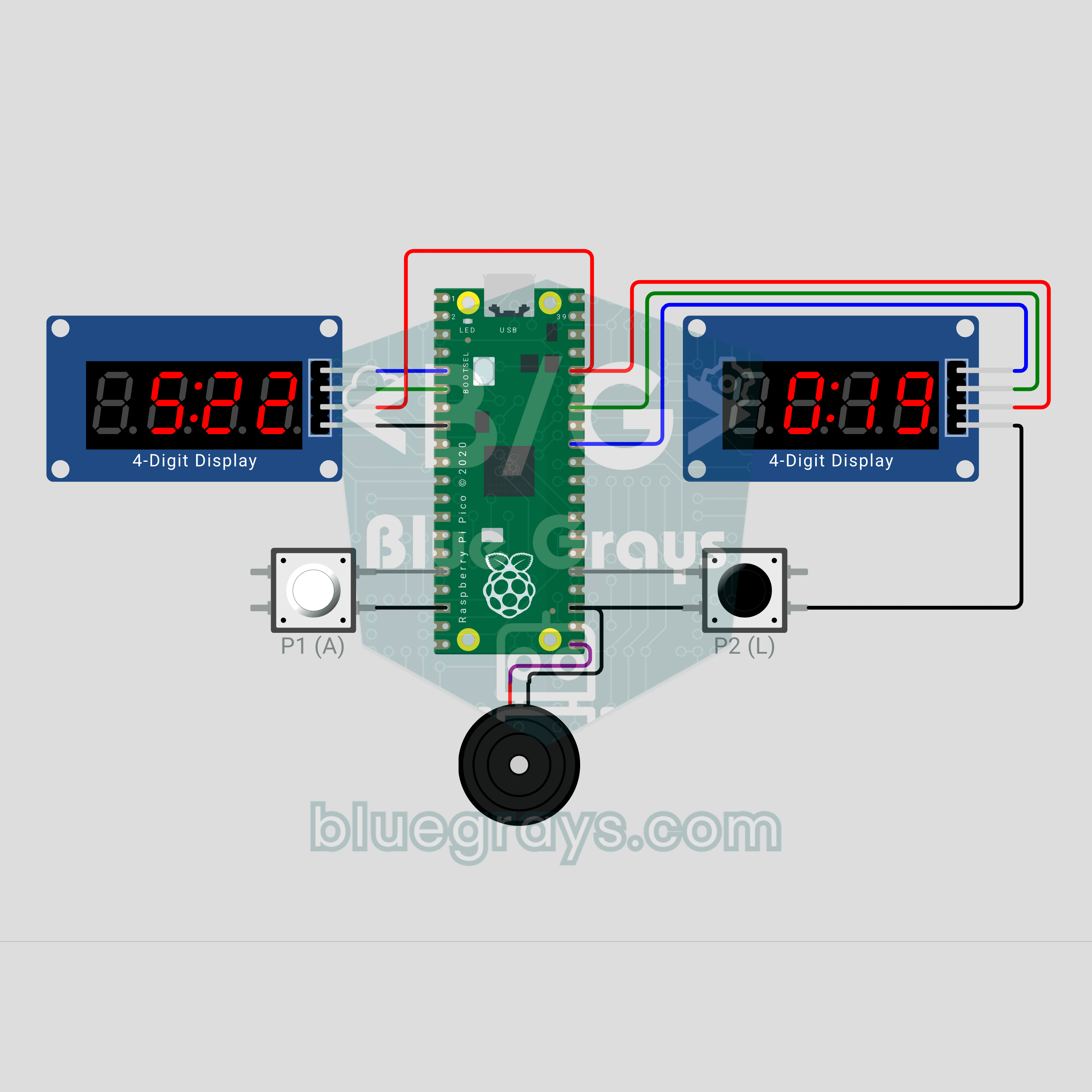
Raspberry Pi Pico Chess Clock (2 TM1637 Displays + 2 Buttons + Buzzer)
Make your move, hit the button, and the clock switches sides! A two-player chess clock with a Raspberry Pi Pico: each player's time runs down on their own TM1637 display and the mover gets an increment. The last 10 seconds show hundredths, a flagged side blinks FLAG and the buzzer sounds an alarm. Press both buttons together to pause. The TM1637 driver lives in the code, no library needed.
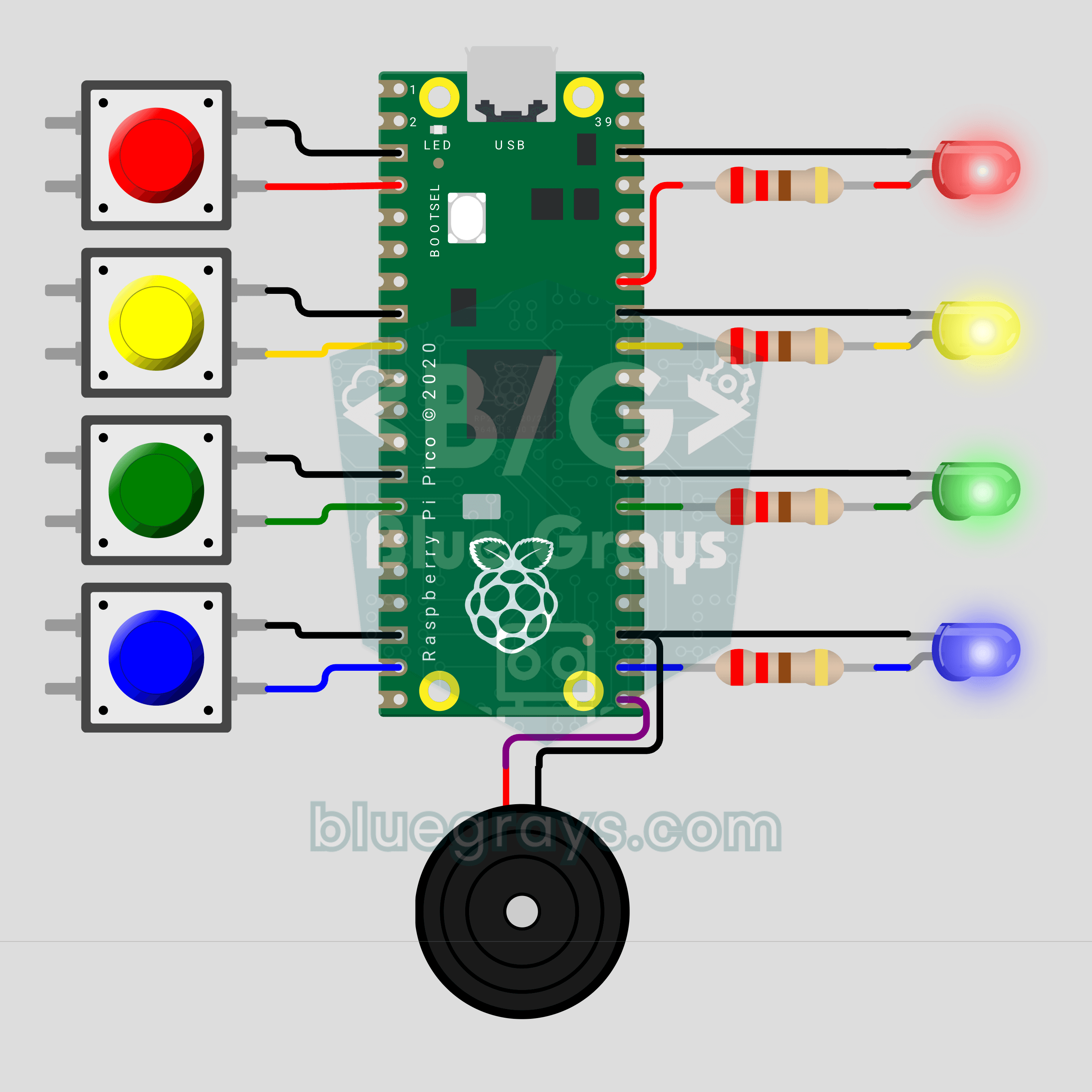
Raspberry Pi Pico Whack-a-Mole (4 LEDs + 4 Buttons + Buzzer)
Hit it when it lights up! The arcade classic Whack-a-Mole on your desk with a Raspberry Pi Pico. Four LEDs are four holes; a lit LED is a mole popping up, so press the button on the same row before the light goes out. Every 5 hits you level up and the moles stay up for less time. You get 3 misses, and a buzzer announces every hit, miss and new record.
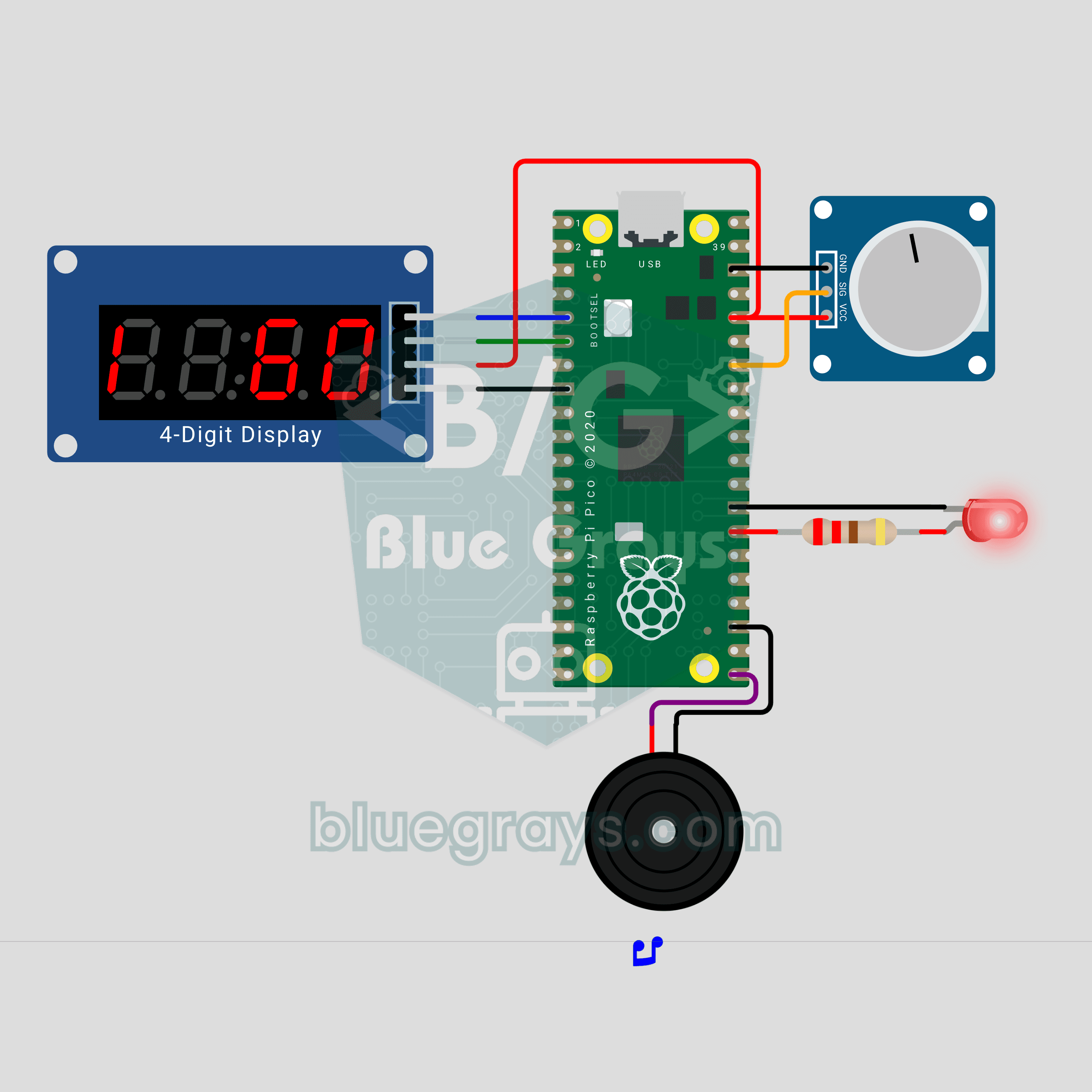
Raspberry Pi Pico Metronome (Potentiometer + TM1637 + Buzzer + LED)
Turn the knob and the tempo follows! We are building a 40-200 BPM metronome with a Raspberry Pi Pico. A potentiometer sets the tempo, and a TM1637 display shows the BPM plus a pendulum that swings on every beat. The buzzer plays a high click on the first beat of the bar and a lower one on the rest, while an LED flashes in time. After each change the display names the tempo: Largo, Adagio, Allegro and more.
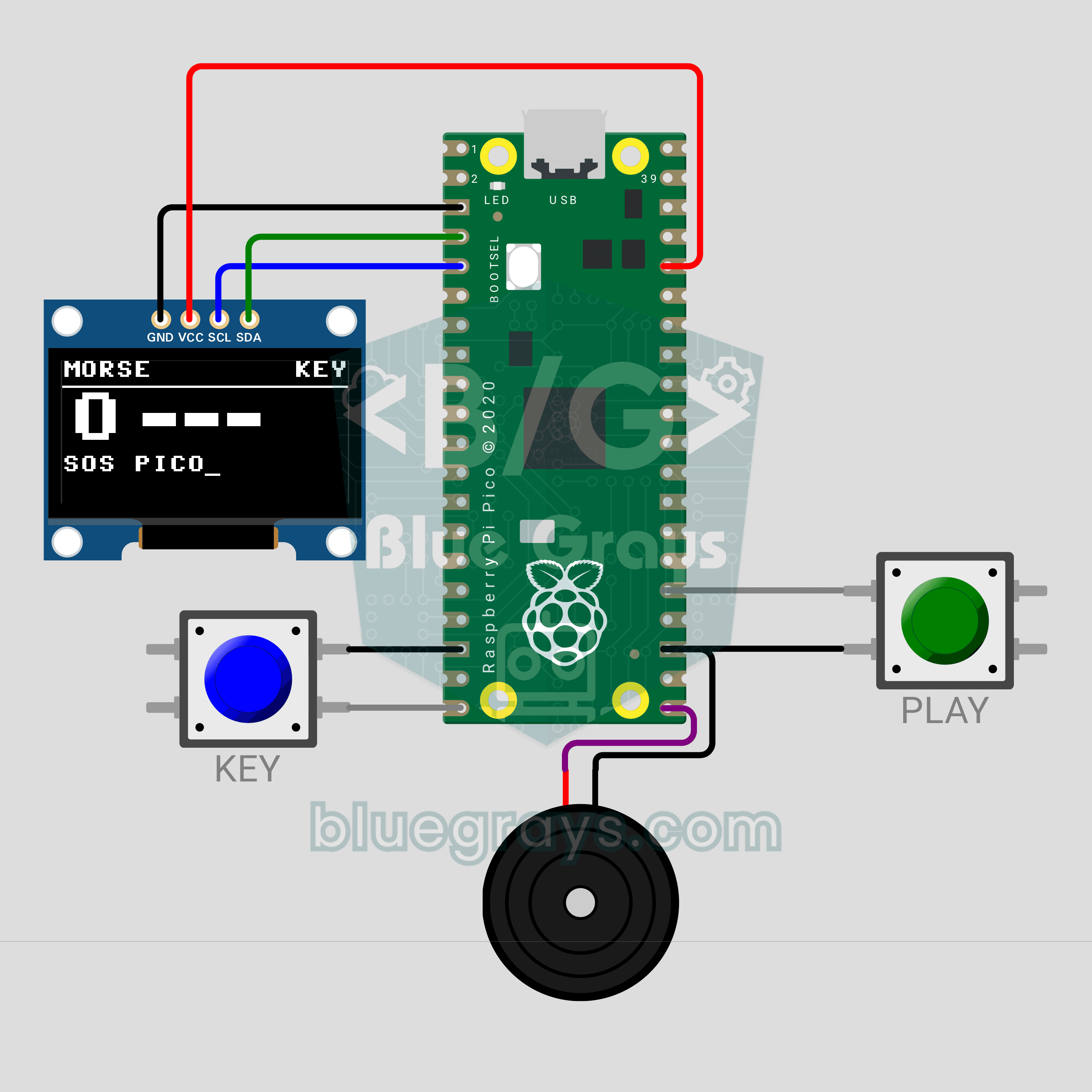
Raspberry Pi Pico Morse Code Translator (Button + OLED Display + Buzzer)
Tap the button and the Pico decodes your Morse! We are building a Morse code translator with a Raspberry Pi Pico that works like a telegraph key. A short press is a dot, a long press a dash; the buzzer beeps along and the OLED display shows each decoded letter in large type. A second button plays your text back in Morse, so you see both directions.
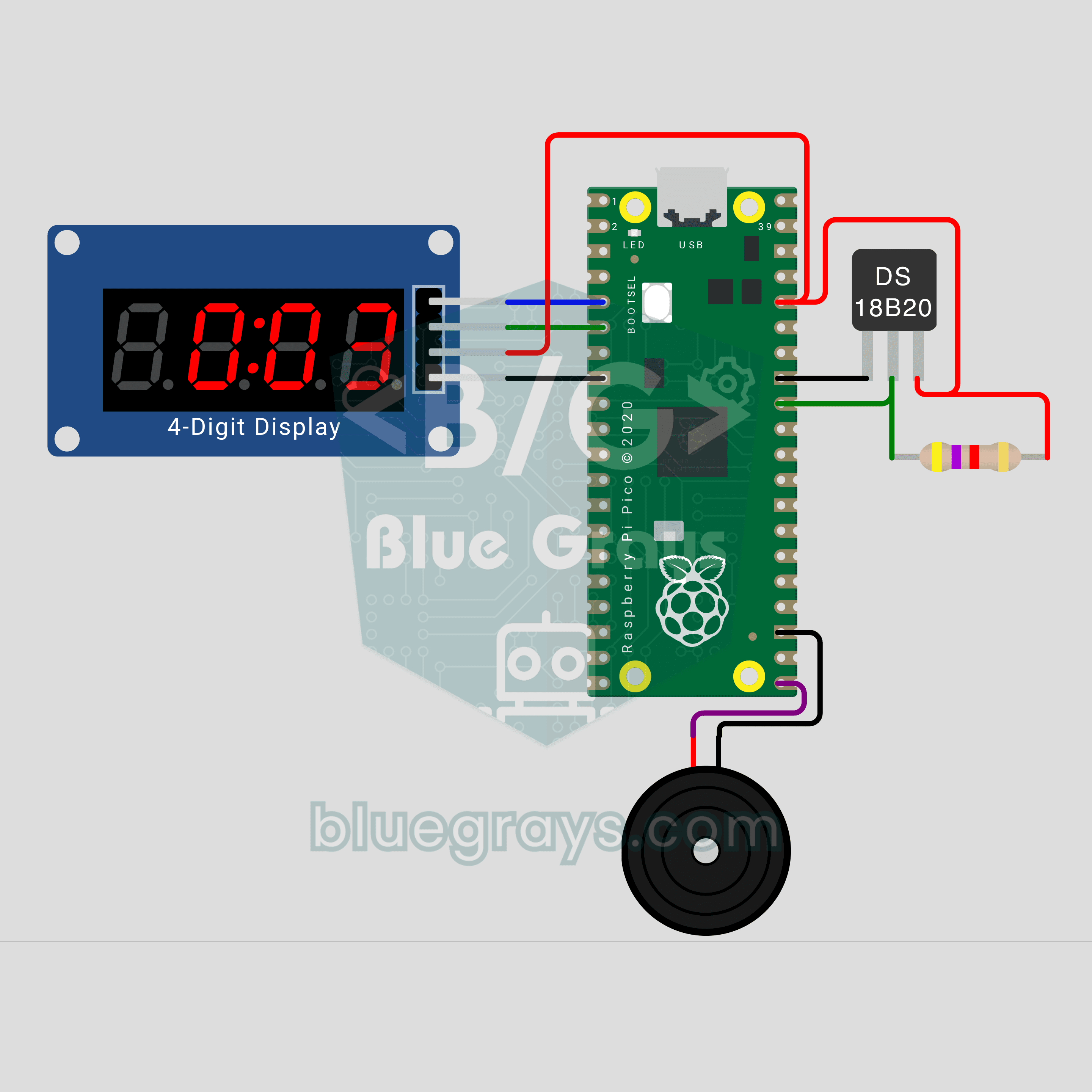
Raspberry Pi Pico Tea Thermometer (DS18B20 + TM1637 + Buzzer)
Let the Pico tell you when your tea is ready to drink! We are building a thermometer with a Raspberry Pi Pico that measures the tea in your glass. A waterproof DS18B20 probe goes into the tea, and a TM1637 display shows the temperature and the time left until it is drinkable. At 65 degrees the buzzer plays a tune, and it warns you if the tea gets cold.
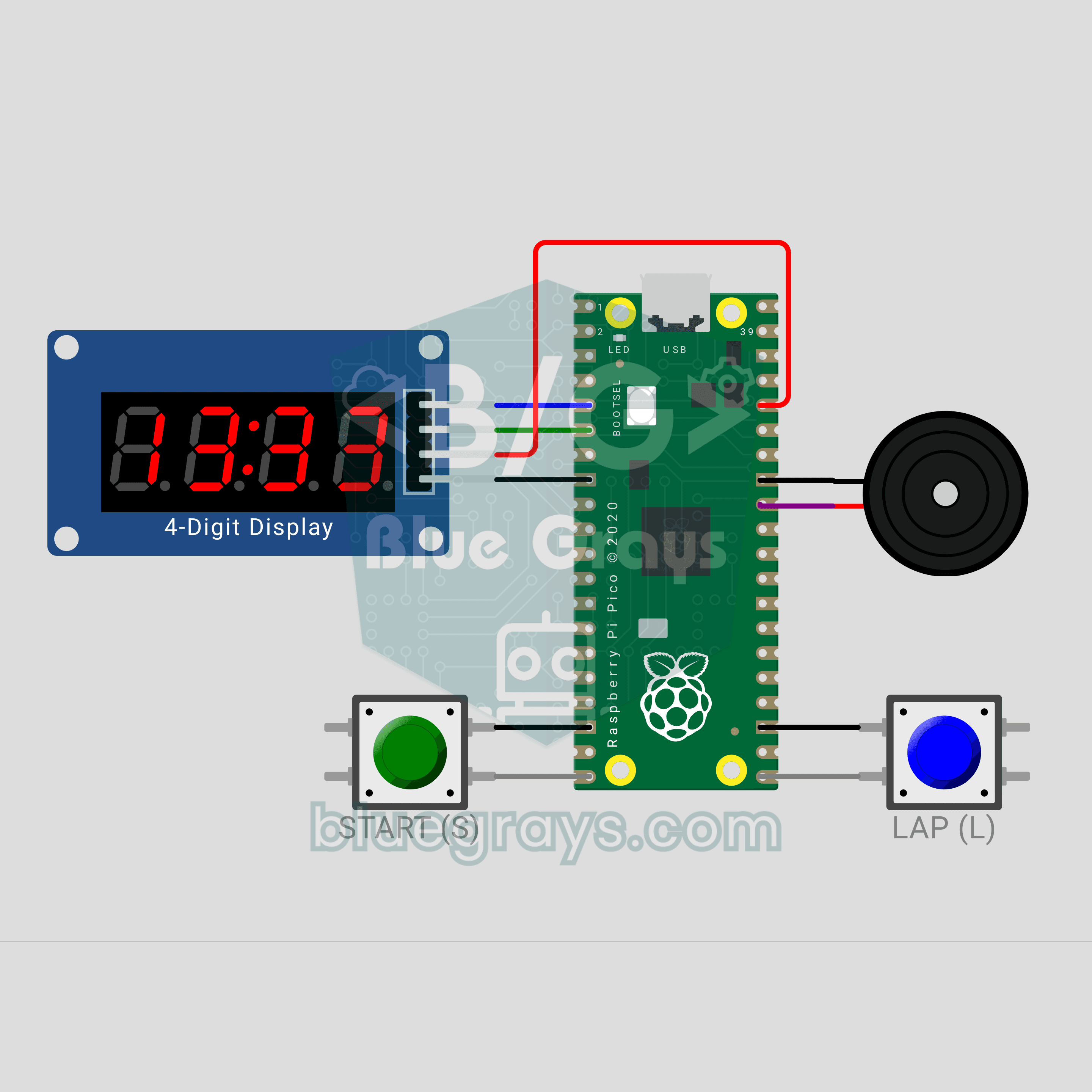
Raspberry Pi Pico Stopwatch (TM1637 + 2 Buttons + Buzzer)
Press, count, take a lap! We are building a stopwatch with hundredths on a Raspberry Pi Pico. The TM1637 display shows seconds and hundredths below one minute, then minutes and seconds. The START button starts and stops it, the LAP button takes a lap: LAP1 and that lap's time appear while the count keeps running. On reset the best lap is shown, and a buzzer confirms every action with a short beep.
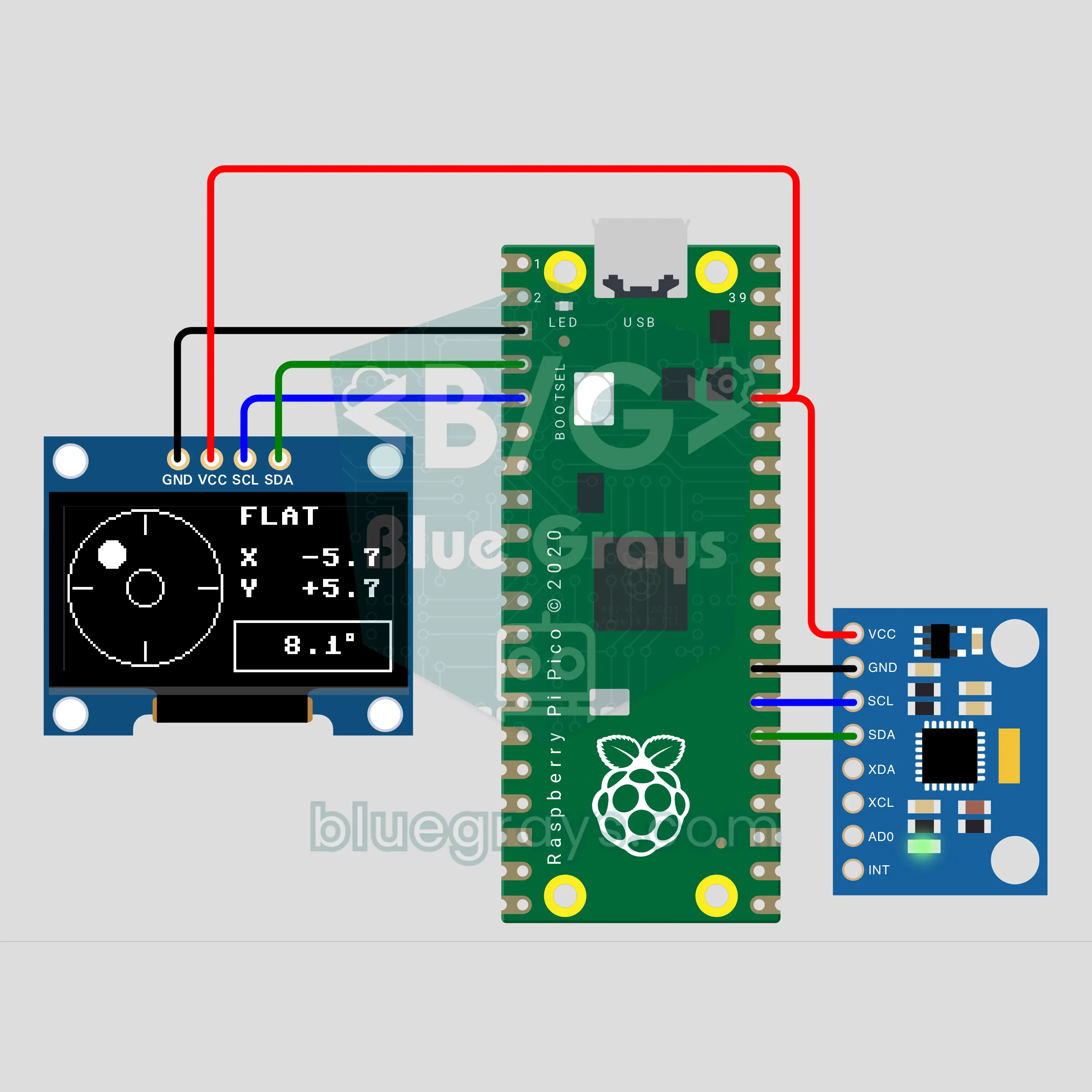
Raspberry Pi Pico Digital Spirit Level (MPU-6050 + OLED Display)
Shelf up, but is it straight? We are building a digital spirit level with a Raspberry Pi Pico. The MPU-6050 measures gravity, and the OLED shows a bubble in a bullseye plus the X / Y tilt. Stand the board on its edge and the display turns into a classic tube level. Below 0.5° the display lights LEVEL, and just like a real one, the bubble drifts to the higher side.
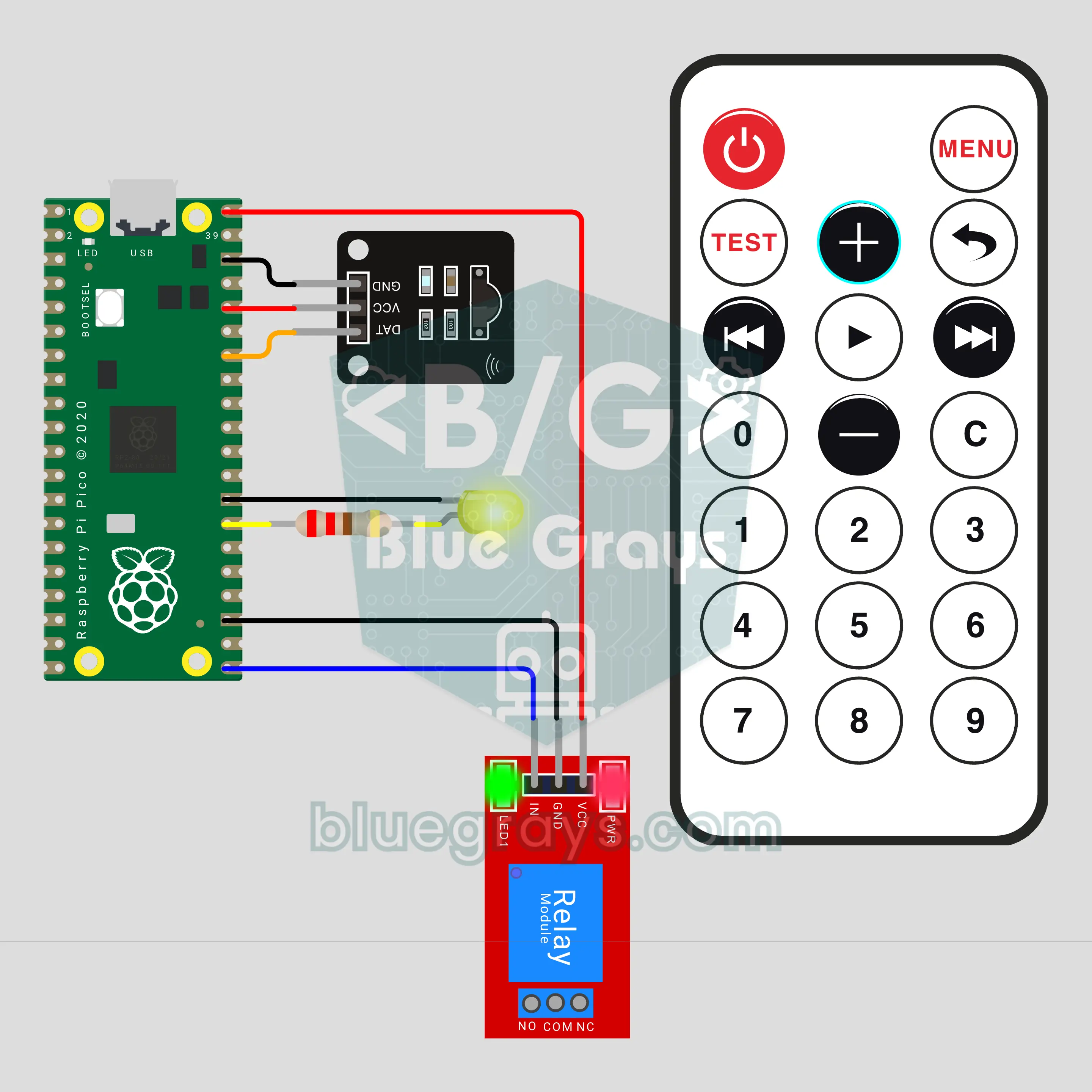
Raspberry Pi Pico IR Remote Control for an LED and a Relay (IR Receiver + Relay + LED)
Turn the light on with a remote! We are building a remote-controlled LED and socket with a Raspberry Pi Pico, an IR receiver and a relay. 1 toggles the relay, 2 the LED; + and − change the LED brightness in 5 steps, PLAY starts a breathing mode and 3 runs the relay on a timer. NEC codes are decoded without a library, from pulse times measured with an interrupt.
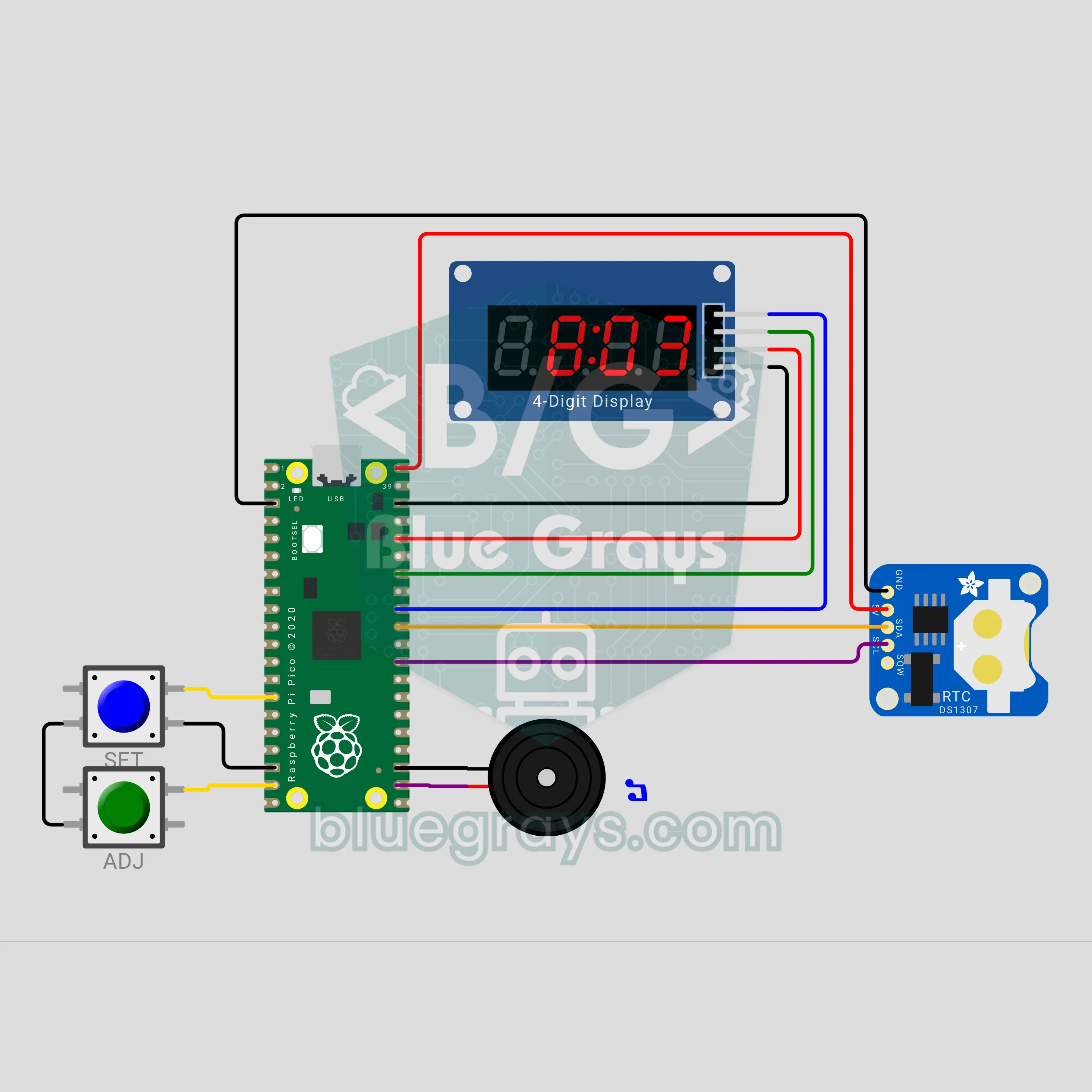
Raspberry Pi Pico Alarm Desk Clock (DS1307 + TM1637 + Buzzer)
A desk clock that keeps time even through a power cut! The Raspberry Pi Pico reads the time from a battery-backed DS1307 real-time clock, and a TM1637 display shows hours:minutes with a blinking colon. When the alarm time comes, the buzzer plays double beeps and the display pulses; one button snoozes it for 5 minutes. The alarm lives in the DS1307's battery-backed memory, and the display dims itself at night.
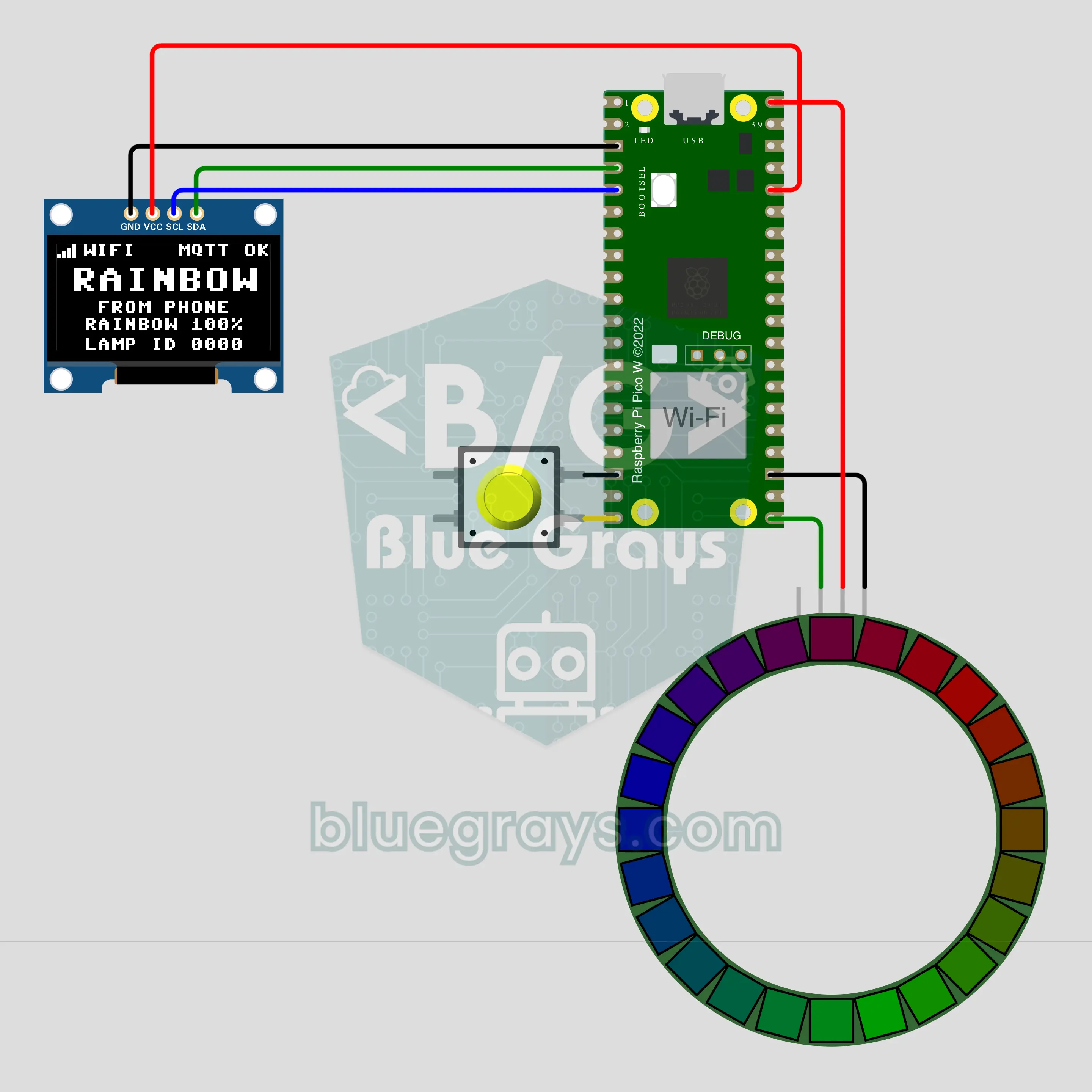
Raspberry Pi Pico W Phone-Controlled RGB Lamp (NeoPixel Ring + OLED + Button)
Pick a color on your phone and the lamp on your desk switches to it instantly! The Raspberry Pi Pico W joins Wi-Fi and listens for commands on a public MQTT broker, so any MQTT app on your phone can change the color, brightness and effect of a 24-LED NeoPixel ring. The OLED shows the connection and the last command. A local button works even without internet, and the last setting survives a power cut.
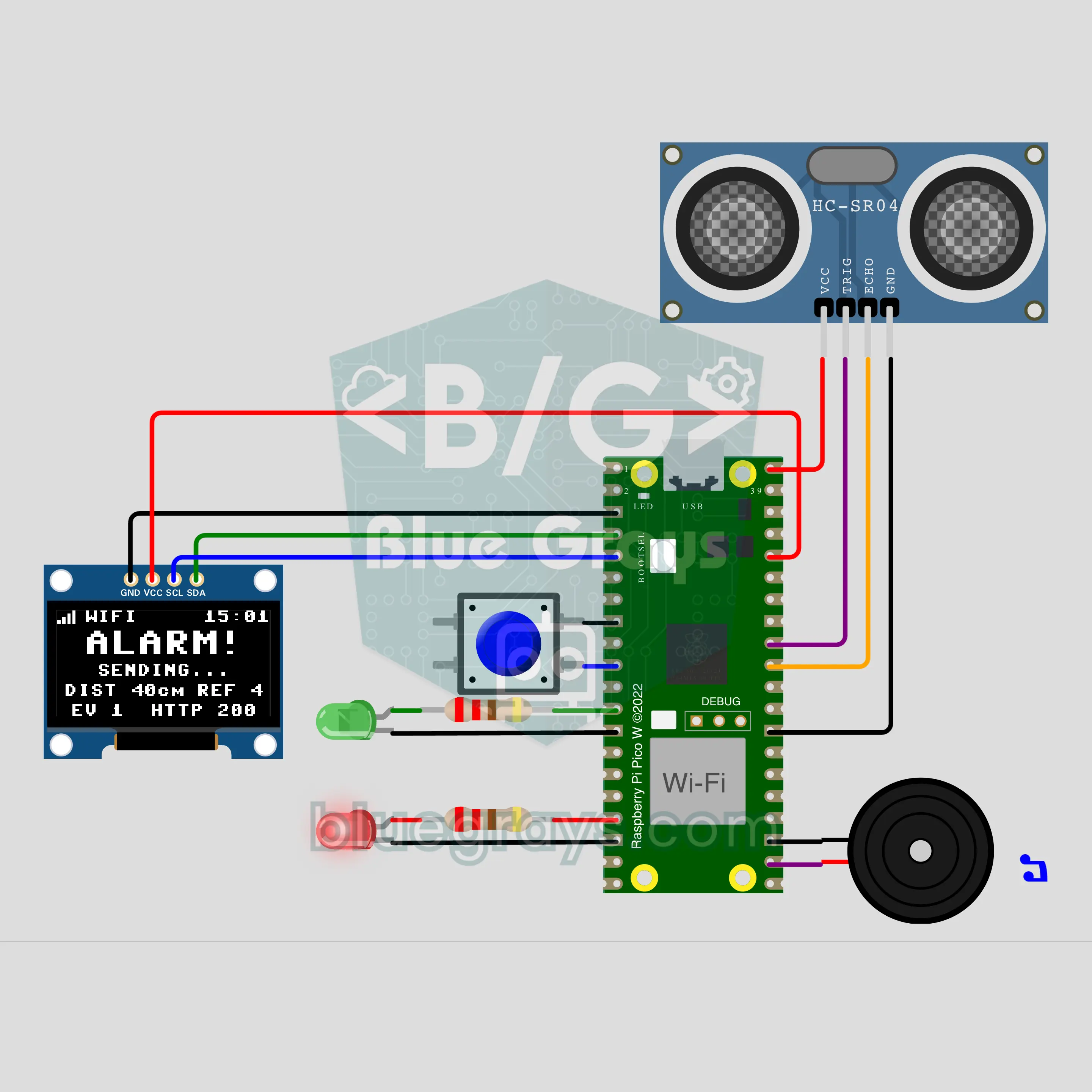
Raspberry Pi Pico W Door Alarm with Phone Notifications (HC-SR04 + OLED + Buzzer)
A home alarm that sounds a siren and pings your phone when the door opens! The Raspberry Pi Pico W joins your home Wi-Fi, and an HC-SR04 facing the door notices the change in distance as it opens. You arm it with a button; when the door opens, a 5-second entry delay starts, and if nobody disarms it the buzzer wails, the red LED flashes and an urgent notification goes out. The OLED shows the state, countdown, clock and send result.
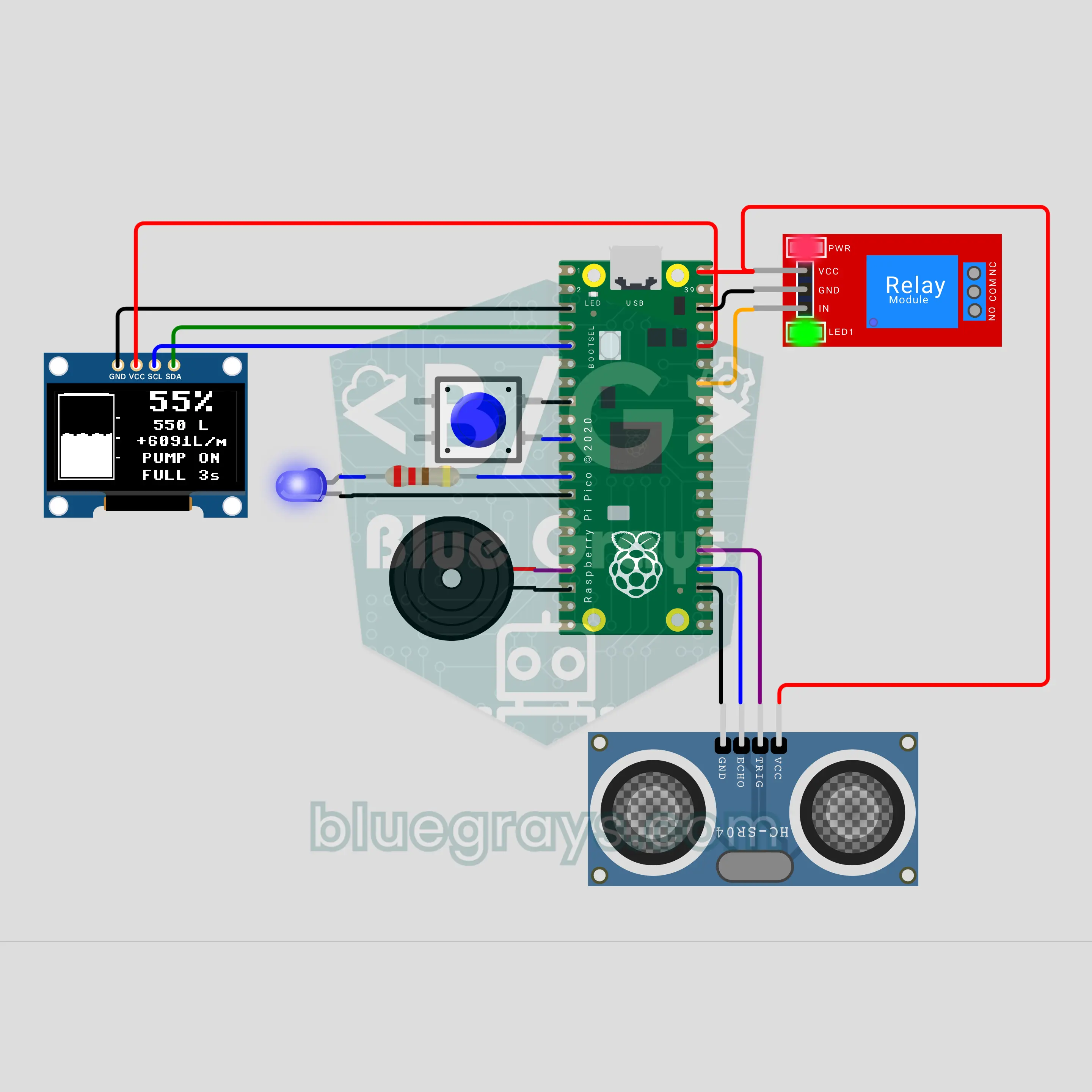
Raspberry Pi Pico Water Tank Level Gauge and Automatic Pump (HC-SR04 + OLED + Relay)
A smart gauge that measures the water level without ever touching the water! An HC-SR04 measures the distance from the tank lid to the water, and the Raspberry Pi Pico turns it into percent and liters. At 20% the relay starts the pump and stops it at 95%; if no water comes or the tank overflows, the buzzer sounds an alarm. The OLED shows a rippling tank drawing, the flow rate and the time left to fill.
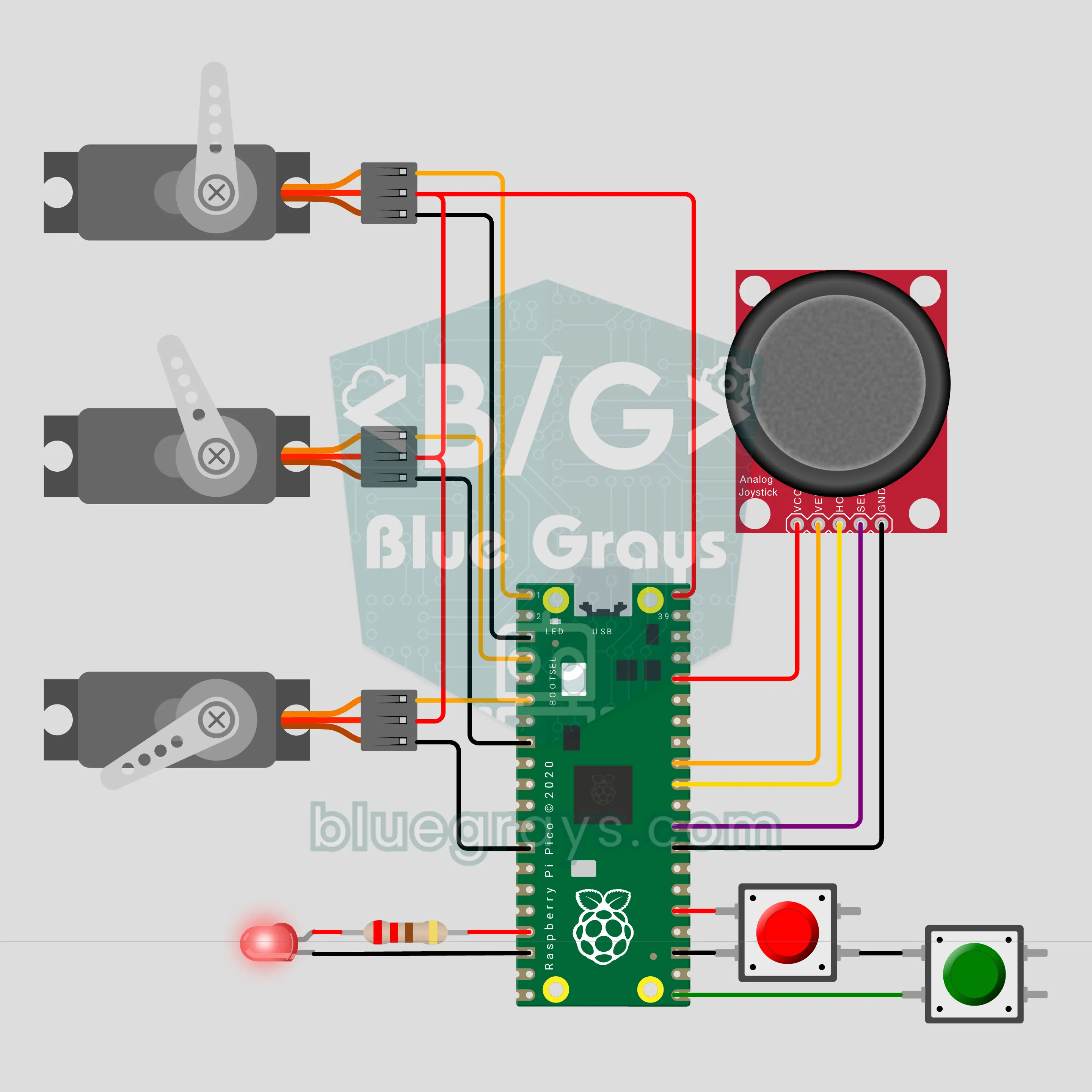
Raspberry Pi Pico Record-and-Replay Robot Arm (3 Servos + Joystick)
Show it a move once and the robot arm repeats it on its own! The Raspberry Pi Pico drives the base, shoulder and gripper with three SG90 servos; a joystick steers the arm and a click opens or closes the gripper. Press RECORD and the motion is saved every 100 ms; press PLAY and the arm follows the same path once or on a loop, at x1, x2 or x0.5 speed. The "teach and repeat" method of factory robots, right on your desk.
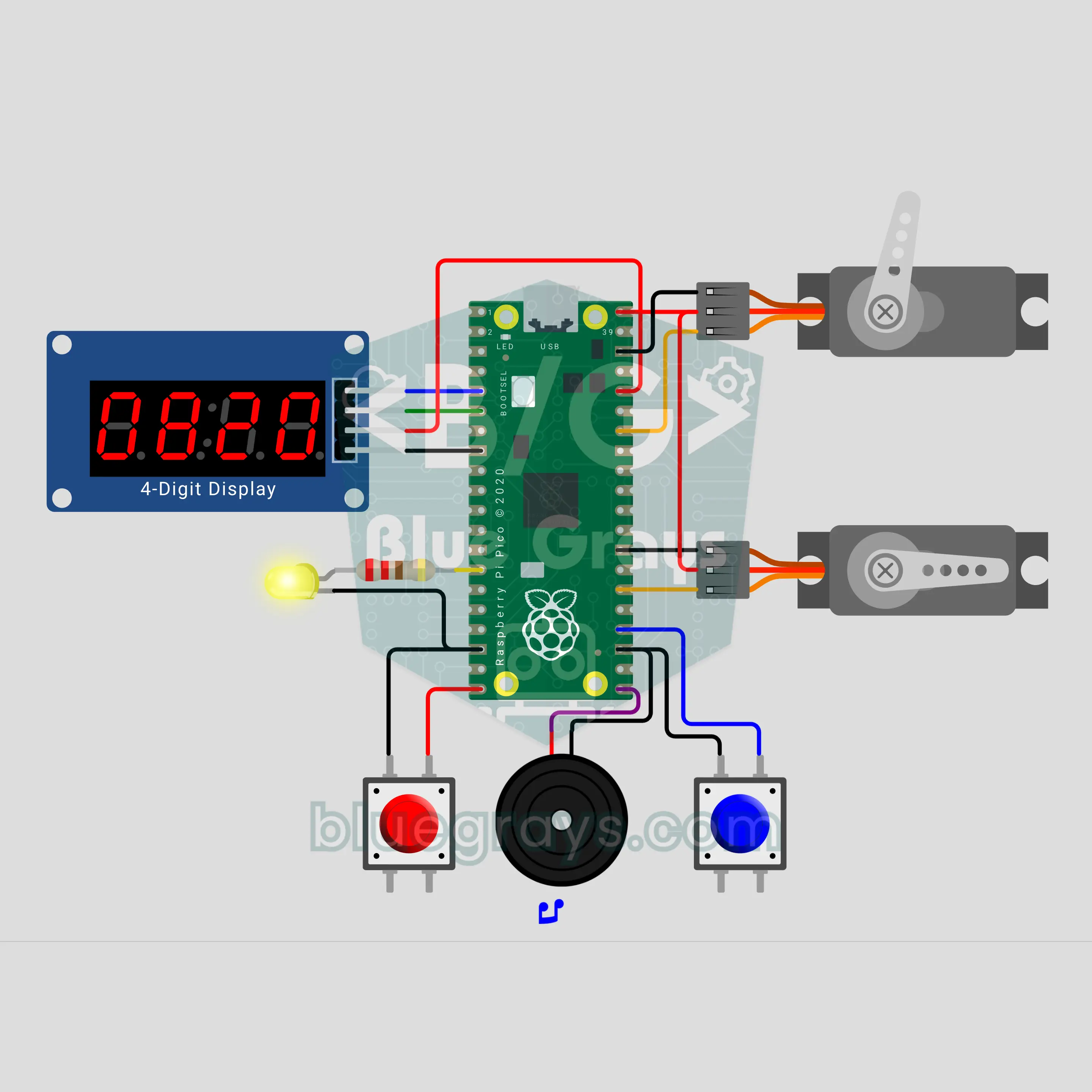
Raspberry Pi Pico Cowboy Duel (2 SG90 Servos + TM1637 + Buzzer)
A two-player reflex duel: a western whistle plays, the yellow LED lights up at a random moment and the first to press wins! The Raspberry Pi Pico knocks the loser's cardboard cowboy down with an SG90 servo and makes the winner's wave; a TM1637 display shows the reaction time in milliseconds. Press before the LED and you shoot your own cowboy. First to 3 points is champion, and the fastest reaction is saved as the record.
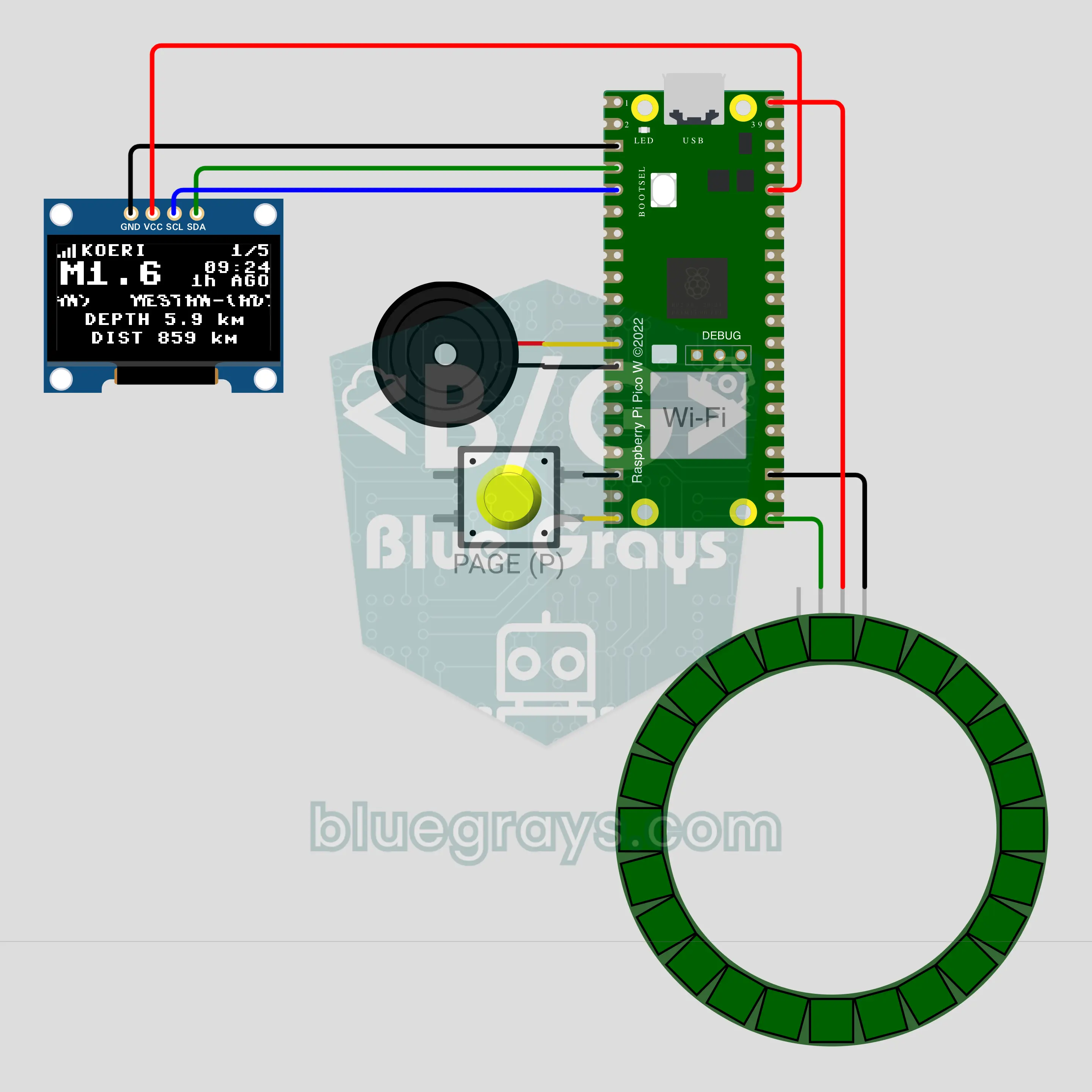
Raspberry Pi Pico W Latest Earthquakes Display (OLED + NeoPixel Ring + Buzzer)
The latest earthquakes in Turkey, right on your desk! The Pico W fetches the open data of the earthquake observatory once a minute and shows the magnitude, place, time, depth and distance to your home on an OLED display. A NeoPixel ring takes its colour from the magnitude; when a new quake passes the limit it shakes and the buzzer warns. A button pages through the last 5 quakes, a long press mutes for 10 minutes. For information only, not an official warning system.
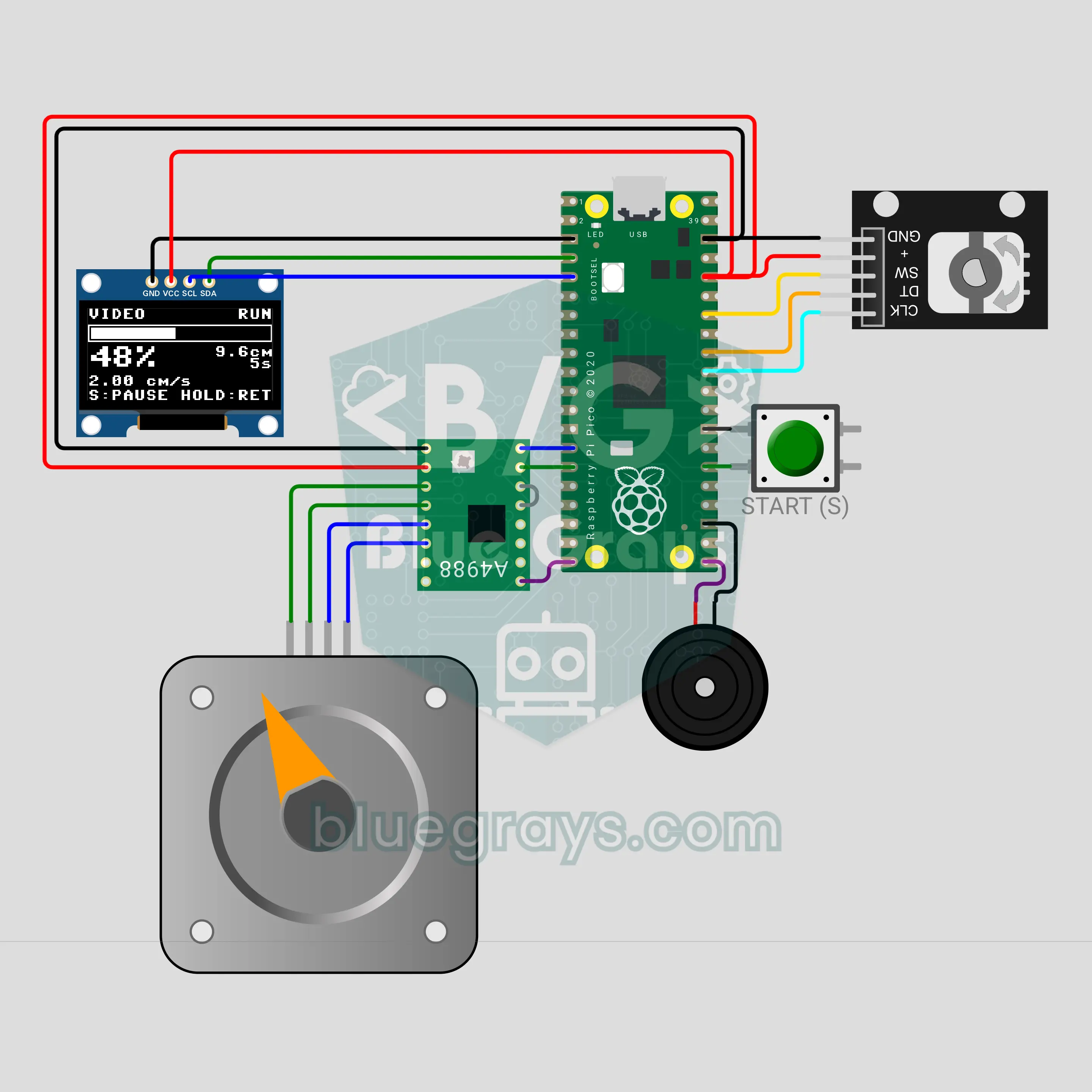
Raspberry Pi Pico Timelapse Camera Slider (NEMA 17 + A4988 + KY-040 + OLED)
Build your own slider for cinematic sliding shots! The Raspberry Pi Pico turns a NEMA 17 stepper very slowly and smoothly through an A4988 driver, and the carriage carries a phone or camera along a rail. With a KY-040 encoder you pick the mode, distance, time, direction and frame count from a menu. In VIDEO mode the carriage eases in and out; in TIMELAPSE mode it stops at every frame and waits for the shake to settle. The OLED shows progress and time left.
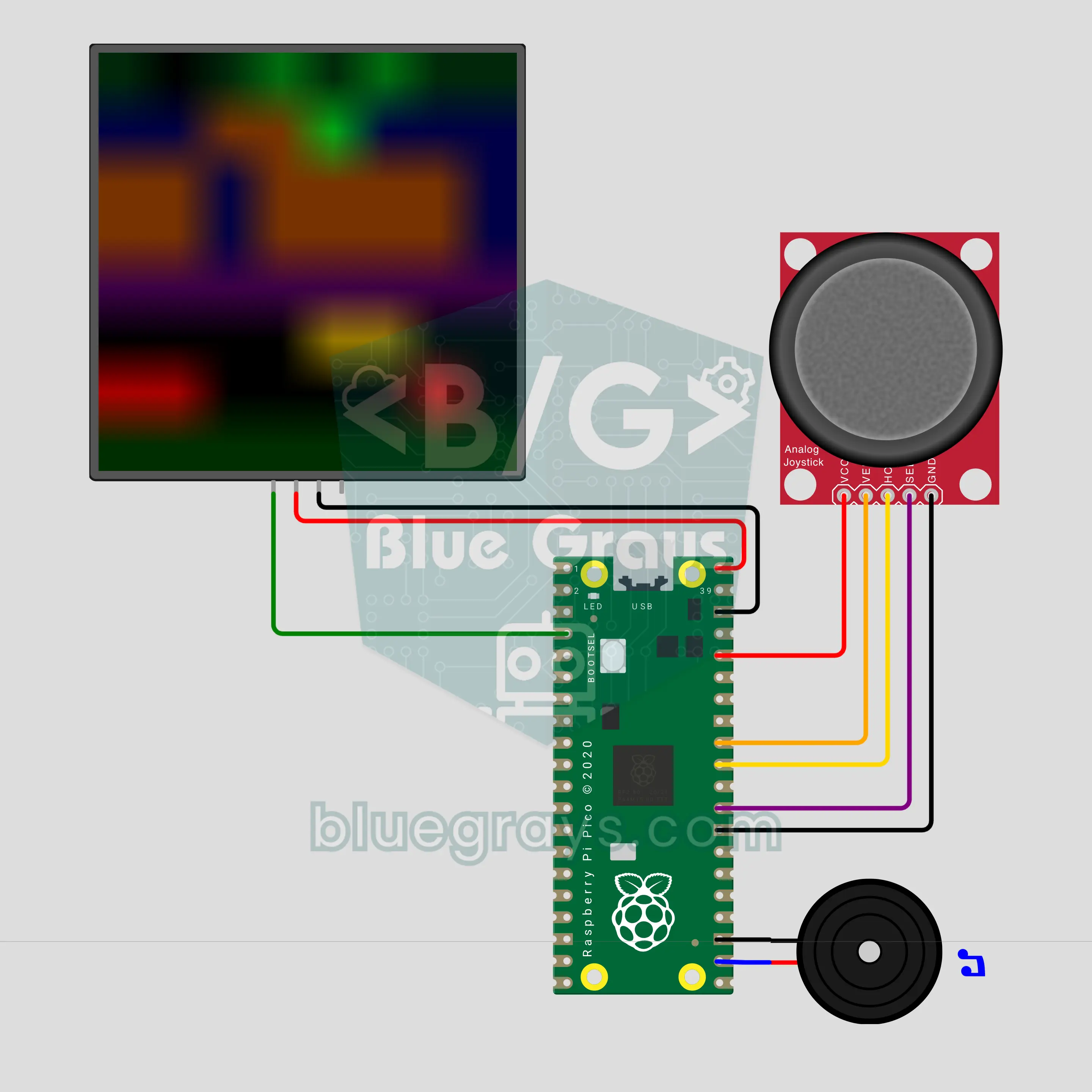
Raspberry Pi Pico Cross the Road: Frog Game (8x8 NeoPixel Matrix + Joystick + Buzzer)
The classic arcade frog game on 64 color LEDs! The Raspberry Pi Pico draws a road of red and yellow cars and a river of drifting logs on an 8x8 NeoPixel matrix; you move the frog one square at a time with a joystick and fill three homes. The traffic speeds up every level, and the buzzer plays hop, crash and home sounds. 3 lives, a score and a best score kept in flash; leave it alone and the game plays itself.
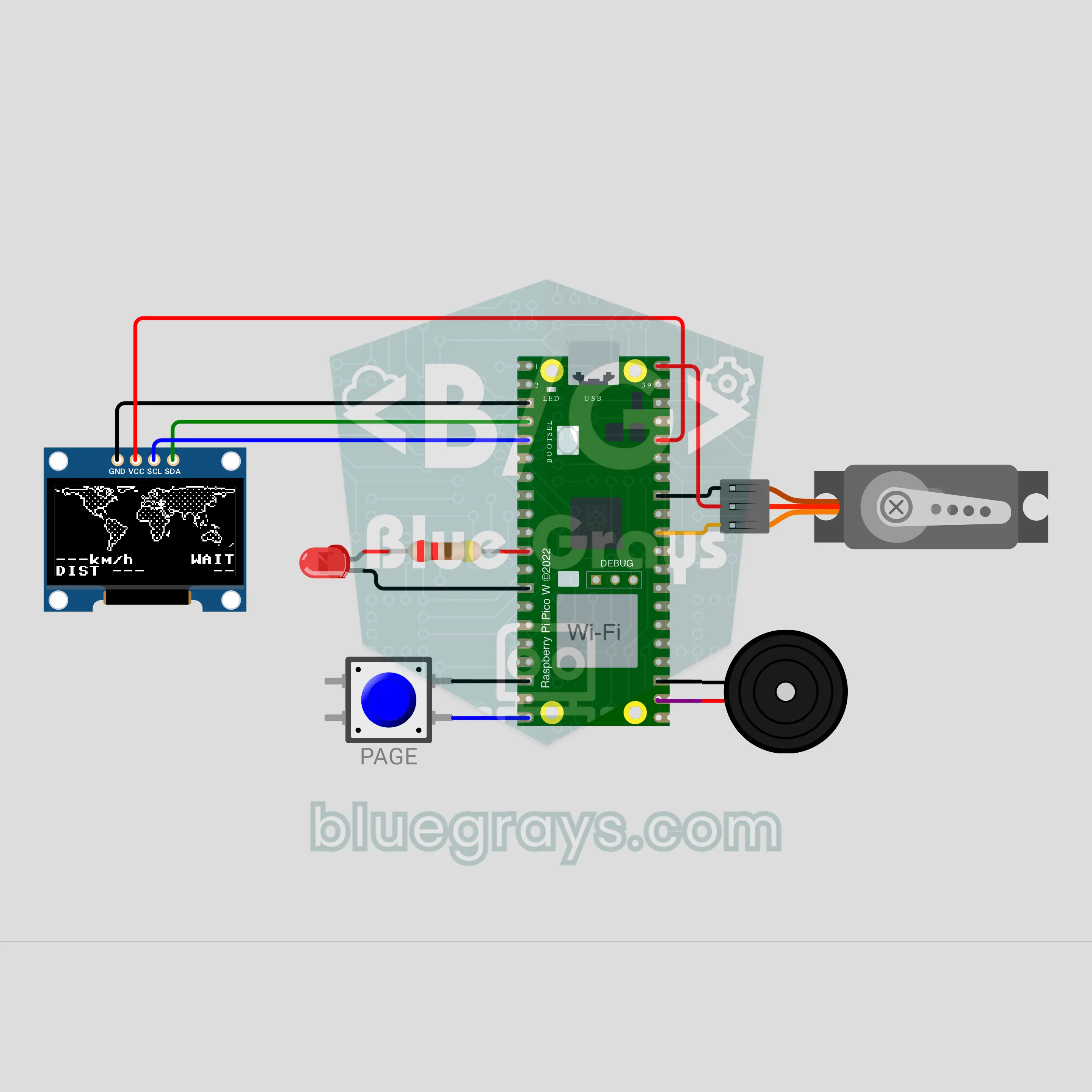
Raspberry Pi Pico W ISS Tracker (OLED World Map + Servo Pointer + Buzzer)
Where is the International Space Station right now? The Raspberry Pi Pico W fetches its position from the internet every 5 seconds; on a world map on the 0.96 inch OLED the station blinks, its past track is drawn solid and the path ahead dotted. An SG90 servo pointer shows which way the station is from your home, and when it is close an LED and the buzzer say "look up". A button switches to the people in space and the raw data; without data an orbit model keeps going.
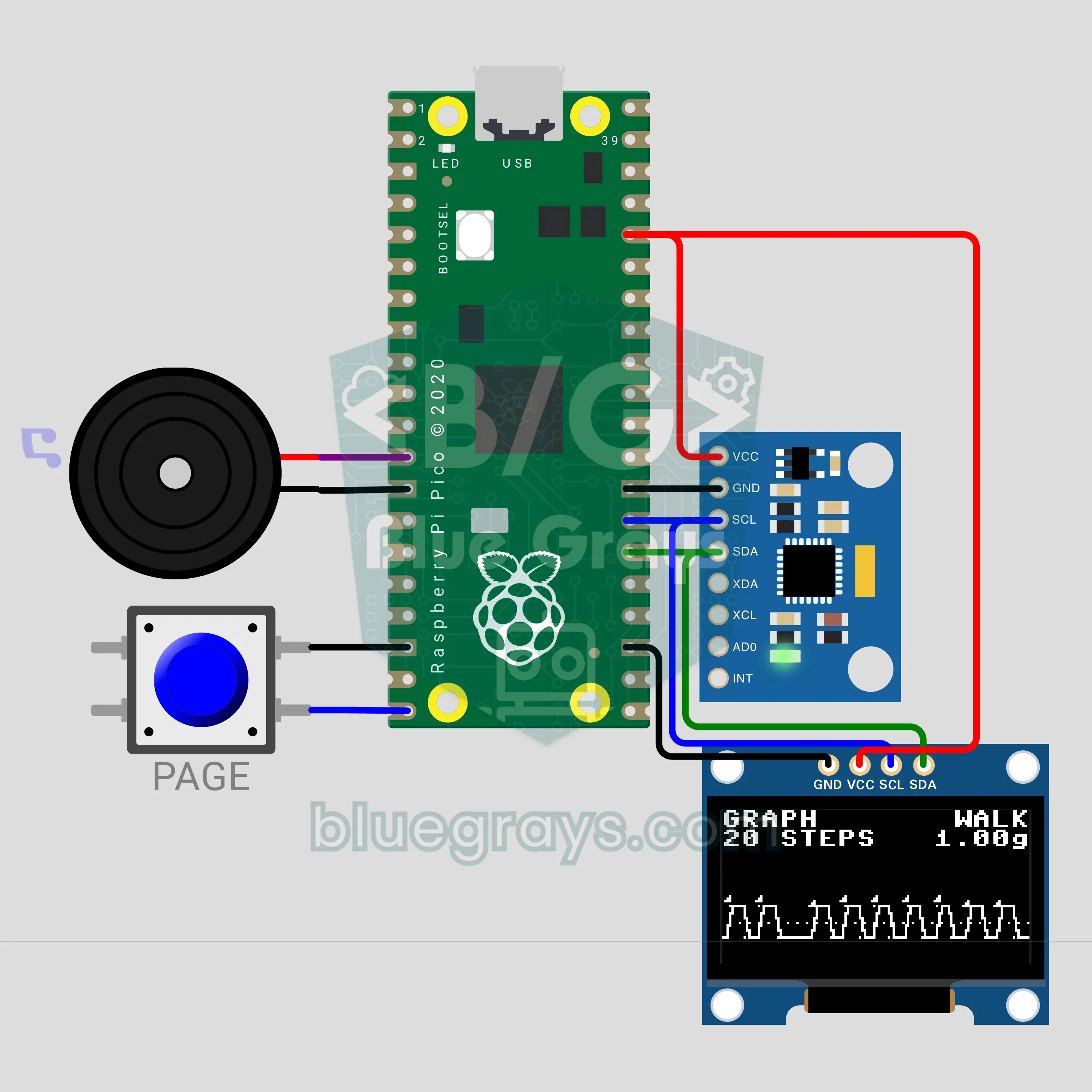
Raspberry Pi Pico Step Counter: Pedometer (MPU-6050 + OLED + Buzzer)
See how smart watches count your steps, on your own circuit! The Raspberry Pi Pico reads the MPU-6050 accelerometer 50 times a second, smooths the signal and counts the peak each step makes. The 0.96 inch OLED shows steps, distance, calories and cadence, and a live graph page draws the raw signal, the average and the threshold on top of each other. At the goal the buzzer plays a tune, and the count is saved to flash.
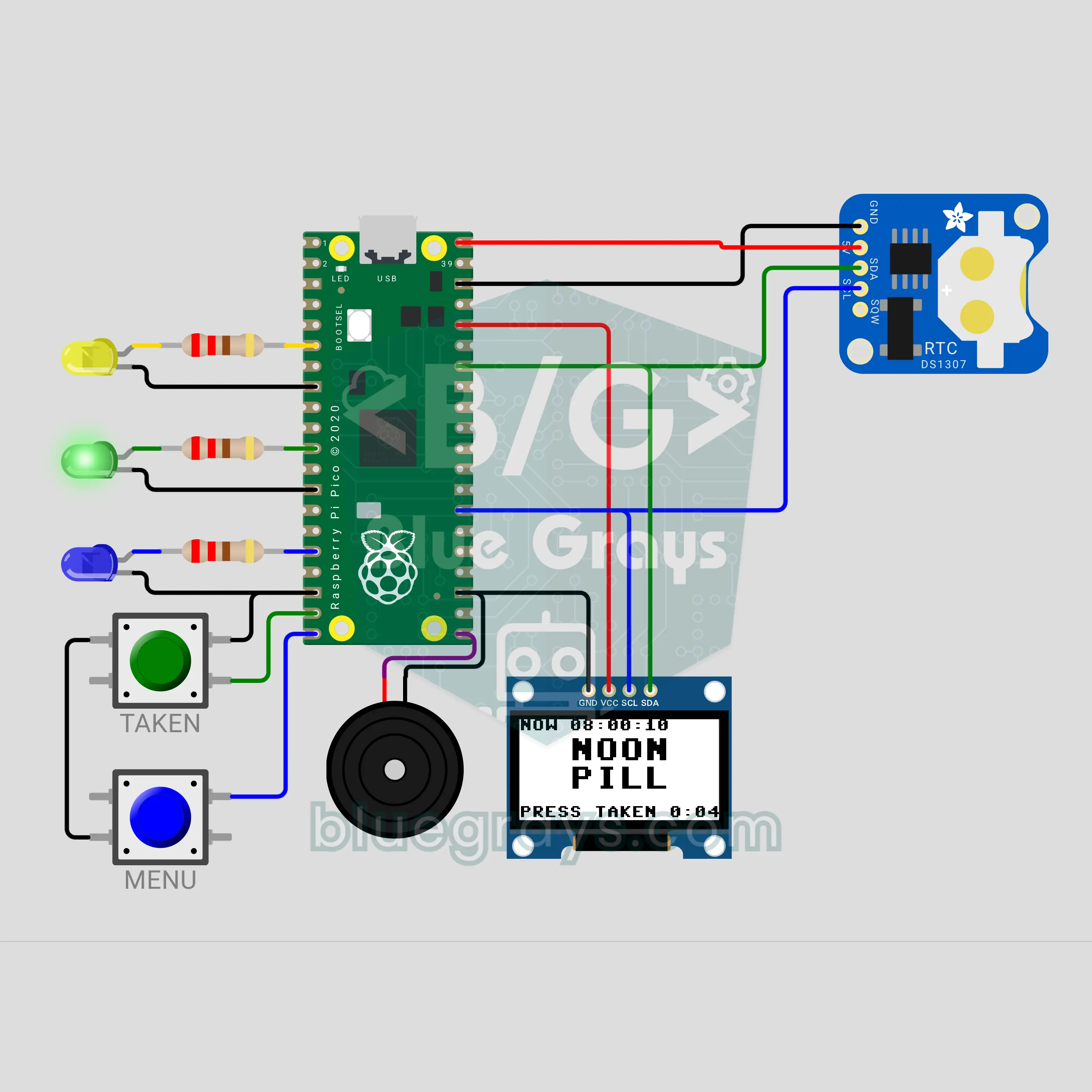
Raspberry Pi Pico Pill Reminder (DS1307 RTC + OLED Display + 3 LEDs + Buzzer)
A reminder box for morning, noon and evening pills! The battery-backed DS1307 clock keeps the time through power cuts; when a dose is due, that compartment's LED blinks, a passive buzzer plays a soft tune and the OLED shows MORNING PILL. If nobody presses TAKEN within 15 minutes, the dose counts as missed. The menu shows today's list and the adherence of the last 7 days, and the OLED and clock share the same two I2C wires.
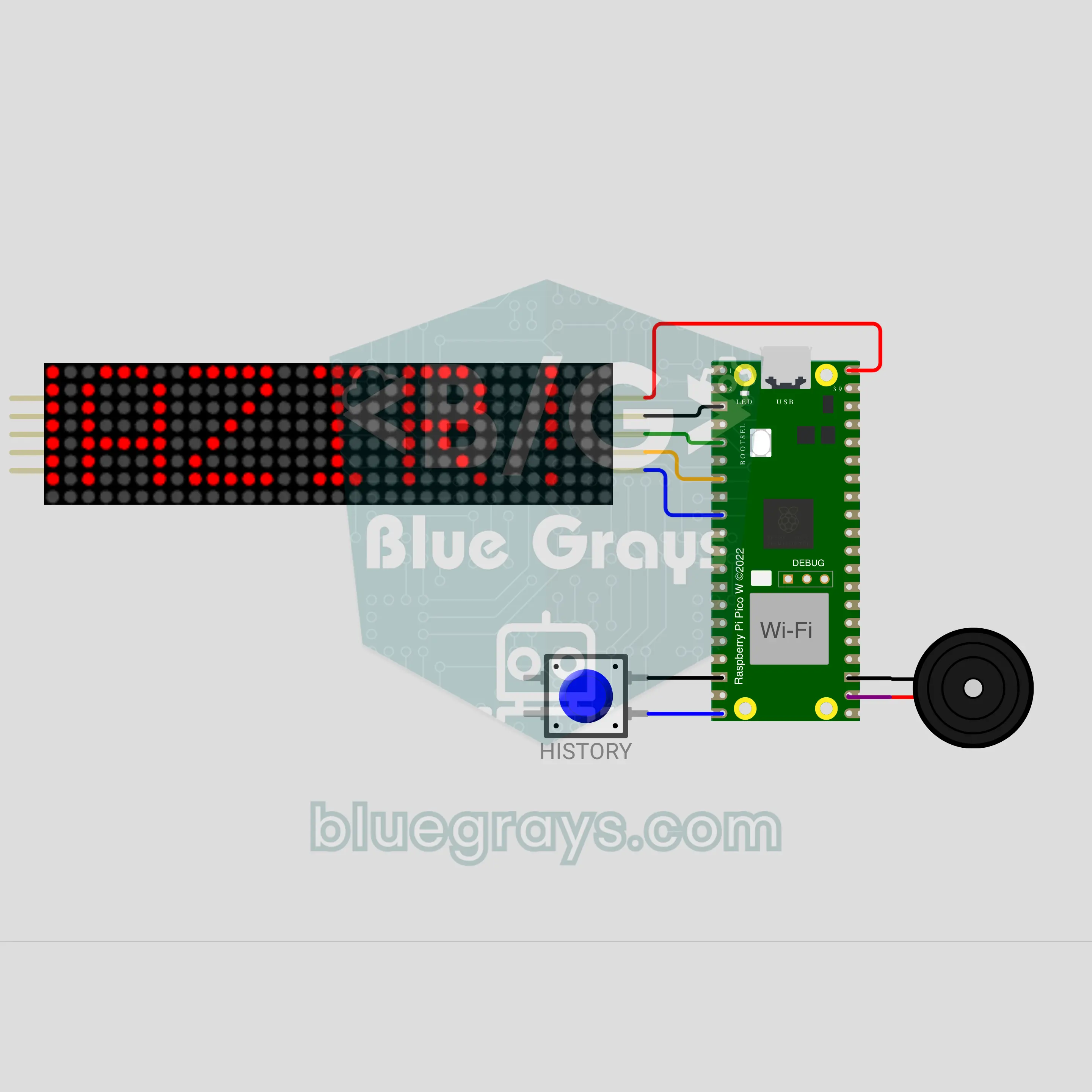
Raspberry Pi Pico W Phone-Controlled Scrolling LED Sign (MAX7219 8x32 + MQTT + Buzzer)
Type on your phone and the message scrolls across the sign on your door within seconds! The Raspberry Pi Pico W joins Wi-Fi and listens on its own topic on a public MQTT broker; a message from any MQTT app on your phone scrolls 3 times across a MAX7219 8x32 LED sign. Turkish letters have their own font, and when idle the sign shows the time from the internet. There are speed and blink commands, plus a button that replays the last 5 messages.
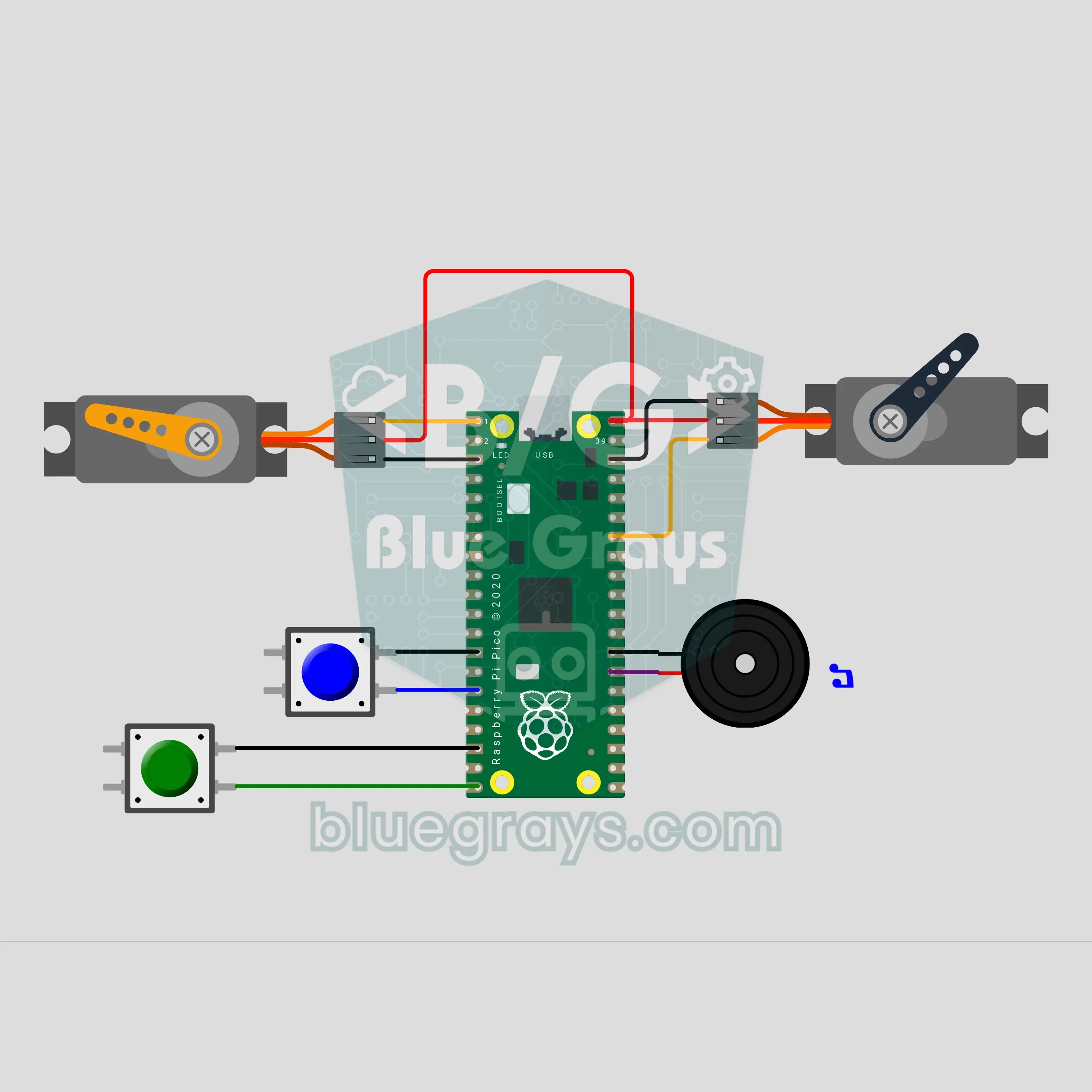
Raspberry Pi Pico Single-Hand Cuckoo Clock (2 SG90 Servos + 2 Buttons + Buzzer)
Grandma's cuckoo clock, rebuilt with cardboard and two servos! The Raspberry Pi Pico keeps the time itself; one SG90 servo turns a single hand across a half-circle dial, the other pops the bird out of its door as many times as the hour, and a buzzer plays a two-note call. There is one call on the half hour, and from 22:00 to 07:00 the bird comes out silently. Two buttons set the time; in DEMO mode an hour passes in 10 seconds.
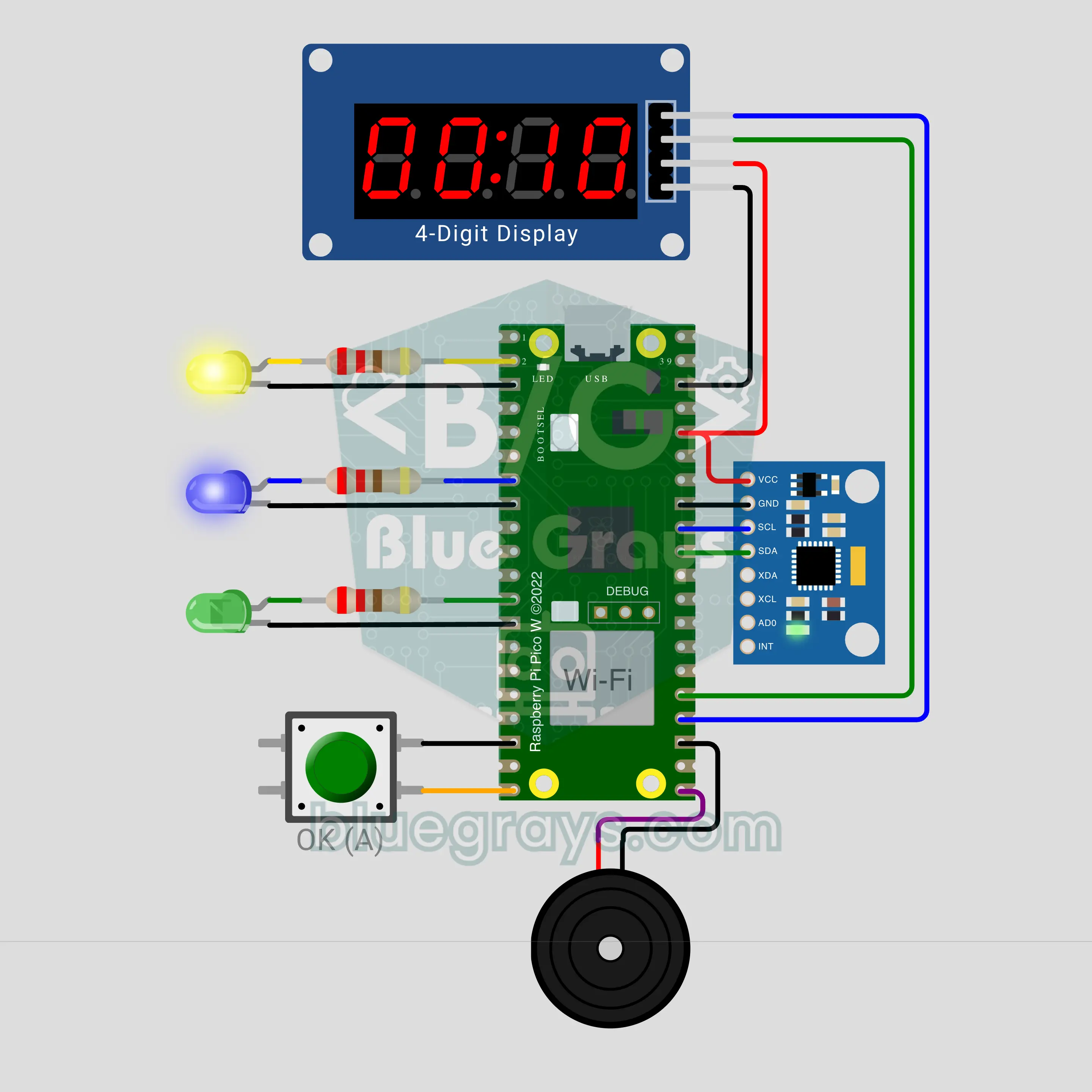
Raspberry Pi Pico W Laundry Done Notifier (MPU-6050 + TM1637 + Buzzer)
A little box that tells your phone when the laundry is done! The Raspberry Pi Pico W measures vibration with an MPU-6050 sitting on top of the machine; while it runs, the TM1637 display counts the time and a blue LED lights up during the spin. After 3 minutes without vibration, a green LED comes on, the buzzer double-beeps and a "laundry done" notification with the run time lands on your phone. If you don't confirm, a second reminder follows 10 minutes later.
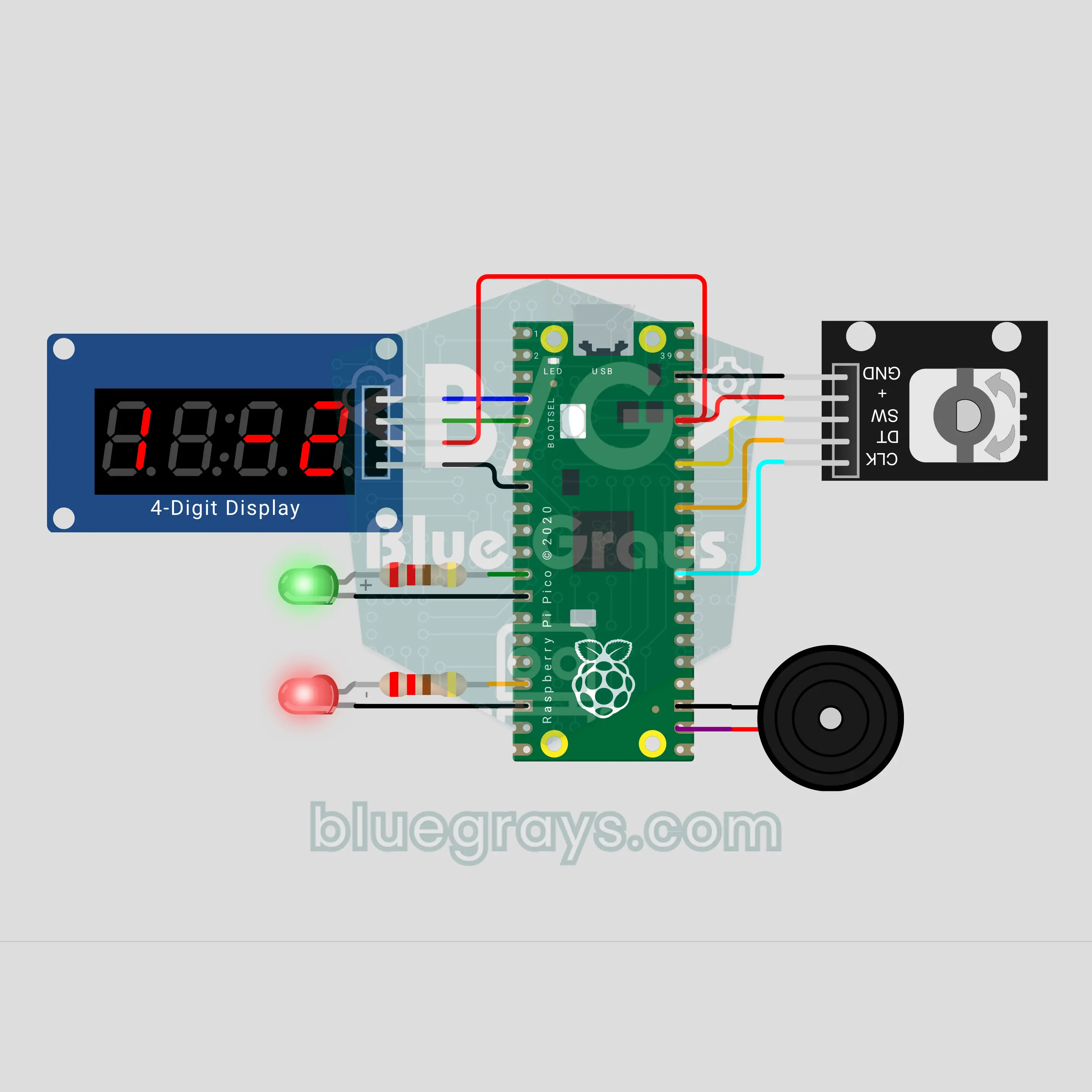
Raspberry Pi Pico Number Puzzle: Crack the 4-Digit Code (KY-040 + TM1637 + 2 LEDs + Buzzer)
The Pico picks a secret 4-digit number with no repeated digits, and you have to find it. Turn the KY-040 knob to pick a digit and press to move on; the TM1637 display answers with a clue like "+2 −1": 2 digits in the right place, 1 digit in the number but in the wrong place. A green and a red LED blink out the plus and the minus while the buzzer plays along. You get 10 tries, and with puzzle numbers P 01–P 99 you can race a friend on the same number.
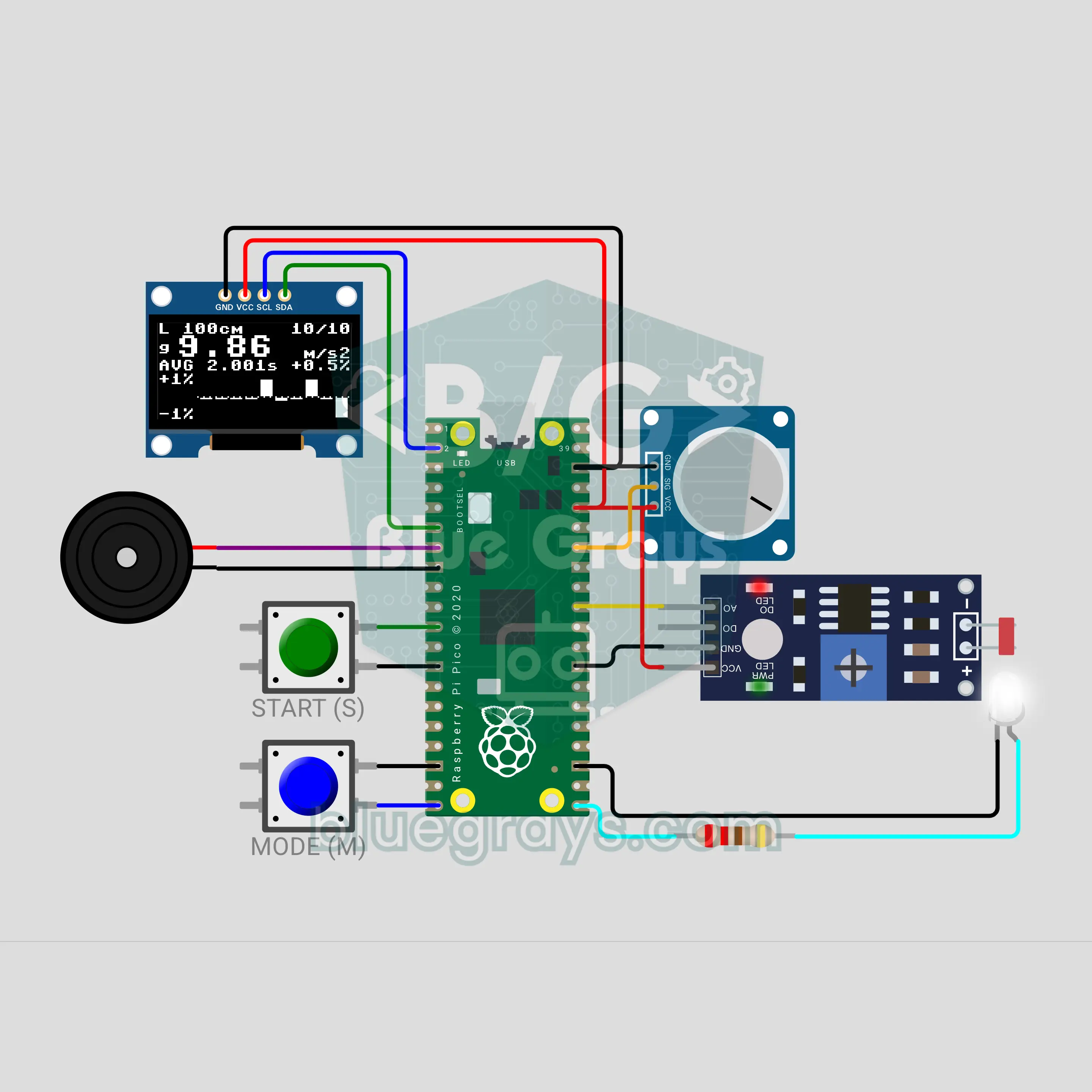
Raspberry Pi Pico Pendulum Gravity Meter (LED + LDR Light Gate + OLED + Potentiometer)
The classic physics lab experiment on your desk: while a weight swings on a string, an LED + LDR light gate times every pass. The Raspberry Pi Pico finds the period from the average of 10 swings, you set the string length with a potentiometer, and g = 4π²L/T² is worked out. The OLED shows the period, g, the percent error and a swing-by-swing graph, and a buzzer ticks on every pass. A reverse mode takes g = 9.81 and finds the length.
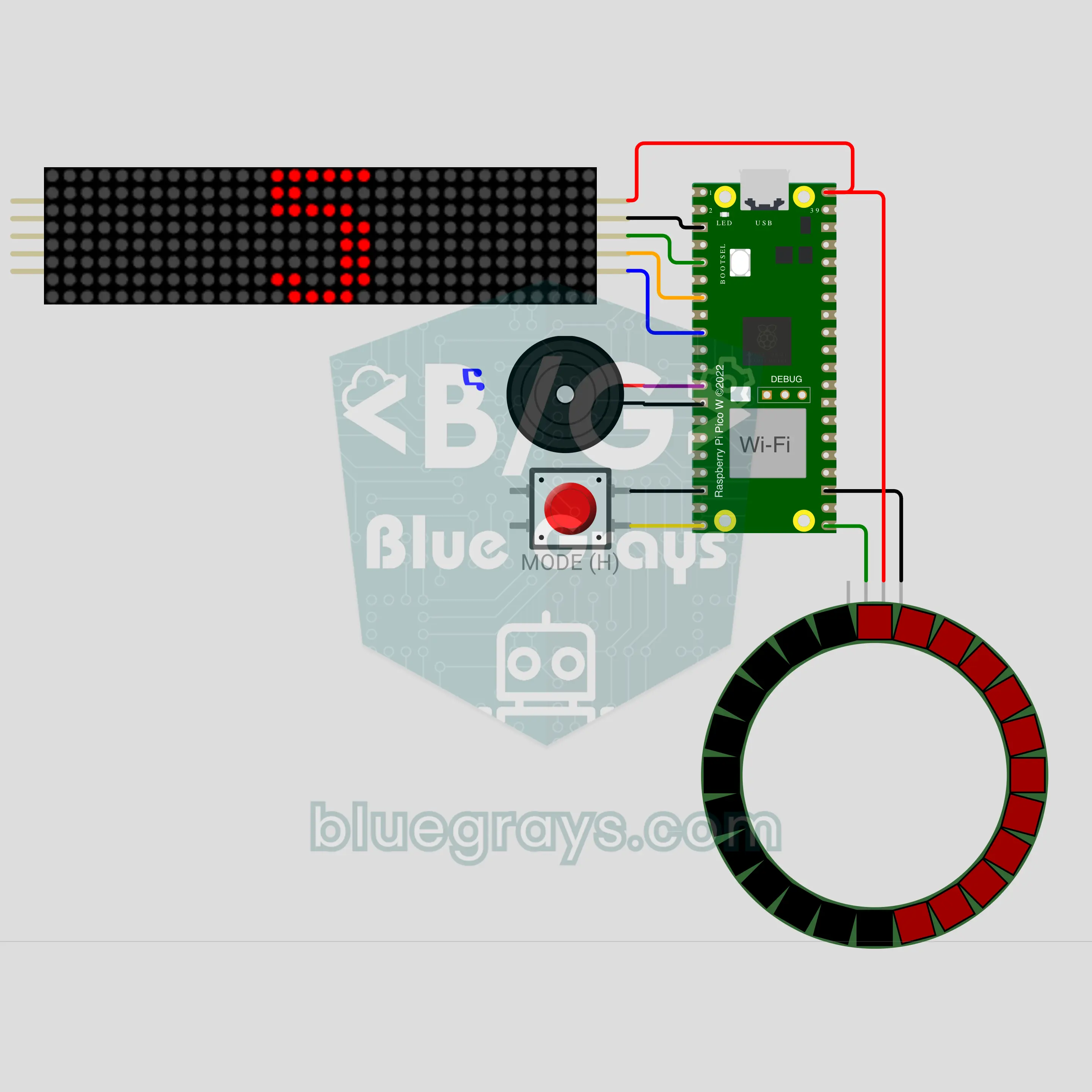
Raspberry Pi Pico W Internet-Synced New Year Countdown (MAX7219 8x32 + LED Ring + Buzzer)
A glowing sign that counts down to New Year second by second! The Raspberry Pi Pico W takes the time from the internet, so nobody has to set it; the MAX7219 8x32 LED sign shows the days left, then hours:minutes:seconds on the last day. In the last 10 seconds giant digits and beeps arrive while the 24-LED ring goes out slice by slice. At midnight the year blinks, a greeting scrolls, fireworks burst on the ring and the buzzer plays a fanfare.
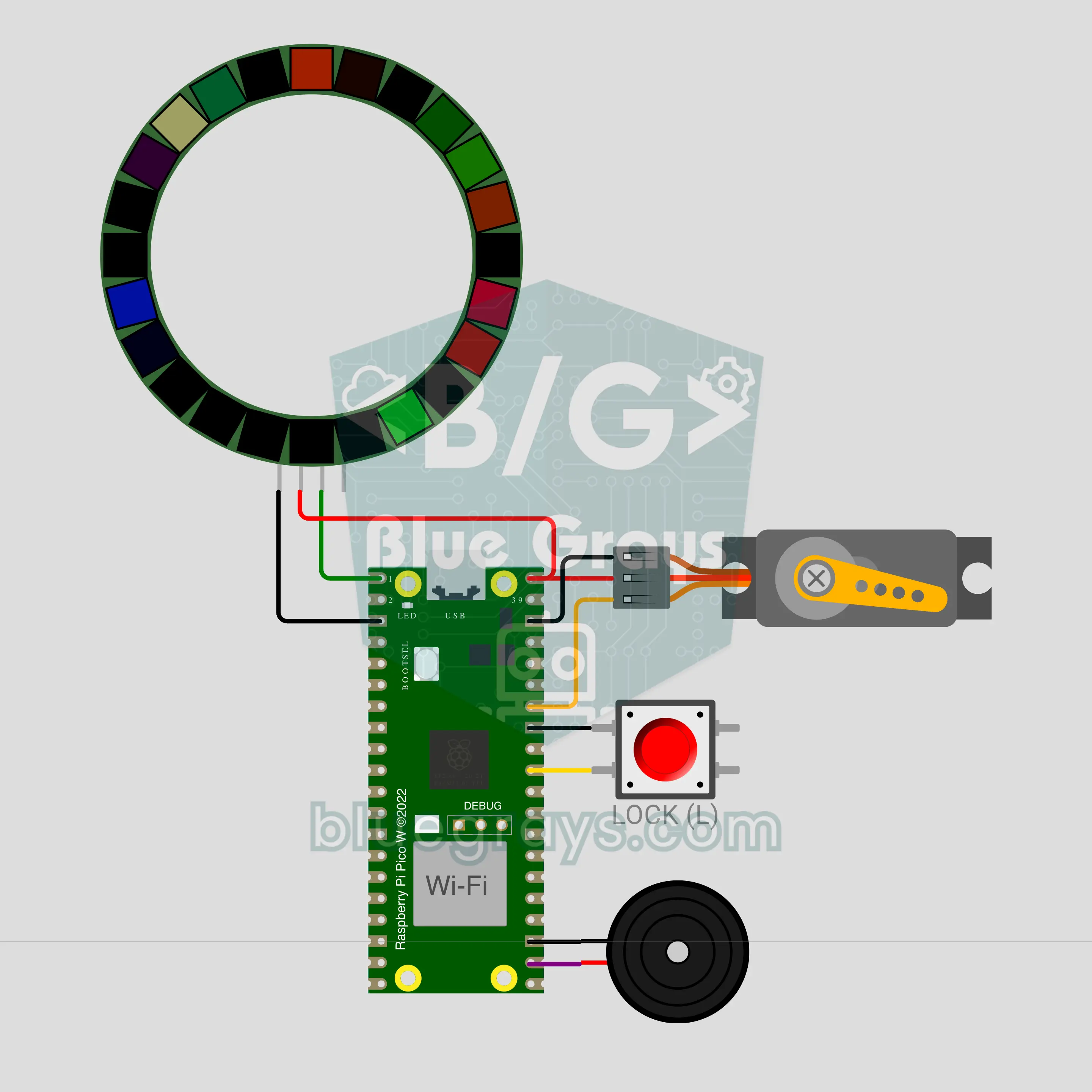
Raspberry Pi Pico W Remote-Unlock Gift Box (SG90 Servo + LED Ring + MQTT + Buzzer)
Lock the present in a box and keep the key on your phone! The Raspberry Pi Pico W holds the lid shut with an SG90 servo latch; when the right code arrives from any MQTT app on your phone, the box opens with a tune and fireworks burst across the 24-LED ring. Add a time lock if you like: the box gets the time from the internet, stays shut until midnight on New Year's Eve and counts down on the ring. Three wrong codes mean a 60-second lockout.
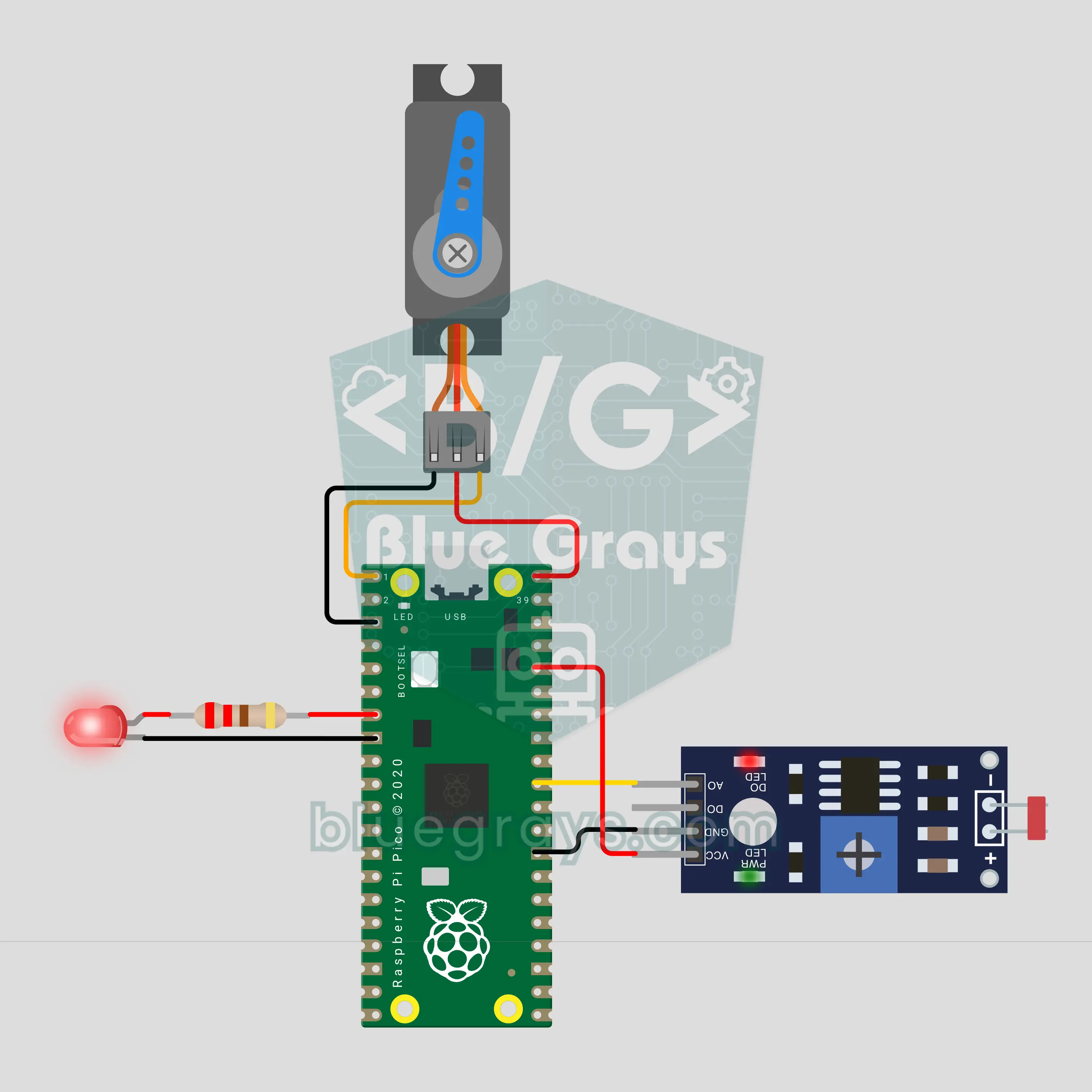
Raspberry Pi Pico W Plays the Dinosaur Game: Servo Bot with an LDR Eye (LDR + Servo + LED)
The Raspberry Pi Pico W now plays a dinosaur game in the style of the one that pops up when there is no internet. An LDR taped to the screen spots the cactus, an SG90 servo presses the space bar and an LED shows what the bot sees. The Pico estimates the game speed from how long each cactus takes to pass and presses earlier as it speeds up. It calibrates itself at start-up and switches to night mode when the screen goes dark.
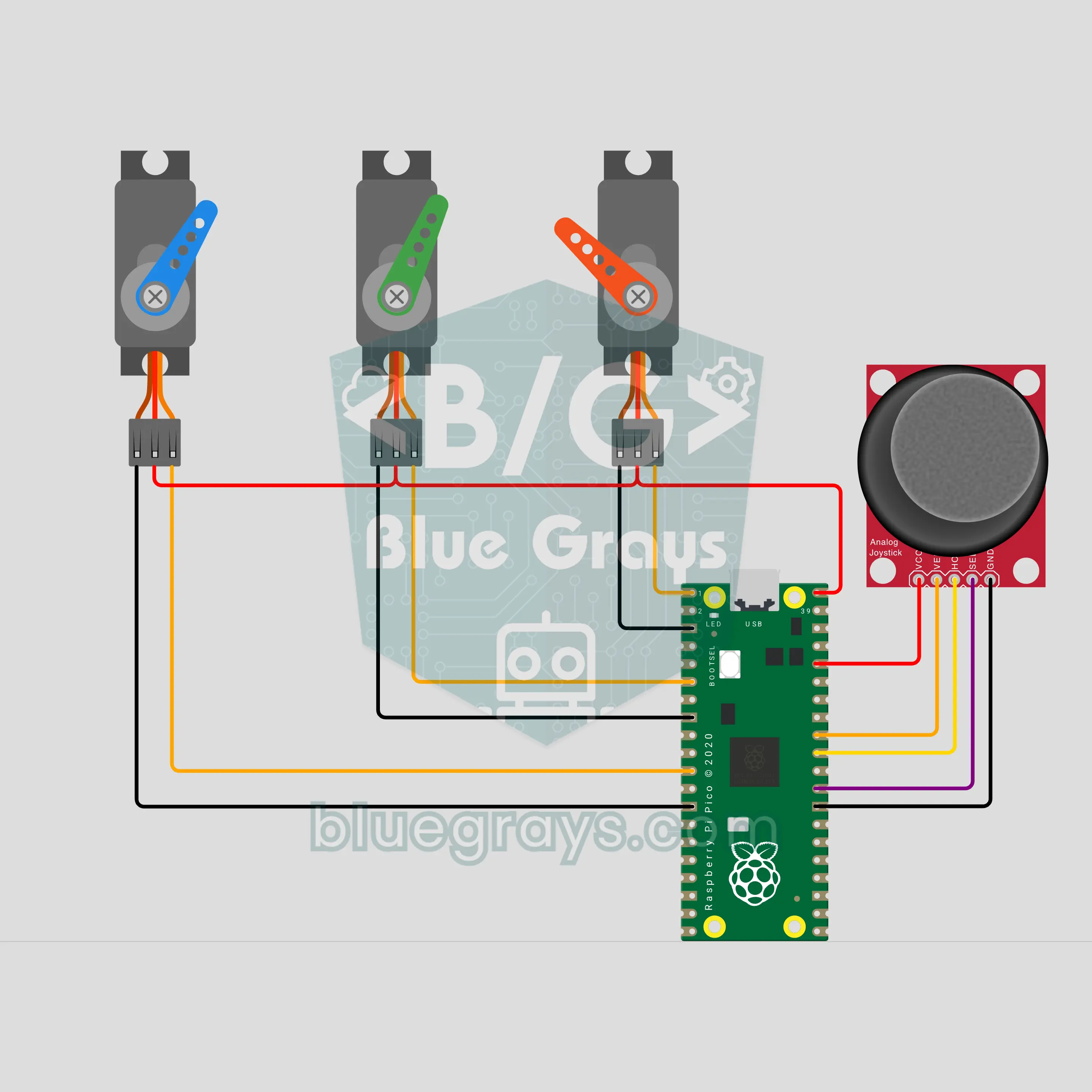
Raspberry Pi Pico W Animatronic Robot Eye: Looks, Blinks and Dozes with a Joystick (Joystick + 3 Servos)
A small version of the mechanical eyes used on film sets: three SG90 servos turn the eye left and right, up and down, and open and close the eyelid. Push the joystick any way and the eye glides there smoothly; press it to blink, hold it to keep the eye shut. Left alone, the Raspberry Pi Pico W makes the eye look around and then doze off; touch the joystick and it wakes up with a start.
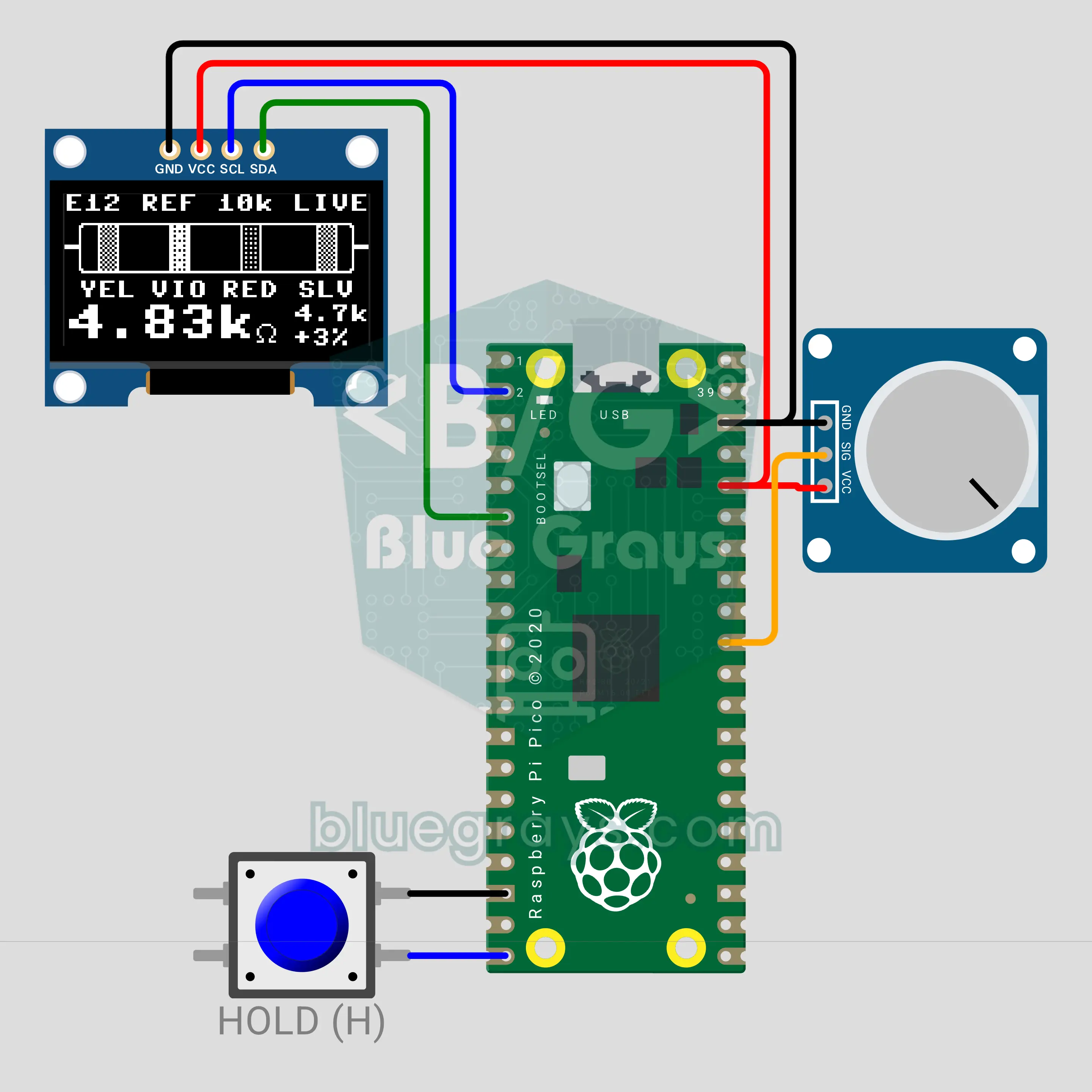
Raspberry Pi Pico W Resistor Color Code Reader: Ohmmeter (OLED + Voltage Divider)
No more memorizing color bands: put a resistor between the two probes, and the Raspberry Pi Pico W turns it into a voltage divider with a known reference and works out its value with Ohm's law. It switches by itself between 1k, 10k and 100k references. A 0.96 inch OLED draws the resistor with its 4 bands, names the colors (YEL VIO RED SLV) and shows the nearest E12/E24 value with the deviation. A short press holds the reading, a long press changes the series.
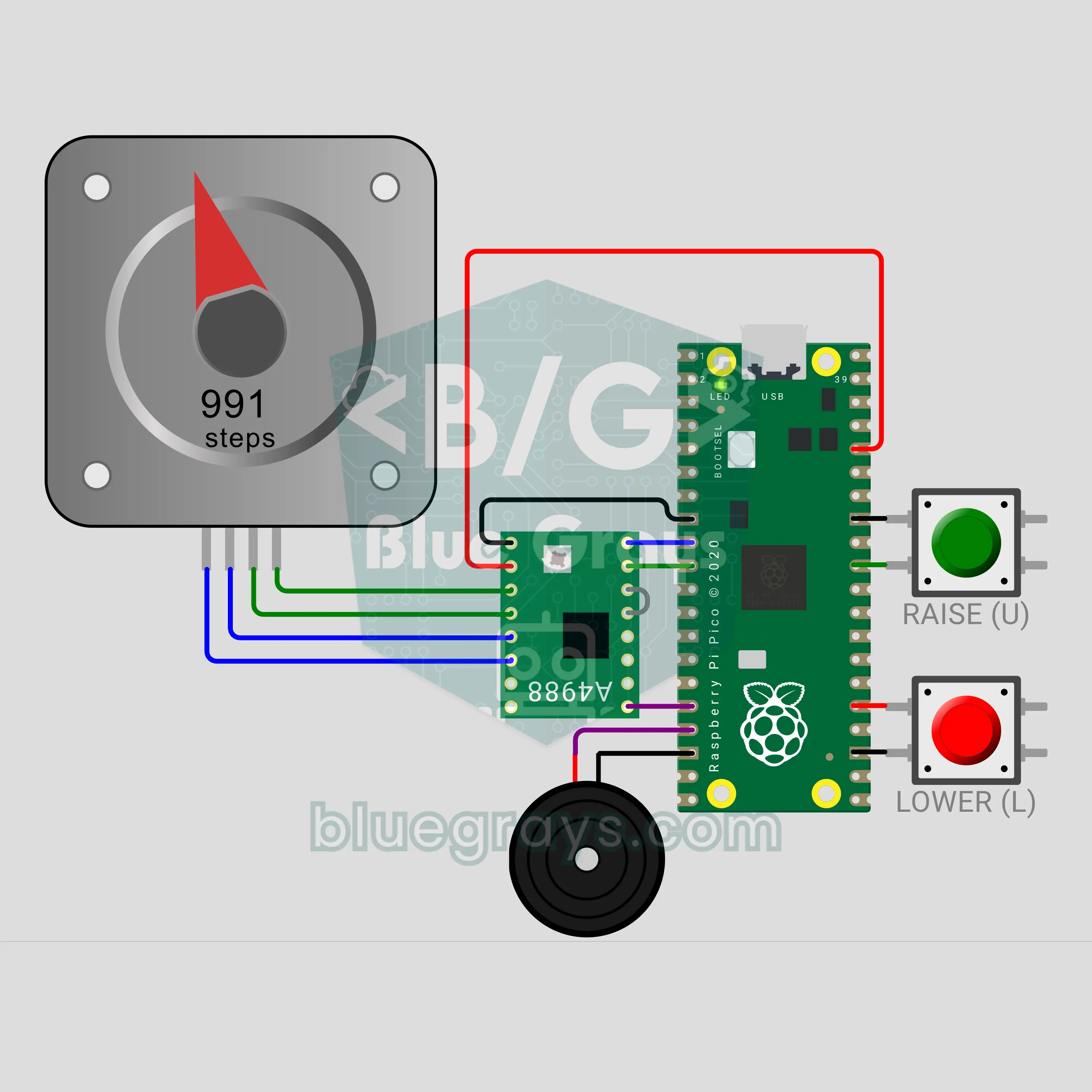
Raspberry Pi Pico W Flagpole: A Motorized Pole That Raises the Flag Smoothly (NEMA 17 + A4988 + 2 Buttons + Buzzer)
A motorized flagpole with a Raspberry Pi Pico W. Press the green button and a NEMA 17 stepper winds the rope, raising the flag with a soft start, steady speed and soft stop in 40 seconds. The red button lowers it; hold it for 1 second and the flag first goes to the top, then down to half-mast. The position is kept by counting steps, an A4988 driver powers the motor from 12 V, and the buzzer only gives short beeps.
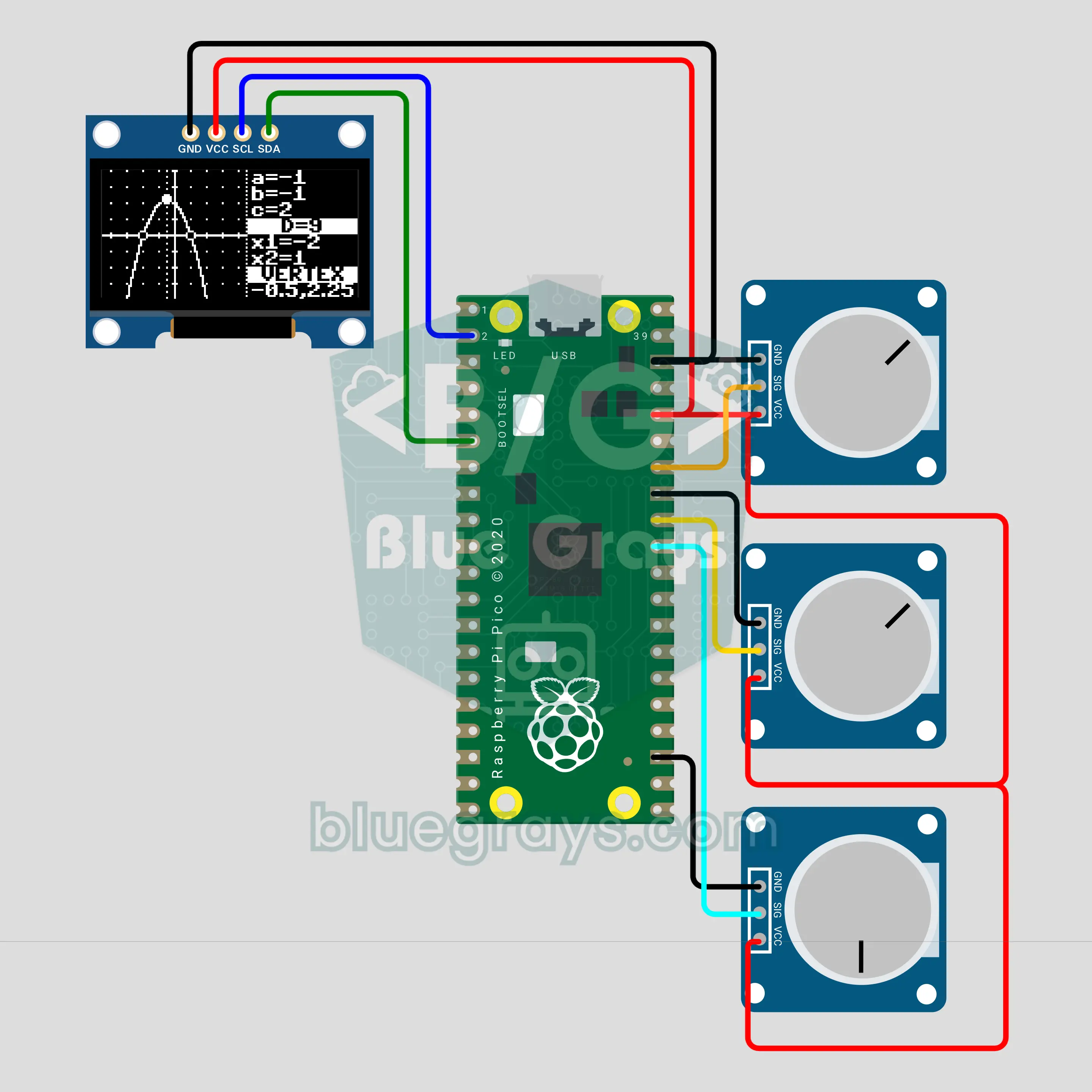
Raspberry Pi Pico W Function Plotter: y = ax² + bx + c (OLED + 3 Pots)
A math board that plots a quadratic function live with a Raspberry Pi Pico W: three potentiometers pick the coefficients a, b and c from -3 to +3, and a 0.96 inch OLED draws the parabola together with its axes. The side panel shows the discriminant, the roots (two roots, one root or NO REAL ROOT) and the vertex; with a = 0 the graph turns into a line. It answers "what happens if c grows?" in seconds.
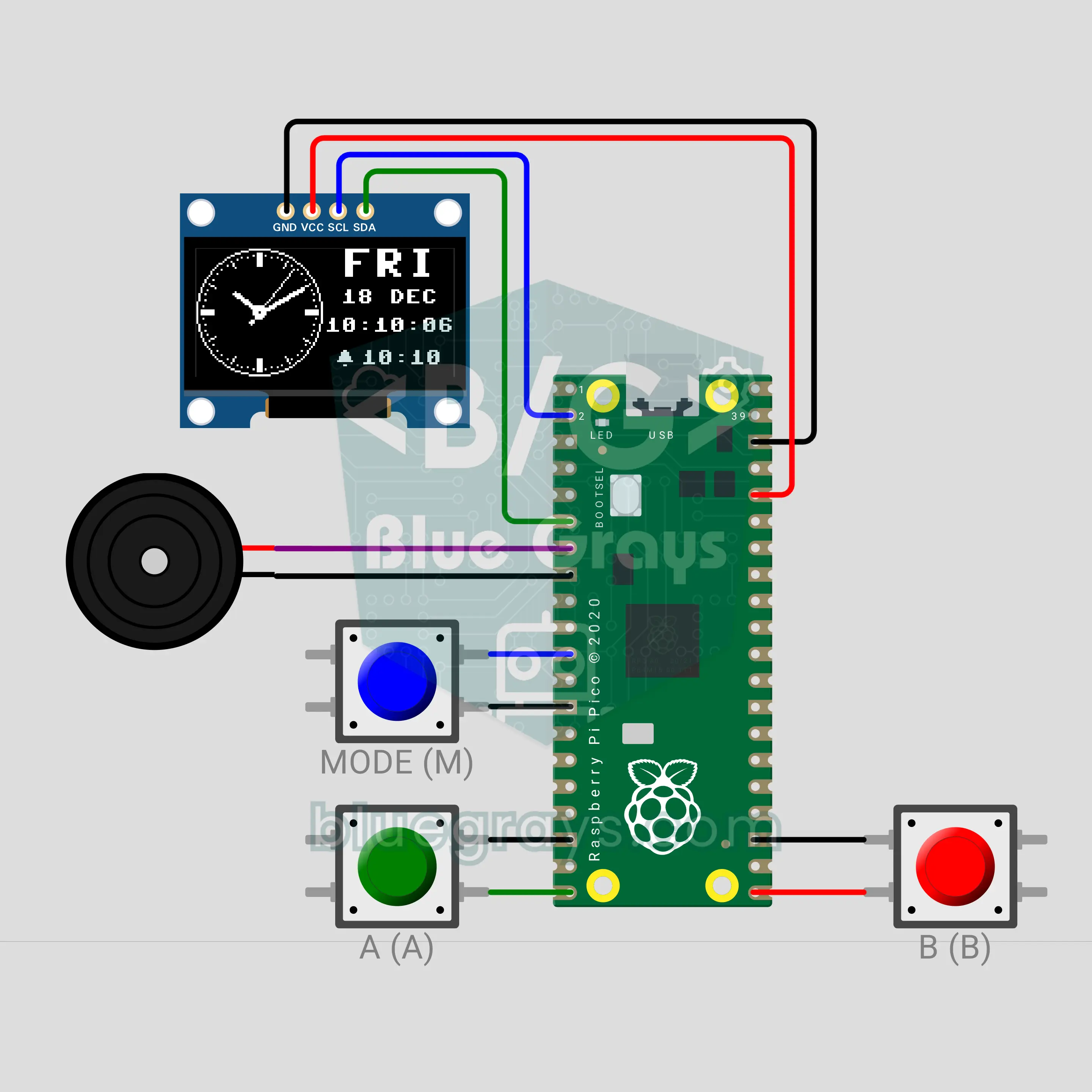
Raspberry Pi Pico W Wrist Watch: Analog Dial, Stopwatch and Alarm (OLED + 3 Buttons + Buzzer)
Build your own wrist watch with a Raspberry Pi Pico W: an analog dial with sweeping hands on a 0.96 inch OLED, a big digital clock with the date, a stopwatch with laps and an alarm. The MODE button steps through the screens, A and B do the job of each screen, and a long MODE press sets the time and date. When the alarm goes off, the buzzer plays a melody and the screen flashes until any key silences it. After 30 seconds without a touch, the screen turns off.
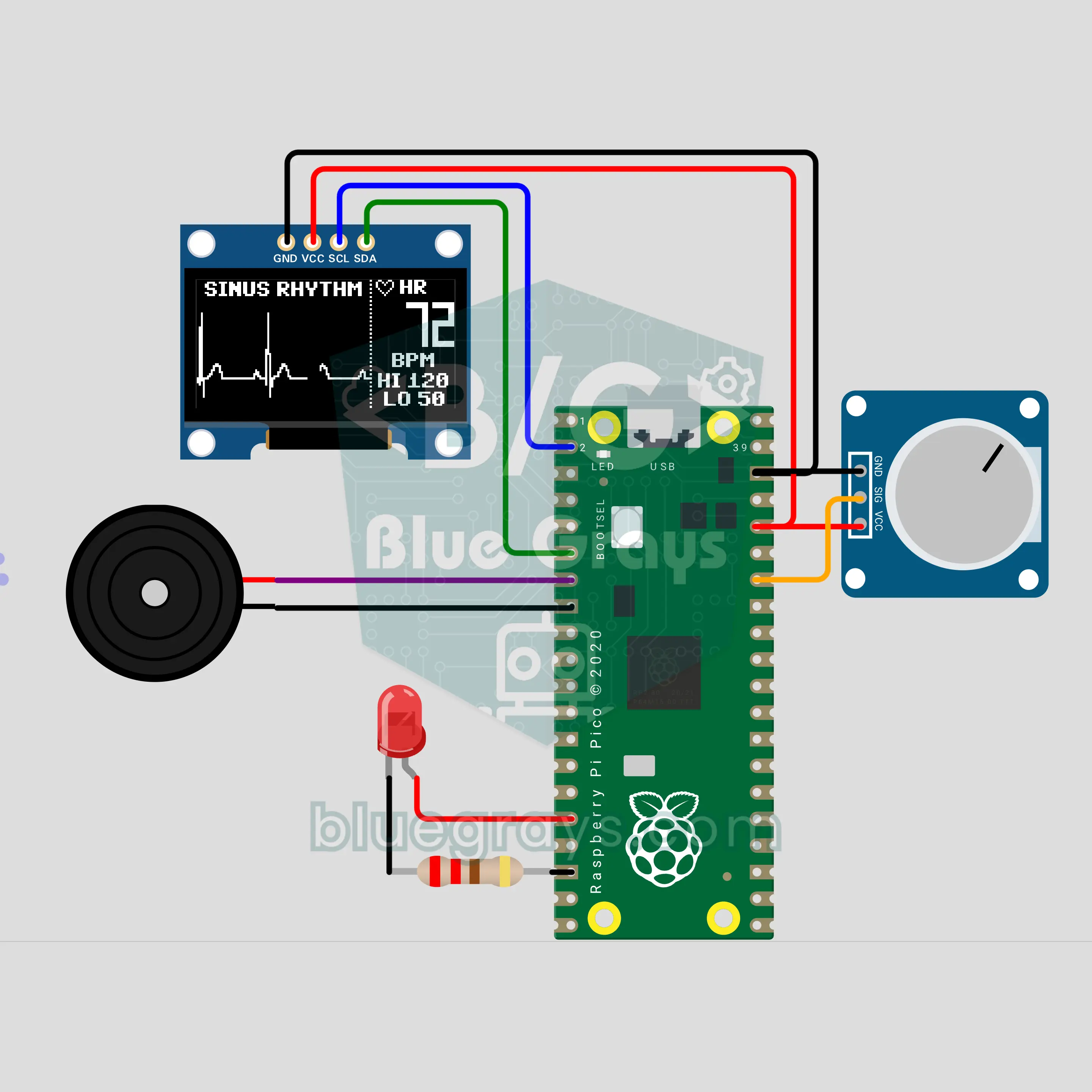
Raspberry Pi Pico W Hospital Monitor: Beep Beep ECG (OLED + Pot + LED + Buzzer)
The "beep... beep" bedside monitor from TV dramas, built with a Raspberry Pi Pico W. A potentiometer sets the heart rate from 30 to 180 BPM, a P-QRS-T wave sweeps across a 0.96 inch OLED behind an erase bar, and on every QRS the buzzer beeps and the LED flashes. TACHYCARDIA alert above 120, BRADYCARDIA below 50, and a flatline with a steady tone at the bottom. For education only, not a medical device.
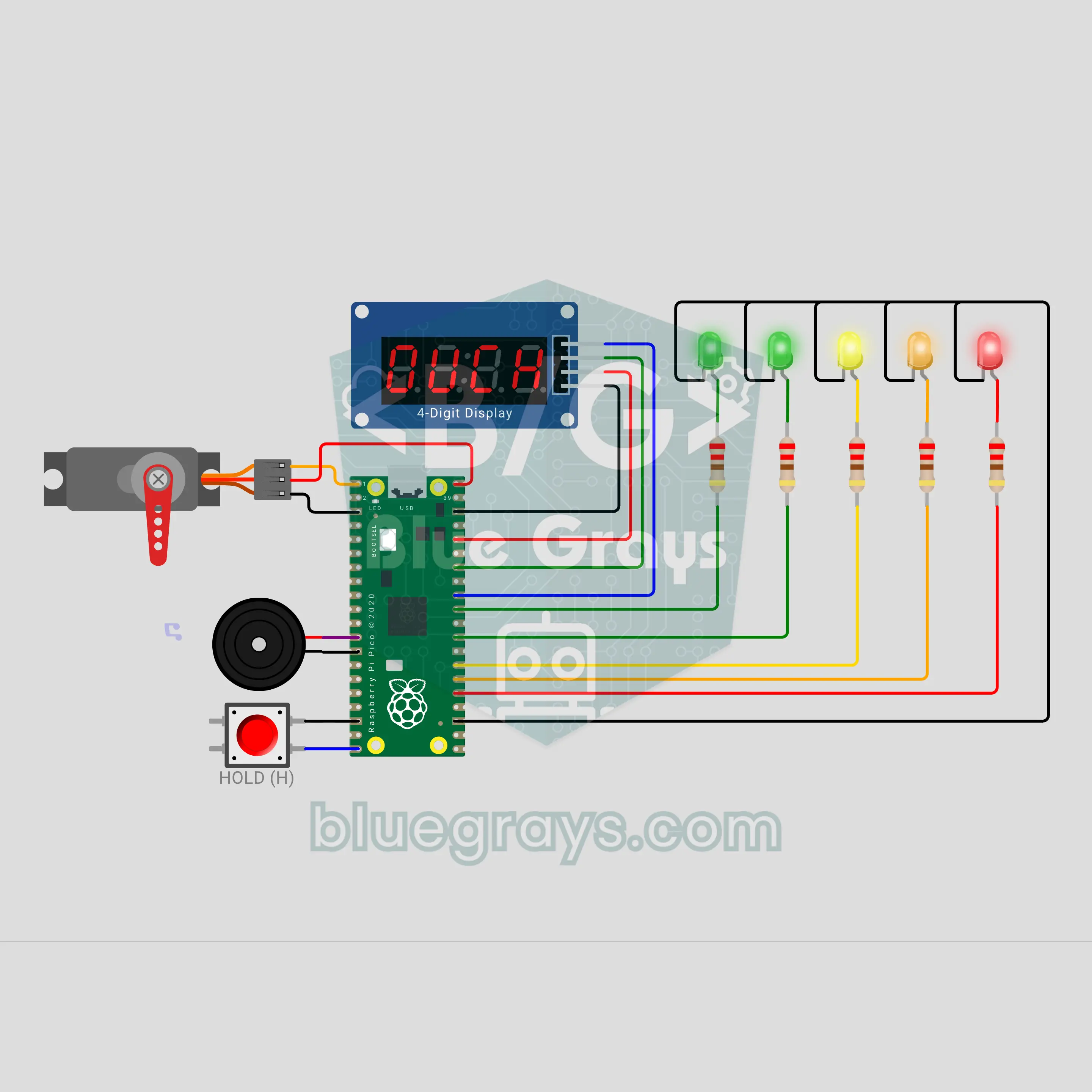
Raspberry Pi Pico W Press If You Dare: Pull Your Hand Out Before the Trap Snaps (Button + Servo + TM1637 + 5 LEDs + Buzzer)
A press if you dare game with a Raspberry Pi Pico W: press the button and keep holding it, your hand is in the trap. The TM1637 counts the time in tenths of a second, the tension LEDs fill up, the heartbeat speeds up and the servo trap scares you with fake flinches. The trap snaps at a hidden moment; the red LED flashes 0.3 s before. Let go in time and the time is your score, with a saved record; get caught and you score 0. A dare game and a reaction game in one.
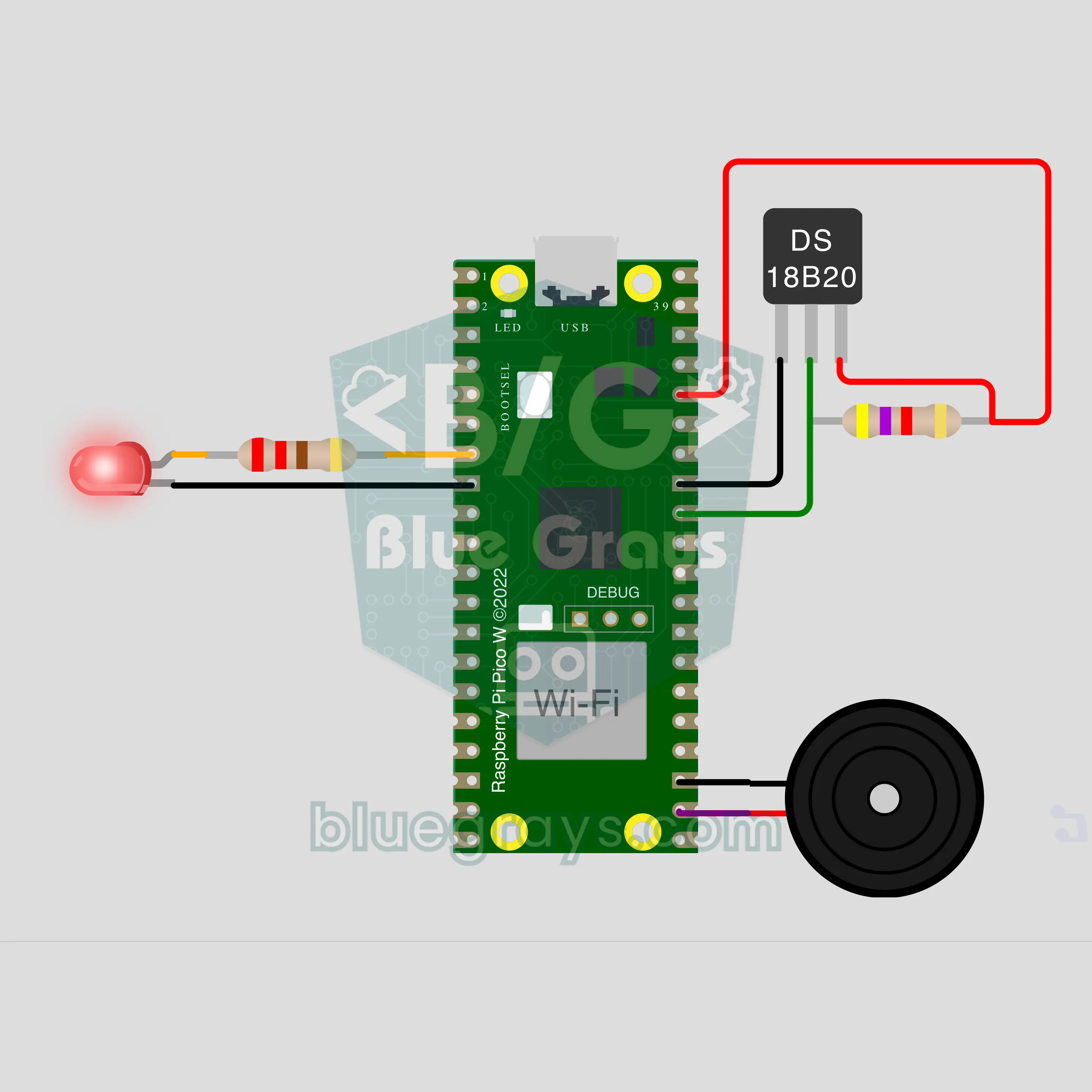
Raspberry Pi Pico W Window Left Open: The Heating Runs for Nothing (DS18B20 + LED + Buzzer + ntfy)
A Raspberry Pi Pico W watches the room temperature with a DS18B20 and spots a window left open by how fast the room cools: if it drops 1 °C within 3 minutes, the buzzer sounds an alarm, the LED blinks and an ntfy notification reaches your phone. When the window is closed the room warms up again; the code catches that and reports how many minutes it was open. The slow cooling of a night setback gives no alarm.
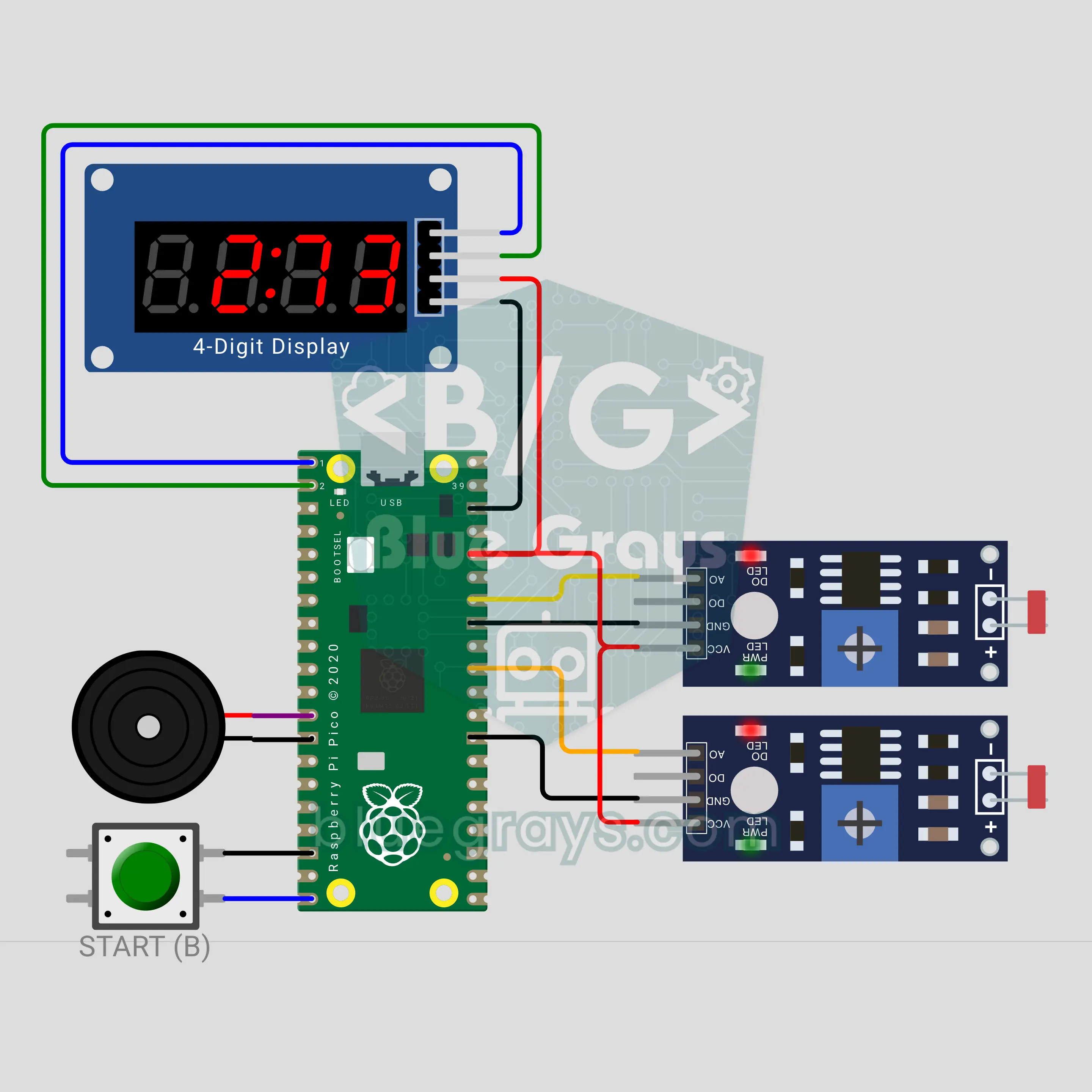
Pico Sprint Stopwatch: Light Gates for PE Class (2 LDRs + TM1637)
Put one LDR light gate at the start of the track and one at the end: the time starts when the runner cuts the light of the first gate and stops at the second. The TM1637 display shows the time in seconds and hundredths, then the speed in km/h. A button press tunes the gates to the ambient light, then three beeps and "Go" give the start. When the class record falls, the display flashes "bESt" and a tune plays. A long press picks 10, 20 or 30 metres.
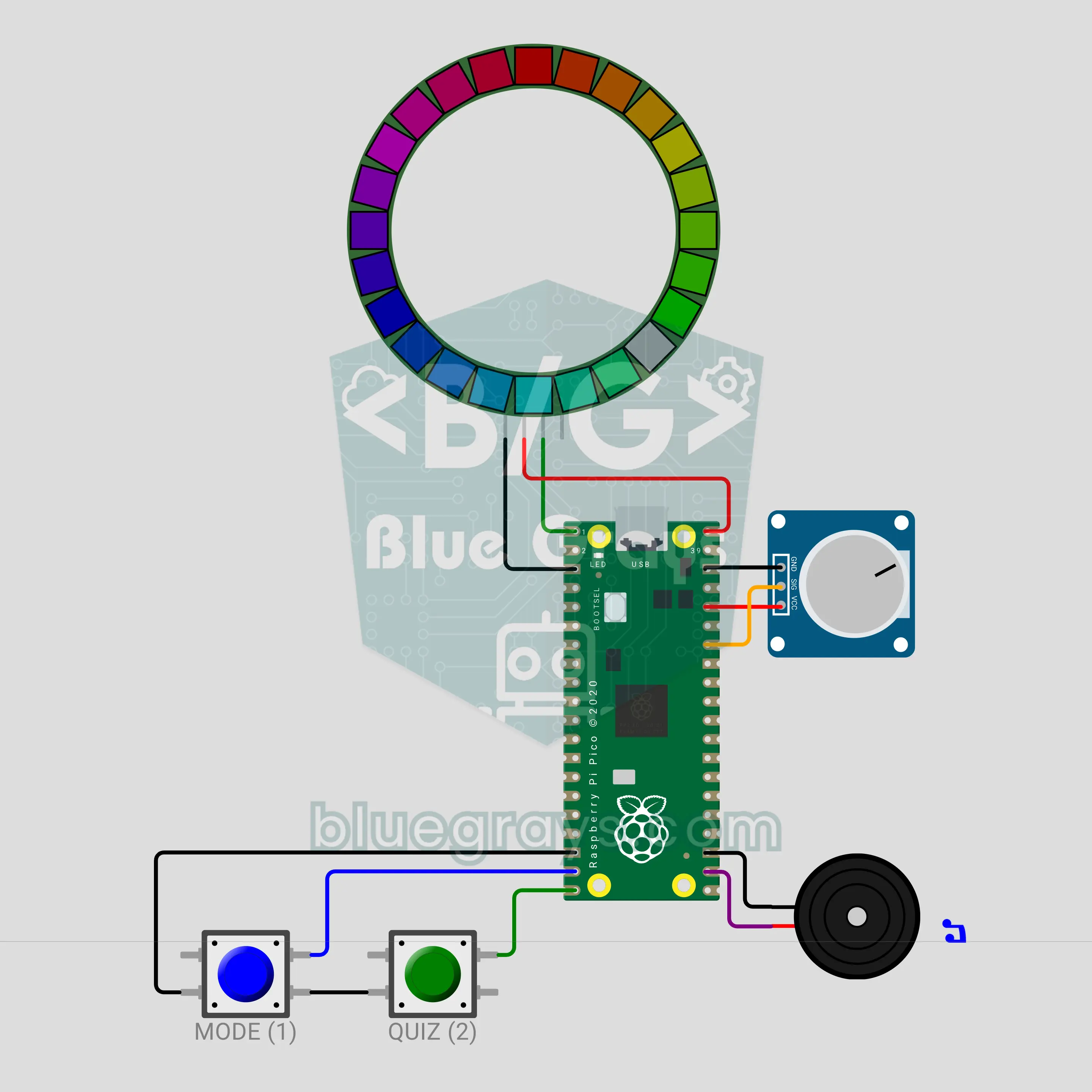
Pico Colour Wheel Teacher: Complementary Colours (24-LED WS2812B Ring + Pot)
A 24-LED RGB ring becomes a colour wheel: every pixel is one hue. Turn the potentiometer to pick a colour; the MODE button shows its complement, its triadic scheme and its neighbouring colours on the ring. The QUIZ button starts a game: half of the ring shows a colour, and you turn the pot until the other half shows its complement, then confirm. The ring lights green if you are right, red if you are wrong, then shows the answer on the wheel. The buzzer ticks at every colour step.
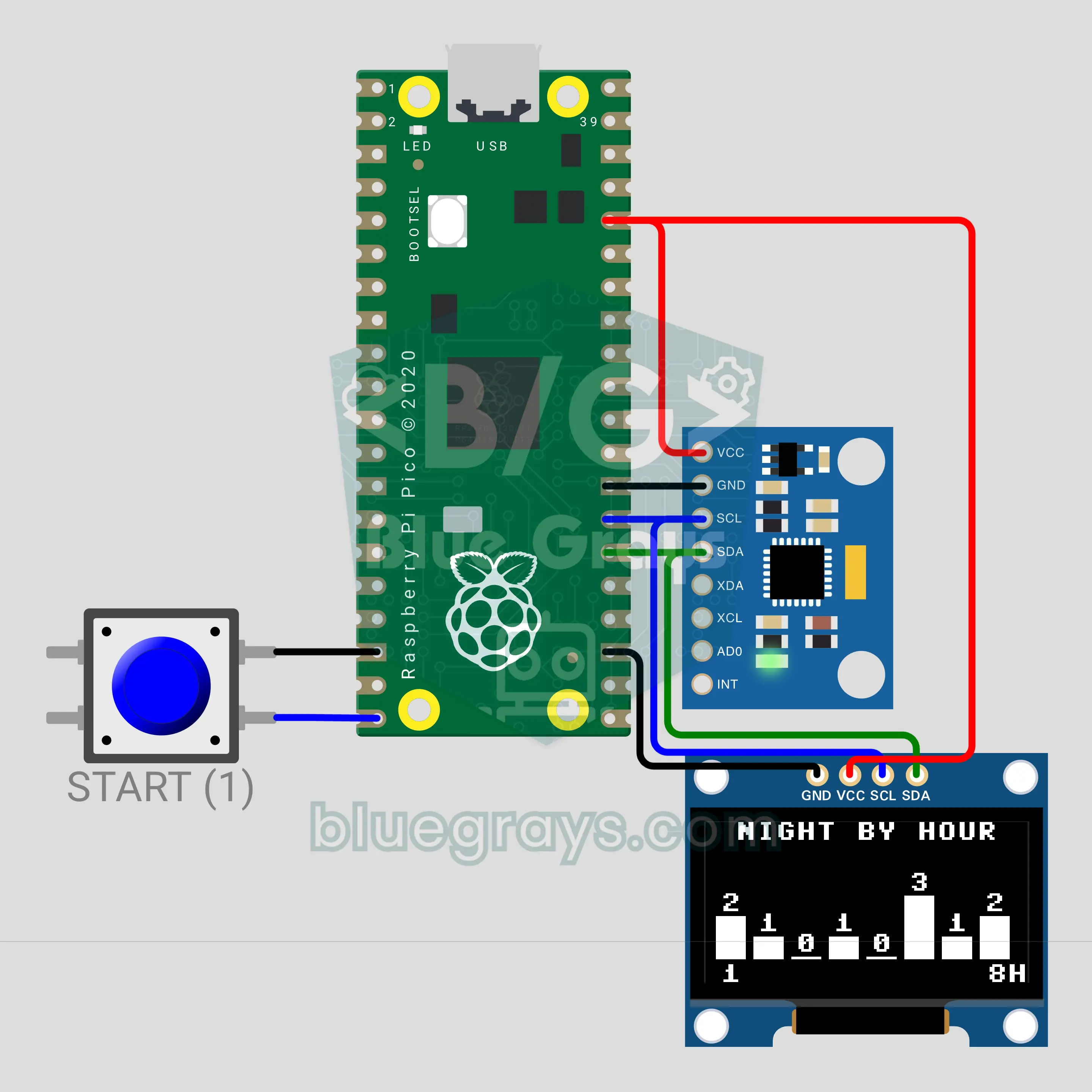
Pico Sleep Tracker: How Many Times Did You Turn Last Night? (MPU-6050 + OLED)
An MPU-6050 under your pillow watches the pillow's tilt all night. If the sensor shakes and comes back to the same posture it counts a move; if it settles at a new tilt it counts a turn. Events are logged hour by hour, and in the morning the OLED screen shows an hourly bar chart of the night and a sleep score from 0 to 100. One button starts the night, flips the report pages and ends the night when you hold it. The screen switches itself off while you sleep.
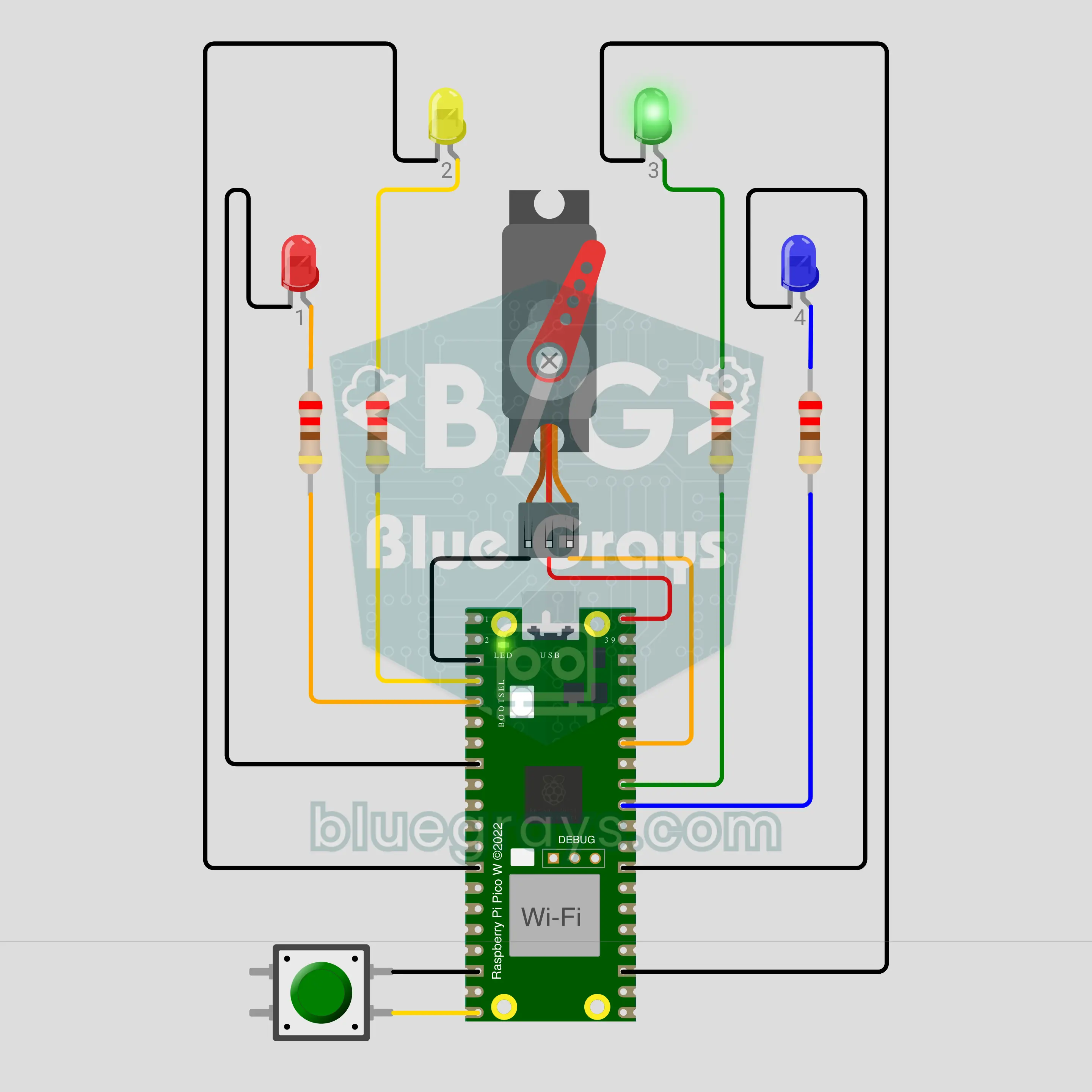
Pico W Chore Wheel: Whose Turn Is It to Do the Dishes? (Servo + NTP + ntfy)
A Raspberry Pi Pico W gets the time from the internet and passes the dish duty to the next person every midnight. A servo pointer shows today's name on the dial and that person's LED blinks. When the job is done, press the button briefly: the LED stays on, the pointer nods and a "done" notification goes to the phone. If nobody has pressed by 20:00, a reminder arrives. Hold the button for 1 second and the wheel spins to draw a name for an extra chore like the trash.
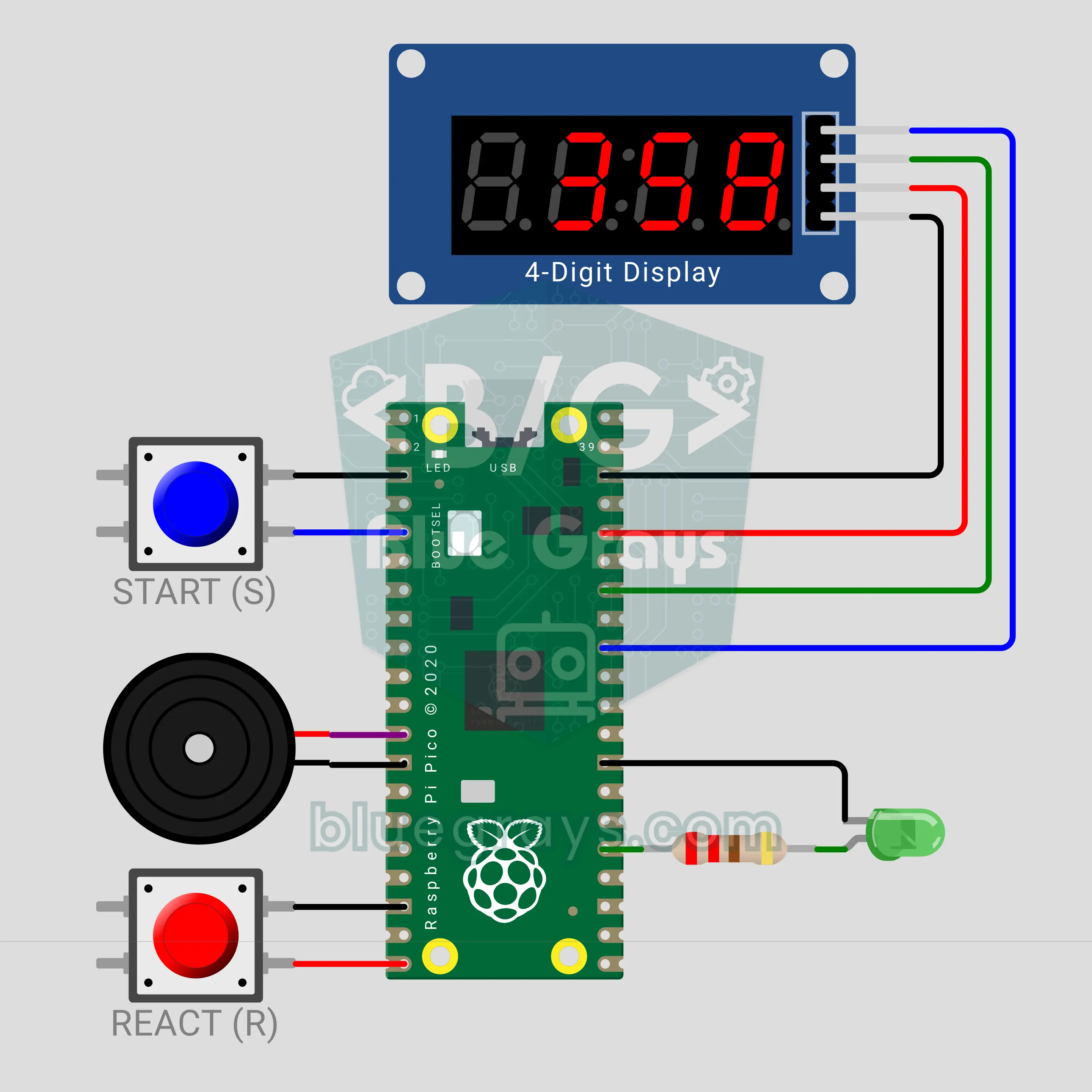
Pico Reaction Timer: A Millisecond Reflex Game (Pin.irq + TM1637)
Press START, the LED lights up at a random moment with a beep; how fast you hit the REACT button shows on the TM1637 display in milliseconds. The press is caught by a Pin.irq interrupt and its timestamp is taken right then, so the measurement stays exact even when the loop is busy. Press before the LED and you get "Err". The average of 5 rounds and your record are shown: 313 ms average and a 257 ms record in the video.
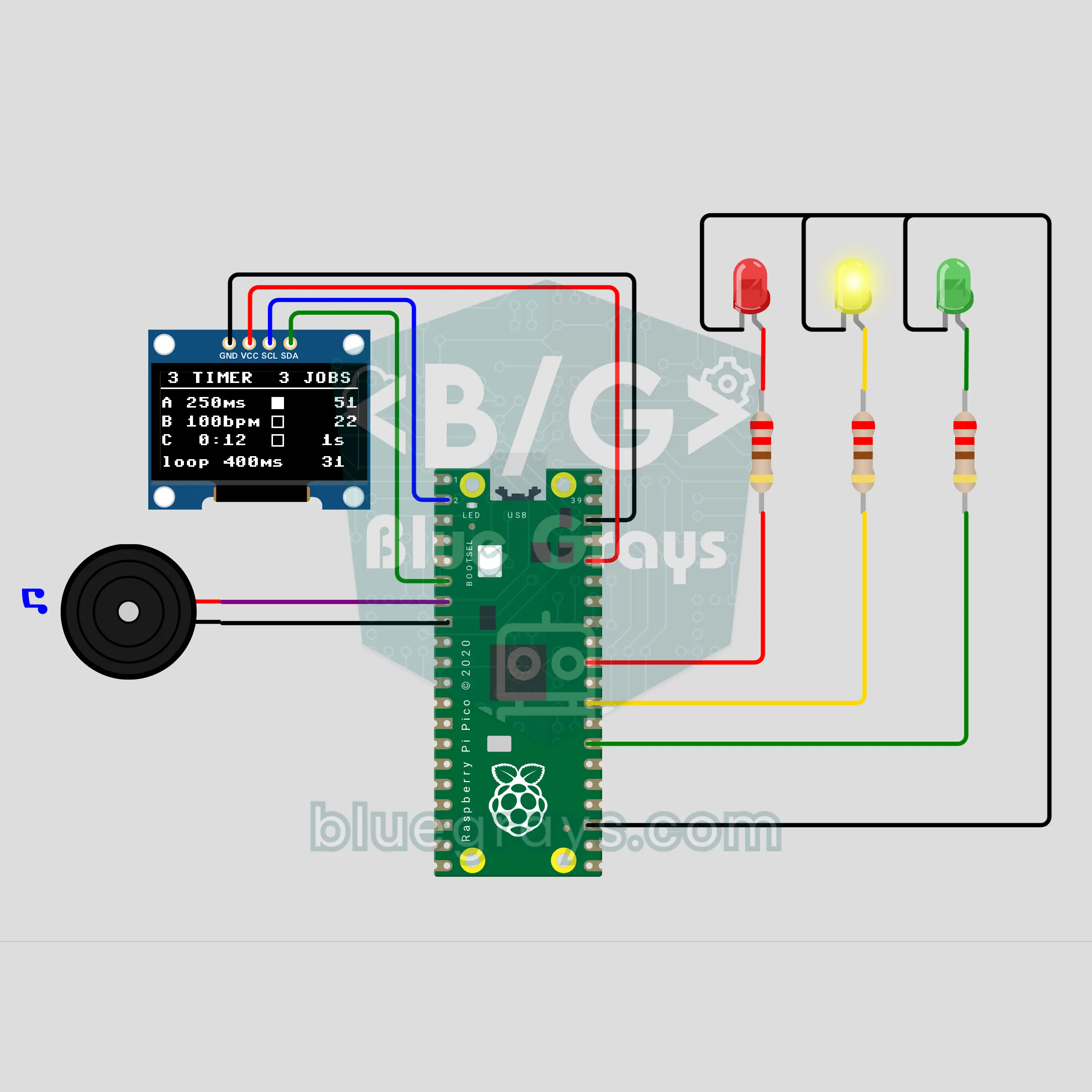
Pico Multitasking with Three Timers: LED, Metronome and Clock at Once (machine.Timer + OLED)
Three machine.Timers run three jobs at once: the red LED blinks every 250 ms, a metronome beeps 100 times a minute and lights the green LED, and the yellow LED counts the seconds. The main loop deliberately sleeps 400 ms on every pass, yet the rhythms never slip; the OLED shows how many times each timer has run. You learn real multitasking, which delay cannot do, and the keep-the-ISR-short rule.
고급프로젝트 7개
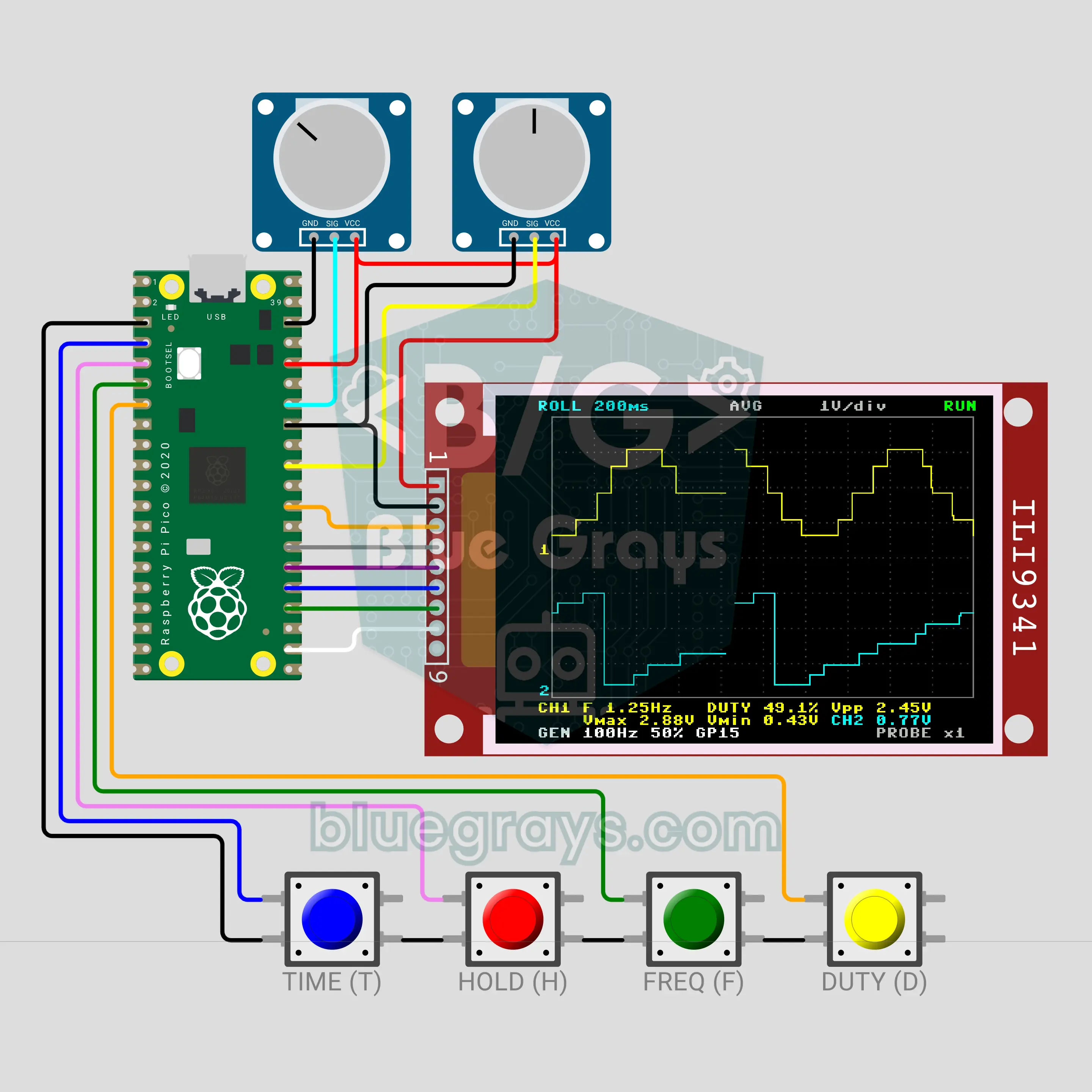
Raspberry Pi Pico Mini Oscilloscope (ILI9341 TFT Display + Potentiometer + PWM Test Signal)
A student version of the lab oscilloscope: the Raspberry Pi Pico's ADC takes thousands of samples a second and the ILI9341 colour screen draws the signal on a grid. A trigger holds the wave still while frequency, duty cycle and peak-to-peak voltage are measured. GP15 makes its own PWM test signal, ROLL mode scrolls both channels like a chart recorder and HOLD freezes the picture. It measures 0–3.3 V only.
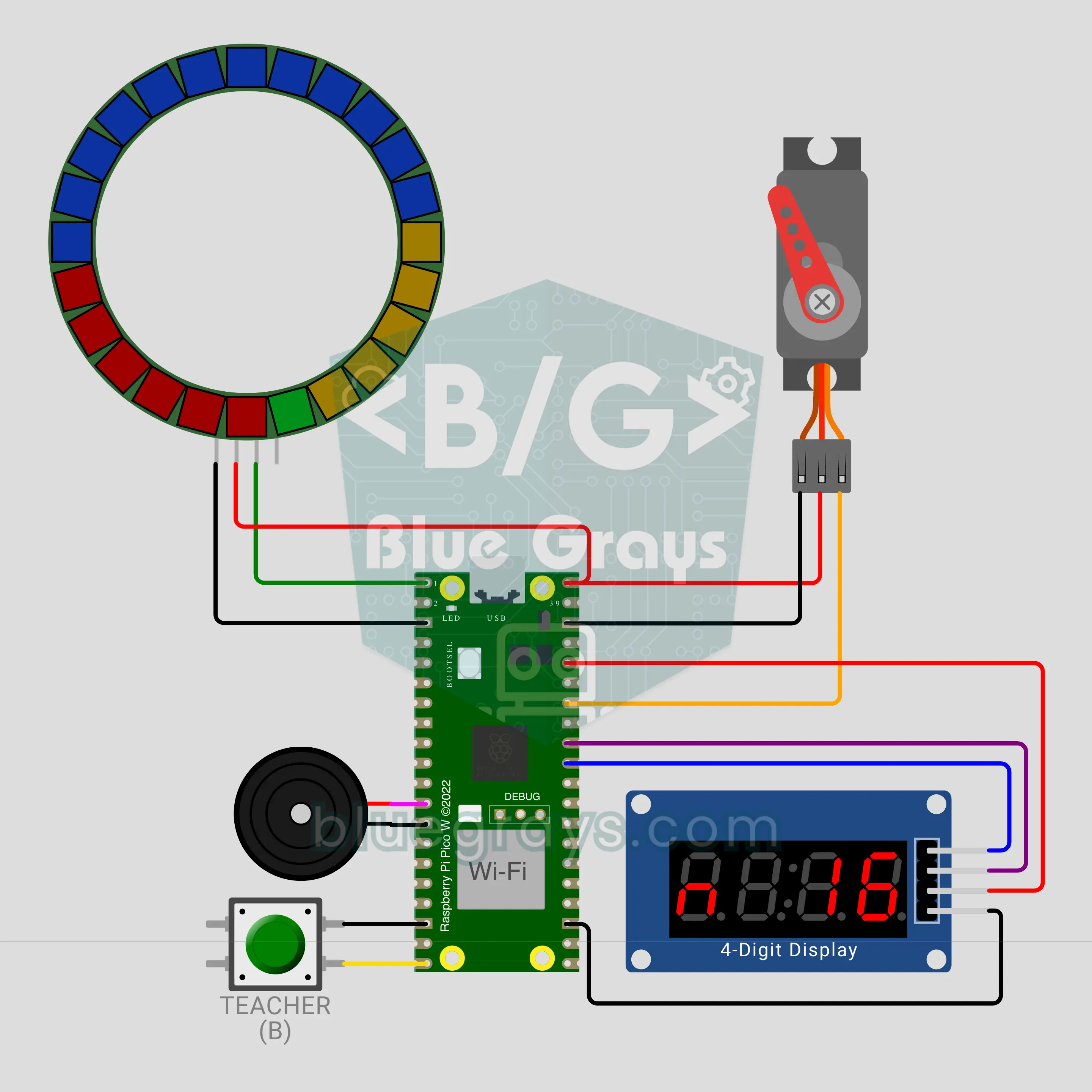
Raspberry Pi Pico W Live Classroom Poll (MQTT + LED Ring + SG90 Servo + TM1637)
See the whole class's answer the moment it comes in! The Raspberry Pi Pico W collects A/B/C/D or YES/NO votes from students' phones over MQTT; the 24-LED ring becomes a live pie chart, an SG90 servo needle points at the leading option and a TM1637 counts the votes. One vote per phone, and if someone changes their mind only the last vote counts. Timed questions beep through the final 5 seconds, and closing a question makes the correct option glow.
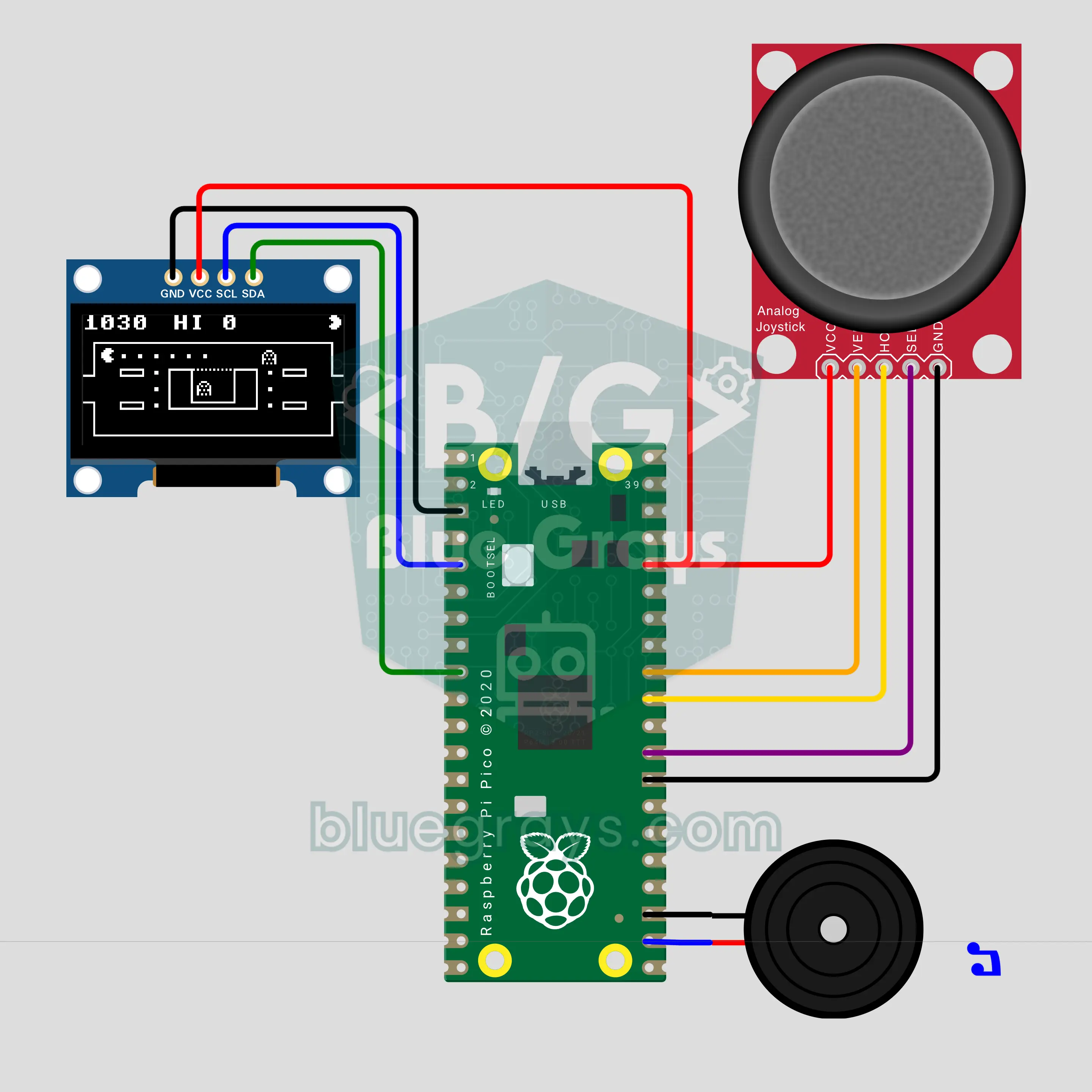
Raspberry Pi Pico Maze Hunter: Eat the Dots, Dodge the Ghosts (OLED + Joystick + Buzzer)
The maze chase of the 80s arcades, now on a Raspberry Pi Pico: a hero with a chomping mouth eats the dots in a maze on a 0.96 inch OLED while two ghosts hunt it, each in its own way. You steer with a joystick, and a buzzer plays the chomp, the siren and the intro tune. A power dot scares the ghosts for 6 seconds, and suddenly you are the hunter. 3 lives, ghosts that speed up every level and a high score that survives a power cut.
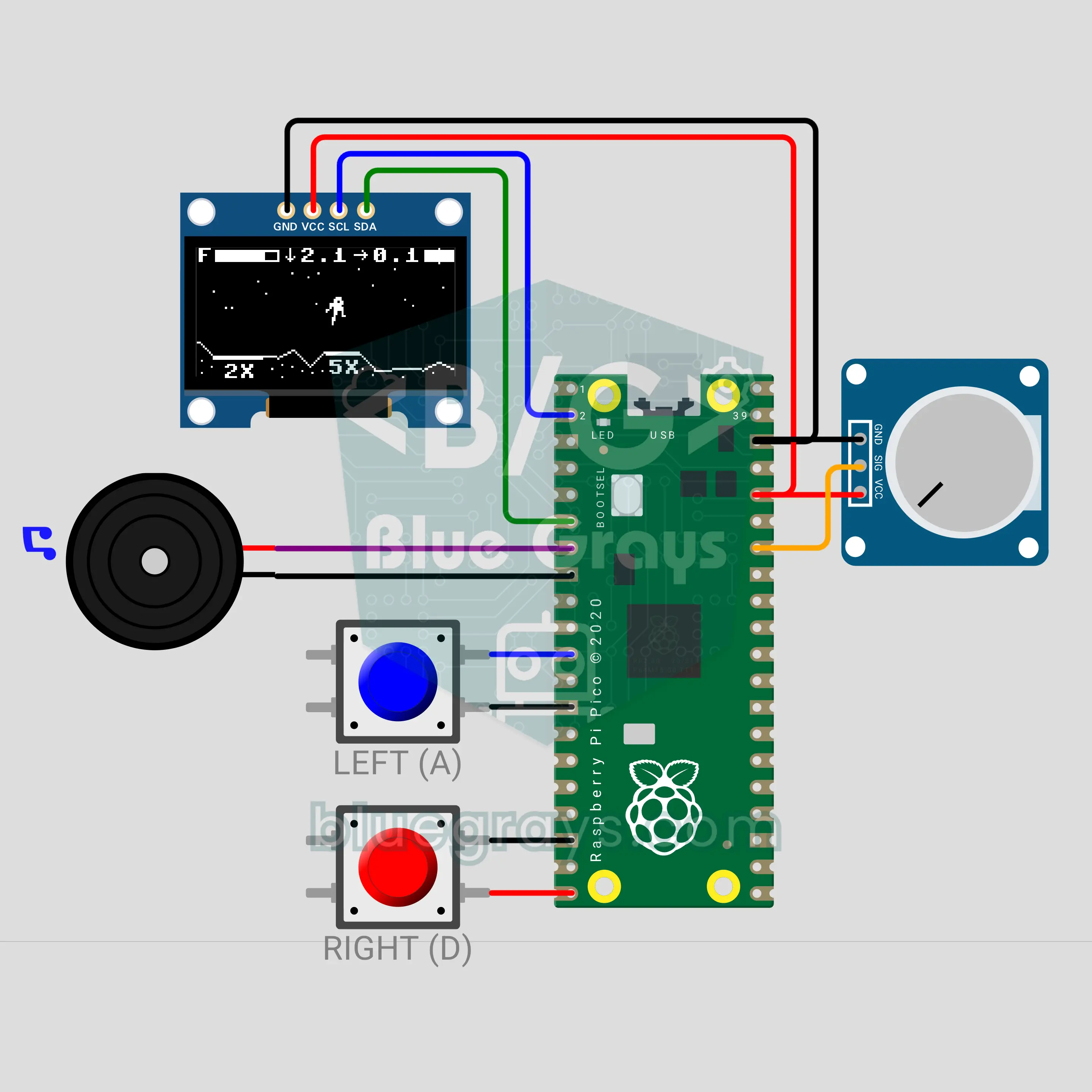
Raspberry Pi Pico W Moon Landing: Touch Down Before the Fuel Runs Out (OLED + Pot + 2 Buttons + Buzzer)
A moon landing in the style of a 1979 arcade classic, now on a Raspberry Pi Pico W: a potentiometer is the engine throttle, two buttons turn the module. Moon gravity keeps pulling it down while a 0.96 inch OLED shows fuel, vertical and sideways speed. Touch down upright on a pad below 2 m/s to score; when the single tank is empty, the game is over. A game and a physics lesson: at exactly half throttle the module hovers.
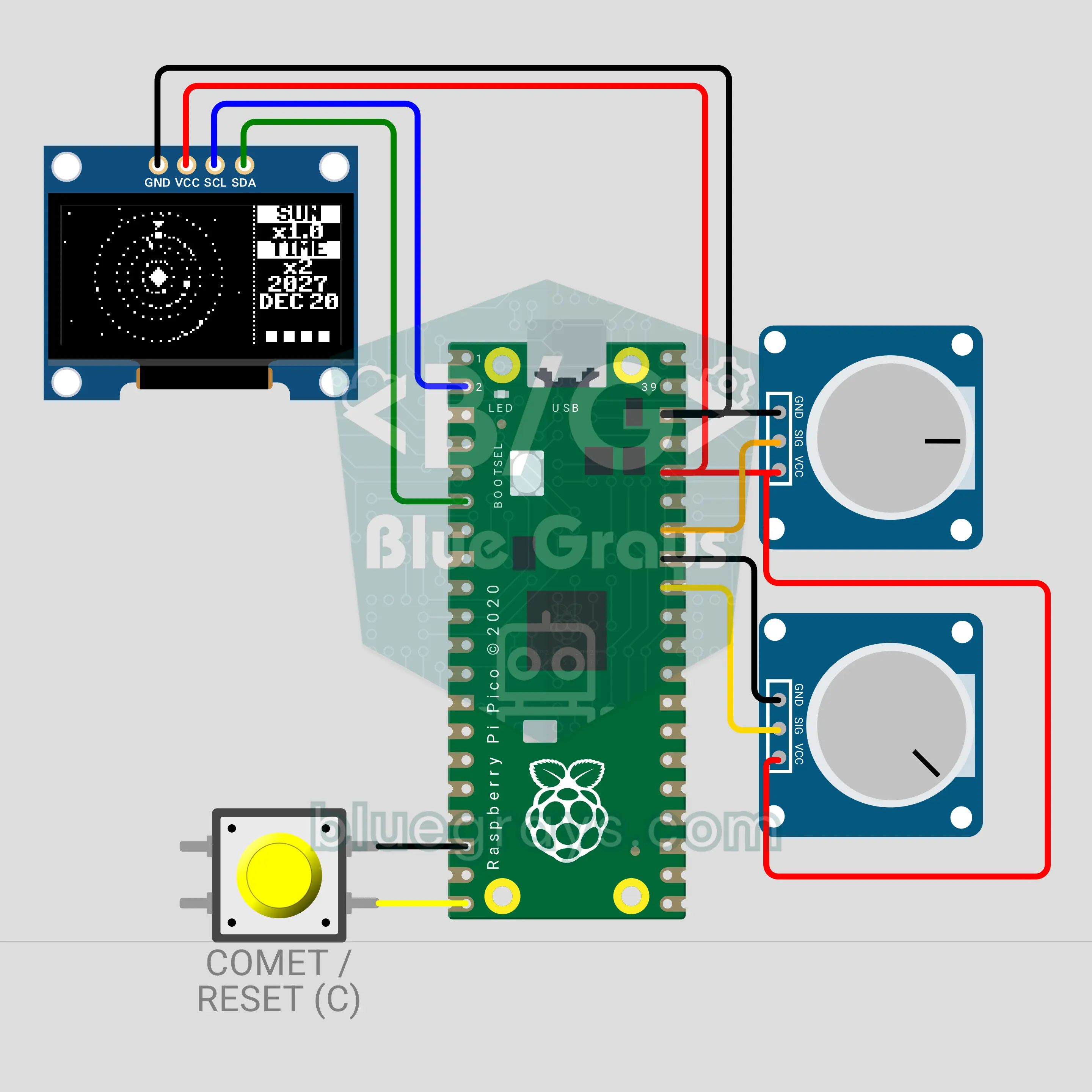
Raspberry Pi Pico W Solar System Simulator: Gravity (OLED + 2 Pots + Button)
Mercury, Venus, Earth and Mars start from their real places on the 21 December 2026 solstice and orbit by Newton's gravity on a 0.96 inch OLED. A potentiometer sets the Sun's mass from 0 to 2 times: lighter, the orbits open and the planets escape; heavier, the orbits shrink. The second pot speeds up time, the button sends a comet and a long press resets the system.
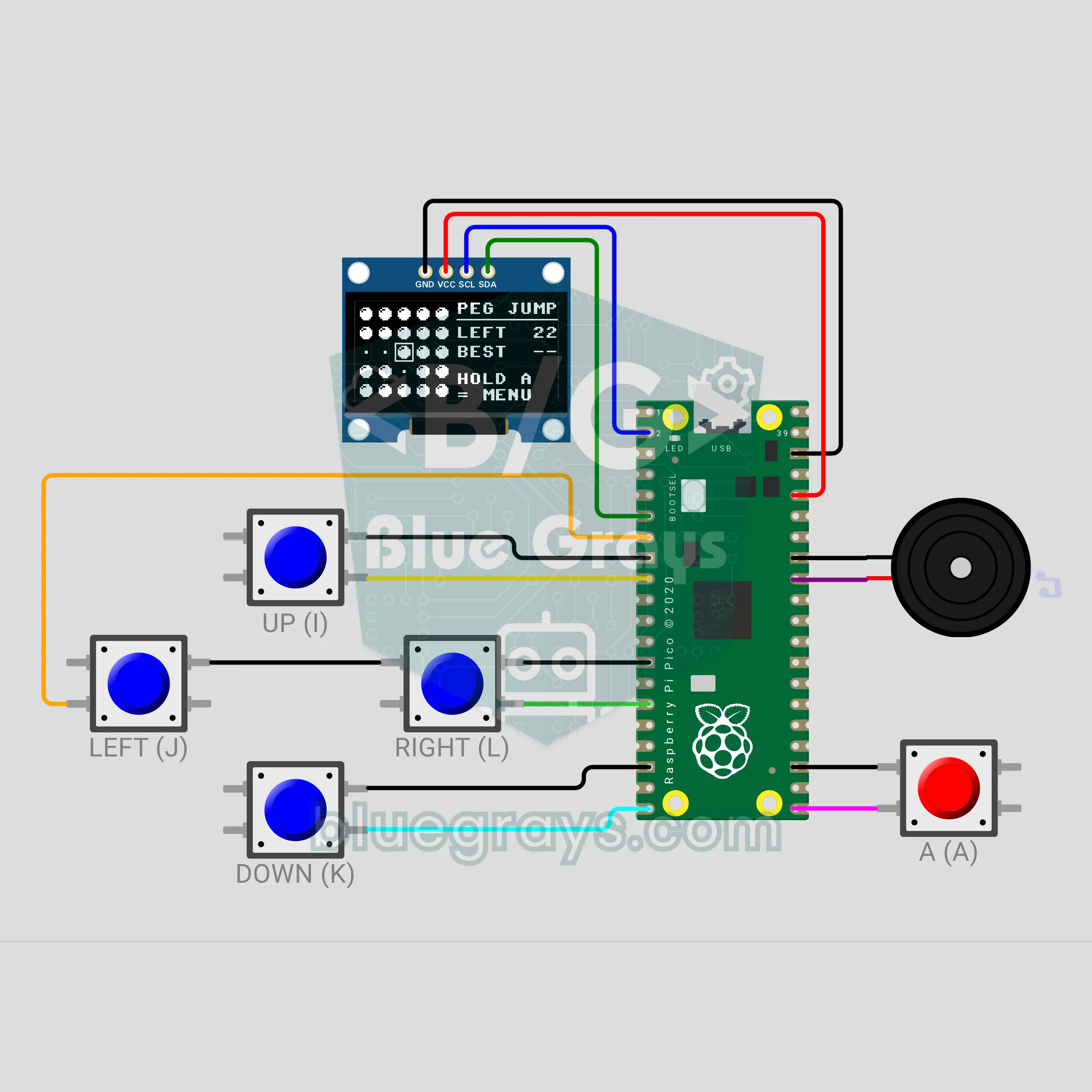
Pico Pocket Game Console: 3 Games in One (OLED + 5 Buttons + Buzzer)
Build your own handheld console with a 0.96 inch OLED, four direction buttons, an A button and a buzzer. The menu offers three games: in Peg Jump pegs jump over each other, in Lights Off the cell you press and its four neighbours flip, and in Tunnel you dodge the walls of a cave that narrows and speeds up. The menu shows the record of every game; a new record blinks "NEW BEST!" and plays a tune. Holding the A button returns to the menu from anywhere.
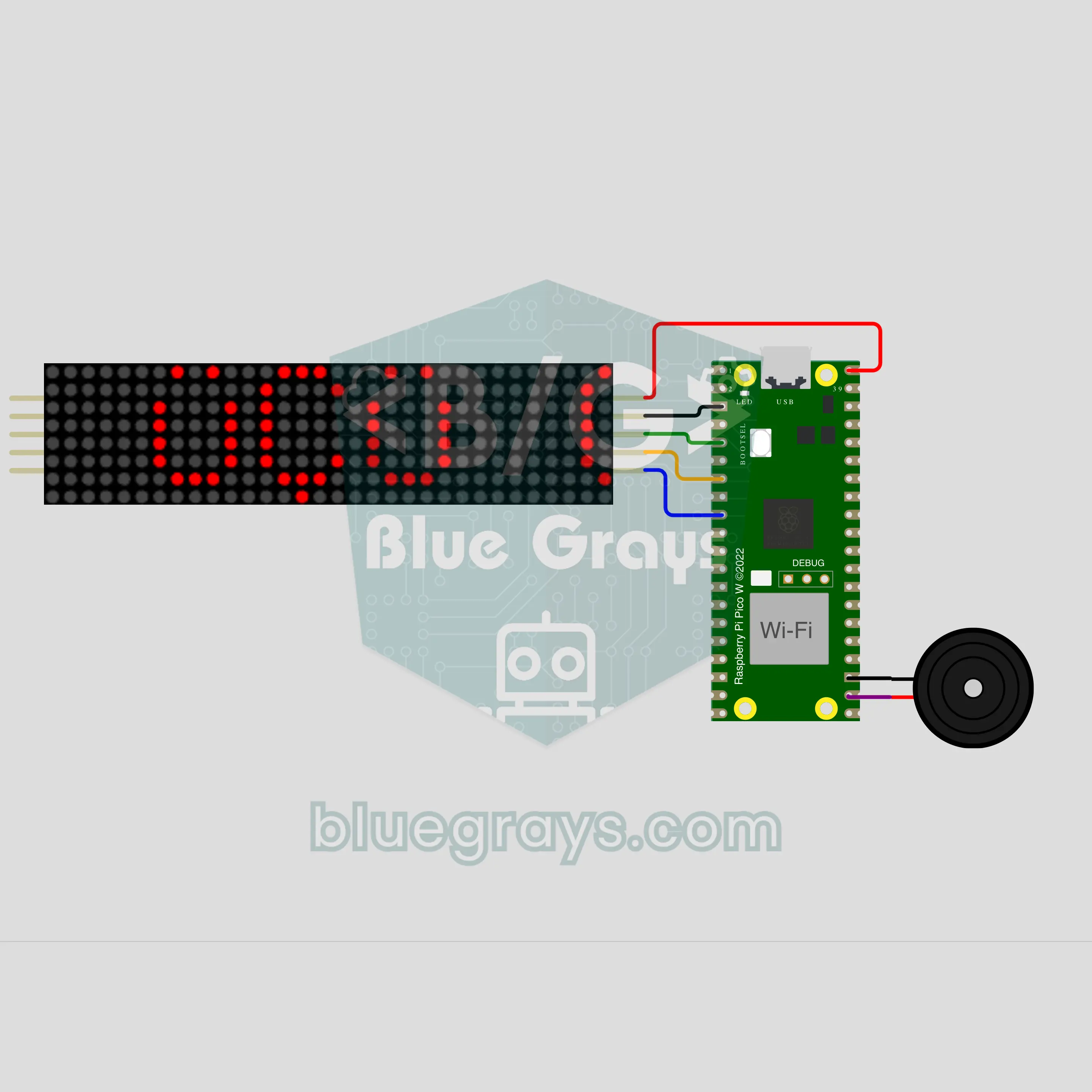
Pico W Turkish Word Clock: "SAAT ÜÇÜ ÇEYREK GEÇİYOR" (NTP + MAX7219 8x32)
The Raspberry Pi Pico W gets the time from the internet and says it with a Turkish sentence instead of digits: "SAAT ÜÇÜ ÇEYREK GEÇİYOR" (quarter past three) scrolls across an 8x32 LED sign. The endings come from a vowel harmony rule, not a ready-made list: ÜÇÜ, DÖRDÜ, BEŞİ, ALTIYI. Between sentences the digits appear. It chimes on the hour and beeps on the quarters; at night the sign dims and stays silent. At 00:00 on New Year's Day a tune plays and "YENİ YIL" scrolls by.
부품과 도구
프로젝트에 자주 쓰이는 부품, 회로를 만들 때 도움이 되는 계산 도구와 단계별 가이드를 모았어요.




자주 묻는 질문
Raspberry Pi Pico로 무엇을 만들 수 있나요?
LED와 버튼 실험부터 센서 측정 장치, 게임, 작은 로봇까지 다양하게 만들 수 있어요. 이 페이지에는 주차 센서, 미니 기상 관측 장치, OLED 디스플레이 게임, 키패드 도어록, 스톱워치, 서보 모터 로봇 팔 프로젝트가 있어요. Pico W로는 휴대폰으로 제어하는 조명이나 온습도 모니터링 같은 Wi-Fi 프로젝트도 만들 수 있어요.
Raspberry Pi Pico와 Raspberry Pi는 어떻게 다른가요?
Raspberry Pi 4와 5는 Linux를 실행하는 소형 컴퓨터예요. Pico는 운영체제 없이 프로그램 하나만 실행하는 마이크로컨트롤러로, 바로 시작되고 전력 소비도 매우 적어요. 센서 데이터를 읽거나 LED와 모터를 제어하는 용도에는 Pico가 더 적합해요.
Raspberry Pi Pico에 MicroPython을 어떻게 설치하나요?
BOOTSEL 버튼을 누른 채 Pico를 USB로 연결하면 RPI-RP2라는 드라이브가 나타나요. MicroPython UF2 파일을 이 드라이브에 끌어다 놓거나 Thonny의 인터프리터 설정에서 MicroPython을 설치해 주세요. 보드가 다시 시작되면 코드를 실행할 준비가 끝나요.
Pico와 Pico W는 어떻게 다른가요?
Pico W는 같은 RP2040 칩에 Wi-Fi와 Bluetooth가 추가된 보드예요. 핀 배열은 같아요. 실제 사용 시 중요한 차이는 내장 LED예요. Pico에서는 GP25에 연결되어 있고, Pico W에서는 코드에서 "LED"라는 이름으로 사용해요.
Arduino IDE로 Raspberry Pi Pico를 프로그래밍할 수 있나요?
네. Arduino IDE에 RP2040 보드 패키지를 추가하면 C/C++로 프로그래밍할 수 있어요. 이 페이지의 프로젝트는 대부분 컴파일 없이 실행되고 입문자도 읽기 쉬운 MicroPython을 사용해요. 일부는 Arduino IDE용 C++로 작성했어요.
Raspberry Pi Pico에서 MicroPython과 C++ 중 무엇을 사용하면 좋을까요?
처음이라면 MicroPython으로 시작해 보세요. 컴파일 없이 실행되고 Thonny에서 한 줄씩 시험해 볼 수 있으며 읽기도 쉬워요. C++(Arduino IDE 또는 Pico SDK)은 더 빠르게 실행되고 메모리를 효율적으로 사용해요. 정밀한 타이밍이 필요하거나 기존 Arduino 라이브러리를 활용하려는 프로젝트에 적합해요. 이 페이지의 각 프로젝트 코드 블록에 사용 언어가 표시되어 있어요.
Pico에 5 V 센서를 사용할 수 있나요?
Pico의 GPIO 핀은 3.3 V에서 작동하며 5 V를 견디지 못해요. VBUS 핀으로 센서에 5 V 전원을 공급할 수는 있지만, 센서 출력 신호는 전압 분배기나 레벨 시프터로 3.3 V까지 낮춰야 해요.
Raspberry Pi Pico는 어떤 프로젝트부터 시작하면 좋을까요?
추가 부품이 필요 없는 내장 LED 깜빡이기가 가장 좋아요. 그다음에는 버튼 입력 읽기, PWM으로 LED 밝기 조절하기, 내장 온도 센서 값 읽기를 해 보세요.