
DC Motor Control with the L298N: Speed and Direction with Arduino
How does the L298N motor driver work? The H-bridge idea, ENA, IN1 and IN2 pins, the 5V jumper and power wiring, speed with PWM, changing direction, two-motor robot car code, and ESP32 and Pico usage.
DC motors are the most common motors, spinning fans, robot wheels, water pumps and toy cars. But you can't connect a motor straight to an Arduino pin: it draws far more current than the pin can supply, and changing its direction means reversing its polarity. The L298N motor driver solves both problems at once: it runs two DC motors forwards and backwards independently and sets their speed with PWM. You'll find it in almost every robot car project.
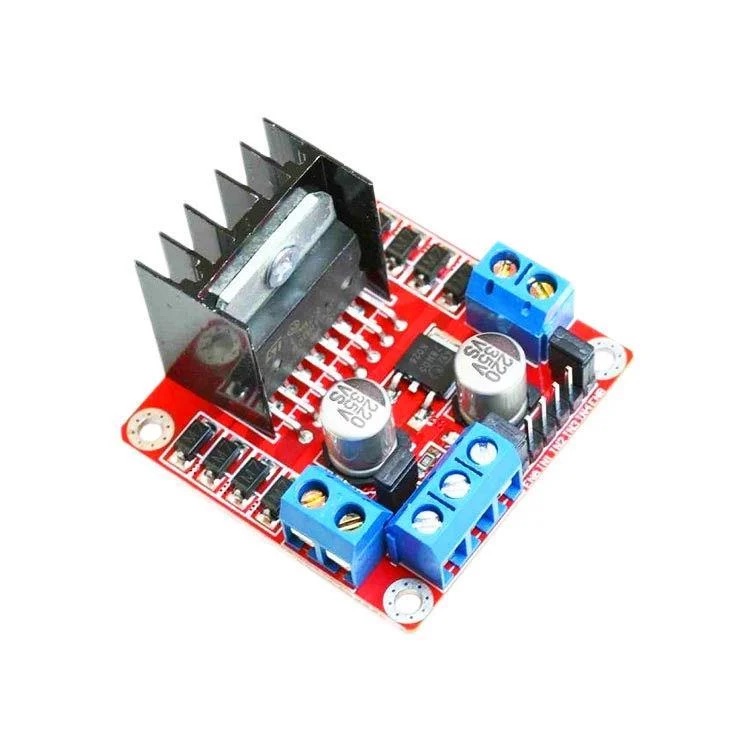
How does a DC motor work, and why does it need a driver?
Apply a voltage across a DC motor's two terminals and it spins; reverse the polarity and it spins the other way; lower the voltage and it slows down. Even a small toy motor draws hundreds of milliamps while running, and more than 1 amp when starting or stalled. And because the motor is a coil, it produces reverse voltage spikes when it switches off. An Arduino pin can supply at most 20–40 mA and isn't protected against those spikes; connecting the motor directly destroys the pin and can even damage the board.
What is an H-bridge?
The way to run a motor in both directions is an H-bridge: four electronic switches arranged around the motor in the shape of the letter "H". When two diagonally opposite switches close, current flows through the motor one way; when the other diagonal pair closes, it flows the other way. The L298N chip contains two such H-bridges, so it can control two motors independently. Each motor uses two direction pins (IN1 and IN2) and one speed pin (ENA):
| IN1 | IN2 | ENA | What the motor does |
|---|---|---|---|
| HIGH | LOW | HIGH or PWM | Turns forwards |
| LOW | HIGH | HIGH or PWM | Turns backwards |
| HIGH | HIGH | HIGH | Brakes and stops quickly |
| Any | Any | LOW | Free-wheels and slows down on its own |
L298N specifications
| Feature | Value |
|---|---|
| Motor supply voltage | 5–35 V (max 12 V with the 5V jumper fitted) |
| Current per channel | 2 A continuous, 3 A peak |
| Logic voltage | 5 V (inputs also recognise a 3.3 V signal) |
| Voltage drop | About 1.5–3 V (the motor sees that much less) |
| Motors it can drive | 2 DC motors or 1 bipolar stepper motor |
| Protection | Flyback diodes on the board |
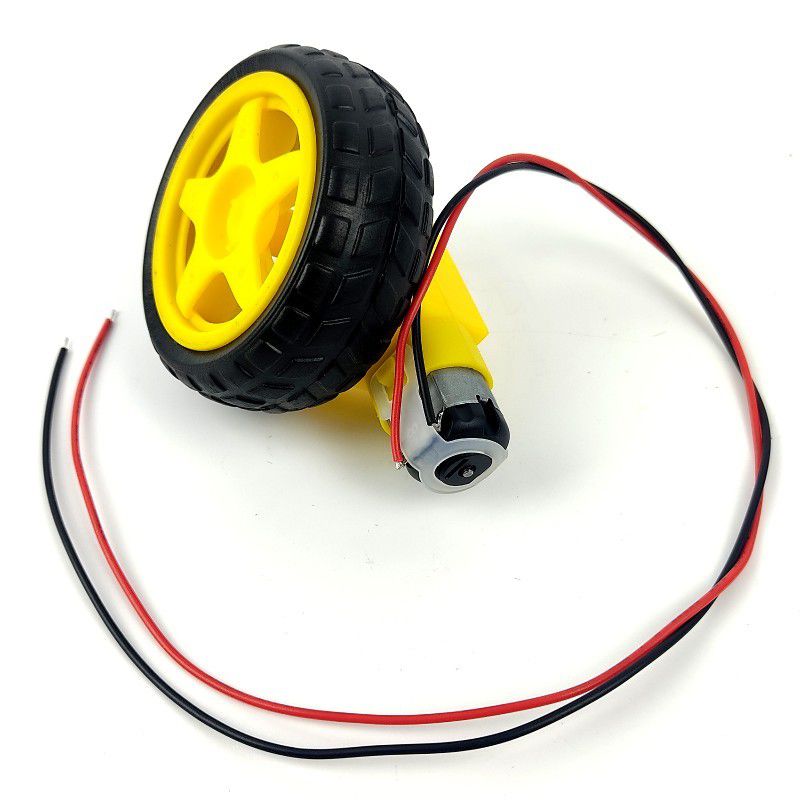
L298N pins and power wiring
| Pin or terminal | Function |
|---|---|
| OUT1, OUT2 | The two leads of motor A |
| OUT3, OUT4 | The two leads of motor B |
| 12V (VS) | Motor supply: positive of the battery or adapter |
| GND | Common ground: battery negative and the Arduino's GND go here |
| 5V | 5 V output with the 5V jumper fitted, logic supply input with it removed |
| ENA, ENB | Speed inputs (PWM); with their jumpers fitted the motor always runs at full speed |
| IN1, IN2, IN3, IN4 | Direction inputs |
Running a motor forwards, backwards and at different speeds
First remove the jumper on ENA and connect ENA to Arduino pin D9, IN1 to D8 and IN2 to D7. Connect the motor to OUT1 and OUT2, and a pack of 2 × 18650 cells (7.4 V) or 4–6 AA batteries to the 12V and GND terminals; run GND to the Arduino's GND as well. The motor() function below takes a value from -255 to 255: positive means forwards, negative backwards and zero brake. The idea behind speed control is in What Is PWM?
1const int ENA = 9;    // hız (PWM) / speed (PWM)
2const int IN1 = 8;
3const int IN2 = 7;
4
5void motor(int speed) {              // -255 … 255
6  if (speed == 0) {                  // fren / brake
7    digitalWrite(IN1, HIGH);
8    digitalWrite(IN2, HIGH);
9    analogWrite(ENA, 255);
10    return;
11  }
12  digitalWrite(IN1, speed > 0);      // ileri ya da geri / forward or backward
13  digitalWrite(IN2, speed < 0);
14  analogWrite(ENA, abs(speed));
15}
16
17void setup() {
18  pinMode(ENA, OUTPUT);
19  pinMode(IN1, OUTPUT);
20  pinMode(IN2, OUTPUT);
21}
22
23void loop() {
24  motor(200);   delay(2000);   // ileri / forward
25  motor(0);     delay(500);    // dur / stop
26  motor(-120);  delay(2000);   // yavaşça geri / slowly backward
27  motor(0);     delay(500);
28}A two-motor robot car: forwards, backwards, left and right
Robot cars have no steering; they turn by spinning the two wheels at different speeds and directions. If both motors run forwards the car goes straight; if the left motor runs backwards and the right one forwards, the car spins left on the spot. The drive() function below takes each motor's speed separately, from -255 to 255:
1// Sol motor / left motor: ENA=9, IN1=8, IN2=7 — Sağ motor / right motor: ENB=10, IN3=5, IN4=4
2const int ENA = 9, IN1 = 8, IN2 = 7;
3const int ENB = 10, IN3 = 5, IN4 = 4;
4
5void drive(int left, int right) {            // her biri -255 … 255 / each -255 … 255
6  digitalWrite(IN1, left >= 0);  digitalWrite(IN2, left < 0);
7  digitalWrite(IN3, right >= 0); digitalWrite(IN4, right < 0);
8  analogWrite(ENA, abs(left));
9  analogWrite(ENB, abs(right));
10}
11
12void setup() {
13  int pins[] = {ENA, IN1, IN2, ENB, IN3, IN4};
14  for (int p : pins) pinMode(p, OUTPUT);
15}
16
17void loop() {
18  drive(200, 200);   delay(1500);   // ileri / forward
19  drive(-200, 200);  delay(600);    // sola dön / turn left
20  drive(200, -200);  delay(600);    // sağa dön / turn right
21  drive(-180, -180); delay(1000);   // geri / backward
22  drive(0, 0);       delay(1000);   // dur / stop
23}
Add a distance sensor to the front of the car and you have a robot that stops and turns when it sees an obstacle; for the sensor side, see HC-SR04 Distance Sensor. If you'll use the Servo library on an Uno, be careful: it disables PWM on pins 9 and 10, so move ENA and ENB to pins 5 and 6.
L298N with the ESP32 and Raspberry Pi Pico
The L298N's inputs treat anything above about 2.3 V as HIGH, so they work directly with the 3.3 V signals of the ESP32 and Pico; the board's logic supply should still be 5 V. On the ESP32 you can use the same Arduino code with PWM-capable pins for ENA and ENB (for example GPIO 25 and 26); pins 34–39 can't output. On the Pico with MicroPython, controlling one motor looks like this:
1from machine import Pin, PWM
2import time
3
4ena = PWM(Pin(15), freq=1000)
5in1 = Pin(14, Pin.OUT)
6in2 = Pin(13, Pin.OUT)
7
8def motor(speed):                   # -100 … 100
9    in1.value(speed > 0)
10    in2.value(speed < 0)
11    ena.duty_u16(int(abs(speed) * 655.35))
12
13while True:
14    motor(80);  time.sleep(2)       # ileri / forward
15    motor(0);   time.sleep(0.5)     # dur / stop
16    motor(-50); time.sleep(2)       # geri / backward
L298N, TB6612FNG or MOSFET?
| Driver | Pros | Cons | Best for |
|---|---|---|---|
| L298N | Cheap, rugged, 2 A per channel | About 2 V lost, gets hot, large | Hobby robots, 6–12 V motors |
| TB6612FNG | Small, efficient (MOSFET), 3.3 V compatible | 1.2 A continuous, max 13.5 V | Small battery robots |
| L9110S | Very small and cheap | About 800 mA per channel | Mini motors |
| Single MOSFET (such as the IRLZ44N) | Very efficient, high current | One direction only | Fans, pumps, LED strips |
If you only need to switch a motor on and off, a relay will do, but it can't adjust the speed; we compared the two in What Is a Relay Module? To choose a suitable transistor or MOSFET, have a look at the Transistors tool.
L298N project ideas
- Obstacle-avoiding robot: a car that sees obstacles with an HC-SR04 and changes direction.
- Bluetooth-controlled car: a robot steered over an HC-05 with an app on your phone.
- Joystick-controlled car: turn a joystick's two axes into the speeds of two motors; details in How to Use a Joystick Module.
- Line-following robot: a car that follows a black line on the floor with infrared sensors.
- Automatic curtain: a motorised system that opens the curtain when light arrives in the morning and closes it in the evening.
- Conveyor belt: a small conveyor whose speed you set with a potentiometer.
Common mistakes and how to fix them
- The board's LED is on but the motor doesn't turn: the grounds aren't shared, the ENA jumper was removed but the pin isn't connected, or the PWM value is too low.
- The Arduino resets when the motor runs: the motor and the Arduino share a weak supply; power them separately and solder a 100 nF capacitor across the motor terminals.
- The motor is very slow and weak: the L298N swallows about 2 V; raise the battery voltage (for example 2 × 18650) or use a more efficient driver.
- The motor only turns one way: one of the IN pins isn't connected, or the code writes the same values for both directions.
- The L298N gets very hot: the motor draws too much current; make sure the heatsink is exposed, and choose a beefier driver if needed.
- Using a 9 V PP3 battery: these can't supply high current and run flat quickly; use a rechargeable 18650 or AA pack.
Once you've learned motor control with the L298N, the door to robot projects opens. In the BlueGrays app you'll find L298N Bluetooth-controlled car and obstacle-avoiding robot projects step by step with circuit diagrams and code.
Frequently asked questions
How many motors can the L298N drive?
Because the L298N contains two H-bridges, it can drive two DC motors independently, forwards and backwards and at different speeds. Using both channels together, it can also drive one bipolar stepper motor.
What is the 5V jumper on the L298N for?
With the jumper fitted, the on-board regulator makes 5 V from the motor supply to power the chip; you can also use that 5 V to power the Arduino. If the motor supply is above 12 V the regulator can overheat, so remove the jumper and feed a separate 5 V into the 5V pin.
What battery should I connect to the L298N?
For small 6–9 V motors, 2 × 18650 lithium cells (7.4 V) or 6 AA batteries (9 V) are a good choice. Because the L298N loses about 2 V, pick a supply a little above the motor's rated voltage. 9 V PP3 batteries can't deliver enough current to drive motors.
Why remove the ENA jumper?
With the jumper on ENA fitted, the motor always runs at full speed. To adjust the speed, remove the jumper and connect the ENA pin to one of the Arduino's PWM pins; you can then set the speed from 0 to 255 with analogWrite.
Why won't my motor turn at low speeds?
A motor needs a certain minimum voltage to overcome friction and start moving, and the L298N's voltage drop makes this harder. Usually, when the PWM value drops below 80–120, the motor just hums. Set a minimum speed in your code or use a higher-voltage supply.
Does the L298N work with the ESP32 and Raspberry Pi Pico?
Yes. The L298N's input pins recognise a 3.3 V signal as HIGH, so it can connect directly to the ESP32 and Pico. The board's logic side should still be powered from 5 V, and all grounds must be shared.
Projects to build after reading this
See all projects
Bluetooth Controlled Car with L298N
2WD (two-motor, four-wheeled) robot car project that can be controlled from the phone with Arduino and HC-05 Bluetooth module. A total of four wheels are driven simultaneously by connecting two motors

Obstacle Avoidance Robot
How about building a smart vehicle that finds its own way? The Obstacle Avoidance Robot constantly scans its surroundings thanks to the ultrasonic sensor in front of it. When it encounters an obstacle
Servo Control with Joystick
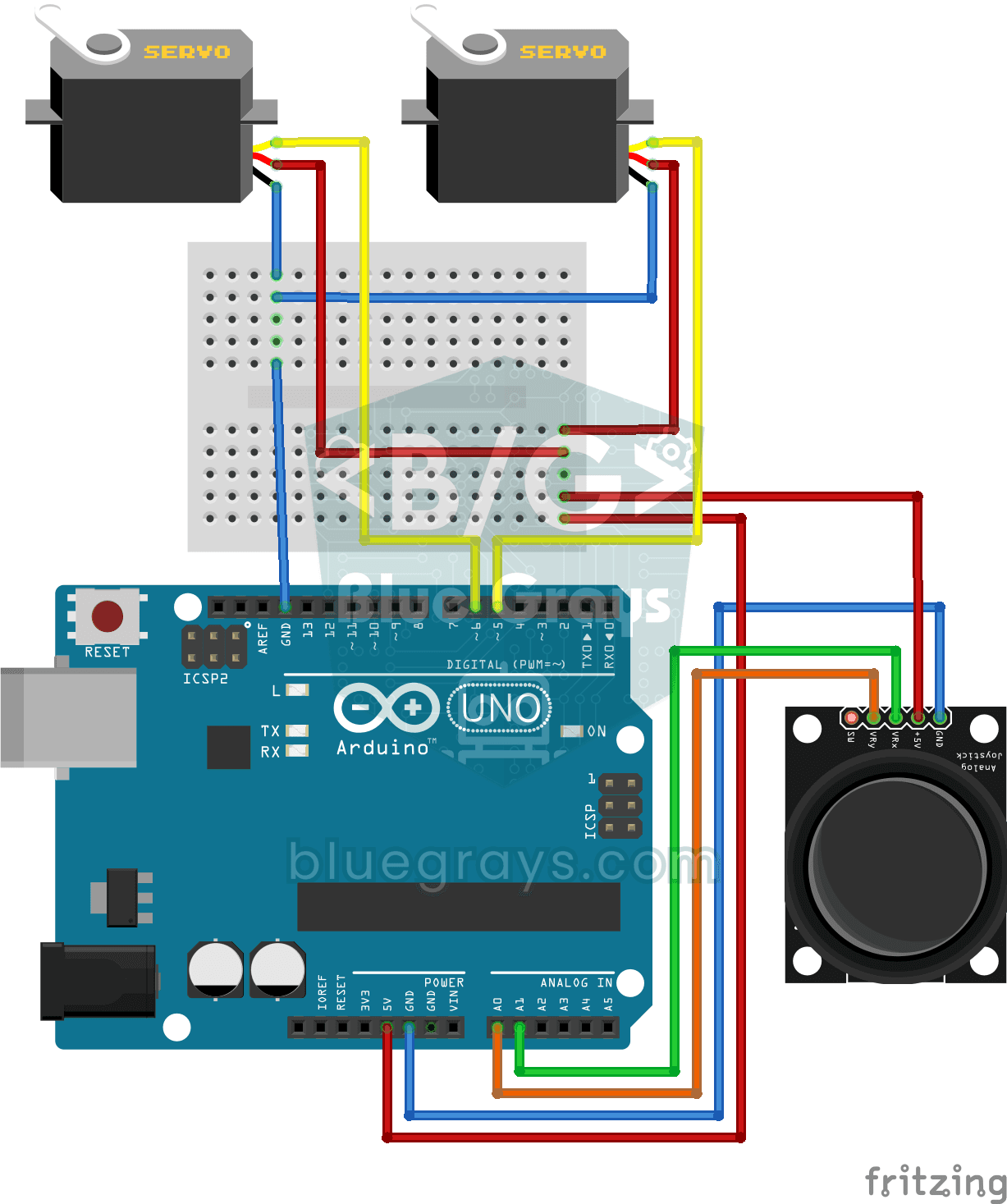
Pan-tilt project that independently controls two servo motors in X and Y axes with joystick module. Teaches the logic of joystick-servo integration and position tracking.

ESP32 Servo Motor (Potentiometer Control)
In this project, we control an SG90 servo motor using a potentiometer. We adjust the servo angle by mapping the analog value read from the potentiometer to the 0–180-degree range. Thanks to the ESP32Servo library, any GPIO pin on the ESP32 can generate a PWM signal. This is a fundamental control method for robotic arms, camera gimbals, and automatic door mechanisms.
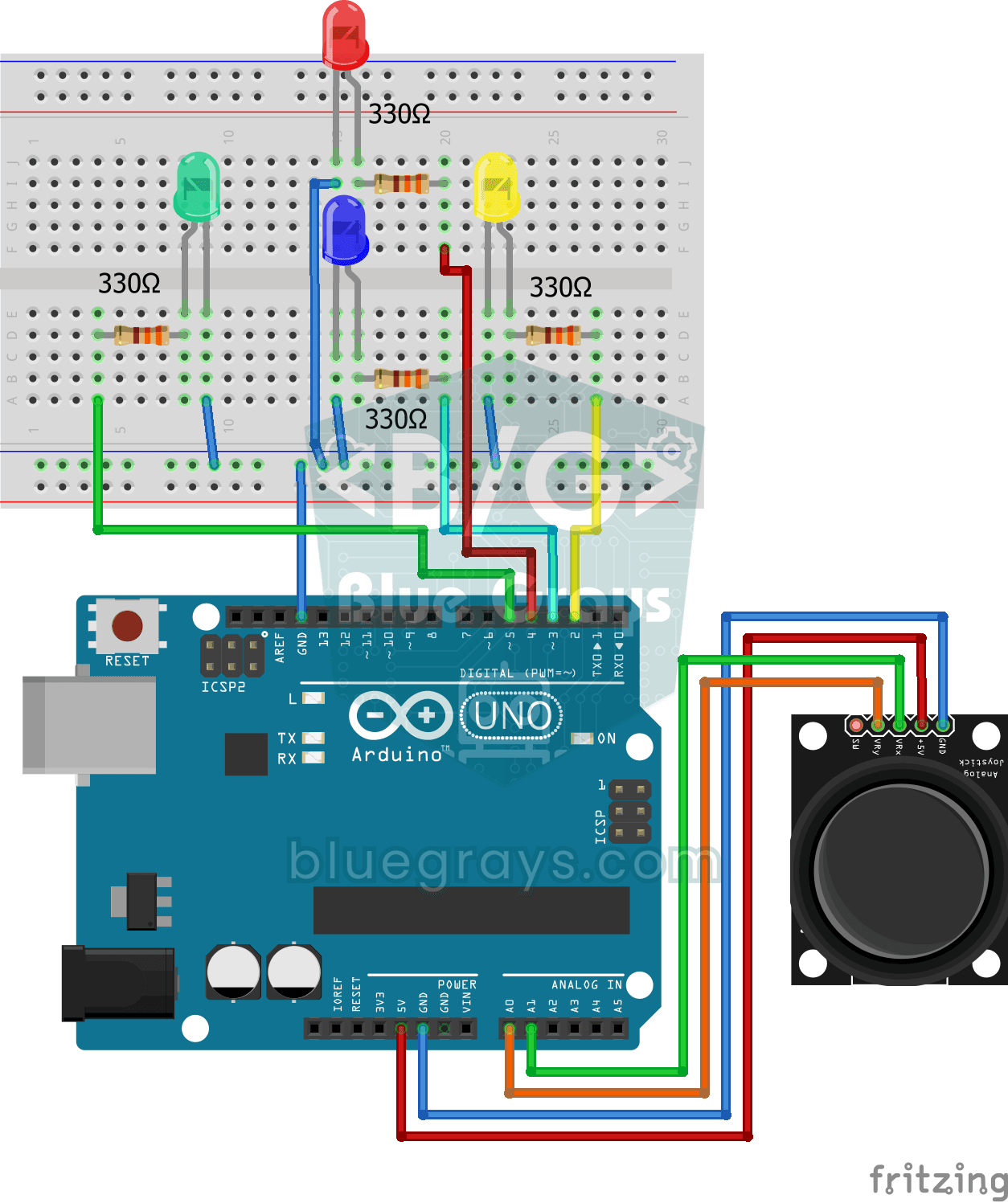
Led Control with Joystick
Control project that lights LEDs in 4 different directions according to the X and Y axis values of the joystick module. Teaches analog joystick reading and direction detection logic.

ESP32 HC-SR04 Ultrasonic Distance Sensor
The HC-SR04 ultrasonic sensor calculates distance by measuring the time it takes for the sound wave it emits to bounce off an object and return (Time of Flight). In this project, we will send a 10-microsecond pulse to the TRIG pin of the ESP32 and read the echo duration from the ECHO pin using `pulseIn()`. We will display the calculated distance in centimeters on the Serial Monitor. Since the HC-SR04 operates at 5V, a **voltage divider** is required on the ECHO pin—otherwise, the ESP32’s 3.3V GP

ESP32 Parking Sensor (HC-SR04 + 5-LED Bar + Buzzer + OLED)
The ESP32 version of the car parking sensor! We use the HC-SR04 ultrasonic sensor to measure the distance to the object in front of it. As the distance decreases, the 5-LED bar fills up (green → yellow → red) and the buzzer beep interval shortens. When the object gets very close (under 10 cm), a continuous alarm sounds and all LEDs light up. The SSD1306 OLED display shows the current distance in cm in large font, a status message (STOP / CAUTION / CLOSE / STOP! / DANGER), and a simulation of the
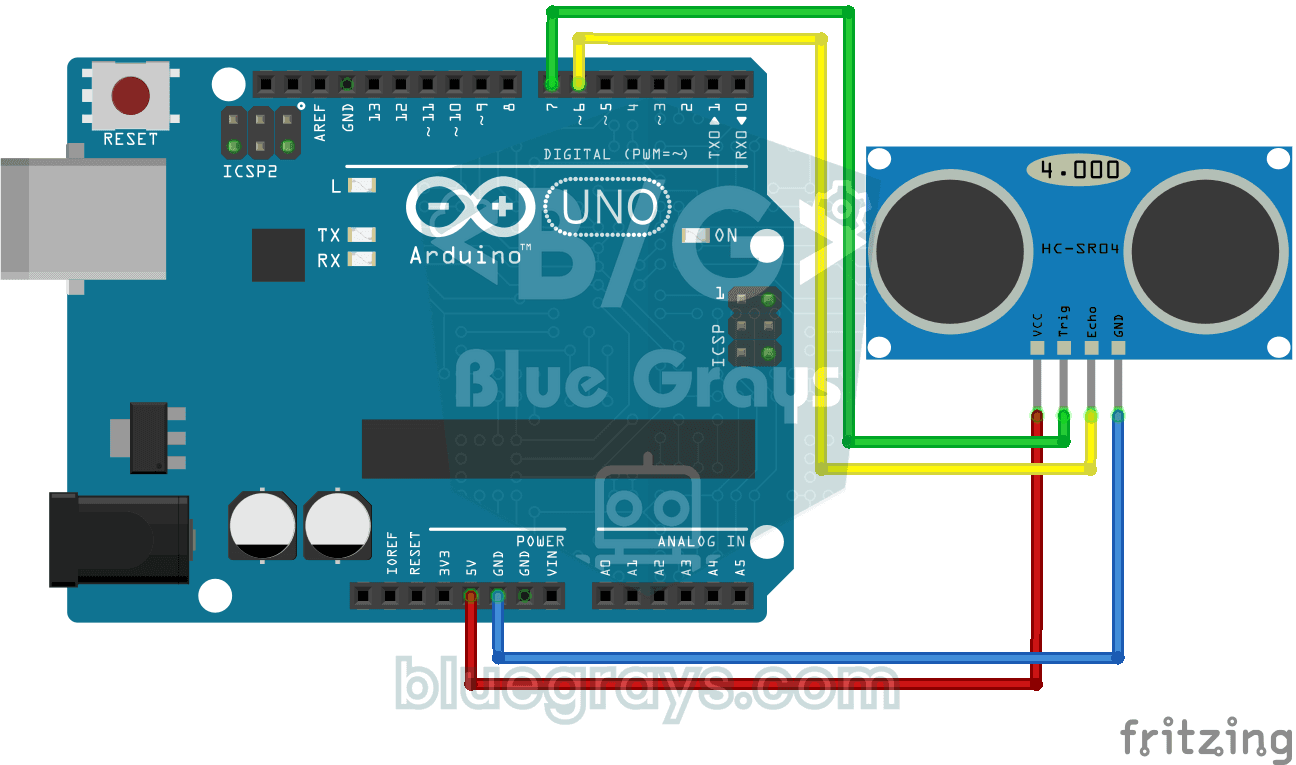
HC-SR04 Distance Measurement (Serial Display)
Project that measures distance with HC-SR04 ultrasonic sensor and displays the result in cm on Serial Monitor. It teaches the principle of distance calculation with sound wave.
More articles
Learn why a DC motor can't connect straight to Arduino, how an H-bridge works, the L298N's pins and power wiring, speed and direction control with PWM, and a two-motor robot car step by step.