
What Is PWM? A Guide to analogWrite, Duty Cycle and Frequency on Arduino
What is PWM (pulse width modulation) and how does it work? Duty cycle and frequency, Arduino PWM pins, LED brightness and motor speed with analogWrite, how servos differ, ESP32 LEDC and Raspberry Pi Pico PWM.
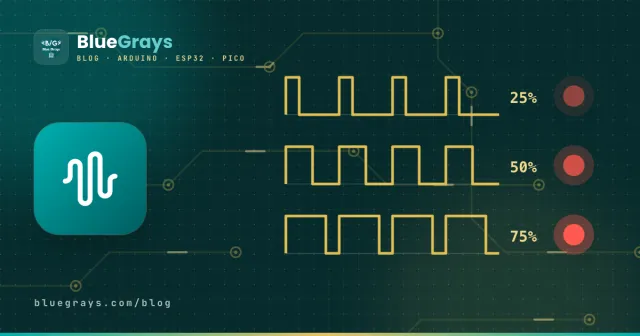
Arduino's digital pins only know two things: 0 V or 5 V. So how do you dim an LED to half brightness or make a motor turn slowly? The answer is PWM (Pulse Width Modulation). The pin is switched on and off very quickly, and by changing the proportion of time it stays on, you set the average power delivered to the load. LED dimming, motor speed control, driving servos, making sound and even phone chargers all use this technique.
How does PWM work?
A PWM signal is a square wave: it's HIGH for a while, then LOW, and the cycle repeats over and over. The length of one on-off cycle is the period, and the proportion of the period the signal stays HIGH is the duty cycle. At a 25% duty cycle the signal is on a quarter of the time, so a 5 V pin behaves like 1.25 V on average. The LED flashes about 490 times a second; your eye can't follow that and only sees the average brightness. A motor, thanks to its inertia, smooths out the pulses and turns at the average speed.
| Duty cycle | analogWrite value | Average voltage (5 V) | LED |
|---|---|---|---|
| 0% | 0 | 0 V | Off |
| 25% | 64 | 1.25 V | Dim |
| 50% | 127 | 2.5 V | Half bright |
| 75% | 191 | 3.75 V | Bright |
| 100% | 255 | 5 V | Full brightness |
Our eyes don't respond to light linearly: they notice changes at low levels very well and changes at high levels much less. That's why an LED at 50% duty cycle looks far brighter than half. For dimming that looks natural, you use the gamma correction shown below.
Frequency: how fast is PWM?
Frequency is how many times per second the signal switches on and off. On the Arduino Uno, pins 5 and 6 run at about 980 Hz and pins 3, 9, 10 and 11 at about 490 Hz. For LEDs these frequencies are more than enough. With motors, though, 490 Hz is within the range you can hear and the motor may whine slightly; on the ESP32 and Pico you can raise the frequency to 20 kHz to silence it. Raising the frequency far more than necessary, however, makes transistors and MOSFETs heat up.
| Board | PWM pins | Default frequency | Resolution |
|---|---|---|---|
| Arduino Uno / Nano | 3, 5, 6, 9, 10, 11 | 490 Hz (5 and 6: 980 Hz) | 8-bit (0–255) |
| Arduino Mega | 2–13, 44–46 | 490 Hz (4 and 13: 980 Hz) | 8-bit (0–255) |
| ESP32 | Almost every output pin | Adjustable (analogWrite: 1 kHz) | 1–16-bit |
| Raspberry Pi Pico | Every GPIO pin | Adjustable | 16-bit (0–65535) |
LED brightness with analogWrite
On Arduino you generate PWM with analogWrite(pin, value), where the value is between 0 and 255. Despite the misleading name, this command doesn't produce a real analog voltage; it produces PWM. It only works on pins marked with a ~. The code below fades an LED in and out slowly for a "breathing" effect:
1const int LED_PIN = 9;   // ~ işaretli PWM pini / PWM pin marked with ~
2
3void setup() {
4  pinMode(LED_PIN, OUTPUT);
5}
6
7void loop() {
8  for (int v = 0; v <= 255; v++) {   // yavaşça yan / fade in
9    analogWrite(LED_PIN, v);
10    delay(8);
11  }
12  for (int v = 255; v >= 0; v--) {   // yavaşça sön / fade out
13    analogWrite(LED_PIN, v);
14    delay(8);
15  }
16}Brightness control with a potentiometer
If you connect a potentiometer to A0, you can set the LED's brightness by hand. analogRead() returns a value from 0 to 1023; dividing by 4 gives the 0–255 range analogWrite expects. Potentiometer wiring is covered in What Is a Potentiometer?
1void loop() {
2  int pot = analogRead(A0);   // 0–1023
3  analogWrite(9, pot / 4);    // 0–255
4}
DC motor speed with PWM
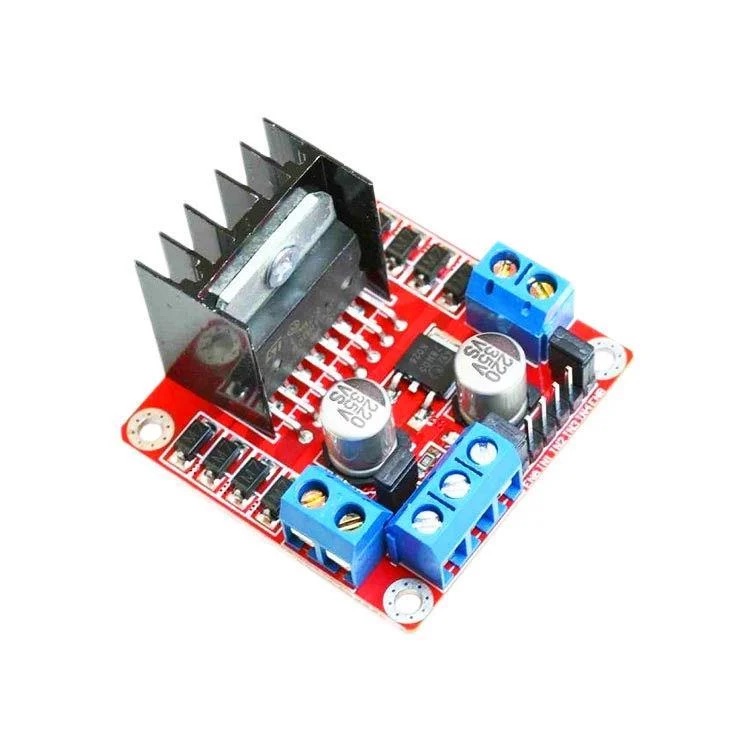
Even a small DC motor draws hundreds of milliamps, while an Arduino pin can safely supply only about 20 mA. So the motor is driven through a transistor, MOSFET or a motor driver such as the L298N, and the PWM signal goes to the driver's speed input. On the L298N this input is the ENA pin (and ENB for the second motor); to use PWM you need to remove the jumper on it. The IN1 and IN2 pins set the direction of rotation.
1const int ENA = 9;   // hız (PWM) / speed (PWM)
2const int IN1 = 8;   // yön / direction
3const int IN2 = 7;
4
5void setup() {
6  pinMode(ENA, OUTPUT);
7  pinMode(IN1, OUTPUT);
8  pinMode(IN2, OUTPUT);
9  digitalWrite(IN1, HIGH);   // ileri / forward
10  digitalWrite(IN2, LOW);
11}
12
13void loop() {
14  analogWrite(ENA, 255);  delay(2000);   // tam hız / full speed
15  analogWrite(ENA, 150);  delay(2000);   // orta hız / medium speed
16  analogWrite(ENA, 0);    delay(2000);   // dur / stop
17}Are servo motors and PWM the same thing?
Servo motors are also controlled with pulses, but the logic is different: the position is set by the width of the pulse, not by the duty cycle. A servo expects 50 pulses per second (50 Hz); a 1-millisecond pulse means about 0°, 1.5 ms means 90° and 2 ms means 180°. analogWrite can't produce this timing, which is why servos use the Servo library. Details are in What Is a Servo Motor?
A real analog voltage from PWM: the RC filter
Sometimes you really need a steady voltage, for example to give an op-amp a reference or to get an audio output. In that case you pass the PWM through a low-pass filter made of a resistor and a capacitor. With 10 kΩ and 10 µF the time constant is 0.1 seconds; the output is fairly smooth but reacts slowly to changes. You can try different values with the RC time constant calculator. The classic ESP32 also has two DACs on GPIO 25 and 26 that give a true analog output.
PWM on the ESP32: LEDC
On the ESP32, PWM is generated by hardware called LEDC, and you choose the frequency and resolution. In Arduino core 3.x you use ledcAttach(pin, frequency, resolution) and ledcWrite(pin, value); older 2.x versions had the channel-based ledcSetup and ledcAttachPin commands. The example below fades an LED at 5 kHz with 8-bit resolution:
1const int LED_PIN = 2;
2
3void setup() {
4  ledcAttach(LED_PIN, 5000, 8);   // 5 kHz, 8 bit (0–255) — ESP32 Arduino core 3.x
5}
6
7void loop() {
8  for (int d = 0; d <= 255; d++) { ledcWrite(LED_PIN, d); delay(5); }
9  for (int d = 255; d >= 0; d--) { ledcWrite(LED_PIN, d); delay(5); }
10}
PWM on the Raspberry Pi Pico (MicroPython)
Every GPIO pin on the Pico can output PWM. In MicroPython you use the PWM class, setting the frequency with freq() and the duty cycle with duty_u16(), which takes values from 0 to 65535:
1from machine import Pin, PWM
2import time
3
4led = PWM(Pin(15))
5led.freq(1000)                        # 1 kHz
6
7while True:
8    for d in range(0, 65536, 512):    # yavaşça yan / fade in
9        led.duty_u16(d)
10        time.sleep_ms(5)
11    for d in range(65535, -1, -512):  # yavaşça sön / fade out
12        led.duty_u16(d)
13        time.sleep_ms(5)
PWM project ideas
- Breathing LED: a status light that slowly fades in and out like devices in standby.
- Dimmable desk lamp: an LED lamp whose brightness you set with a potentiometer.
- Temperature-controlled fan: speed up a fan as the temperature measured by a DHT11 rises.
- Color mixing: create millions of colors on an RGB LED with three PWM channels.
- Robot car: smooth out turns by setting the speed of two motors separately.
- Sunrise lamp: slowly brighten a light over 15 minutes before your morning alarm.
Common mistakes and how to fix them
- analogWrite on a non-PWM pin: on the Uno, pins without a ~ can only be on or off; 128 and above counts as on, anything lower as off.
- Pins 9 and 10 with the Servo library: on the Uno the Servo library uses Timer1 and disables PWM on these two pins; move your LED or motor to another PWM pin.
- Pins 3 and 11 with tone(): tone() uses Timer2 and breaks PWM on these pins.
- Connecting a motor straight to a pin: always use a transistor, MOSFET or motor driver.
- Overflow in the gamma calculation: v * v exceeds the int limit; add the (long) cast.
- Treating PWM as true analog: a multimeter shows the average, but the signal still swings between 0 and 5 V; use an RC filter or a DAC for sensitive circuits.
PWM is one of the most useful ideas you'll learn on Arduino: LEDs, motors, fans and speakers are all controlled with this simple trick. For the basics, take a look at What Is an LED?; in the BlueGrays app you'll find PWM LED fading, potentiometer brightness and RGB color-fade projects step by step with code.
Frequently asked questions
What is PWM in short?
PWM is a way of setting the average power delivered to a load by switching a pin on and off very quickly and changing the proportion of time it stays on (the duty cycle). It lets a digital pin that can only output 0 or 5 V dim an LED or slow a motor.
Which pins support PWM on the Arduino Uno?
On the Uno and Nano, pins 3, 5, 6, 9, 10 and 11 support PWM; they're marked with a ~ on the board. On the Mega, pins 2–13 and 44–46 can output PWM.
Does analogWrite give a real analog output?
No. analogWrite produces PWM; the pin switches rapidly between 0 and 5 V. It sets the average voltage, but for a truly steady voltage you need to pass the PWM through an RC filter or use a DAC like the one on the ESP32.
How do you calculate the duty cycle?
The duty cycle is the time the signal stays HIGH divided by the whole period: (HIGH time / period) × 100. On Arduino you find it by dividing the analogWrite value by 255 and multiplying by 100; for example, 64 is about 25%.
How do I change the PWM frequency on Arduino?
analogWrite doesn't change the frequency. On the Uno you can adjust it by changing the timer registers (for example TCCR1B for pins 9 and 10), but this can affect millis and libraries. On the ESP32 you set the frequency directly with ledcAttach, and on the Pico with freq().
Can PWM damage an LED?
No. The LED lights at full current during each pulse, but that current is already limited by the series resistor, and the average current drops in proportion to the duty cycle. As long as you use the right resistor, PWM doesn't shorten the LED's life.
Projects to build after reading this
See all projects
ESP32 LED Fade with PWM
Smoothly changing the brightness of the LED from 0 to max, from max to 0. We control PWM with analogWrite() as in Arduino - the same syntax as ESP32 Arduino Core 3.0+ works without problems. Pin definition + pinMode + analogWrite is enough.
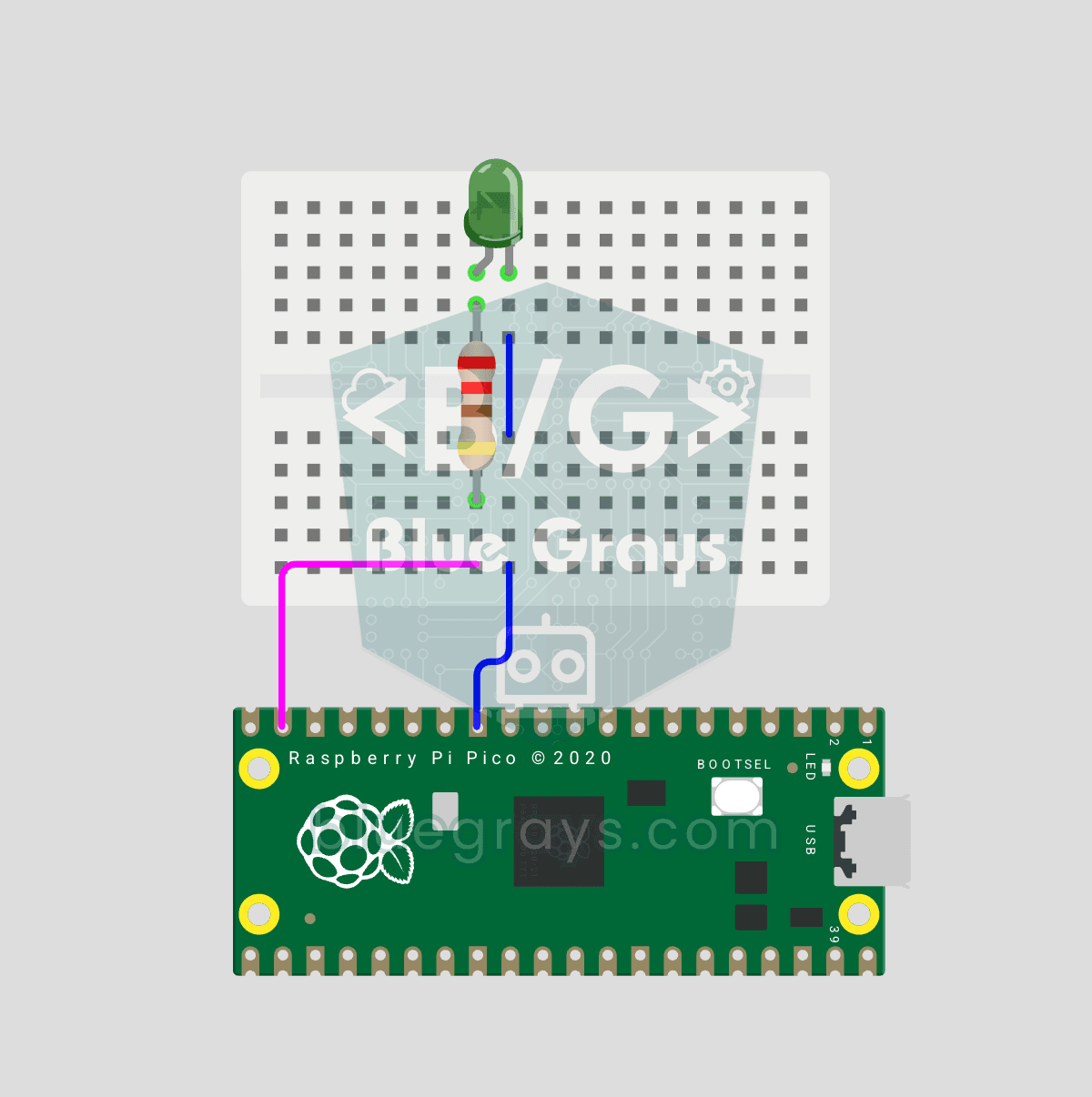
Raspberry Pi Pico PWM LED Fade (Breathing Effect, GP14)
The LED no longer just blinks — it breathes! 🌬️ Using the Raspberry Pi Pico's **PWM** (Pulse Width Modulation), the LED brightness slowly rises and then slowly falls, like a sleeping MacBook's light. Learn the **machine.PWM class**, **duty_u16()** (16-bit brightness 0–65535), **PWM frequency** (`freq(1000)` — 1000 on/off cycles per second, no visible flicker), **range() step loops** (up and down) and **analog-like output** from a digital pin. PWM is a core embedded tool — RGB color mixing, motor

ESP32 LED Brightness Control with a Potentiometer (Analog → PWM)
In this project, we control the brightness of an LED analogically using a potentiometer. The ESP32's ADC pin reads the 0-3.3V voltage from the potentiometer, and this value is then converted into a PWM (Pulse Width Modulation) signal and sent to the LED. As a result, as you turn the potentiometer, the LED gradually brightens and dims. With Arduino Core 3.0+, `analogWrite()` can be used directly; on the ESP32-S2/S3, the ADC resolution is fixed at 12-bit.
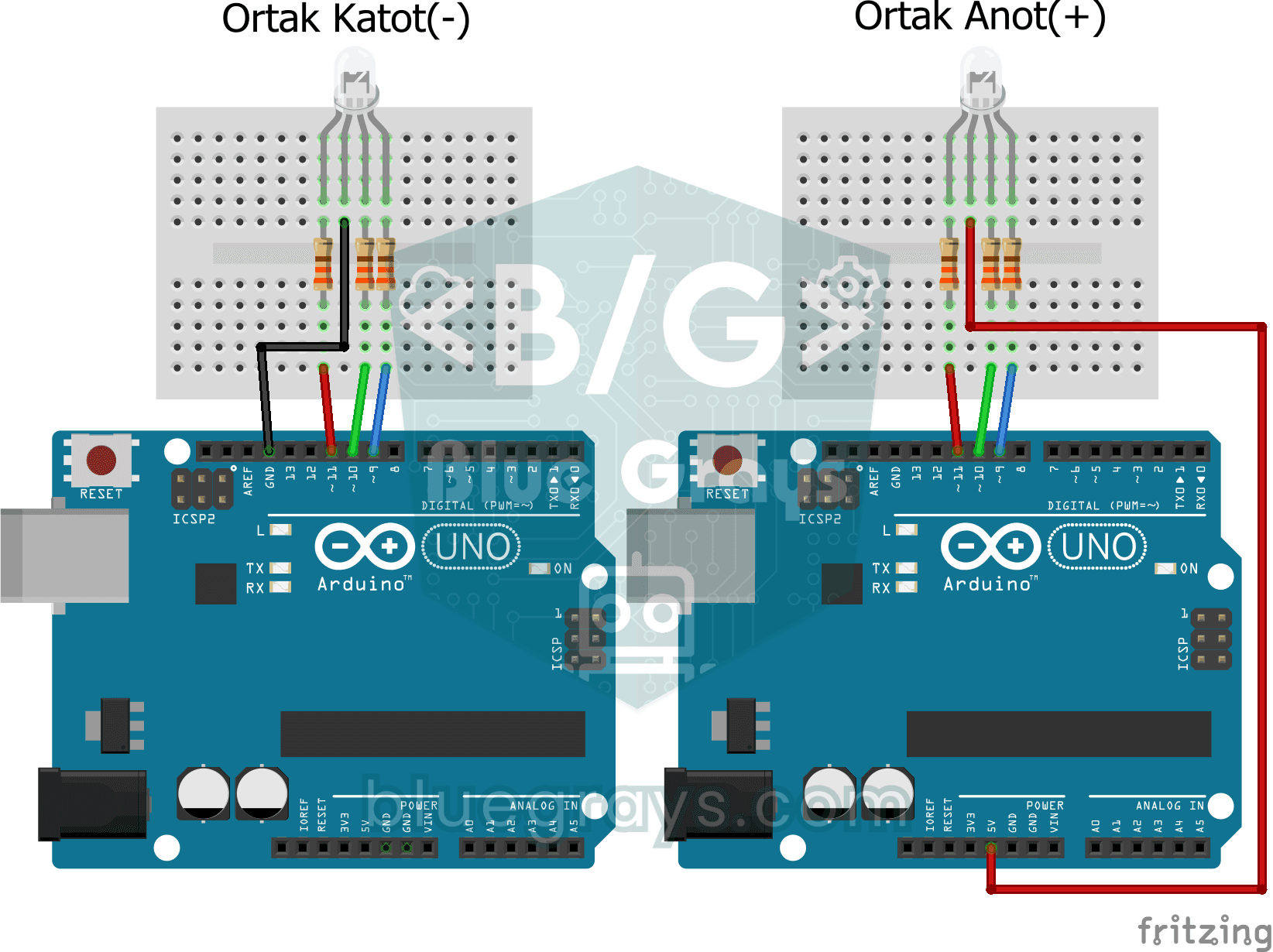
Smooth Color Transition with RGB Led
A project that creates a soft rainbow effect by gradually transitioning the colors of an RGB LED with analogWrite. Teaches the logic of color mixing and transition animation with PWM.

ESP32 RGB LED Control
Unlimited color generation with a single RGB LED instead of 3 separate LEDs. As in Arduino, we make a rainbow transition by setting the R/G/B values with analogWrite(). Color theory (such as red+green=yellow) is seen practically.
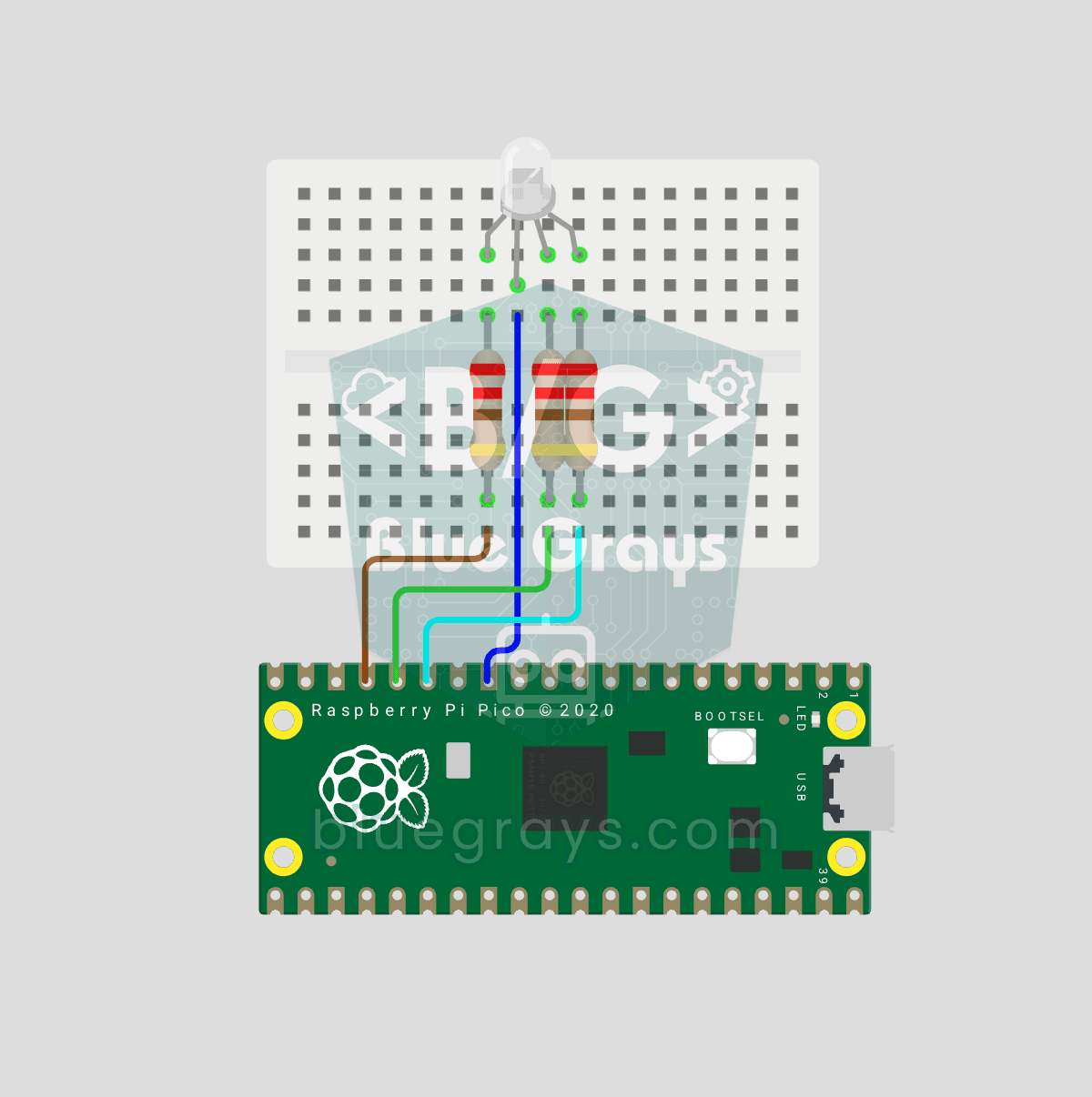
Raspberry Pi Pico RGB LED Color Cycle (3-Channel PWM, GP11-13)
One LED, millions of colors! 🌈 An RGB LED actually contains 3 LEDs: **red, green and blue**. Driving each with its own Pico **PWM** channel mixes the colors: red + green = yellow, green + blue = cyan, all three = white. Here the LED cycles through 8 colors. Learn **multiple PWM channels**, **defining functions** (`def renk(...)`), **RGB color mixing** (how screens and smart bulbs work), **8-bit → 16-bit conversion** (`x257` maps 0–255 to 0–65535), **common cathode vs common anode** LEDs and **st

ESP32 Servo Motor (Potentiometer Control)
In this project, we control an SG90 servo motor using a potentiometer. We adjust the servo angle by mapping the analog value read from the potentiometer to the 0–180-degree range. Thanks to the ESP32Servo library, any GPIO pin on the ESP32 can generate a PWM signal. This is a fundamental control method for robotic arms, camera gimbals, and automatic door mechanisms.

ESP32 Color Mixer Light (3 Potentiometers + RGB LED + OLED)
A smart color-mixing lamp that lets you mix any color you want by turning three potentiometers with the ESP32! As you turn the red, green, and blue potentiometers, the common-cathode RGB LED changes color in real time. The SSD1306 OLED display shows real-time values for each color in the 0–255 range, visual fill bars, and the HEX web color code (such as #FF8040). A mini professional color studio—teaches RGB color theory, ADC analog reading, brightness control via PWM, and I2C display design all
More articles
Learn how a digital pin can dim an LED and slow a motor, what duty cycle and frequency mean, how to use analogWrite properly and how PWM works on the ESP32 and Pico.