
What Is an LDR Light Sensor? Measuring Light with Arduino and an Automatic Night Light
How does an LDR (photoresistor) work? Voltage divider wiring, choosing the right resistor, reading light with analogRead, a night light with hysteresis, LDR modules, ESP32 and Pico usage, and common mistakes.
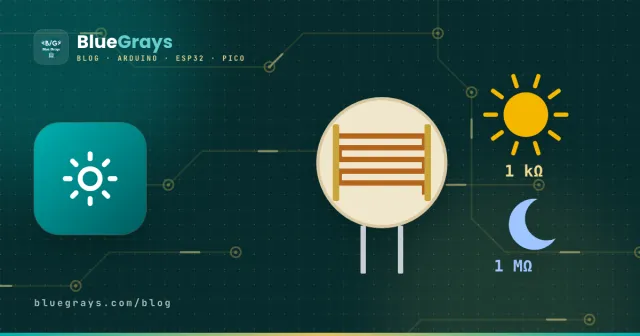
An LDR (Light Dependent Resistor) is, as the name says, a resistor whose resistance changes with light; it's also called a photoresistor or photocell. In the dark its resistance is very high, and as the light increases its resistance drops. Street lights that switch on at dusk, automatic night lights and light-activated toys all work with this simple part. It's cheap, has no polarity and connects to Arduino with one resistor, which makes it an ideal start for your first light project.
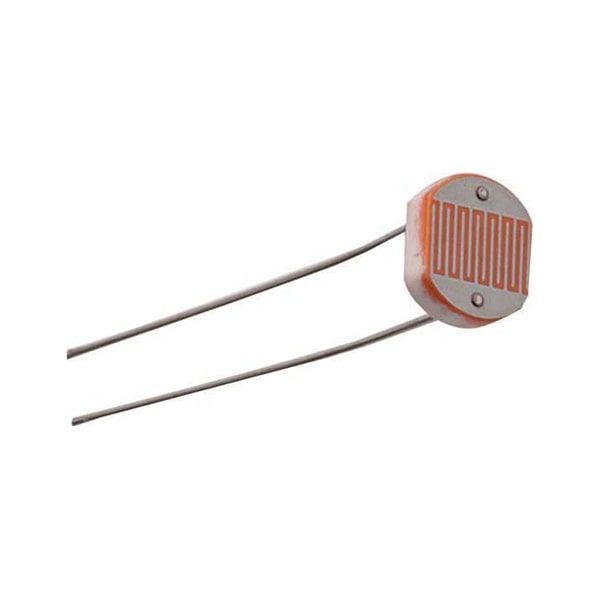
How does an LDR work?
The zigzag pattern on the LDR's surface is a light-sensitive semiconductor, cadmium sulphide (CdS). When light falls on it, photons free electrons in the material, it conducts better and the resistance drops. The change isn't linear and is relatively slow (tens of milliseconds). That's why an LDR is ideal for decisions such as "is it dark or bright?" and for rough light levels, not for measuring light precisely in lux.
| Conditions | Approximate LDR resistance (GL5528) |
|---|---|
| Complete darkness | 1 MΩ or more |
| Night-light glow (~1 lux) | 50–100 kΩ |
| Dim room (~10 lux) | 10–20 kΩ |
| Bright room (~100 lux) | 3–5 kΩ |
| Under a desk lamp (~1000 lux) | About 1 kΩ |
| Daylight | A few hundred Ω |
The values vary by model. The most common one in kits is the GL5528; siblings such as the GL5516, GL5537 and GL5539 show different resistances in the same light. You can easily find your own LDR's values by measuring it with a multimeter in the dark and in the light.
Connecting it to Arduino: a voltage divider
The Arduino measures voltage, not resistance. So the LDR is wired together with a fixed resistor to form a voltage divider: 5V → LDR → A0 → 10 kΩ → GND. As the light increases, the LDR's resistance drops and the voltage at A0 rises. The voltage at A0 is given by V = 5 × Rfixed / (RLDR + Rfixed), and analogRead() turns it into a number from 0 to 1023. To try different resistor values, use the Voltage divider calculator.
| Light | LDR resistance | Voltage at A0 | analogRead |
|---|---|---|---|
| Complete darkness | 1 MΩ | 0.05 V | ~10 |
| Dim room | 15 kΩ | 2.0 V | ~410 |
| Bright room | 4 kΩ | 3.6 V | ~730 |
| Under a desk lamp | 1 kΩ | 4.5 V | ~930 |
Reading the light level with Arduino
1const int LDR_PIN = A0;
2
3void setup() {
4  Serial.begin(9600);
5}
6
7void loop() {
8  int raw = analogRead(LDR_PIN);            // 0 (karanlık) – 1023 (aydınlık) / dark – bright
9  int percent = map(raw, 0, 1023, 0, 100);  // yüzde / percent
10  Serial.print("Ham / raw: ");
11  Serial.print(raw);
12  Serial.print("  Işık / light: %");
13  Serial.println(percent);
14  delay(500);
15}
With the Serial Plotter in the Arduino IDE you can watch the value as a live graph. When you cover the LDR with your hand the graph drops, and when you shine a torch on it the graph rises. This is the easiest way to find the right threshold for your project, with the sensor in the spot where it will actually sit.
Automatic night light: threshold and hysteresis
The simplest night light says "if the value is below 300, turn the LED on". But when the light hovers right around the threshold, the lamp keeps flicking on and off, and it's even worse if the lamp's own light hits the LDR. The fix is hysteresis: using two different thresholds. The code below turns the lamp on when the light drops below 300 but only turns it off once it rises above 400; the gap between them stops the flicker completely.
1const int LDR_PIN = A0;
2const int LED_PIN = 9;
3const int ON_LEVEL = 300;    // bunun altında yak / turn on below this
4const int OFF_LEVEL = 400;   // bunun üstünde söndür / turn off above this
5
6bool lampOn = false;
7
8void setup() {
9  pinMode(LED_PIN, OUTPUT);
10}
11
12void loop() {
13  int light = analogRead(LDR_PIN);
14  if (!lampOn && light < ON_LEVEL) lampOn = true;
15  if (lampOn && light > OFF_LEVEL) lampOn = false;
16  digitalWrite(LED_PIN, lampOn ? HIGH : LOW);
17  delay(200);
18}An LED that gets brighter in the dark
Instead of switching on and off, you can make the LED brighten gradually as the light fades. The map() function turns the measured light into an inversely proportional PWM value: the LED glows brighter as the room gets darker and fades as it gets lighter. Remember to connect the LED to a PWM pin marked with ~ (for example 9).
1void loop() {
2  int light = analogRead(A0);
3  int brightness = map(light, 100, 900, 255, 0);  // karanlık → parlak / dark → bright
4  analogWrite(9, constrain(brightness, 0, 255));
5  delay(50);
6}
LDR modules: digital and analog outputs
Ready-made LDR modules carry the LDR, the divider resistor, a blue trimpot for the threshold and an LM393 comparator on one board. The AO pin gives the divider's analog output, while the DO pin gives only HIGH or LOW depending on the threshold set with the trimpot. On most modules DO goes LOW when it's brighter than the threshold and HIGH when it's darker; confirm your own module with a quick test.
| Pin | Function |
|---|---|
| VCC | Power (3.3–5 V) |
| GND | Ground |
| DO | Digital output: threshold set with the trimpot |
| AO | Analog output: the midpoint of the voltage divider |
LDRs with the ESP32 and Raspberry Pi Pico
The ESP32 and Pico run at 3.3 V, so power the voltage divider from the 3V3 pin. The ESP32's ADC is 12-bit and returns values from 0 to 4095. ADC2 pins don't work while Wi-Fi is on, so connect the LDR to one of the ADC1 pins (GPIO 32–39). On the Pico the analog inputs are GP26, GP27 and GP28; MicroPython's read_u16() returns values from 0 to 65535:
1from machine import ADC, Pin
2import time
3
4ldr = ADC(26)                  # GP26 (ADC0); bölücü 3V3'ten / divider fed from 3V3
5led = Pin(15, Pin.OUT)
6
7while True:
8    light = ldr.read_u16()     # 0 (karanlık) – 65535 (aydınlık) / dark – bright
9    led.value(light < 20000)   # karanlıkta yak / on when dark
10    print(light)
11 time.sleep(0.5)LDR or digital light sensor?
| Feature | LDR | BH1750 (digital) |
|---|---|---|
| Output | Analog (change in resistance) | Digital (I2C), lux directly |
| Accuracy | Rough; affected by temperature and model | Precise and calibrated |
| Response speed | Slow (tens of milliseconds) | Fast |
| Price | Very cheap | A little more expensive |
| Best for | Dark/bright decisions, night lights | Light measurement, plant lighting, screen brightness |
LDR project ideas
- Automatic night light: a lamp that turns on in the dark and doesn't flicker, thanks to hysteresis.
- Smart hallway light: combine the LDR with a PIR Motion Sensor so it only lights when it's dark and someone walks by.
- Sun-tracking panel: turn a servo based on the difference between two LDRs to point a panel at the brightest direction.
- Laser security system: aim a laser beam at an LDR; when the beam is broken, sound the alarm.
- Colourful ambient light: shift an RGB LED towards warm colours as it gets dark.
- Sunrise alarm: sound a buzzer with the first light of the morning.
Common mistakes and how to fix them
- The value is always 0 or always 1023: the fixed resistor is missing, or the LDR is wired straight between 5V and A0; build the voltage divider.
- The values work backwards: the LDR and the fixed resistor have swapped places; if the value rises in the dark, either swap them or invert the comparison in your code.
- The lamp flickers: the lamp's light is hitting the LDR, or a single threshold is used; add hysteresis.
- Delay when it gets dark: an LDR returns from bright to dark more slowly than from dark to bright; a delay of a few seconds is normal.
- Trying to measure lux: an LDR isn't a calibrated sensor; use a BH1750 for real lux values.
- Readings break when Wi-Fi starts on the ESP32: the LDR is on an ADC2 pin; move it to one of the ADC1 pins between GPIO 32 and 39.
The LDR is the easiest way to learn analog reading and the voltage-divider idea, and what you learn here will help with many analog sensors such as moisture, gas and temperature sensors. If you're curious how the divider resistors work, see What Is a Resistor?; in the BlueGrays app you'll find LDR night-light, light-level and laser security projects step by step.
Frequently asked questions
What resistor should I use with an LDR?
The most common choice is 10 kΩ, which works well for most indoor projects. For more sensitivity in dim light choose 47 kΩ, and for very bright conditions 1 kΩ. As a rule, pick a fixed resistor close to the LDR's resistance at the light level you care about.
Does an LDR have a positive and a negative leg?
No. An LDR has no polarity, just like an ordinary resistor; you can fit it either way round. What matters is building a proper voltage divider with the fixed resistor.
Can an LDR measure lux?
You can estimate it, but it won't be accurate; an LDR's response isn't linear and varies from model to model and even with temperature. If you need real lux values, use a digital light sensor such as the BH1750 or TSL2561.
What's the difference between the DO and AO pins on an LDR module?
AO gives an analog voltage that changes with light intensity and is read with analogRead(). DO gives only HIGH or LOW depending on the threshold set with the module's trimpot and is read with digitalRead(); it's handy for on-off jobs.
Why does my LDR react slowly in the dark?
After the light is removed, the CdS material takes a few seconds to reach its dark resistance, while going to bright is much faster. This is a natural property of LDRs. For jobs that need a fast response, a photodiode or phototransistor is used.
Why is my LDR value on the ESP32 always 4095 or not changing at all?
If the divider is powered from 5V, the voltage exceeds the ADC's limit and the value sticks at 4095; power the divider from 3V3. If it doesn't change at all, the LDR may be on an ADC2 pin; ADC2 doesn't work while Wi-Fi is on, so use an ADC1 pin between GPIO 32 and 39.
Projects to build after reading this
See all projects
Reading Light Intensity with Ldr
Project that measures ambient light intensity with LDR sensor and displays it on Serial Monitor. Teaches the basics of analog sensor reading and serial communication.

Night Light with Ldr
LDR based night light project that automatically turns on the LED when the environment gets dark. Teaches automatic control logic with analog threshold comparison.
Laser Warning System
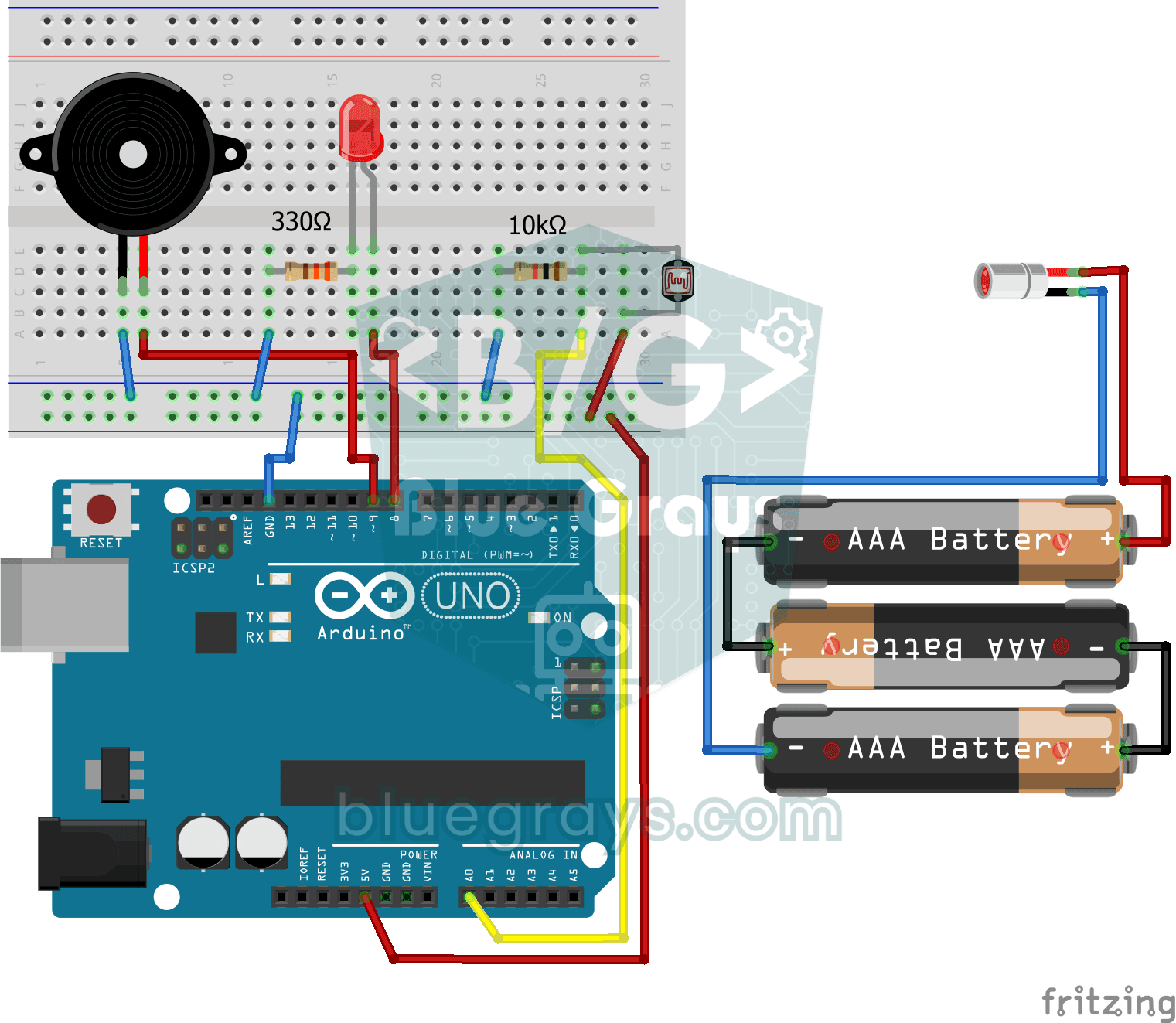
Security project that detects when the laser beam is interrupted via LDR and warns with buzzer and LED. Teaches the logic of light interruption detection with laser-LDR pair.
Laser Security System
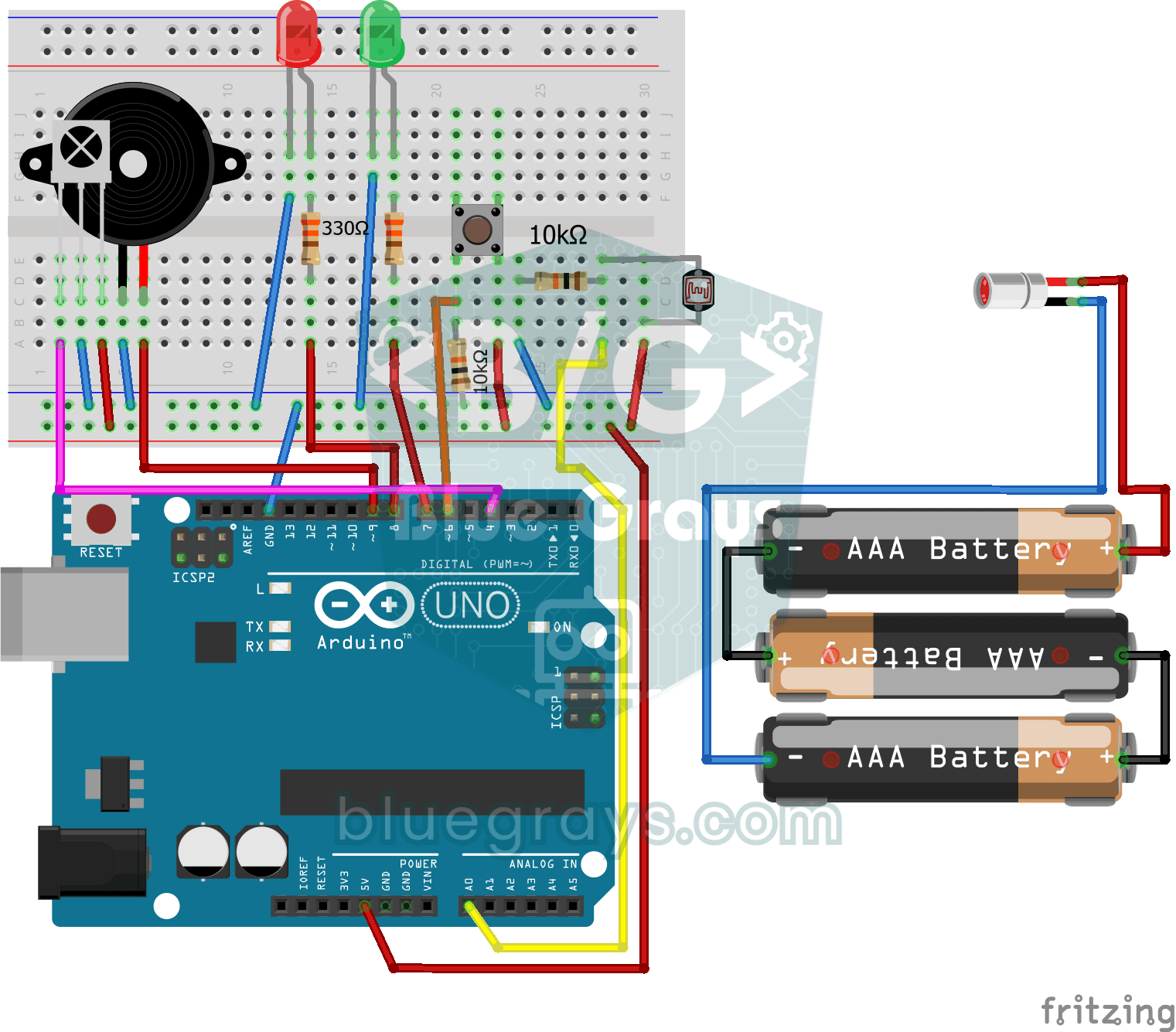
Advanced security system that activates the alarm when the laser beam is interrupted and can be reset by push button or IR control. Teaches multiple input source and state management.

ESP32 Night Light with LDR
Night light where the LED automatically turns on in the dark and off in the light. The D0 (digital out) pin of the LDR Sensor Module is used - the dark threshold is set with the small potentiometer on the module, the module itself generates the HIGH/LOW output. ESP32 just reads this signal with digitalRead(), the code is very simple.

Reading Light Intensity with the ESP32 LDR Module
Real-time monitoring of the light value measured by the LDR module in the Serial Monitor + approximate lux value. Teaches the module’s calibration logic. It is ideal to complete this before Project 10, as it is used to determine the threshold value.

ESP32 Smart Lighting (PIR + LDR + Relay + OLED)
Turn your hallway, bathroom, or pantry into smart lighting with ESP32! Using a PIR motion sensor, LDR light sensor, and a relay module, we build the classic "light turns on when motion is detected in the dark" scenario — if the environment is already bright, motion does NOT trigger the light, saving energy during the day. The light stays on for 30 seconds; if motion continues, the timer resets and the light stays on longer. The SSD1306 OLED shows large-font status (ON / DAYTIME / WAITING), a cou

Automatic Lighting with the ESP32 PIR Motion Sensor
In this project, we will use the HC-SR501 PIR motion sensor to detect when someone enters the room and automatically turn on the LED. When motion is detected, the LED will stay on for a set period of time, and we will manage the timing using the `millis()` function and a counter, without needing to use `delay()`. This way, we’ll create a motion-sensor-based lighting system that doesn’t tie up the ESP32, allowing it to perform other tasks as well. In real-life applications, it can be used for sta
More articles
Learn how an LDR changes its resistance with light, how to connect it to Arduino with a voltage divider, choose the right resistor and build an automatic night light that doesn't flicker.