
How to Use the RFID RC522: Reading Cards with Arduino and a Card-Operated Door Lock
How does the RC522 RFID module work? 13.56 MHz cards and key fobs, 3.3 V SPI wiring, the MFRC522 library, reading the UID, checking authorised cards, a servo door lock, and ESP32 and Pico usage.
RFID (Radio Frequency IDentification) is a technology that identifies a card or key fob by radio waves without touching the reader. Transit cards, office access cards, anti-theft tags in shops and pet microchips all use RFID. The RC522 is a cheap reader module working at 13.56 MHz, usually sold with a white card and a blue key fob. It's the basis of many projects, from card-operated door locks to attendance systems.
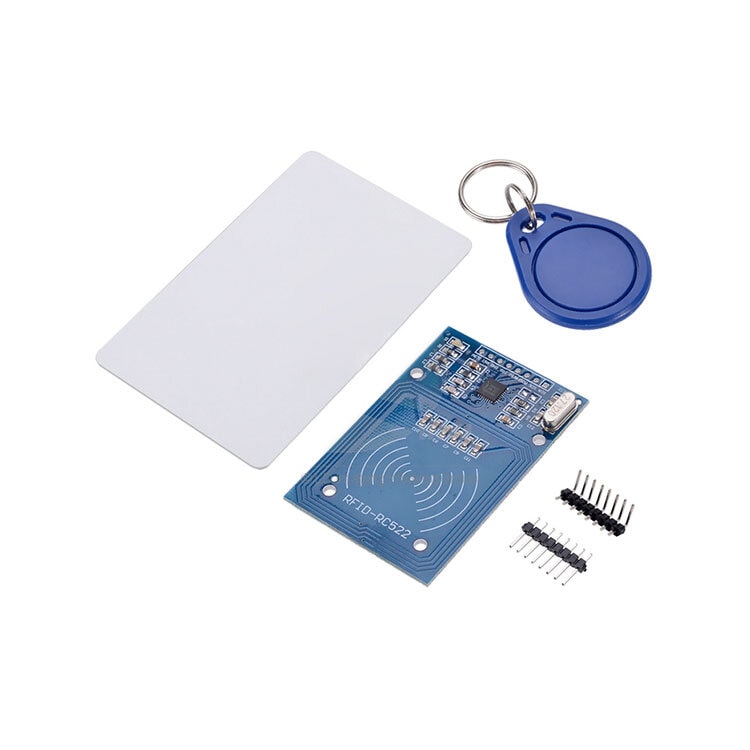
How does RFID work?
The copper antenna on the reader board creates a 13.56 MHz magnetic field. Inside the card or key fob there's a thin coil and a tiny chip, but no battery. When the card comes close to the field, energy induced in the coil powers the chip, and the chip sends its identity and data back to the reader by changing the field very slightly. That's why cards work for years without ever being charged, but with the RC522 the reading distance is only about 3–5 centimetres.
The cards in kits are usually MIFARE Classic 1K: its 1 KB of memory is split into 16 sectors, each made of 4 blocks of 16 bytes. Every card has a UID (unique identifier) written at the factory, usually 4 bytes long. Most simple projects recognise a card by reading this UID rather than writing data into the card.
RC522 specifications
| Feature | Value |
|---|---|
| Operating frequency | 13.56 MHz |
| Supply | 3.3 V (not 5 V) |
| Current draw | 13–26 mA |
| Reading distance | About 3–5 cm (depends on the card) |
| Supported cards | MIFARE Classic 1K/4K, Ultralight, NTAG (ISO 14443A) |
| Interface | SPI (the chip also supports I2C and UART) |
RC522 wiring (SPI)
The RC522 talks to the board over SPI. The SCK, MOSI and MISO pins must go to each board's fixed SPI pins, while SDA (SS) and RST can go to any digital pin as long as the code matches. You can look up your board's SPI pins in the Pinout tool.
| RC522 pin | Arduino Uno | Arduino Mega | ESP32 | Raspberry Pi Pico |
|---|---|---|---|---|
| SDA (SS) | D10 | 53 | GPIO 5 | GP17 |
| SCK | D13 | 52 | GPIO 18 | GP18 |
| MOSI | D11 | 51 | GPIO 23 | GP19 |
| MISO | D12 | 50 | GPIO 19 | GP16 |
| IRQ | Not connected | Not connected | Not connected | Not connected |
| GND | GND | GND | GND | GND |
| RST | D9 | 5 | GPIO 22 | GP20 |
| 3.3V | 3.3V | 3.3V | 3V3 | 3V3 |
The MFRC522 library and reading a card's UID
In the Library Manager, search for MFRC522 and install the library by GithubCommunity (miguelbalboa). The code below prints the UID of every card you scan to the Serial Monitor in hexadecimal (HEX):
1#include <SPI.h>
2#include <MFRC522.h>
3
4const int SS_PIN = 10;
5const int RST_PIN = 9;
6
7MFRC522 rfid(SS_PIN, RST_PIN);
8
9void setup() {
10  Serial.begin(9600);
11  SPI.begin();
12  rfid.PCD_Init();
13  Serial.println("Kartı okutun / scan a card");
14}
15
16void loop() {
17  if (!rfid.PICC_IsNewCardPresent() || !rfid.PICC_ReadCardSerial()) return;  // kart yok / no card
18
19  Serial.print("UID:");
20  for (byte i = 0; i < rfid.uid.size; i++) {
21    Serial.print(rfid.uid.uidByte[i] < 0x10 ? " 0" : " ");
22    Serial.print(rfid.uid.uidByte[i], HEX);
23  }
24  Serial.println();
25
26  rfid.PICC_HaltA();        // kartı beklemeye al / halt the card
27  rfid.PCD_StopCrypto1();
28}Checking for an authorised card
By comparing the UID you read with a value you've stored, you can decide whether the card is authorised. The example below checks a single authorised card; for several cards, just make the array two-dimensional and compare in a loop:
1// yukarıdaki tanımlar ve setup() aynen / definitions and setup() as above
2byte allowed[4] = {0xDE, 0xAD, 0xBE, 0xEF};   // kendi kartının UID'si / your card's UID
3
4bool isAllowed() {
5  if (rfid.uid.size != 4) return false;
6  for (byte i = 0; i < 4; i++) {
7    if (rfid.uid.uidByte[i] != allowed[i]) return false;
8  }
9  return true;
10}
11
12void loop() {
13  if (!rfid.PICC_IsNewCardPresent() || !rfid.PICC_ReadCardSerial()) return;
14  Serial.println(isAllowed() ? "İzin verildi / access granted" : "Reddedildi / access denied");
15  rfid.PICC_HaltA();
16  rfid.PCD_StopCrypto1();
17}
A servo-operated card door lock
Let's build a lock that turns a servo 90 degrees to open for 3 seconds when an authorised card is scanned, and gives a short warning beep from a buzzer for an unauthorised card. For servo wiring see What Is a Servo Motor?, and for the warning sound What Is a Buzzer? On the Uno the Servo library uses Timer1 and tone() uses Timer2, so the two work together without trouble.
1#include <SPI.h>
2#include <MFRC522.h>
3#include <Servo.h>
4
5MFRC522 rfid(10, 9);       // SS, RST
6Servo lock;
7const int BUZZER_PIN = 8;
8byte allowed[4] = {0xDE, 0xAD, 0xBE, 0xEF};
9
10void setup() {
11  SPI.begin();
12  rfid.PCD_Init();
13  lock.attach(6);
14  lock.write(0);                          // kilitli / locked
15}
16
17void loop() {
18  if (!rfid.PICC_IsNewCardPresent() || !rfid.PICC_ReadCardSerial()) return;
19  bool ok = rfid.uid.size == 4 && memcmp(rfid.uid.uidByte, allowed, 4) == 0;
20  if (ok) {
21    lock.write(90);                       // kilidi aç / unlock
22    delay(3000);
23    lock.write(0);                        // tekrar kilitle / lock again
24  } else {
25    tone(BUZZER_PIN, 400, 600);           // reddedildi sesi / denied beep
26  }
27  rfid.PICC_HaltA();
28  rfid.PCD_StopCrypto1();
29}RC522 with the ESP32 and Raspberry Pi Pico
The same MFRC522 library runs on the ESP32; use the VSPI pins and declare the object as MFRC522 rfid(5, 22);. Because the ESP32 runs at 3.3 V it's a perfect match for the RC522, and thanks to Wi-Fi you can log scanned cards to the internet. On the Pico with MicroPython, copy an mfrc522.py file (for example danjperron's library) to the Pico and use it like this:
1from mfrc522 import MFRC522      # mfrc522.py Pico'da olmalı / mfrc522.py must be on the Pico
2import time
3
4reader = MFRC522(spi_id=0, sck=18, miso=16, mosi=19, cs=17, rst=20)
5
6while True:
7    reader.init()
8    stat, tag_type = reader.request(reader.REQIDL)
9    if stat == reader.OK:
10        stat, uid = reader.SelectTagSN()
11        if stat == reader.OK:
12            print("UID:", "".join("{:02X}".format(b) for b in uid))
13    time.sleep_ms(200)
Types of RFID: which cards does the RC522 read?
| Type | Frequency | Reading distance | Typical use |
|---|---|---|---|
| LF RFID | 125 kHz | About 10 cm | Older access cards, pet microchips (EM4100) |
| HF RFID / NFC | 13.56 MHz | 1–10 cm | Transit cards, MIFARE, NFC in phones |
| UHF RFID | 860–960 MHz | Several metres | Warehouse, logistics and retail tags |
The RC522 only reads 13.56 MHz HF cards. The 125 kHz cards used at many building entrances (often marked "EM") can't be read by the RC522; they need a 125 kHz reader such as the RDM6300. NFC is a type of 13.56 MHz RFID that phones can read; the RC522 can read the UID of NTAG stickers.
RFID project ideas
- Card-operated door or drawer lock: a lock that opens with an authorised card and warns on an unauthorised one.
- Attendance system: match each card to a name and log the arrival time to an SD card or the internet.
- Welcome display: show "Welcome" and the person's name on an LCD when a card is scanned; for the display see Using an I2C LCD Display.
- Story box: assign a different sound file to each card and make an audio toy for children with a DFPlayer.
- Smart pet feeder: dispense food when the tag on a pet's collar is read.
- Card game: build a quiz or memory game with cards.
Common mistakes and how to fix them
- No card is read and the version shows 0x0: the SPI wires are on the wrong pins; check MOSI and MISO in particular.
- Connecting the module to 5V: the RC522 runs on 3.3 V; 5 V can destroy it.
- Trying to read a 125 kHz card: the RC522 can't see these cards; use a 13.56 MHz card.
- The card is too far away or on a metal surface: bring the card within 1–3 cm; metal surfaces disturb the field.
- The same card is read over and over: PICC_HaltA() isn't called; halt the card after reading it.
- Long wires: SPI signals degrade over long wires; keep them under 20 cm.
RFID answers the question "who are you?" with a single tap, which adds a lot to security and automation projects. In the BlueGrays app you'll find RFID value reading, LCD card reader and servo RFID door lock projects step by step with circuit diagrams and code.
Frequently asked questions
How far away can the RC522 read a card?
With the cards and key fobs in kits it usually reads from 3–5 cm. The card type, antenna size and nearby metal all affect the distance. For longer ranges you need UHF readers, which work at different frequencies.
Which cards does the RC522 read? Does it read 125 kHz cards?
The RC522 only reads 13.56 MHz ISO 14443A cards, such as MIFARE Classic 1K/4K, Ultralight and NTAG tags. It can't read the 125 kHz EM cards common at building entrances; for those you use a 125 kHz reader such as the RDM6300.
Does the RC522 work at 5V?
No, the RC522 must be powered from 3.3 V. Connecting it to the 5V pin can damage the module. Its data pins usually cope with the Uno's 5 V signals, but because the chip isn't officially 5 V tolerant, a level shifter is recommended for permanent projects.
Can a card's UID change or be copied?
The UID of a normal card is written at the factory and doesn't change. However, there are "magic" cards whose UID can be changed, and MIFARE Classic UIDs can be copied onto them. That's why a system that trusts only the UID doesn't provide real security.
Can I write data to a card with the RC522?
Yes. On MIFARE Classic cards each sector is protected by a key; on new cards the default key is FF FF FF FF FF FF. With the ReadAndWrite example in the MFRC522 library you can write data to blocks and read it back. The last block of each sector holds the keys, so don't write random data there.
Can I use my phone as a card on the RC522?
Usually not reliably. iPhones don't open NFC for card emulation, and Android phones send a random UID that changes with every tap. For a phone-based system it's better to read an NFC tag with the phone and send the result to the board over Wi-Fi or Bluetooth.
Projects to build after reading this
See all projects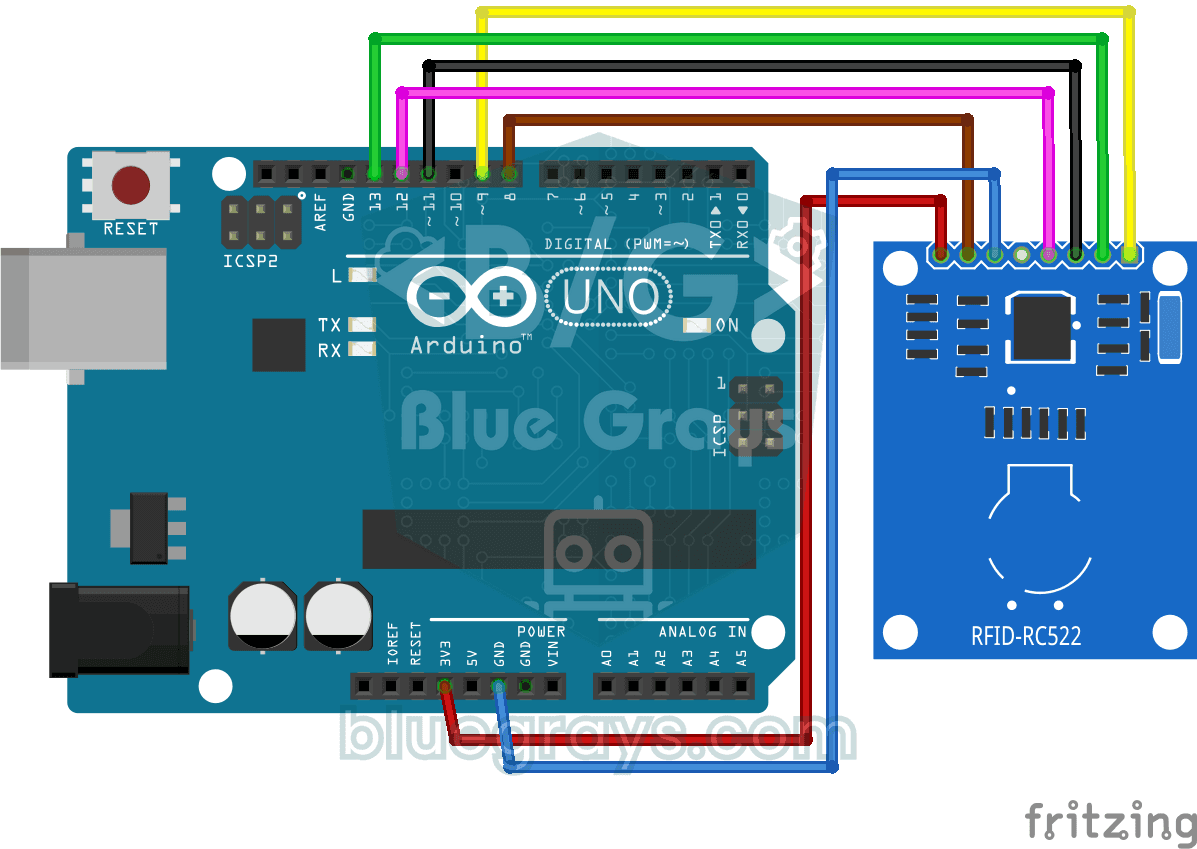
RFID Value Reading
Project that reads the serial number in Serial Monitor when the card or keychain is approached with RC522 RFID module. Teaches the basics of SPI communication and RFID reading.

ESP32 RFID RC522 Card Reader (with LCD)
In this project, we will connect the MFRC522-based RC522 RFID module to the ESP32 via SPI and read the card/tag UID. This forms the basis for applications such as door locks, membership systems, and access control. We will display the read UID on an LCD screen and provide an example of comparing it with an authorized card list. **WARNING:** The RC522 operates only at **3.3V**; supplying 5V will burn out the module!

ESP32 RFID Door Lock (RC522 + Servo + OLED + Buzzer + LED)
We’re building a smart door lock using an ESP32, an RC522 RFID module, an SG90 servo motor, an SSD1306 OLED display, an active buzzer, and 2 LEDs. When a card is scanned, its UID is compared to the list of authorized cards stored in the code—if authorized, the servo motor rotates to unlock the door (green LED + 2 short beeps), and the door automatically locks again after 5 seconds. For an unauthorized card, the red LED lights up, a warning is given with 3 rapid beeps, and the captured UID is dis

Smart Electronic Safe
Smart Electronic Safe is an Arduino based password protected security system. It opens and closes the servo motor controlled lock mechanism with a 4-digit password entered via the 4x4 keypad and trans
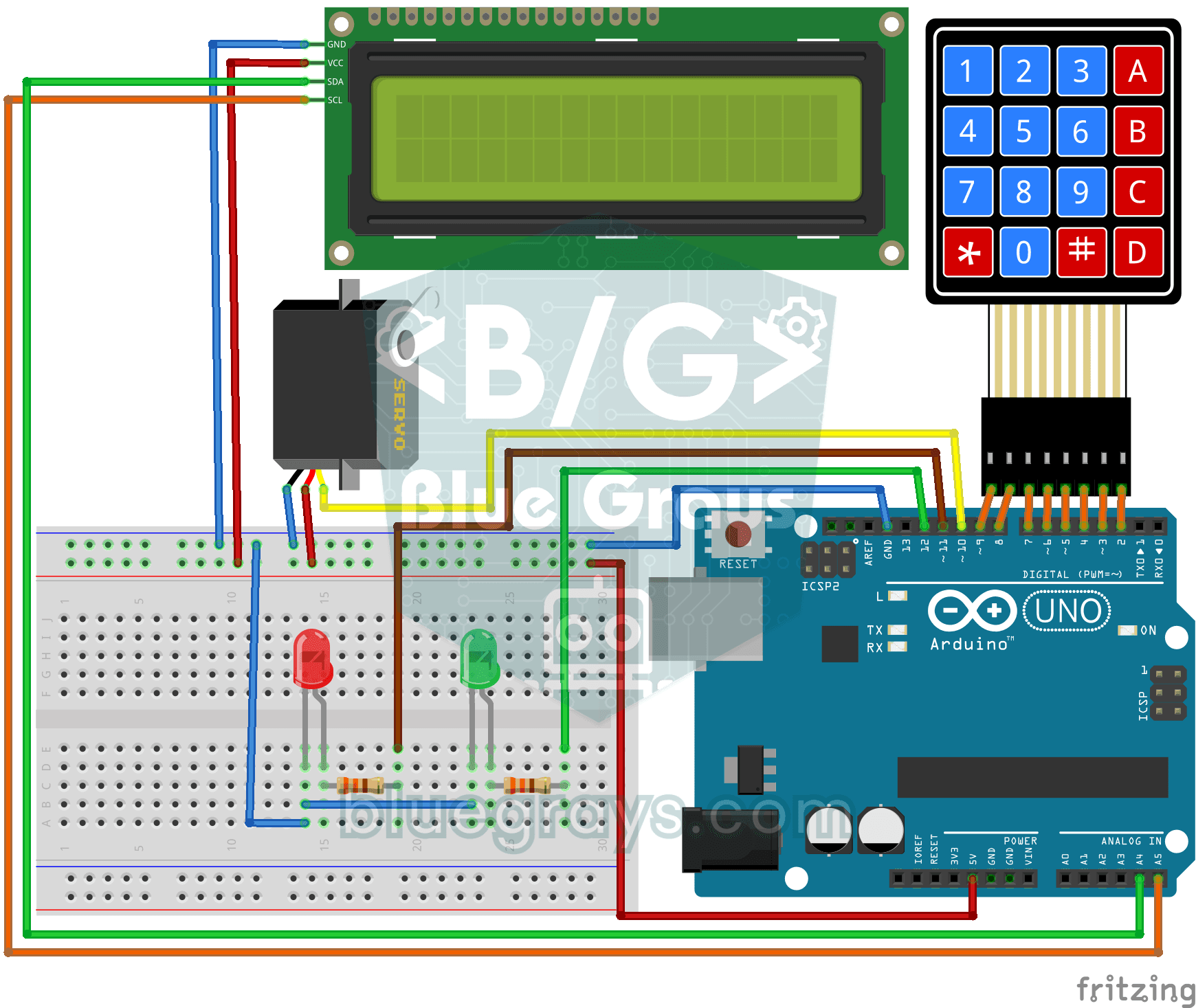
4x4 Keypad LCD Display Password App
Security project that opens the door with servo if it is correct by entering a password with a 4x4 keypad and turns on a red LED if it is wrong. Teaches password comparison and servo-LCD-keypad integr
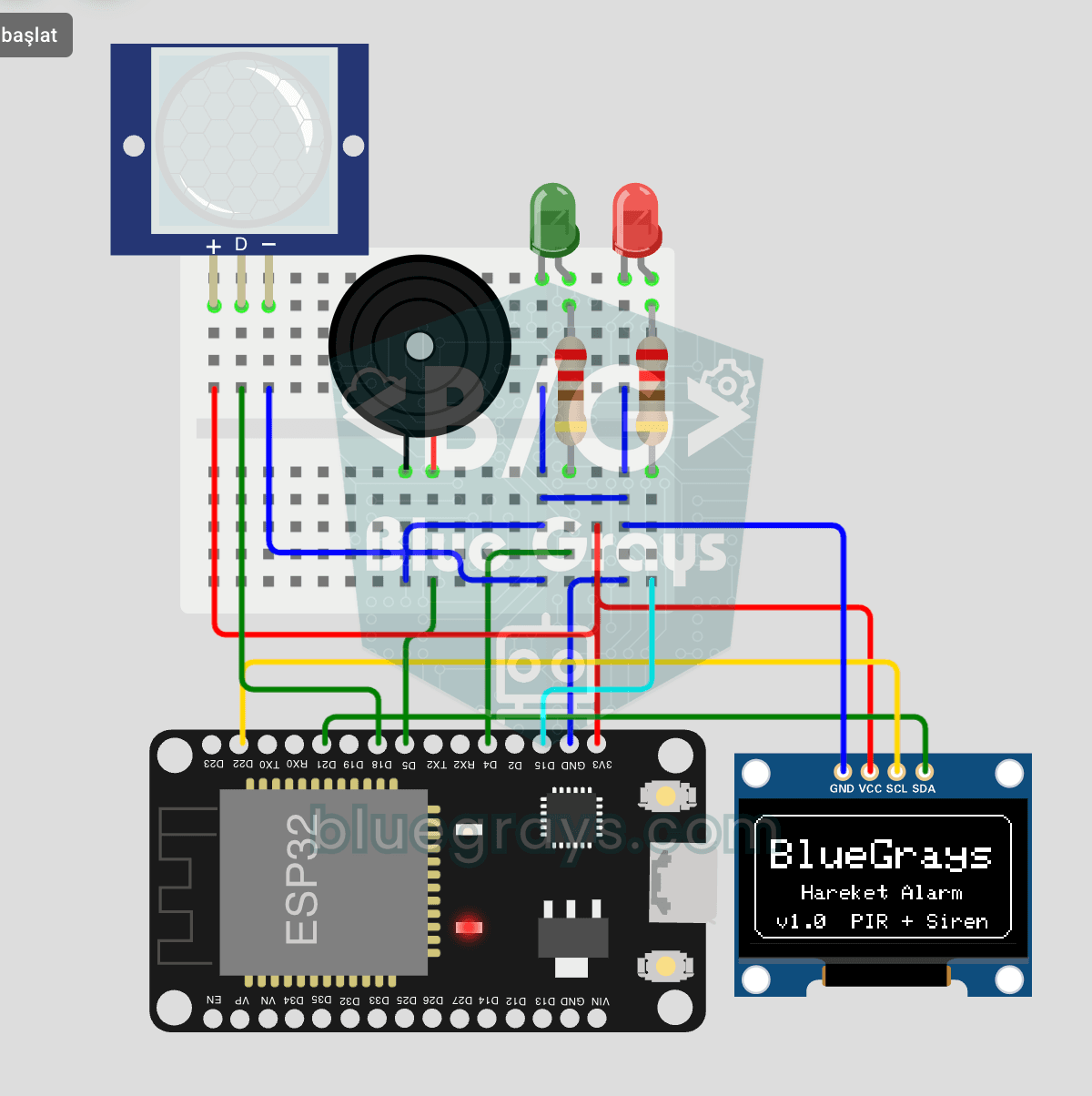
ESP32 Motion Alarm System (PIR + Buzzer + LED + Telegram)
A smart security alarm system that activates the buzzer and LED when the PIR sensor detects motion, while simultaneously sending an instant notification to the owner via Telegram. It includes a 30-second cooldown to prevent false alarms. Suitable for home security, garage monitoring, warehouses, or workrooms. With ESP32-CAM, photo notifications can be added; with the classic ESP32 DevKit V1, text notifications are sent.

ESP32 Motion Detection Alarm
In this project, which uses an ESP32 and a PIR sensor, a buzzer sounds an audible alarm when motion is detected. It is a simple and low-cost security system application. (The images are for illustrative purposes only; please refer to the text for details.)

ESP32 I2C LCD Display (16x2)
In this project, we display text by connecting a 16x2 character LCD screen to the ESP32 via the I2C protocol. Thanks to I2C, we can control the screen using just two data pins (SDA and SCL), eliminating the waste of 6+ pins associated with a classic parallel connection. The code prints a fixed message on the first line and a counter that increments every second on the second line. Additionally, we run an I2C scanner at the start to print the display’s address to the Serial Monitor (typically 0x2
More articles
Learn how RFID reads battery-free cards, how to connect the RC522 to Arduino safely, read a card's UID and build a servo door lock that opens with an authorised card.