
What Is a Buzzer? Active vs Passive Buzzers and Playing Melodies with Arduino
What is a buzzer, what's the difference between active and passive buzzers and how do you tell them apart? Wiring to Arduino, the tone() function, note frequencies and a melody example.
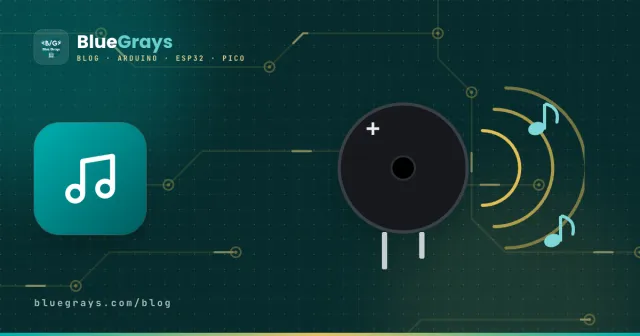
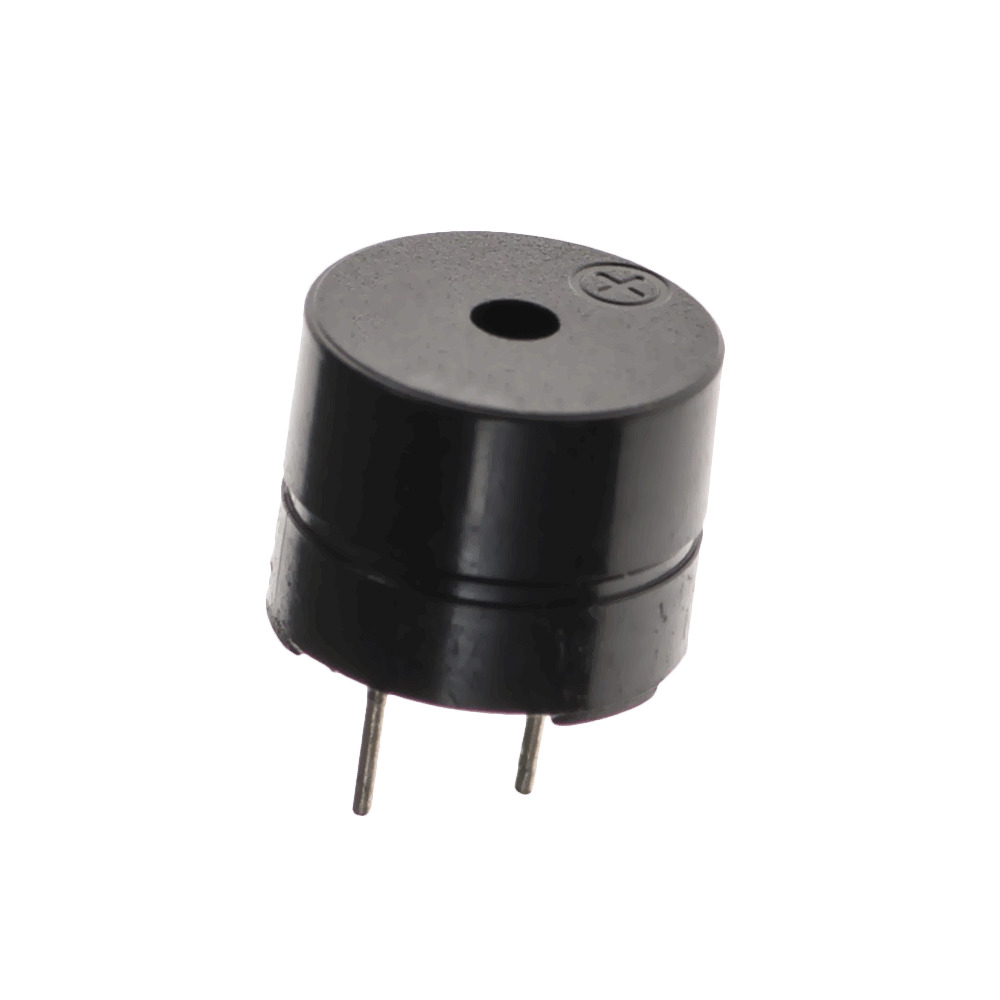
A buzzer is a tiny speaker that turns an electrical signal into sound. The beep of an alarm system, a microwave's alert and the tunes in toys usually come from a buzzer. In Arduino projects it's the cheapest way to give audible feedback, but to get the right sound you need to know which type of buzzer you have.
Active vs passive buzzer
| Feature | Active buzzer | Passive buzzer |
|---|---|---|
| Built-in oscillator | Yes | No |
| To make a sound | Just give it HIGH | Needs a square wave (frequency) |
| Sound | A single fixed tone | Any frequency: notes, melodies |
| Arduino command | digitalWrite() | tone() / noTone() |
| Used for | Alarms, warning beeps | Music, different alert tones |
How do you tell whether a buzzer is active or passive?
- Look at the bottom: a passive buzzer usually shows a green circuit board underneath; an active buzzer's bottom is sealed with black filler.
- Apply 5 V: an active buzzer beeps continuously, a passive one only gives a faint click when you connect it.
- Measure with a multimeter: a passive buzzer's coil shows a low, steady resistance of around 16 Ω; an active one gives an unclear or very high reading.
- Check the sticker: active buzzers often have a protective sticker on top that says "remove".
Connecting a buzzer to Arduino
Small buzzers draw about 20–30 mA, so they can connect directly to an Arduino pin. Connect the long leg (+) to a digital pin, for example pin 8, and the short leg to GND. If it's too loud, you can add a resistor of around 100 Ω. Larger, stronger buzzers need to be driven through a transistor.
Playing notes and melodies with tone()
With a passive buzzer, tone(pin, frequency, duration) generates a square wave at the requested frequency. Every note has a frequency; for example A4 is 440 Hz:
| Note | C4 | D4 | E4 | F4 | G4 | A4 | B4 | C5 |
|---|---|---|---|---|---|---|---|---|
| Frequency (Hz) | 262 | 294 | 330 | 349 | 392 | 440 | 494 | 523 |
const int BUZZER_PIN = 8;   // pasif buzzer / passive buzzer

// Do Re Mi Fa Sol La Si Do
int notes[] = {262, 294, 330, 349, 392, 440, 494, 523};

void setup() {
  for (int i = 0; i < 8; i++) {
    tone(BUZZER_PIN, notes[i], 300); // 300 ms çal / play for 300 ms
    delay(350);                      // notalar arası boşluk / gap between notes
  }
  noTone(BUZZER_PIN);                // sesi kapat / stop the sound
}

void loop() {
}Common mistakes
- Expecting a melody from an active buzzer: its built-in oscillator produces a fixed tone; tone() doesn't change the pitch.
- Using PWM on pins 3 and 11 together with tone(): on the Uno, tone() uses Timer2, so analogWrite on these pins misbehaves while it plays.
- Playing two buzzers at once: tone() works on only one pin at a time.
- Reversing the polarity: the long leg is positive; connected backwards, an active buzzer stays silent.
To build a button piano, start with How to Connect a Push Button to Arduino, and to set the pitch or volume with a knob, see What Is a Potentiometer?.
Frequently asked questions
Can a buzzer be connected without a resistor?
Small buzzers draw 20–30 mA, so they can go straight to a pin. To lower the volume or protect the pin, add a 100–220 Ω series resistor.
Why is my buzzer so quiet?
If you gave a passive buzzer HIGH with digitalWrite, you'll hear nothing or just a click; use tone() instead. Notes near the buzzer's resonant frequency (usually 2–4 kHz) sound louder.
How do I play a buzzer on the ESP32 and Pico?
On the ESP32, tone() works with the current Arduino core; older versions use ledcWriteTone. On the Pico with MicroPython, set the PWM frequency to the note and the duty cycle to half.
What's the difference between a buzzer and a speaker?
A buzzer is small, efficient for single tones and runs straight from a pin. A speaker gives better sound across a wide range of frequencies but needs an amplifier or a sound module such as the DFPlayer.
Projects to build after reading this
See all projects
Buzzer Usage
Basic project that uses the buzzer to emit a sound at a specific frequency and interval. Teaches the use of tone() and noTone() functions.

Frequency Setting with Buzzer
Interactive project with 4 buttons to increase and decrease the frequency of the buzzer, turn it on and off. Teaches multiple button reading and variable control.

National Anthem with Buzzer
Project that plays the first two stanzas of the National Anthem of the Republic of Turkey note by note with Buzzer. Teaches frequency-note relationship and melody programming.

Ready Melody Playback with IR Receiver, Controller and Buzzer
Project that plays Mario, Mother's Day and Christmas melodies with a buzzer by pressing different keys of the IR controller. It combines function triggering and melody programming with the controller.

Simple Piano with Buzzer and Button
Simple piano project with 8 buttons and buzzer to play notes from C to high C. Teaches how to simulate a musical instrument by assigning different frequencies to each button.

Mehter March with Arduino
This project allows you to play the Mehter Anthem with an infinite loop using only Arduino Uno, Buzzer and Jumper Cables. Just Make the Connections, and Paste the Code.

ESP32 Melody Playback with Buzzer
Playing a simple melody (Twinkle Twinkle Little Star) with a passive buzzer. We play notes with tone() and noTone() functions like in Arduino - ESP32 works with the same syntax as Arduino Core 3.0+. Passive buzzer must be used (active buzzer does not play melody).

Arduino Sound Stimulated Reaction Test
Arduino Reaction Test Station This project is a digital test setup developed to measure a user's reflex speed to visual and auditory stimuli with millisecond (ms) precision. The system consists of an Arduino controller, a three-stage LED notification group, a buzzer for audible warning and an I2C LCD display that shows the results instantaneously. Working Principle: When the test starts, the system prepares the user by lighting the red and yellow LEDs respectively. After a randomly determined p
More articles
Learn to tell active and passive buzzers apart, connect one to Arduino and play notes with tone() to make your own melody.