
What Is a Stepper Motor? Precise Rotation with the 28BYJ-48 and ULN2003 on Arduino
How does a stepper motor work? 28BYJ-48 and ULN2003 driver wiring, steps per revolution (2048), the Stepper and AccelStepper libraries, turning to an angle, the NEMA 17 with an A4988, and ESP32 and Pico usage.
A stepper motor is a motor that divides its rotation into small, equal steps. It turns by a fixed angle with every command, so you know exactly where the motor has stopped without any extra sensor. 3D printers, CNC machines, camera sliders and automatic curtains use stepper motors for this precision. The cheapest way to start learning with Arduino is the 28BYJ-48 motor and the ULN2003 driver board sold with it.
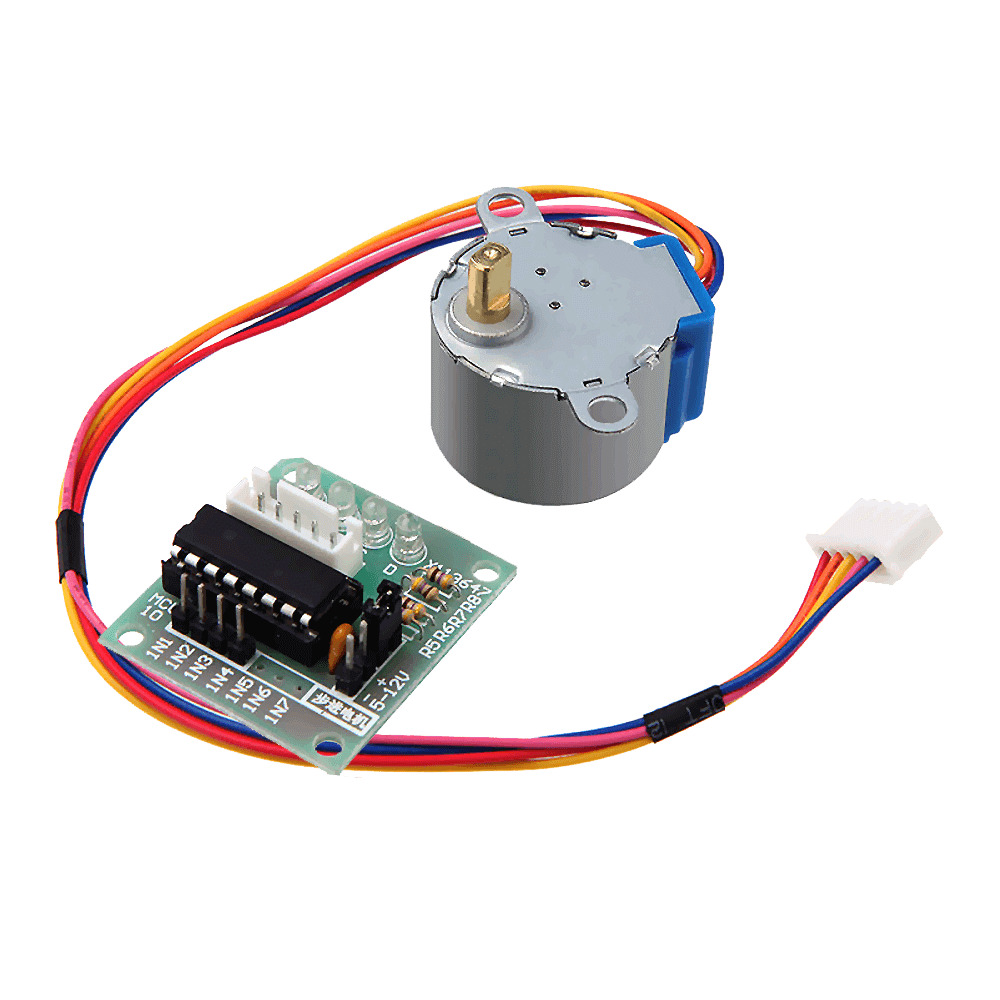
How does a stepper motor work?
Inside a stepper motor there are several coils arranged around a toothed magnetic rotor. When the coils are energised in a particular order, the rotor is pulled towards the nearest coil each time and moves one step. Run the sequence quickly and the motor turns fast; run it slowly and it turns slowly; reverse the sequence and it turns the other way. Because the motor counts every step its position is known, but if it's overloaded it can skip steps without noticing.
Stepper motor, servo or DC motor?
| Feature | DC motor | Servo motor | Stepper motor |
|---|---|---|---|
| Movement | Spins continuously | Goes to a set angle (usually 0–180°) | Unlimited turns, step by step |
| Position information | None | Yes (built-in feedback) | Known by counting steps |
| Speed | Very fast | Medium | Low–medium |
| Torque at low speed | Low | Medium | High |
| Typical use | Wheels, fans, pumps | Robot arms, locks, steering | 3D printers, CNC, sliders, clocks |
If going to an angle and holding it is enough, a servo is simpler; details are in What Is a Servo Motor? If you need fast, continuous rotation, a DC motor with an L298N motor driver is a better fit. For jobs that need both several turns and a known position, the stepper motor is unbeatable.
28BYJ-48 specifications
| Feature | Value |
|---|---|
| Type | 4-phase unipolar stepper motor |
| Operating voltage | 5 V DC |
| Internal gear ratio | About 1:64 |
| Steps per revolution | 2048 (full step), 4096 (half step) |
| Step angle | About 0.18° (full step) |
| Current draw | About 200–250 mA |
| Maximum speed | About 10–15 RPM |
| Wires | 5 (red is common) |
ULN2003 driver wiring
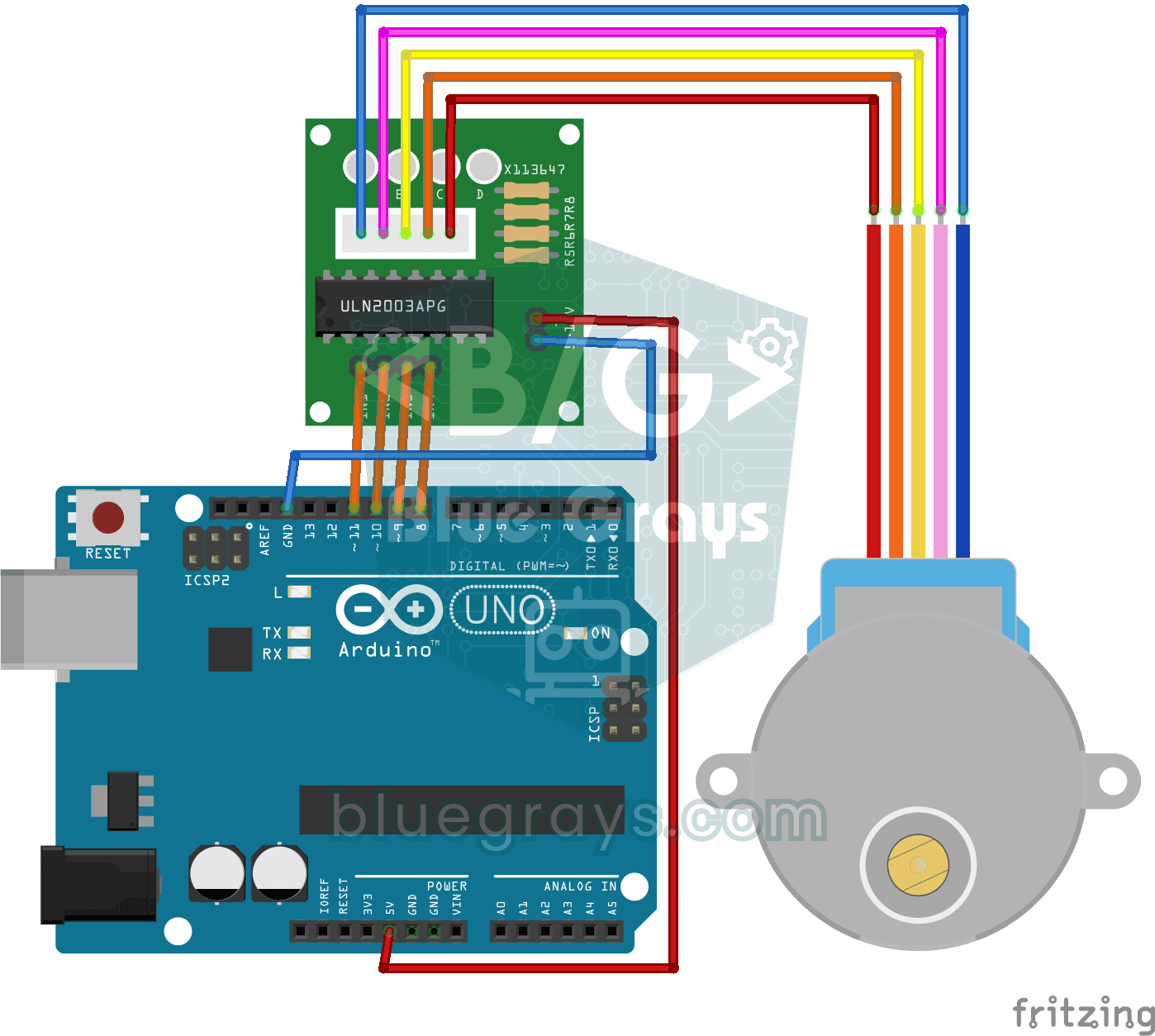
The motor's 5-wire plug only fits the socket on the ULN2003 board one way round, so you can't get it wrong. Connect the board's IN1–IN4 pins to Arduino pins 8–11, and its + and – terminals to a 5 V supply. The ULN2003 is a Darlington transistor array that boosts the small signal from the Arduino pin to the current the coil needs, and the four LEDs on the board show the coils switching on in sequence.
| ULN2003 pin | Arduino Uno |
|---|---|
| IN1 | D8 |
| IN2 | D9 |
| IN3 | D10 |
| IN4 | D11 |
| + (5–12 V) | External 5 V (the Uno's 5V pin is fine for one motor) |
| – (GND) | GND (shared with the Arduino) |
First rotation with the Stepper library
The Stepper library that comes with the Arduino IDE needs no installation. The only thing to watch is the pin order: for the 28BYJ-48 the object must be declared in the order 8, 10, 9, 11 (IN1, IN3, IN2, IN4). If you write 8, 9, 10, 11, the motor vibrates on the spot instead of turning; this is the most common mistake.
1#include <Stepper.h>
2
3const int STEPS_PER_REV = 2048;                  // 28BYJ-48 tam tur / full revolution
4Stepper motor(STEPS_PER_REV, 8, 10, 9, 11);      // sıra: IN1, IN3, IN2, IN4 / order: IN1, IN3, IN2, IN4
5
6void setup() {
7  motor.setSpeed(10);                            // devir/dakika, en fazla ~15 / RPM, max ~15
8}
9
10void loop() {
11  motor.step(STEPS_PER_REV);        // bir yönde tam tur / one full turn
12  delay(1000);
13  motor.step(-STEPS_PER_REV / 2);   // ters yönde yarım tur / half a turn back
14  delay(1000);
15}Position control with a potentiometer
If you keep the motor's current position in a variable, you can send it to any point you like. The code below turns the potentiometer's position into 0–2048 steps, and the motor moves to the same point as if following the knob. A tolerance of 10 steps ignores small jitter. Potentiometer wiring is in What Is a Potentiometer?
1#include <Stepper.h>
2
3Stepper motor(2048, 8, 10, 9, 11);
4int position = 0;                                    // şu anki adım / current step
5
6void setup() {
7  motor.setSpeed(12);
8}
9
10void loop() {
11  int target = map(analogRead(A0), 0, 1023, 0, 2048);  // potansiyometre → hedef / pot → target
12  if (abs(target - position) > 10) {                 // küçük titreşimleri yok say / ignore jitter
13    motor.step(target - position);
14    position = target;
15  }
16}
AccelStepper: smooth acceleration without blocking
The step() command in the Stepper library halts your program until the move is finished; during that time you can't read buttons or update a display. AccelStepper, which you can install from the Library Manager, moves the motor step by step in the background and adds acceleration and deceleration to prevent sudden starts. For the 28BYJ-48 the half-step mode (HALF4WIRE) is used, in which one turn is 4096 steps:
1#include <AccelStepper.h>
2
3// 28BYJ-48 + ULN2003, yarım adım: tur başına 4096 / half-step: 4096 per turn
4AccelStepper motor(AccelStepper::HALF4WIRE, 8, 10, 9, 11);
5
6void setup() {
7  motor.setMaxSpeed(1000);      // adım/saniye / steps per second
8  motor.setAcceleration(400);   // adım/saniye² / steps per second²
9  motor.moveTo(4096);           // bir tur ileri / one turn forward
10}
11
12void loop() {
13  if (motor.distanceToGo() == 0) {
14    motor.moveTo(-motor.currentPosition());   // geri dön / go back
15  }
16  motor.run();                  // her döngüde çağır, bekletmez / call every loop, non-blocking
17}
More powerful motors: NEMA 17 and the A4988
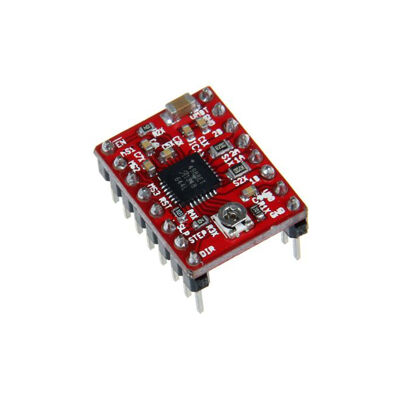
For jobs that need power, such as 3D printers and CNC machines, bipolar steppers like the NEMA 17 are used. These motors take 200 steps per turn (1.8°) and are much stronger than the 28BYJ-48. You drive them with drivers such as the A4988 or DRV8825: the motor takes one step for every STEP pulse, and the DIR pin sets the direction. The driver runs on 8–35 V and, with microstepping, divides each step by up to 16 for smoother motion.
1const int STEP_PIN = 3;
2const int DIR_PIN = 4;
3
4void setup() {
5  pinMode(STEP_PIN, OUTPUT);
6  pinMode(DIR_PIN, OUTPUT);
7}
8
9void loop() {
10  digitalWrite(DIR_PIN, HIGH);          // yön / direction
11  for (int i = 0; i < 200; i++) {       // NEMA 17'de 200 adım = 1 tur / 200 steps = 1 turn
12    digitalWrite(STEP_PIN, HIGH);
13    delayMicroseconds(800);             // küçüldükçe hız artar / smaller = faster
14    digitalWrite(STEP_PIN, LOW);
15    delayMicroseconds(800);
16  }
17  delay(1000);
18}Stepper motors with the ESP32 and Raspberry Pi Pico
The ULN2003's inputs work fine with 3.3 V signals; still supply the motor separately from 5 V. On the ESP32 the AccelStepper library works as-is; you can use pins other than 6–11 and 34–39, for example GPIO 19, 18, 5 and 17. On the Pico with MicroPython, you turn the motor by writing a half-step sequence to the four pins in turn:
1from machine import Pin
2import time
3
4pins = [Pin(n, Pin.OUT) for n in (2, 3, 4, 5)]      # IN1–IN4 → GP2–GP5
5SEQ = [[1,0,0,0],[1,1,0,0],[0,1,0,0],[0,1,1,0],
6       [0,0,1,0],[0,0,1,1],[0,0,0,1],[1,0,0,1]]    # yarım adım dizisi / half-step sequence
7
8def rotate(steps, delay_ms=2):
9    direction = 1 if steps > 0 else -1
10    for i in range(abs(steps)):
11        for pin, value in zip(pins, SEQ[(i * direction) % 8]):
12            pin.value(value)
13        time.sleep_ms(delay_ms)
14    for pin in pins:
15        pin.value(0)                                   # bobinleri bırak / release coils
16
17rotate(4096)        # bir tur / one turn (half-step)
18rotate(-1024)       # çeyrek tur geri / quarter turn back
Stepper motor project ideas
- Analog clock: a desk clock whose hour and minute hands are turned by stepper motors.
- Camera slider: a rail that moves a camera very slowly for timelapse shots.
- Automatic fish feeder: a mechanism that turns its hopper twice a day to drop food.
- Sun-tracking panel: turn a panel towards the brightest direction with two light sensors; for the light side see LDR Light Sensor.
- Turntable: a table that rotates an object in equal steps for product photos or 3D scanning.
- Automatic curtain: a motor that opens and closes a curtain by winding its cord and remembers its position.
Common mistakes and how to fix them
- The motor vibrates but doesn't turn: the pin order in the Stepper library is wrong; write 8, 10, 9, 11 instead of 8, 9, 10, 11.
- The motor skips steps: the speed is too high or the load too heavy; keep the 28BYJ-48 below 15 RPM and add acceleration with AccelStepper.
- The Arduino resets: the power supply isn't enough; power the motor from an external 5 V supply and connect the grounds.
- The motor gets hot while standing still: the coils stay energised; set all four pins LOW when the move is over.
- The number of turns is off: there are 2048 steps in full-step mode and 4096 in half-step, while a NEMA 17 has 200. Don't mix up the mode and the motor.
- The motor doesn't turn with an A4988: the current limit is set too low, there's no motor supply, or the RESET and SLEEP pins aren't connected together.
A stepper motor is the easiest way to say "turn exactly this much", and it's the basis of machines such as CNC routers and 3D printers. In the BlueGrays app you'll find projects for using a 28BYJ-48 stepper and building a 360-degree servo from a stepper, step by step with circuit diagrams and code.
Frequently asked questions
How many steps does the 28BYJ-48 take per revolution?
About 2048 in full-step mode and about 4096 in half-step mode. Because the internal gear ratio isn't exactly 1:64, a small drift can build up over very long moves; for precise work it's a good idea to re-zero the position now and then with a limit switch.
Why does my stepper motor vibrate but not turn?
The most common cause is driving the coils in the wrong order. In Arduino's Stepper library, the pins for the 28BYJ-48 must be written in the order 8, 10, 9, 11 (IN1, IN3, IN2, IN4). A motor can also vibrate instead of turning if the speed is too high or the power supply too weak.
Can I power the ULN2003 from the Arduino's 5V pin?
For a single 28BYJ-48, usually yes; the motor draws about 240 mA and USB can handle that. With two motors, servos or other loads the Arduino's regulator and USB port are strained; in that case use an external 5 V supply and connect the grounds.
How does a stepper motor know its position?
A stepper doesn't measure its position; it knows it by counting the steps taken. That's why you should move the motor to a reference point (such as a limit switch) at startup to zero it, and avoid skipped steps caused by overload or high speed.
Should I use a stepper motor or a servo motor?
If going to an angle between 0 and 180 degrees and holding it is enough, a servo is simpler and has its driver built in. For jobs that need several turns, strong torque at low speed or very precise positioning, choose a stepper motor.
What's the difference between the 28BYJ-48 and the NEMA 17?
The 28BYJ-48 is a small, cheap 5 V motor that turns slowly but precisely thanks to its gearbox. The NEMA 17 is a much stronger, faster bipolar motor that takes 200 steps per turn; it needs a driver such as the A4988 and a 12–24 V supply. The 28BYJ-48 suits hobby projects, while the NEMA 17 is used in machines like 3D printers and CNC routers.
Projects to build after reading this
See all projects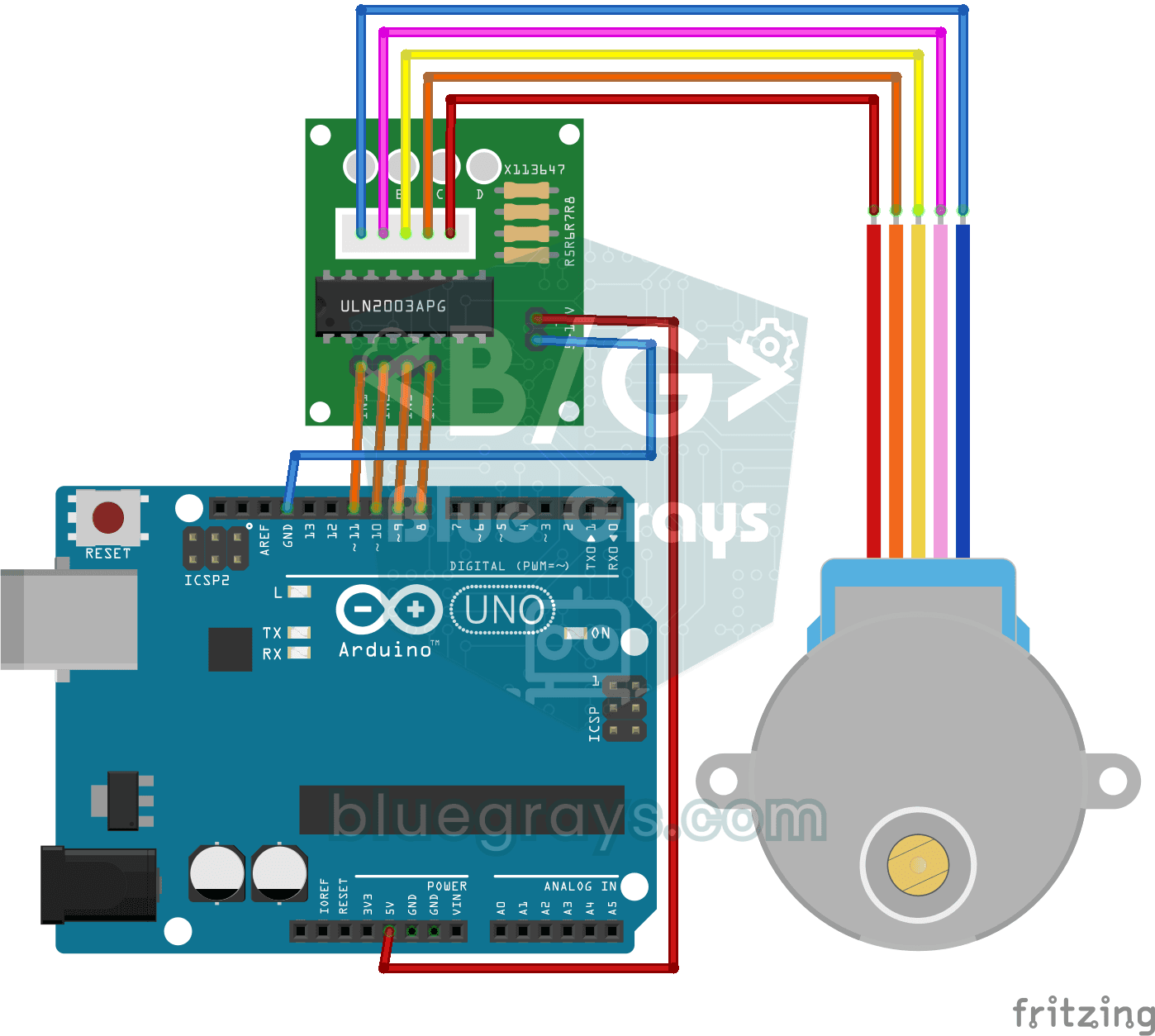
Stepper Motor Usage
Basic project that turns 28BYJ-48 stepper motor clockwise and counterclockwise full turn with ULN2003A driver board. Teaches stepping and direction control of stepper motor.
Making 360 Degree Servo Motor from Stepper Motor
Servo-like control project that can position the stepper motor at certain angles (0°-360°) and calculate degrees per step. Teaches precise angle calculation and position tracking logic.
Servo Control with Joystick
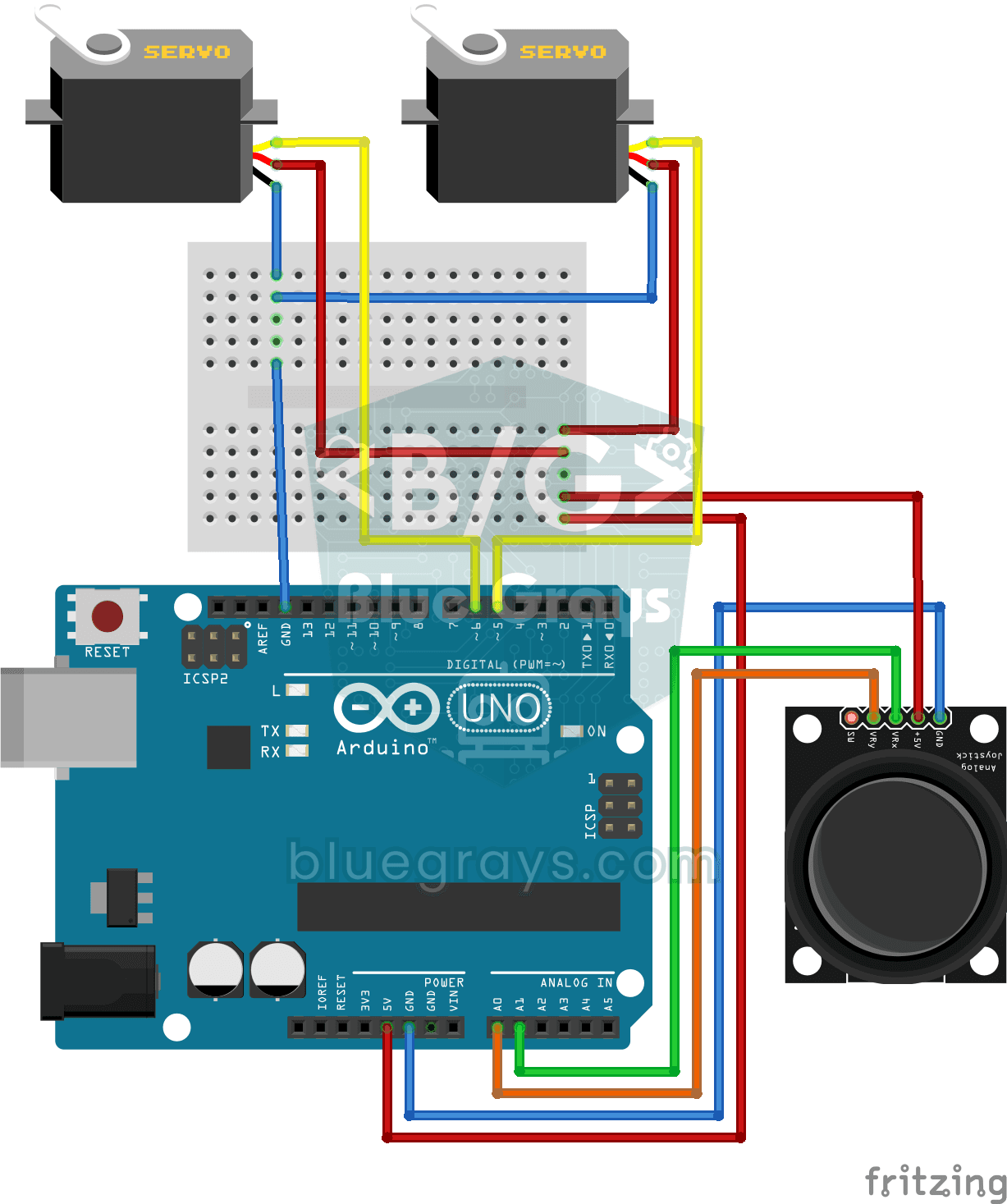
Pan-tilt project that independently controls two servo motors in X and Y axes with joystick module. Teaches the logic of joystick-servo integration and position tracking.

ESP32 Servo Motor (Potentiometer Control)
In this project, we control an SG90 servo motor using a potentiometer. We adjust the servo angle by mapping the analog value read from the potentiometer to the 0–180-degree range. Thanks to the ESP32Servo library, any GPIO pin on the ESP32 can generate a PWM signal. This is a fundamental control method for robotic arms, camera gimbals, and automatic door mechanisms.

Bluetooth Controlled Car with L298N
2WD (two-motor, four-wheeled) robot car project that can be controlled from the phone with Arduino and HC-05 Bluetooth module. A total of four wheels are driven simultaneously by connecting two motors

Obstacle Avoidance Robot
How about building a smart vehicle that finds its own way? The Obstacle Avoidance Robot constantly scans its surroundings thanks to the ultrasonic sensor in front of it. When it encounters an obstacle
Led Control with Joystick
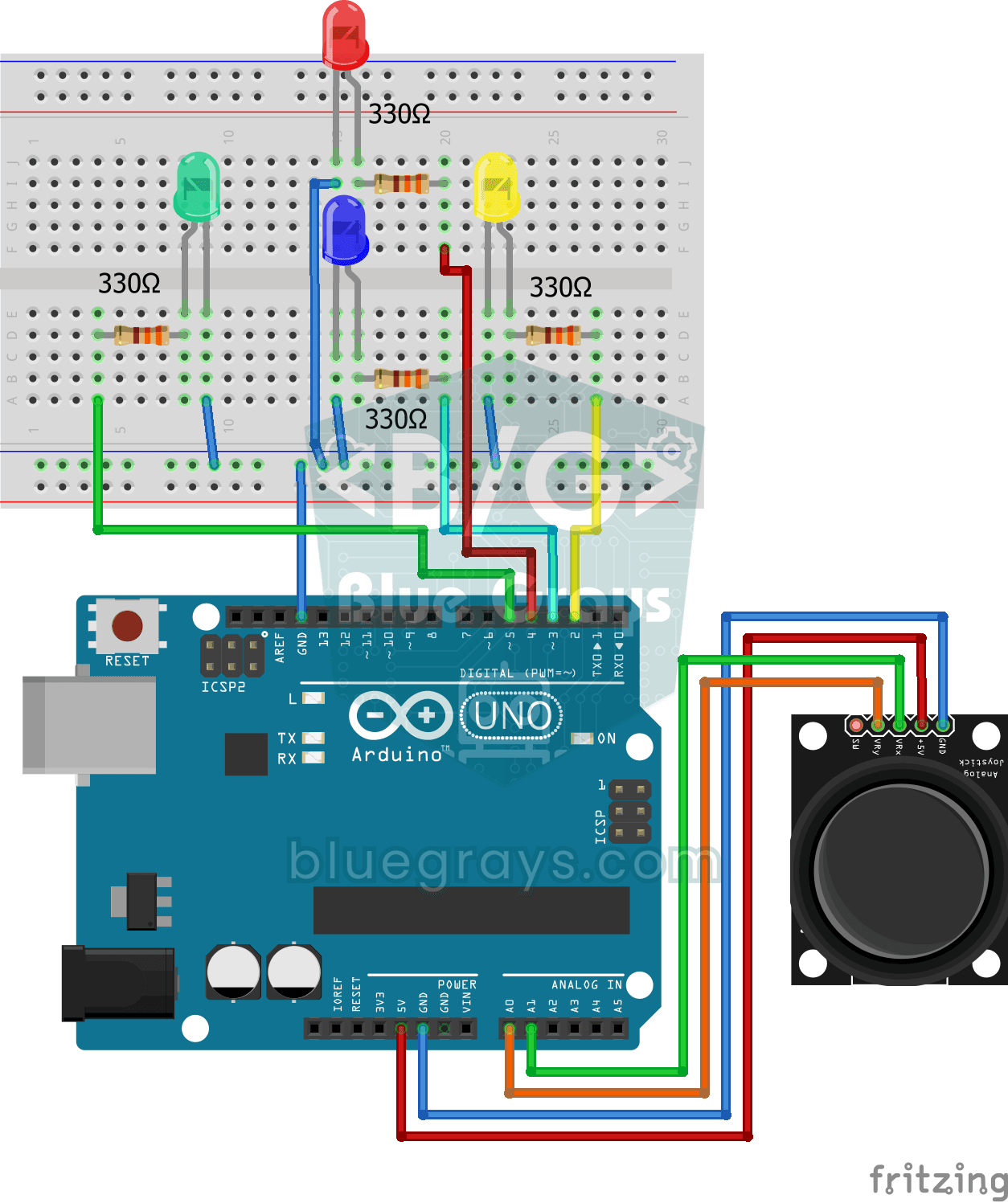
Control project that lights LEDs in 4 different directions according to the X and Y axis values of the joystick module. Teaches analog joystick reading and direction detection logic.

ESP32 Parking Sensor (HC-SR04 + 5-LED Bar + Buzzer + OLED)
The ESP32 version of the car parking sensor! We use the HC-SR04 ultrasonic sensor to measure the distance to the object in front of it. As the distance decreases, the 5-LED bar fills up (green → yellow → red) and the buzzer beep interval shortens. When the object gets very close (under 10 cm), a continuous alarm sounds and all LEDs light up. The SSD1306 OLED display shows the current distance in cm in large font, a status message (STOP / CAUTION / CLOSE / STOP! / DANGER), and a simulation of the
More articles
Learn how a stepper motor turns step by step, how to connect the 28BYJ-48 to Arduino with a ULN2003, turn it to any angle, add smooth acceleration with AccelStepper and move on to powerful NEMA 17 motors.