
MPU6050 Arduino Guide: Accelerometer, Gyroscope and Tilt Angle
MPU6050 with Arduino: wiring, I2C address, raw values, calibration, tilt angle via atan2 and a complementary filter, plus Adafruit library, ESP32 and Pico code.
The MPU6050 combines a 3-axis accelerometer and a 3-axis gyroscope in one tiny chip and is the most widely used motion sensor in Arduino projects. It measures how far the board is tilted, which way and how fast it's rotating, and whether it's being shaken or has fallen. Self-balancing robots, drones, camera stabilizers (gimbals), step counters and motion-controlled games are built with this sensor. The MPU6050 connects to an Arduino with just four wires over I2C.
In this article you'll learn step by step how the MPU6050 works, its axes and raw values, I2C wiring, reading it with and without a library, calibration, calculating tilt angles with atan2, and the complementary filter that combines the strengths of both sensors. Then we'll build a fall-detection alarm with an ESP32 and write MicroPython code for the Raspberry Pi Pico.
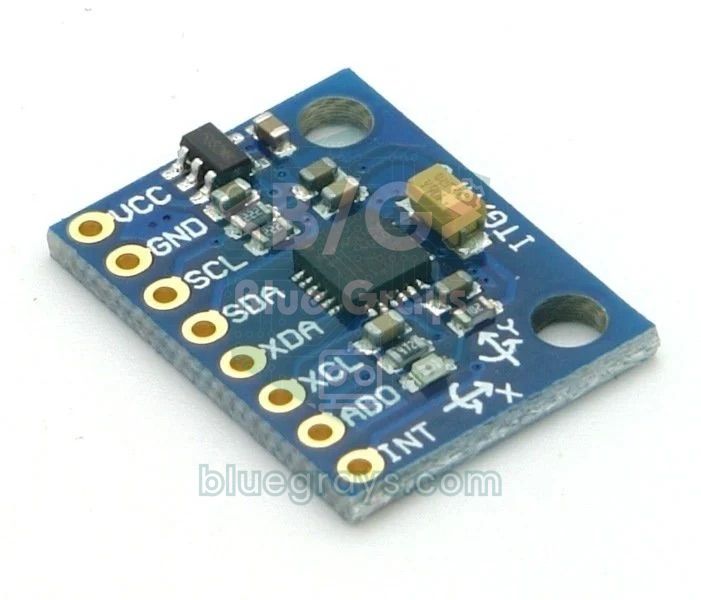
What is the MPU6050 and how does it work?
The MPU6050, made by InvenSense (now TDK), is an IMU, an inertial measurement unit. Inside are tiny mechanical structures made of silicon (MEMS). The accelerometer measures how far a small spring-mounted mass moves under acceleration; because it senses gravity even when it's still, a sensor lying flat on a table shows about 1 g (9.81 m/s²) on the Z axis, which lets you work out its tilt relative to the ground. The gyroscope measures angular velocity, that is, how many degrees per second the sensor is turning, from the Coriolis force acting on vibrating structures. The measurements are converted to numbers by 16-bit ADCs inside the chip and read over I2C. The chip also contains a temperature sensor and a digital motion processor (DMP) that can take over motion calculations.
| Feature | Value |
|---|---|
| Sensors | 3-axis accelerometer + 3-axis gyroscope + temperature |
| Accelerometer range | ±2, ±4, ±8, ±16 g |
| Gyroscope range | ±250, ±500, ±1000, ±2000 °/s |
| Resolution | 16-bit (from -32768 to 32767 per axis) |
| Interface | I2C, up to 400 kHz |
| I2C address | 0x68 (AD0 to GND) or 0x69 (AD0 to 3.3 V) |
| Chip voltage | 2.375–3.46 V (the GY-521 board takes 3.3–5 V) |
| Current | About 3.9 mA (5 µA in sleep) |
| Extras | DMP, 1024-byte FIFO, motion interrupt, auxiliary I2C for an external sensor |
Axes, raw values and sensitivity
The arrows on the board show the X and Y axes; the Z axis is perpendicular to the board and points up. The sensor gives a signed 16-bit number for each axis. To convert this raw number into a physical unit, you divide it by the sensitivity for the range you've chosen. For example, in the default ±2 g range a raw value of 16384 means 1 g; from a sensor lying on the table you'll read az ≈ 16384 and ax, ay ≈ 0. For the gyroscope in the ±250 °/s range, a raw value of 131 corresponds to a rotation of 1 degree per second. A wider range measures harder movements but shows small changes more coarsely, so choose the narrowest range that's enough for your project.
| Setting | Accelerometer range | LSB/g | Gyroscope range | LSB/(°/s) |
|---|---|---|---|---|
| 0 | ±2 g | 16384 | ±250 °/s | 131 |
| 1 | ±4 g | 8192 | ±500 °/s | 65.5 |
| 2 | ±8 g | 4096 | ±1000 °/s | 32.8 |
| 3 | ±16 g | 2048 | ±2000 °/s | 16.4 |
The chip also measures temperature: °C = raw value / 340 + 36.53. This shows the chip's own temperature rather than the room temperature, but since the gyroscope's zero point drifts with temperature, it's useful for advanced corrections.
MPU6050 wiring: Arduino Uno, ESP32 and Pico
| MPU6050 pin | Arduino Uno | ESP32 | Raspberry Pi Pico |
|---|---|---|---|
| VCC | 5V | 3V3 | 3V3(OUT) |
| GND | GND | GND | GND |
| SCL | A5 | GPIO 22 | GP5 |
| SDA | A4 | GPIO 21 | GP4 |
| AD0 | Unconnected (address 0x68) | Unconnected (address 0x68) | Unconnected (address 0x68) |
| INT | D2 (optional) | Any GPIO (optional) | Any GP pin (optional) |
| XDA, XCL | Not connected | Not connected | Not connected |
Because the GY-521 board has a 3.3 V regulator, you can connect VCC to the Uno's 5V pin. The AD0 pin is pulled to GND on the board through a 4.7 kΩ resistor, so the address is 0x68 when it's left unconnected; if you want two MPU6050s on the same bus, connect the AD0 pin of one of them to 3.3 V to change its address to 0x69. The INT pin signals when new data is ready or motion is detected; you don't need to connect it for simple projects. After wiring, it's a good habit to check that the sensor shows up with an I2C scanner sketch; you'll find out how in I2C LCD Display.
Quick start with a library: Adafruit MPU6050
- Open the Library Manager in the Arduino IDE and search for Adafruit MPU6050.
- When it asks about dependencies during installation, choose Install all so that Adafruit Unified Sensor and Adafruit BusIO are installed too.
- Wire the sensor as in the table, upload the sketch below and open the Serial Monitor at 115200 baud.
- Open the Serial Plotter from the Tools menu to watch all six axes as live graphs; the acceleration curves change as you tilt the board and the gyroscope curves as you rotate it.
1#include <Wire.h>
2#include <Adafruit_MPU6050.h>
3#include <Adafruit_Sensor.h>
4
5Adafruit_MPU6050 mpu;
6
7void setup() {
8  Serial.begin(115200);
9  if (!mpu.begin()) {                             // varsayılan adres 0x68 / default address 0x68
10    Serial.println("MPU6050 bulunamadi / not found");
11    while (true) delay(10);
12  }
13  mpu.setAccelerometerRange(MPU6050_RANGE_4_G);   // ±4 g
14  mpu.setGyroRange(MPU6050_RANGE_500_DEG);        // ±500 °/s
15  mpu.setFilterBandwidth(MPU6050_BAND_21_HZ);     // titreşimi süz / filter out vibration
16}
17
18void loop() {
19  sensors_event_t a, g, t;
20  mpu.getEvent(&a, &g, &t);
21  Serial.print("ax:");  Serial.print(a.acceleration.x);   // m/s²
22  Serial.print(" ay:"); Serial.print(a.acceleration.y);
23  Serial.print(" az:"); Serial.print(a.acceleration.z);
24  Serial.print(" gx:"); Serial.print(g.gyro.x);           // rad/s
25  Serial.print(" gy:"); Serial.print(g.gyro.y);
26  Serial.print(" gz:"); Serial.print(g.gyro.z);
27  Serial.print(" T:");  Serial.println(t.temperature);    // °C
28  delay(100);
29}
The Adafruit library gives results directly in physical units: acceleration in m/s², angular velocity in rad/s and temperature in °C. To convert a gyroscope value to degrees per second, just multiply by 57.3. The internal low-pass filter chosen with setFilterBandwidth reduces vibration noise: 21 Hz is a good starting point for hand movements, and if you want to catch short impacts, choose 94 or 260 Hz. At start-up the library reads the chip's identity register (WHO_AM_I), and begin() returns false if it isn't 0x68.
Reading without a library, calibration and tilt angle
Libraries make life easier, but reading the registers directly is a great way to understand what's going on inside the sensor. The MPU6050 starts up in sleep mode; first you have to wake it by writing 0 to register 0x6B (PWR_MGMT_1). Then you read 14 bytes starting at address 0x3B: 6 bytes of acceleration, 2 bytes of temperature and 6 bytes of gyroscope data. Each value is two bytes, high byte first. These are the main registers used in the code and worth knowing:
| Register | Address | Purpose |
|---|---|---|
| SMPLRT_DIV | 0x19 | Sample rate divider |
| CONFIG | 0x1A | Internal low-pass filter (DLPF) |
| GYRO_CONFIG | 0x1B | Gyroscope range (±250 … ±2000 °/s) |
| ACCEL_CONFIG | 0x1C | Accelerometer range (±2 … ±16 g) |
| ACCEL_XOUT_H | 0x3B | Address where the measurements start (14 bytes) |
| PWR_MGMT_1 | 0x6B | Sleep and clock source; writing 0 wakes it up |
| WHO_AM_I | 0x75 | Identity; returns 0x68 on a genuine MPU6050 |
On a stationary sensor, the only force the accelerometer sees is gravity. By looking at how gravity is split between the axes, you find two angles: the roll angle around the X axis is roll = atan2(ay, az), and the pitch angle around the Y axis is pitch = atan2(−ax, √(ay² + az²)). Unlike the ordinary arctangent, atan2 gives the correct sign in all four quadrants and doesn't divide by zero when az approaches zero. For example, if you read ay = 8192 and az = 14189, roll = atan2(8192, 14189) ≈ 30°. Rotation around the Z axis (yaw), however, is invisible to the accelerometer, because it doesn't change how gravity is split between the axes.
Both sensors have a weak spot. The accelerometer is accurate in the long run but very noisy during movement and vibration, because it measures the motion's own acceleration on top of gravity. The gyroscope is smooth in the short term, but to get an angle you add up the angular velocity over time (angle += rate × dt), and even a small offset accumulates and slowly drags the angle away. The complementary filter combines the two: angle = 0.98 × (angle + gyro × dt) + 0.02 × accelerometer angle. It trusts the gyroscope in the short term and the accelerometer in the long term. At 100 Hz (dt = 0.01 s), these coefficients give a time constant of about half a second: τ = 0.98 × 0.01 / 0.02 = 0.49 s.
Calibration matters at least as much as the filter. Even a gyroscope that isn't moving at all can show a constant offset of a few °/s; if you don't correct it, your calculated angle drifts by tens of degrees within seconds. The sketch below averages 500 readings at start-up while the sensor is still and subtracts that from every reading afterwards. Put the board on a flat surface and don't touch it during calibration; then watch the roll, pitch and yaw curves in the Serial Plotter.
1#include <Wire.h>
2
3const int MPU_ADDR = 0x68;           // AD0 GND'de ya da boşta / AD0 to GND or floating
4const float GYRO_LSB = 131.0;        // ±250 °/s aralığında 1 °/s / 1 °/s at the ±250 °/s range
5const float ALPHA = 0.98;            // tamamlayıcı filtre katsayısı / complementary filter weight
6
7int16_t ax, ay, az, tempRaw, gx, gy, gz;
8float gxOff = 0, gyOff = 0, gzOff = 0;   // jiroskop sapmaları / gyro offsets
9float roll = 0, pitch = 0, yaw = 0;
10unsigned long lastMicros;
11
12void writeReg(uint8_t reg, uint8_t val) {
13  Wire.beginTransmission(MPU_ADDR);
14  Wire.write(reg);
15  Wire.write(val);
16  Wire.endTransmission();
17}
18
19int16_t read16() {
20  uint8_t hi = Wire.read();          // önce yüksek bayt / high byte first
21  uint8_t lo = Wire.read();
22  return (int16_t)(((uint16_t)hi << 8) | lo);
23}
24
25void readMPU() {
26  Wire.beginTransmission(MPU_ADDR);
27  Wire.write(0x3B);                  // ACCEL_XOUT_H
28  Wire.endTransmission(false);       // hattı bırakma, tekrar başlat / repeated start
29  Wire.requestFrom(MPU_ADDR, 14);    // ivme 6 + sıcaklık 2 + jiroskop 6 bayt / accel 6 + temp 2 + gyro 6 bytes
30  ax = read16(); ay = read16(); az = read16();
31  tempRaw = read16();
32  gx = read16(); gy = read16(); gz = read16();
33}
34
35void calibrateGyro() {
36  const int N = 500;
37  long sx = 0, sy = 0, sz = 0;
38  for (int i = 0; i < N; i++) {
39    readMPU();
40    sx += gx; sy += gy; sz += gz;
41    delay(3);
42  }
43  gxOff = sx / (float)N;
44  gyOff = sy / (float)N;
45  gzOff = sz / (float)N;
46}
47
48void setup() {
49  Serial.begin(115200);
50  Wire.begin();
51  Wire.setClock(400000);             // 400 kHz hızlı mod / 400 kHz fast mode
52  writeReg(0x6B, 0x00);              // PWR_MGMT_1: uykudan uyandır / wake up
53  writeReg(0x1A, 0x03);              // CONFIG: alçak geçiren filtre ~44 Hz / low-pass ~44 Hz
54  writeReg(0x1B, 0x00);              // GYRO_CONFIG: ±250 °/s
55  writeReg(0x1C, 0x00);              // ACCEL_CONFIG: ±2 g
56  delay(100);
57  Serial.println("Kalibrasyon: sensoru oynatma / calibrating: keep still");
58  calibrateGyro();
59  readMPU();
60  roll  = atan2(ay, az) * RAD_TO_DEG;                                    // başlangıç açıları / initial angles
61  pitch = atan2(-ax, sqrt((float)ay * ay + (float)az * az)) * RAD_TO_DEG;
62  lastMicros = micros();
63}
64
65void loop() {
66  readMPU();
67  unsigned long now = micros();
68  float dt = (now - lastMicros) / 1000000.0;   // saniye / seconds
69  lastMicros = now;
70
71  float accRoll  = atan2(ay, az) * RAD_TO_DEG;                           // ivmeölçerden açı / angle from accelerometer
72  float accPitch = atan2(-ax, sqrt((float)ay * ay + (float)az * az)) * RAD_TO_DEG;
73  float gxRate = (gx - gxOff) / GYRO_LSB;      // °/s
74  float gyRate = (gy - gyOff) / GYRO_LSB;
75  float gzRate = (gz - gzOff) / GYRO_LSB;
76
77  roll  = ALPHA * (roll  + gxRate * dt) + (1 - ALPHA) * accRoll;        // tamamlayıcı filtre / complementary filter
78  pitch = ALPHA * (pitch + gyRate * dt) + (1 - ALPHA) * accPitch;
79  yaw  += gzRate * dt;                         // yalnız jiroskop: zamanla kayar / gyro only: drifts over time
80
81  Serial.print("roll:");   Serial.print(roll, 1);
82  Serial.print(" pitch:"); Serial.print(pitch, 1);
83  Serial.print(" yaw:");   Serial.println(yaw, 1);
84  delay(10);                                   // yaklaşık 100 Hz / about 100 Hz
85}| Line of code | What it does |
|---|---|
| writeReg(0x6B, 0x00) | Wakes the sensor from sleep mode |
| writeReg(0x1A, 0x03) | Enables the internal filter at about 44 Hz |
| Wire.requestFrom(MPU_ADDR, 14) | Reads acceleration, temperature and gyroscope data in one go |
| calibrateGyro() | Finds the gyroscope offset by averaging 500 readings |
| atan2(ay, az) * RAD_TO_DEG | Calculates the roll angle in degrees from the accelerometer |
| ALPHA * (...) + (1 - ALPHA) * ... | Complementary filter: combines gyroscope and accelerometer |
| yaw += gzRate * dt | Calculates yaw from the gyroscope only, so you can watch it drift over time |
MPU6050 with the ESP32: a fall-detection alarm
On the ESP32 the wiring is the same as on the Uno, except that the I2C pins are GPIO 21 (SDA) and GPIO 22 (SCL) and the module is powered from 3V3. All the sketches above run unchanged on the ESP32; if you like, you can set the pins explicitly with Wire.begin(21, 22). The example below is a fall detector. In an object in free fall, the accelerometer reads almost 0 g, because the sensor's body and the mass inside it fall together; the impact that follows produces a peak of several g. If the sketch sees a free fall lasting at least 100 ms followed within half a second by an impact above 2.5 g, it sounds an active buzzer on GPIO 25 for one second. A 100 ms free fall corresponds to a drop of about 5 cm (h = ½ × g × t²).
1#include <Wire.h>
2#include <Adafruit_MPU6050.h>
3#include <Adafruit_Sensor.h>
4
5Adafruit_MPU6050 mpu;
6const int BUZZER_PIN = 25;           // aktif buzzer / active buzzer
7const float FREE_FALL_G = 0.4;       // serbest düşüş eşiği / free-fall threshold
8const float IMPACT_G = 2.5;          // darbe eşiği / impact threshold
9unsigned long fallStart = 0, fallEnd = 0;
10
11void setup() {
12  Serial.begin(115200);
13  pinMode(BUZZER_PIN, OUTPUT);
14  Wire.begin(21, 22);                // SDA, SCL
15  if (!mpu.begin(0x68, &Wire)) {
16    Serial.println("MPU6050 bulunamadi / not found");
17    while (true) delay(10);
18  }
19  mpu.setAccelerometerRange(MPU6050_RANGE_8_G);   // darbeler için geniş aralık / wide range for impacts
20  mpu.setFilterBandwidth(MPU6050_BAND_94_HZ);     // kısa darbeleri kaçırma / keep short peaks
21}
22
23void loop() {
24  sensors_event_t a, g, t;
25  mpu.getEvent(&a, &g, &t);
26  float x = a.acceleration.x, y = a.acceleration.y, z = a.acceleration.z;
27  float total = sqrt(x * x + y * y + z * z) / SENSORS_GRAVITY_STANDARD;   // toplam ivme, g / total acceleration in g
28  unsigned long now = millis();
29
30  if (total < FREE_FALL_G) {
31    if (fallStart == 0) fallStart = now;             // düşüş başladı / fall started
32  } else if (fallStart != 0) {
33    if (now - fallStart > 100) fallEnd = now;        // en az 100 ms süren düşüş / fall of at least 100 ms
34    fallStart = 0;
35  }
36
37  if (fallEnd != 0 && now - fallEnd < 500 && total > IMPACT_G) {   // düşüşten sonra 0,5 s içinde darbe / impact within 0.5 s
38    Serial.println("DUSME ALGILANDI / FALL DETECTED");
39    digitalWrite(BUZZER_PIN, HIGH);
40    delay(1000);
41    digitalWrite(BUZZER_PIN, LOW);
42    fallEnd = 0;
43  }
44  if (fallEnd != 0 && now - fallEnd >= 500) fallEnd = 0;   // darbe gelmedi, sıfırla / no impact, reset
45  delay(5);
46}
Building on this, you can add the ESP32's Wi-Fi to, for example, send a Telegram notification to your phone if an elderly relative falls, or show the angles live on a web page. Tune the thresholds through your own tests: a box falling off a table and a sensor worn on the wrist produce different peaks. For choosing and wiring a buzzer, see What Is a Buzzer?.
MPU6050 with the Raspberry Pi Pico (MicroPython)
No extra library is needed on the Pico; MicroPython's built-in I2C class can read the registers directly. Connect the sensor to the I2C0 bus, with SDA on GP4 and SCL on GP5. We use struct.unpack to turn the 14 bytes into seven signed 16-bit numbers; ">" means big-endian (high byte first) and "h" means signed 16-bit. The code first prints the I2C addresses it finds; if you don't see 0x68 in the list, check the wiring. To keep it simple we haven't added calibration; if needed, you can apply the averaging method from the Arduino sketch in exactly the same way.
1from machine import Pin, I2C
2import math, struct, time
3
4MPU = 0x68
5i2c = I2C(0, sda=Pin(4), scl=Pin(5), freq=400000)
6print("Bulunan adresler / found addresses:", [hex(a) for a in i2c.scan()])
7
8i2c.writeto_mem(MPU, 0x6B, b"\x00")     # uykudan uyandır / wake up
9i2c.writeto_mem(MPU, 0x1A, b"\x03")     # alçak geçiren filtre ~44 Hz / low-pass ~44 Hz
10i2c.writeto_mem(MPU, 0x1B, b"\x00")     # jiroskop ±250 °/s / gyro ±250 °/s
11i2c.writeto_mem(MPU, 0x1C, b"\x00")     # ivmeölçer ±2 g / accelerometer ±2 g
12roll = pitch = 0.0
13last = time.ticks_us()
14
15while True:
16    data = i2c.readfrom_mem(MPU, 0x3B, 14)
17    ax, ay, az, t, gx, gy, gz = struct.unpack(">hhhhhhh", data)   # büyük endian, işaretli / big-endian, signed
18    now = time.ticks_us()
19    dt = time.ticks_diff(now, last) / 1000000
20    last = now
21    acc_roll = math.degrees(math.atan2(ay, az))
22    acc_pitch = math.degrees(math.atan2(-ax, math.sqrt(ay * ay + az * az)))
23    roll = 0.98 * (roll + gx / 131 * dt) + 0.02 * acc_roll        # tamamlayıcı filtre / complementary filter
24    pitch = 0.98 * (pitch + gy / 131 * dt) + 0.02 * acc_pitch
25    temp = t / 340 + 36.53                                        # °C
26    print("roll {:.1f}  pitch {:.1f}  T {:.1f}".format(roll, pitch, temp))
27    time.sleep_ms(10)
MPU6050 project ideas
- Digital spirit level: show the roll and pitch angles on an OLED display with a moving bubble.
- Motion-controlled servo: as you tilt the sensor in your hand, a servo motor turns to the same angle; ideal for a robot arm or a camera head.
- Tilt-controlled game: play Pong or a maze game by tilting the board instead of using a joystick.
- Self-balancing robot: process the pitch angle with a PID loop and keep the robot upright with DC motors driven by an L298N.
- Step counter: measure walking by counting the regular peaks in total acceleration.
- Vibration logger: measure the shaking of a machine or a washing machine and raise an alert when a threshold is exceeded.
Common mistakes and how to fix them
| Symptom | Likely cause | Fix |
|---|---|---|
| begin() returns false ("MPU6050 not found") | Wiring fault, wrong address or a clone chip | Find the address with an I2C scanner; if WHO_AM_I isn't 0x68 (for example 0x70), use the library-free code |
| All values are 0 | The sensor is in sleep mode | Write 0 to register 0x6B |
| Values are -1 or freeze | Loose wire, long I2C bus | Shorten the wires, solder the pins |
| The angle drifts while standing still | Gyroscope offset not corrected | Calibrate at start-up while still |
| The angle jumps when moving | Only the accelerometer is used | Add a complementary filter |
| Yaw keeps drifting | The MPU6050 has no compass | Add a magnetometer such as the QMC5883L or use a 9-axis sensor |
| Roll goes wrong as pitch nears ±90° | Singularity of Euler angles | Avoid that region or use the DMP's quaternion output |
Despite its low price, the MPU6050 opens the door to measuring motion: first get to know the raw values, then calculate the angles, and finally smooth them with a filter. To see other I2C sensors and what they're used for, take a look at the Arduino Sensors Guide. In the BlueGrays app you'll find servo control, I2C display, joystick and robot projects with step-by-step circuit diagrams and code that you can combine with the MPU6050.
Frequently asked questions
What is the MPU6050 used for?
The MPU6050 measures an object's tilt, rotation speed and acceleration. It's used in self-balancing robots, drones and gimbals, step counters, fall and shock detection, and motion-controlled games.
Is the MPU6050 address 0x68 or 0x69?
The address is 0x68 when the AD0 pin is unconnected or tied to GND, and 0x69 when it's connected to 3.3 V. On the GY-521 board AD0 is pulled to GND through a resistor, so the default address is 0x68. To be sure, run an I2C scanner sketch.
Does the MPU6050 work with 5 V?
The MPU6050 chip itself runs on at most 3.46 V, but thanks to the regulator on the GY-521 board, the VCC pin can be fed with 5 V. The I2C lines stay at 3.3 V level, which the Arduino Uno reads without problems. Bare boards without a regulator must not be given 5 V.
How do you calculate angles with the MPU6050?
When the sensor is still, the angles come from the accelerometer with roll = atan2(ay, az) and pitch = atan2(−ax, √(ay² + az²)). For accurate results during movement, the gyroscope's angular velocity is integrated over time and combined with the accelerometer angle using a complementary or Kalman filter.
Can the MPU6050 measure yaw?
For short periods, yes: yaw can be calculated by integrating the angular velocity on the Z axis. But because the MPU6050 has no magnetometer, yaw drifts over time and can't know the absolute heading (north). For a stable heading you need a compass sensor such as the QMC5883L or a 9-axis IMU.
What is the difference between the MPU6050 and the MPU9250?
The MPU6050 is a 6-axis sensor with an accelerometer and a gyroscope. The MPU9250 adds a 3-axis magnetometer, making it 9-axis, so it can measure yaw without drift; it also supports SPI. Since the MPU9250 has been discontinued, successors such as the ICM-20948 are preferred for new projects.
Projects to build after reading this
See all projects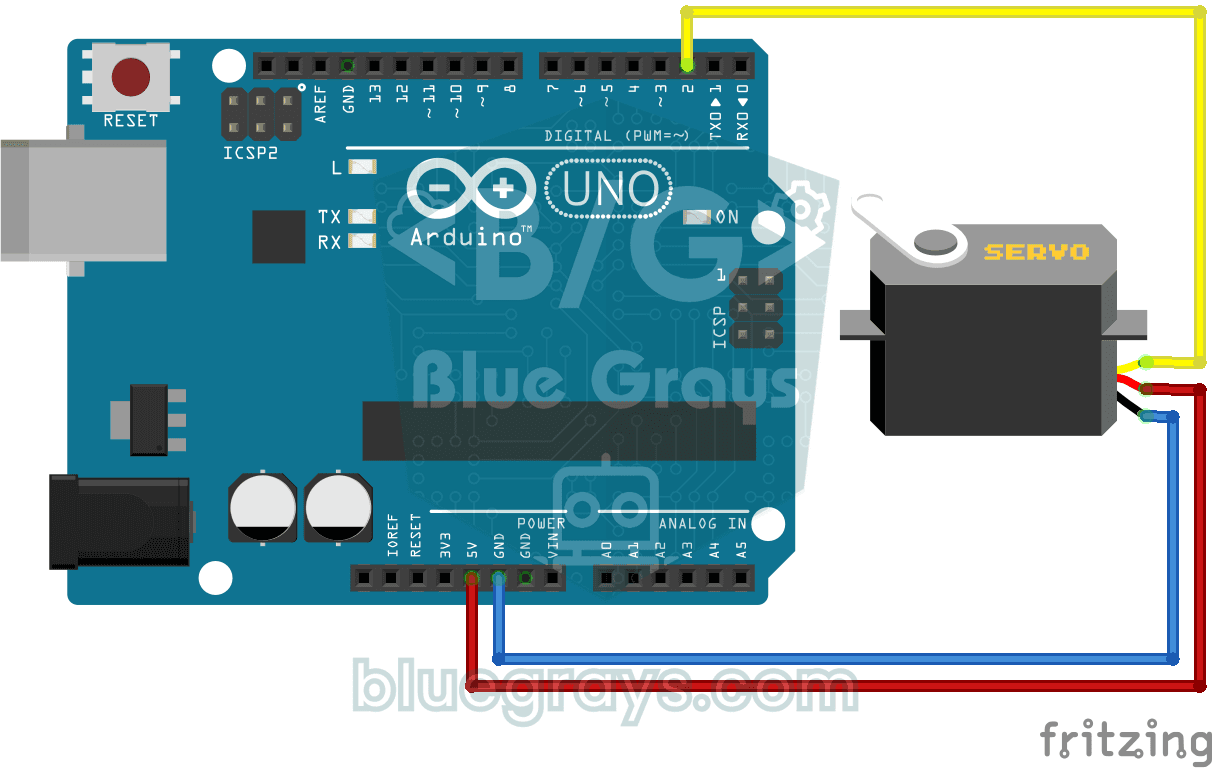
Servo Motor Usage
Basic usage project that positions the servo motor to 0°, 90° and 180° angles in sequence. Teaches servo library and angle control logic.

SG90 Servo Angle Control with Pot
Servo Motor (SG90) Control with Potentiometer The main objective of this project is to precisely control the angular position of a servo motor in real time using an analog input unit, the potentiometer. The project is a basic engineering example to grasp the logic of analog-to-digital conversion (ADC) and signal mapping. Operation Logic: Analog Data Reading: When the user turns the potentiometer, the resistance change results in a voltage signal between 0V and 5V on the A0 analog pin of the Ard
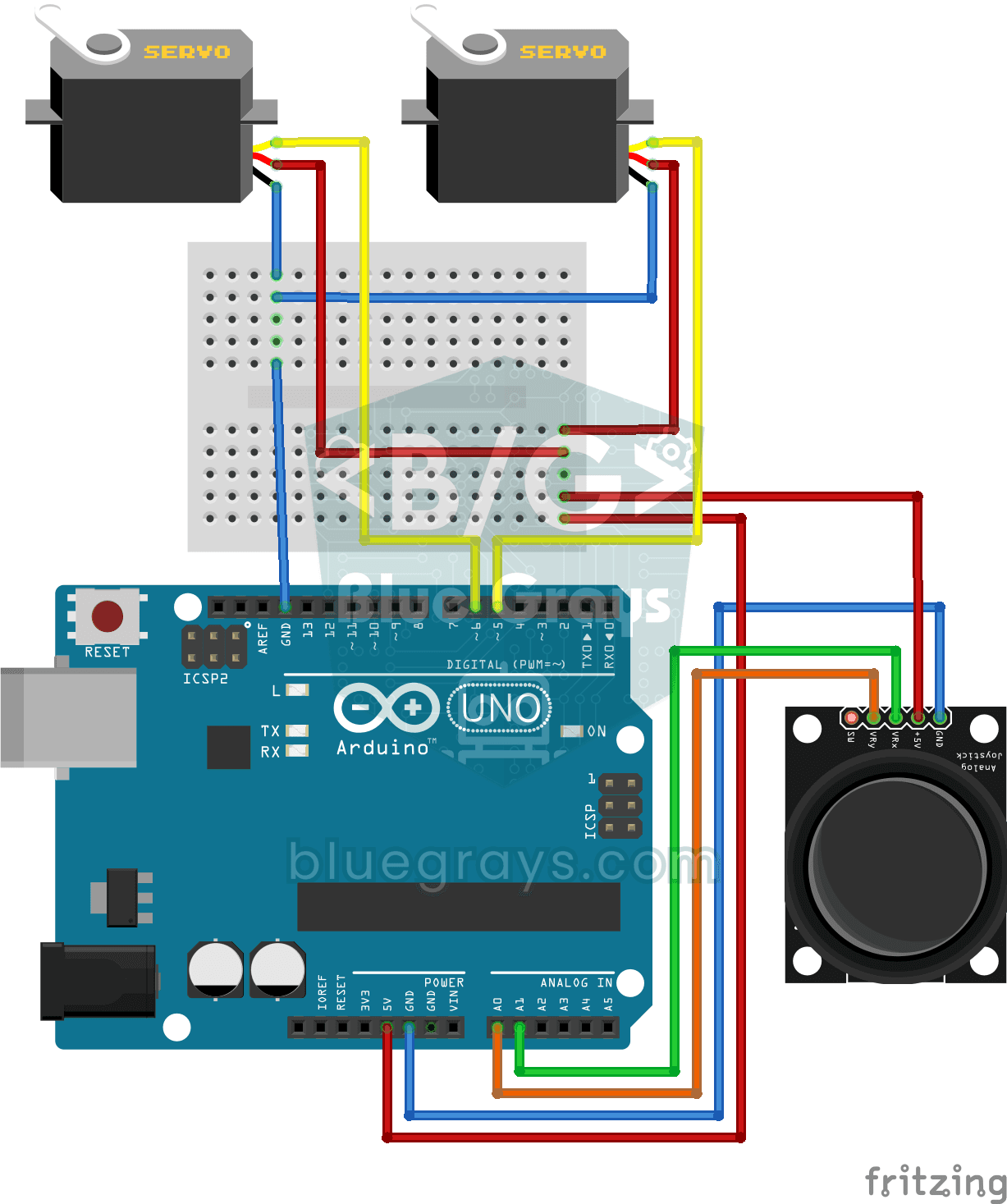
Servo Control with Joystick
Pan-tilt project that independently controls two servo motors in X and Y axes with joystick module. Teaches the logic of joystick-servo integration and position tracking.

ESP32 Servo Motor (Potentiometer Control)
In this project, we control an SG90 servo motor using a potentiometer. We adjust the servo angle by mapping the analog value read from the potentiometer to the 0–180-degree range. Thanks to the ESP32Servo library, any GPIO pin on the ESP32 can generate a PWM signal. This is a fundamental control method for robotic arms, camera gimbals, and automatic door mechanisms.

Pong Game - SSD1306
The classic Pong game built using Arduino and SSD1306 OLED display, equipped with an autonomous artificial intelligence (CPU) opponent that instantly tracks the ball's movements and reacts according t
Using LCD Screen with I2C
The project that prints messages by controlling the LCD screen with only 2 cables (SDA, SCL) thanks to the I2C module. Teaches how to save pins with I2C protocol.

ESP32 I2C LCD Display (16x2)
In this project, we display text by connecting a 16x2 character LCD screen to the ESP32 via the I2C protocol. Thanks to I2C, we can control the screen using just two data pins (SDA and SCL), eliminating the waste of 6+ pins associated with a classic parallel connection. The code prints a fixed message on the first line and a counter that increments every second on the second line. Additionally, we run an I2C scanner at the start to print the display’s address to the Serial Monitor (typically 0x2

Obstacle Avoidance Robot
How about building a smart vehicle that finds its own way? The Obstacle Avoidance Robot constantly scans its surroundings thanks to the ultrasonic sensor in front of it. When it encounters an obstacle
More articles
Learn to connect the MPU6050 accelerometer and gyroscope to Arduino, read raw values, calibrate the sensor, calculate tilt angles and clean them up with a complementary filter, plus an ESP32 fall alarm and Pico code.