
NEO-6M GPS Module with Arduino: Wiring, NMEA and TinyGPSPlus
How to use the NEO-6M GPS module with Arduino: TX/RX wiring, time to first fix, $GPGGA and $GPRMC sentences, TinyGPSPlus code, ESP32 OLED and Pico MicroPython.
The NEO-6M GPS module is a cheap and very popular GPS receiver that adds latitude, longitude, speed, altitude and extremely precise UTC time from the satellites to your Arduino, ESP32 or Raspberry Pi Pico project. To use it with an Arduino you only need four wires (VCC, GND, TX, RX): once per second the module sends lines of text called NMEA sentences at 9600 baud, and the TinyGPSPlus library turns those lines into numbers you can use straight away.
In this guide you'll see, step by step, how the module works, how to wire it to an Arduino Uno, ESP32 and Pico, why the first position fix sometimes takes minutes, what every field of the $GPGGA and $GPRMC sentences means, how to turn latitude and longitude into a Google Maps link and how to show the position on an OLED display. At the end you'll find a table with the causes and fixes for the two most common problems: "no data" and "no fix".
What is the NEO-6M GPS module and how does it work?
GPS (Global Positioning System) consists of more than 30 satellites orbiting at an altitude of about 20,200 km. Each satellite constantly broadcasts the time from its on-board atomic clock and its own orbit data. The NEO-6M measures the difference between the moment a signal left the satellite and the moment it arrived, and from that works out its distance to each satellite; once it sees at least 4 satellites it can solve for latitude, longitude, altitude and the error of its own clock. With only 3 satellites it can calculate a two-dimensional (2D) position without altitude. Satellite signals reach the ground extremely weak (about -130 dBm), and concrete, metal roofs and even dense tree cover block most of them. That's why the golden rule of GPS is simple: the antenna must see the sky.
| Feature | Value |
|---|---|
| Receiver chip | u-blox NEO-6M (u-blox 6 positioning engine) |
| Channels and signal | 50 channels, GPS L1 C/A (1575.42 MHz), SBAS: EGNOS, WAAS, MSAS |
| Horizontal accuracy | 2.5 m CEP (2.0 m with SBAS) |
| Speed and heading accuracy | 0.1 m/s and 0.5 degrees |
| Time to first fix (TTFF) | Cold 27 s, warm 27 s, hot 1 s |
| Sensitivity | Tracking -161 dBm, cold start -147 dBm |
| Update rate | 1 Hz by default, up to 5 Hz |
| Interface | UART, 9600 baud 8N1 by default, NMEA 0183 |
| Supply | Board: 3.3–5 V (with regulator); chip: 2.7–3.6 V |
| Current | ~47 mA while searching, ~39 mA while tracking |
| Operating temperature | -40 to +85 °C |
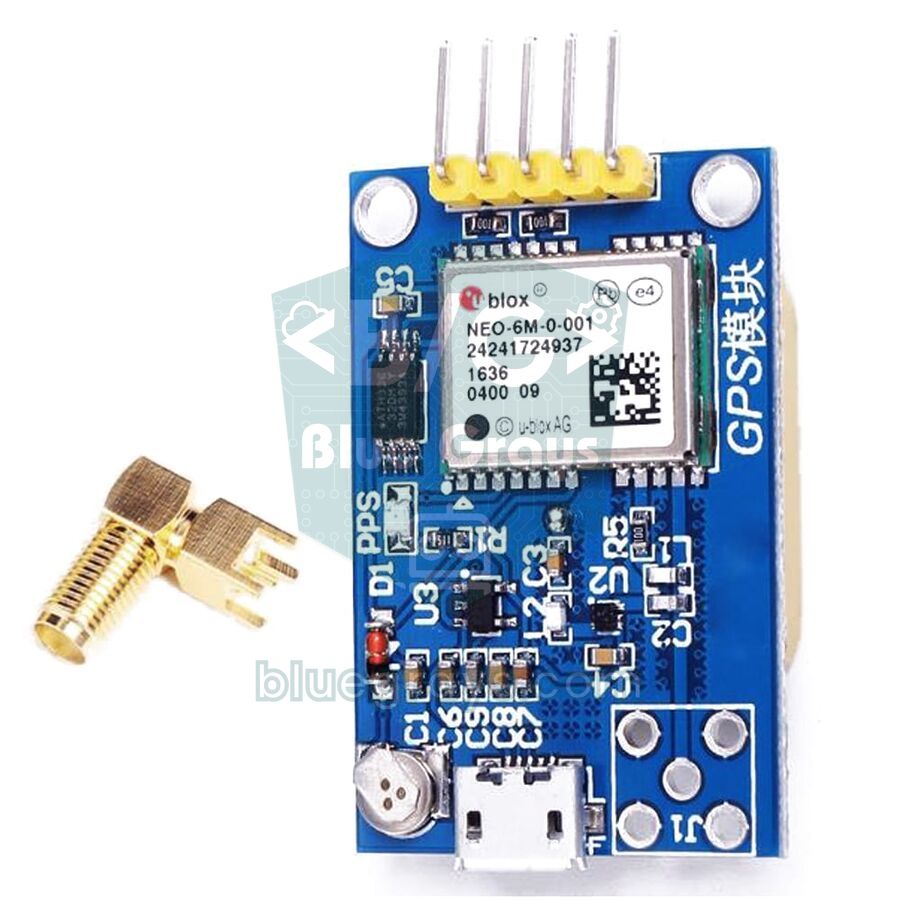
The board you buy is more than the 16×12 mm NEO-6M chip. Common GY-NEO6MV2 boards add a 25×25 mm ceramic patch antenna, a regulator that lets you power the module from 3.3–5 V, a small EEPROM that stores the settings, a rechargeable backup battery that keeps the time and satellite data, and an LED that blinks once a fix is found. Some boards, like the one in the photo above, also have an SMA or tiny u.FL connector for an external antenna and a micro USB port for connecting straight to a computer.
NEO-6M wiring: Arduino Uno, ESP32 and Raspberry Pi Pico
The NEO-6M talks over UART, which works like a computer's serial port and uses two data lines. The rule is simple: the data lines are crossed. The module's TX (transmit) pin goes to the board's RX (receive) pin, and the module's RX pin goes to the board's TX pin. The Arduino Uno's only hardware serial port (pins 0 and 1) is used for uploading over USB and for the Serial Monitor, so we connect the GPS to pins D4 and D3 with SoftwareSerial. You'll find the details of serial communication in the UART serial communication article.
| NEO-6M pin | Arduino Uno | ESP32 | Raspberry Pi Pico |
|---|---|---|---|
| VCC | 5V | VIN (5V) or 3V3 | VBUS (5V) or 3V3(OUT) |
| GND | GND | GND | GND |
| TX | D4 (SoftwareSerial RX) | GPIO 16 (RX2) | GP1 (UART0 RX) |
| RX | D3, through a 1 kΩ / 2 kΩ divider | GPIO 17 (TX2) | GP0 (UART0 TX) |
| PPS (if present) | Can be left unconnected | Can be left unconnected | Can be left unconnected |
The first position fix: cold, warm and hot start
It's completely normal for a GPS module not to report a position the moment you switch it on for the first time. To calculate a position, the module needs the precise orbit data (ephemeris) of the visible satellites, and each satellite broadcasts it roughly every 30 seconds; downloading the complete almanac, the coarse orbit list of all satellites, takes 12.5 minutes. Depending on how much it kept from before it was switched off, the module starts in one of three ways. The datasheet times were measured in test conditions with strong signals from every satellite; with the small ceramic antenna that comes with the board, waiting a few minutes is normal.
| Start type | Data stored in the module | Datasheet | In practice (outdoors) |
|---|---|---|---|
| Cold start | No time, position or satellite data (first use or flat backup battery) | 27 s | 1–5 minutes; can exceed 10 minutes with weak signals |
| Warm start | Almanac, approximate time and position; ephemeris outdated (off for more than about 4 hours) | 27 s | 30 seconds – 1 minute |
| Hot start | Current ephemeris and time (switched off only recently, backup battery charged) | 1 s | A few seconds |
- Go outdoors: Indoors, especially in concrete buildings, the module often finds no position at all. For testing, use a balcony, a garden or at least the spot in front of an open window.
- Point the antenna correctly: The flat, light-coloured face of the ceramic antenna must face the sky; turning it upside down or covering it with your hand weakens the signal a lot.
- Keep the antenna away from electronics: The ESP32's Wi-Fi antenna, switching regulators and long USB cables emit noise; place the antenna a few centimetres away from the boards.
- Be patient and keep it still: Don't cut the power during the first fix; every restart begins the search from scratch.
- Watch the LED: The LED on the board stays dark until a fix is found, then starts blinking once per second.
- Charge the backup battery: If the battery is flat, every power-up is a cold start. Leaving the module powered for a few hours charges it, and later starts drop to seconds.
NMEA sentences: how to read $GPGGA and $GPRMC
The NEO-6M sends everything it finds as plain-text, comma-separated lines in the NMEA 0183 standard. With the default settings, six kinds of sentence arrive every second: GGA, GLL, GSA, GSV, RMC and VTG; TXT sentences usually appear only at power-up and carry information messages such as the firmware version. Each sentence starts with $; the GP prefix means the data comes from GPS and the next three letters give the sentence type. The two characters after the * at the end of the line are the checksum, found by XOR-ing every character between $ and *, and corrupted lines are filtered out with it. The two most important sentences for position are: $GPGGA,092750.00,4100.82500,N,02858.74000,E,1,08,1.01,39.2,M,36.9,M,,*67 and $GPRMC,092750.00,A,4100.82500,N,02858.74000,E,0.512,,281026,,,A*7E
| $GPGGA field | Example | Meaning |
|---|---|---|
| Time (UTC) | 092750.00 | 09:27:50 UTC |
| Latitude | 4100.82500,N | 41 degrees 00.825 minutes North |
| Longitude | 02858.74000,E | 28 degrees 58.74 minutes East |
| Fix quality | 1 | 0 = no fix, 1 = GPS, 2 = differential (SBAS) corrected |
| Satellites | 08 | Satellites used in the position solution |
| HDOP | 1.01 | Horizontal dilution of precision; below 2 is very good |
| Altitude | 39.2,M | 39.2 m above mean sea level |
| Geoid separation | 36.9,M | Difference between sea level and the WGS84 ellipsoid |
| $GPRMC field | Example | Meaning |
|---|---|---|
| Time (UTC) | 092750.00 | Hours, minutes, seconds |
| Status | A | A = valid position, V = no fix |
| Latitude / longitude | 4100.82500,N / 02858.74000,E | Same format as GGA |
| Speed | 0.512 | In knots (0.512 × 1.852 ≈ 0.95 km/h) |
| Course | (empty) | Direction of travel in degrees; may be empty when stationary |
| Date | 281026 | ddmmyy format: 28 October 2026 |
| Mode | A | A = autonomous, D = differential, N = no data |
The latitude and longitude in NMEA aren't decimal degrees but degrees and minutes (ddmm.mmmm), while Google Maps and most software want decimal degrees. To convert, take the first two digits of the latitude (the first three of the longitude) as degrees, then divide the remaining minutes by 60 and add them: 4100.82500 → 41 + 0.825 / 60 = 41.013750; 02858.74000 → 28 + 58.74 / 60 = 28.979000. South (S) and West (W) values are written as negative numbers. The sixth decimal place corresponds to about 11 cm and the fifth to 1.1 m; since the NEO-6M is accurate to 2.5 m, six decimals are more than enough.
Step by step: viewing raw GPS data with an Arduino Uno
- Wire the NEO-6M as in the table: VCC → 5V, GND → GND, GPS TX → D4, GPS RX → D3 through the divider.
- Upload the code below; no extra library is needed, SoftwareSerial comes with the Arduino IDE.
- Open the Serial Monitor and set the speed to 115200 baud.
- Take the module outdoors or to a window and watch the lines starting with $GP scroll past.
- When the second field of the $GPRMC line changes from V to A and the LED starts blinking, the module has found its position.
1#include <SoftwareSerial.h>
2
3SoftwareSerial gpsSerial(4, 3);   // RX, TX → GPS TX D4'e, GPS RX D3'e / GPS TX to D4, GPS RX to D3
4
5void setup() {
6  Serial.begin(115200);           // Seri Monitör hızı / Serial Monitor speed
7  gpsSerial.begin(9600);          // NEO-6M varsayılan hızı / NEO-6M default baud rate
8  Serial.println(F("NEO-6M ham NMEA / raw NMEA"));
9}
10
11void loop() {
12  while (gpsSerial.available()) {
13    Serial.write(gpsSerial.read());   // gelen her baytı aynen aktar / pass every byte through
14  }
15}
In the Serial Monitor you'll see a block of six to nine lines every second (the more satellites are in view, the more lines the GSV sentence is split into). If the module hasn't found any satellites yet, the lines are full of empty commas, like $GPRMC,,V,,,,,,,,,,N*53 and $GPGGA,,,,,,0,00,99.99,,,,,,*48; this isn't an error, it shows the module is working but can't calculate a position yet. In the $GPGSV lines you can follow the number of visible satellites and the signal strength (dB-Hz) of each one; values above 30 dB-Hz mean a good signal. If no lines arrive at all, check the wiring; if you get garbage characters, check the baud rate.
Reading latitude, longitude, speed and time with TinyGPSPlus
Rather than parsing NMEA lines by hand, it's much more practical to use Mikal Hart's TinyGPSPlus library. Search for "TinyGPSPlus" in the Library Manager and install it; we explained the steps in the how to add an Arduino library article. Watch out: the library's examples use 4800 baud, while the NEO-6M uses 9600 baud. If you run an example without changing the speed, the location always shows INVALID, because the library can't decode a single sentence from the garbled characters. The code below prints the position, speed, altitude, satellite count, date and time once per second and turns the position into a Google Maps link you can open in your browser:
1#include <TinyGPSPlus.h>
2#include <SoftwareSerial.h>
3
4const int RX_PIN = 4;              // GPS TX → D4
5const int TX_PIN = 3;              // GPS RX ← D3 (bölücü üzerinden / through a divider)
6const uint32_t GPS_BAUD = 9600;    // NEO-6M varsayılanı / NEO-6M default
7
8TinyGPSPlus gps;
9SoftwareSerial gpsSerial(RX_PIN, TX_PIN);
10unsigned long lastPrint = 0;
11
12void setup() {
13  Serial.begin(115200);
14  gpsSerial.begin(GPS_BAUD);
15  Serial.println(F("NEO-6M + TinyGPSPlus"));
16}
17
18void loop() {
19  while (gpsSerial.available()) {
20    gps.encode(gpsSerial.read());        // her baytı ayrıştırıcıya ver / feed every byte to the parser
21  }
22  if (millis() - lastPrint >= 1000) {    // delay() yok, saniyede bir yaz / no delay(), print once per second
23    lastPrint = millis();
24    printInfo();
25  }
26}
27
28void printInfo() {
29  if (gps.charsProcessed() < 10) {
30    Serial.println(F("GPS verisi yok: kablolari ve baud hizini kontrol et / No GPS data: check wiring and baud"));
31    return;
32  }
33  Serial.print(F("Uydu / Sats: "));
34  Serial.println(gps.satellites.value());
35
36  if (gps.location.isValid()) {
37    Serial.print(F("Enlem / Lat: "));
38    Serial.println(gps.location.lat(), 6);
39    Serial.print(F("Boylam / Lng: "));
40    Serial.println(gps.location.lng(), 6);
41    Serial.print(F("Hiz / Speed: "));
42    Serial.print(gps.speed.kmph(), 1);
43    Serial.println(F(" km/h"));
44    Serial.print(F("Yukseklik / Alt: "));
45    Serial.print(gps.altitude.meters(), 1);
46    Serial.println(F(" m"));
47    // Google Haritalar bağlantısı / Google Maps link
48    Serial.print(F("https://www.google.com/maps/search/?api=1&query="));
49    Serial.print(gps.location.lat(), 6);
50    Serial.print(',');
51    Serial.println(gps.location.lng(), 6);
52  } else {
53    Serial.println(F("Konum yok, uydu araniyor / No fix yet, searching"));
54  }
55
56  if (gps.date.isValid() && gps.time.isValid()) {
57    char buf[32];
58    snprintf(buf, sizeof(buf), "%02d.%02d.%04d %02d:%02d:%02d UTC",
59             gps.date.day(), gps.date.month(), (int)gps.date.year(),
60             gps.time.hour(), gps.time.minute(), gps.time.second());
61    Serial.println(buf);                 // saat UTC'dir / time is UTC
62  }
63  Serial.println();
64}| Function | What it returns |
|---|---|
| gps.encode(c) | Called with every incoming byte; returns true when a valid sentence is complete |
| gps.location.lat() / lng() | Latitude and longitude in decimal degrees |
| gps.location.isValid() / age() | Whether there's a valid position / milliseconds since the last update |
| gps.speed.kmph() | Ground speed in km/h (mps() and knots() also exist) |
| gps.course.deg() | Direction of travel in degrees (0 = north, 90 = east) |
| gps.altitude.meters() | Altitude above sea level in metres |
| gps.satellites.value() | Number of satellites used for the position |
| gps.hdop.hdop() | Horizontal dilution of precision (lower = better) |
| gps.date.day() / gps.time.hour() | UTC date and time fields |
| TinyGPSPlus::distanceBetween(...) | Distance between two coordinates in metres |
| gps.failedChecksum() | Number of corrupted sentences; if it keeps rising, data is being lost |
The most important rule in this code is never use delay() inside loop(). The GPS sends about 500 bytes per second, but SoftwareSerial's receive buffer is only 64 bytes; during a long delay() the buffer overflows, sentences get cut off and TinyGPSPlus throws them away with a checksum error. That's why we print once per second using millis(); see the millis() vs delay() article for details. GPS time is always UTC, so add your time-zone offset (for example +1 hour for CET in winter or +3 for Turkey). On the Arduino Uno a double is really a 32-bit float, so the last digit of the latitude and longitude is rounded to about half a metre; next to the module's 2.5 m accuracy, that difference doesn't matter.
ESP32 with Serial2: showing the position on an OLED display
On the ESP32 you don't need SoftwareSerial: the chip has three hardware UARTs and Serial2 can be mapped to any pins you like. In the example below the GPS is connected to GPIO 16 (RX2) and GPIO 17 (TX2); because the ESP32 runs at 3.3 V, no divider is needed either. Position, speed and local time are shown on a 0.96-inch SSD1306 OLED display connected over I2C to GPIO 21 (SDA) and GPIO 22 (SCL). Besides TinyGPSPlus, the code also needs the Adafruit SSD1306 and Adafruit GFX libraries.
1#include <TinyGPSPlus.h>
2#include <Wire.h>
3#include <Adafruit_GFX.h>
4#include <Adafruit_SSD1306.h>
5
6#define GPS_RX 16                 // ESP32 RX2 ← GPS TX
7#define GPS_TX 17                 // ESP32 TX2 → GPS RX
8const int UTC_OFFSET = 3;         // Türkiye UTC+3, kendi saat dilimini yaz / set your own time zone
9
10TinyGPSPlus gps;
11Adafruit_SSD1306 display(128, 64, &Wire, -1);   // OLED: SDA 21, SCL 22
12unsigned long lastDraw = 0;
13
14String mapsLink() {
15  // Google Haritalar bağlantısı üret / build a Google Maps link
16  return "https://www.google.com/maps/search/?api=1&query=" +
17         String(gps.location.lat(), 6) + "," + String(gps.location.lng(), 6);
18}
19
20void drawScreen() {
21  display.clearDisplay();
22  display.setTextSize(1);
23  display.setCursor(0, 0);
24  display.print(F("Uydu/Sat: "));
25  display.print(gps.satellites.value());
26
27  if (gps.time.isValid()) {
28    int h = (gps.time.hour() + UTC_OFFSET + 24) % 24;   // yerel saat / local time
29    char t[12];
30    snprintf(t, sizeof(t), "%02d:%02d:%02d", h, gps.time.minute(), gps.time.second());
31    display.setCursor(80, 0);
32    display.print(t);
33  }
34
35  if (gps.location.isValid()) {
36    display.setCursor(0, 16);
37    display.print(F("Lat: "));
38    display.println(gps.location.lat(), 6);
39    display.print(F("Lng: "));
40    display.println(gps.location.lng(), 6);
41    display.setTextSize(2);                  // hız büyük yazılsın / speed in large digits
42    display.setCursor(0, 44);
43    display.print(gps.speed.kmph(), 1);
44    display.print(F(" km/h"));
45  } else {
46    display.setCursor(0, 24);
47    display.println(F("Uydu araniyor..."));
48    display.println(F("Searching for fix"));
49  }
50  display.display();
51}
52
53void setup() {
54  Serial.begin(115200);
55  Serial2.begin(9600, SERIAL_8N1, GPS_RX, GPS_TX);    // donanım UART2 / hardware UART2
56  if (!display.begin(SSD1306_SWITCHCAPVCC, 0x3C)) {
57    Serial.println(F("OLED bulunamadi / OLED not found"));
58    while (true) delay(10);
59  }
60  display.setTextColor(SSD1306_WHITE);
61}
62
63void loop() {
64  while (Serial2.available()) {
65    gps.encode(Serial2.read());              // NMEA baytlarını çöz / decode NMEA bytes
66  }
67  if (millis() - lastDraw >= 1000) {         // saniyede bir güncelle / refresh once per second
68    lastDraw = millis();
69    drawScreen();
70    if (gps.location.isValid()) {
71      Serial.println(mapsLink());            // Telegram ya da SMS ile gönderilebilir / can be sent via Telegram or SMS
72    }
73  }
74}
The UTC_OFFSET variable converts GPS time to local time; it's 3 for Turkey, 1 for Central European winter time. The mapsLink() function turns the position into a Google Maps address with a query=latitude,longitude parameter. You can copy this link from the Serial Monitor and open it in a browser, send it to your phone with a Telegram bot or text it with a SIM800L GSM module. On ESP32-WROVER boards with PSRAM, GPIO 16 and 17 are used for the memory, so connect the GPS to, for example, GPIO 26 and 27; on the ESP32-C3, which has only two UARTs, use Serial1 instead of Serial2.
Reading GPS with the Raspberry Pi Pico and MicroPython
On the Raspberry Pi Pico we connect the GPS to UART0: the module's TX goes to GP1 and its RX to GP0. In MicroPython we can parse the NMEA lines ourselves without installing any library, which is also a great exercise for learning how the sentences are built. The code checks each line's checksum, takes the satellite count from GGA and the position, speed and time from RMC, and converts degrees-and-minutes to decimal degrees. The timeout=200 setting makes readline() wait up to 200 ms for the end of a line; if a half line still slips through at start-up, the checksum check discards it. Because the sentence type is taken with f[0][3:], the code also recognises the $GNRMC and $GNGGA lines sent by modules that use several satellite systems. If you don't know how to run code with Thonny yet, have a look at the MicroPython basics article first.
1from machine import UART, Pin
2
3# GP0 (TX) → GPS RX, GP1 (RX) ← GPS TX
4gps = UART(0, baudrate=9600, tx=Pin(0), rx=Pin(1), timeout=200, rxbuf=1024)
5
6def checksum_ok(line):
7    # $ ile * arasındaki karakterlerin XOR'u / XOR of the characters between $ and *
8    try:
9        body, cs = line[1:].split('*')
10        x = 0
11        for ch in body:
12            x ^= ord(ch)
13        return x == int(cs[:2], 16)
14    except ValueError:
15        return False
16
17def to_deg(value, hemi):
18    # ddmm.mmmm → ondalık derece / decimal degrees
19    dot = value.index('.')
20    deg = int(value[:dot - 2]) + float(value[dot - 2:]) / 60
21    return -deg if hemi in ('S', 'W') else deg
22
23sats = '0'
24while True:
25    raw = gps.readline()                       # bir NMEA satırı / one NMEA line
26    if not raw:
27        continue
28    try:
29        line = raw.decode().strip()
30    except UnicodeError:
31        continue                               # bozuk bayt / corrupted byte
32    if not line.startswith('$') or not checksum_ok(line):
33        continue
34    f = line.split('*')[0].split(',')
35    kind = f[0][3:]                            # GPRMC ya da GNRMC → RMC / GPRMC or GNRMC → RMC
36    if kind == 'GGA':
37        sats = f[7]                            # kullanılan uydu sayısı / satellites in use
38    elif kind == 'RMC':
39        if f[2] != 'A':
40            print('Uydu araniyor / searching, uydu/sats:', sats)
41            continue
42        lat = to_deg(f[3], f[4])
43        lon = to_deg(f[5], f[6])
44        kmh = float(f[7] or 0) * 1.852        # knot → km/sa / knots → km/h
45        t = f[1]
46        print('UTC {}:{}:{}  uydu/sats: {}'.format(t[0:2], t[2:4], t[4:6], sats))
47        print('Konum / position: {:.6f}, {:.6f}  {:.1f} km/h'.format(lat, lon, kmh))
48        print('https://www.google.com/maps/search/?api=1&query={:.6f},{:.6f}'.format(lat, lon))
Project ideas with the NEO-6M
- Tracker that texts its position: With a NEO-6M and a SIM800L, build a car or bike tracker that answers an SMS saying "LOCATION" with a Google Maps link.
- GPS data logger: Save your route every second as CSV on an SD card module, then plot it on a map on your computer.
- Bike speedometer: Show current and top speed and the total distance on an OLED display; add up the distance between consecutive points with TinyGPSPlus::distanceBetween().
- Satellite-synced clock: Take the time from GPS and set an RTC clock module to the second, without the internet.
- Geofence alarm: A system that sounds a buzzer or sends a notification when something moves more than 100 metres away from a point you choose.
- Long-range tracking: Send the position to a receiver kilometres away with a LoRa module, and save energy on battery with ESP32 deep sleep.
No data or no fix: common problems and how to fix them
| Symptom | Likely cause | Fix |
|---|---|---|
| Serial Monitor completely empty | TX and RX swapped, no common GND or no power to the module | Connect GPS TX to the board's RX pin (D4 on the Uno), join the grounds, measure VCC |
| "No GPS detected: check wiring." | Not even 10 characters reached the library within 5 seconds | Check the wiring and the pin numbers in the code; try swapping TX and RX |
| Garbage characters | Baud rate mismatch | Use 9600 for the GPS and the code's speed in the Serial Monitor; if that fails, try 4800 and 38400 |
| Lines arrive but fields are empty (,V,) | The module works but hasn't found satellites | Go outdoors, point the antenna at the sky, wait 5–15 minutes |
| Satellite count stuck at 0–3 | Weak signal, antenna upside down, loose u.FL connector or a nearby noise source | Check the antenna, push the connector in firmly, move the antenna away from the ESP32 and regulators |
| Raw data shows a position, TinyGPSPlus says INVALID | delay() in loop() overflows the buffer; failedChecksum() keeps rising | Remove delay(), use millis(), call encode() continuously |
| Time is off by a few hours | GPS time is UTC | Add your time-zone offset |
| Position drifts a few metres and speed isn't 0 while standing still | Normal GPS noise and signals reflected off buildings | Treat speeds below 2 km/h as 0, skip readings with high HDOP, average them |
| Waits several minutes again at every power-up | Backup battery flat or missing | Leave the module powered for a few hours to charge the battery |
The NEO-6M adds the answers to "where am I, how fast am I going and what time is it" to your projects at a very low cost; the secret is to show the antenna the sky and give the first fix the patience it needs. To understand serial communication better, have a look at the UART article. In the BlueGrays app you'll find projects that also come in handy for GPS builds, such as serial communication between two Arduinos, OLED displays, data logging to microSD, ESP32 deep sleep and an alarm with Telegram notifications, each with circuit diagrams and step-by-step code.
Frequently asked questions
Does the NEO-6M GPS module work indoors?
Usually not. Satellite signals reach the ground very weak, and concrete or metal roofs block most of them. In front of an open window it may pick up a few satellites, but for a reliable fix the antenna needs a direct view of the sky; if you need a position indoors, use an external active antenna placed on the roof or at a window.
How long does the NEO-6M take to get its first fix?
According to the datasheet, a cold start takes 27 seconds and a hot start 1 second. In practice, with the small ceramic antenna outdoors, the first fix usually takes 1–5 minutes, and on first use or with a flat backup battery it can take 10–15 minutes. If the module was switched off only recently, it locks again within a few seconds.
How accurate is the NEO-6M GPS module?
The manufacturer specifies 2.5 m CEP horizontal accuracy under open sky, or 2.0 m with SBAS correction; that means half of the readings are closer than 2.5 m to the true point. In cities, signals reflected off buildings can raise the error to 5–10 metres. Altitude is less accurate than the horizontal position.
Does the NEO-6M work with 5V, and can I connect it straight to an Arduino?
Common GY-NEO6MV2 boards have a regulator, so VCC can be powered from 5 V. However, the chip's RX pin tolerates at most 3.6 V, so drop the Arduino Uno's 5 V TX signal with a 1 kΩ and 2 kΩ voltage divider. The module's TX output is 3.3 V, which the Uno reads without any problem.
Does a GPS module need internet or a SIM card?
No. The NEO-6M calculates its position directly from satellite signals, for free and without internet. You only need internet or a SIM card when you want to send the position somewhere else, using the ESP32's Wi-Fi or a GSM module such as the SIM800L.
What's the difference between the NEO-6M and the NEO-M8N?
The NEO-6M only uses GPS satellites. The newer NEO-M8N can use GLONASS, Galileo or BeiDou satellites at the same time as GPS; because it sees more satellites, it gets a faster and steadier fix in cities. M8N sentences usually start with $GN, but TinyGPSPlus reads both with the same code.
Projects to build after reading this
See all projects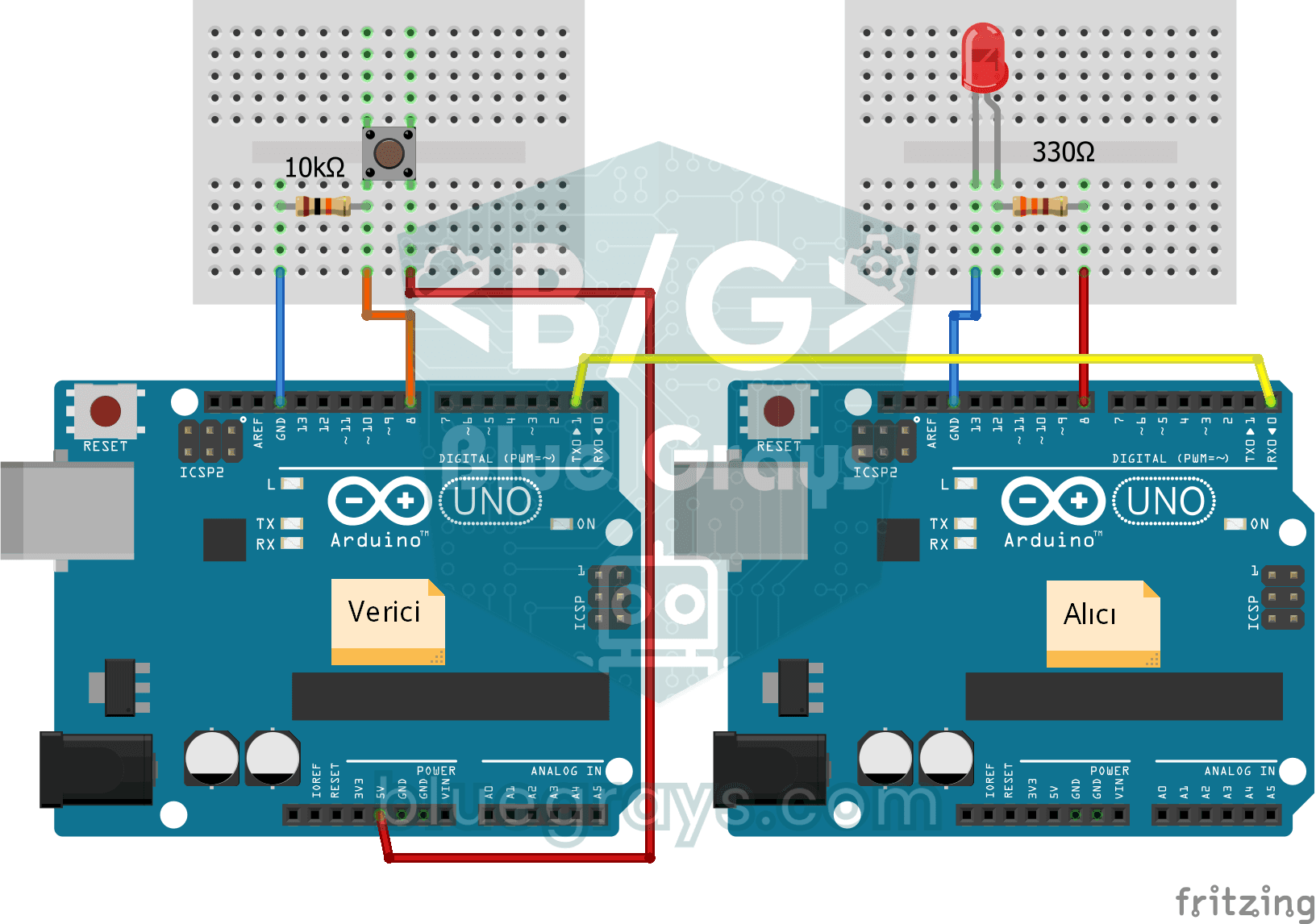
One-Way Communication Between 2 Arduinos
A project for one-way data transfer between two Arduinos via serial communication. It detects the button press on the transmitter side and teaches to control the LED on the receiver side.
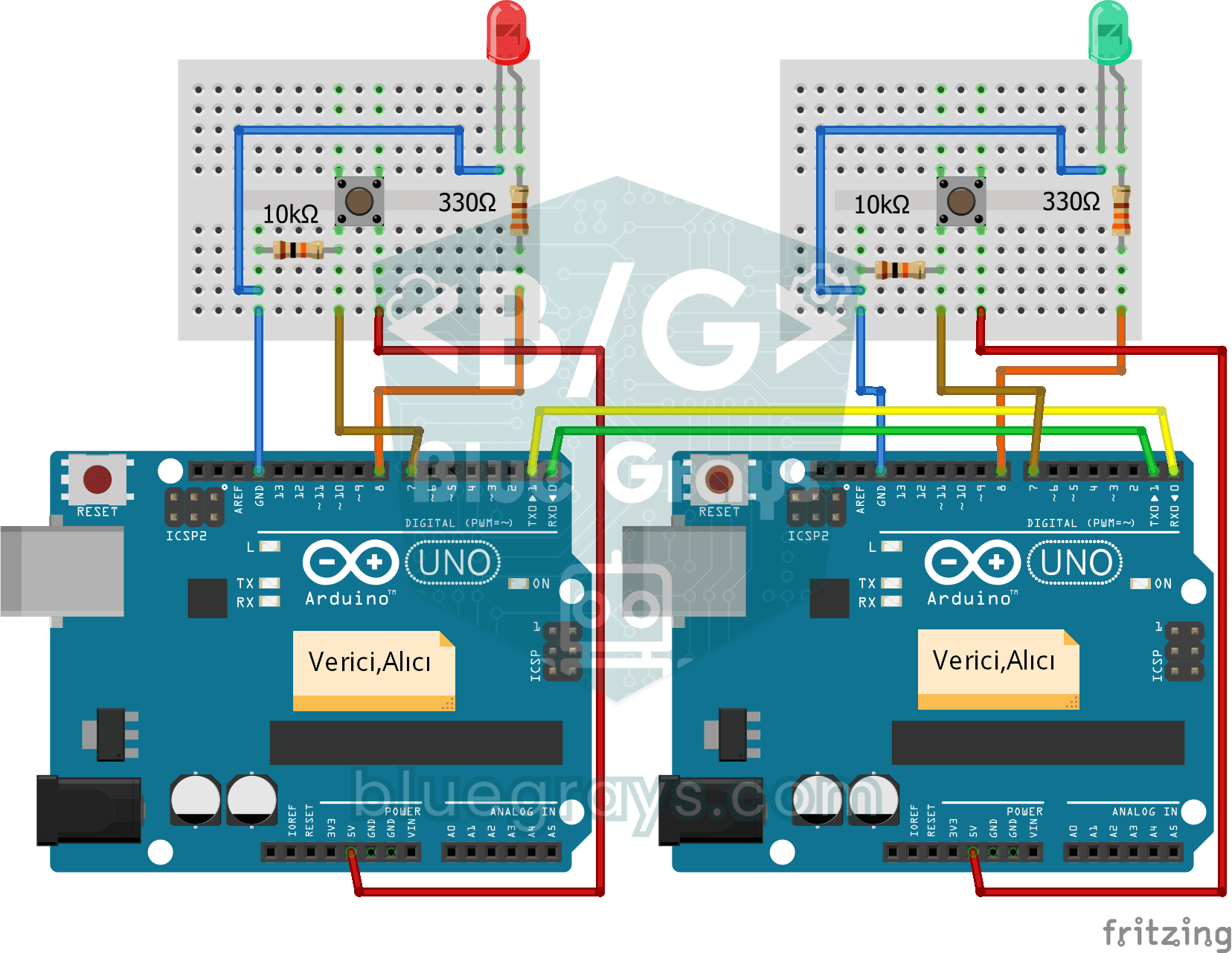
Two-Way Communication Between 2 Arduinos
A project that transfers data bidirectionally between two Arduinos via serial communication. Both boards both read buttons and send data and receive data and control LEDs.
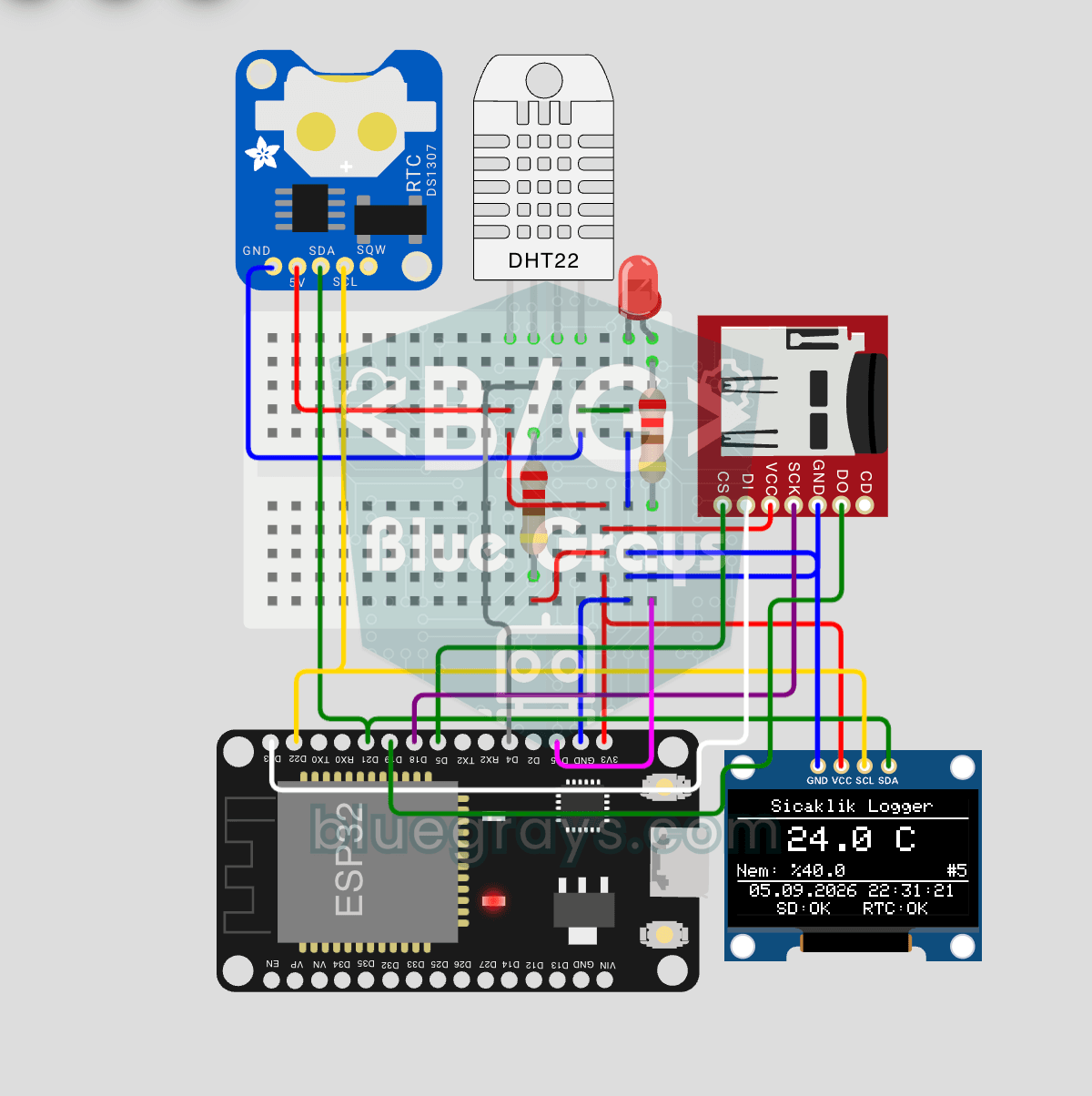
ESP32 Temperature Data Logger (DHT22 + DS1307 RTC + microSD + OLED)
Build a timestamped temperature logger with ESP32! Read DHT22 temperature/humidity every 10 seconds, get real-world time from DS1307 RTC, and log to microSD card as CSV. The OLED displays live temperature (large font), humidity percentage, timestamp, and log counter. The `/temp_log.csv` file on the SD card opens in Excel, Google Sheets, or Python pandas for analysis — perfect for greenhouse monitoring, home/room temperature tracking, laboratory data collection, food storage conditions, or beehiv

ESP32 HTTPClient + Weather API (with SSD1306 OLED Display)
In this project, we use the ESP32 to make a REST API call to a weather API (wttr.in) over the internet using `HTTPClient.h`. Unlike the previous I2C LCD version, we’re using an SSD1306 OLED (128×64) display here—which allows for large fonts, vector icons, and rich visual presentation on a single screen. Seven different vector icons for weather conditions (sunny, partly cloudy, cloudy, rainy, snowy, stormy, foggy) are drawn at runtime (no bitmap files required). The temperature is displayed in th

ESP32 Deep Sleep — Battery Saving (OLED + RTC RAM Counter)
The ESP32's Deep Sleep mode reduces current consumption to ~10 µA by shutting down the CPU and most peripherals, making it critical for battery-powered IoT devices. In this project, we use three different wake-up sources: a timer (15 seconds), an external pin (EXT0 — button GPIO 33), and touch (T0/GPIO 4). Variables marked with `RTC_DATA_ATTR` are preserved during deep sleep—the boot counter, timer wake counter, and button wake counter are continuously tracked. On each wake-up, the SSD1306 OLED

Real-Time Clock from the Internet via ESP32 NTP
The ESP32 connects to Wi-Fi and retrieves real time with millisecond precision from NTP (Network Time Protocol) servers. Thanks to the `configTzTime()` function, the Turkey time zone (TRT, UTC+3) is automatically applied, and DST transitions in countries that observe daylight saving time are automatically managed using a POSIX TZ string. The time is displayed both on the Serial Monitor and on an optional I2C LCD. `configTzTime()` starts the SNTP service; periodic resynchronization takes place wh
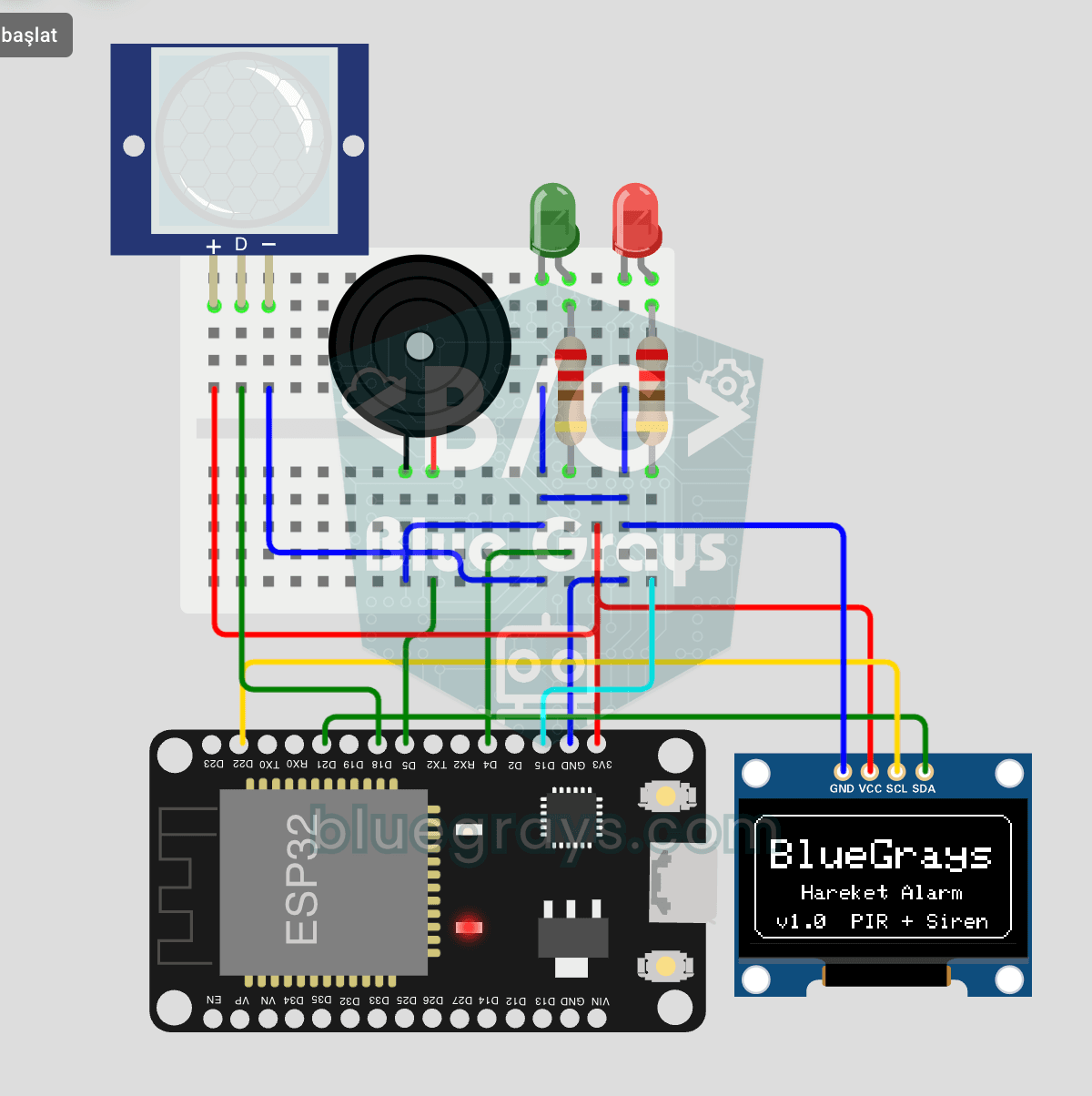
ESP32 Motion Alarm System (PIR + Buzzer + LED + Telegram)
A smart security alarm system that activates the buzzer and LED when the PIR sensor detects motion, while simultaneously sending an instant notification to the owner via Telegram. It includes a 30-second cooldown to limit the frequency of repeated alarms; this mechanism does not validate PIR detections or eliminate false triggers. Suitable for home security, garage monitoring, warehouses, or workrooms. With ESP32-CAM, photo notifications can be added; with the classic ESP32 DevKit V1, text notif

Digital Clock with ESP32 and DS1307 RTC (I2C + LCD)
In this project, we display the time and date on a 16x2 I2C LCD screen using the DS1307 real-time clock (RTC) module. The DS1307 is a battery-backed RTC that maintains the time even if the ESP32 is powered off. Both modules share the same I2C bus (SDA/SCL), allowing us to learn how to control multiple devices using just two signal wires. Through this project, you will gain practical knowledge of the I2C communication protocol, RTC module operation, and dynamic data display on an LCD screen.