
Raspberry Pi Pico Alternating Two LEDs (Blink-Flip Pattern, GP14 + GP13)
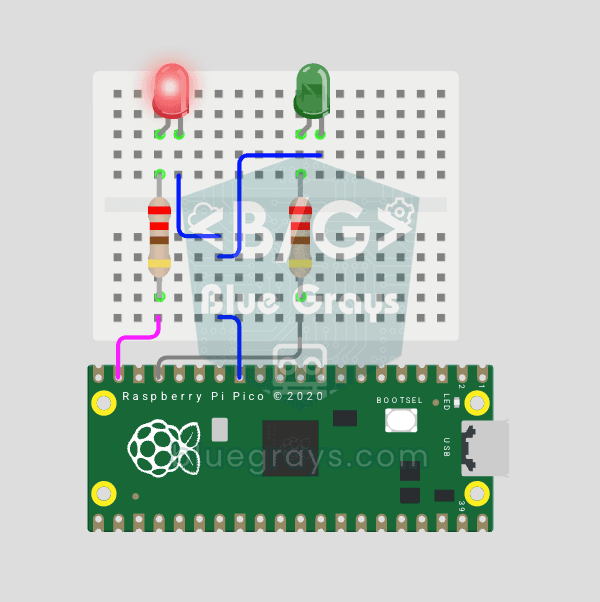
The next step after single LED on Pico: two LEDs blink alternately in a classic flip-flop pattern. When one turns off, the other lights up — the most basic example of multi-GPIO coordination. In this project two different color LEDs (red on GP14, green on GP13) swap states every 500ms. MicroPython's `Pin.toggle()` method makes the code short and clear. The same core logic is the foundation of traffic lights, police strobes, chasing LEDs and all multi-LED animations. Very simple circuit: 220Ω res
Video
Circuit Diagram
Source Code
1# ─────────────────────────────────────────
2#   BlueGrays · bluegrays.com
3#   Raspberry Pi Pico Alternating Two LEDs (Blink-Flip Pattern, GP14 + GP13)
4# ─────────────────────────────────────────
5# Two LEDs blink alternately every 0.5 s (flip-flop): one is on while the
6# other is off. Pin.toggle() keeps the code short.
7#
8# Pins:
9#   GP14 -> Red LED (with a 220 ohm resistor)
10#   GP13 -> Green LED (with a 220 ohm resistor)
11#   LED katotlari -> LED cathodes -> GND
12
13from machine import Pin
14from time import sleep
15
16# ============ PIN / PIN ============
17led1 = Pin(14, Pin.OUT)         # Red LED
18led2 = Pin(13, Pin.OUT)         # Green LED
19
20# ============ INIT ============
21# Start with opposite states
22led1.value(1)
23led2.value(0)
24
25print("== BlueGrays: 2 LED Alternatif ==")
26print("LED1 (Kirmizi): GP14  |  LED2 (Yesil): GP13")
27
28# ============ MAIN LOOP ============
29while True:
30    # Toggle both LEDs
31    led1.toggle()
32    led2.toggle()
33    sleep(0.5)                  # 500 ms delay
34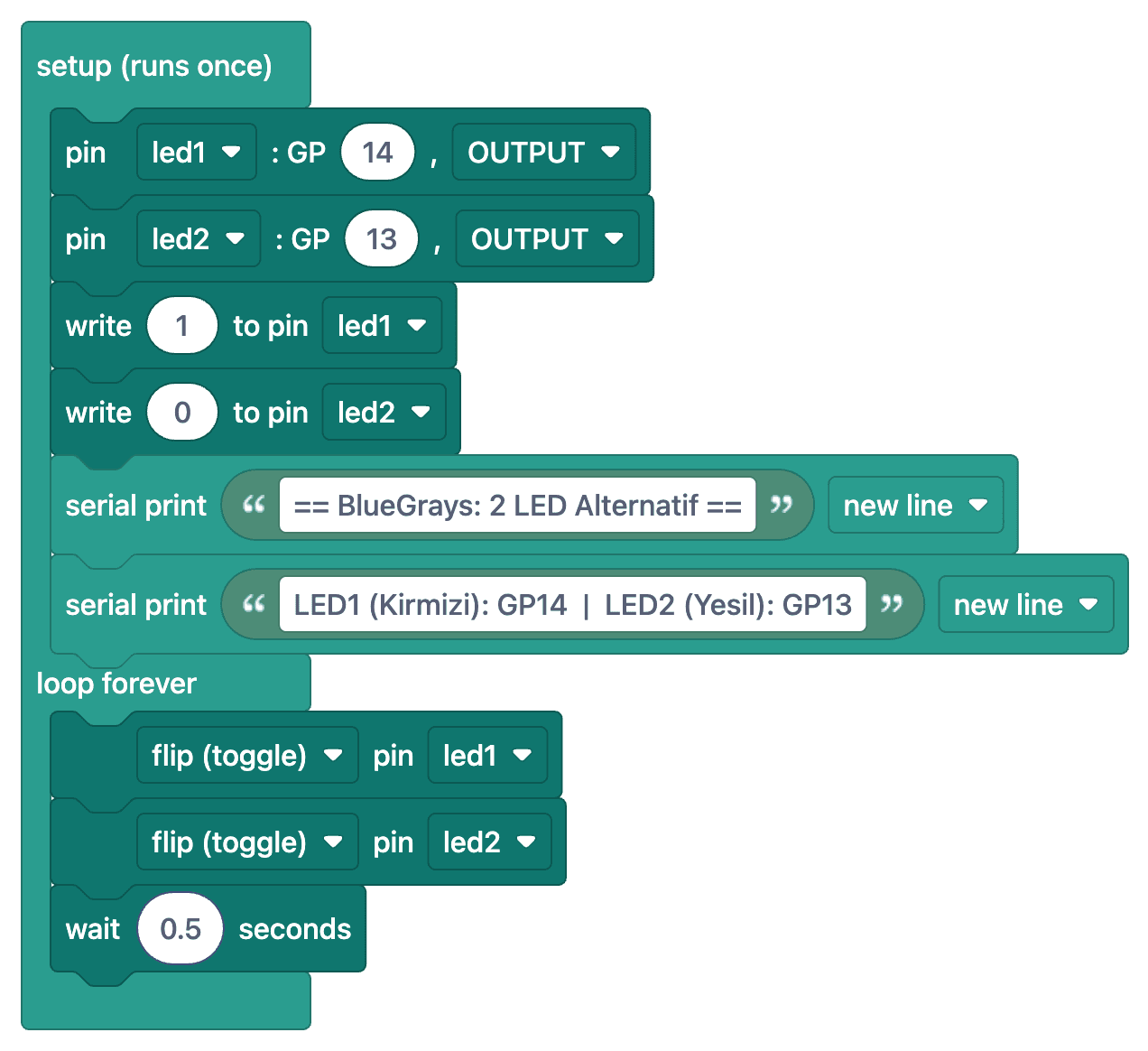
FAQ
What does the `toggle()` method do?▾
Pinin reverses the current state: if it's on, it turns it off; if it's off, it turns it on. If one is set to on and the other to off at the start, the two LEDs switch places with each toggle.
How do I change the flashing speed?▾
Change the value in `sleep(0.5)` at the end of the code; `sleep(0.2)` gives faster transitions, and `sleep(1)` gives slower ones. To use `sleep_ms()`, also add `from time import sleep_ms`.
What should I do if both LEDs are on at the same time at the start?▾
Before the loop, initialize one LED with `on()` and the other with `off()`. Otherwise, both will start in the same state and will flash together when you use `toggle`.
Can I try this project on Wokwi?▾
Yes, Wokwi supports the Raspberry Pi Pico and MicroPython. You can add components and connect them to the same pins to test your code without actual hardware.