
Arduino vs ESP32: Key Differences and Which One to Choose
Arduino vs ESP32 compared: speed, RAM, Wi-Fi, 5 V vs 3.3 V logic, ADC, pins and battery life, plus a Pico comparison, shared code and a guide by project type.
Arduino or ESP32? Here's the short answer: if your project needs Wi-Fi, Bluetooth, the internet or serious processing power, choose the ESP32; if you're learning the basics of electronics, want to use 5 V sensors and modules without hassle and follow every tutorial exactly, choose the Arduino Uno. Both boards are programmed in the Arduino IDE with the same digitalWrite, analogRead and Serial commands. The real difference is the hardware: speed, memory, operating voltage, pins and wireless connectivity.
In this guide we compare the Arduino Uno R3 with the most common ESP32 board, the ESP32 DevKit (with the ESP-WROOM-32 module), using real numbers: what do the CPU and memory differences mean in practice, which modules are affected by 5 V versus 3.3 V, how do analog input and PWM change, and how many hours does each one last on a battery? Then we'll run the same sketch on both boards, take a quick look at the Raspberry Pi Pico and sum up in a table which board to choose for each type of project.
Short answer: which one, and when?
| Your situation | Recommended board | Why? |
|---|---|---|
| You're new to electronics | Arduino Uno | 5 V, robust pins, the most examples and lessons |
| You need Wi-Fi or the internet | ESP32 | Wi-Fi is built in, no extra module needed |
| Bluetooth link to a phone | ESP32 | Classic Bluetooth and BLE built in |
| You'll use 5 V modules and shields | Arduino Uno | No level shifter needed |
| Displays, lots of LEDs, big data | ESP32 | 520 KB RAM (the Uno has 2 KB) |
| Sensor that runs for months on a battery | ESP32 (low-power board) | About 10 µA in deep sleep |
| Programming in Python | Raspberry Pi Pico | Very mature MicroPython support |
| Lowest budget | ESP32 or Pico | Far more features for the price of an Uno clone |
What are the Arduino Uno and the ESP32?
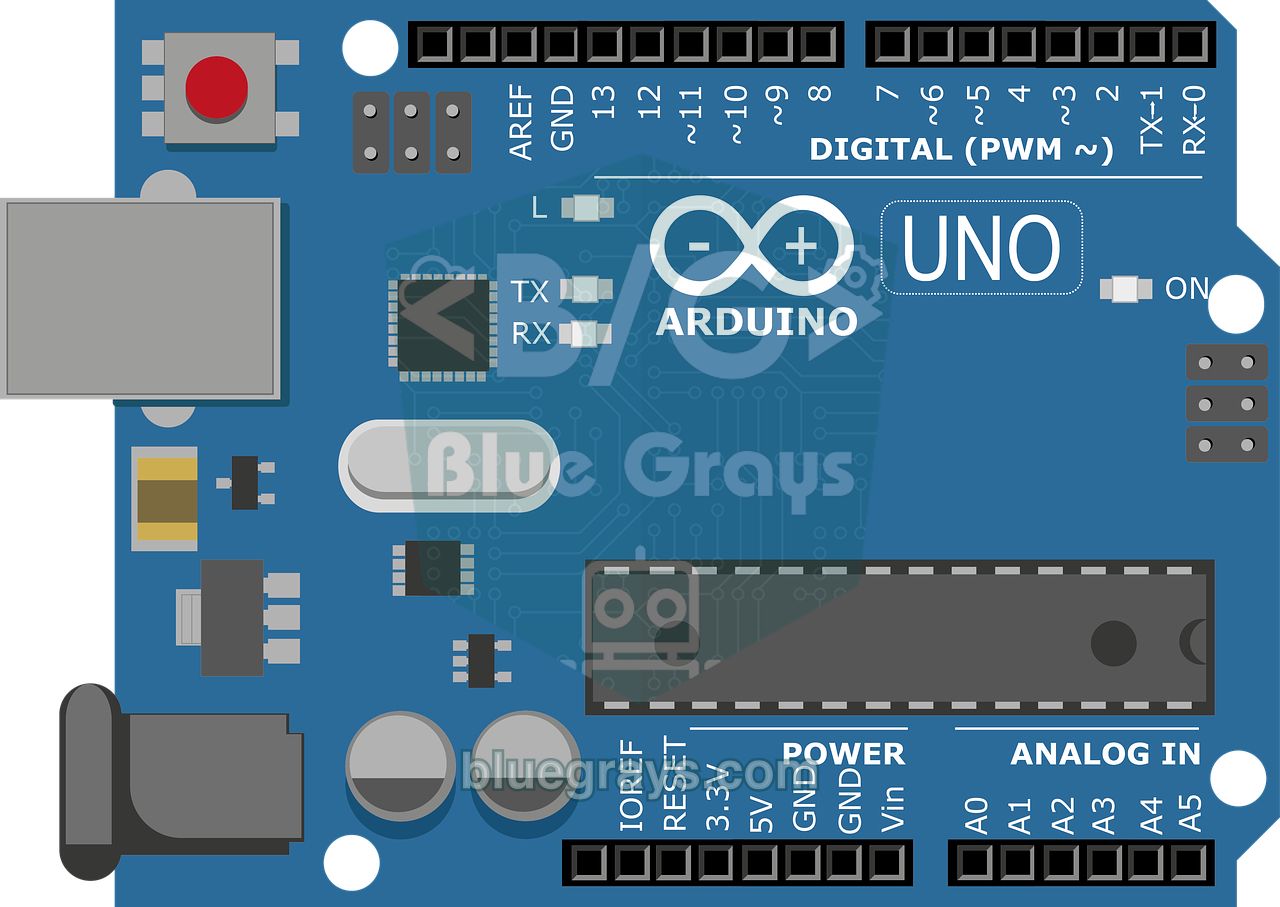
The Arduino Uno R3 is the best-known board of the Arduino platform, which was developed in Italy. At its heart is the 8-bit ATmega328P microcontroller running at 16 MHz. The board runs on 5 V and its pin layout hasn't changed for years, so hundreds of shields (expansion boards that plug on top), books and courses are compatible with it. Its simple design lets you see exactly what's happening: when you write HIGH to a pin, there really are 5 V on it. The newer Uno R4 comes with a 48 MHz 32-bit Arm processor and 32 KB of RAM, and the R4 WiFi version adds an ESP32-S3 to the board for wireless connectivity; in this article, "Uno" means the R3, which is still the most common. To get to know the platform better, read What Is Arduino?.
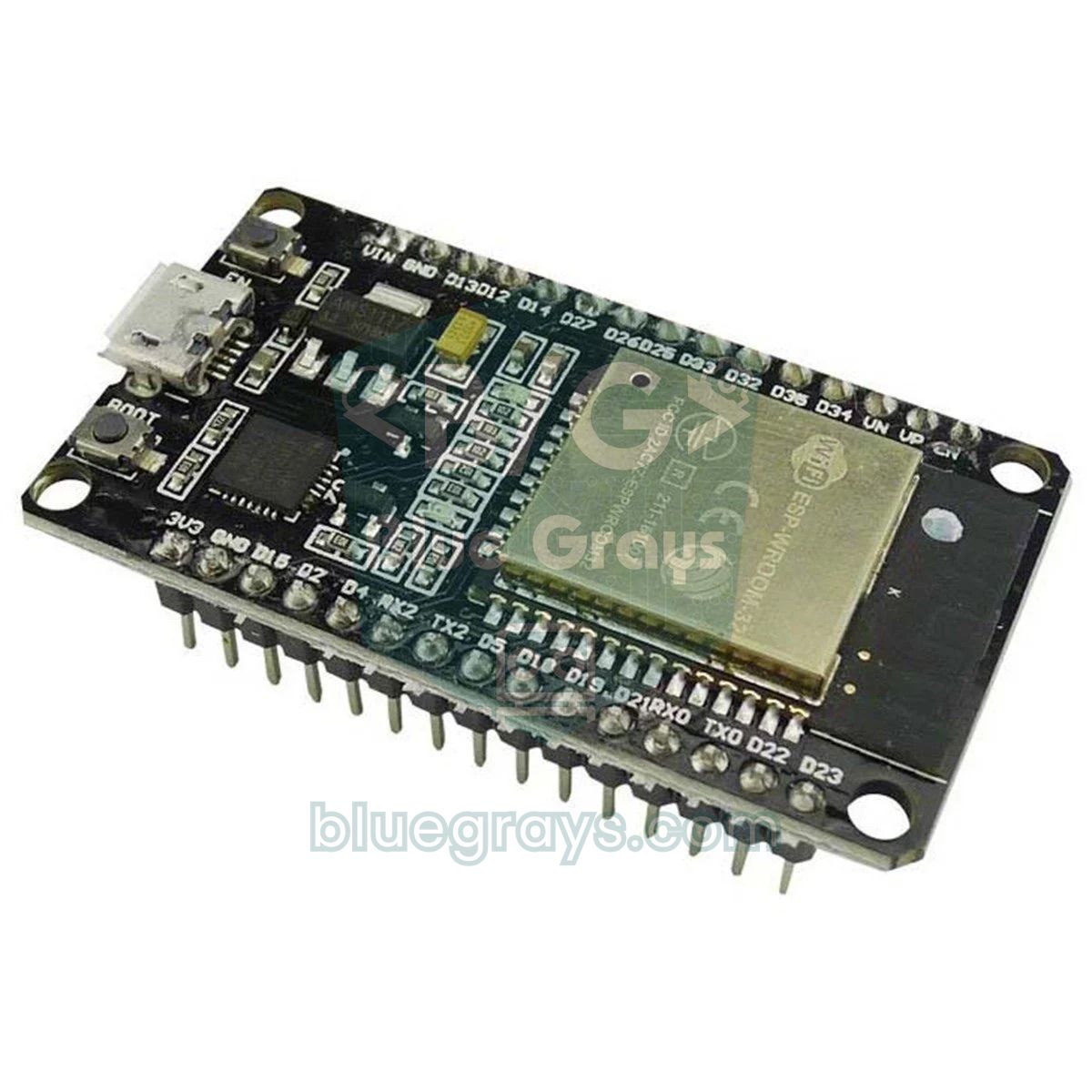
The ESP32, on the other hand, is a 32-bit system-on-chip (SoC) released by Espressif in 2016 with Wi-Fi and Bluetooth on the same chip. The board you hold is a development board that carries this chip: it has a USB-to-serial converter, a 3.3 V regulator and EN and BOOT buttons. One important detail: the ESP32 isn't an Arduino, but thanks to the Arduino core made by Espressif it's programmed in the Arduino IDE just like one. For setup and first projects, What Is the ESP32? is a good place to start.
The big comparison table: Arduino Uno, ESP32 and Raspberry Pi Pico
| Feature | Arduino Uno R3 | ESP32 DevKit (WROOM-32) | Raspberry Pi Pico |
|---|---|---|---|
| Processor | ATmega328P, 8-bit AVR | Xtensa LX6, 32-bit, dual core | RP2040, 32-bit Arm Cortex-M0+, dual core |
| Clock speed | 16 MHz | Up to 240 MHz | 133 MHz |
| RAM (SRAM) | 2 KB | 520 KB | 264 KB |
| Program memory (flash) | 32 KB (0.5 KB used by the bootloader) | Usually 4 MB | 2 MB |
| EEPROM | 1 KB | None (emulated in flash) | None (file system in flash) |
| Logic voltage | 5 V | 3.3 V (not 5 V tolerant) | 3.3 V (not 5 V tolerant) |
| Power supply | USB 5 V or 7–12 V (jack/VIN) | USB 5 V or 5 V on VIN | USB 5 V or 1.8–5.5 V on VSYS |
| Usable GPIO | 20 (14 digital + 6 analog) | About 25 (excluding restricted pins) | 26 |
| Analog inputs (ADC) | 6 channels, 10-bit | 18 channels, 12-bit (only ADC1 with Wi-Fi on) | 3 channels, 12-bit |
| Analog output (DAC) | None | 2 channels, 8-bit | None |
| PWM | 6 pins, 8-bit, 490/980 Hz | 16 channels, adjustable frequency, on almost any pin | 16 channels, on all GPIOs |
| Wi-Fi | None | 802.11 b/g/n, 2.4 GHz | None (the Pico W has it) |
| Bluetooth | None | Bluetooth 4.2: Classic + BLE | None (the Pico W has it) |
| UART / I2C / SPI | 1 / 1 / 1 | 3 / 2 / 2 (available to the user) | 2 / 2 / 2 |
| Current per pin | 20 mA recommended (40 mA max) | About 20 mA recommended | 4 mA by default (configurable up to 12 mA) |
| Typical board current | About 45 mA | 50–130 mA average with Wi-Fi, 240 mA peaks | About 25 mA |
| Lowest sleep | Chip below 1 µA, board about 30 mA | Chip about 10 µA in deep sleep | Board about 1 mA in dormant mode |
| Programming | Arduino C/C++ | Arduino C/C++, ESP-IDF, MicroPython | MicroPython, C/C++ SDK, Arduino |
| Approximate price | Original $25–30, clone $5–10 | Clone DevKit $4–8 | $4 (Pico W $6) |
CPU and memory: what do the numbers mean in practice?
The Uno's processor executes about 16 million instructions per second and works on 8-bit numbers at a time; a 32-bit long or float operation takes dozens of instructions, and there's no hardware floating-point unit (FPU). The ESP32 runs at 240 MHz on 32-bit numbers and has a single-precision FPU. That's why, in a float-heavy calculation, the ESP32 can be tens or even hundreds of times faster than the Uno. You won't notice the difference when blinking an LED or reading a sensor a few times per second, but it becomes decisive for filtering, audio processing, encryption or computing animations for hundreds of LEDs. A small tip: the ESP32's FPU only handles float; double operations run in software and are noticeably slower.
You'll run into the memory difference far more often. The Uno's 2 KB of RAM is shared between your variables, the Serial buffers and the space that libraries reserve. When RAM runs out, the compiler usually doesn't warn you; the program freezes at random or behaves strangely. Typical situations where the Uno quickly runs out of RAM:
- OLED display: the frame buffer of a 128×64 SSD1306 display alone takes 1 KB, half of the RAM (see Using an OLED Display).
- Addressable LEDs: every WS2812B LED takes 3 bytes, so a 300-LED strip needs 900 bytes (see WS2812B NeoPixel).
- Data from the internet: the JSON returned by a weather service can be several KB; it doesn't fit on the Uno but is easy to handle on the ESP32.
- String concatenation: String objects that keep growing inside a loop fragment the small RAM and can cause a crash hours later.
- SD card: the SD library reserves a 512-byte sector buffer; together with display and sensor libraries you hit the limit quickly.
The voltage difference: 5 V vs 3.3 V
This is the most overlooked difference. The Uno's pins use 5 V logic: a HIGH output is 5 V, and inputs above 3 V count as HIGH. The ESP32's pins use 3.3 V logic and aren't 5 V tolerant. Applying 5 V to a pin may not kill the ESP32 immediately, but it stresses the internal protection diodes and can destroy the chip over time or all at once. The other direction is less of a problem: the ESP32's 3.3 V HIGH signal only just clears the Uno's 3 V threshold, so it's usually read as HIGH, but that doesn't count as a safe design either. Here's how common modules behave with each board:
| Module | With the Arduino Uno | With the ESP32 | Note |
|---|---|---|---|
| HC-SR04 distance sensor | Direct | Voltage divider on the ECHO line | The ECHO pin outputs 5 V |
| 5 V relay module | Direct | Most work, some won't switch off | On active-low modules a 3.3 V HIGH may not fully release the relay |
| SG90 servo | Direct | Signal direct, power from 5 V | Don't power the servo from the board's 3V3 pin |
| DHT11 / DHT22 | Direct | Direct at 3.3 V | Works at both voltages |
| I2C LCD (16x2) | Direct | 5 V supply, level shifter recommended | The module's pull-up resistors pull the lines to 5 V |
| SSD1306 OLED | Direct | Direct (3V3) | Has a regulator on board |
| WS2812B strip | Direct | Usually works | For a guaranteed result, use a level shifter such as the 74AHCT125 |
| MPU6050 (GY-521) | Direct | Direct (3V3) | Has a 3.3 V regulator on board |
Pins, analog input and PWM
On the Uno, all 20 pins behave more or less the same: each one can be an input or an output, comfortably supplies up to 20 mA and doesn't affect booting. The ESP32 DevKit has more pins on paper, but they aren't all equal: GPIO 6–11 are wired to the internal flash and can't be used, GPIO 34–39 are input-only, and GPIO 0, 2, 5, 12 and 15 must be at certain levels during boot. In practice you can comfortably use around 20–25 pins. You can see your board's pin map in the Pinout tool.
For analog input, the Uno's 10-bit ADC splits the 0–5 V range into 1024 steps; each step is about 4.9 mV and readings are fairly linear. The ESP32's 12-bit ADC gives 4096 steps, but with the default setting it can't distinguish values below about 0.15 V or above 3.1 V, it's noisy, and the ADC2 pins don't work at all while Wi-Fi is on. If you need an accurate voltage on the ESP32, use analogReadMilliVolts() and connect the sensor to the ADC1 pins (GPIO 32–39). The ESP32 is ahead on PWM: while the Uno offers 8-bit PWM on only 6 pins at 490 or 980 Hz, the ESP32 can route 16 channels with adjustable frequency and resolution to almost any output pin. It also has 2 DACs (GPIO 25 and 26) that produce a true analog voltage. For the basics of PWM, see What Is PWM?.
The same sketch on both boards: what changes?
Here's the good news: everything you've learned on Arduino also applies to the ESP32. The sketch below reads a potentiometer, prints the voltage to the Serial Monitor and turns on the onboard LED when the value passes the halfway point. The #if defined(ESP32) line detects which board the code is being compiled for and changes only the pin number, the reference voltage and the ADC resolution. Connect the potentiometer's outer legs to 5V and GND on the Uno, or to 3V3 and GND on the ESP32; connect the middle leg to A0 on the Uno or to GPIO 34 on the ESP32, then open the Serial Monitor at 115200 baud. The main differences outside the code are in the table.
1// Aynı kod Uno ve ESP32'de çalışır / The same sketch runs on Uno and ESP32
2#if defined(ESP32)
3const int LED_PIN = 2;        // DevKit dahili LED / DevKit onboard LED
4const int POT_PIN = 34;       // ADC1 pini, Wi-Fi ile de çalışır / ADC1 pin, works with Wi-Fi too
5const float VREF = 3.3;       // ESP32 pinleri 3,3 V / ESP32 pins are 3.3 V
6const int ADC_MAX = 4095;     // 12 bit
7#else
8const int LED_PIN = 13;       // Uno dahili LED / Uno onboard LED
9const int POT_PIN = A0;
10const float VREF = 5.0;       // Uno referansı 5 V / Uno reference is 5 V
11const int ADC_MAX = 1023;     // 10 bit
12#endif
13
14void setup() {
15  Serial.begin(115200);
16  pinMode(LED_PIN, OUTPUT);
17}
18
19void loop() {
20  int raw = analogRead(POT_PIN);
21  float volts = raw * VREF / ADC_MAX;
22  Serial.print("Ham / raw: ");
23  Serial.print(raw);
24  Serial.print("  Gerilim / voltage: ");
25  Serial.println(volts, 2);
26  digitalWrite(LED_PIN, raw > ADC_MAX / 2 ? HIGH : LOW);   // yarıdan fazlaysa LED yanar / LED on above half
27  delay(250);
28}| Topic | Arduino Uno | ESP32 |
|---|---|---|
| Onboard LED | Pin 13 | GPIO 2 on most clone DevKits (none on Espressif's DevKitC) |
| analogRead range | 0–1023 (10-bit) | 0–4095 (12-bit) |
| External interrupts (attachInterrupt) | Only pins 2 and 3 | Almost all pins (add IRAM_ATTR to the interrupt function) |
| Second serial port | Needs SoftwareSerial | Hardware Serial2 (GPIO 16 and 17) |
| EEPROM | Real EEPROM, 1 KB | In flash; EEPROM.commit() or Preferences |
| Uploading | One click | Some boards need the BOOT button pressed |
| Compile time | A few seconds | The first build can take about a minute |
Wi-Fi, Bluetooth and the internet
What really sets the ESP32 apart is wireless connectivity. The board joins 2.4 GHz Wi-Fi networks, can create its own access point, runs a web server, sends data to a smart home system over MQTT, gets the time from the internet via NTP and can update its firmware wirelessly (OTA). On the Bluetooth side, both Classic Bluetooth (Serial Port Profile) and low-energy BLE are supported, and with ESP-NOW several ESP32s can talk to each other without a router. None of this is built into the Uno: for Bluetooth you need a module such as the HC-05, and for Wi-Fi a separate chip such as the ESP-01 plus AT commands. The sketch below reads the same potentiometer, this time over Wi-Fi: open the address shown in the Serial Monitor in the browser of a phone on the same network and you'll see the voltage in millivolts, with the page refreshing itself every two seconds.
1#include <WiFi.h>
2#include <WebServer.h>
3
4const char* ssid = "AgAdi";          // Wi-Fi adın / your Wi-Fi name
5const char* password = "Sifre123";   // Wi-Fi şifren / your Wi-Fi password
6const int POT_PIN = 34;              // ADC1 pini / ADC1 pin
7
8WebServer server(80);
9
10void handleRoot() {
11  uint32_t mv = analogReadMilliVolts(POT_PIN);   // kalibre edilmiş mV / calibrated mV
12  String html = "<meta name='viewport' content='width=device-width'>"
13                "<meta http-equiv='refresh' content='2'>"
14                "<h1>ESP32</h1><p>Pot: ";
15  html += mv;
16  html += " mV</p>";
17  server.send(200, "text/html", html);
18}
19
20void setup() {
21  Serial.begin(115200);
22  WiFi.begin(ssid, password);
23  while (WiFi.status() != WL_CONNECTED) delay(500);
24  Serial.print("Telefonda aç / open on your phone: http://");
25  Serial.println(WiFi.localIP());
26  server.on("/", handleRoot);
27  server.begin();
28}
29
30void loop() {
31  server.handleClient();
32}
Power consumption and running on batteries
On paper, the ESP32 is both the hungriest and the most frugal board. While sending data over Wi-Fi it draws peaks of up to 240 mA, which is why it reboots with the "Brownout detector was triggered" error on a weak USB port. In deep sleep, on the other hand, the chip uses only about 10 µA. The Uno board draws about 45 mA while doing nothing; even with the ATmega328P asleep, the USB-to-serial chip, the regulator and the power LED keep using around 30 mA. Let's work through an example: a 2000 mAh battery powers an Uno running continuously for about 2000 / 45 ≈ 44 hours. An ESP32 with Wi-Fi always on (100 mA on average) lasts about 20 hours. But if the ESP32 wakes up every 10 minutes for 3 seconds, sends a reading at 120 mA and sleeps at 10 µA for the remaining 597 seconds, the average current is (3 × 120 + 597 × 0.01) / 600 ≈ 0.61 mA, and the same battery theoretically lasts more than 3000 hours, or over four months. That result needs a low-power board or a bare module; the regulator and USB chip on standard DevKits draw a few mA even in sleep. You can calculate your own scenario with the battery life tool.
Where does the Raspberry Pi Pico fit in?
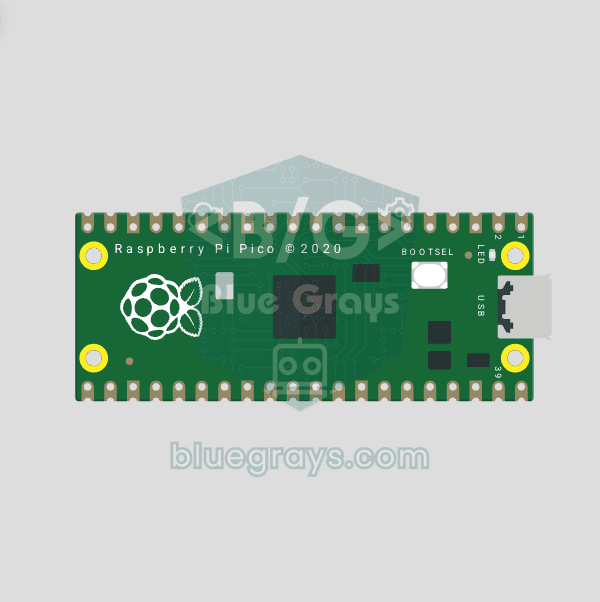
The third strong option is the Raspberry Pi Pico. Its RP2040 chip has two 133 MHz Cortex-M0+ cores, 264 KB of RAM and 2 MB of flash, and it costs about $4. Like the ESP32, it runs on 3.3 V and offers 26 GPIOs, but it has only 3 analog inputs. Its biggest strengths are very mature MicroPython support, easy firmware loading by showing up on your computer like a USB drive, and units called PIO that generate precisely timed protocols without loading the processor. If you want wireless, choose the Pico W (Wi-Fi and Bluetooth); for more power, the Pico 2 with the RP2350 chip. More details in What Is the Raspberry Pi Pico?. The same potentiometer reading looks like this on the Pico in MicroPython (middle leg to GP26, outer legs to 3V3 and GND):
1from machine import ADC, Pin
2import time
3
4pot = ADC(26)                  # GP26 = ADC0, potansiyometre orta ucu / pot wiper
5led = Pin("LED", Pin.OUT)      # dahili LED (Pico ve Pico W) / onboard LED (Pico and Pico W)
6
7while True:
8    raw = pot.read_u16()                   # 0–65535 (12 bit ölçüm ölçeklenir / 12-bit reading, scaled)
9    volts = raw * 3.3 / 65535
10    print("Ham / raw:", raw, " Gerilim / voltage: {:.2f}".format(volts))
11    led.value(raw > 32767)                 # yarıdan fazlaysa yanar / on above half
12    time.sleep(0.25)
Price and ease of learning
Price alone rarely decides it. An original Uno R3 costs around $25–30, while clones with the CH340 USB chip sell for $5–10; clone ESP32 DevKits cost $4–8 and the Pico $4. So there's almost no price gap between an ESP32 and an Uno clone; the real cost shows up in the extras: using 5 V modules with the ESP32 takes a few resistors or a $1–2 level shifter, and adding Wi-Fi to the Uno takes a separate module. On the learning side, the Uno is ahead: you pick the board and click Upload, the error messages and examples have stayed the same for years, and there are no voltage mismatches with 5 V modules. On the ESP32 you first install the Espressif board package and, if needed, the driver for the USB chip (CP2102 or CH340), pick the right board model, and on some boards hold the BOOT button while uploading; also, some examples online were written for older core versions and may not compile (in core 3.x, for example, ledcAttach replaces ledcSetup). These hurdles take a few hours to clear, but if you're building circuits for the first time, it's easier on the Uno to tell whether a problem comes from the code or the wiring.
Which board for which project?
| Project | Best board | Why? |
|---|---|---|
| First lessons with LEDs, buttons and a buzzer | Arduino Uno | Forgiving, 5 V, plenty of examples |
| Robot car (L298N, HC-SR04) | Arduino Uno | Works directly with 5 V modules |
| Wi-Fi weather station | ESP32 | Sends data to your phone and the internet |
| Smart home automation with relays | ESP32 | Web, MQTT and voice assistant integration |
| Bluetooth remote from your phone | ESP32 | BLE and Classic Bluetooth built in |
| Battery-powered remote sensor | ESP32 (low-power board) | Deep sleep and short Wi-Fi bursts |
| Learning Python | Raspberry Pi Pico | MicroPython is a first-class citizen |
| Hundreds of addressable LEDs | ESP32 or Pico | Plenty of RAM, fast processor |
| Streaming images from a camera | ESP32-CAM | Camera and microSD slot on the board |
| Motor shields and 5 V shields | Arduino Uno | Shields are made for the Uno's pin layout |
Common mistakes and misconceptions
- "The ESP32 is always better": it's more powerful, but its 3.3 V pins, boot-sensitive pins, BOOT button and power dips can wear a beginner out. For learning the basics, the Uno has fewer surprises.
- Connecting a 5 V sensor directly to the ESP32: connecting 5 V signals such as the HC-SR04's ECHO output without a divider can damage the pin.
- Reading an ADC2 pin with Wi-Fi on: GPIO 0, 2, 4, 12–15 and 25–27 don't read analog values while Wi-Fi is running; move the sensor to GPIO 32–39.
- Forgetting the Uno's RAM: if the code compiles but the board freezes at random, RAM may have run out; put fixed text inside F("...") and avoid concatenating Strings in a loop.
- Powering the ESP32 from weak USB: if the board reboots when Wi-Fi starts, use a good data cable and an adapter that supplies at least 1 A.
- Mixing up the Pico and the Pico W: the plain Pico has no Wi-Fi; for a wireless project, buy the model with a W in its name.
In short, the Arduino Uno is the board for learning, the ESP32 the board for connecting, and the Raspberry Pi Pico the board for experimenting with Python. If you're wondering which model in the Arduino family suits you, take a look at Which Arduino Should I Buy?. In the BlueGrays app you'll find dozens of projects for Arduino, ESP32 and Pico, from blinking an LED to a Wi-Fi web server and from an NTP clock to a weather display, each with a step-by-step circuit diagram and code.
Frequently asked questions
Is the ESP32 better than Arduino?
In terms of raw power, memory and wireless connectivity, yes: the ESP32 runs at 240 MHz and has 520 KB of RAM, Wi-Fi and Bluetooth. But because of its 3.3 V pins, restricted GPIOs and more complex boot, the Arduino Uno has fewer surprises for beginners. Which one is better depends on what your project needs.
Can you program the ESP32 with the Arduino IDE?
Yes. After adding Espressif's esp32 board package to the Arduino IDE, you can program the ESP32 with Arduino commands. Functions such as pinMode, digitalWrite, analogRead, Serial and Wire work the same; what changes is mostly the pin numbers and voltage levels.
Does Arduino code work on the ESP32?
Most code works with small changes. You need to update the pin numbers for the ESP32, take into account that analogRead returns 0–4095, and replace code that accesses AVR-specific registers or libraries such as SoftwareSerial with their ESP32 equivalents.
Can you add Wi-Fi to an Arduino Uno?
Yes: a module such as the ESP-01 (ESP8266) can be used over the serial port with AT commands, or you can buy the Uno R4 WiFi. However, the ESP-01 needs a 3.3 V supply and level shifting, and the Uno's 2 KB of RAM struggles with web tasks. That's why using an ESP32 directly is simpler and cheaper in most cases.
Arduino or Raspberry Pi Pico?
To stay in the Arduino ecosystem with C/C++, work with 5 V modules and find the most examples, the Arduino Uno is the better fit; for programming in Python, a low price and precise timing with PIO, choose the Raspberry Pi Pico. Since the Pico runs on 3.3 V, you have to be careful with 5 V signals, just as with the ESP32.
Can the ESP32 be used with 5 V sensors?
If the sensor also works at 3.3 V, the easiest solution is to power it from the 3V3 pin. For sensors that only run on 5 V and output 5 V, put a voltage divider or a level shifter on the output line. Feeding 5 V directly into the ESP32's pins can damage the chip.
Projects to build after reading this
See all projects
Led Lighting
Basic input project that turns a single LED on and off at regular intervals with Arduino. Teaches the use of digitalWrite and delay functions.

LED Blink with ESP32
Teaches basic GPIO output usage with ESP32. We achieve a blinking effect by turning an LED on and off from a digital pin. ESP32 version of the classic blink project on Arduino UNO; the pin map and syntax remain the same, the only difference is in the pin numbers.
Raspberry Pi Pico Onboard LED Blink (GP25 Built-in LED)
The opening project of the Raspberry Pi Pico series! We blink the onboard LED (green LED connected to GP25) to verify the board works — a classic "Hello World" first experiment. NO external components, just Pico and USB cable. Code is written in **MicroPython** (the official language backed by Raspberry Pi Foundation). Learn `machine.Pin` class, `Pin.OUT` mode, `led.on()/off()` methods, and `time.sleep()` in Thonny IDE. Follow every toggle live in the Serial (REPL) output. Also perfect to verify
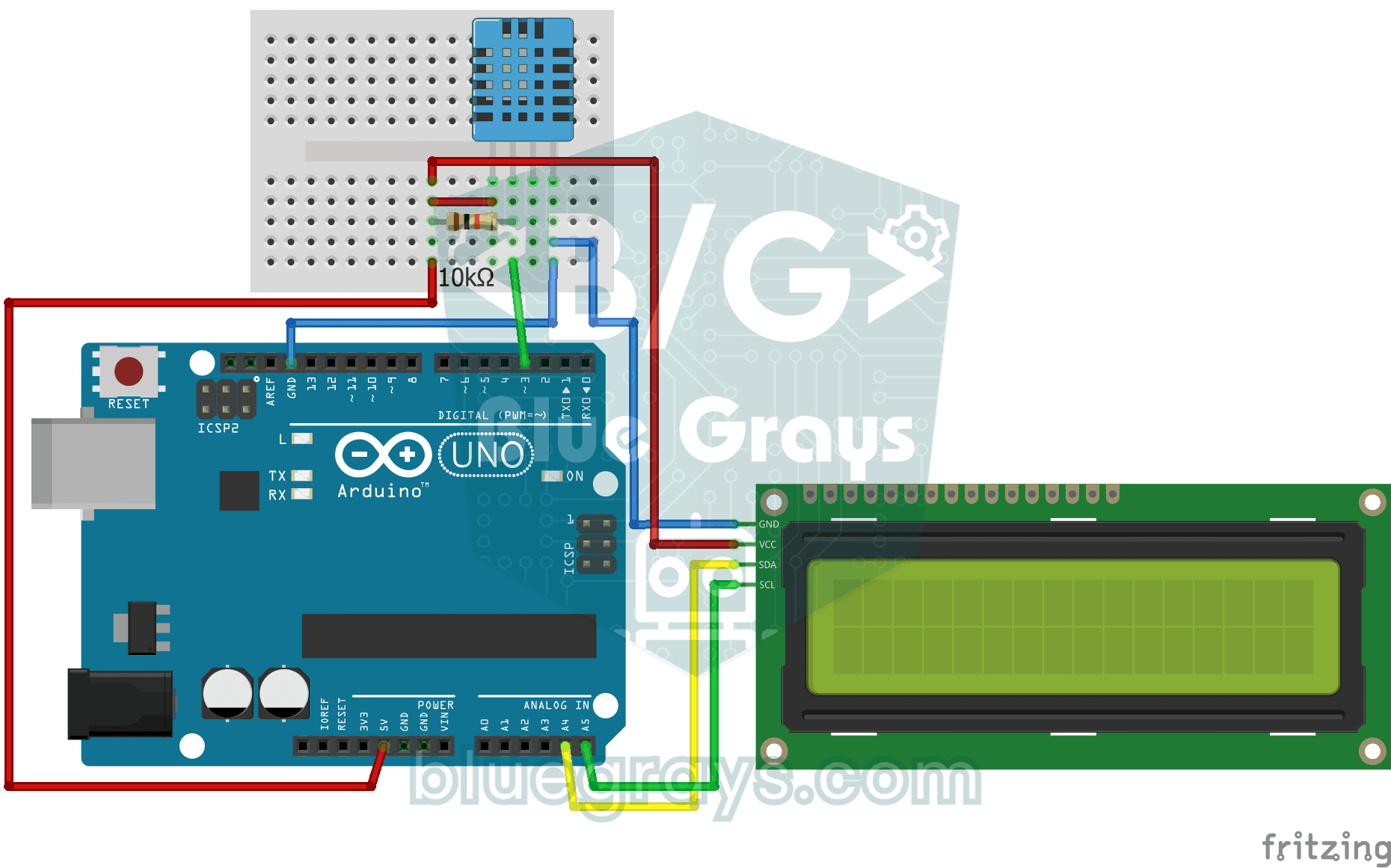
Temperature and Humidity with DHT11
Project that measures the ambient temperature and humidity value with the DHT11 sensor and displays it on the I2C LCD screen. Teaches the use of digital temperature/humidity sensor.

ESP32 LED Brightness Control with a Potentiometer (Analog → PWM)
In this project, we control the brightness of an LED analogically using a potentiometer. The ESP32's ADC pin reads the 0-3.3V voltage from the potentiometer, and this value is then converted into a PWM (Pulse Width Modulation) signal and sent to the LED. As a result, as you turn the potentiometer, the LED gradually brightens and dims. With Arduino Core 3.0+, `analogWrite()` can be used directly; on the ESP32-S2/S3, the ADC resolution is fixed at 12-bit.

ESP32 Wi-Fi STA Connection (with LCD Screen)
In this project, we connect the ESP32 to the home Wi-Fi network in Station (STA) mode in a secure, fault-tolerant manner. We store the SSID and password in a separate `secrets.h` file to prevent leaking to Git, set up an auto-reconnect mechanism, and display the RSSI signal level and IP address on an I2C LCD screen. The internal LED works as a status indicator. It is a production-grade connection manager.

ESP32 Asynchronous Web Server (with IP Display on LCD)
In this project, we’re turning the ESP32 into an **asynchronous web server** that you can control from your phone or computer on the same Wi-Fi network. Thanks to the ESPAsyncWebServer library, the server can process multiple requests simultaneously (unlike the classic `WebServer.h`, which blocks on a single request). You’ll be able to connect to the ESP32’s IP address via a browser using `/control` and click buttons to turn the LED connected to GPIO 5 on and off. Since the HTML interface is emb

ESP32 HTTPClient + Weather API (with LCD Screen)
In this project, we use the ESP32 to make a REST API call to a weather API (wttr.in) over the internet using `HTTPClient.h`. We parse the returned JSON response using ArduinoJson v7 and display the city, temperature, humidity, weather, and wind information on an I2C LCD screen in both Turkish and English. wttr.in is free and does not require an API key—you can simply enter any city name to retrieve that city’s current weather conditions. It automatically updates every 30 minutes, provides differ
More articles
Learn the real differences between the Arduino Uno and the ESP32 in numbers: speed, memory, voltage, analog input, Wi-Fi and battery life. Run the same sketch on both boards, compare them with the Pico and pick the right board for your project.