
Santa Detector Arduino: PIR Motion Sensor Christmas Project
Build a Santa detector with Arduino: a PIR sensor spots night motion, a DFPlayer says ho ho ho, LEDs flash and the time is logged. LDR night mode and ESP32 too.
A Santa detector is a small Arduino project that notices when something moves next to the tree at night, plays a "ho ho ho" through a speaker, lights up LEDs and logs the exact time. At its heart are a PIR motion sensor, a DFPlayer Mini MP3 module and an LDR that knows when it's dark. In the morning you can check the log with your kids and announce "Santa came at 02:14!"; it's a fun, educational Christmas project you can finish in a single weekend afternoon.
In this guide you'll find how the detector works, the parts list, a wiring table for Arduino Uno, ESP32 and Raspberry Pi Pico, how to name the sound files on the SD card, how to set up a night mode with an LDR, and a complete Arduino sketch that writes each detection time to EEPROM. Then you'll turn the same project into an ESP32 version that sends a Telegram alert to your phone, and finally you'll write a Pico version in MicroPython.
How does a Santa detector work?
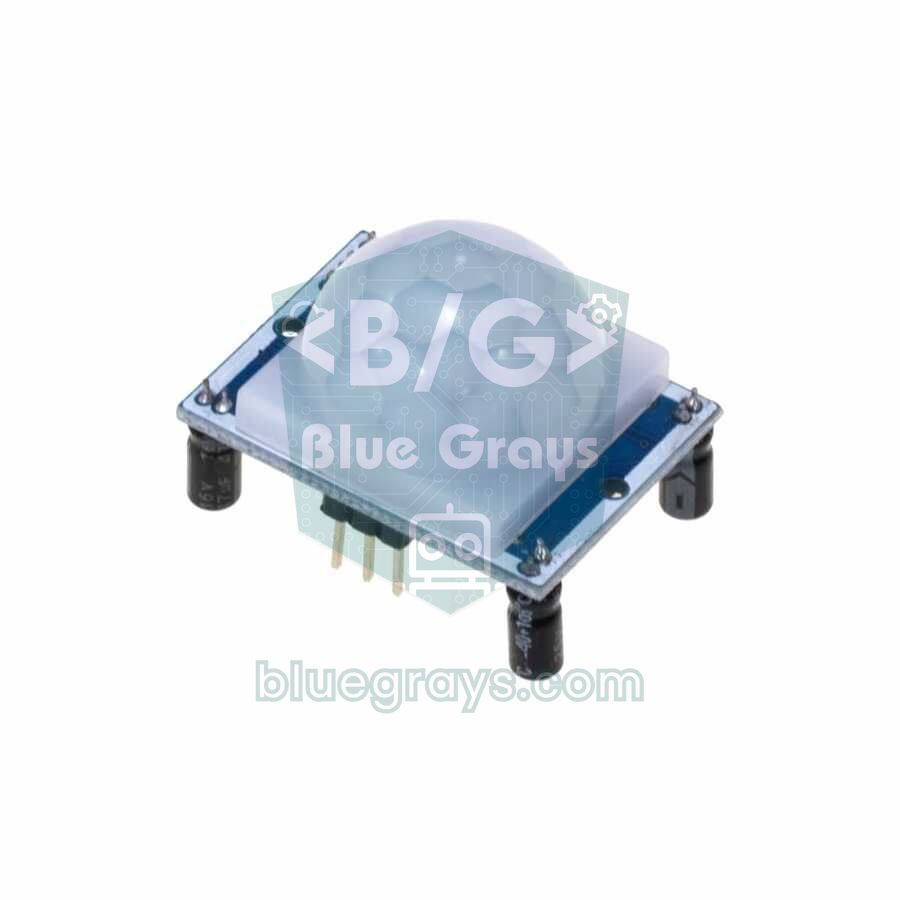
A PIR (passive infrared) sensor doesn't emit any light itself; it measures the infrared radiation that people and animals give off as body heat. Behind the lens sits a detector made of two halves. When a warm body moves through the field of view, first one half and then the other sees more heat, and that difference drives the sensor output HIGH for a few seconds. When the Arduino catches this rising edge, it checks with the LDR whether it's dark; if it's night, it tells the DFPlayer to play a sound, flashes the red and green LEDs and writes the time read from the real-time clock (RTC) to EEPROM.
| Stage | What happens? | Part in charge |
|---|---|---|
| 1. Warm-up | Waits 60 seconds at power-up while the green LED blinks | PIR sensor |
| 2. Night check | The detector arms itself only when the room is dark | LDR + 10 kΩ resistor |
| 3. Detection | The output goes from LOW to HIGH | PIR sensor |
| 4. Sound | One of three sounds plays at random | DFPlayer Mini + speaker |
| 5. Light | Red and green LEDs flash for about 4 seconds | 2 LEDs + 220 Ω |
| 6. Log | Date and time are written to EEPROM (last 10 entries) | DS1307 RTC + Arduino EEPROM |
| 7. Cooldown | No new alarm for 30 seconds | Code (COOLDOWN) |
Parts list
- Arduino Uno or Nano: The sketch runs on both with the same pins. If you want phone alerts use an ESP32, and if you like MicroPython use a Raspberry Pi Pico.
- HC-SR501 PIR sensor: The common 5 V model with sensitivity and time adjustments. Its settings are explained in the PIR motion sensor guide.
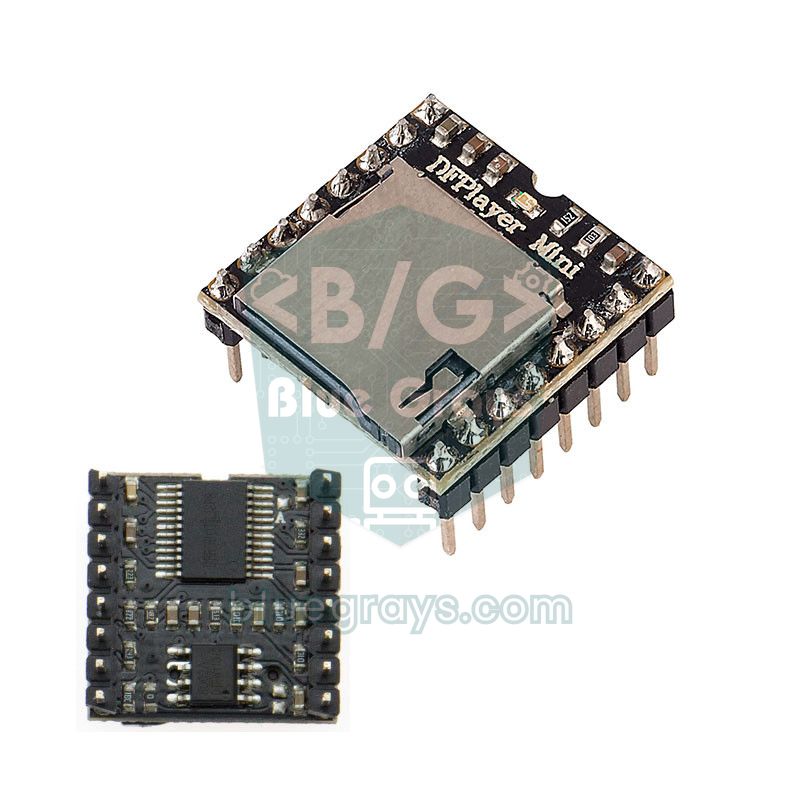
- DFPlayer Mini and an 8 Ω, 0.5–3 W speaker: Plays MP3 files from a microSD card through its own amplifier.
- microSD card: Any card under 32 GB formatted as FAT32; the sound files only take a few hundred KB.
- LDR and a 10 kΩ resistor: A voltage divider for the night mode.
- DS1307 RTC module: Keeps the real time of each detection; thanks to its coin cell it doesn't forget the time when the board is off.
- Red and green LEDs, two 220 Ω resistors and one 1 kΩ resistor, a breadboard and jumper wires.
- 5 V power: A USB adapter or power bank. At high volume the speaker can briefly draw 300–500 mA, so an adapter is healthier than a computer USB port.
Wiring table
| Connection | Arduino Uno / Nano | ESP32 | Raspberry Pi Pico |
|---|---|---|---|
| PIR VCC / GND | 5V / GND | VIN (5V) / GND | VBUS (5V) / GND |
| PIR OUT | D2 | GPIO 27 | GP16 |
| DFPlayer VCC / GND | 5V / GND | VIN (5V) / GND | VBUS (5V) / GND |
| DFPlayer RX (through 1 kΩ) | D11 | GPIO 17 (TX2) | GP0 (UART0 TX) |
| DFPlayer TX | D10 | GPIO 16 (RX2) | GP1 (UART0 RX) |
| DFPlayer SPK_1 / SPK_2 | Both speaker leads | Both speaker leads | Both speaker leads |
| LDR: one leg | 5V | 3V3 | 3V3(OUT) |
| Other LDR leg + 10 kΩ (other end to GND) | A0 | GPIO 34 | GP26 (ADC0) |
| Red LED (with 220 Ω) | D6 | GPIO 25 | GP14 |
| Green LED (with 220 Ω) | D9 | GPIO 26 | GP13 |
| DS1307 SDA / SCL | A4 / A5 | Not used (NTP) | Not used |
Preparing the sound files
- Format the microSD card as FAT32 on your computer and create a folder called mp3 in the root.
- Copy three short sound files into it as 0001.mp3, 0002.mp3 and 0003.mp3. The sketch calls them with playMp3Folder(1), (2) and (3); because the number in the file name is what counts, the copy order doesn't matter.
- The most fun is recording the sounds yourself: say "ho ho ho, are there good kids here?" in a deep voice on your phone and convert the recording to MP3. Sleigh bells, a doorbell chime or a short song work too.
- Keep the files between 2 and 5 seconds; while a long sound plays, new motion isn't detected anyway.
- Insert the card into the DFPlayer and start with volume(22) in the code; at night when the house is quiet, 15–20 is usually enough.
Night mode: sensing darkness with an LDR
You don't want the detector to go off every time someone walks past during the day, so it only arms itself in the dark. An LDR's resistance drops as light increases: a few kΩ in a bright room, over 100 kΩ in the dark. With the LDR between 5V and A0 and the 10 kΩ resistor between A0 and GND, the voltage at A0 is V = 5 × 10 kΩ / (10 kΩ + R(LDR)). In the dark the LDR's resistance rises, so the voltage, and therefore the analogRead() value, falls. You can try the divider with other resistor values in the voltage divider calculator.
| Setting | LDR resistance (approx.) | Voltage at A0 | analogRead() value |
|---|---|---|---|
| Room in daylight | 1 kΩ | 4.5 V | 930 |
| Room with the lights on | 5–10 kΩ | 3.3–2.5 V | 680–510 |
| Dim room, night light | 20–30 kΩ | 1.7–1.25 V | 340–255 |
| Room with the lights off | 100 kΩ and above | 0.45 V and below | 90 and below |
The DARK_ON = 300 and DARK_OFF = 400 values in the code are two separate thresholds. Night mode switches on when the value falls below 300, but only switches off again above 400. The gap between them is called hysteresis; it stops the mode from flipping back and forth while the tree lights blink or a car's headlights sweep past the window. LDRs vary a lot, so the best approach is to print the A0 value to the Serial Monitor in your own room and set the thresholds from that. Point the LDR at the window or the ceiling, not at the tree lights.
Arduino Uno code: sound, light and time-stamped log
Install the DFRobotDFPlayerMini and RTClib libraries from the Library Manager; SoftwareSerial, Wire and EEPROM come with the Arduino IDE. On the first upload the sketch sets the RTC to your computer's compile time, then writes every detection with date and time to EEPROM. Open the Serial Monitor at 9600 baud and type l to list the last 10 entries from oldest to newest, c to clear them, and t for a sound test.
1#include <SoftwareSerial.h>
2#include <DFRobotDFPlayerMini.h>
3#include <Wire.h>
4#include <RTClib.h>
5#include <EEPROM.h>
6
7const byte PIR_PIN   = 2;      // PIR OUT / PIR OUT
8const byte RED_LED   = 6;      // kırmızı LED, 220 ohm / red LED, 220 ohm
9const byte GREEN_LED = 9;      // yeşil LED, 220 ohm / green LED, 220 ohm
10const byte LDR_PIN   = A0;     // LDR + 10k bölücü / LDR + 10k divider
11
12const int DARK_ON  = 300;      // bunun altı gece / below this it is night
13const int DARK_OFF = 400;      // bunun üstü gündüz (histerezis) / above this it is day (hysteresis)
14const unsigned long WARMUP   = 60000UL;   // PIR ısınma süresi / PIR warm-up time
15const unsigned long COOLDOWN = 30000UL;   // iki algılama arası en az / minimum gap between alerts
16const byte TRACKS = 3;         // /mp3/0001.mp3 ... 0003.mp3
17const byte LOG_SIZE = 10;      // EEPROM'da saklanan kayıt / records kept in EEPROM
18
19SoftwareSerial dfSerial(10, 11);   // RX = D10 (modül TX), TX = D11 (1k ile modül RX) / RX, TX
20DFRobotDFPlayerMini player;
21RTC_DS1307 rtc;
22
23bool nightMode = false;
24bool lastPir = false;
25unsigned long lastAlert = 0;
26
27// EEPROM düzeni: 0 = sıradaki yuva, 1 = kayıt sayısı, 2.. = 4 baytlık zaman damgaları
28// EEPROM layout: 0 = next slot, 1 = record count, 2.. = 4-byte timestamps
29void saveEvent(uint32_t t) {
30  byte slot = EEPROM.read(0);
31  byte count = EEPROM.read(1);
32  if (slot >= LOG_SIZE) slot = 0;
33  if (count > LOG_SIZE) count = 0;
34  EEPROM.put(2 + slot * 4, t);
35  EEPROM.write(0, (slot + 1) % LOG_SIZE);
36  if (count < LOG_SIZE) EEPROM.write(1, count + 1);
37}
38
39void printTime(uint32_t t) {
40  DateTime d(t);
41  char buf[20];
42  snprintf(buf, sizeof(buf), "%02d.%02d.%04d %02d:%02d:%02d",
43           d.day(), d.month(), d.year(), d.hour(), d.minute(), d.second());
44  Serial.println(buf);
45}
46
47void printLog() {
48  byte count = EEPROM.read(1);
49  if (count > LOG_SIZE) count = 0;
50  Serial.print(F("Kayit sayisi / records: "));
51  Serial.println(count);
52  byte start = (count < LOG_SIZE) ? 0 : EEPROM.read(0);   // en eski kayıttan başla / start from the oldest
53  for (byte i = 0; i < count; i++) {
54    uint32_t t;
55    EEPROM.get(2 + ((start + i) % LOG_SIZE) * 4, t);
56    Serial.print(i + 1);
57    Serial.print(F(") "));
58    printTime(t);
59  }
60}
61
62void lightShow() {
63  for (byte i = 0; i < 12; i++) {           // ~3,6 sn kırmızı-yeşil yanıp sönme / ~3.6 s red-green blink
64    digitalWrite(RED_LED, i % 2);
65    digitalWrite(GREEN_LED, !(i % 2));
66    delay(300);
67  }
68  for (int b = 255; b >= 0; b -= 5) {       // yavaşça sön / fade out slowly
69    analogWrite(RED_LED, b);
70    analogWrite(GREEN_LED, b);
71    delay(20);
72  }
73}
74
75void setup() {
76  Serial.begin(9600);
77  pinMode(PIR_PIN, INPUT);
78  pinMode(RED_LED, OUTPUT);
79  pinMode(GREEN_LED, OUTPUT);
80  randomSeed(analogRead(A1));               // boş pin gürültüsü / noise from a floating pin
81
82  if (!rtc.begin()) Serial.println(F("RTC yok / RTC not found"));
83  if (!rtc.isrunning()) rtc.adjust(DateTime(F(__DATE__), F(__TIME__)));   // saati ilk kez ayarla / set the clock once
84
85  dfSerial.begin(9600);
86  if (!player.begin(dfSerial)) Serial.println(F("DFPlayer yok, SD karti kontrol et / DFPlayer not found, check the SD card"));
87  player.volume(22);                        // 0-30 arası ses / volume 0-30
88
89  Serial.println(F("PIR isiniyor / PIR warming up..."));
90  while (millis() < WARMUP) {               // ısınırken yeşil LED yanıp söner / green LED blinks while warming up
91    digitalWrite(GREEN_LED, (millis() / 500) % 2);
92  }
93  digitalWrite(GREEN_LED, LOW);
94  Serial.println(F("Hazir! l = kayitlar, c = sil, t = ses testi / Ready! l = log, c = clear, t = sound test"));
95}
96
97void loop() {
98  int light = analogRead(LDR_PIN);
99  if (!nightMode && light < DARK_ON) nightMode = true;
100  if (nightMode && light > DARK_OFF) nightMode = false;
101
102  bool pir = digitalRead(PIR_PIN);
103  if (pir && !lastPir && nightMode && millis() - lastAlert > COOLDOWN) {
104    lastAlert = millis();
105    uint32_t now = rtc.now().unixtime();
106    saveEvent(now);
107    Serial.print(F("Noel Baba goruldu! / Santa spotted! "));
108    printTime(now);
109    player.playMp3Folder(random(1, TRACKS + 1));   // rastgele ho ho ho / random ho ho ho
110    lightShow();
111  }
112  lastPir = pir;
113
114  if (Serial.available()) {
115    char c = Serial.read();
116    if (c == 'l') printLog();
117    if (c == 'c') { EEPROM.write(0, 0); EEPROM.write(1, 0); Serial.println(F("Silindi / cleared")); }
118    if (c == 't') player.playMp3Folder(1);
119  }
120}| Code | What it does |
|---|---|
| pir && !lastPir | Catches only the moment of the LOW-to-HIGH change; even if the sensor stays HIGH for 5 seconds, there's only one alarm |
| millis() - lastAlert > COOLDOWN | Leaves at least 30 seconds between alarms, so one person wandering in front of the tree doesn't create dozens of entries |
| saveEvent() | Writes the timestamp as a 4-byte number in a ring buffer; the 11th entry overwrites the oldest |
| rtc.adjust(DateTime(F(__DATE__), F(__TIME__))) | If the RTC has never run, sets it to the compile time; with a battery fitted, this line won't run again |
| playMp3Folder(random(1, TRACKS + 1)) | Picks one of the files 0001–0003 in the mp3 folder at random |
| randomSeed(analogRead(A1)) | Uses the noise on the floating A1 pin to get a different sound order on every start |
Each EEPROM cell can take about 100,000 writes. The sketch writes only 6 bytes per detection and waits at least 30 seconds between alarms, so getting anywhere near that limit during one Christmas season is impossible. The benefit of keeping the log in EEPROM instead of RAM is that the moments caught at night survive even when you unplug the board in the morning and connect it to your computer.
PIR settings: sensitivity, time and trigger mode
| Setting | Where? | Recommendation for this project |
|---|---|---|
| Sx (sensitivity) | Orange potentiometer | Near the middle: about 3–4 m. Turned up too far, even warm air rising from a radiator can trigger it. |
| Tx (time) | The other potentiometer | Shortest (fully anticlockwise), about 3 seconds |
| Trigger jumper | H / L in the corner of the board | H (repeat): the output stays HIGH as long as motion continues |
| Warm-up | At power-up | 60 seconds; don't walk in front of it during this time |
ESP32 version: Telegram alerts on your phone
With an ESP32 the detector goes one step further: the moment motion is detected, your phone gets a "Ho ho ho! Motion near the tree" message with the date, time and the number of that night's visit. The time comes from the internet via NTP, so there's no need for an RTC module. Before uploading, create a bot with BotFather in Telegram and note its token and your own chat ID; the steps are in the ESP32 Telegram Bot guide. Also install the UniversalTelegramBot and ArduinoJson libraries from the Library Manager.
1#include <WiFi.h>
2#include <WiFiClientSecure.h>
3#include <UniversalTelegramBot.h>
4#include <DFRobotDFPlayerMini.h>
5#include <time.h>
6
7const char* WIFI_SSID = "AgAdi";          // Wi-Fi adın (2,4 GHz) / your Wi-Fi name (2.4 GHz)
8const char* WIFI_PASS = "Sifre123";       // Wi-Fi şifren / your Wi-Fi password
9#define BOT_TOKEN "1234567890:AAExxxxxxxxxxxxxxxxxxxxxxxxxxxxxxxx"   // BotFather token'ı / token from BotFather
10#define CHAT_ID   "123456789"             // bildirimin gideceği ID / the ID that receives alerts
11const long UTC_OFFSET = 3 * 3600;         // Türkiye UTC+3; kendi saat dilimini yaz / set your own time zone
12
13const int PIR_PIN   = 27;                 // PIR OUT
14const int RED_LED   = 25;                 // kırmızı LED, 220 ohm / red LED, 220 ohm
15const int GREEN_LED = 26;                 // yeşil LED, 220 ohm / green LED, 220 ohm
16const int LDR_PIN   = 34;                 // LDR + 10k bölücü (ADC1) / LDR + 10k divider (ADC1)
17const int DARK_ON  = 1200;                // 0-4095: bunun altı gece / below this it is night
18const int DARK_OFF = 1600;                // histerezis / hysteresis
19const unsigned long COOLDOWN = 30000UL;   // iki bildirim arası en az 30 sn / at least 30 s between alerts
20
21HardwareSerial dfSerial(2);               // UART2: RX = GPIO 16, TX = GPIO 17
22DFRobotDFPlayerMini player;
23WiFiClientSecure client;
24UniversalTelegramBot bot(BOT_TOKEN, client);
25
26bool nightMode = false;
27bool lastPir = false;
28unsigned long lastAlert = 0;
29int visits = 0;                           // bu gece kaç kez geldi / visits tonight
30
31String timeText() {
32  struct tm t;
33  if (!getLocalTime(&t, 1000)) return "--:--";
34  char buf[20];
35  strftime(buf, sizeof(buf), "%d.%m.%Y %H:%M:%S", &t);
36  return String(buf);
37}
38
39void lightShow() {
40  for (int i = 0; i < 12; i++) {          // kırmızı-yeşil yanıp sönme / red-green blink
41    digitalWrite(RED_LED, i % 2);
42    digitalWrite(GREEN_LED, !(i % 2));
43    delay(300);
44  }
45  digitalWrite(RED_LED, LOW);
46  digitalWrite(GREEN_LED, LOW);
47}
48
49void setup() {
50  Serial.begin(115200);
51  pinMode(PIR_PIN, INPUT);
52  pinMode(RED_LED, OUTPUT);
53  pinMode(GREEN_LED, OUTPUT);
54
55  dfSerial.begin(9600, SERIAL_8N1, 16, 17);
56  if (!player.begin(dfSerial)) Serial.println("DFPlayer yok / DFPlayer not found");
57  player.volume(22);
58
59  WiFi.mode(WIFI_STA);
60  WiFi.begin(WIFI_SSID, WIFI_PASS);
61  while (WiFi.status() != WL_CONNECTED) {
62    delay(500);
63    Serial.print(".");
64  }
65  Serial.println(WiFi.localIP());
66  configTime(UTC_OFFSET, 0, "pool.ntp.org");        // internetten saat / time from the internet
67  client.setCACert(TELEGRAM_CERTIFICATE_ROOT);      // api.telegram.org sertifikası / certificate
68
69  delay(60000);                                     // PIR ısınması / PIR warm-up
70  bot.sendMessage(CHAT_ID, "Noel Baba dedektörü hazır / Santa detector is ready");
71}
72
73void loop() {
74  int light = analogRead(LDR_PIN);
75  if (!nightMode && light < DARK_ON) { nightMode = true; visits = 0; }
76  if (nightMode && light > DARK_OFF) nightMode = false;
77
78  bool pir = digitalRead(PIR_PIN);
79  if (pir && !lastPir && nightMode && millis() - lastAlert > COOLDOWN) {
80    lastAlert = millis();
81    visits++;
82    player.playMp3Folder(random(1, 4));             // 0001-0003.mp3 arasından / one of 0001-0003.mp3
83    String msg = "Ho ho ho! Ağacın yanında hareket var / motion near the tree\n";
84    msg += timeText() + " (#" + String(visits) + ")";
85    if (WiFi.status() == WL_CONNECTED) bot.sendMessage(CHAT_ID, msg);
86    else WiFi.reconnect();                          // bağlantı koptuysa yeniden dene / reconnect if dropped
87    lightShow();
88  }
89  lastPir = pir;
90}
The ESP32's analog reading ranges from 0 to 4095 and the LDR is powered from 3.3 V, so the thresholds are set to 1200 and 1600; they match roughly the same light level as 300 and 400 on the Uno. Always connect the LDR to a pin in the ADC1 group (GPIO 32–39): ADC2 pins can't be read while Wi-Fi is on. The DFPlayer uses the ESP32's second hardware serial port (UART2), so there's no need for software serial. The visit counter resets every time night mode switches on, so the number in the messages you read in the morning shows that night's total. One last thing: the bot token is your bot's password; delete the token and chat ID before you share the code anywhere, and if you've shared it by mistake, get a new one with /revoke in BotFather.
Raspberry Pi Pico and MicroPython version
On the Pico you don't need a library for the DFPlayer: the module works with simple 10-byte command frames, and the df_cmd() function below builds the frame, checksum included, by itself. 0x06 sets the volume and 0x12 plays a numbered file from the mp3 folder. Every detection is appended as a line to noel_log.txt on the Pico's file system; in the morning you can open the file in Thonny and see the list.
1from machine import Pin, ADC, UART
2import time, random
3
4pir = Pin(16, Pin.IN)                  # PIR OUT
5red = Pin(14, Pin.OUT)                 # kırmızı LED, 220 ohm / red LED, 220 ohm
6green = Pin(13, Pin.OUT)               # yeşil LED, 220 ohm / green LED, 220 ohm
7ldr = ADC(26)                          # LDR + 10k bölücü (ADC0) / LDR + 10k divider (ADC0)
8uart = UART(0, baudrate=9600, tx=Pin(0), rx=Pin(1))   # GP0 -> 1k -> DFPlayer RX
9
10DARK_ON = 20000                        # 0-65535: bunun altı gece / below this it is night
11DARK_OFF = 26000                       # histerezis / hysteresis
12COOLDOWN = 30000                       # ms, iki algılama arası / between two alerts
13
14
15def df_cmd(cmd, param=0):
16    # DFPlayer paketi: 7E FF 06 CMD 00 P1 P2 CS1 CS2 EF / DFPlayer frame
17    data = [0xFF, 0x06, cmd, 0x00, param >> 8, param & 0xFF]
18    cs = (-sum(data)) & 0xFFFF
19    uart.write(bytes([0x7E] + data + [cs >> 8, cs & 0xFF, 0xEF]))
20    time.sleep_ms(30)
21
22
23def stamp():
24    t = time.localtime()
25    return "%02d.%02d.%04d %02d:%02d:%02d" % (t[2], t[1], t[0], t[3], t[4], t[5])
26
27
28def light_show():
29    for i in range(12):                # kırmızı-yeşil yanıp sönme / red-green blink
30        red.value(i % 2)
31        green.value(1 - i % 2)
32        time.sleep_ms(300)
33    red.off()
34    green.off()
35
36
37time.sleep(2)                          # DFPlayer açılsın / let the DFPlayer boot
38df_cmd(0x06, 22)                       # ses seviyesi 22 / volume 22
39print("PIR isiniyor / PIR warming up...")
40time.sleep(60)
41
42night = False
43last_pir = 0
44last_alert = time.ticks_add(time.ticks_ms(), -COOLDOWN)
45
46while True:
47    light = ldr.read_u16()
48    if not night and light < DARK_ON:
49        night = True
50    elif night and light > DARK_OFF:
51        night = False
52
53    now = pir.value()
54    if now and not last_pir and night and time.ticks_diff(time.ticks_ms(), last_alert) > COOLDOWN:
55        last_alert = time.ticks_ms()
56        df_cmd(0x12, random.randint(1, 3))     # /mp3/0001-0003.mp3
57        with open("noel_log.txt", "a") as f:   # Pico'daki dosyaya yaz / append to a file on the Pico
58            f.write(stamp() + "\n")
59        print("Noel Baba goruldu! / Santa spotted!", stamp())
60        light_show()
61    last_pir = now
62    time.sleep_ms(50)
The Pico has no battery-backed clock. When you run the code from Thonny, Thonny syncs the board's clock with your computer, so the times in the log are correct. If you unplug the Pico from the computer and run it from an adapter, the clock starts counting from the beginning of 2021; the entries are still in order and the gaps between them are right, but if you want the real time you'll need to add a DS1307 module over I2C or use NTP with a Pico W.
Setting it up with kids, plus fun ideas
- Share the jobs: Let the kids record the sounds and name the files while you plug in the wires together. Hearing the ho ho ho in their own voices usually becomes the favourite part of the project.
- Evidence box: Put the detector inside a decorated gift box and cut holes in the lid for the PIR lens and the LEDs. Add a small "Santa radar" label on top.
- Morning report: Read the times together at breakfast from the Serial Monitor or the messages on your phone and build a story like "Santa arrived at 02:14 and ate the cookie at 02:16".
- Sound sequence: Play a different sound depending on the visit number: ho ho ho on the first visit, bells on the second, a "you caught me" recording on the third.
- More light: Use a WS2812B strip instead of two LEDs and light the whole tree red and green on detection; wiring and power calculations are in the WS2812B NeoPixel guide.
- Honest science: A PIR sensor only sees warm moving bodies; it can't tell Santa from the cat or from a parent getting up for a glass of water. Talking about this with kids is a great chance to explain how sensors work.
Common mistakes and fixes
| Symptom | Likely cause | Fix |
|---|---|---|
| Constant alarms at power-up | The PIR's 60-second warm-up isn't over | The code already waits; stay out of the sensor's view during that time |
| No sound at all | TX and RX wired straight, the SD card isn't FAT32 or the files aren't in the mp3 folder | Module TX to D10, RX to D11 through 1 kΩ; format the card as FAT32 and name the files like /mp3/0001.mp3 |
| The board resets while sound plays | The speaker briefly draws too much current | Lower the volume to 15–20, use a 5 V 1 A adapter and add a 100 µF capacitor across the DFPlayer's VCC and GND |
| It also triggers during the day | The LDR thresholds don't suit your room, or the LDR faces a lamp | Measure the A0 value in the Serial Monitor and set DARK_ON and DARK_OFF accordingly |
| Wrong time in the log | The RTC has no battery or the time was never set | Fit a CR2032 cell and upload the sketch again; on the ESP32 check UTC_OFFSET |
| No Telegram message arrives | Wrong token or chat ID, or Start was never pressed in the bot | Open the bot in Telegram, press Start and copy the token again without spaces |
A Santa detector built with one PIR sensor, a small MP3 module and a few LEDs makes Christmas morning exciting for kids and teaches core topics such as sensors, voltage dividers, serial communication and EEPROM in a real project. You can take your detector to the next level by looking at the step-by-step circuit diagrams and code for similar projects in the BlueGrays app, such as a motion-sensor doorbell, automatic PIR lighting and a motion alarm with Telegram alerts.
Frequently asked questions
Does a Santa detector really detect Santa?
The detector uses a PIR sensor and picks up any warm body moving in its field of view. So whoever walks past the tree at night sets it off and gets their time logged. It's a lovely way to keep the magic alive while explaining to kids how the sensor works.
Why does my PIR sensor keep triggering right after power-up?
After power-up the HC-SR501 needs 30–60 seconds to get used to the infrared level of the room, and its output can go HIGH at random during that time. That's why the code waits 60 seconds. If it still triggers constantly after the warm-up, lower the sensitivity and move the sensor away from heat sources.
Why is there no sound from my DFPlayer Mini?
The most common causes are TX and RX wired straight, a card that isn't FAT32 and wrongly named files. The module's TX should go to the Arduino's D10 and its RX to D11 through a 1 kΩ resistor, and the files should sit in the mp3 folder named like 0001.mp3. Connecting one speaker lead to GND also kills the sound.
Do I need an RTC module to log the time of motion?
The Arduino Uno has no clock of its own, so for the real date and time you need a battery-backed RTC module such as the DS1307. Without one you can only track the time since power-up with millis(). On an ESP32 the time comes from the internet via NTP, so no RTC is needed.
Will a PIR sensor detect my cat or dog?
Yes, a PIR sensor detects any living thing with body heat and can't tell a big cat from a person. To reduce false alarms, mount the sensor about 1.5 metres high, tilt it slightly down and lower its sensitivity. If you need a reliable distinction, mmWave radar or camera-based solutions are the next step.
Can the Santa detector run on batteries?
It can, but at high volume the speaker briefly draws hundreds of mA, so batteries drain quickly. A 10,000 mAh USB power bank easily lasts a night. Keeping the volume low and lighting the LEDs only on detection extends the run time.
Projects to build after reading this
See all projects
Night Light with Ldr
A little night light that turns on by itself when it gets dark and goes off when morning comes.
Using a Buzzer
Ever wondered how a doorbell or an alarm makes its sound? The Arduino makes a small buzzer beep at short intervals: beep, pause, beep, pause.
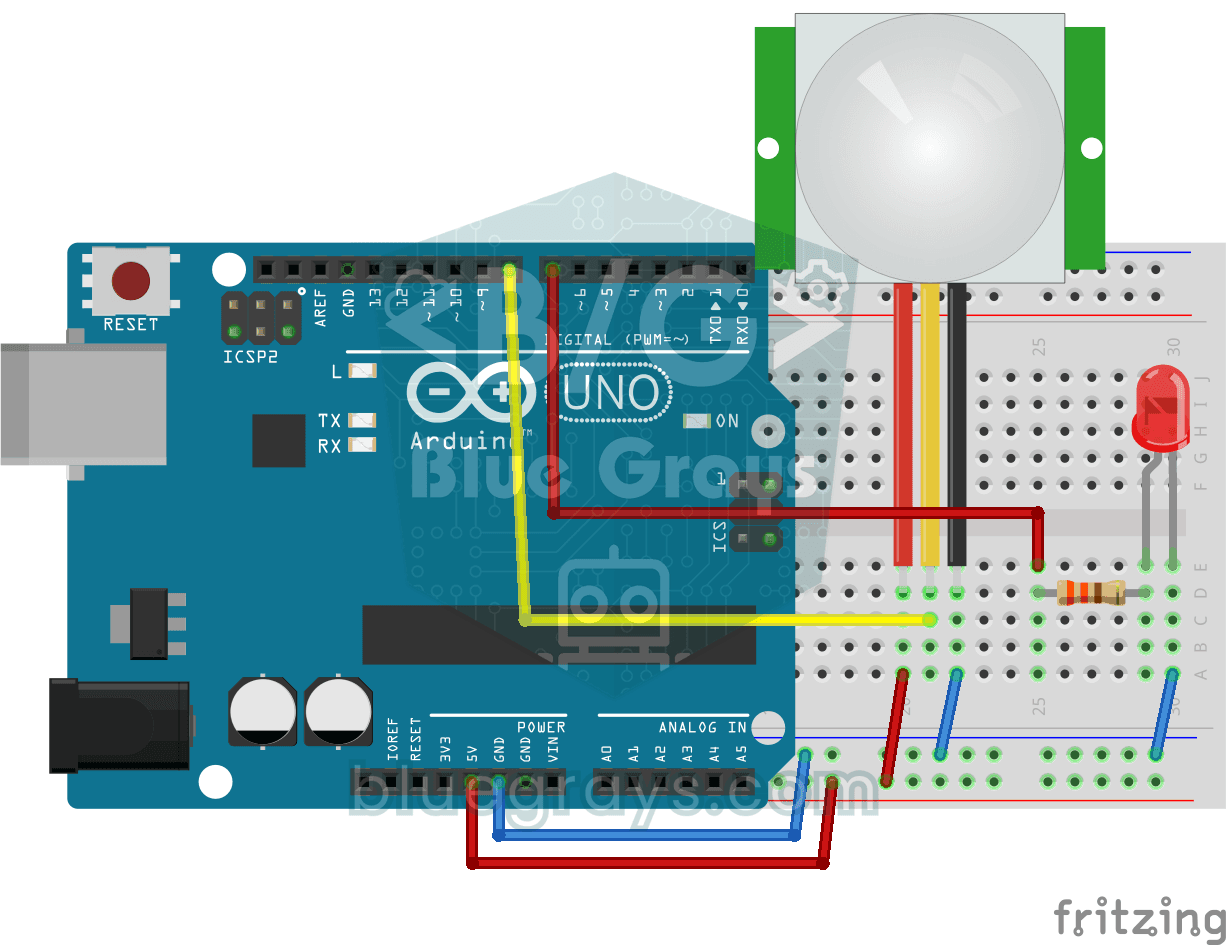
Motion Detector with Motion Sensor
A simple guard that tells you when someone walks into the room. The motion sensor picks up the warmth given off by the human body, and the Arduino keeps the LED on as long as there is movement and…
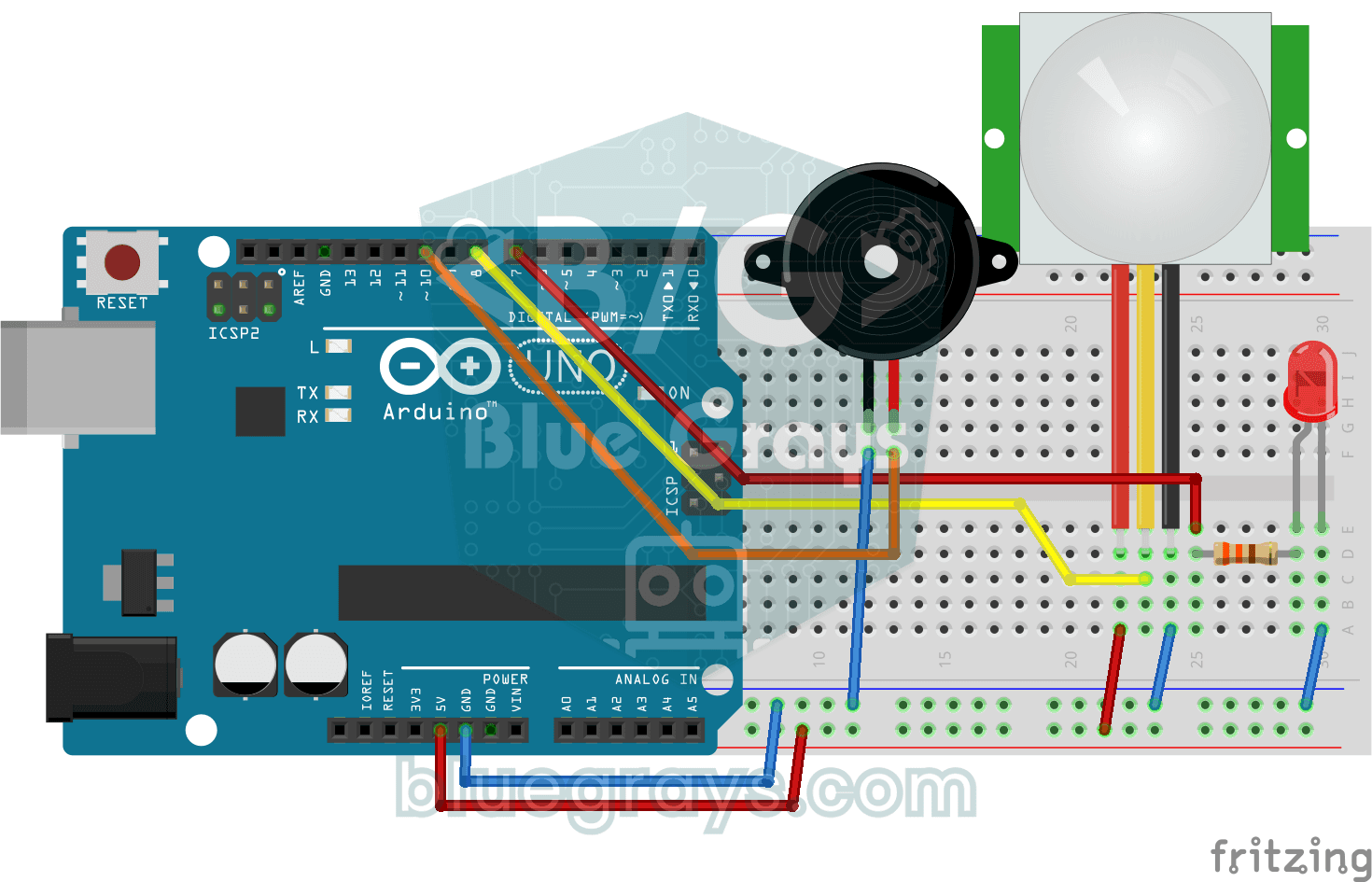
Doorbell and Light with Motion Sensor
When someone comes up to your door, you know before they even ring. As soon as the motion sensor spots someone, the LED lights up and the buzzer plays a three-note chime from high to low; when the…

Automatic Lighting with the ESP32 PIR Motion Sensor
In this project an HC-SR501 PIR motion sensor detects someone entering the room and turns on an LED automatically. millis() tracks how long the LED stays on: each HIGH reading refreshes the last-motion time, and the LED turns off at least 10 seconds after the last HIGH. The code also waits 50 ms with delay(50) in every loop, so the loop is not fully non-blocking. Great for stairs, hallways, bathrooms or closet lighting.

ESP32 Smart Lighting (PIR + LDR + Relay + OLED)
With an ESP32, a PIR motion sensor, an LDR light sensor and a relay module, we turn your hallway, bathroom or pantry into smart lighting. If the room is already bright, the light stays off even when there is motion, so it never wastes energy during the day. The light stays on for 30 seconds, and the time extends automatically while motion continues.
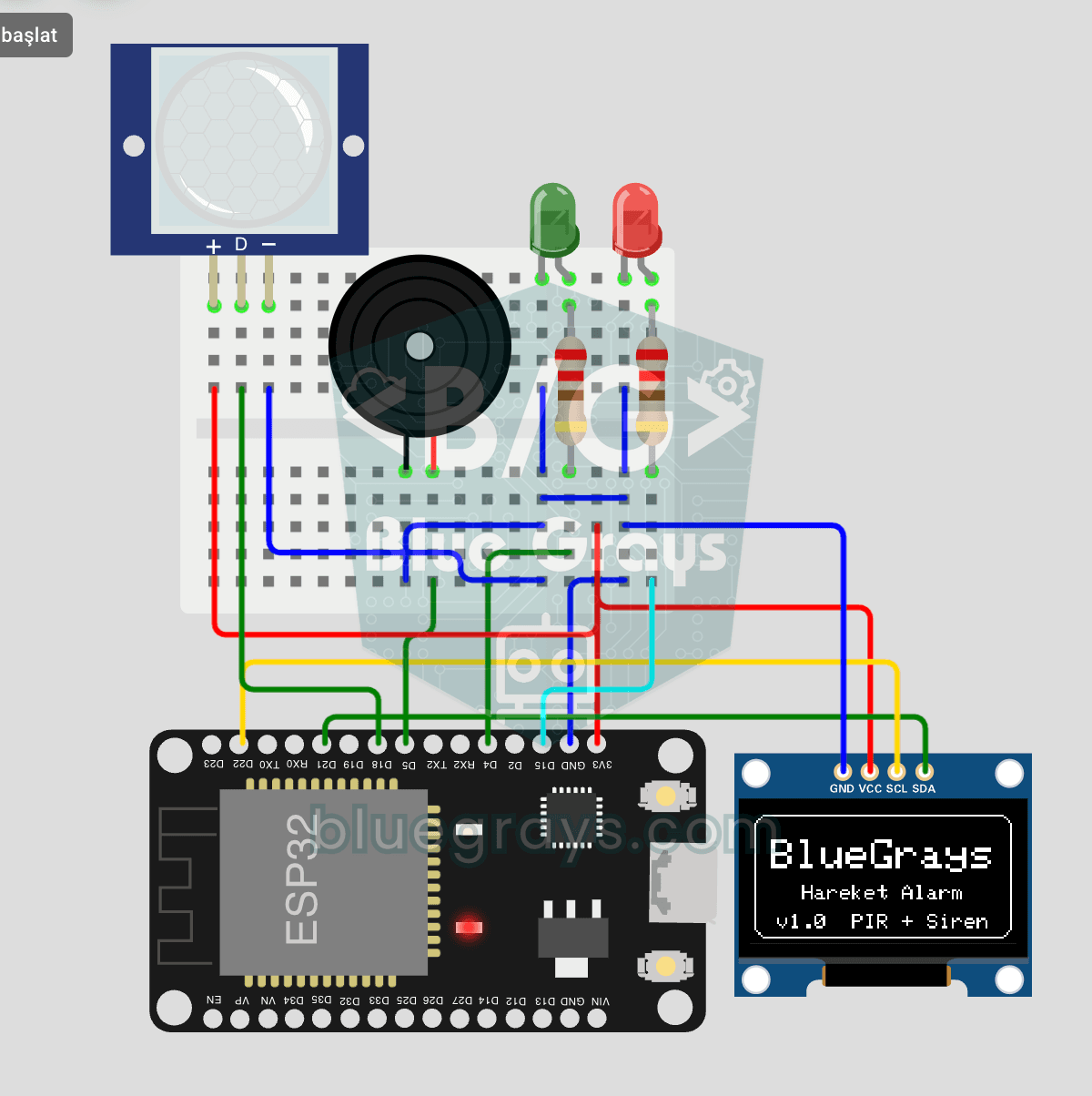
ESP32 Motion Alarm System (PIR + Buzzer + LED + Telegram)
A smart security alarm: when the PIR sensor detects motion, it sounds the buzzer, lights the LED and sends the owner an instant Telegram notification. A 30-second cooldown limits how often the alarm repeats; it does not filter out the PIR sensor's false detections. Use it at home, in a garage, a storeroom or a study.