
DFPlayer Mini Arduino Tutorial: MP3 Playback, SD Card and Speaker
How to use the DFPlayer Mini with Arduino: the 1k resistor on RX, SD card and 0001.mp3 naming, library code, buttons, speaker, plus ESP32 and Pico examples.
The DFPlayer Mini is the cheapest and easiest way to play MP3s with Arduino: it decodes the audio files on a microSD card by itself, drives a speaker directly with its small built-in amplifier and takes commands from the Arduino over a two-wire serial link. Unlike the beeps of a buzzer, it can play songs, speech, doorbell tunes or spoken warnings such as "The door is still open". Most people who connect it for the first time hit the same problems: there's no sound, the speaker hisses, the files play in the wrong order or the Serial Monitor says "Unable to begin". This guide solves every one of them and explains why they happen.
First you'll learn the module's pins and why a 1 kΩ resistor goes on the RX line. Then you'll see how to prepare the SD card as FAT32, name your files with the 0001.mp3 and 01 folder scheme, play your first sound with the DFRobotDFPlayerMini library, set the volume and EQ, change tracks with buttons and pick the right speaker or external amplifier. The last sections cover a step-by-step fix for the "Unable to begin" error, an MP3 player controlled from a web page with the ESP32 and a library-free MicroPython example for the Raspberry Pi Pico. If a beep or a simple melody is all you need, a buzzer is the simpler option.
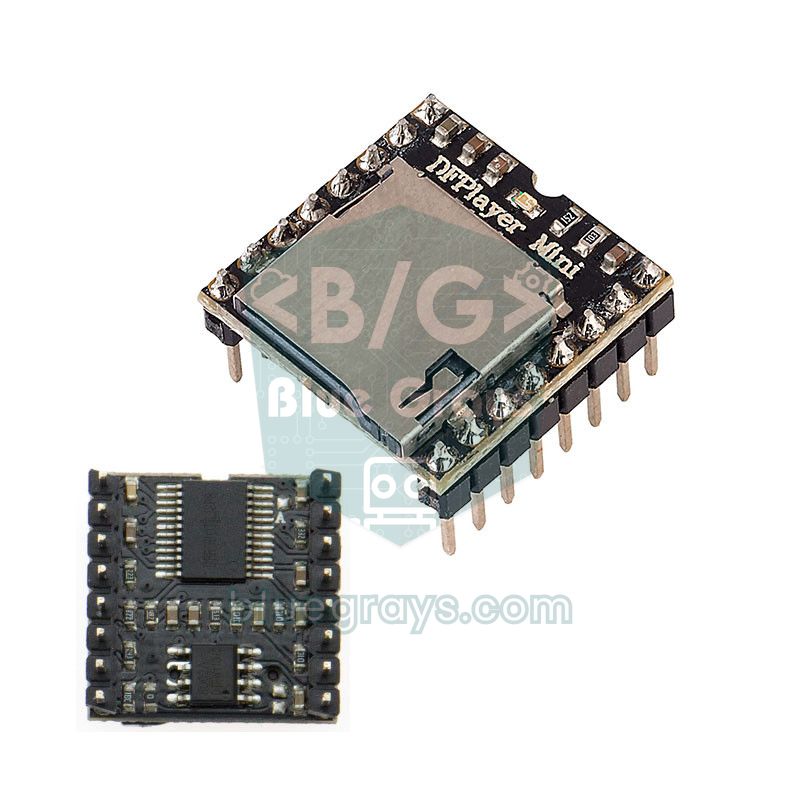
What is the DFPlayer Mini and how does it work?
The DFPlayer Mini is a self-contained MP3 player made of an MP3 decoder chip, a 24-bit DAC, a microSD card slot and a small mono amplifier. The Arduino only has to send short commands such as "play track 3" or "set the volume to 20"; reading the file from the card, decoding the compressed audio and driving the speaker are the module's job. That's why even an Arduino Uno with 2 KB of RAM can play music without breaking a sweat. Commands are sent at 9600 baud in packets of 10 bytes each, and the module reports back in the same format when a track ends, a card is inserted or removed, or an error occurs. The chip on the board varies by manufacturer (YX5200-24SS, MH2024K-24SS, GD3200B and others). They all understand the same commands but can take different times to answer, a detail that will matter later with the "Unable to begin" error. The module can be controlled in three ways: through the serial port (UART), with the IO buttons, or with an ADKEY resistor ladder.
| Feature | Value |
|---|---|
| Supported files | MP3, WAV, WMA |
| Sample rates | 8 / 11.025 / 12 / 16 / 22.05 / 24 / 32 / 44.1 / 48 kHz |
| DAC | 24-bit; 90 dB dynamic range, 85 dB signal-to-noise ratio |
| Storage | microSD (TF) card up to 32 GB, FAT16 or FAT32; USB flash drives are supported too |
| Folder capacity | Up to 100 folders, 255 files per folder |
| Volume | 30 steps (0–30) |
| Equalizer (EQ) | 6 modes: Normal, Pop, Rock, Jazz, Classic, Bass |
| Speaker output | Built-in mono amplifier, speakers under 3 W |
| Line output | DAC_L and DAC_R: stereo, for headphones or an external amplifier |
| Supply | 3.2–5.0 V (typically 4.2 V) |
| Standby current | About 20 mA |
| Interface | UART, 9600 baud, 8N1 |
| Size | 20 × 20 mm |
DFPlayer Mini pinout
| Pin | Name | Function |
|---|---|---|
| 1 | VCC | Power input, 3.2–5.0 V |
| 2 | RX | Serial input: connects to the board's TX pin through a 1 kΩ resistor |
| 3 | TX | Serial output: goes to the board's RX pin |
| 4 | DAC_R | Right-channel line output (headphones or amplifier) |
| 5 | DAC_L | Left-channel line output (headphones or amplifier) |
| 6 and 8 | SPK_1, SPK_2 | Speaker output: the two leads of a speaker under 3 W connect here |
| 7 | GND | Ground |
| 9 | IO_1 | Short press to GND: previous track; long press: volume down |
| 10 | GND | Ground |
| 11 | IO_2 | Short press to GND: next track; long press: volume up |
| 12 | ADKEY1 | Multi-button input via a resistor ladder |
| 13 | ADKEY2 | Second resistor-ladder input |
| 14 | USB+ | D+ for a USB flash drive |
| 15 | USB− | D− for a USB flash drive |
| 16 | BUSY | LOW while playing, HIGH when idle |
When you use the serial port, you only need the VCC, GND, RX, TX and speaker pins. The BUSY pin tells you whether a track has finished without any serial traffic, and the small LED on the board lights up during playback too. The IO_1 and IO_2 pins let the module work without an Arduino at all: with a button between each pin and GND, a short press changes the track and a long press adjusts the volume. Buttons connected to the ADKEY pins through resistors of different values can also play specific tracks. That means a battery, a speaker and two buttons are enough to build a doorbell or a talking toy with no microcontroller. The USB+ and USB− pins are for playing from a USB flash drive instead of the SD card and stay unconnected in most projects.
DFPlayer Mini Arduino wiring and the 1k resistor on RX
| DFPlayer pin | Arduino Uno | ESP32 | Raspberry Pi Pico |
|---|---|---|---|
| VCC | 5V | 5V (VIN) | VBUS (USB 5 V, pin 40) |
| GND | GND | GND | GND |
| RX | D11 through a 1 kΩ resistor | GPIO 17 (TX2) through a 1 kΩ resistor | GP0 (UART0 TX) through a 1 kΩ resistor |
| TX | D10 | GPIO 16 (RX2) | GP1 (UART0 RX) |
| SPK_1 and SPK_2 | The two speaker leads | The two speaker leads | The two speaker leads |
| BUSY (optional) | D5 | Not used | Not used |
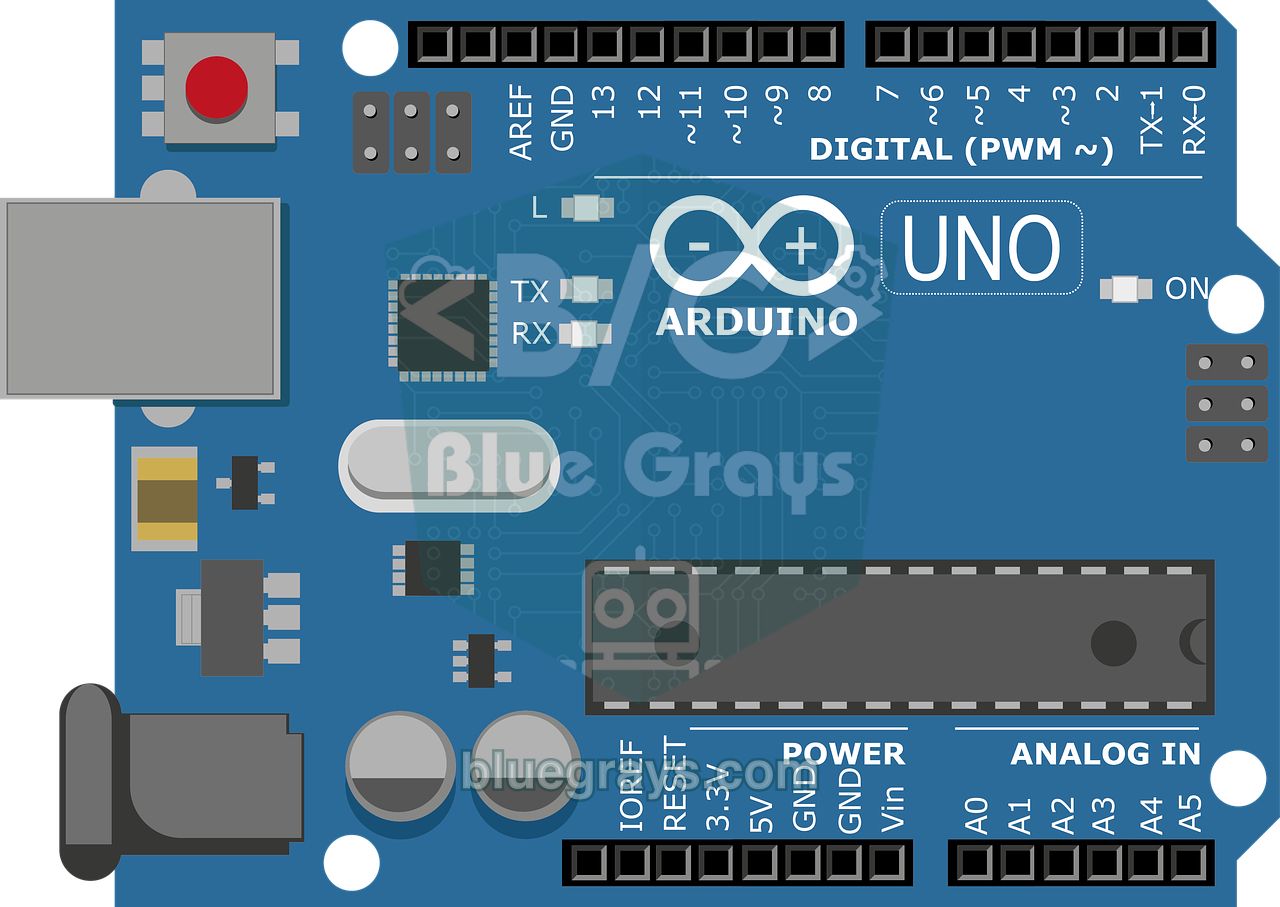
The data lines are crossed: the module's TX goes to the board's RX, and its RX goes to the board's TX. The Uno's hardware serial port on D0 and D1 is used for uploading over USB and for the Serial Monitor, so we connect the module to D10 (RX) and D11 (TX) with SoftwareSerial. The 1 kΩ resistor in series with the module's RX input is not a minor detail. The DFPlayer's chip works with 3.3 V logic, while the Uno's TX pin outputs 5 V. Without the resistor, the difference drives current through the chip's input protection diodes; that current stresses the chip and causes the hiss and clicks you hear from the speaker during serial communication. If you work it out with Ohm's law, you'll see that 1 kΩ limits this current to about 1–2 mA, while the 9600-baud signal is unaffected. A much larger resistor such as 10 kΩ can weaken the signal and break communication. The module's TX output connects straight to the Uno, because the Uno reads 3.3 V as HIGH (the threshold is about 3.0 V).
Preparing the SD card: FAT32, folders and 0001.mp3 naming
The DFPlayer Mini reads microSD cards of up to 32 GB formatted as FAT16 or FAT32. Cards of 64 GB and larger ship formatted as exFAT, which the module can't read; a 1–16 GB card is more than enough for a few hundred tracks. Encoding your MP3s at 128–192 kbps and 44.1 kHz is the safest choice for both compatibility and card read speed. The module identifies files by number, not by name, so folder and file names have to follow a specific scheme depending on which function you use to play them:
| Location on the card | Example | Library function | Rule |
|---|---|---|---|
| Root folder | /0001.mp3, /0002.mp3 | play(1) | Plays in the order the files were copied to the card, not by name |
| Numbered folders | /01/001.mp3 … /99/255.mp3 | playFolder(1, 1) | Folder name 2 digits (01–99), file name 3 digits (001–255) |
| mp3 folder | /mp3/0001.mp3 | playMp3Folder(1) | File name 4 digits; the file is found by the number in its name |
| advert folder | /advert/0001.mp3 | advertise(1) | Interrupts the current track and resumes it when the announcement ends |
| Large folders | /01/0001.mp3 … /15/3000.mp3 | playLargeFolder(1, 1) | Up to 15 folders, 3000 files per folder, 4-digit names |
- Format the card as FAT32 on your computer (on Windows: right-click > Format; on macOS: Disk Utility > Erase > MS-DOS (FAT)).
- Create a folder named mp3 in the root and, if needed, numbered folders such as 01 and 02.
- Rename your files as 0001.mp3, 0002.mp3 (in numbered folders: 001.mp3). You can add a description after the number, such as 0001_hello.mp3; the module only looks at the leading digits.
- If you'll play the files in the root with play(), copy them one at a time, in order; a bulk copy can mix up the order.
- Eject the card safely and insert it into the module with the power off; inserting or removing it while running can corrupt the files.
The DFRobotDFPlayerMini library and a first test sketch
- In the Arduino IDE, open the Library Manager, type DFRobotDFPlayerMini and install DFRobot's library. The installation steps are explained in detail in How to Add a Library to Arduino.
- Copy at least one MP3 to the root of the SD card, insert the card into the module and build the circuit as shown in the table.
- Upload the sketch below and open the Serial Monitor at 115200 baud.
- Within a few seconds you should see "DFPlayer Mini online." and the number of files on the card, and then hear the first track.
1#include <SoftwareSerial.h>
2#include <DFRobotDFPlayerMini.h>
3
4SoftwareSerial dfSerial(10, 11);   // RX = D10 ← DFPlayer TX, TX = D11 → 1 kΩ → DFPlayer RX
5DFRobotDFPlayerMini player;
6
7void setup() {
8  Serial.begin(115200);
9  dfSerial.begin(9600);                       // DFPlayer her zaman 9600 baud / DFPlayer always uses 9600 baud
10  Serial.println(F("DFPlayer baslatiliyor / Starting DFPlayer..."));
11
12  if (!player.begin(dfSerial)) {              // reset gönderir, kartı bekler / sends a reset, waits for the card
13    Serial.println(F("Unable to begin: kablolari ve SD karti kontrol et / check wiring and SD card"));
14    while (true) {}                           // burada dur / stop here
15  }
16  Serial.println(F("DFPlayer Mini online."));
17  Serial.print(F("Karttaki dosya / Files on card: "));
18  Serial.println(player.readFileCounts());    // gizli dosyalar da sayılır / hidden files are counted too
19
20  player.volume(20);                          // ses seviyesi 0-30 / volume 0-30
21  player.EQ(DFPLAYER_EQ_NORMAL);              // ekolayzır: normal / equalizer: normal
22  player.play(1);                             // kökteki ilk dosya / first file in the root
23}
24
25void loop() {
26  if (player.available()) {                   // modülden bildirim geldi / a message arrived from the module
27    uint8_t type = player.readType();
28    int value = player.read();
29    if (type == DFPlayerPlayFinished) {
30      Serial.print(F("Parca bitti / Track finished: "));
31      Serial.println(value);
32    } else if (type == DFPlayerError) {
33      Serial.print(F("Hata kodu / Error code: "));
34      Serial.println(value);                  // kodların anlamı tabloda / meanings are in the table
35    } else if (type == DFPlayerCardRemoved) {
36      Serial.println(F("SD kart cikarildi / SD card removed"));
37    }
38  }
39}
40| Function | What it does |
|---|---|
| begin(serial, isACK, doReset) | Starts the module; by default it sends a reset and waits for the message saying the card is ready |
| volume(0–30) | Sets the volume; volumeUp() and volumeDown() change it by one step |
| EQ(DFPLAYER_EQ_POP) | Equalizer: NORMAL, POP, ROCK, JAZZ, CLASSIC, BASS |
| play(n) | Plays the nth file in the root (in copy order) |
| next() / previous() | Next / previous track |
| pause() / start() | Pauses / resumes from where it stopped |
| stop() | Stops playback |
| loop(n) | Repeats track n continuously |
| enableLoopAll() / randomAll() | Plays all tracks in a loop / in random order |
| readState() / readVolume() / readFileCounts() | Queries the status, the volume and the number of files on the card |
| available() / readType() / read() | Reads messages from the module (track finished, error, card removed) |
Volume, EQ and sequential announcements with the BUSY pin
The volume ranges from 0 to 30. With a small speaker, 15–20 is enough for most rooms; above 25, especially with a weak power supply, the sound can start to distort (clipping) and the module may reset. The EQ setting changes the balance of bass and treble; on small speakers the BASS mode can make the sound muddy, so start with NORMAL. Numbered folders are very handy for talking projects: put the words "Temperature" and "degrees" in folder 01 and the numbers from 001.mp3 to 100.mp3 in folder 02, and the Arduino can speak numbers as a sentence. The most reliable way to know that a file has finished is the BUSY pin: it's LOW while the module is playing and HIGH when it's idle. The sketch below reads BUSY on D5 and plays the files one after another without them overlapping:
1#include <SoftwareSerial.h>
2#include <DFRobotDFPlayerMini.h>
3
4SoftwareSerial dfSerial(10, 11);            // RX = D10 ← DFPlayer TX, TX = D11 → 1 kΩ → DFPlayer RX
5DFRobotDFPlayerMini player;
6const byte BUSY_PIN = 5;                    // DFPlayer BUSY: çalarken LOW / LOW while playing
7
8// Klasör 01: 001.mp3 "Sıcaklık", 002.mp3 "derece" / folder 01: 001.mp3 "Temperature", 002.mp3 "degrees"
9// Klasör 02: 001.mp3 ... 100.mp3 = 1 ... 100 sayıları / folder 02: 001.mp3 ... 100.mp3 = numbers 1 ... 100
10
11void playAndWait(uint8_t folder, uint8_t file) {
12  player.playFolder(folder, file);          // /01/001.mp3 gibi / e.g. /01/001.mp3
13  unsigned long start = millis();
14  while (digitalRead(BUSY_PIN) == HIGH && millis() - start < 1000) {}  // çalma başlasın / wait for playback to start
15  while (digitalRead(BUSY_PIN) == LOW) {}                              // parça bitsin / wait for the track to end
16  delay(50);
17}
18
19void sayTemperature(int degrees) {
20  playAndWait(1, 1);                        // "Sıcaklık" / "Temperature"
21  if (degrees >= 1 && degrees <= 100) {
22    playAndWait(2, degrees);                // sayıyı söyle / say the number
23  }
24  playAndWait(1, 2);                        // "derece" / "degrees"
25}
26
27void setup() {
28  pinMode(BUSY_PIN, INPUT);
29  Serial.begin(115200);
30  dfSerial.begin(9600);
31  if (!player.begin(dfSerial)) {
32    Serial.println(F("Unable to begin"));
33    while (true) {}
34  }
35  player.volume(22);
36  sayTemperature(23);                       // değer bir sensörden de gelebilir / the value can come from a sensor
37}
38
39void loop() {
40}
41
playAndWait() first sends the command, waits up to 1 second for BUSY to go LOW (the module takes a few hundred milliseconds to start playing) and then waits until the track ends. You can record the audio files with your own voice or generate them with a text-to-speech (TTS) tool; trimming the silence at the start and end of each file makes the announcement flow more naturally. If you want to interrupt the music for a short warning, use advertise(n): the module plays the announcement from the /advert folder and then resumes the music where it left off. This command only works while a track is playing; called while the module is idle, it returns an error.
Changing tracks with buttons and setting the volume with a potentiometer
Now let's build our own MP3 player: three buttons act as previous track, play/pause and next track, and a potentiometer sets the volume. Connect the buttons between D2, D3 and D4 and GND; since we use the internal pull-up resistors, no external resistors are needed (the reason is explained in How to Connect a Button). The potentiometer's outer pins go to 5V and GND, and its middle pin goes to A0. When a track ends, the sketch automatically moves on to the next one.
1#include <SoftwareSerial.h>
2#include <DFRobotDFPlayerMini.h>
3
4SoftwareSerial dfSerial(10, 11);            // RX = D10 ← DFPlayer TX, TX = D11 → 1 kΩ → DFPlayer RX
5DFRobotDFPlayerMini player;
6
7const byte BTN[3] = {2, 3, 4};              // önceki, oynat/duraklat, sonraki / previous, play/pause, next
8const byte POT_PIN = A0;                    // ses ayarı potu / volume potentiometer
9bool lastState[3] = {HIGH, HIGH, HIGH};
10unsigned long lastChange[3] = {0, 0, 0};
11bool paused = false;
12int lastRaw = -100;                         // ilk turda sesi mutlaka ayarla / always set the volume on the first pass
13unsigned long lastPotRead = 0;
14unsigned long lastFinish = 0;
15
16// Butona yeni basıldıysa true döner (50 ms sıçrama filtresi) / true on a new press (50 ms debounce)
17bool pressed(byte i) {
18  bool s = digitalRead(BTN[i]);
19  if (s != lastState[i] && millis() - lastChange[i] > 50) {
20    lastState[i] = s;
21    lastChange[i] = millis();
22    return s == LOW;                        // INPUT_PULLUP: basınca LOW / LOW when pressed
23  }
24  return false;
25}
26
27void setup() {
28  for (byte i = 0; i < 3; i++) pinMode(BTN[i], INPUT_PULLUP);
29  Serial.begin(115200);
30  dfSerial.begin(9600);
31  if (!player.begin(dfSerial)) {
32    Serial.println(F("Unable to begin"));
33    while (true) {}
34  }
35  player.play(1);
36}
37
38void loop() {
39  if (pressed(0)) { player.previous(); paused = false; }
40  if (pressed(2)) { player.next(); paused = false; }
41  if (pressed(1)) {
42    if (paused) player.start();             // kaldığı yerden devam / resume
43    else player.pause();                    // duraklat / pause
44    paused = !paused;
45  }
46
47  if (millis() - lastPotRead > 100) {       // potu saniyede 10 kez oku / read the pot 10 times per second
48    lastPotRead = millis();
49    int raw = analogRead(POT_PIN);
50    if (abs(raw - lastRaw) > 20) {          // titremeyi yok say / ignore jitter
51      lastRaw = raw;
52      player.volume(map(raw, 0, 1023, 0, 30));
53    }
54  }
55
56  if (player.available() && player.readType() == DFPlayerPlayFinished) {
57    if (millis() - lastFinish > 1000) player.next();   // parça bitince sonrakine geç / go to the next track
58    lastFinish = millis();                  // bazı modüller bitişi iki kez bildirir / some modules report the end twice
59  }
60}
61| Code part | What it's for |
|---|---|
| pressed() | Catches only the moment a button is pressed and ignores bounces within 50 ms; holding the button still sends a single command |
| abs(raw - lastRaw) > 20 | Updates the volume only on clear changes, so small jitter in the pot reading doesn't flood the module with commands and cause clicks |
| map(raw, 0, 1023, 0, 30) | Converts the 0–1023 analog value to the DFPlayer's 0–30 volume range |
| paused | Remembers the playback state so the same button can both pause and resume |
| DFPlayerPlayFinished | The message sent when a track ends; the sketch moves to the next track |
| millis() - lastFinish > 1000 | Some clone modules report the end of a track twice; this check prevents a track from being skipped |
Choosing a speaker (3 W) and an external amplifier
The DFPlayer's own amplifier (an 8002-type chip on most boards) drives a speaker of under 3 W with an impedance of 4 Ω or 8 Ω directly. The best balance comes from an 8 Ω, 1–3 W speaker; small 0.5 W speakers work too but struggle at high volume. The 3 W figure is the amplifier's upper limit with a 5 V supply and a 4 Ω load, at the point where distortion becomes obvious; the clean power you get in everyday use is lower. Mounting the speaker in a box, or at least on a panel, noticeably improves the bass, because the sound from the front and back of the cone no longer cancels out. At high volume the module can briefly draw a few hundred milliamps; on an Arduino powered from a computer's USB port this can cause voltage drops, hiss and resets. If you want more power or stereo sound, connect the DAC_L and DAC_R line outputs to an external amplifier:
| Output path | Connection | When? |
|---|---|---|
| Built-in amplifier | SPK_1 and SPK_2 → 4–8 Ω speaker up to 3 W | Small projects such as doorbells, toys and spoken alerts |
| Headphones | DAC_L, DAC_R and GND → 3.5 mm jack | Personal listening; start at a low volume |
| PAM8403 amplifier module | DAC_L, DAC_R and GND → the amplifier's L, R and GND inputs; the amplifier runs on 5 V | 2 × 3 W stereo, battery-powered portable speaker |
| PAM8610 or TPA3116 amplifier | DAC outputs → amplifier input; the amplifier runs on 12 V | More power: 2 × 10 W and up |
| Powered speaker (AUX) | DAC_L, DAC_R and GND → the powered speaker's AUX input | Using an existing computer speaker |
How to get rid of hiss, noise and clicks
- Hiss and clicks while sending commands: The 1 kΩ resistor on the RX line is missing. Put it between the Arduino's TX pin and the module's RX pin.
- Constant hiss or hum: The power supply is noisy or too weak. Power the DFPlayer from a separate 5 V supply, add a capacitor between VCC and GND and connect all the GNDs together.
- A "pop" at start-up: It comes from the reset command sent by begin(). If it bothers you, skip the reset with player.begin(dfSerial, true, false).
- Buzzing with the ESP32: Current pulses during Wi-Fi transmission get into the power supply and from there into the audio. Add a capacitor to the DFPlayer's supply and use a separate supply if you can.
- Cracked, distorted sound at high volume: The speaker or amplifier is running at its limit. Turn the volume down to around 20–25, choose a more efficient speaker or switch to an external amplifier.
- Faint hiss when nothing is playing: This is the on-board amplifier's own noise and never disappears completely on small modules. In projects where silence matters, connecting the DAC output to a good external amplifier gives the best result.
The "Unable to begin" error and how to fix it
If the Serial Monitor shows Unable to begin: followed by 1.Please recheck the connection! and 2.Please insert the SD card!, the begin() check in the library's example sketch has failed. begin() sends the module a reset command and waits 2 seconds for the "card online" message; if the message doesn't arrive, it returns false. So the cause can be the wiring, the SD card, the power supply or the way the module responds. Work through it in this order:
| Possible cause | Check and fix |
|---|---|
| TX and RX not crossed | The module's TX must go to D10 (SoftwareSerial RX) and its RX to D11 (SoftwareSerial TX) through 1 kΩ; this must match the (RX, TX) order in SoftwareSerial(10, 11) |
| No common GND | The module's GND must be connected to the Arduino's GND; if you use a separate supply, join the GNDs as well |
| SD card not read | Is the card inserted, FAT32, smaller than 32 GB, and does it contain at least one audio file? Reformat it or try another card |
| Wrong resistor | The RX line needs 1 kΩ; large values such as 10 kΩ weaken the signal |
| Insufficient power | VCC should be 4–5 V; disconnect the speaker temporarily, measure the voltage with a multimeter and add a capacitor |
| Wrong baud rate | It must be dfSerial.begin(9600); don't confuse it with the Serial Monitor speed (115200) |
| D0 and D1 used | On the Uno the hardware serial port is shared with USB; move the module to the SoftwareSerial pins |
| Clone chip answers late | Add delay(1000) before begin(); if that doesn't help, use begin(dfSerial, true, false) to skip the wait after the reset |
| DFPlayerError code | Name in the library | Meaning |
|---|---|---|
| 1 | Busy | Module busy or card not found (initialization not finished) |
| 2 | Sleeping | Module is in sleep mode |
| 3 | SerialWrongStack | Corrupted serial data received |
| 4 | CheckSumNotMatch | The packet's checksum didn't match |
| 5 | FileIndexOut | The requested track number is outside the range on the card |
| 6 | FileMismatch | The requested file wasn't found; check the naming |
| 7 | Advertise | Advert error, for example advertise() called while nothing is playing |
DFPlayer Mini with the ESP32: controlling MP3s from a web page
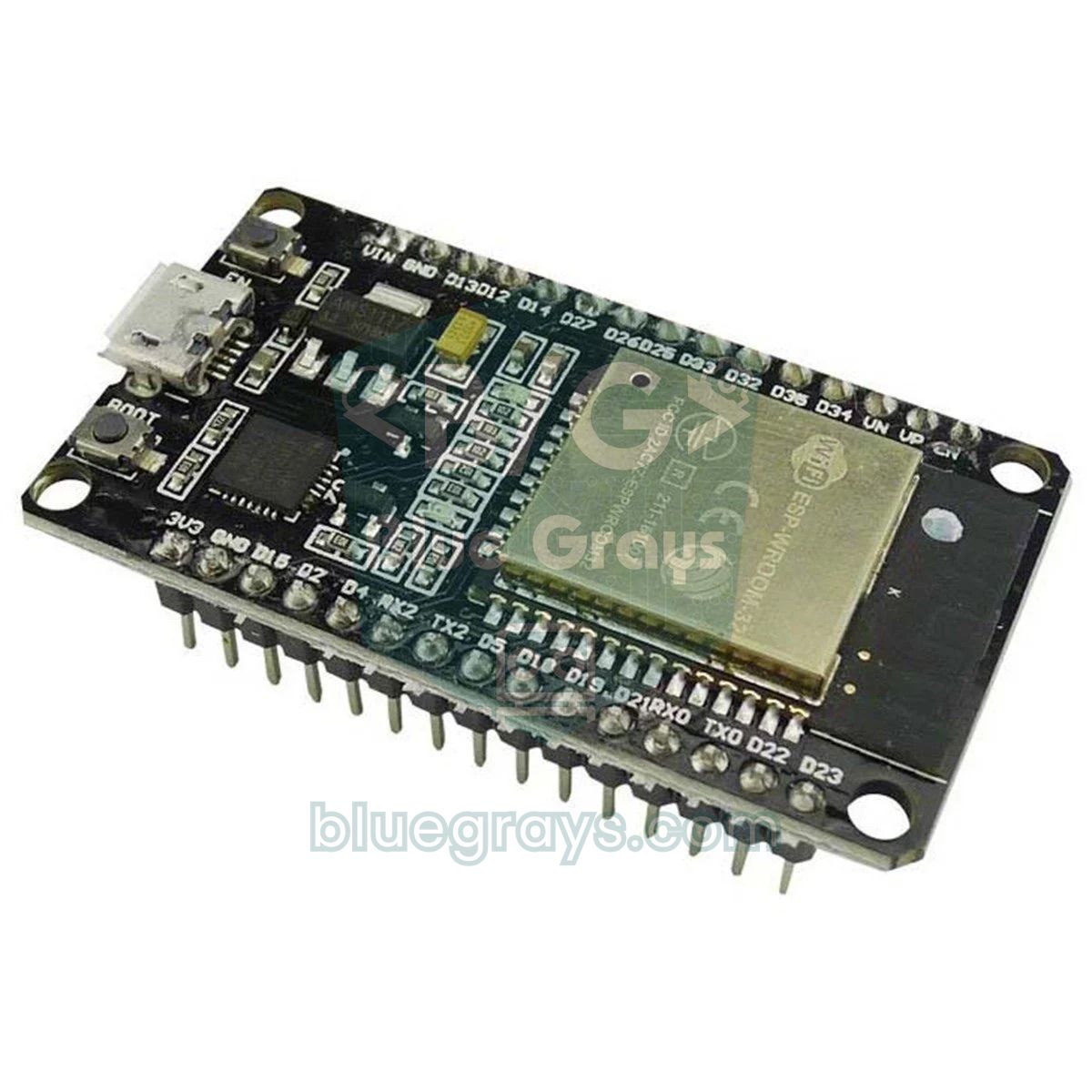
On the ESP32 you don't need SoftwareSerial; any of its three hardware UARTs can be assigned to the pins you choose. In the sketch below UART2 runs on GPIO 16 (RX) and GPIO 17 (TX), and the DFPlayer is powered from the ESP32 board's 5V (VIN) pin. The ESP32's 3.3 V TX signal is directly compatible with the module, but keep the 1 kΩ resistor anyway as protection against noise. In the other direction, DFRobot states that the module's logic level is 3.3 V; even so, a higher voltage has been measured on the TX line of some clone boards running on 5 V. Before connecting, measure between TX and GND with a multimeter; if it's above 3.6 V, add a 1 kΩ + 2 kΩ voltage divider. The sketch joins your home network and serves a page you can open on your phone; its buttons change tracks, pause and adjust the volume.
1#include <WiFi.h>
2#include <WebServer.h>
3#include <DFRobotDFPlayerMini.h>
4
5const char *WIFI_SSID = "WIFI_ADI";         // kendi ağ adın / your network name
6const char *WIFI_PASS = "WIFI_SIFRESI";     // kendi şifren / your password
7
8HardwareSerial dfSerial(2);                 // UART2
9DFRobotDFPlayerMini player;
10WebServer server(80);
11int volumeLevel = 15;
12
13const char PAGE[] = R"rawliteral(<!DOCTYPE html><html><head>
14<meta name="viewport" content="width=device-width,initial-scale=1"><title>ESP32 MP3</title>
15<style>body{font-family:sans-serif;text-align:center}button{font-size:22px;margin:6px;padding:10px 18px}</style>
16</head><body><h2>DFPlayer Mini</h2>
17<button onclick="c('prev')">Prev</button><button onclick="c('pause')">Pause</button>
18<button onclick="c('play')">Play</button><button onclick="c('next')">Next</button><br>
19<button onclick="c('down')">Vol -</button><button onclick="c('up')">Vol +</button>
20<p id="s"></p>
21<script>function c(x){fetch('/cmd?c='+x).then(r=>r.text()).then(t=>document.getElementById('s').innerText=t)}</script>
22</body></html>)rawliteral";
23
24void handleCmd() {
25  String c = server.arg("c");
26  if (c == "next") player.next();
27  else if (c == "prev") player.previous();
28  else if (c == "pause") player.pause();
29  else if (c == "play") player.start();
30  else if (c == "up" && volumeLevel < 30) player.volume(++volumeLevel);
31  else if (c == "down" && volumeLevel > 0) player.volume(--volumeLevel);
32  server.send(200, "text/plain", "Ses / Volume: " + String(volumeLevel));
33}
34
35void setup() {
36  Serial.begin(115200);
37  dfSerial.begin(9600, SERIAL_8N1, 16, 17); // RX = GPIO16 ← DFPlayer TX, TX = GPIO17 → 1 kΩ → DFPlayer RX
38  delay(1000);                              // modül kartı okusun / let the module read the card
39  if (!player.begin(dfSerial)) {
40    Serial.println("Unable to begin");
41    while (true) delay(10);
42  }
43  player.volume(volumeLevel);
44
45  WiFi.begin(WIFI_SSID, WIFI_PASS);
46  while (WiFi.status() != WL_CONNECTED) {   // ağa bağlanana kadar bekle / wait for the network
47    delay(500);
48    Serial.print(".");
49  }
50  Serial.print("\nAdres / Address: http://");
51  Serial.println(WiFi.localIP());
52
53  server.on("/", []() { server.send(200, "text/html", PAGE); });
54  server.on("/cmd", handleCmd);
55  server.begin();
56  player.play(1);
57}
58
59void loop() {
60  server.handleClient();                    // tarayıcı isteklerini işle / handle browser requests
61}
62
After uploading, type the address shown in the Serial Monitor (for example 192.168.1.42) into your phone's browser; your phone and the ESP32 have to be on the same Wi-Fi network. If it won't connect, follow the steps in ESP32 Won't Connect to Wi-Fi. On boards with an ESP32-WROVER module, GPIO 16 and 17 are reserved for the internal PSRAM, so move the UART to other pins such as 26 and 27; all you need to change are the pin numbers in the dfSerial.begin() line. If the ESP32 restarts by itself while the speaker plays loudly, the problem is the power supply; see ESP32 Brownout for details.
DFPlayer Mini with the Raspberry Pi Pico and MicroPython (UART)
On the Raspberry Pi Pico, using the module's serial protocol directly is both easy and instructive, instead of hunting for a ready-made library. Every command is a 10-byte packet: the start byte 0x7E, the version 0xFF, the length 0x06, the command code, the feedback flag (0 = no acknowledgement), a two-byte parameter, a two-byte checksum and the end byte 0xEF. The checksum is the 16-bit negative of the sum of the six bytes from the version to the last parameter byte. For example, the packet that plays the first track in the root is 7E FF 06 03 00 00 01 FE F7 EF. The module in turn sends messages with code 0x3D when a track finishes, 0x3F when the card is ready and 0x40 when an error occurs. The Pico's 3.3 V UART suits the module directly; the TX voltage warning from the ESP32 section applies here too, because the Pico's pins aren't 5 V tolerant either. Power the module from the Pico's VBUS (USB 5 V) pin.
| Command | Code | Parameter |
|---|---|---|
| Next / previous track | 0x01 / 0x02 | None |
| Play the nth track in the root | 0x03 | 1–2999 |
| Volume | 0x06 | 0–30 |
| EQ | 0x07 | 0–5 |
| Reset | 0x0C | None |
| Resume / pause | 0x0D / 0x0E | None |
| Play from a folder | 0x0F | High byte folder (1–99), low byte file (1–255) |
| Play from the mp3 folder | 0x12 | File number (1 for 0001.mp3) |
| Announcement (advert) | 0x13 | File number |
| Stop | 0x16 | None |
| Track finished (sent by the module) | 0x3D | Number of the finished track |
1from machine import UART, Pin
2import time
3
4# GP0 (UART0 TX) → 1 kΩ → DFPlayer RX, GP1 (UART0 RX) ← DFPlayer TX
5uart = UART(0, baudrate=9600, tx=Pin(0), rx=Pin(1))
6btn_next = Pin(14, Pin.IN, Pin.PULL_UP)     # sonraki parça / next track
7btn_play = Pin(15, Pin.IN, Pin.PULL_UP)     # oynat-duraklat / play-pause
8TRACKS = 5                                  # /mp3 klasöründeki dosya sayısı / number of files in /mp3
9
10def send(cmd, param=0):
11    # 10 baytlık komut paketi, onay istemeden / 10-byte command frame without ACK
12    frame = bytearray([0x7E, 0xFF, 0x06, cmd, 0x00, param >> 8, param & 0xFF, 0, 0, 0xEF])
13    checksum = -sum(frame[1:7]) & 0xFFFF    # sağlama toplamı / checksum
14    frame[7] = checksum >> 8
15    frame[8] = checksum & 0xFF
16    uart.write(frame)
17    time.sleep_ms(30)
18
19buf = b""
20
21def events():
22    # gelen 10 baytlık bildirimlerin komut kodlarını döndür / return command codes of incoming messages
23    global buf
24    if uart.any():
25        buf += uart.read()
26    codes = []
27    while True:
28        start = buf.find(b"\x7e")
29        if start < 0:
30            buf = b""
31            break
32        if len(buf) - start < 10:
33            buf = buf[start:]
34            break
35        frame = buf[start:start + 10]
36        if frame[9] == 0xEF:
37            codes.append(frame[3])
38            buf = buf[start + 10:]
39        else:
40            buf = buf[start + 1:]
41    return codes
42
43def play_track(n):
44    send(0x12, n)                           # /mp3/000n.mp3 dosyasını çal / play /mp3/000n.mp3
45
46time.sleep(2)                               # modül kartı okusun / let the module read the card
47send(0x06, 18)                              # ses 18/30 / volume 18 of 30
48track = 1
49play_track(track)
50playing = True
51last_end = 0
52
53while True:
54    if btn_next.value() == 0:
55        track = track % TRACKS + 1          # son parçadan sonra başa dön / wrap after the last track
56        play_track(track)
57        playing = True
58        time.sleep_ms(300)                  # basit sıçrama önleme / simple debounce
59    if btn_play.value() == 0:
60        send(0x0E if playing else 0x0D)     # 0x0E duraklat, 0x0D devam / 0x0E pause, 0x0D resume
61        playing = not playing
62        time.sleep_ms(300)
63    for code in events():
64        # 0x3D: SD karttaki parça bitti / 0x3D: track on the SD card finished
65        if code == 0x3D and time.ticks_diff(time.ticks_ms(), last_end) > 1000:
66            last_end = time.ticks_ms()      # çift bildirimi yok say / ignore the duplicate message
67            track = track % TRACKS + 1
68            play_track(track)
69
If you save the code to the Pico as main.py with Thonny, the Pico behaves like an MP3 player every time it powers up; if you're new to MicroPython, have a look at MicroPython Basics. The button on GP14 skips to the next track and the button on GP15 pauses and resumes; the other side of each button goes to GND. The events() function collects incoming bytes in a buffer and extracts the packets that start with 0x7E and end with 0xEF. When a track-finished (0x3D) message arrives, the code moves on to the next file and wraps back to the first after the last one. Don't forget to set the TRACKS variable to the number of files in your /mp3 folder.
DFPlayer Mini project ideas
- Melody doorbell: A doorbell that plays a random tune when the button is pressed and turns its volume down at night.
- Welcome system: A PIR motion sensor triggers a greeting when someone arrives.
- Card-based music box: Each RFID card plays a different folder; a screen-free music player for kids.
- Talking clock: With an RTC clock module, a clock that speaks the time or announces every hour.
- Remote-controlled MP3 player: Track and volume control with an IR receiver and remote.
- Halloween prop or prank box: An HC-SR04 plays a scary sound when it detects someone approaching.
- Spoken alarms and alerts: Clear sentences such as "Gas detected in the kitchen" instead of a beep when there's gas, a flood or a door left open.
- MP3 player with a display: Show the track number and volume on an OLED display.
With a properly named SD card, the 1 kΩ resistor on the RX line and a solid 5 V supply, the DFPlayer Mini adds real sound to your Arduino projects in minutes. If something goes wrong, check the card and the wiring first, then the power supply; almost every problem comes from one of those three. If you're curious about the basics of serial communication, UART Serial Communication is a good next step. In the BlueGrays app you'll find sound projects such as playing melodies with a buzzer, a simple piano, a motion-sensor doorbell and ESP32 melodies, each with circuit diagrams and step-by-step code, and then you can give them real sound with the DFPlayer Mini.
Frequently asked questions
What size SD card does the DFPlayer Mini support?
The DFPlayer Mini reads microSD cards of up to 32 GB formatted as FAT16 or FAT32. Cards of 64 GB and larger come formatted as exFAT, so the module doesn't see them. A 1–16 GB card is more than enough for a few hundred MP3s.
Why is my DFPlayer Mini not playing any sound?
First make sure you see "online" in the Serial Monitor; if you don't, the problem is the wiring or the SD card. If the module starts but there's no sound, check that the volume isn't 0, that the speaker is connected to SPK_1 and SPK_2 and that the file names match the function you call. When the LED on the board lights up, the module really is playing.
Why do you put a 1k resistor on the DFPlayer Mini's RX pin?
The module's chip runs at 3.3 V, while the Arduino Uno's TX pin outputs 5 V. A 1 kΩ resistor in series with the RX line limits the current into the chip and reduces the hiss heard from the speaker during serial communication. It's recommended on 3.3 V boards such as the ESP32 and Pico too, as protection against noise.
Can the DFPlayer Mini work without an Arduino?
Yes. If you connect the IO_1 and IO_2 pins to GND through buttons, a short press changes the track and a long press adjusts the volume. Buttons connected to the ADKEY pins through resistors can also play specific tracks. That way you can build an MP3 player or a doorbell with just a battery, a speaker and a few buttons, no microcontroller needed.
What speaker can I connect to the DFPlayer Mini?
A 4 Ω or 8 Ω speaker rated under 3 W connects directly to the SPK_1 and SPK_2 pins; 8 Ω, 1–3 W speakers give the best balance. Never connect either speaker lead to GND. For louder or stereo sound, connect the DAC_L and DAC_R outputs to an amplifier such as the PAM8403.
Why does the DFPlayer Mini play files in the wrong order?
The play(n) function doesn't look at the file name but at the order in which the files were copied to the card. To play by name, name the files /mp3/0001.mp3 and use playMp3Folder(), or name them /01/001.mp3 and use playFolder(). If you prepared the card on a Mac, remove the hidden ._ files too.
Projects to build after reading this
See all projects
Using a Buzzer
Ever wondered how a doorbell or an alarm makes its sound? The Arduino makes a small buzzer beep at short intervals: beep, pause, beep, pause. You see how sound is made with electricity and take the fi
Turkish National Anthem with Buzzer
Press the button and a small buzzer starts playing the Turkish National Anthem, note by note. The Arduino plays every note at the right pitch and for the right length, performing two verses of the ant
Frequency Setting with Buzzer
You control the sound of a buzzer with four buttons: one starts the sound, one silences it, and the other two make it higher or lower. Hold the up or down button and the pitch changes step by step, sl

ESP32 Melody Playback with Buzzer
Playing a simple melody (Twinkle Twinkle Little Star) with a passive buzzer. We play notes with tone() and noTone() functions like in Arduino - ESP32 works with the same syntax as Arduino Core 3.0+. Passive buzzer must be used (active buzzer does not play melody).
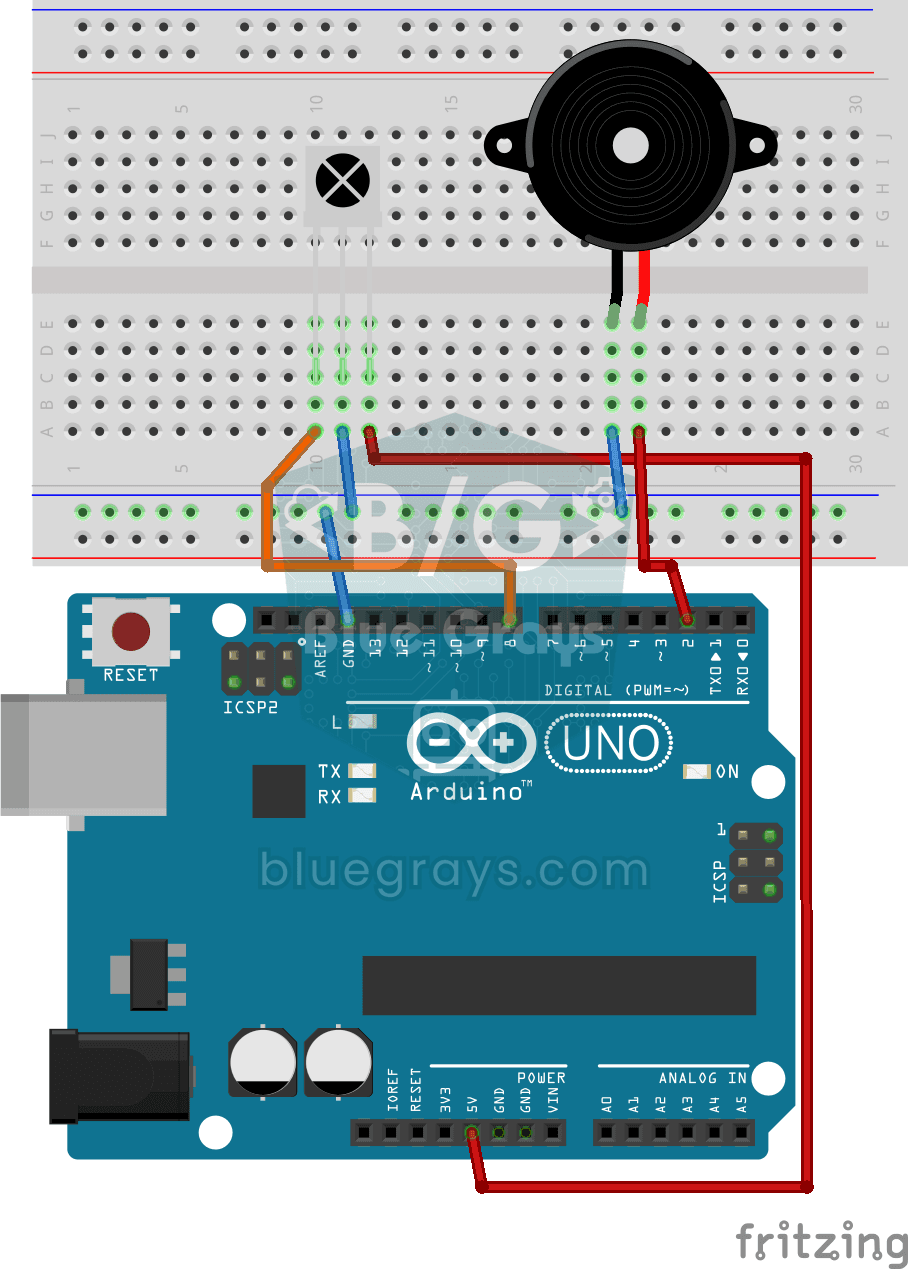
Playing Melodies with an IR Remote and Buzzer
Build a music box that plays tunes with the buttons of a TV remote. An infrared receiver catches the remote's signal; one button plays a lively video game tune through the buzzer, another a familiar c
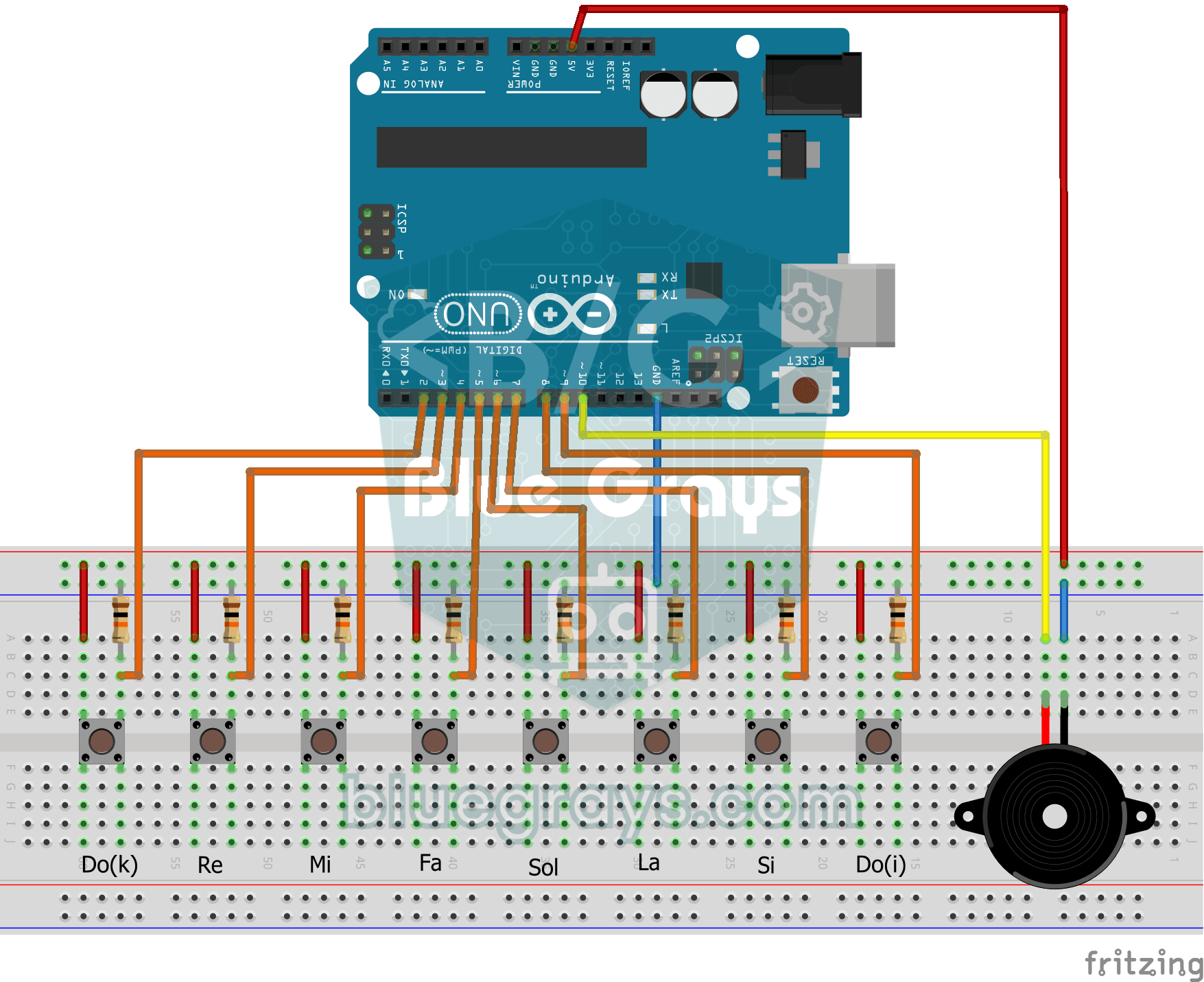
Simple Piano with Buzzer and Button
Build your own little piano with eight buttons. Each button is one note, from low to high: do, re, mi, fa, sol, la, ti and high do. The note plays through the buzzer as long as you hold the button and

Mehter March with Arduino
This project allows you to play the Mehter Anthem with an infinite loop using only Arduino Uno, Buzzer and Jumper Cables. Just Make the Connections, and Paste the Code.
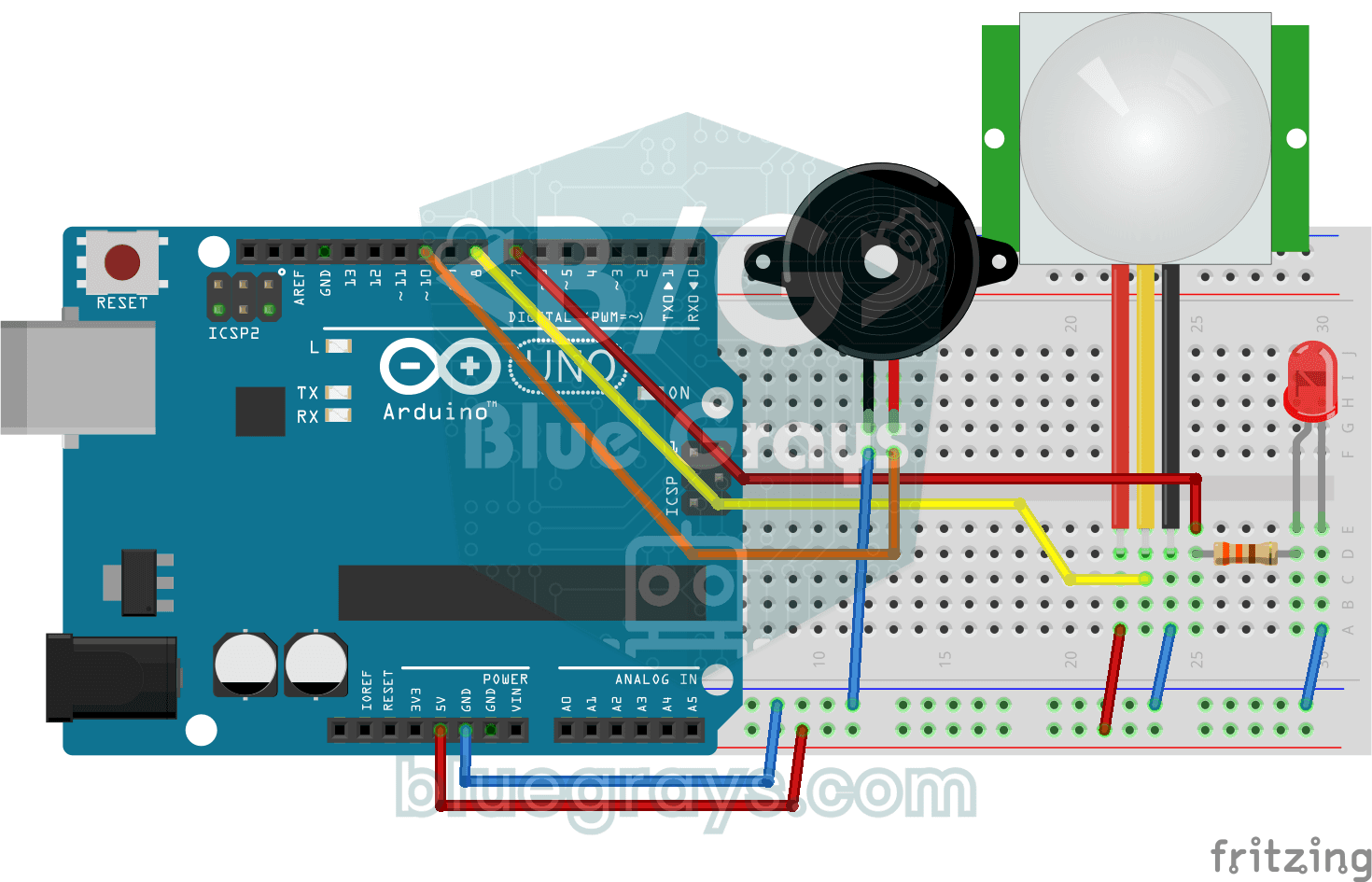
Doorbell and Light with Motion Sensor
When someone comes up to your door, you know before they even ring. As soon as the motion sensor spots someone, the LED lights up and the buzzer plays a three-note chime from high to low; when the tun