
What Is a Diode? How It Works, Types, Polarity and Uses
What is a diode and how does it work? Anode, cathode, stripe, 0.7 V forward voltage, 1N4007 vs 1N4148 vs 1N5819, flyback, bridge rectifier, Zener and testing.
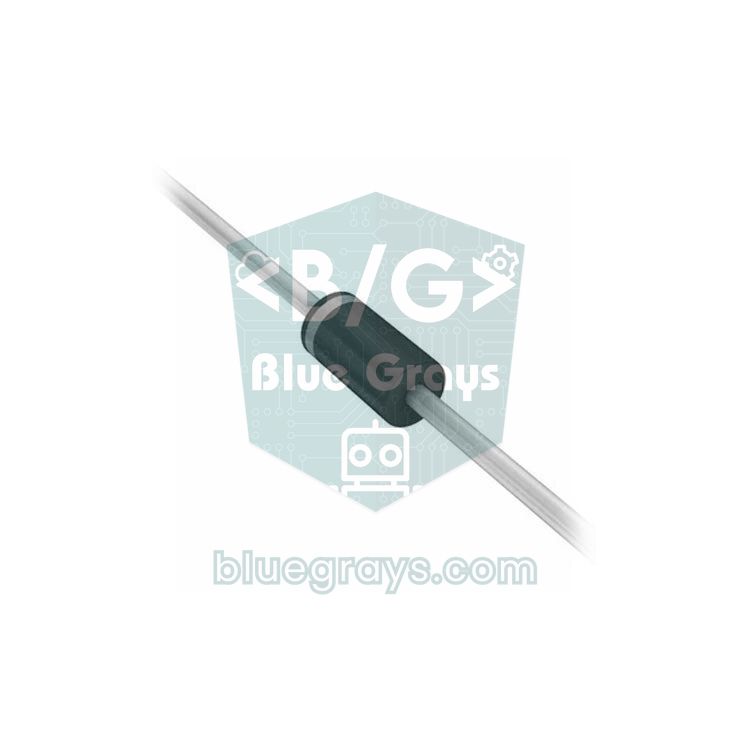
What is a diode? In short, a diode is a two-terminal semiconductor component that lets electric current flow in one direction only. Think of it as a one-way check valve in a water pipe: current flows easily from the anode to the cathode and is almost completely blocked in the opposite direction. Thanks to this simple property, a diode turns the alternating current from the wall socket into direct current, protects your circuit from a battery connected backwards, swallows the dangerous voltage spikes produced by relays and motors, and clamps a voltage at a set level.
You meet diodes every day without noticing: inside your phone charger, at the barrel jack of an Arduino Uno, on relay modules and in every LED on your desk. Yes, an LED is a diode that emits light. In this article you'll learn what happens inside a diode, how to tell the anode from the cathode, where the 0.7 V forward voltage comes from, how the 1N4007, 1N4148 and 1N5819 differ, plus reverse-polarity protection, the flyback diode, the bridge rectifier, the Zener diode and testing a diode with a multimeter. Finally, you'll build a small Arduino tester that works out a diode's direction and type on its own.
What is a diode and how does it work?
Inside a diode, two different semiconductor layers meet: N-type silicon with extra electrons and P-type silicon with missing electrons (extra holes). Where they join, a thin depletion region forms in which the charge carriers cancel each other out, and this region acts like a wall against current. When you apply positive voltage to the anode (P side) and negative to the cathode (N side), in other words when you forward-bias the diode, the wall gets thinner; once the voltage exceeds about 0.6–0.7 V in silicon, the current starts to rise quickly. When you reverse-bias it, the wall gets thicker and only a tiny leakage current in the microamp or nanoamp range flows. If the reverse voltage exceeds the diode's rating, breakdown occurs: ordinary diodes are destroyed at this point, while Zener diodes are made to work exactly in this region. The table below lists the basic datasheet values to check when choosing a diode.
| Parameter | Meaning | 1N4007 example |
|---|---|---|
| VF (forward voltage) | Voltage dropped across the diode while it conducts | Max. 1.1 V (at 1 A) |
| IF(AV) (average forward current) | Average current it can carry continuously | 1 A |
| VRRM (peak repetitive reverse voltage) | Highest repetitive reverse voltage it can withstand; above it, breakdown occurs | 1000 V |
| IFSM (surge current) | Ability to survive a single short current pulse | 30 A (single 8.3 ms pulse) |
| IR (reverse leakage current) | Small current that flows while reverse-biased | Max. 5 µA (25 °C) |
| trr (reverse recovery time) | Time the current takes to die out when switching from conducting to blocking | Slow, in the microsecond range |
Anode, cathode and the stripe: how to find a diode's polarity
A diode has two leads: the anode (A) and the cathode (K). In schematics, a diode is drawn as a triangle with a vertical bar in front of it: the triangle points like an arrow in the direction current flows, from anode to cathode, and the bar is the cathode. On a real diode, this bar is painted on the body: a grey or white band on the black 1N4007 and a black band on the glass 1N4148 mark the cathode end. An easy reminder: the bar in the symbol and the stripe on the body are the same end. If the striped end of a diode in a circuit sits at the more positive voltage, the diode is blocking; if its unstriped end is more positive, it's conducting.
- Axial-lead diodes (1N4007, 1N5819): The single band on the body is the cathode; you can also read the printing to confirm the model.
- Small glass diodes (1N4148, Zener): The black band is the cathode; the printing is tiny, so read it with a magnifier or measure with a multimeter.
- Surface-mount (SMD) diodes: A line along one edge of the package marks the cathode; the diode marked M7 on Arduino boards is the SMD equivalent of the 1N4007.
- LEDs: The long leg is the anode and the short leg the cathode; the flat spot on the LED's rim also marks the cathode side.
- Bridge rectifiers: The four pins are marked ~ (AC inputs), + and −.
- If the marking has worn off: A multimeter's diode mode shows the direction in seconds; we explain it step by step below.
Forward voltage: 0.7 V for silicon, 0.3 V for Schottky
When a diode conducts, a small, nearly constant voltage drops across it; this is called the forward voltage (VF). The value everyone memorises for silicon diodes is 0.7 V, but it isn't a fixed number: a 1N4007 drops about 0.55 V at a few milliamps and 0.9–1.0 V at 1 A. As the temperature rises, the forward voltage falls by about 2 mV per °C; later on we'll use this to turn a diode into a temperature sensor. Forward voltage means heat: the power dissipated in a diode is P = VF × I. A 1N4007 carrying 1 A produces about 1 W of heat and gets too hot to touch; at the same current a 1N5819 Schottky drops at most 0.6 V, so the heat is almost halved.
Types of diodes
| Type | Forward voltage | What it does | Example | Where it's used |
|---|---|---|---|---|
| Rectifier diode | 0.6–1.1 V | Withstands high reverse voltage and carries 1 A or more; slow | 1N4007, 1N5408 (3 A) | Power adapters, rectification, reverse-polarity protection |
| Small-signal (switching) diode | 0.6–1.0 V | Switches very fast, low current | 1N4148 | Signal paths, logic circuits, keypads, small relays |
| Schottky diode | 0.15–0.6 V | Low forward voltage and very fast; higher leakage current | 1N5819, SS34, BAT54 | Battery circuits, power path selection, PWM-driven motors |
| Zener diode | Vz in reverse (~0.7 V forward) | Conducts in reverse at a set voltage (Vz) | 1N4733A (5.1 V), 1N4728A (3.3 V) | Voltage clamping and references |
| LED | 1.8–3.4 V (by colour) | Emits light while conducting | 5 mm LED, the LEDs inside a WS2812B | Indicators, lighting, displays |
| Photodiode | — | Produces current when light falls on it | BPW34, IR receivers | Light and infrared detection |
| TVS diode | Breakdown voltage in reverse | Absorbs sudden voltage spikes very fast | SMBJ and P6KE series | ESD and surge protection |
| Germanium diode | 0.2–0.3 V | Low forward voltage, older technology | 1N34A | Old radio circuits, signal detection |
An LED is a diode too
As its name says, an LED (Light Emitting Diode) is a diode that emits light. Like an ordinary diode, it only passes current from anode to cathode; the difference is that the energy released when electrons and holes recombine at the P-N junction comes out as light instead of heat. The semiconductor material sets the colour, and the closer the colour gets to blue, the higher the forward voltage: a red LED needs about 2 V, while blue and white LEDs need around 3 V. You'll find the values for each colour in the LED voltages tool.
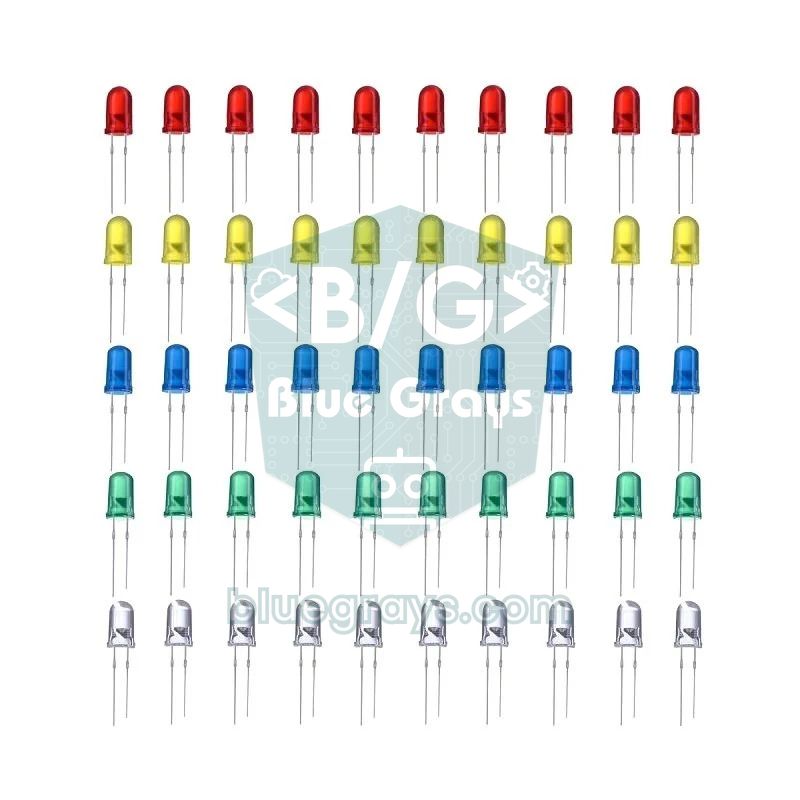
One important difference between a diode and an LED is the reverse voltage rating: a 1N4007 withstands 1000 V, while a typical LED datasheet allows only about 5 V in reverse. That's why you shouldn't use an LED as a rectifier. The second rule is to always limit an LED's current with a series resistor, because the current rises very fast once you exceed the forward voltage. For a red LED powered from 5 V, the resistor works out at (5 − 2) / 0.015 ≈ 200 Ω, so the standard value is 220 Ω; you can do the maths with the LED resistor calculator. To learn more about wiring LEDs and choosing colours, read What Is an LED?.
1N4007, 1N4148 and 1N5819: which one should you use and when?
| Property | 1N4007 | 1N4148 | 1N5819 |
|---|---|---|---|
| Type | Silicon rectifier | Silicon small-signal | Schottky |
| Package | DO-41, black body | DO-35, glass body | DO-41, black body |
| Max. reverse voltage (VRRM) | 1000 V | 100 V | 40 V |
| Average forward current | 1 A | 150–200 mA (depends on manufacturer) | 1 A |
| Forward voltage (VF) | ≤ 1.1 V (at 1 A) | ≤ 1 V (at 10 mA) | ≤ 0.6 V (at 1 A), ~0.3 V at low current |
| Reverse recovery (trr) | Slow (microseconds) | 4 ns | Practically none |
| Reverse leakage (25 °C) | ≤ 5 µA | ≤ 25 nA (at 20 V) | ≤ 0.5 mA (at 40 V) |
| Typical use | Rectification, reverse polarity, relay flyback | Signals, logic, keypads, small-relay flyback | Battery and USB power paths, PWM motor flyback |
The 1N4001 to 1N4007 family differs only in reverse voltage rating (50 V for the 1N4001, 1000 V for the 1N4007); since they cost almost the same, most people use the 1N4007 for everything. The 1N4148 is a low-current but very fast diode; it can't carry hundreds of milliamps continuously, but it's unbeatable in signal and logic circuits. The 1N5819, with its low forward voltage, saves precious volts in battery- and USB-powered circuits; its only drawbacks are its low 40 V rating and a leakage current that rises with temperature. For currents up to 3 A, move to the 1N5408 (silicon) or the SS34 / 1N5822 (Schottky) family. With motors driven by PWM, a fast UF4007 (75 ns) or a Schottky runs cooler than the slow 1N4007.
Reverse-polarity protection: saving your circuit from a backwards battery
Wiring a battery holder the wrong way round or plugging in the wrong adapter is one of the most common ways circuits get destroyed. The simplest fix is a series diode at the power input: if the polarity is right, the diode conducts; if it's reversed, no current flows and the circuit stays safe. The Arduino Uno R3 already does this: its DC barrel jack input has a diode marked M7, the SMD equivalent of the 1N4007. That's why you measure about 8.3 V on the VIN pin when you power the board from a 9 V adapter. The price of a series diode is this voltage loss: pass a 5 V USB supply through a 1N4007 and about 4.3 V is left; through a 1N5819, about 4.7 V.
| Method | Voltage loss | Pros | Cons |
|---|---|---|---|
| Series silicon diode (1N4007) | 0.7–1 V | Very cheap, withstands 1000 V | High loss and heat |
| Series Schottky diode (1N5819) | 0.3–0.6 V | Cheap, less loss | High leakage current, 40 V limit |
| P-channel MOSFET | A few mV to tens of mV | Almost lossless, high current | Slightly more complex circuit |
| Parallel diode + fuse | None | No loss in normal operation | The fuse blows when reversed and must be replaced |
Diodes are also used to combine two power sources; this is called a diode-OR. Each source connects to the same point through its own Schottky diode; whichever has the higher voltage powers the load, and the sources can't push current into each other. On the Raspberry Pi Pico, VBUS from USB is already connected to the VSYS rail through a Schottky diode. If you want to power a Pico from both USB and a battery, connecting the battery to VSYS through a second Schottky diode (cathode towards VSYS) is enough, and the battery won't back-feed the USB port. The original Arduino Nano also has a Schottky diode (MBR0520) on its USB line, which is why it's normal to see slightly less than 5 V on the 5V pin of a USB-powered Nano.
Flyback diode: protecting against relay and motor spikes
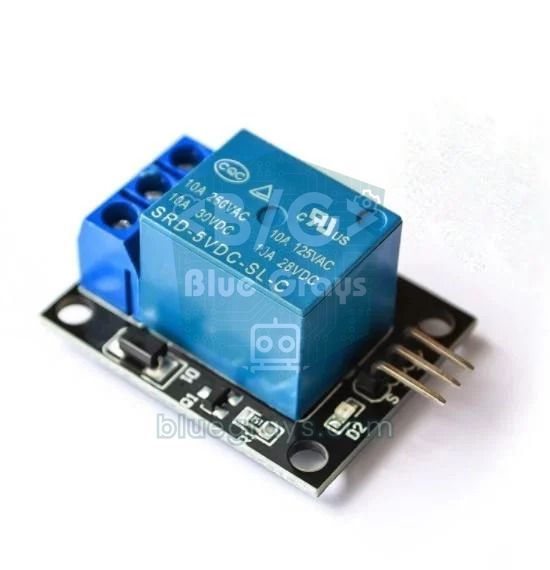
Inductive loads such as relay coils, motors, solenoids and fans resist a sudden drop in current. The moment the transistor turns off, the magnetic energy stored in the coil looks for a way out and, following V = L × di/dt, produces a reverse voltage spike that can reach hundreds of volts. This spike punches through the transistor, resets the Arduino or damages its pins. The cure is a flyback diode (also called a freewheeling diode) connected across the coil in reverse: in normal operation it's reverse-biased and does nothing; when the current is cut, it gives the coil current a path to circulate and limits the spike to about 0.7 V above the supply voltage.
- Work out which coil terminal goes to the positive supply and which goes to the transistor's collector (or the MOSFET's drain).
- Solder the diode's striped cathode end to the coil terminal connected to the positive supply.
- Connect the anode to the coil terminal that goes to the transistor; the diode must sit in parallel with the coil but point the other way.
- Choose the diode: a 1N4007 or 1N4148 is enough for 5 V and 12 V relays; for motors whose speed is set with PWM, use a fast Schottky (1N5819) or a UF4007. The diode's current rating must be higher than the coil current.
- Place the diode as close to the coil as possible; long wires let part of the spike spread into the circuit.
- Check the direction once more before powering up: a flyback diode fitted backwards shorts the supply the moment the transistor turns on.
Bridge rectifier: converting AC to DC
The voltage from the mains and from a transformer's output is alternating current (AC): its frequency is 50 Hz in Europe (60 Hz in North America), so it completes 50 full cycles a second and reverses direction 100 times a second. An Arduino, however, needs direct current (DC), which doesn't change direction. A single diode passes only the positive half of the sine wave; this is called half-wave rectification. A bridge rectifier, with four diodes connected in a diamond shape, puts two diodes into conduction in each half cycle and flips the negative half to positive as well; this is called full-wave rectification. A large electrolytic capacitor at the output turns this pulsing voltage into a smooth DC close to the peak value.
Here's how to calculate it: the value printed on a transformer is the RMS value, and its peak is √2 times that. A 9 V AC transformer has a peak of 9 × 1.414 ≈ 12.7 V. In a bridge, the current always passes through two diodes, so about 1.6 V is lost and the capacitor charges to around 11 V. As the load draws current, the capacitor discharges between peaks; this ripple is roughly Vr = I / (2 × f × C). With a 0.5 A load and a 2200 µF capacitor, Vr = 0.5 / (2 × 50 × 0.0022) ≈ 2.3 V, so the voltage swings between about 8.8 and 11 V. A regulator such as the 7805 can turn this into a clean 5 V. You'll find how capacitors work in What Is a Capacitor? and the regulator in 7805 Voltage Regulator.
| Rectifier | Number of diodes | Ripple frequency (50 Hz mains) | Note |
|---|---|---|---|
| Half-wave | 1 | 50 Hz | Simplest; with the same capacitor the ripple is twice as large |
| Centre-tapped full-wave | 2 | 100 Hz | Needs a centre-tapped transformer; one diode conducts at a time |
| Bridge (full-wave) | 4 or a ready-made bridge rectifier | 100 Hz | Most common; two diodes conduct at a time, loss ~1.4–2 V |
Using a Zener diode to clamp voltage
A Zener diode is made to start conducting in a controlled way when the reverse voltage reaches a specific value. This is called the Zener voltage (Vz), and it comes in many standard values from 2.4 V to 200 V: 3.3 V, 5.1 V and 12 V are the most common. A Zener is connected in reverse: cathode to positive, anode to GND. Below Vz almost no current flows; when the voltage reaches Vz, the diode diverts the excess current to GND and holds the voltage at that value. In the forward direction it drops about 0.7 V like an ordinary diode. A Zener is never used on its own; a series resistor to limit the current is a must, otherwise it burns out in the first second.
The series resistor is calculated with R = (Vin − Vz) / (Iz + Iload). Say you want a steady 5.1 V from 12 V for a circuit drawing 5 mA, with 10 mA flowing through the Zener: R = (12 − 5.1) / (0.010 + 0.005) = 460 Ω, so you choose the standard value 470 Ω. When the load is removed, all the current flows through the Zener: 6.9 V / 470 Ω ≈ 14.7 mA, and the Zener dissipates 5.1 × 0.0147 ≈ 75 mW, which is comfortable for a 0.5 W Zener. The resistor dissipates 6.9² / 470 ≈ 0.1 W, so a 1/4 W resistor is enough. You can check voltage and resistor calculations with the Ohm's law calculator.
- Power limit: The 1N47xx series (e.g. the 5.1 V 1N4733A) is rated at 1 W, the BZX55 and 1N52xx series at 0.5 W. The Zener's dissipation is P = Vz × Iz, and it's best kept below half the rating.
- Input protection: To connect a 12 V signal to a 5 V Arduino input, you can use a 10 kΩ series resistor and a 5.1 V Zener from the pin to GND; the voltage on the pin can't exceed 5.1 V.
- Watch the leakage: Low-voltage Zeners also leak current below Vz; according to its datasheet, the 1N4728A (3.3 V) can leak up to 100 µA even at 1 V. In high-impedance analog measurement circuits, this leakage spoils the reading.
- It isn't a regulator: A Zener is for reference and protection jobs of a few tens of milliamps. To power an Arduino or a motor, use a linear regulator such as the 7805 or a buck module such as the LM2596.
- If you need a precise reference: Zeners around 5.1 V and 5.6 V change least with temperature; for a more stable reference, adjustable reference ICs such as the TL431 are preferred.
Testing a diode with a multimeter
- Take the diode out of the circuit or desolder at least one lead; other parts in the circuit can mislead the measurement.
- Turn the dial to the setting with the diode symbol. On many multimeters it shares a position with the continuity (beep) test.
- Touch the red probe to the anode and the black probe to the striped cathode. A healthy silicon diode shows a value between 0.5 and 0.7; this is the forward voltage at a test current of about 1 mA (some meters show it in millivolts, such as 550).
- Swap the probes. A healthy diode doesn't conduct in this direction, and the display shows OL or a single 1 on the far left.
- If you see a value near zero in both directions and hear a beep, the diode is shorted; if you see OL in both directions, the diode is open, meaning broken inside. In either case, replace it.
| Part measured | Forward (red probe on anode) | Reverse |
|---|---|---|
| 1N4007 (silicon rectifier) | 0.50–0.60 V | OL |
| 1N4148 (small-signal) | 0.60–0.70 V | OL |
| 1N5819 (Schottky) | 0.15–0.30 V | OL (a very high reading is possible when warm) |
| 5.1 V Zener (1N4733A) | 0.65–0.75 V | OL (the meter's test voltage can't reach 5.1 V) |
| Red LED | 1.6–1.9 V, the LED glows faintly | OL |
| Blue / white LED | 2.5–3.0 V or OL (the test voltage may not be enough) | OL |
| Shorted diode | 0.00–0.05 V and a beep | 0.00–0.05 V and a beep |
| Open diode | OL | OL |
Building a diode tester with Arduino
If you don't have a multimeter, or want to take things a step further, you can turn an Arduino Uno into a simple diode tester. The idea is the same as the multimeter's: a small current is sent through the part in each direction in turn, and the voltage across it is measured. Two digital pins feed the part's two ends through 1 kΩ resistors, and two analog pins read the voltage at each end. Because the current is limited to about 2 mA, diodes, LEDs and even parts inserted the wrong way round aren't damaged.
| Connection | Arduino Uno | Description |
|---|---|---|
| Resistor 1 (1 kΩ) | Between D2 and A0 | Feeds the A0 side |
| Resistor 2 (1 kΩ) | Between D3 and A1 | Feeds the A1 side |
| One lead of the part under test | A0 | Direction doesn't matter |
| Other lead of the part under test | A1 | The code works out which side the anode is on |
1// Arduino ile diyot test cihazı / Diode tester with Arduino
2// D2 -> 1 kΩ -> A0 -> [test edilen parça / part under test] -> A1 -> 1 kΩ -> D3
3const int PIN_A = 2;        // A0 tarafını besler / drives the A0 side
4const int PIN_B = 3;        // A1 tarafını besler / drives the A1 side
5const float VREF = 5.0;     // 5V pininde ölçtüğün değer / the value you measure on the 5V pin
6
7// highPin'i HIGH, lowPin'i LOW yapar ve parça üzerindeki gerilimi döndürür
8// Drives highPin HIGH, lowPin LOW and returns the voltage across the part
9float measure(int highPin, int lowPin, int highAdc, int lowAdc) {
10  digitalWrite(highPin, HIGH);
11  digitalWrite(lowPin, LOW);
12  delay(5);
13  long sum = 0;
14  for (int i = 0; i < 16; i++) {
15    sum += analogRead(highAdc) - analogRead(lowAdc);
16  }
17  digitalWrite(highPin, LOW);              // ölçüm bitti, akımı kes / done, cut the current
18  return sum / 16.0 * VREF / 1023.0;
19}
20
21// İleri gerilime göre türü tahmin eder / Guesses the type from the forward voltage
22const char* identify(float vf) {
23  if (vf < 0.40) return "Schottky";
24  if (vf < 1.00) return "silisyum diyot / silicon diode";
25  return "LED";
26}
27
28void setup() {
29  pinMode(PIN_A, OUTPUT);
30  pinMode(PIN_B, OUTPUT);
31  digitalWrite(PIN_A, LOW);
32  digitalWrite(PIN_B, LOW);
33  Serial.begin(9600);
34}
35
36void loop() {
37  float vAB = measure(PIN_A, PIN_B, A0, A1);   // A0 tarafı artı / A0 side positive
38  float vBA = measure(PIN_B, PIN_A, A1, A0);   // A1 tarafı artı / A1 side positive
39  bool ab = vAB < 4.0;                         // A0 -> A1 yönünde iletim / conducts from A0 to A1
40  bool ba = vBA < 4.0;                         // A1 -> A0 yönünde iletim / conducts from A1 to A0
41
42  if (ab && ba) {
43    if (vAB < 0.1 && vBA < 0.1) {
44      Serial.println("Kısa devre / short circuit");
45    } else {
46      Serial.println("İki yönde iletim: direnç ya da düşük gerilimli zener / conducts both ways: resistor or low-voltage zener");
47    }
48  } else if (ab || ba) {
49    float vf = ab ? vAB : vBA;
50    Serial.print(ab ? "Anot A0 tarafında / anode on A0 side" : "Anot A1 tarafında / anode on A1 side");
51    Serial.print("  Vf = ");
52    Serial.print(vf, 3);
53    Serial.print(" V  -> ");
54    Serial.println(identify(vf));
55  } else {
56    Serial.println("İletim yok: açık devre ya da parça yok / no conduction: open circuit or no part");
57  }
58  delay(2000);
59}
The code first sets D2 HIGH and D3 LOW and measures the difference between A0 and A1, then repeats the same in the opposite direction. If a low voltage is read in only one direction, the part is a diode and that direction shows where the anode is; a reading below 0.40 V is classed as Schottky, up to 1 V as silicon and anything higher as an LED. A value near zero in both directions means a short, and about 5 V in both directions means no conduction. You'll see the results in the Serial Monitor at 9600 baud; for more precise readings, measure the 5V pin with a multimeter and update VREF. With a 1N4148 inserted, you'll see a value of around Vf = 0.640 V and the result "silicon diode".
ESP32: protecting an analog input with Schottky diodes
The ESP32's pins only tolerate 3.3 V, with an absolute limit of around 3.6 V. To measure a 12 V battery, you first reduce the voltage with a voltage divider: the battery's positive goes through 100 kΩ to GPIO 34, and GPIO 34 goes to GND through 22 kΩ. With this ratio, 12.6 V becomes about 2.27 V at the pin. But what about the spikes that appear while the battery is charging or a motor is running? Here, two small Schottky diodes act as a safety net: one goes from the pin to 3V3 (cathode at 3V3), the other from GND to the pin (cathode at the pin). If the pin voltage rises more than about 0.3 V above 3.3 V or drops below zero, the excess flows through the diodes, and the 100 kΩ resistor keeps that current small.
1// ESP32 ile 12 V akü gerilimi ölçme, diyot korumalı giriş / 12 V battery voltage with ESP32, diode-protected input
2// Akü + -> 100 kΩ -> GPIO 34 -> 22 kΩ -> GND / battery + -> 100 kΩ -> GPIO 34 -> 22 kΩ -> GND
3// Schottky 1: anot GPIO 34, katot 3V3 / anode GPIO 34, cathode 3V3
4// Schottky 2: anot GND, katot GPIO 34 / anode GND, cathode GPIO 34
5const int SENSE_PIN = 34;                     // yalnızca giriş, ADC1 / input only, ADC1
6const float RATIO = (100.0 + 22.0) / 22.0;    // bölücü oranı yaklaşık 5,55 / divider ratio about 5.55
7
8void setup() {
9  Serial.begin(115200);
10}
11
12void loop() {
13  uint32_t sum = 0;
14  for (int i = 0; i < 32; i++) {
15    sum += analogReadMilliVolts(SENSE_PIN);   // kalibre edilmiş mV / calibrated millivolts
16    delay(2);
17  }
18  float pinV = sum / 32.0 / 1000.0;           // pindeki gerilim / voltage on the pin
19  float batteryV = pinV * RATIO;              // akü gerilimi / battery voltage
20  Serial.printf("Pin: %.3f V  Akü / battery: %.2f V\n", pinV, batteryV);
21  if (batteryV < 11.8) {
22    Serial.println("Akü zayıf / battery low");
23  }
24  delay(1000);
25}Raspberry Pi Pico: measuring temperature with a diode (MicroPython)
Remember that a diode's forward voltage falls by about 2 mV for every °C? The Raspberry Pi Pico's built-in temperature sensor works on exactly this principle: according to the RP2040 datasheet, the on-chip sensor measures the voltage of a biased bipolar diode; this voltage is typically 0.706 V at 27 °C and falls by 1.721 mV per degree. You can do the same with an external 1N4148: connect the 3V3 pin through a 10 kΩ resistor to GP26 and the diode's anode, and connect the cathode to GND. About 0.27 mA flows through the diode, and the voltage on GP26 changes with temperature.
1# Pico: diyotla sıcaklık ölçümü / Temperature measurement with a diode
2# 3V3 -> 10 kΩ -> GP26 + 1N4148 anodu / anode, katot / cathode -> GND
3from machine import ADC
4import time
5
6chip = ADC(4)        # yonga içindeki sıcaklık diyodu / on-chip temperature diode
7diode = ADC(26)      # GP26 (ADC0): harici 1N4148 / external 1N4148
8CONV = 3.3 / 65535   # read_u16 değerini volta çevirir / converts read_u16 to volts
9
10# Kalibrasyon: oda sıcaklığındaki değerlerini yaz / Calibration: enter your room-temperature values
11T0 = 22.0            # termometredeki sıcaklık (°C) / thermometer reading (°C)
12V0 = 0.600           # o sıcaklıkta diyot gerilimi (V) / diode voltage at that temperature (V)
13SLOPE = -0.002       # 1N4148 için yaklaşık -2 mV/°C / about -2 mV/°C for a 1N4148
14
15def average_voltage(adc, n=64):
16    total = 0
17    for _ in range(n):
18        total += adc.read_u16()
19    return total / n * CONV
20
21while True:
22    v_chip = average_voltage(chip)
23    t_chip = 27 - (v_chip - 0.706) / 0.001721    # RP2040 veri sayfası formülü / RP2040 datasheet formula
24    v_diode = average_voltage(diode)
25    t_diode = T0 + (v_diode - V0) / SLOPE
26    print("Yonga / chip: {:.1f} °C   Diyot / diode: {:.3f} V -> {:.1f} °C".format(t_chip, v_diode, t_diode))
27    time.sleep(1)
When you first run the code, read the room temperature from a thermometer, then enter the diode voltage you see on screen as V0 and the thermometer reading as T0. Every diode's voltage is slightly different, so this single-point calibration is essential. Then hold the diode between your fingers: within a few seconds you'll see the voltage drop and the temperature rise. The on-chip sensor is also affected by the board's own heat, so neither is a precision thermometer; both are educational experiments that show the principle. For real measurements, use a digital sensor such as the DS18B20.
Project ideas with diodes
- Diode tester with LCD: Combine the code above with an I2C LCD display so the type and forward voltage appear as soon as you insert a part.
- Battery-backed supply: Combine USB and a battery pack with two Schottky diodes so the Arduino keeps running from the battery without interruption when USB is unplugged.
- Ghost-free keypad: Add a 1N4148 to each key of a homemade button matrix so that pressing several keys at once doesn't register a wrong key. You'll find the logic of matrix scanning in How to Use a Keypad.
- LEDs with Charlieplexing: Take advantage of LEDs conducting in one direction only to control 6 LEDs with just 3 pins, or 12 LEDs with 4 pins.
- Automatic watering: Drive the pump with a relay and protect it with a flyback diode; for moisture measurement, see Soil Moisture Sensor.
- Solar charging: Put a Schottky blocking diode between the panel and the battery so the battery doesn't discharge back into the panel at night.
Common mistakes and how to fix them
| Symptom | Likely cause | Fix |
|---|---|---|
| The circuit doesn't work at all | The series protection diode is fitted backwards | Turn it round: striped cathode towards the load, unstriped anode towards the supply positive |
| The Arduino resets every time a relay or motor switches off | No flyback diode | Add a 1N4007 or 1N4148 across the coil, cathode to positive |
| The supply collapses when the transistor turns on and the diode gets hot | The flyback diode is backwards and shorts the supply | Turn the diode round: cathode to the supply positive |
| The module behaves erratically after the series diode | 0.7–1 V forward voltage loss | Use a Schottky (1N5819) or a P-channel MOSFET |
| The diode gets very hot | Current rating exceeded, or a slow diode in high-frequency PWM | Choose the 3 A 1N5408, or a Schottky / UF4007 |
| The Zener fails quickly | No series resistor, or one that's too small | Calculate R = (Vin − Vz) / I and check the Zener's power |
| The analog reading drifts once the protection diode is fitted | Leakage current of the diode or Zener | Use a small-signal Schottky (BAT54) and lower the divider resistances |
The diode is one of the simplest-looking yet hardest-working parts in electronics: it steers current in one direction, protects your circuit, turns AC into DC and, as an LED, gives off light. Once you make it a habit to read its polarity from the stripe, allow for its forward voltage loss and add a flyback diode to inductive loads, you'll burn far fewer parts in your projects. In the BlueGrays app you'll find LED, relay, motor and watering projects with step-by-step circuit diagrams and ready-to-use code, so you can see for yourself where diodes go in real circuits.
Frequently asked questions
What does a diode do?
A diode lets current flow in one direction only, from anode to cathode. This makes it useful for converting AC to DC (rectification), protecting a circuit from a reversed battery, suppressing voltage spikes from relays and motors and, in the Zener type, clamping a voltage at a set value. An LED is also a diode that emits light.
Which side of a diode is positive?
The positive side of a diode is the anode, and the negative side is the cathode. The cathode is marked with a stripe (band) on the body, and in the schematic symbol the vertical bar shows the cathode. For the diode to conduct, the anode must be about 0.7 V more positive than the cathode; on LEDs, the long leg is the anode.
What is the difference between a diode and an LED?
Both pass current in one direction only; an LED is a special diode that emits light while conducting. Its forward voltage is between 1.8 and 3.4 V depending on the colour, and it withstands only about 5 V in reverse. That's why an LED isn't used as a rectifier and must always be connected with a series resistor.
What is the difference between a Zener diode and a normal diode?
A normal diode blocks current in reverse and is destroyed if its voltage rating is exceeded. A Zener diode deliberately conducts in reverse at a specific voltage (e.g. 5.1 V) without being damaged, so it clamps the voltage at that value. A Zener is connected in reverse, with the cathode to positive, and always with a series resistor.
How do you check whether a diode is good?
Set the multimeter to diode mode and touch the red probe to the anode and the black probe to the cathode. A good silicon diode reads 0.5–0.7 V, and OL appears when you swap the probes. A value near zero in both directions means a short, and OL in both directions means an open diode.
What are the current and voltage ratings of a 1N4007?
The 1N4007 is a silicon rectifier diode that carries an average forward current of 1 A and withstands a repetitive reverse voltage of 1000 V. Its forward voltage is at most 1.1 V at 1 A, and it survives single surges of 30 A. For higher currents, the 3 A 1N5408 is used.
Projects to build after reading this
See all projects
LED Blink
The very first hello of electronics: switching a single LED on and off. The Arduino turns the LED on and off at short intervals, so the light blinks quickly. You see in the simplest way how the board

LED Blink with ESP32
Teaches basic GPIO output usage with ESP32. We achieve a blinking effect by turning an LED on and off from a digital pin. ESP32 version of the classic blink project on Arduino UNO; the basic blink commands in the Arduino environment are the same, but the ESP32's pin layout and 3.3 V GPIO levels differ from those of the Arduino UNO.
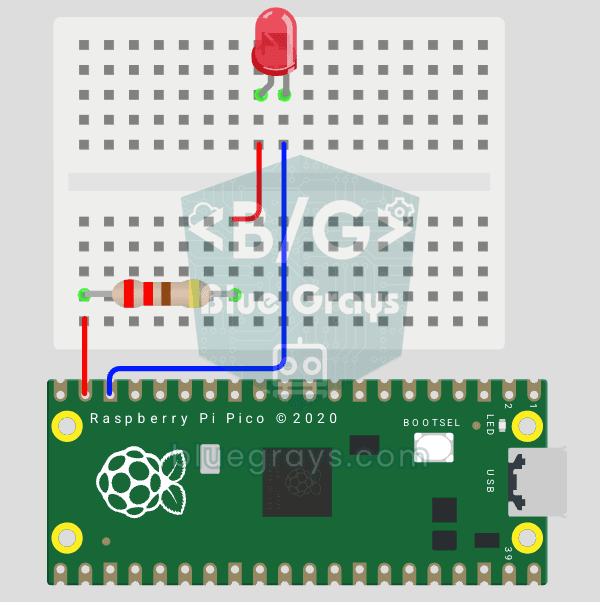
Raspberry Pi Pico: Controlling an External LED (GP14 + Breadboard)
The next step after Pico’s built-in LED: connecting an external LED to the breadboard and controlling it via the GP14 pin. In this project, you’ll learn how to use any of the Pico’s general-purpose GPIO pins as an output, the LED’s polarity (long leg = anode/+, short leg = cathode/–), and why a current-limiting resistor (220Ω) is required. If you don’t include the resistor, excessive current will flow through the LED and it may burn out. The circuit is very simple: Pico GP14 → 220Ω resistor → LE
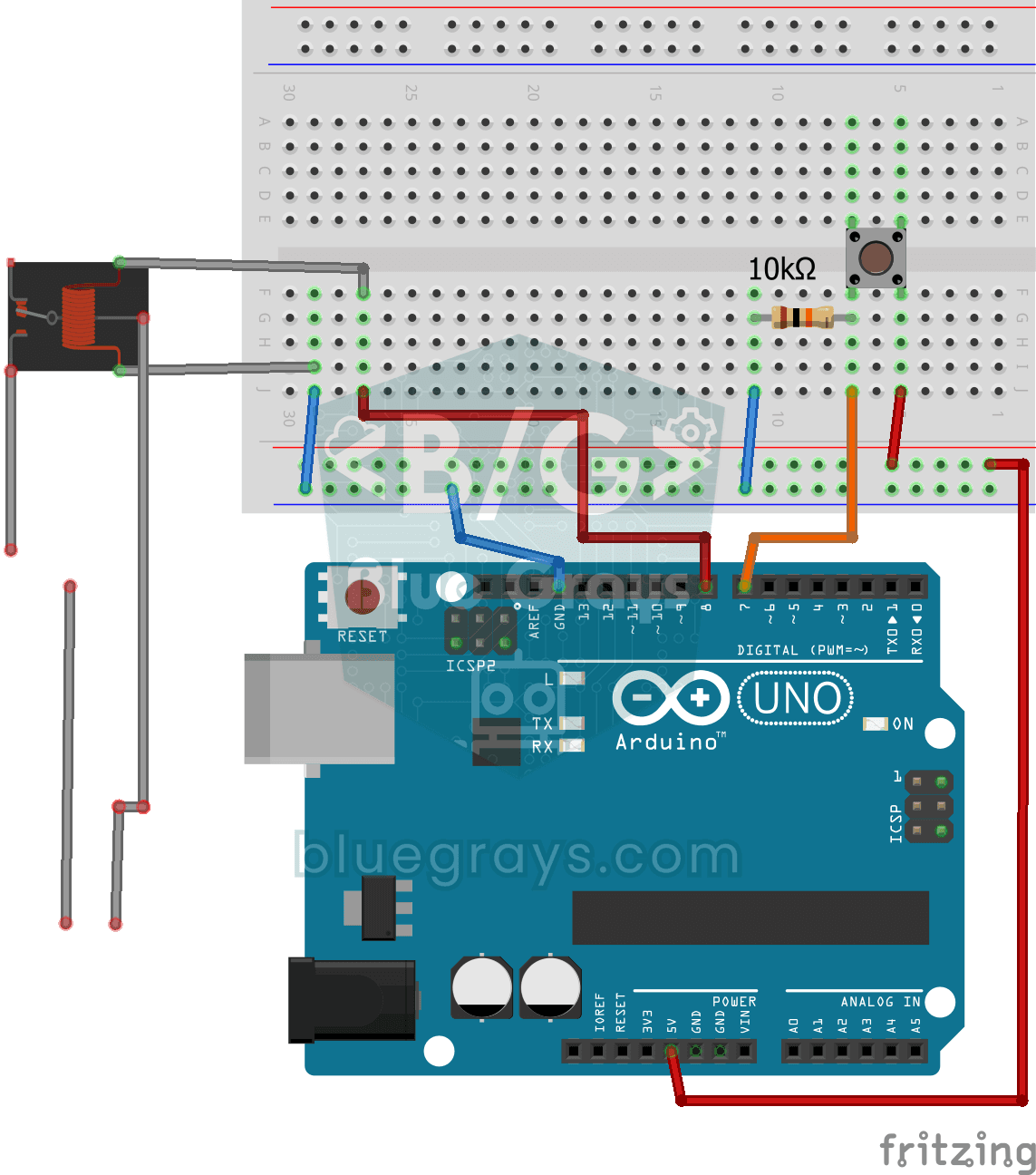
Lighting 220V Bulb with Push Button
As long as you hold the button, a real 220-volt bulb stays lit, and it goes out the moment you let go. The Arduino's tiny signal cannot light the bulb directly, so a relay, an electrically controlled
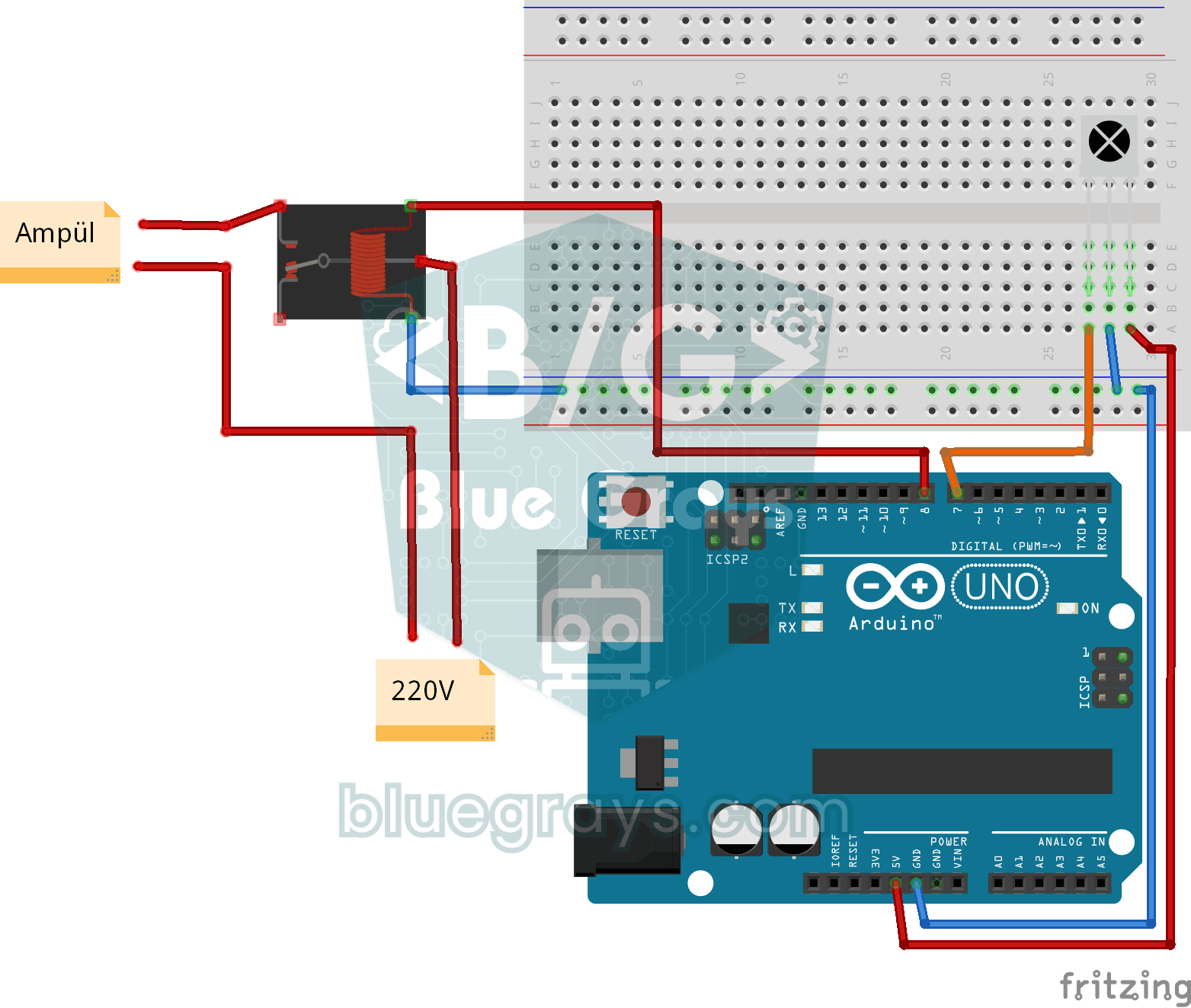
Lighting 220V Bulb with Remote Control
Switch a real light bulb in your home on and off with a TV remote, without getting up from the sofa. The Arduino reads the invisible light signal from the remote; the power button clicks the relay and

Smart Irrigation Station
A gardener that waters your plants on its own, so they don't dry out while you're on vacation. A soil moisture sensor measures how wet the soil is; when it gets dry, the Arduino runs the water pump fo

Bluetooth Controlled Car with L298N
Turn your phone into a remote and drive your own robot car. The Arduino receives commands from a remote-control app on your phone through a Bluetooth module and spins the wheels with a motor driver; t
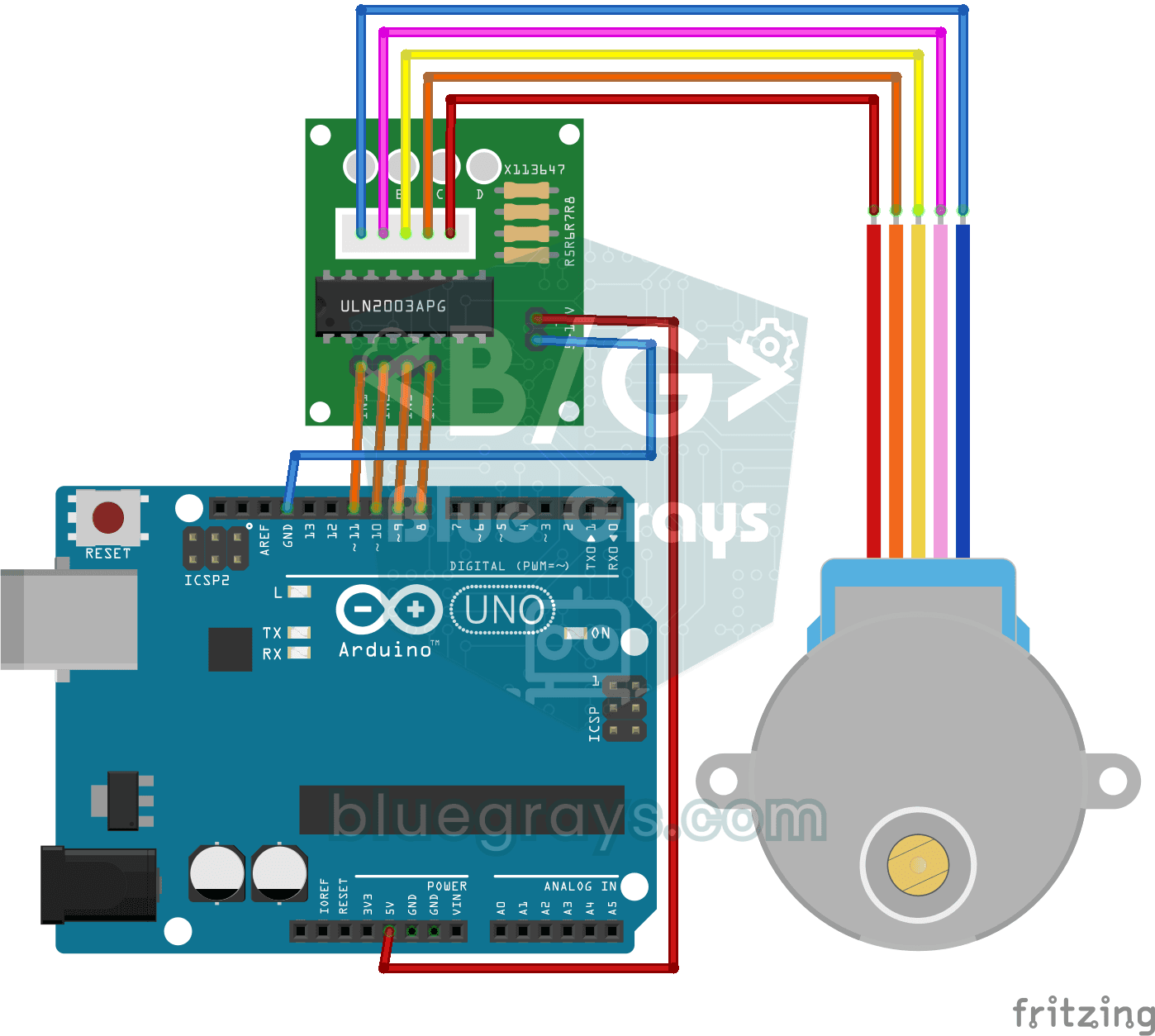
Using a Stepper Motor
A motor that turns step by step, exactly as far as you want, like the hand of a clock. Through a driver board, the Arduino turns a small stepper motor one full turn in one direction, waits a second, t