
What Is a Transistor? How It Works, NPN vs PNP and Arduino Use
What is a transistor and how does it work? NPN vs PNP, base resistor calculation, BC547, 2N2222A and TIP120 compared, and Arduino motor and relay circuits.
A transistor is a three-legged semiconductor component that uses a small current to control a much larger one. It has two basic jobs: switching a load on and off like an electronic switch, and acting as an amplifier that makes a weak signal stronger. An Arduino pin can safely supply only about 20 mA; that's enough for an LED, but not for a motor, a relay or a 12 V LED strip. That's where the transistor comes in: with a few milliamps from the pin, it controls hundreds of milliamps or even several amps.
The transistor was invented in 1947 at Bell Labs by John Bardeen, Walter Brattain and William Shockley; it replaced vacuum tubes and put computers in our pockets. Today the processor in your phone contains billions of tiny transistors, and the ATmega328P at the heart of an Arduino is built from a huge number of them too. In this article you'll learn the difference between NPN and PNP, what the base, collector and emitter do, how to calculate the base resistor, how BC547, 2N2222A and TIP120 compare, how to drive motors, relays and LED strips with Arduino, ESP32 and Raspberry Pi Pico, and how to identify the legs with a multimeter.
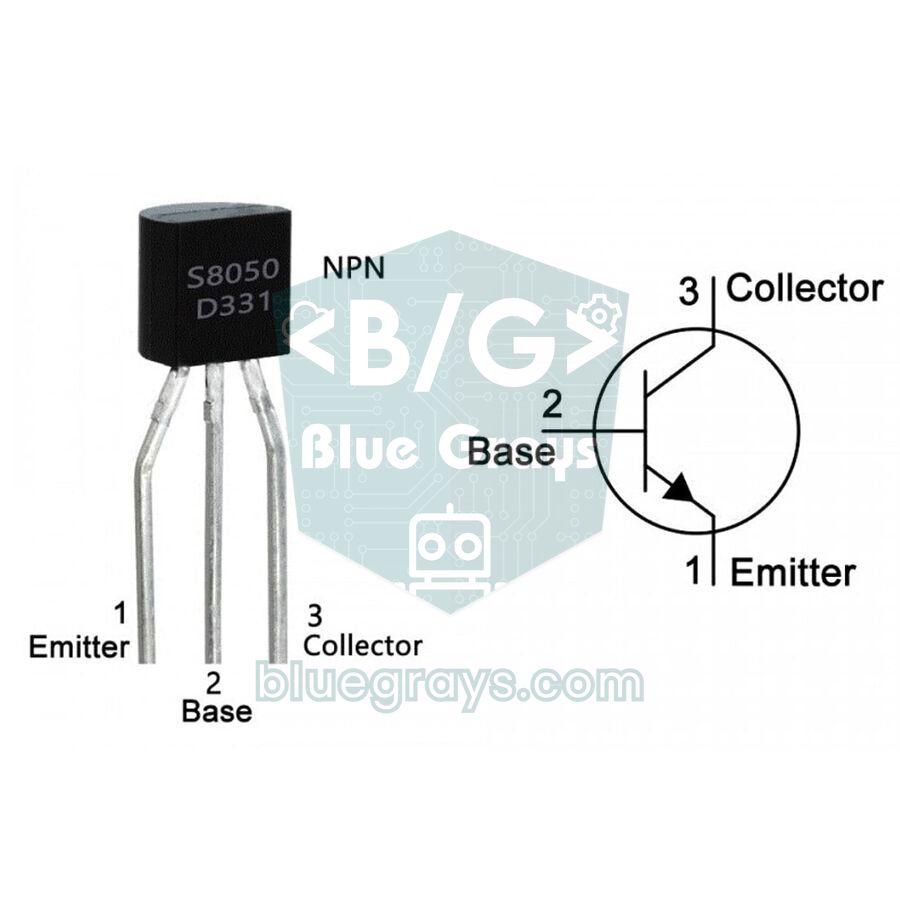
What is a transistor and how does it work?
You can think of a transistor as a water tap: turning the handle takes very little force, but a lot of water flows through the pipe. In a transistor, the handle is the base current and the water in the pipe is the main current flowing from collector to emitter. The ratio between the two is the transistor's current gain, written as hFE or β (beta) in datasheets: IC = hFE × IB. For example, if you feed 0.1 mA into the base of a BC547 with an hFE of 200, up to 20 mA can flow through the collector. For a silicon transistor to start conducting, about 0.6–0.7 V must appear between base and emitter; this is the threshold voltage of its diode-like junction. The current leaving the emitter is the sum of both: IE = IC + IB.
| Leg | Symbol | Function | Where it goes in an NPN switch |
|---|---|---|---|
| Base | B | Control terminal; the small current enters here | To the Arduino pin through a resistor |
| Collector | C | The load current enters here | To the negative side of the load |
| Emitter | E | The total current leaves here (IE = IC + IB) | To GND |
NPN vs PNP transistors
Bipolar junction transistors (BJTs) are made of three semiconductor layers. In an NPN transistor, the thin P layer in the middle is the base; when the base is about 0.7 V more positive than the emitter, current flows from collector to emitter. In a PNP transistor everything is reversed: the emitter connects to the positive supply, and when the base is pulled about 0.7 V below the emitter, current flows from emitter to collector. The easy way to remember the symbol is the arrow on the emitter: in an NPN it points out, in a PNP it points in. NPN is far more common in Arduino projects, because the emitter goes straight to GND and the transistor turns on when the pin goes HIGH; the load sits between the positive supply and the collector. This is called low-side switching.
| Feature | NPN | PNP |
|---|---|---|
| Arrow in the symbol | Points out of the emitter | Points into the emitter |
| Emitter connects to | GND (negative) | Positive supply (+) |
| To turn it on, the base is | ≈0.7 V above the emitter (pin HIGH) | ≈0.7 V below the emitter (pin LOW) |
| Main current direction | Collector to emitter | Emitter to collector |
| Load position | Between + and collector (low side) | Between collector and GND (high side) |
| Common parts | BC547, S8050, 2N2222A, BC337, TIP120 | BC557, S8550, 2N2907A, BC327, TIP125 |
Operating regions: cut-off, active and saturation
| Region | Condition | Collector current | VCE | Used for |
|---|---|---|---|---|
| Cut-off | VBE < ≈0.6 V, no base current | Almost zero | Close to the supply voltage | Switch OFF |
| Active region | VBE ≈ 0.65–0.7 V, moderate base current | IC = hFE × IB | Somewhere in between | Amplifier |
| Saturation | IB much larger than IC / hFE | Limited by the load and supply | 0.1–0.3 V (0.8–2 V for a Darlington) | Switch ON |
When you use a transistor as a switch, you keep it at only two extremes: fully off (cut-off) or fully on (saturation). The active region in between is for amplifiers and is unwanted in a switch, because the power a transistor dissipates is P = VCE × IC. A saturated 2N2222A drops at most 0.3 V at 150 mA and produces only 45 mW of heat; if it stays half-on at the same current and drops 3 V, it dissipates 450 mW. That's very close to the 625 mW limit of the TO-92 package, and the transistor gets too hot to touch. That's why switching circuits always feed the base enough current to drive the transistor firmly into saturation.
The transistor as an amplifier
When a transistor is kept in the active region, it magnifies small changes at the base into larger changes at the collector. For example, in a transistor with an hFE of 200, a 10 µA increase in base current raises the collector current by 2 mA; across a 2.2 kΩ collector resistor that's a 4.4 V change in voltage. Microphone preamps, radios and audio amplifiers work on this principle. The most common circuit is the common-emitter amplifier: a voltage divider sets the base in the middle of the active region, a resistor on the emitter (RE) keeps the circuit stable against temperature, and the voltage gain is roughly RC / RE, about 10 times with 4.7 kΩ and 470 Ω. Even electret microphones contain a tiny transistor (a JFET) that boosts the signal. In Arduino projects, ready-made ICs are usually used to amplify sensor signals; see What Is an Op-Amp? for that. The rest of this article focuses on switching, which is what you'll need most with Arduino.
Connecting a transistor switch to Arduino
The circuit you'll use most often is a low-side switch with an NPN transistor. The positive side of the load (motor, relay coil, LED strip) goes to the positive terminal of the external supply, and its negative side goes to the transistor's collector. The emitter goes to GND. The Arduino pin connects to the base always through a resistor; this resistor limits both the current drawn from the pin and the base current. A 10 kΩ resistor between base and GND keeps the transistor from switching on by itself while the pin floats during power-up or a reset. In this arrangement the transistor only opens and closes the load's path to GND, so the load can run on 12 V while the Arduino runs on 5 V.
| Connection | Arduino Uno | ESP32 | Raspberry Pi Pico |
|---|---|---|---|
| Control pin (input of the base resistor) | D9 (PWM) or D7 | GPIO 18 | GP15 |
| Pull-down resistor from base to GND | 10 kΩ | 10 kΩ | 10 kΩ |
| Emitter | GND | GND | GND |
| Collector | Load negative (−) | Load negative (−) | Load negative (−) |
| Load positive (+) | External supply + (e.g. 12 V) | External supply + (e.g. 12 V) | VBUS (5 V) or external supply + |
| External supply negative (−) | Arduino GND (common ground) | ESP32 GND (common ground) | Pico GND (common ground) |
Calculating the base resistor: hFE and saturation
To choose the base resistor you need two things: the current the load draws (IC) and the minimum hFE from the transistor's datasheet. Even within the same model, hFE varies a lot from part to part and with temperature and current; for the BC547 it ranges from 110 to 800. That's why you calculate with the minimum value, not the typical one, and multiply the result by a safety factor of 2 to 10. The formulas are: IB = (IC / hFE) × safety factor and RB = (Vpin − VBE) / IB. Vpin is 5 V on the Arduino Uno and 3.3 V on the ESP32 and Pico; VBE is about 0.7 V for a regular transistor and about 1.4 V for a Darlington such as the TIP120. A common shortcut is to assume an hFE of 10 for saturation (forced beta); datasheets specify the saturation voltage under exactly this condition.
- Find the load current: A 5 V relay with a 70 Ω coil draws 5 / 70 ≈ 71 mA according to Ohm's law. You can use the Ohm's Law tool for the calculation.
- Pick the transistor: 71 mA is very close to the BC547's 100 mA limit; the 2N2222A, rated for 600 mA, is the safer choice.
- Calculate the base current: With a forced beta of 10, IB = 71 / 10 ≈ 7 mA.
- Calculate the resistor: On the Uno, RB = (5 − 0.7) / 0.007 ≈ 614 Ω; choose the next standard value up, 680 Ω, giving a base current of about 6.3 mA.
- Repeat for 3.3 V boards: On an ESP32 or Pico, RB = (3.3 − 0.7) / 0.007 ≈ 371 Ω. The next standard value of 390 Ω, or the more common 470 Ω (about 5.5 mA), is fine; that's still a forced beta of around 13.
- Double-check: The pin current should be under 20 mA, the transistor's current rating at least 1.5 times the load current, and the dissipated power (VCE(sat) × IC ≈ 0.2 V × 71 mA ≈ 14 mW) far below the package limit.
| Load (current) | Suggested transistor | Arduino Uno (5 V) | ESP32 / Pico (3.3 V) |
|---|---|---|---|
| LED group, buzzer (20–50 mA) | BC547, S8050 | 2.2 kΩ (≈2 mA) | 1.2 kΩ (≈2.2 mA) |
| 5 V relay coil (70–90 mA) | 2N2222A, BC337, S8050 | 680 Ω (≈6.3 mA) | 470 Ω (≈5.5 mA) |
| Small DC motor, short LED strip (0.3–1 A) | TIP120 | 1 kΩ (≈3.6 mA) | 470 Ω (≈4 mA) |
| Above 1.5 A (large motor, long LED strip) | Logic-level MOSFET | IRLZ44N; 220 Ω to the gate, 10 kΩ gate to GND | IRLB8721; 220 Ω to the gate, 10 kΩ gate to GND |
BC547, 2N2222A and TIP120: popular transistors compared
| Model | Type / package | VCEO | Continuous IC | hFE | Pin order | Typical use |
|---|---|---|---|---|---|---|
| BC547 | NPN / TO-92 | 45 V | 100 mA | 110–800 (groups A, B, C) | C-B-E | LEDs, buzzers, signal switching |
| BC557 | PNP / TO-92 | 45 V | 100 mA | 125–800 | C-B-E | PNP partner of the BC547, high-side switching |
| S8050 | NPN / TO-92 | 25 V | 500 mA | 85–300 (by group) | E-B-C | Starter kits, relay modules |
| 2N2222A | NPN / TO-92 | 40 V | 600 mA | 100–300 (at 150 mA) | E-B-C | Relays, small motors, fans |
| BC337 | NPN / TO-92 | 45 V | 800 mA | 100–630 | C-B-E | Relays, LED groups, vibration motors |
| TIP120 | NPN Darlington / TO-220 | 60 V | 5 A | At least 1000 | B-C-E | DC motors, LED strips, solenoids |
Pin order is read from left to right with the flat printed face towards you and the legs pointing down. Watch out: the BC547 and 2N2222A have opposite orders (C-B-E and E-B-C), so if you swap one for the other you must swap collector and emitter. Metal-can (TO-18) 2N2222s and copies from different manufacturers may use a different order; if in doubt, check with a multimeter. The TIP120 is a Darlington transistor: it contains two transistors in cascade, so its gain is at least 1000 and it can be driven directly from an Arduino pin through a 1 kΩ resistor. The price is a 1–2 V drop across it and the heat that comes with it: at 1 A it dissipates about 1 W, and a TO-220 package without a heatsink climbs about 60 °C above room temperature. Ready-made driver boards are built from transistors too: the ULN2003 board of the 28BYJ-48 stepper motor contains seven Darlingtons, and the L298N module contains two H-bridges made of transistors.
Driving a DC motor with Arduino: TIP120 and a flyback diode
Now let's set the speed of a small 6–12 V DC motor with a potentiometer. Arduino PWM pin 9 connects to the TIP120's base through a 1 kΩ resistor, and the motor goes between the positive of the external supply and the TIP120's collector; the emitter goes to GND. The potentiometer's outer legs go to 5V and GND and its wiper to A0. A flyback diode (1N4007, or the faster 1N5819) goes across the motor in reverse: the striped cathode end faces the positive supply, the other end the collector. The PWM signal switches the transistor on and off hundreds of times per second, and the motor turns slower or faster according to the average voltage.
1// TIP120 ile DC motor hız kontrolü / DC motor speed control with a TIP120
2const int MOTOR_PIN = 9;    // PWM pini, 1 kΩ ile TIP120 beyzine / PWM pin, to the TIP120 base via 1 kΩ
3const int POT_PIN = A0;     // potansiyometre orta ucu / potentiometer wiper
4
5void setup() {
6  pinMode(MOTOR_PIN, OUTPUT);
7  Serial.begin(9600);
8}
9
10void loop() {
11  int pot = analogRead(POT_PIN);            // 0–1023
12  int speed = map(pot, 0, 1023, 0, 255);    // PWM değerine çevir / convert to a PWM value
13  if (speed < 40) speed = 0;                // çok düşükte motor yalnızca vızıldar / too low, the motor only hums
14  analogWrite(MOTOR_PIN, speed);
15  Serial.println(speed);
16  delay(50);
17}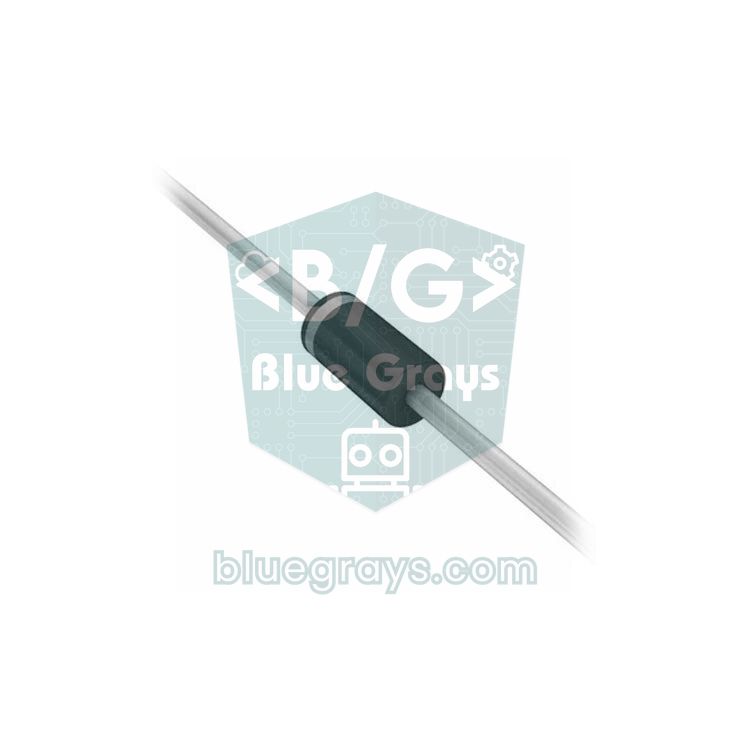
Driving a relay: a 5 V relay with a 2N2222A
Ready-made relay modules already include this circuit: a small transistor, a base resistor and a flyback diode. If you're using a bare 5 V relay, you build the same circuit yourself: the relay coil goes between 5V and the 2N2222A's collector, a 1N4007 diode goes across the coil in reverse, and pin D7 connects to the base through 680 Ω. The code below pulls in the relay when you type 1 in the Serial Monitor and releases it when you type 0. Before switching mains voltage through the relay contacts, be sure to read the safety rules in What Is a Relay Module?.
1// 2N2222A ile 5 V röle sürme / Driving a 5 V relay with a 2N2222A
2const int RELAY_PIN = 7;    // 680 Ω ile transistör beyzine / to the transistor base via 680 Ω
3
4void setup() {
5  pinMode(RELAY_PIN, OUTPUT);
6  digitalWrite(RELAY_PIN, LOW);             // açılışta kapalı / off at startup
7  Serial.begin(9600);
8  Serial.println("1: röle açık / relay on, 0: röle kapalı / relay off");
9}
10
11void loop() {
12  if (Serial.available() > 0) {
13    char c = Serial.read();
14    if (c == '1') {
15      digitalWrite(RELAY_PIN, HIGH);        // transistör doyumda, röle çeker / transistor saturated, relay pulls in
16      Serial.println("Röle açık / relay on");
17    } else if (c == '0') {
18      digitalWrite(RELAY_PIN, LOW);         // transistör kesimde, röle bırakır / transistor cut off, relay releases
19      Serial.println("Röle kapalı / relay off");
20    }
21  }
22}
Using transistors with ESP32 and Raspberry Pi Pico
ESP32 and Pico pins output 3.3 V, so you need to calculate the base resistor for 3.3 V; a 1 kΩ chosen for 5 V gives a TIP120 only 1.9 mA at 3.3 V. The ESP32 example below smoothly fades a 12 V LED strip up and down with PWM on GPIO 18. A 5050 strip with 60 LEDs per metre draws about 1.2 A per metre; for a 1 m piece, a TIP120 with a 470 Ω base resistor is enough, but don't forget a small heatsink. An LED strip has no coil, so no flyback diode is needed. The code uses the ledcAttach and ledcWrite functions from version 3.x of the ESP32 Arduino core; the older 2.x version used ledcSetup and ledcAttachPin instead.
1// ESP32 ile 12 V LED şerit parlaklığı (TIP120) / 12 V LED strip brightness with ESP32 (TIP120)
2const int STRIP_PIN = 18;   // 470 Ω ile TIP120 beyzine / to the TIP120 base via 470 Ω
3
4void setup() {
5  ledcAttach(STRIP_PIN, 1000, 8);   // 1 kHz, 8 bit (0–255); çekirdek 3.x / core 3.x
6}
7
8void loop() {
9  for (int d = 0; d <= 255; d++) {  // yavaşça aydınlan / fade in
10    ledcWrite(STRIP_PIN, d);
11    delay(10);
12  }
13  delay(1000);
14  for (int d = 255; d >= 0; d--) {  // yavaşça karar / fade out
15    ledcWrite(STRIP_PIN, d);
16    delay(10);
17  }
18  delay(1000);
19}
Driving a transistor from a Raspberry Pi Pico in MicroPython works the same way. The code below reads the Pico's on-chip temperature sensor; when the temperature reaches 32 °C, it starts a small 5 V fan through a transistor on GP15, and stops it when it falls to 29 °C. Using two separate thresholds (hysteresis) keeps the fan from rapidly switching on and off around the limit. The fan is powered from the VBUS pin (the USB 5 V); for a fan drawing about 100 mA, a BC337 or 2N2222A with a 1 kΩ resistor is enough, and again a diode goes across the fan. The chip temperature reads a few degrees above ambient; in a real project, a sensor such as the DS18B20 is more accurate.
1# Pico yonga sıcaklığına göre fan / Fan controlled by the Pico's chip temperature
2from machine import Pin, ADC
3import time
4
5fan = Pin(15, Pin.OUT, value=0)   # 1 kΩ ile transistör beyzine / to the transistor base via 1 kΩ
6sensor = ADC(4)                   # yonga içi sıcaklık sensörü / on-chip temperature sensor
7ON_C, OFF_C = 32, 29              # açma ve kapama eşikleri / switch-on and switch-off thresholds
8
9while True:
10    v = sensor.read_u16() * 3.3 / 65535
11    temp = 27 - (v - 0.706) / 0.001721       # RP2040 veri sayfası formülü / RP2040 datasheet formula
12    if temp >= ON_C:
13        fan.value(1)                         # transistör iletimde, fan döner / transistor on, fan spins
14    elif temp <= OFF_C:
15        fan.value(0)                         # transistör kesimde, fan durur / transistor off, fan stops
16    print("{:.1f} C, fan: {}".format(temp, fan.value()))
17    time.sleep(1)
Identifying transistor legs with a multimeter
- Take the transistor out of the circuit and set the multimeter to diode test mode (the diode symbol).
- Hold the red probe on one leg and touch the other two legs in turn with the black probe. If both readings are between 0.5 and 0.8 V, the leg under the red probe is the base and the transistor is NPN.
- If you can't find such a leg, swap the probes: if, with the black probe held on one leg, the other two legs read 0.5–0.8 V, that leg is the base and the transistor is PNP.
- Compare the readings between the base and the other two legs: the slightly higher one (for example 0.65 V versus 0.62 V) is the emitter, the lower one is the collector. If the difference is tiny, trust the datasheet.
- Between collector and emitter you should see OL (open circuit) in both directions; the reverse direction of the base readings should also show OL.
- If your multimeter has an hFE socket, insert the transistor into the NPN or PNP slot using the pin order you found; the display shows the current gain.
In Darlington transistors such as the TIP120, there are two junctions and internal resistors (about 8 kΩ and 120 Ω) between base and emitter, so the readings don't follow this rule; confirm the pin order from the datasheet. If you see a near-zero reading between collector and emitter in both directions, the transistor is shorted; if the base shows no reading to the other legs in either direction, a junction inside has failed open. To learn the multimeter ranges in detail, take a look at How to Use a Multimeter.
Project ideas with transistors
- Automatic night light: when an LDR detects darkness, switch on a 12 V LED strip with a TIP120.
- Smart fan: as the temperature measured by a DHT11 rises, increase the fan speed with PWM and a transistor.
- Automatic watering: when a soil moisture sensor detects dry soil, run a small water pump through a transistor.
- Code lock: when the right code is entered on a keypad, open a 12 V solenoid lock with a TIP120 and a diode.
- Silent alert: drive a vibration motor with a BC337 to build a wearable notification device.
- Loud alarm: when a PIR sensor detects motion, sound a 12 V siren that an Arduino pin couldn't drive on its own, through a transistor.
Common mistakes and how to fix them
| Symptom | Likely cause | Fix |
|---|---|---|
| The load doesn't work at all | No common GND, or the legs are reversed | Join the negatives of the supplies and check the pin order |
| The transistor gets very hot | It isn't saturating (too little base current) or its current rating is exceeded | Lower the base resistor, pick a stronger transistor or a MOSFET |
| The Arduino resets or the transistor dies when the motor stops | No flyback diode | Fit a 1N4007 or 1N5819 in reverse across the load, band to the positive side |
| The load runs even when the pin is LOW | Blown transistor (C-E short) or floating base | Test the transistor with a multimeter and add 10 kΩ from base to GND |
| The PNP transistor never turns off | The emitter is at 12 V but the pin can only reach 5 V | Drive the PNP's base with an NPN, or switch the load on the low side with an NPN |
| The Arduino pin is damaged | The pin was connected straight to the base without a resistor | Always use a base resistor and keep the pin current under 20 mA |
| The load runs weakly with ESP32 or Pico | The resistor was chosen for 5 V, or the MOSFET doesn't fully turn on at 3.3 V | Calculate the base resistor for 3.3 V and choose a 3.3 V-compatible MOSFET |
The transistor is the key to controlling big loads with a small signal, in other words to connecting your Arduino to the real world. Once the base resistor calculation, the common GND and the flyback diode click into place, motors, pumps and LED strips stop being intimidating. In the BlueGrays app you can explore projects such as an LDR night light, a buzzer, LED fading with PWM, a stepper motor and mains lamp control step by step, with circuit diagrams and code.
Frequently asked questions
What is a transistor used for?
A transistor does two basic jobs: it works as an electronic switch that turns a large current on and off with a small one, and as an amplifier that makes a weak signal stronger. In Arduino projects it's mostly used to control loads that a pin can't drive on its own, such as motors, relays, fans and LED strips.
What is the difference between NPN and PNP transistors?
In an NPN transistor the emitter goes to GND and it conducts when the base is about 0.7 V above the emitter; current flows from collector to emitter. In a PNP the emitter goes to the positive supply and it turns on when the base is pulled 0.7 V below the emitter. NPN is easier for switching a load on the GND side with an Arduino.
How do you identify the pins of a transistor?
The most reliable way is the datasheet: with the printed face towards you, from left to right the order is C-B-E for the BC547, E-B-C for the 2N2222A and B-C-E for the TIP120. Without a datasheet, you can find the base and the type with a multimeter's diode mode, and tell the emitter apart because the base-emitter reading is slightly higher than the base-collector reading.
Which transistor should I use with Arduino?
For loads up to 50 mA, such as LEDs and buzzers, a BC547 is enough. For 5 V relay coils (70–90 mA) and small motors up to 500 mA, use a 2N2222A or BC337, and for motors and LED strips around 1 A use a TIP120. At higher currents a logic-level MOSFET runs cooler.
What value base resistor should I use for a transistor?
The base resistor is calculated with RB = (Vpin − VBE) / IB; for regular transistors, one tenth of the load current is a good starting point for IB. With an Arduino Uno, typical values are 680 Ω for a 5 V relay, 2.2 kΩ for 20–50 mA loads such as LEDs and buzzers, and 1 kΩ for a TIP120.
Why does my transistor get hot?
The heat a transistor produces is P = VCE × IC. If the base current is too low, the transistor doesn't saturate, volts remain across it and it heats up; the same happens if the load current exceeds its rating. Lower the base resistor, pick a stronger transistor or a MOSFET, and use a heatsink above 1 A.
Projects to build after reading this
See all projects
Night Light with Ldr
LDR based night light project that automatically turns on the LED when the environment gets dark. Teaches automatic control logic with analog threshold comparison.
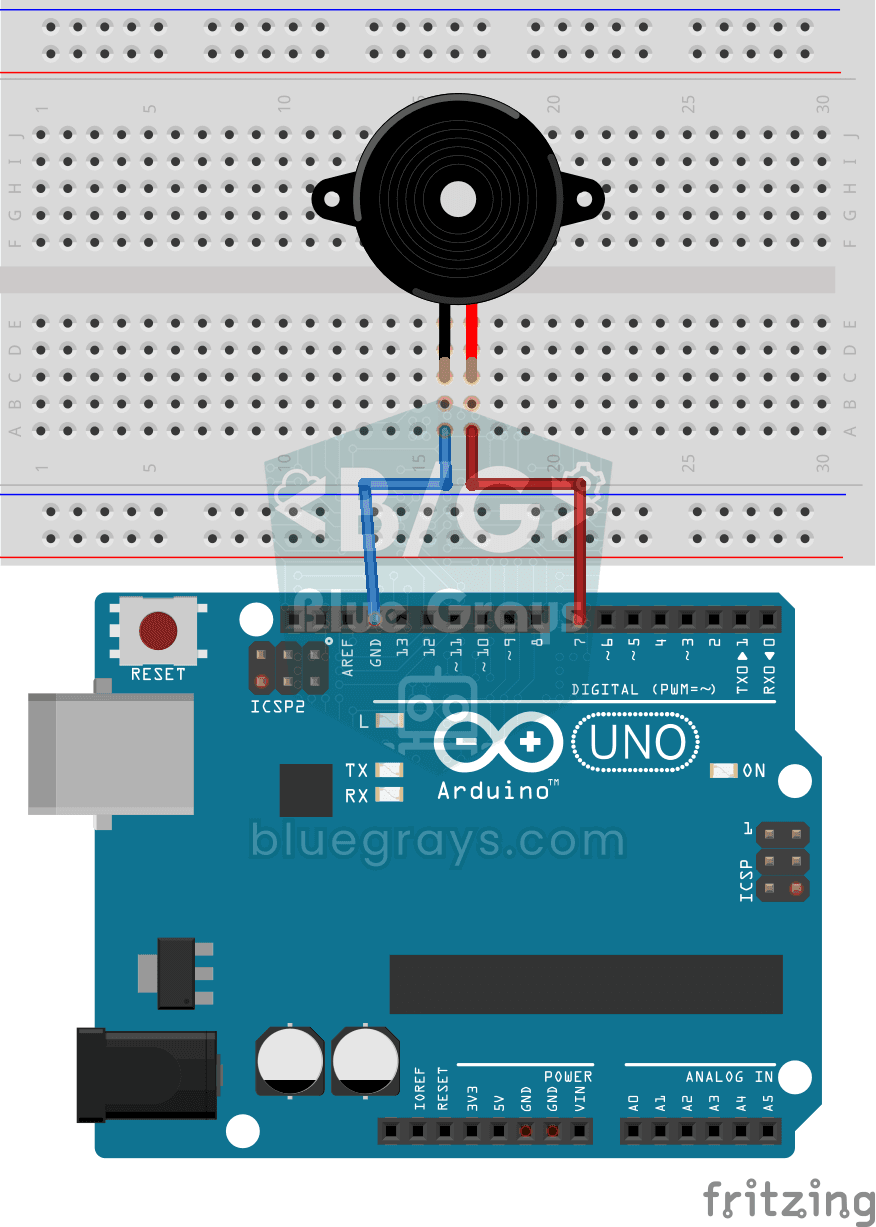
Using a Buzzer
Basic project that uses the buzzer to emit a sound at a specific frequency and interval. Teaches the use of tone() and noTone() functions.

ESP32 LED Fade with PWM
Smoothly changing the brightness of the LED from 0 to max, from max to 0. We control PWM with analogWrite() as in Arduino - the same syntax as ESP32 Arduino Core 3.0+ works without problems. Pin definition + pinMode + analogWrite is enough.
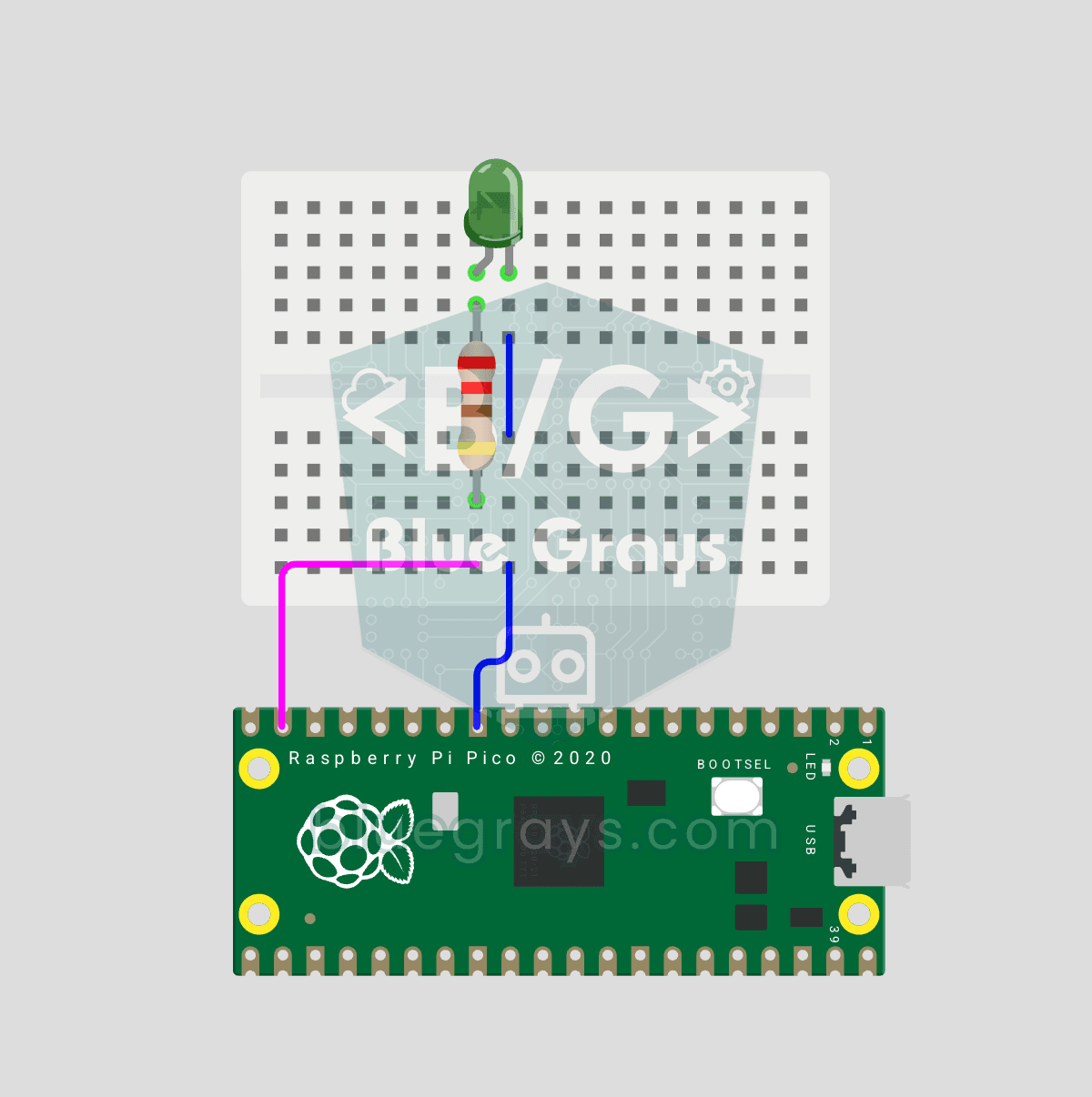
Raspberry Pi Pico PWM LED Fade (Breathing Effect, GP14)
The LED no longer just blinks — it breathes! 🌬️ Using the Raspberry Pi Pico's **PWM** (Pulse Width Modulation), the LED brightness slowly rises and then slowly falls, like a sleeping MacBook's light. Learn the **machine.PWM class**, **duty_u16()** (16-bit brightness 0–65535), **PWM frequency** (`freq(1000)` — 1000 on/off cycles per second, no visible flicker), **range() step loops** (up and down) and **analog-like output** from a digital pin. PWM is a core embedded tool — RGB color mixing, motor
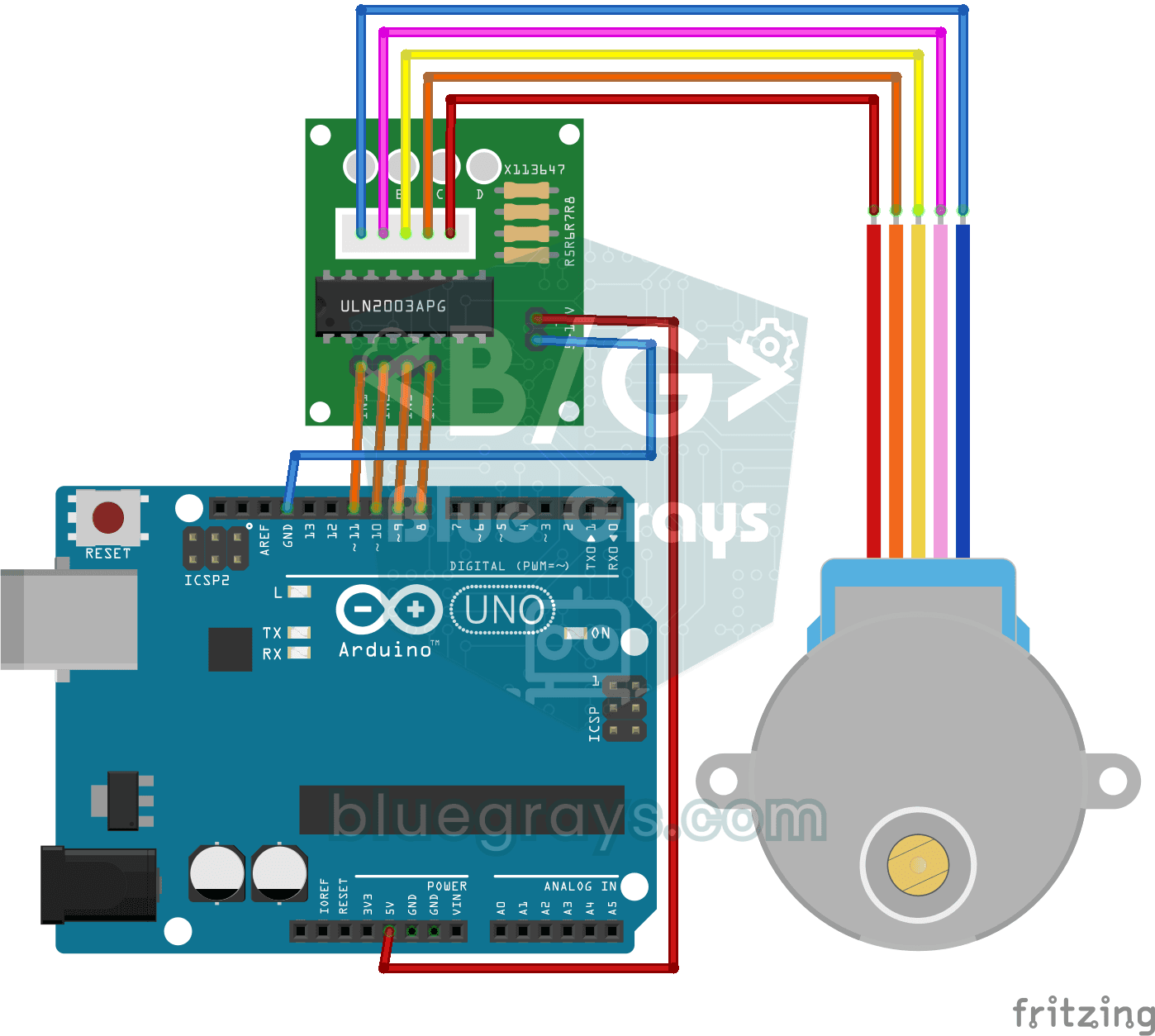
Using a Stepper Motor
Basic project that turns 28BYJ-48 stepper motor clockwise and counterclockwise full turn with ULN2003A driver board. Teaches stepping and direction control of stepper motor.
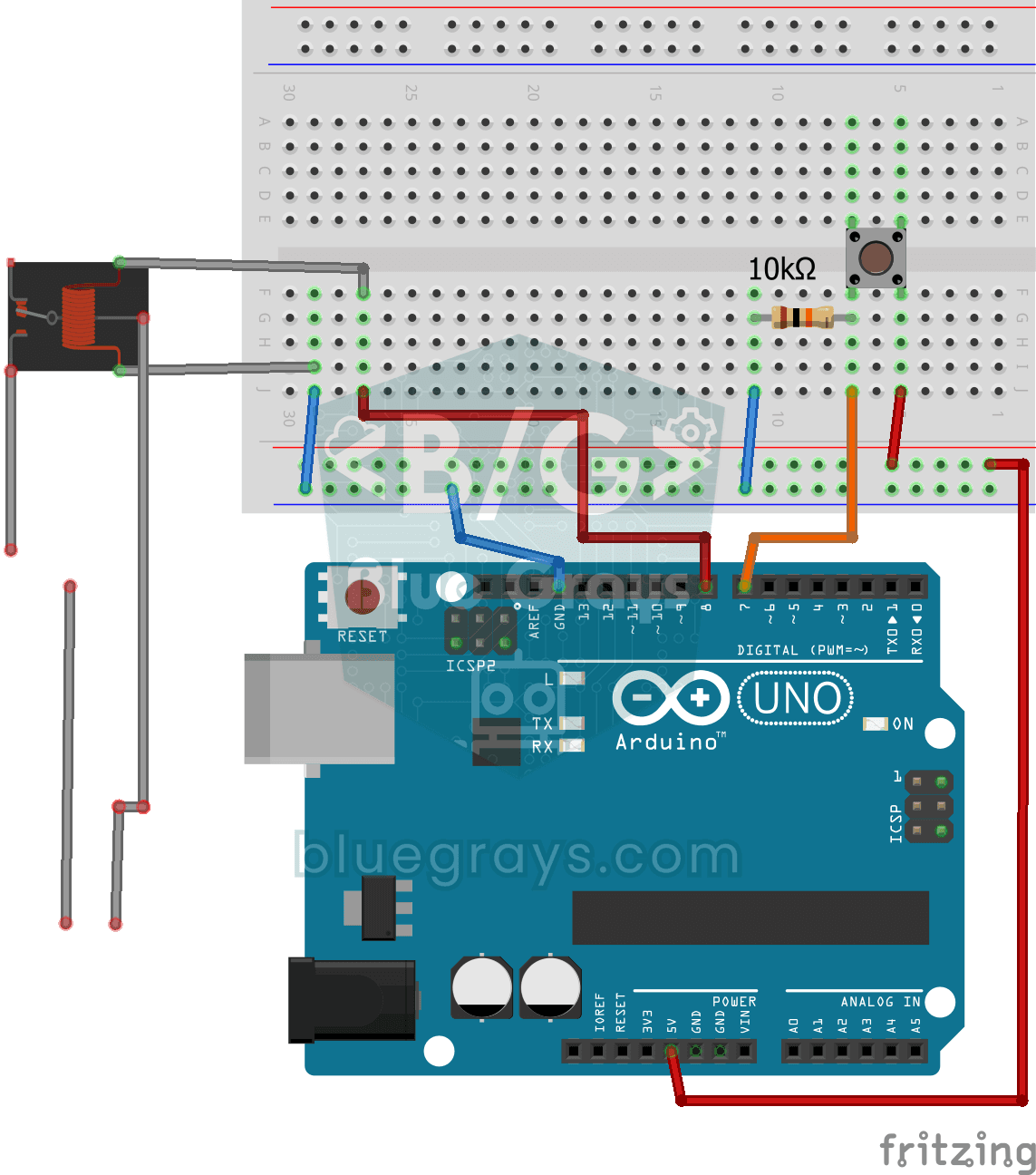
Lighting 220V Bulb with Push Button
Project that controls a 220V light bulb with a push button using a relay module. Teaches the basics of high voltage switching with relay.

Smart Irrigation Station
Autonomous plant irrigation system that works 24/7 with two 18650 batteries and LM2596 regulator without tiring Arduino. It automatically manages the water motor by continuously measuring soil moistur

ESP32 Smart Lighting (PIR + LDR + Relay + OLED)
Turn your hallway, bathroom, or pantry into smart lighting with ESP32! Using a PIR motion sensor, LDR light sensor, and a relay module, we build the classic "light turns on when motion is detected in the dark" scenario — if the environment is already bright, motion does NOT trigger the light, saving energy during the day. The light stays on for 30 seconds; if motion continues, the timer resets and the light stays on longer. The SSD1306 OLED shows large-font status (ON / DAYTIME / WAITING), a cou