
What Is a Capacitor? Types, 104 Code and RC Time Constant
What is a capacitor and what does it do? pF, nF and µF units, ceramic vs electrolytic, the 104 code, τ = R·C, 100 nF decoupling and an Arduino charge test.
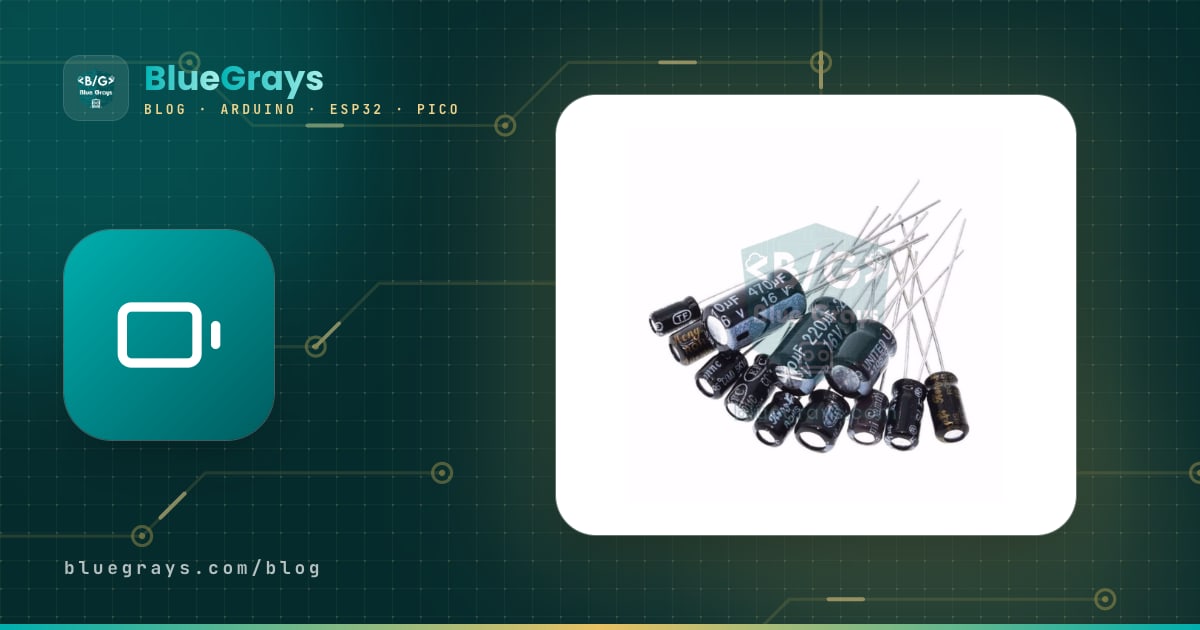
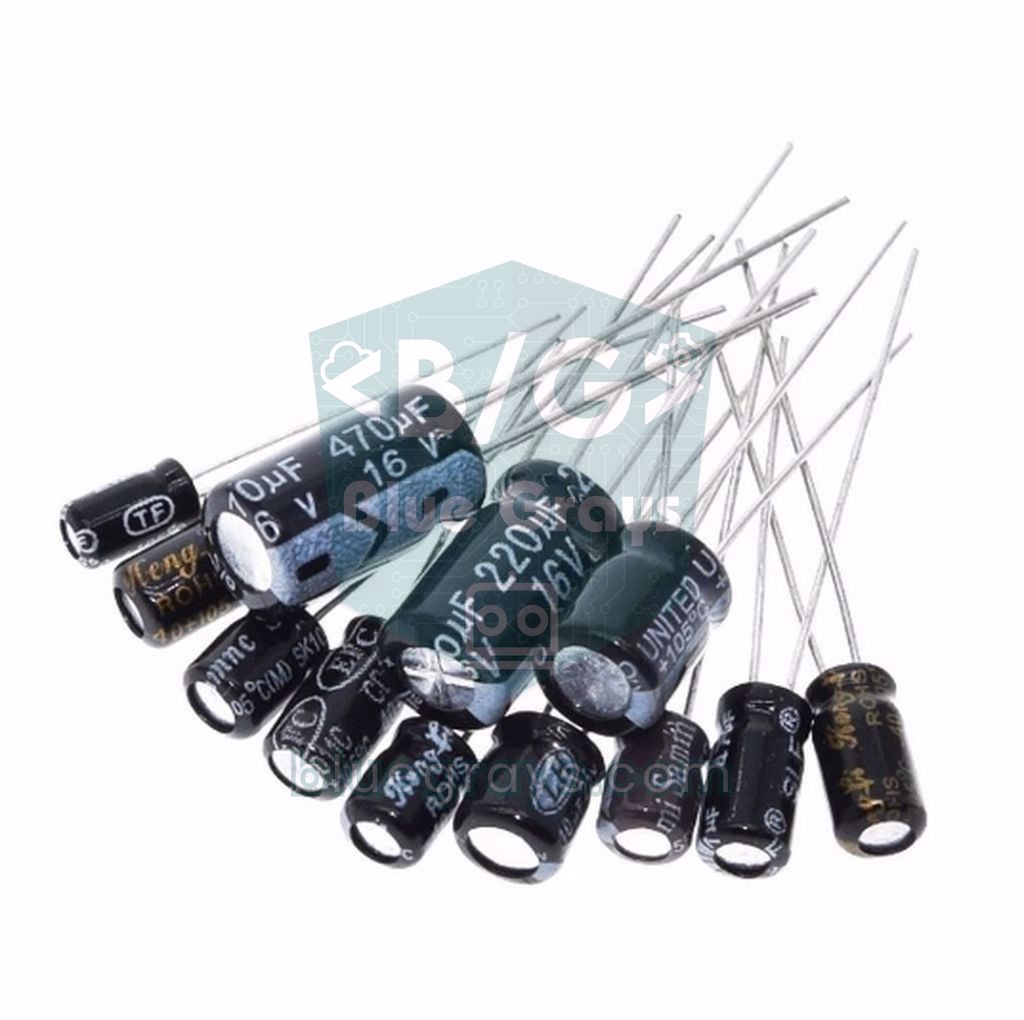
A capacitor is a basic circuit component that stores electric charge between two conductive plates that never touch, and releases it again very quickly when needed. Think of it as a small but very fast energy reservoir: it supplies charge when the voltage dips, swallows sudden spikes, blocks direct current (DC) once it is charged, yet lets alternating current (AC) and noise through. Even an Arduino Uno carries plenty of capacitors; they calm the supply rail, stop buttons from bouncing, set timing and turn a PWM signal into a smooth voltage.
In this guide you'll learn how a capacitor works, the pF, nF and µF units, the difference between ceramic, electrolytic and tantalum types, how to read polarity and voltage rating, what codes such as 104 mean, the RC time constant (τ = R·C) and how to connect capacitors in series and parallel. At the end we'll run an experiment with Arduino, ESP32 and Raspberry Pi Pico that plots a capacitor's charge curve and measures its capacitance.
What is a capacitor and how does it work?
Inside every capacitor are two conductive surfaces separated by an insulating layer called the dielectric. When you apply a voltage across its leads, electrons pile up on one plate and are pulled away from the other; an electric field forms between the plates and the energy is stored in that field. The stored charge is given by Q = C · V, where C is the capacitance in farads and V the voltage in volts. The stored energy is E = ½ · C · V²; for example, a 1000 µF capacitor charged to 16 V holds 0.128 joules. Current and voltage are related by I = C · ΔV/Δt: a capacitor resists sudden changes in its voltage, which is exactly why it smooths out ripple.
You can picture a capacitor as a water tank: when it's empty it fills quickly, the flow slows as it fills, and finally it stops. That's why, in a DC circuit, no current flows through a capacitor once it's charged. As frequency rises, however, the capacitor opposes current less and less; this opposition is called capacitive reactance and is calculated with Xc = 1 / (2π · f · C). A 100 nF capacitor shows about 1.6 kΩ at 1 kHz but only 0.16 Ω at 10 MHz. In other words, it's almost a short circuit for high-frequency noise, and that's the whole secret behind decoupling capacitors.
Capacitance units: pF, nF and µF
| Unit | Symbol | In farads | Typical use |
|---|---|---|---|
| Picofarad | pF | 10⁻¹² F | 22 pF next to a crystal, RF circuits |
| Nanofarad | nF | 10⁻⁹ F | 100 nF decoupling, 10 nF noise filter |
| Microfarad | µF | 10⁻⁶ F | 10–1000 µF supply and motor capacitors |
| Farad | F | 1 F | Supercapacitors, backup energy |
The farad is a huge unit, so electronics almost always uses its small multiples. The conversion rule is simple: each step is a factor of 1000. 1 µF = 1000 nF = 1,000,000 pF, so 0.1 µF, 100 nF and 100,000 pF are the same value. When the µ symbol isn't available, a u is written instead (10uF), and on old schematics you may see MFD for microfarad. The values you'll meet most often in Arduino projects are 22 pF, 100 nF (0.1 µF), 10 µF, 100 µF and 1000 µF.
Types of capacitors: ceramic, electrolytic, tantalum and more
| Type | Capacitance range | Polarised? | Where it's used |
|---|---|---|---|
| Ceramic (MLCC, disc) | 1 pF – 100 µF | No | Decoupling, crystals, high-frequency filters |
| Aluminium electrolytic | 0.1 µF – tens of thousands of µF | Yes | Supply filtering, motors, servos, LED strips |
| Tantalum | 0.1 µF – a few hundred µF | Yes | Stable supply on small boards |
| Film (polyester, polypropylene) | About 1 nF – 10 µF | No | Audio, timing, mains filters |
| Supercapacitor | 0.1 F – hundreds of F | Yes | Clock (RTC) backup, short-term energy |
- Ceramic: Small, cheap and non-polarised. Their internal resistance (ESR) is very low, so they're the best at filtering fast noise. Stability depends on the dielectric: C0G (NP0) is very stable, X7R is good, while Y5V can lose more than half its value with temperature and applied voltage.
- Aluminium electrolytic: Offers large capacitance in a small volume, but it's polarised and the liquid inside slowly dries out. The body shows an 85 °C or 105 °C limit and the lifetime at that temperature (e.g. 2000 hours); roughly, every 10 °C cooler doubles its life.
- Tantalum: Smaller and more stable than an electrolytic of the same value, but sensitive to reverse voltage and current surges; when it fails it can short and burn. Choose one rated at least twice your working voltage.
- Film: Non-polarised, stable and low-loss; used in audio circuits, precision timing and 230 V mains filters (class X2). The downside is that large values are bulky.
- Supercapacitor: Has capacitance in the farad range but withstands only about 2.7 V per cell. It doesn't hold as much energy as a battery; in return it can charge and discharge within seconds and survives hundreds of thousands of cycles.
How to read polarity (+/−) and voltage rating
- Through-hole electrolytic: The long lead is positive (+), the short lead negative (−). The light-coloured stripe on the sleeve carries minus signs and marks the negative side. If the leads have been trimmed, go by the stripe.
- SMD electrolytic (can type): The black or coloured half-moon on the top marks the negative side.
- Tantalum: Careful, the rule is reversed: the stripe or line on a tantalum capacitor marks the positive lead.
- Ceramic and film: Non-polarised; they can go in either way round.
- On schematics: A non-polarised capacitor is drawn as two straight parallel lines. On a polarised one, one plate is drawn curved or filled and a + sign marks the positive side.
The voltage rating on the body (e.g. 16 V, 25 V, 50 V) is the highest DC voltage the capacitor can withstand continuously, and it must never be exceeded. The safe rule is to pick a capacitor rated at least 1.5–2 times the highest voltage in the circuit: use 10 V or 16 V in a 5 V Arduino circuit, 25 V with a 12 V adapter, and 35 V or 50 V at 24 V. There's no harm in using a higher rating than needed; the part is just larger and slightly more expensive.
Reading capacitor codes: what does 104 mean?
To save space, ceramic and film capacitors carry their value as a three-digit code. The unit is always the picofarad: the first two digits are the number and the third is how many zeros to add. So 104 = 10 followed by 4 zeros = 100,000 pF = 100 nF = 0.1 µF. Two-digit codes give the value directly in pF (22 = 22 pF), and a final digit of 0 adds no zeros (220 = 22 pF). In letter notation the letter is both the unit and the decimal point: 4n7 = 4.7 nF, 2p2 = 2.2 pF. To decode one quickly, use the Capacitor code tool.
| Code | Calculation | Value |
|---|---|---|
| 22 / 220 | 22 × 1 pF | 22 pF |
| 101 | 10 × 10 pF | 100 pF |
| 102 | 10 × 100 pF | 1 nF |
| 103 | 10 × 1,000 pF | 10 nF |
| 104 | 10 × 10,000 pF | 100 nF (0.1 µF) |
| 105 | 10 × 100,000 pF | 1 µF |
| 223 | 22 × 1,000 pF | 22 nF |
| 474 | 47 × 10,000 pF | 470 nF (0.47 µF) |
| 4n7 | The letter acts as the decimal point | 4.7 nF |
A letter after the code gives the tolerance: J = ±5%, K = ±10%, M = ±20%, Z = +80% / −20%. Film capacitors may also have a voltage code in front; for example 2A104J means 100 V (2A), 100 nF (104) and ±5% (J). Common voltage codes are 1C = 16 V, 1H = 50 V, 2A = 100 V and 2J = 630 V. Electrolytic capacitors don't use codes; the value is printed directly (470 µF 16 V). SMD ceramic capacitors, on the other hand, usually have no marking at all, so you can only learn their value from the packaging or by measuring.
Charging, discharging and the RC time constant (τ = R·C)
When you charge a capacitor through a resistor, its voltage doesn't jump instantly but rises along an exponential curve: Vc = Vs · (1 − e^(−t/RC)) (Vs is the source voltage, t the elapsed time). It falls at the same rate when discharging: Vc = V0 · e^(−t/RC). The product R·C is called the time constant and written τ (tau); multiplying ohms by farads gives seconds. For example, with a 10 kΩ resistor and a 100 µF capacitor, τ = 10,000 × 0.0001 = 1 second. With 1 kΩ and 100 nF, τ is only 0.1 milliseconds.
| Elapsed time | Voltage reached when charging | Voltage left when discharging |
|---|---|---|
| 1 τ | 63.2% | 36.8% |
| 2 τ | 86.5% | 13.5% |
| 3 τ | 95.0% | 5.0% |
| 4 τ | 98.2% | 1.8% |
| 5 τ | 99.3% | 0.7% |
In practice a capacitor is considered fully charged or discharged after about 5τ; in the 10 kΩ and 100 µF example that's 5 seconds. This behaviour is the basis of timers, button debounce circuits, lamps that fade out slowly and the 555 chip. To brush up on resistor values, read What Is a Resistor?, and to see how the curve changes with different R and C values, try the RC time constant tool. We explain the relationship between voltage, current and resistance in detail in Ohm's Law.
Filtering and decoupling: why is there a 100 nF next to every chip?
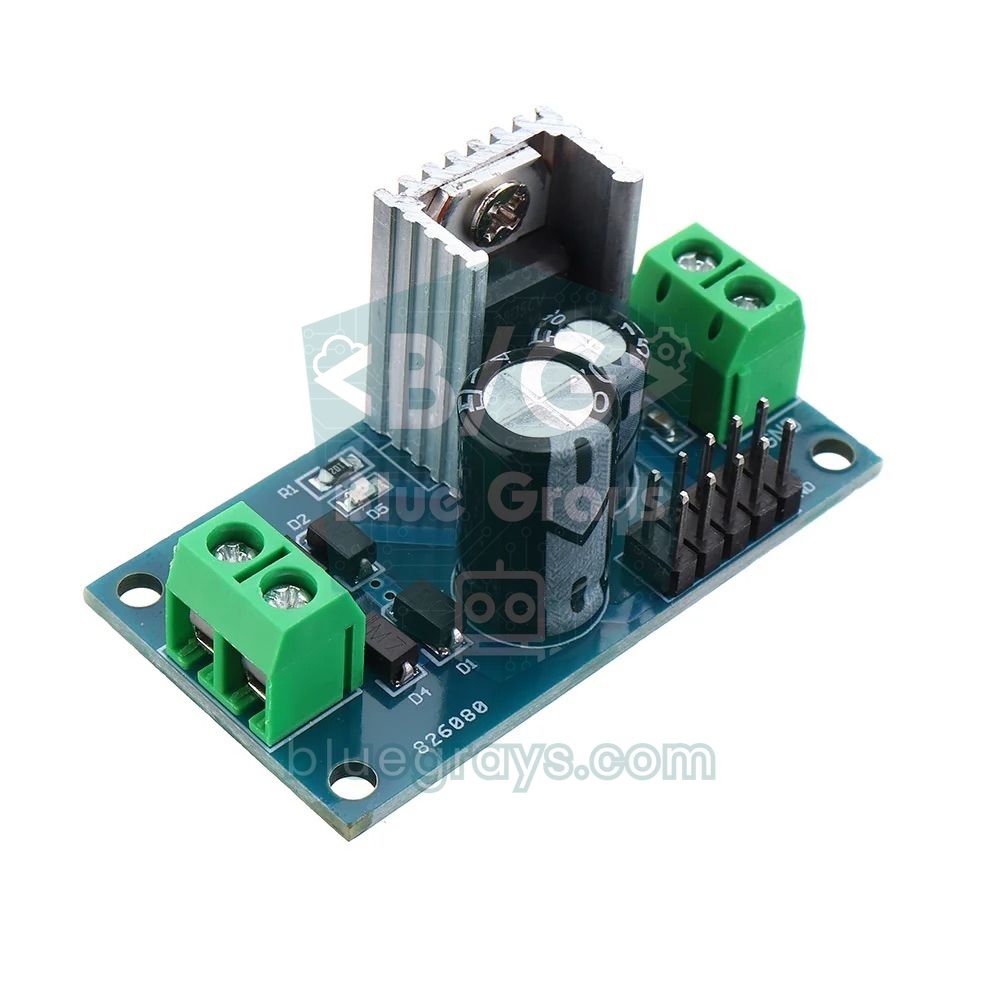
Microcontrollers and other chips draw short current pulses lasting nanoseconds on every clock edge. If the power supply is far away, the inductance of the wires can't keep up with these sudden demands; small dips and noise appear on the supply rail, and the result is random resets, unreliable analog readings or freezes. The fix is to place a 100 nF ceramic capacitor between each chip's VCC and GND pins, as close as possible. It acts as a tiny energy reservoir right next to the chip and shorts high-frequency noise to GND. This is called a decoupling or bypass capacitor. For slow, large load changes, a 10–1000 µF electrolytic (a bulk capacitor) is added at the supply input.
- 100 nF for every chip: Place it between VCC and GND with short leads, as close to the chip's supply pin as you can.
- Linear regulators such as the 7805: The manufacturer recommends 0.33 µF at the input and 0.1 µF at the output; in practice 10–100 µF is often added at the output too. Details in 7805 voltage regulator.
- Servo motors: 100–470 µF on the servo supply, close to the servo, helps stop the Arduino from resetting when the servo moves (What Is a Servo Motor?).
- WS2812B LED strips: A 500–1000 µF capacitor rated at least 6.3 V is recommended across the adapter's + and − terminals (WS2812B NeoPixel).
- DC motors: A 100 nF ceramic soldered directly across the motor terminals greatly reduces the electrical noise produced by the brushes (DC motor with L298N).
- Wireless modules: Current jumps suddenly while transmitting. Adding 10 µF across the nRF24L01's supply pins and 100–470 µF between the ESP32's 3.3 V and GND reduces dropped connections and brownout resets.
Connecting a resistor and a capacitor in series gives you a low-pass filter: it passes frequencies below a certain point and attenuates those above it. The cutoff frequency is fc = 1 / (2π · R · C). The Arduino Uno's PWM output is a square wave at 490 Hz (980 Hz on pins 5 and 6); with a 10 kΩ and 10 µF filter (fc ≈ 1.6 Hz) that wave becomes an almost flat DC voltage, giving you a simple analog output. The price is response time: with τ = 0.1 s it takes about half a second to settle at a new value. More in What Is PWM?. A rectified supply is likewise filtered with a large smoothing capacitor, and the remaining ripple is roughly ΔV ≈ I / (f · C): with a 1 A load, 100 Hz full-wave rectification and 4700 µF, that's about 2.1 V.
Connecting capacitors in series and parallel
Capacitor formulas are the exact opposite of resistor formulas. In parallel, capacitances add up: C = C1 + C2 + … while the voltage rating is that of the lowest-rated part. In series, the total is smaller than even the smallest capacitor: 1/C = 1/C1 + 1/C2 + … Two equal capacitors in series give half the capacitance, and on paper their voltage ratings add up; but because their leakage currents differ, the voltage splits unevenly, so equal balancing resistors (e.g. 100 kΩ) are placed across each capacitor. If you don't have the value you need, you can build it from two capacitors; use the Series / parallel C tool for the maths, and see series and parallel resistor calculation for the resistor equivalent.
| Connection | Example | Total capacitance | Voltage rating |
|---|---|---|---|
| Parallel | 100 µF 16 V + 220 µF 25 V | 320 µF | 16 V (the lowest) |
| Series | 100 µF 16 V + 100 µF 16 V | 50 µF | Up to 32 V (with balancing resistors) |
| Series | 10 µF + 22 µF | About 6.9 µF | Voltage splits in inverse proportion to capacitance |
| Parallel | 10 µF + 100 nF | 10.1 µF | That of the lowest-rated part |
Arduino charge curve experiment: measure capacitance
The best way to see the theory for yourself is to measure a capacitor's voltage while it charges. One of the Arduino's digital pins will charge the capacitor through a 10 kΩ resistor, and an analog input will read the capacitor voltage. The time it takes to reach 63.2% of the source voltage is one τ, and from that we calculate the capacitance with C = τ / R. You'll need: an Arduino Uno, a 100 µF electrolytic capacitor, a 10 kΩ resistor, a breadboard and a few jumper wires.
| Connection | Arduino Uno | ESP32 | Raspberry Pi Pico |
|---|---|---|---|
| One end of the 10 kΩ resistor (charge pin) | D8 | GPIO 25 | GP15 |
| Junction of the resistor and the capacitor's + lead | A0 | GPIO 34 (ADC1) | GP26 (ADC0) |
| Capacitor's − lead | GND | GND | GND |
| ADC resolution and reference | 10-bit, 5 V | 12-bit, about 3.3 V | 12-bit, 3.3 V |
| 63.2% threshold | 647 (raw value) | 2086 mV | 2.086 V |
- Insert the capacitor into the breadboard: the + lead in one row, the − lead on the GND rail.
- Connect one end of the 10 kΩ resistor to D8 and the other end to the row holding the capacitor's + lead.
- Run a wire from the same row to A0, and connect the Arduino's GND to the breadboard's GND rail.
- Upload the code below and open the Serial Monitor at 115200 baud.
- The code first discharges the capacitor, then charges it; every 20 ms it prints the elapsed time and the voltage, and at the end it shows the measured τ and capacitance.
- To see the curve as a graph, set PLOT to true in the code, upload it again and open Tools > Serial Plotter.
1// Kondansatör şarj eğrisi ve kapasite ölçümü / Capacitor charge curve and capacitance meter
2const int CHARGE_PIN = 8;       // 10 kΩ direnç bu pinden beslenir / the 10 kΩ resistor is driven from this pin
3const int SENSE_PIN = A0;       // kondansatörün + bacağı / capacitor + leg
4const float R_OHM = 10000.0;    // şarj direnci (ohm) / charge resistor (ohms)
5const float VREF = 5.0;         // Uno ADC referansı / Uno ADC reference
6const bool PLOT = false;        // true: Seri Çizici için yalnız gerilim / true: voltage only for the Serial Plotter
7
8void setup() {
9  Serial.begin(115200);
10  pinMode(CHARGE_PIN, OUTPUT);
11}
12
13void loop() {
14  // 1) Boşalt: pin LOW, kondansatör direnç üzerinden boşalır / discharge through the resistor
15  digitalWrite(CHARGE_PIN, LOW);
16  while (analogRead(SENSE_PIN) > 4) { }           // ~20 mV altı; ADC ofsetine pay bırak / below ~20 mV, leaves room for ADC offset
17  delay(1000);                                  // kalan yükü de boşalt / drain what is left
18
19  // 2) Şarj et, eğriyi yazdır, τ'yu yakala / charge, print the curve, catch τ
20  unsigned long t0 = millis();
21  unsigned long lastPrint = 0;
22  unsigned long tauMs = 0;
23  digitalWrite(CHARGE_PIN, HIGH);
24  while (true) {
25    int raw = analogRead(SENSE_PIN);
26    unsigned long t = millis() - t0;
27    if (tauMs == 0 && raw >= 647) tauMs = t;     // 1023 x 0,632 = 647 → bir τ / one τ
28    if (t - lastPrint >= 20) {                   // 20 ms'de bir yazdır / print every 20 ms
29      lastPrint = t;
30      float v = raw * VREF / 1023.0;
31      if (!PLOT) {
32        Serial.print(t);
33        Serial.print('\t');
34      }
35      Serial.println(v, 3);
36    }
37    if (raw >= 1010 || t > 60000) break;         // ~%99 dolu ya da zaman aşımı / ~99% full or timeout
38  }
39
40  // 3) Sonuç: C = τ / R / result: C = τ / R
41  if (!PLOT) {
42    float uF = (tauMs / 1000.0) / R_OHM * 1000000.0;
43    Serial.print(F("tau = "));
44    Serial.print(tauMs);
45    Serial.print(F(" ms   C = "));
46    Serial.print(uF, 1);
47    Serial.println(F(" uF"));
48  }
49  delay(3000);
50}
Here's how the code works: when the pin is set LOW, the capacitor discharges through the same 10 kΩ resistor. The moment the pin goes HIGH, millis() starts timing; when the analog reading reaches 647 (63.2% of 1023), the elapsed time is stored as τ. When the reading hits 1010 (about 99%), charging is considered complete. With 100 µF and 10 kΩ you should see roughly 1000 ms and 100 µF. Electrolytic capacitors usually have a ±20% tolerance, so results between 80 and 120 µF are normal. For more on timing, see millis and delay.
The same experiment with ESP32 and Raspberry Pi Pico
On the ESP32 the pins run at 3.3 V and the ADC is 12-bit (0–4095). The ESP32's ADC isn't linear near the ends of its range, so instead of raw values we use analogReadMilliVolts(), which returns calibrated millivolts. For the sense pin we chose GPIO 34 from the ADC1 group, which isn't affected by Wi-Fi. Because the ADC can't reliably measure above about 3.1 V, we detect the end of charging by time rather than voltage: once τ is found, the measurement stops after 5τ. For the basics, see What Is ESP32?.
1// ESP32 ile kondansatör şarj eğrisi / Capacitor charge curve with ESP32
2const int CHARGE_PIN = 25;      // 10 kΩ direnç bu pinden beslenir / the 10 kΩ resistor is driven from this pin
3const int SENSE_PIN = 34;       // ADC1, yalnız giriş / ADC1, input only
4const float R_OHM = 10000.0;    // şarj direnci (ohm) / charge resistor (ohms)
5
6void setup() {
7  Serial.begin(115200);
8  pinMode(CHARGE_PIN, OUTPUT);
9}
10
11void loop() {
12  digitalWrite(CHARGE_PIN, LOW);                       // boşalt / discharge
13  unsigned long d0 = millis();
14  // ADC ~150 mV altını okuyamaz, 200 mV'a inmesini bekle / the ADC cannot read below ~150 mV, wait for 200 mV
15  while (analogReadMilliVolts(SENSE_PIN) > 200 && millis() - d0 < 60000) { }
16  delay(millis() - d0 + 1000);                         // aynı süre kadar daha bekle / wait as long again
17
18  unsigned long t0 = millis();
19  unsigned long tauMs = 0;
20  digitalWrite(CHARGE_PIN, HIGH);                      // şarj et / charge
21  while (true) {
22    unsigned long t = millis() - t0;
23    uint32_t mv = analogReadMilliVolts(SENSE_PIN);     // kalibre edilmiş mV / calibrated mV
24    if (tauMs == 0 && mv >= 2086) tauMs = t;           // 3300 mV x 0,632 → bir τ / one τ
25    Serial.println(mv);                                // Seri Çizici için / for the Serial Plotter
26    if ((tauMs > 0 && t >= 5 * tauMs) || t > 60000) break;   // 5τ ≈ %99 dolu / 5τ ≈ 99% full
27    delay(20);
28  }
29  Serial.printf("tau = %lu ms   C = %.1f uF\n", tauMs, tauMs / 1000.0 / R_OHM * 1000000.0);
30  delay(3000);
31}
On the Raspberry Pi Pico, the same experiment takes just a few lines of MicroPython. The Pico's analog inputs are GP26, GP27 and GP28; read_u16() returns the 12-bit measurement scaled to the 0–65535 range. The code prints the elapsed time and voltage on each line, so you can copy the output into a spreadsheet and draw the curve yourself. If you don't know how to install MicroPython on the Pico, start with What Is the Raspberry Pi Pico?.
1# Pico ile kondansatör şarj eğrisi / Capacitor charge curve with Pico
2from machine import Pin, ADC
3import time
4
5charge = Pin(15, Pin.OUT)       # 10 kΩ direnç bu pinden beslenir / resistor driven from this pin
6adc = ADC(26)                   # GP26 = ADC0, kondansatörün + bacağı / capacitor + leg
7R = 10000                       # şarj direnci (ohm) / charge resistor (ohms)
8
9def volts():
10    return adc.read_u16() * 3.3 / 65535
11
12charge.value(0)                 # önce boşalt / discharge first
13d0 = time.ticks_ms()
14while volts() > 0.1 and time.ticks_diff(time.ticks_ms(), d0) < 60000:
15    pass                        # ADC sıfırda birkaç on mV gösterebilir / the ADC may read a few tens of mV at 0 V
16time.sleep_ms(time.ticks_diff(time.ticks_ms(), d0) + 1000)   # aynı süre kadar daha bekle / wait as long again
17
18t0 = time.ticks_ms()
19charge.value(1)                 # şarjı başlat / start charging
20tau = None
21while True:
22    t = time.ticks_diff(time.ticks_ms(), t0)
23    v = volts()
24    if tau is None and v >= 3.3 * 0.632:    # 2,086 V → bir τ / one τ
25        tau = t
26    print(t, round(v, 3))
27    if (tau is not None and t >= 5 * tau) or t > 60000:
28        break
29    time.sleep_ms(20)
30
31if tau is not None:
32    print("tau =", tau, "ms  C =", round(tau / 1000 / R * 1e6, 1), "uF")
Project ideas with capacitors
- Hardware debounce: Put 100 nF – 1 µF across the button; together with a 10 kΩ pull-up this forms a τ = 1–10 ms filter, and the bounces die out before they reach your code.
- Analog voltage from PWM: Use an RC filter to turn a PWM output into a smooth 0–5 V voltage and measure it with a multimeter.
- Blinking LED with a 555: In the 555 timer, two resistors and one capacitor set the frequency: f ≈ 1.44 / ((R1 + 2·R2) · C). Work out the values with the 555 timer tool.
- Slowly fading lamp: After the switch, put a 1000 µF capacitor across the supply of the LED and its resistor; when you cut the power with the switch, the LED doesn't go out instantly but fades slowly as the capacitor discharges. The resistor and capacitance together set the fade time.
- Capacitive sensors: A capacitive soil moisture sensor measures the capacitance changed by water in the soil; because its electrodes aren't exposed, it doesn't corrode.
- Simple capacitance meter: Combine the experiment above with an I2C LCD and show the value of your capacitors on the screen.
Common mistakes and how to fix them
- Thinking 104 means 104 µF: 104 is 100 nF; three-digit codes are always in picofarads.
- Fitting an electrolytic backwards: The capacitor heats up, bulges or bursts; the striped lead goes to the GND side (on tantalum, the stripe is positive).
- Choosing too low a voltage rating: A 10 V capacitor on a 12 V rail fails quickly; leave a margin of at least 1.5–2 times.
- Placing the decoupling capacitor far away: A 100 nF capacitor 10 cm from the chip loses its effect because of wire inductance; keep the leads short and put it right at the supply pins.
- Arduino resets when a motor starts: The supply voltage dips for a moment; power the motor separately, add 100–470 µF to the supply and connect the grounds together (Why does my Arduino keep resetting?).
- "Failed to connect to ESP32: Timed out waiting for packet header" on the ESP32: On some boards the auto-programming circuit gets the timing wrong; adding a 1–10 µF capacitor between EN and GND often removes the need to hold the BOOT button.
After resistors and LEDs, the capacitor is the most fundamental part you need to learn; once you understand τ = R·C and make a habit of placing a 100 nF next to every chip, your circuits will run far more reliably. As a next step, move on to the inductor in What Is an Inductor?. In the BlueGrays app you'll find button-controlled LED, LDR light measurement, PWM LED fading and WS2812B projects with step-by-step circuit diagrams and code, so you can try what you've learned about capacitors in real circuits right away.
Frequently asked questions
What does a capacitor do?
A capacitor stores electric charge for a short time and releases it quickly when needed. In electronic circuits it's used to smooth the supply voltage, filter noise, set timing, block DC while passing AC signals and stop buttons from bouncing. Almost every electronic board contains dozens of capacitors.
What is the difference between a capacitor and a battery?
A battery stores energy chemically, delivers a nearly constant voltage for a long time and holds far more energy. A capacitor stores energy in an electric field; it can charge and discharge within milliseconds, but its voltage keeps dropping as it discharges. That's why a capacitor isn't a long-term power source but a fast buffer for sudden demands.
How many nF is a 104 capacitor?
The code 104 means 10 followed by 4 zeros, which is 100,000 pF. That equals 100 nF or 0.1 µF. It's the most common decoupling value in Arduino and integrated circuits.
How do you tell the positive and negative leads of an electrolytic capacitor?
On a new electrolytic capacitor the long lead is positive (+) and the short lead is negative (−). The light-coloured stripe with minus signs on the body also marks the negative side. On tantalum capacitors the rule is reversed: the stripe marks the positive lead.
What happens if a capacitor is connected backwards?
Nothing happens to non-polarised ceramic and film capacitors. If an electrolytic or tantalum capacitor is connected backwards, a large leakage current flows through it; it heats up, bulges and may burst, and tantalum parts can even catch fire. If you notice a reversed capacitor, cut the power immediately and replace the part.
Can I use a capacitor with a higher voltage rating?
Yes, a capacitor of the same capacitance with a higher voltage rating can always be used; for example, you can fit 25 V or 50 V instead of 16 V. The only difference is a larger body and a slightly higher price. The opposite is dangerous: a capacitor rated below the circuit voltage will soon fail.
Projects to build after reading this
See all projects
LED Control with a Push Button (Push)
Just like a doorbell: the light stays on as long as you press, and goes off when you let go. The Arduino keeps listening to the button; while it's pressed the LED is on, and the moment you lift your f

Toggle an LED with a Button (On/Off)
Press the button once and the light comes on, press it again and it goes off, just like the light switch in your room. The Arduino notices every press and flips the LED to the opposite state, waiting

Measuring Light Intensity with an LDR
Want to see how bright your room is as a number? The LDR, a small part that reacts to light, measures the light around it, and the Arduino writes the value to your computer screen every half second. C
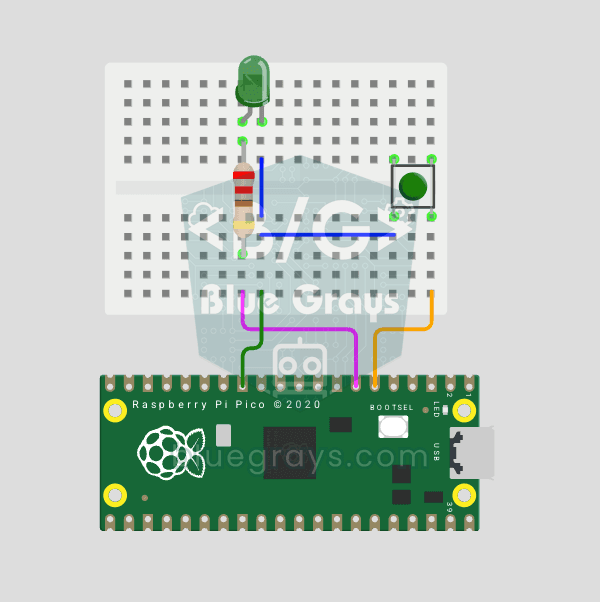
Raspberry Pi Pico Button Debounce: IRQ vs Software Polling (GP5 + GP4)
Press a button once, code counts 3-4? That is **contact bounce** — metal contacts oscillate for microseconds! 🔁 Compare 2 counting methods side-by-side in Serial: **RAW polling** (catches bounce, over-counts) vs **IRQ + software debounce** (accurate). Learn contact bounce physics, software debounce (`ticks_diff() > 50ms`), **Pin.irq()** interrupt registration, **IRQ_FALLING** trigger, ISR handlers, `global` + ISR safety. LED toggles via IRQ (visual feedback). Serial shows both counters per press
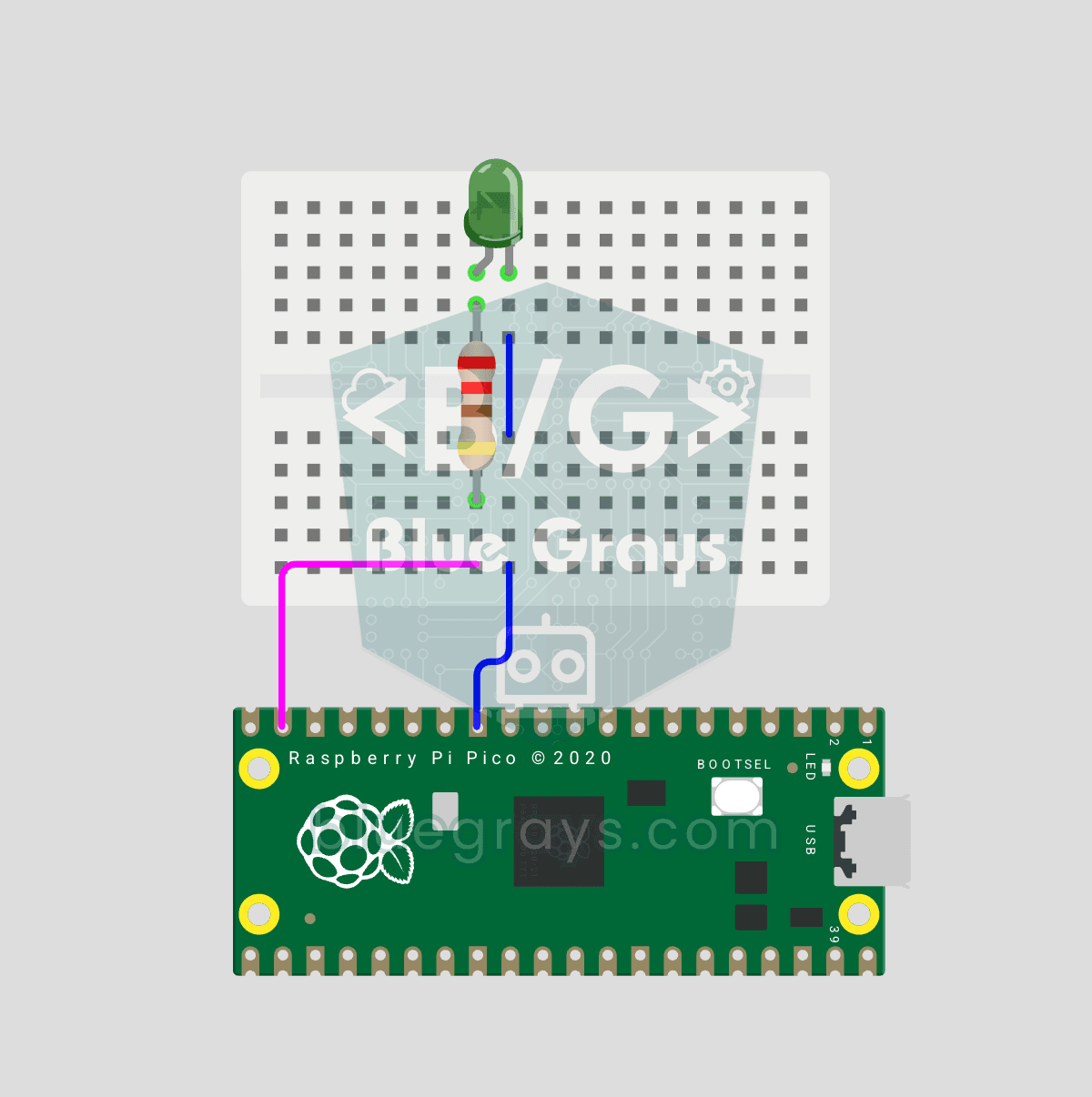
Raspberry Pi Pico PWM LED Fade (Breathing Effect, GP14)
The LED no longer just blinks — it breathes! 🌬️ Using the Raspberry Pi Pico's **PWM** (Pulse Width Modulation), the LED brightness slowly rises and then slowly falls, like a sleeping MacBook's light. Learn the **machine.PWM class**, **duty_u16()** (16-bit brightness 0–65535), **PWM frequency** (`freq(1000)` — 1000 on/off cycles per second, no visible flicker), **range() step loops** (up and down) and **analog-like output** from a digital pin. PWM is a core embedded tool — RGB color mixing, motor

ESP32 LED Fade with PWM
Smoothly changing the brightness of the LED from 0 to max, from max to 0. We control PWM with analogWrite() as in Arduino - the same syntax as ESP32 Arduino Core 3.0+ works without problems. Pin definition + pinMode + analogWrite is enough.
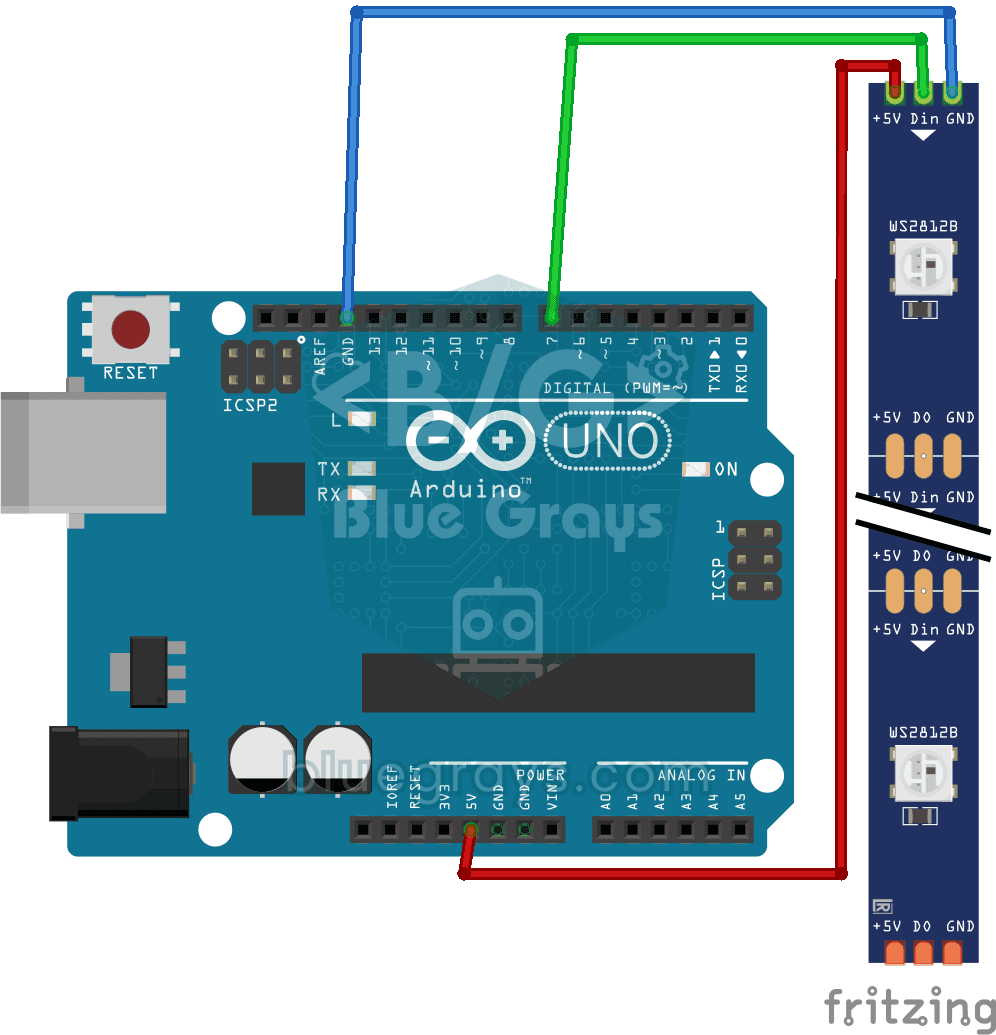
Using a WS2812B LED Strip
Meet a smart LED strip where you can colour every single light on its own. The Arduino first lights the first five LEDs red, a second later turns the other five blue, then switches them all off and st
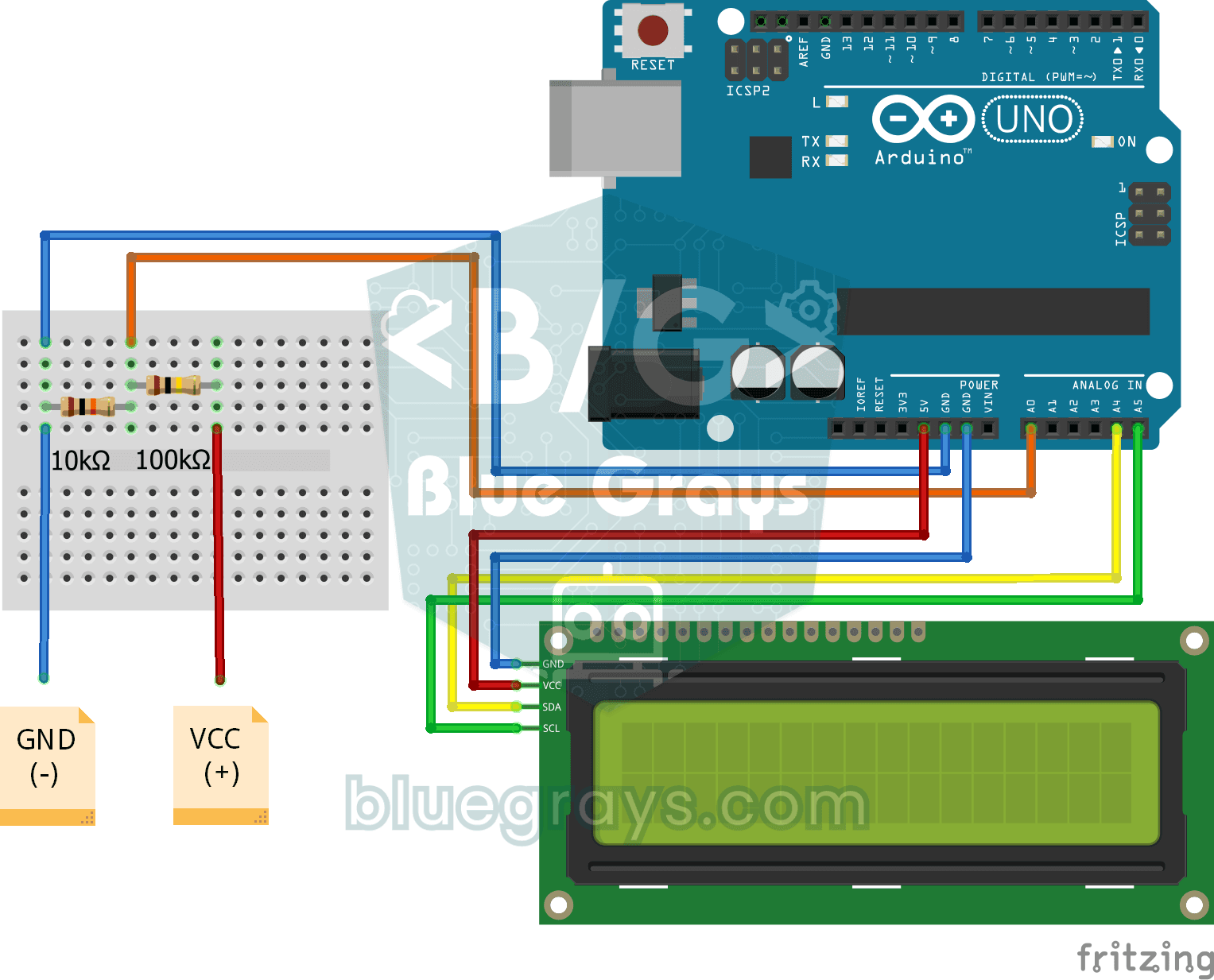
Digital Voltmeter with LCD Display
Find out how much voltage a battery or power adapter gives with a meter you built yourself. A divider made of two resistors brings high voltage down to a level the board can read, and the Arduino calc