
Resistors in Series and Parallel: Formulas and Worked Examples
Resistors in series and parallel: R = R1 + R2 and 1/R formulas, the two-resistor shortcut, solving mixed circuits, wiring LEDs and making values you don't have.

Calculating resistors in series and parallel means reducing several resistors to a single equivalent resistor so you can find the circuit's total resistance, current and voltages. The rule fits on two lines: resistors in series simply add up (R = R1 + R2 + …), while for resistors in parallel you add their reciprocals (1/R = 1/R1 + 1/R2 + …). A series total is always larger than the largest resistor, and a parallel total is always smaller than the smallest one. With these two formulas you can pick the resistor for a string of LEDs, make a value you don't have from two resistors and solve a mixed circuit on paper.
In this guide you will first see the difference between the two connection types, then the “product over sum” shortcut for two resistors in parallel, how current and voltage are shared, how power is distributed and how to solve a mixed circuit step by step. After that you will learn to make values that are missing from the E12 series, decide whether LEDs should be wired in series or parallel, and measure the voltages in a series circuit with an Arduino, ESP32 and Raspberry Pi Pico. To check your results quickly, use the series-parallel resistor calculator, and to find the nearest standard value, the standard value tool.
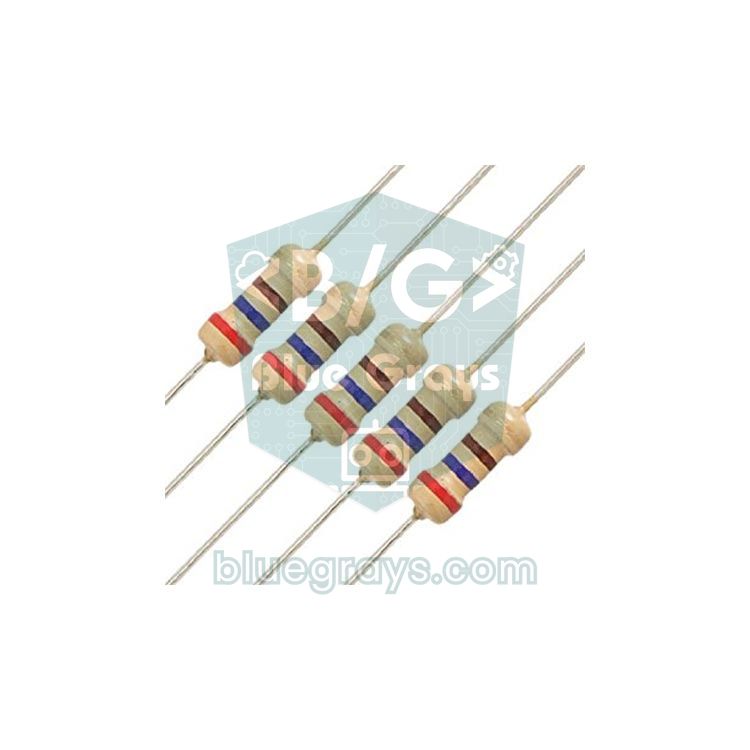
What are series and parallel connections, and how do they differ?
In a series connection the resistors are placed end to end, like the links of a chain. There is only one path for the current, so the same current flows through every resistor in the chain, while the source voltage is shared between them. In a parallel connection both ends of each resistor are joined to the same two points, just like a road splitting into several lanes. Every resistor has the same voltage across it, and the current is shared between the branches. Think of water pipes: adding narrow pipes one after another makes it harder for water to flow, so resistance goes up; adding new pipes side by side opens new paths, so resistance goes down.
| Property | Series | Parallel |
|---|---|---|
| Formula | R = R1 + R2 + R3 + … | 1/R = 1/R1 + 1/R2 + 1/R3 + … |
| Total resistance | Larger than the largest resistor | Smaller than the smallest resistor |
| Current | Same in every resistor | Split between branches, inversely to resistance |
| Voltage | Shared in proportion to resistance | Same across every resistor |
| If one resistor breaks | The whole circuit stops | Only that branch stops |
| n equal resistors (R) | n × R | R / n |
| Typical use | Voltage dividers, LED current limiting, increasing a value | Reducing a value, raising power rating, separate LED branches |
Series resistor calculation: R = R1 + R2 + …
The equivalent of resistors in series is just the sum of their values. Connect 220 Ω and 330 Ω end to end and you get 550 Ω; chain three 1 kΩ resistors and you get 3 kΩ. The only thing to watch is the units: when adding 4.7 kΩ and 330 Ω, convert both to ohms (4700 + 330 = 5030 Ω) or write both in kilohms (4.7 + 0.33 = 5.03 kΩ). In series the larger resistor dominates: adding 100 Ω to 10 kΩ changes the total by only 1%. That makes series resistors very handy for nudging a value upward in small steps.
In a series circuit the source voltage is divided between the resistors in proportion to their values: Vx = V × Rx / Rtotal. For example, 1 kΩ, 2.2 kΩ and 3.3 kΩ in series across 5 V add up to 6.5 kΩ, so 5 / 6.5 ≈ 0.77 mA flows. That current drops 0.77 V across the 1 kΩ, 1.69 V across the 2.2 kΩ and 2.54 V across the 3.3 kΩ, and the three still add up to 5 V. The two-resistor version of this arrangement is called a voltage divider, and it is the basis for reading sensors and stepping a 5 V signal down to 3.3 V. Read more in the voltage divider guide, or use the voltage divider tool for a quick calculation.
Parallel resistor calculation: 1/R = 1/R1 + 1/R2 + …
In parallel, each resistor opens a new path for the current. That is why you don't add the resistances themselves but their reciprocals, which describe how easily each one lets current through. This reciprocal is called conductance (G = 1/R, measured in siemens). The calculation has three steps: take the reciprocal of each resistor, add the reciprocals, then take the reciprocal of the sum. For example, with 1 kΩ, 2.2 kΩ and 4.7 kΩ in parallel, working in kilohms gives 1/1 + 1/2.2 + 1/4.7 = 1 + 0.4545 + 0.2128 = 1.6673; the reciprocal is 1 / 1.6673 ≈ 0.600 kΩ, or about 600 Ω. As expected, the result is smaller than the smallest resistor, 1 kΩ.
In parallel, on the other hand, the smaller resistor dominates. Put 10 kΩ and 100 Ω in parallel and you get 99 Ω; the large resistor is almost not there. This is how you pull a value down in small steps: placing a resistor ten times larger in parallel lowers the value by about 9% (R ∥ 10R = R × 10/11). With n identical resistors in parallel the result is R / n: two 10 kΩ give 5 kΩ, and four 1 kΩ give 250 Ω.
The two-resistor shortcut: product over sum
When only two resistors are in parallel, you can skip the reciprocals: R = (R1 × R2) / (R1 + R2), the “product over sum” rule. For 220 Ω and 330 Ω you get 72,600 / 550 = 132 Ω; for 1 kΩ and 2.2 kΩ, 2.2 / 3.2 = 0.6875 kΩ = 687.5 Ω. This formula only works for two resistors. With three or more in parallel, combine two first and then apply product over sum again with the third, or use the 1/R formula directly. The table below shows the results for the pairs you will meet most often on a breadboard:
| R1 | R2 | Series (R1 + R2) | Parallel (R1 ∥ R2) |
|---|---|---|---|
| 100 Ω | 100 Ω | 200 Ω | 50 Ω |
| 220 Ω | 220 Ω | 440 Ω | 110 Ω |
| 220 Ω | 330 Ω | 550 Ω | 132 Ω |
| 1 kΩ | 1 kΩ | 2 kΩ | 500 Ω |
| 1 kΩ | 2.2 kΩ | 3.2 kΩ | 687.5 Ω |
| 4.7 kΩ | 4.7 kΩ | 9.4 kΩ | 2.35 kΩ |
| 10 kΩ | 10 kΩ | 20 kΩ | 5 kΩ |
| 10 kΩ | 100 Ω | 10.1 kΩ | 99 Ω |
How current and voltage are shared
In a series circuit the current is the same everywhere, while the voltage is shared in direct proportion to resistance; the largest resistor gets the largest voltage. A parallel circuit is the opposite: the voltage is the same in every branch, while the current is shared inversely to resistance, so the smallest resistor draws the most current. For two parallel branches the current divider formula is I1 = I × R2 / (R1 + R2); note that the top of the fraction holds the other branch's resistance, not its own. For example, 1 kΩ and 4.7 kΩ in parallel across 5 V come to 824.6 Ω and draw 6.06 mA from the source. Of that, 6.06 × 4.7 / 5.7 = 5 mA flows through the 1 kΩ and the remaining 1.06 mA through the 4.7 kΩ. Calculating each branch on its own with Ohm's law (5 V / R) gives exactly the same values.
The same sharing applies to power, and it decides which resistor gets hot. In series the same current flows, so according to P = I² × R the larger resistor dissipates more power. In parallel the voltage is the same, so according to P = V² / R the smaller resistor heats up more. The table below shows how differently the same two resistors are loaded at 5 V when wired in series and in parallel:
| Connection | Resistor | Current | Voltage | Power |
|---|---|---|---|---|
| Series | 100 Ω | 4.55 mA | 0.45 V | 2.1 mW |
| Series | 1 kΩ | 4.55 mA | 4.55 V | 20.7 mW |
| Parallel | 100 Ω | 50 mA | 5 V | 250 mW (at the 1/4 W limit) |
| Parallel | 1 kΩ | 5 mA | 5 V | 25 mW |
Series and parallel connections are also a way to raise the power rating. Two equal 1/4 W resistors can handle 1/2 W in total, whether they are in series or in parallel, because the power is shared equally between them. If you need 110 Ω at 1/2 W, for example, you can put two 220 Ω resistors in parallel. Wire four 100 Ω resistors as two series pairs and connect the pairs in parallel, and you still have 100 Ω, but one that can handle 1 W. If the values are not equal, the power is not shared equally either, so you need to calculate the most heavily loaded resistor on its own.
Solving a mixed circuit step by step
Real circuits usually combine series and parallel connections. Here is our example: the current from a 12 V adapter first flows through R1 = 100 Ω and then splits into two branches. The first branch has R2 = 330 Ω and R3 = 270 Ω in series, and the second has R4 = 1.2 kΩ on its own; the two branches join again and return to GND. The method is always the same: start with the innermost group, reduce the circuit to a single resistor, then work backwards to share out the currents and voltages.
- Combine the inner series group: R2 + R3 = 330 + 270 = 600 Ω. The first branch now behaves like a single 600 Ω resistor.
- Combine the parallel branches: 600 Ω ∥ 1200 Ω = (600 × 1200) / (600 + 1200) = 720,000 / 1800 = 400 Ω.
- Add the remaining series resistor: Rtotal = R1 + 400 = 100 + 400 = 500 Ω.
- Find the total current: I = V / R = 12 / 500 = 0.024 A = 24 mA. All of this current flows through R1.
- Share out the voltages: R1 drops 24 mA × 100 Ω = 2.4 V, leaving 12 − 2.4 = 9.6 V across the parallel block.
- Find the branch currents: The first branch draws 9.6 / 600 = 16 mA and the second 9.6 / 1200 = 8 mA. 16 + 8 = 24 mA, so the total current checks out.
- Find the voltages inside the branch: R2 drops 16 mA × 330 Ω = 5.28 V and R3 drops 16 mA × 270 Ω = 4.32 V; together they again make 9.6 V.
| Resistor | Value | Current | Voltage | Power |
|---|---|---|---|---|
| R1 | 100 Ω | 24 mA | 2.4 V | 57.6 mW |
| R2 | 330 Ω | 16 mA | 5.28 V | 84.5 mW |
| R3 | 270 Ω | 16 mA | 4.32 V | 69.1 mW |
| R4 | 1.2 kΩ | 8 mA | 9.6 V | 76.8 mW |
| Total | 500 Ω | 24 mA | 12 V | 288 mW |
You can check the result with two laws. The voltages along any path from the source to GND must add up to 12 V: 2.4 + 5.28 + 4.32 = 12 V and 2.4 + 9.6 = 12 V. The currents entering a node must also equal those leaving it: 24 mA = 16 mA + 8 mA. These are Kirchhoff's voltage and current laws, explained in detail in the Kirchhoff's laws guide. The final check is power: the four resistors dissipate 288 mW in total, exactly the 12 V × 24 mA = 288 mW the source delivers. Every resistor stays far below 1/4 W, so standard resistors are fine.
How to make a resistor value you don't have
Resistors are not made in every value; they are sold in standard steps called the E series. The most common, E12, has 12 values per decade: 10, 12, 15, 18, 22, 27, 33, 39, 47, 56, 68 and 82 (and their multiples of 10, 100, 1000…). The E24 series adds 11, 13, 16, 20, 24, 30, 36, 43, 51, 62, 75 and 91 in between. When your calculation gives 300 Ω or 4 kΩ and your kit doesn't have that value, you have two options: round to the nearest standard value, or wire two resistors in series or parallel to make the exact value. The standard value tool shows you the nearest standard value.
| Wanted value | Series solution | Parallel solution |
|---|---|---|
| 200 Ω | 100 Ω + 100 Ω = 200 Ω | 220 Ω ∥ 2.2 kΩ = 200 Ω |
| 300 Ω | 150 Ω + 150 Ω = 300 Ω | 330 Ω ∥ 3.3 kΩ = 300 Ω |
| 2 kΩ | 1 kΩ + 1 kΩ = 2 kΩ | 2.2 kΩ ∥ 22 kΩ = 2 kΩ |
| 4 kΩ | 3.9 kΩ + 100 Ω = 4 kΩ | 4.7 kΩ ∥ 27 kΩ ≈ 4.003 kΩ (+0.08%) |
| 5 kΩ | 4.7 kΩ + 270 Ω = 4.97 kΩ (−0.6%) | 10 kΩ ∥ 10 kΩ = 5 kΩ |
| 6 kΩ | 2.7 kΩ + 3.3 kΩ = 6 kΩ | 10 kΩ ∥ 15 kΩ = 6 kΩ |
| 7.5 kΩ | 6.8 kΩ + 680 Ω = 7.48 kΩ (−0.27%) | 15 kΩ ∥ 15 kΩ = 7.5 kΩ |
A pattern stands out in the table: putting a resistor in parallel with ten times its own value brings it down to exactly 10/11 of the original, which is why 220 Ω ∥ 2.2 kΩ = 200 Ω and 330 Ω ∥ 3.3 kΩ = 300 Ω come out exact. Don't forget tolerance either: combine two 5% resistors and the result can still be off by 5% in the worst case, although the errors often partly cancel out. That is why a 0.1% calculation difference is negligible next to the resistor's own tolerance. The program below tries every E12 pair between 10 Ω and 8.2 MΩ and prints the series and parallel pairs closest to your target in the Serial Monitor:
1// Hedef değere en yakın seri / paralel E12 çiftini bulur
2// Finds the series / parallel E12 pair closest to a target value
3const float E12[12] = {1.0, 1.2, 1.5, 1.8, 2.2, 2.7, 3.3, 3.9, 4.7, 5.6, 6.8, 8.2};
4const float TARGET = 4000.0;     // istenen direnç (ohm) / wanted resistance (ohms)
5const int COUNT = 72;            // 10 ohm ... 8.2 Mohm, 6 onluk / 6 decades
6
7float valueAt(int i) {           // i. standart değer / i-th standard value
8  float decade = 10.0;
9  for (int d = 0; d < i / 12; d++) decade *= 10.0;
10  return E12[i % 12] * decade;
11}
12
13void printPair(const char *label, const char *sign, float a, float b, float r) {
14  Serial.print(label);
15  Serial.print(a, 0);
16  Serial.print(sign);
17  Serial.print(b, 0);
18  Serial.print(" = ");
19  Serial.print(r, 1);
20  Serial.print(" ohm, hata / error: ");
21  Serial.print((r - TARGET) / TARGET * 100.0, 2);
22  Serial.println(" %");
23}
24
25void setup() {
26  Serial.begin(9600);
27  while (!Serial) {}                 // Pico gibi USB'li kartlarda Seri Monitör'ü bekle / wait for the Serial Monitor on native USB boards like the Pico
28  float bestS = 0, sA = 0, sB = 0;     // en iyi seri / best series
29  float bestP = 0, pA = 0, pB = 0;     // en iyi paralel / best parallel
30
31  for (int i = 0; i < COUNT; i++) {
32    for (int j = i; j < COUNT; j++) {
33      float a = valueAt(i);
34      float b = valueAt(j);
35      float s = a + b;                 // seri: R1 + R2 / series
36      float p = a * b / (a + b);       // paralel: çarpım / toplam / parallel: product over sum
37      if (fabs(s - TARGET) < fabs(bestS - TARGET)) { bestS = s; sA = a; sB = b; }
38      if (fabs(p - TARGET) < fabs(bestP - TARGET)) { bestP = p; pA = a; pB = b; }
39    }
40  }
41  printPair("Seri / Series: ", " + ", sA, sB, bestS);
42  printPair("Paralel / Parallel: ", " || ", pA, pB, bestP);
43}
44
45void loop() {
46}
If you leave TARGET at 4000, the Serial Monitor shows the lines “100 + 3900 = 4000.0 ohm” and “4700 || 27000 = 4003.2 ohm, hata / error: 0.08 %”. The program runs the calculation only once, inside setup(); to see the result again, reset the board, and remember to set the Serial Monitor to 9600 baud. Because the code uses no hardware at all, it runs unchanged on an Arduino Uno, Nano, ESP32 and a Raspberry Pi Pico programmed with the Arduino core. On boards like the Pico, where USB goes straight to the processor, the while (!Serial) line holds the program until the Serial Monitor is open, so you don't miss the result that is printed only once. On the Uno and ESP32 this line doesn't wait at all.
Should LEDs be wired in series or parallel?
If you use more than one LED, you have two options. On boards running at 5 V or 3.3 V, the safest way is to give every LED its own resistor and wire these LED-resistor pairs in parallel. Never wire several LEDs in parallel behind a single shared resistor. Even LEDs of the same colour and model differ in forward voltage (Vf) by a few tens of millivolts; the LED with the lowest forward voltage takes most of the current, heats up more, and as it heats up its forward voltage drops even further. The result is one LED shining much brighter than the others and failing over time.
In series, on the other hand, the same current is forced through every LED; that keeps the brightness equal and a single resistor is enough. The formula grows with the number of LEDs: R = (Vs − n × Vf) / I. For example, to drive three white LEDs (Vf ≈ 3.1 V) from a 12 V adapter you get R = (12 − 9.3) / 0.02 = 135 Ω; with the next standard value, 150 Ω, the current is about 18 mA. Ready-made 12 V LED strips are built exactly this way: three LEDs and a resistor form a series group, and these groups are connected in parallel along the strip. The condition for series wiring is a supply voltage clearly higher than the total forward voltage of the LEDs. With two red LEDs (2 × 2 V = 4 V) on the Arduino's 5 V, only 1 V is left across the resistor, and even small differences in forward voltage change the current by up to 20%. The 3.3 V of the ESP32 and Pico is not enough to light two red LEDs in series at all.
| Supply | LEDs | Connection | Resistor | Current |
|---|---|---|---|---|
| 5 V (Arduino pin) | 1 red | Single LED + resistor | 330 Ω | ≈ 9 mA |
| 5 V (Arduino pin) | 2 red | Series, one resistor | 100 Ω | ≈ 10 mA (only 1 V headroom) |
| 5 V (Arduino pin) | 2 red | Parallel, a resistor for each LED | 2 × 330 Ω | ≈ 18 mA in total |
| 3.3 V (ESP32, Pico) | 2 red | Series | — | Won't light: 4 V > 3.3 V |
| 12 V adapter (via transistor) | 3 white | Series, one resistor | 150 Ω | ≈ 18 mA |
| 12 V adapter | 3 white | Parallel, one shared resistor | — | Wrong: current is not shared equally |
Measure voltage sharing in a series circuit with Arduino
The best way to see that the formulas really work is to measure. Wire three resistors, 1 kΩ, 2.2 kΩ and 3.3 kΩ, in series on a breadboard: the top of the chain goes to the supply pin and the bottom to GND. Connect the point where R1 meets R2 (node A) to the first analog input and the point where R2 meets R3 (node B) to the second. The board reads the voltage at both nodes, works out the voltage across each resistor from the differences and prints the results next to the calculated values.
| Circuit point | Arduino Uno | ESP32 | Raspberry Pi Pico |
|---|---|---|---|
| Top of R1 (supply) | 5V | 3V3 | 3V3(OUT), pin 36 |
| Node A (R1–R2 junction) | A0 | GPIO 34 | GP26 (ADC0), pin 31 |
| Node B (R2–R3 junction) | A1 | GPIO 35 | GP27 (ADC1), pin 32 |
| Bottom of R3 | GND | GND | GND, pin 38 |
1// Seri devrede gerilim paylaşımı / Voltage sharing in a series circuit
2// 5V -> R1 (1k) -> A0 -> R2 (2.2k) -> A1 -> R3 (3.3k) -> GND
3const float V_SUPPLY = 5.0;      // besleme gerilimi / supply voltage
4const float R1_OHM = 1000.0;     // üst direnç / top resistor
5const float R2_OHM = 2200.0;     // orta direnç / middle resistor
6const float R3_OHM = 3300.0;     // alt direnç / bottom resistor
7const int PIN_A = A0;            // R1-R2 birleşimi / R1-R2 junction
8const int PIN_B = A1;            // R2-R3 birleşimi / R2-R3 junction
9
10void setup() {
11  Serial.begin(9600);
12}
13
14void loop() {
15  float vA = analogRead(PIN_A) * V_SUPPLY / 1023.0;   // A noktası / node A
16  float vB = analogRead(PIN_B) * V_SUPPLY / 1023.0;   // B noktası / node B
17
18  float rTotal = R1_OHM + R2_OHM + R3_OHM;            // seri: R = R1 + R2 + R3 / series total
19  float iCalc = V_SUPPLY / rTotal * 1000.0;           // hesaplanan akım (mA) / calculated current (mA)
20  float iMeas = (V_SUPPLY - vA) / R1_OHM * 1000.0;    // R1 üzerinden ölçülen akım (mA) / current measured over R1 (mA)
21
22  // Her direncin gerilimi: ölçülen ve hesaplanan / Voltage of each resistor: measured and calculated
23  Serial.print(F("V_R1 = "));
24  Serial.print(V_SUPPLY - vA, 2);
25  Serial.print(F(" V (")); Serial.print(iCalc * R1_OHM / 1000.0, 2);
26  Serial.print(F(")  V_R2 = "));
27  Serial.print(vA - vB, 2);
28  Serial.print(F(" V (")); Serial.print(iCalc * R2_OHM / 1000.0, 2);
29  Serial.print(F(")  V_R3 = "));
30  Serial.print(vB, 2);
31  Serial.print(F(" V (")); Serial.print(iCalc * R3_OHM / 1000.0, 2);
32  Serial.println(F(")"));
33
34  Serial.print(F("I hesap / calc = "));
35  Serial.print(iCalc, 3);
36  Serial.print(F(" mA   I olcum / measured = "));
37  Serial.print(iMeas, 3);
38  Serial.println(F(" mA"));
39  Serial.println();
40  delay(2000);
41}
At 5 V the circuit's total resistance is 6.5 kΩ and its current 0.769 mA; in the Serial Monitor you should see about 0.77 V for R1, 1.69 V for R2 and 2.54 V for R3. The values in brackets are the calculated results. The measured current is the voltage across R1 divided by 1 kΩ; because the same current flows through every resistor in a series circuit, this single measurement is enough. Small differences come mainly from the resistors' 1–5% tolerance. The Arduino's ADC reference is the same 5 V rail, so a USB voltage of 4.9 or 5.1 V doesn't change the ratios, although the absolute voltages you measure with a multimeter may differ by that much. There is also a reason we chose values in the kilohm range: the Arduino Uno's ADC expects the measured point to have an impedance below about 10 kΩ, and a chain built from 1 MΩ resistors would make the readings unstable.
The same experiment with ESP32 and Raspberry Pi Pico
On the ESP32, power the same circuit from the 3V3 pin and connect the two junctions to GPIO 34 and GPIO 35. These pins are input-only and belong to the ADC1 unit, which keeps working while Wi-Fi is on. In the code, set V_SUPPLY to 3.3 and PIN_A and PIN_B to 34 and 35, and replace the analogRead(...) * V_SUPPLY / 1023.0 expressions with analogReadMilliVolts(PIN_A) / 1000.0 and analogReadMilliVolts(PIN_B) / 1000.0. This function uses the ESP32's factory calibration to return the voltage directly in millivolts and, at the default 11 dB attenuation, measures roughly 150–3100 mV. At 3.3 V the current drops to 0.508 mA; you should see about 2.79 V at node A and 1.68 V at node B. Because this measurement is not ratiometric to the supply, your results get more accurate if you set V_SUPPLY to the real voltage you measure on the 3V3 pin with a multimeter. On the Raspberry Pi Pico, the same experiment in MicroPython looks like this:
1from machine import ADC
2import time
3
4V_SUPPLY = 3.3                        # Pico 3V3(OUT) gerilimi / Pico 3V3(OUT) voltage
5R1, R2, R3 = 1000, 2200, 3300         # seri dirençler (ohm) / series resistors (ohms)
6adc_a = ADC(26)                       # GP26 = ADC0, A noktası / node A
7adc_b = ADC(27)                       # GP27 = ADC1, B noktası / node B
8
9r_total = R1 + R2 + R3                # R = R1 + R2 + R3
10i_calc = V_SUPPLY / r_total * 1000    # hesaplanan akım (mA) / calculated current (mA)
11
12while True:
13    v_a = adc_a.read_u16() * V_SUPPLY / 65535
14    v_b = adc_b.read_u16() * V_SUPPLY / 65535
15    i_meas = (V_SUPPLY - v_a) / R1 * 1000      # R1 üzerinden ölçülen akım / current measured over R1
16    print("V_R1 = {:.2f} V  V_R2 = {:.2f} V  V_R3 = {:.2f} V".format(V_SUPPLY - v_a, v_a - v_b, v_b))
17    print("I hesap / calc = {:.3f} mA  I olcum / measured = {:.3f} mA".format(i_calc, i_meas))
18    time.sleep(2)
The Pico's ADC returns a value from 0 to 65535 with read_u16(), and its reference is the 3.3 V rail, so multiplying the raw value by 3.3 and dividing by 65535 gives the voltage. GP26 and GP27 are the Pico's ADC0 and ADC1 channels. If you haven't set up your Pico yet, follow the Thonny steps in What Is the Raspberry Pi Pico?. On all three boards you see the same picture: the current is the same in every resistor, the voltages are proportional to the values and they add up to the supply voltage.
Common mistakes and how to fix them
| Mistake | What happens | The right way |
|---|---|---|
| Not taking the reciprocal of the sum in a parallel calculation | 1 kΩ ∥ 1 kΩ comes out as “2” | Take the reciprocal of the sum: 1 / 2 = 0.5 kΩ = 500 Ω |
| Applying product over sum to three resistors at once | A meaningless result whose units don't even match | Combine two resistors first, then combine the result with the third |
| Mixing kΩ and Ω in the same calculation | Large errors, such as 1 k + 220 = 221 | Convert everything to ohms: 1000 + 220 = 1220 Ω |
| Putting both legs of a resistor in the same breadboard row | The resistor is shorted and acts as if it weren't there | Place the legs in different rows |
| Measuring a resistor while it is in the circuit | Parallel paths make it read lower than it is | Switch off the power, lift one leg and measure |
| Using one shared resistor for parallel LEDs | One LED gets far too bright and fails over time | Give every LED its own resistor |
| Not calculating how power is shared | The small resistor in a parallel branch overheats and darkens | Calculate P = V² / R or P = I² × R for every resistor |
Project ideas with series and parallel resistors
- Traffic light: Connect the red, yellow and green LEDs to separate pins with separate resistors; each LED-resistor pair works in its own branch. The build is in the Arduino traffic light guide.
- Five buttons on one analog pin: Build a ladder of series resistors; each button sends a different voltage to A0, and analogRead tells you which one was pressed. For the basics, see How to Connect a Button to Arduino.
- Night light: Wire an LDR in series with a fixed resistor to make a voltage divider and switch an LED on automatically in the dark. Details are in the LDR light sensor guide.
- Digital voltmeter: Ready-made voltage sensor modules use a 30 kΩ and 7.5 kΩ divider to let an Arduino measure up to 25 V; if you don't have 7.5 kΩ, put two 15 kΩ resistors in parallel. The project is in the Arduino voltmeter guide.
- Colour mixing with an RGB LED: The red, green and blue channels have different forward voltages, so calculate a separate resistor for each; examples are in the RGB LED guide.
- Battery level indicator: Halve the voltage of a 4.2 V Li-ion cell with two equal 100 kΩ resistors and read it on an ESP32 analog input; such high values draw only 21 µA from the battery, and a 100 nF capacitor on the input keeps the reading stable.
Series and parallel resistor calculation is the natural next step after Ohm's law: you first reduce the circuit to a single equivalent resistor, then share the current and voltage out again. Once these two formulas click, you can make values you don't have, wire strings of LEDs correctly and know in advance which resistor will get hot. To brush up on the basics, read Ohm's law and What Is a Resistor?. In the BlueGrays app you'll find LED blinking, two-LED, traffic light, running-light and LDR light-measurement projects for Arduino, ESP32 and Pico, each with a step-by-step circuit diagram and code.
Frequently asked questions
How do you calculate resistors in series and parallel?
Resistors in series add up: R = R1 + R2 + … For resistors in parallel you add the reciprocals (1/R = 1/R1 + 1/R2 + …), and the reciprocal of that sum is the equivalent resistance. For example, 1 kΩ and 2.2 kΩ give 3.2 kΩ in series and about 687 Ω in parallel.
How do you calculate two resistors in parallel?
For two resistors you can use the “product over sum” shortcut: R = (R1 × R2) / (R1 + R2). For example, 220 Ω and 330 Ω in parallel give 72,600 / 550 = 132 Ω. Two equal resistors in parallel give exactly half the value of one.
Why does total resistance decrease in parallel?
Every resistor added in parallel opens a new path for the current, so more current is drawn from the source at the same voltage. Because the conductances (1/R) add up, the equivalent resistance is always smaller than even the smallest resistor. 10 kΩ and 100 Ω in parallel give about 99 Ω.
How are current and voltage shared in a series circuit?
A series circuit has only one path, so the current is the same in every resistor. The voltage is shared in proportion to resistance: Vx = V × Rx / Rtotal. With 1 kΩ and 4 kΩ in series across 5 V, 1 V drops across the 1 kΩ and 4 V across the 4 kΩ.
Should LEDs be wired in series or parallel?
On boards running at 5 V or 3.3 V, the safest way is to give each LED its own resistor and wire these pairs in parallel. If the supply voltage is clearly higher than the LEDs' total forward voltage, for example three white LEDs at 12 V, you can wire them in series with a single resistor. Never put one shared resistor in front of parallel LEDs; the current won't be shared equally.
How can I make a resistor value I don't have?
Wiring two or more resistors in series increases the value, and wiring them in parallel reduces it. For example, put two 10 kΩ in parallel for 5 kΩ, or 3.9 kΩ and 100 Ω in series for 4 kΩ. A resistor in parallel with ten times its own value drops to 10/11 of the original, so 330 Ω ∥ 3.3 kΩ gives exactly 300 Ω.
Projects to build after reading this
See all projects
LED Blink
The very first hello of electronics: switching a single LED on and off. The Arduino turns the LED on and off at short intervals, so the light blinks quickly. You see in the simplest way how the board

Two LEDs Blinking Alternately
Two LEDs blink quickly in turn: when one lights up the other goes off, as if they were tossing a ball back and forth. The Arduino keeps each light on for a fifth of a second and then hands over to the

Traffic Light
A tiny copy of the traffic light you see on the road every day. Red stays on for two seconds, yellow flashes for a moment, green stays on for two seconds, then it goes back to red through yellow again

LED Chaser
Lights that switch on one after another, as if they were running. The Arduino lights six LEDs one at a time; each glows for a brief moment and goes out, so the light walks from start to end and then s

Measuring Light Intensity with an LDR
Want to see how bright your room is as a number? The LDR, a small part that reacts to light, measures the light around it, and the Arduino writes the value to your computer screen every half second. C

LED Blink with ESP32
Teaches basic GPIO output usage with ESP32. We achieve a blinking effect by turning an LED on and off from a digital pin. ESP32 version of the classic blink project on Arduino UNO; the basic blink commands in the Arduino environment are the same, but the ESP32's pin layout and 3.3 V GPIO levels differ from those of the Arduino UNO.
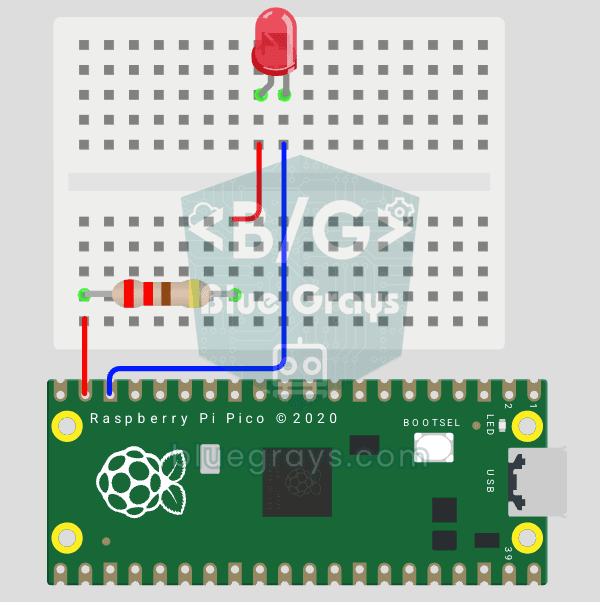
Raspberry Pi Pico: Controlling an External LED (GP14 + Breadboard)
The next step after Pico’s built-in LED: connecting an external LED to the breadboard and controlling it via the GP14 pin. In this project, you’ll learn how to use any of the Pico’s general-purpose GPIO pins as an output, the LED’s polarity (long leg = anode/+, short leg = cathode/–), and why a current-limiting resistor (220Ω) is required. If you don’t include the resistor, excessive current will flow through the LED and it may burn out. The circuit is very simple: Pico GP14 → 220Ω resistor → LE
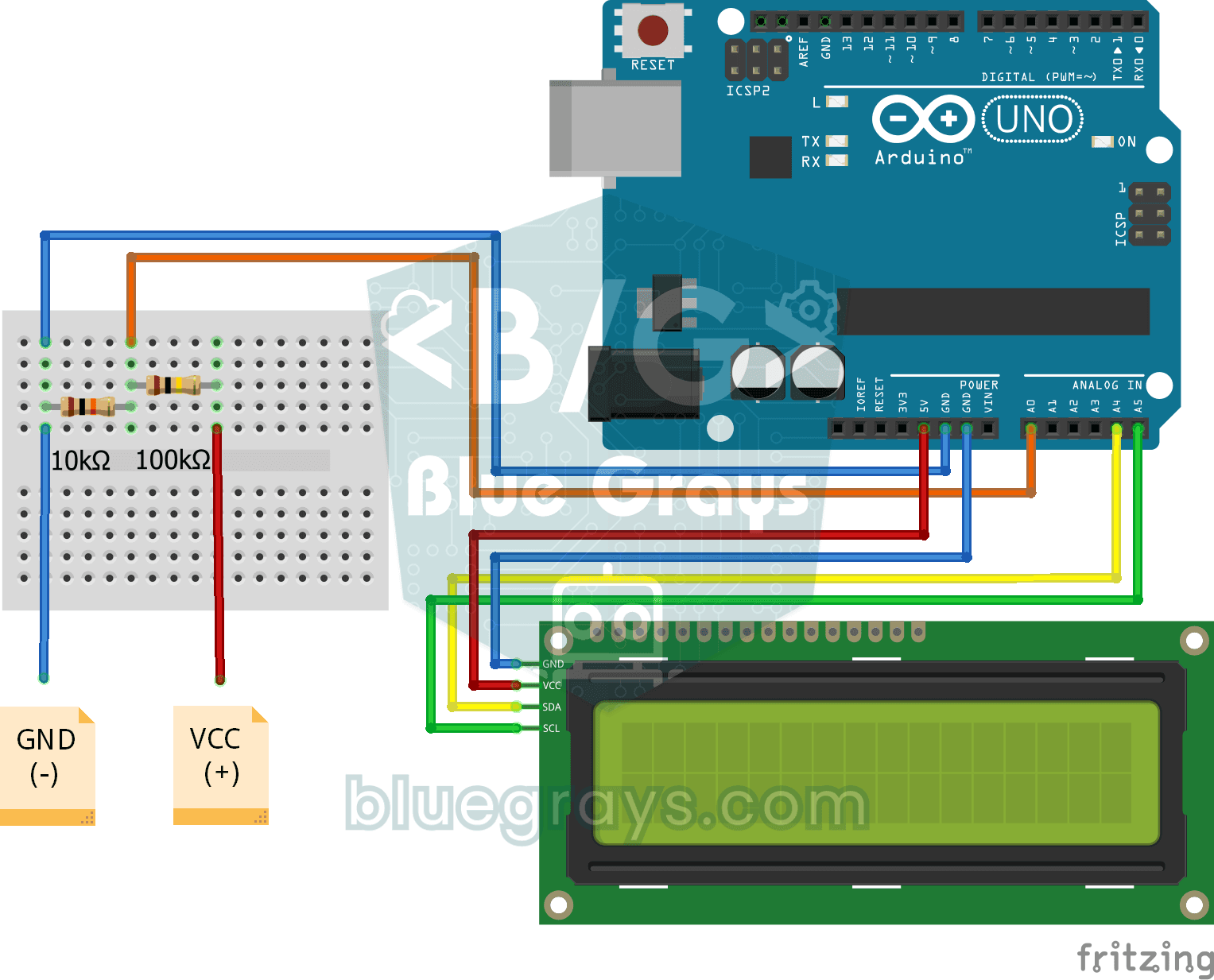
Digital Voltmeter with LCD Display
Find out how much voltage a battery or power adapter gives with a meter you built yourself. A divider made of two resistors brings high voltage down to a level the board can read, and the Arduino calc