
Discover Arduino Projects
Hundreds of projects from beginner to advanced — schematics, code, and videos.
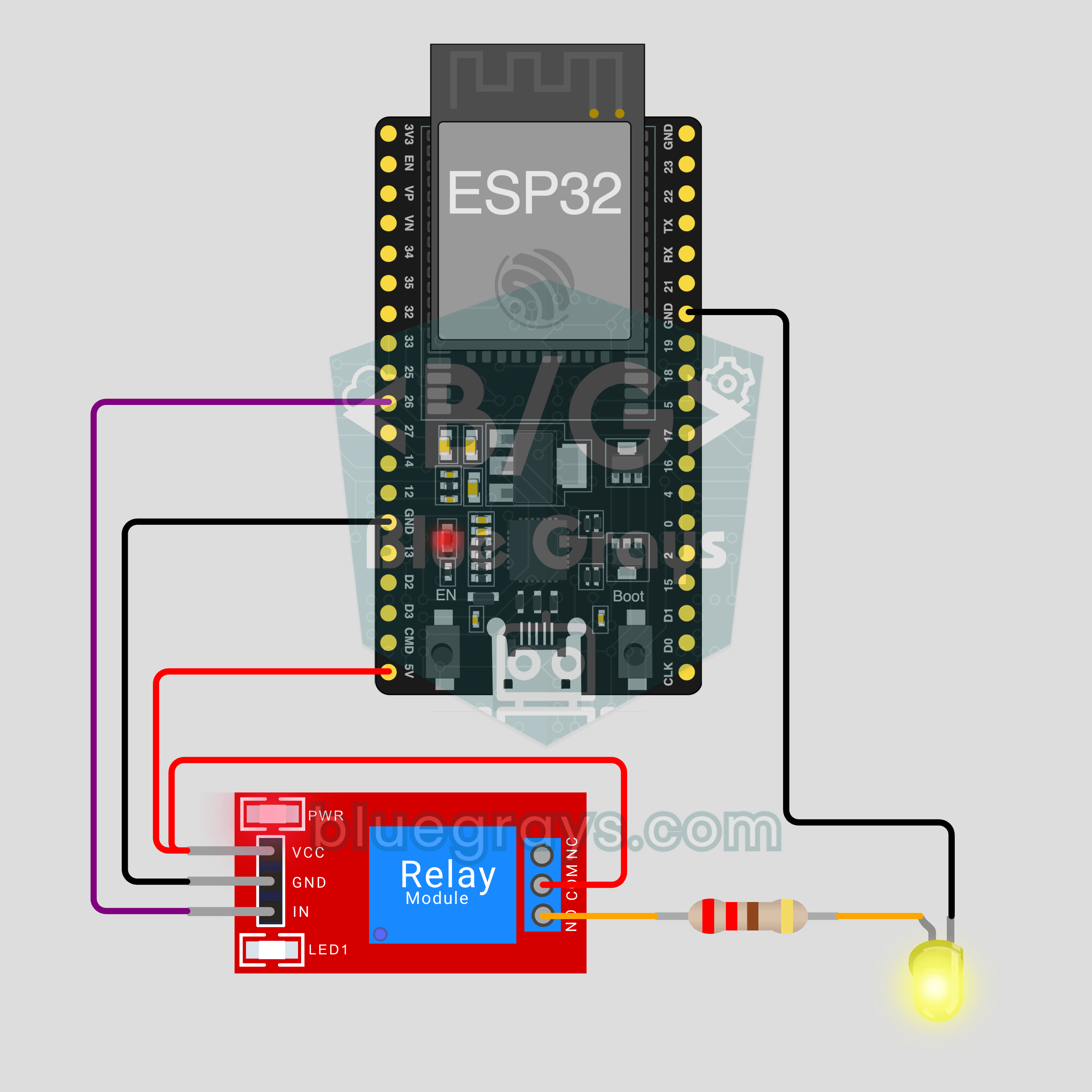
ESP32 IoT Lamp Switch (Relay)
Turn your lamp on and off from your phone, wherever you are. This project is the step-by-step guide to the Relay lamp IoT template in the app, built with an ESP32 and a relay module and tried with an LED first. Go to Workshop › Devices › Add a device and pick Relay lamp; Ohmi prepares the code with your own device key. The code on this page is an example: the key and Wi-Fi details are placeholders.
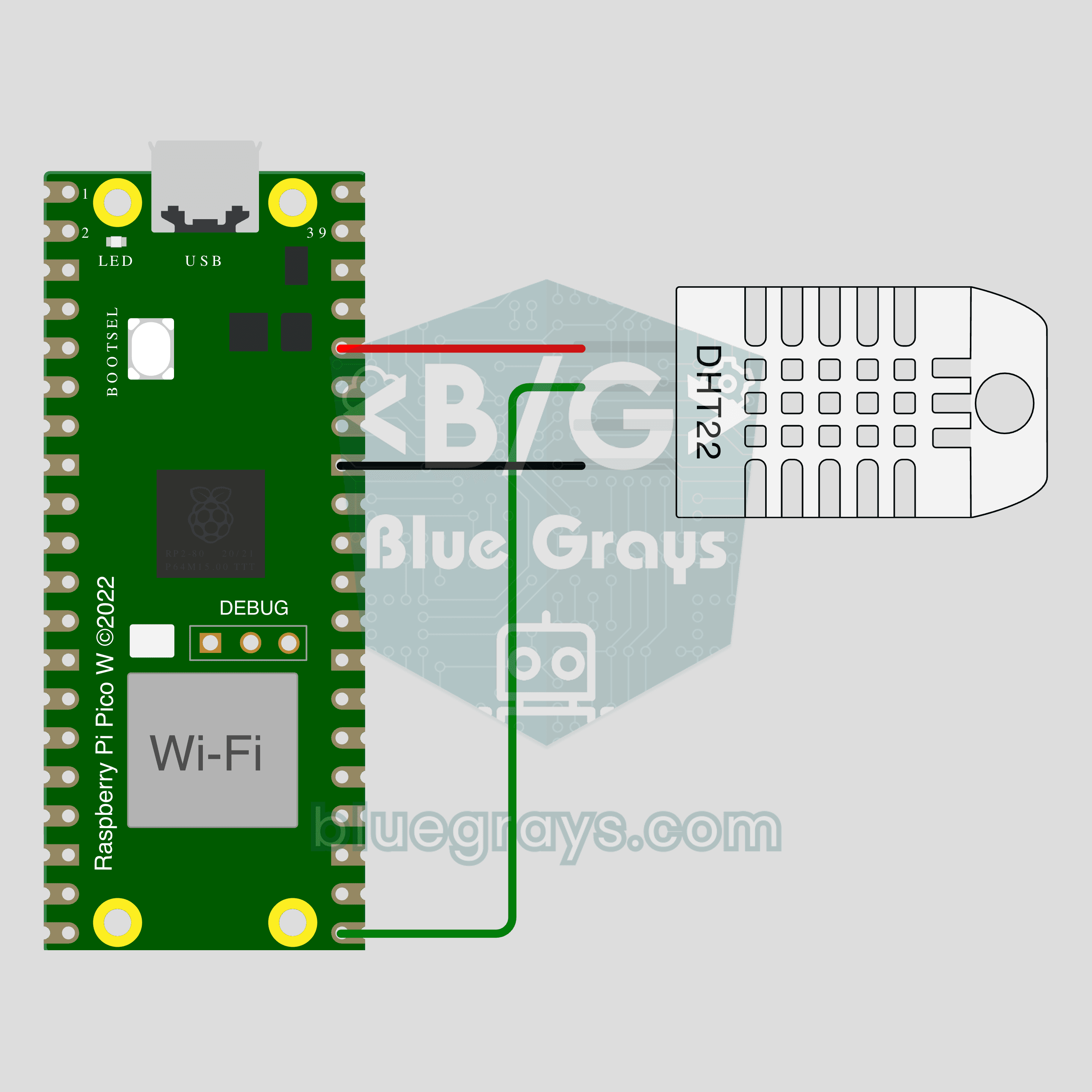
Pico W IoT Temperature and Humidity (DHT22)
Watch your room's temperature and humidity live on your phone wherever you are. This project is the step-by-step guide to the Temperature and humidity IoT template in the app, built with a Raspberry Pi Pico W and a DHT22. Go to Workshop › Devices › Add a device, pick Pico W as the board and Temperature and humidity as the template; Ohmi prepares the code with your own device key. The code on this page is an example: the key and Wi-Fi details are placeholders.
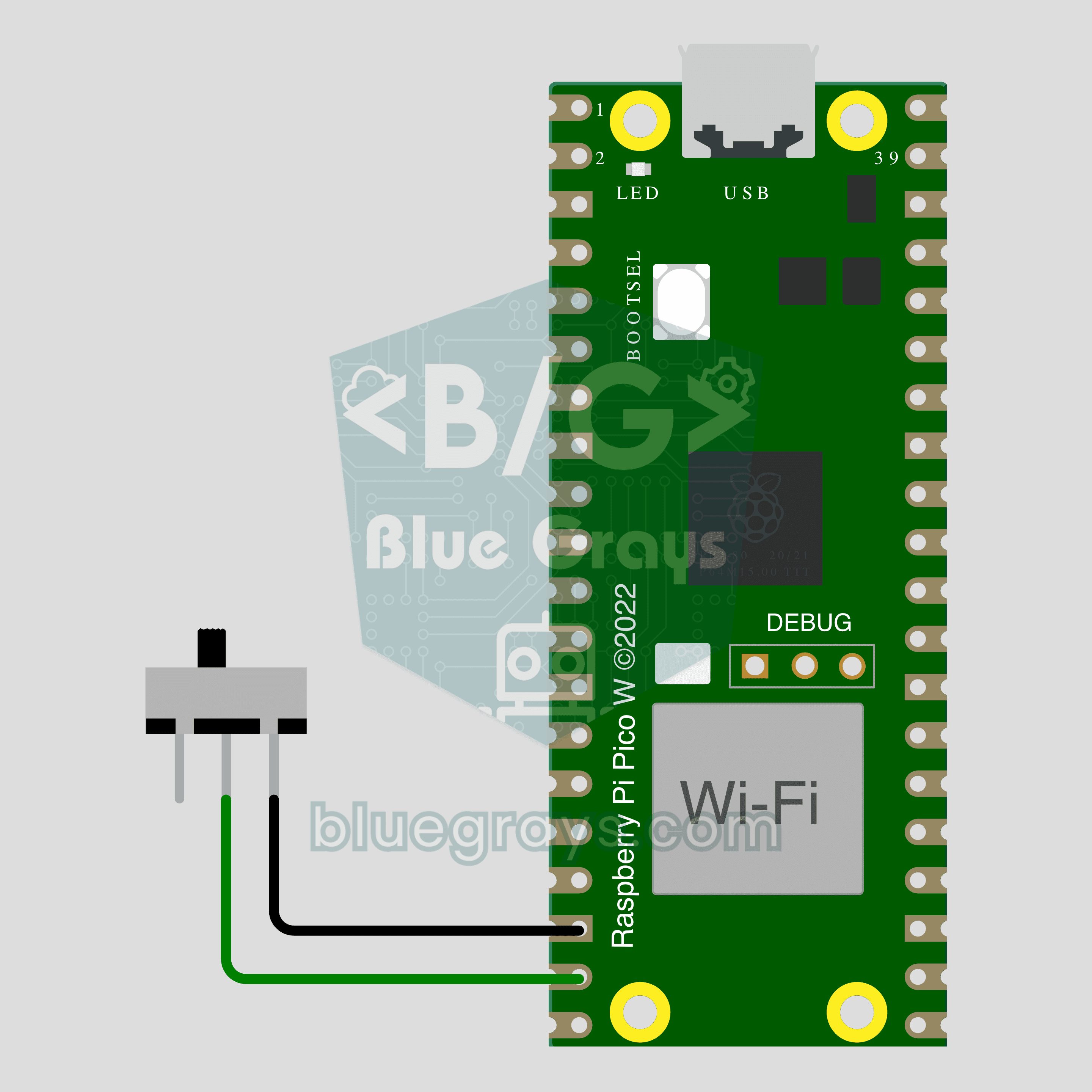
Pico W IoT Door Sensor (Reed Switch)
Did you leave the door or window open? Check on your phone wherever you are. This project is the step-by-step guide to the Door / window IoT template in the app, built with a Raspberry Pi Pico W, a reed switch and a small magnet using two wires. Go to Workshop › Devices › Add a device, pick Pico W as the board and Door / window as the template; Ohmi prepares the code with your own device key. The code on this page is an example: the key and Wi-Fi details are placeholders.
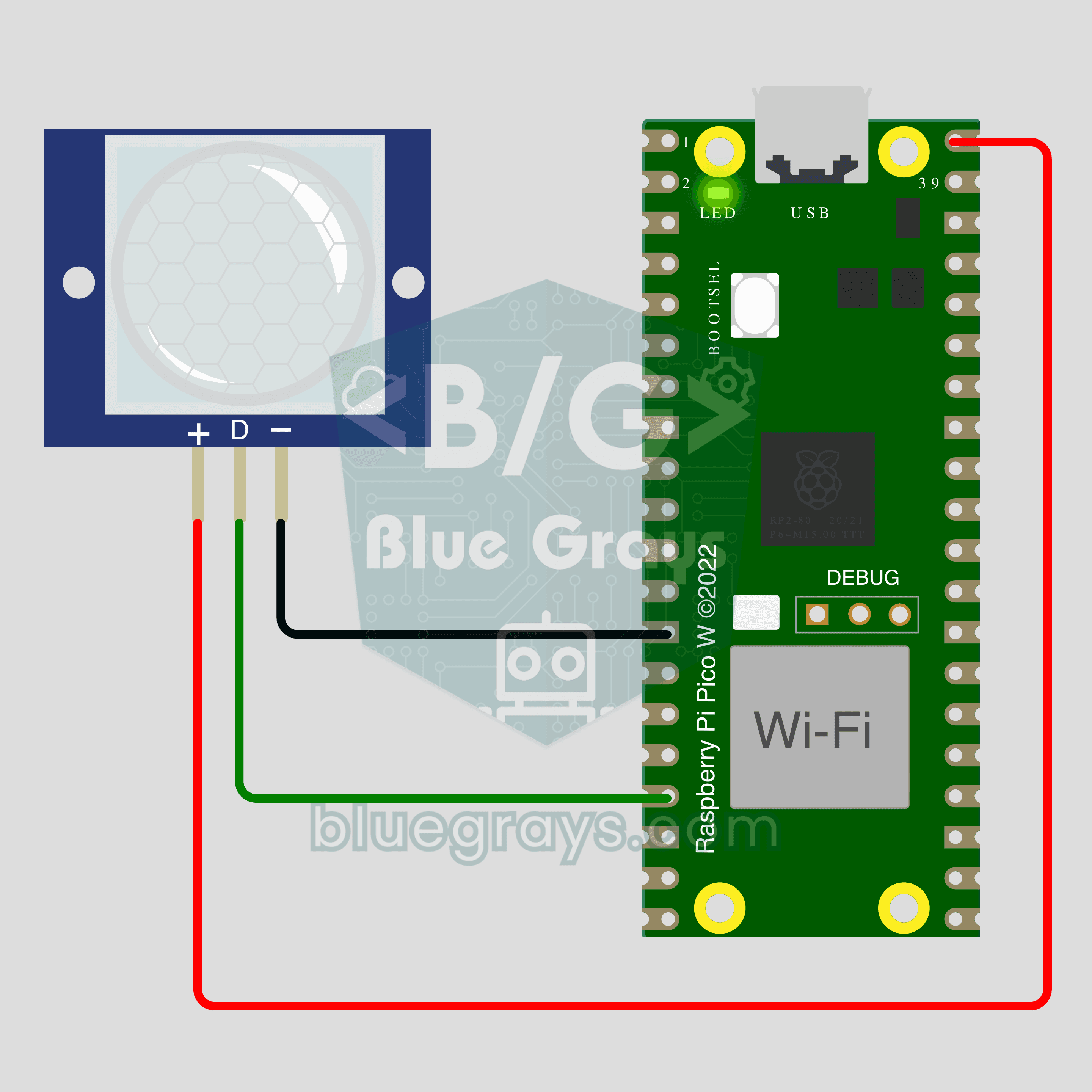
Pico W IoT Motion Counter (PIR)
Count how many times someone walks through a door or hallway, and see the moment of motion live on your phone. This project is the step-by-step guide to the Motion detector IoT template in the app, built with a Raspberry Pi Pico W and a PIR motion sensor using just 3 wires. Go to Workshop › Devices › Add a device; Ohmi prepares the code with your own device key. The code on this page is an example: the key and Wi-Fi details are placeholders.