
74HC595 Arduino Tutorial: Shift Register for 8+ LEDs on 3 Pins
74HC595 Arduino tutorial: pinout, shiftOut() and bit order, daisy-chaining chips, running LEDs and 7-segment, fast SPI, ESP32 and Pico code, current limits.
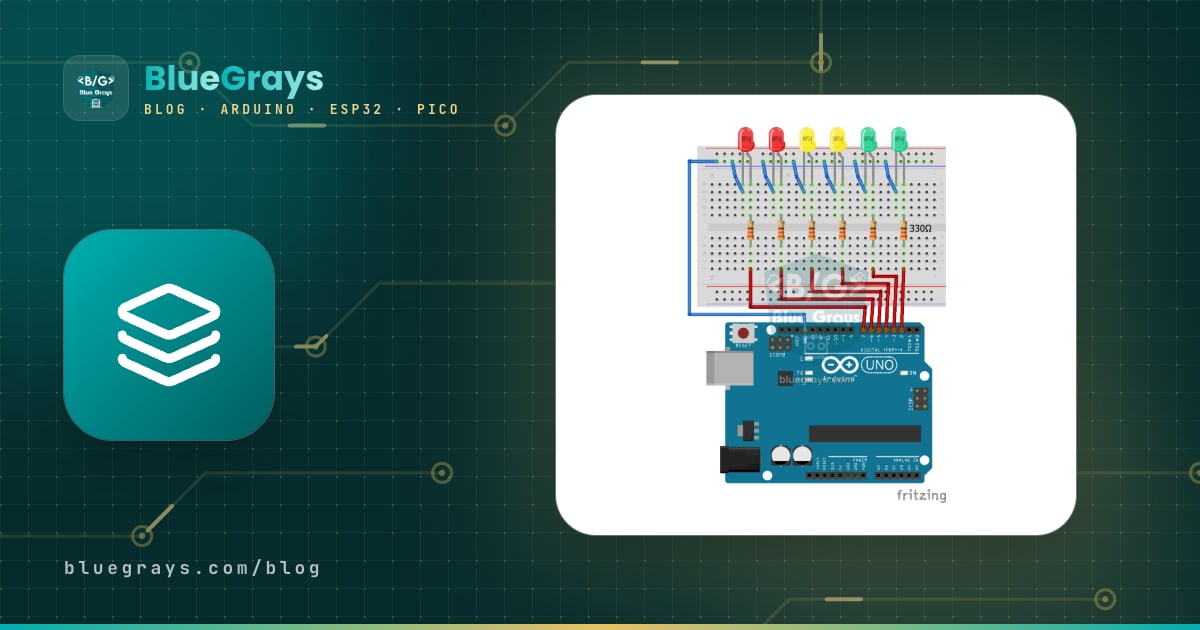
The 74HC595 is a cheap 16-pin shift register IC that lets you control 8 separate outputs using only 3 digital pins of your Arduino. An Arduino Uno has 20 usable pins, and they run out fast once you try to build a 16-LED Knight Rider scanner, a two-digit scoreboard or an 8-channel relay board. The 74HC595 solves this by receiving data bit by bit over a single line: the chip collects the incoming bits one after another and, when you tell it you are ready, copies them to all eight outputs at once. Daisy-chain several chips and the same 3 pins can control 16, 24 or even 80 outputs.
In this guide you will learn the 74HC595 pinout (DS, SH_CP, ST_CP, OE, MR and Q7'), the internal structure that turns serial data into parallel outputs, Arduino's shiftOut() function and the difference between MSBFIRST and LSBFIRST bit order. Then you will build a binary counter, a running light, a 16-LED chain and a 7-segment display, and drive the same circuit dozens of times faster with hardware SPI. The final sections cover ESP32 and Raspberry Pi Pico (MicroPython) code, the chip's current limits and fixes for the most common latch mistakes.
What is the 74HC595 and how does it work?
Inside the chip there are two 8-bit registers connected one after the other. The first is the shift register: on every rising edge at the SH_CP (clock) pin, the 0 or 1 present on the DS pin enters the first cell and the bits already inside move one place forward. After eight clock pulses, all eight bits you sent are inside. The second is the storage register (latch): on a rising edge at the ST_CP pin, the eight bits in the shift register are copied into it in one go and appear on outputs Q0–Q7. Thanks to this two-stage design the LEDs do not flicker while the bits are shifting; the outputs change only when you trigger the latch pin.
Think of it like a train station: the carriages (bits) roll onto the platform one after another on a single track, but the doors only open once the train has completely stopped, and all the passengers get off at the same moment. Opening the doors is the latch pin's job. Because data goes in serially and comes out in parallel, the 74HC595 is also called a SIPO (serial-in, parallel-out) register. Its sibling that does the opposite, letting you read 8 buttons over one line, is the 74HC165 (PISO). Both belong to the 74-series logic family; you can look up the gates and chip numbers of this family in the Logic gates tool.
| Feature | Value |
|---|---|
| Type | 8-bit serial-in, parallel-out (SIPO) shift register + 8-bit storage register |
| Supply voltage (VCC) | 2–6 V (74HCT595: 4.5–5.5 V) |
| Package | DIP-16 (fits a breadboard), SOIC-16, TSSOP-16 |
| Output current | About 6 mA per output (datasheet test value at 4.5 V) |
| Absolute limits | ±35 mA per output; ±70 mA in total through the VCC or GND pin |
| Maximum clock frequency | Guaranteed up to 25 MHz at 4.5 V, 5 MHz at 2 V |
| HIGH input threshold (VIH) | At least 3.15 V at a 4.5 V supply (about 0.7 × VCC) |
| Output type | 3-state; when OE is HIGH, Q0–Q7 float |
74HC595 pinout
The half-moon notch or small dot on the chip marks pin 1. With the notch at the top and looking at the chip from above, pins 1–8 run down the left side and pins 9–16 run up the right side. Manufacturers name the pins differently: NXP and most Arduino resources use DS, SH_CP and ST_CP, while Texas Instruments uses SER, SRCLK and RCLK. The table below lists both. OE and MR are active LOW inputs, meaning they do their job when they are LOW, and datasheets show them with a bar over the name.
| Pin | NXP name | TI name | Function | Connect to |
|---|---|---|---|---|
| 15, 1–7 | Q0, Q1–Q7 | QA, QB–QH | Parallel outputs (Q0 on pin 15, Q1–Q7 on pins 1–7) | LEDs through resistors |
| 8 | GND | GND | Ground | GND |
| 9 | Q7' | QH' | Serial output: the last bit of the shift register | DS pin of the next 74HC595 (chain) |
| 10 | MR | SRCLR | Clears the shift register (active LOW) | VCC |
| 11 | SH_CP | SRCLK | Shift clock; takes in 1 bit on the rising edge | Arduino D13 (SCK) |
| 12 | ST_CP | RCLK | Latch; copies the data to the outputs on the rising edge | Arduino D10 |
| 13 | OE | OE | Enables the outputs (active LOW) | GND (or a PWM pin for brightness) |
| 14 | DS | SER | Serial data input | Arduino D11 (MOSI) |
| 16 | VCC | VCC | Power supply | 5V (3.3 V on ESP32 and Pico) |
Wiring to Arduino Uno, ESP32 and Pico
All the Arduino examples in this guide use the same circuit. Choosing the hardware SPI pins (D11 and D13) for the data and clock lines from the start means you won't have to move a single wire when you switch the code to SPI later. Each LED's long leg (anode) goes to an output and its short leg (cathode) goes to GND through a resistor. Don't forget a 100 nF ceramic capacitor between the chip's VCC and GND pins, placed as close to the chip as possible; it smooths out the short voltage dips when many LEDs switch at once and prevents random glitches. You can also check your board's SPI pins in the Pinout tool.
| 74HC595 pin | Arduino Uno | ESP32 | Raspberry Pi Pico |
|---|---|---|---|
| DS (14) | D11 | GPIO 23 | GP19 |
| SH_CP (11) | D13 | GPIO 18 | GP18 |
| ST_CP (12) | D10 | GPIO 5 | GP17 |
| OE (13) | GND | GND | GND |
| MR (10) | 5V | 3V3 | 3V3(OUT) |
| VCC (16) | 5V | 3V3 | 3V3(OUT) |
| GND (8) | GND | GND | GND |
| Q0–Q7 | LED + 470 Ω | LED + 220 Ω | LED + 220 Ω |
The shiftOut() function and bit order (MSBFIRST / LSBFIRST)
The easiest way to send data to a 74HC595 on Arduino is the built-in shiftOut(dataPin, clockPin, bitOrder, value) function. It writes the eight bits of the value byte to the data pin one after another and, after each bit, sets the clock pin HIGH and then LOW; the 74HC595 takes in the bit exactly on that rising edge. shiftOut() does not touch the latch pin, so you need to set ST_CP LOW before sending and HIGH afterwards. Because the function relies on rising edges, the clock pin should also be LOW before the call; otherwise the first bit may be missed.
The bitOrder parameter sets which end the bits are sent from. The first bit sent ends up at the far end, Q7, after eight shifts, while the last bit sent stays at Q0. With MSBFIRST the most significant bit (bit 7) goes first, so every bit of the byte lands on the output with the same number: bit 0 on Q0, bit 7 on Q7. With LSBFIRST the order is reversed, and bit 0 appears on Q7 and bit 7 on Q0. All the examples in this guide use MSBFIRST, so the bits of the number in the code match the LED numbers one to one. If you want to brush up on binary numbers and the 0b notation, read the number systems and bitwise operations guide.
| Value sent | Outputs on with MSBFIRST | Outputs on with LSBFIRST |
|---|---|---|
| 0b00000001 (1) | Q0 | Q7 |
| 0b10000000 (128) | Q7 | Q0 |
| 0b00001111 (15) | Q0, Q1, Q2, Q3 | Q4, Q5, Q6, Q7 |
| 0b10100101 (165) | Q0, Q2, Q5, Q7 | Q0, Q2, Q5, Q7 (symmetric pattern) |
Step by step: a binary counter with 8 LEDs
- Place the 74HC595 across the gap in the middle of the breadboard so that the two rows of legs end up on opposite sides. If you are not sure how a breadboard is connected inside, read What Is a Breadboard? first.
- Connect VCC (pin 16) and MR (pin 10) to 5V, and GND (pin 8) and OE (pin 13) to GND. Fit the 100 nF capacitor between VCC and GND.
- Connect DS (14) to D11, SH_CP (11) to D13 and ST_CP (12) to D10.
- Connect the long legs of eight LEDs to outputs Q0–Q7 and their short legs to GND through 470 Ω resistors. Remember that Q0 is pin 15.
- Upload the code below. The LEDs should count from 0 to 255 in binary; the LED on Q0 should blink the fastest and the one on Q7 the slowest.
1// 74HC595 ile 8 LED'de ikilik sayaç / Binary counter on 8 LEDs with a 74HC595
2const int DATA_PIN = 11;   // DS (14)
3const int CLOCK_PIN = 13;  // SH_CP (11)
4const int LATCH_PIN = 10;  // ST_CP (12)
5
6void write595(byte value) {
7  digitalWrite(LATCH_PIN, LOW);                    // latch'i indir / pull the latch low
8  shiftOut(DATA_PIN, CLOCK_PIN, MSBFIRST, value);  // 8 biti kaydır / shift the 8 bits in
9  digitalWrite(LATCH_PIN, HIGH);                   // yükselen kenar: çıkışlara aktar / rising edge: copy to the outputs
10}
11
12void setup() {
13  pinMode(DATA_PIN, OUTPUT);
14  pinMode(CLOCK_PIN, OUTPUT);
15  pinMode(LATCH_PIN, OUTPUT);
16  digitalWrite(CLOCK_PIN, LOW);                    // saat LOW başlamalı / the clock must start low
17  write595(0);                                     // açılışta hepsi sönük / all off at startup
18}
19
20void loop() {
21  for (int n = 0; n < 256; n++) {
22    write595(n);                                   // n'in bitleri Q0–Q7'de / the bits of n on Q0–Q7
23    delay(200);
24  }
25}
The heart of the code is the write595() function: it sets the latch LOW, sends eight bits with shiftOut() and sets the latch HIGH to copy them all to the outputs at once. This is also why the LEDs don't flicker: while the bits are shifting, the outputs keep their old value. When n is 5 (0b00000101), the LEDs on Q0 and Q2 light up; at 200 (0b11001000), the LEDs on Q3, Q6 and Q7 light up. On the Uno you may notice the built-in L LED on D13 flickering faintly with the clock signal; this is normal and doesn't affect the circuit.
Running light and Knight Rider effect
For a running light, you only need to set a single bit to 1 at each step. Arduino's bit(i) macro produces a number in which only bit i is 1: bit(0) equals 1, bit(3) equals 8 and bit(7) equals 128. The code below plays three effects in a row: a single LED running from Q0 to Q7, a back-and-forth Knight Rider scanner and a bar that gradually fills up. To compare it with the classic version wired directly to the pins, see Arduino Knight Rider and Running LEDs; there every LED uses its own pin, here 3 pins are enough in total.
1// Yürüyen LED, karaşimşek ve dolan çubuk / Running light, Knight Rider and filling bar
2const int DATA_PIN = 11;   // DS
3const int CLOCK_PIN = 13;  // SH_CP
4const int LATCH_PIN = 10;  // ST_CP
5const int STEP_MS = 80;    // adım süresi (ms) / step time (ms)
6
7void write595(byte value) {
8  digitalWrite(LATCH_PIN, LOW);
9  shiftOut(DATA_PIN, CLOCK_PIN, MSBFIRST, value);
10  digitalWrite(LATCH_PIN, HIGH);
11}
12
13void setup() {
14  pinMode(DATA_PIN, OUTPUT);
15  pinMode(CLOCK_PIN, OUTPUT);
16  pinMode(LATCH_PIN, OUTPUT);
17  digitalWrite(CLOCK_PIN, LOW);
18  write595(0);
19}
20
21void loop() {
22  // 1) Yürüyen LED: Q0'dan Q7'ye / running light: Q0 to Q7
23  for (int i = 0; i < 8; i++) {
24    write595(bit(i));               // yalnızca i. bit 1 / only bit i is 1
25    delay(STEP_MS);
26  }
27
28  // 2) Karaşimşek: git-gel, 3 tur / Knight Rider: back and forth, 3 rounds
29  for (int r = 0; r < 3; r++) {
30    for (int i = 0; i < 7; i++) { write595(bit(i)); delay(STEP_MS); }
31    for (int i = 7; i > 0; i--) { write595(bit(i)); delay(STEP_MS); }
32  }
33
34  // 3) Dolan çubuk / filling bar
35  byte bar = 0;
36  for (int i = 0; i < 8; i++) {
37    bar |= bit(i);                  // bir LED daha ekle / add one more LED
38    write595(bar);
39    delay(STEP_MS * 2);
40  }
41  write595(0);
42  delay(300);
43}
In the Knight Rider part, the forward loop runs from 0 to 6 and the backward loop from 7 to 1, so the end LEDs don't light up twice in a row and the motion looks smooth. In the filling bar, the |= (bitwise OR) operation adds a new LED while keeping the previous ones lit; this is the basis of an LED bar graph that shows the value of a potentiometer or a sensor. Because the code uses delay(), the Arduino can't do anything else while the effect runs. If you want to read a button or change the speed live during the effect, time it with millis() instead; you'll find the method in the millis() vs delay() guide.
Daisy-chaining multiple 74HC595s (Q7')
Pin 9 of the chip, Q7' (QH'), outputs the bit that overflows from the shift register. Connect it to the DS input of a second 74HC595 and the two chips behave like a single 16-bit register. The SH_CP and ST_CP lines are shared by all chips, so whether the chain has three chips or ten, only 3 wires still come from the Arduino. Every new byte you send pushes the previous one into the next chip. That's why the first byte you send ends up in the last chip of the chain, while the last byte you send stays in the first chip, the one connected to the Arduino. When the latch fires, the outputs of all the chips update at the same time.
| Connection | Chip 1 | Chip 2 |
|---|---|---|
| DS (14) | Arduino D11 | Q7' (pin 9) of chip 1 |
| SH_CP (11) | Arduino D13 | Arduino D13 (shared) |
| ST_CP (12) | Arduino D10 | Arduino D10 (shared) |
| Q7' (9) | To the DS pin of chip 2 | Unconnected or to the DS pin of chip 3 |
| OE (13) / MR (10) | GND / 5V | GND / 5V |
| Outputs | LEDs 0–7 | LEDs 8–15 |
1// İki zincirli 74HC595 ile 16 LED / 16 LEDs on two daisy-chained 74HC595s
2const int DATA_PIN = 11;   // 1. entegrenin DS'si / DS of chip 1
3const int CLOCK_PIN = 13;  // iki entegrede ortak SH_CP / shared SH_CP
4const int LATCH_PIN = 10;  // iki entegrede ortak ST_CP / shared ST_CP
5
6void write16(uint16_t value) {
7  digitalWrite(LATCH_PIN, LOW);
8  shiftOut(DATA_PIN, CLOCK_PIN, MSBFIRST, highByte(value));  // önce uzaktaki entegre (LED 8–15) / far chip first (LEDs 8–15)
9  shiftOut(DATA_PIN, CLOCK_PIN, MSBFIRST, lowByte(value));   // sonra yakındaki (LED 0–7) / then the near chip (LEDs 0–7)
10  digitalWrite(LATCH_PIN, HIGH);                             // 16 çıkış aynı anda değişir / all 16 outputs change at once
11}
12
13void setup() {
14  pinMode(DATA_PIN, OUTPUT);
15  pinMode(CLOCK_PIN, OUTPUT);
16  pinMode(LATCH_PIN, OUTPUT);
17  digitalWrite(CLOCK_PIN, LOW);
18  write16(0);
19}
20
21void loop() {
22  for (int i = 0; i < 16; i++) {    // ileri / forward
23    write16(bit(i));
24    delay(50);
25  }
26  for (int i = 14; i > 0; i--) {    // geri / backward
27    write16(bit(i));
28    delay(50);
29  }
30}
highByte() and lowByte() split the 16-bit number into two bytes. The high byte is sent first, so it travels to the last chip in the chain and controls LEDs 8–15, while the low byte stays in the first chip. To add a third chip, just send one more byte, again starting with the chip furthest away; with many chips it is neater to keep the bytes in an array and send them in a loop. A chain has no theoretical limit, but every chip makes the update take longer and adds load to the shared clock line. In long chains, give every chip its own 100 nF capacitor, keep the clock and latch wires short and, if the line gets very long, strengthen the clock with a buffer chip such as the 74HC244.
Driving a 7-segment display with a 74HC595
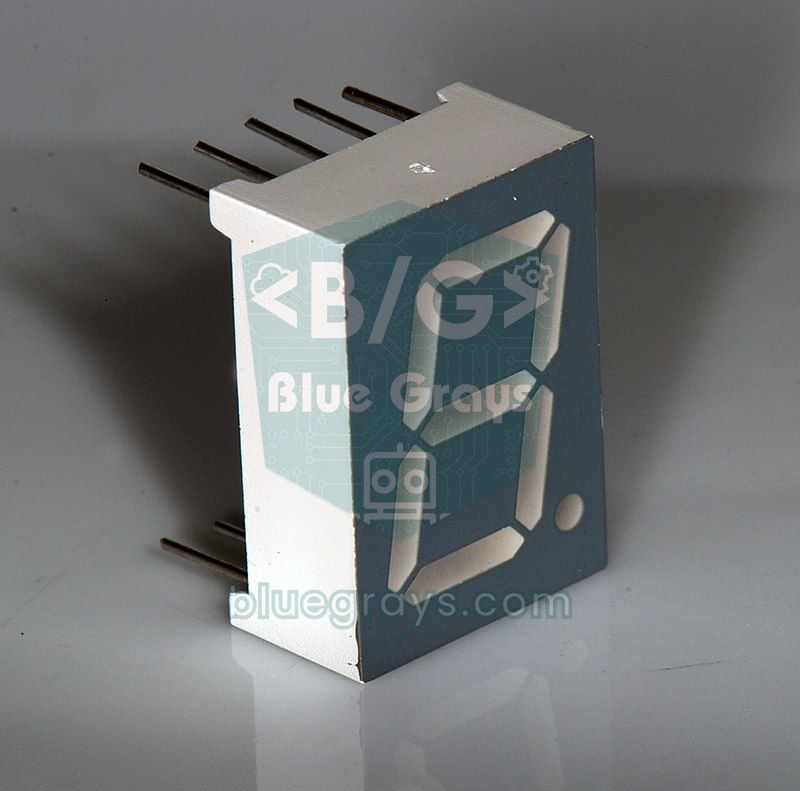
A single-digit 7-segment display contains exactly eight LEDs: seven segments from a to g and one dot (dp). That means the eight outputs of one 74HC595 are a perfect fit for one digit. Connect Q0 to segment a, Q1 to b and so on, and Q6 ends up on g and Q7 on dp; bit 0 of the byte then represents segment a and bit 6 segment g. The table below shows the wiring for a common 10-pin common-cathode display. The common pins (3 and 8) go to GND and each segment gets its own 470 Ω resistor. You'll find the segment letter layout and the difference between common anode and common cathode in detail in the 7-Segment Display guide.
| 74HC595 output | Segment | Display pin |
|---|---|---|
| Q0 (15) | a | 7 |
| Q1 (1) | b | 6 |
| Q2 (2) | c | 4 |
| Q3 (3) | d | 2 |
| Q4 (4) | e | 1 |
| Q5 (5) | f | 9 |
| Q6 (6) | g | 10 |
| Q7 (7) | dp | 5 |
1// 74HC595 ile tek haneli 7 segment: 0–9 sayacı / Single-digit 7-segment 0–9 counter with a 74HC595
2const int DATA_PIN = 11;
3const int CLOCK_PIN = 13;
4const int LATCH_PIN = 10;
5const bool COMMON_ANODE = false;    // ortak anotsa true / true for common anode
6
7// bit 0 = a ... bit 6 = g, bit 7 = dp (1 = yanar / 1 = on)
8const byte DIGITS[10] = {
9  0b00111111, // 0
10  0b00000110, // 1
11  0b01011011, // 2
12  0b01001111, // 3
13  0b01100110, // 4
14  0b01101101, // 5
15  0b01111101, // 6
16  0b00000111, // 7
17  0b01111111, // 8
18  0b01101111  // 9
19};
20
21void write595(byte value) {
22  if (COMMON_ANODE) value = ~value;   // ortak anotta LOW yakar / LOW lights a common-anode segment
23  digitalWrite(LATCH_PIN, LOW);
24  shiftOut(DATA_PIN, CLOCK_PIN, MSBFIRST, value);
25  digitalWrite(LATCH_PIN, HIGH);
26}
27
28void setup() {
29  pinMode(DATA_PIN, OUTPUT);
30  pinMode(CLOCK_PIN, OUTPUT);
31  pinMode(LATCH_PIN, OUTPUT);
32  digitalWrite(CLOCK_PIN, LOW);
33}
34
35void loop() {
36  for (int n = 0; n < 10; n++) {
37    byte pattern = DIGITS[n];
38    if (n % 2 == 1) pattern |= 0b10000000;   // tek sayılarda nokta yanar / dot on for odd numbers
39    write595(pattern);
40    delay(800);
41  }
42}
On a common-anode display, the common pins go to 5V and a segment lights up when its output is LOW. When you set COMMON_ANODE to true in the code, the ~ operator inverts all the bits and the same table keeps working. For a two-digit counter, add a second 74HC595 to the chain and send the pattern for the far digit first, then the one for the digit closest to the Arduino. With this method each digit has its own chip, so no multiplexing is needed, the display never flickers and using delay() in loop() is not a problem. For four or more digits, you can multiplex with two 74HC595s or switch to TM1637 or MAX7219 drivers that do the scanning on their own.
Fast driving with SPI
shiftOut() is slow because it writes every bit separately with digitalWrite(): on an Arduino Uno, sending one byte takes about 100 µs. You won't notice that with a few LEDs, but it falls short when you want to update a 10-chip chain thousands of times per second, control LED brightness in software or scan a multiplexed LED cube. The good news is that the 74HC595 protocol is really just SPI: DS corresponds to MOSI, SH_CP to SCK and ST_CP to the chip select (CS) pin. The Uno's hardware SPI unit sends a byte in about 1 µs at 8 MHz; even with the function call overhead it is dozens of times faster than shiftOut(). You can learn how SPI works in the What is SPI? guide.
1// 74HC595'i donanım SPI ile sürmek (Arduino Uno) / Driving a 74HC595 over hardware SPI (Arduino Uno)
2#include <SPI.h>
3
4const int LATCH_PIN = 10;   // ST_CP; D11 (MOSI) = DS, D13 (SCK) = SH_CP
5
6void write595(byte value) {
7  SPI.beginTransaction(SPISettings(8000000, MSBFIRST, SPI_MODE0));  // 8 MHz, mod 0 / 8 MHz, mode 0
8  digitalWrite(LATCH_PIN, LOW);
9  SPI.transfer(value);              // 8 bit yaklaşık 1 µs'de / 8 bits in about 1 µs
10  digitalWrite(LATCH_PIN, HIGH);    // çıkışlara aktar / copy to the outputs
11  SPI.endTransaction();
12}
13
14void setup() {
15  pinMode(LATCH_PIN, OUTPUT);
16  SPI.begin();                      // D11 ve D13 SPI'ye geçer / D11 and D13 switch to SPI
17  write595(0);
18}
19
20void loop() {
21  static byte pattern = 0b00000001;
22  write595(pattern);
23  pattern = (pattern << 1) | (pattern >> 7);   // sola döndür / rotate left
24  delay(100);
25}
In SPI_MODE0, data is sampled on the rising edge of the clock, which is exactly how the 74HC595 works. MSBFIRST again sends bit 7 to Q7, so the patterns from the earlier examples work unchanged. On the Uno, D10 must be an output for the hardware SPI to stay in master mode; SPI.begin() already sets this up, which is also why D10 is the best pin for the latch. If the chain has more than one chip, simply call SPI.transfer() once per chip between latch LOW and HIGH. MISO (D12) is not used in this circuit and stays free for another SPI device.
Brightness with OE and clearing with MR
The OE (output enable) pin is a switch that turns all the outputs on or off at once. If you connect it to one of the Uno's PWM pins, such as D9, instead of GND, you can adjust the brightness of all the LEDs together with PWM. Since OE is active LOW, the logic is inverted: analogWrite(9, 0) means full brightness and analogWrite(9, 255) means completely off. Writing analogWrite(9, 255 - brightness) in your code makes this easier. This method affects all the LEDs equally; to set the brightness of each LED individually, you need to do it in software with fast SPI updates or switch to addressable LEDs such as the WS2812B.
When the MR (master reset) pin goes LOW, all the bits in the shift register are cleared, but the outputs don't turn off right away because the storage register keeps its old value. To turn the outputs off as well, you need to send a rising edge to the latch pin while MR is LOW. In practice, tying MR straight to VCC and clearing in software with write595(0) saves both a pin and a wire. There is also the power-up issue: when power is applied, the storage register starts with a random value and the LEDs may light up in a jumble for a moment. On a relay board this can be dangerous; to prevent it, pull OE up to VCC with 10 kΩ, call write595(0) first in setup() and then set the OE pin LOW.
74HC595 with ESP32: 3.3 V and SPI
The ESP32's pins output 3.3 V. If you power the 74HC595 from 5 V, an input needs about 0.7 × VCC, or 3.5 V, to count as HIGH; 3.3 V falls below that threshold and operation becomes unreliable. The cleanest solution is to power the chip from the ESP32's 3V3 pin too, since the 74HC595 works from 2 V upwards. If you really must power the chip from 5 V, use the 74HCT595, whose inputs see anything above 2 V as HIGH, or add a logic level converter in between. At 3.3 V, 220 Ω suits red, yellow and green LEDs, while blue and white LEDs, with a forward voltage around 3 V, are very dim at 3.3 V.
The example below uses the ESP32's VSPI pins (SCK on GPIO 18, MOSI on GPIO 23) to play a Knight Rider effect on 16 LEDs connected to two daisy-chained 74HC595s; GPIO 5 serves as the latch. The SPI speed is set to 4 MHz because the 74HC595's speed limit drops with the supply voltage, and 4 MHz leaves a wide safety margin at 3.3 V. shiftOut() also works on the ESP32 and is much faster than on the Uno thanks to the 240 MHz processor; still, using SPI frees the processor for jobs like Wi-Fi. For board basics and safe pin choices, see What Is the ESP32?.
1// ESP32 + iki 74HC595 (SPI) ile 16 LED karaşimşek / 16-LED Knight Rider on ESP32 with two 74HC595s (SPI)
2#include <SPI.h>
3
4const int SCK_PIN = 18;    // SH_CP
5const int MOSI_PIN = 23;   // DS
6const int LATCH_PIN = 5;   // ST_CP
7
8void write16(uint16_t value) {
9  SPI.beginTransaction(SPISettings(4000000, MSBFIRST, SPI_MODE0));  // 3,3 V için 4 MHz yeterli / 4 MHz is plenty at 3.3 V
10  digitalWrite(LATCH_PIN, LOW);
11  SPI.transfer(highByte(value));    // önce uzaktaki entegre / far chip first
12  SPI.transfer(lowByte(value));     // sonra yakındaki / then the near chip
13  digitalWrite(LATCH_PIN, HIGH);
14  SPI.endTransaction();
15}
16
17void setup() {
18  pinMode(LATCH_PIN, OUTPUT);
19  SPI.begin(SCK_PIN, -1, MOSI_PIN, -1);   // MISO ve SS kullanılmıyor / MISO and SS unused
20  write16(0);
21}
22
23void loop() {
24  for (int i = 0; i < 16; i++) { write16(bit(i)); delay(40); }   // ileri / forward
25  for (int i = 14; i > 0; i--) { write16(bit(i)); delay(40); }   // geri / backward
26}
74HC595 with Raspberry Pi Pico and MicroPython
On the Pico, power the 74HC595 from the 3V3(OUT) pin as well. MicroPython has no ready-made equivalent of Arduino's shiftOut(), but hardware SPI handles the job easily: the SPI0 unit's GP18 (SCK) and GP19 (MOSI) pins are used, and any GPIO can be the latch; here it's GP17. MicroPython also reserves SPI0's MISO pin (GP16) for SPI, so don't wire it to anything else. If you pass several bytes to spi.write(), you update all the chips in the chain in one go, and again the first byte goes to the chip furthest away. For setup and first steps, see What Is the Raspberry Pi Pico?.
1# Pico + 74HC595: yürüyen LED ve ikilik sayaç (SPI) / Pico + 74HC595: running light and binary counter (SPI)
2from machine import Pin, SPI
3import time
4
5# GP18 = SCK -> SH_CP, GP19 = MOSI -> DS; GP16 (MISO) boş kalır / GP16 (MISO) stays unconnected
6spi = SPI(0, baudrate=4000000, polarity=0, phase=0, sck=Pin(18), mosi=Pin(19))
7latch = Pin(17, Pin.OUT, value=1)    # ST_CP
8
9def write595(*values):
10    # birden çok bayt = zincirdeki entegreler, ilk bayt en uzaktakine
11    # several bytes = chained chips, the first byte goes to the far chip
12    latch.value(0)
13    spi.write(bytes(values))
14    latch.value(1)                   # yükselen kenar: çıkışlara aktar / rising edge: copy to the outputs
15
16write595(0)
17while True:
18    for i in range(8):               # yürüyen LED / running light
19        write595(1 << i)
20        time.sleep_ms(80)
21    for n in range(256):             # ikilik sayaç / binary counter
22        write595(n)
23        time.sleep_ms(20)
Bigger loads: transistors, ULN2803 and TPIC6B595
The 74HC595's outputs are only suitable for small LED currents. Don't connect loads such as a relay coil (70–90 mA), a small motor, several buzzers or a 12 V LED strip directly. You can put an NPN transistor behind each output, or use the ULN2803, which packs eight Darlington transistors into one package: it switches up to 500 mA per channel on the GND side and has built-in protection diodes for inductive loads; for them to work, connect its COM pin to the load supply. A tidier solution is the TPIC6B595, programmed exactly like the 74HC595 but with powerful open-drain outputs: it carries 150 mA continuously per output and can switch loads up to 50 V. It has 20 pins, so its pinout is different, and you connect the loads between the positive supply and the output.
74HC595, MAX7219 or TM1637?
| Feature | 74HC595 | MAX7219 | TM1637 | WS2812B |
|---|---|---|---|---|
| Control pins | 3 (DS, SH_CP, ST_CP) | 3 (DIN, CLK, CS) | 2 (CLK, DIO) | 1 (DIN) |
| Outputs | 8 per chip, chainable | 64 LEDs (8 digits or an 8x8 matrix) | 4–6 digit 7-segment | Each LED individually addressed |
| Current limiting | A resistor for every LED | One resistor (RSET) for all LEDs | Built into the module | Inside the LED |
| Brightness | Global PWM via OE | 16 levels, in software | 8 levels | 256 levels per color channel |
| Best for | LED bars, relay boards, general-purpose outputs | LED matrices, multi-digit displays | Clocks, counters | Colorful effects, strips |
If you need a simple LED bar, an 8-channel relay board or digital outputs that each do a different job, the 74HC595 is the cheapest and most flexible choice. For 8x8 LED matrices or multi-digit displays, the MAX7219, which handles multiplexing by itself, makes life much easier. If you want colorful, individually controlled lights, WS2812B NeoPixel LEDs run on a single data pin.
74HC595 project ideas
- 16-LED Knight Rider: Build the back-and-forth effect with two chained chips and adjust its speed with a potentiometer.
- LED bar level meter: Show a sensor value or a sound level on a bar of 8–16 LEDs.
- Parking sensor: Light up more LEDs, from green to red, as the distance measured with an HC-SR04 gets shorter.
- Two-digit scoreboard: Build a flicker-free counter with buttons using two 7-segment displays and two chained chips.
- Binary clock: Show hours, minutes and seconds as binary numbers in columns of LEDs, taking the time from an RTC clock module.
- 3x3x3 LED cube: Create 3D animations by driving the layers with transistors and the columns with 74HC595s; the details are in the Arduino LED cube guide.
- 8-channel relay board: Control eight relays from 3 pins with a ULN2803 or TPIC6B595.
Common mistakes and how to fix them
| Symptom | Likely cause | Fix |
|---|---|---|
| No LED lights up | OE floating or HIGH, MR stuck LOW | Connect OE to GND and MR to VCC |
| The LEDs never change | The latch (ST_CP) is never triggered or is on the wrong pin | Take the latch from LOW to HIGH after shiftOut() and check the pin number |
| LEDs flicker while shifting or the pattern is off by one bit | SH_CP and ST_CP are tied together; the shift register is then always one clock pulse ahead of the storage register | Use a separate pin for the latch and set it HIGH only after all bytes have been sent |
| The LEDs light up in reverse order | Bit order mixed up or Q0 in the wrong place | Swap MSBFIRST and LSBFIRST, and check that Q0 is on pin 15 |
| Chips in the chain are swapped or one lags a step behind | Bytes sent in the wrong order, or chip 2's DS connected to Q7 (pin 7) instead of Q7' | Send the far chip's byte first and connect DS to pin 9 |
| With many LEDs on, they all dim and the chip gets warm | The total current exceeds the 70 mA limit | Use 470 Ω–1 kΩ resistors or a ULN2803 / TPIC6B595 |
| LEDs flash randomly and change when you touch the wires | No capacitor, long wires or a floating input | Add 100 nF between VCC and GND, shorten the wires and never leave OE or MR floating |
| Unreliable with an ESP32 or Pico | The chip is powered from 5 V and the 3.3 V signal isn't seen as HIGH | Power the chip from 3V3 or use a 74HCT595 |
The 74HC595 is the cheapest and most educational way to solve a pin shortage. Once you understand the shift-and-latch idea, you'll recognize it in SPI devices, LED matrix drivers and display modules, and when reading buttons with a 74HC165. Start with the 8-LED counter, then grow the chain and move to SPI. In the BlueGrays app you'll find running light, Knight Rider, speed-controlled effect and 7-segment counter projects for Arduino, ESP32 and Raspberry Pi Pico, step by step with circuit diagrams and code.
Frequently asked questions
What is the 74HC595 used for?
The 74HC595 is a shift register that turns serial data from a microcontroller into 8 parallel outputs. It lets you control 8 LEDs, a 7-segment display or, through transistors, relays using only 3 Arduino pins. By daisy-chaining chips you can get 16, 24 or more outputs from the same 3 pins.
How many 74HC595 can be daisy-chained?
There is no theoretical limit: each chip's Q7' output connects to the next chip's DS input, and the clock and latch lines are shared. In practice the limit is set by the update time and the load on the shared clock line; on the Uno, shiftOut() adds about 100 µs per chip, while with SPI it drops to a few microseconds. In long chains, give every chip a 100 nF capacitor and keep the wires short.
How much current can a 74HC595 output supply?
The datasheet guarantees the output voltages at 6 mA per output; the absolute limit is 35 mA per output and 70 mA in total through the VCC or GND pin. Since all eight LEDs may be on at once, aiming for 6–8 mA per LED is safe. At 5 V that corresponds to a resistor of about 470 Ω.
Does the 74HC595 work with an ESP32 at 3.3 V?
Yes. The 74HC595 runs from 2 to 6 V, so it can be powered from the 3V3 pin of an ESP32 or Pico and reads 3.3 V signals without any problem. If you power the chip from 5 V, 3.3 V signals may fall below the HIGH threshold; in that case use a 74HCT595 or a logic level converter.
What does the latch pin do on a 74HC595?
The latch pin (ST_CP or RCLK) is the trigger that copies the bits you shifted into the shift register to the outputs. While the bits are shifting, the outputs keep their old value; when a rising edge arrives at the latch pin, all eight outputs update at the same time. This keeps the LEDs from flickering while data is being sent and makes every chip in a chain change at once.
Can a 74HC595 drive a relay or a motor?
Not directly; its outputs are only suitable for LED currents of a few milliamps. For relays, motors or LED strips, add a transistor to each output or use a ULN2803, which can switch up to 500 mA per channel. The TPIC6B595, programmed the same way, is a powerful alternative that can carry 150 mA per output.
Projects to build after reading this
See all projects
LED Chaser
Project that creates an LED chaser effect by lighting 6 LEDs in sequence. Teaches the use of array and multiple pin control with for loop.

Knight Rider LED Effect
Project that creates a Knight Rider style black lightning effect by lighting 6 LEDs in a back and forth sequence. Teaches bidirectional loop logic.

LED Chaser with Adjustable Speed
Project that can adjust the LED chaser speed in real time with the potentiometer. Teaches to dynamically control the delay time by reading the potentiometer value with analogRead.

Knight Rider LED Effect with Adjustable Speed
Project with potentiometer that can adjust the speed of the Knight Rider LED animation in real time. It combines analog input and bidirectional loop control.

ESP32 Knight Rider LED
6 LEDs moving sequentially from left to right and right to left (Knight Rider style). A basic example of using for loops and arrays. Teaches the logic of direction change.
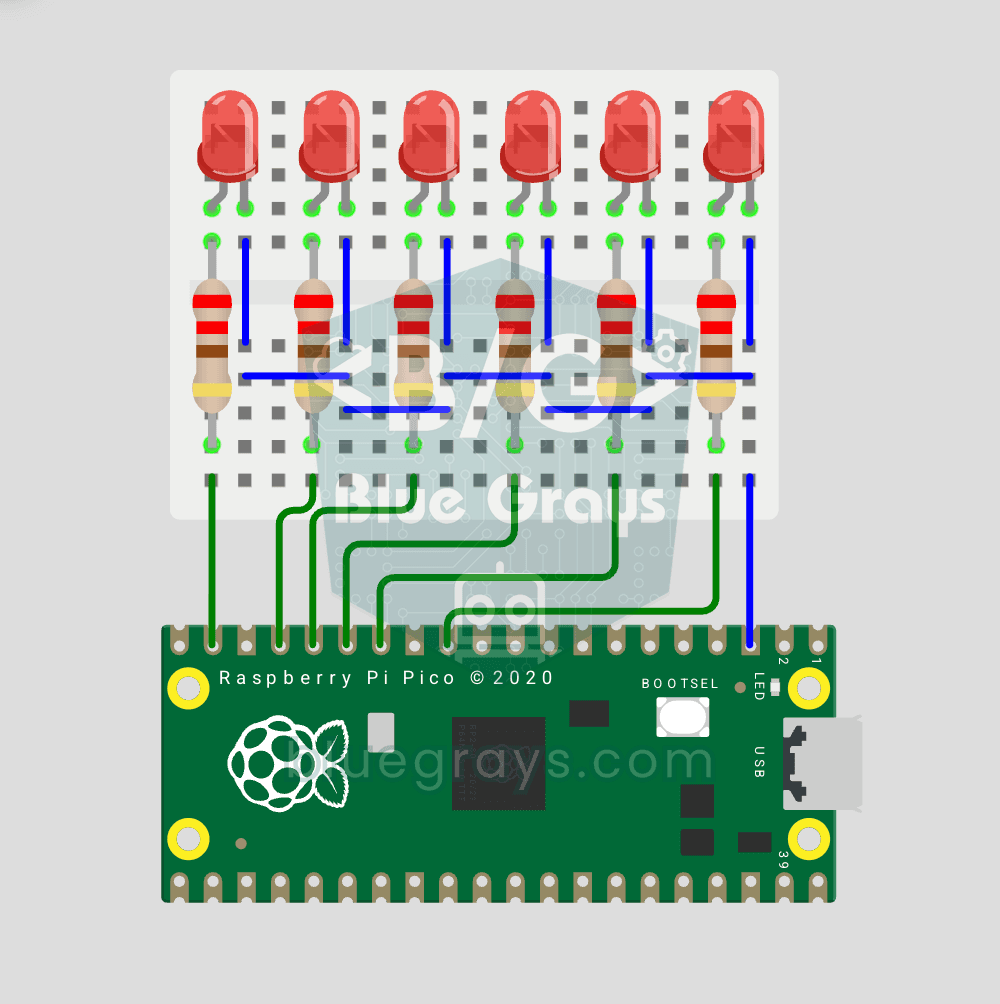
Raspberry Pi Pico Chasing LED (6 LEDs, GP14 → GP9)
Classic "chasing LED" animation with Pico — 6 LED version! 6 LEDs light up left-to-right sequentially — like light walking down the row. Learn Python list, list comprehension ([Pin(p, Pin.OUT) for p in LED_PINS]), for loop with pin control and enumerate(). 6 LEDs on GP9-GP14, each with 220Ω current-limiting resistor. Very clean code: instead of defining 6 LEDs one by one, we use a list — you can add LEDs up to the number of free, usable GPIO pins, each with its own resistor. Controlling 100 inde
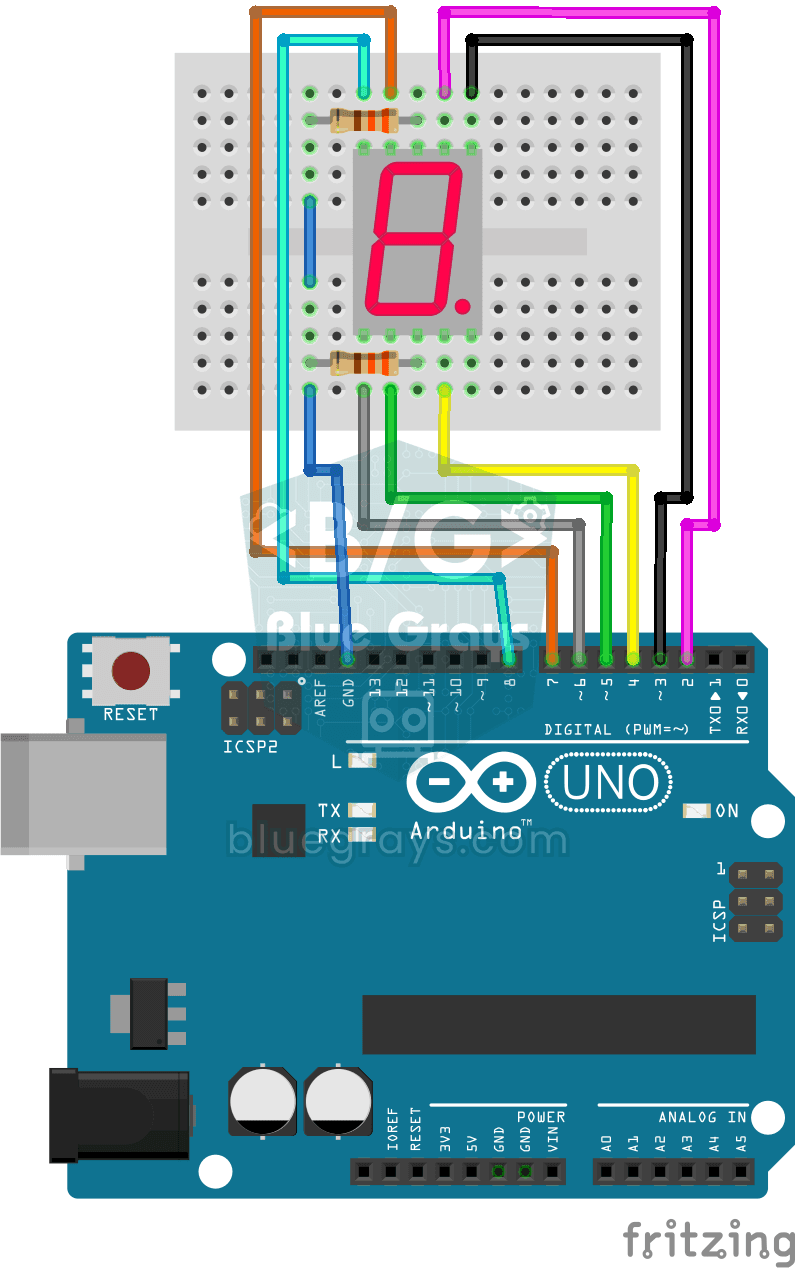
Displaying Numbers 0-9 on a 7-Segment Display
Project showing numbers from 0 to 9 in sequence on a 7 segment display. It teaches the logic of creating numbers by controlling the segment pins.
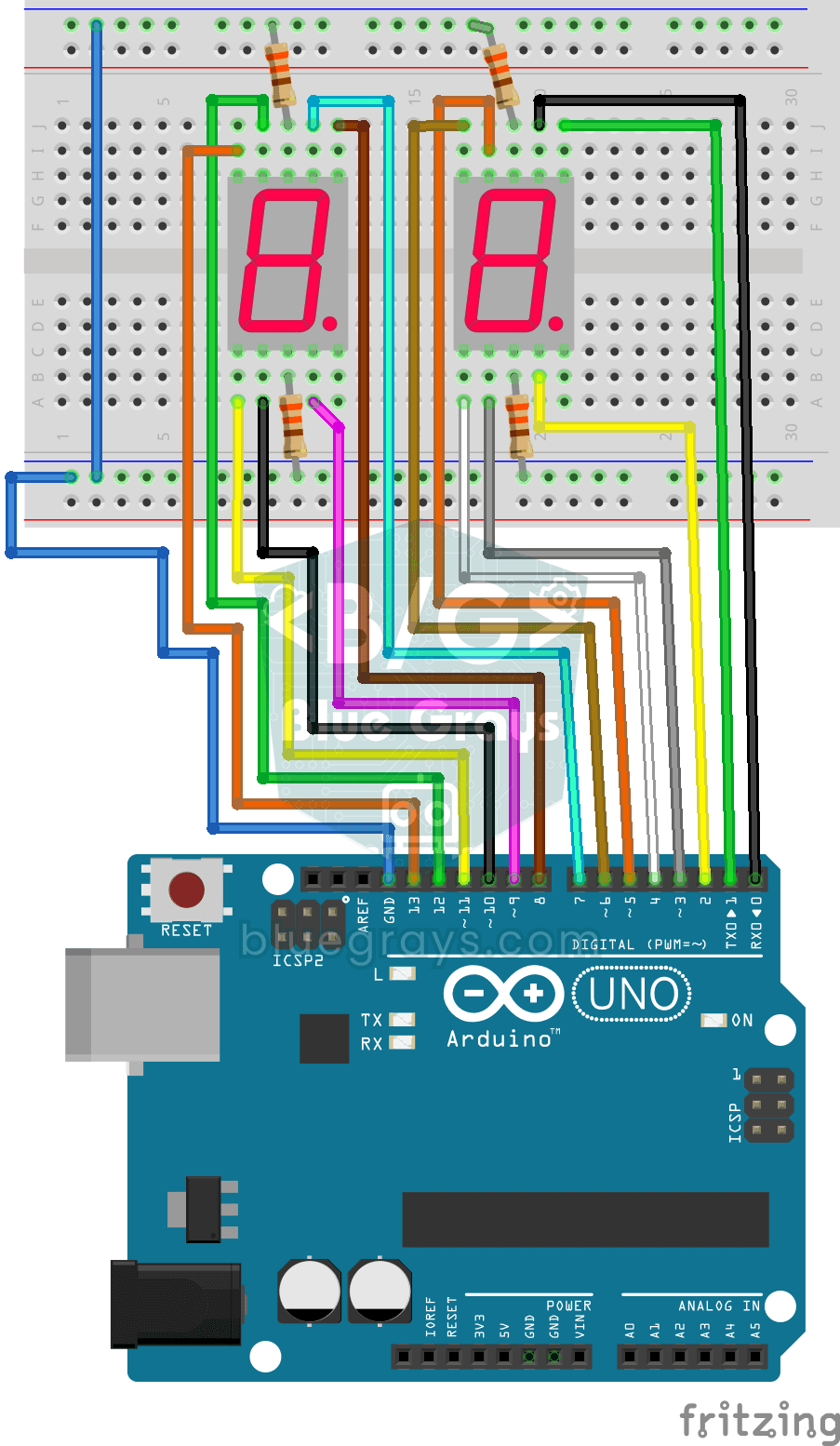
Displaying Numbers 0-99 on a 7-Segment Display
Project showing numbers from 0 to 99 with a double digit 7 segment display. Teaches bit operations (bitRead) and one-digit-by-ten digit parsing logic.