
Logic Gates Explained: AND, OR, NOT, XOR Truth Tables and Arduino
What are logic gates? AND, OR, NOT, NAND, NOR, XOR and XNOR symbols, truth tables, 74HC08 and 74HC00 chips, a half adder and Arduino, ESP32 and Pico code.
Logic gates are the basic building blocks of digital circuits: each one looks at one or more digital inputs and produces a single digital output according to a fixed rule. The inputs can only be 0 (LOW) or 1 (HIGH), and so can the output. There are seven basic gates: AND, OR, NOT, NAND, NOR, XOR and XNOR. From the processor in your phone to the control board of a washing machine, from the ATmega328P inside an Arduino to a pocket calculator, every digital device works by combining millions of tiny logic gates.
In this guide you'll learn the symbol and truth table of every gate, real chips such as the 74HC08, 74HC32 and 74HC00, a breadboard experiment you build with two push buttons, how to build every other gate from NAND alone, and the half adder circuit that adds two bits. In the last sections we'll turn the same logic into code on the Arduino with the &&, || and ! operators and with bitwise operations, then continue with ESP32 and Raspberry Pi Pico (MicroPython) examples.
What is a logic gate, and how does it work?
In digital electronics every signal is in one of two states: 1 (HIGH, true) or 0 (LOW, false). The mathematics of working with these two values is called Boolean algebra; in a book published in 1854, George Boole expressed logical reasoning as algebra in exactly this way. In 1937 Claude Shannon showed that this algebra maps one to one onto switching circuits built from relays, laying the foundation of digital circuit design. Today a logic gate contains only a handful of transistors: in CMOS technology a NOT gate is made of 2 MOSFETs and a NAND gate of 4. We explain how a transistor works as a switch in What Is a Transistor?.
So which voltage does a circuit call 1, and which 0? That depends on the board's supply voltage and the chip family. The table below shows the limits at which an input is guaranteed to count as 1 or as 0. The region between the two limits is the undefined region; if an input stays there, the output may behave randomly. An input that isn't connected to anything, a floating input, wanders around exactly in this undefined region. That's why every input must be tied to a signal, or through a resistor to GND or VCC.
| Board / family | Supply | Input guaranteed as 1 | Input guaranteed as 0 |
|---|---|---|---|
| Arduino Uno (ATmega328P) | 5 V | ≥ 3.0 V | ≤ 1.5 V |
| ESP32 | 3.3 V | ≥ 2.5 V | ≤ 0.8 V |
| Raspberry Pi Pico (RP2040) | 3.3 V | ≥ 2.0 V | ≤ 0.8 V |
| 74HC chip | 5 V | ≥ 3.5 V | ≤ 1.5 V |
| 74HCT chip | 5 V | ≥ 2.0 V | ≤ 0.8 V |
| CD4000 chip | 5 V | ≥ 3.5 V | ≤ 1.5 V |
The 7 basic logic gates and their symbols
Schematics draw gates using two different standards. In the American standard (ANSI/IEEE) every gate has its own shape: AND looks like the letter D, OR like a pointed shield, and NOT like a triangle. The small circle (bubble) at the output means "invert"; a NAND is really an AND with a bubble on its tip. What sets XOR apart from OR is the second curved line on the input side. In the European standard (IEC) all gates are rectangles, told apart by the mark written inside: & for AND, ≥1 for OR, =1 for XOR and 1 for NOT. In textbooks you'll also see NAND written as NOT-AND, NOR as NOT-OR, XOR as exclusive OR and XNOR as exclusive NOR.
| Gate | Also called | ANSI symbol | IEC mark | Boolean expression | When is the output 1? |
|---|---|---|---|---|---|
| AND | Conjunction | D shape | & | Y = A · B | Both inputs are 1 |
| OR | Disjunction | Pointed shield | ≥1 | Y = A + B | At least one input is 1 |
| NOT | Inverter | Triangle + bubble | 1 (bubble at output) | Y = A' | The input is 0 |
| NAND | NOT-AND | D shape + bubble | & (bubble at output) | Y = (A · B)' | At least one input is 0 |
| NOR | NOT-OR | Shield + bubble | ≥1 (bubble at output) | Y = (A + B)' | Both inputs are 0 |
| XOR | Exclusive OR | Double-curved shield | =1 | Y = A ⊕ B | The inputs differ |
| XNOR | Exclusive NOR | Double curve + bubble | =1 (bubble at output) | Y = (A ⊕ B)' | The inputs are equal |
Logic gate truth tables
A truth table lists the output a gate gives for every combination of its inputs. A gate with n inputs has 2ⁿ rows: 4 rows for two inputs, 8 for three and 16 for four. If you write the rows in binary counting order (00, 01, 10, 11), you'll never skip a combination. Here are all six two-input gates in one table:
| A | B | AND | OR | NAND | NOR | XOR | XNOR |
|---|---|---|---|---|---|---|---|
| 0 | 0 | 0 | 0 | 1 | 1 | 0 | 1 |
| 0 | 1 | 0 | 1 | 1 | 0 | 1 | 0 |
| 1 | 0 | 0 | 1 | 1 | 0 | 1 | 0 |
| 1 | 1 | 1 | 1 | 0 | 0 | 0 | 1 |
Because the NOT gate has a single input, its table has two rows: when A = 0 the output is 1, and when A = 1 the output is 0. Look closely at the table and you'll see a pattern: the NAND column is the exact opposite of AND, NOR the opposite of OR, and XNOR the opposite of XOR. To memorise them, use these short rules: AND asks "are they all 1?", OR asks "is at least one 1?", XOR asks "are the inputs different?"; a gate whose name starts with N gives the opposite answer to the same question. To try the gates yourself and see the symbols live, just tap the A and B inputs in the Logic gates tool.
- AND: Two switches in series. The lamp only lights when both switches are closed; a bank vault that opens with two separate keys follows the AND rule too.
- OR: Two push buttons in parallel. The same bell rings whether someone presses the button at the front door or at the back door.
- NOT: A fridge light. While the door is closed the switch is held down and the lamp is off; when the door opens the switch is released and the lamp turns on.
- NAND: The "warn unless everything is OK" rule. If even one of a machine's two safety guards is open, the warning lamp lights.
- NOR: The "none of them happened" rule. A green "all clear" lamp that lights only when neither smoke nor gas is detected.
- XOR: Two-way light switches on a staircase. Flipping either the bottom or the top switch changes the state of the lamp; the lamp is on when the two switches are in different positions and off when they match.
- XNOR: An equality check. It outputs 1 when two bits are the same; it's used in digital comparators and error-checking circuits.
Logic gate ICs: 74HC08, 74HC32, 74HC00
Instead of building logic gates from individual transistors, you use ready-made chips. The most common family in hobby electronics is the 74HC series: a 14-pin DIP package holds four two-input gates, power always goes to pin 14 (VCC) and ground to pin 7 (GND). 74HC chips run from 2 to 6 V, their inputs draw almost no current, and at 5 V one gate has a delay of about 10 nanoseconds, hundreds of times faster than a single Arduino digitalWrite call. Each output keeps its guaranteed voltage levels at a 4 mA load; the absolute limit is 25 mA per output and 50 mA for the whole chip.
| Chip | Gate | Contains | Pinout | CMOS 4000 equivalent |
|---|---|---|---|---|
| 74HC08 | AND | 4 × 2-input | Standard (table below) | CD4081 |
| 74HC32 | OR | 4 × 2-input | Standard | CD4071 |
| 74HC00 | NAND | 4 × 2-input | Standard | CD4011 |
| 74HC86 | XOR | 4 × 2-input | Standard | CD4070 |
| 74HC02 | NOR | 4 × 2-input | Different: outputs on 1, 4, 10, 13 | CD4001 |
| 74HC04 | NOT | 6 × 1-input | Inputs on 1, 3, 5, 9, 11, 13 | CD4069 |
| 74HC14 | NOT (Schmitt trigger) | 6 × 1-input | Same as 74HC04 | CD40106 |
| CD4077 / 74HCS7266 | XNOR | 4 × 2-input | Hard to find; usually 74HC86 + 74HC04 | CD4077 |
The 74HC08, 74HC32, 74HC00 and 74HC86 have exactly the same pinout; only the type of gate inside changes. The notch or dot on top of the chip marks pin 1. Looking at the chip from above with the notch on the left, the pins are numbered anticlockwise: the bottom row runs 1–7 from left to right and the top row 8–14 from right to left. A and B are inputs, Y is the output, and the leading digit is the gate number.
| Pin | Function | Pin | Function |
|---|---|---|---|
| 1 | 1A (gate 1 input) | 14 | VCC (+2…6 V) |
| 2 | 1B (gate 1 input) | 13 | 4B (gate 4 input) |
| 3 | 1Y (gate 1 output) | 12 | 4A (gate 4 input) |
| 4 | 2A (gate 2 input) | 11 | 4Y (gate 4 output) |
| 5 | 2B (gate 2 input) | 10 | 3B (gate 3 input) |
| 6 | 2Y (gate 2 output) | 9 | 3A (gate 3 input) |
| 7 | GND | 8 | 3Y (gate 3 output) |
Chips that do the same job come in different families. The 74LS series is older TTL technology: it only runs from 4.75–5.25 V, draws more current and usually reads a floating input as 1. The 74HCT series is a 74HC with TTL-compatible inputs; it runs from 5 V but accepts anything from 2 V up as a guaranteed 1, so it reads 3.3 V signals from an ESP32 or Pico without trouble. The CD4000 series (CD4081, CD4011 and so on) works over a wide 3–18 V range but is slower, and its pinout differs from the 74HC: a CD4011 can't simply replace a 74HC00.
Push-button breadboard experiment: an AND gate with the 74HC08
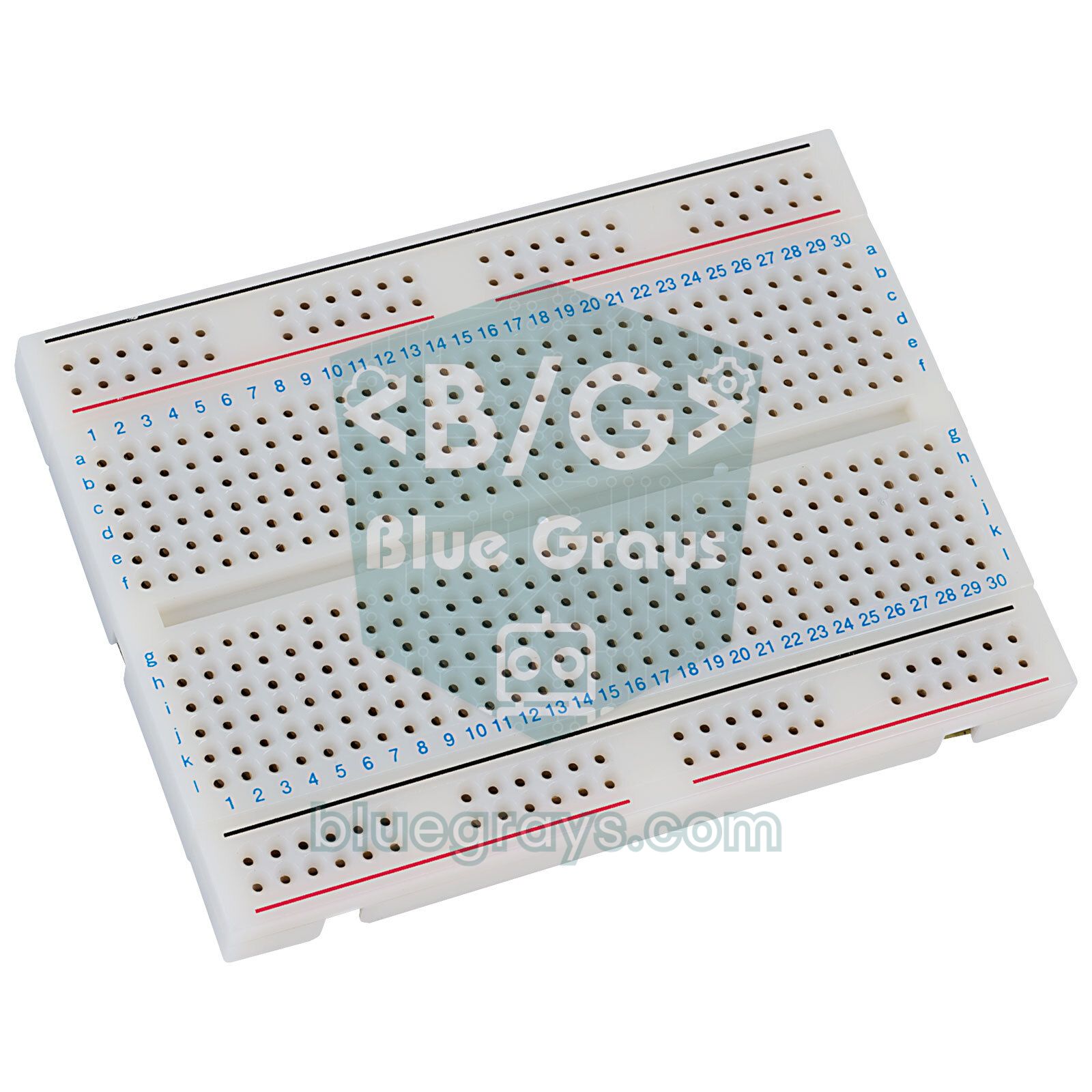
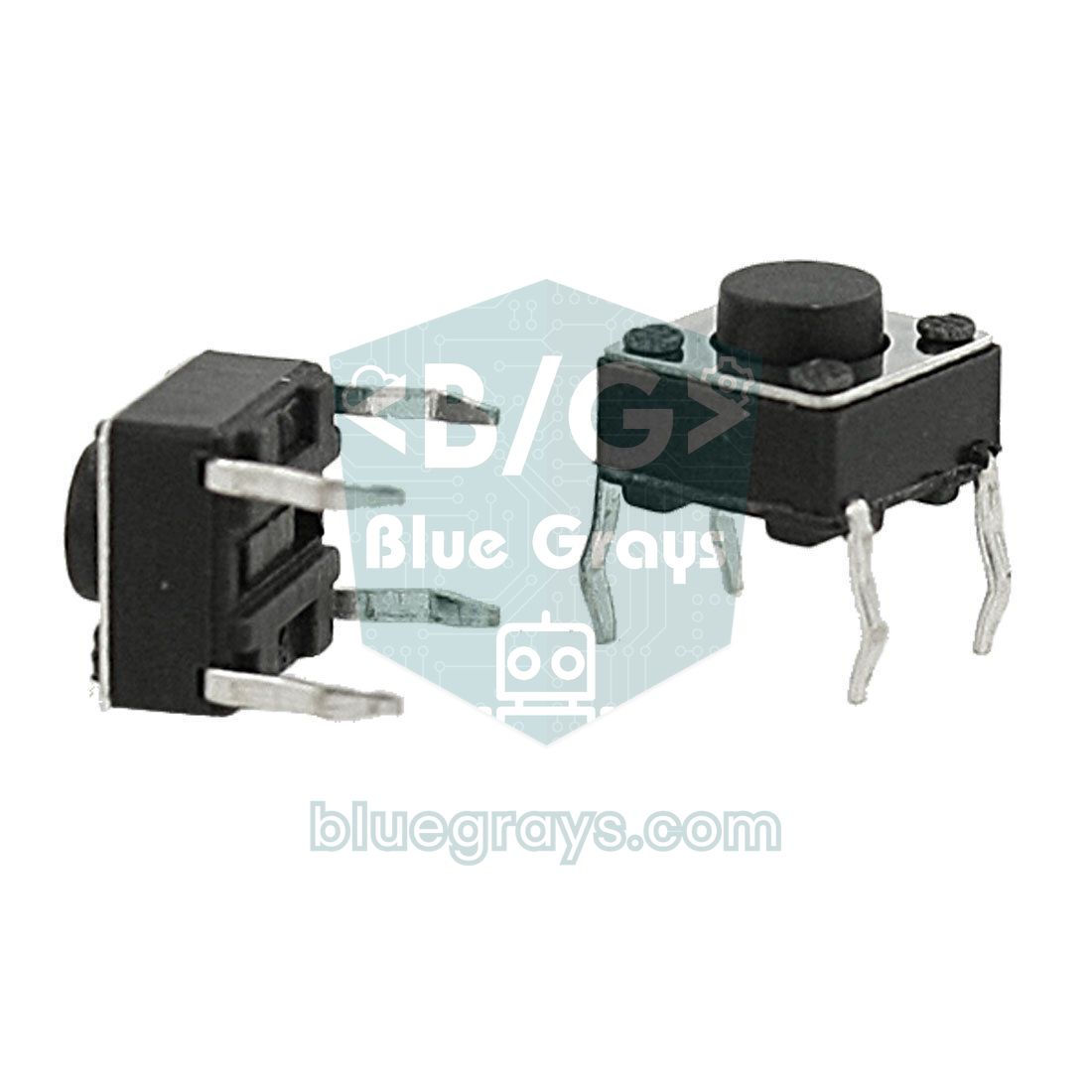
The best way to understand a logic gate is to try it yourself with two push buttons. There's no microcontroller in this experiment; you'll only need a 74HC08, two push buttons, two 10 kΩ resistors, a 1 kΩ resistor, an LED and a 100 nF capacitor. For power, the Arduino's 5V and GND pins, a breadboard power module or three AA batteries (4.5 V) are all fine. If you're not sure how a breadboard is connected inside, read What Is a Breadboard? first.
- Seat the 74HC08 across the channel in the middle of the breadboard so the pins sit on either side, with the notch facing left.
- Connect pin 14 to the + rail (5 V) and pin 7 to the − rail (GND), and place the 100 nF capacitor between these two pins.
- Connect one side of button A to the + rail and the other side to pin 1. Add a 10 kΩ resistor from the same pin to GND: this pull-down resistor holds the input firmly at 0 while the button isn't pressed.
- Connect button B to pin 2 the same way and give it its own 10 kΩ pull-down resistor.
- From pin 3, the output, go through a 1 kΩ resistor to the LED's long leg (anode); connect the LED's short leg (cathode) to GND.
- Tie the unused inputs, pins 4, 5, 9, 10, 12 and 13, to GND; leave outputs 6, 8 and 11 open.
- Apply power and try the four combinations in turn: the LED should only light when you press both buttons together. Compare the results with the truth table.
| Connection | 74HC08 pin | Connect to |
|---|---|---|
| Power | 14 (VCC) | + rail, 5 V |
| Ground | 7 (GND) | − rail |
| Decoupling capacitor | Between 14 and 7 | 100 nF ceramic, close to the chip |
| Input A | 1 | Button A → 5 V, 10 kΩ → GND |
| Input B | 2 | Button B → 5 V, 10 kΩ → GND |
| Output | 3 | 1 kΩ → LED anode, LED cathode → GND |
| Unused inputs | 4, 5, 9, 10, 12, 13 | GND |
| Unused outputs | 6, 8, 11 | Open |
Building every gate from NAND: the universal gate
NAND is called a universal gate because you can build every other gate using NAND gates alone. This has a practical side too: in CMOS technology NAND is one of the simplest gates, needing just 4 transistors, while an AND is really a NAND followed by a NOT and needs 6. That's why chip designers love NAND. NAND flash in USB sticks also gets its name from the way its memory cells are connected in series, like the transistors in a NAND gate. NOR is universal as well: the Apollo Guidance Computer that flew to the Moon was built from about 2,800 chips, each holding two three-input NOR gates.
| Gate to build | How with NAND? | NANDs needed |
|---|---|---|
| NOT | A NAND A (tie both inputs together) | 1 |
| AND | Feed the output of (A NAND B) through a NOT | 2 |
| OR | (A NAND A) NAND (B NAND B) | 3 |
| NOR | OR + NOT | 4 |
| XOR | N1 = A NAND B; (A NAND N1) NAND (B NAND N1) | 4 |
| XNOR | XOR + NOT | 5 |
The OR row of the table relies on De Morgan's law: (A' · B')' = A + B. In other words, if you invert both inputs first and then feed them into a NAND, you get an OR. De Morgan's second law is (A + B)' = A' · B'. Both laws also help you simplify conditions in code: on the Arduino, !(a && b) always gives the same result as (!a || !b), and !(a || b) the same as (!a && !b).
Building an XOR from four NAND gates is a classic exam and lab exercise, and the four gates in a single 74HC00 are exactly enough. First N1 = A NAND B is computed. Then N2 = A NAND N1 and N3 = B NAND N1 are found, and the output of the last gate, Y = N2 NAND N3, gives XOR. With the wiring below you can turn your breadboard experiment into a four-NAND XOR:
| 74HC00 pin | Connection | Role |
|---|---|---|
| 1 and 4 | Button A | Input A (gates 1 and 2) |
| 2 and 10 | Button B | Input B (gates 1 and 3) |
| 3 → 5 and 9 | Jumper wire | N1 = A NAND B |
| 6 → 12 | Jumper wire | N2 = A NAND N1 |
| 8 → 13 | Jumper wire | N3 = B NAND N1 |
| 11 | 1 kΩ + LED | Y = A XOR B |
| 14 / 7 | 5 V / GND | Power |
Let's go one step further: if you cross-connect the outputs of two NAND gates to each other's inputs, you get a 1-bit memory called an SR latch. This circuit remembers its last state even after you let go of the button. The registers in processors, counters, and chips like the 74HC595 shift register are made by chaining memory cells like this, built from gates.
The half adder: adding two bits with gates
The most impressive thing logic gates can do is add numbers. In binary, 0 + 0 = 0, 0 + 1 = 1, 1 + 0 = 1 and 1 + 1 = 10 (2 in decimal). The right-hand digit of the result is called the sum and the digit that spills over to the left is the carry. Looking at the table below you'll see that the sum is exactly XOR and the carry is exactly AND. So an XOR gate and an AND gate side by side make a half adder that adds two single-bit numbers.
| A | B | Carry (C = A AND B) | Sum (S = A XOR B) | Decimal result |
|---|---|---|---|---|
| 0 | 0 | 0 | 0 | 0 |
| 0 | 1 | 0 | 1 | 1 |
| 1 | 0 | 0 | 1 | 1 |
| 1 | 1 | 1 | 0 | 2 (binary 10) |
To build it on a breadboard, connect buttons A and B to pins 1 and 2 of both a 74HC86 and a 74HC08. Pin 3 of the 74HC86 drives the sum LED and pin 3 of the 74HC08 drives the carry LED. When you press both buttons, the sum LED goes off and the carry LED comes on: the LEDs are showing binary 10, which is 2. If you only want to use a 74HC00, you need four NANDs for the XOR and a fifth NAND that inverts N1 to get the carry; in other words, a half adder takes 5 NAND gates.
A half adder can't take into account a carry coming from the digit below; for that you need a full adder. Its formulas are S = A ⊕ B ⊕ Cin and Cout = (A · B) + (Cin · (A ⊕ B)), which means two half adders plus an OR gate. Chain four full adders so each passes its carry on to the next, and you have a 4-bit adder; the ready-made 74HC283 chip does the same 4-bit addition, but works out the carries with a fast internal circuit (carry look-ahead) instead of waiting for them to ripple along the chain. The arithmetic unit of the processor in your computer is a 64-bit, far faster version of the same idea.
Logic gates on the Arduino: &&, ||, ! and bitwise operations
In Arduino code every logic gate has two counterparts. Logical operators (&&, ||, !) combine conditions and give a result of true or false; you use them in if and while statements. Bitwise operators (&, |, ^, ~) are applied to all the bits of a number at once, column by column; working on a byte is like running eight gates at the same time. The examples in the table use the numbers 0b1100 and 0b1010:
| Gate | Logical (bool) | Bitwise | Example | Result |
|---|---|---|---|---|
| AND | a && b | x & y | 0b1100 & 0b1010 | 0b1000 |
| OR | a || b | x | y | 0b1100 | 0b1010 | 0b1110 |
| NOT | !a | ~x | ~0b00001100 (byte) | 0b11110011 |
| NAND | !(a && b) | ~(x & y) | ~(0b1100 & 0b1010) & 0x0F | 0b0111 |
| NOR | !(a || b) | ~(x | y) | ~(0b1100 | 0b1010) & 0x0F | 0b0001 |
| XOR | a != b | x ^ y | 0b1100 ^ 0b1010 | 0b0110 |
| XNOR | a == b | ~(x ^ y) | ~(0b1100 ^ 0b1010) & 0x0F | 0b1001 |
The difference between the two kinds looks small but causes sneaky bugs. && and || use short-circuit evaluation: in a && b, if a is false then b is never evaluated. & always evaluates both sides and looks at the bits of the numbers: 2 && 1 is true, but 2 & 1 is 0, because 0b10 and 0b01 have no bit in common. C++ has no separate logical XOR operator; for two bools, writing a != b is the most readable way. For more on bitwise operations, the << and >> shifts and the binary number system, see Number Systems and Bitwise Operations.
Now let's move the breadboard experiment to an Arduino Uno. Two push buttons go to pins 2 and 3, and seven LEDs (each with a 330 Ω resistor) to pins 4–10. One side of each button goes to the pin and the other to GND; because the internal pull-up resistor is enabled, no extra resistor is needed. A single sketch brings all seven gates to life at once:
1// Mantık kapısı simülatörü: 2 buton, 7 LED / Logic gate simulator: 2 buttons, 7 LEDs
2const byte PIN_A = 2;   // A butonu, diğer ucu GND / button A, other leg to GND
3const byte PIN_B = 3;   // B butonu, diğer ucu GND / button B, other leg to GND
4
5// Sıra: AND, OR, NOT A, NAND, NOR, XOR, XNOR / Order: AND, OR, NOT A, NAND, NOR, XOR, XNOR
6const byte LED_PINS[7] = {4, 5, 6, 7, 8, 9, 10};
7const char* const GATE_NAMES[7] = {"AND", "OR", "NOT A", "NAND", "NOR", "XOR", "XNOR"};
8
9byte lastInputs = 0xFF;   // ilk turda yazdırmayı zorlar / forces a print on the first pass
10
11void setup() {
12  pinMode(PIN_A, INPUT_PULLUP);
13  pinMode(PIN_B, INPUT_PULLUP);
14  for (byte i = 0; i < 7; i++) {
15    pinMode(LED_PINS[i], OUTPUT);
16  }
17  Serial.begin(9600);
18}
19
20void loop() {
21  // Basılı buton LOW okunur, ! ile 1 yapılır / A pressed button reads LOW, ! turns it into 1
22  bool a = !digitalRead(PIN_A);
23  bool b = !digitalRead(PIN_B);
24
25  bool out[7];
26  out[0] = a && b;      // AND
27  out[1] = a || b;      // OR
28  out[2] = !a;          // NOT A
29  out[3] = !(a && b);   // NAND
30  out[4] = !(a || b);   // NOR
31  out[5] = a != b;      // XOR: girişler farklı mı? / are the inputs different?
32  out[6] = a == b;      // XNOR: girişler aynı mı? / are the inputs equal?
33
34  for (byte i = 0; i < 7; i++) {
35    digitalWrite(LED_PINS[i], out[i] ? HIGH : LOW);
36  }
37
38  // Yalnız girişler değişince yaz / Print only when the inputs change
39  byte inputs = (a << 1) | b;
40  if (inputs != lastInputs) {
41    Serial.print("A=");
42    Serial.print(a);
43    Serial.print(" B=");
44    Serial.print(b);
45    for (byte i = 0; i < 7; i++) {
46      Serial.print("  ");
47      Serial.print(GATE_NAMES[i]);
48      Serial.print('=');
49      Serial.print(out[i]);
50    }
51    Serial.println();
52    lastInputs = inputs;
53  }
54  delay(20);   // basit sıçrama önleme / simple debounce
55}
With INPUT_PULLUP, a pressed button reads LOW, so the code inverts the reading with ! and a pressed button becomes 1. Each LED then shows the result of its own gate: 4 AND, 5 OR, 6 NOT A, 7 NAND, 8 NOR, 9 XOR and 10 XNOR. If you open the Serial Monitor at 9600 baud, the whole line is printed every time a button changes; once you've tried all four combinations, you've produced the truth table with your own hands. The pull-up details are in How to Connect a Push Button to Arduino.
To see the power of bitwise operations, the second example works out the whole truth table in a few lines. The trick: if you write column A as the number 0b1100 and column B as 0b1010, each bit corresponds to one row of the table, and a single & gives you all four rows of the AND column at once. The second half of the sketch adds two 4-bit numbers bit by bit using the full adder formulas, imitating a processor's adder circuit in software. This sketch needs no hardware; just open the Serial Monitor.
1// Bit işlemleriyle doğruluk tablosu ve 4 bitlik toplayıcı / Truth tables with bitwise ops and a 4-bit adder
2// Her bit bir satırdır: bit 0 = (A=0, B=0) ... bit 3 = (A=1, B=1) / Each bit is one row: bit 0 = (A=0, B=0) ... bit 3 = (A=1, B=1)
3const byte COL_A = 0b1100;
4const byte COL_B = 0b1010;
5const byte MASK  = 0b1111;   // yalnız 4 satır / only 4 rows
6
7void printRow(const char* name, byte column) {
8  Serial.print(name);
9  Serial.print('\t');
10  for (byte row = 0; row < 4; row++) {
11    Serial.print(bitRead(column, row));   // satır satır yaz / print row by row
12    Serial.print("  ");
13  }
14  Serial.println();
15}
16
17// Tam toplayıcı: iki bit + gelen elde / Full adder: two bits + carry in
18void fullAdder(byte a, byte b, byte carryIn, byte &sum, byte &carryOut) {
19  sum = a ^ b ^ carryIn;                         // XOR'lar toplamı verir / XORs give the sum
20  carryOut = (a & b) | (carryIn & (a ^ b));      // AND + OR eldeyi verir / AND + OR give the carry
21}
22
23// 4 tam toplayıcı zincirlenir (ripple carry) / 4 full adders chained (ripple carry)
24byte add4(byte x, byte y, byte &carryOut) {
25  byte result = 0;
26  byte carry = 0;
27  for (byte i = 0; i < 4; i++) {
28    byte s, c;
29    fullAdder(bitRead(x, i), bitRead(y, i), carry, s, c);
30    bitWrite(result, i, s);
31    carry = c;
32  }
33  carryOut = carry;
34  return result;
35}
36
37void setup() {
38  Serial.begin(9600);
39  Serial.println(F("AB:\t00 01 10 11"));
40  printRow("AND",  COL_A & COL_B);
41  printRow("OR",   COL_A | COL_B);
42  printRow("NAND", ~(COL_A & COL_B) & MASK);   // ~ sonrası maske şart / mask is required after ~
43  printRow("NOR",  ~(COL_A | COL_B) & MASK);
44  printRow("XOR",  COL_A ^ COL_B);
45  printRow("XNOR", ~(COL_A ^ COL_B) & MASK);
46
47  byte carry;
48  byte s = add4(9, 12, carry);   // 1001 + 1100
49  Serial.print(F("9 + 12 = "));
50  Serial.print(s + carry * 16);  // elde 16'lar basamağıdır / the carry is the 16s place
51  Serial.print(F("  (toplam / sum = "));
52  Serial.print(s, BIN);
53  Serial.print(F(", elde / carry = "));
54  Serial.print(carry);
55  Serial.println(')');
56}
57
58void loop() {
59}A 74HC chip tester with Arduino
If the markings on a chip have worn off, or you want to know whether it still works, you can turn the Arduino into a tester. This sketch applies the four input combinations in turn to all four gates of a 74HC00, 74HC08, 74HC32 or 74HC86 (the chips with the standard pinout), reads the outputs and compares the result with known patterns. Connect pin 14 of the chip to 5V, pin 7 to GND, and the other pins to the Arduino pins listed in the code's table.
1// 74HC00 / 08 / 32 / 86 tanıyıcı ve test cihazı / 74HC00 / 08 / 32 / 86 identifier and tester
2// Entegre: bacak 14 -> 5V, bacak 7 -> GND / Chip: pin 14 -> 5V, pin 7 -> GND
3// Her kapı: {A, B, Y} Arduino pinleri / Each gate: {A, B, Y} Arduino pins
4const byte GATES[4][3] = {
5  {2, 3, 4},      // kapı 1: entegre 1, 2 -> 3 / gate 1: chip 1, 2 -> 3
6  {5, 6, 7},      // kapı 2: entegre 4, 5 -> 6 / gate 2: chip 4, 5 -> 6
7  {8, 9, 10},     // kapı 3: entegre 9, 10 -> 8 / gate 3: chip 9, 10 -> 8
8  {11, 12, A0}    // kapı 4: entegre 12, 13 -> 11 / gate 4: chip 12, 13 -> 11
9};
10
11// Desenin bit sırası: bit 0 = (0,0), bit 3 = (1,1) / Pattern bit order: bit 0 = (0,0), bit 3 = (1,1)
12const char* nameOf(byte pattern) {
13  switch (pattern) {
14    case 0b1000: return "AND (74HC08)";
15    case 0b1110: return "OR (74HC32)";
16    case 0b0111: return "NAND (74HC00)";
17    case 0b0110: return "XOR (74HC86)";
18    default:     return "?";
19  }
20}
21
22byte testGate(byte g) {
23  byte pattern = 0;
24  for (byte row = 0; row < 4; row++) {
25    digitalWrite(GATES[g][0], bitRead(row, 1));   // A = satırın üst biti / A = high bit of the row
26    digitalWrite(GATES[g][1], bitRead(row, 0));   // B = satırın alt biti / B = low bit of the row
27    delayMicroseconds(10);                        // kapı ~10 ns gecikir, bol pay / the gate needs ~10 ns, plenty of margin
28    bitWrite(pattern, row, digitalRead(GATES[g][2]));
29  }
30  return pattern;
31}
32
33void setup() {
34  Serial.begin(9600);
35  for (byte g = 0; g < 4; g++) {
36    pinMode(GATES[g][0], OUTPUT);
37    pinMode(GATES[g][1], OUTPUT);
38    pinMode(GATES[g][2], INPUT);
39  }
40
41  byte first = testGate(0);
42  bool allSame = true;
43  for (byte g = 0; g < 4; g++) {
44    byte p = testGate(g);
45    Serial.print(F("Kapi / Gate "));
46    Serial.print(g + 1);
47    Serial.print(F(": "));
48    Serial.print(nameOf(p));
49    Serial.print(F("  desen / pattern 0b"));
50    Serial.println(p, BIN);
51    if (p != first) allSame = false;
52  }
53
54  if (allSame && nameOf(first)[0] != '?') {
55    Serial.println(F("Sonuc / Result: entegre saglam / chip OK"));
56  } else {
57    Serial.println(F("Sonuc / Result: bozuk kapi ya da baglanti hatasi / faulty gate or wiring error"));
58  }
59}
60
61void loop() {
62}A programmable logic gate with the ESP32
The same operators work unchanged on the ESP32. In this example a third button steps through the gate types, and a single LED shows the output of the selected gate. That way you can demonstrate six gates with one circuit in a classroom or a presentation. The buttons go to GPIO 25, 26 and 27 (their other sides to GND), and the LED goes to GPIO 23 through a 220 Ω resistor; the name of the selected gate appears in the Serial Monitor at 115200 baud.
1// ESP32 programlanabilir mantık kapısı / ESP32 programmable logic gate
2const int PIN_A = 25;      // A butonu, diğer ucu GND / button A, other leg to GND
3const int PIN_B = 26;      // B butonu / button B
4const int PIN_MODE = 27;   // kapı seçme butonu / gate select button
5const int PIN_LED = 23;    // çıkış LED'i (220 ohm) / output LED (220 ohm)
6
7const char* const NAMES[] = {"AND", "OR", "NAND", "NOR", "XOR", "XNOR"};
8const int GATE_COUNT = 6;
9const unsigned long DEBOUNCE_MS = 30;   // sıçrama süresi / bounce time
10
11int gate = 0;
12int modeStable = HIGH;            // kararlı buton durumu / stable button state
13int modeRaw = HIGH;               // son ham okuma / last raw reading
14unsigned long modeChangedAt = 0;  // ham değerin son değiştiği an / when the raw value last changed
15
16bool evaluate(int g, bool a, bool b) {
17  switch (g) {
18    case 0:  return a && b;
19    case 1:  return a || b;
20    case 2:  return !(a && b);
21    case 3:  return !(a || b);
22    case 4:  return a != b;     // XOR
23    default: return a == b;     // XNOR
24  }
25}
26
27void setup() {
28  Serial.begin(115200);
29  pinMode(PIN_A, INPUT_PULLUP);
30  pinMode(PIN_B, INPUT_PULLUP);
31  pinMode(PIN_MODE, INPUT_PULLUP);
32  pinMode(PIN_LED, OUTPUT);
33  Serial.printf("Kapi / Gate: %s\n", NAMES[gate]);
34}
35
36void loop() {
37  int reading = digitalRead(PIN_MODE);
38  if (reading != modeRaw) {          // ham değer değişti, süreyi yeniden başlat / raw value changed, restart the timer
39    modeRaw = reading;
40    modeChangedAt = millis();
41  }
42  // 30 ms boyunca sabit kaldıysa gerçek değişimdir / steady for 30 ms means a real change
43  if (millis() - modeChangedAt > DEBOUNCE_MS && reading != modeStable) {
44    modeStable = reading;
45    if (modeStable == LOW) {         // yeni basış (bırakma sayılmaz) / new press (release is ignored)
46      gate = (gate + 1) % GATE_COUNT;
47      Serial.printf("Kapi / Gate: %s\n", NAMES[gate]);
48    }
49  }
50
51  bool a = !digitalRead(PIN_A);   // basılı = 1 / pressed = 1
52  bool b = !digitalRead(PIN_B);
53  digitalWrite(PIN_LED, evaluate(gate, a, b) ? HIGH : LOW);
54}Logic gates with the Raspberry Pi Pico and MicroPython
In MicroPython the logical operators are written as English words: and, or, not. The bitwise operators are the same as in C++: &, |, ^ and ~. The code below reads two push buttons on GP14 and GP15 and shows the results of AND, OR, NAND, NOR, XOR and XNOR on six LEDs on GP16–GP21. The other side of each button goes to GND, and each LED is connected through a 220–330 Ω resistor. If you save the code in Thonny as main.py, it runs every time the Pico powers up; if you're new to the Pico, start with What Is the Raspberry Pi Pico?.
1# Pico ile 6 mantık kapısı / 6 logic gates on the Pico
2from machine import Pin
3import time
4
5btn_a = Pin(14, Pin.IN, Pin.PULL_UP)   # A butonu, diğer ucu GND / button A, other leg to GND
6btn_b = Pin(15, Pin.IN, Pin.PULL_UP)   # B butonu / button B
7
8# GP16..GP21: AND, OR, NAND, NOR, XOR, XNOR
9leds = [Pin(n, Pin.OUT) for n in range(16, 22)]
10gates = [
11    ("AND",  lambda a, b: a and b),
12    ("OR",   lambda a, b: a or b),
13    ("NAND", lambda a, b: not (a and b)),
14    ("NOR",  lambda a, b: not (a or b)),
15    ("XOR",  lambda a, b: a != b),
16    ("XNOR", lambda a, b: a == b),
17]
18
19last = None
20while True:
21    a = int(not btn_a.value())   # basılı = 1 / pressed = 1
22    b = int(not btn_b.value())
23    results = [int(f(a, b)) for _, f in gates]
24    for led, r in zip(leds, results):
25        led.value(r)
26    if (a, b) != last:           # yalnız değişince yaz / print only on change
27        line = " ".join("%s=%d" % (g[0], r) for g, r in zip(gates, results))
28        print("A=%d B=%d  %s" % (a, b, line))
29        last = (a, b)
30    time.sleep_ms(20)
Python has a similar trap: ~True gives -2, because a bool is really an integer. To flip a bit, use not x, 1 - x or x ^ 1. Also, Python's and and or operators don't always return True or False; they return the last value they evaluated, so 0 or 5 gives 5. That's why the code uses int() conversions, so the LEDs only ever receive 0 or 1.
Project ideas with logic gates
- Smart night light (AND): Turn the light on when it's dark AND motion is detected; combine an LDR and a PIR sensor in a single && condition.
- Staircase light (XOR): Control one lamp with two buttons at the bottom and top of the stairs; work out the lamp state with XOR and switch the mains lamp with a relay module.
- Home alarm (AND + OR): While the system is armed, sound the siren if the door OR the window opens. Detect the door and window with a reed switch; see the Arduino alarm system guide for details.
- Two-key safe (AND): Don't let the lock open unless two different people press their buttons at the same time, or until the keypad code is verified.
- 4-bit calculator: Add two numbers entered with switches using full adder logic and show the result on a 7-segment display.
- Quiz buzzer: Lock in the LED of the first contestant to press and block the others; this is the software version of a NAND-based latch.
- Parity check: XOR all the bits of a byte together; if the result is 1, the number of 1s is odd. The parity bit in serial communication is calculated exactly this way.
Common mistakes and how to fix them
| Symptom | Likely cause | Fix |
|---|---|---|
| The LED flickers by itself and changes when you bring your hand close | Floating input, no pull-down resistor | Add a 10 kΩ pull-down or pull-up resistor to every input |
| The chip gets hot | VCC and GND swapped, or two outputs tied together | Pin 14 must be VCC and 7 GND; never join outputs |
| No gate responds at all | No power, or the chip isn't seated across the channel | Measure between pins 14 and 7 with a multimeter, seat the chip across the channel |
| Wrong results with a 74HC02 or CD4011 | Its pinout differs from the 74HC08 | Wire it according to the pin table in the datasheet |
| The chip draws more current than it should | Unused inputs left floating | Tie all unused inputs to GND |
| Unstable results with an ESP32 or Pico | A 3.3 V signal isn't enough for a 74HC at 5 V | Power the 74HC from 3.3 V or use a 74HCT |
| if (a & b) is unexpectedly false | & works bitwise; 2 & 1 = 0 | Use && in conditions |
| if (x & 1 == 0) never runs | == is evaluated before & | Use parentheses: (x & 1) == 0 |
| One press changes the gate several times | Contact bounce | Wait 20–50 ms in software or use an RC filter + 74HC14 |
Logic gates are the alphabet of the whole digital world, from lighting an LED to a processor adding numbers. Once you understand AND, OR and NOT, reading an if condition, an alarm rule or a shift register becomes much easier. In the BlueGrays app you'll find push-button LED projects, ESP32 and Raspberry Pi Pico button projects, a smart staircase lighting project and a smart lighting project that combines a PIR and an LDR, each with step-by-step circuit diagrams and code, so you can put the gate logic from this article to work in real projects.
Frequently asked questions
What are the types of logic gates and what are they used for?
There are seven basic logic gates: AND, OR, NOT, NAND, NOR, XOR and XNOR. Each one looks at inputs that are 0 or 1 and produces a single output according to its own rule. Every digital circuit, including processors, memories, counters and calculators, is made by combining these gates.
How do you make a truth table?
First work out the number of rows from the number of inputs: n inputs need 2ⁿ rows. Write the inputs in binary counting order (00, 01, 10, 11), then apply the gate's rule to each row to fill in the output column. In circuits with several gates, adding a separate column for each intermediate output makes the work easier.
Why is NAND called a universal gate?
Because you can build NOT, AND, OR, NOR, XOR and XNOR using only NAND gates. For example, tying a NAND's two inputs together gives NOT, two NANDs in a row give AND, and four NANDs give XOR. The NOR gate has the same property, so it counts as a universal gate too.
What is the difference between XOR and XNOR?
XOR outputs 1 when the inputs are different, while XNOR outputs 1 when the inputs are the same. XNOR is the inverse of XOR and is used to check whether two bits are equal. XOR is used in adder circuits, parity checks and for flipping a bit.
What is the difference between the 74HC08 and the 74LS08?
Both contain four two-input AND gates and have the same pinout. The 74HC08 is made with CMOS technology, runs from 2–6 V and draws very little current; the 74LS08 is TTL, only runs at around 5 V and uses more current. For new projects choose the 74HC, and the 74HCT when connecting 3.3 V signals to a 5 V circuit.
What is the difference between && and & in Arduino?
&& is the logical AND operator; it checks whether both conditions are true and returns true or false. & is the bitwise AND and compares each bit of two numbers separately. That's why 2 && 1 is true but 2 & 1 is 0; use && in if conditions.
Projects to build after reading this
See all projects
LED Control with a Push Button (Push)
Just like a doorbell: the light stays on as long as you press, and goes off when you let go. The Arduino keeps listening to the button; while it's pressed the LED is on, and the moment you lift your f

Toggle an LED with a Button (On/Off)
Press the button once and the light comes on, press it again and it goes off, just like the light switch in your room. The Arduino notices every press and flips the LED to the opposite state, waiting

ESP32 LED Control with Push Button (Push)
The LED lights up when the button is pressed and turns off when released. Shows how the ESP32's digital input pin and internal pull-up resistor are used. The INPUT_PULLUP mode eliminates the need for an external resistor.

ESP32 LED Control with Pushbutton (Toggle)
Each time the button is pressed the state of the LED changes: if it is on it turns off, if it is off it turns on. Classic toggle pattern. With debounce we clean up the mechanical noise of the pushbutton to ensure a single toggle with a single press.
Raspberry Pi Pico Button Controlled LED (Push, GP14 + GP2)
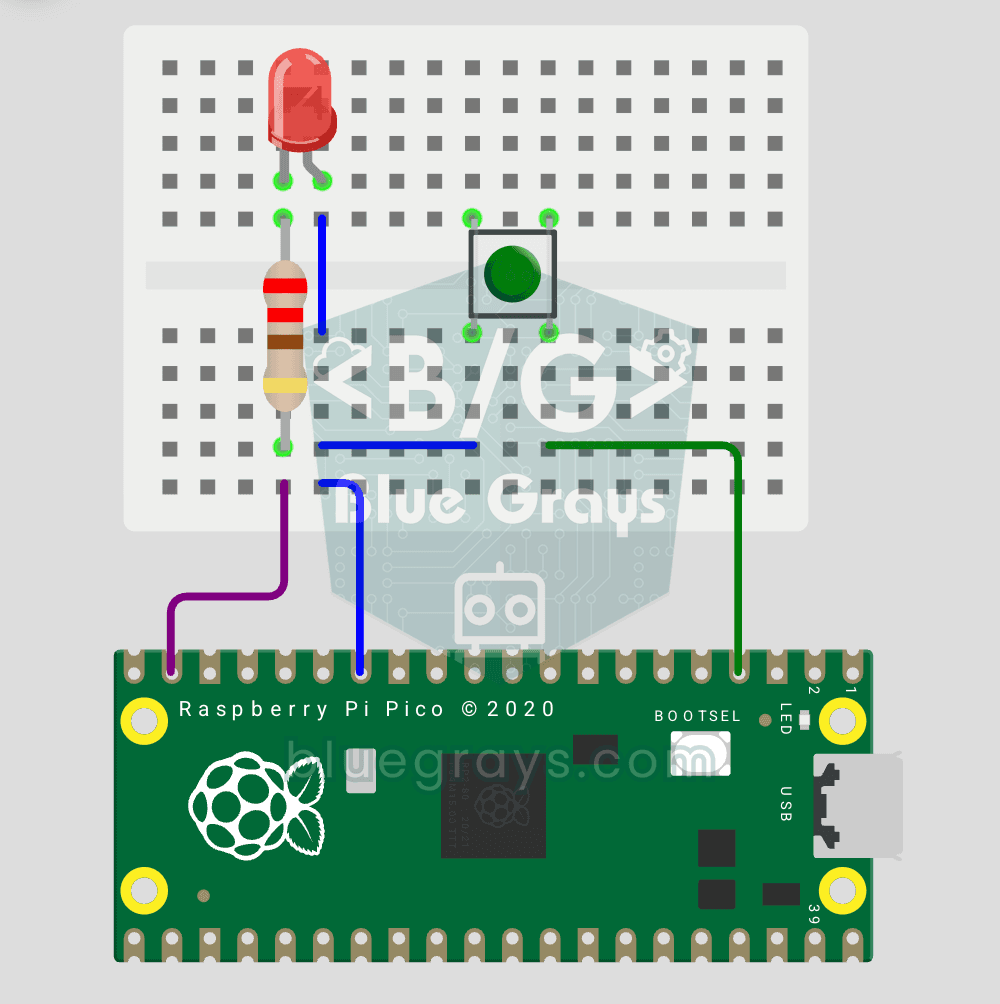
First **input** project with Pico — button read! 🔘 LED lights while button is pressed, off when released. This is the big step after LED animations: **signal input from the world to Pico**. Learn `Pin.IN` (input mode), `Pin.PULL_UP` (internal pull-up resistor — standard for buttons), `button.value()` reading. GP14 LED, GP2 button (internal PULL_UP). Pressed = LOW (0), released = HIGH (1) — reverse logic seems confusing at first but is industry standard.
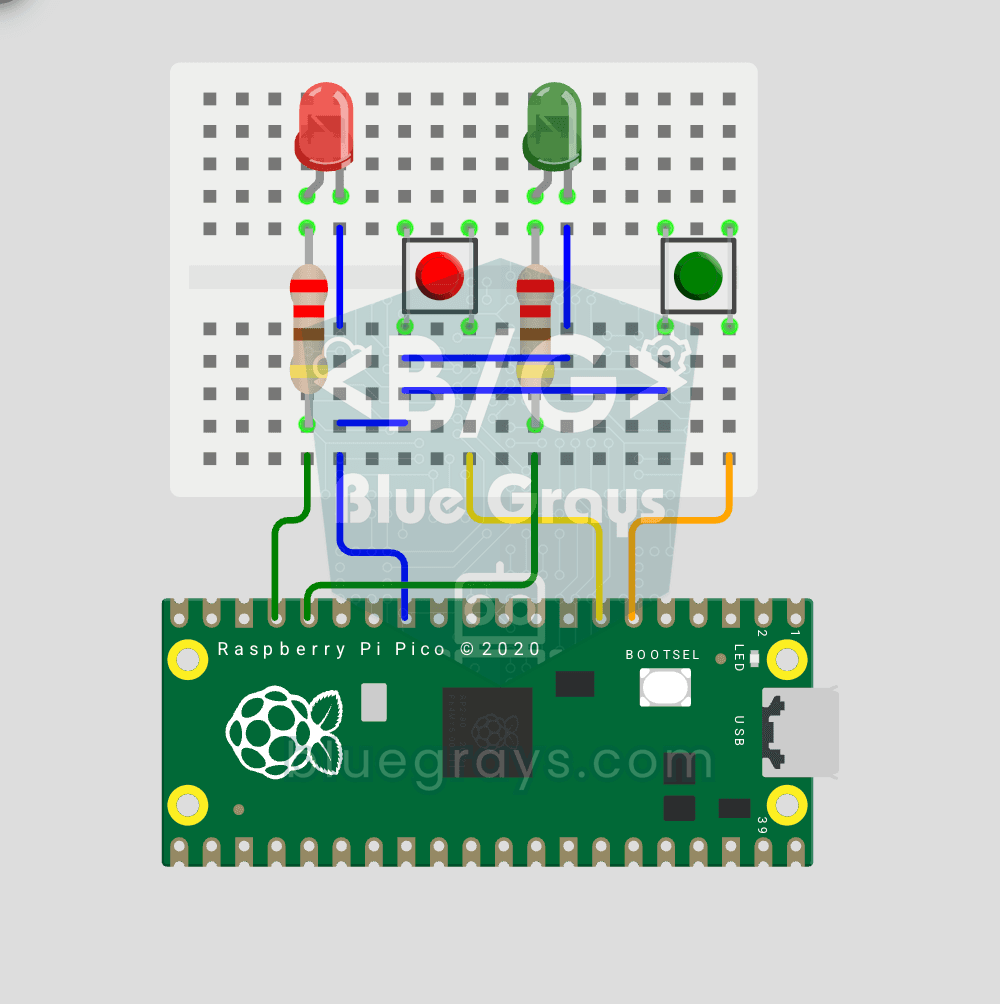
Raspberry Pi Pico: Independent Control of 2 LEDs Using 2 Buttons (GP12-13 + GP4-5)
2 buttons, 2 LEDs — completely independent of each other! 🔴🟢 Each button controls its own LED: When BTN1 is pressed, the red LED turns on; when BTN2 is pressed, the green LED turns on. If you press both at the same time, both LEDs turn on (parallel operation). Learning: **multi-pin object management** (simultaneous handling of multiple inputs/outputs), **ternary operator** (`1 if x else 0` — Python’s compact if-else), **independent I/O control** (parallel operation logic), **GPIO map** (classic

Smart Stair and Corridor Lighting
Step onto the stairs or into the hallway and the lights come on one step at a time in the direction you are walking. There is a distance sensor at each end; whichever one you pass, the eight LEDs ligh

ESP32 Smart Lighting (PIR + LDR + Relay + OLED)
Turn your hallway, bathroom, or pantry into smart lighting with ESP32! Using a PIR motion sensor, LDR light sensor, and a relay module, we build the classic "light turns on when motion is detected in the dark" scenario — if the environment is already bright, motion does NOT trigger the light, saving energy during the day. The light stays on for 30 seconds; if motion continues, the timer resets and the light stays on longer. The SSD1306 OLED shows large-font status (ON / DAYTIME / WAITING), a cou