
Arduino RTC Module: DS3231 vs DS1307 vs DS1302, Time and Alarms
Arduino RTC module guide: DS3231 vs DS1307 vs DS1302, setting the time with RTClib, an LCD clock, timed watering, the CR2032 charging trap and ESP32 NTP.
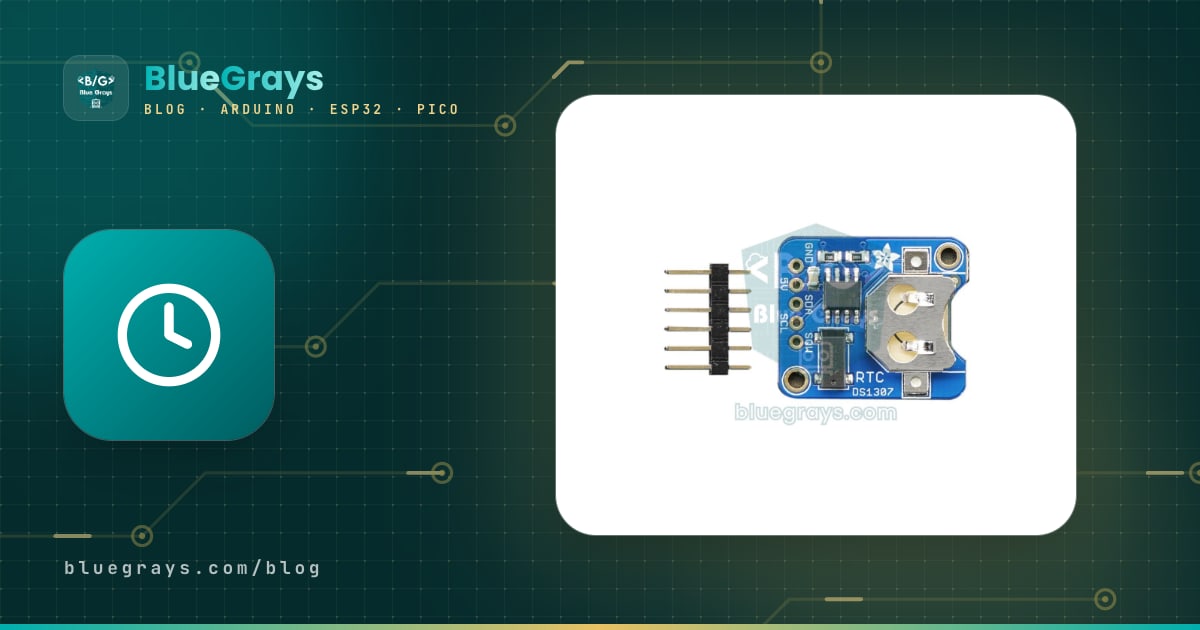
An Arduino RTC module is a small clock board that keeps counting the date and time even when your board loses power. RTC stands for "Real Time Clock". Arduino's own millis() counter starts from zero at every power-up and can drift by minutes within days, while an RTC module keeps running to the second for years thanks to its coin cell (CR2032). You'll find this module in desk clocks, automatic watering systems, pet feeders, timestamped data loggers and timed lighting projects.
In this guide you'll compare the three most common chips, the DS1307, DS3231 and DS1302, and see which one to choose and why. Then, step by step, we'll set and read the time with the RTClib library, show the time and date on an I2C LCD, build a timer that runs a pump at set times every day and use the DS3231's hardware alarm. The final sections cover the CR2032 charging-circuit trap that ruins many modules, getting the time from the internet with NTP on the ESP32, and the Raspberry Pi Pico's built-in RTC.
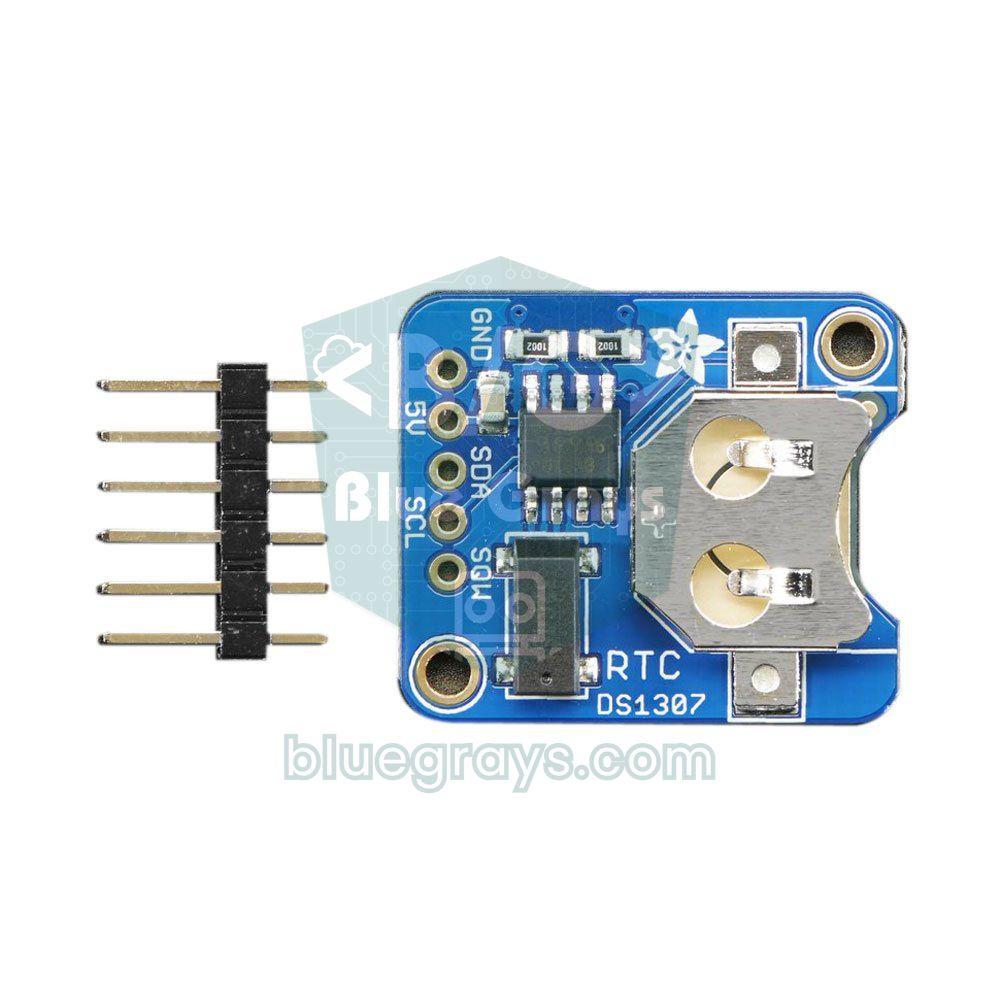
What is an RTC module and how does it work?
At the heart of an RTC chip is a 32.768 kHz watch crystal. That number isn't random: 32,768 is 2 to the power of 15, so the chip halves this frequency 15 times to get an exact 1-second tick. On every tick the seconds, minutes, hours, day, month and year registers are updated; month lengths and leap years are handled automatically up to the year 2100. The Arduino reads these registers over I2C or writes a new time into them. The values are stored in BCD format (for example, 59 seconds is stored as 0x59); the libraries handle that conversion for you.
The real trick of an RTC is its two power inputs. When VCC disappears, the chip automatically switches to the battery input (VBAT) and draws only enough current to keep counting: less than a microamp or a few microamps. In the meantime the DS1307 shuts off I2C access, while the DS3231 can still be read on battery; either way, the clock doesn't stop. When power returns, the Arduino starts up, reads the correct time from the RTC and carries on where it left off. Because of the tolerance of the ceramic resonator on the Arduino Uno, a clock kept with millis() can be off by minutes a day and is lost with every reset, which is why any time-based project needs a separate RTC.
DS1307 vs DS3231 vs DS1302: the differences
| Feature | DS1307 | DS3231 | DS1302 |
|---|---|---|---|
| Interface | I2C (100 kHz), address 0x68 | I2C (up to 400 kHz), address 0x68 | 3-wire serial: CE (RST), I/O (DAT), SCLK (CLK) |
| Supply voltage | 4.5–5.5 V | 2.3–5.5 V | 2.0–5.5 V |
| Crystal | External 32.768 kHz (12.5 pF) | Built into the chip, temperature-compensated (TCXO) | External 32.768 kHz (6 pF) |
| Accuracy | Depends on the crystal; with ±20 ppm about 1.7 s/day, about 1 min/month | ±2 ppm (0–40 °C): about 5 s/month, about 1 min/year | Depends on the crystal; similar to the DS1307 or worse |
| Extras | 56 bytes of battery-backed RAM, square-wave output (SQW) | 2 alarms, INT/SQW output, temperature sensor (±3 °C), aging trim | 31 bytes of RAM, built-in trickle charger |
| Battery current | About 300–500 nA | About 1–3 µA | Under 300 nA at 2 V |
| Arduino library | RTClib (Adafruit) | RTClib (Adafruit) | Rtc by Makuna |
| Best for | Simple 5 V clock projects | Almost every project; ideal for the ESP32 and Pico too | Older kits and learning projects |
Let's make the accuracy difference concrete: 1 ppm means one part per million, and a day has 86,400 seconds. An ordinary ±20 ppm crystal can drift by up to 1.7 seconds a day, about 52 seconds a month, and the further you get from room temperature, the more the crystal's frequency changes and the bigger the error. The DS3231, on the other hand, carries its crystal inside the chip, measures the temperature every 64 seconds and corrects the frequency accordingly. That gives ±2 ppm between 0 and 40 °C, roughly one minute a year, and it stays within ±3.5 ppm even from -40 to +85 °C.
Which RTC module should I choose?
- A new project, ESP32 or Pico: get a DS3231. It runs on both 3.3 V and 5 V, has alarms and keeps the most accurate time. The price difference is tiny.
- You already have a DS1307 and use an Arduino Uno: go ahead and use it; just allow for about a minute of drift per month and correct the time now and then.
- Your starter kit came with a DS1302: it's fine for learning how an RTC works, but don't expect a clock that stays accurate for months.
- ESP32 with a permanent internet connection: start with NTP and no module; add a DS3231 if the time must be known after a power cut before the internet comes back.
You'll mostly come across two ready-made boards: the ZS-042 with a DS3231 chip and the Tiny RTC with a DS1307. Both also carry a 4 KB AT24C32 EEPROM for storing data. That's why it's normal to see a second address next to 0x68 when you run an I2C scanner (usually 0x57 on the ZS-042 and 0x50 on the Tiny RTC); that address belongs to the EEPROM, not the clock. The DS1302 doesn't use I2C at all: it talks over its own 3-wire protocol and uses up three digital pins.
RTC module wiring: Arduino Uno, ESP32 and Pico
| RTC pin | Arduino Uno | ESP32 | Raspberry Pi Pico |
|---|---|---|---|
| VCC | 5V | 3V3 (DS3231) | 3V3(OUT), physical pin 36 (DS3231) |
| GND | GND | GND | GND |
| SDA | A4 | GPIO 21 | GP4 (I2C0) |
| SCL | A5 | GPIO 22 | GP5 (I2C0) |
| SQW / INT (optional) | D2 (interrupt pin) | Any GPIO (e.g. GPIO 4) | Any GP pin (e.g. GP15) |
On the Uno R3, the SDA and SCL headers next to the AREF pin are also connected to A4 and A5, so it doesn't matter which ones you use. The RTC can share the same two wires with an I2C LCD or OLED display; each device has its own address, so there's no conflict. Keeping the wires shorter than 20–30 cm prevents random read errors, especially on a breadboard. You only need to connect the SQW/INT pin if you plan to use the hardware alarm.
Installing RTClib and setting the time
- Open the Library Manager in the Arduino IDE, type RTClib and install the library by Adafruit. When it asks about dependencies, choose Install all so Adafruit BusIO is installed too. If you've never added a library before, How to Add a Library in Arduino walks you through it.
- Wire the module as shown in the table above and put the battery in the holder.
- Upload the code below. On the first run the module doesn't know the time, so the code writes your computer's compile time into the RTC.
- Open the Serial Monitor at 9600 baud with the "Newline" line ending. To correct the time to the second, type it as 2026-11-03 14:30:00 and press Enter.
- Unplug the USB cable, wait a few minutes and plug it back in. If the clock carries on correctly from where it left off, the battery backup is working.
1#include <Wire.h>
2#include <RTClib.h>
3
4RTC_DS3231 rtc;   // DS1307 kullanıyorsan: RTC_DS1307 rtc; / for a DS1307: RTC_DS1307 rtc;
5
6void setup() {
7  Serial.begin(9600);
8  if (!rtc.begin()) {                         // modül I2C hattında yok / module not found on the I2C bus
9    Serial.println(F("RTC bulunamadi / RTC not found"));
10    while (true);
11  }
12  if (rtc.lostPower()) {                      // ilk çalıştırma ya da pil bitmiş / first run or dead battery
13    rtc.adjust(DateTime(F(__DATE__), F(__TIME__)));   // derleme saatini yaz / write the compile time
14    Serial.println(F("Saat derleme zamanina ayarlandi / Clock set to compile time"));
15  }
16  Serial.println(F("Ayar icin yaz / To set, type: 2026-11-03 14:30:00"));
17}
18
19void loop() {
20  // Seri monitörden saat geldiyse ayarla / set the time sent from the Serial Monitor
21  if (Serial.available()) {
22    String line = Serial.readStringUntil('\n');
23    int y, mo, d, h, mi, s;
24    if (sscanf(line.c_str(), "%d-%d-%d %d:%d:%d", &y, &mo, &d, &h, &mi, &s) == 6) {
25      rtc.adjust(DateTime(y, mo, d, h, mi, s));
26      Serial.println(F("Saat ayarlandi / Time set"));
27    }
28  }
29
30  DateTime now = rtc.now();
31  char buf[] = "DD.MM.YYYY hh:mm:ss";         // biçim şablonu / format template
32  Serial.print(now.toString(buf));
33  Serial.print(F("  "));
34  Serial.print(rtc.getTemperature());         // yalnız DS3231 / DS3231 only
35  Serial.println(F(" C"));
36  delay(1000);
37}
rtc.begin() returns false if the module can't be found on the I2C bus; in that case, check the wiring first. rtc.lostPower() reads the DS3231's oscillator stop flag (OSF): it returns true if the module is running for the first time or the clock stopped because the battery died, and the code then sets the clock to the compile time. DateTime(F(__DATE__), F(__TIME__)) uses the moment the compiler built your code; since uploading takes a few seconds, the clock ends up slightly behind, so fine-tuning from the Serial Monitor is handy. toString() replaces the letters in the "DD.MM.YYYY hh:mm:ss" template with the real values.
| Function | What it does |
|---|---|
| rtc.begin() | Starts the module; returns false if it isn't found |
| rtc.adjust(DateTime(...)) | Writes the time and date |
| rtc.now() | Reads the current time as a DateTime object |
| now.year(), now.month(), now.day() | Year, month, day |
| now.hour(), now.minute(), now.second() | Hour (0–23), minute, second |
| now.dayOfTheWeek() | Day of the week: 0 = Sunday, 6 = Saturday |
| now.unixtime() | Seconds since 1 January 1970; ideal for comparing two times |
| now + TimeSpan(0, 1, 30, 0) | Adds 1 hour 30 minutes (days, hours, minutes, seconds) |
| rtc.lostPower() / rtc.isrunning() | Tells you whether the time is valid (DS3231 / DS1307) |
| rtc.getTemperature() | Chip temperature in °C (DS3231 only) |
If you're using a DS1307, the only difference is the object name: write RTC_DS1307 rtc;, use a !rtc.isrunning() check instead of lostPower() and delete the getTemperature() line. When a DS1307 is powered for the very first time, its oscillator starts out halted (CH bit set to 1); adjust() clears this bit and starts the clock. You can store small settings such as an alarm time in the DS1307's 56 bytes of battery-backed RAM with rtc.writenvram() and rtc.readnvram(); thanks to the battery, that data survives power cuts too.
Showing the time and date on an LCD
Seeing the time on a display instead of the Serial Monitor turns the project into a real desk clock. A 16x2 I2C LCD and the RTC connect to the same SDA-SCL bus: the LCD is usually at address 0x27 or 0x3F and the RTC at 0x68. The code below writes the date and the day abbreviation on the top line, and the time plus the temperature measured by the DS3231 on the bottom line. For LCD wiring and library setup, take a look at How to Use an I2C LCD Display.
1#include <Wire.h>
2#include <RTClib.h>
3#include <LiquidCrystal_I2C.h>
4
5RTC_DS3231 rtc;
6LiquidCrystal_I2C lcd(0x27, 16, 2);           // adres 0x27 ya da 0x3F / address 0x27 or 0x3F
7
8// dayOfTheWeek(): 0 = Pazar / 0 = Sunday
9const char* const days[7] = {"Paz", "Pzt", "Sal", "Car", "Per", "Cum", "Cmt"};
10int lastSecond = -1;
11
12void setup() {
13  lcd.init();
14  lcd.backlight();
15  if (!rtc.begin()) {
16    lcd.print("RTC yok!");                     // modül bulunamadı / module not found
17    while (true);
18  }
19  if (rtc.lostPower()) rtc.adjust(DateTime(F(__DATE__), F(__TIME__)));
20}
21
22void loop() {
23  DateTime now = rtc.now();
24  if (now.second() == lastSecond) return;      // saniye değişmediyse yazma / skip until the second changes
25  lastSecond = now.second();
26
27  char line1[17], line2[17];
28  snprintf(line1, sizeof(line1), "%02d.%02d.%04d %s",
29           now.day(), now.month(), now.year(), days[now.dayOfTheWeek()]);
30  snprintf(line2, sizeof(line2), "%02d:%02d:%02d   %2dC",
31           now.hour(), now.minute(), now.second(), (int)rtc.getTemperature());
32  lcd.setCursor(0, 0);
33  lcd.print(line1);                            // ör. / e.g. 03.11.2026 Sal
34  lcd.setCursor(0, 1);
35  lcd.print(line2);                            // ör. / e.g. 14:05:09   23C
36}
The %02d inside snprintf adds a leading zero to single-digit numbers, so the time shows as 09:05:03 instead of 9:5:3 and the line length never changes. Thanks to the fixed length you don't need lcd.clear(); clearing the screen on every loop causes flicker. The code only writes to the display when the second changes, so it doesn't keep the I2C bus busy for nothing. The days array holds Turkish abbreviations; replace them with Sun, Mon, Tue and so on, keeping Sunday as the first element.
Alarms and timed tasks: automatic watering and pet feeding
The most useful thing about an RTC is getting jobs done on schedule: watering the plants every morning at 08:00, dispensing the cat's food at 19:30 or switching the aquarium light off at night. There are two ways to do this. The first is a software comparison: you read the time in loop() and check whether a task's time has come. It's simple, and you can add as many tasks as you like. The second is the DS3231's hardware alarm: at the set moment the chip pulls its INT pin LOW and alerts the Arduino with an interrupt; it can even wake a sleeping microcontroller.
A common mistake with software comparison is checking for an exact second, such as now.second() == 0. If there's a long delay() in loop(), that second can slip by and the task never runs. The code below compares the hour and minute, stores a key made of the day and minute so the task doesn't run twice in the same minute, and times the pump with millis(). The pump is driven through a relay module; you'll find the pump wiring in the mini water pump article.
1#include <Wire.h>
2#include <RTClib.h>
3
4RTC_DS3231 rtc;
5
6const byte RELAY_PIN = 7;
7const byte RELAY_ON = LOW;                    // çoğu röle modülü LOW ile çeker / most relay modules switch on LOW
8const byte RELAY_OFF = HIGH;
9const unsigned long RUN_MS = 10000;           // pompa 10 saniye çalışır / the pump runs for 10 seconds
10
11struct Task { byte hour; byte minute; };
12Task tasks[] = { {8, 0}, {19, 30} };          // her gün 08:00 ve 19:30 / every day at 08:00 and 19:30
13const byte TASK_COUNT = sizeof(tasks) / sizeof(tasks[0]);
14
15long lastRunKey = -1;                         // aynı dakikada ikinci kez çalışmasın / never run twice in one minute
16bool running = false;
17unsigned long startMs = 0;
18
19void setup() {
20  pinMode(RELAY_PIN, OUTPUT);
21  digitalWrite(RELAY_PIN, RELAY_OFF);         // açılışta kapalı / off at start-up
22  rtc.begin();
23}
24
25void loop() {
26  DateTime now = rtc.now();
27  long key = (long)now.day() * 1440 + now.hour() * 60 + now.minute();   // gün + dakika / day + minute
28
29  for (byte i = 0; i < TASK_COUNT; i++) {
30    if (now.hour() == tasks[i].hour && now.minute() == tasks[i].minute && key != lastRunKey) {
31      lastRunKey = key;
32      running = true;
33      startMs = millis();
34      digitalWrite(RELAY_PIN, RELAY_ON);      // pompayı aç / pump on
35    }
36  }
37
38  if (running && millis() - startMs >= RUN_MS) {
39    running = false;
40    digitalWrite(RELAY_PIN, RELAY_OFF);       // pompayı kapat / pump off
41  }
42  delay(200);
43}
Including the day in the key matters: if you stored only the minute and had a single task, the key would still be the same at that minute the next day and the task would never run again. To build a pet feeder, use a servo motor instead of the relay: turning the servo to 90 degrees at task time and back a second later opens the hopper's flap and drops one portion of food. To make the watering smarter, read a soil moisture sensor at task time and skip the pump if the soil is already moist. The second example below does the same job with the DS3231's hardware alarm.
1#include <Wire.h>
2#include <RTClib.h>
3
4RTC_DS3231 rtc;
5const byte ALARM_PIN = 2;                     // DS3231 SQW/INT -> D2 (kesme pini / interrupt pin)
6volatile bool alarmFlag = false;
7
8void onAlarm() {                              // kesme fonksiyonu kısa olmalı / keep the ISR short
9  alarmFlag = true;
10}
11
12void setup() {
13  Serial.begin(9600);
14  rtc.begin();
15  rtc.disable32K();                           // 32K çıkışını kapat / turn off the 32K output
16  rtc.writeSqwPinMode(DS3231_OFF);            // SQW pini alarm çıkışı olur / SQW becomes the alarm output
17  rtc.clearAlarm(1);
18  rtc.clearAlarm(2);
19  rtc.disableAlarm(2);
20
21  // Her gün 07:30:00; tarih kısmı yok sayılır / every day at 07:30:00; the date part is ignored
22  rtc.setAlarm1(DateTime(2026, 1, 1, 7, 30, 0), DS3231_A1_Hour);
23
24  pinMode(ALARM_PIN, INPUT_PULLUP);           // INT çıkışı open-drain / INT is an open-drain output
25  attachInterrupt(digitalPinToInterrupt(ALARM_PIN), onAlarm, FALLING);
26}
27
28void loop() {
29  if (alarmFlag) {
30    alarmFlag = false;
31    rtc.clearAlarm(1);                        // temizlenmezse pin LOW kalır / the pin stays LOW until cleared
32    Serial.println(F("Alarm: mama vakti / Feeding time"));
33    // Servo, röle ya da buzzer kodunu buraya yaz / put your servo, relay or buzzer code here
34  }
35}
The DS3231 has two alarms. Alarm 1 has one-second resolution; the DS3231_A1_Hour mode fires when the hours, minutes and seconds match, in other words at the same time every day. With the other modes you can set an alarm every second (PerSecond), every minute (Second), every hour (Minute), on a given day of the month (Date) or on a given day of the week (Day). Alarm 2 has one-minute resolution. The SQW/INT pin is an open-drain, active-LOW output: it goes LOW when the alarm fires and stays that way until clearAlarm() is called. That's why it's best to just set a flag in the interrupt function and do the real work in loop(). For how interrupts work, see Arduino Interrupts.
How long does an RTC battery last?
Estimating battery life is easy: runtime (hours) = battery capacity (mAh) ÷ current draw (mA). A CR2032 holds about 220 mAh. In battery mode the DS3231 draws about 3 µA in the worst case, which is 0.003 mA: 220 ÷ 0.003 ≈ 73,000 hours, or roughly 8 years. The battery is only used while VCC is off; if the module sits in a device that's always powered, the battery is barely touched and lasts much longer. In practice the limit is usually set by the battery's own shelf life and the module's charging circuit.
| Chip | Battery current | Calculated runtime on a CR2032 (220 mAh) |
|---|---|---|
| DS1307 | ~0.5 µA | ~50 years; in practice limited by the battery's shelf life (about 10 years) |
| DS3231 | ~3 µA (worst case) | ~8 years |
| DS1302 | ~0.3 µA | Limited by the battery's shelf life |
| Module with an active charger + CR2032 | Current is forced into the battery | Unpredictable; the cell can swell and die early |
The CR2032 battery and charging-circuit trap
Most cheap DS3231 (ZS-042) and DS1307 (Tiny RTC) modules include a simple charging circuit that's actually designed for a rechargeable LIR2032 cell. On the ZS-042, current flows from VCC to the battery through a 1N4148 diode and a 200 Ω resistor; the Tiny RTC has a similar circuit. The problem is that these modules are often sold with a non-rechargeable CR2032. When the module runs on 5 V, the roughly 4.3 V left after the diode keeps pushing current into the 3 V lithium cell. A cell that was never meant to be charged can swell, leak and die early over time, and you end up with the "there's a battery but the clock keeps resetting" problem.
- If you're using a CR2032, cut the charging path: on the ZS-042, desolder the 200 Ω SMD resistor marked "201" near the pin header, or the diode next to it. For resistors whose code you can't read, use the SMD code decoder. This is the most common and safest fix.
- If you leave the circuit as it is, fit an LIR2032: the rechargeable cell's capacity (about 40 mAh) is roughly a fifth of a CR2032's (about 220 mAh), but it's kept topped up as long as the module has power.
- If you power the module from 3.3 V: only about 2.6 V reaches the battery after the diode; an LIR2032 never fully charges, and almost no current flows into a CR2032. Removing the resistor is still the cleanest solution.
- The DS1302's built-in trickle charger is off at power-up; if you're using a CR2032, don't turn it on in code.
- Measure the battery: a new CR2032 reads 3.0–3.2 V; replace it once it drops below 2.5 V.
Using the DS1302 (3-wire connection)
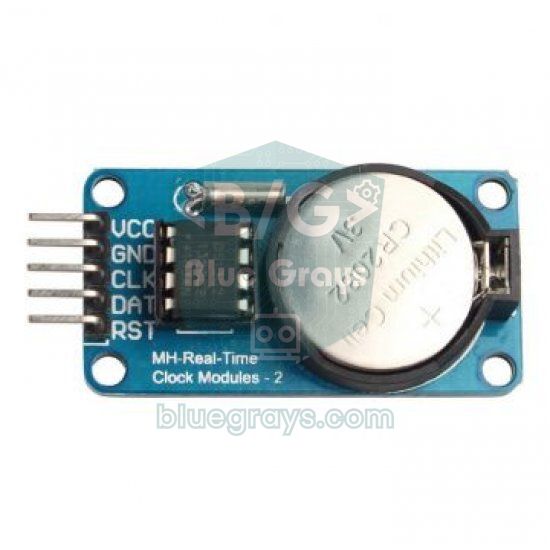
The DS1302 module has five pins: VCC, GND, CLK, DAT and RST. Since it doesn't use I2C, it connects to any three digital pins rather than A4-A5; in the example below DAT goes to D4, CLK to D5 and RST to D2, and the module is powered from 5V. Adafruit's RTClib doesn't support the DS1302, so install the Rtc by Makuna library from the Library Manager instead. The DS1302 has two protection bits: while write protection is on, the time can't be set, and while the clock-halt bit is set, the clock doesn't advance. The code checks both and sets the clock to the compile time if the stored time isn't valid.
1#include <RtcDS1302.h>
2
3ThreeWire myWire(4, 5, 2);                    // DAT, CLK, RST pinleri / DAT, CLK, RST pins
4RtcDS1302<ThreeWire> rtc(myWire);
5
6void setup() {
7  Serial.begin(9600);
8  rtc.Begin();
9  if (rtc.GetIsWriteProtected()) rtc.SetIsWriteProtected(false);   // yazma korumasını kaldır / remove write protection
10  if (!rtc.GetIsRunning()) rtc.SetIsRunning(true);                  // saati başlat / start the clock
11
12  RtcDateTime compiled(__DATE__, __TIME__);
13  if (!rtc.IsDateTimeValid() || rtc.GetDateTime() < compiled) {
14    rtc.SetDateTime(compiled);                                      // derleme saatine ayarla / set to compile time
15  }
16}
17
18void loop() {
19  RtcDateTime now = rtc.GetDateTime();
20  char buf[20];
21  snprintf(buf, sizeof(buf), "%02u.%02u.%04u %02u:%02u:%02u",
22           now.Day(), now.Month(), now.Year(), now.Hour(), now.Minute(), now.Second());
23  Serial.println(buf);
24  delay(1000);
25}
The most common complaint about DS1302 modules is that the clock drifts by minutes a week. One reason is that the chip needs a crystal trimmed for a 6 pF load capacitance, while cheap modules may use crystals with a different rating. Long, loose wires also cause read errors on the DS1302's serial line. If you have a DS1302, it's a great way to learn how an RTC works; but if you're building a clock that must stay accurate for months, switch to a DS3231.
NTP instead of an RTC on the ESP32: getting the time from the internet
Because the ESP32 can connect to Wi-Fi, it often doesn't need an RTC module at all: with NTP (Network Time Protocol) it gets the correct time from time servers such as pool.ntp.org within a few seconds. The ESP32 Arduino core provides ready-made configTzTime() and getLocalTime() functions for this, and the time zone is given as a rule string. Turkey has stayed on UTC+3 without daylight saving since 2016, so the rule in the code is a fixed +3 hour offset. In regions with summer time, such as most of Europe, the Central European rule in the code comment works out the changeover dates by itself; in the UK use "GMT0BST,M3.5.0/1,M10.5.0".
NTP's weak spot is its dependence on the internet: after a power cut, until the router boots, or when the Wi-Fi password changes, the ESP32 can't know the time. The ESP32's own internal RTC timer keeps time during deep sleep, but resets once power is completely lost. The most robust solution combines the two: at start-up the ESP32 syncs the DS3231 to internet time if it can reach NTP, otherwise it reads the time from the DS3231, and it re-syncs once a day. For more on NTP, see ESP32 NTP Time.
1#include <WiFi.h>
2#include <Wire.h>
3#include <RTClib.h>
4#include <time.h>
5
6const char* WIFI_SSID = "AgAdin";             // Wi-Fi ağ adı / Wi-Fi network name
7const char* WIFI_PASS = "Sifren";             // Wi-Fi şifresi / Wi-Fi password
8// Türkiye: UTC+3, yaz saati yok / Turkey: UTC+3, no daylight saving
9// Orta Avrupa / Central Europe: "CET-1CEST,M3.5.0,M10.5.0/3"
10const char* TZ_INFO = "<+03>-3";
11
12RTC_DS3231 rtc;
13unsigned long lastSync = 0;
14
15void syncFromNtp() {
16  struct tm t;
17  if (getLocalTime(&t, 10000)) {              // en fazla 10 sn bekle / wait up to 10 s
18    rtc.adjust(DateTime(t.tm_year + 1900, t.tm_mon + 1, t.tm_mday, t.tm_hour, t.tm_min, t.tm_sec));
19    Serial.println("DS3231 NTP ile ayarlandi / DS3231 synced from NTP");
20  }
21  lastSync = millis();
22}
23
24void setup() {
25  Serial.begin(115200);
26  Wire.begin(21, 22);                         // SDA, SCL pinleri / SDA, SCL pins
27  rtc.begin();
28
29  WiFi.begin(WIFI_SSID, WIFI_PASS);
30  unsigned long start = millis();
31  while (WiFi.status() != WL_CONNECTED && millis() - start < 15000) delay(250);
32
33  if (WiFi.status() == WL_CONNECTED) {
34    configTzTime(TZ_INFO, "pool.ntp.org", "time.google.com");
35    syncFromNtp();
36  } else {
37    Serial.println("Wi-Fi yok, DS3231 saati kullaniliyor / No Wi-Fi, using the DS3231");
38  }
39}
40
41void loop() {
42  DateTime now = rtc.now();
43  char buf[] = "DD.MM.YYYY hh:mm:ss";
44  Serial.println(now.toString(buf));
45
46  if (WiFi.status() == WL_CONNECTED && millis() - lastSync > 86400000UL) {
47    syncFromNtp();                            // günde bir kez eşitle / sync once a day
48  }
49  delay(1000);
50}
The Raspberry Pi Pico's built-in RTC
The RP2040 chip on the Raspberry Pi Pico contains an RTC block, while the RP2350 on the Pico 2 does the same job with an always-on timer (AON timer). In MicroPython both are used through the same machine.RTC class: RTC().datetime() reads or writes the time as (year, month, day, weekday, hours, minutes, seconds, subseconds), and time.localtime() uses this clock too. But this clock has no battery: when the Pico loses power, MicroPython starts the clock at 1 January 2021, 00:00.
There's a trap here that catches beginners: by default, Thonny syncs the Pico's clock to your computer's clock when it connects. So everything looks right while testing, but as soon as you plug the Pico into a phone charger or a battery, the clock jumps back to 2021. The fix is to connect a DS3231 to the Pico and set the internal RTC from it at start-up. The code below doesn't need any driver file; it reads the DS3231's first seven registers over I2C and converts them from BCD to decimal. On a Pico W you can also fetch the time from the internet with ntptime.settime(); since it returns UTC, you need to add your time-zone offset yourself. If you're new to the Pico, start with What Is the Raspberry Pi Pico?.
1from machine import Pin, I2C, RTC
2import time
3
4i2c = I2C(0, sda=Pin(4), scl=Pin(5), freq=100000)
5DS_ADDR = 0x68                                  # DS3231 ve DS1307 adresi / DS3231 and DS1307 address
6
7def bcd2dec(b):
8    return (b >> 4) * 10 + (b & 0x0F)
9
10def dec2bcd(d):
11    return ((d // 10) << 4) | (d % 10)
12
13def ds_read():
14    b = i2c.readfrom_mem(DS_ADDR, 0x00, 7)      # saniyeden yıla 7 kayıt / 7 registers, seconds to year
15    return (2000 + bcd2dec(b[6]), bcd2dec(b[5] & 0x1F), bcd2dec(b[4] & 0x3F),
16            bcd2dec(b[2] & 0x3F), bcd2dec(b[1] & 0x7F), bcd2dec(b[0] & 0x7F))
17
18def ds_write(y, mo, d, h, mi, s):
19    # 24 saat biçiminde yazar; 4. bayt haftanın günü (1-7) / writes 24-hour time; 4th byte is day of week (1-7)
20    i2c.writeto_mem(DS_ADDR, 0x00, bytes([dec2bcd(s), dec2bcd(mi), dec2bcd(h), 1,
21                                          dec2bcd(d), dec2bcd(mo), dec2bcd(y - 2000)]))
22
23# İlk kurulumda bir kez çalıştır, sonra satırı sil / run once on first setup, then delete the line
24# ds_write(2026, 11, 3, 14, 30, 0)
25
26y, mo, d, h, mi, s = ds_read()
27RTC().datetime((y, mo, d, 0, h, mi, s, 0))     # dahili RTC'yi ayarla / set the internal RTC
28
29while True:
30    t = time.localtime()                        # artık dahili RTC'den okunur / now read from the internal RTC
31    print("{:02d}.{:02d}.{} {:02d}:{:02d}:{:02d}".format(t[2], t[1], t[0], t[3], t[4], t[5]))
32    time.sleep(1)
RTC module project ideas
- Digital desk clock and calendar: show the time, the date and the temperature measured by the DS3231 on an LCD, OLED or LED matrix.
- Automatic plant watering: check the soil moisture every morning and run the pump for a set time if needed.
- Pet feeder: open the hopper's flap with a servo two or three times a day and drop a portion of food.
- Timestamped data logger: write temperature and humidity readings together with the date and time to an SD card module, then chart them in Excel.
- School or workshop bell: ring a buzzer or a relay-driven bell at the start and end of each lesson, and skip weekends with dayOfTheWeek().
- Aquarium and grow-light timer: switch the light on in the morning and off in the evening, fading the brightness slowly with PWM for a sunrise and sunset effect.
Common mistakes and how to fix them
- "RTC not found", begin() returns false: SDA and SCL are swapped, GND isn't shared, or the module isn't powered. Run an I2C scanner sketch and check whether address 0x68 shows up.
- Nonsense values such as the year 2165, 165 or 85: no data is coming from the chip and every byte read is 0xFF. Check the wiring; if you're powering a DS1307 from 3.3 V, switch to 5 V.
- The clock jumps back to the same moment after every reset: the rtc.adjust() line is still in setup() without a condition; tie it to lostPower().
- The clock resets after a power cut: the battery is dead, inserted the wrong way round or missing. Measure its voltage, and remember the charging circuit may have killed the CR2032.
- The clock drifts by minutes a week: the crystal of a DS1307 or DS1302 and temperature changes cause this. Switch to a DS3231 or sync the time regularly with NTP.
- The time is off by exactly one or more hours: the time zone or daylight saving setting is wrong. Write local time to the RTC; if you use NTP, choose the right time-zone rule.
- The DS3231 reads warmer than the room: that value is the chip's own temperature, accurate to ±3 °C and affected by the board heating up. Use a separate sensor for the ambient temperature.
In short, the DS3231 is the right choice for almost any project that needs the time and date; the DS1307 does the job in simple 5 V projects and the DS1302 is fine for learning. On the ESP32, use NTP when there's internet and a DS3231 when there isn't; on the Pico, setting the internal RTC from a DS3231 at start-up is the most reliable approach. In the BlueGrays app you'll find step-by-step projects with circuit diagrams and code: DS1302 clock setup and an LCD clock, a DS1307 dot-matrix clock and calendar, an ESP32 digital clock with an RTC, internet time with NTP and a temperature logger with timestamps.
Frequently asked questions
Does an RTC module work without a battery?
As long as VCC is connected, the clock runs and can be read. But as soon as the power goes, the clock stops or resets and you have to set it again at the next start-up. Since the whole point of an RTC is keeping time through power cuts, you almost always need the battery; if you use a DS1307 without one, its VBAT pin must be connected to GND.
Which is better, the DS3231 or the DS1307?
The DS3231 is better in almost every case. Thanks to its temperature-compensated built-in crystal it's off by only about a minute a year, while a DS1307 can drift by up to a minute a month. The DS3231 also runs from 2.3–5.5 V, so it works directly with the ESP32 and Pico, and it has two alarms and a temperature sensor. With RTClib the code for both is almost identical.
How long does an RTC module battery last?
When the module runs on the battery alone, a DS3231 draws up to about 3 µA and a DS1307 around 0.5 µA. On paper, a 220 mAh CR2032 lasts more than 8 years at these currents. In practice the cell's shelf life and the module's charging circuit can shorten that; in a module with an active charger, a CR2032 can die much sooner.
Why does my RTC module keep resetting the time?
There are three common causes: the rtc.adjust() line in setup() setting the clock back to the compile time at every start-up, a dead or reversed battery, and a charging circuit that has ruined the CR2032. First tie the adjust() line to lostPower(), then measure the battery voltage with a multimeter and replace the cell if it's below 2.5 V.
Do I need an RTC module with the ESP32?
Not if the device is always online; the ESP32 gets the correct time via NTP within a few seconds. For projects where the internet may drop, where the time must be known after a power cut before the router is back up, or that run fully offline, adding a DS3231 is the safest option. Best of all, use both and sync the DS3231 with NTP once a day.
Can I put a CR2032 in a DS3231 module?
Yes, but on modules with a charging circuit, such as the ZS-042, you need to cut the charging path first. If you desolder the 200 Ω resistor (code 201) or the diode next to it, a CR2032 will run safely for years. If you don't want to modify the board, use a rechargeable LIR2032 instead.
Projects to build after reading this
See all projects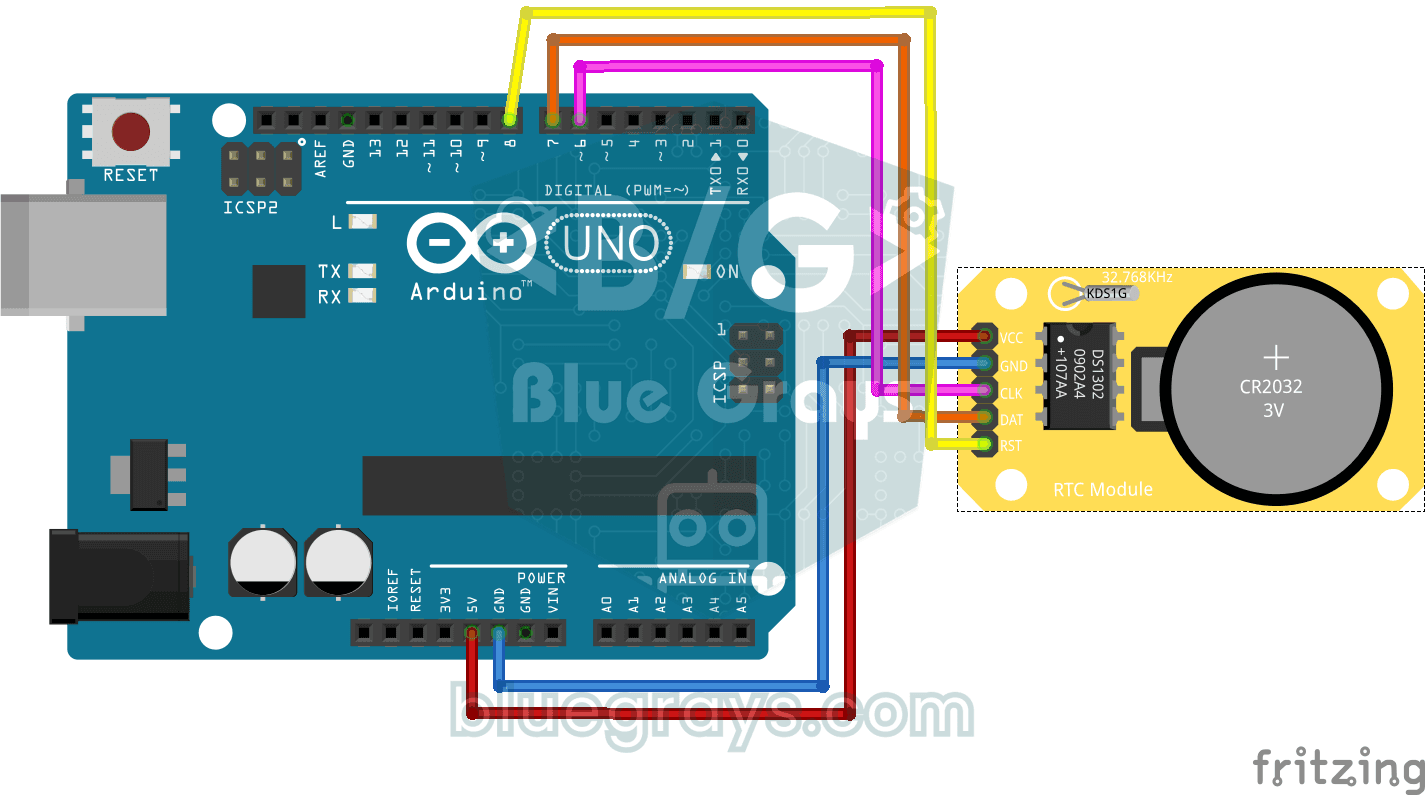
DS1302 RTC Clock Module Setup
You get a small clock module running that never forgets the time, even when the Arduino is switched off. The module has its own tiny battery, and once the clock is set, the date and time are printed o
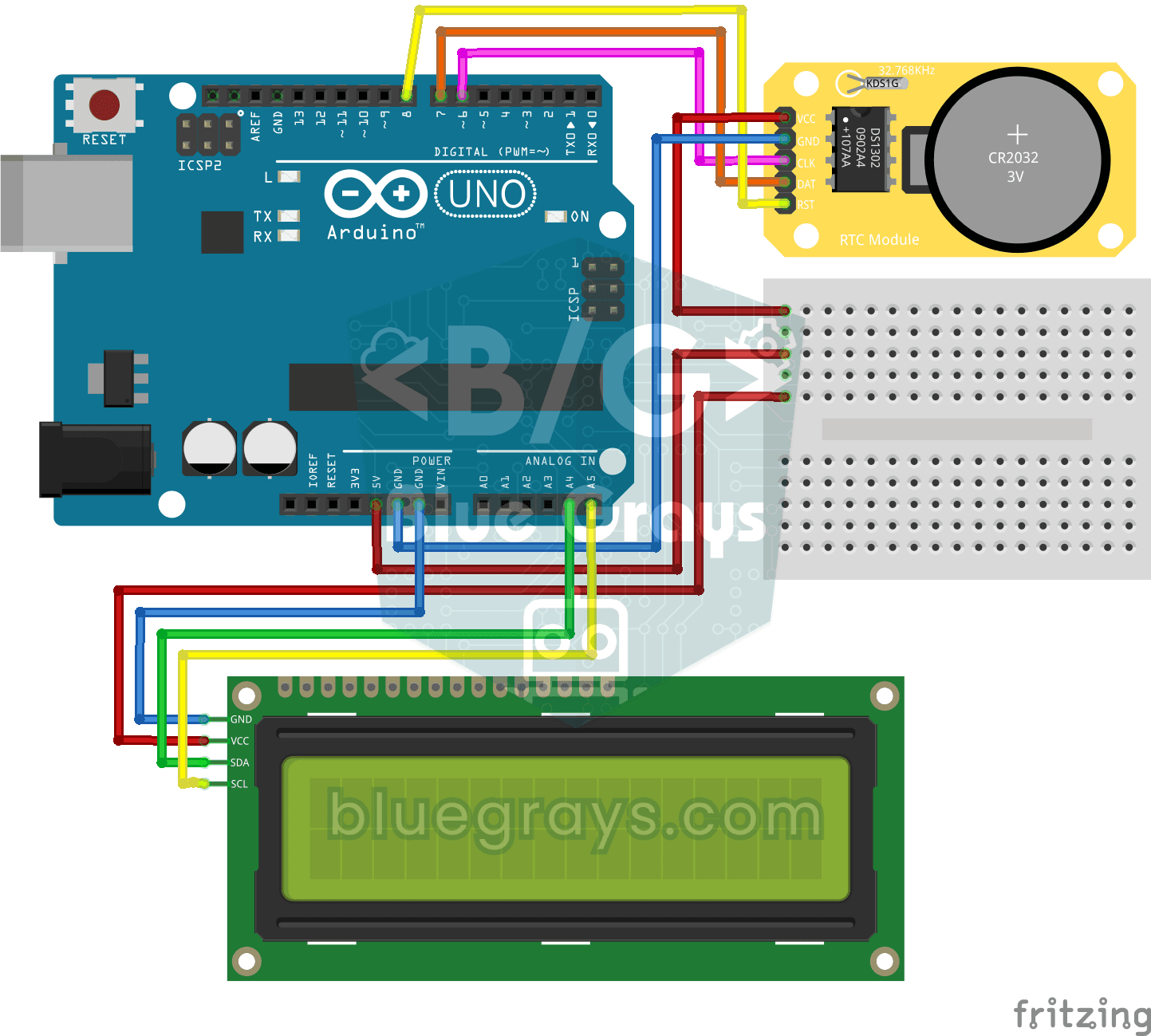
DS1302 RTC Clock with LCD Display
A little desk clock that keeps the time even when the power goes out. The DS1302 clock module keeps time thanks to its own tiny battery; every second the Arduino reads it and writes the time and date

Digital Clock with ESP32 and DS1307 RTC (I2C + LCD)
In this project, we display the time and date on a 16x2 I2C LCD screen using the DS1307 real-time clock (RTC) module. The DS1307 is a battery-backed RTC that maintains the time even if the ESP32 is powered off. Both modules share the same I2C bus (SDA/SCL), allowing us to learn how to control multiple devices using just two signal wires. Through this project, you will gain practical knowledge of the I2C communication protocol, RTC module operation, and dynamic data display on an LCD screen.

Dot Matrix Clock and Calendar (MAX7219, DS1307)
A glowing board for your desk or wall that shows the time and date in scrolling text. The 8x32 LED display holds a big-digit clock whose two dots blink every second; at the start of each minute the da

Dot Matrix Clock, Calendar and Weather Station (MAX7219, DS1307)
A scrolling-text board for your desk or wall that shows the time, the date and the room's weather in turn. On the 8x32 LED display you first see the temperature in both Celsius and Fahrenheit, then th
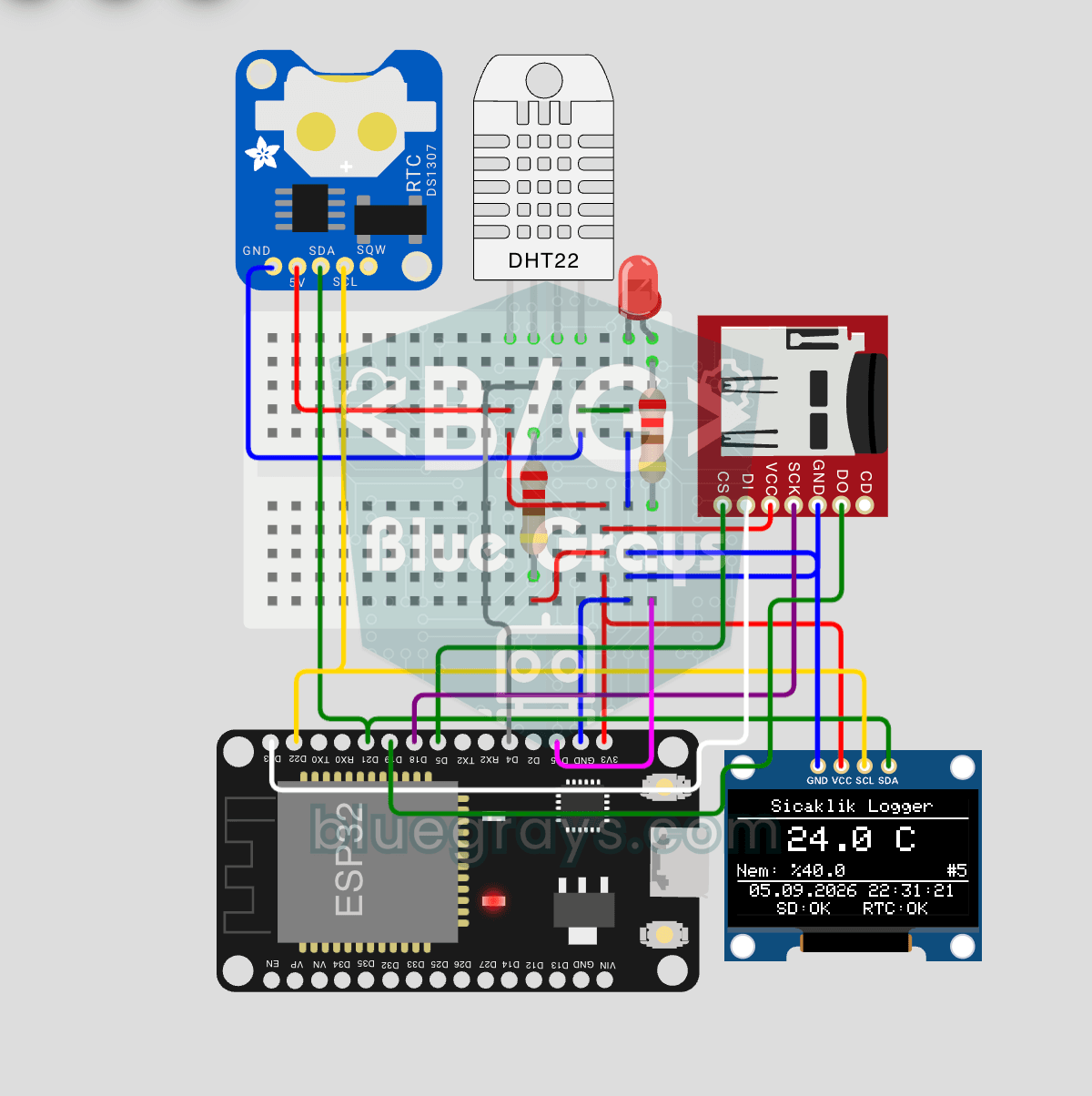
ESP32 Temperature Data Logger (DHT22 + DS1307 RTC + microSD + OLED)
Build a timestamped temperature logger with ESP32! Read DHT22 temperature/humidity every minute, get real-world time from DS1307 RTC, and log to microSD card as CSV. The OLED displays live temperature (large font), humidity percentage, timestamp, and log counter. The `/temp_log.csv` file on the SD card opens in Excel, Google Sheets, or Python pandas for analysis — perfect for greenhouse monitoring, home/room temperature tracking, laboratory data collection, food storage conditions, or beehiv

Real-Time Clock from the Internet via ESP32 NTP
The ESP32 connects to Wi-Fi and retrieves real time with millisecond precision from NTP (Network Time Protocol) servers. Thanks to the `configTzTime()` function, the Turkey time zone (TRT, UTC+3) is automatically applied, and DST transitions in countries that observe daylight saving time are automatically managed using a POSIX TZ string. The time is displayed both on the Serial Monitor and on an optional I2C LCD. `configTzTime()` starts the SNTP service; periodic resynchronization takes place wh
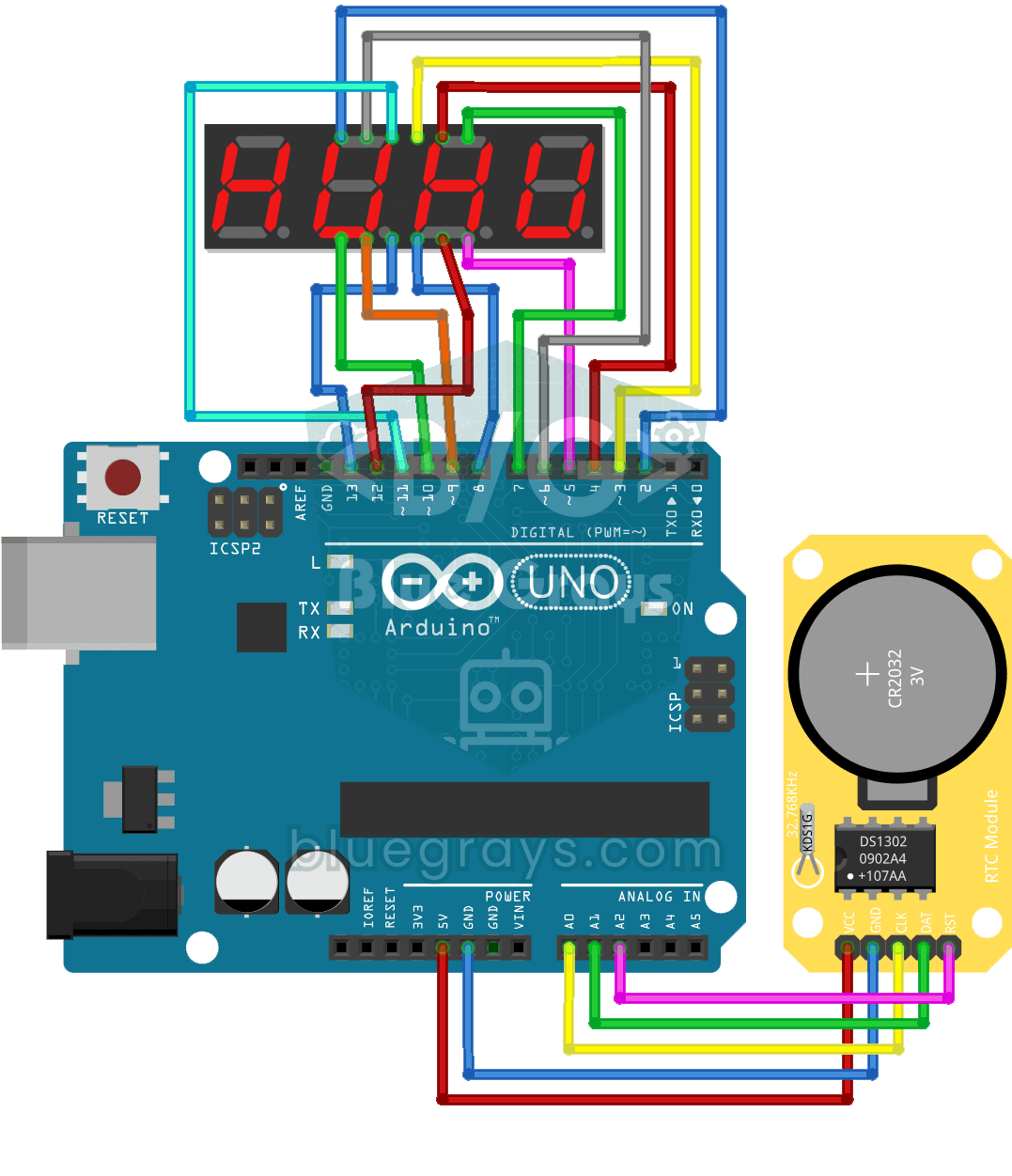
Digital Clock with 4-Digit 7-Segment Display
A four-digit glowing digital clock, much like the one on a kitchen oven. The DS1302 clock module keeps the time, and every second the Arduino reads the hours and minutes and shows them on the four-dig