
LD2410 ESP32: mmWave Presence Sensor That Detects Still People
LD2410 ESP32 guide: detect people sitting still with a 24 GHz mmWave sensor. OUT pin and UART wiring, distance gates, HLKRadarTool, PIR comparison and ESPHome.
The LD2410 is a 24 GHz mmWave human presence sensor made by Hi-Link, and it's most often paired with an ESP32 to do something PIR sensors can't: detect a person who is sitting still, reading or sleeping. A PIR sensor only sees motion; while you work quietly at your desk, it switches the light off after a few minutes and leaves you waving your arms. The LD2410 picks up even the millimetre-scale movement of your chest as you breathe and keeps reporting "presence" for as long as someone is in the room.
In this guide you'll see how the LD2410 works, how the LD2410, LD2410B and LD2410C differ, how it compares with a PIR and an RCWL-0516, and how to wire the OUT pin and UART. Then we go step by step through the simplest setup with an Arduino Uno, reading distance and energy with an ESP32, tuning distance gates and sensitivity with the HLKRadarTool app and in code, MicroPython on the Raspberry Pi Pico, and adding a room presence sensor to Home Assistant through ESPHome.
What is the LD2410 and how does it work?
The LD2410 is an FMCW radar (frequency-modulated continuous wave). Its antenna sends short signals around 24 GHz whose frequency rises continuously (chirps) and compares the reflection coming back from objects with the signal it sent. The frequency difference gives the object's distance, and tiny changes in the reflection over time tell whether it's moving. Because the wavelength is about 12.5 mm, even the few millimetres your rib cage moves as you breathe create a measurable change. The sensor splits its field into 9 distance gates, each 0.75 m wide, and calculates a motion energy and a stationary energy from 0 to 100 for every gate. If the energy exceeds the threshold set for that gate, a target is reported.
| Feature | Value |
|---|---|
| Operating frequency | 24–24.25 GHz (ISM band), FMCW |
| Supply | 5 V; a source that can deliver at least 200 mA is recommended |
| Average current | About 80 mA |
| Detection range | Up to 6 m (moving and stationary targets) |
| Distance gates | 9 gates (0–8), 0.75 m each; 0.2 m option on newer firmware |
| Detection angle | About ±60° |
| Interface | UART, 256000 baud by default, 8N1, 3.3 V logic |
| OUT pin | 3.3 V (HIGH) when presence is detected, 0 V when not |
| No-one duration | Adjustable, about 5 s by default |
LD2410 vs LD2410B vs LD2410C
| Model | Pin pitch | Bluetooth | Best for |
|---|---|---|---|
| LD2410 | 1.27 mm | No | Configured only over UART with a PC tool; doesn't fit a breadboard directly |
| LD2410B | 1.27 mm | Yes | Phone setup with HLKRadarTool; soldered or adapter mounting |
| LD2410C | 2.54 mm | Yes | The easiest version to use with a breadboard and jumper wires |
If you're just starting out, get the LD2410C: its pins have the standard 2.54 mm pitch, it connects straight to an ESP32 with female-to-female jumper wires, and thanks to Bluetooth you can configure it from your phone. The 1.27 mm versions need thin soldered wires or an adapter board. Despite the similar name, the LD2410S is a separate low-power, battery-oriented product with a different communication protocol, so the UART code in this guide won't work with it.
PIR vs RCWL-0516 vs LD2410
| Feature | PIR (HC-SR501) | RCWL-0516 | LD2410 |
|---|---|---|---|
| Sensing principle | Passive infrared, heat change | 3.2 GHz Doppler microwave | 24 GHz FMCW mmWave radar |
| Person sitting still | Not detected | Not detected | Detected (breathing and small movements) |
| Range | 3–7 m | 5–7 m | Up to 6 m, set gate by gate |
| Distance reading | No | No | Yes (cm) |
| Output | Digital, 3.3 V | Digital, 3.3 V | OUT (3.3 V) and UART |
| Adjustment | 2 trimpots and a jumper | Pads on the board | In software, a separate threshold per gate |
| Idle current | About 50 µA | About 3 mA | About 80 mA |
| Best at | Battery motion alarms, hallway lights | Hidden motion sensing inside an enclosure | Room presence, bathrooms, home offices |
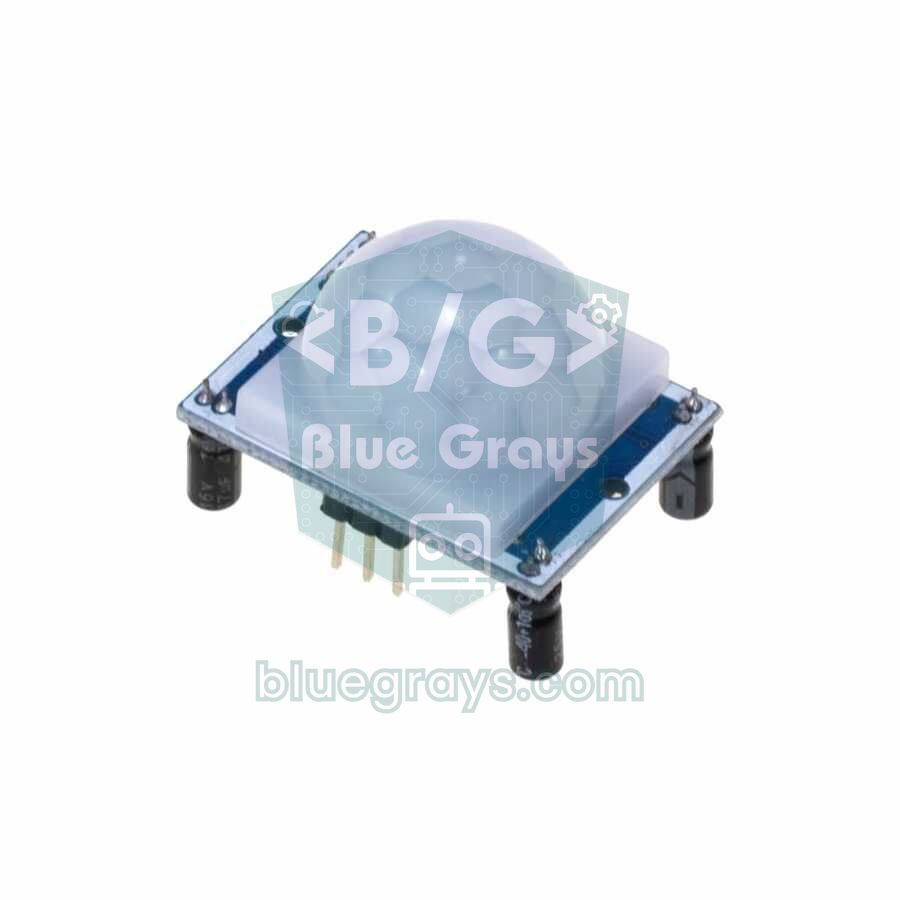
These three sensors complement each other rather than compete. For a motion alarm that has to run for months on batteries, no radar can match the PIR's 50 µA; the details are in PIR motion sensor. If you want to see motion through a plastic box, the cheap RCWL-0516 is enough. But if your lights, air conditioner or screen need a correct answer to "is anyone in the room?", you need the LD2410. A popular combination uses both: the PIR catches someone entering instantly, and the LD2410 keeps the presence going once they sit down.
Pinout and ESP32 wiring
| LD2410 pin | Function | ESP32 | Raspberry Pi Pico | Arduino Uno |
|---|---|---|---|---|
| VCC | 5 V supply | VIN (5 V from USB) | VBUS (pin 40) | 5V |
| GND | Ground | GND | GND | GND |
| TX | Data from the sensor (3.3 V) | GPIO 16 (RX2) | GP1 (UART0 RX) | Not used |
| RX | Commands to the sensor (3.3 V) | GPIO 17 (TX2) | GP0 (UART0 TX) | Not used |
| OUT | Presence output (3.3 V) | GPIO 27 | GP15 | D2 |
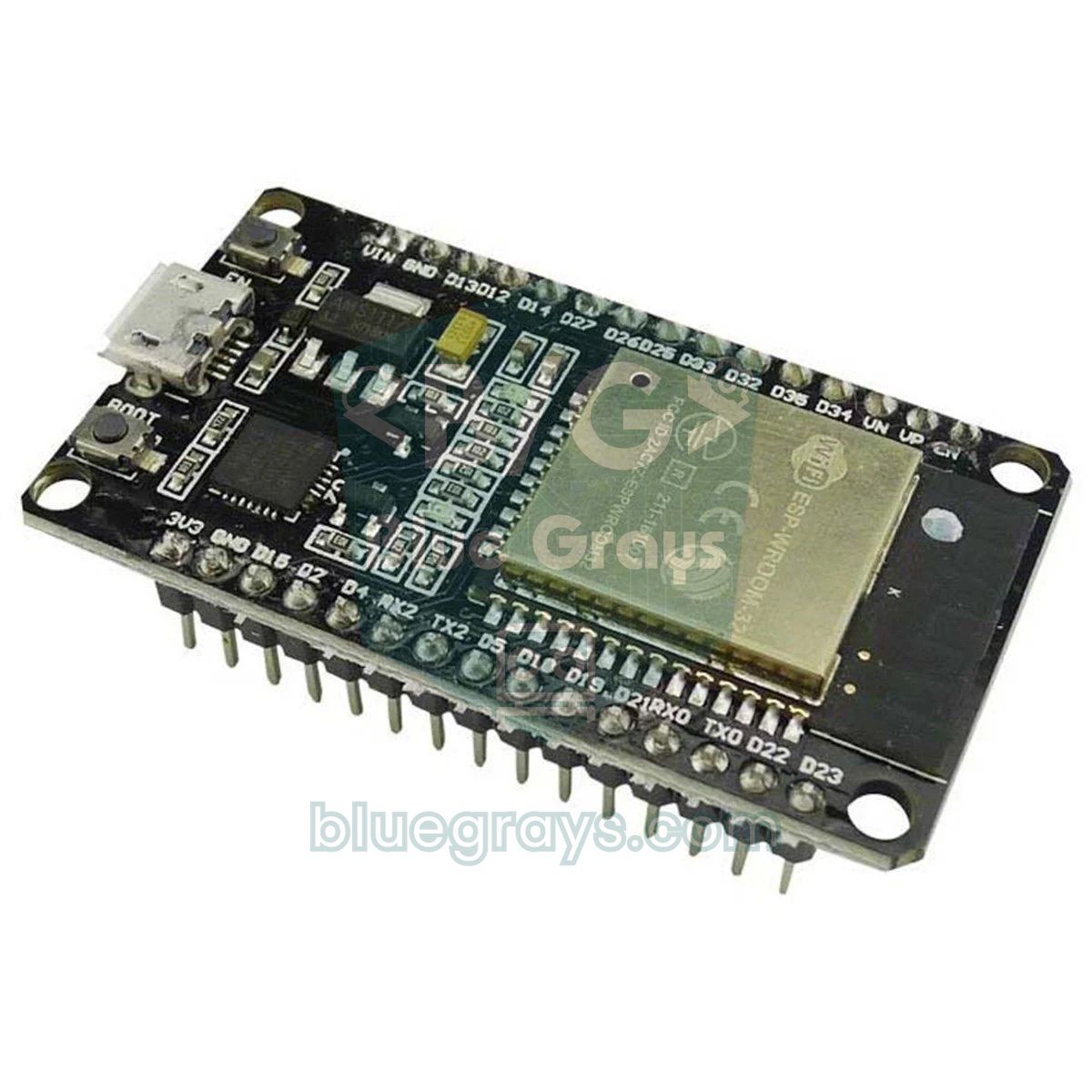
The simplest setup: just the OUT pin
You don't need a library or the UART to use the LD2410. The OUT pin goes HIGH (3.3 V) whenever a moving or stationary target is detected and stays HIGH for the "no-one duration" (about 5 s by default) after the last detection. The code below reads OUT on D2 of an Arduino Uno and drives an LED or relay on D8; to stop the light flicking on and off, it keeps it on for 30 more seconds after the last detection. The same code runs on an ESP32 if you change the pins to 27 and 26.
1// LD2410 OUT pini ile oda ışığı (Arduino Uno) / Room light with the LD2410 OUT pin (Arduino Uno)
2const int RADAR_OUT = 2;                 // LD2410 OUT (3,3 V) / LD2410 OUT (3.3 V)
3const int LAMP = 8;                      // LED (220 Ω) ya da röle IN / LED (220 Ω) or relay IN
4const unsigned long HOLD_MS = 30000UL;   // son algılamadan sonra 30 s açık / on for 30 s after the last detection
5
6unsigned long lastSeen = 0;
7bool lampOn = false;
8
9void setup() {
10  pinMode(RADAR_OUT, INPUT);
11  pinMode(LAMP, OUTPUT);
12  Serial.begin(115200);
13  delay(2000);                           // sensör açılışta kendini toparlar / sensor settles after power-up
14}
15
16void loop() {
17  if (digitalRead(RADAR_OUT) == HIGH) lastSeen = millis();
18  bool present = (lastSeen != 0) && (millis() - lastSeen < HOLD_MS);
19  if (present != lampOn) {               // yalnız durum değişince / only when the state changes
20    lampOn = present;
21    digitalWrite(LAMP, lampOn ? HIGH : LOW);
22    Serial.println(lampOn ? F("Odada biri var / Someone is in the room") : F("Oda bos / Room is empty"));
23  }
24}
Even though the Arduino Uno runs at 5 V, it reliably reads 3.3 V as HIGH: at a 5 V supply the ATmega328P treats anything above 3.0 V as logic 1. The margin is small, so keep the wire short. If you add a relay, power the module from a separate 5 V line and join the grounds; for choosing one, see relay module. The code uses millis() instead of delay(), so the loop never stops; the method is explained in millis() vs delay().
Reading distance and energy over UART with an ESP32
The OUT pin only says "yes" or "no". To find out how many centimetres away the target is, whether it's moving or still, and how strong the signal is, you use the UART. The ESP32's second hardware serial port (Serial2) handles 256000 baud without trouble. In the Arduino IDE, open the Library Manager, search for ld2410 and install the library by Nick Reynolds. Set the Serial Monitor to 115200 baud.
1// LD2410 + ESP32: UART'tan hedef durumu, mesafe ve enerji / target state, distance and energy over UART
2#include <ld2410.h>
3
4#define RADAR_RX 16          // ESP32 RX2 <- LD2410 TX
5#define RADAR_TX 17          // ESP32 TX2 -> LD2410 RX
6
7ld2410 radar;
8unsigned long lastPrint = 0;
9
10void setup() {
11  Serial.begin(115200);
12  Serial2.begin(256000, SERIAL_8N1, RADAR_RX, RADAR_TX);   // LD2410 varsayılan hızı / LD2410 default baud rate
13  delay(500);
14  if (radar.begin(Serial2)) {
15    Serial.printf("LD2410 bulundu / found, firmware %u.%u\n", radar.firmware_major_version, radar.firmware_minor_version);
16  } else {
17    Serial.println(F("LD2410 yanit vermiyor: TX-RX ve 5 V'u kontrol et / no reply: check TX-RX and 5 V"));
18  }
19}
20
21void loop() {
22  radar.read();                                  // gelen kareleri işle, sık çağır / parse incoming frames, call often
23  if (radar.isConnected() && millis() - lastPrint > 1000) {
24    lastPrint = millis();
25    if (radar.presenceDetected()) {
26      if (radar.movingTargetDetected()) {
27        Serial.printf("Hareketli / moving: %u cm, enerji / energy %u\n", radar.movingTargetDistance(), radar.movingTargetEnergy());
28      }
29      if (radar.stationaryTargetDetected()) {
30        Serial.printf("Duragan / still: %u cm, enerji / energy %u\n", radar.stationaryTargetDistance(), radar.stationaryTargetEnergy());
31      }
32    } else {
33      Serial.println(F("Kimse yok / nobody"));
34    }
35  }
36}
radar.read() decodes incoming frames in the background, so call it as often as possible in loop(); put a long delay() in there and you'll miss frames. presenceDetected() returns true if there's any target. movingTargetDistance() and stationaryTargetDistance() return the distance in centimetres, and the energy functions return a value from 0 to 100. Sit calmly in front of the sensor and you'll see a still target at 1–3 m with an energy between 30 and 100; wave your arm and the moving target line appears too. If this is your first ESP32, the setup steps are in what is the ESP32.
Distance gates and sensitivity tuning
The LD2410's strength is that every distance gate can have its own threshold. In a 3-metre bedroom, for example, if you don't want it to see the hallway behind the wall, you set the farthest gate to 4; if a ceiling fan keeps showing motion in gate 2, you raise the motion threshold of that gate only. The lower the threshold, the more sensitive the sensor; if it reports presence in an empty room, the threshold is too low.
| Gate | Approx. distance | Typical content |
|---|---|---|
| 0 | 0–0.75 m | Right at the sensor: the inside of the box, cables, vibrations on the desk |
| 1 | 0.75–1.5 m | Someone sitting at a desk |
| 2 | 1.5–2.25 m | Sofa or bed |
| 3 | 2.25–3 m | Opposite wall of a small room |
| 4 | 3–3.75 m | Medium-sized room |
| 5 | 3.75–4.5 m | Living room |
| 6 | 4.5–5.25 m | Large living room |
| 7 | 5.25–6 m | Open-plan office |
| 8 | Around 6 m | End of the range; motion behind walls often shows up here |
On the LD2410B and LD2410C the easiest way to tune is the HLKRadarTool phone app. It connects over Bluetooth and shows each gate's live motion and stationary energy as bar graphs, so you set thresholds by measuring rather than guessing.
- Power the sensor from 5 V and install the HLKRadarTool app on your phone (Android and iOS).
- In the app, pick the device starting with HLK-LD2410 found by the Bluetooth scan; the main screen shows target state and distance live.
- Turn on engineering mode: each gate's motion and stationary energy appears in its own bar.
- Leave the room and watch the energy values for 1–2 minutes while it's empty; note the highest value you see in each gate.
- Set each gate's threshold 10–15 points above the highest empty-room value, and choose the farthest motion and stationary gate to match the room size.
- Enter the no-one duration you need (say 30–60 s for a bathroom, 120 s for a study), save, and wait for the sensor to restart.
On the original LD2410 without Bluetooth, or once the sensor is sealed in an enclosure, you can make the same settings in code. The sketch below sets the farthest gate to 4, the no-one duration to 10 seconds and new thresholds for gate 2, restarts the sensor, then reads the new settings back and prints them to the Serial Monitor. The settings are stored in the sensor's own memory, so you only need to run this once.
1// LD2410 ayarlarını koddan yapmak (ESP32) / Configuring the LD2410 from code (ESP32)
2#include <ld2410.h>
3
4ld2410 radar;
5
6void setup() {
7  Serial.begin(115200);
8  Serial2.begin(256000, SERIAL_8N1, 16, 17);    // RX2 = GPIO 16, TX2 = GPIO 17
9  delay(500);
10  if (!radar.begin(Serial2)) {
11    Serial.println(F("LD2410 bulunamadi / not found"));
12    return;
13  }
14  // En uzak kapı 4 (yaklaşık 3-3,75 m), boş oda süresi 10 s / farthest gate 4 (about 3-3.75 m), empty-room delay 10 s
15  if (radar.setMaxValues(4, 4, 10)) Serial.println(F("Menzil ayarlandi / range set"));
16  // Kapı 2 (1,5-2,25 m): hareket eşiği 40, durağan eşiği 30 / gate 2: motion threshold 40, still threshold 30
17  if (radar.setGateSensitivityThreshold(2, 40, 30)) Serial.println(F("Esik ayarlandi / threshold set"));
18  radar.requestRestart();                       // ayarlar yeniden başlatınca geçerli olur / settings apply after a restart
19  delay(1500);
20
21  if (radar.requestCurrentConfiguration()) {    // geri oku ve doğrula / read back and verify
22    Serial.printf("Hareket kapisi / moving gate: %u\n", radar.max_moving_gate);
23    Serial.printf("Duragan kapi / still gate: %u\n", radar.max_stationary_gate);
24    Serial.printf("Bos oda suresi / idle time: %u s\n", radar.sensor_idle_time);
25    for (int g = 0; g <= 8; g++) {
26      Serial.printf("Kapi / gate %d: hareket / motion %u, duragan / still %u\n", g, radar.motion_sensitivity[g], radar.stationary_sensitivity[g]);
27    }
28  }
29}
30
31void loop() {
32}LD2410 with the Raspberry Pi Pico and MicroPython
On the Pico you don't need a ready-made library; the data frames are simple enough to decode in a few lines. Every basic data frame starts with the bytes F4 F3 F2 F1, followed by a 2-byte length, 0xAA, the target state (0 none, 1 moving, 2 still, 3 both), a 2-byte moving distance, a 1-byte energy, a 2-byte still distance, a 1-byte energy and the F8 F7 F6 F5 footer. The code below finds frames arriving on UART0 (GP0 and GP1), prints the state and both distances every half second, and also reads the OUT pin on GP15 for comparison. Connect the LD2410's VCC to the Pico's VBUS pin, which carries 5 V from USB.
1# LD2410 + Raspberry Pi Pico: UART veri karelerini çöz / decode LD2410 UART data frames
2from machine import UART, Pin
3import time
4
5uart = UART(0, baudrate=256000, tx=Pin(0), rx=Pin(1))   # GP1 <- LD2410 TX, GP0 -> LD2410 RX
6out_pin = Pin(15, Pin.IN)                                # LD2410 OUT
7HEAD = b"\xf4\xf3\xf2\xf1"                               # veri karesi başı / data frame header
8TAIL = b"\xf8\xf7\xf6\xf5"                               # veri karesi sonu / data frame tail
9STATES = ("yok / none", "hareketli / moving", "duragan / still", "ikisi / both")
10buf = b""
11last = 0
12
13
14def u16(b, i):                                           # küçük uçlu 16 bit / little-endian 16 bit
15    return b[i] | (b[i + 1] << 8)
16
17
18while True:
19    if uart.any():
20        buf += uart.read()
21    start = buf.find(HEAD)
22    if start < 0:
23        buf = buf[-3:]                                   # yarım başlığı koru / keep a partial header
24        continue
25    end = buf.find(TAIL, start)
26    if end < 0:
27        if len(buf) > 256:
28            buf = b""                                    # bozuk veri, baştan başla / garbage, start over
29        continue
30    frame = buf[start + 6:end]                           # uzunluk alanından sonrası / payload after the length field
31    buf = buf[end + 4:]
32    if len(frame) >= 13 and frame[1] == 0xAA and time.ticks_diff(time.ticks_ms(), last) > 500:
33        last = time.ticks_ms()
34        print("Durum / state:", STATES[frame[2] & 3],
35              "| hareketli / moving:", u16(frame, 3), "cm",
36              "| duragan / still:", u16(frame, 6), "cm",
37              "| OUT:", out_pin.value())
Room presence with ESPHome and Home Assistant
The most popular use of the LD2410 is adding a room presence sensor to Home Assistant with ESPHome. ESPHome has a ready-made LD2410 component: without writing code, just a YAML configuration, presence, moving and still targets, distances and gate settings appear as entities in Home Assistant. You can even change the settings from the Home Assistant UI, so you won't need HLKRadarTool. If you're setting up ESPHome for the first time, follow how to install ESPHome first, then add these sections to the device's YAML file:
1# ESPHome: LD2410 ile oda varlığı / room presence with the LD2410
2uart:
3  id: ld2410_uart
4  rx_pin: GPIO16            # LD2410 TX
5  tx_pin: GPIO17            # LD2410 RX
6  baud_rate: 256000
7  parity: NONE
8  stop_bits: 1
9
10ld2410:
11  uart_id: ld2410_uart
12
13binary_sensor:
14  - platform: ld2410
15    has_target:
16      name: "Presence"
17      device_class: occupancy
18    has_moving_target:
19      name: "Moving target"
20    has_still_target:
21      name: "Still target"
22
23sensor:
24  - platform: ld2410
25    moving_distance:
26      name: "Moving distance"
27    still_distance:
28      name: "Still distance"
29    detection_distance:
30      name: "Detection distance"
31
32number:
33  - platform: ld2410
34    timeout:
35      name: "Timeout"       # boş oda süresi (s) / empty-room delay (s)
36    max_move_distance_gate:
37      name: "Max move gate"
38    max_still_distance_gate:
39      name: "Max still gate"
In Home Assistant you use the "Presence" sensor in an automation: keep the light on while someone is in the room and turn it off once "Presence" has been off for 2 minutes. In a bathroom this completely ends the light going out while you're in the shower. Add a temperature sensor to the same ESP32 and you can run the air conditioning only when someone is home. If you'd rather build an MQTT-based setup, ESP32 MQTT and Home Assistant shows another route.
LD2410 project ideas
- Smart bathroom light: The light stays on even if you stand still in the shower and goes off 30 seconds after you leave.
- Home office screen: Turn off your monitor or desk lamp when you get up from the desk and back on when you sit down.
- Energy-saving air conditioning: Build an automation that switches off the AC or heater when the room is empty.
- Inactivity alert for an elderly relative: Send a phone notification if someone is in the room during the day but no movement is detected for a long time; for Telegram notifications see ESP32 Telegram bot.
- Meeting room occupancy light: A green or red LED above the door shows whether the room is in use.
- PIR and LD2410 together: The PIR catches someone entering and switches the light on instantly, and the LD2410 keeps it on while they're sitting.
Common mistakes and how to fix them
| Symptom | Likely cause | Fix |
|---|---|---|
| No data in the Serial Monitor, begin() returns false | TX and RX wired straight through, or the wrong baud rate | Connect the sensor's TX to the board's RX; use 256000 baud |
| The sensor resets now and then, readings make no sense | Powered from 3.3 V or the supply is too weak | Connect VCC to 5 V and use a source that can deliver at least 200 mA |
| It reports presence in an empty room | A fan, curtain or motion behind a wall; thresholds too low | Watch the gates in engineering mode, raise the problem gate's threshold, reduce the farthest gate |
| It loses a seated person after a while | Still threshold too high, or the person is beyond the farthest still gate | Lower that gate's still threshold and increase the farthest still gate |
| The light goes off long after you leave | The no-one duration is set too long | Shorten it in the app or with setMaxValues() |
| UART doesn't work on an Arduino Uno | SoftwareSerial can't handle 256000 baud | Use the OUT pin on the Uno, or lower the baud rate to 9600 with HLKRadarTool |
The LD2410 fixes the most annoying flaw of motion sensors, forgetting people who sit still, and paired with an ESP32 it becomes the part that makes your home genuinely smart. In the BlueGrays app you can build the PIR automatic lighting and the motion alarm with Telegram notifications step by step with circuit diagrams and code, then swap the PIR for the LD2410's OUT pin to turn them into presence-aware projects.
Frequently asked questions
What is the difference between the LD2410 and a PIR sensor?
A PIR sensor only sees the change in body heat caused by movement, so it ignores someone sitting still after a few seconds. The LD2410 uses 24 GHz radar to detect millimetre-scale movement such as breathing and reports the person's distance in centimetres. In return, a PIR uses far less power and can run on batteries for months.
Can the LD2410 see through walls?
The 24 GHz signal passes largely through thin plastic, fabric, glass and drywall, while brick and concrete weaken it heavily. That means it can pick up motion in a hallway behind a thin partition and cause false detections. The fix is to reduce the farthest gate to match the room size.
Does the LD2410 work on 3.3 V?
No, it needs a 5 V supply; powered from 3.3 V it behaves erratically or sends no data. Its TX, RX and OUT pins, however, use 3.3 V logic. That's why it connects directly to an ESP32 or Raspberry Pi Pico without a level shifter.
Can the LD2410 tell pets from people?
No, the LD2410 can't tell whether a target is a person or an animal; a cat or dog also shows up as a moving or still target. Mounting the sensor high, angled so it doesn't look at the floor, and raising the thresholds of the lower gates reduces false triggers. If you need a reliable distinction, you'll need another method such as a camera.
Can I use the LD2410 with an Arduino Uno?
Yes, the easiest way is to connect the OUT pin to a digital input; the Uno reads 3.3 V as HIGH. For the UART, SoftwareSerial can't handle 256000 baud, so first lower the sensor's baud rate to 9600 with HLKRadarTool. Use a voltage divider so you never send 5 V into the sensor's RX pin.
How many people can the LD2410 detect?
The LD2410 doesn't count people; it only reports the distance of the most prominent moving and still target. With three people in the room the result is still just "presence". To track several people separately, Hi-Link's LD2450, which can follow up to three targets, is used instead.
Projects to build after reading this
See all projects
LED Blink with ESP32
Teaches basic GPIO output usage with ESP32. We achieve a blinking effect by turning an LED on and off from a digital pin. ESP32 version of the classic blink project on Arduino UNO; the basic blink commands in the Arduino environment are the same, but the ESP32's pin layout and 3.3 V GPIO levels differ from those of the Arduino UNO.

Automatic Lighting with the ESP32 PIR Motion Sensor
In this project an HC-SR501 PIR motion sensor detects someone entering the room and turns on an LED automatically. millis() tracks how long the LED stays on: each HIGH reading refreshes the last-motion time, and the LED turns off at least 10 seconds after the last HIGH. The code also waits 50 ms with delay(50) in every loop, so the loop is not fully non-blocking. Great for stairs, hallways, bathrooms or closet lighting.

ESP32 Smart Lighting (PIR + LDR + Relay + OLED)
With an ESP32, a PIR motion sensor, an LDR light sensor and a relay module, we turn your hallway, bathroom or pantry into smart lighting. If the room is already bright, the light stays off even when there is motion, so it never wastes energy during the day. The light stays on for 30 seconds, and the time extends automatically while motion continues.
ESP32 Motion Alarm System (PIR + Buzzer + LED + Telegram)
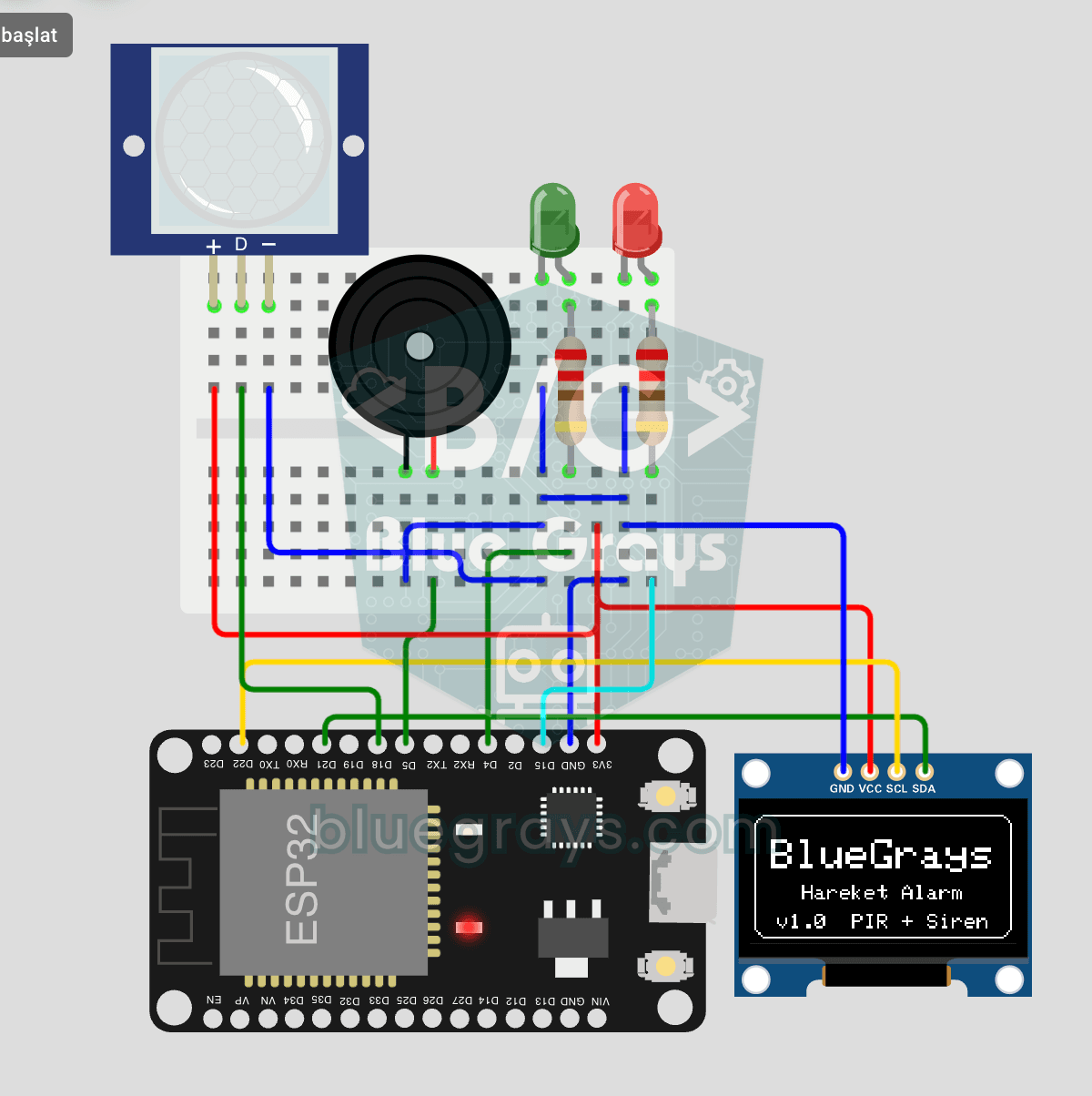
A smart security alarm: when the PIR sensor detects motion, it sounds the buzzer, lights the LED and sends the owner an instant Telegram notification. A 30-second cooldown limits how often the alarm repeats; it does not filter out the PIR sensor's false detections. Use it at home, in a garage, a storeroom or a study.

Smart Stair and Corridor Lighting
Step onto the stairs or into the hallway and the lights come on one step at a time in the direction you are walking.
Motion Detector with Motion Sensor
A simple guard that tells you when someone walks into the room. The motion sensor picks up the warmth given off by the human body, and the Arduino keeps the LED on as long as there is movement and…
Doorbell and Light with Motion Sensor
When someone comes up to your door, you know before they even ring. As soon as the motion sensor spots someone, the LED lights up and the buzzer plays a three-note chime from high to low; when the…