
ESP32 Christmas Lights Timer: Switch On at Sunset Automatically
ESP32 Christmas lights timer: NTP time and your location give the sunset, a relay turns the lights on and off at midnight. City table, web control and safety.

The biggest advantage of using an ESP32 as a Christmas lights timer is that it can switch the lights on when the sun actually sets where you live, not at a fixed time. The ESP32 connects to Wi-Fi, gets the time from the internet via NTP, calculates that day's sunrise and sunset from the latitude and longitude you enter, turns the light string on with a relay module and switches it off by itself at midnight. On top of that, a small web page on your phone lets you switch the lights manually, and the mode you pick is remembered even after a power cut.
In this guide we first show why sunset shifts every day and how much it differs from city to city, then explain the formula behind the calculation step by step. Two sketches follow: the first simply prints today's sunrise and sunset to the Serial Monitor, the second is a complete timer with a relay, midnight switch-off and web control. The last part covers outdoor safety and common mistakes. If you want to brush up on NTP basics, have a look at ESP32 NTP clock.
Why sunset instead of a fixed time?
A mechanical or digital plug-in timer switches on at the same time every evening, but sunset keeps moving through the season. In London the sun sets at 16:35 on 1 November, 15:56 on 1 December and 16:45 on 31 January, a swing of about 50 minutes during the Christmas season. A fixed 16:15 setting switches the lights on in daylight in early November and late January; move it to 16:30 and in mid-December they come on more than half an hour after dark. Location matters a lot too: on 21 December the sun sets at 15:53 in Berlin and 17:51 in Madrid, although both cities share the same time zone. The table below shows sunset times calculated with the same formula the code uses; they usually differ from published values by a minute or two.
| City | Latitude, longitude | 1 Dec | 10 Dec | 21 Dec | 31 Dec |
|---|---|---|---|---|---|
| Istanbul | 41.01 / 28.98 | 17:37 | 17:36 | 17:38 | 17:44 |
| Ankara | 39.93 / 32.86 | 17:25 | 17:23 | 17:26 | 17:32 |
| Izmir | 38.42 / 27.14 | 17:51 | 17:51 | 17:53 | 17:59 |
| London | 51.51 / -0.13 | 15:56 | 15:52 | 15:53 | 15:59 |
| Berlin | 52.52 / 13.41 | 15:57 | 15:53 | 15:53 | 16:00 |
| Munich | 48.14 / 11.58 | 16:23 | 16:20 | 16:22 | 16:28 |
| Vienna | 48.21 / 16.37 | 16:04 | 16:01 | 16:02 | 16:08 |
| Madrid | 40.42 / -3.70 | 17:49 | 17:48 | 17:51 | 17:57 |
| Paris | 48.86 / 2.35 | 16:57 | 16:54 | 16:55 | 17:02 |
| Rome | 41.90 / 12.50 | 16:40 | 16:39 | 16:41 | 16:47 |
| Milan | 45.46 / 9.19 | 16:42 | 16:40 | 16:42 | 16:48 |
| New York | 40.71 / -74.01 | 16:30 | 16:28 | 16:31 | 16:37 |
| Mexico City | 19.43 / -99.13 | 17:57 | 17:59 | 18:03 | 18:08 |
The table holds an interesting detail: although 21 December is the shortest day, the earliest sunset happens about ten days earlier, in the first half of December. The reason is the equation of time: Earth's orbit isn't a perfect circle and its axis is tilted, so the moment the sun reaches its highest point in the sky arrives about 30 seconds later each day during December. Sunset is pushed later along with it, while in the mornings the sun keeps rising later until early January. A fixed-time timer can never capture this subtlety; the formula accounts for it automatically.
How is sunset calculated?
The code uses the approximate solar formulas published by the US National Oceanic and Atmospheric Administration (NOAA). The calculation needs only the day of the year, the latitude and the longitude; it doesn't fetch any extra data from the internet. The result is in UTC minutes, which the code converts to local time using your time-zone setting, so it also works correctly in countries with daylight saving time. Below 60° latitude the formula is accurate to within a minute or two; in polar regions, when the sun doesn't set or rise all day, the arccos is undefined and the code checks for that separately.
| Step | Formula | Explanation |
|---|---|---|
| 1. Fractional year | γ = 2π / 365 × (day − 1) | Converts the day of the year into radians |
| 2. Equation of time | eqtime = 229.18 × (0.000075 + 0.001868 cos γ − 0.032077 sin γ − 0.014615 cos 2γ − 0.040849 sin 2γ) | Difference between sundial time and clock time, about −14 to +16 min over the year |
| 3. Solar declination | δ = 0.006918 − 0.399912 cos γ + 0.070257 sin γ − ... | About −23.44° around 21 December |
| 4. Hour angle | ha = arccos(cos 90.833° / (cos φ cos δ) − tan φ tan δ) | 90.833°: refraction at the horizon (0.567°) + the sun's radius (0.267°) |
| 5. Sunset | 720 − 4 × (longitude − ha) − eqtime | UTC minutes; each degree of longitude is 4 minutes |
Parts list
- ESP32 development board (30- or 38-pin, either works)
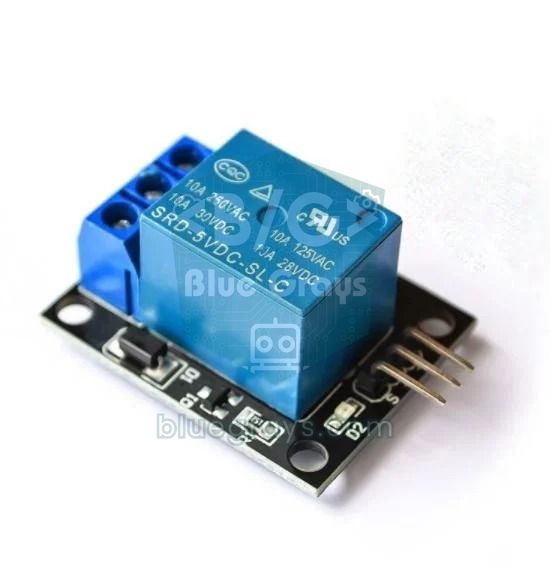
- 1-channel relay module: optocoupler-isolated, contacts rated 10 A 250 V AC; or a silent solid-state relay (SSR)
- 5 V 1–2 A USB adapter and a USB cable for the ESP32
- Light string: ideally a low-voltage (5–31 V) outdoor LED string with its own adapter
- IP65 junction box, cable glands and terminal blocks
- A few jumper wires
Wiring: ESP32 and relay module
| Relay module | ESP32 | Note |
|---|---|---|
| VCC | VIN (5 V) | The relay coil needs 5 V; the USB-powered VIN pin is enough |
| GND | GND | Common ground |
| IN | GPIO 26 | RELAY_PIN in the code; most modules switch on LOW |
| COM | Light adapter + output | Input of the switched line |
| NO (normally open) | Light string + input | The circuit closes when the relay pulls in |
| NC (normally closed) | Unused | Not used |
Step 1: see today's sunset in the Serial Monitor
- In the Arduino IDE, install the esp32 package from the Boards Manager and select ESP32 Dev Module as the board.
- In the code below, put your network name and password into WIFI_SSID and WIFI_PASS.
- Change LATITUDE and LONGITUDE for your city; western longitudes and southern latitudes are negative.
- Outside Turkey, pick the TZ_INFO line from the time-zone table below.
- Upload the code, open the Serial Monitor at 115200 baud and compare the printed times with the table.
1// ESP32: NTP saati + bugünün gün doğumu/batımı (Seri Monitör)
2// ESP32: NTP time + today's sunrise/sunset (Serial Monitor)
3#include <WiFi.h>
4#include <time.h>
5#include <math.h>
6
7const char* WIFI_SSID = "AgAdi";          // Wi-Fi adı / Wi-Fi name
8const char* WIFI_PASS = "Sifre123";       // Wi-Fi şifresi / Wi-Fi password
9const char* TZ_INFO   = "<+03>-3";        // Türkiye UTC+3 / Turkey UTC+3
10const double LATITUDE  = 41.01;           // İstanbul enlemi (kuzey +) / latitude (north +)
11const double LONGITUDE = 28.98;           // İstanbul boylamı (doğu +) / longitude (east +)
12
13// NOAA yaklaşık formülü, sonuç UTC dakika / NOAA approximation, result in UTC minutes
14bool sunTimesUtc(int yday, int year, double &riseUtc, double &setUtc) {
15  int daysInYear = ((year % 4 == 0 && year % 100 != 0) || year % 400 == 0) ? 366 : 365;
16  double g = 2.0 * PI / daysInYear * yday;                    // yılın kesri (radyan) / fractional year (rad)
17  double eqTime = 229.18 * (0.000075 + 0.001868 * cos(g) - 0.032077 * sin(g)
18                  - 0.014615 * cos(2 * g) - 0.040849 * sin(2 * g));            // zaman denklemi (dk) / equation of time (min)
19  double decl = 0.006918 - 0.399912 * cos(g) + 0.070257 * sin(g) - 0.006758 * cos(2 * g)
20              + 0.000907 * sin(2 * g) - 0.002697 * cos(3 * g) + 0.00148 * sin(3 * g);  // eğim (rad) / declination (rad)
21  double lat = LATITUDE * DEG_TO_RAD;
22  double x = cos(90.833 * DEG_TO_RAD) / (cos(lat) * cos(decl)) - tan(lat) * tan(decl);
23  if (x < -1.0 || x > 1.0) return false;                      // kutup gecesi ya da gündüzü / polar night or day
24  double ha = acos(x) * RAD_TO_DEG;                           // saat açısı (derece) / hour angle (degrees)
25  riseUtc = 720 - 4 * (LONGITUDE + ha) - eqTime;
26  setUtc  = 720 - 4 * (LONGITUDE - ha) - eqTime;
27  return true;
28}
29
30void setup() {
31  Serial.begin(115200);
32  WiFi.begin(WIFI_SSID, WIFI_PASS);
33  while (WiFi.status() != WL_CONNECTED) {
34    delay(500);
35    Serial.print(".");
36  }
37  configTzTime(TZ_INFO, "pool.ntp.org", "time.cloudflare.com");
38  struct tm now;
39  while (!getLocalTime(&now)) {
40    Serial.println("NTP bekleniyor / waiting for NTP");
41  }
42
43  struct tm noon = now;                     // yerel öğle: günün UTC tarihini bulmak için / local noon to find today's UTC date
44  noon.tm_hour = 12; noon.tm_min = 0; noon.tm_sec = 0; noon.tm_isdst = -1;
45  time_t noonT = mktime(&noon);
46  time_t utcMidnight = noonT - (noonT % 86400);
47
48  double riseUtc, setUtc;
49  if (sunTimesUtc(now.tm_yday, now.tm_year + 1900, riseUtc, setUtc)) {
50    time_t riseT = utcMidnight + (time_t)(riseUtc * 60);
51    time_t setT  = utcMidnight + (time_t)(setUtc * 60);
52    struct tm r, s;
53    localtime_r(&riseT, &r);
54    localtime_r(&setT, &s);
55    Serial.printf("Bugun / today: %02d.%02d.%d\n", now.tm_mday, now.tm_mon + 1, now.tm_year + 1900);
56    Serial.printf("Gun dogumu / sunrise: %02d:%02d\n", r.tm_hour, r.tm_min);
57    Serial.printf("Gun batimi / sunset:  %02d:%02d\n", s.tm_hour, s.tm_min);
58  }
59}
60
61void loop() {
62}
The trickiest part of the code is converting between UTC and local time. The formula gives sunset as minutes after that day's UTC midnight. The code first turns today's local noon into a timestamp with mktime(), then subtracts the remainder of dividing by 86400 to find the UTC midnight of the same date. The sunset minutes are added to that value and localtime_r() converts the result to your time zone. Starting from noon removes the risk of calculating the wrong day during night hours when the UTC date and the local date differ.
Step 2: the full code with relay, midnight switch-off and web control
The second sketch turns the sunset calculation into a timer. Every 10 seconds it checks the time; if the day has changed it recalculates sunrise and sunset, and in automatic mode it decides whether the lights should be on. The built-in WebServer library serves a small page on port 80: open the ESP32's IP address in a browser and you see the light status, today's sunrise and sunset and the AUTO, ON and OFF links. The selected mode is written to flash with Preferences, so after a power cut the timer carries on in the same mode.
1// ESP32 Noel ışıkları zamanlayıcısı: gün batımında aç, gece yarısı kapat, web'den elle kontrol
2// ESP32 Christmas lights timer: on at sunset, off at midnight, manual control from the web
3#include <WiFi.h>
4#include <WebServer.h>
5#include <Preferences.h>
6#include <time.h>
7#include <math.h>
8
9const char* WIFI_SSID = "AgAdi"; // Wi-Fi adı / Wi-Fi name
10const char* WIFI_PASS = "Sifre123"; // Wi-Fi şifresi / Wi-Fi password
11const char* TZ_INFO = "<+03>-3"; // Türkiye / Turkey. Berlin, Paris, Roma, Madrid: "CET-1CEST,M3.5.0,M10.5.0/3"
12const double LATITUDE = 41.01; // enlem (kuzey +) / latitude (north +)
13const double LONGITUDE = 28.98; // boylam (doğu +, batı -) / longitude (east +, west -)
14
15const int RELAY_PIN = 26; // röle modülü IN / relay module IN
16const bool RELAY_ACTIVE_LOW = true; // çoğu modül LOW ile çeker / most modules switch on LOW
17const int SUNSET_OFFSET_MIN = 0; // gün batımına göre kayma (dk), -15 = 15 dk önce / shift from sunset (min)
18const int OFF_MINUTE = 24 * 60; // kapanış: 24:00 = gece yarısı, 23:30 için 23*60+30 / off time
19const int MORNING_ON_MINUTE = -1; // sabah açılış, ör. 6*60+30; -1 = kapalı / morning on, e.g. 6:30; -1 = off
20
21enum Mode : uint8_t { MODE_AUTO, MODE_ON, MODE_OFF };
22Mode mode = MODE_AUTO;
23bool lightsOn = false;
24int sunriseMin = -1, sunsetMin = -1; // bugünün yerel dakikası / today's local minute of day
25int lastYday = -1;
26unsigned long lastCheck = 0;
27
28WebServer server(80);
29Preferences prefs;
30
31bool sunTimesUtc(int yday, int year, double &riseUtc, double &setUtc) {
32 int daysInYear = ((year % 4 == 0 && year % 100 != 0) || year % 400 == 0) ? 366 : 365;
33 double g = 2.0 * PI / daysInYear * yday;
34 double eqTime = 229.18 * (0.000075 + 0.001868 * cos(g) - 0.032077 * sin(g)
35 - 0.014615 * cos(2 * g) - 0.040849 * sin(2 * g));
36 double decl = 0.006918 - 0.399912 * cos(g) + 0.070257 * sin(g) - 0.006758 * cos(2 * g)
37 + 0.000907 * sin(2 * g) - 0.002697 * cos(3 * g) + 0.00148 * sin(3 * g);
38 double lat = LATITUDE * DEG_TO_RAD;
39 double x = cos(90.833 * DEG_TO_RAD) / (cos(lat) * cos(decl)) - tan(lat) * tan(decl);
40 if (x < -1.0 || x > 1.0) return false;
41 double ha = acos(x) * RAD_TO_DEG;
42 riseUtc = 720 - 4 * (LONGITUDE + ha) - eqTime;
43 setUtc = 720 - 4 * (LONGITUDE - ha) - eqTime;
44 return true;
45}
46
47int toLocalMinute(time_t utcMidnight, double utcMinutes) {
48 time_t t = utcMidnight + (time_t)(utcMinutes * 60);
49 struct tm lt;
50 localtime_r(&t, <);
51 return lt.tm_hour * 60 + lt.tm_min;
52}
53
54void updateSunTimes(struct tm now) { // günde bir kez / once a day
55 now.tm_hour = 12; now.tm_min = 0; now.tm_sec = 0; now.tm_isdst = -1;
56 time_t noonT = mktime(&now);
57 time_t utcMidnight = noonT - (noonT % 86400);
58 double r, s;
59 if (sunTimesUtc(now.tm_yday, now.tm_year + 1900, r, s)) {
60 sunriseMin = toLocalMinute(utcMidnight, r);
61 sunsetMin = toLocalMinute(utcMidnight, s);
62 }
63 lastYday = now.tm_yday;
64 Serial.printf("Gun dogumu %02d:%02d, gun batimi %02d:%02d\n", sunriseMin / 60, sunriseMin % 60, sunsetMin / 60, sunsetMin % 60);
65}
66
67void setRelay(bool on) {
68 lightsOn = on;
69 digitalWrite(RELAY_PIN, (on != RELAY_ACTIVE_LOW) ? HIGH : LOW);
70}
71
72bool autoWantsOn(int nowMin) {
73 if (sunsetMin < 0) return false;
74 if (nowMin >= sunsetMin + SUNSET_OFFSET_MIN && nowMin < OFF_MINUTE) return true; // akşam / evening
75 if (MORNING_ON_MINUTE >= 0 && nowMin >= MORNING_ON_MINUTE && nowMin < sunriseMin) return true; // sabah / morning
76 return false;
77}
78
79void applyState() {
80 struct tm now;
81 if (!getLocalTime(&now, 10)) { // saat henüz yok / no time yet
82 setRelay(mode == MODE_ON);
83 return;
84 }
85 if (now.tm_yday != lastYday) updateSunTimes(now);
86 int nowMin = now.tm_hour * 60 + now.tm_min;
87 bool on = (mode == MODE_ON) || (mode == MODE_AUTO && autoWantsOn(nowMin));
88 if (on != lightsOn) {
89 setRelay(on);
90 Serial.printf("%02d:%02d isiklar %s\n", now.tm_hour, now.tm_min, on ? "ACIK / on" : "KAPALI / off");
91 }
92}
93
94String hhmm(int m) {
95 if (m < 0) return "--:--";
96 char buf[12];
97 snprintf(buf, sizeof(buf), "%02d:%02d", m / 60, m % 60);
98 return String(buf);
99}
100
101void handleRoot() {
102 String html = F("<!DOCTYPE html><html><head><meta charset='utf-8'>"
103 "<meta name='viewport' content='width=device-width,initial-scale=1'>"
104 "<title>Noel</title></head><body style='font-family:sans-serif;text-align:center'>");
105 html += "<h2>" + String(lightsOn ? "ON" : "OFF") + "</h2>";
106 html += "<p>Sunrise " + hhmm(sunriseMin) + " | Sunset " + hhmm(sunsetMin) + "</p>";
107 html += "<p>Mode: " + String(mode == MODE_AUTO ? "AUTO" : (mode == MODE_ON ? "ON" : "OFF")) + "</p>";
108 html += F("<p><a href='/mode?m=auto'>AUTO</a> | <a href='/mode?m=on'>ON</a> | <a href='/mode?m=off'>OFF</a></p></body></html>");
109 server.send(200, "text/html", html);
110}
111
112void handleMode() {
113 String m = server.arg("m");
114 mode = (m == "on") ? MODE_ON : (m == "off") ? MODE_OFF : MODE_AUTO;
115 prefs.putUChar("mode", mode); // elektrik kesilse de hatırla / remember after a power cut
116 applyState();
117 server.sendHeader("Location", "/");
118 server.send(303);
119}
120
121void setup() {
122 digitalWrite(RELAY_PIN, RELAY_ACTIVE_LOW ? HIGH : LOW); // açılışta kapalı başla / start switched off
123 pinMode(RELAY_PIN, OUTPUT);
124 Serial.begin(115200);
125
126 prefs.begin("noel", false);
127 mode = (Mode)prefs.getUChar("mode", MODE_AUTO);
128
129 WiFi.mode(WIFI_STA);
130 WiFi.begin(WIFI_SSID, WIFI_PASS);
131 unsigned long start = millis();
132 while (WiFi.status() != WL_CONNECTED && millis() - start < 20000) delay(500);
133 Serial.print("IP: ");
134 Serial.println(WiFi.localIP());
135
136 configTzTime(TZ_INFO, "pool.ntp.org", "time.cloudflare.com");
137 server.on("/", handleRoot);
138 server.on("/mode", handleMode);
139 server.begin();
140}
141
142void loop() {
143 server.handleClient();
144 if (millis() - lastCheck > 10000) { // 10 sn'de bir kontrol / check every 10 s
145 lastCheck = millis();
146 applyState();
147 }
148}Settings
| Setting | Default | What it does |
|---|---|---|
| TZ_INFO | "<+03>-3" | Time zone and daylight saving rule (POSIX format) |
| LATITUDE / LONGITUDE | 41.01 / 28.98 | Location; western longitude and southern latitude are negative |
| RELAY_PIN | 26 | Pin connected to the relay module's IN |
| RELAY_ACTIVE_LOW | true | true if the module switches on LOW, false if on HIGH |
| SUNSET_OFFSET_MIN | 0 | Shift relative to sunset; −15 switches on 15 min earlier |
| OFF_MINUTE | 24 * 60 | Switch-off time; for 23:30 use 23 * 60 + 30 |
| MORNING_ON_MINUTE | -1 | Morning switch-on; with 6 * 60 + 30 the lights run from 06:30 until sunrise |
How does the code work?
applyState() is where the decision is made. If the time hasn't been received yet, the lights only come on in ON mode; that prevents them from switching on at the wrong time before Wi-Fi is up. Once the time is valid, the minute of the day is calculated and two conditions are checked: the evening window runs from sunset to the switch-off time, and the optional morning window from the switch-on time to sunrise. The relay is only switched when the state changes, and every change is printed to the Serial Monitor, which makes troubleshooting easier. setRelay() writes the correct level to the pin according to RELAY_ACTIVE_LOW. In setup() the pin is set to the off level before it's made an output; that order stops the relay clicking on for a moment at boot. If Wi-Fi drops, the ESP32 keeps running on its internal clock and NTP corrects the time again once the connection is back.
| Region | TZ_INFO |
|---|---|
| Turkey | <+03>-3 |
| Germany, Austria, Italy, France, Spain | CET-1CEST,M3.5.0,M10.5.0/3 |
| United Kingdom, Ireland, Portugal | GMT0BST,M3.5.0/1,M10.5.0 |
| US East (New York) | EST5EDT,M3.2.0,M11.1.0 |
| Mexico (Mexico City) | CST6 |
Outdoor safety
- Prefer low voltage: With 5–31 V LED strings that come with their own adapter, put the relay on the adapter's low-voltage output and you never touch mains voltage at all.
- Box and glands: Put the ESP32 and relay in an IP65 box, run the cables through glands and mount the box with the cable entries facing down so water can't run inside.
- Current check: A typical 200-LED string draws 10–20 W, less than 0.1 A at 230 V. You won't get near the relay's 10 A rating, but on cheap modules the real limit is lower than printed, so keep the total load below a few amps.
- Condensation: On winter nights moisture can condense inside the box; add a small silica gel sachet and mount the electronics at the top of the box rather than on its floor.
- No inductive loads: Use this timer for lights only; the inrush current of motors, heaters or compressors can weld the relay contacts in a short time.
Common problems and fixes
| Problem | Cause | Fix |
|---|---|---|
| "Waiting for NTP" never ends in the Serial Monitor | Wi-Fi not connected or the NTP port is blocked | Check the network name and password, move the ESP32 closer to the router |
| Sunset is exactly one hour off | Wrong TZ_INFO or missing daylight saving rule | Use the correct POSIX string from the table |
| Sunset is hours off | Wrong longitude sign or latitude and longitude swapped | Enter western longitude as negative and check the order |
| Relay never releases | 5 V module doesn't fully switch off with a 3.3 V HIGH | Separate JD-VCC, use a 3.3 V module or a transistor |
| Lights flash briefly at boot | Boot-strapping pin or pinMode order | Use a safe pin such as GPIO 26, call digitalWrite before pinMode |
| Web page won't open | The IP address changed | Set a DHCP reservation on the router or use mDNS |
| Lights still on after midnight | Mode left on ON | Switch to AUTO from the web page |
Project ideas with this timer
- Light sensor backup: If Wi-Fi stays down for a long time, detect darkness with an LDR and switch the lights on anyway.
- Smart home integration: Publish the relay state over MQTT and control it from a Home Assistant dashboard.
- Multi-channel scheduling: With a 4-channel relay board, give the balcony, garden and window lights different switch-off times.
- Sunset effect: Use a WS2812B strip instead of a relay and fade the colours slowly up to warm white at sunset; strip setup is in Christmas tree LEDs.
- More seasonal projects: For ideas that complement this timer, see the Arduino Christmas projects list.
If you want to learn the building blocks of this timer one at a time, look at the ESP32 NTP real-time clock, ESP32 async web server and ESP32 smart lighting projects in the BlueGrays app; each comes with a circuit diagram, wiring list and step-by-step explained code. Combine those pieces with the sunset calculation from this post and your Christmas lights will switch on by themselves right on time every evening.
Frequently asked questions
How do I make Christmas lights turn on automatically at sunset?
The most accurate method is to use a Wi-Fi board such as the ESP32 to get the time via NTP and calculate that day's sunset from latitude and longitude. At that time the board pulls in a relay to switch the lights on, and switches them off at the time you choose. A simpler solution is detecting darkness with an LDR, but clouds and street lights can fool it.
Does the ESP32 get the sunset time from the internet?
No, it only gets the clock time from the internet via NTP. It calculates sunset itself with the NOAA formulas, which only need the day of the year, latitude and longitude. So no weather service or API key is required.
Does the timer keep working if the internet goes down?
Yes. Once the ESP32 has the time it keeps counting on its internal clock, and the drift usually stays within a few seconds a day. When the connection returns, NTP corrects the time again. But if the ESP32 restarts, automatic mode won't switch the lights on until it gets the time.
Does a relay module work with the ESP32's 3.3 V?
Most 5 V relay modules trigger from a 3.3 V signal, but some optocoupler modules that switch on LOW don't fully release at a 3.3 V HIGH. In that case, removing the JD-VCC jumper and powering the module separately, buying a 3.3 V-trigger module or adding an NPN transistor solves the problem.
Which relay should I use for outdoor Christmas lights?
For lights, an optocoupler-isolated mechanical relay module with contacts rated 10 A 250 V AC is enough; if you don't want the click, use a solid-state relay (SSR). Whichever you choose, put the board in a waterproof box and feed the mains side from a line protected by an RCD.
Can the lights switch on before or after sunset?
Yes. SUNSET_OFFSET_MIN in the code sets the shift in minutes: −15 switches the lights on 15 minutes before sunset and 20 switches them on 20 minutes after. Since twilight lasts about 30 minutes, a positive offset of 10–20 minutes often gives the nicest look.
Projects to build after reading this
See all projects
Real-Time Clock from the Internet via ESP32 NTP
The ESP32 connects to Wi-Fi and fetches the real time from NTP (Network Time Protocol) servers with millisecond precision. configTzTime() applies the Turkey time zone (TRT, UTC+3) automatically, and in countries with daylight saving time the DST switch is handled by a POSIX TZ string. The time is printed both to the Serial Monitor and to an optional I2C LCD.

ESP32 Asynchronous Web Server (with IP Display on LCD)
In this project, we’re turning the ESP32 into an asynchronous web server that you can control from your phone or computer on the same Wi-Fi network. Thanks to the ESPAsyncWebServer library, the server can process multiple requests simultaneously (unlike the classic WebServer.h, which blocks on a single request). You’ll be able to open the ESP32’s IP address in a browser and click the ON/OFF buttons (the /on and /off routes) to turn the LED connected to GPIO 5 on and off.

ESP32 Smart Lighting (PIR + LDR + Relay + OLED)
With an ESP32, a PIR motion sensor, an LDR light sensor and a relay module, we turn your hallway, bathroom or pantry into smart lighting. If the room is already bright, the light stays off even when there is motion, so it never wastes energy during the day. The light stays on for 30 seconds, and the time extends automatically while motion continues.

ESP32 Night Light with LDR
Night light where the LED automatically turns on in the dark and off in the light. The D0 (digital out) pin of the LDR Sensor Module is used - the dark threshold is set with the small potentiometer on the module, the module itself generates the HIGH/LOW output. ESP32 just reads this signal with digitalRead(), the code is very simple.

ESP32 WS2812B NeoPixel Strip Control
WS2812B (NeoPixel) addressable LEDs are smart RGB LEDs that can be chained and controlled from a single data pin. In this project we drive an 8-LED WS2812B strip with the Adafruit_NeoPixel library and create a smooth rainbow animation. The ESP32's 3.3V logic works with most WS2812B batches; if it gets unstable, we show the fix with a 470Ω series resistor and a 1000µF capacitor. The animation shifts the hue in HSV color space.

ESP32 Wi-Fi STA Connection (with LCD Screen)
In this project, we connect the ESP32 to the home Wi-Fi network in Station (STA) mode in a secure, fault-tolerant manner. We store the SSID and password in a separate secrets.h file to prevent leaking to Git, set up an auto-reconnect mechanism, and display the RSSI signal level and IP address on an I2C LCD screen. The internal LED works as a status indicator. It is a production-grade connection manager.

ESP32 mDNS: Accessing the Device via bluegrays-esp.local (with LCD Screen)
In this project we add an mDNS (Multicast DNS) service to the ESP32, so you reach it by a readable host name like bluegrays-esp.local instead of an IP address. Even if the IP assigned by DHCP changes, the device always answers to the same name. A small web server on the board lets you control the LED from your browser at http://bluegrays-esp.local/.
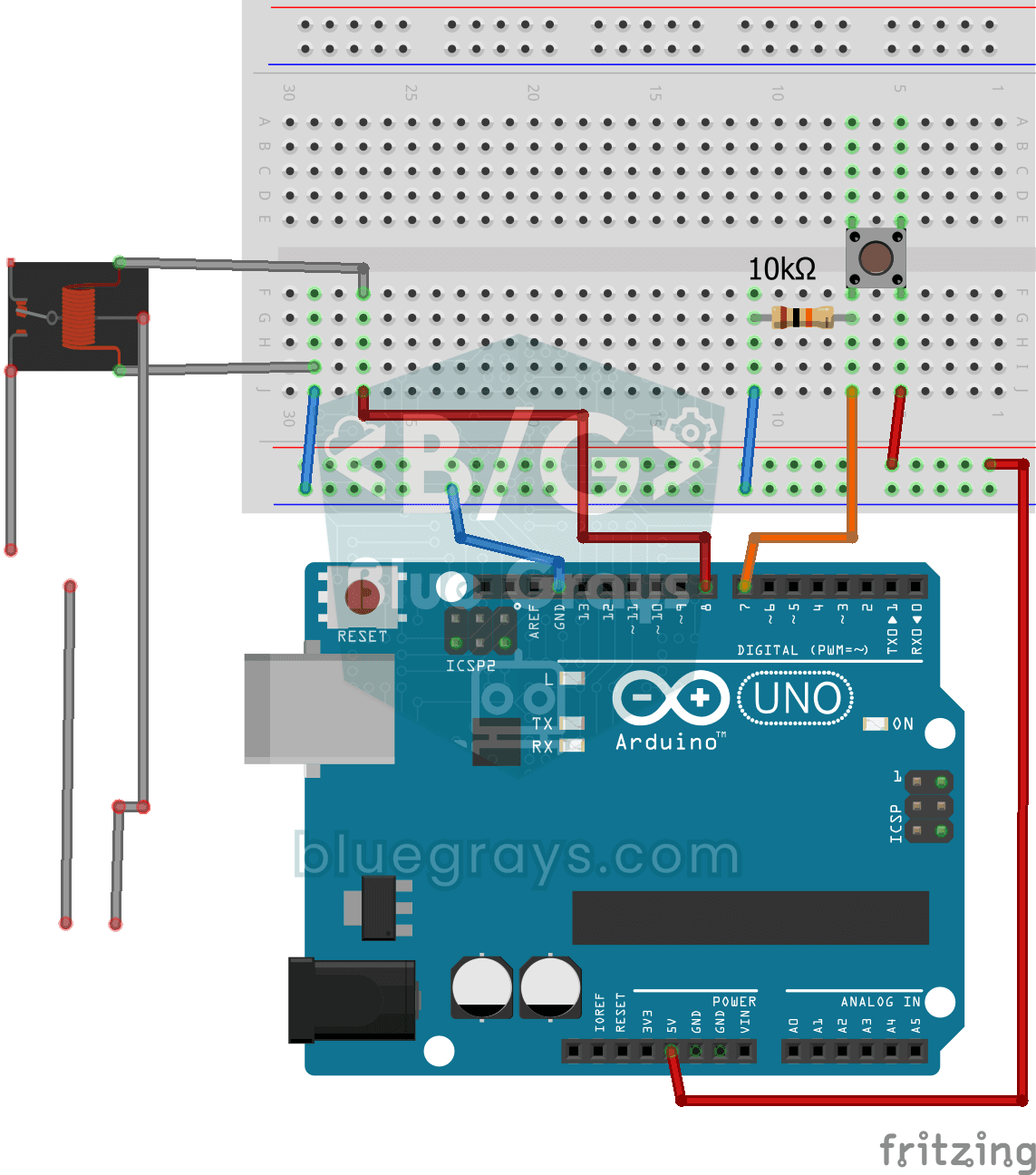
Lighting 220V Bulb with Push Button
As long as you hold the button, a real 220-volt bulb stays lit, and it goes out the moment you let go.