
ESP32 GPS Tracker with NEO-6M and SIM800L: Location by SMS
Build an ESP32 GPS tracker with NEO-6M and SIM800L that texts a Google Maps link on request. Wiring, power use, 2G shutdown, 4G options, battery life.
An ESP32 GPS tracker is one of the most useful projects you can build with this board: a NEO-6M GPS module finds the position and a SIM800L GSM modem texts it to your phone. The message contains a Google Maps link that opens the map with a single tap, and it works anywhere there's mobile coverage, no Wi-Fi needed. With a handful of parts you can build your own tracker for a bike, a motorbike, a car or a camper van.
This guide covers two routes together: the TTGO T-Call, which puts the ESP32, the SIM800L and a battery charger on one board, or a separate ESP32 DevKit with a separate SIM800L module. The device will reply to an SMS saying "GPS" with its position, save a parking spot with the "PARK" command and send an alarm if it moves more than 100 metres away, and, if you want, send reports on its own at fixed intervals. You'll also go step by step through the wiring and power tables, what the 2G shutdown means, 4G module options and how to calculate battery life.
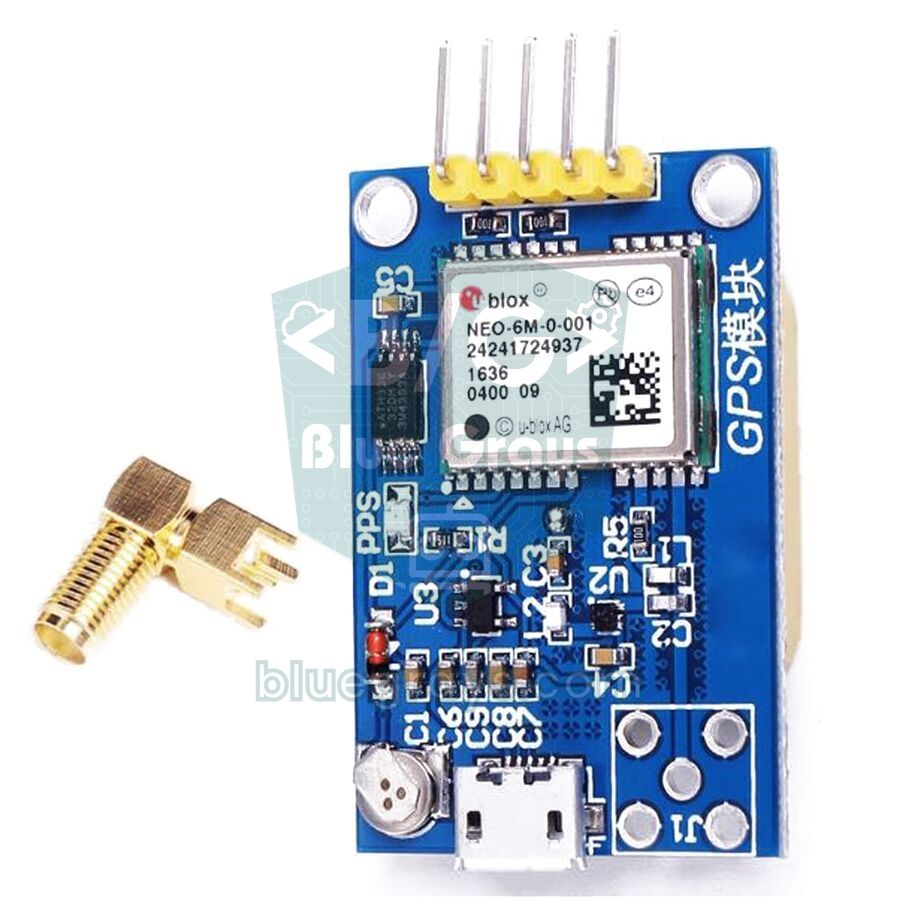
How does a GPS tracker work? Parts and their jobs
| Part | Job | Note |
|---|---|---|
| ESP32 or TTGO T-Call | Decodes GPS data and handles SMS commands | On the T-Call the SIM800L and battery charger are on the board |
| NEO-6M GPS module | Works out latitude, longitude, speed and time from satellites | The ceramic antenna needs a view of the sky |
| SIM800L GSM modem | Receives and sends SMS | 2G only; needs a micro SIM and a GSM antenna |
| SIM card | The phone line | PIN disabled, with enough credit to send SMS |
| Li-ion battery (18650 or LiPo) | Makes the device portable | Must deliver at least 2 A in bursts |
| Enclosure and antennas | Protection and signal | Keep the GSM antenna a few centimetres from the GPS antenna |
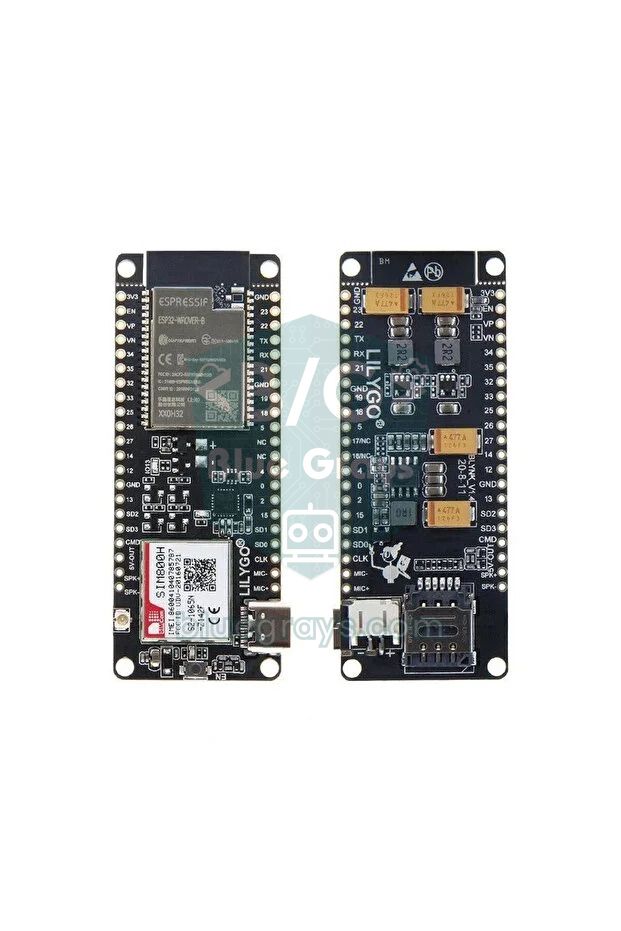
If you're just starting out, the TTGO T-Call is the easiest route: the 3.4–4.4 V supply the SIM800L needs, the battery charging and the wiring between the ESP32 and the modem are already on the board; you only add the GPS module with four wires. Building with separate modules is cheaper and more flexible, but it's up to you to provide a separate power line that can handle the SIM800L's 2 A bursts. Either way the code is the same, because we connect the modem to the same ESP32 pins (GPIO 26 and 27).
Wiring table: TTGO T-Call and separate modules
| Connection | TTGO T-Call | ESP32 DevKit + SIM800L module |
|---|---|---|
| NEO-6M VCC / GND | 3V3 / GND | 3V3 / GND |
| NEO-6M TX → ESP32 RX | GPIO 18 | GPIO 18 |
| NEO-6M RX ← ESP32 TX (optional) | GPIO 19 | GPIO 19 |
| SIM800L TXD → ESP32 RX | GPIO 26 (on board) | GPIO 26 |
| SIM800L RXD ← ESP32 TX | GPIO 27 (on board) | GPIO 27, through a 1 kΩ + 5.6 kΩ divider |
| Modem power-on pins | GPIO 4 (PWRKEY), 5 (RST), 23 (POWER_ON) | Not needed, the module starts when powered |
| SIM800L supply | On board, from the battery | Separate 4.0 V source (18650 or adjusted buck), common GND |
| Battery | JST battery connector, charges over USB | 18650 charged with a TP4056 |
Power table: how much current does each part draw?
| Part | Supply | Typical current |
|---|---|---|
| ESP32 (Wi-Fi and Bluetooth off) | 3.3 V | ~30–50 mA at 240 MHz, ~20–25 mA at 80 MHz, microamps in deep sleep (excluding the board's regulator and LEDs) |
| NEO-6M | 3.3–5 V | ~47 mA while searching, ~39 mA while tracking |
| SIM800L | 3.4–4.4 V | ~15 mA idle on the network, 1–2 mA in sleep mode, bursts up to 2 A while sending SMS |
| Total (this guide's code) | Battery | ~100 mA on average, brief 2 A while texting |
The 2 A bursts in the table last only a few milliseconds, but if the battery and wires can't deliver them, the voltage collapses and the modem or the ESP32 restarts. So use a good 18650 Li-ion cell or a LiPo of at least 1000 mAh. Because the T-Call's IP5306 power chip can mistake a low load for "nothing connected" and switch its output off, the code sets it to "always on" over I2C. With separate modules, charge the battery with a TP4056 and power the ESP32 through a converter that boosts to 5 V or a low-dropout 3.3 V regulator.
Step 1: test the GPS module on its own
Before bringing the modem in, make sure the GPS finds a position, so that if something goes wrong later you'll know which part it comes from. Install the TinyGPSPlus library from the Library Manager, wire the NEO-6M as in the table and upload the code below. In the Serial Monitor you should first see the satellite count rise and then latitude and longitude appear. The lower the HDOP value, the more accurate the position; below 2 is very good.
1#include <TinyGPSPlus.h>
2
3// NEO-6M testi: önce yalnız GPS'in konum bulduğunu doğrula / first check that the GPS gets a fix on its own
4#define GPS_RX 18                      // ESP32 RX ← NEO-6M TX
5#define GPS_TX 19                      // ESP32 TX → NEO-6M RX (isteğe bağlı / optional)
6
7TinyGPSPlus gps;
8unsigned long lastPrint = 0;
9
10void setup() {
11  Serial.begin(115200);
12  Serial2.begin(9600, SERIAL_8N1, GPS_RX, GPS_TX);   // NEO-6M varsayılanı 9600 baud / NEO-6M default
13}
14
15void loop() {
16  while (Serial2.available()) gps.encode(Serial2.read());
17
18  if (millis() - lastPrint >= 2000) {
19    lastPrint = millis();
20    if (gps.charsProcessed() < 10) {
21      Serial.println("GPS verisi yok: TX/RX ve besleme / no GPS data: check TX/RX and power");
22    } else if (!gps.location.isValid()) {
23      Serial.printf("Uydu araniyor / searching... uydu/sats: %u\n", (unsigned)gps.satellites.value());
24    } else {
25      Serial.printf("%.6f, %.6f | uydu/sats %u | HDOP %.1f | %.1f km/h\n",
26                    gps.location.lat(), gps.location.lng(),
27                    (unsigned)gps.satellites.value(), gps.hdop.hdop(), gps.speed.kmph());
28    }
29  }
30}Step 2: the tracker code that texts the position
- Put the SIM card in a phone, disable its PIN, and check that it can send and receive SMS and works on 2G.
- Insert the card into the T-Call's slot, connect the GSM antenna and plug in the battery or the USB cable.
- In the code, set OWNER to your own number with the country code, exactly as it appears in SMS messages.
- Upload the code, open the Serial Monitor at 115200 baud and wait for "Hazir / ready"; network registration can take 10–60 seconds.
- Take the device outdoors, wait until the GPS has a fix, and send an SMS saying GPS from your phone to the device's number.
1#include <Wire.h>
2#include <TinyGPSPlus.h>
3
4// TTGO T-Call SIM800L pinleri (ayrı modülde de RX/TX aynı) / T-Call pins (same RX/TX with a separate module)
5#define MODEM_PWRKEY     4
6#define MODEM_RST        5
7#define MODEM_POWER_ON  23
8#define MODEM_TX        27              // ESP32 TX → SIM800L RXD
9#define MODEM_RX        26              // ESP32 RX ← SIM800L TXD
10#define I2C_SDA         21
11#define I2C_SCL         22
12#define IP5306_ADDR   0x75              // T-Call güç yongası / T-Call power chip
13#define GPS_RX          18              // ESP32 RX ← NEO-6M TX
14#define GPS_TX          19              // ESP32 TX → NEO-6M RX
15
16const char OWNER[] = "+525512345678";   // yetkili numara, ülke koduyla / authorised number with country code
17const unsigned long REPORT_MS = 0;      // otomatik konum SMS'i aralığı, 0 = kapalı (1800000 = 30 dk) / auto report, 0 = off
18const double GEOFENCE_M = 100;          // PARK modunda izin verilen mesafe, metre / allowed distance in PARK mode
19
20HardwareSerial &modem = Serial1;
21TinyGPSPlus gps;
22
23char line[160];                         // modemden gelen satır / line from the modem
24byte lineLen = 0;
25bool bodyNext = false;                  // sonraki satır SMS metni mi? / is the next line the SMS text?
26bool fromOwner = false;
27bool parked = false;                    // park alarmı kurulu mu? / is the park alarm armed?
28double parkLat = 0, parkLng = 0;
29unsigned long lastReport = 0;
30
31bool setPowerBoostKeepOn() {            // pille çalışırken IP5306 kapanmasın / keep the boost on from battery
32  Wire.beginTransmission(IP5306_ADDR);
33  Wire.write(0x00);
34  Wire.write(0x37);
35  return Wire.endTransmission() == 0;
36}
37
38bool waitFor(const char *token, unsigned long timeoutMs) {
39  String reply = "";
40  unsigned long start = millis();
41  while (millis() - start < timeoutMs) {
42    while (modem.available()) reply += (char)modem.read();
43    if (reply.indexOf(token) >= 0 || reply.indexOf("ERROR") >= 0) break;
44  }
45  Serial.print(reply);
46  return reply.indexOf(token) >= 0;
47}
48
49bool at(const char *cmd) {
50  modem.println(cmd);
51  return waitFor("OK", 2000);
52}
53
54bool registered() {
55  modem.println("AT+CREG?");
56  String r = "";
57  unsigned long start = millis();
58  while (millis() - start < 1000) {
59    while (modem.available()) r += (char)modem.read();
60  }
61  return r.indexOf("+CREG: 0,1") >= 0 || r.indexOf("+CREG: 0,5") >= 0;   // ev ağı ya da dolaşım / home or roaming
62}
63
64bool sendSms(const char *number, const char *text) {
65  modem.printf("AT+CMGS=\"%s\"\r", number);
66  if (!waitFor(">", 5000)) return false;
67  modem.print(text);
68  modem.write(26);                      // Ctrl+Z: gönder / send
69  return waitFor("+CMGS:", 60000);
70}
71
72// Konumu Google Haritalar bağlantısıyla SMS metnine çevir / build SMS text with a Google Maps link
73void locationText(char *out, size_t size, const char *title) {
74  if (gps.location.isValid()) {
75    snprintf(out, size, "%s\nhttps://maps.google.com/?q=%.6f,%.6f\n%.0f km/h, sat %u, %lus",
76             title, gps.location.lat(), gps.location.lng(), gps.speed.kmph(),
77             (unsigned)gps.satellites.value(), (unsigned long)(gps.location.age() / 1000));
78  } else {
79    snprintf(out, size, "%s\nNo GPS fix yet, sat %u", title, (unsigned)gps.satellites.value());
80  }
81}
82
83void sendLocation(const char *title) {
84  char text[160];                       // tek SMS en fazla 160 karakter / one SMS holds 160 characters
85  locationText(text, sizeof(text), title);
86  Serial.println(sendSms(OWNER, text) ? "\nSMS OK" : "\nSMS hata / failed");
87}
88
89// SMS komutları: GPS, PARK, OFF / SMS commands
90void handleCommand(char *body) {
91  for (char *p = body; *p; p++) *p = toupper(*p);
92  if (strstr(body, "PARK")) {
93    if (!gps.location.isValid()) {
94      sendSms(OWNER, "PARK: no GPS fix yet");
95      return;
96    }
97    parkLat = gps.location.lat();
98    parkLng = gps.location.lng();
99    parked = true;
100    sendLocation("PARK ON");
101  } else if (strstr(body, "OFF")) {
102    parked = false;
103    sendSms(OWNER, "PARK OFF");
104  } else if (strstr(body, "GPS")) {
105    sendLocation("Location");
106  }
107}
108
109void readModem() {
110  while (modem.available()) {
111    char c = modem.read();
112    if (c == '\r') continue;
113    if (c != '\n') {
114      if (lineLen < sizeof(line) - 1) line[lineLen++] = c;
115      continue;
116    }
117    line[lineLen] = '\0';
118    lineLen = 0;
119    if (line[0] == '\0') continue;
120    Serial.println(line);
121    if (bodyNext) {                     // +CMT satırından sonraki satır mesajın kendisi / the line after +CMT is the text
122      bodyNext = false;
123      if (fromOwner) handleCommand(line);
124    } else if (strncmp(line, "+CMT:", 5) == 0) {
125      fromOwner = strstr(line, OWNER) != NULL;   // başka numaraları yok say / ignore other numbers
126      bodyNext = true;
127    }
128  }
129}
130
131void setup() {
132  Serial.begin(115200);
133  Wire.begin(I2C_SDA, I2C_SCL);
134  Serial.println(setPowerBoostKeepOn() ? "IP5306 OK" : "IP5306 yok / not found");
135
136  pinMode(MODEM_RST, OUTPUT);
137  pinMode(MODEM_PWRKEY, OUTPUT);
138  pinMode(MODEM_POWER_ON, OUTPUT);
139  digitalWrite(MODEM_RST, HIGH);
140  digitalWrite(MODEM_POWER_ON, HIGH);   // modem beslemesi / modem supply
141  digitalWrite(MODEM_PWRKEY, HIGH);
142  delay(100);
143  digitalWrite(MODEM_PWRKEY, LOW);      // 1 sn darbe: modem açılır / 1 s pulse starts the modem
144  delay(1000);
145  digitalWrite(MODEM_PWRKEY, HIGH);
146
147  modem.begin(115200, SERIAL_8N1, MODEM_RX, MODEM_TX);
148  Serial2.begin(9600, SERIAL_8N1, GPS_RX, GPS_TX);
149  delay(3000);
150
151  for (int i = 0; i < 10 && !at("AT"); i++) delay(500);
152  at("ATE0");                           // yankıyı kapat / echo off
153  at("AT+CMGF=1");                      // SMS metin modu / text mode
154  at("AT+CNMI=1,2,0,0,0");              // gelen SMS'i doğrudan seri porta ver / push new SMS to the UART
155  at("AT+CMGD=1,4");                    // SIM'deki eski mesajları sil / delete stored messages
156
157  unsigned long start = millis();
158  while (!registered() && millis() - start < 60000) delay(2000);
159  Serial.println("Hazir / ready");
160}
161
162void loop() {
163  while (Serial2.available()) gps.encode(Serial2.read());   // GPS'i sürekli besle / keep feeding the GPS parser
164  readModem();
165
166  if (parked && gps.location.isValid()) {
167    double d = TinyGPSPlus::distanceBetween(parkLat, parkLng, gps.location.lat(), gps.location.lng());
168    if (d > GEOFENCE_M) {               // araç park yerinden uzaklaştı / the vehicle left the parking spot
169      parked = false;                   // tek uyarı, tekrar için PARK gönder / one alert, send PARK again to re-arm
170      sendLocation("ALARM: moved");
171    }
172  }
173
174  if (REPORT_MS > 0 && millis() - lastReport >= REPORT_MS) {
175    lastReport = millis();
176    sendLocation("Report");
177  }
178}| SMS command | What it does | Reply |
|---|---|---|
| GPS | Sends the current position | Location + map link, speed, satellite count, age of the fix in seconds |
| PARK | Saves the current position as the parking spot | PARK ON + link; "ALARM: moved" after 100 m |
| OFF | Disarms the park alarm | PARK OFF |
| No command (automatic) | If REPORT_MS is above zero, sends the position at that interval | Report + link |
The heart of the code is the AT+CNMI=1,2,0,0,0 setting: instead of storing each new SMS on the SIM, the modem writes it straight to the serial port, first as a +CMT: line containing the sender's number and then as the message text. The readModem() function reads these lines one by one and ignores the message if the sender isn't OWNER. The location text is built to fit in a single SMS (160 characters at most), and the Google Maps link inside it is clickable on any phone. In PARK mode, TinyGPSPlus's distanceBetween() calculates the distance between two coordinates in metres; the threshold is 100 m so that the GPS's natural drift of a few metres doesn't trigger false alarms. Because GPS data is read continuously in loop(), there's no delay(); the ESP32 handles both the satellite sentences and the modem lines without missing any.
2G is shutting down: does the SIM800L still work? 4G alternatives
The SIM800L only works on 2G (GSM) networks, and operators in many parts of the world are switching 2G off. 2G networks have already closed in the US and Australia, French operators are shutting 2G down by the end of 2026, Germany is aiming for 2028, and Turkey plans to retire 2G and 3G in 2029. Elsewhere the picture varies by country and even by operator. Before buying parts, ask your operator whether 2G is still on for the line you'll use, or select 2G only in your phone's network settings (on phones that allow it) and see whether it connects. If you're building a device meant to run for years, starting with a 4G module is the smarter choice.
| Module | Network | Built-in GNSS | Note |
|---|---|---|---|
| SIM7600 (e.g. SIM7600E, SIM7600G-H) | 4G LTE Cat-4 with 3G and 2G fallback | On most versions | Fast and common; high peak current, pick the band version for your region |
| A7670 (A7670E, A7670SA, A7670G) | 4G LTE Cat-1 | On some versions | Closest in price to the SIM800L; the letters give the region (E Europe, SA Latin America) |
| SIM7080G | LTE-M and NB-IoT | Yes | Very low power; needs LTE-M support and SMS from your operator |
| Ready-made boards (T-SIM7600, T-A7670, T-SIM7080) | Depends on module | Depends on module | Like the T-Call, they put the ESP32, modem and charger on one board |
The good news: the AT+CMGF, AT+CNMI and AT+CMGS commands we use for SMS are standard and work the same way on all of these modules. When you move to 4G you usually only need to change the modem's power-on pins, the supply arrangement and the baud rate; the parts that read the GPS and handle SMS stay as they are. If you pick a module with built-in GNSS you may not even need the NEO-6M; the position is then requested from the modem with an AT command.
Battery life: how many days will the tracker last?
The calculation has two steps. First find the average current: average current = (active current × active time + sleep current × sleep time) / total time. Then work out battery life: hours = capacity (mAh) × 0.85 / average current (mA); the 0.85 factor accounts for the battery never being fully drained and for converter losses. For example, if the device wakes for 2 minutes every 30 minutes drawing 100 mA and drops to 2.5 mA for the other 28 minutes, the average is (100 × 2 + 2.5 × 28) / 30 = 9 mA; a 2600 mAh 18650 cell lasts 2600 × 0.85 / 9 ≈ 245 hours, about 10 days. To try your own numbers, use the battery life calculator.
| Operating mode | Average current | With a 2600 mAh 18650 |
|---|---|---|
| Everything on all the time (this guide's code) | ~100 mA | ~22 hours |
| ESP32 at 80 MHz, SIM800L in sleep mode, GPS on | ~67 mA | ~33 hours |
| Wake for 2 minutes every 30 minutes (GPS cut, ESP32 in deep sleep) | ~9 mA | ~10 days |
| Wake for 3 minutes every 2 hours | ~5 mA | ~18 days |
- Slow the processor down: Calling setCpuFrequencyMhz(80) in setup() roughly halves the ESP32's current, and that speed is plenty for GPS and SMS.
- Put the modem to sleep: With AT+CSCLK=2 the SIM800L drops into sleep mode on its own when the serial line is idle and still receives SMS; since the first character sent to wake it may be lost, send "AT" once before your command.
- Cut power to the GPS: Feed the NEO-6M through a P-channel MOSFET and switch it off while sleeping; thanks to the backup battery on the board, if you turn it back on within a few hours the fix arrives in seconds.
- Wake on SMS: The SIM800L's RING (RI) pin gives a short LOW pulse when an SMS arrives; wire it to the ESP32's ext0 wake-up input and the board can answer commands even from deep sleep.
- Measure the board's own draw: The regulator, USB chip and LEDs on dev boards can pull a few mA even in deep sleep; measure the real figure with a multimeter and include it in your calculation.
Vehicle mounting and antenna tips
- The GPS antenna needs the sky: Mount the ceramic antenna facing up behind plastic or glass; a metal boot, bonnet or metallised glass blocks the signal. In a car, the dashboard area under the windscreen is a good spot.
- Separate the GSM antenna: The modem antenna can disturb the GPS receiver while transmitting; keep the two antennas a few centimetres apart and use an external GSM antenna if you can.
- 12 V vehicle power: Step the vehicle's 12 V down to 5 V (USB) for the T-Call with a buck converter and fuse the line at its source. If it should keep running with the ignition off, use the permanent 12 V line and keep an eye on consumption.
- Water and vibration: On a bike or motorbike, put the board in a sealed box, keep the wires short and secure the connectors with hot glue.
- Keep it hidden: For theft protection, hide the device somewhere it isn't easy to spot but where the antenna can still see the sky.
Common problems and fixes
| Symptom | Likely cause | Fix |
|---|---|---|
| Always replies "No GPS fix yet" | Indoors, antenna upside down or under metal, cold start | Wait 5–15 minutes in the open, point the antenna at the sky |
| No GPS data in the Serial Monitor | NEO-6M TX on the wrong pin or no power | Connect GPS TX to GPIO 18, check 3V3 and GND |
| Modem won't register (+CREG: 0,2 or 0,3) | No 2G in the area, SIM PIN enabled, antenna not connected | Ask your operator about 2G, disable the PIN, fit the antenna |
| Board restarts while sending SMS | Weak battery or voltage collapsing on the 2 A burst | Charge the battery, use short thick wires, add a capacitor |
| No reply to commands | OWNER number not in the same format as in the +CMT line | Read the +CMT line in the Serial Monitor and copy the number exactly |
| Map link shows an old place | Position hasn't updated for a while | Check the seconds value in the SMS; make sure the GPS can see the sky |
GPS tracker project ideas
- Vibration-triggered theft alarm: Let an SW-420 vibration sensor wake the ESP32 when the motorbike is shaken, and have it send an alarm SMS with the position.
- Route logger: Write the position every 10 seconds as CSV to an SD card module and see your hike or ride on a map afterwards.
- Fleet tracking: Send positions over GPRS instead of SMS to a server and keep each vehicle's history in a MySQL database.
- Battery voltage report: Measure the vehicle's 12 V battery through a voltage divider and add the voltage to the location SMS.
- Areas without coverage: On farms or mountain cabins with no signal, send the position a few kilometres away with LoRa.
Building your own GPS tracker brings serial communication, AT commands, power design and battery maths together in one project. Once it works, moving to a 4G module or sending positions to a server are just small steps. In the BlueGrays app you'll find step-by-step ESP32 projects for deep sleep, a motion alarm with Telegram alerts, logging to microSD and NTP time, with circuit diagrams and code, to draw on as you add new features to this tracker.
Frequently asked questions
How do you build a GPS tracker with an ESP32?
Connect a NEO-6M GPS module to one of the ESP32's serial ports and a SIM800L modem to another. The ESP32 decodes the position with the TinyGPSPlus library and, when an SMS saying "GPS" arrives from the authorised number, sends the location back as a Google Maps link. The easiest route is a TTGO T-Call, which combines the ESP32 and SIM800L on one board, plus the GPS module.
Will the SIM800L work after 2G is shut down?
No. The SIM800L only uses 2G (GSM); where the operator has switched 2G off, it can't register on the network or send SMS. In those areas you need a 4G LTE module such as the A7670 or SIM7600, or an LTE-M module like the SIM7080G; the AT commands used for SMS are the same on these modules.
Does a GPS tracker need a data plan?
The device in this guide doesn't: GPS receives satellite signals without internet and the position is sent by SMS, so the line only needs to be able to send texts. If you want to push the position live to a server or a map dashboard, you'll need a GPRS or 4G data connection, meaning a small data allowance.
How long does a homemade GPS tracker battery last?
With everything on all the time the device draws about 100 mA on average, so a 2600 mAh 18650 lasts about a day. If you switch the GPS off and put the ESP32 into deep sleep, waking briefly every 30 minutes, the average drops to around 9 mA and runtime rises to roughly 10 days. To calculate it, find the average current and divide 85% of the capacity by it.
Why doesn't the NEO-6M get a fix indoors?
GPS signals arrive from the satellites very weak, and concrete, metal roofs or coated glass block most of them. For the first fix, take the module outdoors and point the antenna at the sky; a cold start can take 1–5 minutes. Once it has a fix it may work next to a window, but in an underground car park the position won't update.
What kind of SIM card does a GPS tracker need?
A line that supports 2G (or LTE if you use a 4G module), can send and receive SMS and has its PIN disabled is enough. The T-Call and SIM800L take a micro SIM. To avoid bill surprises, choose a prepaid line or one with a capped SMS bundle, and check your operator's rules so the line isn't deactivated after a long period without use.
Projects to build after reading this
See all projects
ESP32 Deep Sleep — Battery Saving (OLED + RTC RAM Counter)
The ESP32's Deep Sleep mode shuts down the CPU and most peripherals, cutting current draw to about 10µA, which is vital for battery-powered IoT devices. This project uses three wake-up sources: a timer (15 s), an external pin (EXT0, the button on GPIO 33) and a touch pin (T0/GPIO 4). Counters marked with RTC_DATA_ATTR survive deep sleep.
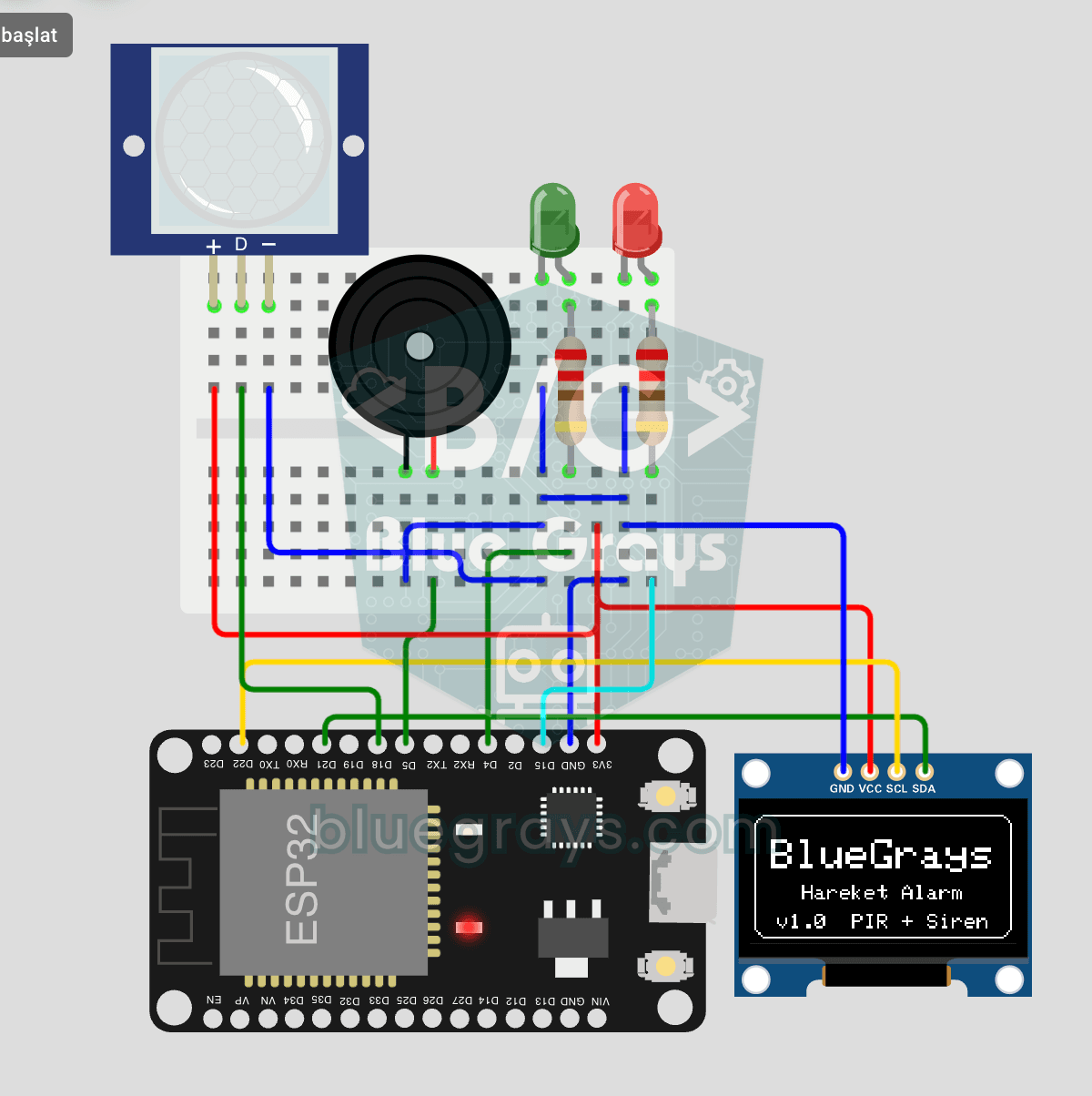
ESP32 Motion Alarm System (PIR + Buzzer + LED + Telegram)
A smart security alarm: when the PIR sensor detects motion, it sounds the buzzer, lights the LED and sends the owner an instant Telegram notification. A 30-second cooldown limits how often the alarm repeats; it does not filter out the PIR sensor's false detections. Use it at home, in a garage, a storeroom or a study.
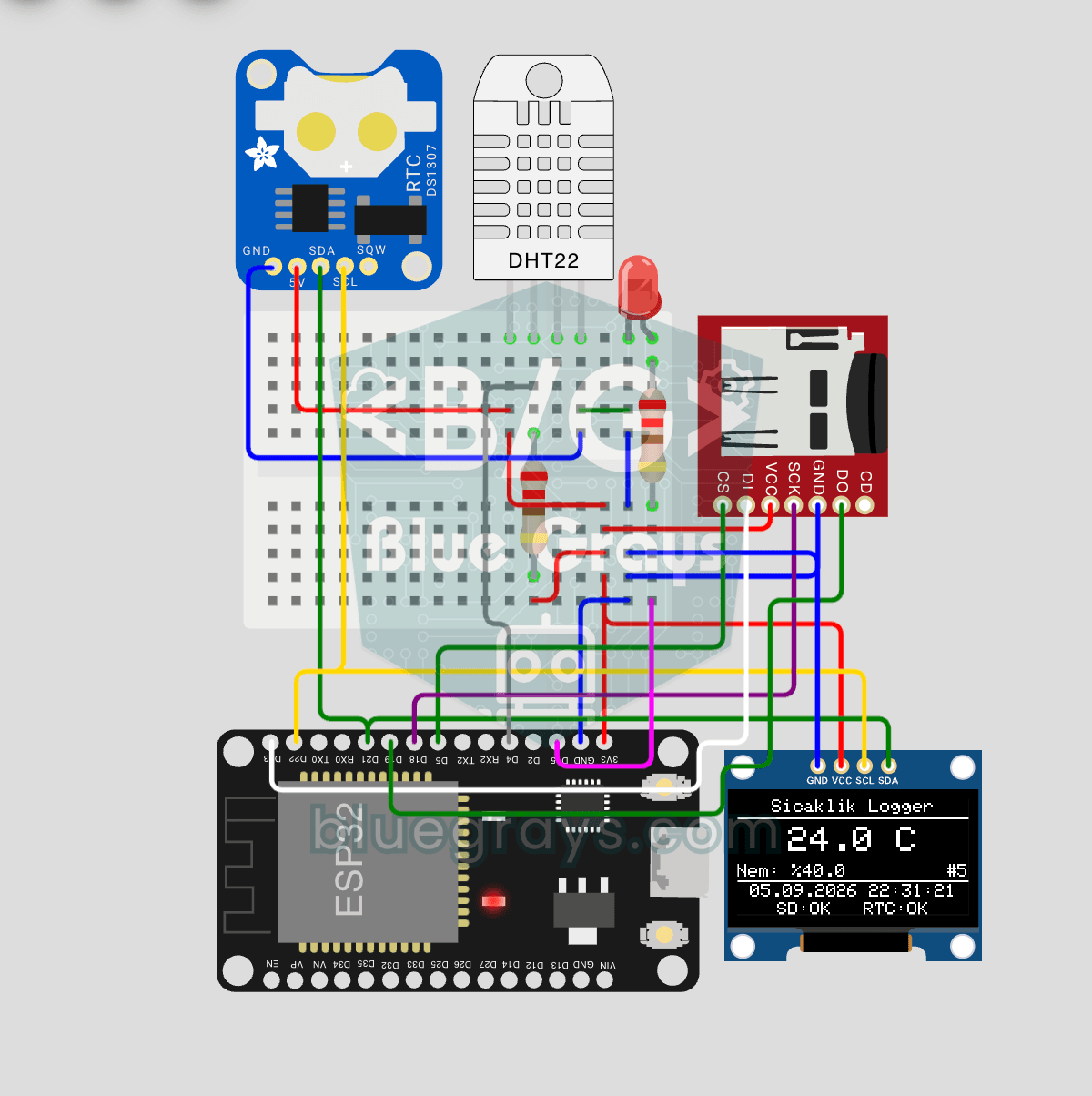
ESP32 Temperature Data Logger (DHT22 + DS1307 RTC + microSD + OLED)
Build a timed temperature and humidity logger with the ESP32! A DHT22 sensor reads temperature and humidity once a minute, and each reading is saved to a microSD card in CSV format with a real-time stamp from the DS1307 RTC module. The OLED display shows the latest temperature, humidity, timestamp and total number of records live, in large text.

Real-Time Clock from the Internet via ESP32 NTP
The ESP32 connects to Wi-Fi and fetches the real time from NTP (Network Time Protocol) servers with millisecond precision. configTzTime() applies the Turkey time zone (TRT, UTC+3) automatically, and in countries with daylight saving time the DST switch is handled by a POSIX TZ string. The time is printed both to the Serial Monitor and to an optional I2C LCD.

ESP32 Wi-Fi STA Connection (with LCD Screen)
In this project, we connect the ESP32 to the home Wi-Fi network in Station (STA) mode in a secure, fault-tolerant manner. We store the SSID and password in a separate secrets.h file to prevent leaking to Git, set up an auto-reconnect mechanism, and display the RSSI signal level and IP address on an I2C LCD screen. The internal LED works as a status indicator. It is a production-grade connection manager.

ESP32 HTTPClient + Weather API (with SSD1306 OLED Display)
In this project the ESP32 makes a REST API call over the internet to a weather API (wttr.in) using HTTPClient.h. Unlike the I2C LCD version, it uses an SSD1306 OLED (128×64) display, with large text and vector icons for a richer look. Seven weather icons (sunny, rainy, snowy and more) are drawn on the fly, with no bitmap files.

ESP32 Parking Sensor (HC-SR04 + 5-LED Bar + Buzzer + OLED)
The ESP32 version of a car parking sensor! The HC-SR04 ultrasonic sensor measures the distance to the object in front. As it gets closer, a 5-LED bar fills up (green → yellow → red) and the buzzer beeps faster. Very close (under 10 cm), a continuous alarm sounds and all LEDs light up. The SSD1306 OLED display shows the live distance in cm in large text, plus a status message.